







Designed specifically for Intel LGA2011 and Sandy Bridge-E we take a look at the NH-D14 to see how this notorious CPU cooler can handle the enthusiast platform.

Product on Review: Noctua NH-D14 SE2011
Manufacturer and Sponsor: Noctua
Street Price: £65
Noctua are the giants of cooling and have asserted themselves as a household name in the last 5 years. Their NH-D14 has long been a benchmark in the arena of the CPU cooler; it was the first twin radiator design to hit the market and has since its arrival won countless awards for excellence.
Today we turn to Noctua for a review of their LGA2011 specific D14, namely NH-D14 SE2011. This CPU cooler is primarily for those with Sandy Bridge-E – the only difference between the original D14 and the SE2011 is the mounting kit. We know the D14 is a success on a range of different platforms but how does it fare when used with the might of LGA2011? It’s time to find out!
Noctua on NH-D14 SE2011
Having received more than 250 awards and recommendations from the international press, Noctua’s NH-D14 has become a benchmark in premium quality quiet cooling. The SE2011 version is a special edition for Intel’s Core i7-39xx/38xx (Sandy Bridge-E) high-end platform and comes equipped with the new SecuFirm2™ mounting system for LGA2011. Combined with the exquisite NF-P12/NF-P14 dual PWM fan configuration and topped off with Noctua’s renowned NT-H1 thermal compound, the NH-D14 SE2011 is an elite choice for an elite platform.
Technical Specifications
Heatsink
Socket compatibility
Intel LGA2011 (Square ILM)
Height (without fan)
160 mm
Width (without fan)
140 mm
Depth (without fan)
130 mm
Height (with fan)
160 mm
Width (with fan)
140 mm
Depth (with fan)
158 mm
Weight (without fan)
900 g
Weight (with fan)
1070/1240* g
Material
Copper (base and heat-pipes), aluminium (cooling fins), soldered joints & nickel plating
Fan compatibility
140x140x25 & 120x120x25mm
Scope of Delivery
1x NF-P14 PWM premium fan
1x NF-P12 PWM premium fan
2x Low-Noise Adaptor (L.N.A.)
Y-Split Cable
4x Vibration-Compensators (for using NF-P12 as case fan)
4x Fan screws (for using NF-P12 as case fan)
NT-H1 high-grade thermal compound
SecuFirm2™ Mounting Kit for LGA2011
Noctua Metal Case-Badge
Warranty
6 Years
Intel LGA2011 (Square ILM)
Height (without fan)
160 mm
Width (without fan)
140 mm
Depth (without fan)
130 mm
Height (with fan)
160 mm
Width (with fan)
140 mm
Depth (with fan)
158 mm
Weight (without fan)
900 g
Weight (with fan)
1070/1240* g
Material
Copper (base and heat-pipes), aluminium (cooling fins), soldered joints & nickel plating
Fan compatibility
140x140x25 & 120x120x25mm
Scope of Delivery
1x NF-P14 PWM premium fan
1x NF-P12 PWM premium fan
2x Low-Noise Adaptor (L.N.A.)
Y-Split Cable
4x Vibration-Compensators (for using NF-P12 as case fan)
4x Fan screws (for using NF-P12 as case fan)
NT-H1 high-grade thermal compound
SecuFirm2™ Mounting Kit for LGA2011
Noctua Metal Case-Badge
Warranty
6 Years
Fan specifications
Model
Noctua NF-P14 PWM & Noctua NF-P12 PWM
Bearing
SSO-Bearing
Max. Rotational Speed (+/- 10%)
1200 / 1300 RPM
Max. Rotational Speed with L.N.A. (+/- 10%)
900 / 900 RPM
Min. Rotational Speed (PWM)
300 / 300 RPM
Max. Airflow
110,3 / 92,3 m³/h
Max. Airflow with L.N.A.
83,7 / 63,4 m³/h
Max. Acoustical Noise
19,6 / 19,8 dB(A)
Max. Acoustical Noise with L.N.A.
13,2 / 12,6 dB(A)
Input Power
0,96 / 0,6 W
Voltage Range
12 V
MTBF
> 150.000 h
Noctua NF-P14 PWM & Noctua NF-P12 PWM
Bearing
SSO-Bearing
Max. Rotational Speed (+/- 10%)
1200 / 1300 RPM
Max. Rotational Speed with L.N.A. (+/- 10%)
900 / 900 RPM
Min. Rotational Speed (PWM)
300 / 300 RPM
Max. Airflow
110,3 / 92,3 m³/h
Max. Airflow with L.N.A.
83,7 / 63,4 m³/h
Max. Acoustical Noise
19,6 / 19,8 dB(A)
Max. Acoustical Noise with L.N.A.
13,2 / 12,6 dB(A)
Input Power
0,96 / 0,6 W
Voltage Range
12 V
MTBF
> 150.000 h
Packaging, Bundle & Fans
D14 SE2011’s packaging has ever so slightly changed since the original D14 but the information printed on the sides have remained the same. The features and specifications are clearly listed and presented in a very professional manner.
Inside, the heatsink is protected in a cardboard packet and all accessories are found within another cardboard box.
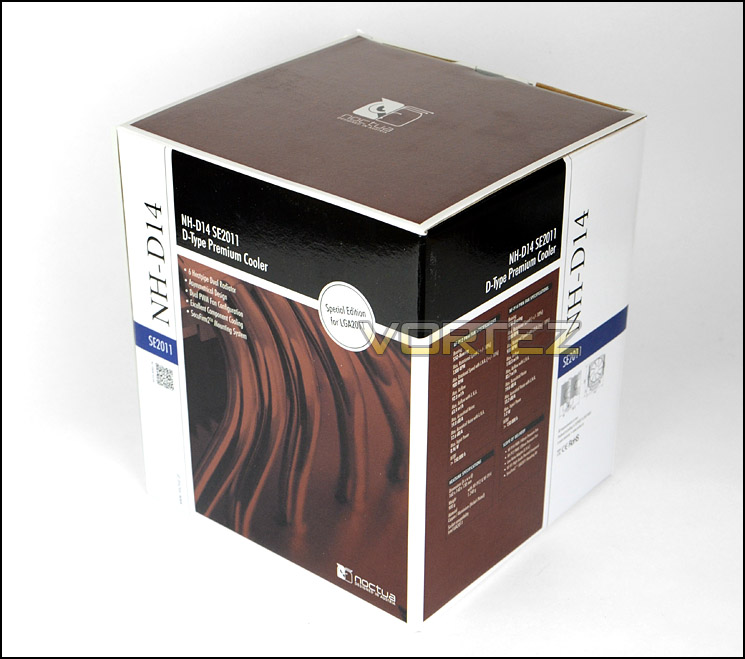
Packaging for D14 SE2011
Being designed specifically for LGA2011, D14 SE2011 has a single fitting kit intended for this socket only. Included within the fitting kit are the following items:
• 2x Low-Noise Adaptor (L.N.A.)
• Y-Split Cable
• 4x Vibration-Compensators (for using NF-P12 as case fan)
• 4x Fan screws (for using NF-P12 as case fan)
• NT-H1 high-grade thermal compound
• SecuFirm2™ Mounting Kit for LGA2011
• Noctua Metal Case-Badge
• Instructions manual
It’s good to see the continuation of SecuFirm2 as this mounting system is proven to be a robust method of securing the heatsink to the motherboard. Noctua’s NT-H1 award-winning thermal paste also makes a re-appearance as do other items such as the handy 45° screw driver.
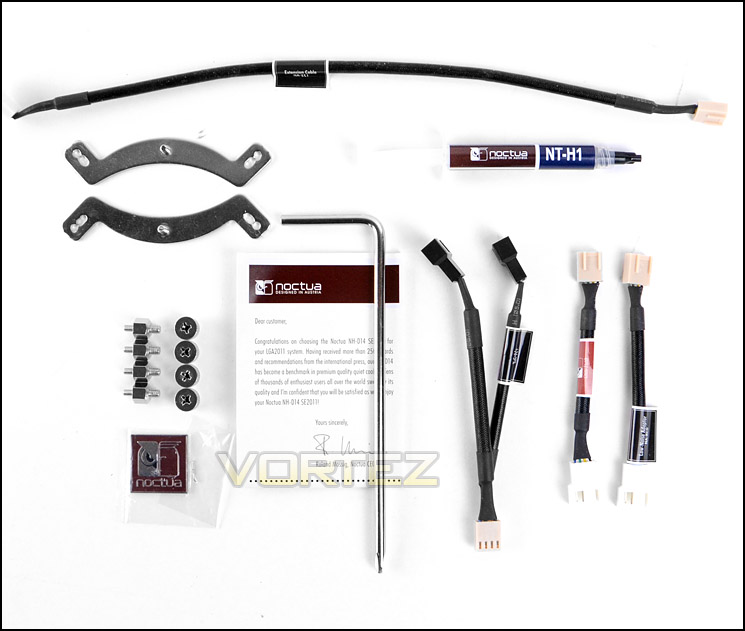
Accessories bundle – LGA2011 fitting kit only
Turning our attention to the cooling fans that come bundled with NH-D14 SE2011 we have a NF-P12 PWM (120mm fan) and an NF-P14 PWM (140mm fan). The NF-P14 will sit in the gap between both towers on the heatsink whilst the NF-P12 will be attached to either side of the outer fins of one of the towers.
Both fans have an identical blade design and come with a 4-pin connector to attach to a header on the motherboard. Fan clips are already attached to the fans to ensure easy installation. Both fans are capable of up to 1200RPM and of course due to these fans being PWM the fans speeds are indeed variable, they take advantage of Noctua’s NE-FD1 PWM IC.
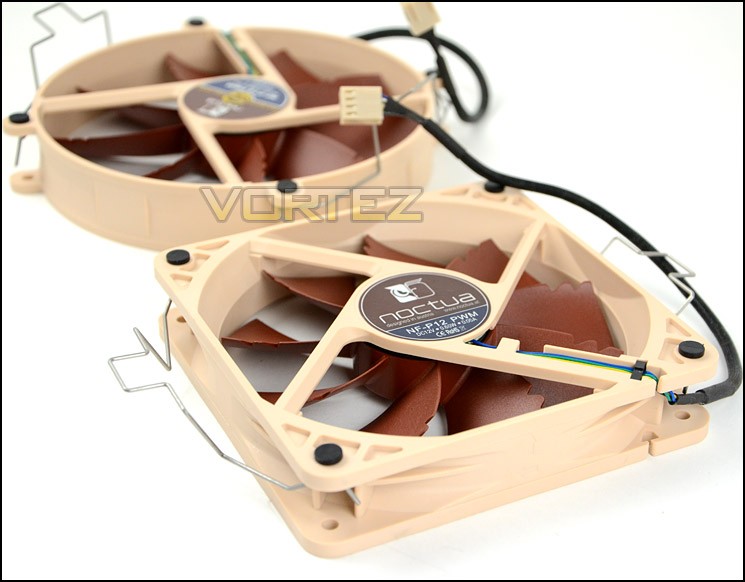
NF-P12 PWM cooling fan
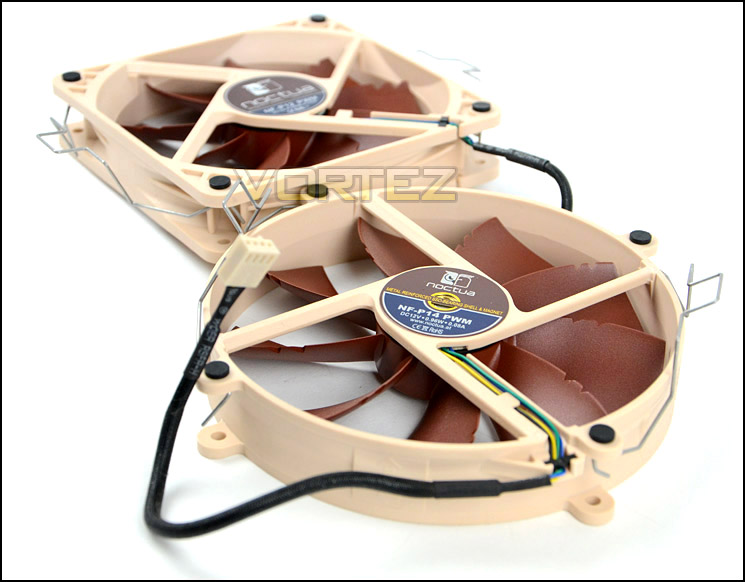
NF-P14 PWM cooling fan
Closer Look
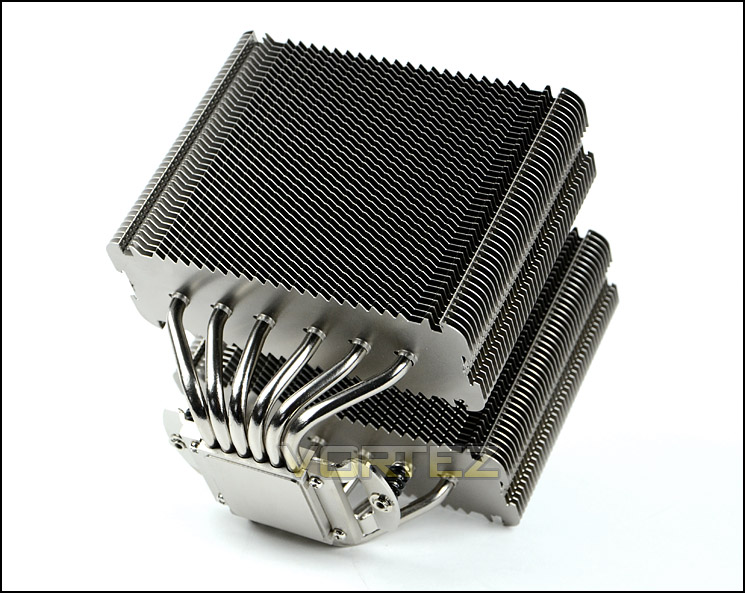
We’ve taken a look at the packaging, fitting kit and cooling fans and now our attention focusses on the main attraction; the heatsink. As is the case with the original D14, the SE2011 version has a dual tower heatsink design with the same stacked fin configuration – 42 nickel plated aluminium fins, all with rather sharp, pointed tips.
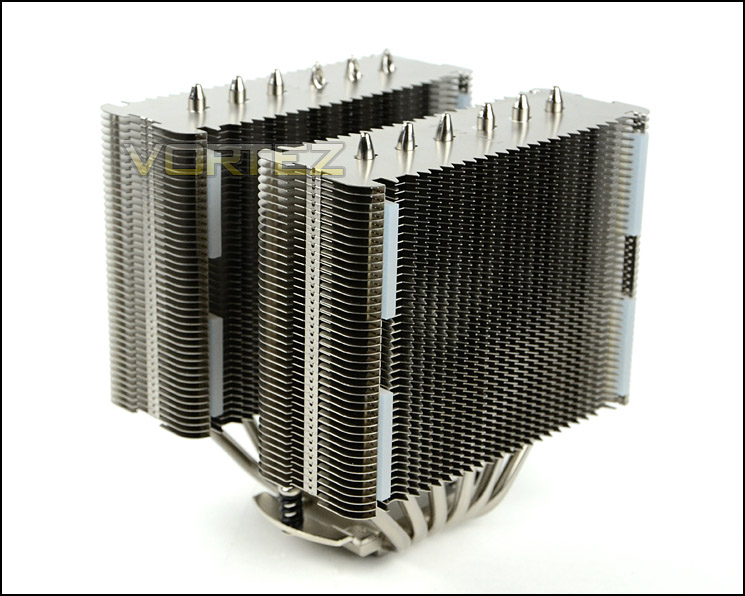
NH-D14 SE2011 dual heatsink design
The cooling fans which are supplied with the heatsink have their clips pre-applied and they allow a perfect and easy installation. Each tower has anti-vibration rubber to fit between the heatsink and the cooling fan.
The clips slot behind the grooves in which the heatsink design follows. Of all the coolers we have used so far the Noctua method is by far one of the most efficient. There is nothing worse than having to struggle holding onto the fan, the clips and trying to install them with the tension they usually require.
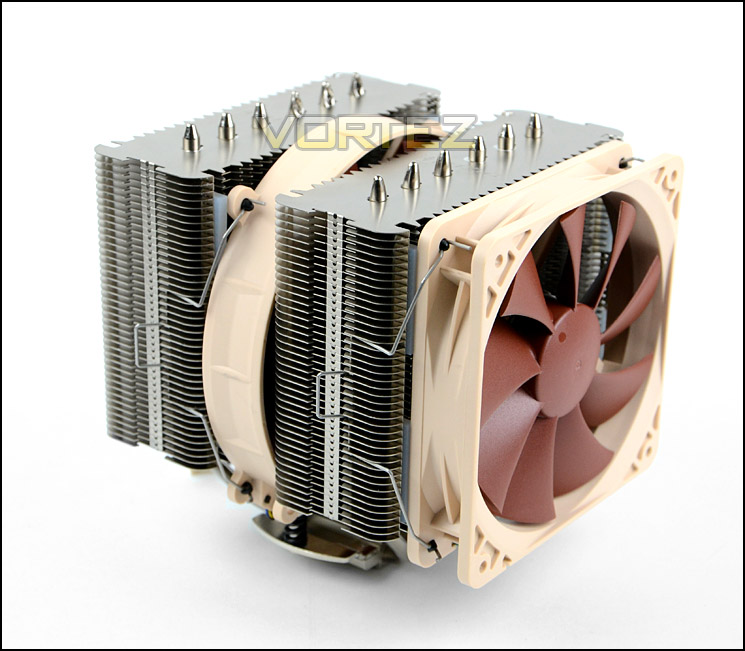
NH-D14 SE2011 with cooling fans attached
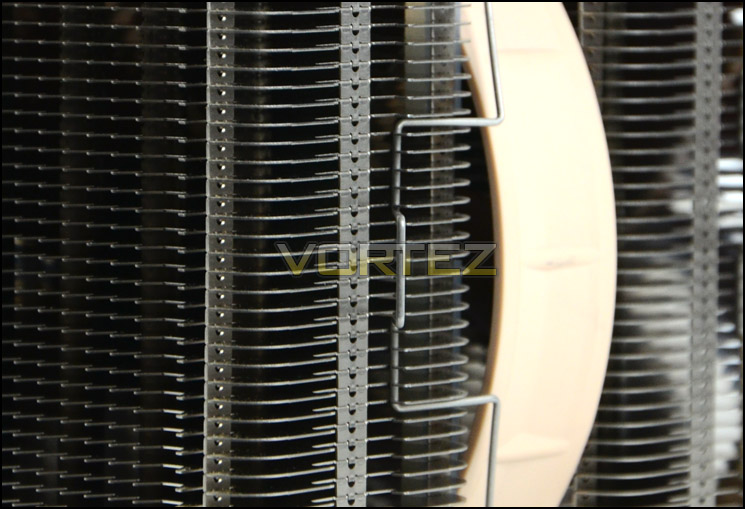
Fan clips are pre-applied and fit perfectly
Passing through each plate of the heatsink are a total of 6 heatpipes which pass through the baseplate. Heat travels up and through these heatpipes, is dispelled over the plates and finally pushes away from the unit via the cooling fans. Each heatpipe goes into a different radiator so that heat can be distributed and dissipated.
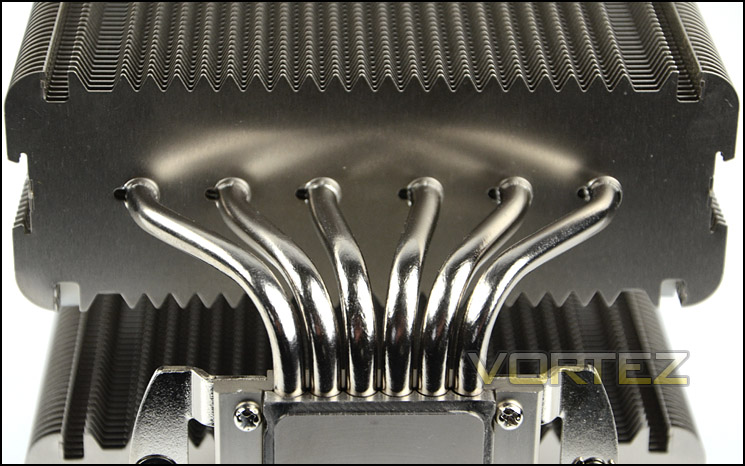
6 heatpipes pass through the two towers
A design choice which we’re very pleased to see making an appearance is the pre-installed mounting screws which have a tension coil. Again, just like the fans – having a fixed installation part helps enormously with the time taken during the process of fixing this cooler to the motherboard. All you have to do is focus on applying pressure and turning the screw rather than having to balance the screw with one hand and screw with the other. The value this small inclusion brings really is significant.
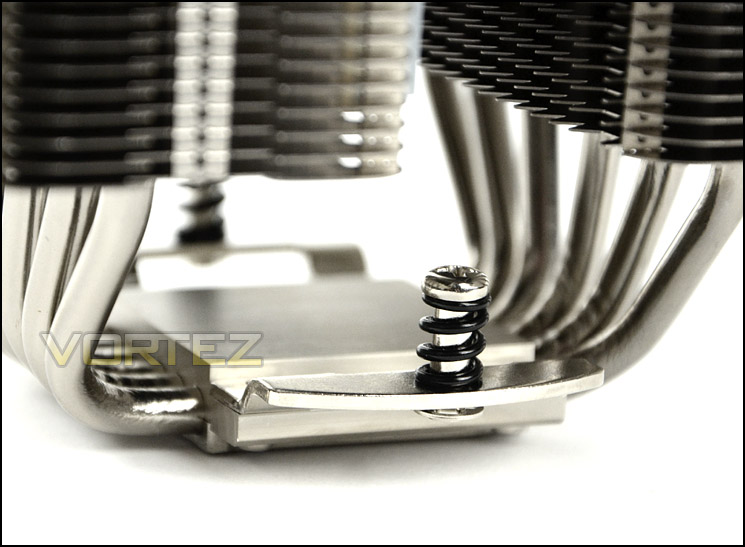
Fixed mounting screws are very helpful
Lastly – the baseplate. This is has a semi-reflective finish. Rather than being completely smooth and have a mirror finish Noctua have chosen to go with a surface that lends itself to being partly rough. This is to prevent air pockets from forming when applying thermal paste.
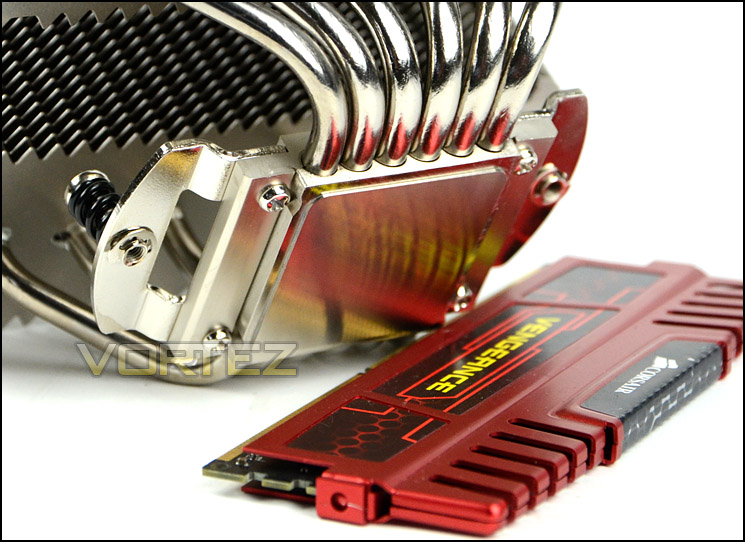
Semi-reflective baseplate
Installation Process
Installing NH-D14 SE2011 is easy and this is an area which it has a significant advantage over other offerings. Although the process is fairly simple, the instructions guide is something that some may reference to in order to double check the correct method is carried out.
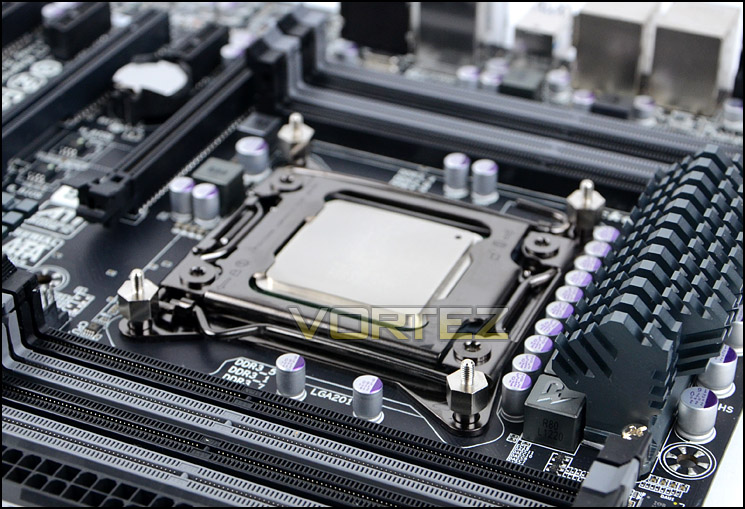
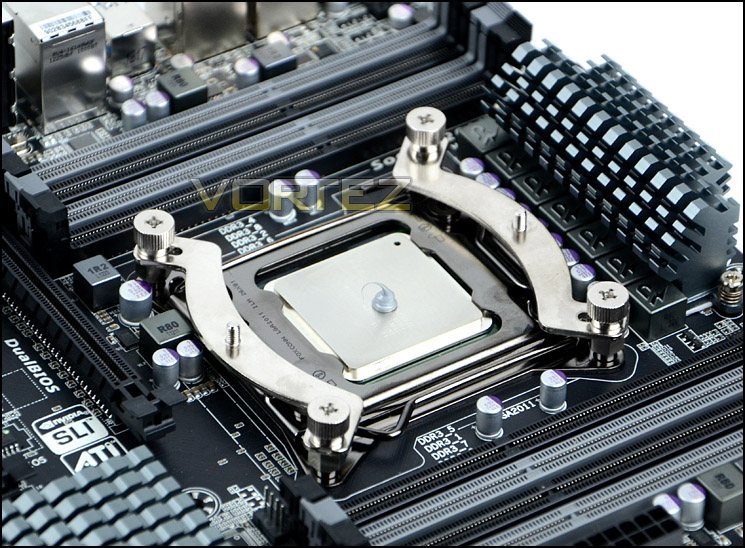
There are four double sided bolts bundled with D14 SE2011, these are screwed into the mounting holes on the LGA2011 socket. Soon after this is done the brackets pictured below need to be placed on top of these bolts – to have the cooler in the traditional orientation so that the heatsink/fans are facing the rear exhaust fan inside a computer chassis the brackets should be placed in a horizontal fashion with the brackets bending outwards, not inwards. Next simply apply the thumbscrews to secure these brackets down, using a screwdriver to completely tighten. After this, all that needs to be done is apply thermal paste, place the cooler on the CPU and screw down. It really is as simple as that.
SecuFirm 2 mounting kit is easy to fit and offers an excellent method of securely attaching the cooler.
Installed – Memory Clearance
Memory clearance is something which many system builders and enthusiasts are eager to discover since this will ascertain whether a memory kit will be compatible with the CPU cooler or not. To demonstrate this a low profile memory kit is used.
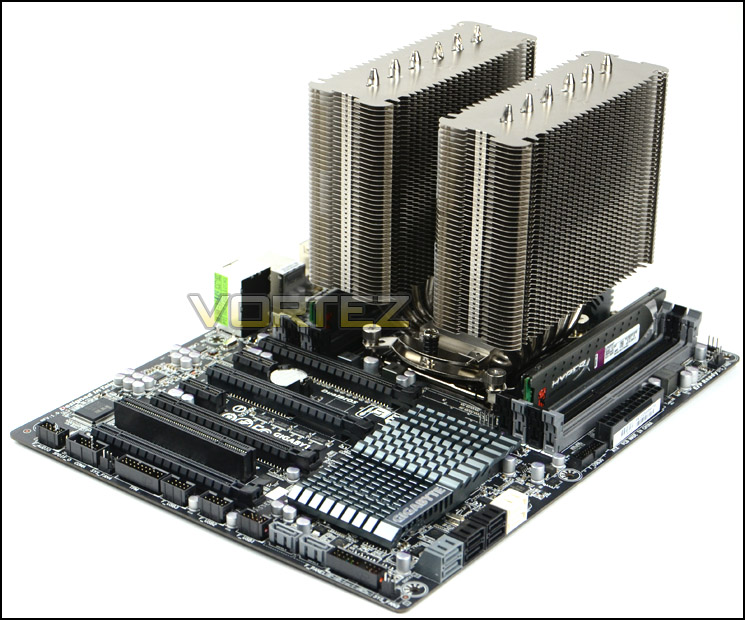
NH-D14 SE2011 installed without fans
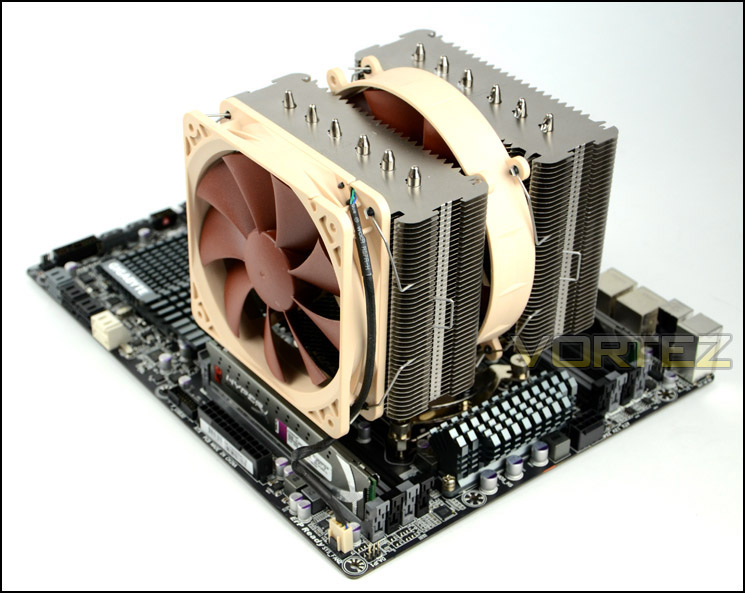
NH-D14 SE2011 installed with fans
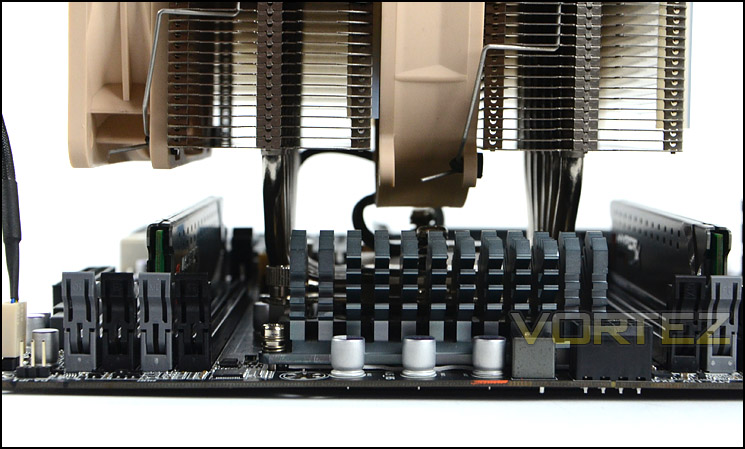
As you can see there is approximately 4cm for the total height of the memory sticks (including heatsink). This will allow for the installation of some memory kits but not others. For example, standard Corsair Vengeance will not fit when combined with NH-D14 SE 2011.
An observation of memory clearance
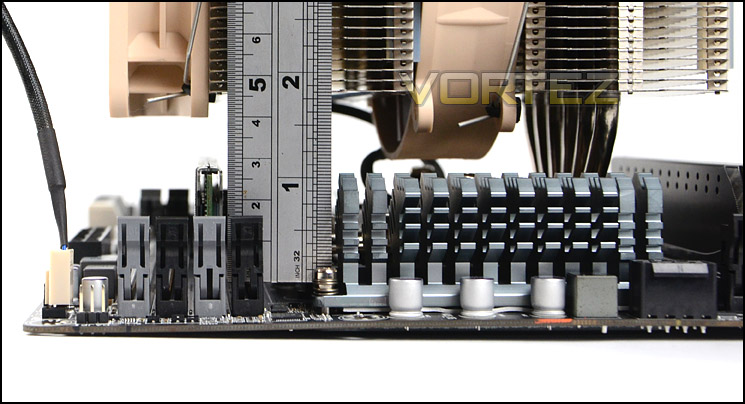
Approximately 4cm of clearance for memory
Test Setup & Methodology
Test System
CPU – Intel Core i7-3930K (3.6GHz)
Motherboard – GIGABYTE X79-UP4
Memory – 8GB Corsair Vengeance LP 1600MHz CL9
Graphics – Sapphire Radeon HD 6850 1GB
PSU – NZXT Hale90 650W
Hard Drive – Kingston HyperX 240GB SATA III SSD
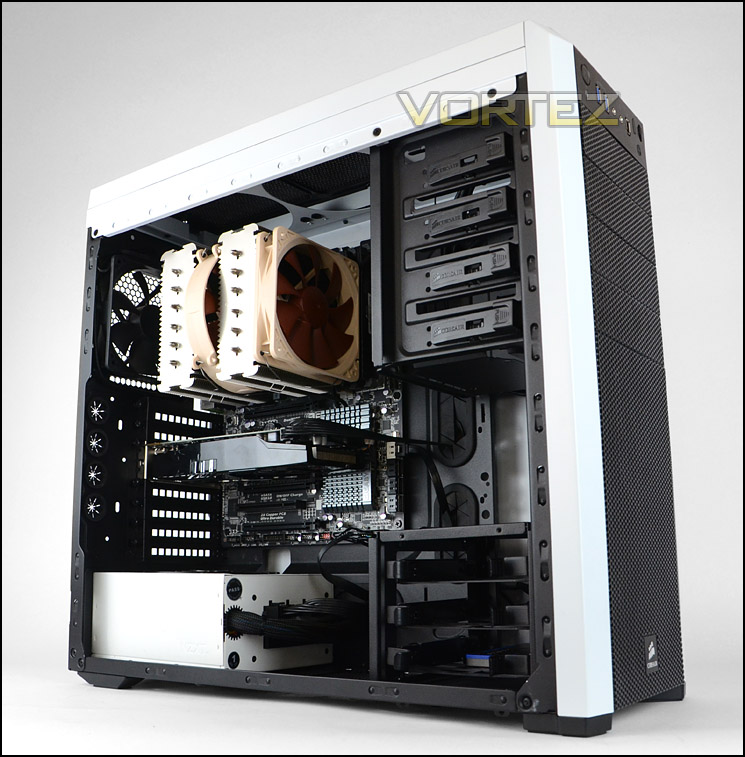
Case – Corsair Carbide 500R White
Motherboard – GIGABYTE X79-UP4
Memory – 8GB Corsair Vengeance LP 1600MHz CL9
Graphics – Sapphire Radeon HD 6850 1GB
PSU – NZXT Hale90 650W
Hard Drive – Kingston HyperX 240GB SATA III SSD
Case – Corsair Carbide 500R White
CPU Coolers
Alpenföhn Matterhorn Pure(120mm Wingboost: 300-1200RPM)
Alpenföhn K2 (120mm Wingboost: 500-1500RPM, 140mm Wingboost: 300-1100RPM)
Alpenföhn Gotthard (140mm Wingboost: 300-1100RPM)
Noctua NH-D14 (120mm NF-P12 PWM + 140mm NF-P14 PWM: up to 1200RPM)
Thermalright SilverArrow SB-E Extreme (Dual TY-143 fans – 600-2500RPM)
Corsair Hydro H100 (Dual 120mm fans – low: 1300RPM, mid: 2000RPM, high: 2600RPM)
Program Suite
Real Temp – Maximum temperature analysis
LinX 0.6.4 – Applies thorough stress test to CPU
CPU-Z – Confirmation of CPU frequency/voltage
AIDA64 Extreme Edition – Confirmation of temperatures/fan speeds
Testing methodology
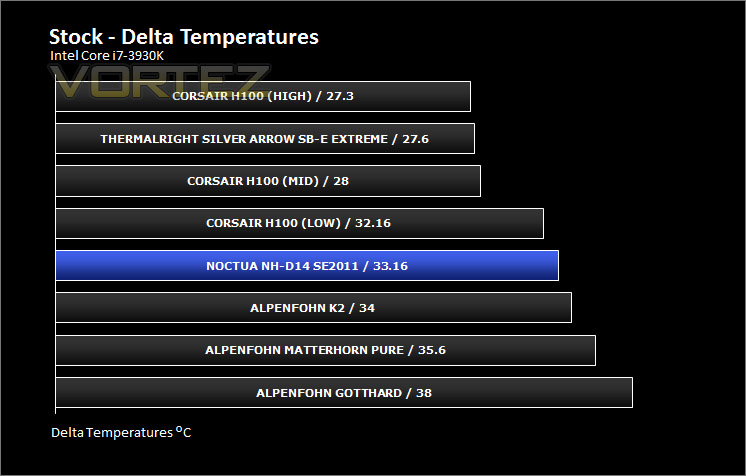
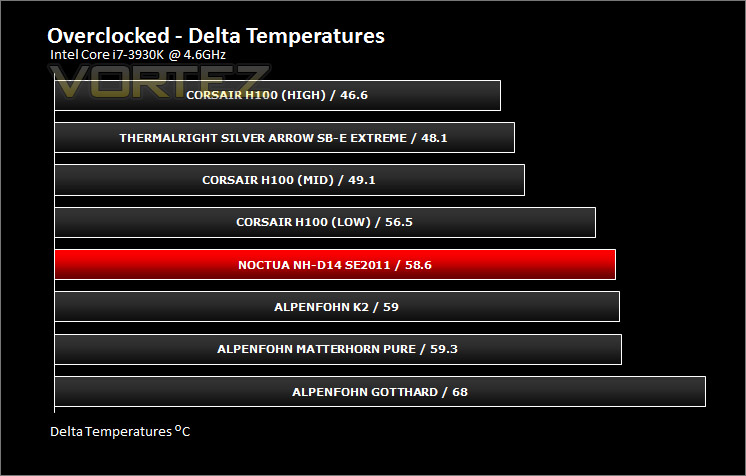
Testing will be based on temperatures recorded by Real Temp after 20 passes of LinX stress test. The maximum absolute temperatures will be recorded after the test and averaged over the 6 cores. The delta is then calculated by subtracting the ambient temperature recorded near the intake fans from the average temperature calculated. Tests are conducted with the Intel i7 3930K at its default 3.6GHz stock speed and overclocked to 4.6GHz @ 1.42V. The tests are done inside the Corsair Carbide 500R chassis to simulate real world conditions. To keep the tests standardised we are using Noctua’s NT-H1 thermal paste on all coolers.
CPU coolers are reviewed as they come out of the box – with their factory cooling fans, as the manufacturer intended and as the consumer expects.
Additional tests include a passive test where the cooling fans are taken away from the heatsink and a comparison between the cooler used with stock thermal paste against our Noctua NT-H1 paste.
A kind thank you to Noctua for supplying us with NT-H1 thermal compound.
Results – Stock Performance
With the 3930K set to stock settings the NH-D14 SE2011 shows some excellent thermal performance figures. Although the Silver Arrow SB-E Extreme appears to be better than the other air coolers, Noctua’s representative comes out of this fight very well indeed. The cooling fans remained between 1000-1200RPM during the stress test, this presented low noise output and we have no reservations in saying the fan configuration on NH-D14 SE2011 delivers low levels of disturbance.
Results – Overclocked Performance
During overclocked performance the NH-D14 SE2011 handles the 3930K at some of the lowest temperatures for an air cooler. With a bump in frequency this cooler did not waver. Again fan speeds maintained 1000-1200RPM.
Results – Passive Performance
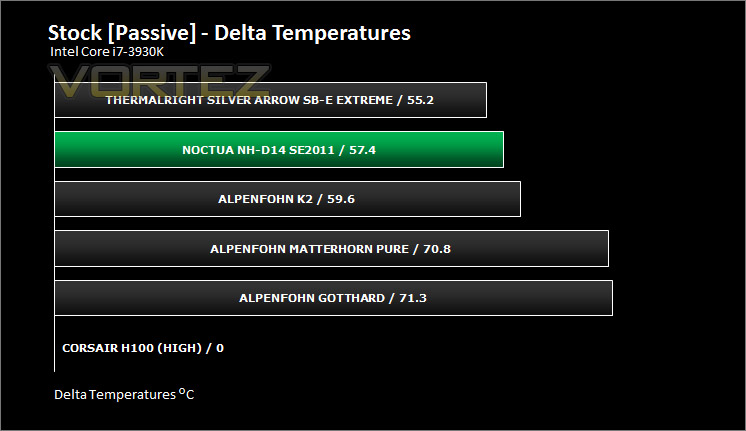
For passive testing the cooler relies completely on the thermal design offered up by the heatsink itself. With no cooling fans attached the NH-D14 SE2011 closes the gap between itself and the Silver Arrow SB-E Extreme and the thermal range between itself and the K2 is now bigger showing that Noctua’s thermal plates, fins, heatpipes and baseplate design is a superior choice. Had the NH-D14 SE2011 had fans that were up to 2500RPM capable then I’m sure the Silver Arrow SB-E Extreme would have been knocked off the top on the previous results page. (The Noctua settles for a better balance between performance an noise).
Conclusion
Since moving our CPU cooling test bench over to LGA2011 Noctua’s D14 was an obvious choice to include within our table of benchmark results. The D14 has been an overwhelming success for Noctua over the last few years and we were keen to investigate whether the SE2011 variant demonstrated the same prowess as it did in our previous review of the original cooler.
NH-D14 SE2011 doesn’t disappoint. Noctua continue to give a strong bundle within the packaging; dual cooling fans, thermal paste, low noise adapters, secuFirm 2 and a helpful installation guide tout this as a packaging scheme for others to follow. We’ve been a fan of SecuFirm since the early days as it offers a simple, no-fuss method of installing the cooler to the motherboard. Further to this Noctua pre-attach the mounting screws to the cooler and fan clips to the cooling fans which results in a completely hassle-free installation.
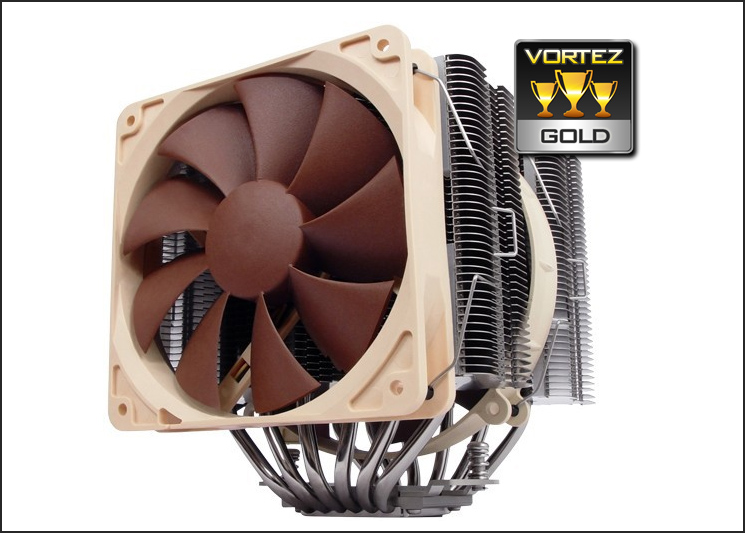
The results on the preceding pages demonstrate that the D14 SE2011 can handle Sandy Bridge-E with no questions asked. The thermal design of the heatsink on its own tackles the problem of heat clearly from the passive results. Let’s not forget Noctua were the first to bring to market the dual-radiator design and these guys know what they are doing.
Priced at £65 the Noctua NH-D14 SE2011 is a quite a pricey product but it’s important to analysis the included items and consider what you get from the whole package; dual fans – 120 + 140mm (at least £10 each), thermal paste (£8) and not to mention a heatsink which offers some of the best heat efficiency available it’s no wonder the NH-D14 SE2011 is an attractive buy.
Pros
+ Excellent thermal performance
+ Great bundle
+ Low noise fans
+ Can be used passively
+ Easy installation
Cons
– Price could be an issue for some
+ Excellent thermal performance
+ Great bundle
+ Low noise fans
+ Can be used passively
+ Easy installation
Cons
– Price could be an issue for some

Click here for an explanation of our awards at Vortez.net.


