Following in the footsteps of the award winning NH-L12 low-profile cooler, can the L12S fill the boots of its predecessor?

Product on Review: Noctua NH-L12S
Manufacturer: Noctua
Street Price: £45.95 / $49.90
Noctua is one of the most well-known cooling manufactuers, specialising in the silent and high-end cooling range. The Austrian manufacturer has an almost perfect reputation for building some of the best CPU coolers on the market.
Today we take a look at the Noctua NH-L12S which is the direct evolution of its award winning NH-L12. Featuring an overall height of only 70mm from the CPU, the NH-L12S is designed to fit into your small HTPC while providing excellent cooling performance.
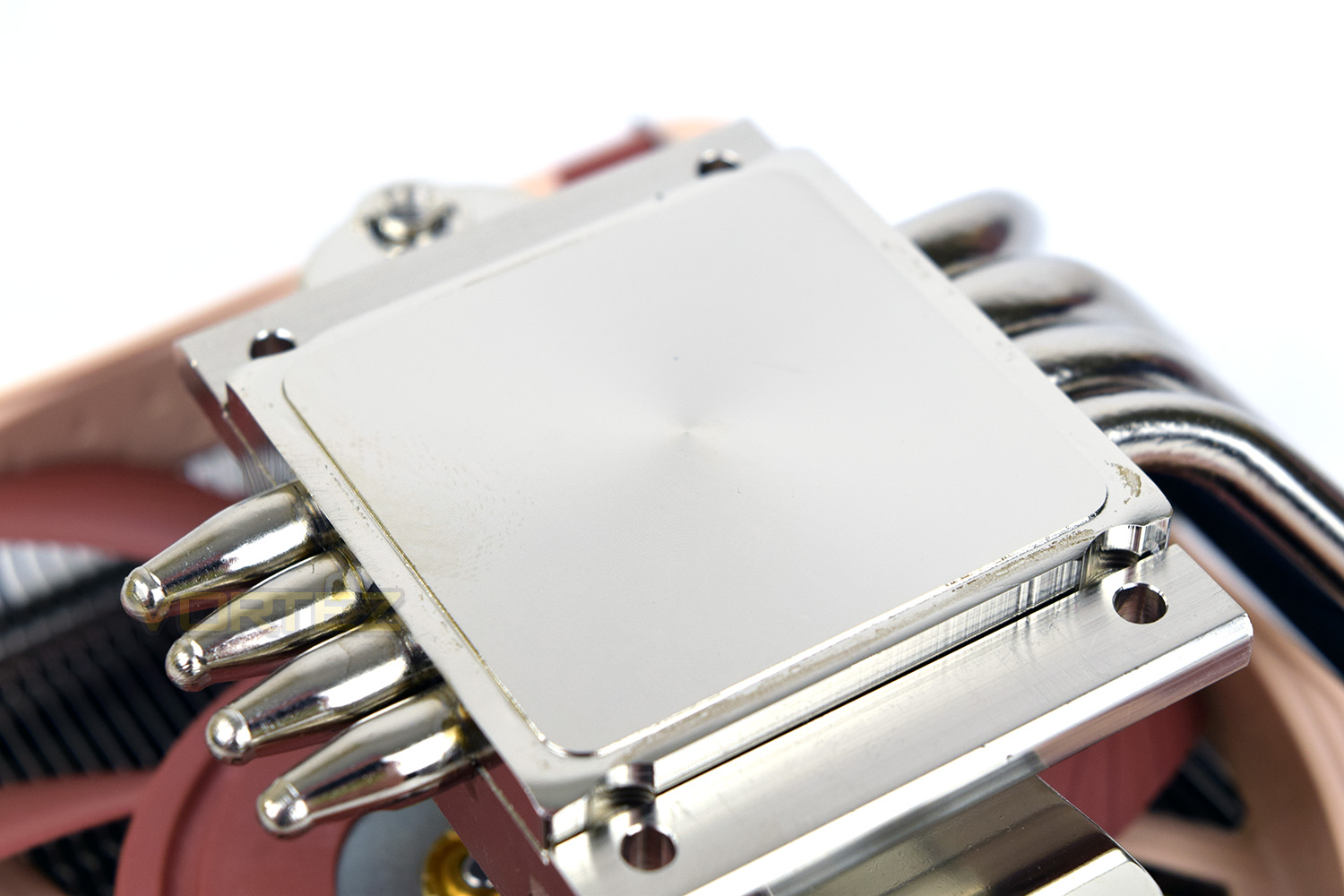
The NH-L12S comes equipped with Noctua’s patented SecuFirm2 mounting system, designed to work with a wide range of socket types with the included fixing equipment. Alongside the mounting bracket is the NG-A12x15 PWM fan, a 120mm, low-profile fan designed to push large amounts of air without sounding like a vacuum cleaner.
After reading the specification sheets, we were intrigued to find out just how well such a small CPU cooler can perform. They recommend to take care when using this cooler on any CPU with a TDP above 95w so our Core i7-3930K should pose quite a challenge with the 130W TDP. Read on to find out just how well such a small CPU heatsink can deal with a power-hungry processor.
Noctua on the NH-L12S:
Successor to the award-winning NH-L12, the NH-L12S is a compact low-profile CPU cooler that combines excellent compatibility, surprising efficiency and remarkable flexibility. Thanks to its NF-A12x15 PWM, slim 120mm fan, the NH-L12S provides even better quiet cooling performance than the previous model with its 92mm fan. At the same time, the NH-L12S is highly versatile: with the fan installed on top of the fins, the cooler is compatible with RAM modules of up to 48mm in height. With the fan installed underneath the fins, the total height of the cooler is only 70mm, making it suitable for use in many HTPC and Small Form Factor cases. Topped off with the trusted, pro-grade SecuFirm2™ multi-socket mounting system, Noctua’s proven NT-H1 thermal compound and a full 6-year manufacturer’s warranty, the NH-L12S is a premium-quality low-profile solution for the highest demands.
Technical Specifications
Cooler Specification Socket compatibility Intel LGA2066, LGA2011-0 & LGA2011-3 (Square ILM), LGA1156, LGA1155, LGA1151, LGA1150 & AMD AM2, AM2+, AM3, AM3+, AM4, FM1, FM2, FM2+ (backplate required)
Height (without fan) 70 mm
Width (without fan) 128 mm
Depth (without fan) 146 mm
Height (with fan) 70 mm
Width (with fan) 128 mm
Depth (with fan) 146 mm
Weight (without fan) 390 g
Weight (with fan/s) 520 g
Material Copper (base and heat-pipes), aluminium (cooling fins), soldered joints & nickel plating
Max. TDP see TDP guide
Fan compatibility 120x120x15 & 120x120x25
Scope of delivery
1x NF-A12x15 PWM premium fan
Low-Noise Adaptor (L.N.A.)
NT-H1 high-grade thermal compound
SecuFirm2™ mounting kit
Noctua metal case-badge
Warranty 6 Years
Height (without fan) 70 mm
Width (without fan) 128 mm
Depth (without fan) 146 mm
Height (with fan) 70 mm
Width (with fan) 128 mm
Depth (with fan) 146 mm
Weight (without fan) 390 g
Weight (with fan/s) 520 g
Material Copper (base and heat-pipes), aluminium (cooling fins), soldered joints & nickel plating
Max. TDP see TDP guide
Fan compatibility 120x120x15 & 120x120x25
Scope of delivery
1x NF-A12x15 PWM premium fan
Low-Noise Adaptor (L.N.A.)
NT-H1 high-grade thermal compound
SecuFirm2™ mounting kit
Noctua metal case-badge
Warranty 6 Years
Fan Specification
Model 1x Noctua NF-A12x15 PWM
Bearing SSO2
Max. Rotational Speed (+/- 10%) 1850 RPM
Max. Rotational Speed with L.N.A. (+/- 10%) 1400 RPM
Min. Rotational Speed (PWM, +/-20%) 450 RPM
Max. Airflow 94,2 m³/h
Max. Airflow with L.N.A. 70,8 m³/h
Max. Acoustical Noise 23,9 dB(A)
Max. Acoustical Noise with L.N.A. 16,8 dB(A)
Input Power 1,56 W
Voltage Range 12 V
MTTF > 150.000 h
Bearing SSO2
Max. Rotational Speed (+/- 10%) 1850 RPM
Max. Rotational Speed with L.N.A. (+/- 10%) 1400 RPM
Min. Rotational Speed (PWM, +/-20%) 450 RPM
Max. Airflow 94,2 m³/h
Max. Airflow with L.N.A. 70,8 m³/h
Max. Acoustical Noise 23,9 dB(A)
Max. Acoustical Noise with L.N.A. 16,8 dB(A)
Input Power 1,56 W
Voltage Range 12 V
MTTF > 150.000 h
Manufacturer Notes & Warnings
The NH-L12S is a low-profile quiet cooler designed for use in Small Form Factor cases and HTPC environments. While it provides first-rate performance in its class, it is not suitable for overclocking and should be used with care on CPUs with more than 95W TDP (Thermal Design Power). Please consult our TDP guidelines to find out whether the NH-L12S is recommended for your CPU.
Packaging & Bundle
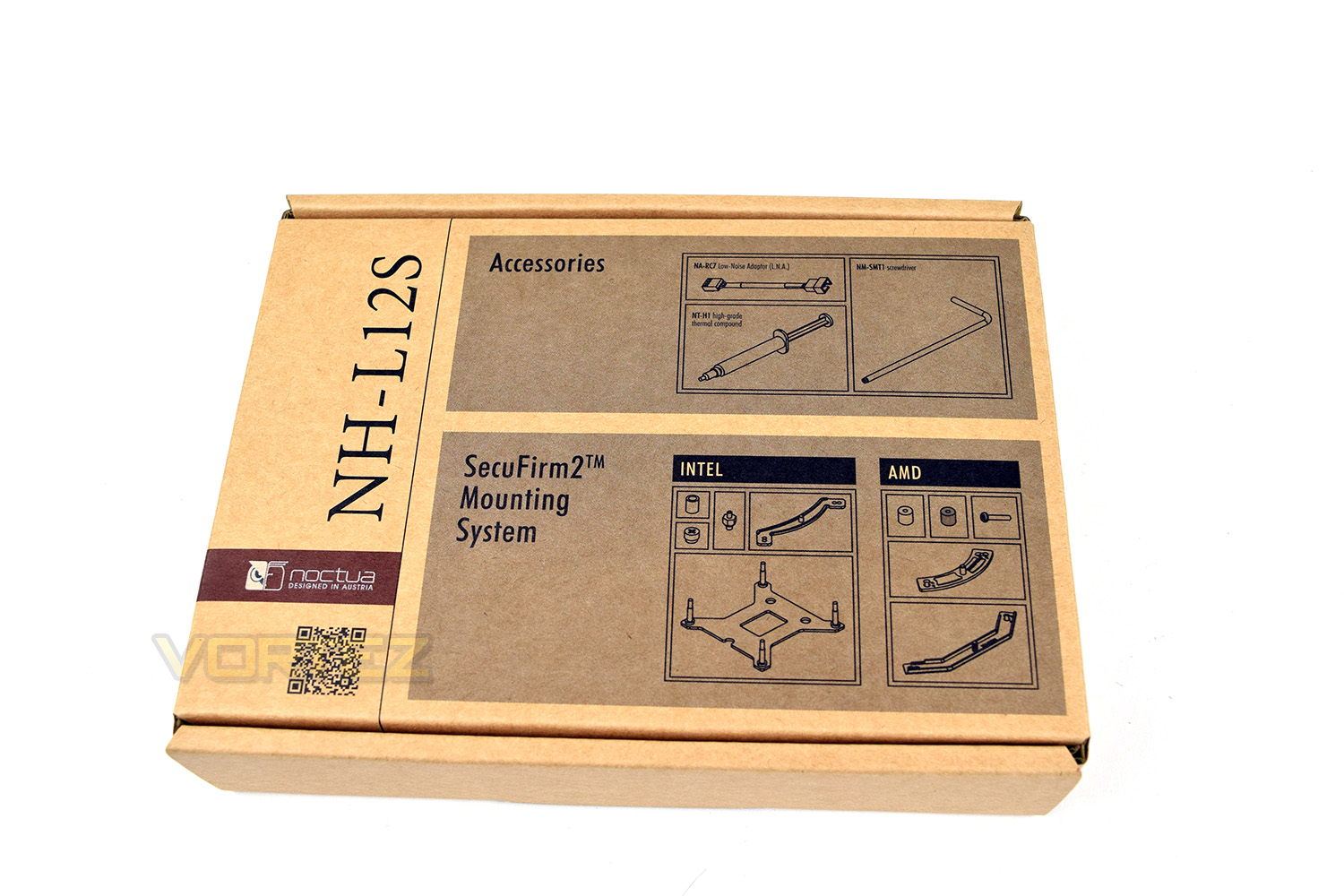
It wouldn’t be Noctua if it wasn’t brown, right? The overall scheme of the packaging is, and probably always will be, brown. The packaging is informative, listing all of the main features right on the front of the box. It’s also good to see the cooler arrives in such a large box, providing plenty of cardboard around the heatsink to ensure nothing gets bent or warped in transit.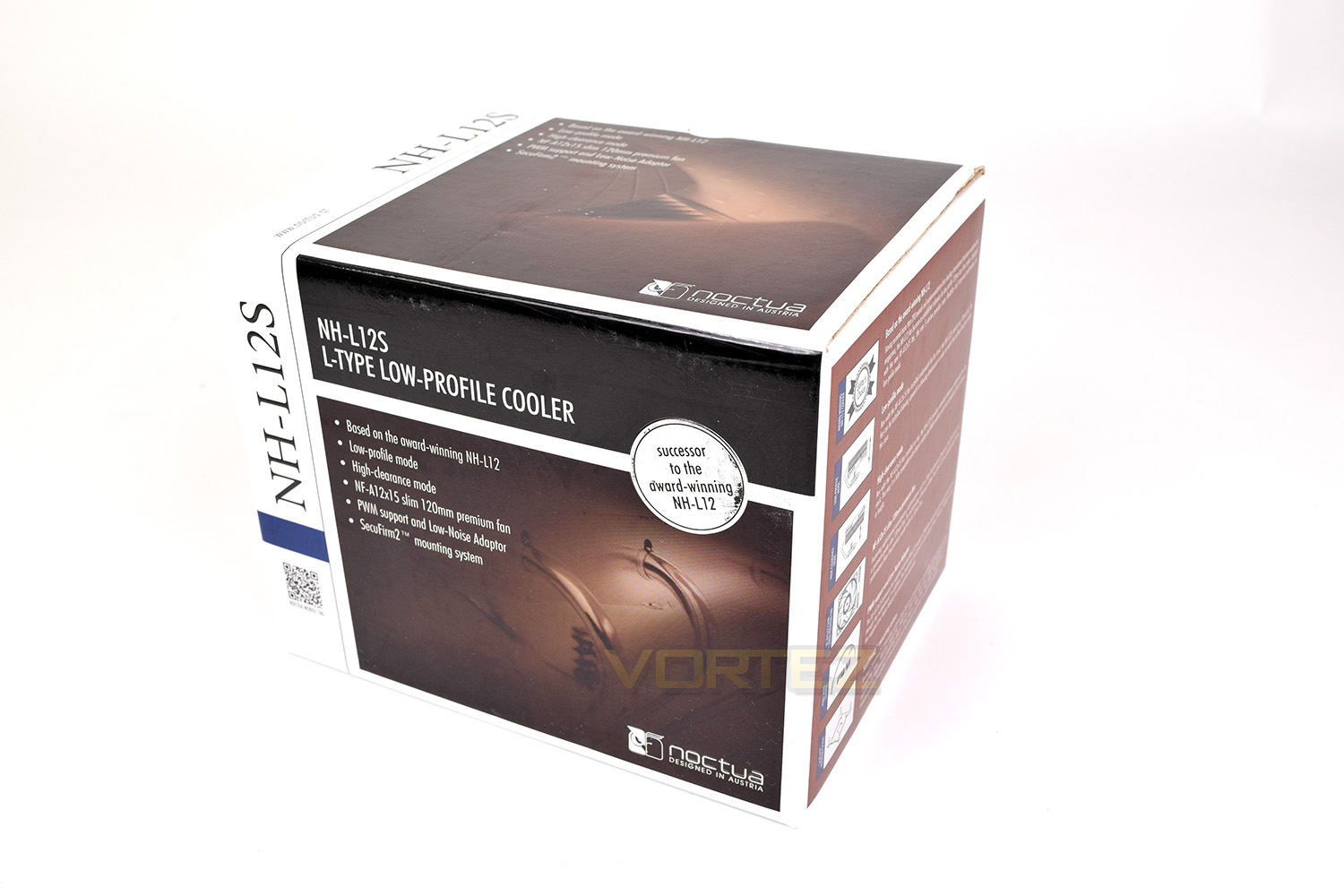
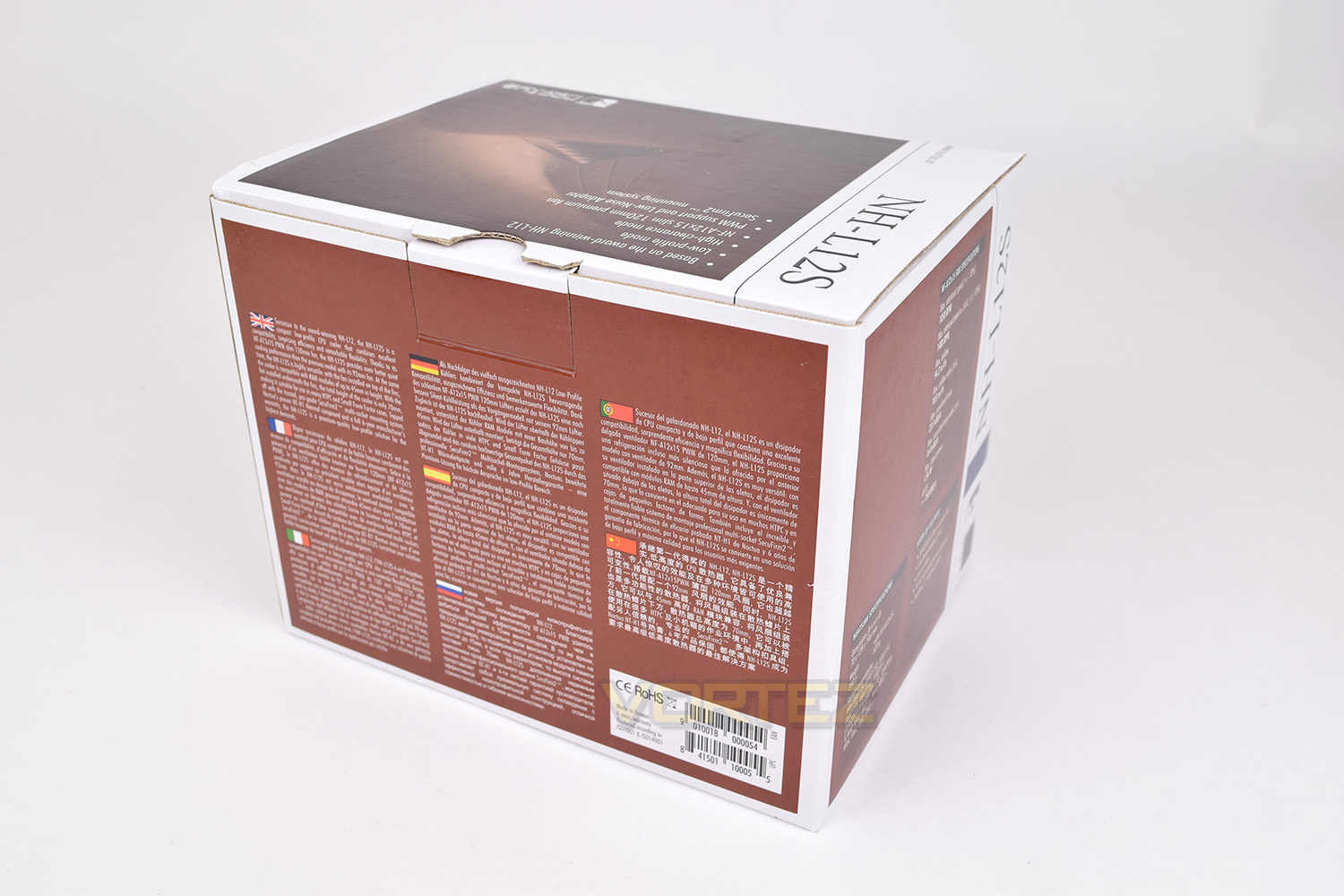
Around the back, more brown, along with multilingual descriptions of the product.
Included with the heatsink is a tube of Noctua’s NT-H1 thermal compound, a low-noise adaptor which limits fan speed to a maximum of 1,400RPM and an angled screwdriver to make installation that little bit easier.
Noctua’s SecuFirm2 mounting system is also included within this box, designed to fit most Intel and AMD brackets in use today.
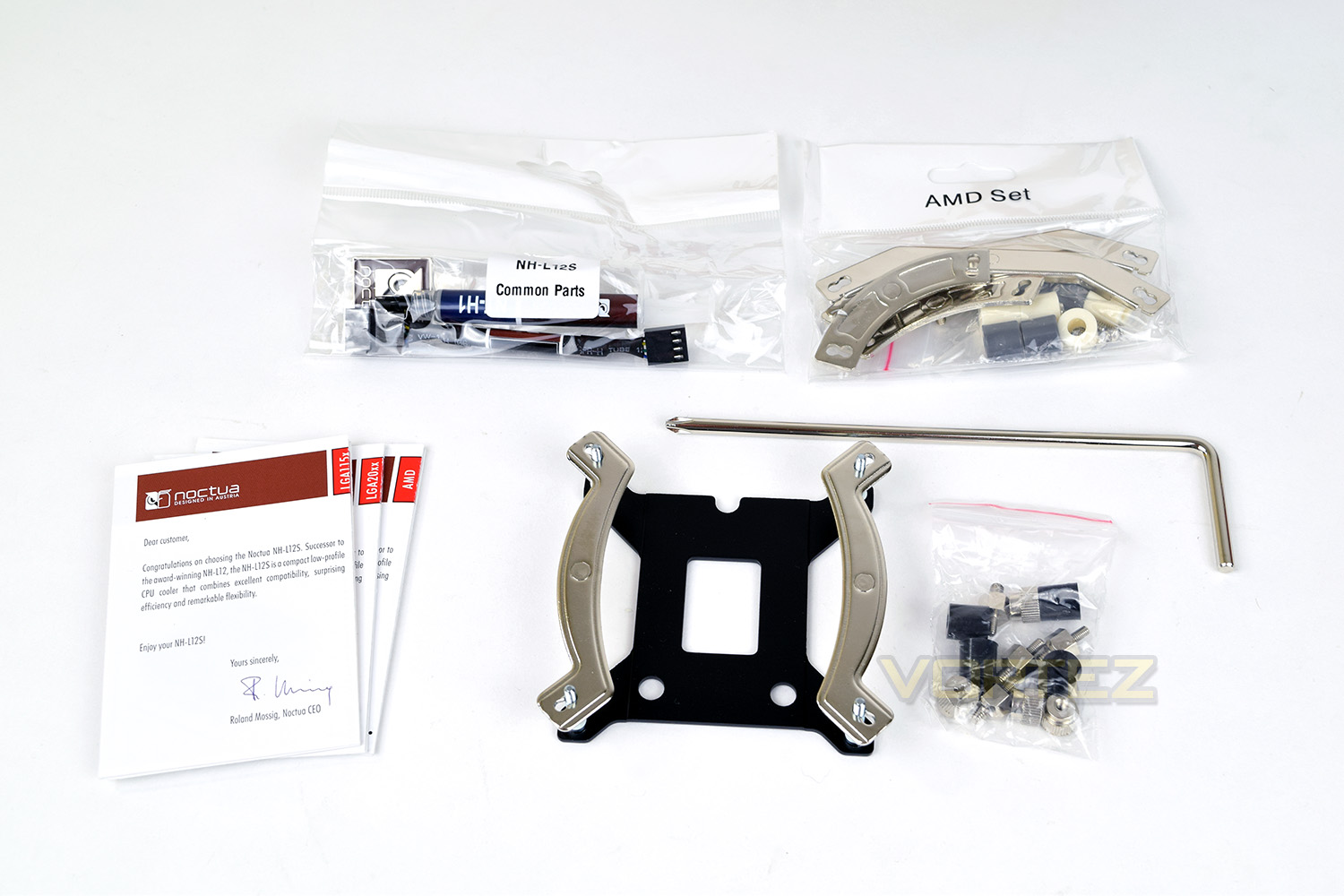
To help make things easier still, Noctua have provided 3 separate instruction manuals for LGA115x, LGA 20xx and AMDs mounting systems.
Closer Look
With the fan mounted underneath, in low-profile, stealth mode, the NH-L12S stands only 70mm tall; Noctua themselves admit that cooling performance is diminished somewhat in this configuration due to a lack of airflow onto the PCB surrounding the CPU and associated power delivery.There are 4 heatpipes to carry heat away from the CPU, however they aren’t direct-contact like many CPU coolers.
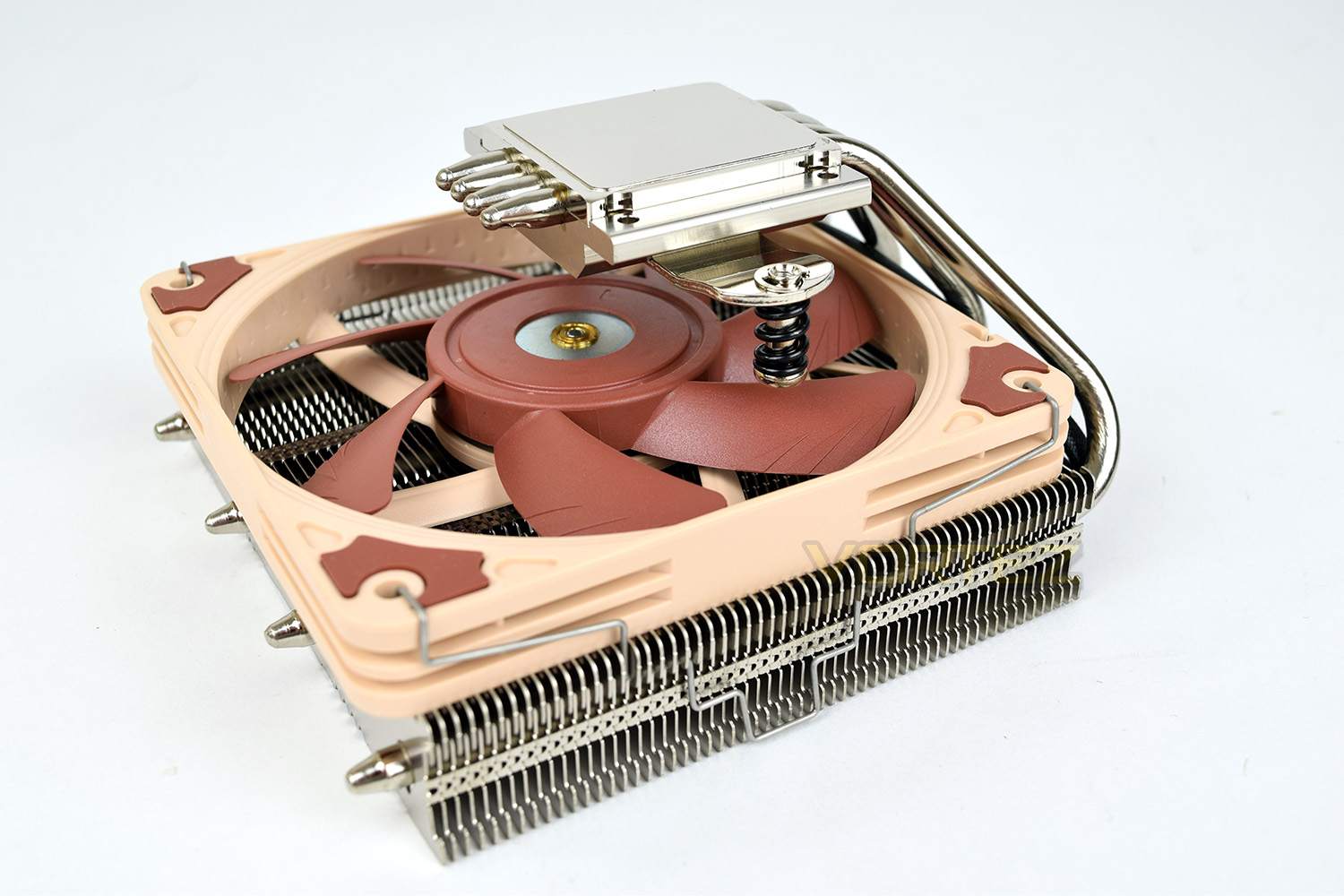
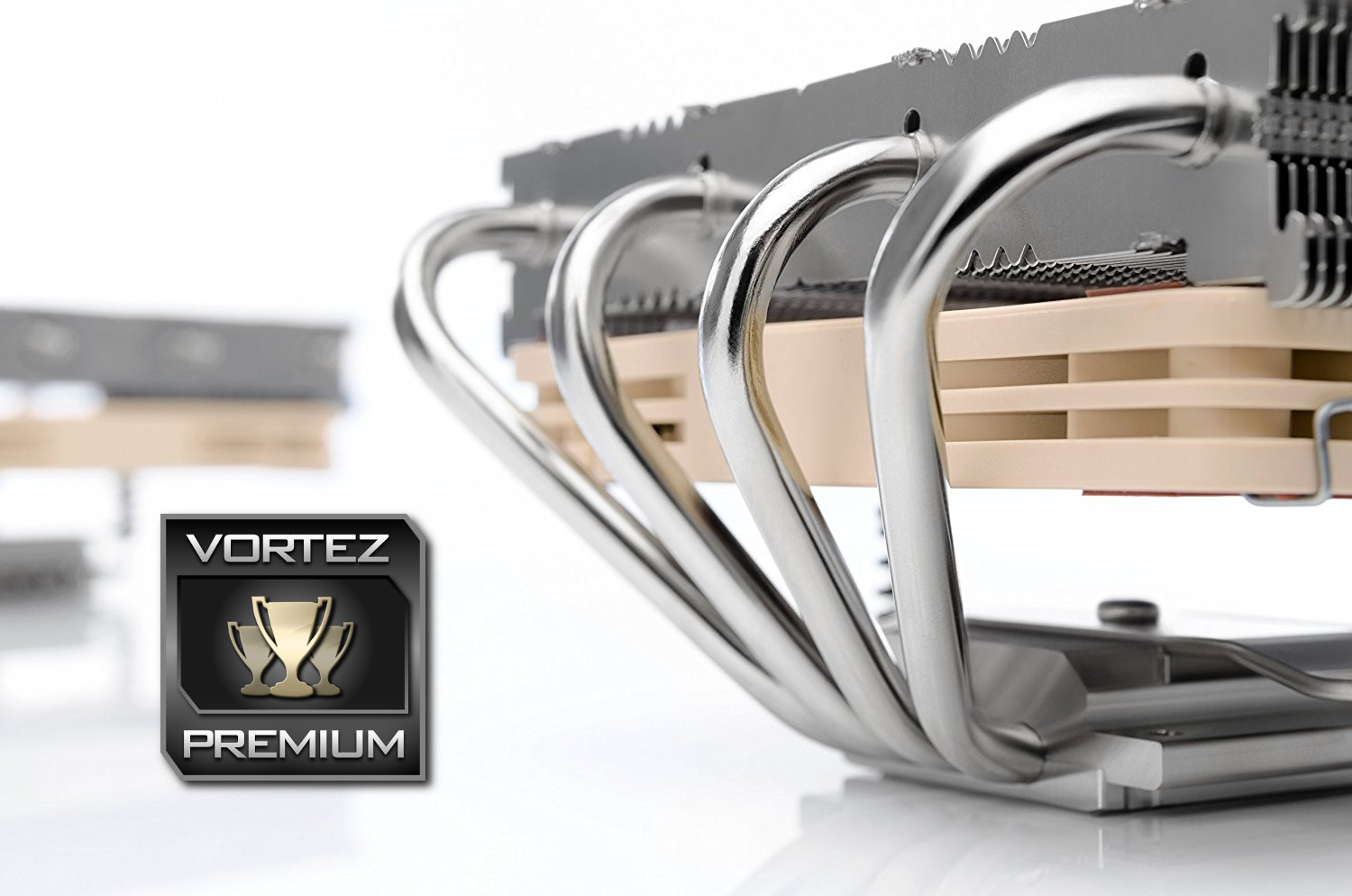
The top of the cooler features 3 small holes which line up with the mounting system, further aiding that ease of installation. The 4 heatpipes help distribute the heat evenly across the fins.
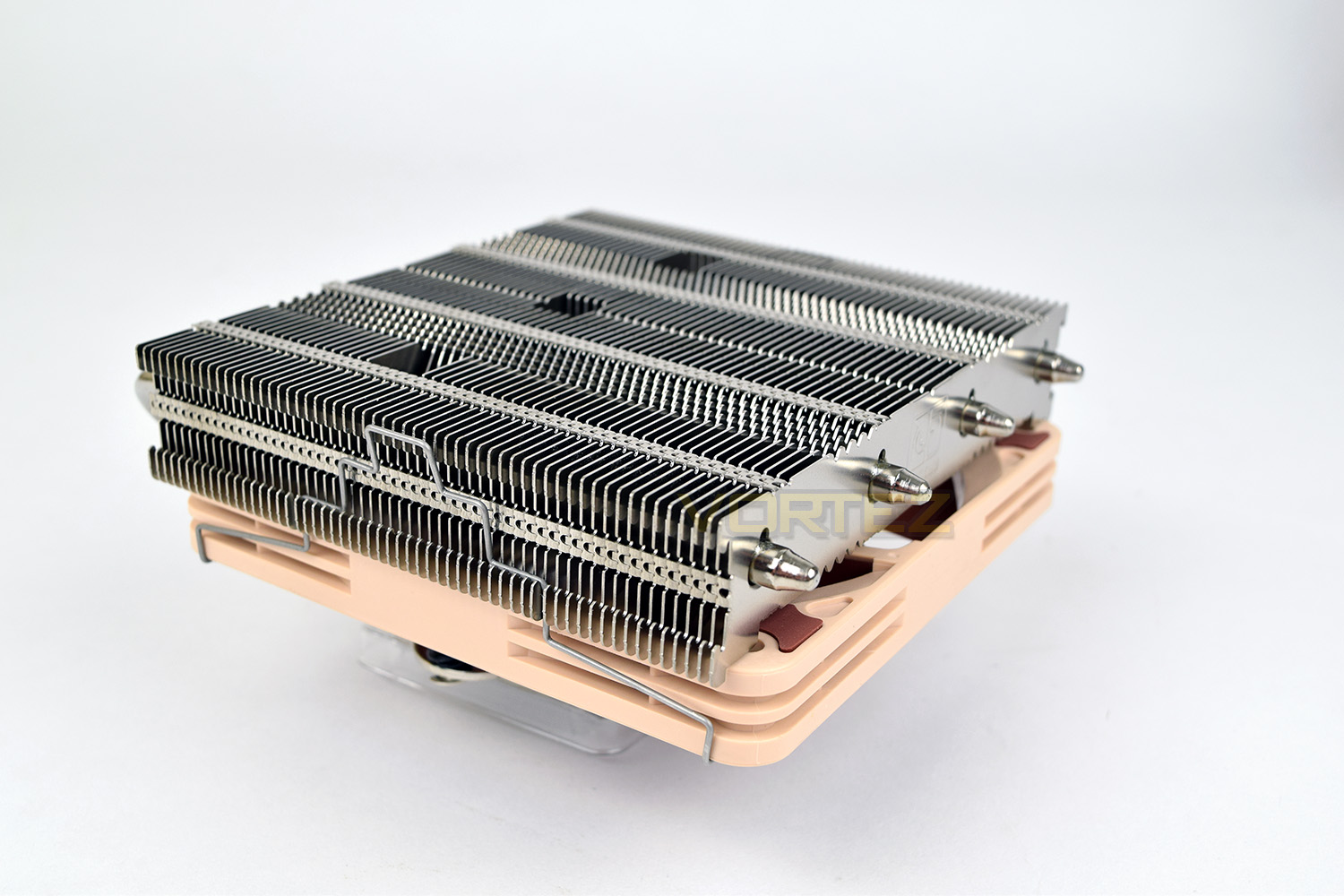
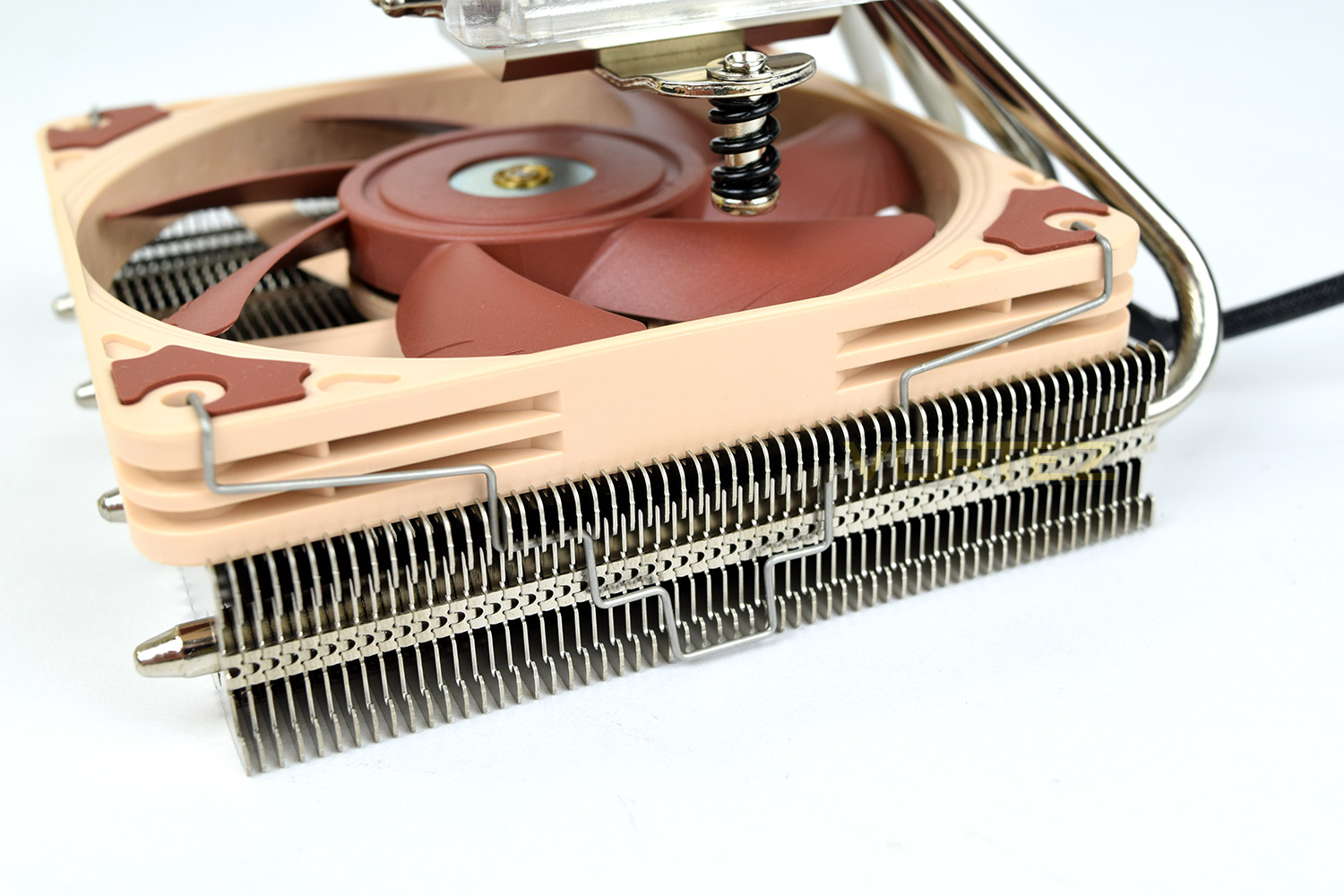
The fan can be mounted above or below the heatsink, to aid in clearing taller RAM or MOSFET heatsinks etc.
The heatsink can also be orientated in 4 different directions to keep the heatpipes out of the way.
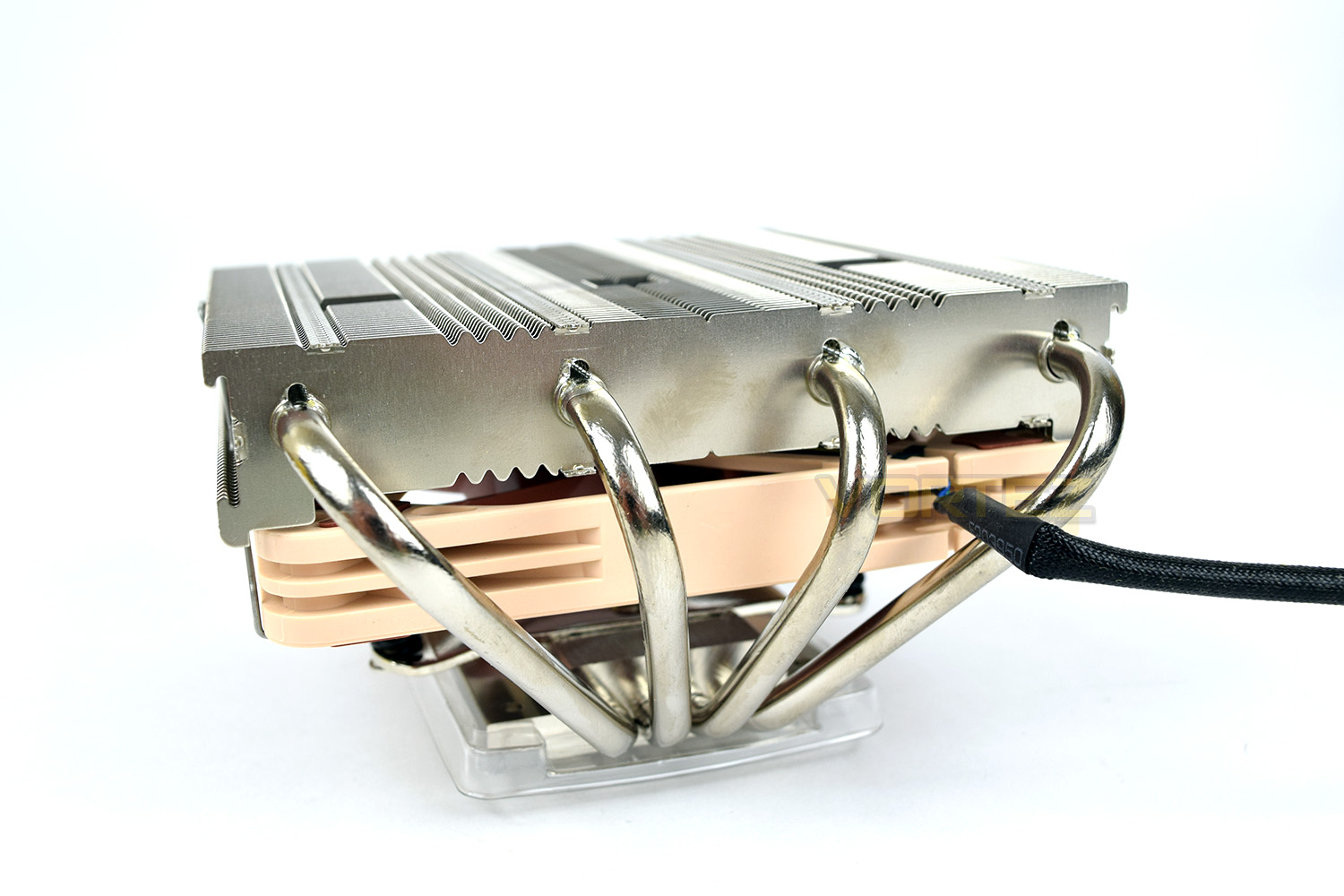
You can see from this angle that Noctua has designed the fan-clips to accommodate 15mm and 25mm fans with the stepped bracket.
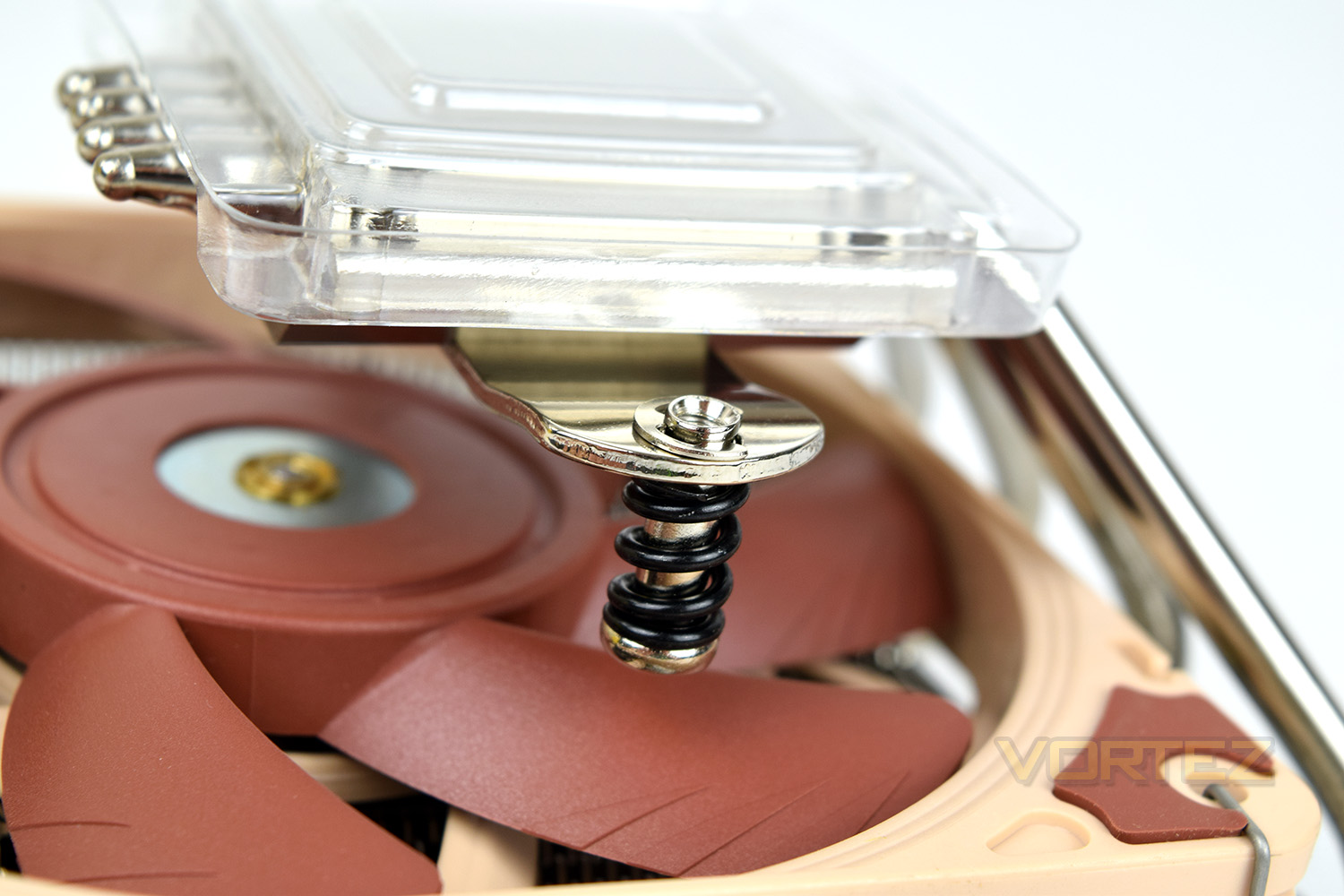
The NH-L12S uses Noctua’s SecuFirm2 mounting system, relying on two sprung screws; these screws aid in distributing the load onto the CPU surface increasing the direct contact between the CPU and the heatsink.
Installation
With each CPU cooler that we test, a small pea-sized blob of Noctua NT-H1 thermal paste is applied to our CPU ahead of heatsink installation. We choose to use this high-quality paste in all of our CPU cooler reviews, essentially eliminating an unnecessary variable from the subsequent results and comparison graphs.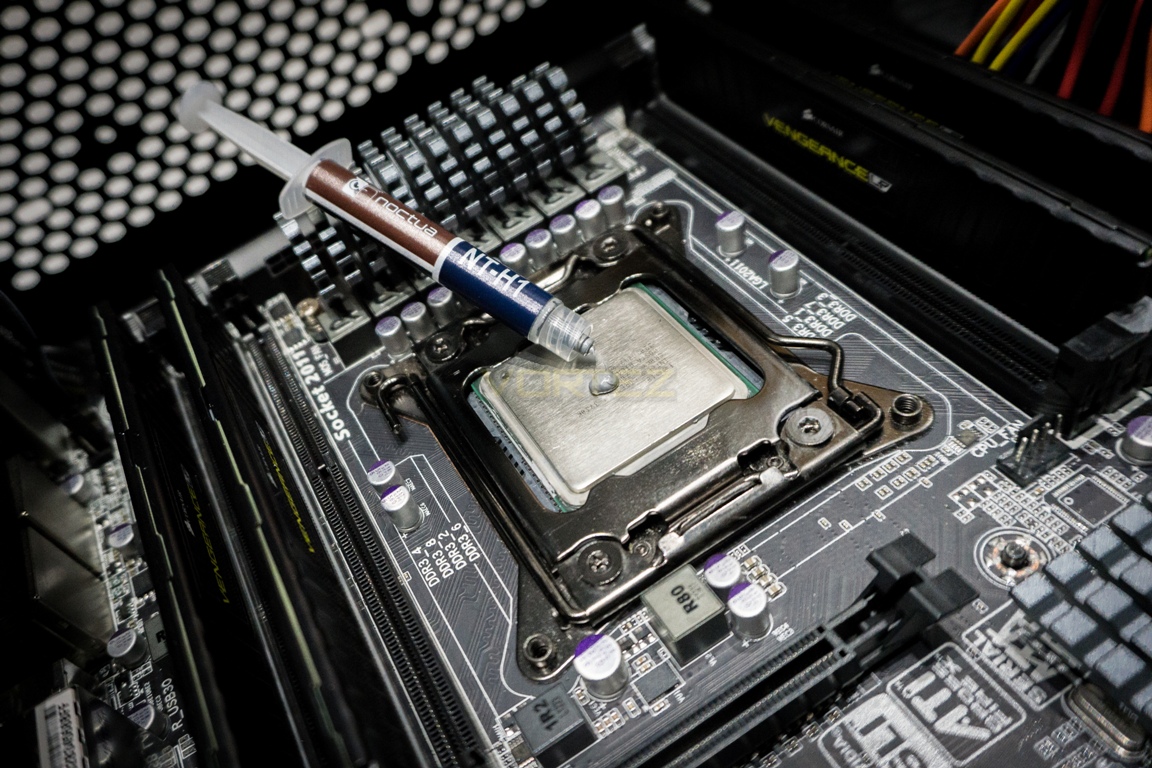
Installing the Noctua into our system was a breeze, partly due to the integrated Intel LGA 2011 socket and the simplicity of the instructions included with the cooler. The included screwdriver proved to be invaluable in this instance and is a surprisingly high-quality tool.
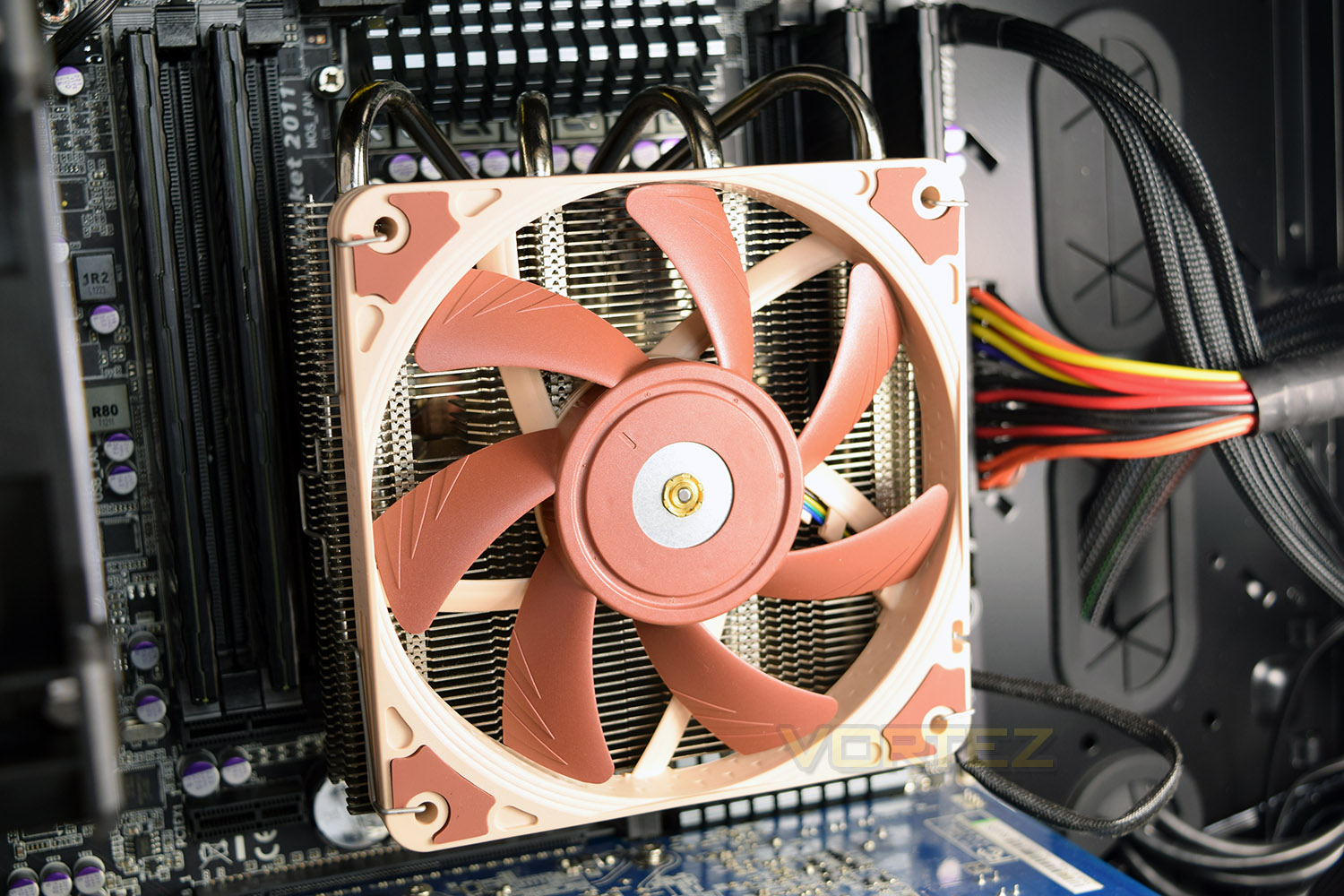
Due to the blades of the included fan being moveable, obviously, it’s possible to install the cooler with the fan attached, which is essential if mounting underneath but also avoids fiddling about in a tight case if you’re mounting it above. We found that our memory sticks, despite being relatively low-profile, still fouled the fan. If you feel this may be the case for you, be sure to allow for around 90mm of total clearance in your case to mount from above.
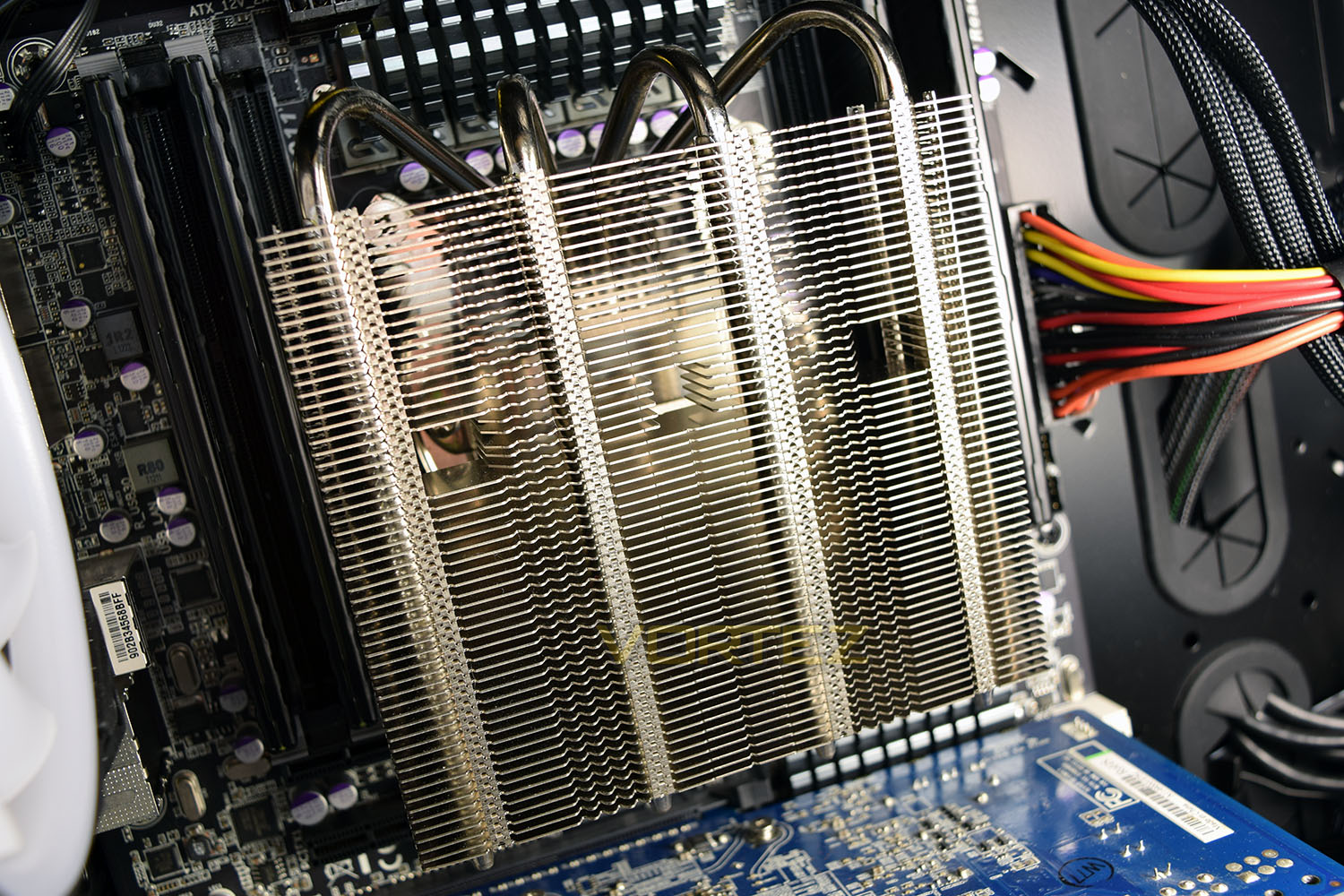
Mounting the fan was a little tricky due to the placement of the CPU fan header being underneath the cooler. We persevered and got everything up and running, which was helped by the braided cable being 170mm long.
Test Setup & Methodology
We have recently made changes to our cooling department and the associated testing methodology, so please note that the number of results shown will increase over time as we add additional products. We hope that these results will appear clearer to the majority of our readership and look forward to building upon the baselines that we currently have.We perform two individual testing routines with each CPU cooler that we receive – temperatures and acoustics. The system used is as follows and all tests are performed at stock 3.8 GHz and overclocked 4.4 GHz frequencies.
Processor – Intel Core i7-3930K
Motherboard – Gigabyte X79-UP4
Memory – 8GB Corsair Vengeance LP 1600MHz CL9
Video Card – Sapphire Radeon HD 6850 1GB
Power Supply – NZXT Hale90 650W
Storage Drive – Kingston HyperX 240GB SATA III SSD
Case – Corsair Carbide 760T
Motherboard – Gigabyte X79-UP4
Memory – 8GB Corsair Vengeance LP 1600MHz CL9
Video Card – Sapphire Radeon HD 6850 1GB
Power Supply – NZXT Hale90 650W
Storage Drive – Kingston HyperX 240GB SATA III SSD
Case – Corsair Carbide 760T
To keep our tests consistent, we always review CPU coolers as they come out of the box – with their factory cooling fans, as the manufacturer intended and as the consumer expects. It should however be noted that we do not use supplied thermal paste but instead, Noctua NT-H1 paste to again ensure consistency.
In the first test, we record idle and load temperatures as shown by the most current version of the Real Temp monitoring utility. The test system is booted to the Windows desktop and left to idle for 20 minutes to ensure temperatures have stabilised. The average core temperatures are then recorded over a 1 minute period and averaged across the six cores. We then perform a continuous 20 minute AIDA 64 stress test. The maximum absolute core temperatures are recorded immediately after the test has completed and averaged across the six cores. All results are displayed as delta temperatures – these are calculated by subtracting the ambient room temperature from the average core temperatures recorded. For temperature testing, the Corsair 760T chassis door is closed and has all three systems fans powered on to simulate real-world conditions.
Our second test follows a similar methodology to the first, with the key difference being that the Corsair 760T chassis door is now left open and all three systems fans are disabled. This allows for the CPU cooler fans acoustic profiles to be captured in isolation. From cold, the system is again booted to the Windows desktop and left to idle for 20 minutes to ensure temperatures have stabilised. The acoustic level is then recorded at a distance of 20cm from the CPU cooler and where the individual result is an average level over a 1 minute period. We then perform our continuous 20 minutes AIDA 64 stress test. Acoustic levels are again recorded at a distance of 20cm from the CPU cooler and where the individual result is an average level over a 1 minute period.
Benchmarks – Thermal Results
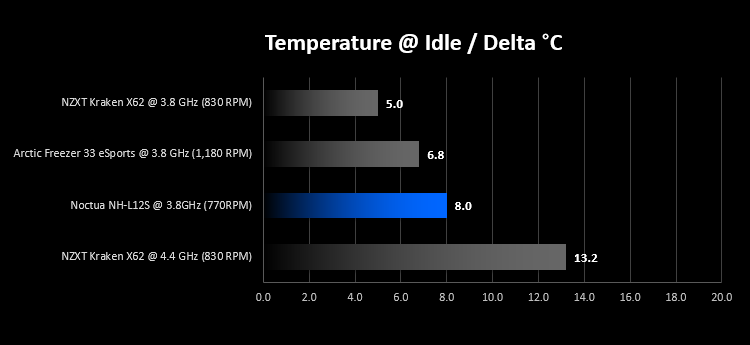
We have recently made changes to our cooling department and the associated testing methodology, so please note that the number of results shown below will increase over time as we add additional products. We hope that these results will appear clearer to the majority of our readership and look forward to building upon the baselines that you see below.While idle, the Noctua is marginally higher than the other two 3.8GHz results we have, though 8°C above room temperature is impressive for a small cooler on top of a 130W CPU. It’s worth noting that the X62 and Arctic Freezer both run with two fans and have much larger surface areas.
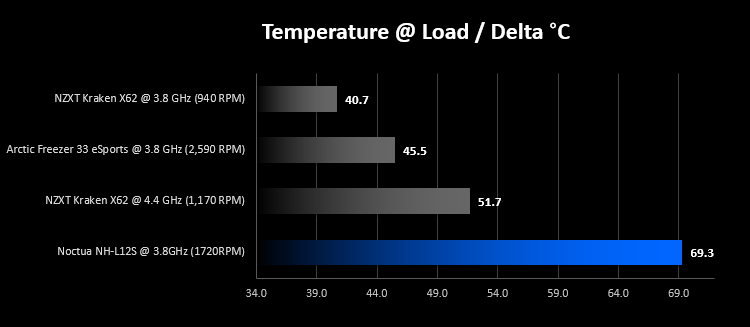
Moving onto load temperatures, we run an AIDS 64 Stress Test for 20 minutes then take the average reading over the six cores. After testing at the stock frequency of 3.8GHz and finding the CPU almost reaching its thermal-throttling threshold of 90’C, we decided running the overclock test would be unwise. Please bear in mind that this CPU cooler is not designed for a CPU with a 130W TDP, so we’re taking it well out of its comfort zone in this test. Despite this, the CPU still completed the 20 minutes stress test.
Benchmarks – Acoustic Results
Moving onto acoustic results, which may be more relevant for a CPU cooler to be used within an HTPC, we find that the NH-L12S produces around 30dB of noise at a 20cm distance. This measurement is taken with the side panel off, which would obviously reduce noise output somewhat. We also didn’t test the low-noise adaptor to ensure we stay true to our test methodology, though this should only be relevant in the load tests. For a small cooler with a 15mm fan, as opposed to the 25mm fans usually found on CPU coolers, the noise levels are good.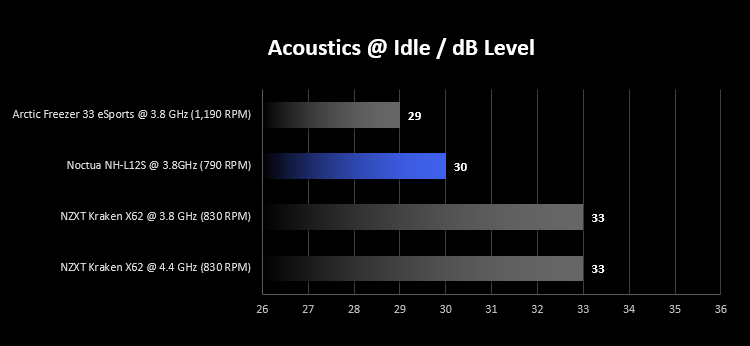
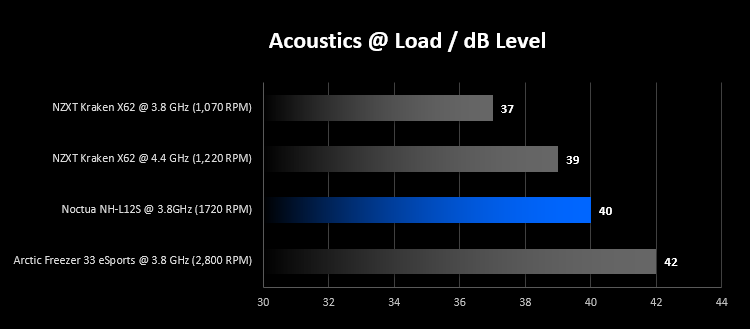
Loading up the CPU for 20 minutes and reading the acoustics proves that the cooler is incredibly capable, even when pushed hugely outside of its operating window. The lower fan speeds of the X62 account for lower noise, and vice versa for the Arctic Freezer.
Conclusion
Taking everything into consideration, we’ve been impressed beyond belief with the Noctua NH-L12S, by all means, the heatsink should not have handled a 130W CPU, one of the most power-hungry CPUs of recent years, at that.The acoustics took a bit of a hit when fully stressed, but this situation is completely artificial and shows an extreme “worst case scenario.” It’s not really representative of what the cooler is designed to do, so we can’t be too critical.
Regarding its compact size, the CPU cooler should fit within most small-form-factor machines making this ideal for HTPCs and small gaming desktops. Speaking of which, if your PC features a tempered glass or Perspex side panel, you may not find the brown fan to be all that appealing.
Noctua’s reputation of producing class-leading cooling equipment has yet again made an appearance, with the NH-L12S going above and beyond what was expected of it and holding its own. In anything other than stress tests and constant, intensive workloads, the heatsink would be capable of removing that heat.
If you require a small, compact cooler from a reputable, well-known manufacturer, with performance to boot, the Noctua NH-L12S will not disappoint. Guaranteed.
Pros
+ Quiet, even under extreme load
+ Small form factor
+ Well designed construction and setup
+ Excellent instructions
+ Included NT-H1 thermal paste
+ Will fit almost any CPU socket
+ Solid build quality
Cons
– Brown fan is ugly
+ Quiet, even under extreme load
+ Small form factor
+ Well designed construction and setup
+ Excellent instructions
+ Included NT-H1 thermal paste
+ Will fit almost any CPU socket
+ Solid build quality
Cons
– Brown fan is ugly
Click here for an explanation of our awards at Vortez.net.
Stay connected with the Vortez Social Media pages: