If you’re a PC enthusiast of any kind, you have more than likely heard of Noctua in the cooling sector and perhaps even used one of their products. Today we look at 14 years of evolution with the 5th generation of their NH-U12 series of CPU coolers, the NH-U12A. Let’s see how it copes.

Product on Review: Noctua NT-U12A
Manufacturer: Noctua
Street Price: GBP £89.95 / USD $99.90
Noctua, now in their 14th year of business, set about designing and constructing some of the world’s quietest and best-performing cooling solutions for consumers and businesses in the computing sector. Noctua’s NH-U12A is now the 5th generation of the NH-U12 family of 120mm CPU coolers. The NH-U12A packs many new features designed to remove as much heat as possible from your CPU without impacting on noise levels.
The NH-U12A utilises Noctua’s epic NF-A12x25 120mm cooling fans, one either side of the heatsink; our review of the fan proved it to be the best fan we’d ever tested, and almost a year on, we’re yet to see anything better. We’ve not seen these fans attached to a Noctua cooler yet so we’ll be interested to see how these get on.
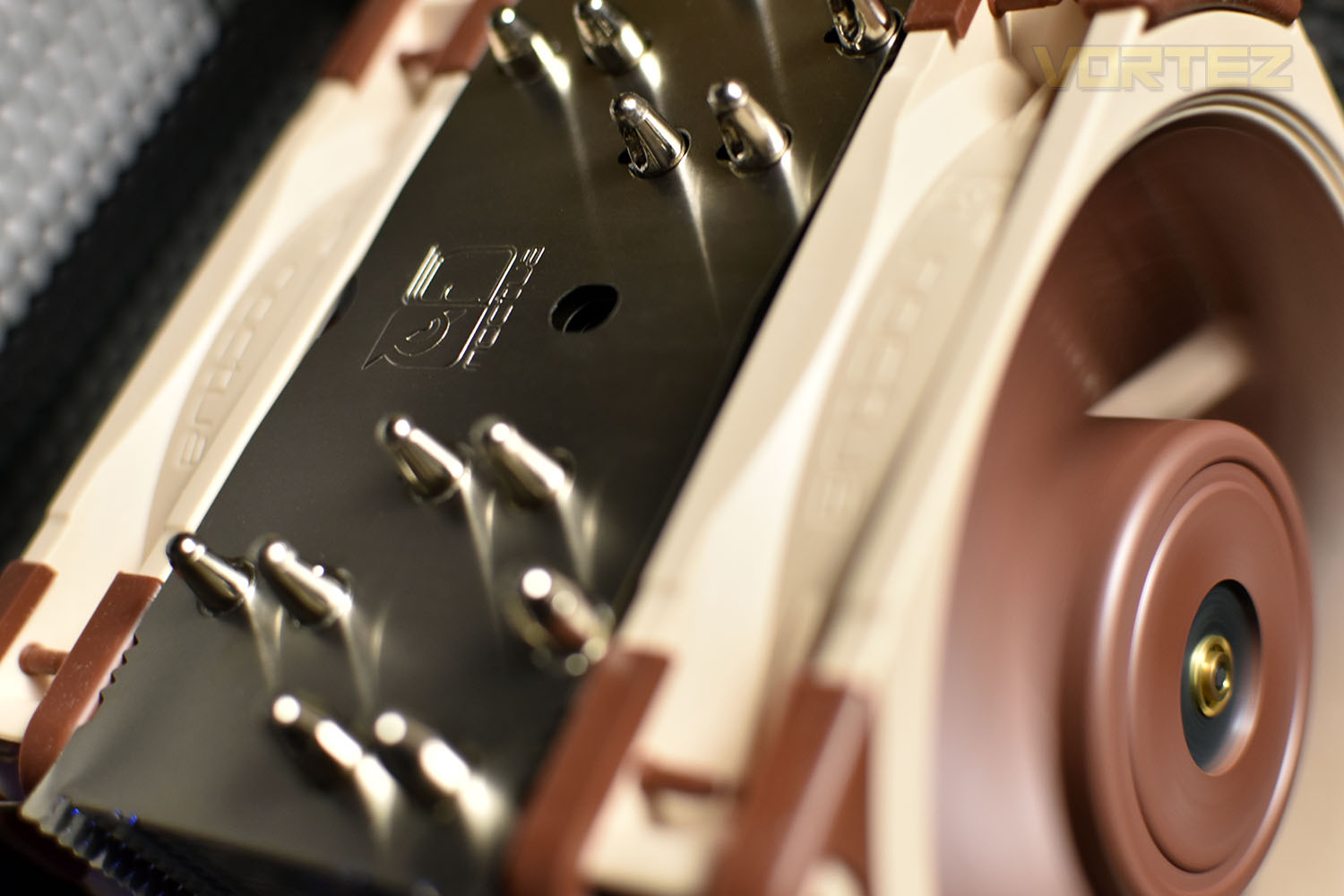
The heatsink features 7 heat pipes with a soldered interface instead of the more traditional press-fitting and boasts a 100% RAM compatibility with Intel LGA115x and AMD AM4 socket types. We also get Noctua’s well-regarded SecuFirm2 mounting system that can be adapted for all socket types with promised future-proofing, a full-size syringe of Noctua NT-H1 thermal paste and a 6-year manufacturers warranty on all components.
Considering all of that, the Noctua NH-U12A appears to offer the entire package, but at £89.95 in the UK, and the equivalent elsewhere, it certainly doesn’t tick the “cheap” box. However, solid performance in our tests may justify that asking price. Let’s find out.
Noctua on the NH-U12A:
The NH-U12A is the latest, 5th generation of Noctua’s award-winning NH-U12 series of 120mm size premium-quality quiet CPU coolers. Conceived to push the envelope of the 120mm form factor, it combines two of Noctua’s flagship model NF-A12x25 PWM 120mm fans with a completely redesigned heatsink featuring 7 heatpipes and an increased fin surface area for superior heat dissipation. This way, the NH-U12A can rival the performance of many 140mm size coolers while offering 120mm class case and PCIe compatibility. Topped off with the trusted, pro-grade SecuFirm2™ multi-socket mounting system, Noctua’s proven NT-H1 thermal compound and a full 6-year manufacturer’s warranty, the NH-U12A is a deluxe choice that combines top-tier performance with excellent compatibility and outstanding quietness of operation.
Technical Specifications
Cooler Specification
Socket compatibility: Intel LGA1150, LGA1151, LGA1155, LGA1156, LGA2011, LGA2066 and AMD AM4, AM3(+), AM2(+), FM1, FM2(+)
Dimensions (Without fan):
Height: 158mm
Width: 125mm
Depth: 58mm
Weight: 760g
Dimensions (With fan):
Height: 158mm
Width: 125mm
Depth: 112mm
Weight: 1220g
Material: Copper (base and heat-pipes), aluminium (cooling fins), soldered joints & nickel plating
Max. TDP: see CPU compatibility list
Fan compatibility: 120x120x25
Scope of delivery:
2x NF-A12x25 PWM 120mm fan
2x Low-Noise Adaptor (L.N.A)
4-pin PWM y-cable
SecuFirm2™ mounting system for Intel and AMD
NT-H1 thermal compound
Noctua Metal Case-Badge
Warranty: 6 Years
FAN Specification
Model: Noctua NF-A12x25 PWM
Bearing: SSO2
Max. rotational speed (+/- 10%): 2000 RPM
Max. rotational speed with L.N.A. (+/- 10%): 1700 RPM
Min. rotational speed (PWM, +/-20%): 450 RPM
Max. airflow: 102,1 m³/h
Max. airflow with L.N.A.: 84,5 m³/h
Max. acoustical noise: 22,6 dB(A)
Max. acoustical noise with L.N.A.: 18,8 dB(A)
Voltage range: 12 V
MTTF: > 150.000 h
Socket compatibility: Intel LGA1150, LGA1151, LGA1155, LGA1156, LGA2011, LGA2066 and AMD AM4, AM3(+), AM2(+), FM1, FM2(+)
Dimensions (Without fan):
Height: 158mm
Width: 125mm
Depth: 58mm
Weight: 760g
Dimensions (With fan):
Height: 158mm
Width: 125mm
Depth: 112mm
Weight: 1220g
Material: Copper (base and heat-pipes), aluminium (cooling fins), soldered joints & nickel plating
Max. TDP: see CPU compatibility list
Fan compatibility: 120x120x25
Scope of delivery:
2x NF-A12x25 PWM 120mm fan
2x Low-Noise Adaptor (L.N.A)
4-pin PWM y-cable
SecuFirm2™ mounting system for Intel and AMD
NT-H1 thermal compound
Noctua Metal Case-Badge
Warranty: 6 Years
FAN Specification
Model: Noctua NF-A12x25 PWM
Bearing: SSO2
Max. rotational speed (+/- 10%): 2000 RPM
Max. rotational speed with L.N.A. (+/- 10%): 1700 RPM
Min. rotational speed (PWM, +/-20%): 450 RPM
Max. airflow: 102,1 m³/h
Max. airflow with L.N.A.: 84,5 m³/h
Max. acoustical noise: 22,6 dB(A)
Max. acoustical noise with L.N.A.: 18,8 dB(A)
Voltage range: 12 V
MTTF: > 150.000 h
Packaging & Bundle
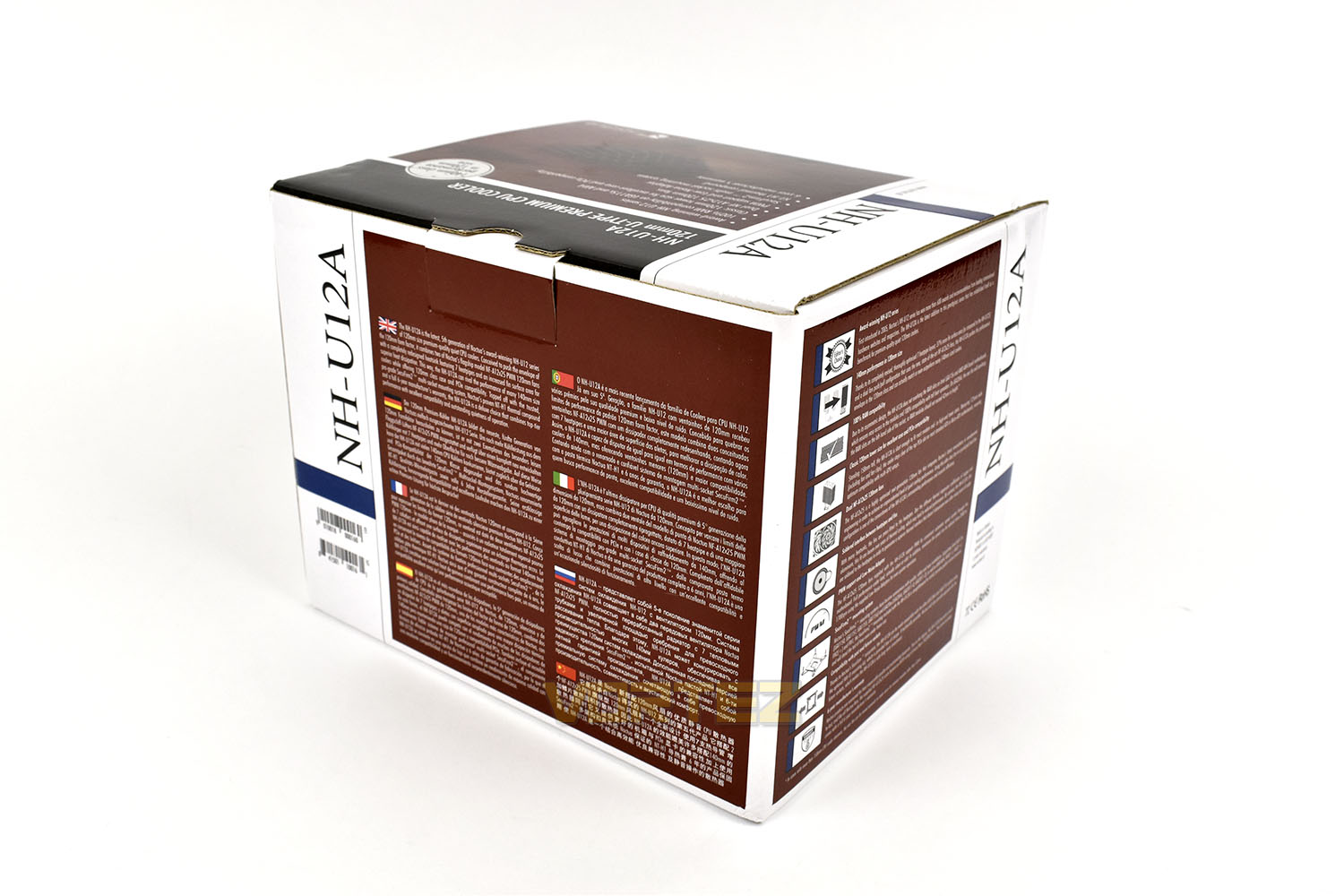
Absolutely no surprise to anyone, Noctua have used their trademark brown and white packaging. As ugly as it is, there’s something strangely appealing about it. The front gives you a bullet point layout of the key features and an arty shot of the base of the cooler.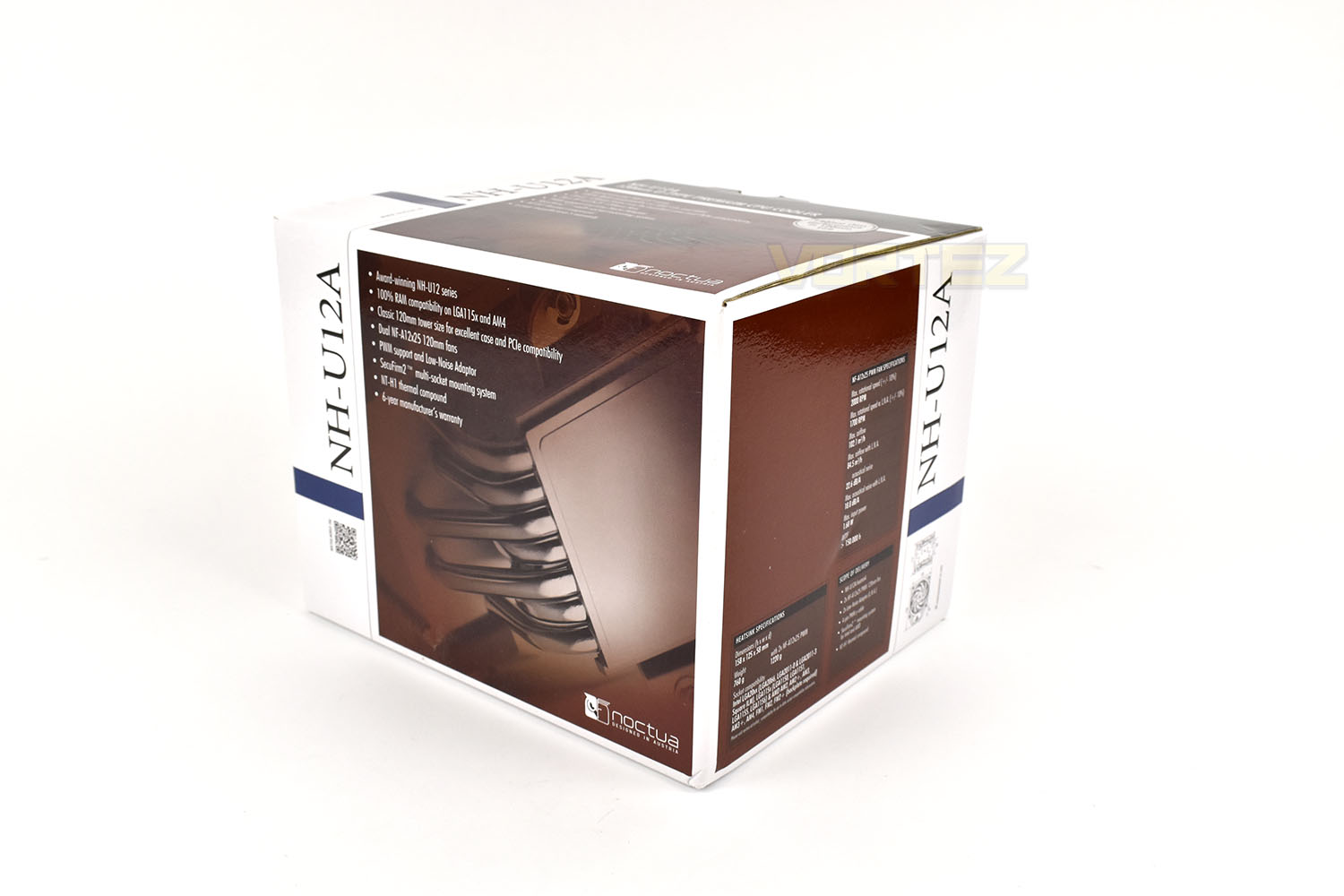
The rear and side give a much more detailed description of specifications and details of the NH-U12A.
One thing we like about Noctua’s packaging is the dedication to fitting everything together inside. The cooler is delivered as you see it, inside a bespoke cardboard surround, with all additional parts inside the brown box.
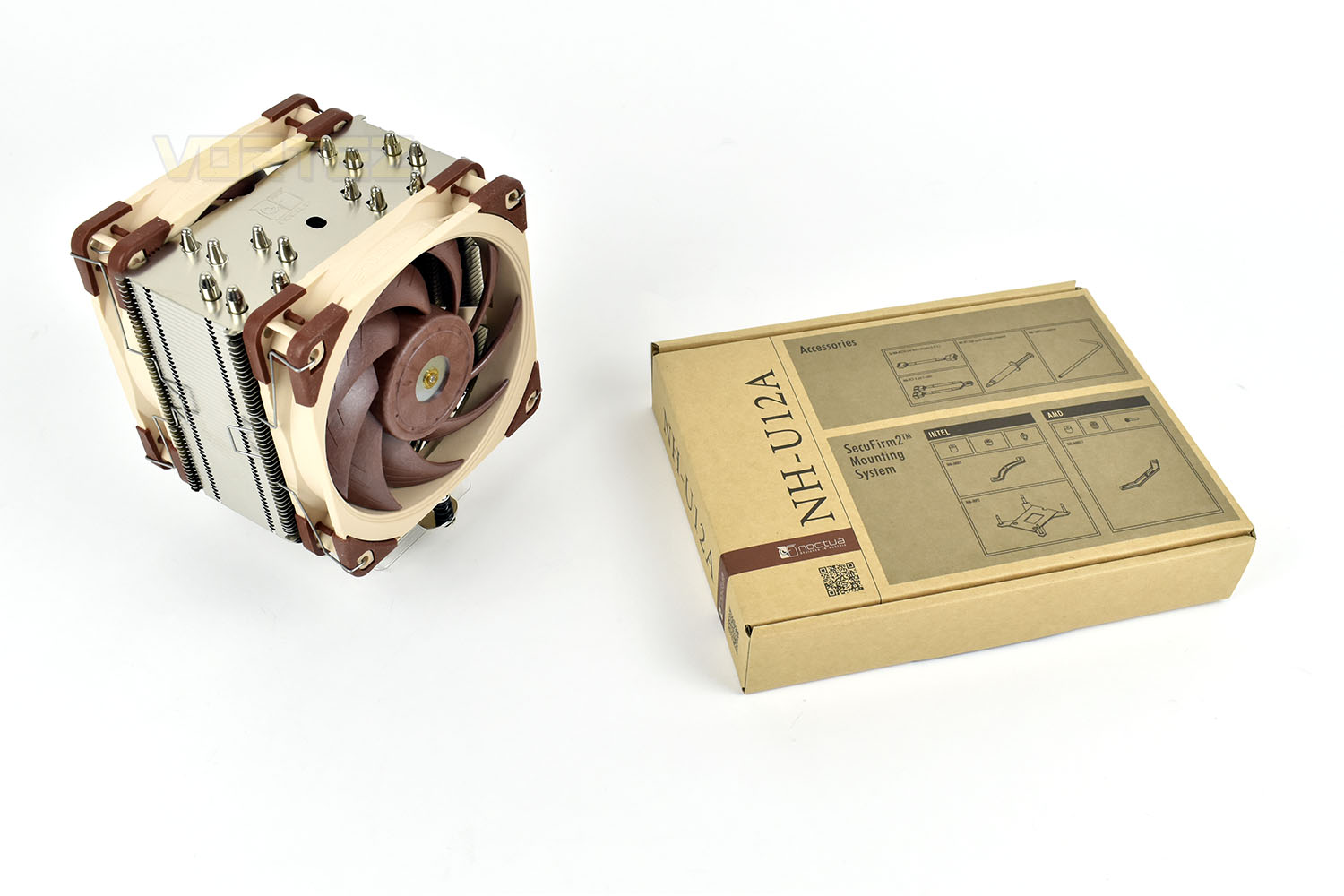
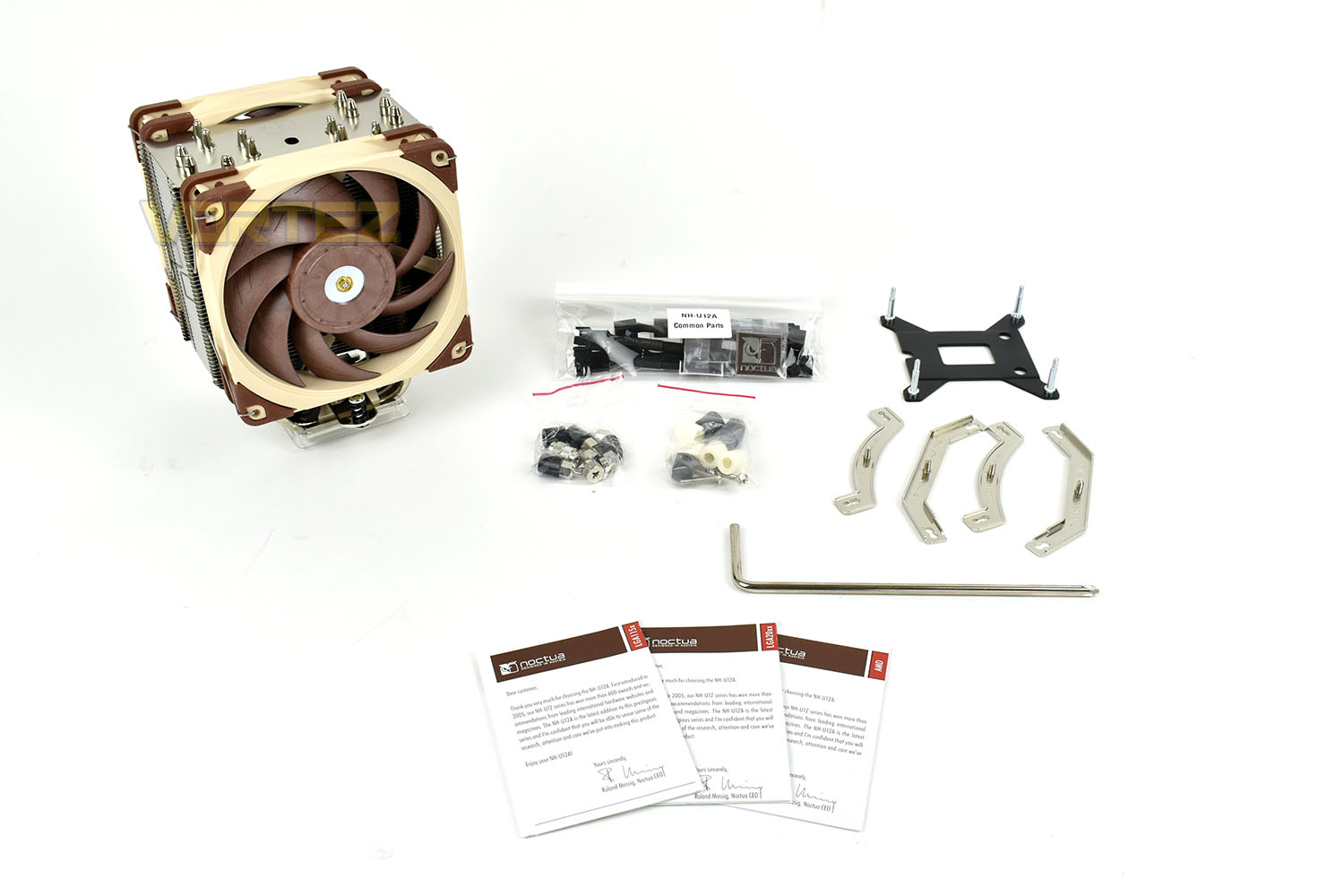
Inside the box is mounting hardware for all of AMD and Intel’s current sockets, except for the Threadripper socket.
Individual instructions are provided for LGA115x, LGA20xx and AMD sockets as well as specific pieces for each socket type.
Noctua also bundle a low-noise adaptor which limits the fan’s ability to reach higher RPMs, and therefore lowers its noise output at 100% PWM.
Closer Look
The NH-U12A, without the fans, measures 158mm tall, 125mm wide and 58mm deep. It features 50 fins supplied by 7 heatpipes.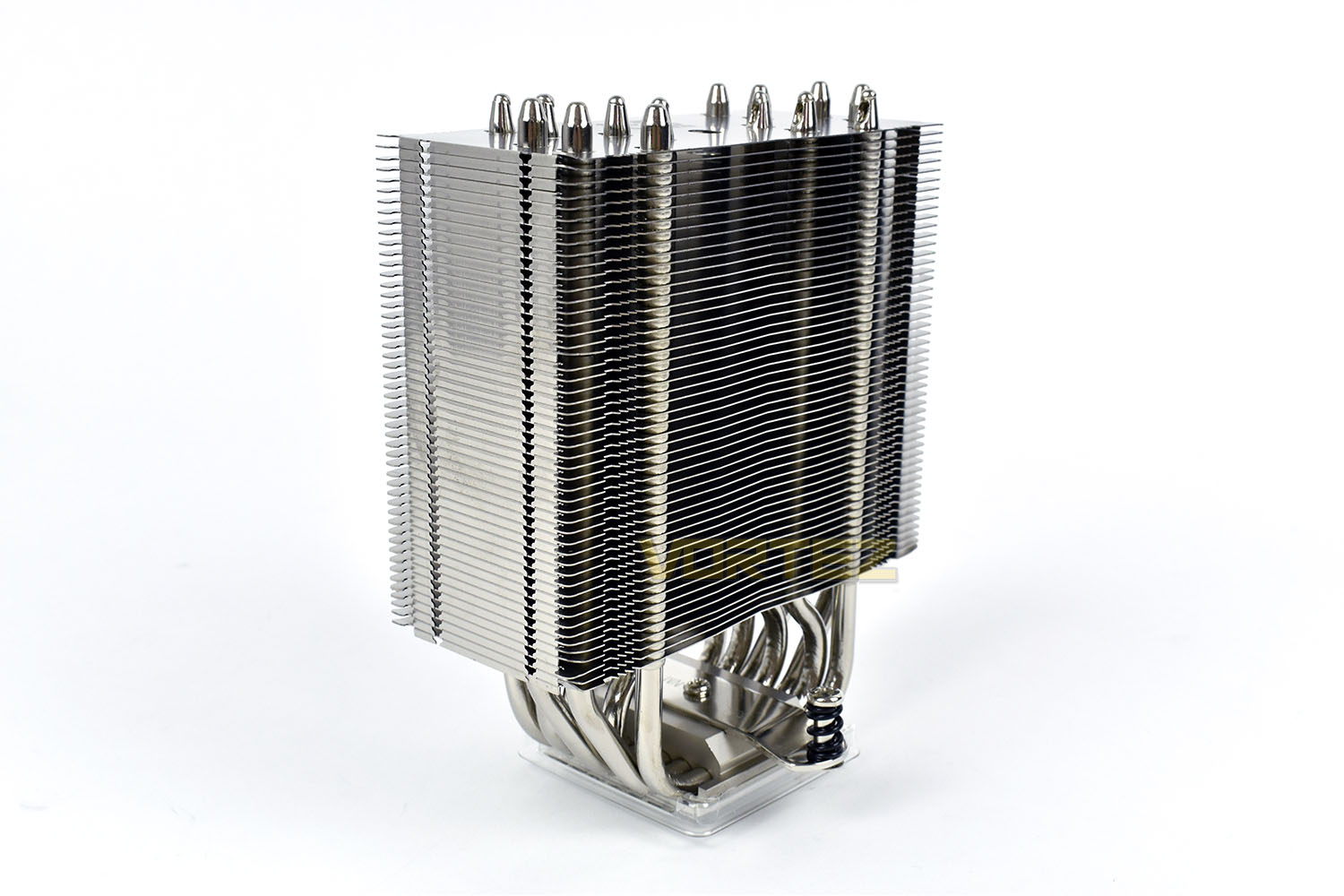
Those 7 heatpipes are bonded to each fin with solder; this method of fixing the fins ensures that, over time, the different thermal expansion coefficients of copper and aluminium cause the fit to loosen over time, impacting its effectiveness; soldering them together prevents this from happening and improves the thermal interface at the same time.
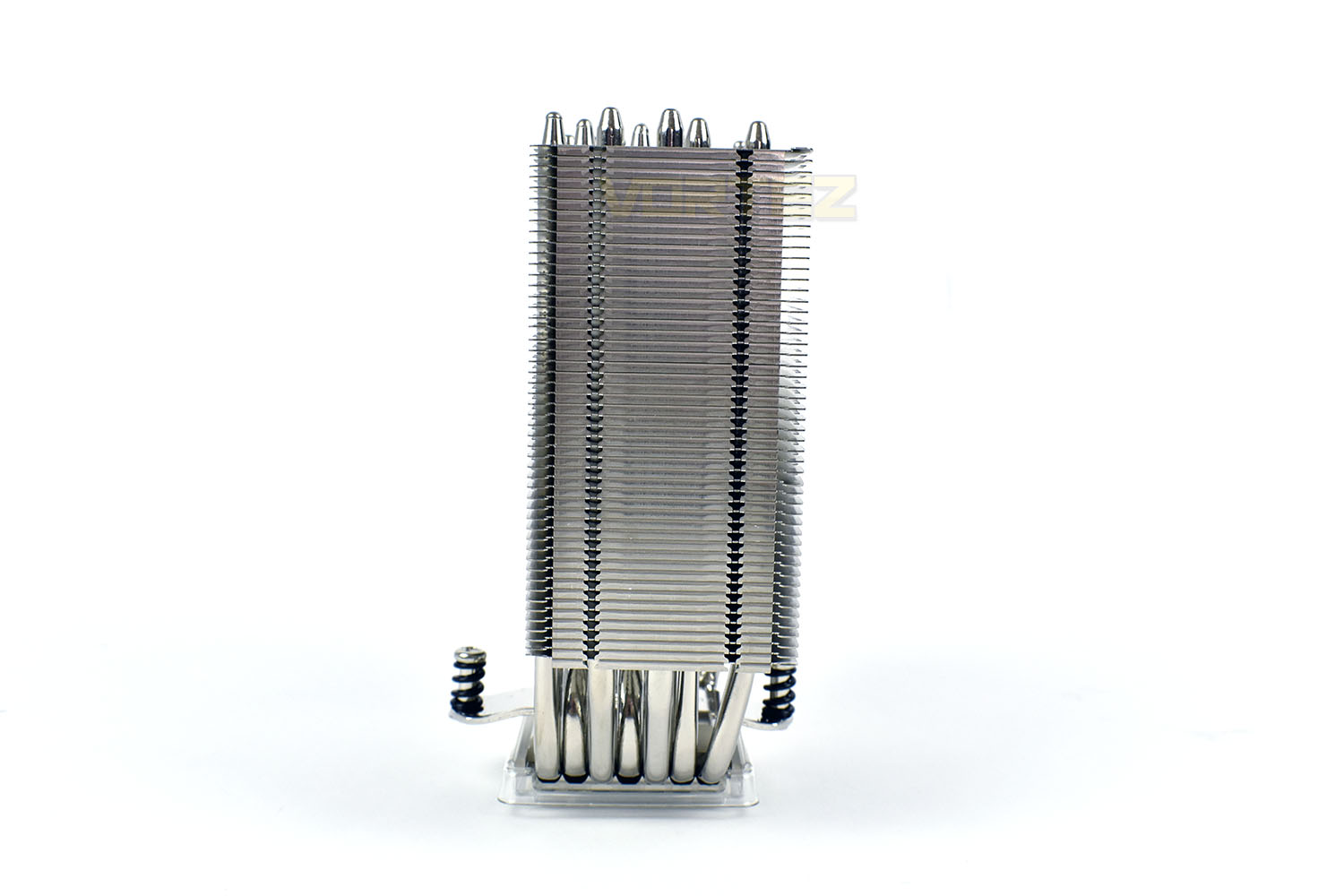
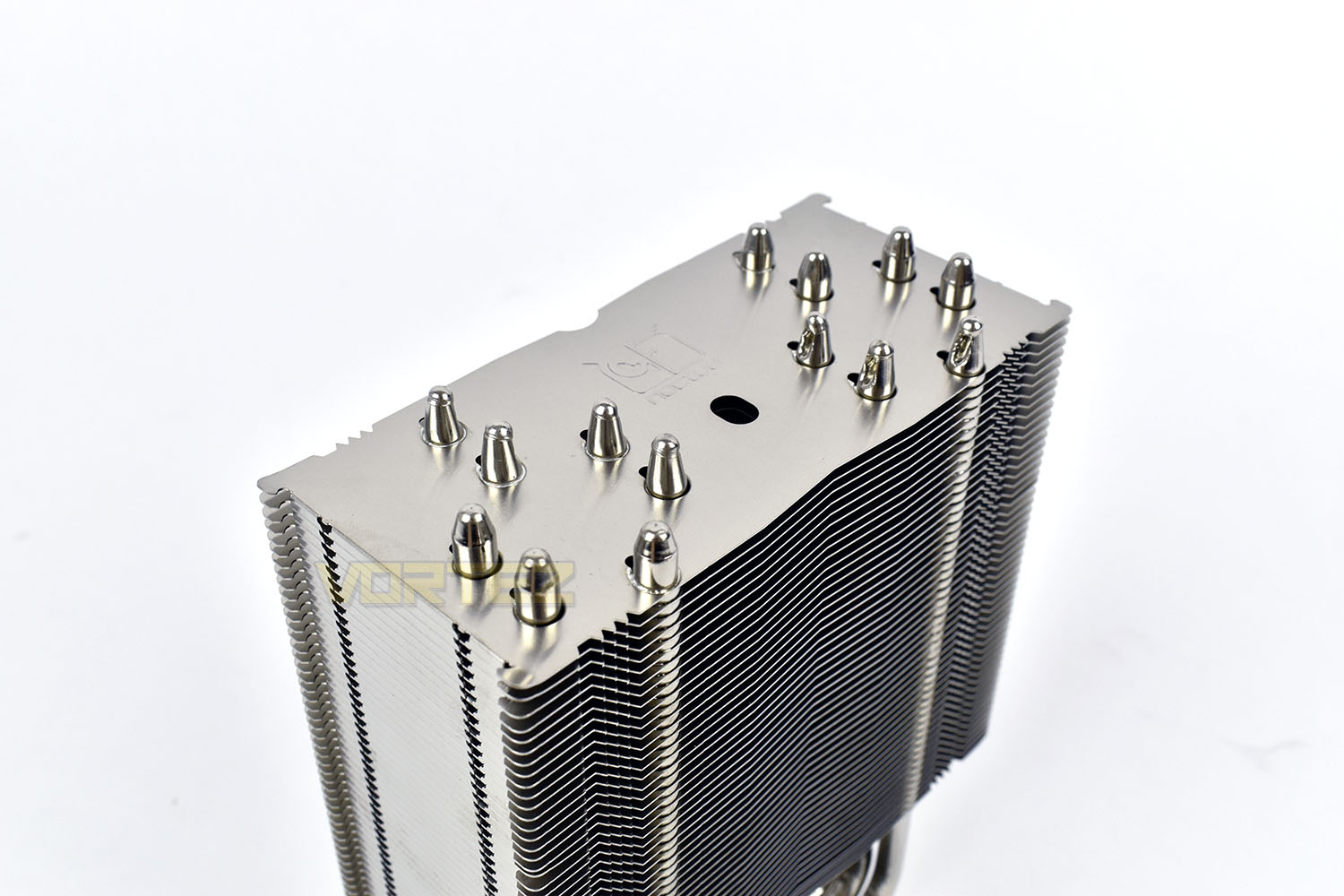
Arranging the heatpipes in this way helps to improve the distribution across each fin, reducing any ‘cold-spots’ that can occur when heatpipes aren’t arranged efficiently. The hole near the centre is used to remove the SecuFirm2 mount on the base of the cooler, should a different one ever be required. The included screwdriver works for this purpose.
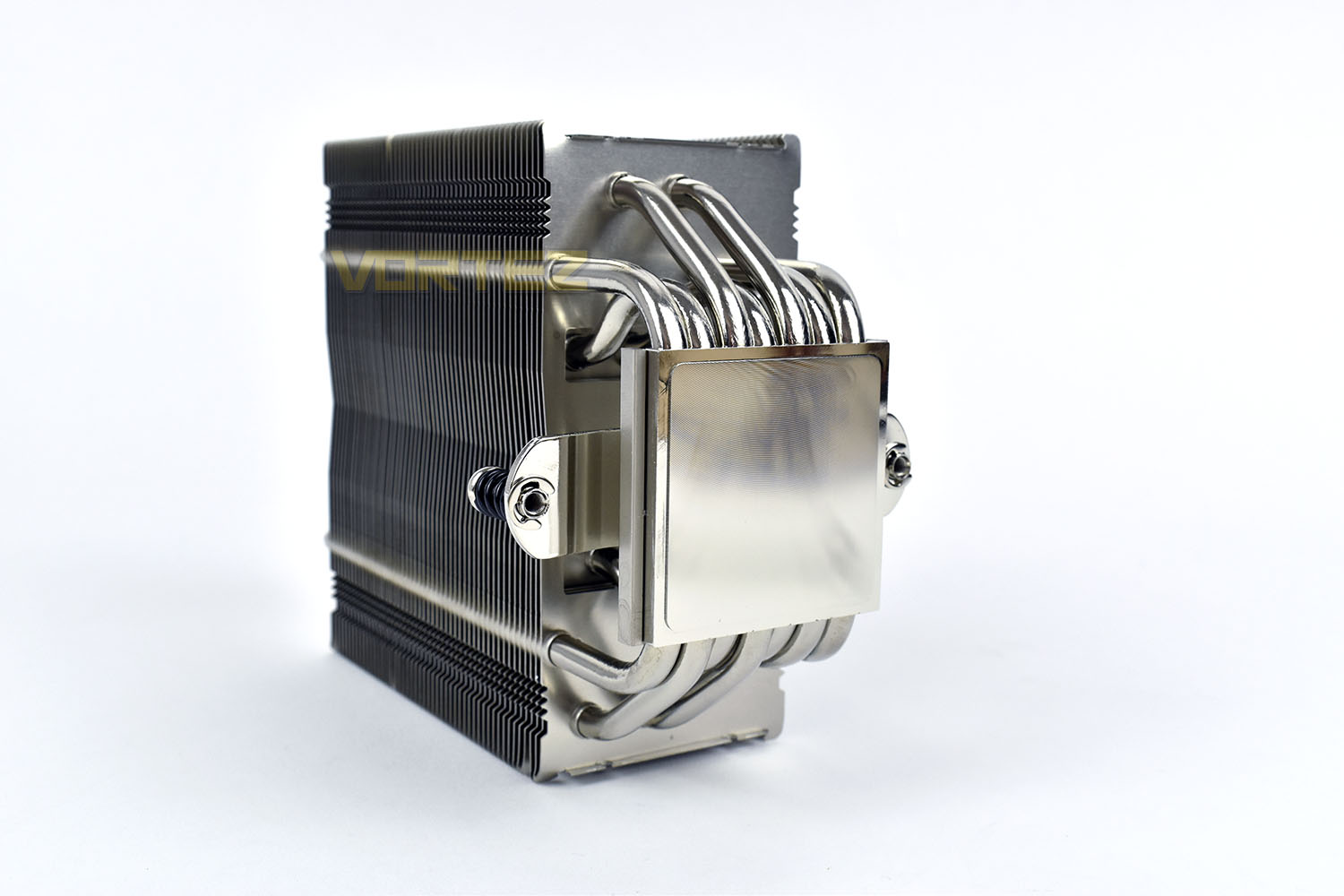
Looking at the base of the cooler, Noctua have decided to use a flat coldplate instead of using direct contact heatpipes. This is likely a decision surrounding the use of their SecuFirm 2 mounting system to maintain rigidity around this area.
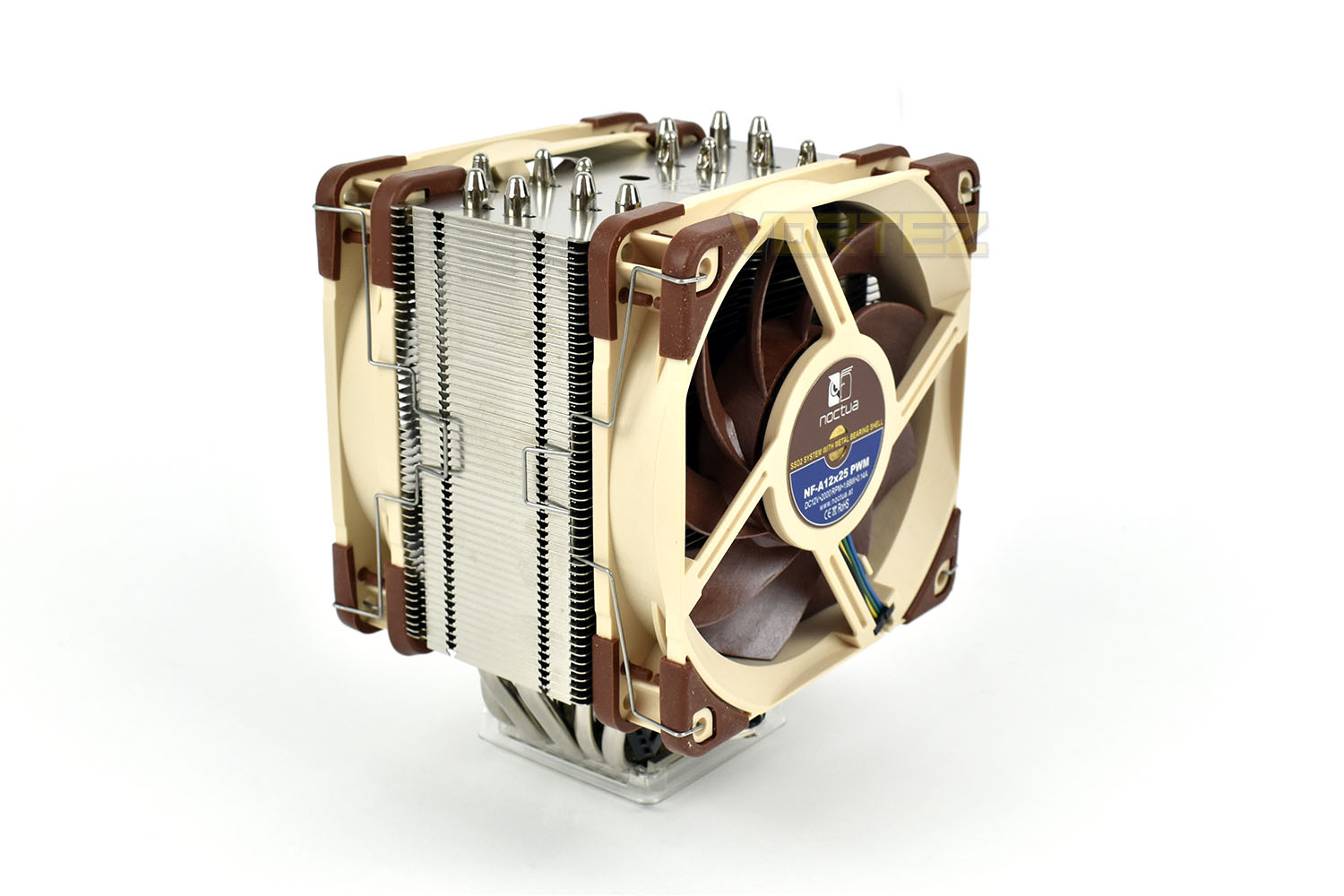
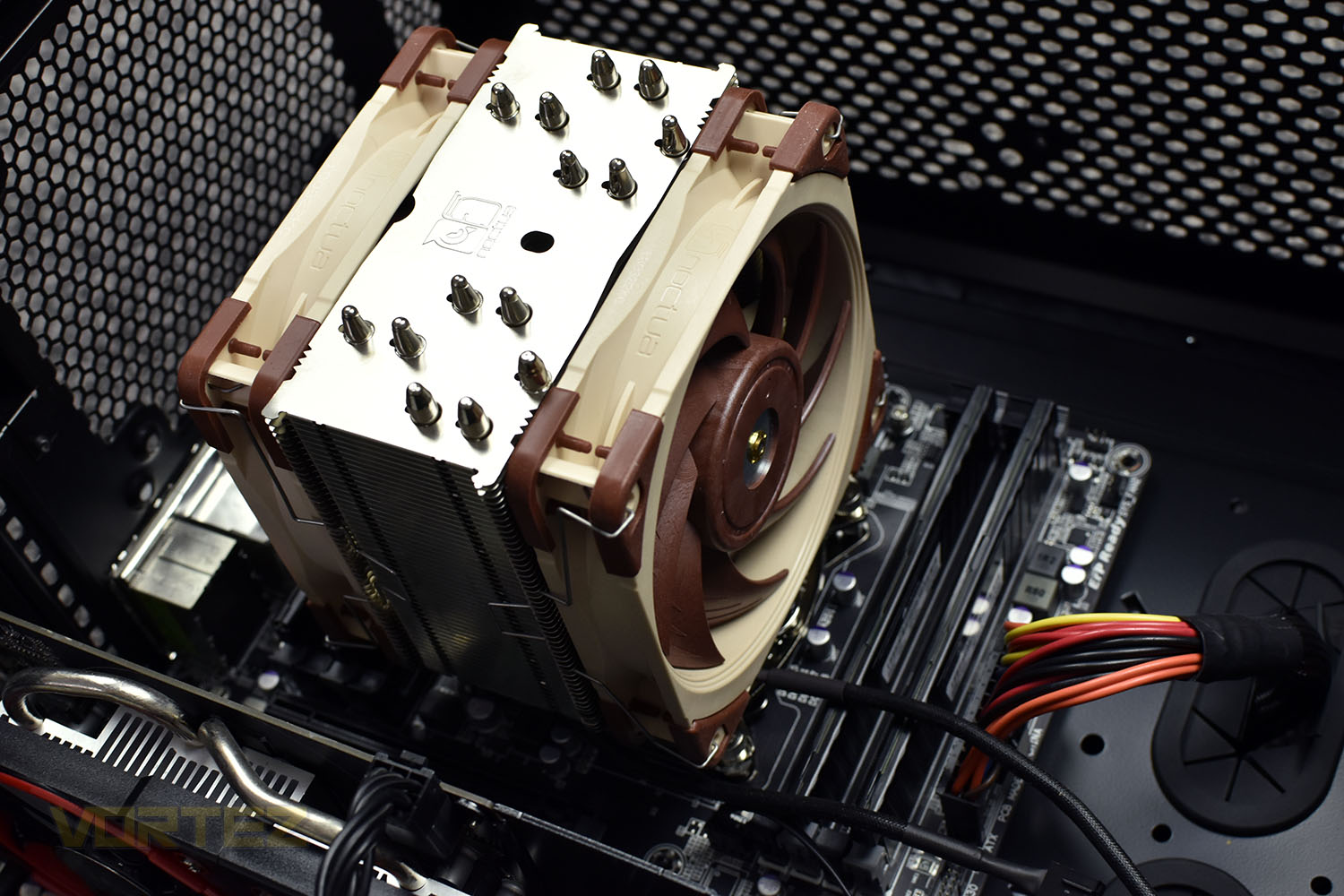
Re-attaching the NF-A12x25 fans, the cooler now looks like a Noctua design – that colour scheme is unmistakeable. With both fans attached the coolers depth is increased to 112mm, but thanks to an offset in the design, Noctua claim a 100% RAM compatibility with all Intel LGA115x and AMD AM4 motherboards.
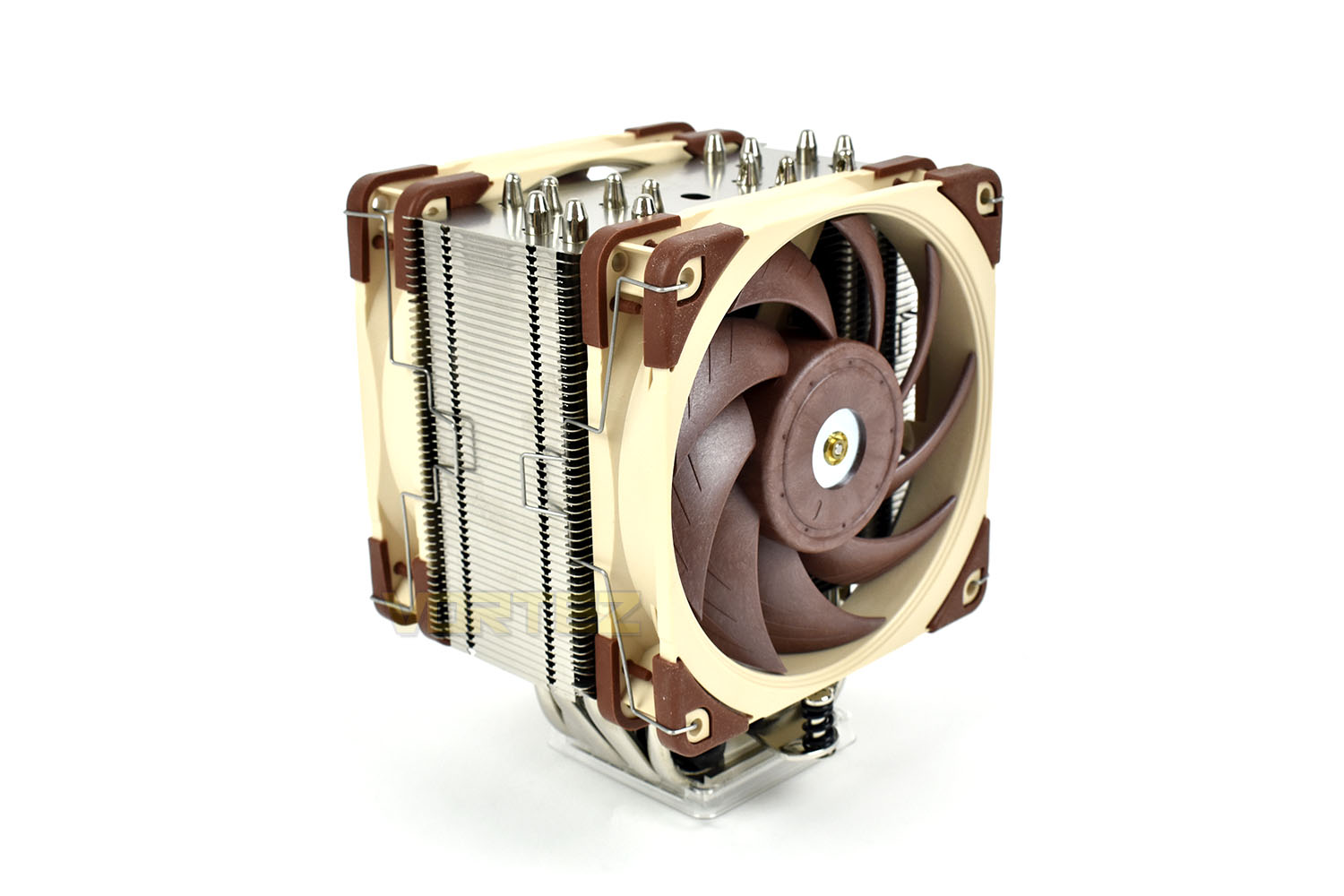
The opposite side features a much larger overhang, and could therefore cause an intrusion on LGA20xx motherboards if you’re using DRAM modules, to the left of the CPU socket, taller than 42mm.
Installation
Starting off the installation process, we apply our thermal paste. To maintain fairness across all of our cooling reviews, we always use the same Noctua NT-H1, it just happens that this cooler arrives with a tube of this as standard.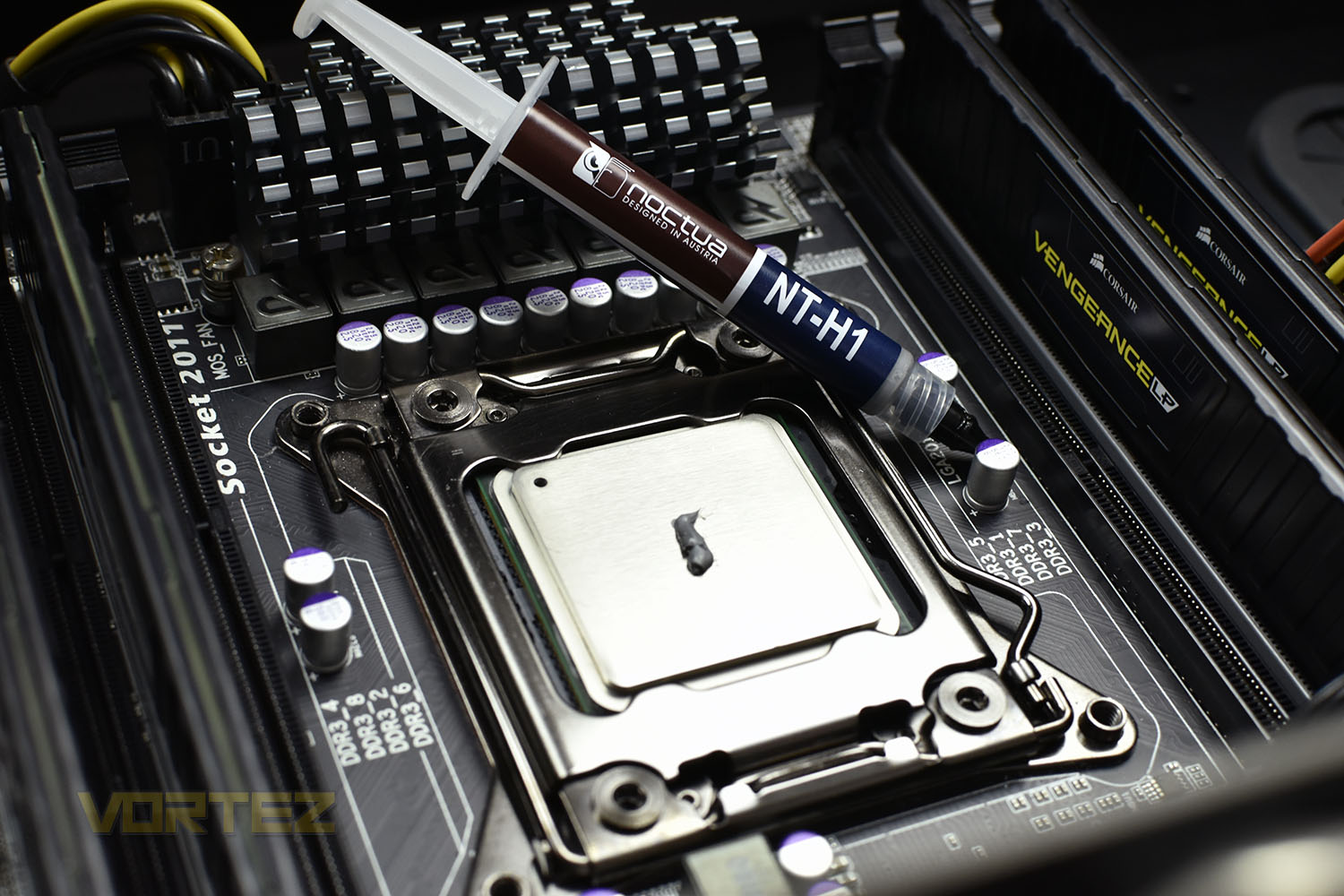
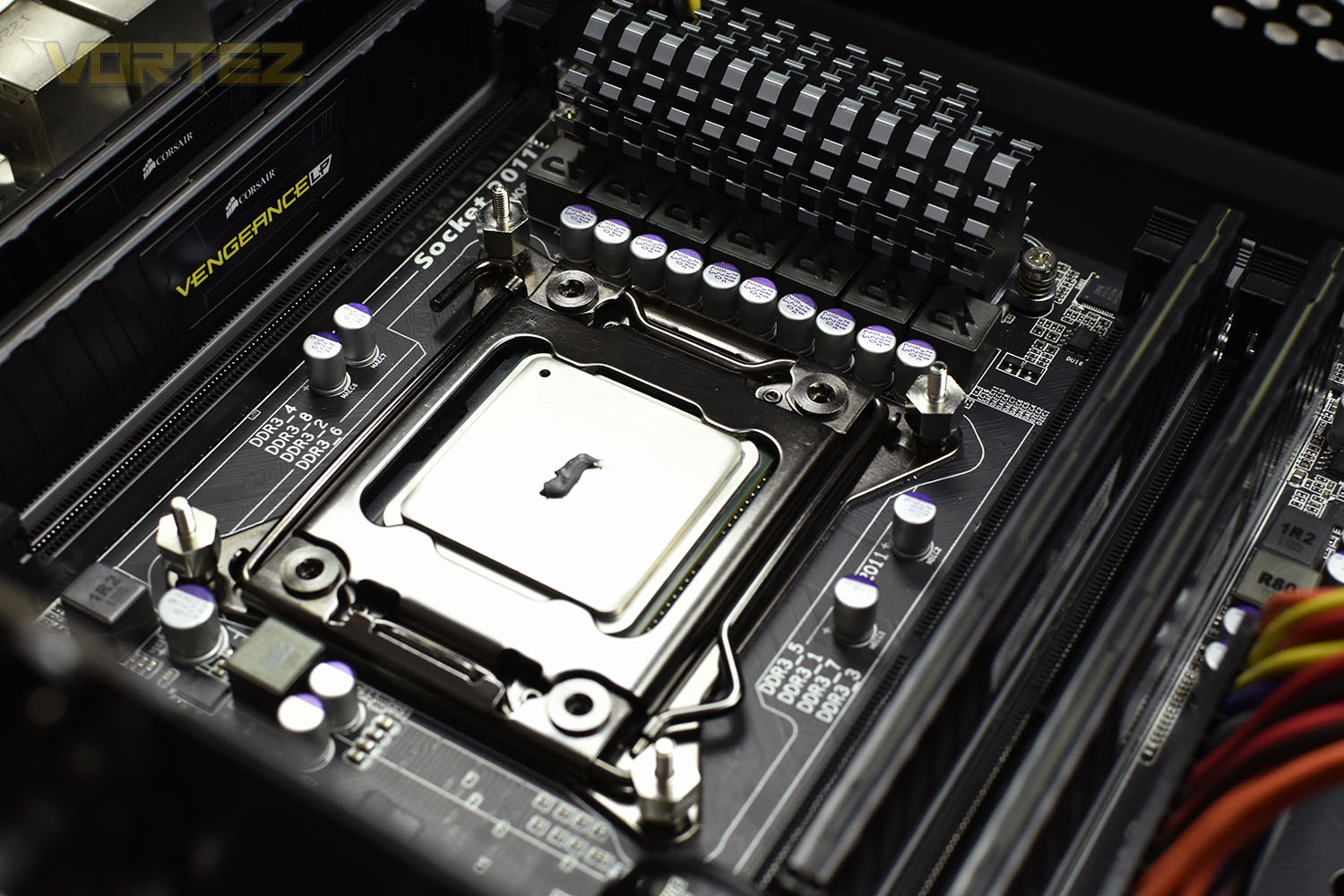
The four stand-offs then need to be installed into the corners. They can be installed by hand or using an 8mm socket.
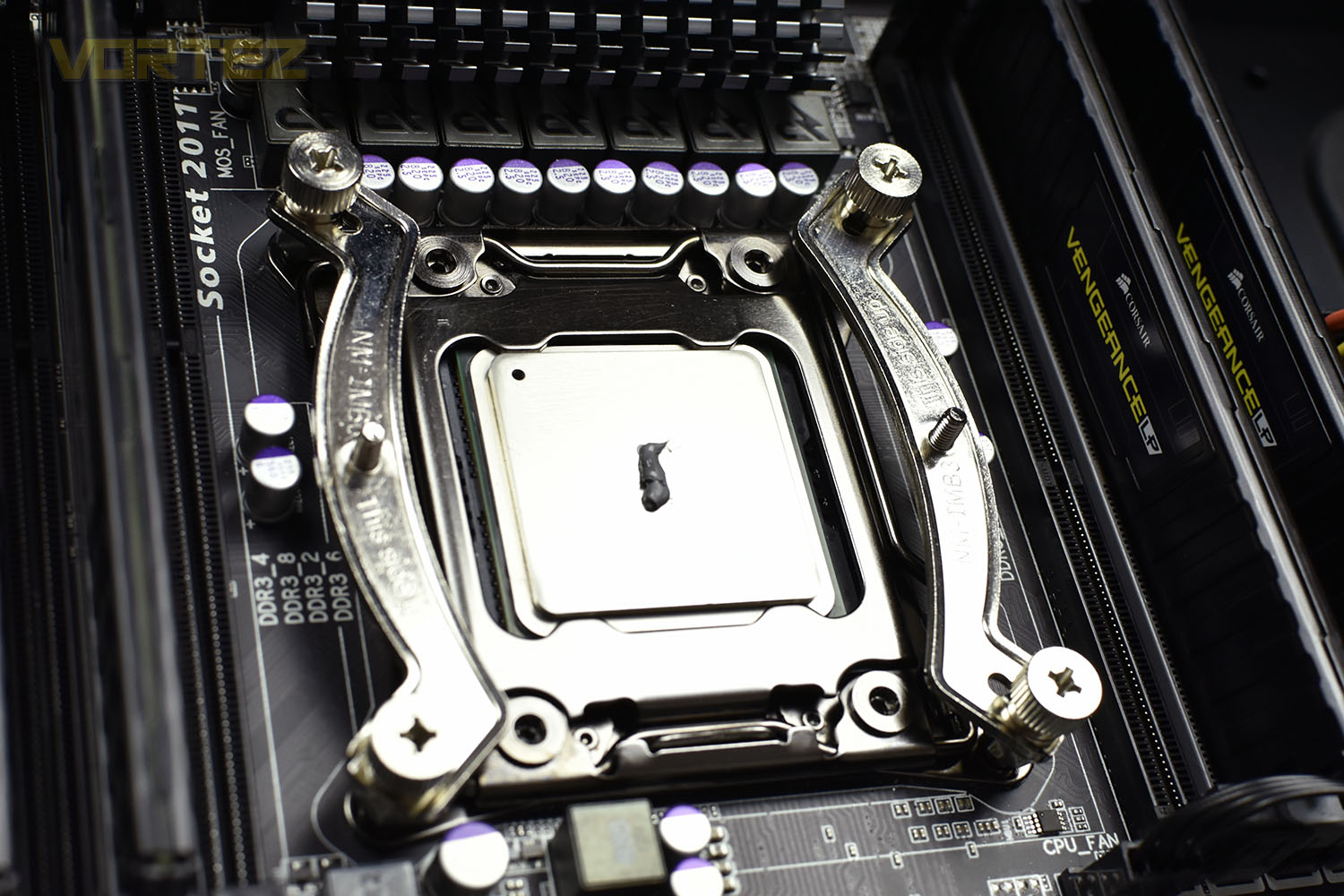
Next up are the mounting bars, onto which the SecuFirm2 mounting system will attach. The thumbscrews in each corner can, again, be sorted out by hand or using a Phillips screwdriver to ensure they’re properly tight. The included screwdriver fits these perfectly.
Finally, we install the heatsink. The fans have to be removed for this part, to give access to the screwheads on the SecuFirm2 mount. Both screws are tightened equally to distribute the thermal paste and to establish the best possible contact between the CPUs IHS and the coldplate on the bottom of the heatsink.
Reattaching the fans is as simple as locating the fan clips on each edge, a much easier task than most other heatsinks sharing a similar design.
Test Setup & Methodology
We have recently made changes to our cooling department and the associated testing methodology, so please note that the number of results shown will increase over time as we add additional products. We hope that these results will appear clearer to the majority of our readership and look forward to building upon the baselines that we currently have.We perform two individual testing routines with each CPU cooler that we receive – temperatures and acoustics. The system used is as follows and all tests are performed at stock 3.8 GHz and overclocked 4.4 GHz frequencies.
Processor – Intel Core i7-3930K
Motherboard – Gigabyte X79-UP4
Memory – 8GB Corsair Vengeance LP 1600MHz CL9
Video Card – Sapphire Radeon HD 6850 1GB
Power Supply – NZXT Hale90 650W
Storage Drive – Kingston HyperX 240GB SATA III SSD
Case – Corsair Carbide 760T
Monitor ASUS ROG SWIFT PG278Q
Motherboard – Gigabyte X79-UP4
Memory – 8GB Corsair Vengeance LP 1600MHz CL9
Video Card – Sapphire Radeon HD 6850 1GB
Power Supply – NZXT Hale90 650W
Storage Drive – Kingston HyperX 240GB SATA III SSD
Case – Corsair Carbide 760T
Monitor ASUS ROG SWIFT PG278Q
To keep our tests consistent, we always review CPU coolers as they come out of the box – with their factory cooling fans, as the manufacturer intended and as the consumer expects. It should, however, be noted that we do not use supplied thermal paste but instead, Noctua NT-H1 paste to, again, ensure consistency. The paste is applied and the CPU allowed to run for a couple of hours, at idle, to give the thermal compound some time to “bed in.”
In the first test, we record idle and load temperatures as shown by the most current version of the Real Temp monitoring utility. The test system is booted to the Windows desktop and left to idle for 20 minutes to ensure temperatures have stabilised. The average core temperatures are then recorded over a 1 minute period and averaged across the six cores. We then perform a continuous 20 minute AIDA 64 stress test. The maximum absolute core temperatures are recorded immediately after the test has completed and averaged across the six cores. All results are displayed as delta temperatures – these are calculated by subtracting the ambient room temperature from the average core temperatures recorded. For temperature testing, the Corsair 760T chassis door is closed and has all three systems fans powered on to simulate real-world conditions.
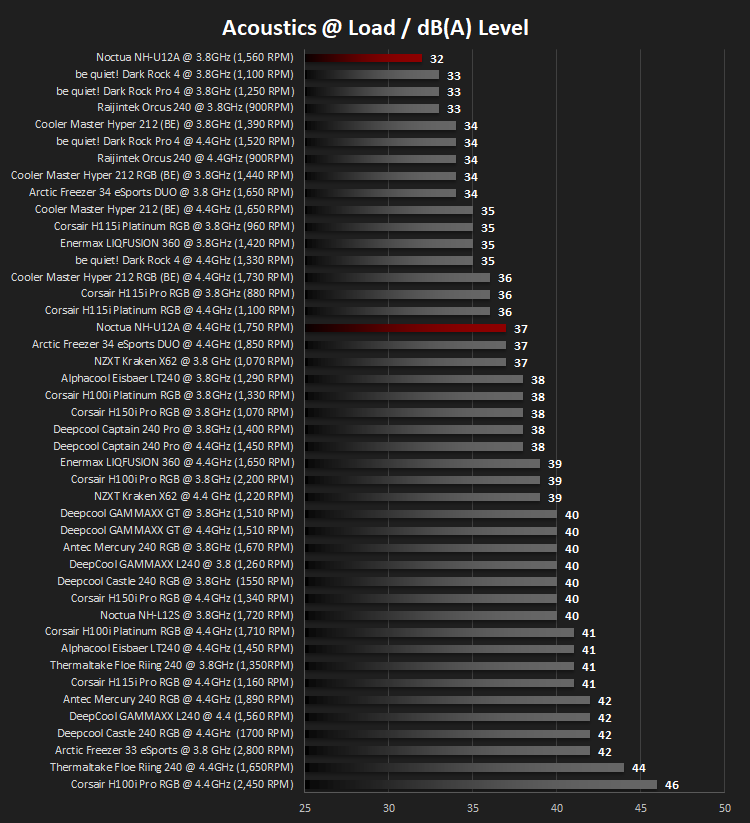
Our second test follows a similar methodology to the first, with the key difference being that the Corsair 760T chassis door is now left open and all three systems fans are disabled. This allows for the CPU cooler fans acoustic profiles to be captured in isolation. From cold, the system is again booted to the Windows desktop and left to idle for 20 minutes to ensure temperatures have stabilised. The acoustic level is then recorded at a distance of 20cm from the CPU cooler and where the individual result is an average level over a 1 minute period. We then perform our continuous 20 minutes AIDA 64 stress test. Acoustic levels are again recorded at a distance of 20cm from the CPU cooler and where the individual result is an average level over a 1 minute period.
Benchmarks – Thermal Results
As mentioned on the previous page, we give the system a couple of hours to bed in, as we do with all of our cooling system reviews, to ensure things are as even and fair as possible. It also helps to give the system some time to equalise so that temperatures are normal and the CPU isn’t working on anything in the background, such as searching for updates.We then take an idle reading, both at 3.8GHz and our overclocked 4.4GHz profiles.
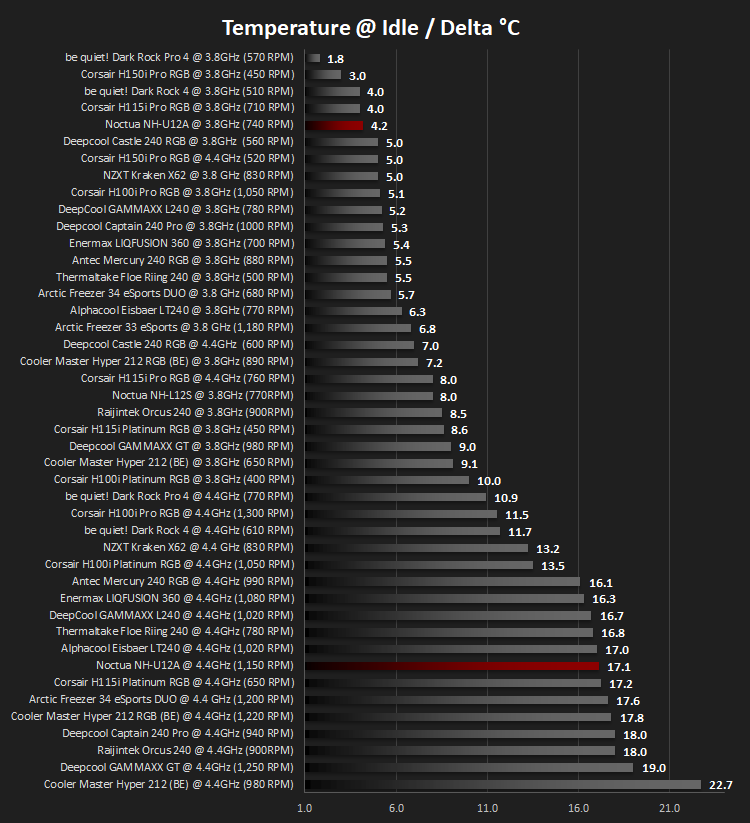
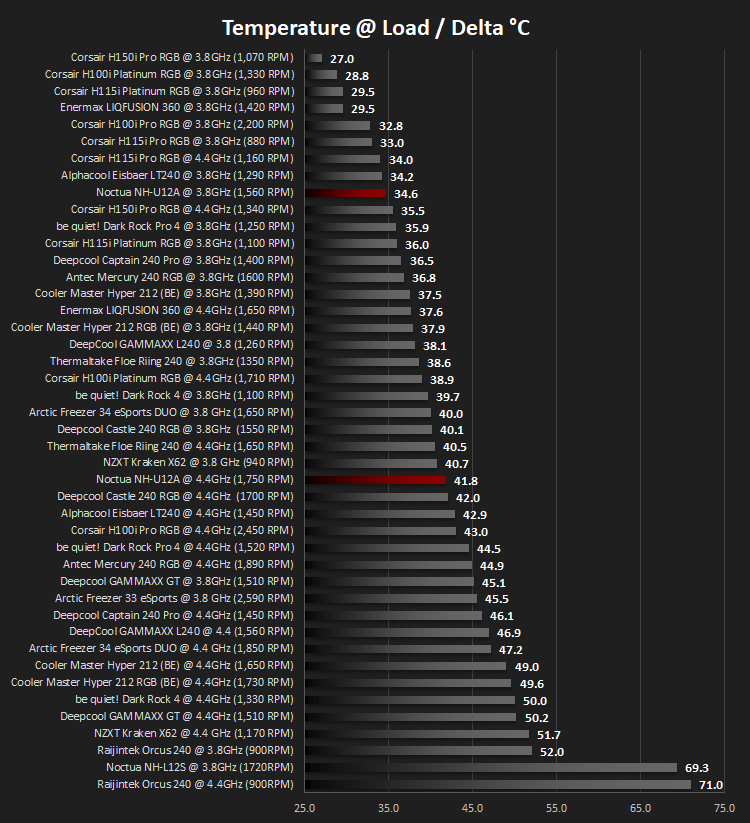
It’s then given a blast of 20 minutes with AIDA 64 and measure the temperatures again, taking a reading over 60 seconds then averaging across the six cores.
Benchmarks – Acoustic Results
Moving onto acoustics, we take a measurement of the fan output at the same time as the temperature readings.We measure the noise output with the system at rest.
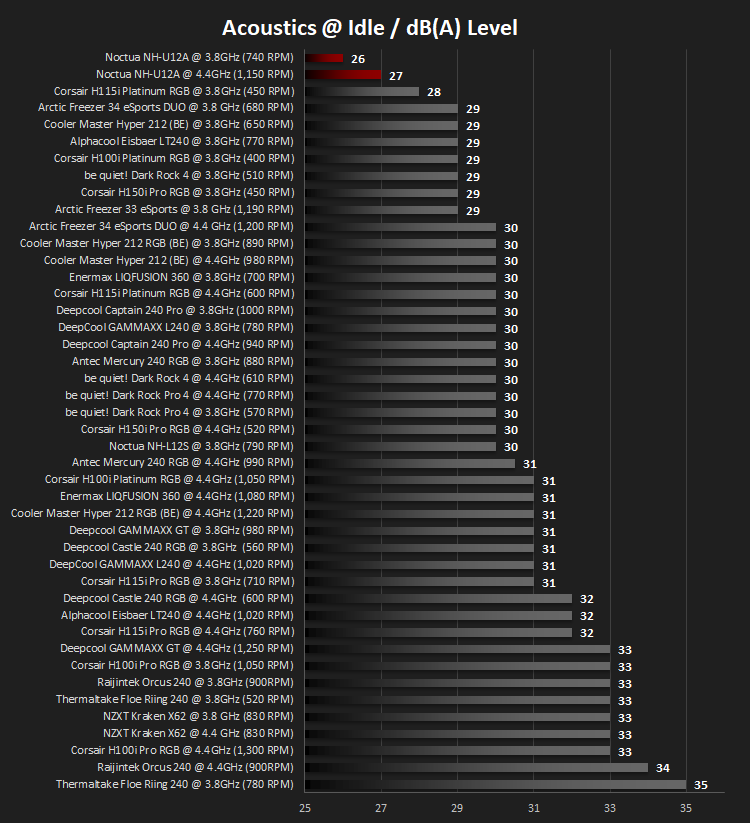
Then once the 20 minutes of AIDA 64 comes to an end, we measure the CPU temperature over 60 seconds and take the noise measurement below.
Conclusion
Noctua don’t release many products, instead operating a “quality, not quantity” mindset. This philosophy shines through during our testing procedures.Starting with the aesthetics. Of course, Noctua don’t expect you to love the beige and brown colour scheme, but it’s here to stay and can be appreciated for its different style and also for it’s ability to stand out from the crowd. Their NF-A12x25 fans have a charm of their own with the crystallised structure in the blades and the incredible tolerances achieved through proper engineering. The heatsink itself, however, in plain silver, looks fantastic! The simplicity of it, while appearing properly manufactured, goes a long way.
Installation was a simple process. As simple as they come, anyway. All coolers are a little fiddly; you’re dealing with expensive, sensitive equipment while messing about with a screwdriver; there’s risks, but Noctua go a long way to reduce those risks by using clear, accurate instructions. The fact that only two screws are required to attach the cooler to the SecuFirm2 mounting bracket also helps in distributing the pressure onto the CPU, thus improving temperatures.
Now, onto the performance; this is where the Noctua takes the crown for the quietest cooler, thanks largely to those NF-A12x25 fans, once again they’re almost unbelievable in how quietly they operate, we saw idle noise levels as low as 25.5dB(A) and an average of 26. Even with the CPU overclocked to 4.4GHz, with an idle CPU power draw of roughly 70w, the fans didn’t nudge up by more than a single dB. While making a quiet cooler can be seen as relatively easy, you could just turn down the fan speed or reduce its size; maintaining decent CPU temperatures at the same time is what requires real expertise. Our Core i7 3930K didn’t peak any further than 63°C with our 4.4GHz overclock applied and stayed well below 60°C at stock clocks. Considering the 135W TDP, at stock, of this CPU, that result cannot be dismissed; there are coolers that are slightly better, but they all produce more noise in doing so.
Pricing is somewhat of an Achilles heel of the Noctua NH-U12A, at currently around £20 more than the be quiet! Dark Rock Pro 4, which we feel is this heatsink’s biggest rival. The be quiet! Is a little louder but just as capable at keeping our i7 cool. However, things like memory compatibility will likely suffer with the Dark Rock. If quietness is paramount, then an extra £20 shouldn’t be too big of a hurdle.
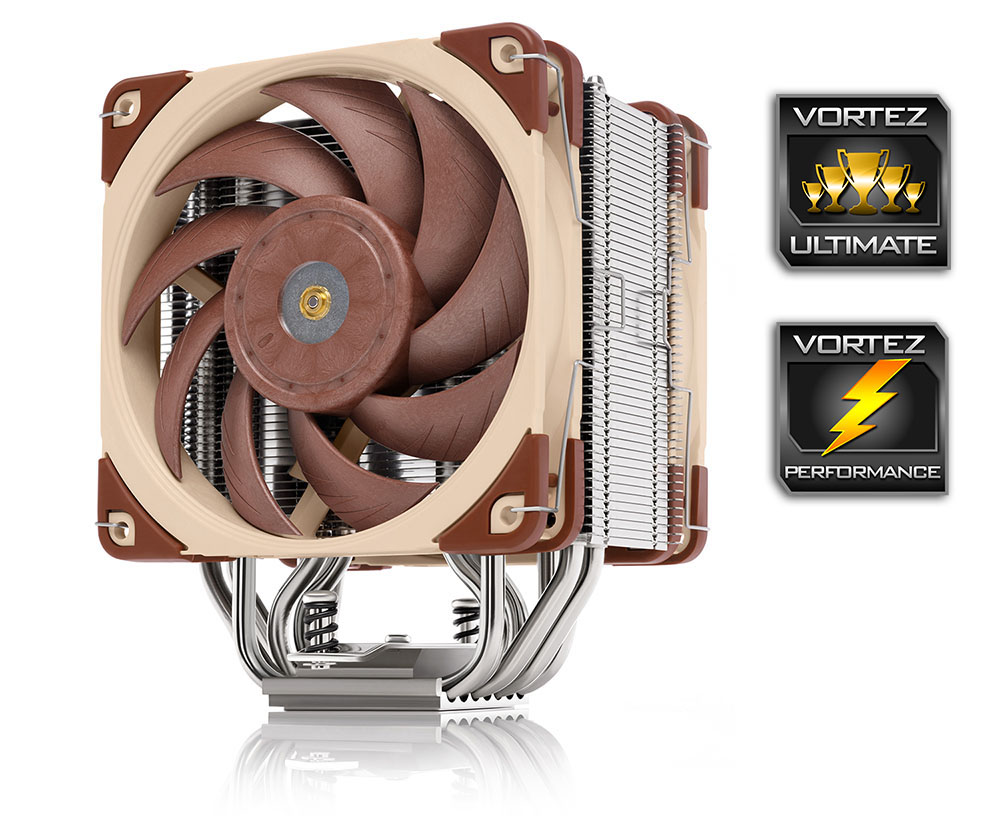
One word of warning for any potential customers – make sure the rest of your system is whisper quiet or you may find yourself noticing fan noises you didn’t know existed. We have granted this the Performance award for it’s quietness.
When it comes down to it, having a quiet system, to some, can be crucial to their mental wellbeing, while others can just ignore the fans whirring away. If you absolutely must have a quiet system, this cooler is 100% for you; we can’t think of anything we’d recommend instead.
Pros
+ Beautifully quiet
+ Incredible cooling capacity
+ 100% RAM compatibility (Intel LGA115x and AMD AM4)
+ Easy installation
+ 6-year warranty
Neutral
+- Questionable colour scheme
+- Don’t include their new NT-H2 thermal paste
Cons
– Expensive
+ Beautifully quiet
+ Incredible cooling capacity
+ 100% RAM compatibility (Intel LGA115x and AMD AM4)
+ Easy installation
+ 6-year warranty
Neutral
+- Questionable colour scheme
+- Don’t include their new NT-H2 thermal paste
Cons
– Expensive
Click here for an explanation of our awards at Vortez.net.
Stay connected with the Vortez Social Media pages: