







Our first Android Device review is of the A9 set-top box, where we discover if it can turn a HD TV into a SMART TV.

Product on Review: Noontec A9 Android Box
Manufacturer: Noontec
Street Price: £109.99 (At time of review)
The A9 is a media player and set-top box from an as yet little known Chinese manufacturer, Noontec.
Noontec advocates advancement, standard, rigor and norms, takes innovation as fundamental, and continuously pursues excellence. Noontec strives to provide users with excellent HD players. After years of research and development, Noontec has accumulated a wealth of experience in software, hardware and shape design of HD player and become a pioneer in the industry.
Noontec not only has R & D center but also sets up a large production base in China, and annually launches more than 30 HD player models to consumers.
Noontec not only has R & D center but also sets up a large production base in China, and annually launches more than 30 HD player models to consumers.
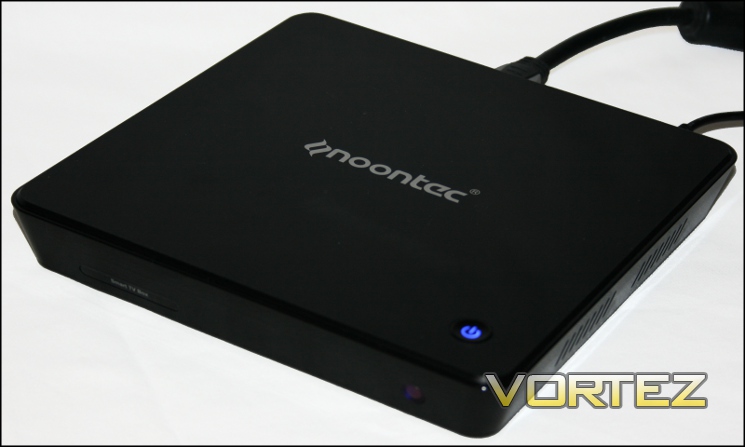
Whilst Noontec have a wide range of media players currently on the market, the A9 represents a new product avenue for the company: rather than developing a bespoke OS for their media player or updating previous players, the A9 utilises version 2.3.1 of Google’s Android OS. This OS is typically used in the Smartphone sector rather than set-top devices; as with smartphone manufacturers, Noontec have tweaked the 2.3.1 OS into a better fit for the hardware.
Calling the A9 a media player or set-top box is something of a misnomer: the A9 aims to turn a standard HD TV into a SMART TV, and provide additional functionality through expandable storage and a more robust desktop-style web browser. It’s not quite a PC in your living room – Android is generally designed for passively consuming rather than creating content – but brings much of the functionality of a tablet to your large-screen TV.
Technical Specifications
ARM Cortex A8 Processor
– 1.2 GHz Single ARMv7-based core.
NEON SIMD support.
Vivante GC800 GPU:
– OpenGL 1.0, 1.1ES, 2.0ES, OpenGL 3.0,
– OpenVG, Hardware acceleration for VP8, H263, H264, RM codecs.
512MB DDR RAM
2GB NAND Flash Integrated Storage
Video Output:
– HDMI
– Component Video
Audio Out:
– Stereo
– SPDIF (Optical), 2.1 Channels
– HDMI
2 USB HOST Ports
3 in 1 Card Reader (SD/SDHC/MMC)
RJ45 10/100 Ethernet
802.11 b/g/n WiFi
PC Connectivity (via USB A-B)
Infra-Red Sensor (front)
Dimensions: 191mm x 191mm x 31mm (L x W x H)
– 1.2 GHz Single ARMv7-based core.
NEON SIMD support.
Vivante GC800 GPU:
– OpenGL 1.0, 1.1ES, 2.0ES, OpenGL 3.0,
– OpenVG, Hardware acceleration for VP8, H263, H264, RM codecs.
512MB DDR RAM
2GB NAND Flash Integrated Storage
Video Output:
– HDMI
– Component Video
Audio Out:
– Stereo
– SPDIF (Optical), 2.1 Channels
– HDMI
2 USB HOST Ports
3 in 1 Card Reader (SD/SDHC/MMC)
RJ45 10/100 Ethernet
802.11 b/g/n WiFi
PC Connectivity (via USB A-B)
Infra-Red Sensor (front)
Dimensions: 191mm x 191mm x 31mm (L x W x H)
Supported File Types:
Video codec:- MPEG-1/2/4, H.263, H.264, XVID, RV, AVS, VC-1, VP8
Video file:- MKV, AVI, MP4, MOV, 3GP, MPG, VOB, RMVB/RM, FLV, TS, WEBM, WMV, ASF
Audio file:- MP3, AAC, WAV,WMA, M4A,OGG, FLAC,APE
Photo file:- JPG, BMP, GIF, PNG, JPEG
Video file:- MKV, AVI, MP4, MOV, 3GP, MPG, VOB, RMVB/RM, FLV, TS, WEBM, WMV, ASF
Audio file:- MP3, AAC, WAV,WMA, M4A,OGG, FLAC,APE
Photo file:- JPG, BMP, GIF, PNG, JPEG
Supported Features
Support Google apps Market and others third party markets
Over 500K apps can be downloaded and installed freely from Google market and others third party market, including 100K apps for Gaming, 80K apps for entertainment and 30K application tools. With Noontec A9, you can get whatever you want.
A9 is a Streaming Player
A9 supports Adobe Flash Player10.3. by website browsing or entertainment application, you can enjoy plenty of video like movie, TV program from internet.
A9 is a Game Station
There are more than 100K games available in apps markets, A9 supports most of popular Android games, such as Angry Birds, Plants vs. Zombies etc. A9 Supports online flash games too. in order to bring you better gaming experience, A9 comes with a optional customized and unique wireless Keyboard.
A9 is an perfect entertainment device
By installing instant message apps, A9 Supports many popular instant message tools like Skype, QQ, MSN, ICQ, Google Talk and Yahoo etc. And also, you can make new friends via Microblog, Forum and social networking website supported.
A9 supports your Office works
You can check and send emails through email tools inside A9. After you down load and install an office application, you can view and edit your office works on big screen HD TV.
Enjoy Reading from noontec A9
Many apps like e-book store and news, which allow you enjoy book or news reading from noontec A9. The noontec customized wireless Keyboard can relax you from reading resources searching .
A9 is Online Shopping Machine
Support online shopping like Ebay, Alibaba and so on.
A9 is your education help
Thanks to plenty of the education apps, A9 can help your education like child stories, health, finance, cooking and poems…
A9 is a Media Player
Powerful 1080P HD video decoding, supported formats include MPEG-1/2/4, H263, H264, WMV9, XVID, DivX, WMV, MKV, AVI, MP4, MOV, 3GP, MPG, VOB, RMVB/RM, FLV. A9 supports external storage like SD card, USB flash drive and USB hard disk, you can plug in such storage devices and enjoy the media.
Better user experience
A9 comes with a customized wireless keyboard with touchpad, all functions and buttons are well organized to ensure you have good experience from faster typing and editing, gaming, web browsing, video playback and setup.
Fashionable and elegant appearance
Fashionable design of black highly bright UV+ metal panel, with cutting-edge technology and elegant appearance
Internet access
A9 comes with built-in Wi-Fi, Wi-Fi would connect automatically on turning on. It supports WEP and WAP protocol. A LAN port also equipped on A9, so it can connect to internet by wire LAN cable too.
Over 500K apps can be downloaded and installed freely from Google market and others third party market, including 100K apps for Gaming, 80K apps for entertainment and 30K application tools. With Noontec A9, you can get whatever you want.
A9 is a Streaming Player
A9 supports Adobe Flash Player10.3. by website browsing or entertainment application, you can enjoy plenty of video like movie, TV program from internet.
A9 is a Game Station
There are more than 100K games available in apps markets, A9 supports most of popular Android games, such as Angry Birds, Plants vs. Zombies etc. A9 Supports online flash games too. in order to bring you better gaming experience, A9 comes with a optional customized and unique wireless Keyboard.
A9 is an perfect entertainment device
By installing instant message apps, A9 Supports many popular instant message tools like Skype, QQ, MSN, ICQ, Google Talk and Yahoo etc. And also, you can make new friends via Microblog, Forum and social networking website supported.
A9 supports your Office works
You can check and send emails through email tools inside A9. After you down load and install an office application, you can view and edit your office works on big screen HD TV.
Enjoy Reading from noontec A9
Many apps like e-book store and news, which allow you enjoy book or news reading from noontec A9. The noontec customized wireless Keyboard can relax you from reading resources searching .
A9 is Online Shopping Machine
Support online shopping like Ebay, Alibaba and so on.
A9 is your education help
Thanks to plenty of the education apps, A9 can help your education like child stories, health, finance, cooking and poems…
A9 is a Media Player
Powerful 1080P HD video decoding, supported formats include MPEG-1/2/4, H263, H264, WMV9, XVID, DivX, WMV, MKV, AVI, MP4, MOV, 3GP, MPG, VOB, RMVB/RM, FLV. A9 supports external storage like SD card, USB flash drive and USB hard disk, you can plug in such storage devices and enjoy the media.
Better user experience
A9 comes with a customized wireless keyboard with touchpad, all functions and buttons are well organized to ensure you have good experience from faster typing and editing, gaming, web browsing, video playback and setup.
Fashionable and elegant appearance
Fashionable design of black highly bright UV+ metal panel, with cutting-edge technology and elegant appearance
Internet access
A9 comes with built-in Wi-Fi, Wi-Fi would connect automatically on turning on. It supports WEP and WAP protocol. A LAN port also equipped on A9, so it can connect to internet by wire LAN cable too.
Package Contents
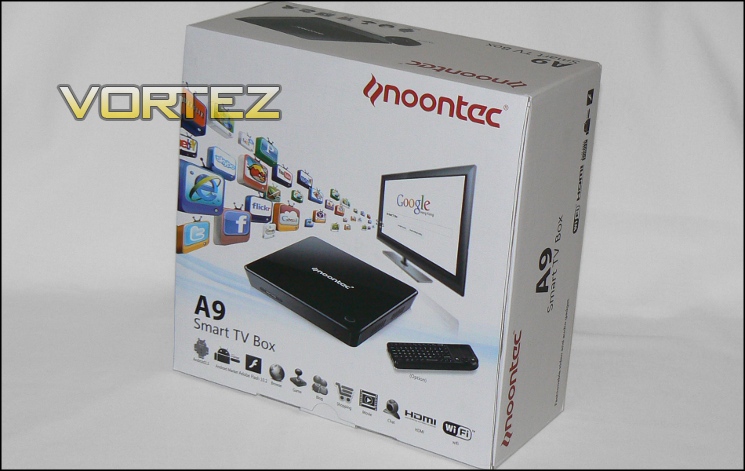
The A9 comes packaged in a fairly weighty matt white box which details the features you should expect from your new purchase, such as the Android 2.3 OS, HDMI compatibility and WiFi connectivity. The top and sides also detail optional accessories available with the A9, including the M100 wireless keyboard or a wireless mouse option. Inside the box the A9 is surrounded by 1.5cm thick dense foam, which should go some way to protecting it during transit.
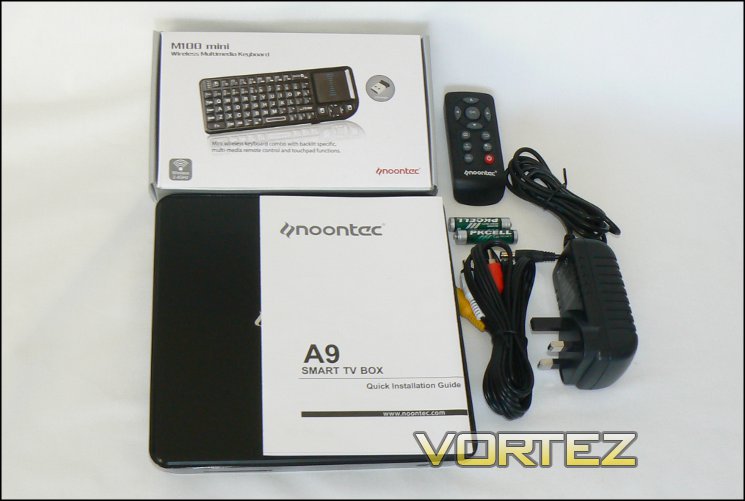
Included in the Noontec A9 package are:
The Noontec A9 Android Box
A Transformer with Region-Specific Plug (1.45m)
Infra-red 11-button Remote Control
Two 1.5V AAA Batteries
Component AV Cable (1.7m)
M100 mini Wireless Multimedia Keyboard with Touchpad
A9 Quick Installation Guide
A Transformer with Region-Specific Plug (1.45m)
Infra-red 11-button Remote Control
Two 1.5V AAA Batteries
Component AV Cable (1.7m)
M100 mini Wireless Multimedia Keyboard with Touchpad
A9 Quick Installation Guide
The Noontec A9 is therefore ready to go out the box for the majority of televisions. Those wanting to take advantage of the A9’s high definition output will need to acquire an HDMI cable separately. Similarly, connecting the A9 to a PCs USB port will require a USB A to B (i.e. printer) cable which is not supplied.
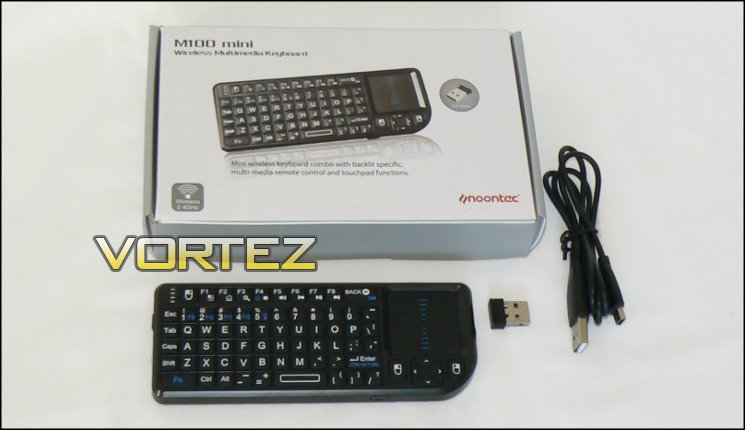
As well as an English language instruction manual, within the M100 box is the keyboard and USB to mini-USB charging cable. The top of the M100 has a small pull-out drawer in which the USB wireless receiver is stored.
A Closer Look
Constructed of plastic and metal, the A9 has a very solid feel and topping the scales at 600g means it isn’t exactly feather light either. The plastic top and sides have a high gloss finish which nicely complements many LCD TVs currently on the market. Given how narrow it is, placing additional devices such as storage or a slim DVD layer along side it on a TV shelf is easily possible.
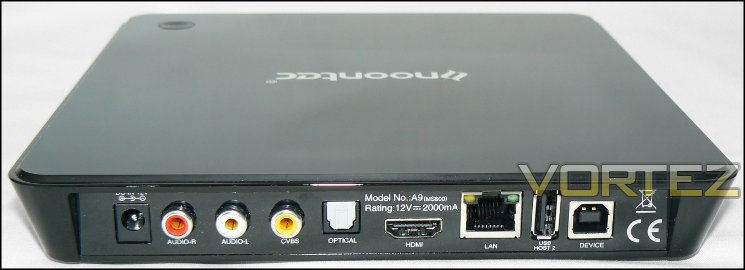
Rear connectivity
Rear connectivity options are well laid out with only the USB-B socket (labelled ‘Device’) seeming out of place. The arrangement allows the A9 to maintain a fairly low profile, essential to preserving a sleek design aesthetic. Note that rear also labels the A9’s power requirements, which will be pretty handy if you misplace the power supply.
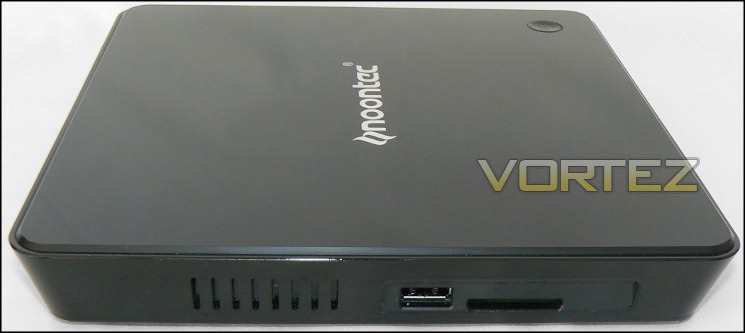
Left side connectivity
The left side of the A9 features some ventilation, the second USB HOST socket and 3 in 1 card reader. The card reader is spring-loaded requiring you to insert the card fully until latched in place. The right also features two banks of ventilation, maintaining the high-gloss finish.
On the bottom you find four thick rubber feet, under which are hidden screws to access the device internals. Having such thick feet seems a little odd given the lack of moving parts in the A9; perhaps they’re in case you have external mechanical storage on top of the unit and would therefore prevent vibration from being transmitted through your TV stand.
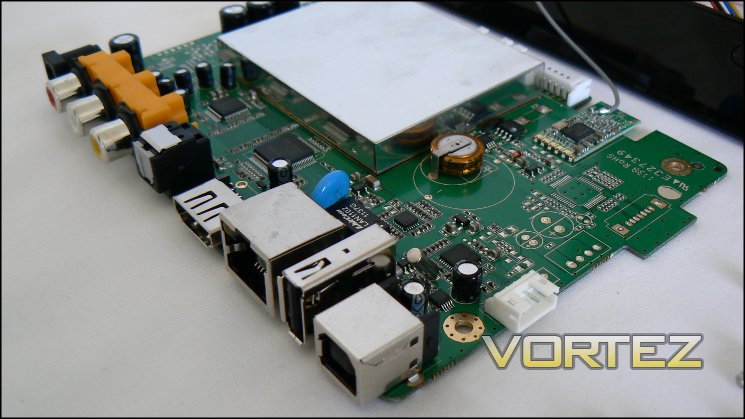
RK2918 System-On-a-Chip with PCB
The Noontec A9’s backbone is a Rockchip RK2918 System-On-a-Chip designed by the Fuzhou Rockchip Electronics Company, supporting Android OS’s up-to 4.0 (Ice Cream Sandwich). This choice of components also allows the unit to be cooled passively, eliminating moving parts entirely and keeping the unit silent.
Getting Started And First Impressions
Getting Started
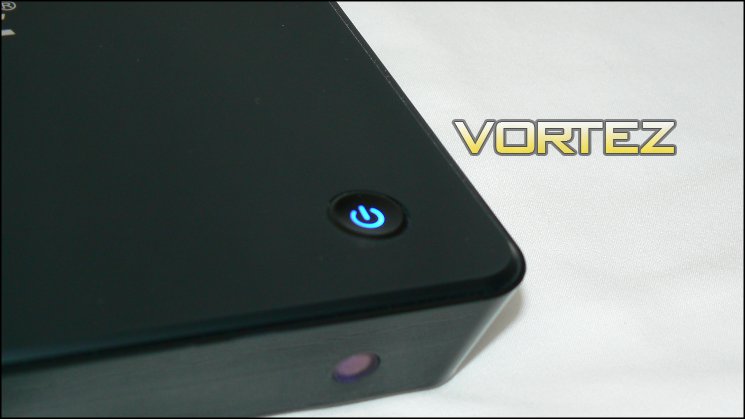
Power button with blue illumination indicating the device is on
The first steps toward operating the Noontec A9 couldn’t be more simple: connect mains power and hook up the box to the TV and you’re effectively ready to go. You can turn the unit on by pressing either the prominent ‘Power’ button on the top, or the corresponding button on the remote control.
To attach the M100 plug the USB wireless receiver into either USB host port and slide the keyboard’s power switch (located on the left edge) to ‘ON’. The A9 will then automatically configure itself to use both the remote and the keyboard.
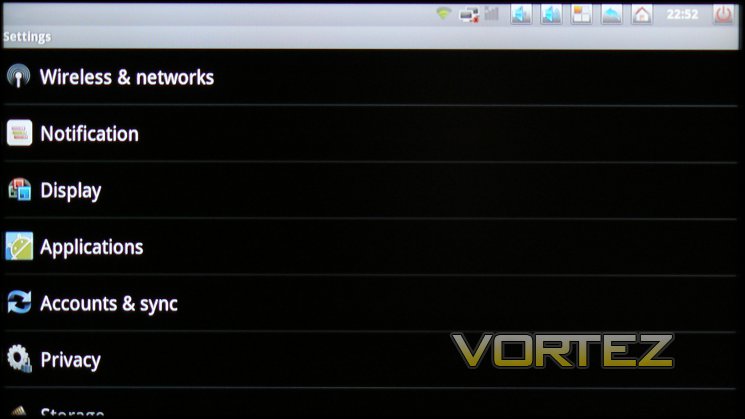
Settings Menu
You will then need to set up the display output, and may want to configure the Wireless LAN options; both are located in the Settings menu on the home screen. When a Wireless LAN is connected the ‘wireless’ icon in the grey bar at the top of the Home screen will be illuminated in green. Configuration of other advanced features is also performed through this menu, so it’s well worth remembering.
First Impressions: – Choice Of OS
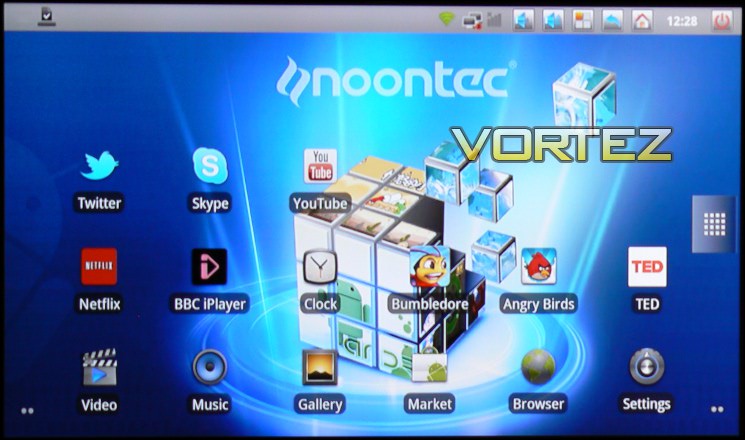
A9 Home screen with additional Apps installed
Whilst most smartphone and tablet manufacturers are busy updating to Android 4.0, commonly known as Icecream Sandwich, Noontec’s choice of Android 2.3.1 is fairly conservative. Android 2.3.1, or Gingerbread as it’s usually known, was mainly designed for smartphone applications and is slightly less suited to tablet or desktop usage modes; even so it still allows access to the Android App ecosystem which includes games, video/music players and lifestyle applications.
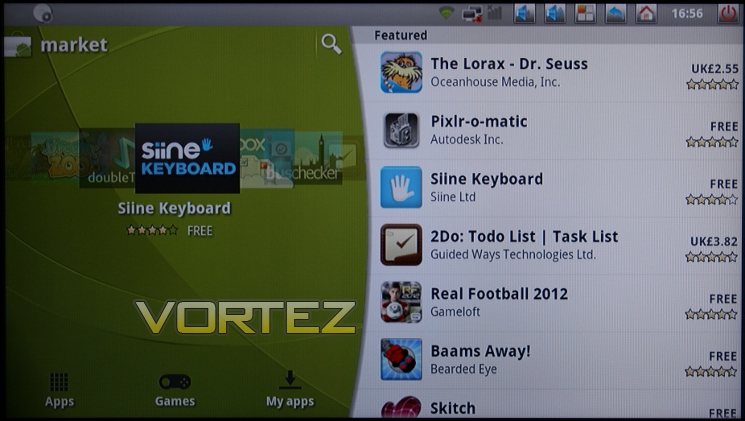
Android Marketplace browser. May differ depending on firmware version
Accessing the Android Marketplace is fairly straightforward: select the Marketplace icon, after which you will be prompted for your Google account. If you don’t already have one the A9 will take you through creating a new one, otherwise simply log in with your existing account.
The number of applications available in the Android Marketplace is staggering. Browsing could be a difficult task, but the Marketplace browser’s navigation system does at least allow searching and present you with the most important information: App name, cost and user rating. Once selected and installed the App should be present as an icon in your Home screen.
Sadly later versions of Gingerbread have not yet been rolled out to the A9, most notably 2.3.2 which includes screenshot functionality (and would have made this review significantly easier on the eye). New firmware updates continue to be rolled out on an almost monthly basis by Noontec, so it’s hoped that OS updates up to 4.0 will eventually be included.
First Impressions (Cont.)
Human Interface Devices, i.e. IR Remote and M100
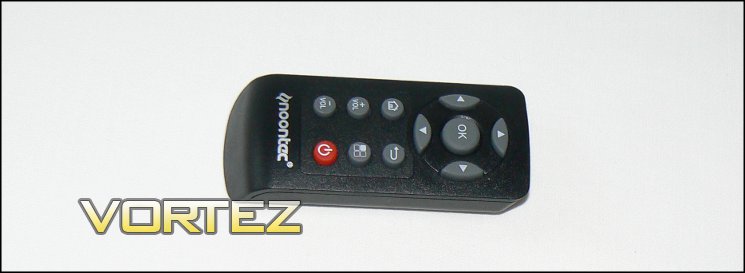
Remote, detailed
Whilst it comes with an infra-red remote, operating the A9 with it is an extremely frustrating experience beyond simple menu navigation. The majority of Android apps are configured to utilise a touch interface, and browsers are often optimised for mouse control. Cycling through clickable website elements in search of the one you’re after makes for a thoroughly unenjoyable experience, and using the on-screen keyboard to input text has similar issues. For general video/music playback through the bundled Apps the remote is adequate, but no more than that. It is therefore a blessing that the M100 Mini Keyboard is included in the package.
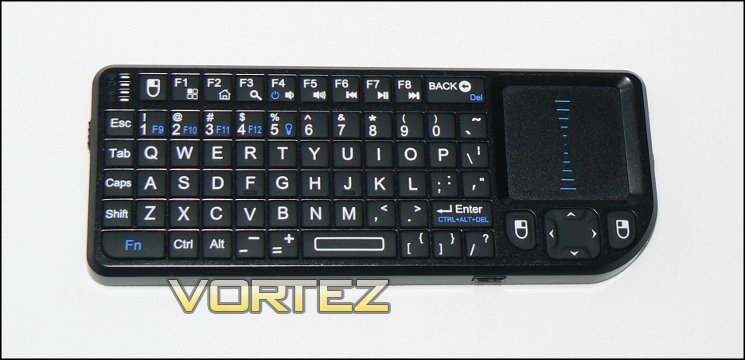
M100 Wireless Keyboard/Trackpad Combo, detailed
The M100 is a backlit wireless multimedia keyboard which connects via USB. The keyboard is battery powered, and may be charged via a USB port using the included charging cable. Bundling the keyboard is a veritable godsend when it comes to browsing the internet and using more complex Android Apps thanks to its qwerty keyboard and mini touchpad. Getting used to the keyboard/trackpad combination takes some time and less responsive apps and websites do needle somewhat, however it is all ways round significantly better than the alternative.
Whilst not allowing the precise control you expect from smartphone touch interfaces, it is ample for most tasks asked of it. A potential issue would be for those who are expecting to game via apps purchased from the Android Marketplace; the M100 is not suited to apps designed for complicated touch-screen gestures or moderately fast-paced gaming, as a quick blast of Bumbledore showed.
There are main three criticisms we would have to offer of the M100:
1) Though the M100 includes “rewind”, “play/pause” and “forward” buttons they do not work in any of the bundled Apps, nor when connected to a Windows 7 machine. This is odd considering the layout has apparently been designed for Noontec devices specifically, and media buttons on other keyboards work without issue. Instead, on-screen navigation needs to be relied upon, which is somewhat less than optimal.
2) The auto-sleep functionality is sometimes a little too quick to activate, and waking the M100 from sleep requires specific key presses. Auto-sleep is a great way to improve battery life, especially on wireless devices, but it could do with kicking in a little later or being woken more briskly.
3) Very infrequently erratic output can occur, perhaps caused by an erroneous reading of a ‘shortcut key’. This can be frustrating when browsing: during testing unintended zoom occured when navigating though a web page which is relatively difficult to undo. It’s not clear if that is down to the keyboard or the OS however.
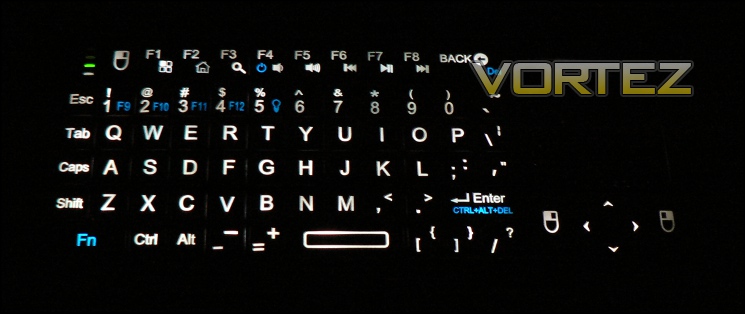
M100, backlight coverage
Even with those negatives, the M100 is an excellent and much needed addition to the A9’s arsenal. Devices bundled without one would probably necessitate the purchase of an equivalent wireless keyboard/mouse, at some expense and loss of convenience. Plus, they wouldn’t come with the M100’s built-in backlighting and torch, which are both surprisingly useful in a front-room environment.
Performance Testing – Web Browser and Web Streamed Video
In testing we used two displays: a 32inch LCD TV supporting a 720p resolution – indicative of an older TV which may be upgraded via the purchase of the Noontec A9; and a 20inch LCD monitor capable of supporting resolutions up to 1080p.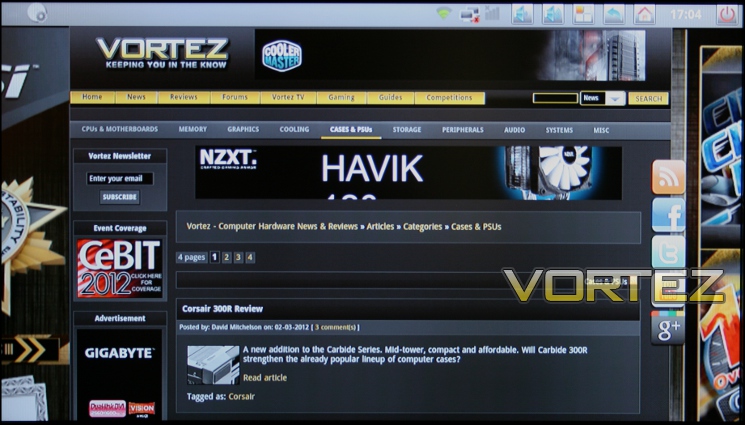
Vortez.net on a 720p TV
The A9 is not quick to pick up all web-pages, but nor is it generally sluggish on a broadband connection, and there are no stand-out issues with websites. Users will want to avoid content-rich and Flash heavy sites in favour of cut-down mobile versions where possible as the standard browser does not support ad-blocking applications, though it does have some limited Flash-blocking capability. This can prove to be problematic for pages with large amounts of flash content or ads, slowing down performance significantly as website page scrolling is typically erratic or disabled until all content is loaded.
Content-rich Apps such as this one also suffer from slow browsing
Standard pages such as those seen on Facebook.com, CNN.com and BBC perform well in the main. Those using 32inch and 720p or greater screens may want to zoom out to improve their browsing experience, and a quick zoom-in/zoom-out keyboard shortcut would have been ideal. Navigation on some content-rich sites and apps can feel laggy, though it is not clear if this is down to poorly constructed websites when accessed through a non-mobile version. In most cases navigation was fine once the website was fully loaded, and input into text fields worked very well with the M100; hence as a plaftorm for Blogging and social networking (e.g. Facebook or Twitter) the A9 works well.
Web Media Player
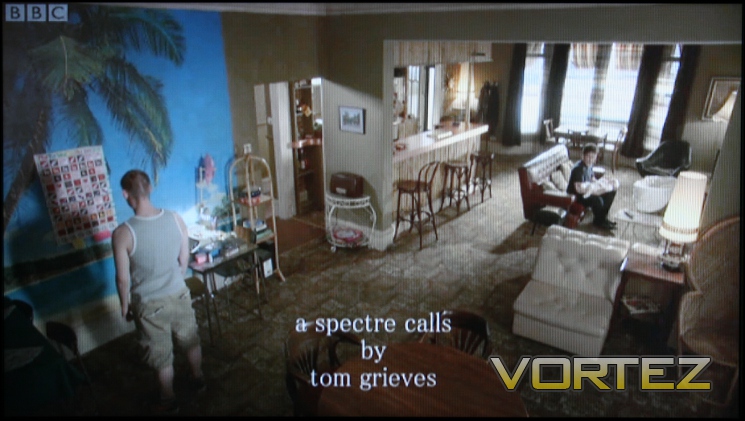
iPlayer App fullscreen video
In our tests the A9 was not able to cope with full-screen streamed video of higher resolution than 360p when played through the browser; attempting to do so always caused the browser to crash. Those wanting to make use of streamed content, such as Netflix, Youtube or iPlayer, are better served utilising the Android applications available from the Marketplace even though they tend to support lower than HD resolution video. A break-down of experiences with various video content is detailed below:
iPlayer – Generally acceptable using the Android iPlayer App, though at times the playbar would not dismiss when the app entered ‘buffering’ mode mid-playback. Additionally, when skipping ahead playback often became jittery. A similar experience was had with the main iPlayer website, though as outlined above attempting to stream the content in ‘High Definition’ crashed the browser.
Youtube – In-window via the browser performance is smooth with no desync issues. The Youtube Android App, whilst generally of lower video quality, will play videos in full screen without problems and is therefore the best means of playing the videos whilst making use of the main Youtube.com website to navigate between videos.
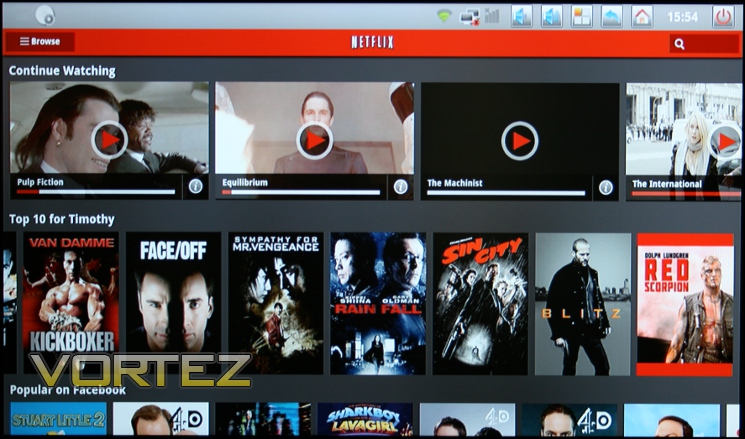
Netflix – Streaming is fine though streamed quality isn’t great and visibly blocky. This is probably a limitation of the NetFlix streaming app and not a fault of the A9, but it does illustrate the problems surrounding using apps developed for low-resolution mobile platforms on a large display environment.

The Netflix App quality isn’t great (zoomed image)
LOVEFiLM – LOVEFiLM at present does not support streaming via an Android App; the LOVEFiLM App organises your rental list only. Streaming via a browser is also not possible as the web player utilises Microsoft Silverlight, which isn’t compatible with Android devices thus far even if it works with many SMART TVs.
Blip.tv – Playback of Blip.tv videos failed due to what appears to be a general incompatibility with Android devices. Rather than a specific failure of the hardware, it illustrates the issues surrounding tying yourself to software without the supported codebase of Microsoft Windows or iOS.
Twitch.tv 30 Minute streamed playback of a good bandwidth stream resulted in no audio desynching at 480p, the practical limit of the internet connection used. Moving up to 720p crashed the A9, but it’s not clear if this is due to a specific fault with the device or the web implementation of Twitch.
Our overall impression is that the A9 performs on par with good mobile device outputting at higher than normal resolutions. Though this is adequate for casually consuming content, the restrictive OS and poor full-screen HD video stream support mean it can’t quite meet the front-room quality you would expect from a Media PC.
Performance Testing – Built In Functionality
Though billed as a “SMART TV Box” designed for accessing Internet services via your television, we envision that accessing and playing your own media would be a common use for the A9. As such, we wanted to put the A9 through its paces as a audio/video media player to assess whether it could truly be a unifying device for the front room.
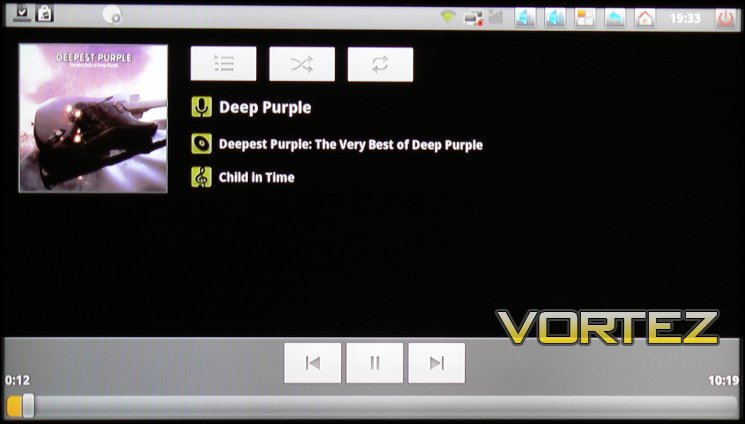
Generally speaking the GUIs of the A9’s built-in video and music player apps are extremely basic, obviously suited for mobile devices rather than high resolution screens. There’s nothing necessarily wrong with that, but it does result in a lot of unused screen real-estate and scrolling through individual items if there are a significant number of files in a particular folder. Also worth noting is that the Video Player UI did not correctly read the video length in the menu system, nor display a useful thumbnail.
The first hurdle to overcome is one of storage. The A9 has only 2GB of on-board storage, most of which is taken up by the OS and installed applications, and so external storage is very much the order of the day. We utilised a 5400RPM external HDD attached via USB, but the A9 also includes functionality for reading from SD cards or network directories over LAN.
In attaching the HDD we found one particular oddity – USB media plugged into the side-mounted USB port were not fully accessible by the A9’s built-in media players (Video, Audio or Images): though media files could be seen, any attempt to access them resulted in an error message. Those attached to the rear of the A9 had no such issue. In operation therefore we advise that the M100’s wireless dongle always be plugged into the side-mounted USB port.
Video Playback Testing
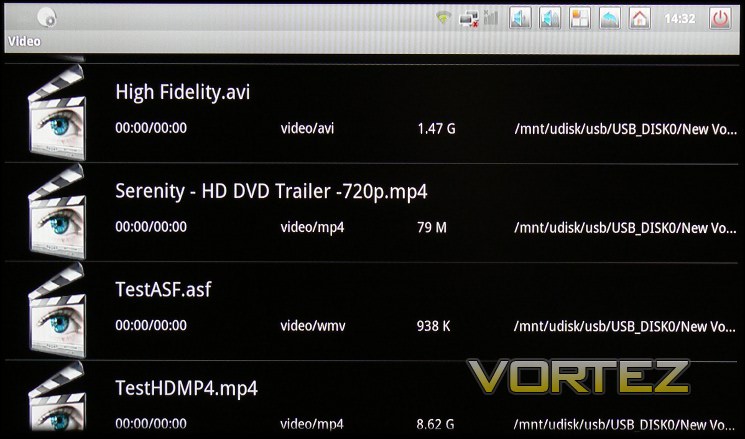
It would be unfair to assume that our sample video and audio was perfectly encoded, so rather than assess the A9 in isolation we compared playback performance and quality with that of a sample desktop PC. So long as issues in media playback were mimicked by the sample machine, we would not mark the A9 down. Playback was compared against that of identical files on our sample system; results were as indicated below:
-.avi

Both DIVX and XVID encoded video files of DVD quality played with roughly the same results as our sample desktop. Some infrequent jerkiness in playback could be seen, but not intolerable nor significantly worse than the sample system, hence we put it down to an artefact of the files. Audio remained synced throughout playback.
-.wmv
In attempting to play back multiple different files the device failed in the majority of cases. Those with low quality audio/video executed with few problems, however a .WMV sample of a DVD and trailer would not play on the A9 whilst no difficult was experienced on the PC. No error message was displayed detailing why the file could not be played. Content protected .WMVs could also not be played. Hence we have to class WMV support as ‘poor’.
-.mpg
As you would expect from the long-established standard, there were no issues to report in playback.
-.mp4
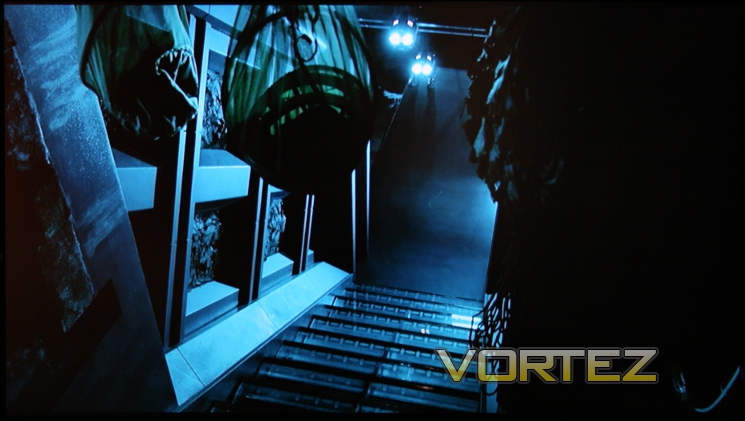
We tested the A9 against three files: two trailers from HD-Trailers.net, 720p and 1080p respectively and one 1hr30min h.264 encoded 1080p file of FRAPSed game footage. Although slight and infrequent picture stuttering was evidenced the overall experience was good, and audio remained synced throughout.
-Matroska video container (.mkv)
MKV is a container format for audio, video and subtitle files utilising a number of different codecs. We tested MKV playback against two sample 1080p files from DIVX.com containing DIVX-encoded video and subtitles. The files played in an identical fashion to the sample desktop system except for subtitles, which were not visible at any point during playback; indeed the A9’s pre-loaded player does not appear to have an option to activate subtitles.
Audio Playback Testing
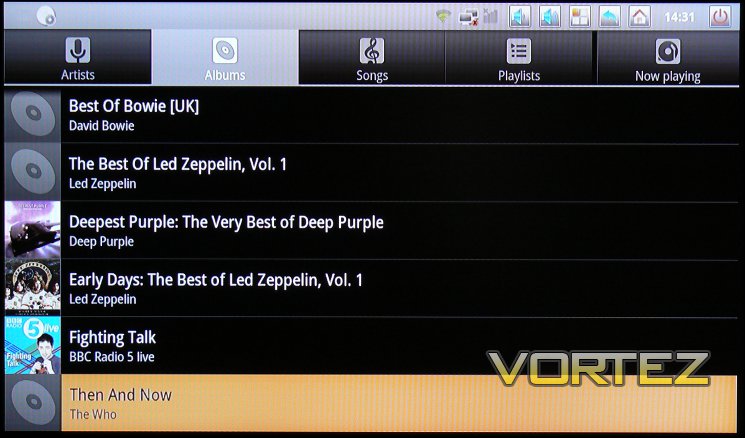
No significant issues were discovered in playback of AAC, FLAC or MP3 audio though the A9’s packaged Music App, though the navigation system leaves a lot to be desired. It’s good to see that the A9 will pick up album title covers in supported files too, which goes some way to jazz up a rather dull browsing experience. The A9 also allows the user to play back audio files ‘in the background’, which is a nice touch when the easy option would have been to allow it only whilst the playback screen was active.
Image Playback
We tested the A9 with a number of highly complex images from the Astronomy Picture of the Day archives, including a significant number of high resolution images with subtle shading, seeking to discover how well the image was rendered on-screen.
In another UI quirk, the A9’s built in Gallery App would only pick up images on the external HDD if an SD Card was also connected. Once accessible, the images were displayed on a per-folder basis with very low resolution thumbnails to browse through and select. If you have a Google Account linked to the A9 it will also attempt to import thumbnails from your Picasa web folders, but the images unfortunately remain low resolution when viewed.
Limited slide-show and zoom functionality is also included in Gallery, which is a nice touch for showing off your photographs on the fly, as well as the ability to set a image or portion thereof as a wallpaper for your home screen.

In full screen, images often displayed significant colour banding as shown above, indicating that the data transmitted to the screen is not of sufficient colour depth. It’s not clear if this is a hardware or software issue and it was difficult to detect similar problems in video playback, but it represents a significant strike against the A9.
Conclusion
The Noontec A9 is the first Android device we’ve had in to test, and so the A9 is tested somewhat in isolation. Android power users may have a significantly different experience as they’re able to tweak out the system or have insider knowledge of killer applications for the platform. Therefore,
through the eyes of an enthusiastic amateur willing to sit down and puzzle through, here are our conclusions:
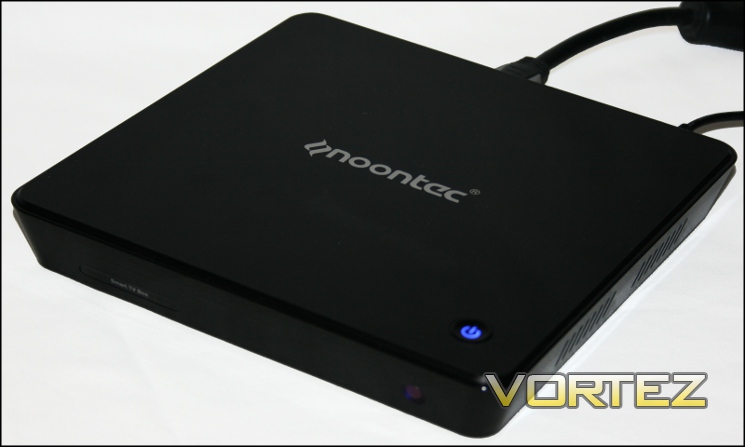
As a set-top device, the A9’s glossy black finish looks great under a TV with a similar aesthetic, though it is something of a dust magnet. The power LED makes it easy to know whether it is on or off, yet doesn’t dazzle when watching images on-screen as some similar devices do. It’s disappointing that given the size and weight of the A9 it cannot be mounted to the back of a TV via VESA mounting points; that might be an interesting feature to incorporate into later revisions.
Usability of the Noontec A9 is a little hampered by the choice of OS version, specifically 2.3.1. Even simple functionality such as taking screenshots – which would have been invaluable for this review I might add – was not possible as the feature was only introduced with version 2.3.3 of Gingerbread. Simple navigation for video playback was hampered by the default apps which organise files somewhat idiosyncratically, to the extent that those wishing to play back their own music or videos may need to spend some time organising their libraries.
With usability in mind, the inclusion of the M100 in the overall package, itself £35 separately, makes the device vastly more user friendly; the remote alone does not work well enough for web browsing or other non-media player functionality.
We were worried by the colour banding of still images. We can’t disentangle this problem from encoding quality in video, but it remains a possibility that the A9 outputs without sufficient colour depth for true high quality imaging. Hopefully the particular fault is with software which will be solved with firmware updates.
The hardware is generally up to the task, but as with all media players incompatibility for specific media types remains a risk. There appears to be little out-the-box support for Network Addressed Storage, though recent updates continue to build on this functionality and indicate that additional support is in the development pipeline. Our sources say that Noontec plan an Ice Cream Sandwich (Android 4.0) firmware update in April, which will hopefully also feature additional improvements across the board.
With the general release of ICS to mobile and tablet devices, it’s hoped that more applications will be developed with support for higher resolutions in mind. If so, this would expand the functionality of the A9 and similar devices significantly, though it’s important to not buy new hardware or software on the promise of additional features or fixes in the future.
XDA-Developers, a website and forum specifically for Android and Windows Phone enthusiasts, have tinkered with the A9 and already added a couple of custom firmware options to root and tailor the hardware to specific tasks. The tinkering appears to be very much in its infancy at present, but the participation of an ardent community of experts is an interesting selling point if you already perform similar modifications to your mobile phone or router.
High definition video content playback was generally solid with good performance mainly coming from h.264-encoded videos, colour depth issues notwithstanding. Sadly subtitles were not recognised on our sample .mkv using the default player, which makes the A9 unsuitable as a media player for the hard of hearing. The general lack of WMV support except in a relatively limited number of files was disappointing; we were far less concerned by poor .asf support by comparison.
At £109.99, the Noontec A9 brings at lot to the table at the price point. If you’re looking specifically for a media player, other options with lower cost and included storage may be a more sensible purchase. As a jack-of-all-trades device however the A9 comes into its own, with significantly lower cost than a budget PC even excluding the lack of storage; you will struggle to find a better priced product which offers the same functionality.
To round off: the choice of an Android OS, expandable USB storage, and wireless keyboard make it an innovative solution for those on a budget looking to get more out of their front-room experience. With the issues raised however, even at the extremely keen price point, we have stop short of recommending the A9 for general use. If they could solve the colour banding issue we would almost certainly have to grant the A9 our Creative award due to the great price and the strength of the underlying idea; a Value award would also likely follow with the implementation of Ice Cream Sandwich.
Pros:
+ Price
+ M100 Keyboard
+ Solid Web Browser
+ Access to Android Marketplace store
+ Manufacturer support via regular firmware updates
Cons:
– Image colour-banding
– Incomplete video support
– Weak bundled applications
– OS and apps optimised for low-resolution smartphones
– Limited storage
– Design idiosyncrasies
+ Price
+ M100 Keyboard
+ Solid Web Browser
+ Access to Android Marketplace store
+ Manufacturer support via regular firmware updates
Cons:
– Image colour-banding
– Incomplete video support
– Weak bundled applications
– OS and apps optimised for low-resolution smartphones
– Limited storage
– Design idiosyncrasies

Click here for an explanation of our awards at Vortez.net.


