







Today we have the newly redesigned Beta case the Beta Evo. A smart and affordable case with lots to talk about.
Product on Review: NZXT Beta EvoManufacturer and Sponsor: NZXT
Street Price: £33-38

NZXT have well and truly established a good reputation within the enclosure market in the short amount of time they have been in existence. They have a really impressive assembly of cases available that have great features and looks but come in at a lower price compared to other case manufacturers. Today we have the privilege of looking at the NZXT Beta Evo, a budget case with a real statement to make. NZXT designed the Beta Evo off the back of the original Evo thus making it very affordable, lightweight and with a multitude of features.
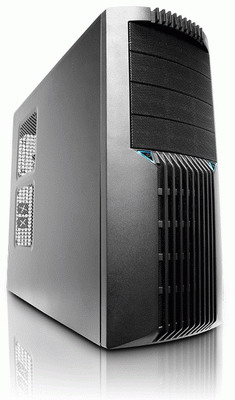
NZXT have the following to say about the Beta Evo case:
The Beta EVO, a sleek, all black value packed mid tower case at a budget price. Beta EVO features advanced cooling performance with support for up to 6 120 mm fans with an option of a 140mm fan at the top. Beta EVO also provides external dual radiator support along with a meshed front panel allowing for enhanced cooling potential.
Full of options for expansion, the case fits high performance 10.5″ graphics cards, up to 4 external 5.25″ drives and 5 internal 3.5″ HDD racks. Beta EVO provides a number of features that significantly enhance ease of installation including screwless installation for 5.25″ drives and superior wire management capabilities with the bottom mounted PSU and 180 degree turned HDD cage. It also features punched holes in the motherboard allowing for quick CPU bracket removal.
So on paper this looks a very interesting case. Taking a look at the price it looks a complete steal, lets take a close look at this case.
Features and Specifications
• Fits ATX Standard Motherboards and Power Supplies
• Fits large 10.5″ performance graphic cards
• Expanded cooling directly cools video cards and CPU
• Support for up to 6 120mm fans with the option of dual 140mm at the top
• Screwless installation for hard drives and external 5.25″ drives
• Black Internal finish for sleek look
• Meshed front panel allows for better airflow than traditional cases
• Superior wire management with bottom mounted :: PSU and CPU punchout for heatsink removable
• Removable PSU filter
• 180 degree Turned HDD for a cleaner internal finish and better wire management
• External Dual radiator support
• Top mounted USB/Audio for convenient usage
There are a lot of options available above for such a low priced case. It seems hard to believe that a small case could have such cooling potential. Over the page we will finally take a look at the NZXT Beta Evo.
Exterior
The NZXT Beta Evo comes in a rather plain looking box made of recyclable cardboard. But we have no qualms with this; it allows the end user to benefit from the cutback with the low RRP. It’s also better for the environment. The packaging should be functional, and it is. It doesn’t need to be flash, it’s what’s inside that we are concerned with.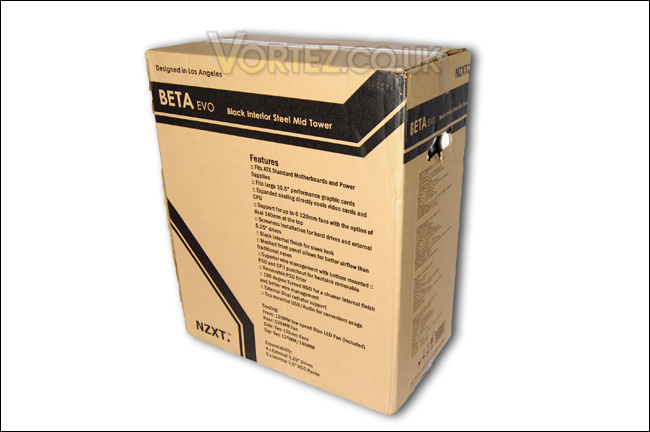
The NXZT Beta Evo box
Taking the Beta Evo out of the box we are met with quite a nice looking case. There are 4 outlets for 5.25” devices. The front bezel has mesh behind it to encourage better airflow. Behind this mesh there is a 120mm blue LED fan.
The front control panel has a headphone/mic jack, two USB sockets as well as an eSATA port. These ports are easy to get to and quite correctly at the top of the case, making them more accessible. It’s quite annoying when manufacturers place these ports at the bottom of the case.
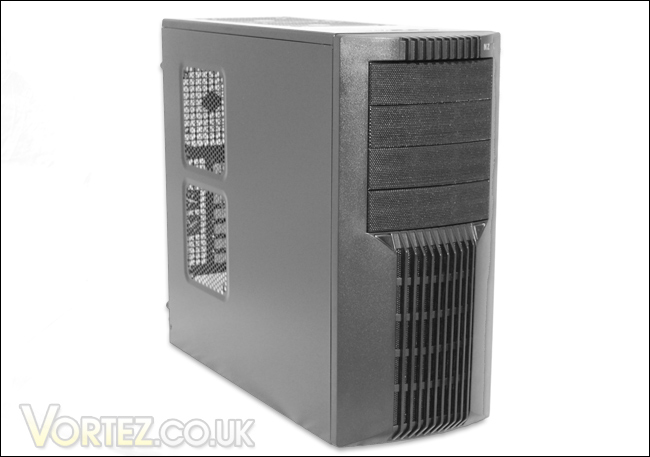
Our first look at the NZXT Beta Evo
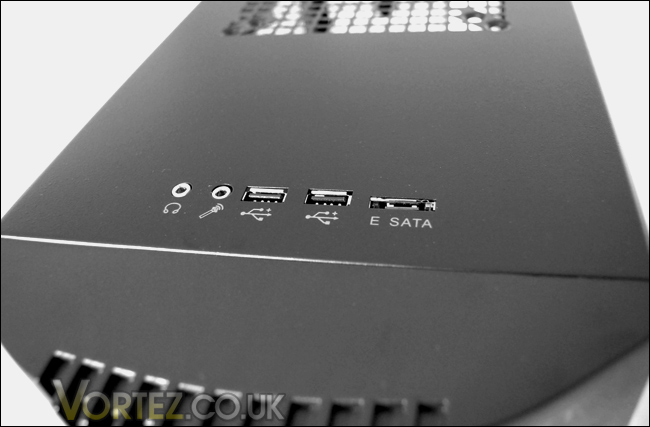
The front control panel with USB, audio and eSATA support
On the side panel there are two mesh cut outs, allowing you to draw out excess heat from both the GPU and CPU. Later on I will be adding a Noctua S12B onto the side for some additional airflow gain. Similar to the side, on the very top of the case there are two mesh cut outs for mounting a dual radiator. I’m not sure if I’ve ever seen a case for this price that supports water-cooling. If you were to choose not to mount a unit here there is quite an opening for dust to enter. This would be the only thing that concerns me about the design. Most of the components are quite exposed, so if you do have this on the floor next to your desk, do not spill your drink!!
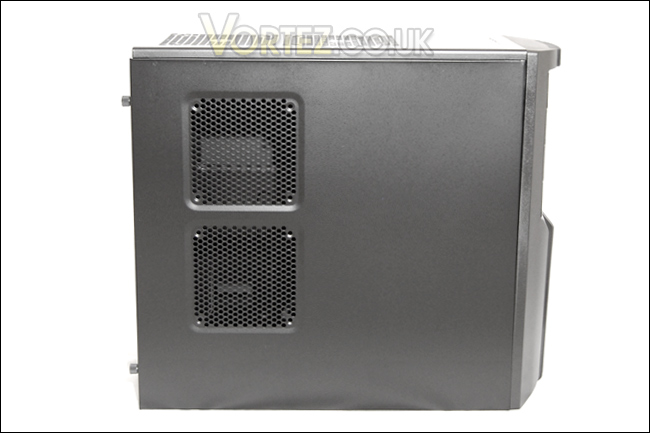
Double fan support on the side panel
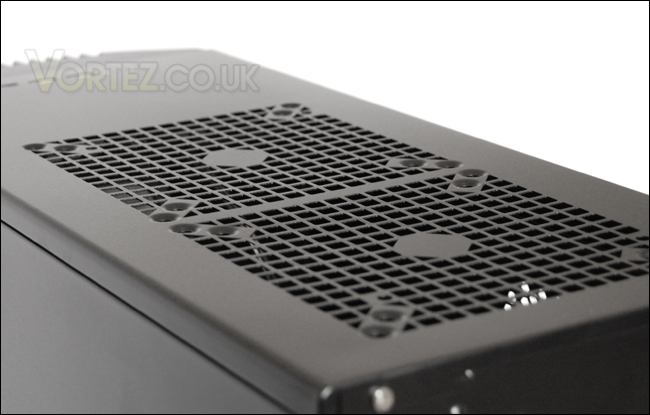
If you want to install some water-cooling the Beta Evo is ready
Moving to the rear of the NZXT Beta Evo the format is fairly standard. The PSU will be placed at the bottom of the case – as seen on most of the newer ATX cases on the market. There is a space for a 120mm exhaust fan to be installed, although there isn’t one provided with the package. Again, there are two loop holes for water-cooling.
To secure the side panel there are some nifty little thumbscrews to make the removal of the panel easy. Rather than these being made of metal they are plastic, which in my mind makes more sense. Metal on metal results in damage. So with the plastic screw it fits snug without making any marks whatsoever.
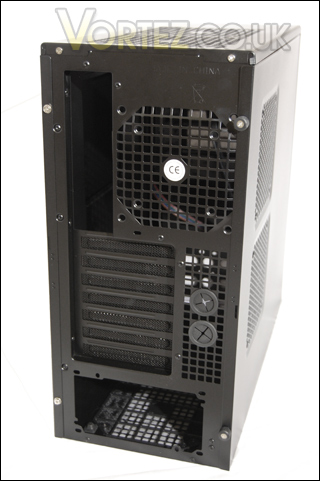
The rear of the Beta Evo
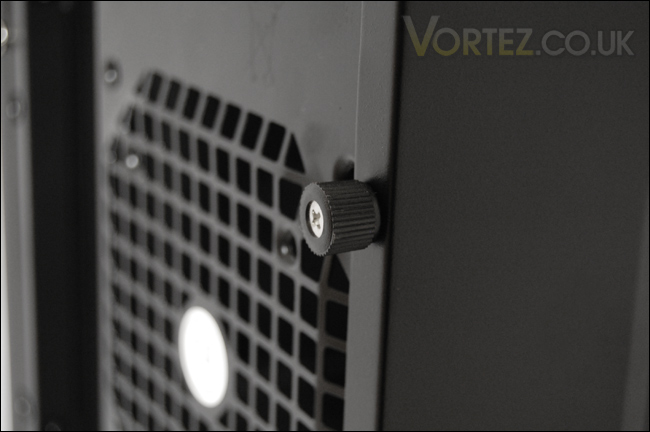
Neat little plastic thumbscrews
Interior
We will now take the side panels off and take a look inside. There is surprisingly quite a lot of space within, NZXT have utilized the space very well. The HDD cage can mount up to 5 HDD’s. The inside is much the same as other cases and there isn’t much else to comment on beside the expansion slot plates. These are quite nicely covered in mesh, again to aid airflow taking the onus off the fans. One of the first things you will notice when moving the Beta Evo is the lightness of the case. Although its made of steel it is extremely light, so much so that when I moved the box when it arrived, for a second thought there was something different inside. It may be light but it certainly isn’t flimsy. All panels are sturdy and covered in a nice matte black finish, within and without.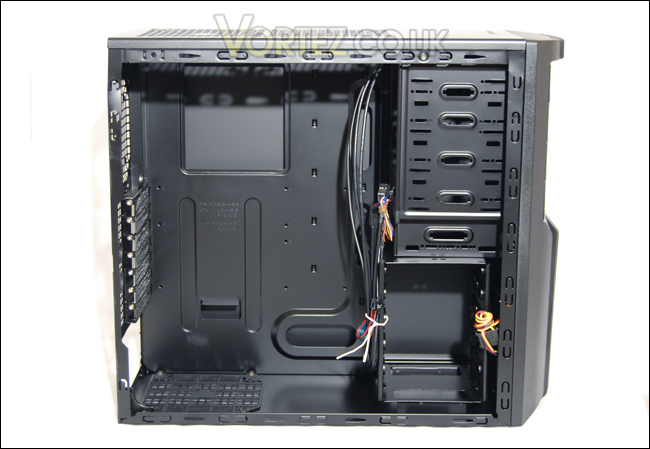
The NZXT Beta Evo from the side, with the side panel off
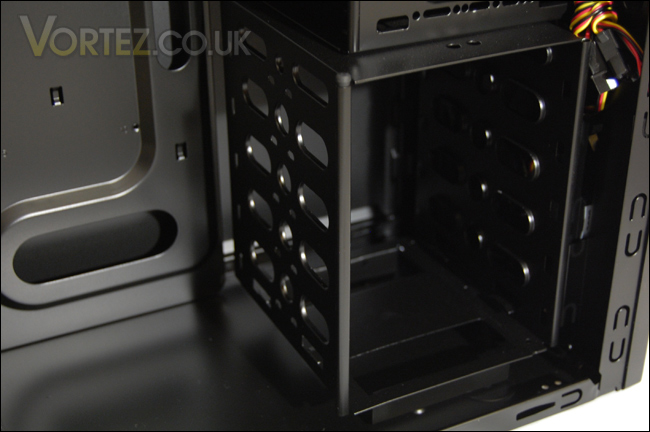
The hard disk drive cage inside the case
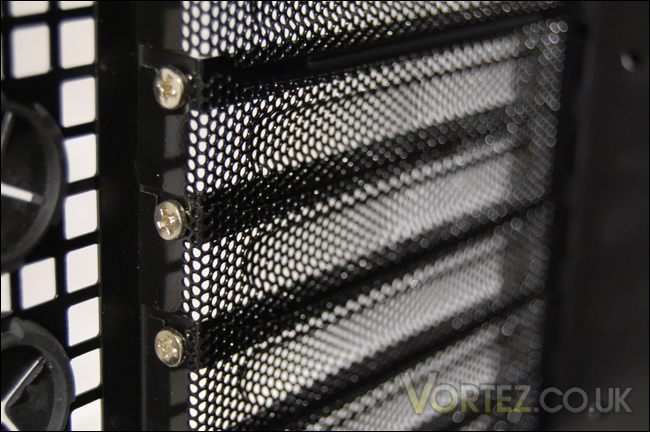
Mesh filled expansion panels
Installation
Due to the screwless design within the NZXT Beta Evo, installation is very easy. I only came up against one problem during the installation. This surfaced at the end of the installation when I was putting on the side panels. The side panel wouldn’t actually slide in because the eSATA cable was protruding. There is no indication of this in the manual. So the solution comes by mounting the HDD in the opposite way around so that the cables plug in at the other side, as there is much more space here. Mounting the HDD’s are very easy by the way. All that you are required to do is get two brackets out of the supplied parts box and fit them into the screw holes on the drive and simply slide the disk into the cage.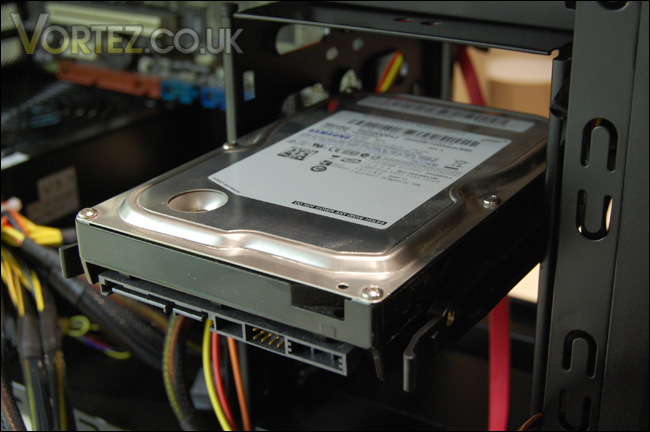
The incorrect way of mounting the HDD
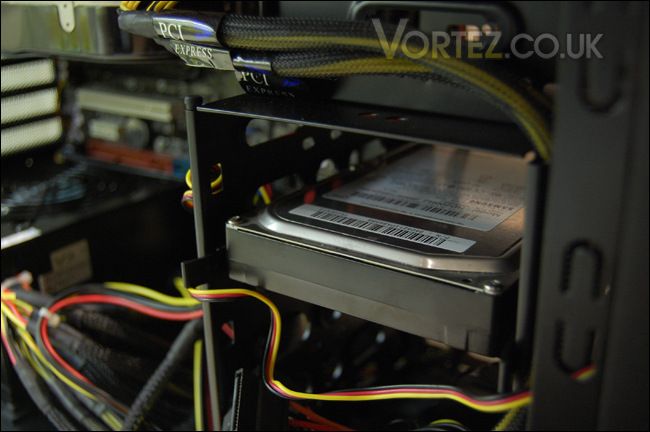
The correct way of mounting the HDD
With 5.25” optical drives, they are mounted in a similar fashion to other cases although with the Beta Evo you are required to remove the front panel completely to pop the cover out. When the drive is in place, you then need to position two locking devices onto either side of the cage area and turn the nob to “close” position and the drive is then secure. (see image). This keeps the drive in place, and it does not move at all.
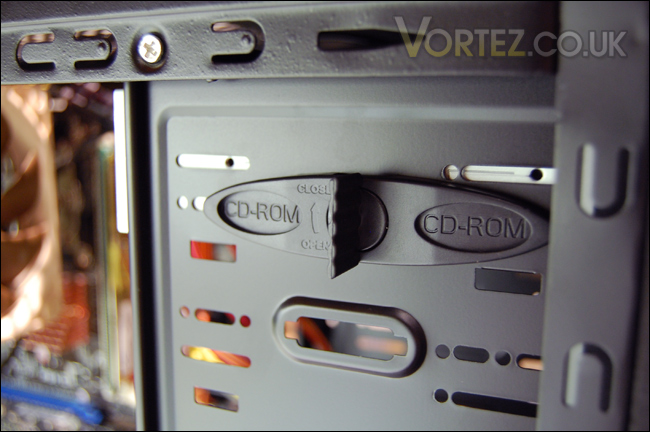
Optical drive locking device
The thing which shines and stands out for me about the Beta Evo is NZXT’s eagerness for cable management. There are plenty of holes and crevasses to hide cables and tuck them away so that you have a nice clean tidy case and one that has positive airflow. As you can see from the images the cables tuck around the back quite nicely and as well as good cable management there is also an opening for access to the motherboard backplate – a feature seen on few cases (and usually very high end, expensive ones). It’s brilliant to see that NZXT have taken all these features into account, it makes installations, upgrades and general usage easy and hassle free.
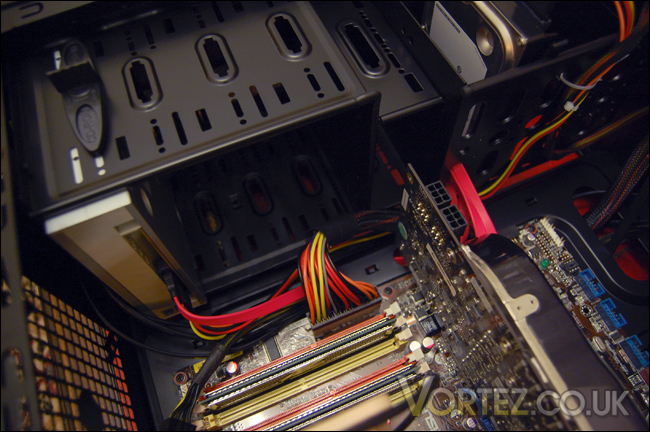
As you can see, cable management is very easy – and effective
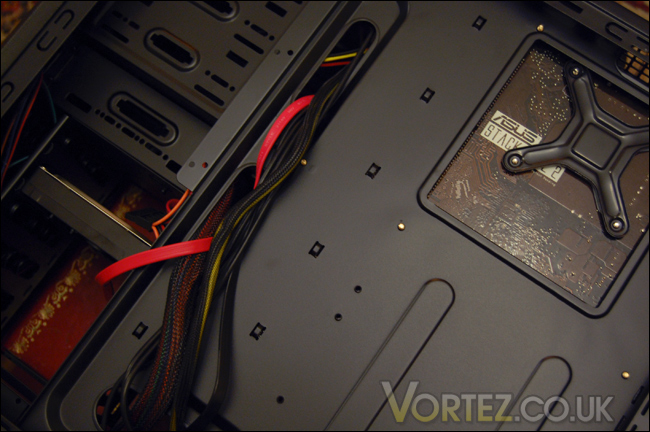
The backside of the motherboard tray, with the cut out for the backplate
Finally I thought it would be advantageous to mount a Noctua NF-S12B on the side of the side panel – positioned precisely above the GPU so that any heat dissipated can be flushed outside of the case as soon as possible.
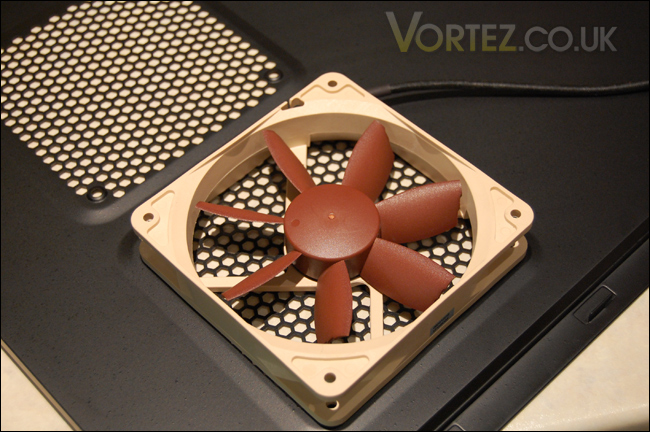
Mounting a Noctua NF-S12B to the side panel to ease heat off the GPU
You will also see from the image that I mounted another Noctua in the space provided for a rear exhaust fan. Coupled with the front fan, and side panel fan this setup should have great airflow. With the setup now complete we can see how the NZXT performs temperature wise. But before we do this, I thought I might mention that in this installation I fitted the rather long Nvidia 8800GTX and it had at least two inches before it came into contact with anything. So to host any card around 10 and a half inches long will fit inside this case with no problems.
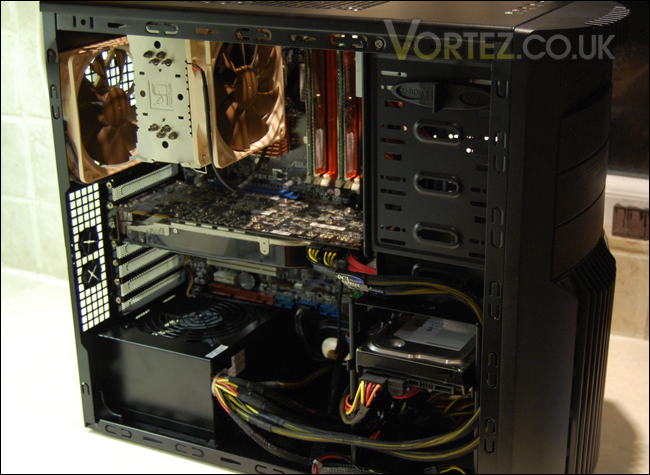
Full system installed. Easily accomodating the likes of the 8800GTX
Performance
To test the performance of the NZXT Beta Evo I will observe the temperatures in idle and a fully loaded system state (20+ minutes). The temperatures I will be reporting are the motherboard, CPU and GPU. The temperatures will be compared to a similarly priced case the Coolermaster Centurion 532.System Setup
CPU: Intel Core 2 Duo E2160 (3.5GHz)
Motherboard: ASUS P5KC
RAM: 2GB OCZ Platinum DDR2
GPU: MSI 8800GTX
PSU: Silverstone 530W
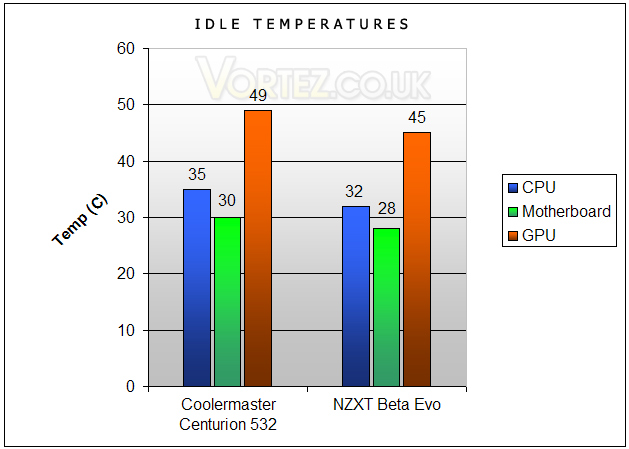
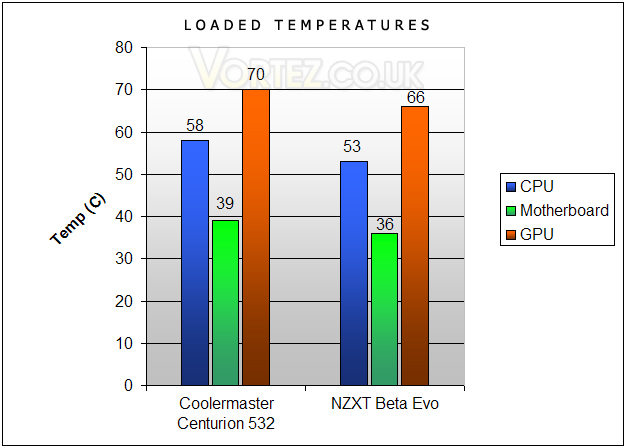
From the results its clear to see the airflow in the Beta Evo is superior to the Coolermaster Centurion 532. The side fan is a particular winner shaving off some valuable degrees. An impressive set of results indeed.
Conclusion
This is the first NZXT product that I have had the pleasure of reviewing and I can tell you that I am very impressed with what I have been given. The NZXT Beta Evo ticks all the boxes and exceeds every expectation. For a budget case that will cost you little over £30 you have a brilliant case with a good handful of features.The things that stand out for me and make this case a winner are the sweet little touches that NZXT have integrated into the Beta Evo such as the screwless design work inside and the exceptional cable management. For the money this case would probably challenge cases above it in higher price ranges.

It may not be everyone’s idea of a great looking case but it certainly performs well. It may not come with a fan as others have suggested but look at the price, you wouldn’t expect to get a fan included for that price would you?
For those on a budget, I would highly recommend the NZXT Beta Evo and it therefore recieves the Vortez Gold Award.
Pros
[+] Strong case
[+] Very affordable
[+] Access to backplate of motherboard
[+] Lightweight
[+] Great cable management
Cons
[–] No thumbscrews for alternate panel or expansion slots

