NZXT step into new territory with the DOKO streaming device – allowing users to access multiple computers on the same network, to enjoy web browsing, watching movies, playing games and much more!

Product on Review: DOKO
Manufacturer & Sponsor : NZXT
Street Price: £99 GBP / $99 USD
NZXT are known for their passion within the computer chassis and cooling markets and have thus far had a rather successful journey. Not content to sit idly by, it may surprise some that NZXT has recently moved into a new territory – streaming.
Just a few weeks ago NZXT announced DOKO — their new streaming device which allows users to gain access to multiple computers on the same network – enjoying such activities as browsing the internet, watching movies and playing games, all in the comfort of the living room.
So let’s not waste another minute and dive straight into looking at this innovative and funky new device.
NZXT on their DOKO
DOKO is a PC streaming device that connects to your network and allows you to easily use your PC in the comfort of your living room. Run office software, stream limitless media content and play PC exclusive titles – do anything and everything your PC can do, anywhere in your home.
Technical Specifications
Model Number
AC-DOKOM-M1
Dimensions
W: 108mm H: 29mm D:121mm
Weight
0.32kg
Included Accessories
Ethernet Cable, Power Cable
CPU
Wonder Media 8750
Memory
256MB DDR3
Boot Storage
8MB SPII Flash
Network Connectivity
Gigabit Ethernet
Video Output
HDMI 1.3 or higher
Audio Output
Headphone Port
Video Signal
1080p @ 30FPS
Power
12V 2.5A DC Adapter
Accessory Connection
4x USB 2.0, USBOIP
Materials
Rubberized Coating
ABS Plastic
PCB
Color
Black
UPC
815671012241
Warranty
2 Years
AC-DOKOM-M1
Dimensions
W: 108mm H: 29mm D:121mm
Weight
0.32kg
Included Accessories
Ethernet Cable, Power Cable
CPU
Wonder Media 8750
Memory
256MB DDR3
Boot Storage
8MB SPII Flash
Network Connectivity
Gigabit Ethernet
Video Output
HDMI 1.3 or higher
Audio Output
Headphone Port
Video Signal
1080p @ 30FPS
Power
12V 2.5A DC Adapter
Accessory Connection
4x USB 2.0, USBOIP
Materials
Rubberized Coating
ABS Plastic
PCB
Color
Black
UPC
815671012241
Warranty
2 Years
Packaging & Bundle
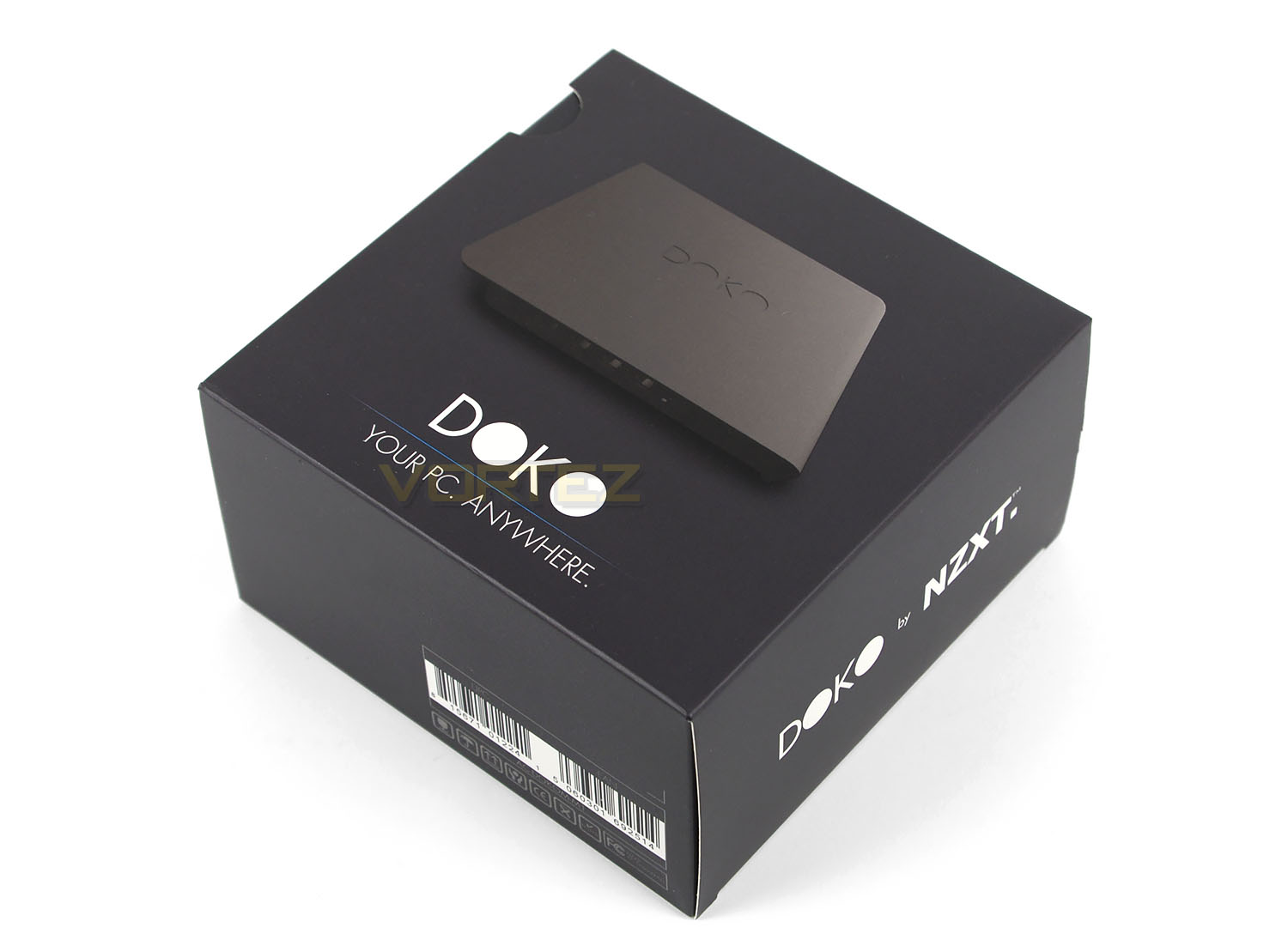
DOKO is presented in a small but professionally designed box. On the front there is a depiction of the product and the slogan which is now synonymous with this streaming device: “YOUR PC. ANYWHERE.”
Aside from the serial number on the edge of the box, there isn’t anything else to report on.
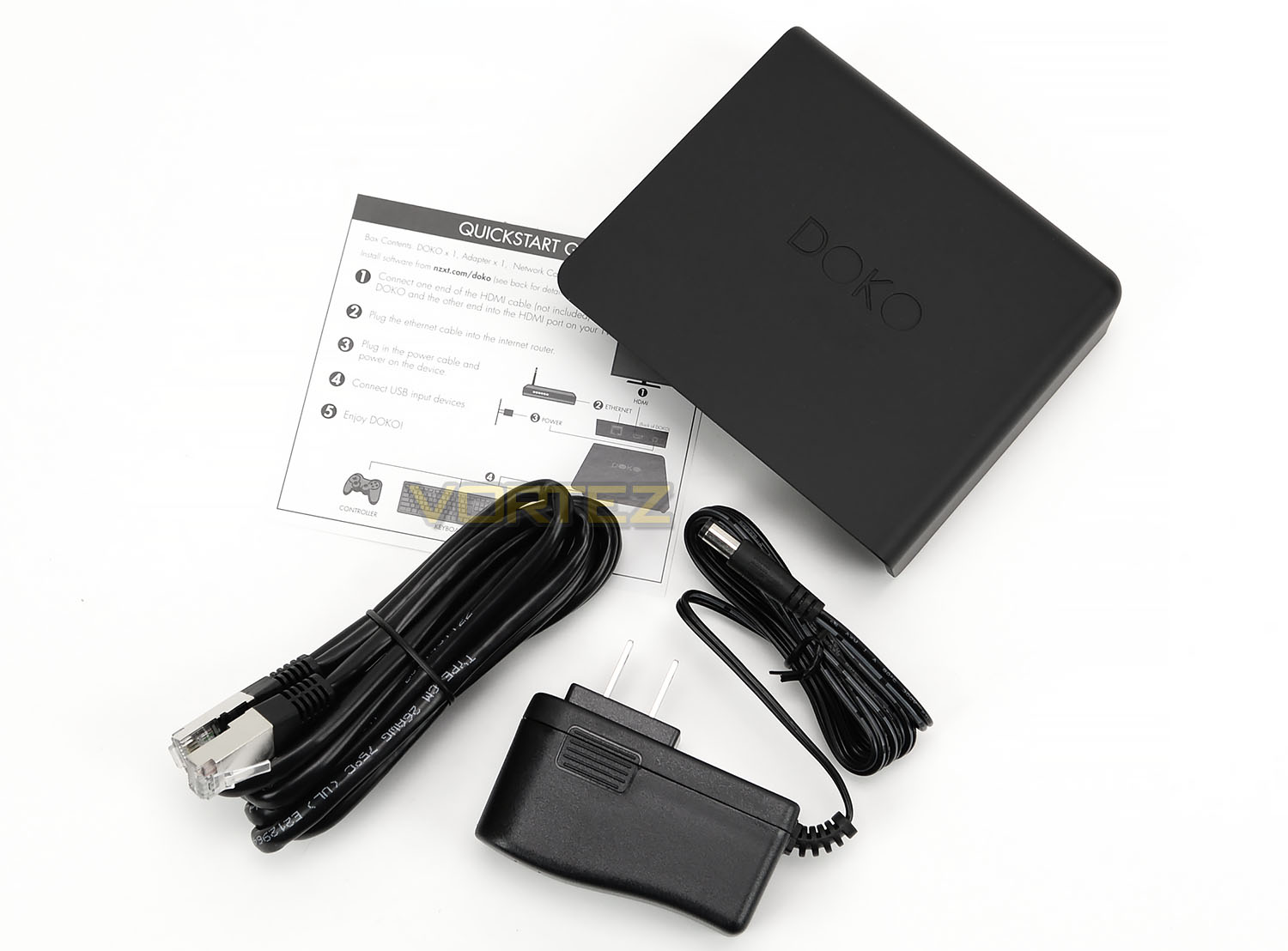
Opening the box up to reveal the contents, we are given just a few items which consist of the following:
• Quick-start card
• Ethernet cable
• 12V DC adapter
The DC adapter will be specific to the country that DOKO is purchased from. Since this is an early sample we are using the US adapter.
Closer Look
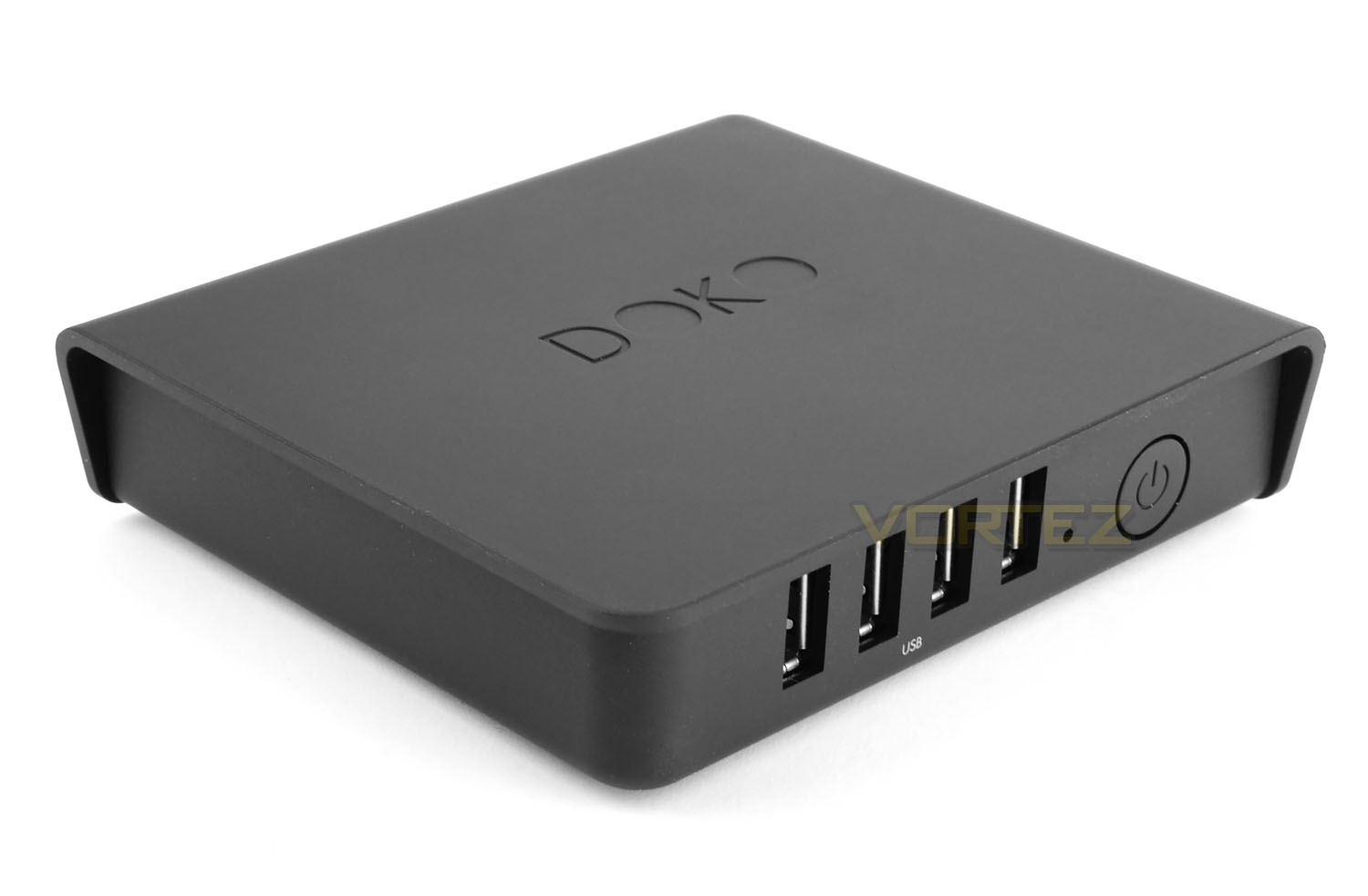
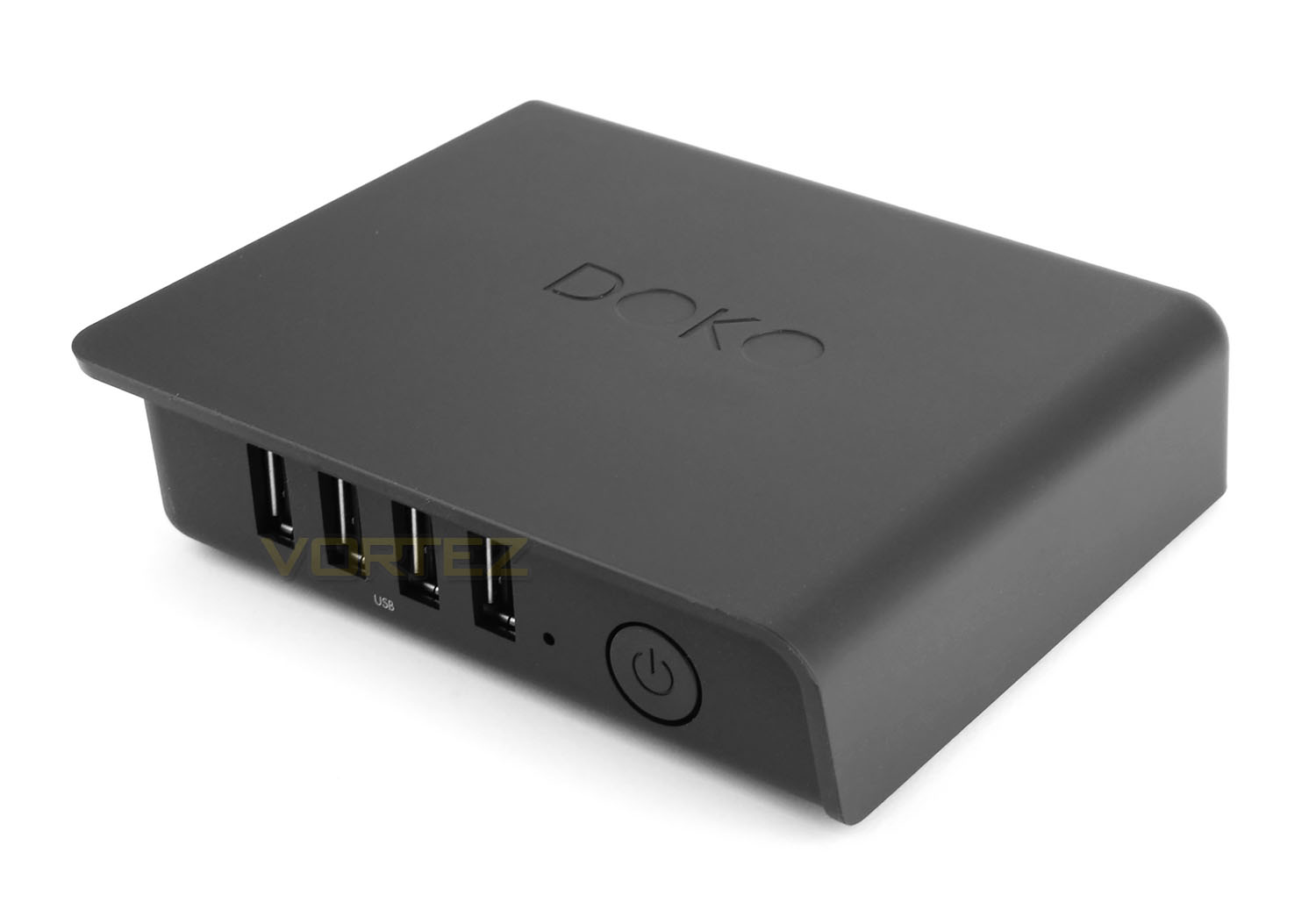
DOKO is an extremely small and lightweight device. It measures just 108mm x 29mm x 121mm and weighs less than 1KG. NZXT has chosen to use a soft rubberised material for the external shell which feels great, but does pickup dust quite easily. The DOKO insignia is engraved within the top panel of the device and overall we think this device looks very classy.
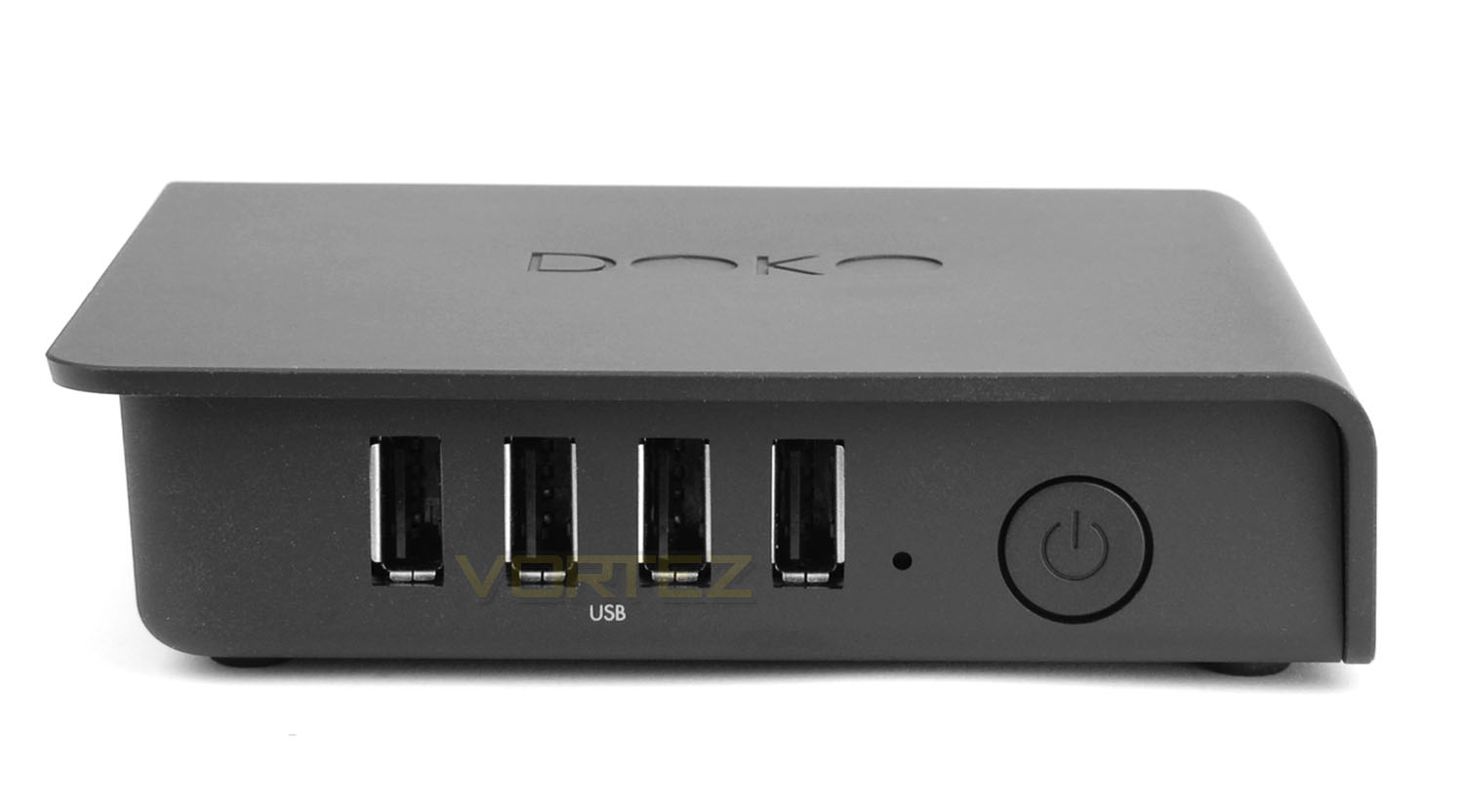
On the front edge of DOKO there are a series of four USB 2.0 ports (USBoverIP-enabled) for connecting navigation devices such as keyboards, mice and controllers. A power LED is also located at the front, along with a large power button.
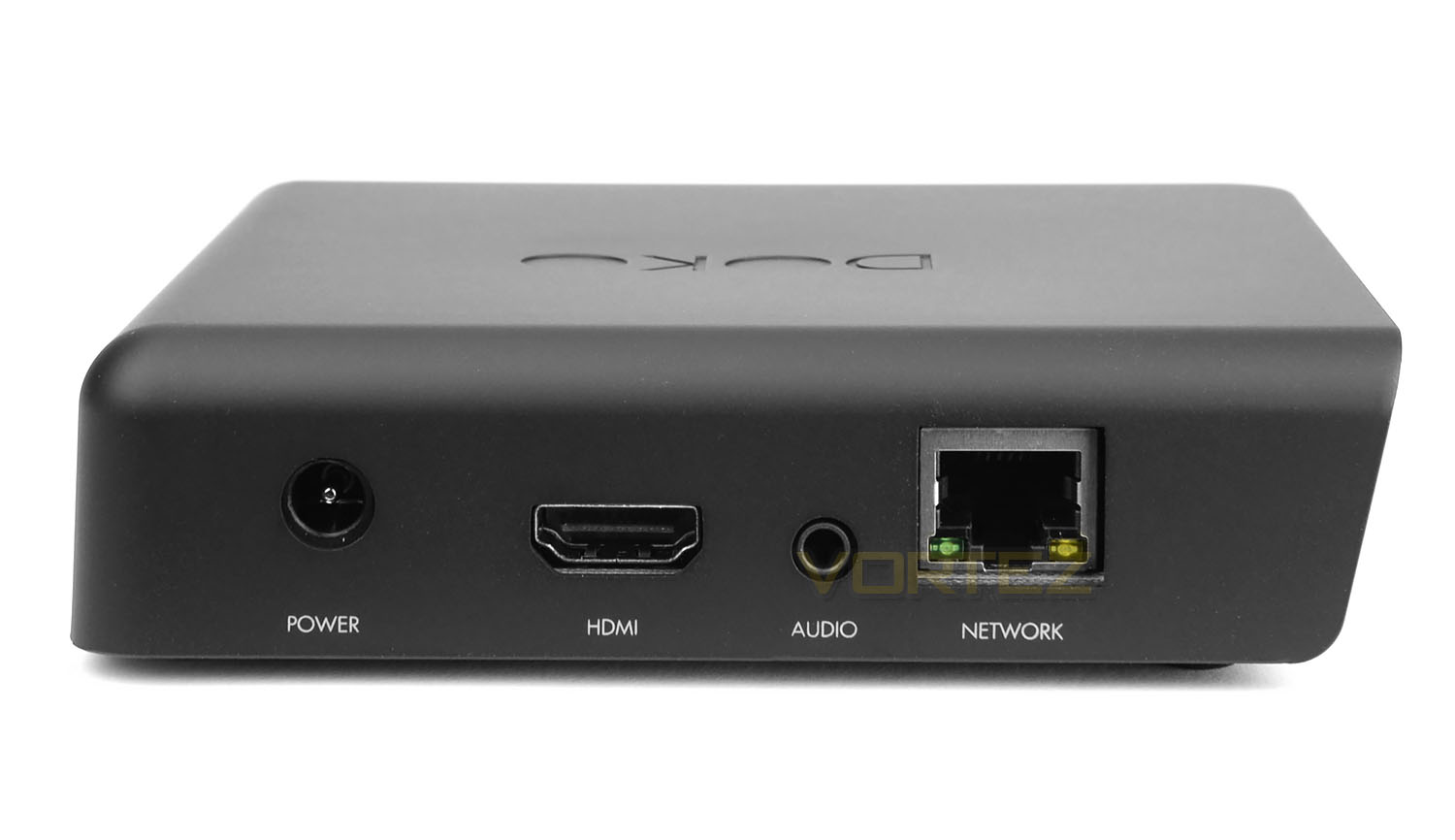
On the reverse there is a DC power port for use with the 12V adapter, HDMI port for visual (and audio) connectivity, an audio port for speakers/headphones and a gigabit LAN (RJ45) port for use with the Ethernet cable.
It’s important to note that there is no wireless functionality with DOKO and therefore the Ethernet cable is the only method in which to gain connectivity with other devices on your network. This can present somewhat of an issue if you want to stream content from a TV/device which is located in another room or level to that of the router – a trailing cable will need to be connected at each point. However, we do appreciate that a wireless connection would present performance issues due to bandwidth and therefore it’s totally understandable why NZXT opted for a wired connection for this unit.
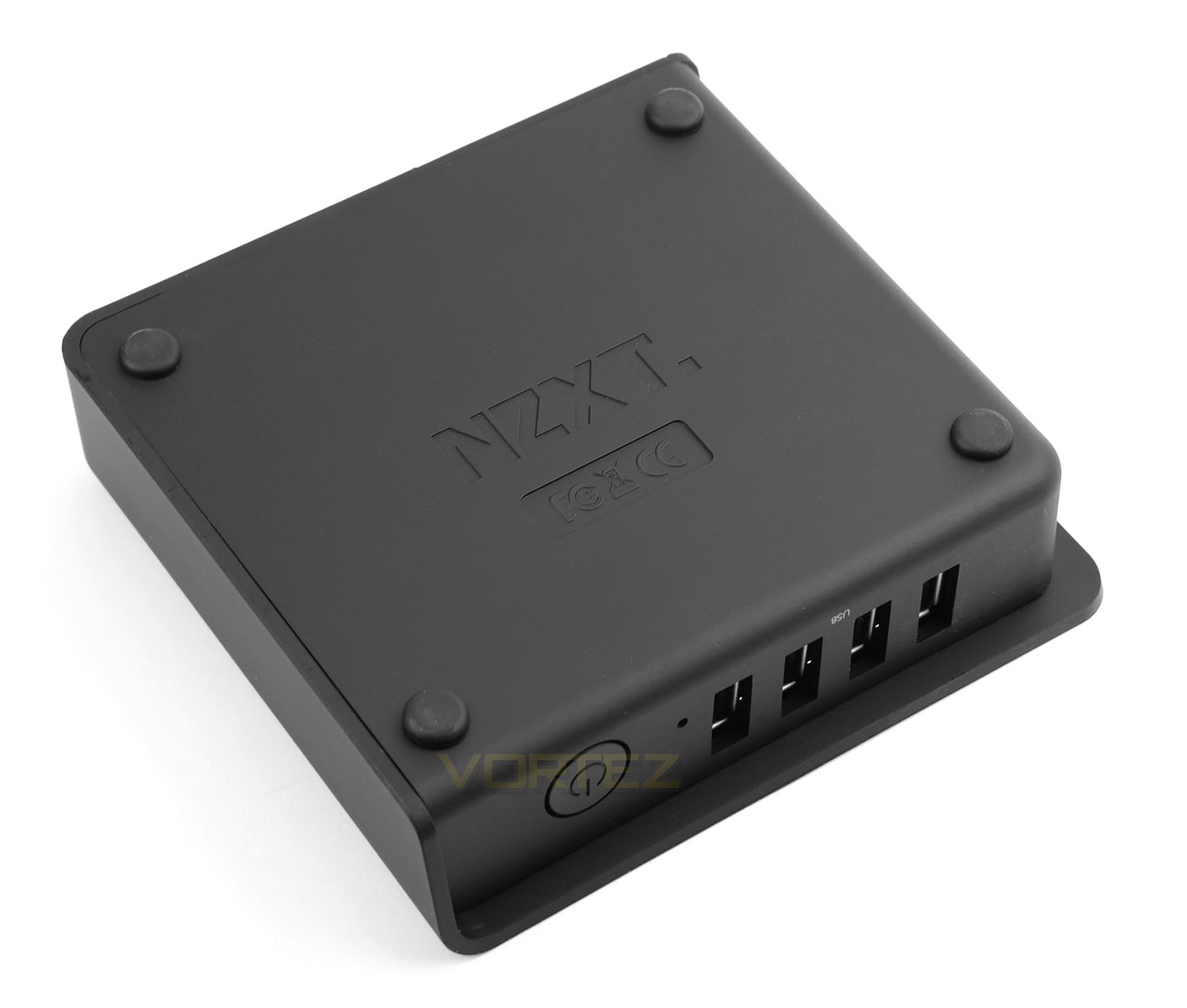
Flipping DOKO over, the NZXT logo is engraved in the very centre and a selection of four rubber domes are placed in each corner to act as feet. These domes also prevent the unit from slipping on smooth surfaces.
Underneath each dome there is a screw, which upon removing all four, will give the user access to the inner-workings of DOKO, as per below!
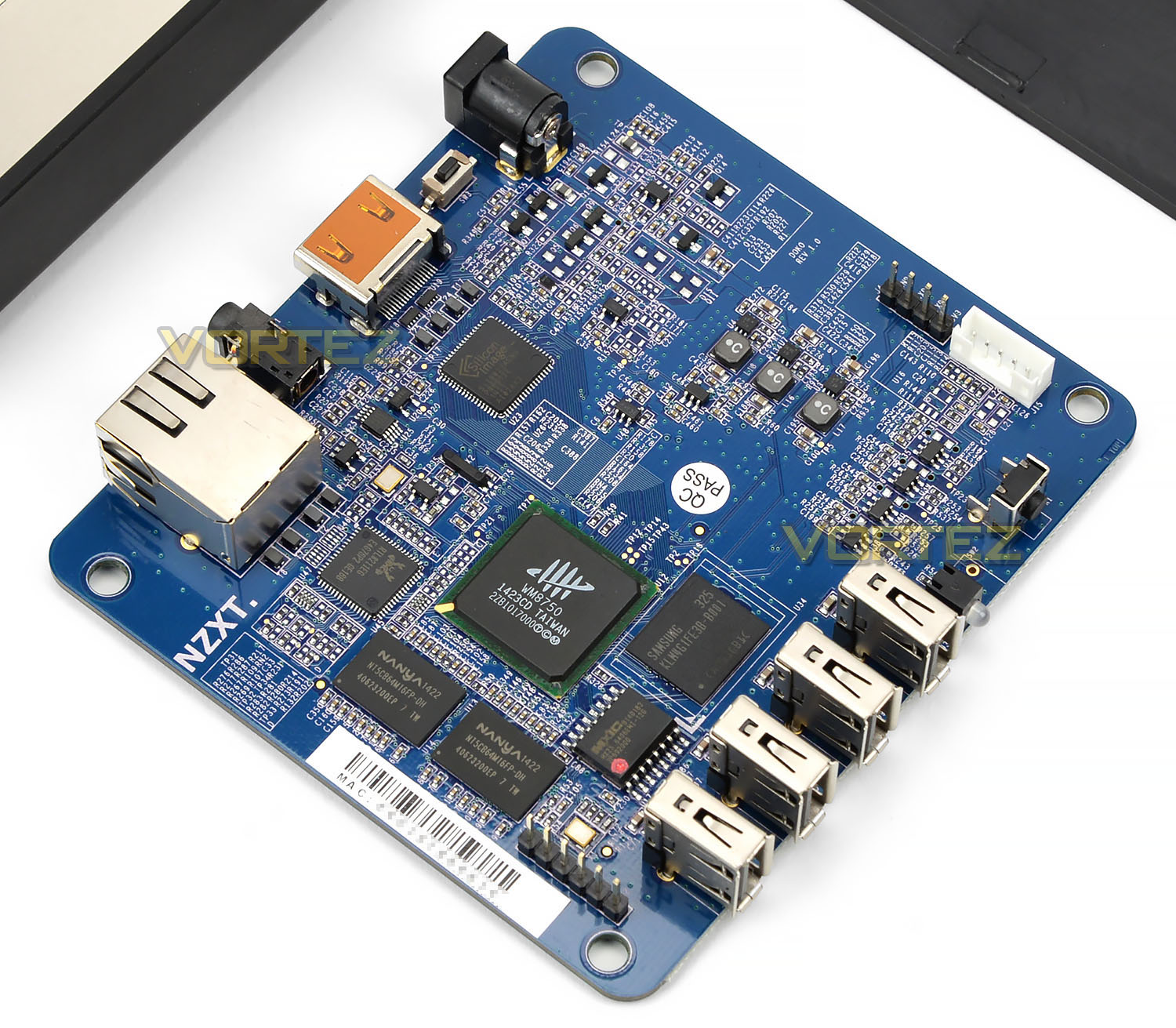
Opening DOKO up, we have a small blue, PCB. This PCB (among other components) features a Wonder Media 8750 processor, Nanya 256MB DDR3, 8MB SPII Flash (Samsung NAND Flash). It’s noticeable that DOKO has no active cooling, nor does it require it and as such presents zero noise emission.
Using DOKO
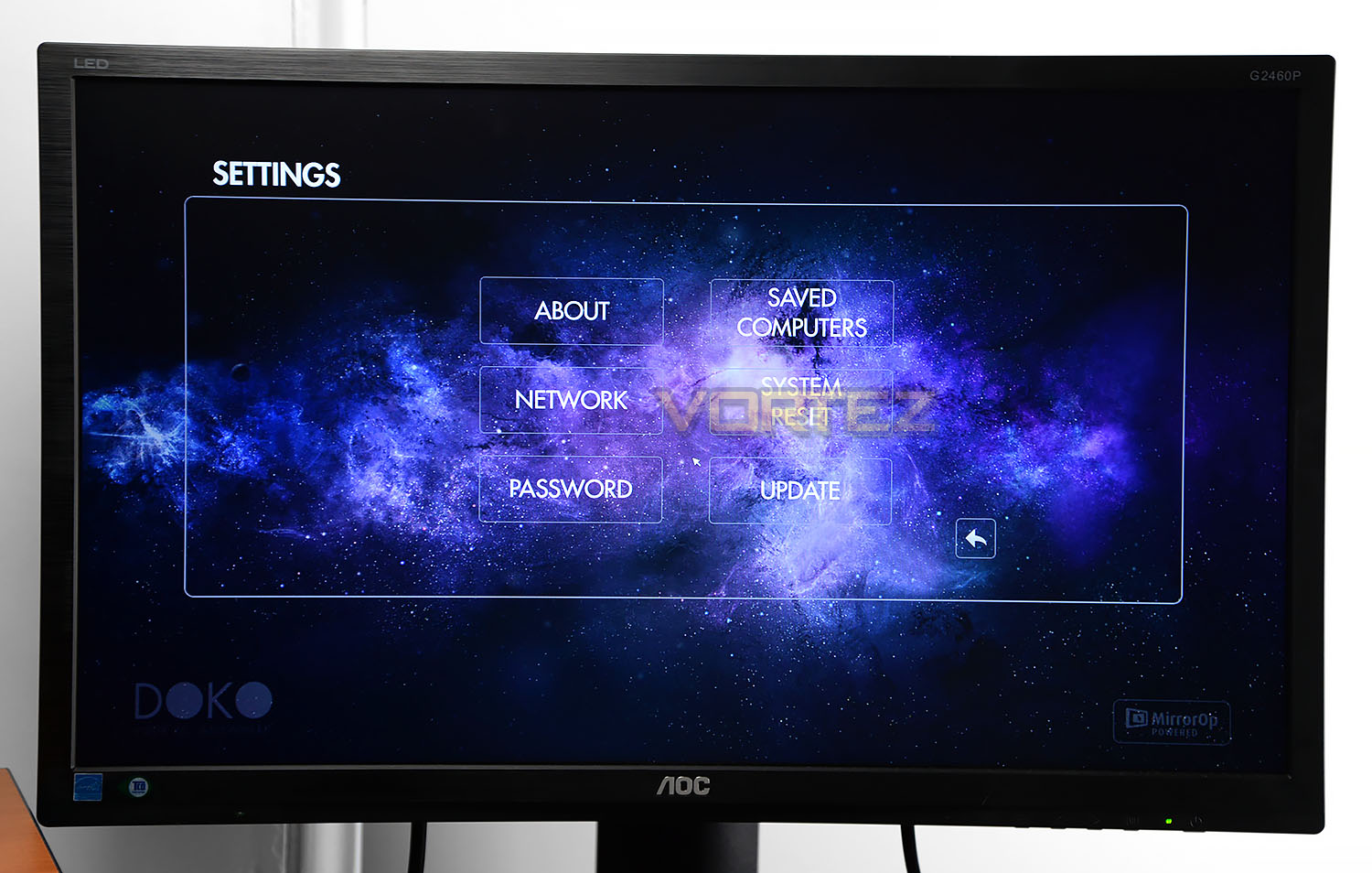
To get up and running with DOKO you’ll need to place the unit next to the screen you want to stream to, connect the unit up to power and use a HDMI cable between DOKO and the display. Depending on the type of activity you’re going to be engaging in, you’ll also need keyboard, mouse or controller. Next you’ll need to use the Ethernet cable between DOKO and router on the network. This could mean having to have the Ethernet cable trailing through different rooms – DOKO needs Gigabit bandwidth to provide best performance.
Once all the cables are in place all you need to do is install a small plugin on the host computer. This allows DOKO to remotely access the machine. As soon as this plugin is installed, you can switch DOKO on and get started. DOKO will ask you to name the device for easy identification and to gain access to the computer(s) on the network you will need to insert the IP address of each computer.
After completing all these steps you can then begin steaming your content directly through DOKO and onto the screen. In our experience with this unit we found it to be seamless for general usage such as surfing the web, looking at photos and watching movies.
Playing games at high-detail from a top-end computer just highlights how flexible DOKO is. Performance isn’t exactly a direct reflection of the host computer – we did encounter a slight latency drop but this shouldn’t really deter from overall experience. Below demonstrates DOKO in action, revealing the GUI and performance you can expect.
One area we’d like to see an improvement on is the fact that the source computer is unusable once DOKO has begun streaming from it – rendering the computer busy and unable to be independently operated. It would be nice to be able to still have access and use the machine while DOKO is engaged.
Conclusion
Steaming content is a hugely popular undertaking nowadays because end users want the flexibility of being able to gain access to a variety of different media without being locked to an office. DOKO addresses this current streaming trend by allowing users to view web-exclusive content and engage in playing the latest games, all from the comfort of the living room.
By being so lightweight and having such compact dimensions, NZXT’s DOKO can reside next to such devices as the TV without taking up unnecessary space. Furthermore it is also likely to compliment appliances with its super-sleek visual appearance too.
In very little time you can get up and running with DOKO thanks to the intuitive installation process and once you are ready, streaming to the desired screen is such a pleasant experience. In our testing of this innovative little device we worked our way through tasks such as web browsing, emailing and watching movies at 1080p (30fps) and the whole experience was certainly seamless. Firing up Steam and loading our favourite games resulted in similar feedback too, although we did encounter some very slight latency drops but this was nothing to write home about.
Another highlight with DOKO is the fact it operates without emitting any noise whatsoever. Since there is no active cooling inside the unit (just a PCB) there is no annoying hums or whirring. Furthermore, the unit also uses less than 5W for its power consumption.
There are some slight niggles with DOKO which, if you have read this review, you will be aware of. A wired network connection is obligatory to use DOKO and we can fully understand why NZXT has opted to use gigabit connectivity (to reduce latency issues) but a trailing network cable through different rooms between the router and the desired screen such as a living room eg. If you are using a TV… Isn’t ideal, and until wireless bandwidth standards dramatically increase this is something we all have to live with.
An area we’d like to see NZXT improve is the ability to “free up” the source computer. Currently, when using DOKO, the source computer is rendered unusable because the display acts very much like remote access software.
Priced at £99 GBP / $99 USD we think DOKO is a handy device to have which doesn’t cost the earth and we’d highly recommend any of our readers in acquiring one.
NZXT DOKO epitomises simplified streaming. This handy little device allows end users to enjoy the delights of having access to a fully-fledged PC right in the living room.
Pros
+ Small, lightweight
+ Aesthetically pleasing
+ Plenty of USBoverIP ports
+ Great streaming performance
+ No-noise whatsoever
+ Low power operation
Cons
– Wired network connection required
– Source computer cannot be used at same time
+ Small, lightweight
+ Aesthetically pleasing
+ Plenty of USBoverIP ports
+ Great streaming performance
+ No-noise whatsoever
+ Low power operation
Cons
– Wired network connection required
– Source computer cannot be used at same time

Click here for an explanation of our awards at Vortez.net.