The popular H440 mid-tower receives a 2015 refresh; adding in some significant improvements. We also add in the NZXT Hue+ to deliver a comprehensive verdict.

Product on Review: H440 2015 Edition & Hue+
Manufacturer & Sponsor : NZXT
Street Price: £89.99 GBP / $120 USD & £50 GBP / $80 USD
NZXT has gone from strength to strength with their computer case designs. Over the years we’ve seen them rise up as a prominent force within this category with the Phantom series taking a notable spotlight. One aspect which seems fairly evident with the brand is their passion to innovate and think outside the box and today we’re to look at a refresh of the popular H440 combined with the creativity of their new RGB lighting system.
The H440 2015 Edition slipped onto the market in a rather subtle way in October but hopes to make a lasting impression. NZXT has built on the success of the popular H440 by refining the cosmetics – furnishing this 2015 Edition with an all-black matt finish which contains anti-scratch properties. The height and depth of the chassis has increased and a PWM fan hub makes an appearance too.
About NZXT
Avant-garde and unconventional – NZXT was created because we aspire to make a positive difference for people. We believe that there are companies that ship product, and then there are companies that ship innovation. We routinely re-invest in ourselves, and hope that we can drive a positive influence in the industry.
H440 2015: Packaging & First Look
NZXT shipped our H440 in a plain box – customers will receive this case in retail packaging.
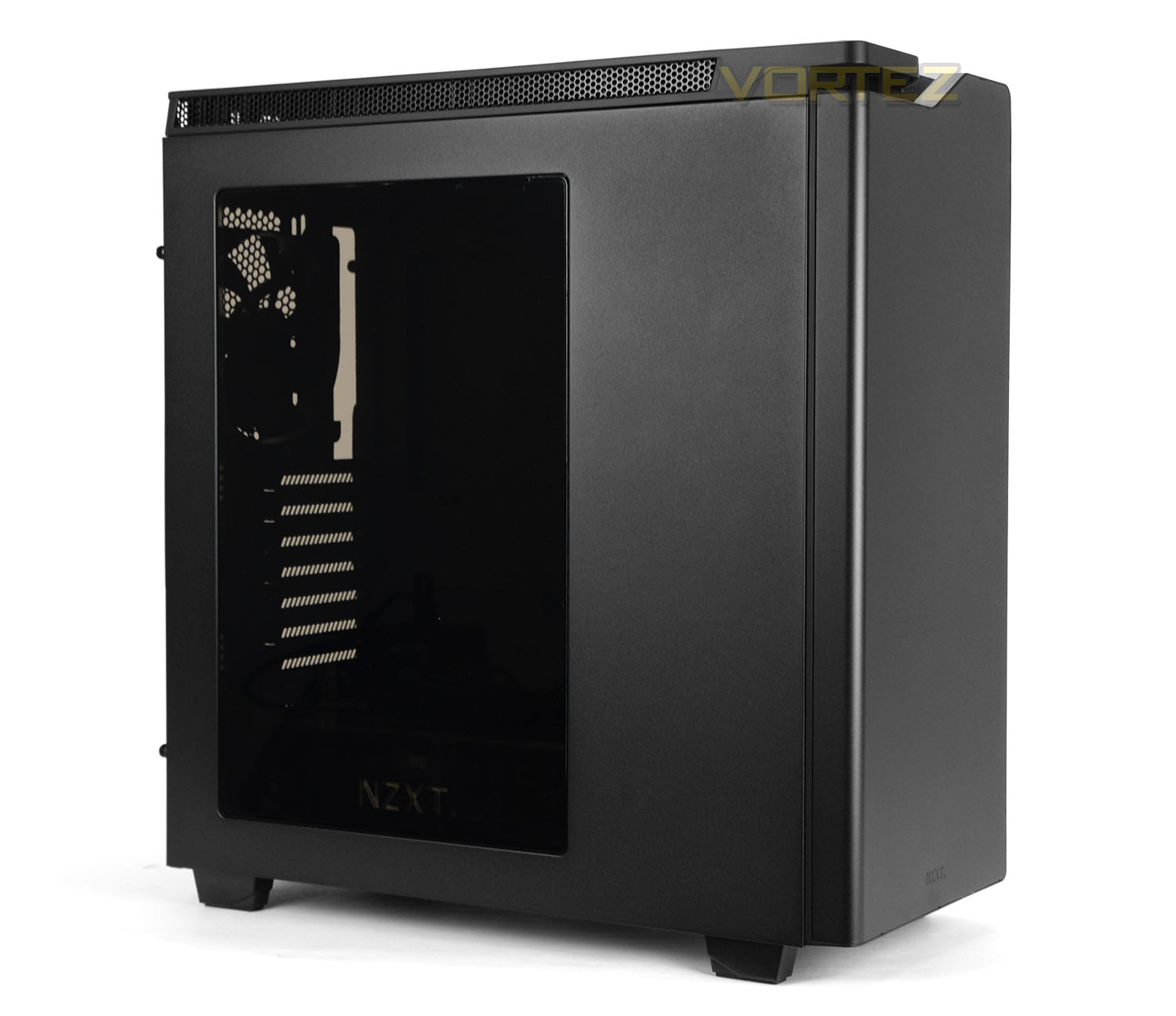
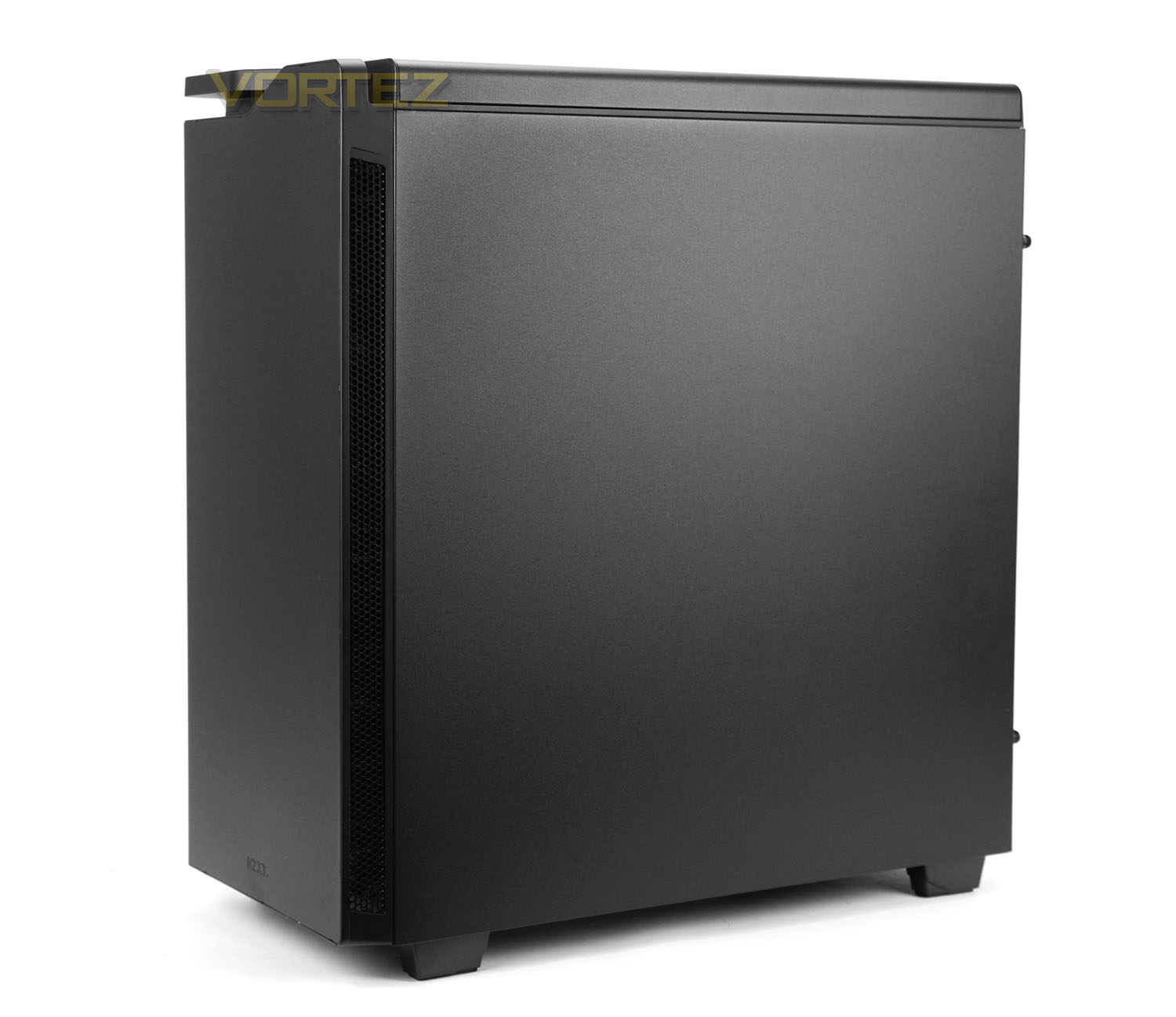
Unveiling H440 from its packaging we see a super-sleek enclosure which takes on a professional aesthetic. The fundamental differences with this ‘New’ edition of H440 involve the physical attributes of the chassis. Compared to the original, the height and depth of this 2015 variant are greater and we also have an all-black matt finish with anti-scratch texture.
One the prominent side we also now have a tinted black window on this version – which gives a preview of the internal components. There is also a non-windowed version for those preferring to keep their kit concealed. Over on the reverse the panel is completely solid with no significant features to point out.
Overall, this new edition of H440 looks rather sleek and will compliment any office environment very well indeed. Those with a leaning towards minimalism will likely find the aesthetics on this case favourable.
H440 2015: Exterior
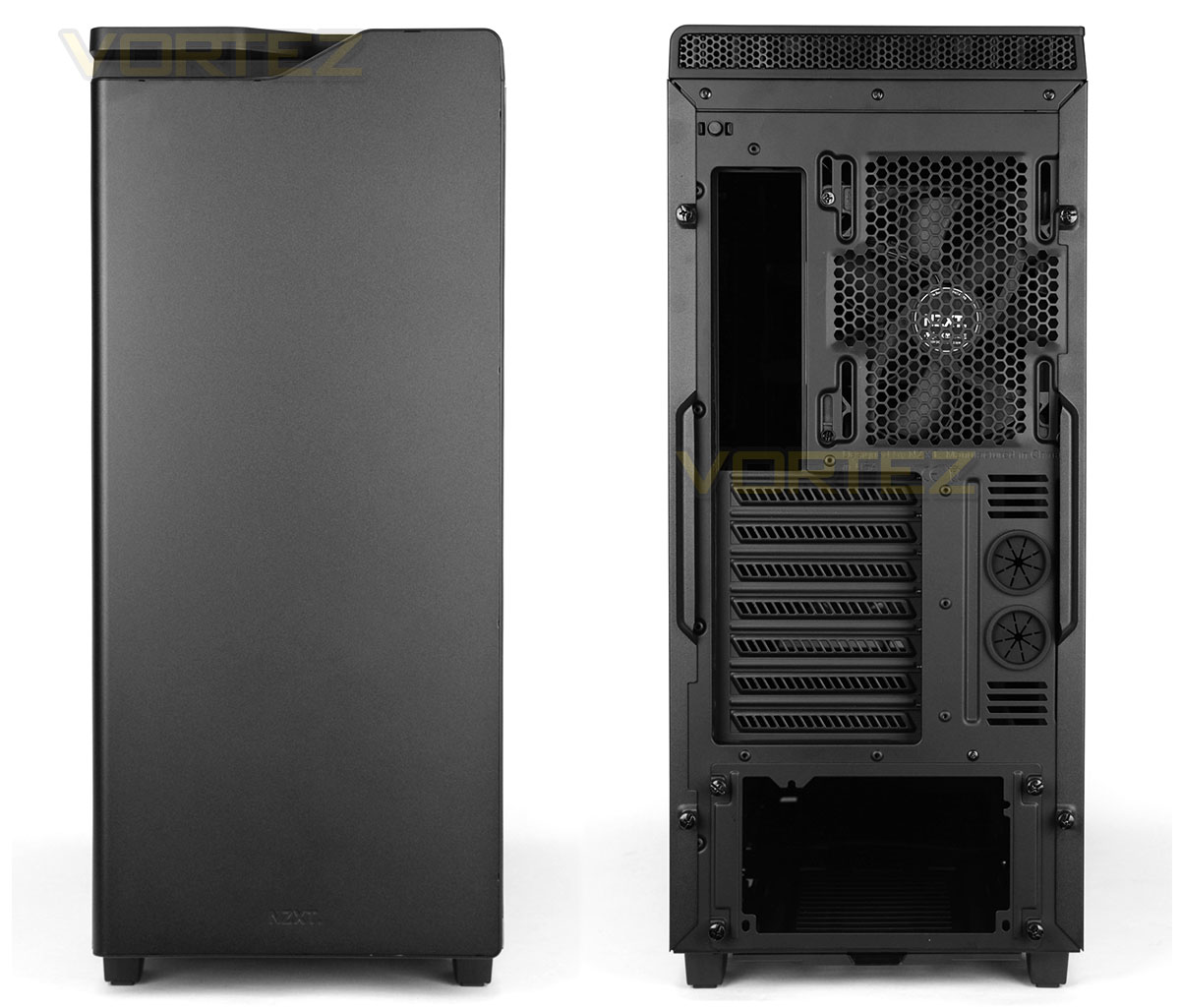
Taking a look at the front of the case, we have a solid panel. This panel is removable but does not act as a door in any way – therefore alluding to the omission of any 5.25” drive bays.
Around the back at the bottom there is an opening for mounting the PSU and then above this we have seven PCI expansion slot covers – each with ventilation cut-outs to increase the airflow inside the chassis. Immediately next to these covers there are two circular rubber grommets. Lastly, at the top we have a 140mm rear exhaust cooling fan (there is also support for 120mm). Directly above the area allocated for the rear IO ports of the motherboard there is a switch which controls the LEDs for the back panel of the motherboard and PCI slots.
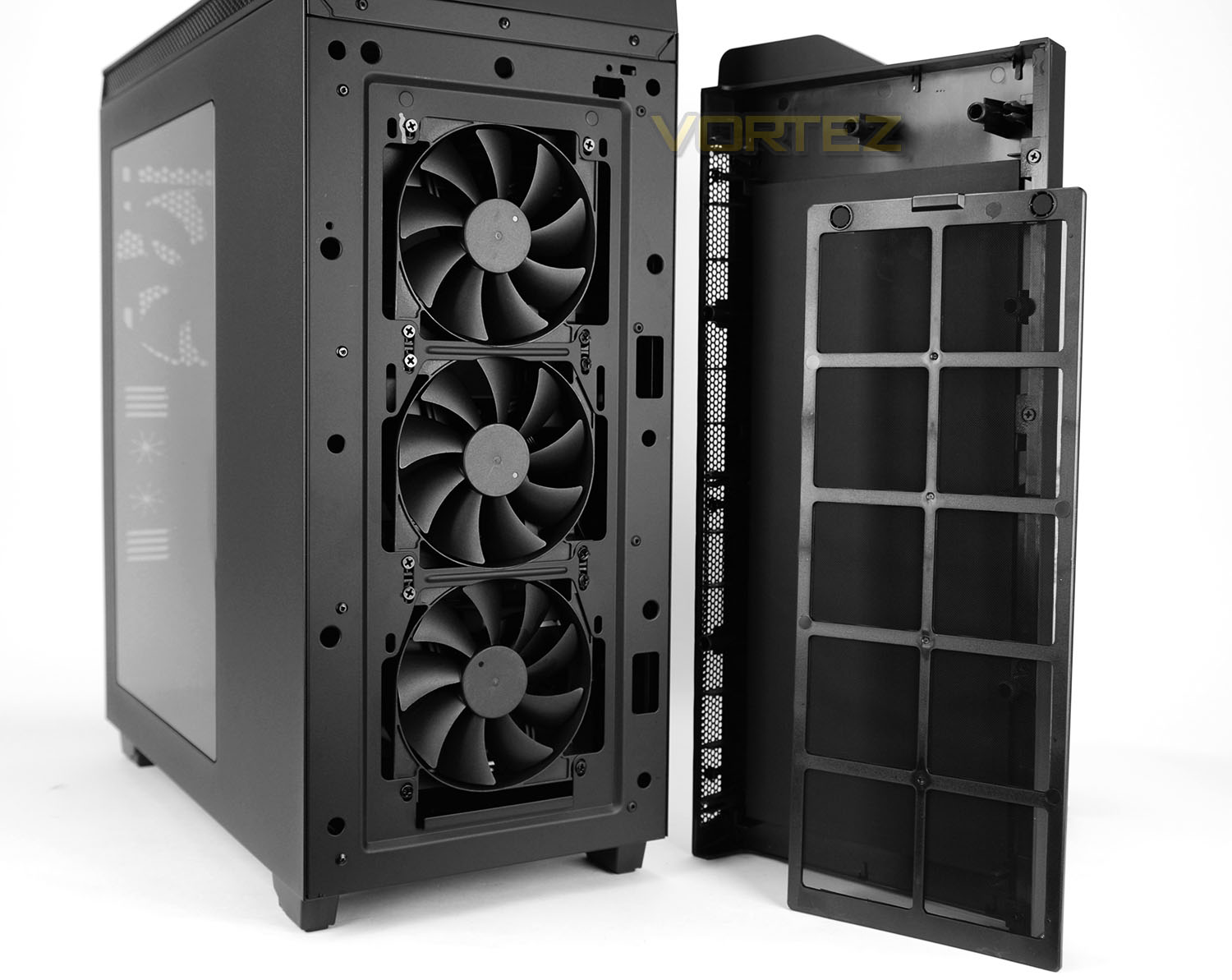
After giving the front panel a firm pull, this fascia detaches from the chassis. On the reverse side there is a thick layer of noise damping material and sitting over the front cooling fans there is a large dust filter which can be removed and cleaned.
After removing the dust filter we can clearly see three 120mm cooling fans located at the front. These fans are FN V2s and are configured as intakes.
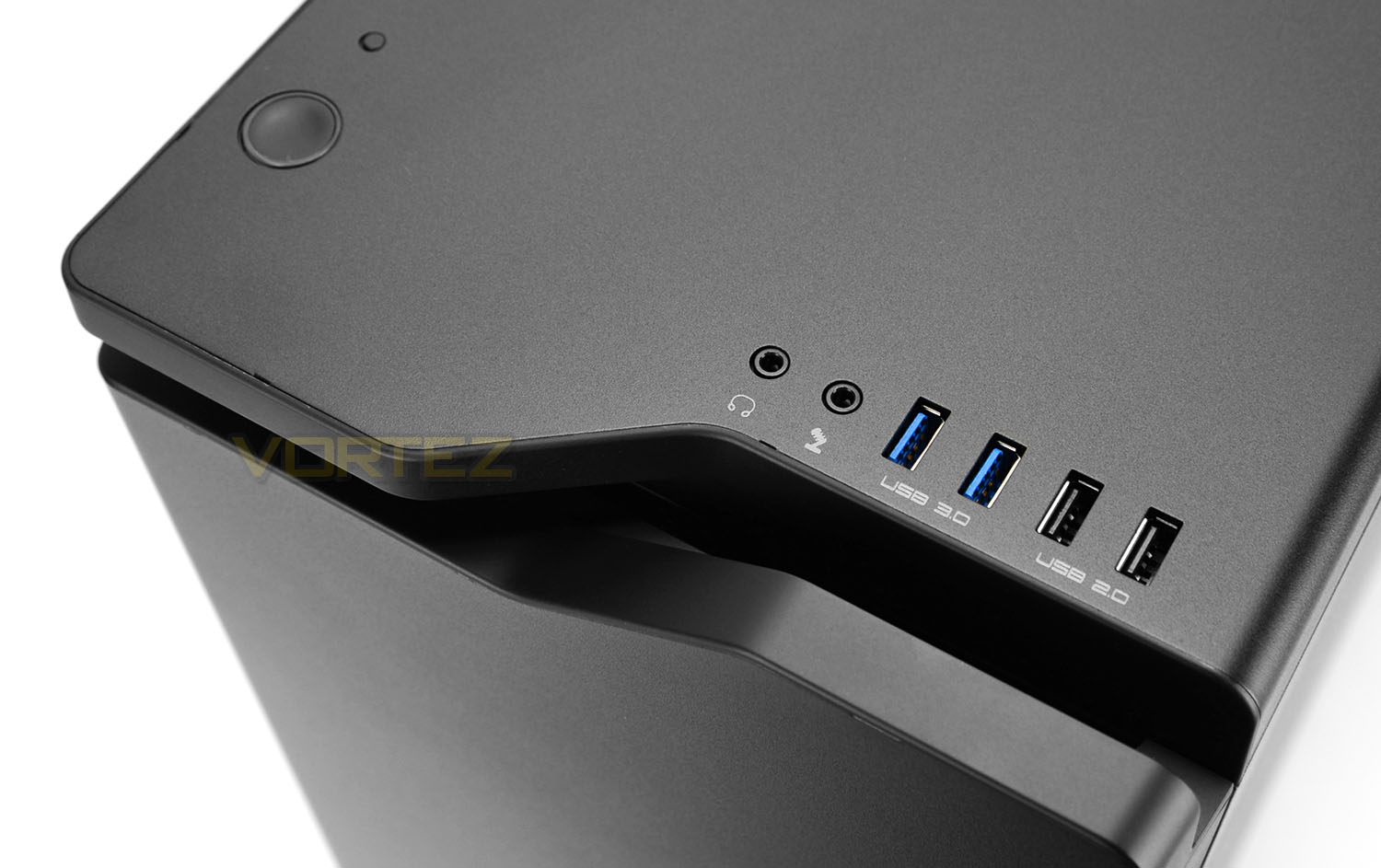
Up at the very top of H440 there are an assortment of ports and buttons. On the left-side there is a large power button and smaller reset button, while over on the right-side there are two USB 2.0 ports and two USB 3.0 ports with headphone and microphone jacks completing the lineup.
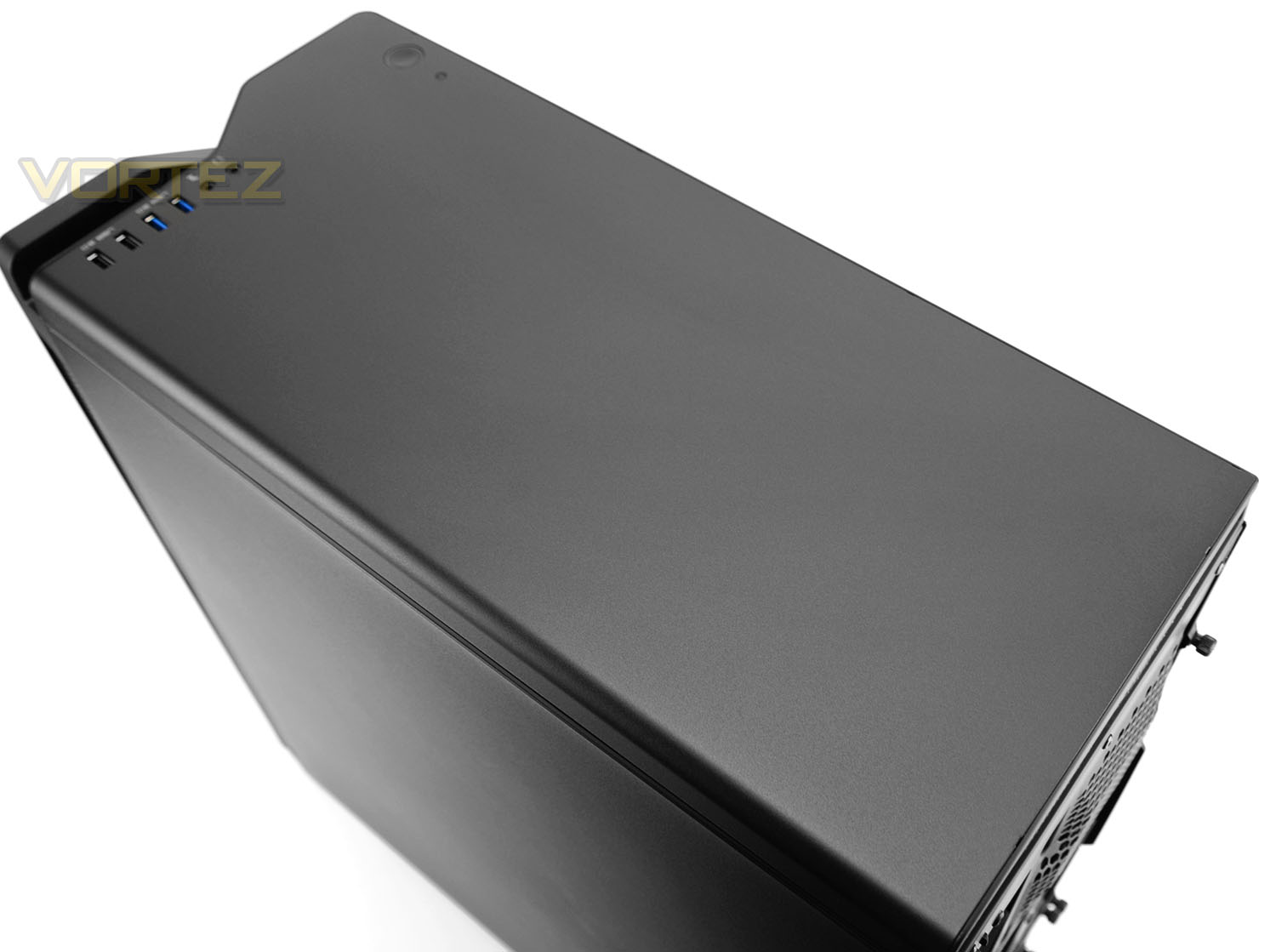
Beyond these ports there is a solid panel at the top of H440 with no distinctive features (although there is allocation inside for installing cooling fans and radiators.
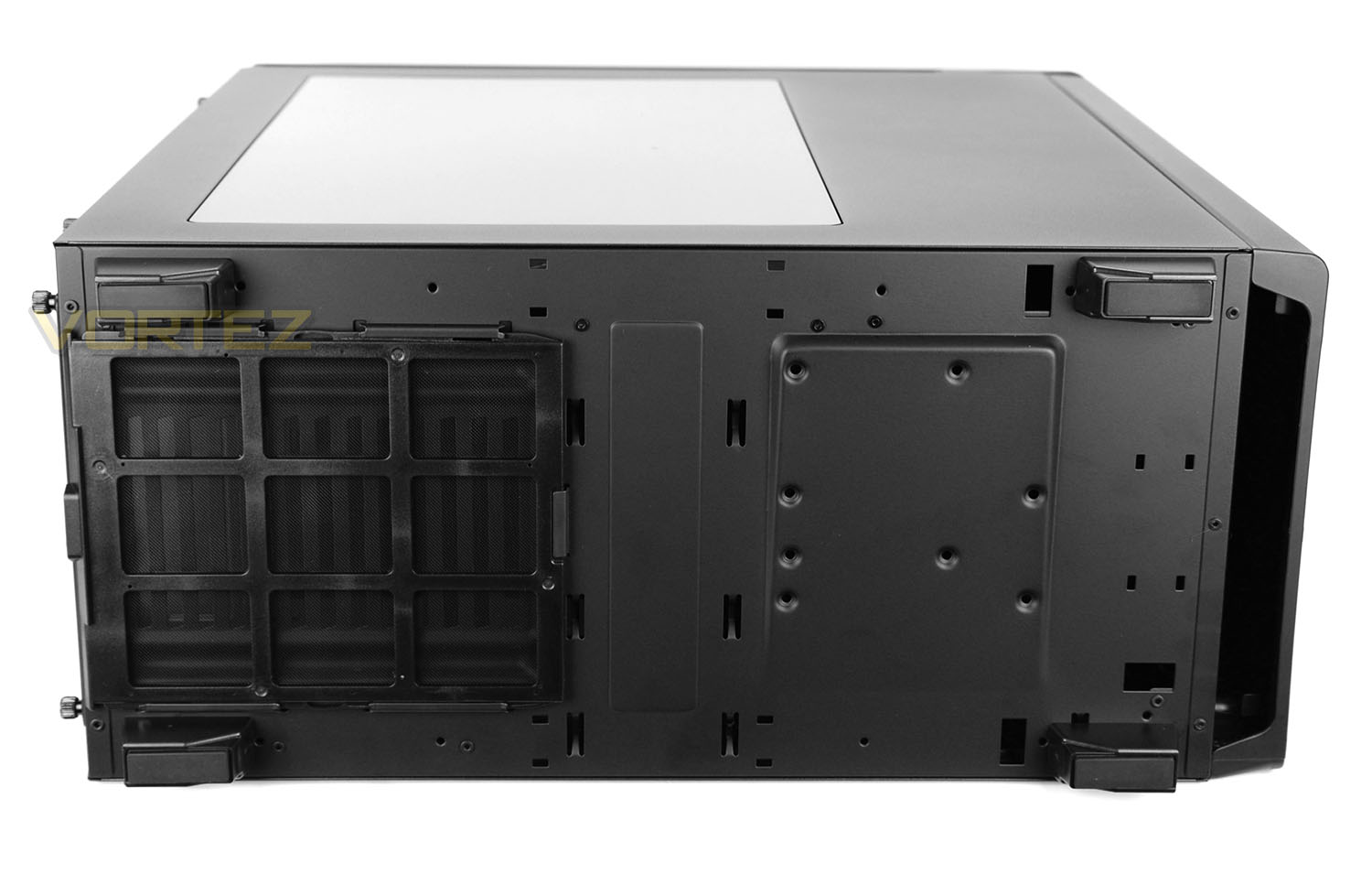
Flipping the case over onto its side we can observe the underside of the chassis. There are four plastic feet which give this case clearance from the floor – each of the feet utilise rubber to prevent the case from slipping on smooth surfaces. Directly underneath the PSU area there is a detachable dust filter which can be removed while the case is stood up.
H440 2015: Interior
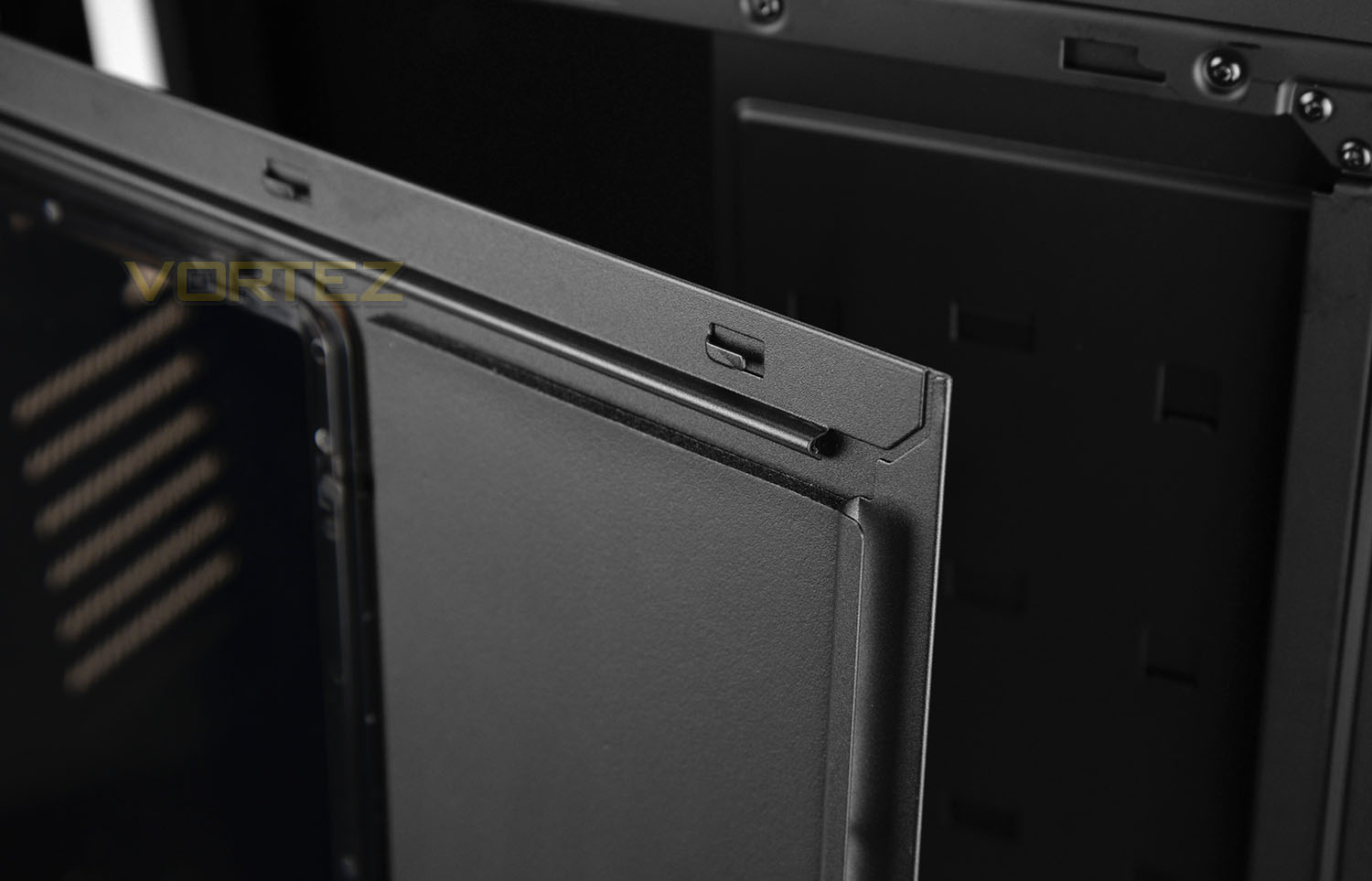
The side panels on H440 are secured via dual thumbscrews. After loosening these screws and detaching the panels we soon realise the inside features a thick layer of noise damping material too – this helps to keep any electronic, fan noise to a minimum.
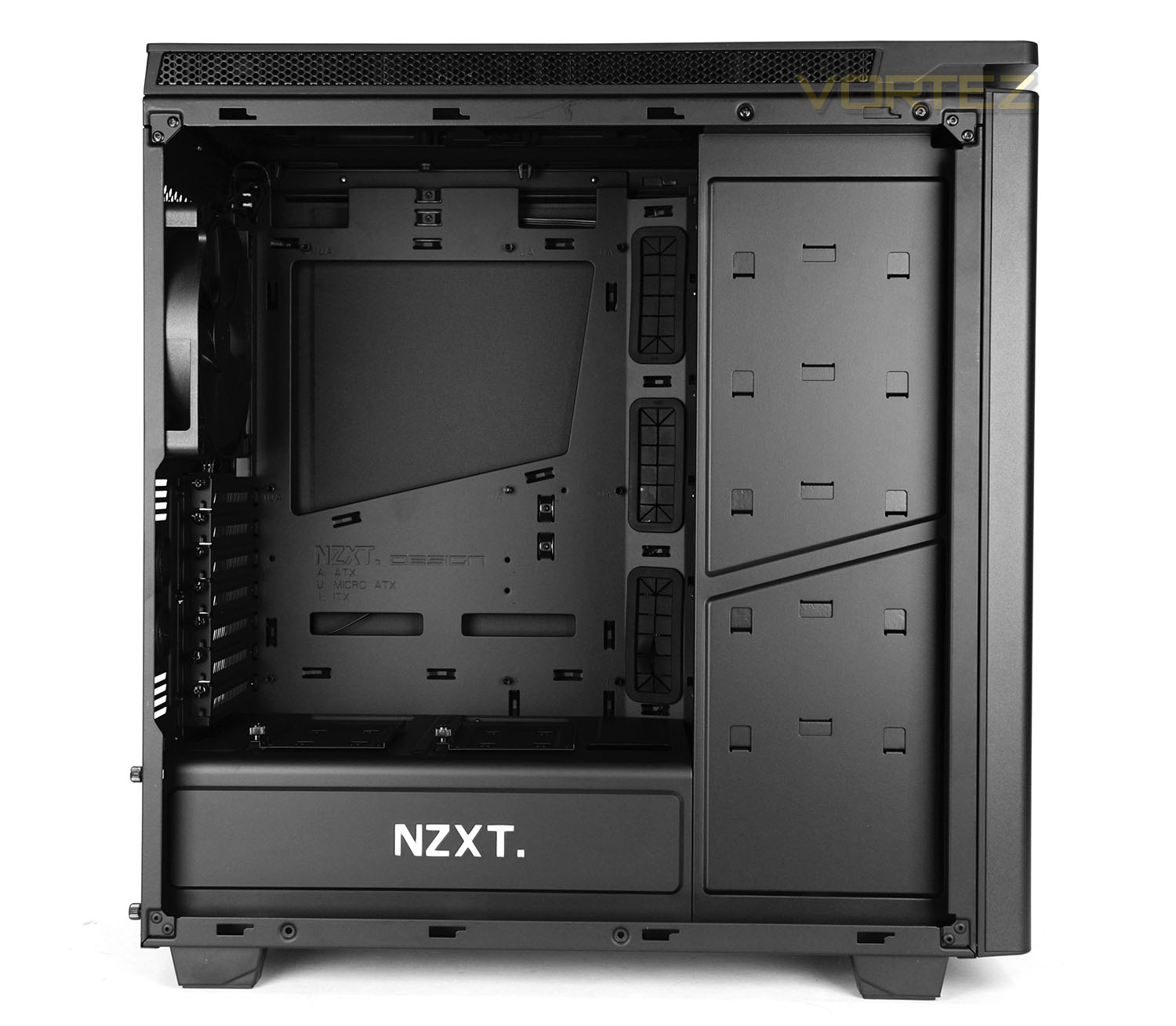
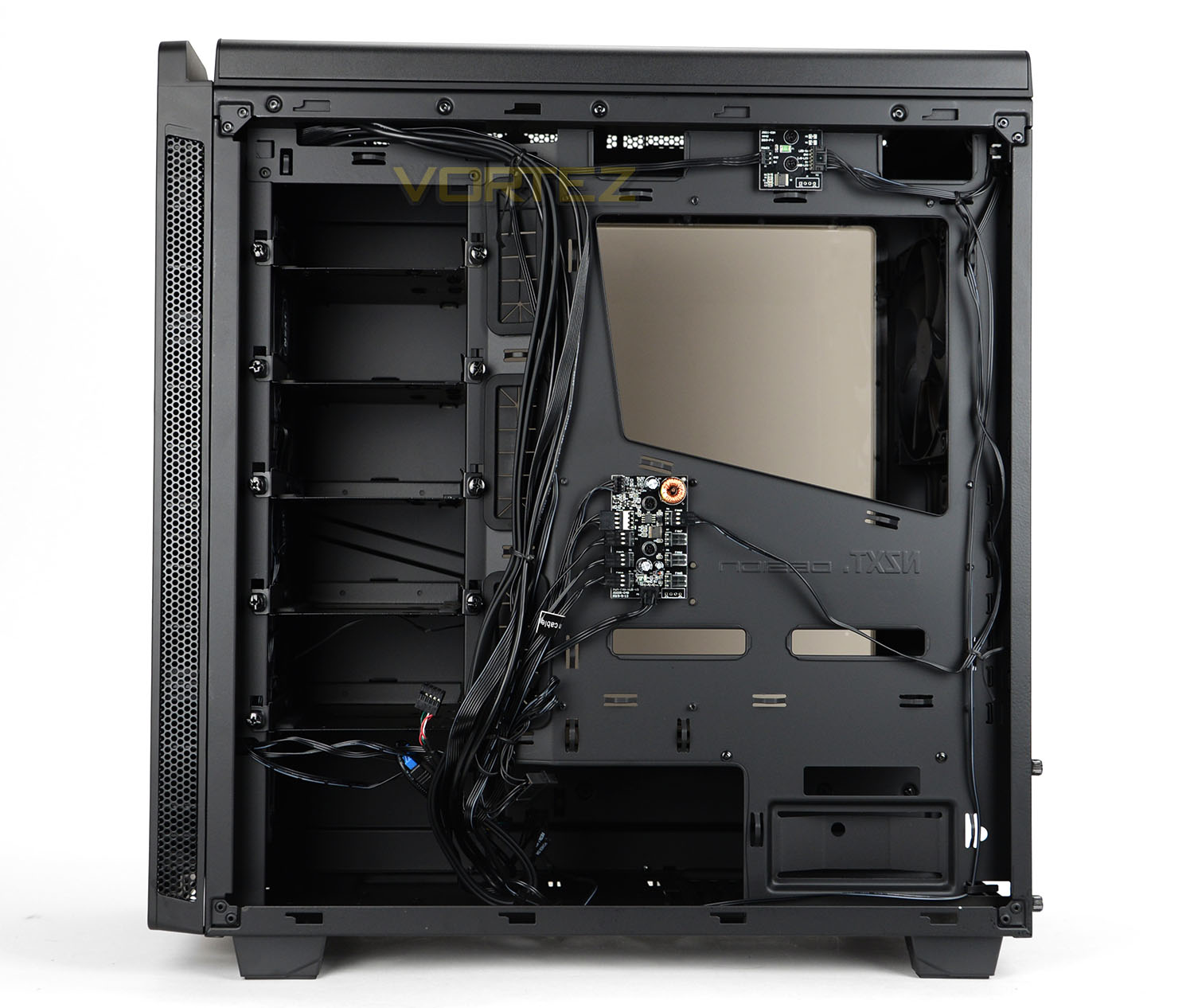
The biggest form factor H440 can accommodate is ATX. The inside is powder coated black and features a wide-selection of tool-free mechanisms for installing hardware as well as numerous cut-outs with rubber grommets to arrange cables.
The original H440 lacked any PWM fan controller hub but this new edition has this integrated to the reverse of the motherboard tray. This fan controller allows all fans to sync a master pin header.
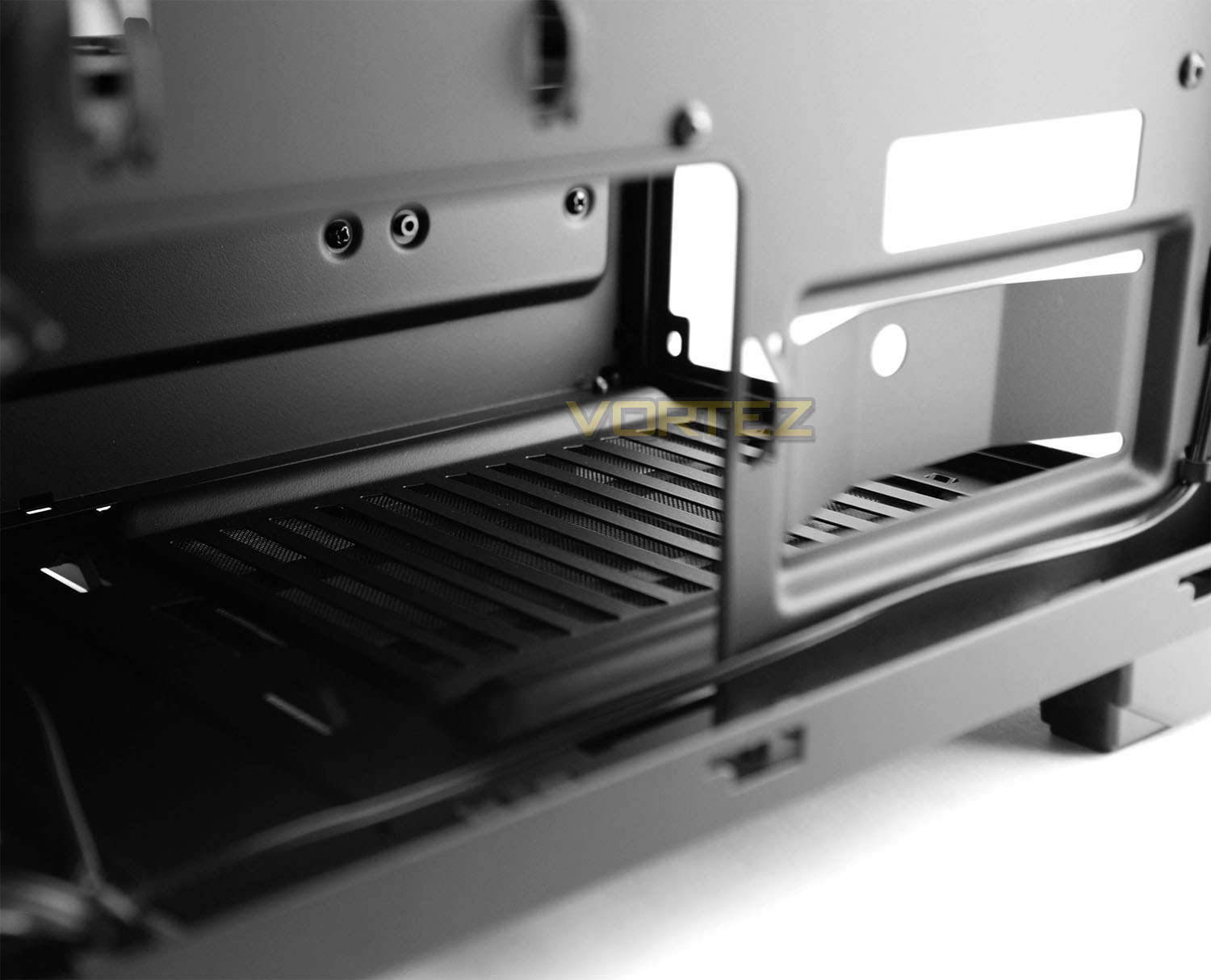
In the lower chamber there is allocation for mounting the PSU. This area while lacking any anti-vibration, does include a removable dust filter underneath.
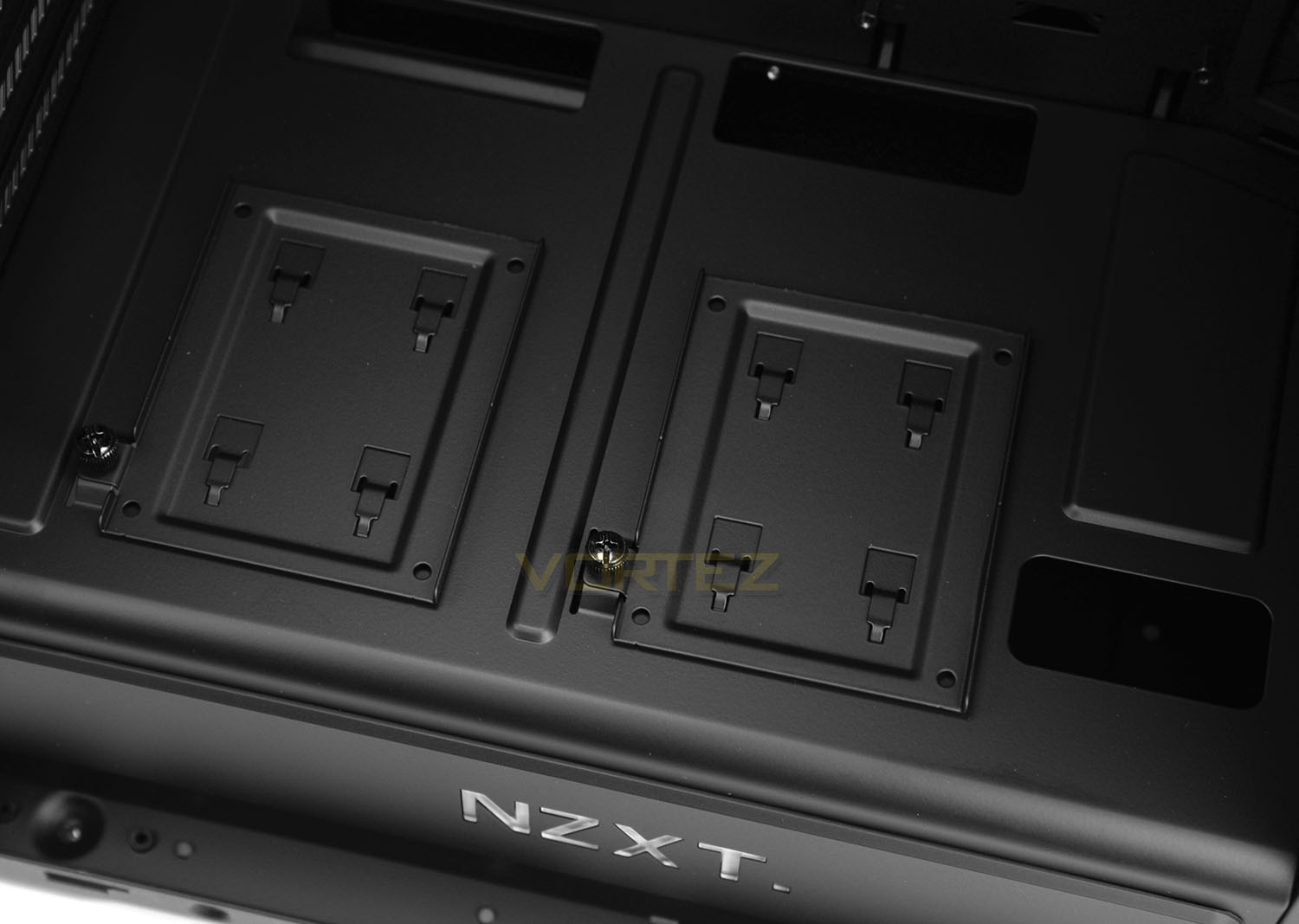
Above this chamber on the prominent side there are two trays which allow 2.5” devices to be attached. This is excellent use of space and as we’ll see later on, will come in handy if you decide to pair H440 up with a Hue+. These trays are fixed into place with brackets and a single thumbscrew.
H440 2015: Interior (Continued)
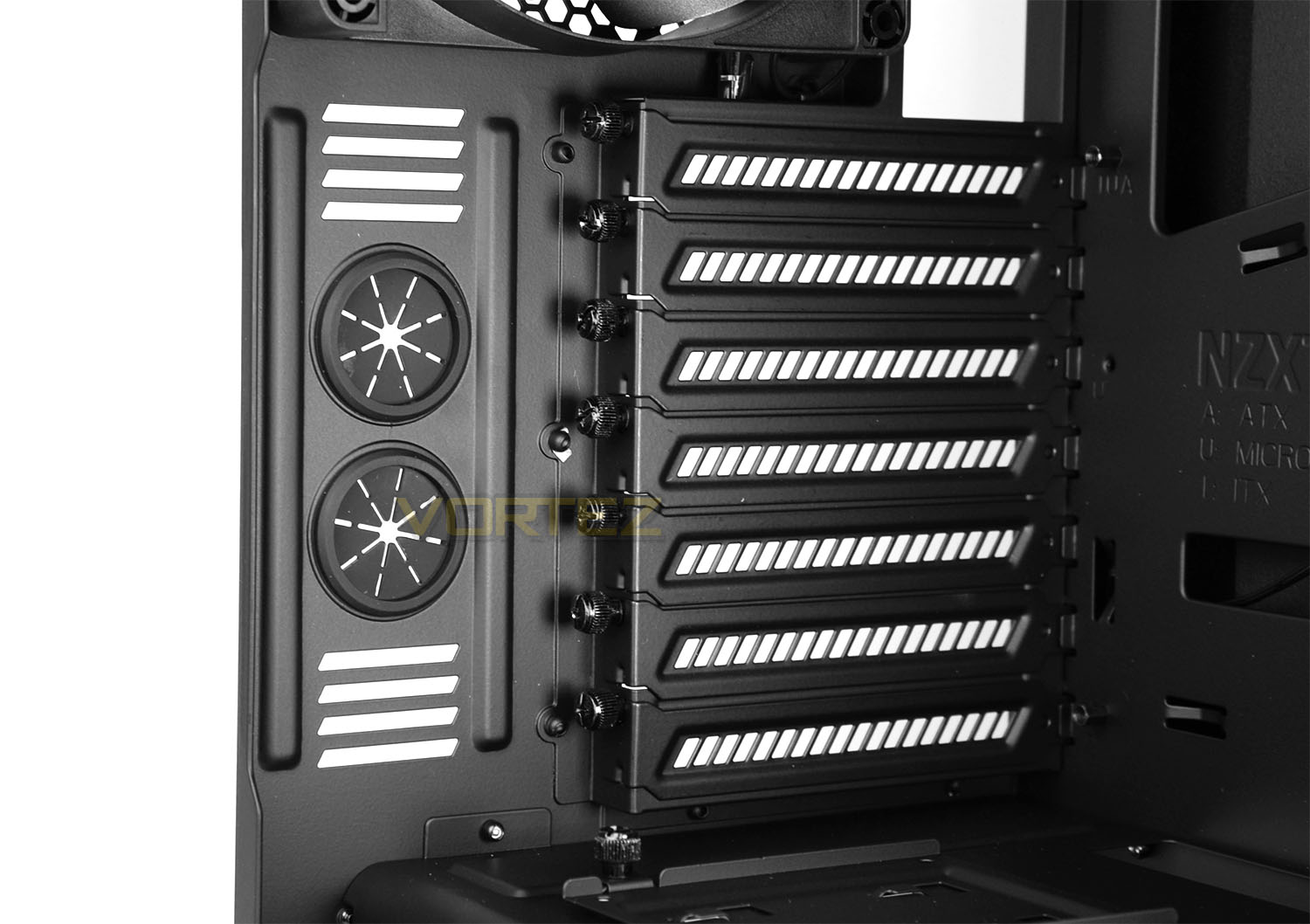
At the back of H440 there are a series of eight PCI expansion slot covers – each have the ventilation cut-outs and make use of a thumbscrew for easy removal. To the immediate left there are two circular rubber grommets.
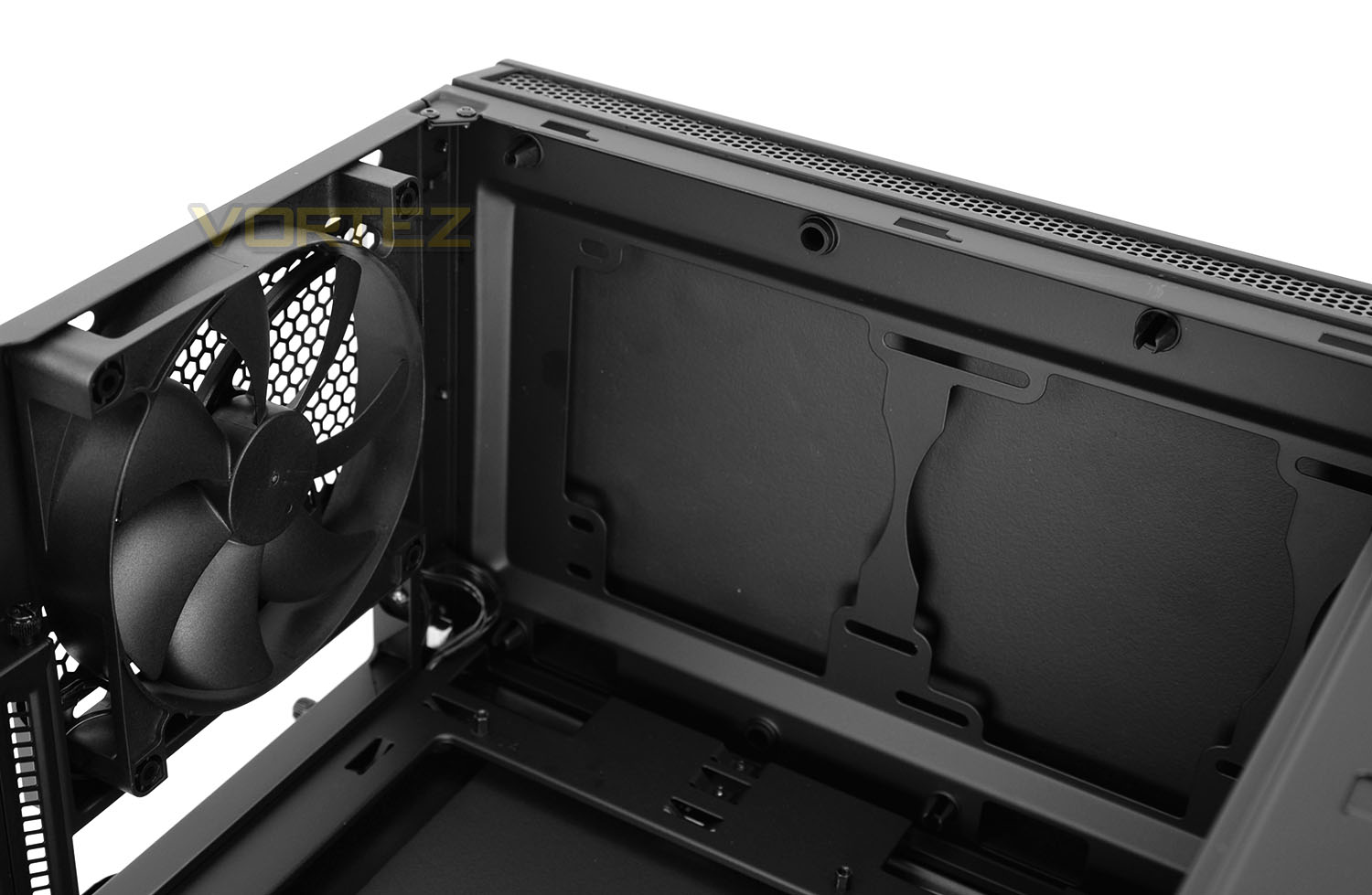
Above these covers there is a 140mm rear exhaust cooling fan; this fan is an FN V2. At the top of H440, although there is no perforated mesh gracing the roof, there is a bracket which can accommodate two 140mm fans or three 120mm fans. This also paves the way for different sized radiators to be housed in this top section.
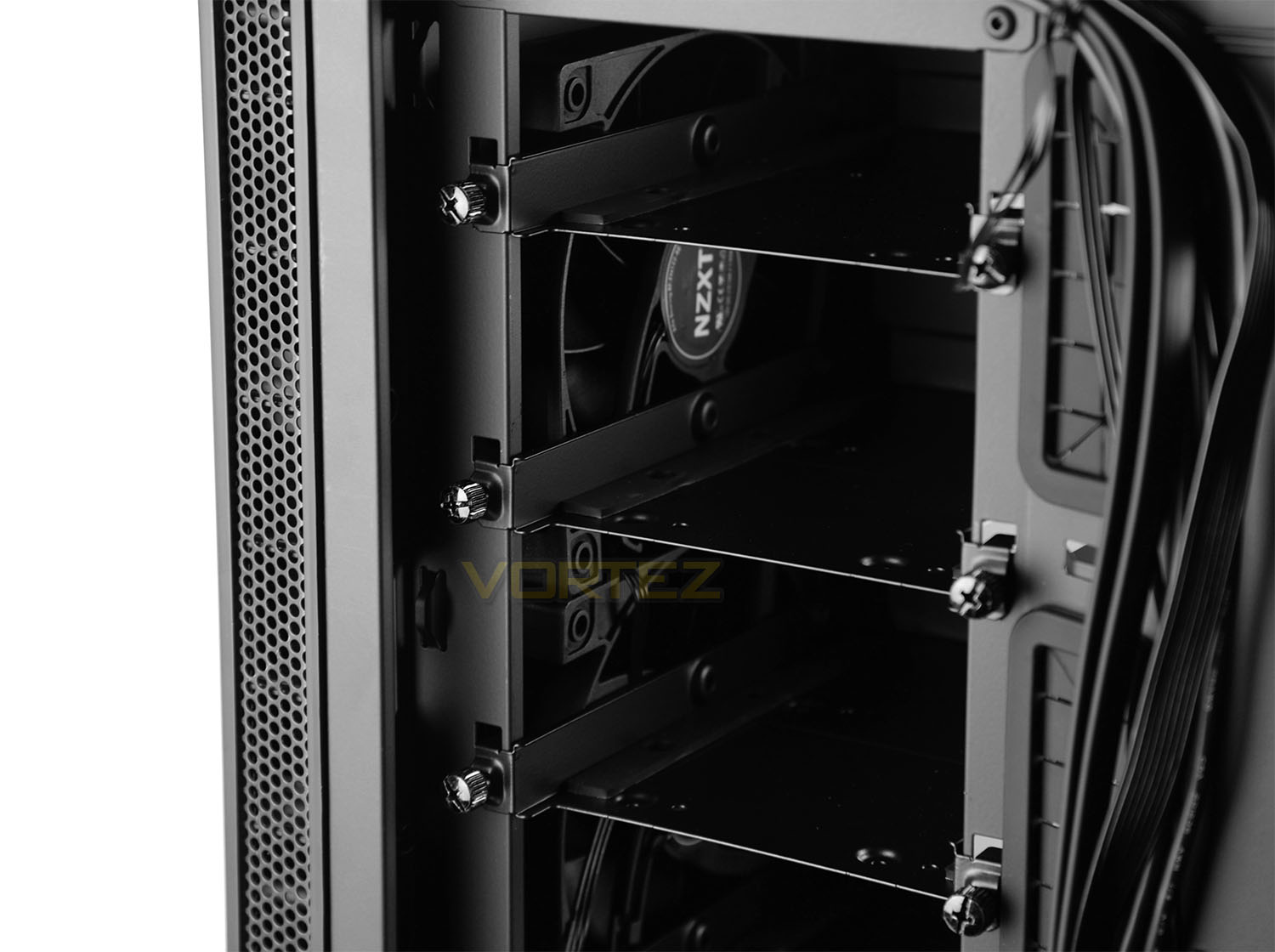
For storage there are five designated HDD trays which are accessed from the reverse side. Each of these trays can house 2.5” and 3.5” drives and feature two thumbscrews for easy removal. 3.5″ drives can be attached to the top-side while 2.5″ drives can be attached to the underside of each tray. The useful thing about this design is that redundant trays can be detached from the chassis to enhance airflow and extend the graphics card clearance.
H440 2015: Installation
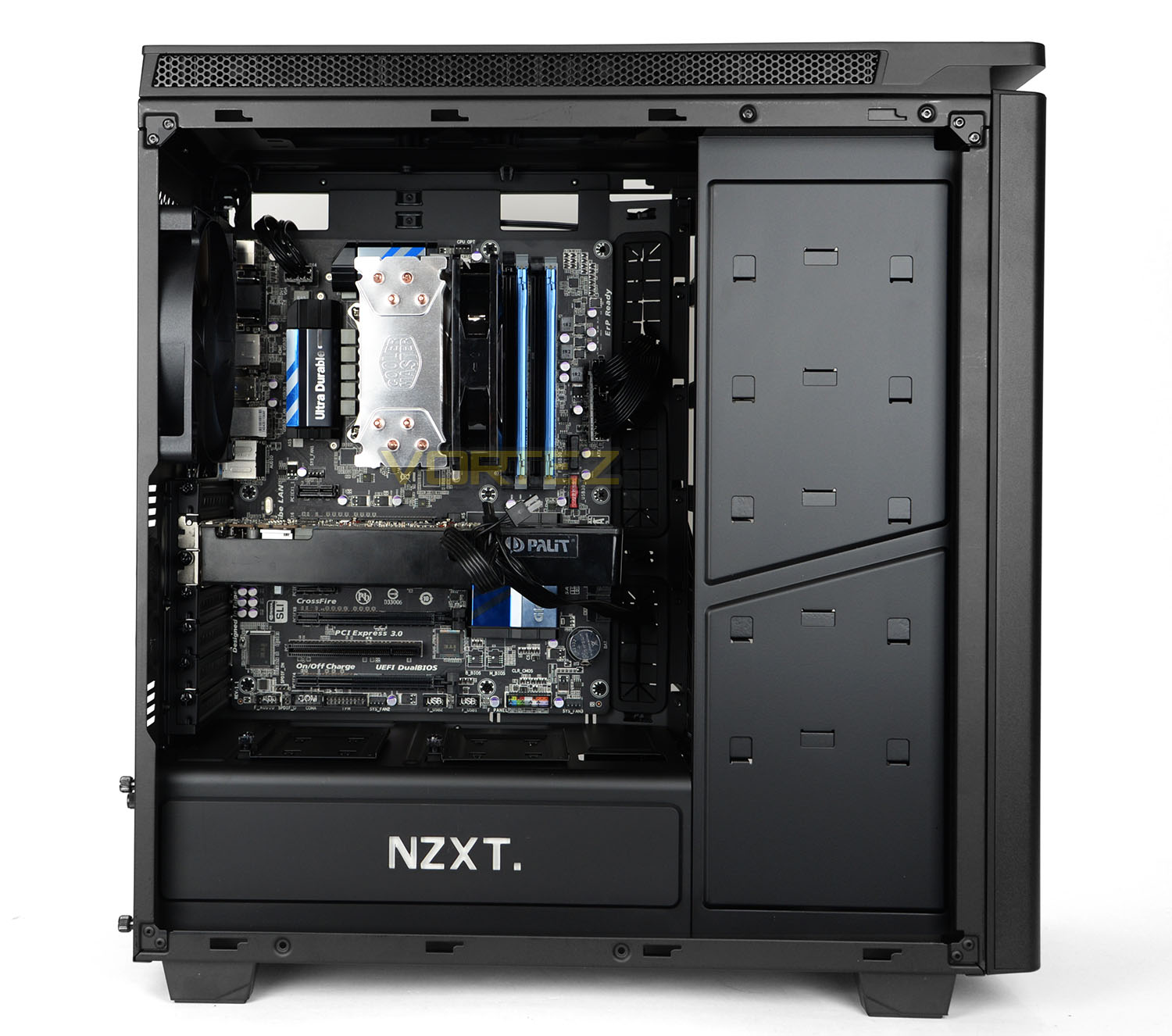
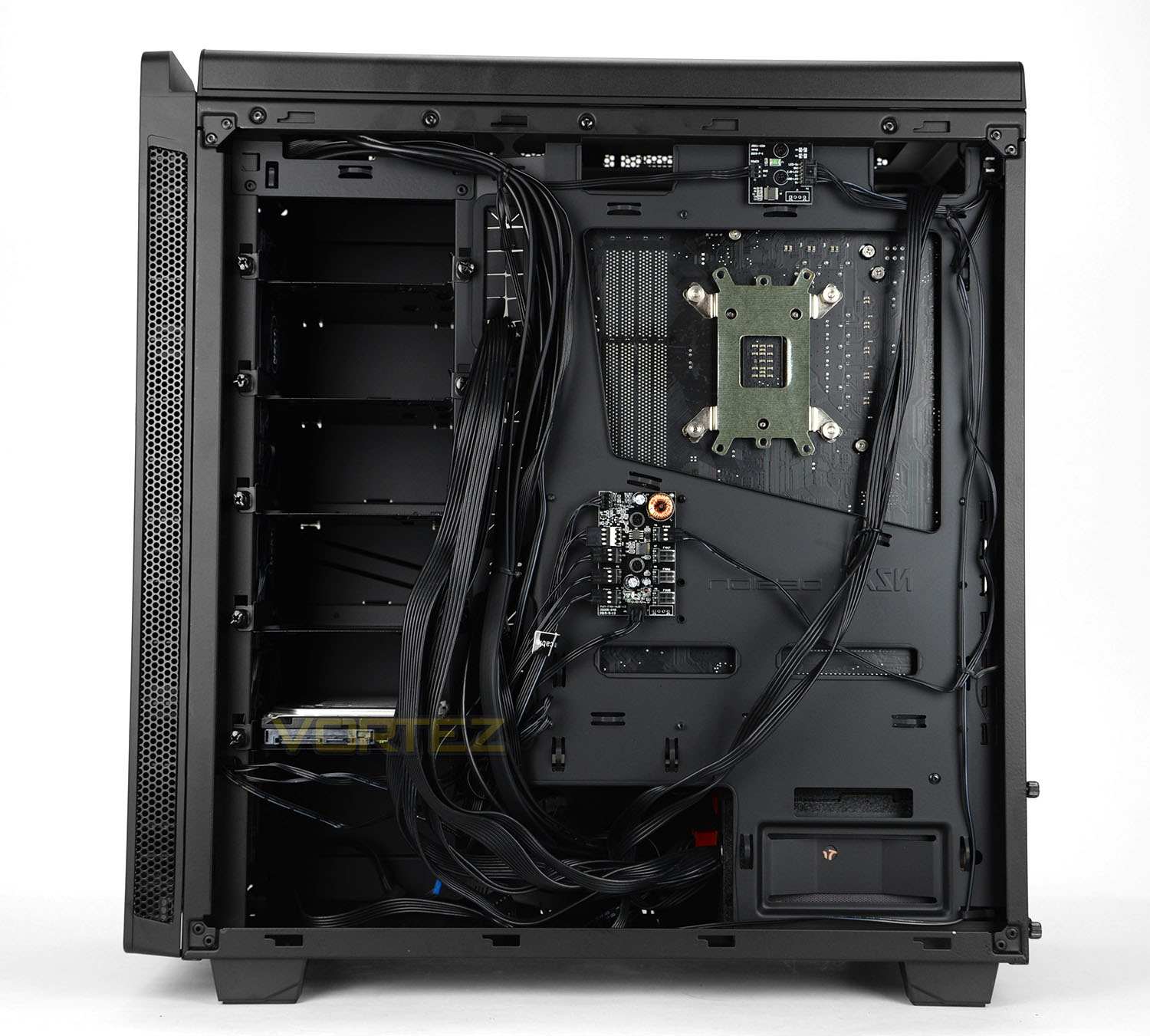
With ATX being the biggest form factor inside H440 we’ve installed our new ATX test system inside this case. As you can see there is plenty of space in and around the motherboard tray and cables are concealed easily. H440 also boasts a copious amounts of space for high-end kit which we’ll explore on the next page of this review.
The empty space immediately next to the PSU is handy location for keeping any spare or redundant cables.
Overall, we’re impressed easy and quick the installation process is with this case. This is all thanks to the expanse within and the tool-less design mechanisms internally.
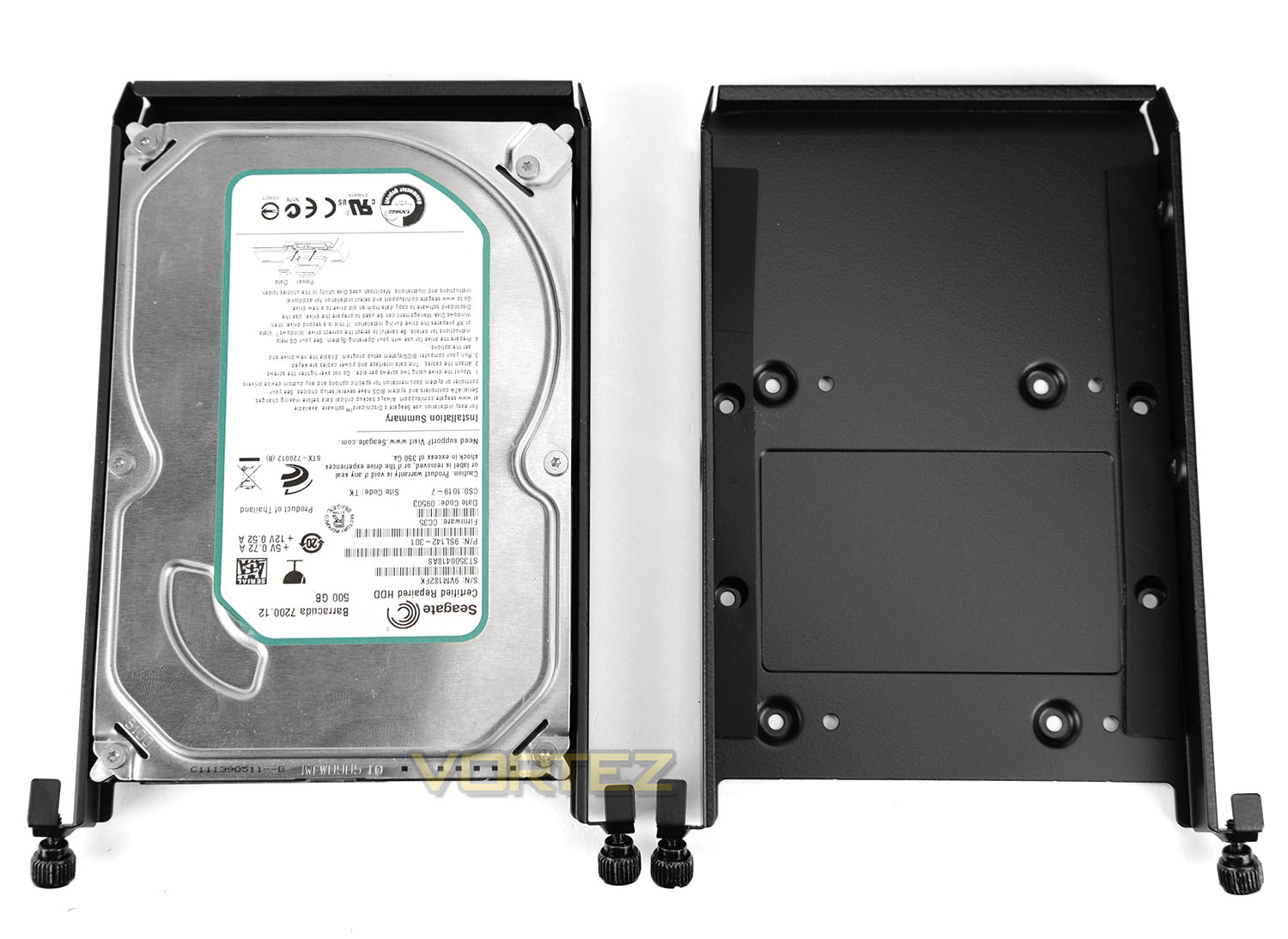
The supplied HDD cages can house 2.5” and 3.5” drives and installing such a device is very easy. For 2.5” drives, screws need to be attached to the underside while screws need to be applied to the sides for a 3.5” drive. It’s also good to see there are two strips of rubber on the very edge to prevent any vibration or scratches. Further to this, 3.5″ drives can be attached to the top-side while 2.5″ drives can be attached to the underside of each tray — extending the expandability.
H440 2015: Clearance – CPU Cooler, GPU, Cable Management
Identifying the clearance options inside a chassis is vital to system builders because the entire process helps to establish whether specific hardware will fit.
CPU Cooler
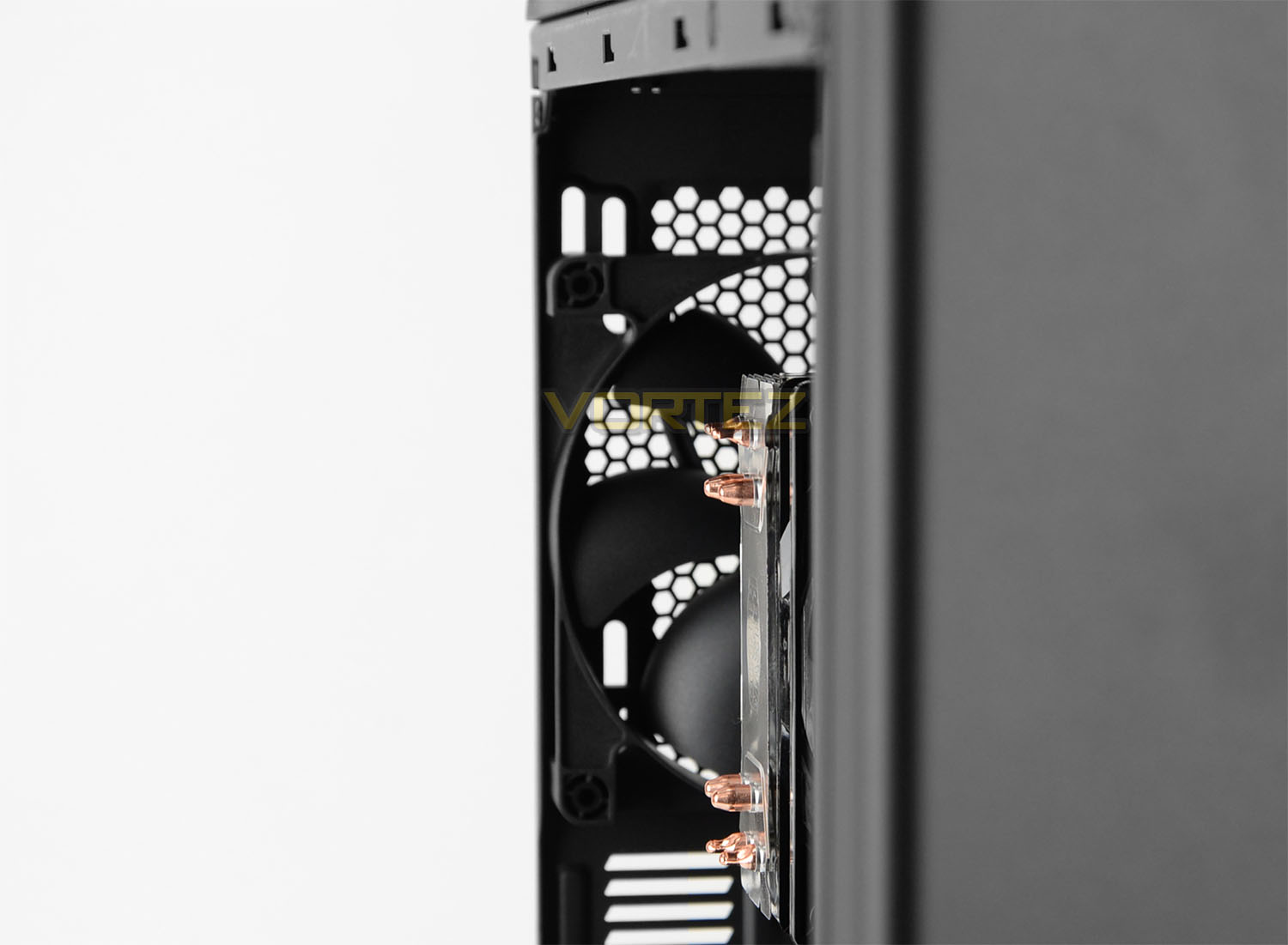
For the CPU Cooler there is approximately 180-185mm for the maximum height. Installed inside H440 we’ve used the Cooler Master Hyper 212 EVO which is 159mm in height – you can clearly see there is plenty of clearance there.
Graphics Cards
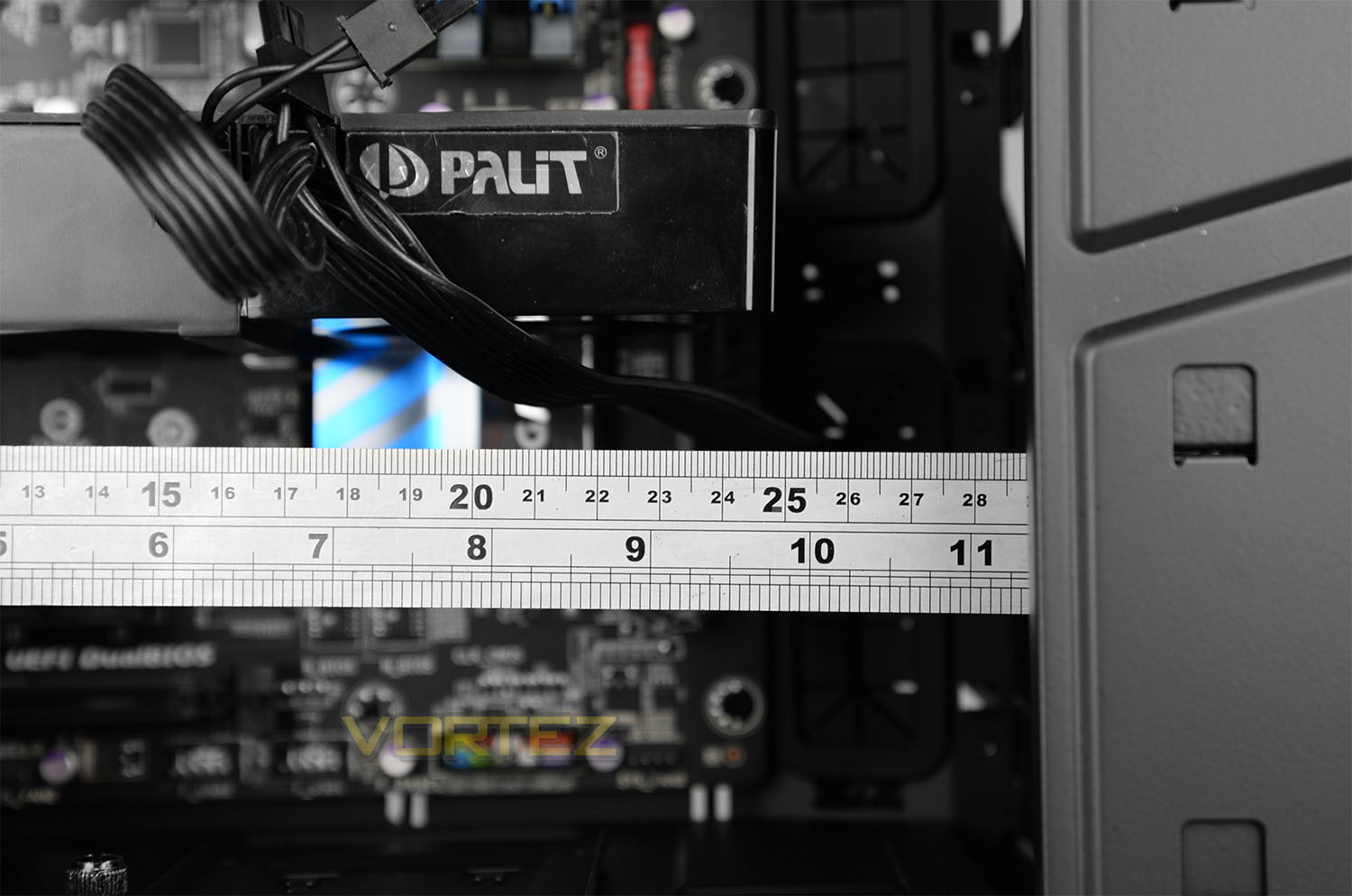
H440 has the option to remove any redundant HDD trays which greatly aids graphics card compatibility. With the HDD trays attached there is approximately 294mm for the total length of a card but if we remove any obstructing trays we have up to 428mm – covering any cards which are currently on the market.
Cable Management
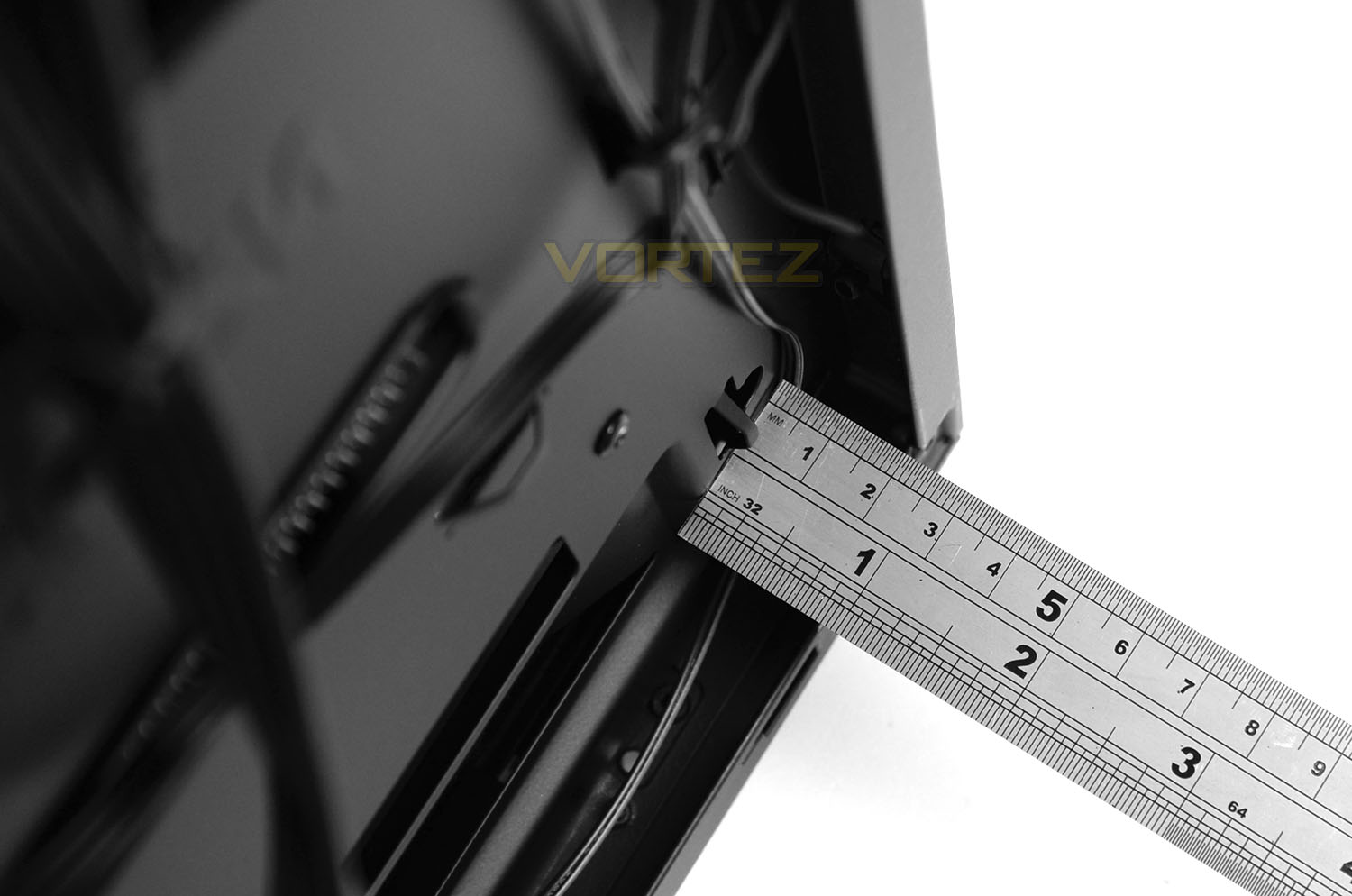
In the area behind the motherboard tray we can route the cables, we have approximately 18mm of space between the back of the tray and the side panel.
It’s worth bearing in mind there is a layer of noise damping material on the inside of the side panel which can be easily damaged – keeping cables away from this panel is essential to avoid any scratches or rips.
Hue+ : Closer Look
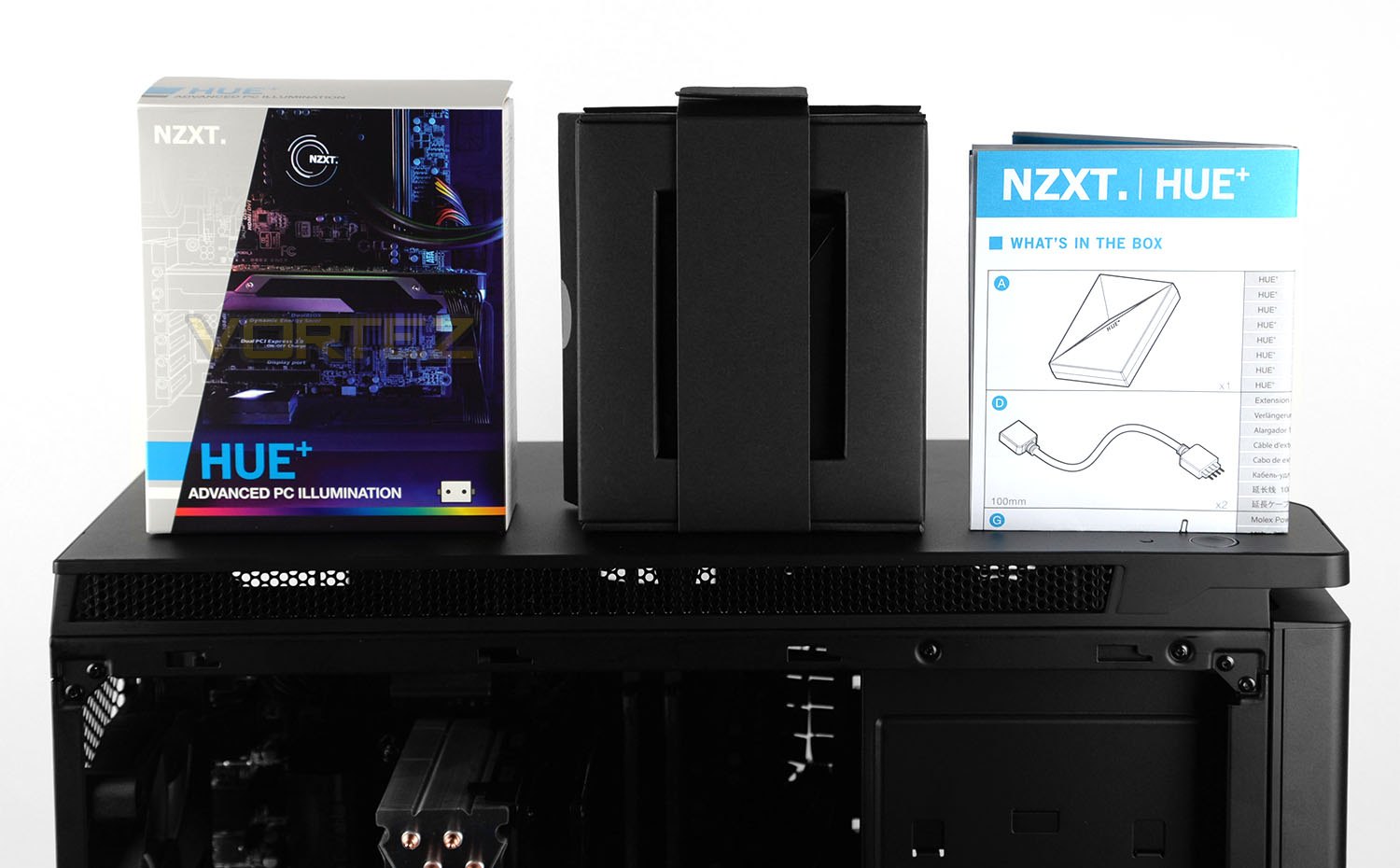
Hue+ arrives in small, attractive box which shows a working demonstration of the kit on the front and on the back lists the features. Inside, the box there is a professionally designed cardboard tray-box which carries all the associated cables and components. NZXT also include an instructions sheet which guide you through the set up.
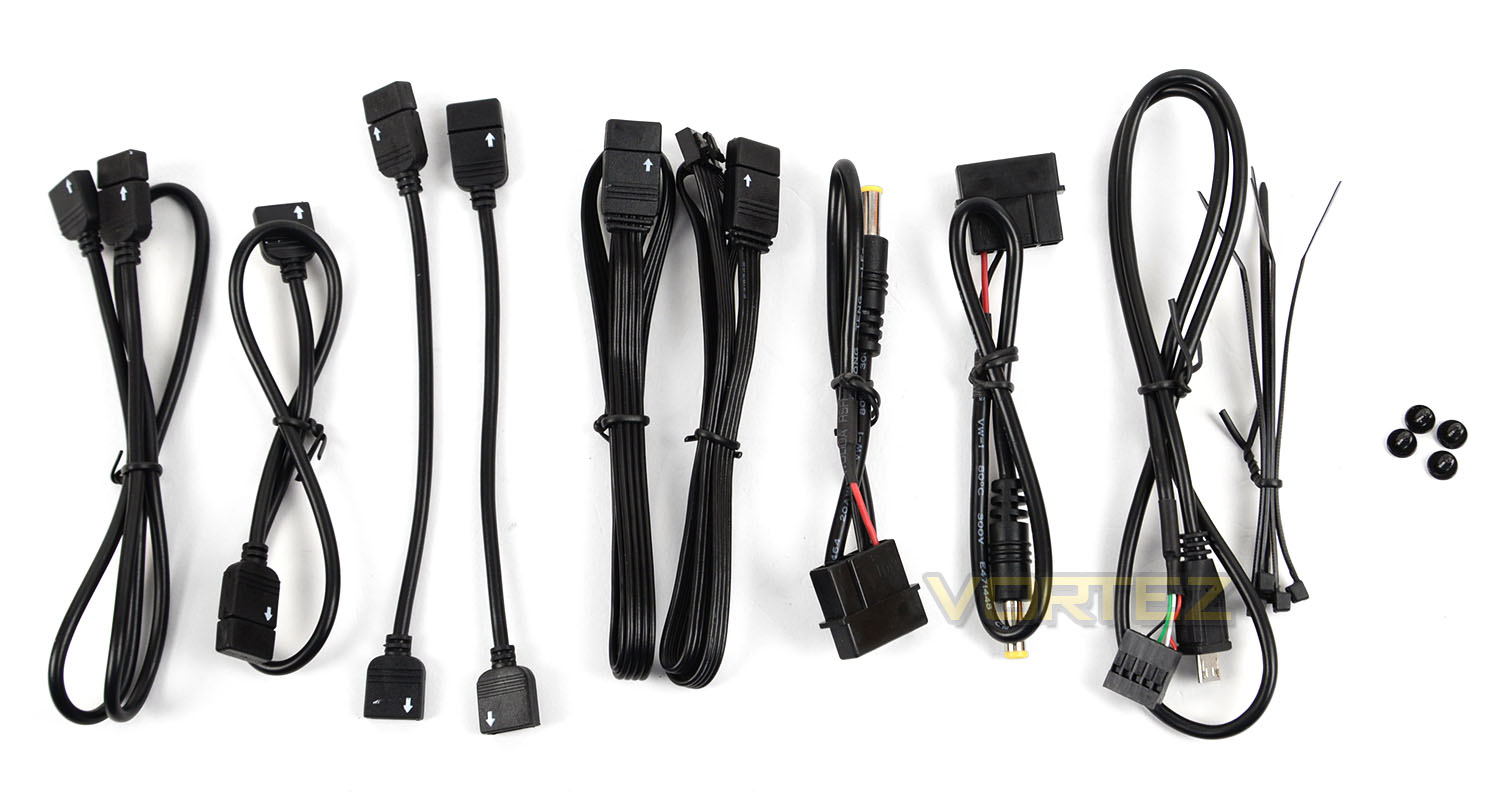
Inside the packaging there are a selection of cables which are required to get Hue+ fully operational. These cables include:
• 1 x 500 mm Extension cable
• 1 x 300mm Extension cable
• 2 x 100mm Extension cable
• 2 x Molex to AC power
• 1 x Micro USB to USB header
• 4 x Screws
• 5 x Cable ties
The extension cables are used to interconnect each LED strip while the Molex to AC power obtains power from the PSU and the Micro USB to USB header allows a digital interface with NZXT’s CAM software.
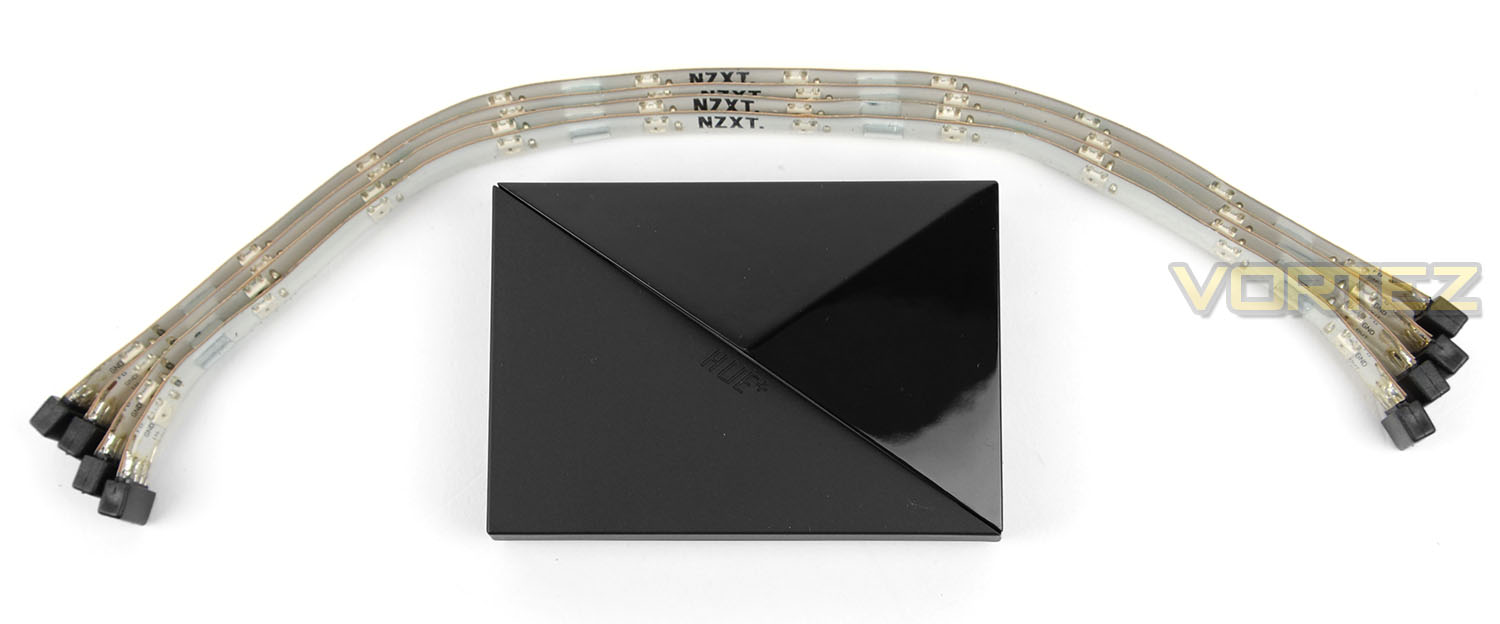
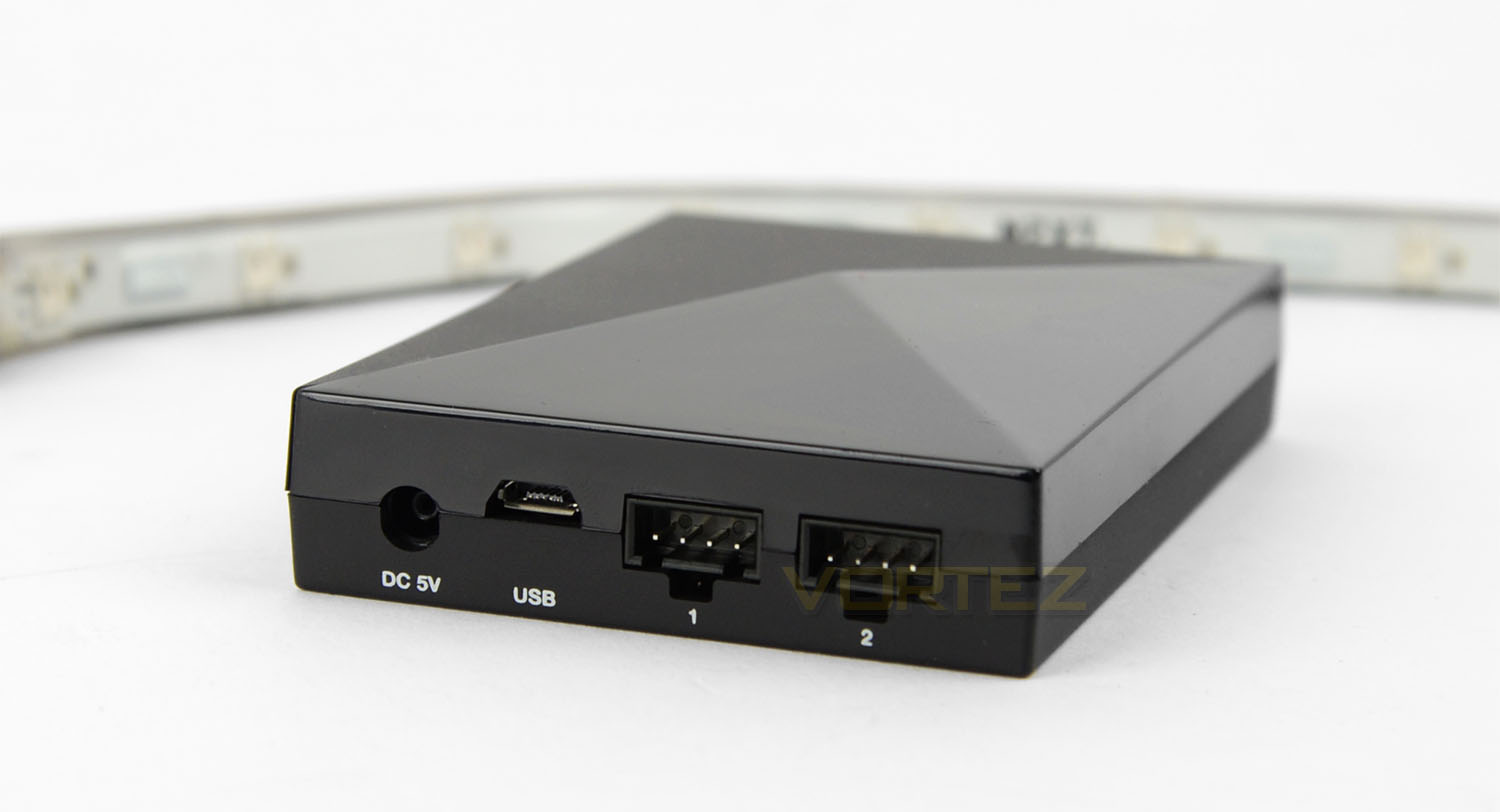
The beating heart of Hue+ is a 2.5” device which features a sleek, plastic enclosure. Along with the central unit, NZXT bundle four LED strips – each of the LED strips works in conjunction with the supplied extension cables.
At the rear of the Hue+ device there is a DC 5v port, micro USB port and two independent channel ports which use a 4-pin connection.
Hue+ : Completed Look
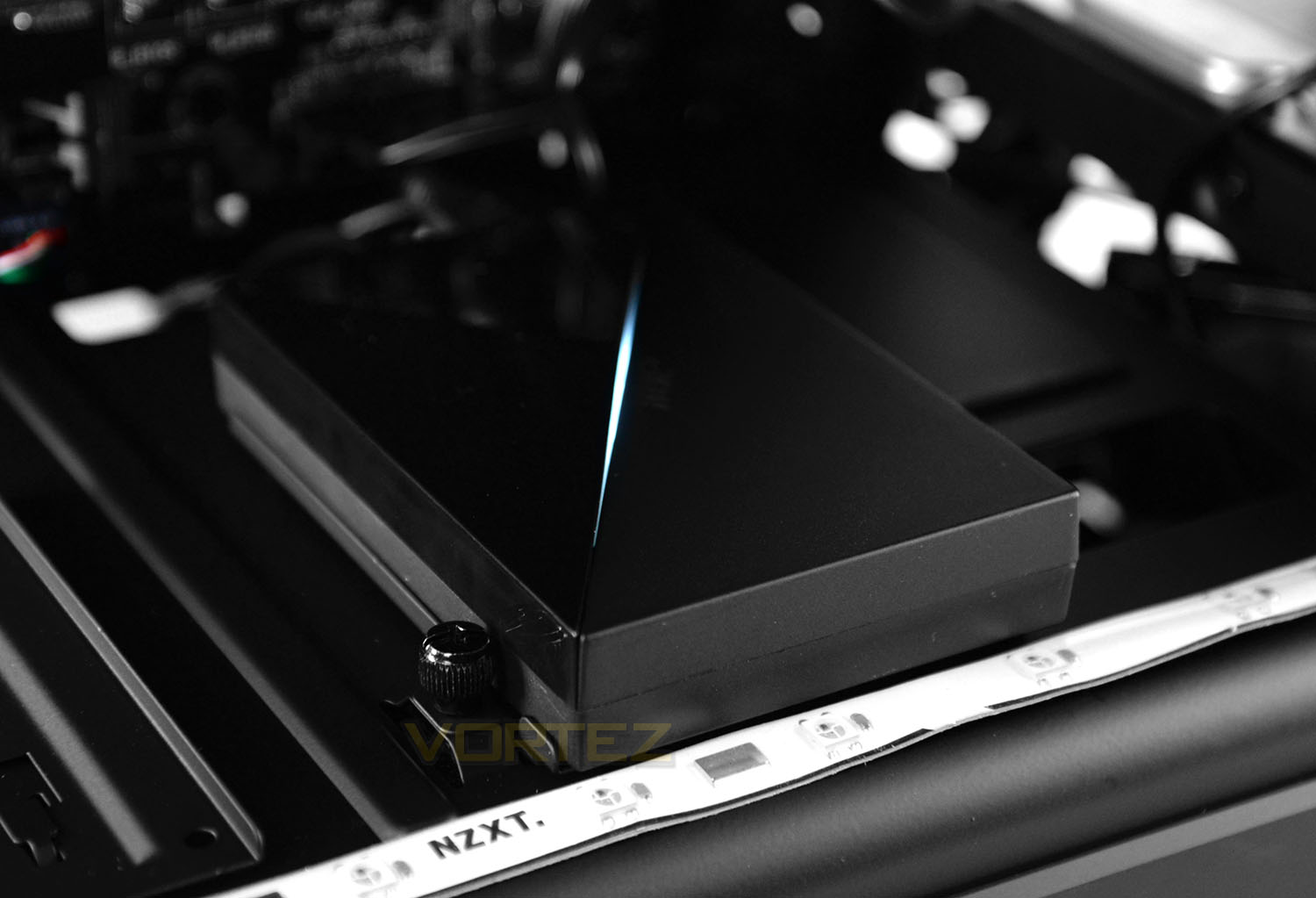
To keep things nice and tidy we installed the Hue+ unit inside one of the 2.5” brackets at the bottom of the chassis. By having the ports facing the motherboard tray we can feed any cables through the cut-outs on the motherboard tray.
Following the guide, we were up and running with Hue+ in approximately 15 minutes.
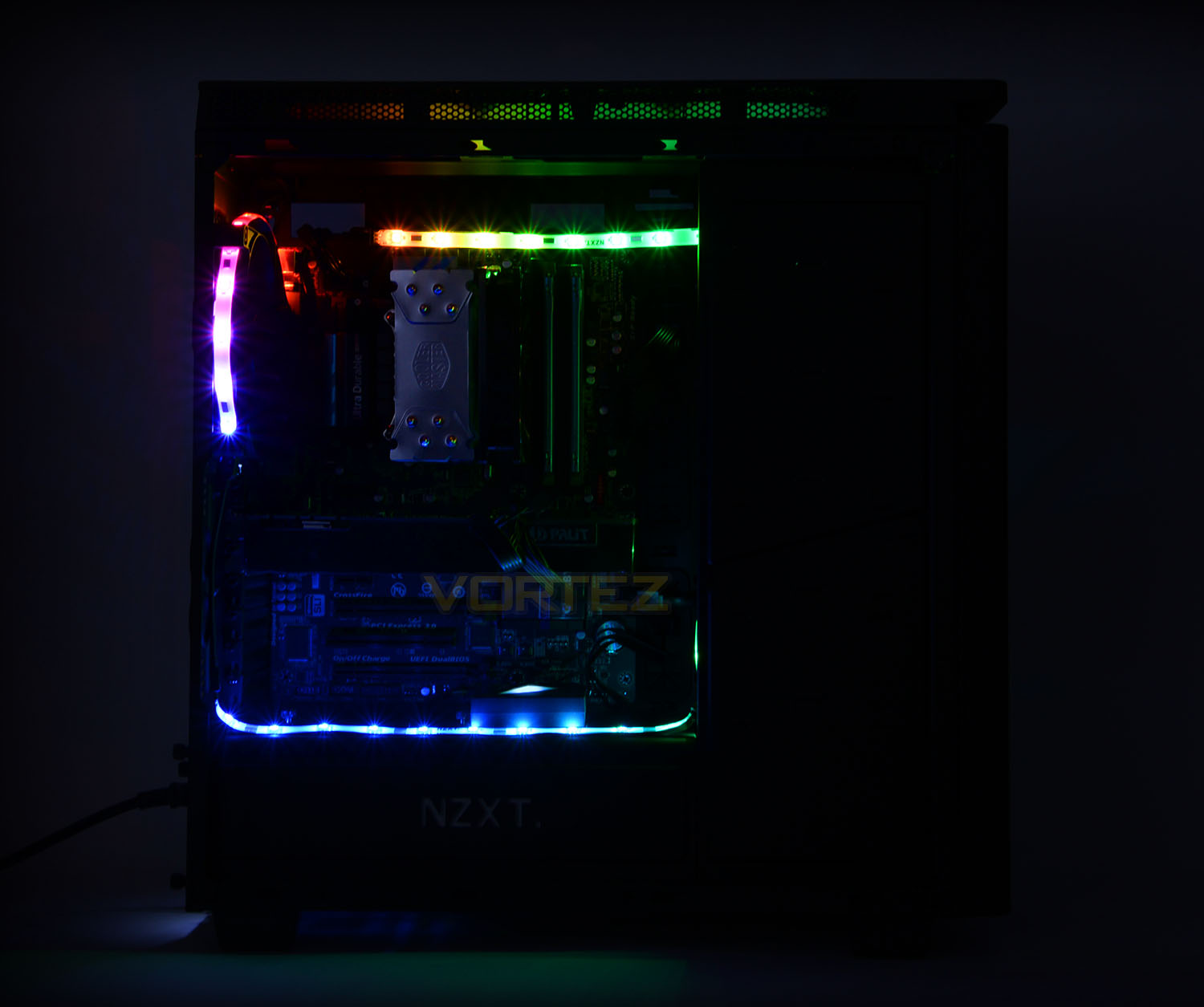
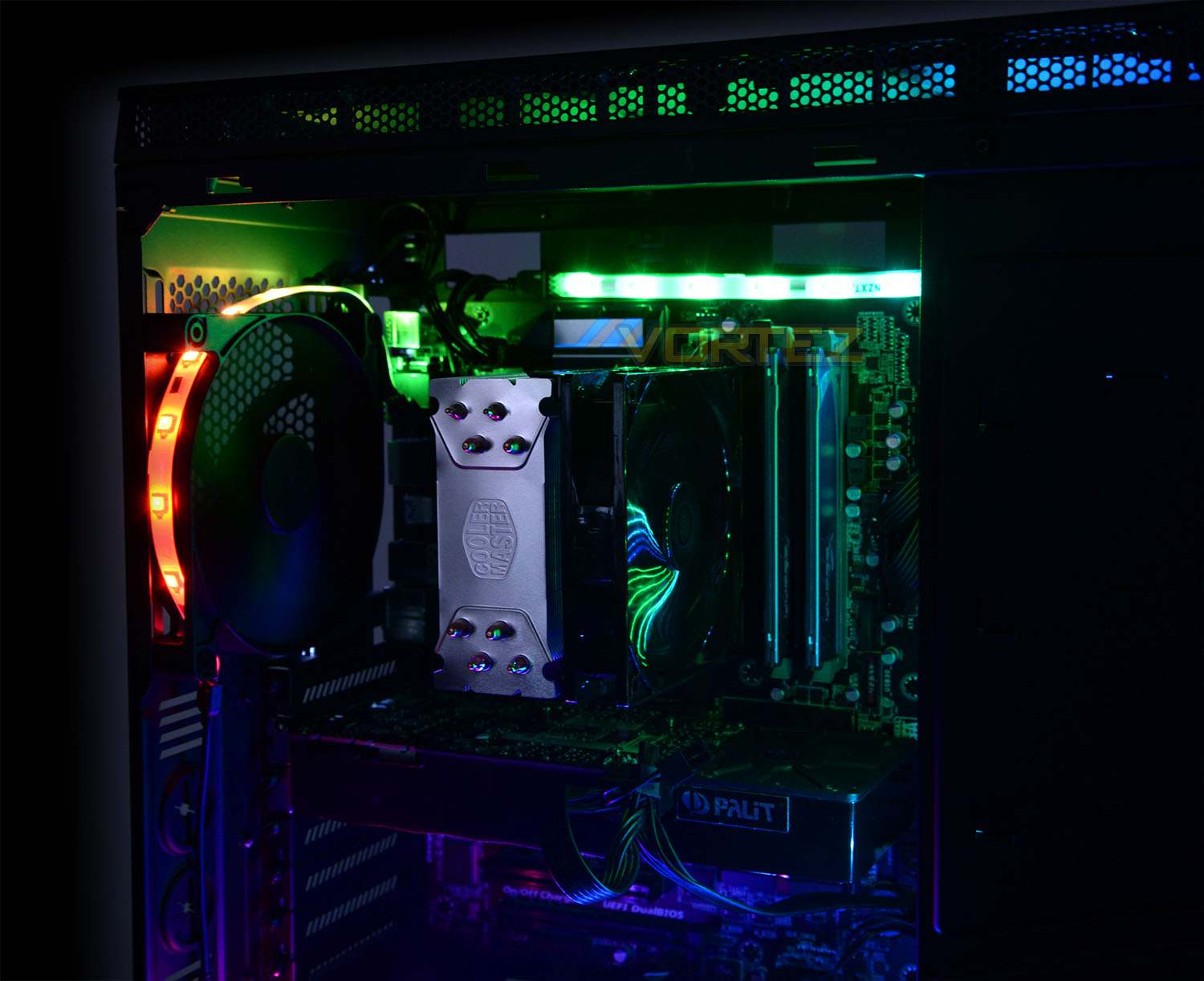
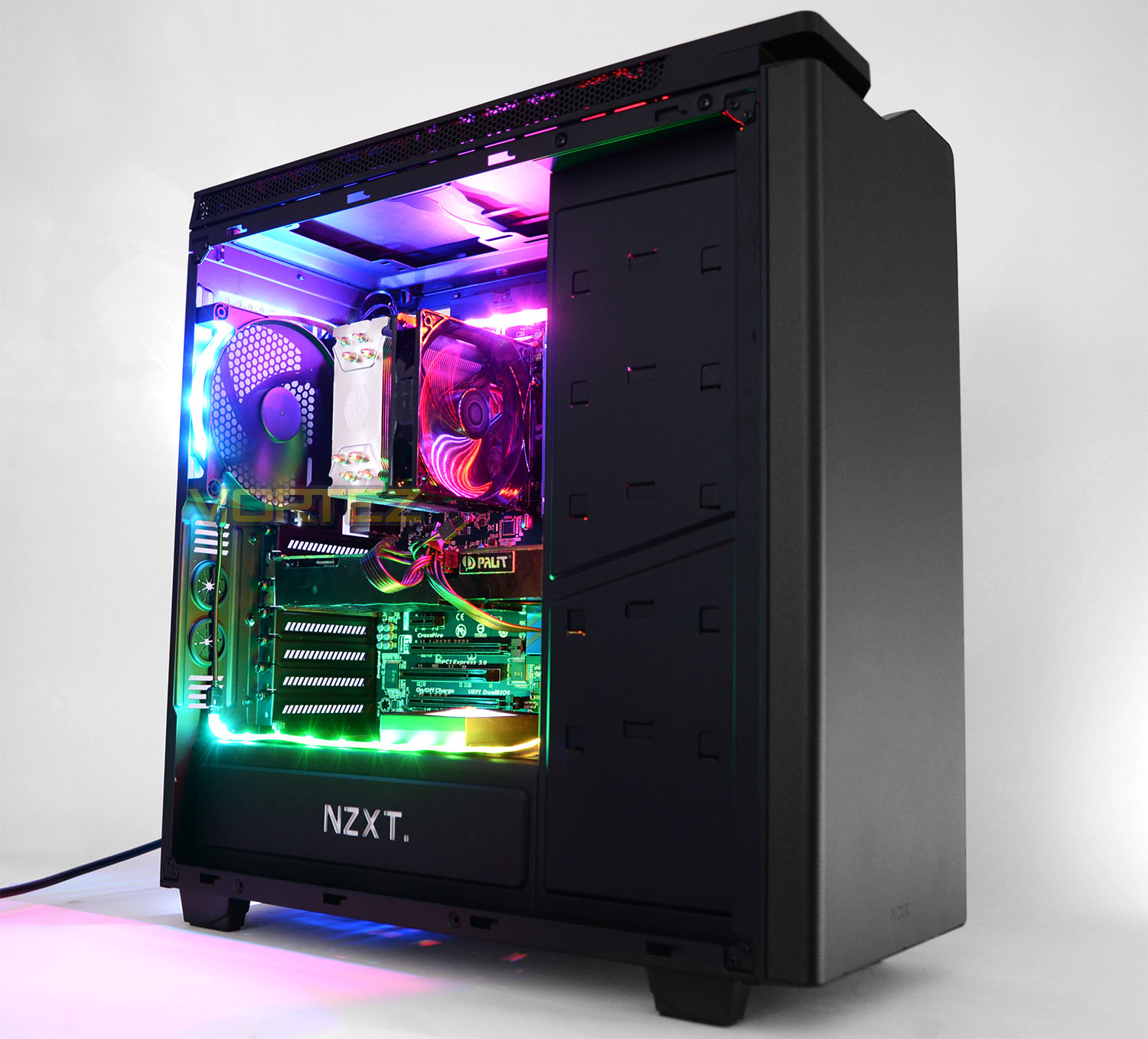
Above is a demonstration of the animated spectrum effect which Hue+ can take advantage of. Additional to the physical installation of the necessary cables and strips – to get the most out of Hue+ its necessary to install NZXT’s CAM software. CAM enables a number of pre-defined colours and animations and even allows for advanced customisation which provides the user the option to set specific colours when the CPU or GPU hits a certain temperature milestone.
So overall, Hue+ is a versatile piece of kit which will give any windowed chassis a vibrant and lively setting.
Thermal Performance Testing
Within H440 there are four cooling fans – three 120mm intakes and a single 140mm rear exhaust. This configuration follows a traditional push-pull arrangement which usually yields great results.
To discover the thermal performance of H440 we will record idle temperatures after 20 minutes from a cold boot. We will then stress the system and temperatures will again be monitored after 20 minutes have elapsed.
The delta temperatures are recorded for the test with the ambient being subtracted from the reported maximum core temperatures from the test.
System Components
CPU Intel Pentium K G3258 @ 4GHz
Motherboard GIGABYTE Z87X-D3H
CPU Cooler Cooler Master Hyper 212 EVO
Graphics NVIDIA GTX 760
Memory 4GB Kingston HyperX DDR3
HDD Samsung Spinpoint 500GB SATA-II
PSU DeepCool DQ750
Motherboard GIGABYTE Z87X-D3H
CPU Cooler Cooler Master Hyper 212 EVO
Graphics NVIDIA GTX 760
Memory 4GB Kingston HyperX DDR3
HDD Samsung Spinpoint 500GB SATA-II
PSU DeepCool DQ750
Noise
A combination of thick panels and noise damping material contribute to low-noise operating for H440. Very little noise leaks from the case which is definitely a bonus.
Conclusion
Although H440 2015 Edition had a soft-launch around the globe, but it actually brings quite significant improvements to an already successful computer chassis.
The bulk of adjustments have been made to the physical appearance of H440 with a matt black, anti-scratch finish, tinted black window and extension to the height and depth of the chassis. Looking at the case externally and internally we have a rather sleek enclosure.
Inside H440, the case is packed with useful features – up to four cooling fans which offer sublime cooling performance, SSD mounts above the PSU chamber, additional cooling/radiator support and a new PWM fan hub controller. The layout and design of this case underpins all of these features by offering plenty of space to aid the installation process.
Turning our attention to Hue+, again we’re left with another flexible piece of hardware. Applying all aspects of this lighting system to any case is hassle-free due to the simple steps required. Each of the LED strips feature a series of magnets which help to map out a tidy arrangement without having to permanently fix the configuration into place. All of the cables are thin and utilise black insulation for easy concealment and the LED unit slots into any 2.5” drive bay without any trouble. H440 works very well with Hue+ due to the SSD mounts above the PSU – allowing you to ensure the whole system is kept in an orderly manner.
The beauty of Hue+ is the fact it works hand-in-hand with NZXT’s CAM software. There are pre-defined themes and animations available and there are even advanced options to modify the colour if the CPU/GPU reaches a specific temperature mark; this is quite a handy and innovative feature to have available. Viewing the effects of Hue+ verify how stunning the LEDs really are – the colours are vibrant and entire system definitely livens up any rig, giving it that “wow” factor.
In terms of pricing, the H440 2015 Edition arrives with a price-tag of £89.99 GBP / $120 USD and the Hue+ costs £50 GBP / $80 USD. Both items are reasonable priced for what’s on offer and both work surprisingly well together too.
NZXT’s H440 2015 Edition may have had a relatively quiet launch this year but it definitely makes a big impact. Throughout the case there are signs of improvement to the areas which matter the most and when paired up with the new Hue+ RGB lighting system, this configuration will make heads turn!
NZXT H440 2015 Edition
Pros
+ Clean, minimalist aesthetics
+ Packed with tool-free mechanisms
+ Lots of space for high-end kit
+ Great cooling performance
+ Low-noise features throughout
Cons
– None
+ Clean, minimalist aesthetics
+ Packed with tool-free mechanisms
+ Lots of space for high-end kit
+ Great cooling performance
+ Low-noise features throughout
Cons
– None
NZXT Hue+
Pros
+ Small footprint
+ Cables can be easily concealed
+ Easy to configure
+ LED strips have magnets for semi-perma fixture
+ Impressive saturation and vibrancy
+ Can be modified via CAM software
Cons
– Unit LED cannot be changed
+ Small footprint
+ Cables can be easily concealed
+ Easy to configure
+ LED strips have magnets for semi-perma fixture
+ Impressive saturation and vibrancy
+ Can be modified via CAM software
Cons
– Unit LED cannot be changed
Click here for an explanation of our awards at Vortez.net.