







With an extensive set of features, OCZ Technology’s Behemoth hopes to capture the hearts of all of computer users.
Product on Review: OCZ Behemoth Laser Gaming MouseManufacturer: OCZ Technology
MSRP: Unknown
Purchased Price: $24.56CAD/15EUR

Ever since its creation in 2000, OCZ Technology has become an important name in the world of consumer memory modules. From value DDR to enthusiast-level DDR3 memory modules, OCZ Technology has battled its way through tough competition to become trusted for bringing quality and great performing memory modules. Asides from that, OCZ Technology has ventured in other markets, such as the CPU cooling market with their popular Vendetta 2 and the power supply market. Even more, OCZ Technology has expanded their product offerings to include peripherals that range from gaming mice to keyboards to mouse pads. Of their two latest mice, the OCZ Behemoth will be the subject of this review. Sporting a powerful 3200 DPI double laser sensor, onboard memory, high customization, and an ergonomic design, OCZ Technology hopes to take the hearts of all types of computer users, from casual users to gamers. With such a feature set and a low price tag, the OCZ Behemoth is worth an examination and it will be determined if it is truly as precise and comfortable as OCZ Technology says it is.
About OCZ:
Entering the memory market in August 2000, OCZ Technology was built around the determination to manufacture the best high speed DDR and RDRAM. OCZ was founded by enthusiasts, for enthusiasts, and our commitment to the end-user has not digressed. OCZ Technology has been an innovator in many areas. We were the first manufacturer to make Dual Channel optimized memory available to the public, which originally took advantage of nVidia’s Twinbank or Dual DDR architecture, found in their nForce chipset. We have now taken that technology and tailored it for the Canterwood, and Granite Bay chipset’s. OCZ developed and was the first to implement ULN technology, which has been a critical element in our manufacturing process for some time. We at OCZ diligently work to improve communication with CPU and motherboard chipset manufacturers prior to the release of their products. Only in this manner can we fine-tune our memory’s SPD settings, ensuring a synergistic relationship between the memory module, memory controller, and microprocessor. In today?s rapidly evolving semiconductor industry, such communication is not simply research, but a necessary component of our manufacturing process.
Features and Specifications
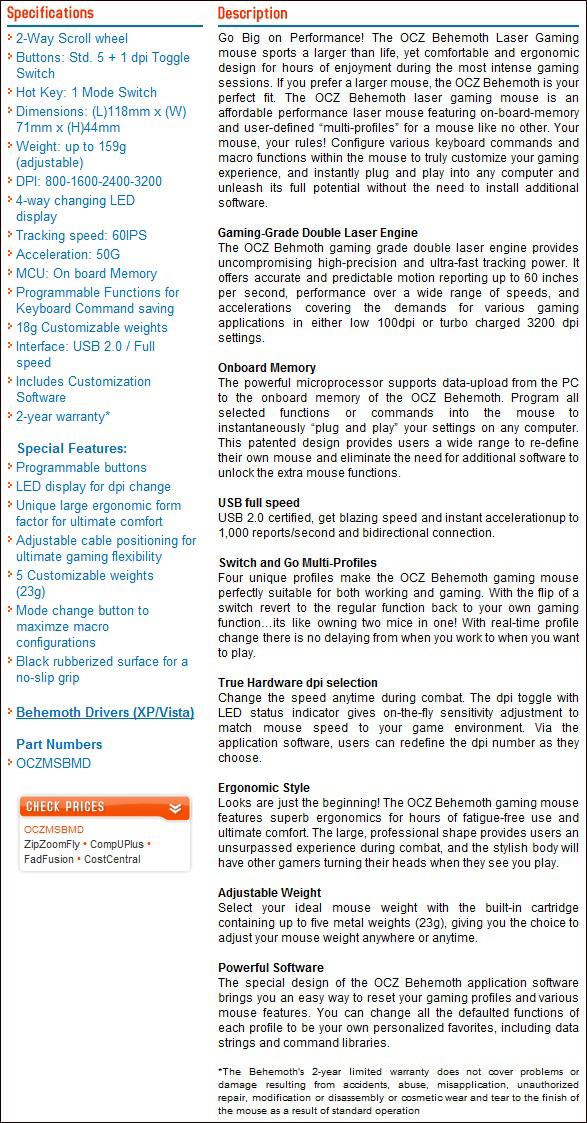
In the last few years, the term “ergonomic design” has become highly used, as comfort throughout daily computer usage greatly affected the user’s overall health. As such, companies have created mice destined to right-handed, left-handed, or, to both kinds of users, in order to provide optimal grip and comfort. The OCZ Behemoth was designed with the right-handed user in mind, and it may be a disappointment to left-handed users. The mouse’s surface is made of black rubber, offering a no-slip grip.In addition, laser sensors such as those found on the OCZ Behemoth have become important to many gamers. As more and more gamers require quick and precise hand movements, gamers have learned that laser mice were a great tool in guaranteeing optimal performance in games. In fact, the OCZ Behemoth features a double laser sensor, which differs from the usual single laser sensor. According to OCZ Technology, such a feature increases the mouse’s precision and performance. The OCZ Behemoth uses a 3200 dpi laser sensor, which means that the mouse can detect 3200 steps per inch of movement. Such a feature describes the sensitivity of the mouse. At the 3200 dpi setting, short movements of the mouse translates to a large movement of the cursor, which comes handy in things such as games when one needs to make a blazing fast 360 degree rotation.
Furthermore, a selling point of the OCZ Behemoth is its customization. Five 23g weights can be added or removed from the mouse, depending on the user’s preference of a heavier or lighter mouse. The mouse also allows for customizable buttons that can be saved as separate profiles onto the mouse’s on-board memory. The on-board memory therefore means that one does not need to install drivers nor software onto a new computer system to fully enjoy the customized settings.
The feature set of the Behemoth is large, and reading the features and specifications of the mouse directly from the manufacturer is worthwhile.
Link: OCZ Behemoth Laser Gaming Mouse Product Webpage
Packaging and Contents
The OCZ Behemoth is packaged in a fairly large and bold-looking box. From the usage of colours such as red and black, it is obvious that this gaming mouse means serious business. The front of the box describes the main features of the mouse, and small circular icons offer a quick glimpse of what the mouse further offers. A plastic shell exposes the mouse for consumers to observe. The shell is quite strong, but it is possible to press it enough to click a button. The back of the packaging describes the circular icons previously seen at the front. Strangely enough, the warranty states 12 months, yet OCZ Technology’s website clearly state 2 years of warranty. Whether the warranty was recently been extended or the printing is an error is unknown, but the warranty period is indeed 2 years as confirmed by RyderOCZ, a member of OCZ Forum Support (Link: OCZ Forums). Such a lengthy warranty demonstrates OCZ Technology’s commitment to offering quality products.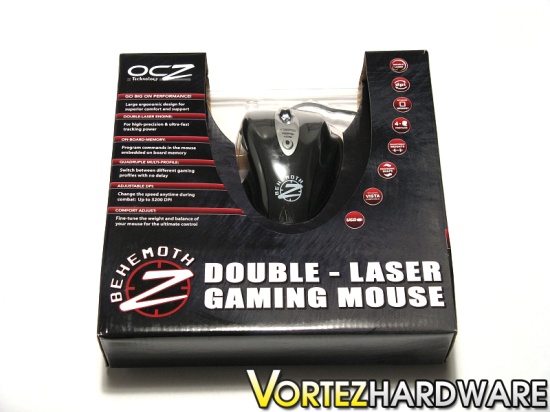
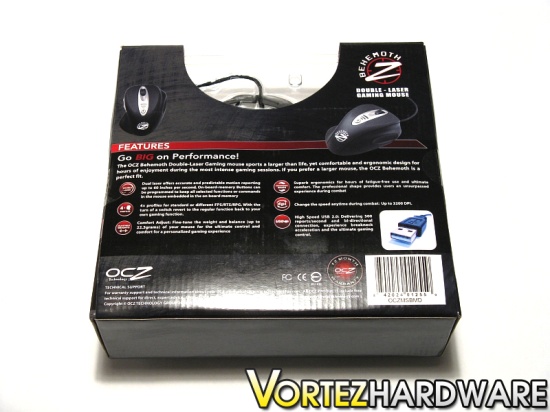
The right and the left sides give a description of the product. The left side has a short description in a variety of languages ranging from French to Japanese. It is strange to see such a small fraction of the packaging dedicated to this. It seems, however, that these languages are those that the product manual is written in.
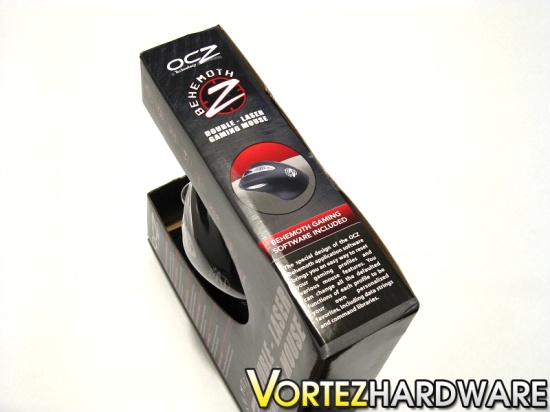
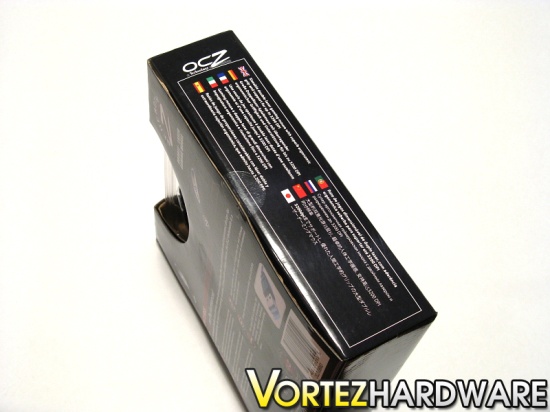
Enclosed within the mouse’s box are carton and a plastic shell. Within the shell are the mouse and the driver mini-CD, and the shell’s contents are well secured. In terms of accessories, OCZ Technology has included the bare minimum: the driver mini-CD and the product manual. It is not expected that more should be included, but extra self-adhesive mouse feet would have been worth-while accessories in case the current mouse feet worn out. The manual contains short but precise information regarding the mouse’s physical layout, hardware installation, and software installation and usage. Many black and white pictures are included, and the manual is well written and of quality. The manual is written in the 9 languages shown on the left side of the box.


Overall, the packaging of the OCZ Behemoth looks great, is top notch, and uses enough material to provide sufficient protection. It would have been preferred that a smaller box be used, seeing as the 1/3 of the box was not used to enclose the product, but it was mainly used to describe the product’s features.
Overall Look
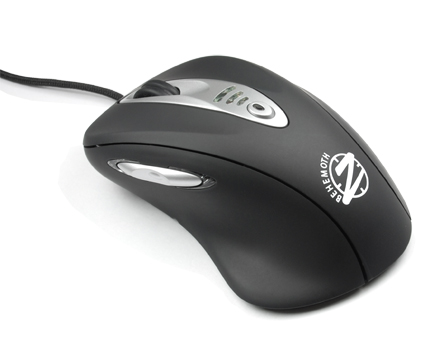
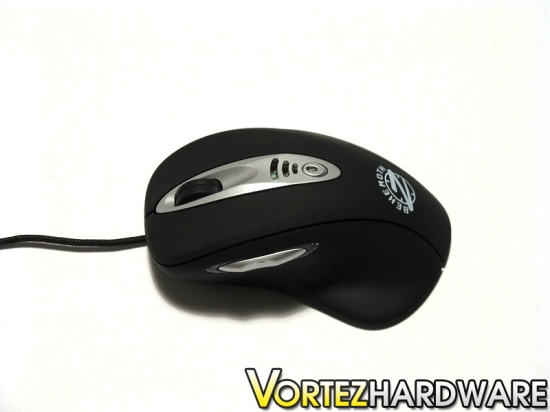
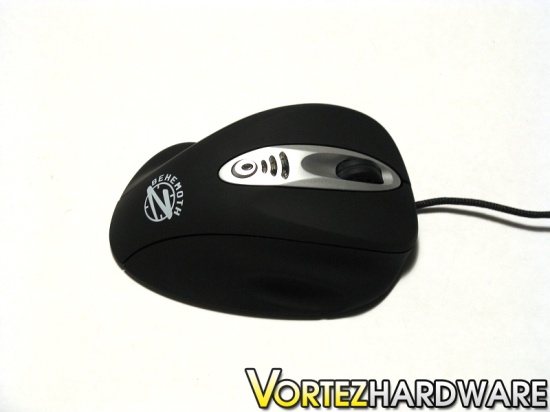
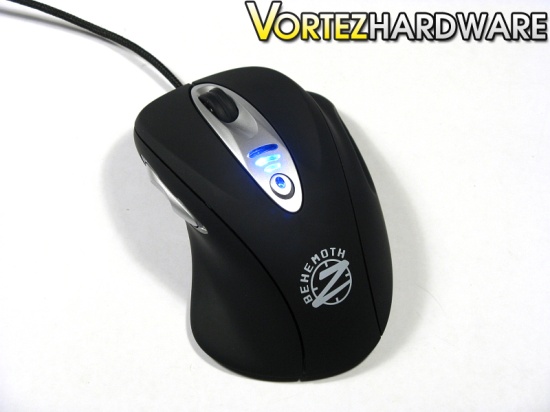
An initial look at the mouse reveals that its surface is rubberized black. The surface is smooth enough to feel nice, but it provides sufficient grip. Such a surface seems to not be easily stained, which is nice for users that have sweaty hands. The mouse’s design also incorporates silver and white colours, giving a nice contrast to the overall black look of the mouse. The OCZ Behemoth’s logo is printed at the back of the mouse.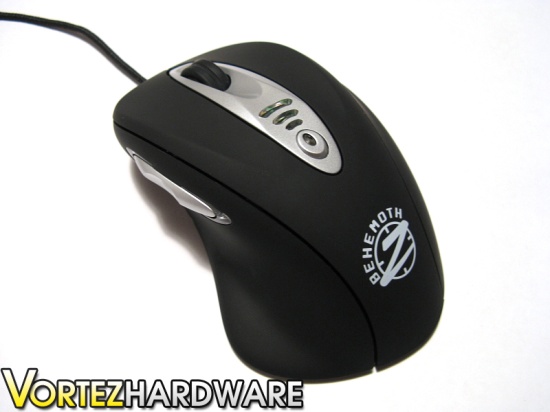
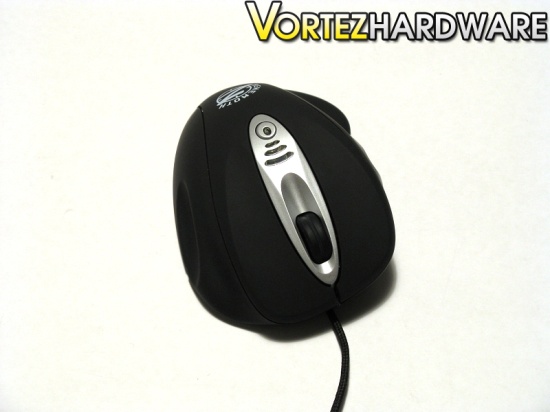
It can be clearly seen that the OCZ Behemoth’s overall shape is peculiar in comparison to conventional mice. It can even be said that it looks fairly bulky. Nevertheless, the extra size of the mouse cleverly offers a rest and grip for the ring finger and pinky on the right side, and for the thumb on the left side. Although I have seen a rest for the ring finger on a mouse in the past, this is the first time that I see a pinky rest incorporated in a gaming mouse. Such a design will avoid any cramps or sore fingers after long usage. Without a doubt, OCZ Technology has taken comfort in a mouse a step further.
Closer Look
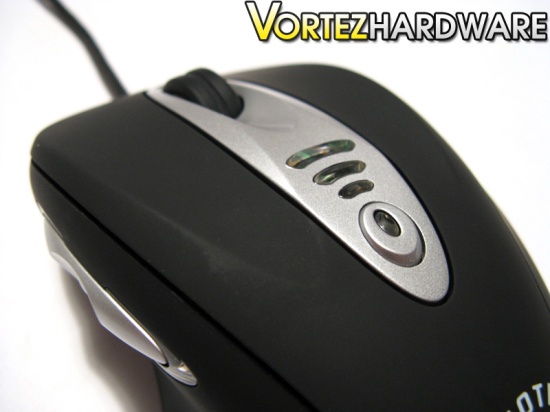
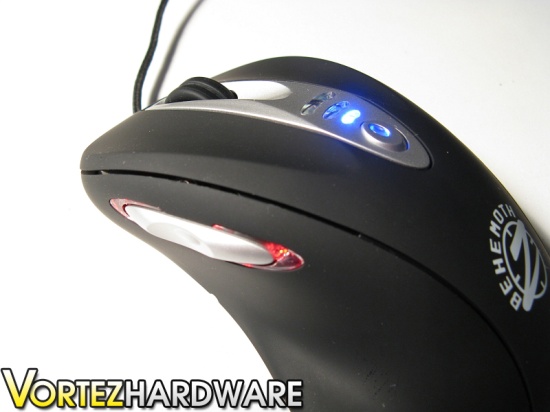
The included scroll wheel of the OCZ Behemoth can be rotated upwards or downwards. The scroll wheel has a cylindrical shape, which allows for the index to comfortably rest upon it. A narrow gap running around the scroll wheel enhances the grip of the index on it. The scrolling of the wheel is fairly silent. It offers a nice tactile feedback, but the scroll may be rotated quite quickly and smoothly without any trouble. The OCZ Behemoth’s scroll wheel does not sway from side to side, which ensures that it will not jam from touching the sides. Of all the mice I have used, the Behemoth’s scroll wheel is my favourite, offering ideal tactile feedback, grip and smoothness. In addition to the usual left, right and middle buttons, the Behemoth also includes 2 side buttons, one frontal and one postural. A red LED accompanies each of the side buttons, and they indicate the custom profile being used by the mouse.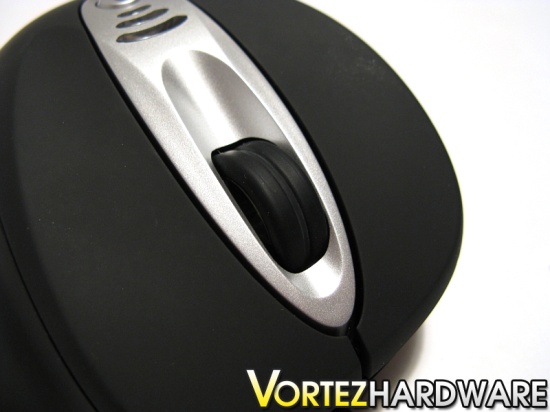
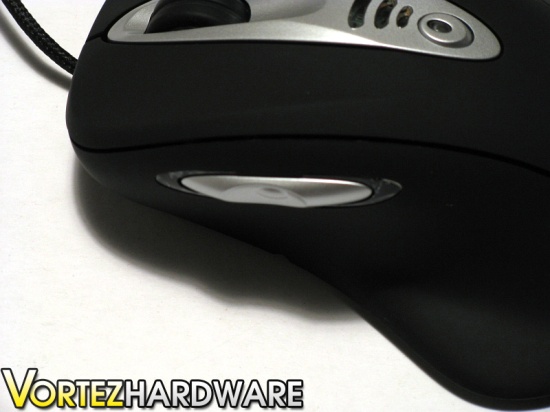
The Behemoth also includes a nifty button at the top middle of the mouse. This button is configured by default as the increasing dpi switcher. Above this button, 3 clear plastic windows show the chosen dpi mode being used. The center of the right and left buttons of the Behemoth are slightly depressed, allowing for the fingers to cosily grip them. All the buttons of the Behemoth offer a nice amount of tactile feedback, and make a nice clicking sound. The noise that they make is fairly loud in comparison to the Logitech G7 wireless laser mouse. Furthermore, all of the buttons can be fairly stiff to depress, and it would have been preferred that OCZ Technology make softer buttons. Nevertheless, they are not stiff enough to make usage of the mouse uncomfortable, and it required me approximately 3 hours to get used to them.
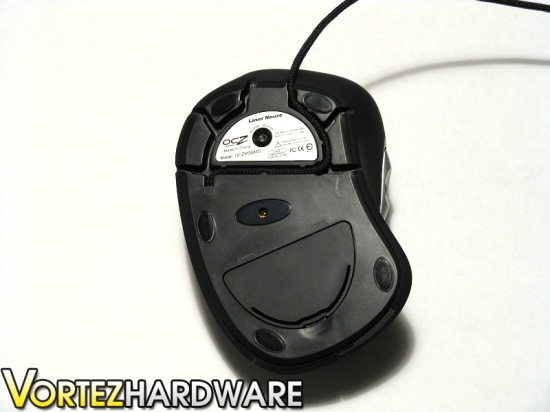
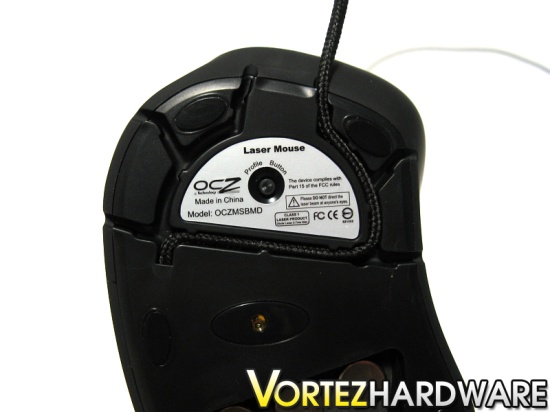
Underneath the OCZ Behemoth, five small mouse feet are strategically placed to offer optimal glide. The mouse feet are fairly small and seem to not be of a standard size. Replacing them might be difficult, and it would have been preferred if large mouse feet were used. An interesting feature of the Behemoth is that the mouse cord can be routed 6 different ways. Some might find this feature handy. By routing the cord to avoid it from falling off the edge of the table, less resistance will be caused by the cord pulling on the mouse. A small profile button is also located at the bottom of the mouse, allowing for quick switching between the 4 possible profiles of the Behemoth. The double laser sensor is found at the middle of the mouse.
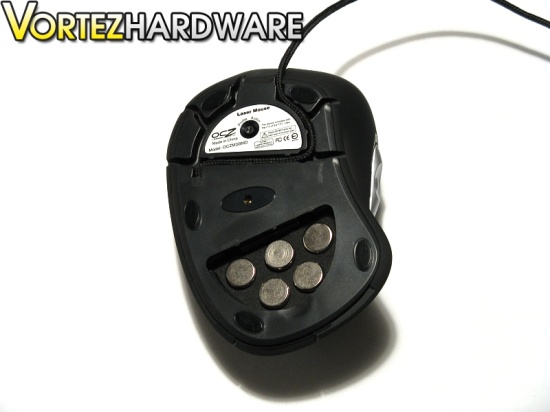
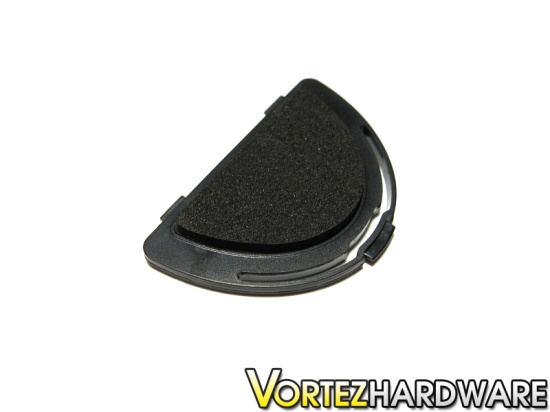
As stated on OCZ Technology’s website, the OCZ Behemoth has customizable weights. These weights are secured by a lid beneath the mouse. Five weights can be removed or added, and each weighs approximately 23 grams, for a total of 115 grams. They are secured in foam. Some computer users prefer a heavier mouse over a lighter mouse whereas others prefer the contrary. The weight system allows for each group to use the Behemoth according to their needs and preferences.
Size Comparison and Connectivity
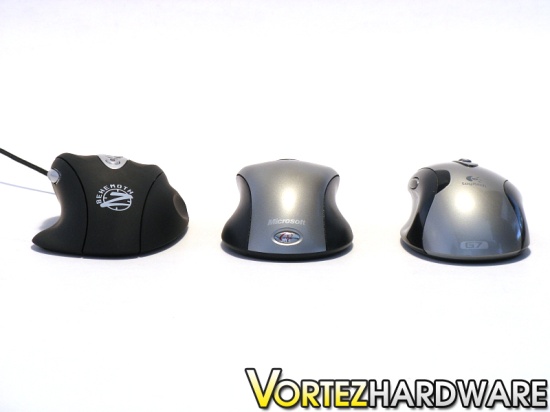
In comparison to the Microsoft Wireless Optical mouse and the Logitech G7 wireless laser mouse, the Behemoth is obviously larger in width, further reinforcing the idea that the Behemoth was designed with right handed users in mind. In terms of length and height, however, the Behemoth is similar to them. The Behemoth also has a slightly more pronounced angle. Making a transition from the Microsoft or the Logitech mouse to the Behemoth will not be problematic at all, seeing at its profile, besides its width, is quite similar to the others.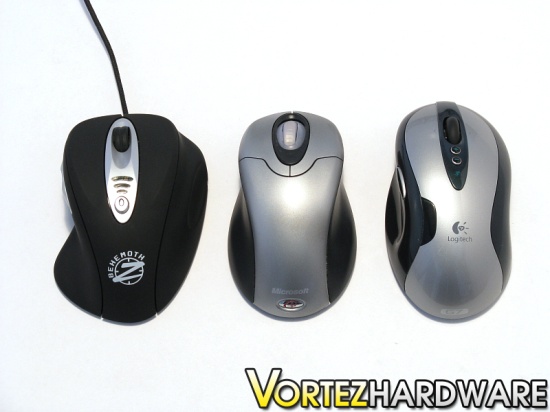
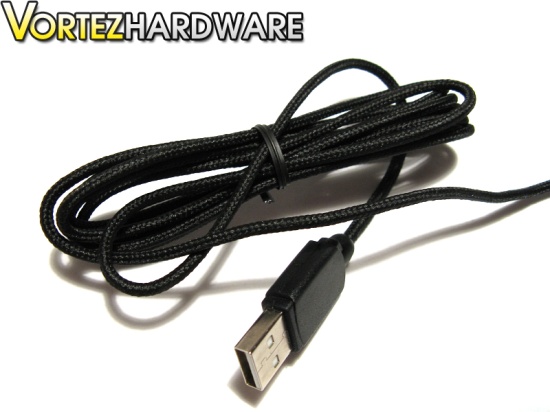
In terms of connectivity, the OCZ Behemoth has a 6-feet USB 2.0 compatible cord. Connecting the mouse to a 6-feet USB extension cord did not cause any abnormalities in the functioning of the mouse. Another particularity of the mouse is that its cord is wrapped in fabric. The fabric gives the cord added durability, and flexing it is very easy. As such, the Behemoth’s cord does not suffer from the usual problem of plastic wrapped cords, which is to keep their shape after bending. Indeed, the mouse cord is highly flexible. It is also quite light, making it less likely to cause resistance when a quick movement is done with the mouse. Furthermore, 5 LEDs are built into the mouse. Three blue LEDs are found above the dpi switcher button; no LED indicate the 1st dpi mode (default: 800 dpi), one blue LED indicates the 2nd dpi mode (default: 1600 dpi), two blue LEDs indicate the 3rd dpi mode (default: 2400 dpi), and three blue LEDs indicate the 4th dpi mode (default: 3200 dpi). Two red LEDs accompany each of the side buttons; no LED indicates the default profile, one left LED indicates the 1st customizable profile, one right LED indicates the 2nd customizable profile, and two LED indicate the 3rd customizable profile. The LEDs are placed in such a way so that they will not shine into the user’s eyes, or they are blocked from having a direct path to the eyes by the hand.
Drivers and Software
In regards to drivers, the OCZ Behemoth uses a generic Microsoft driver included in Windows. It is recognized as a HID-compliant mouse. The lack of requiring a special driver is great, because it renders the Behemoth compatible with any computer system with a Windows operating system.The driver mini-CD included with the Behemoth includes a simple 10.8MB executable: Behemoth.exe (version 2.8.2.1). The version of the executable is the same as the one found on OCZ Technology’s website:
Link: OCZ Behemoth Driver Page
The executable requires no setup, and simply runs off the bat. The GUI of the software is very simple and a minimum of text is used. Several arrows are located on the first screen of the software. Although it may be confusing at first, the arrows are very straight-forward and they simply indicate where the profile should be loaded: either into to mouse’s onboard memory, into detail, or as a file (extension: .pf4) that can be saved onto the computer.
In total, the mouse can hold four different profiles. The first is the non-customizable profile that is preconfigured by OCZ Technology: the side buttons are configured as forward and backwards, and the other buttons have standard functions. Three customizable profiles may be saved onto the mouse’s on-board memory. In total, six buttons may be customized, and the buttons that cannot be customized are the left button and the DPI switcher button.


The right button (R-Button), scroll wheel button (M-button), the left side button (Button-4), and the right side button (Button-5) are highly customizable. Each function that the buttons may have is very handy and works well. The list of functions that these buttons may have is the following:
1. Keyboard: Emulates keystrokes
2. Emulate Hid: Hotkey to Web Browser, E-Mail, Media Player, Play/Pause, Stop, Next Track, Previous Track, Volume Up, Volume Down, Mute, Calculator, or My Computer
3. Keyshot (Mouse) : Emulates L-Button, R-Button, M-Button, Button-4, or Button-5
a. Keyshot up to 255 times until deactivation
b. Fast, Medium or Slow mode (time between each keyshot)
4. Keyshot (Keyboard) : Emulates a single keystroke
a. Keyshot up to 255 times until deactivation
b. Fast, Medium or Slow mode (time between each keyshot)
5. Macro (124 Bytes) (up to 21 keystrokes): Records a set of keystrokes
a. 3 modes: Fire (one keyshot per click), Loop (endless keyshots until another click), and Keep Firing (endless keyshots until release of button)
6. 4 Scripts (256 Bytes) (up to 43 keystrokes) and 2 Scripts (512 Byte) : (up to 86 keystrokes): Records a set of keystrokes
a. 3 modes: Fire (one keyshot per click), Loop (endless keyshots until another click), and Keep Firing (endless keyshots until release of button)
7. DPI (+) and DPI (-): one direction DPI switching
8. Cyclic DPI (+) and Cyclic DPI (-): one direction DPI switching with cycling
9. L-Button, R-Button, M-Button, Button-4, Button-5
Under the “Configuration” tab, 4 different DPI modes can be assigned that range from 100 to 3200 dpi. These 4 dpi modes apply to all 4 profiles. There is also a setting to configure the polling rate of the USB port as 125, 250, 500 or 1000 Hz. A higher polling rate increases the mouse’s responsiveness. Attaining 1000 Hz with this mouse was highly difficult, however. It is not unknown whether the software could not properly configure the mouse to 1000 Hz or my hand was not quick enough to make such a setting noticeable in Mouse Rate Checker, which noted an average polling rate of 562 Hz.


Without a doubt, given its 3 customizable profiles and the extensive functions assignable to buttons, the OCZ Behemoth offers endless customization under its hood, which will please any kind of users. Furthermore, with its onboard memory, the Behemoth is ideal for those that carry their mouse from one computer system to another. Not requiring any special software or drivers to be installed on the host computer, the Behemoth allows users rejoice from their custom keys instantly, and to give them an edge during a quick game with friends.
Testing Methodology and Test System
Testing Methodology
Personal preferences greatly come into play when using a mouse, and this renders testing a mouse quite difficult. Nevertheless, its testing will be straight-forward and it will take into account various important aspects of the mouse:
– Test 1: Gaming performance and comfort in Counter Strike 1.6
– Test 2: Gaming performance and comfort in Warhammer 40,000: Soulstorm
– Test 3: Tracking performance and comfort during an image cutting in Photoshop CS3
Test Setup
– CPU: AMD Athlon X2 5000+ Black Edition @ 2.6 GHz 1.15V
– Motherboard: Gigabyte GA-MA78GM-S2H 780G
– RAM: Corsair XMS2 TWIN2X4096-6400C5 PC2-6400 2x2GB
– Case: Antec NSK3480 mATX
– Power supply: Antec EarthWatts 380W
– CPU cooler: Noctua NH-U12P with Noctua NF-P12 @ 5V
– Case fan: Noctua NF-P12 @ 5V
– Hard drive: Western Digital Caviar SE16 WD6400AAKS 640GB
– DVD Drive: LG GH22NS30 DVD Writer
– OS: Windows Vista Ultimate 64bit
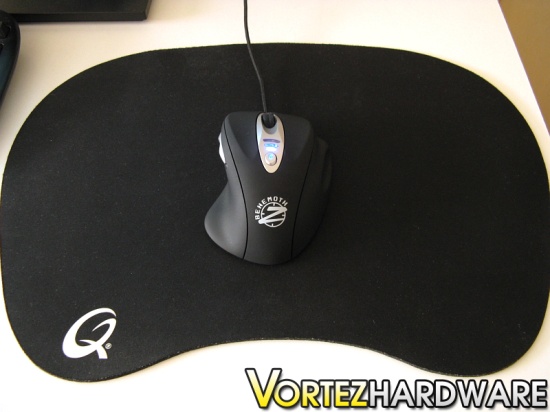
– Mouse pad: QPAD|UC Large
– Monitor: Dell 2209WA 22” e-IPS
Test Results
Test 1: Gaming performance and comfort in Counter Strike 1.6Counter-Strike 1.6 is still one of the most popular first person shooters in the world. Needless to say that landing headshots in this game is a prerequisite to victory. Yet, to kill another player with a headshot is never an easy task without the right mouse. Given its low 100 to high 3200 dpi and double laser sensor, the Behemoth is designed for utmost precision. Indeed, during a Counter-Strike session, I soon discovered that tracking precision with the Behemoth was one of its strong points. On-the-fly dpi switching proved to be very important when switching between weapons that required higher precision, such as the Magnum sniper rifle, to those that required less. The Behemoth is preconfigured with a dpi switcher that increases the dpi. This proved to be a minor inconvenience since it was a one-way switching, but configuring the side buttons to decrease or increase the dpi was handy. The Behemoth’s customization software and profiles became great tools here.
Test 2: Gaming performance and comfort in Warhammer 40,000: Soulstorm
Unlike Counter-Strike 1.6, Warhammer 40,000: Soulstorm is a real-time strategy game that focuses on management of resources and units. Precise tracking is no longer of great importance, but comfort becomes essential because the length of a game can easily stretch to hours. During a 2 hour gaming session of playing as the Space Marines, it did not occur to me that the mouse was uncomfortable to use. Indeed, the particular shape of the Behemoth hugged my hand in such a way that it eliminated all imminent cramps in my hand. Although my hand gripped the mouse more than usually given its palm grip type, the mouse was neither sticky nor awkward because of the sweat and heat coming from my hands.
In regards to gliding, I felt that the small mouse feet left some to be desired. Logitech’s G7 wireless laser mouse glided across the cloth pad much easier than the Behemoth. It is not to say that the Behemoth exhibited great resistance when moved, but it could have fared even better if larger mouse feet were used. As such, OCZ Technology should always consider including extra self-adhesive mouse feet, or use larger mouse feet. Furthermore, removing the 5 weights from the mouse improved its gliding. I found that only 2 weights near the thumb rest was the best option for my needs, as it offered the best glide and the most control by my hand.
Test 3: Tracking performance and comfort during an image cutting in Photoshop CS3
Unlike the two previous tests, image cutting in Photoshop CS3 requires slow and precise movements of the hand to make the final product look nice. The low 200 DPI and DPI switching were quite helpful as it allowed for selecting parts of the image slowly or quickly. Comfort of the mouse was fantastic, and no problems were noticed.
Conclusion
In terms of tracking precision, the large dpi range of the Behemoth allowed for quick movements to land headshots and for slow movements to gain a perfect image cut. Tracking performance from the double laser sensor was phenomenal. Gamers will be pleased to know that the mouse will not limit their gaming potential, if not increase it.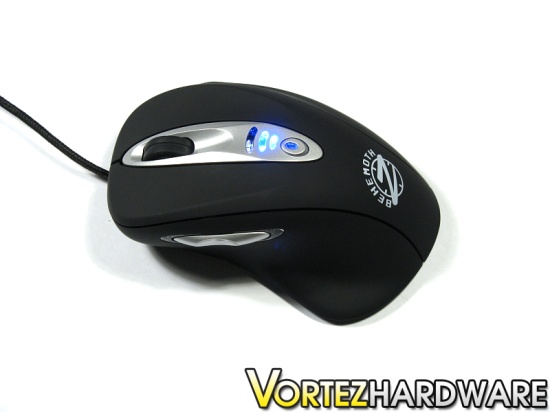
Elsewhere, comfort is the greatest selling point of the mouse. The Behemoth was designed with right-handed users in mind, and it does not fail to disappoint them. Even after lengthy usage of the mouse, the Behemoth did neither feel awkward nor uncomfortable to use. With its particular shape, the right hand could snugly grip the mouse like a glove. The added rests for the ring finger and the pinky were highly welcomed, and further increased overall comfort. Although gripping the mouse by the palm grip style rendered the hand prone to heating up and sweating, the mouse remained easy to grip thanks to the rubberized surface.
As a gaming mouse, customization is expected from the Behemoth. As it was found out, the simple and hassle-free software included with the Behemoth allowed for a multitude of functions to be assigned to the mouse\\\’s buttons. Customized settings can be saved onto the on-board memory under 3 different profiles to allow for instant usage without the need of special software, thus staying true to the term \\\”plug-and-play\\\”;. Asides from that, the weight system allows the mouse to be used by nearly anyone.
The OCZ Behemoth was made with three aspects in mind: tracking precision, comfort and customization. Without a doubt, OCZ Technology has hit the right key on each of these aspects, and has made a near-perfect computer mouse for right-handed users. To sweeten the deal, the OCZ Behemoth provides exceptional value by being easily found for $25.00CAD/15EUR, which is nearly half the cost of popular gaming mice currently on the market.
Needless to say, the Behemoth excels in all perspectives, and it is worthy of Vortez Hardware\\\’s gold award. I hope to see OCZ Technology make headway in the gaming peripherals market in the future, and continue to offer quality products with fantastic value.
Pros
+ Excellent tracking performance; up to 3200 dpi setting, and double laser sensor
+ Exceptional comfort and control; rests and grips for all fingers, smooth scroll wheel with near-perfect tactile feedback, and fabric wrapped cord
+ Extensive customization; up to 3 customizable profiles with macro and script support, weight system, and multitude ways to route the cord
+ Great value; low price compared to other gaming mice
+ Hassle-free and light-weight software that requires no installation
+ Nice blue and red LEDs for dpi mode and profile selection
Cons
– Basic accessories; extra mouse feet would preferably be included
– Bulky; physical size of the Behemoth will fit most hands, but some may find it too large
– Slightly stiff and noisy buttons; however, it only takes a few hours to get used to
– Small mouse feet; Behemoth\\\’s glide would further improve with larger mouse feet
To discuss this review please visit our forum.

