







Another week, another Ozone peripheral. We have their Radon 5k Laser Precision Advanced Gaming Mouse for review. Follow the link to see how it performs!
Product on Review: Radon 5k Laser Precision Advanced Gaming Mouse
Manufacturer: Ozone Gaming Gear
Street Price: Around £40
As promised here is the second Ozone gaming accessory review in as many weeks (8 days to be precise!) – the Ozone Radon 5k Laser Precision Advanced Gaming Mouse.

Despite their recent entry into the gaming peripherals market Ozone Gaming’s first reviewed product (a semi rigid mousepad) did extremely well. It’s clear they want to make an impact with their well designed products.
| Here’s a little from Ozone themselves: OZONE Gaming Gear, is an European brand of gaming peripherals that revolves around the concept “It’s all about Evolution”. OZONE is a brand created by and for gamers, the evolution is part of our gaming life, we all want to improve and evolve into a better gaming contender. OZONE is committed to the development, engineering and evolution of innovative gaming peripherals with an unique style and the best performance, to allow gamers to exceed their limits and become the best. It’s all about evolution. OZONE provides customers a wide range of gaming peripherals. Everyone from the occasional user to the professional gamer is ensured to find a OZONE product at a reasonable price which will fit their requirements to enjoy their favourite games. OZONE Gaming Gear, “It’s all about Evolution”!! |
Their TRACE mousepad was an excellent performer so let’s take a look at the Radon 5k to see if it measures up.
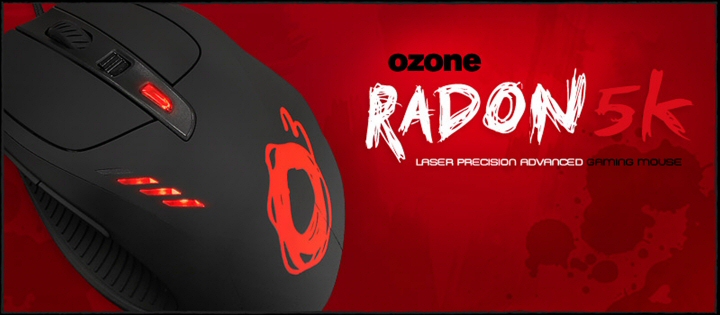
Specifications
These are the specifications provided by the Ozone website. A very well specified ultra high resolution Laser mouse with an adjustable weight system.
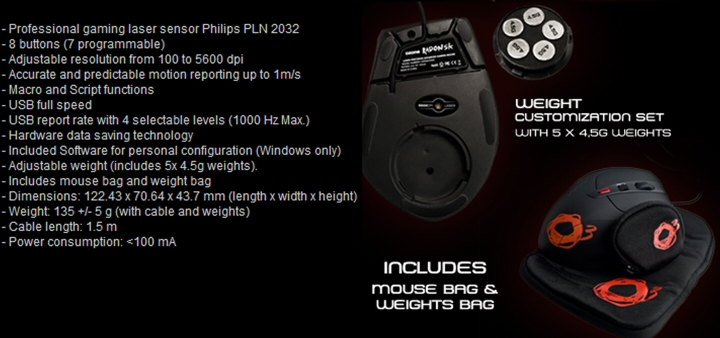
| Here’s what Ozone have to say about the Radon 5k: Radon is an ultimate professional gaming mouse, so it has some features that will make your life as a gamer much easier. We want you to feel the game as real as never before. This has become possible with Radon’s Philips PLN Ultimate Laser Sensor, which covers a wide range from 100 to 5600 dpi, taking you to the next level in gaming experience and freedom of movements. There isn’t a tiny possibility that you might lose control with Radon, because it also has accurated and predictable motion reporting up to 1m/s, which is a great feature when you want high precission in what you do. There are certain things a gamer, would appreciate. Radon has a lot of them, but more precisely we’re talking about the possibility of setting macros for all buttons in 3 different profiles, also you can store all the setup and drivers on the built-in memory. You can customize your Radon’s weight with a set of 5 x 4,5g weights, also, it has extra large buttons and an ergonomic design, so you can spend many hours enjoying its multiple features with the maximum comfort. Radon will become your favourite weapon, because it has so many advantages for a gamer, that once you test it, you won’t be able to live without it. Glory is just a few clicks distance. Reach it. |
Packaging and mouse
The Radon 5k comes in packaging that clearly shows off the mouse itself. As with the mousepad we tested recently it’s typical Ozone branded colouring too in a red, black and white livery.
The front is an almost completely clear plastic design to fully display the mouse.
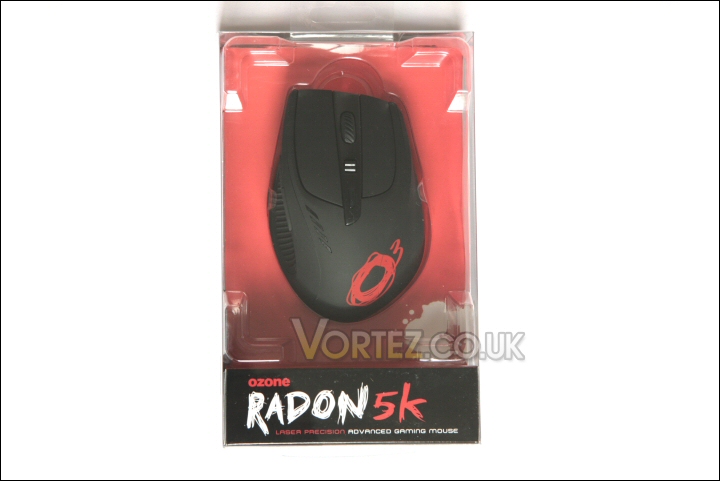
Packaging.
The rear outlines some of the more important features and specifications of the Radon 5k.
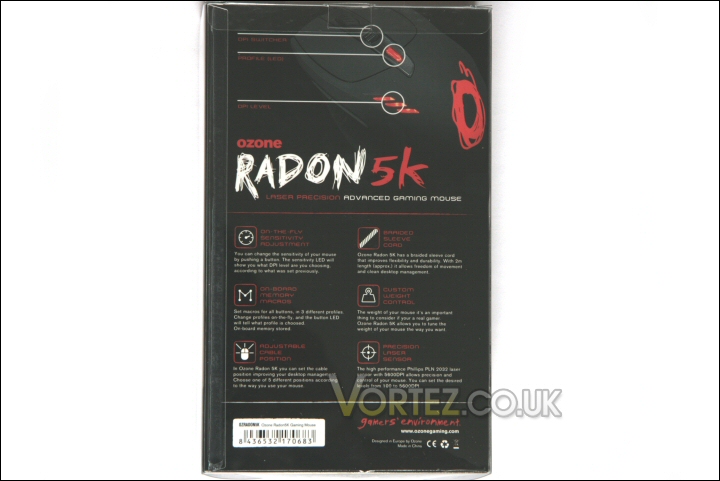
Packaging rear.
Out of its packaging the mouse looks to be a purposeful looking item – not brash or in your face.
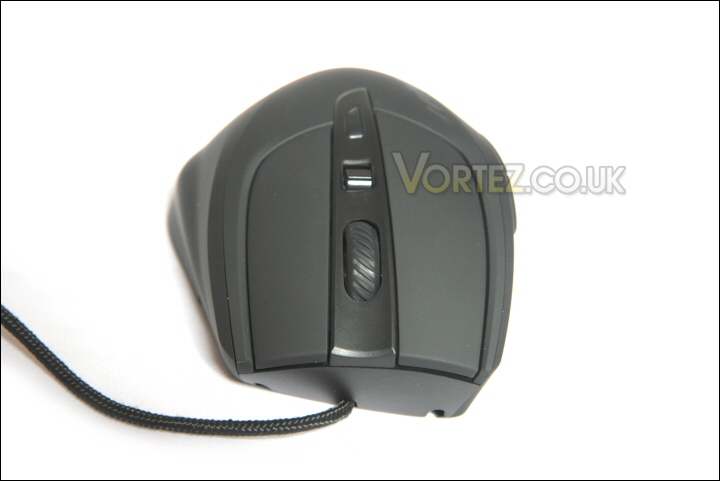
Front of the Radon 5k.
The left side – spot that ribbed thumb hold section and it’s clearly designed for right handed users only.
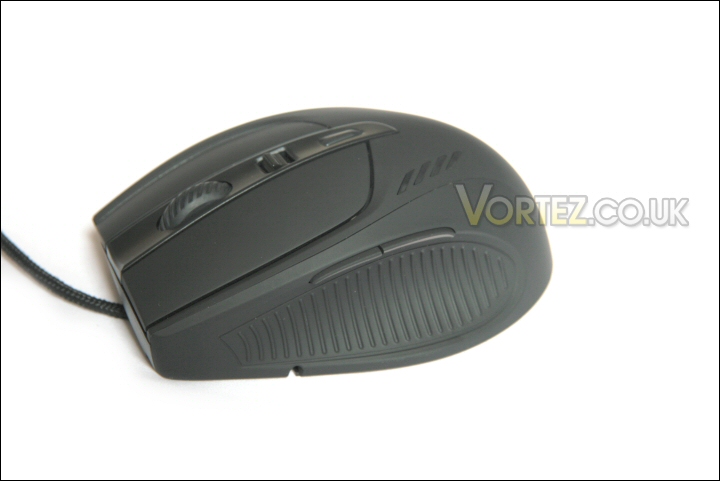
The left side.
The right side shows the only major flare the Ozone logo emblazoned across its rear quarter.
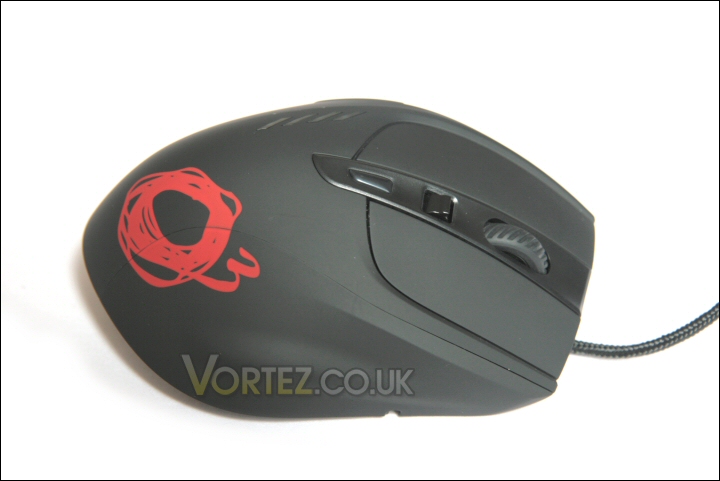
The right side.
The logo is clearly the focal point from the rear too.
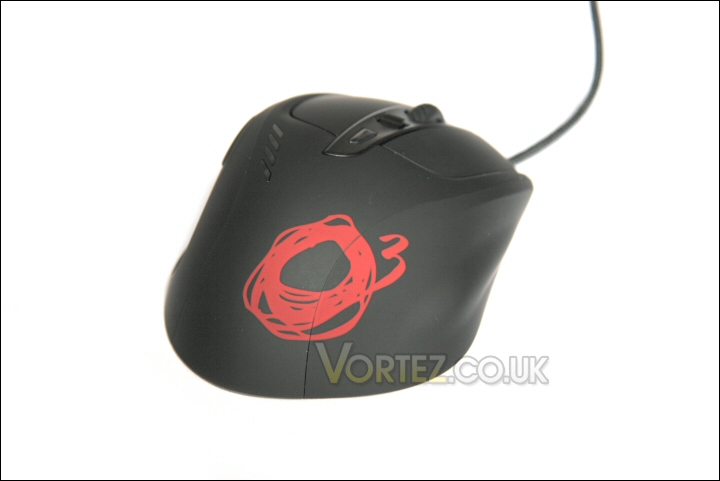
The large Ozone logo.
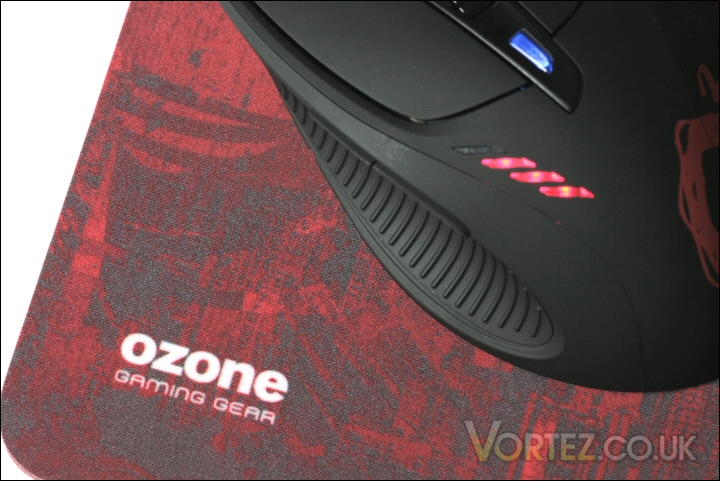
The only features apparent besides the logo are the DPI sensitivity indicators on the upper left side.
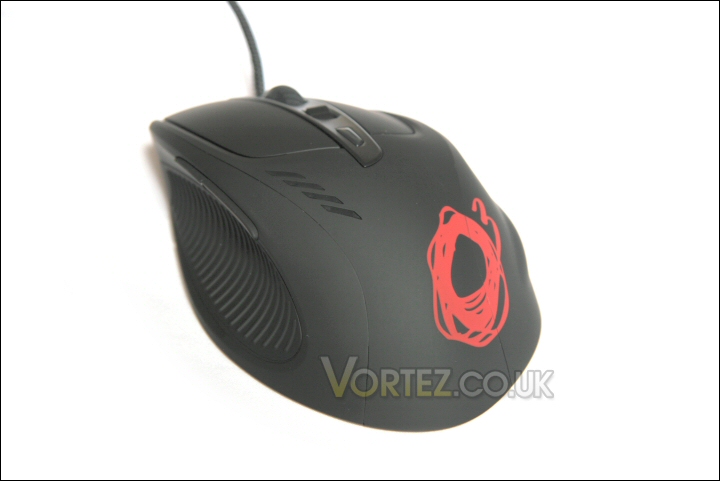
The rear left side.
Contained within the rear portion of the packaging is the Radon configuration utility and user manual on a small CD, quick guide, a carry pouch for any of the five 4.5g weights you choose not to use and another carry pouch for the mouse itself.
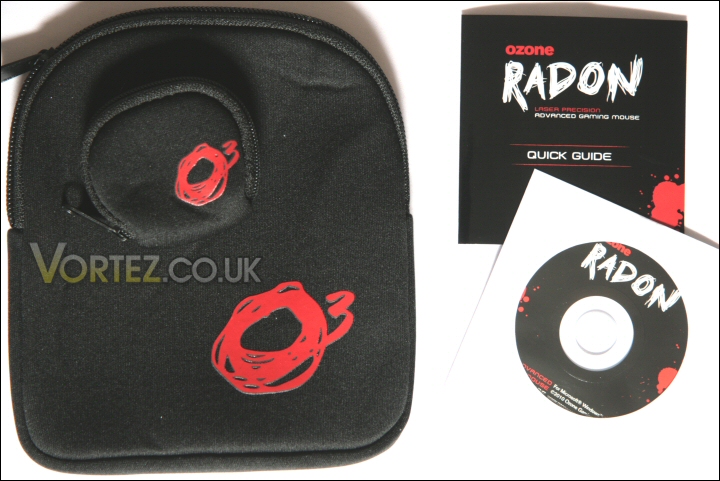
The extras – Quick guide, pouches and utility/manual disk.
Closer look
Taking a look round the mouse I’ll point out the various features and functions offered by the Radon 5k.
The front of the mouse contains the usual left and right main buttons and the ever trusty scroll wheel. In the case of the Radon 5k it is a knobbly ridged affair which is easy to reach and perfectly placed between the two primary buttons.
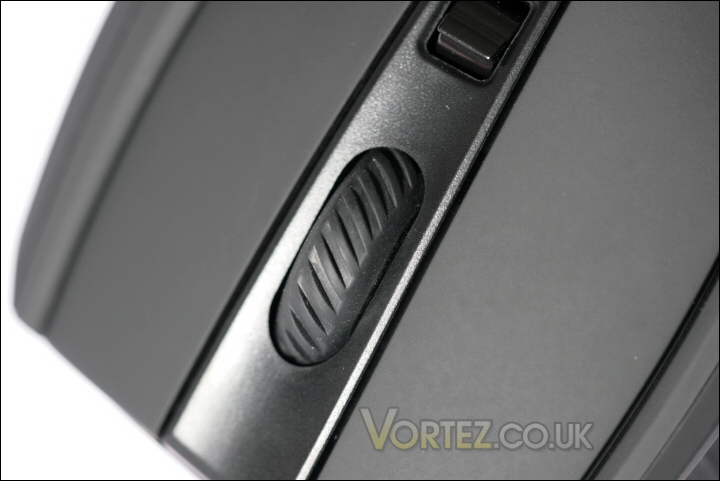
The main front buttons.
Above the scroll wheel are the small DPI sensitivity switch and the colour coded macro activation button.
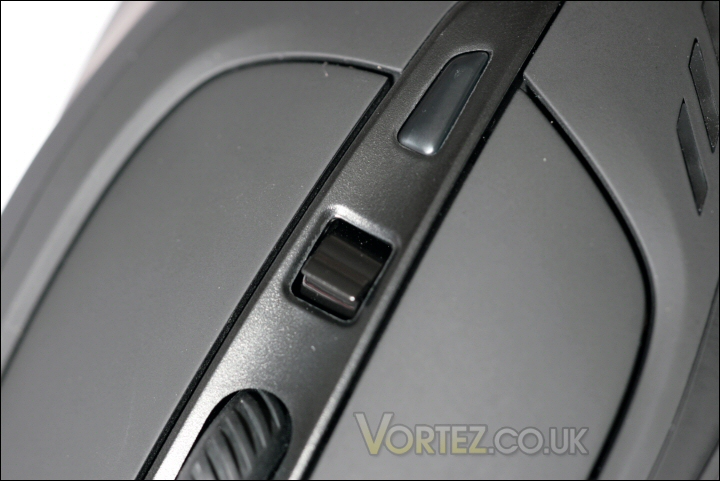
DPI and macro control.
Rather than most designs which are either a single or double button affair the DPI switch on the Radon 5k moves both forward and back to allow the easy and quick selection of the required DPI. You have four user selectable DPI levels that can be selected to range from 100dpi to 5600dpi.
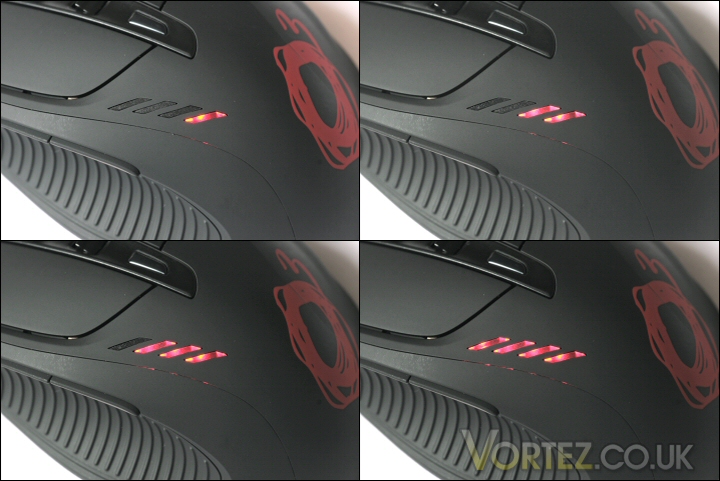
The DPI level indicator.
The macro button is a standard single button design so you need to press it until it lights up in the colour that reflects your chosen macro command set. Once again there are four positions available. 3 user defined macro setups and an off position.
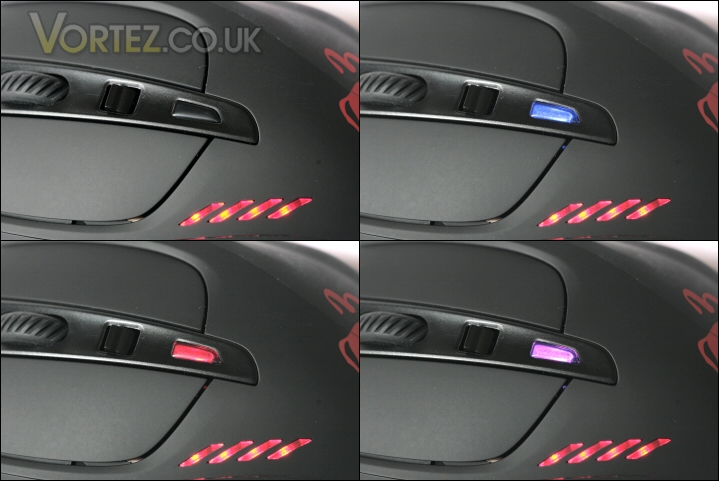
The macro button change colour for each setting.
Around the left side are the standard forward and back buttons. Some manufacturers prefer to place the buttons slightly lower so the users thumb is on them at all times while others (like Ozone in this instance) have them sitting just above the thumb location. It isn’t my ideal position but it does mean that you get the full ‘grippy benefit’ of that ridged thumb surface.
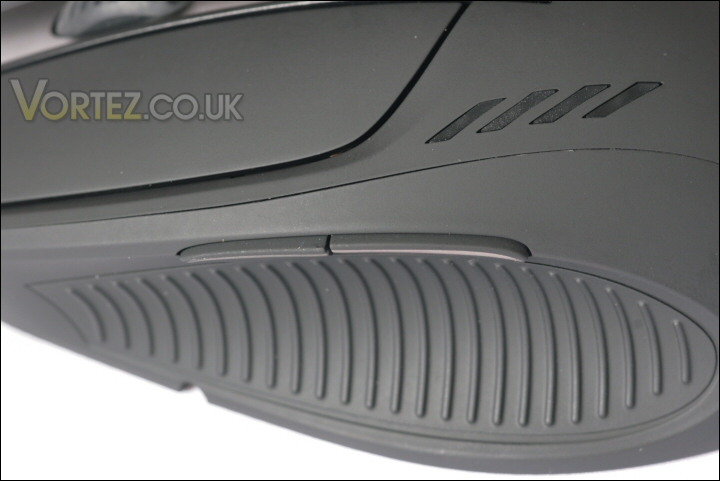
Large thumb grip.
Closer look continued
The underside of the radon 5k presents you with five low friction pads, the specialist Philips PLN 2032 laser optics and both cable and weight management.
Taking a look at the upper portion of the Radon you can see that there are five possible routes for the cable to be passed through. It’s not something I’d ever considered but having thought about the effect the cable can have on the movement of the mouse it seems like a useful feature that should help tailor the feel of the mouse for individual users. Also present is the 5600dpi Laser assembly and four of the low friction pads.
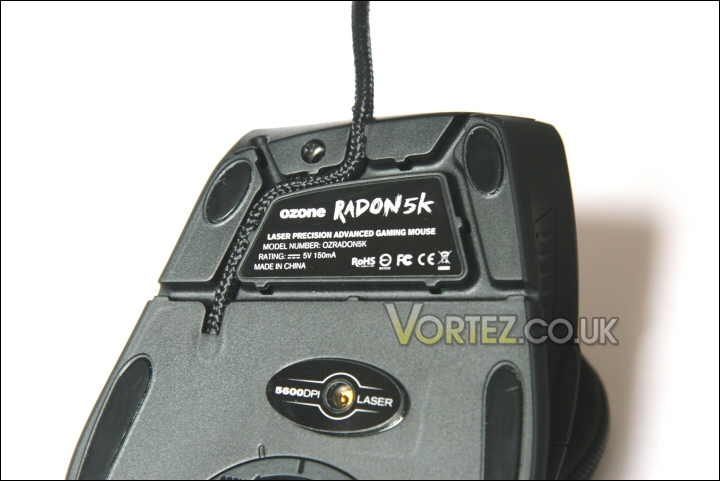
Cable routing – useful feature.
Below this is the weight customisation compartment and the last of the five low friction pads. The compartment door is easy to operate and doesn’t interfere with the smooth movement of the mouse.
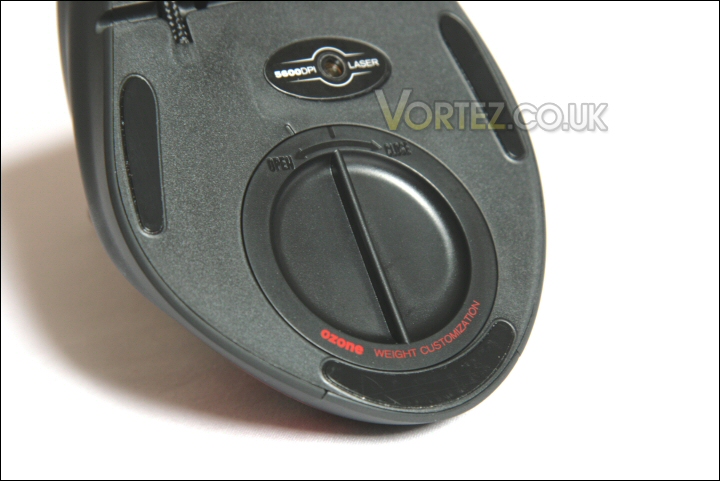
Weight compartment securely closed.
Once open you can see the five 4.5g weights. They’re securely held in place within the sturdy foam cut outs and yet are easy to remove when a lighter mouse is wanted.
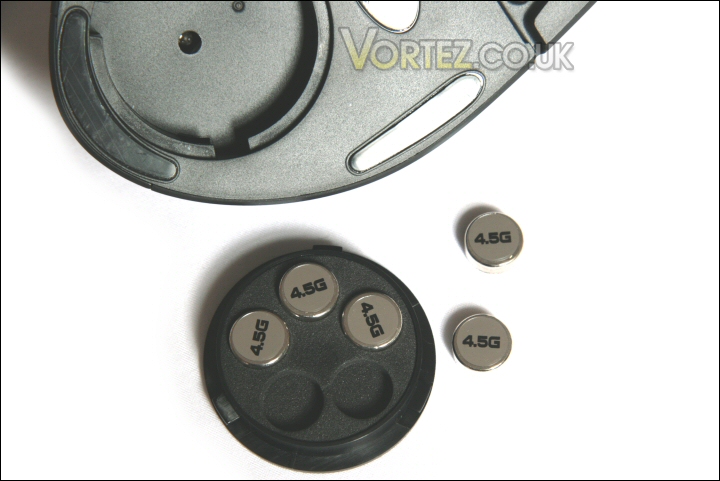
Flexible weight system.
The Radon 5k’s cable is around 2m long and braided for protection – it also looks great too.
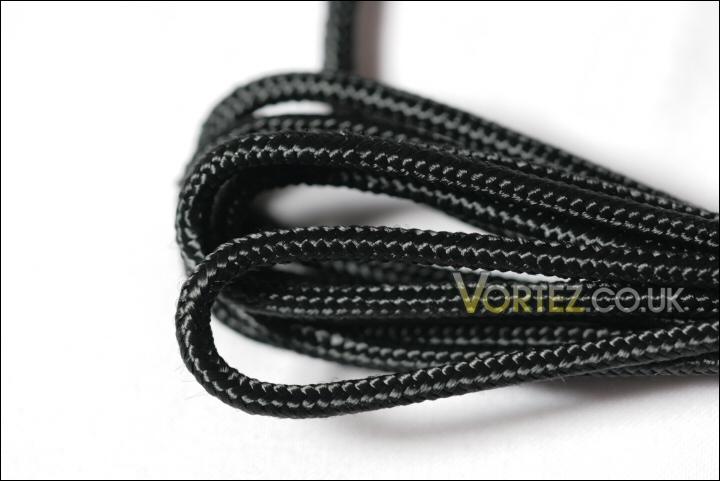
A long braided cable.
At the end of the cable is the obligatory USB plug. As befits a mouse of this calibre it’s a nicely moulded gold plated design that should stand the test of time well.
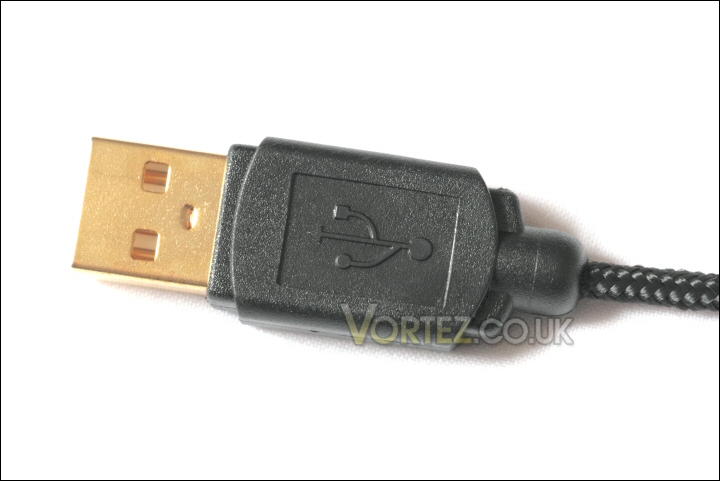
Gold plated USB.
Software
The Radon 5k is supplied with the Radon ‘Gaming Mouse Customisation Software’ utility program.
Rather unusually it is not installed as a separate program – it is in fact a single executable file that you can place anywhere and activate whenever you need. All the base settings are held within the Radon 5k mouse itself this is simply an interface to change those settings. This is quite a nice feature since it means you can modify any of the settings you want and then close down the suite – in essence that means there’s one less active process running in the background. Nice.
Upon initial start up you will get the following ‘no mouse’ message if the Radon isn’t already plugged in and installed.
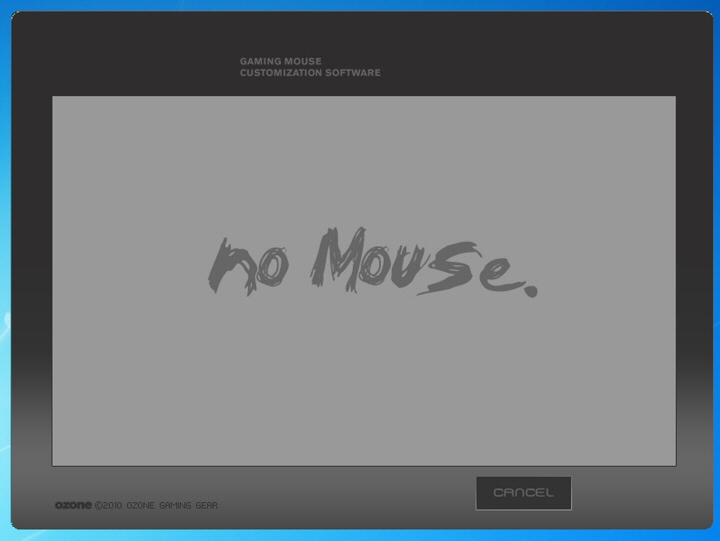
No mouse.
Once the program detects your Radon 5k you get the ‘loading’ screen – this is only present for a couple of seconds whilst the mouse and program synchronise their settings.
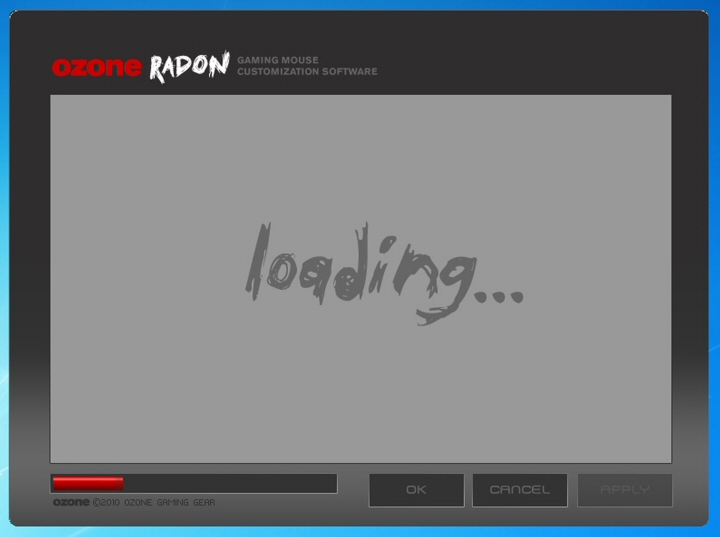
Loading screen.
When synchronisation is complete you are presented with the ‘profile’ screen – from here you have access to the user definable buttons as well as the ability to set macros up for up to three scenarios.
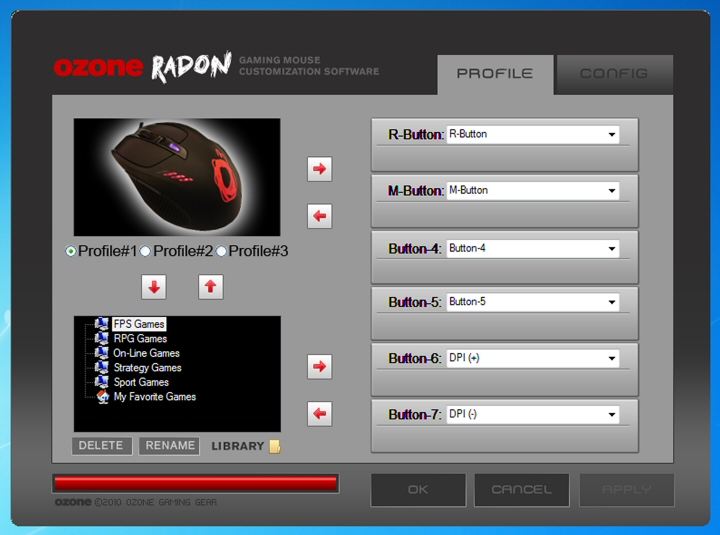
Profile screen.
You can change individual button settings by opening the drop down menu and selecting the change you’d like to make.
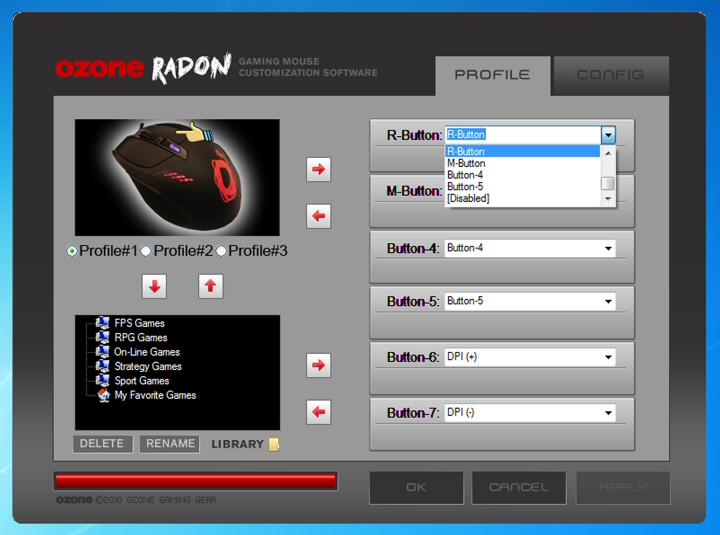
Editing the profile screen.
Lastly you get the ‘config’ screen. From here you have control over the number of DPI level choices, the DPI level over the four possible choices and the USB report rate. I quite like the feature at the top of the screen to restrict the number of assignable DPI levels. For example a user may only want a couple of levels available at a time – with four on the go as standard they might accidentally select an ultra high and unneeded DPI level during a game. Most annoying! The ability to tailor the switch to restrict your choice from four to two for example is an excellent touch.
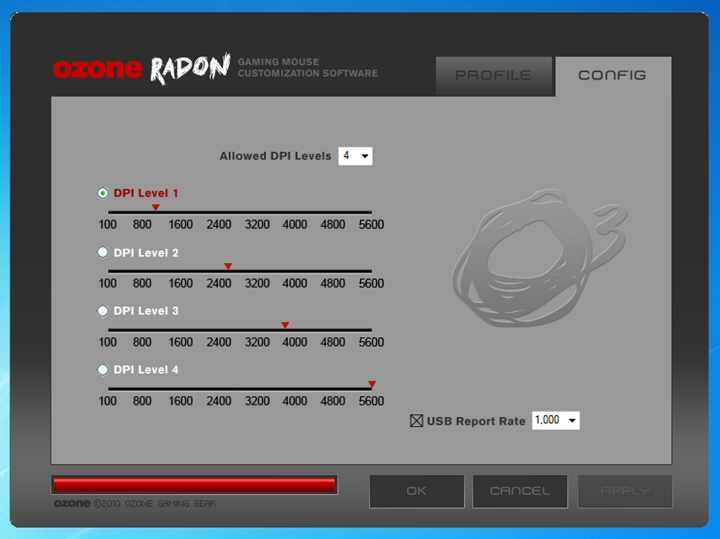
Config screen.
Once you have made any changes on either the ‘profile’ or ‘config’ page you can either select ‘APPLY’ to make the change but leave the console open or ‘OK’ to make the change and close the console.
As the Meerkat would say… SIMPLES!
Testing
As with the recently tested Ozone TRACE the Radon 5k was put up against a selection of mice – specifically the Razer Deathadder, Razer Diamondback and the Microsoft Laser Mouse 8000. I also used both Ozone’s own TRACE mousepad and a Boogiebug soft mousepad for testing.
One thing I’d had issues in the past with was the tendency of laser mice to exhibit tracking issues during high acceleration movements. This manifested itself as a lack of point to point accuracy during a mouse sweep. The mice I had issues with (before returning to infra red optical mice for a period) were the Saitek GM3200 and the Razer Copperhead. Neither of these were remotely bad mice I just got the impression that they weren’t doing exactly what I’d asked during these extreme usage moments.
Initial install is a doddle thanks to the plug and play nature of the mouse. No need for specific drivers or even the utility suite that came bundles on the disk that came with the mouse. Just plug it in and Windows will install it for you.
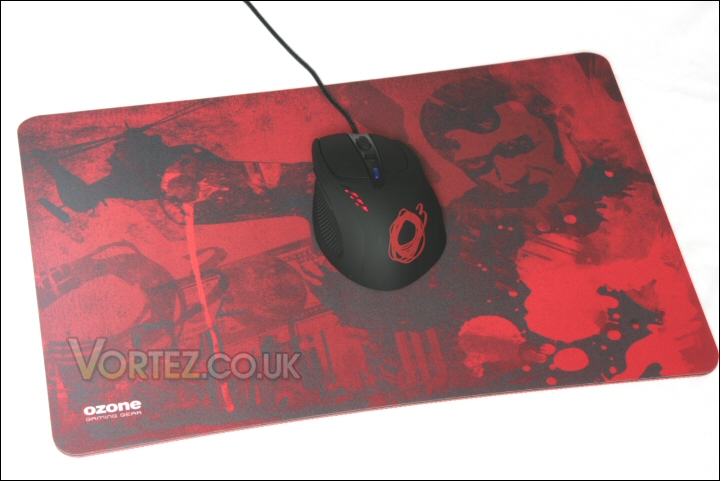
The Radon 5k sat on the Ozone TRACE mousepad!
In operation the Radon 5k proved itself to have a very natural feel indeed. Far more in keeping with my beloved Deathadder. It sat well in the hand and filled the entire palm which seemed to reduce fatigue by a decent margin during use. It also worked well on both the Boogiebug and Ozone’s own TRACE mousepad with no tracking issues at all. The weight system that Ozone have employed gives the Radon 5k the perfect feel – I actually found it’s fully laden weight the best allowing smooth but accurate movement.
Changing DPI and Macro settings was quick and simple thanks to the elegant placement of the control buttons. I don’t tend to utilise varying DPI as I find somewhere between 1600 and 1800 to be perfect. That said, I did test the mouse at various sensitivities and the Radon 5k did very well indeed. It was always accurate and thanks to the excellent and straightforward suite offered by Ozone it was easy to setup.
Office based tasks were taken in their stride by the Radon 5k. Accurate and dependable are words that spring to mind. Add to that the comfort factor of that palm filling curved body and it’s actually a very impressive result for what is expressly advertised as a high end pro gaming mouse.
Now we can move onto the Radon’s primary reason for existing… gaming! For this section I used Far Cry 2, Crysis Warhead and Blacksite during testing. Yet again the mouse performed excellently. It soundly outperformed the Microsoft Laser Mouse 8000 and was an improvement over the Diamondback. It’s responsiveness and accuracy virtually mirrored the Deathadder – it only lost out at the absolute ragged edge of dead accuracy!
Conclusion
In Ozone\’s previous review I said that \’hopefully this is a sign of things to come\’ and it is indeed since the Radon 5k is an exceptional mouse.
Given the high end competition this is quite honestly an astonishing result since the Deathadder has had the benefit of years of driver and firmware updates to perfect it\’s accuracy and control. Remember, in complete contrast, the Radon 5k is factory fresh which means it\’ll be interesting to see how much this mighty mouse can improve.
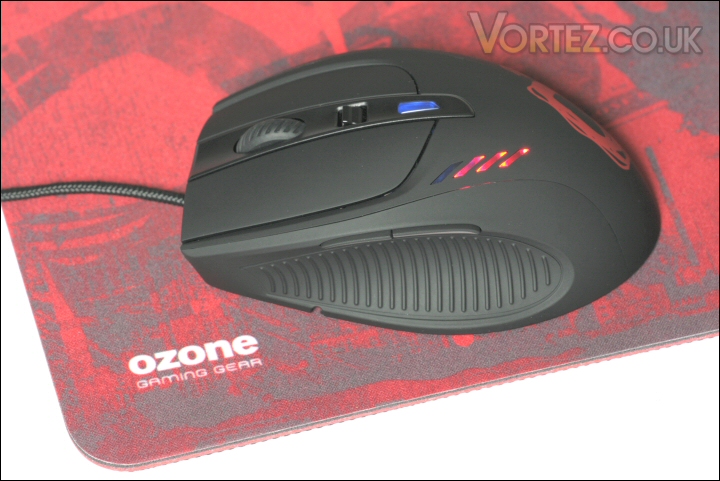
The excellent Ozone Radon 5k Laser Precision Advanced Gaming Mouse!
It\’s well specified, nicely presented, flexible and a great designed that is excellently executed.
As with the recent TRACE review I would say that it\’s price again places it firmly alongside other similar gaming peripherals from companies like Steelseries and Razer… not that this should be an issue when the product is so competitive and comparable.
In conclusion, the Radon 5k is an instant classic in my book. It\’s plug and play ease combined with its pure performance and comfort during use make it one of my favourite all time mice. So, another great result for Ozone – they might be wet behind the ears but it certainly doesn\’t show!
All in all the Ozone Radon 5k has achieved Gold status here at Vortez.
Pros
+ Great design
+ Reasonably priced
+ Weight and cable systems are very useful
+ Good looking
+ Comfortable in use
+ Highly accurate
+ Software utility is easy to use and effective
+ Absolute plug and play compatibility
Cons
– Nothing at all from what I can see
+ Great design
+ Reasonably priced
+ Weight and cable systems are very useful
+ Good looking
+ Comfortable in use
+ Highly accurate
+ Software utility is easy to use and effective
+ Absolute plug and play compatibility
Cons
– Nothing at all from what I can see
Vortez would like to thank Ozone for supplying the Radon 5k Laser Precision Advanced Gaming Mouse for review. Discuss this review on our forums.
