Patriot have redesigned the V570 gaming mouse, removing the garish colours and going with an all-black design. Find out what we thought.

Product on Review: Patriot Viper V570
Manufacturer: Patriot Viper
Street Price: £49.99 / $69.99
Patriot is a well-established manufacturer within the DRAM and Flash Storage sector but they don’t possess quite the same presence within the peripherals market yet. Patriot have set up a gaming brand under the Viper tag, producing high-end gaming peripherals including keyboards, mice, headsets and mousemats.
Today we take a look at the Patriot Viper V570 gaming mouse, the Blackout Edition, to be precise. This version foregoes any of the red accents found on the original model for a much more understated and minimised appearance.
The Viper V570 is a right-handed ergonomic gaming mouse, featuring 7-zone customisable RGB lighting, a 12,000 DPI laser sensor, thirteen programmable macro keys, five ceramic feet and an adjustable weight system.
The weight system is perhaps the most intriguing feature; this was something manufacturers were keen to employ only a few years ago but we don’t tend to see it as often now. The weights can be used to alter the weight outright, or placed strategically to alter the balance. We’ll be sure to find out whether this is merely a gimmick or if there’s a tangible difference.
£50 for a 12,000 DPI sensor, RGB lighting and adjustable weight from a reputable brand, this all seems a little too good to be true – read on to find out what we think.
Manufacturer on the product:
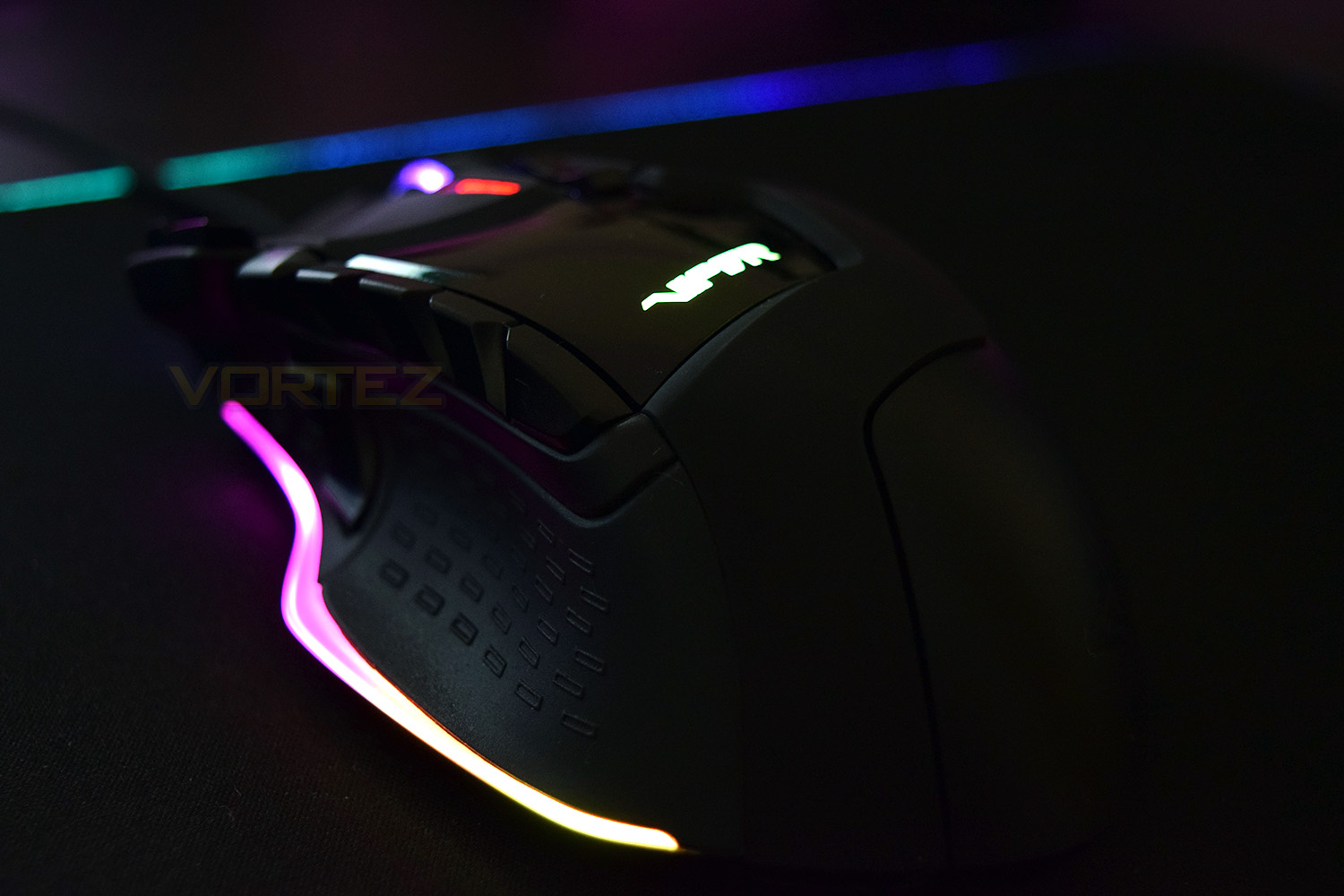
The Patriot Viper V570 RGB Blackout edition gaming mouse gives you the ability to customize your mouse to match any colour theme you desire with full spectrum RGB lighting throughout seven different colour zones on the mouse.
Technical Specifications
FEATURES:
• Xtreme Precision Laser Sensor
• Up to 12000 DPI
• Multi-zone customizable RGB LED management
• Advance MMO+FPS all-in-one ergonomics
• RGB customizable profiles
• 13 programmable macro keys
• Ceramic foot pads for maximum performance
• DPI LED indicator
• Adjustable weights of up to 34.2g
• Zero Delay
SPECIFICATIONS:
• 8000 DPI hardware/12000 DPI software
• Light source: Laser
• IPS: 150
• Polling rate: 1000Hz
• Switch: Omron (10M clicks)
• Sensor: Avago ADNS-9800
• Controller: Sonix
• Xtreme Precision Laser Sensor
• Up to 12000 DPI
• Multi-zone customizable RGB LED management
• Advance MMO+FPS all-in-one ergonomics
• RGB customizable profiles
• 13 programmable macro keys
• Ceramic foot pads for maximum performance
• DPI LED indicator
• Adjustable weights of up to 34.2g
• Zero Delay
SPECIFICATIONS:
• 8000 DPI hardware/12000 DPI software
• Light source: Laser
• IPS: 150
• Polling rate: 1000Hz
• Switch: Omron (10M clicks)
• Sensor: Avago ADNS-9800
• Controller: Sonix
Packaging & Bundle
Despite being under Patriot’s umbrella, the packaging states very little about the company. Surprising, really, when considering the popularity of Patriot within the industry.The front of the box shows off the main features and a vibrant image of the V570 mouse.
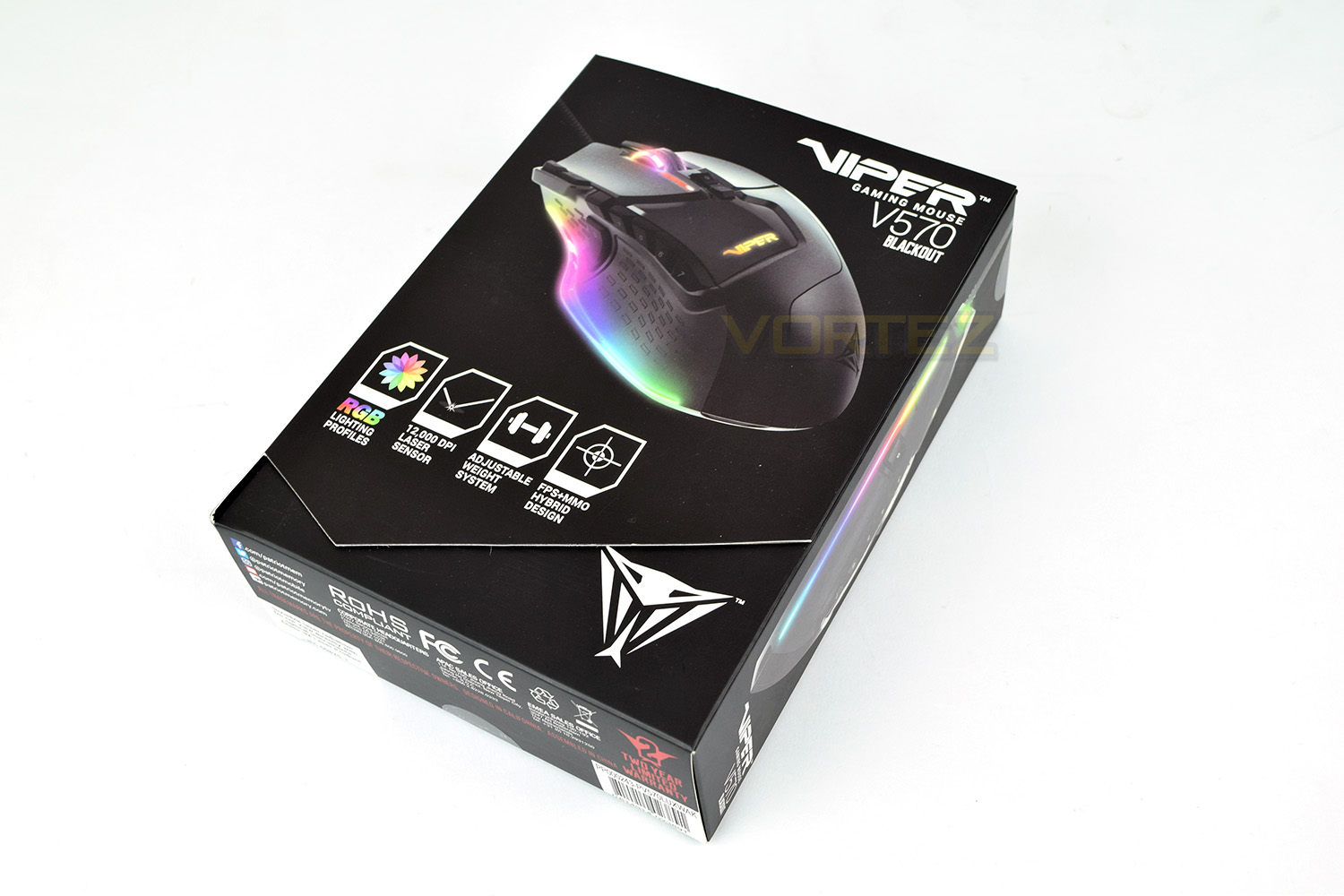
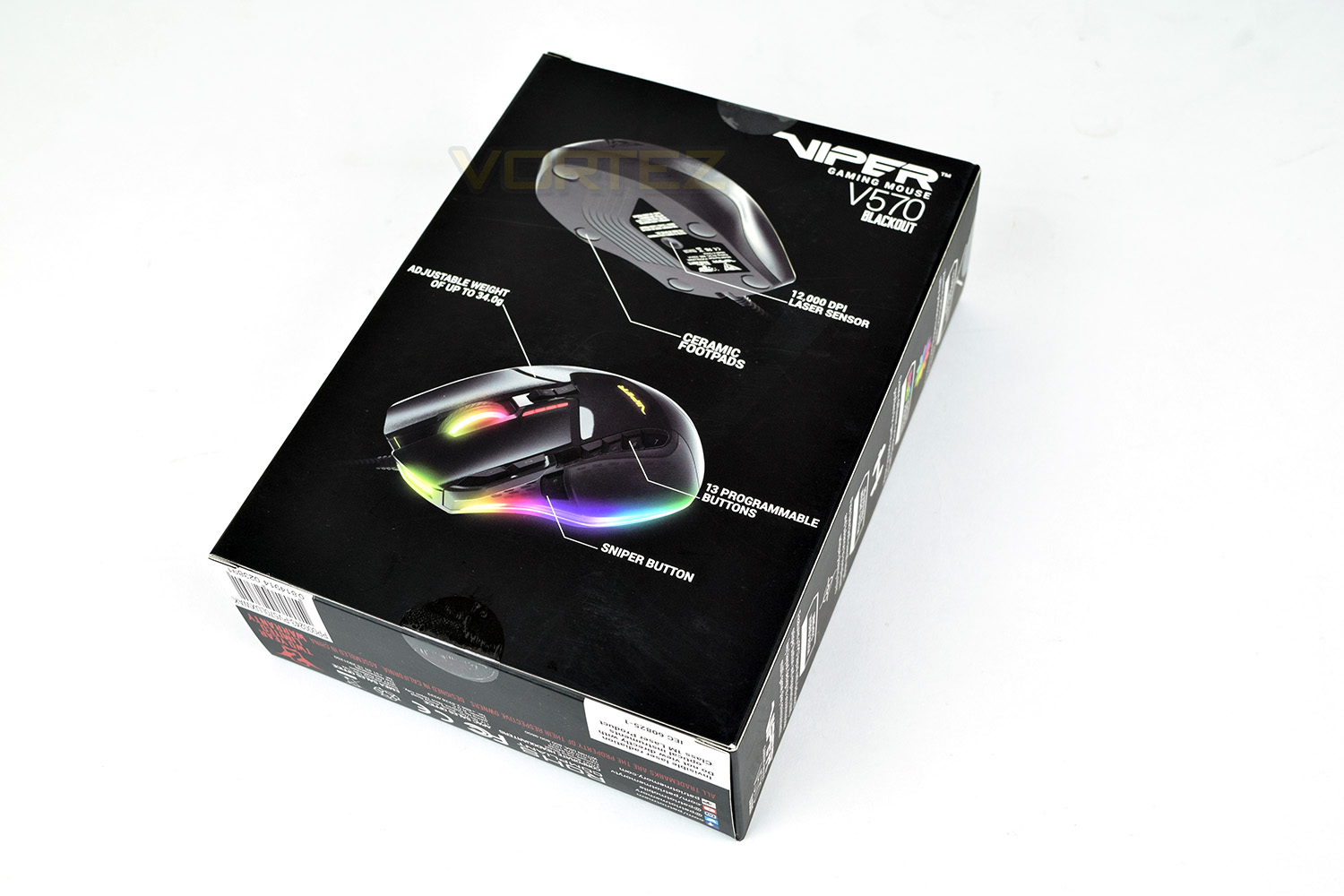
Flipping over, Viper have annotated a couple of images with the stand-out selling points.
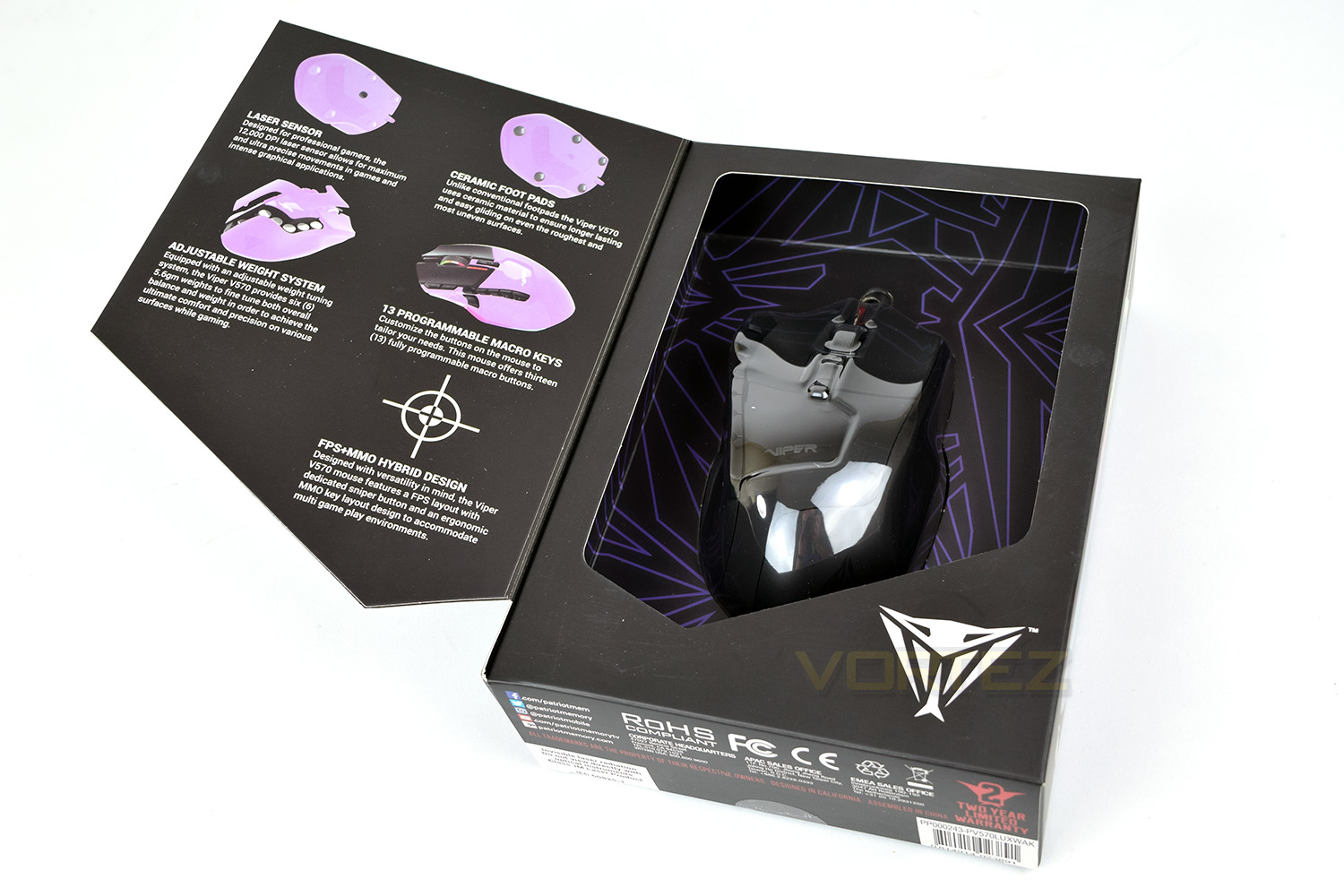
The front of the box lifts open to reveal the mouse, held in place by a thin sheet of clear plastic. There’s also a more in-depth description of the sensor, ceramic glides, weight system and macro keys.
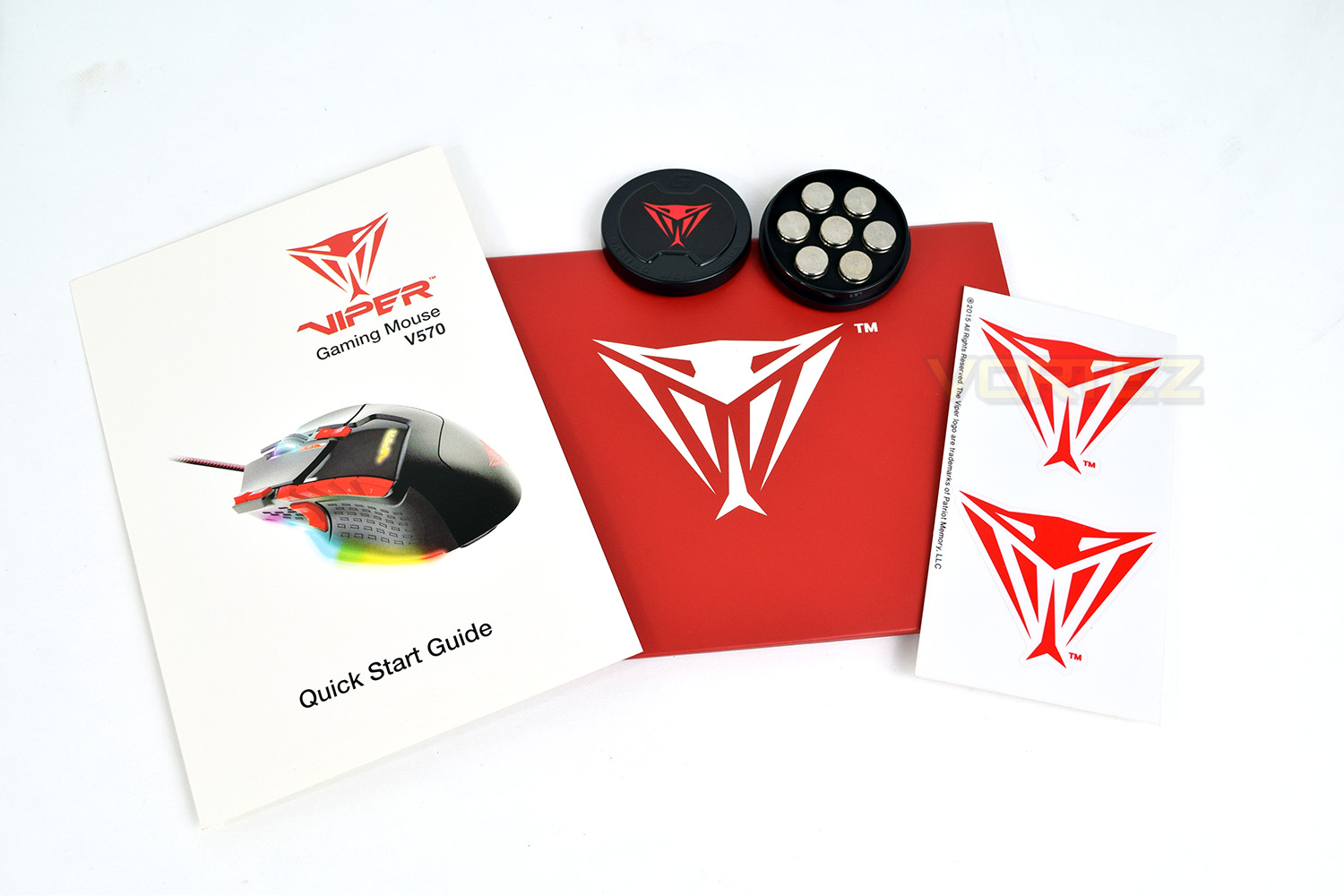
Along with the Viper V570 you get a couple of vibrant red stickers, a quick start guide (with the wrong image on) and of course, the weights for adjusting the mouse; the weights are held in place within a small plastic container.
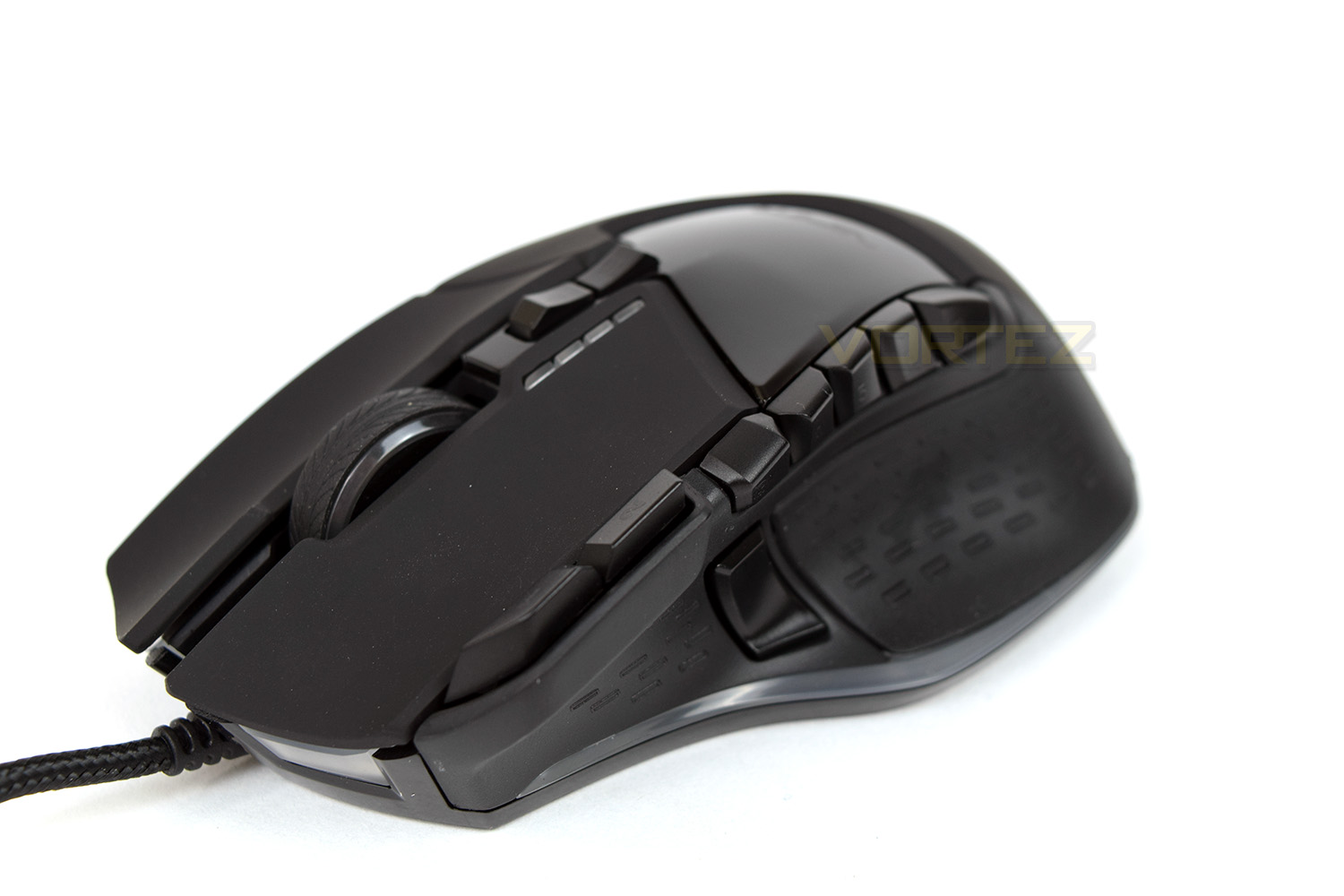
Upon first inspection, the mouse is incredibly “busy” – there’s buttons everywhere, different materials used on almost every section and lighting strips placed anywhere possible. The crazy design is very different to most mice, providing a degree of variation to the customer; choice is always good.
Closer Look
Starting off with the front, you would be forgiven for thinking the scroll wheel looked like a car tyre. The matte finish on the right and left click is different to the glossy plastic used for the buttons and enclosure. You can also see “button 1” and “button 2”, the start of 13 macro keys on the mouse.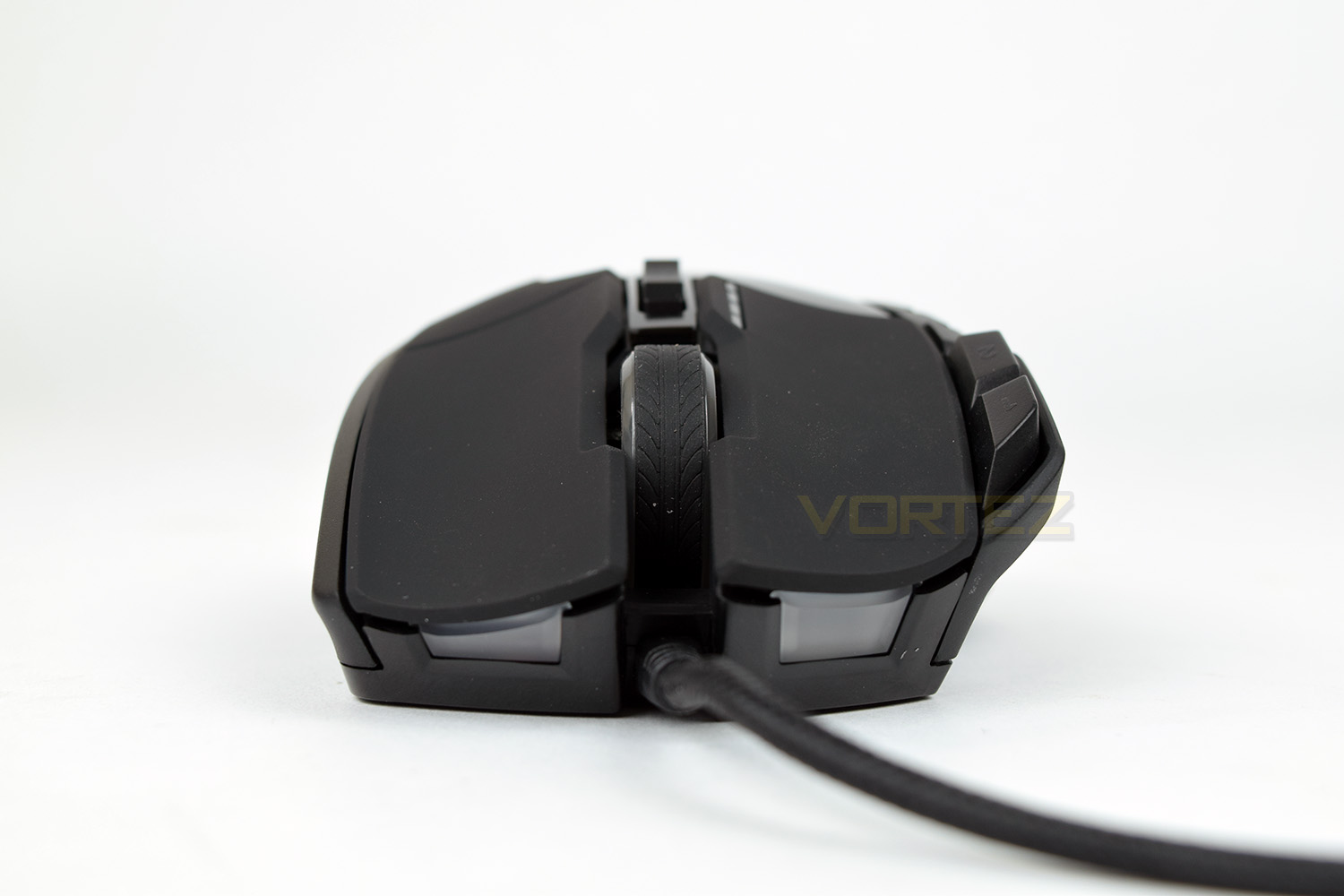
The left-hand-side of the mouse isn’t short of features. The translucent strip along the bottom facilitates the RGB lighting with four LEDs hidden behind. Above that is the “Sniper button.” When pressed, the DPI of the mouse is lowered to a pre-determined level to aid accuracy while “scoped in.” You will also notice the rubber grips along the side, with an alternating tread pattern to improve grip. There’s also the very obvious buttons along the top ridge, they’re designed to be assigned a specific function/macro within your favourite games.
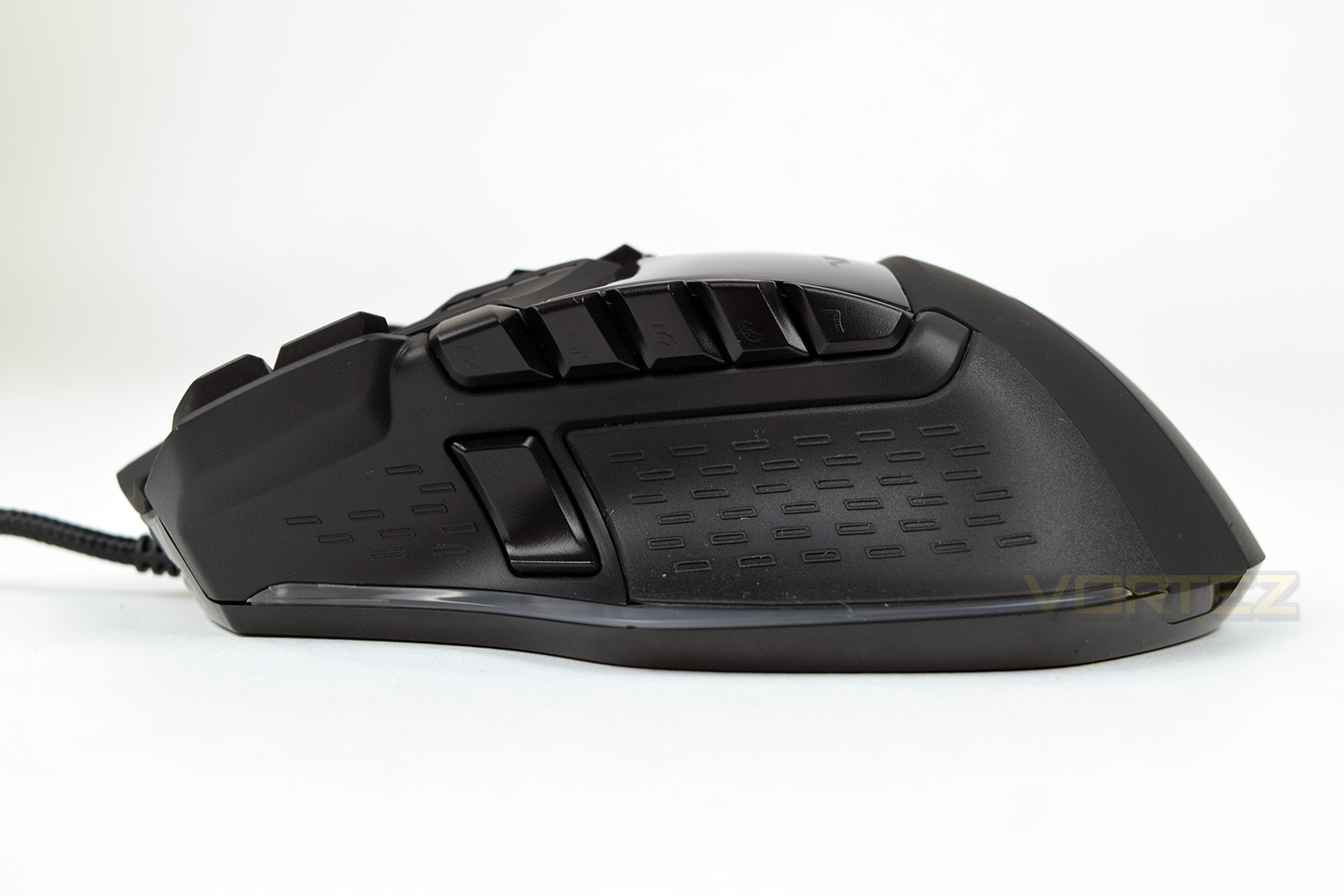
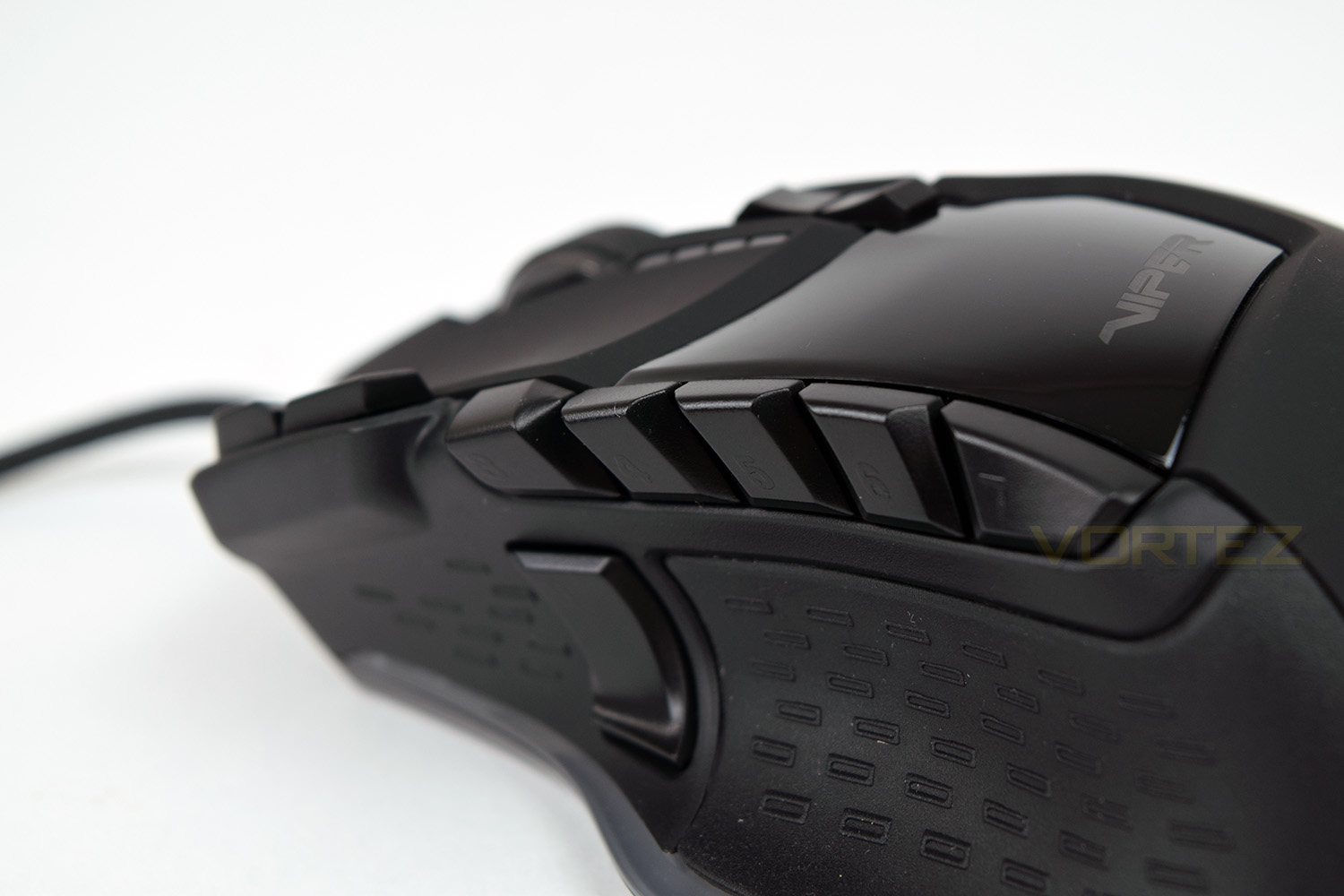
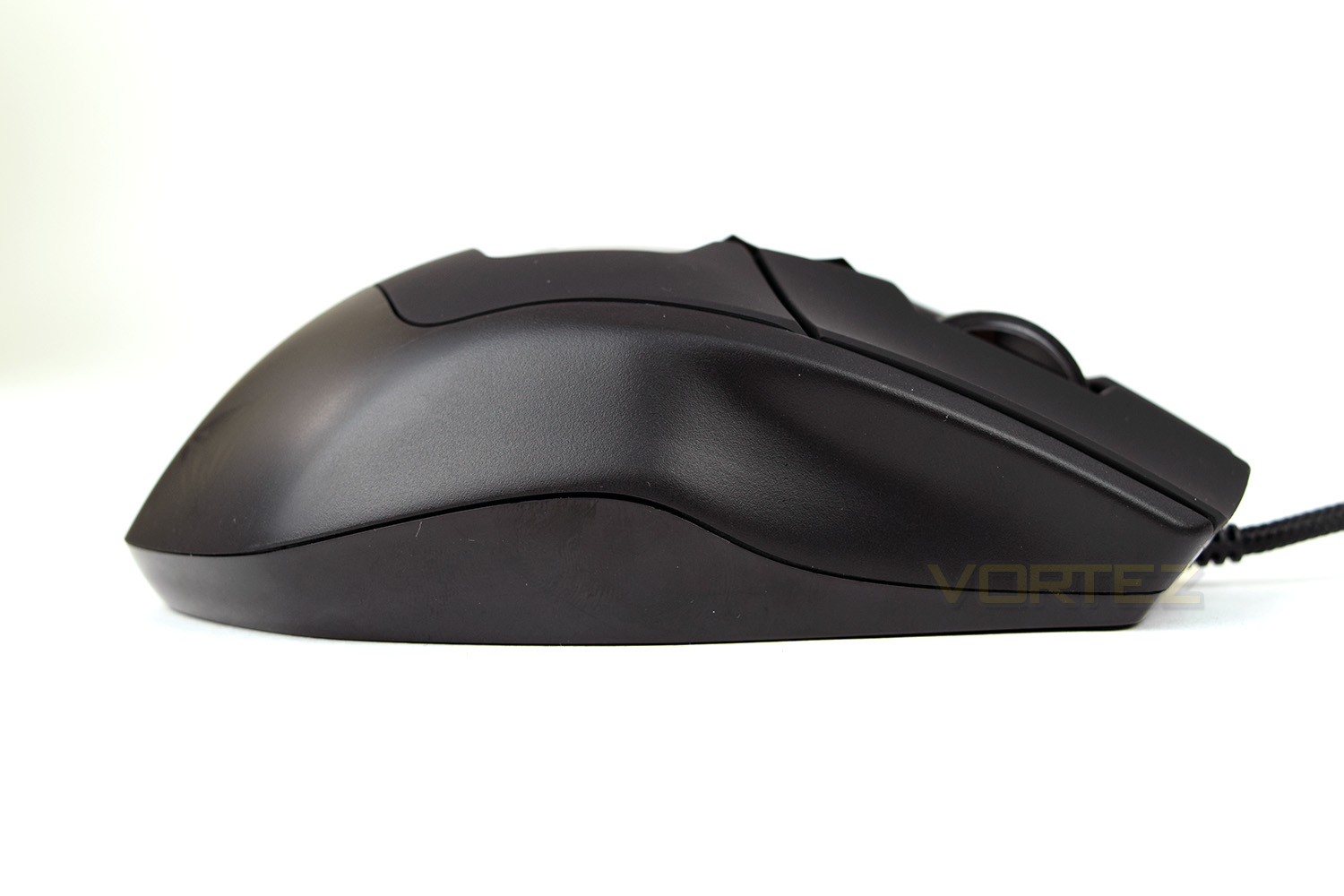
Unfortunately, the right-hand-side isn’t as interesting as the left, featuring some small ridges for the outer fingers to aid in comfort.
The V570, from above, is a very shapely mouse, curves and bumps are everywhere, but they’re all designed with comfort in mind.
Behind the scroll wheel are a couple of buttons which would usually control the sensor sensitivity, however, on the Viper V570, they’ve done things a little differently. The forward button toggles between five profiles which are configured within the Viper software, whereas the rear button toggles the DPI between four presets; just to the left of those buttons are four LEDS, the colour changes to indicate which profile you have selected and the number of lights illuminated signifies the chosen DPI level.
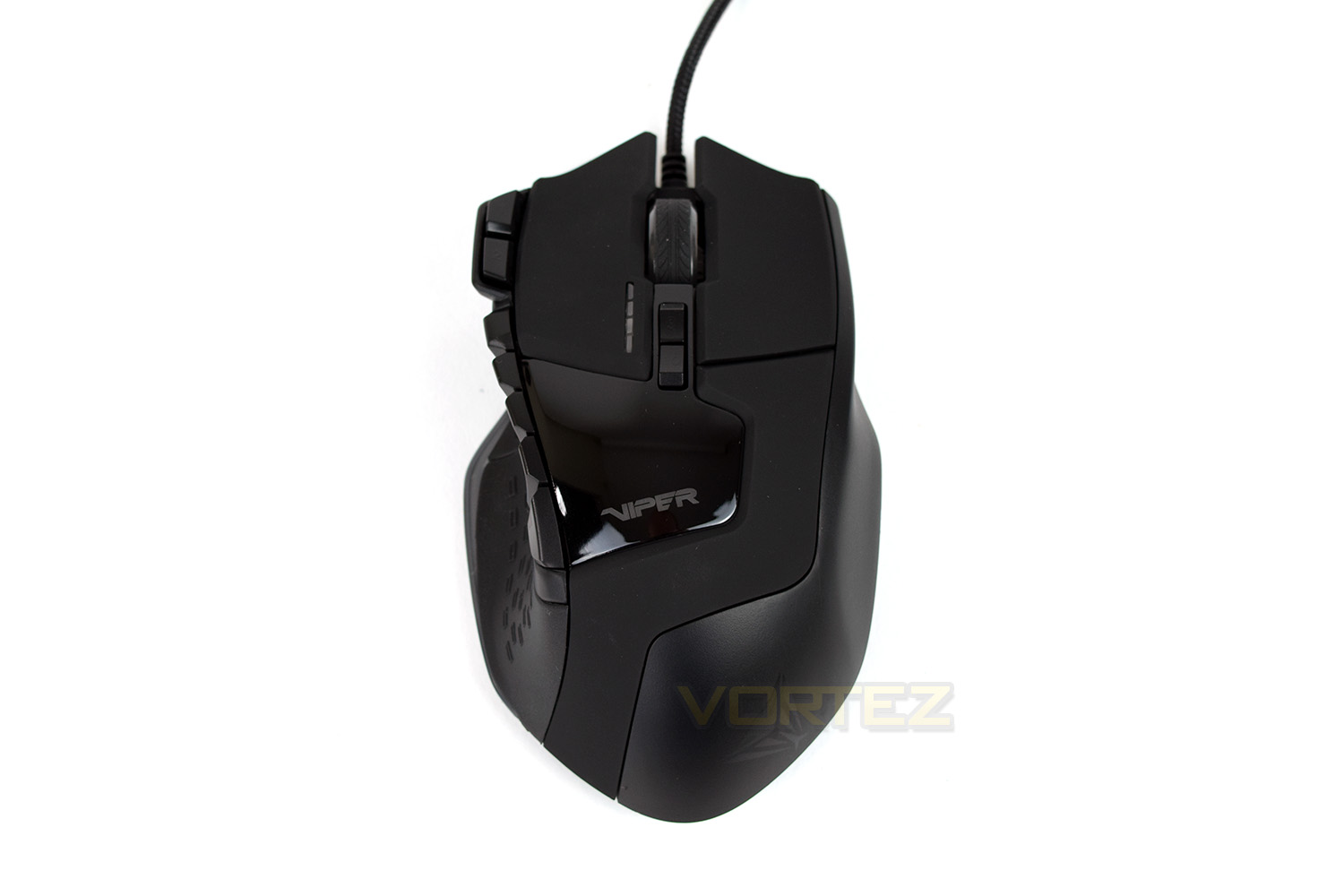
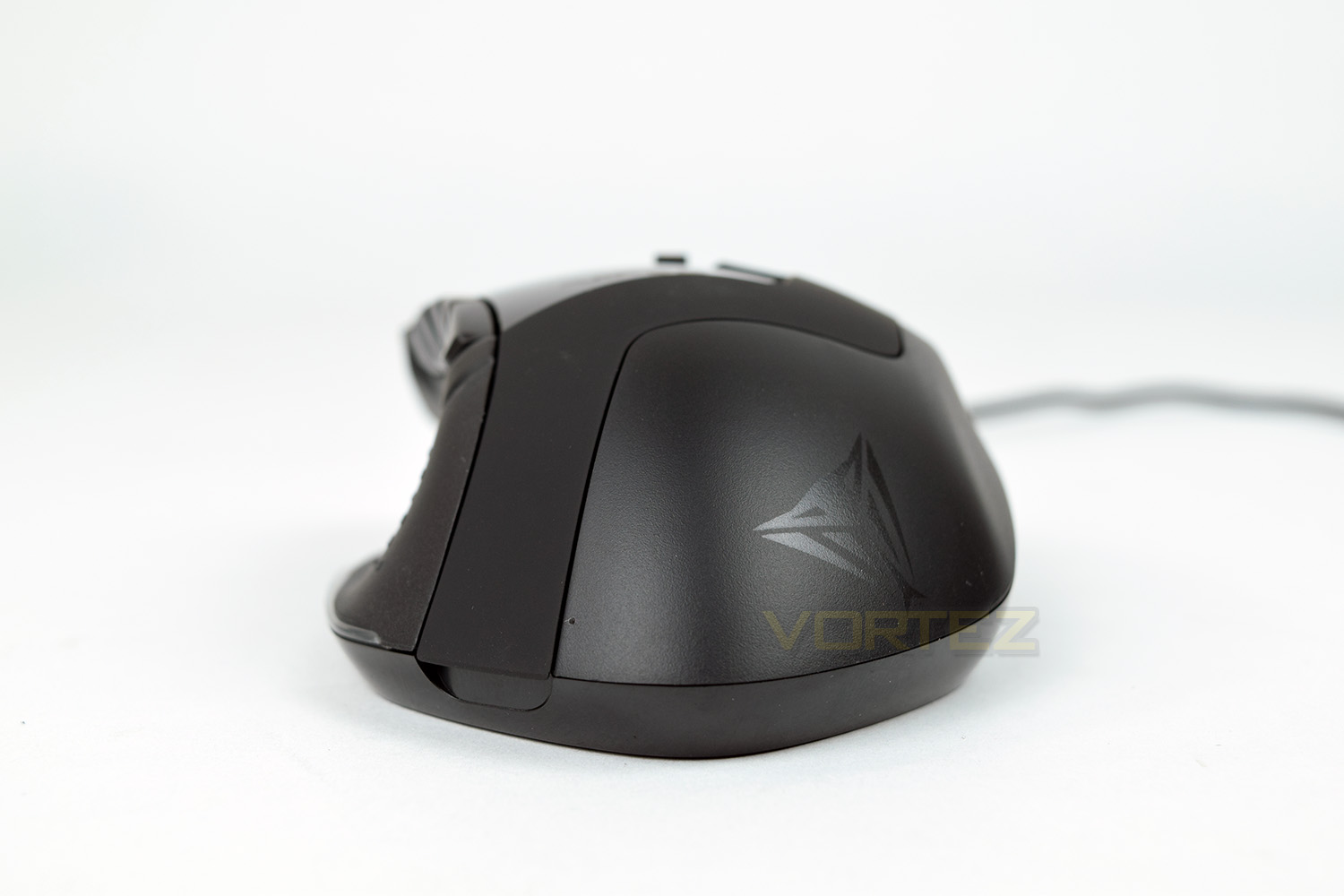
Fitting in with the Blackout theme, the Viper logo on the rear of the mouse is barely visible unless in a brightly lit room. Along the edge, towards the left corner, you can see a small indent – that’s used to remove the cover for placing the weights inside – we’ll cover that on the following page.
Closer Look (Continued)
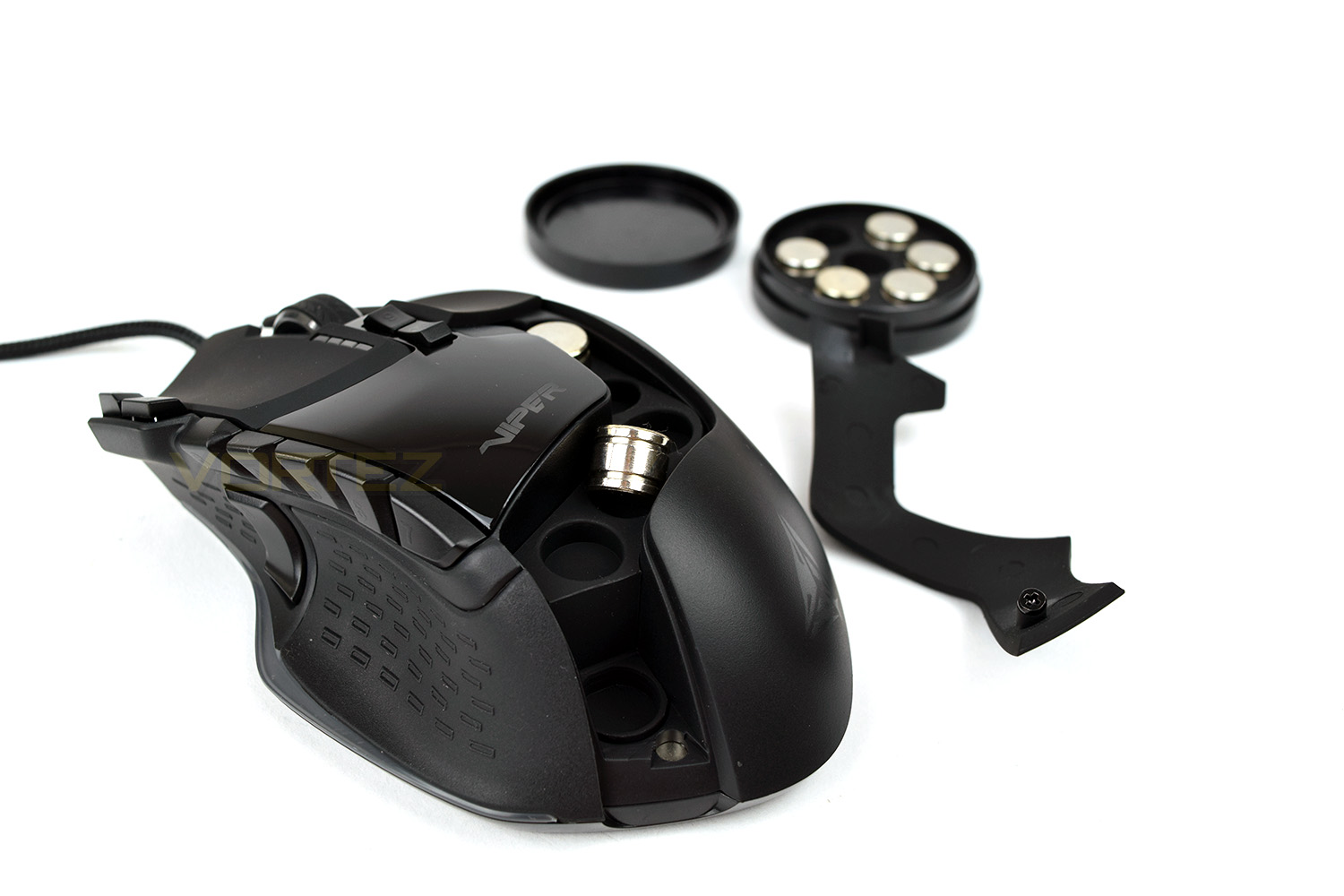
Lifting the lid on the weights compartment, there are 6 slots to insert weights into, placed along the length of the mouse. This allows you to control both the overall weight and the balance of the device.Patriot either can’t count, or have included a 7th weight as a spare, in case you lose one.
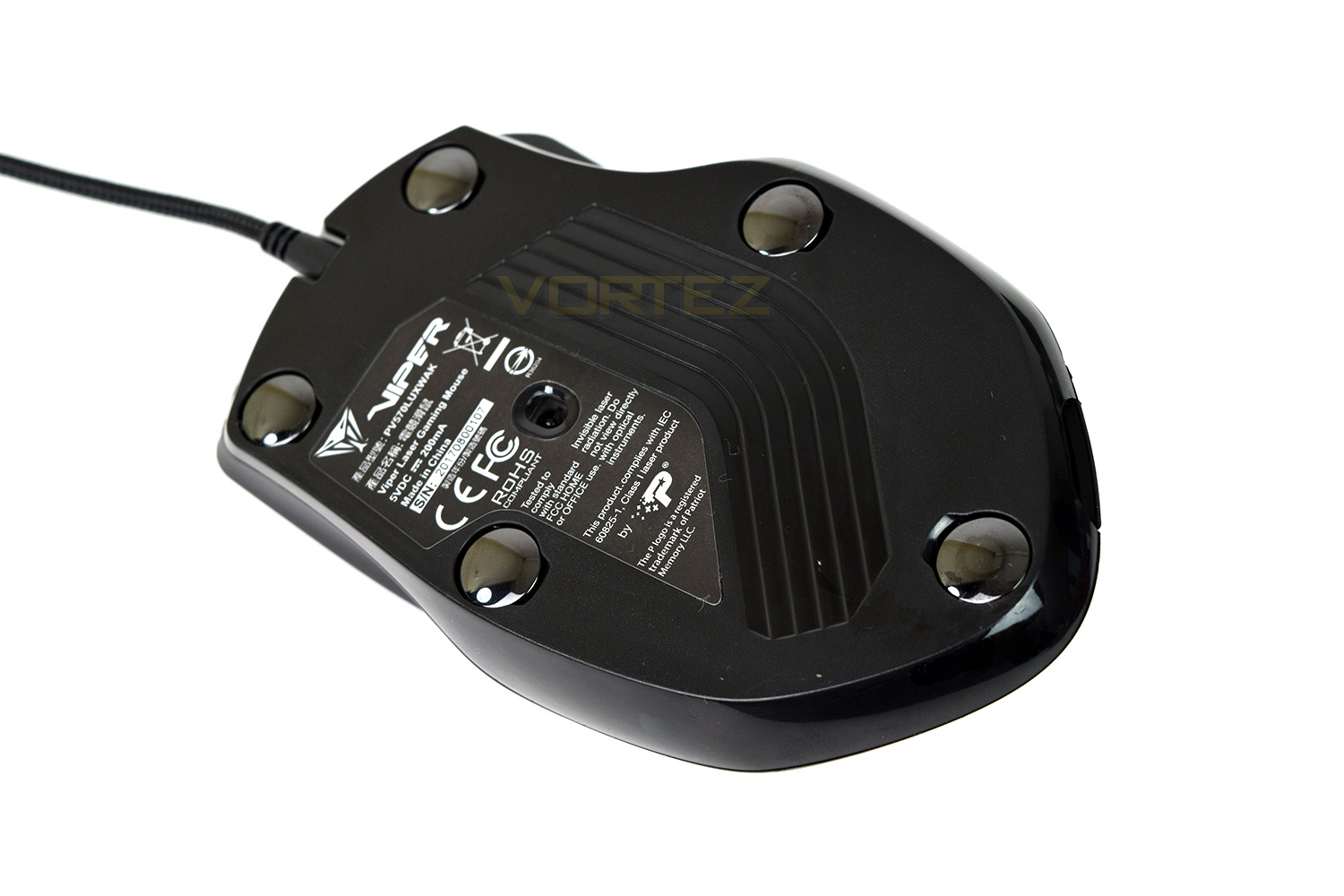
The underside of the mouse is home to five large, convex ceramic pads, providing excellent glide and longevity. The vast majority of gaming mice come equipped with PTFE pads, which are generally larger and will wear down after a while; the ceramic pads, will not wear down and will instead wear the surface. They also make much less contact with the surface below, reducing friction hugely. They also become incredibly slippery on solid surfaces such as wood or glass.
Further to the ceramic pads, the sensor is located to the edge of the mouse and slightly forwards. This can result in an odd feel of the sensor if you happen to use your wrist as the point of movement.
Software
The Patriot Viper software wasn’t easy to find – the website could do with a little bit of work to simplify things somewhat. Here’s a handy link to the product page containing the download link.Booting up the software for the first time, we expected to see some kind of firmware update option but there was nothing of the kind. Patriot must be confident in releasing a solid product first time around.
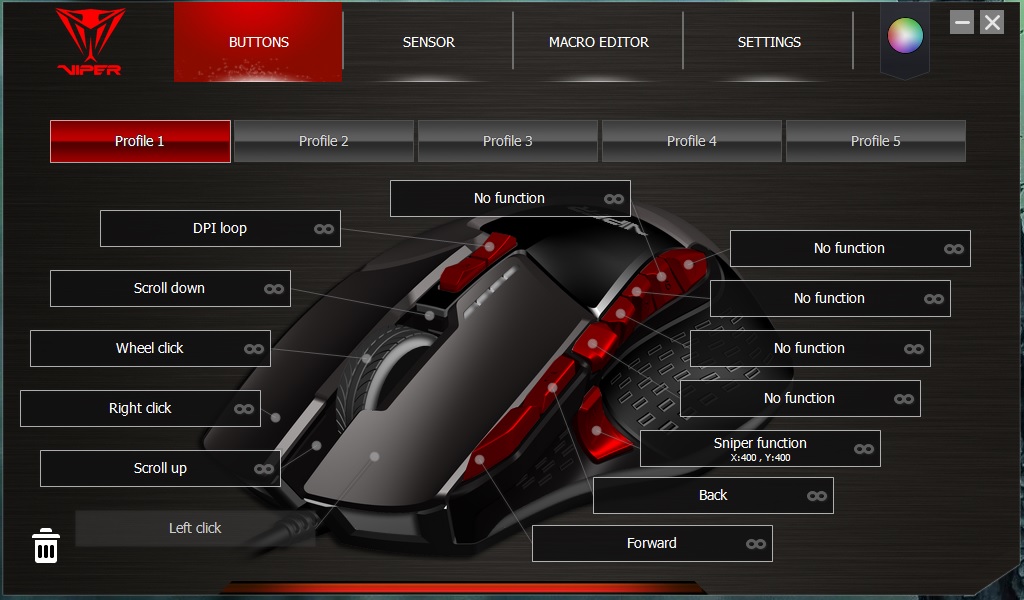
On the front page, there’s an awful lot to take in. The obvious function of this page is to customise the function of those macro buttons, of which there are plenty! It’s also possible to set up 5 different profiles, which can be selected on the fly using the button atop the mouse.
This page also allows you to set the Sniper Button DPI, which oddly isn’t configurable within the “sensor” tab.
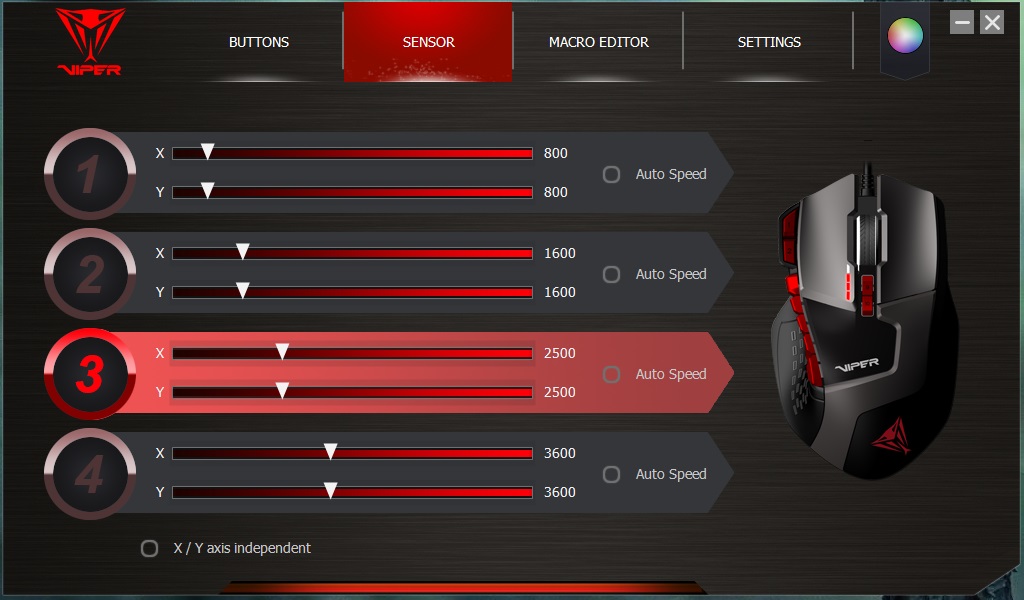
Sensor adjustment takes place in the next tab, allowing 4 different DPI profiles to be allocated to the switch on top of the V570.
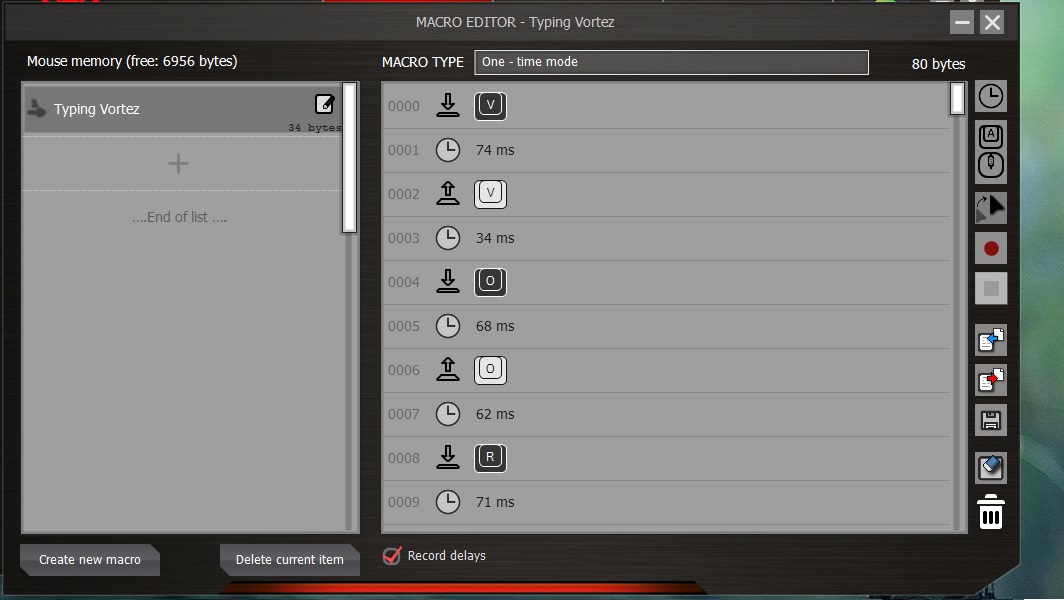
The Macro Editor records any input to the PC, be it the keyboard or the mouse, including delays. Many aspects can be adjusted and then assigned to one of the several buttons on the mouse itself.
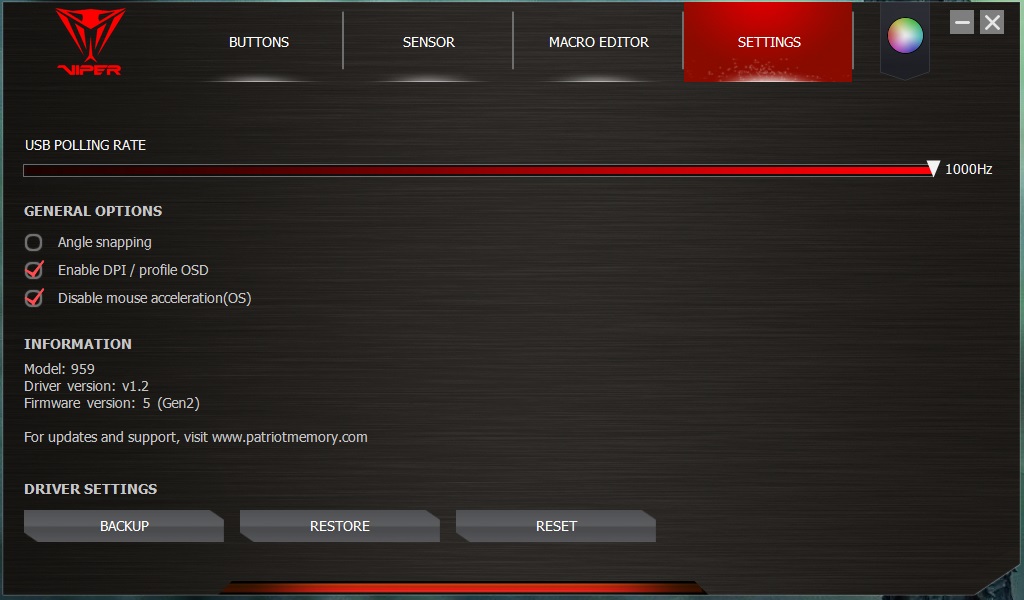
USB Polling Rate is one of a handful of options on the settings page, however, we would’ve expected a little more customisation by this point in the software. Lift-off distance is something which is certainly missing.
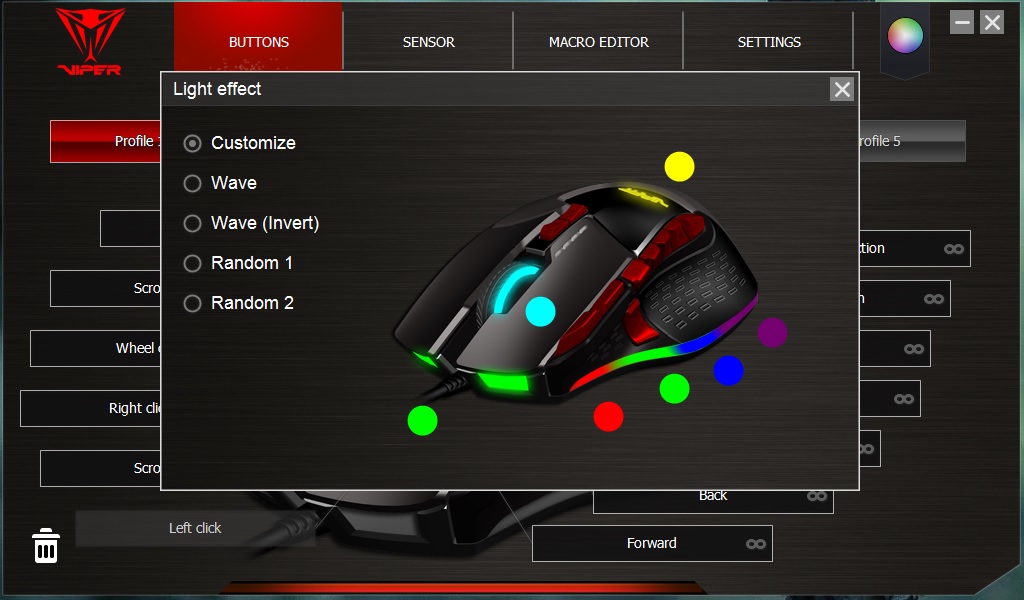
Last, but certainly not least, is the RGB adjustment. We’re a little bit limited on effects to choose from, but you get the standard 16.7M colours to choose from and seven different lighting zones.
Performance Testing
Being a gaming mouse, it feels almost compulsory to start with that.We tested the mouse with Battlefield 1, PLAYERUNKNOWN’S BATTLEGROUNDS, War Thunder and RuneScape. Unfortunately, the sensor lets the mouse down quite a lot, especially around the £50 mark. The main issue we had was accurate tracking; if you’re trying to nail a headshot from a few hundred yards, you need the sensor to be rock solid and consistent, which this wasn’t. On the other hand, using the mouse in RuneScape, which doesn’t require the accuracy or twitchy aiming of an FPS title, the mouse was much more usable. Perhaps Patriot could’ve improved upon this area by using a lesser-DPI sensor instead of chasing the highest DPI rating on the front of the box.
Comfort is an extremely strong point for this mouse, though it’s decidedly aimed towards palm-grip users. The deep thumb-groove paired with the shaped edge for the 4th and 5th finger allow use for hours on end – an important factor for MMO players where the action can go on for incredibly long periods of time. Something we did notice was the mismatched surface of the mouse can increase pressure on specific points on the hand – discomfort wasn’t particularly noticeable, but we believe it could develop over time.
The macro buttons above the thumb are well-placed and within comfortable reach. The same cannot be said for the buttons left of the left-click; for these to be reached, you would need to hold the mouse in a strange manner.
As promised within the introduction, we set out to find what difference the weights can make to the mouse. We tested using no weights, then forward and rear biased, then loaded the entire mouse up. The overall consensus is, not much. We believe the difference would be somewhat more noticeable if the mouse was on a more standard PTFE glide, but the ceramic pads offer such a tiny amount of friction that the increased weight is purely translated into inertia only, with barely any added friction, at all.
Following on from the ceramic feet discussion, one major downside that we noticed, again, due to the sheer lack of friction, is that the mouse is way too easy to move when clicking any of the buttons. It takes a lot of getting used to, but if zero friction sounds like your cup of tea, this should suit well.
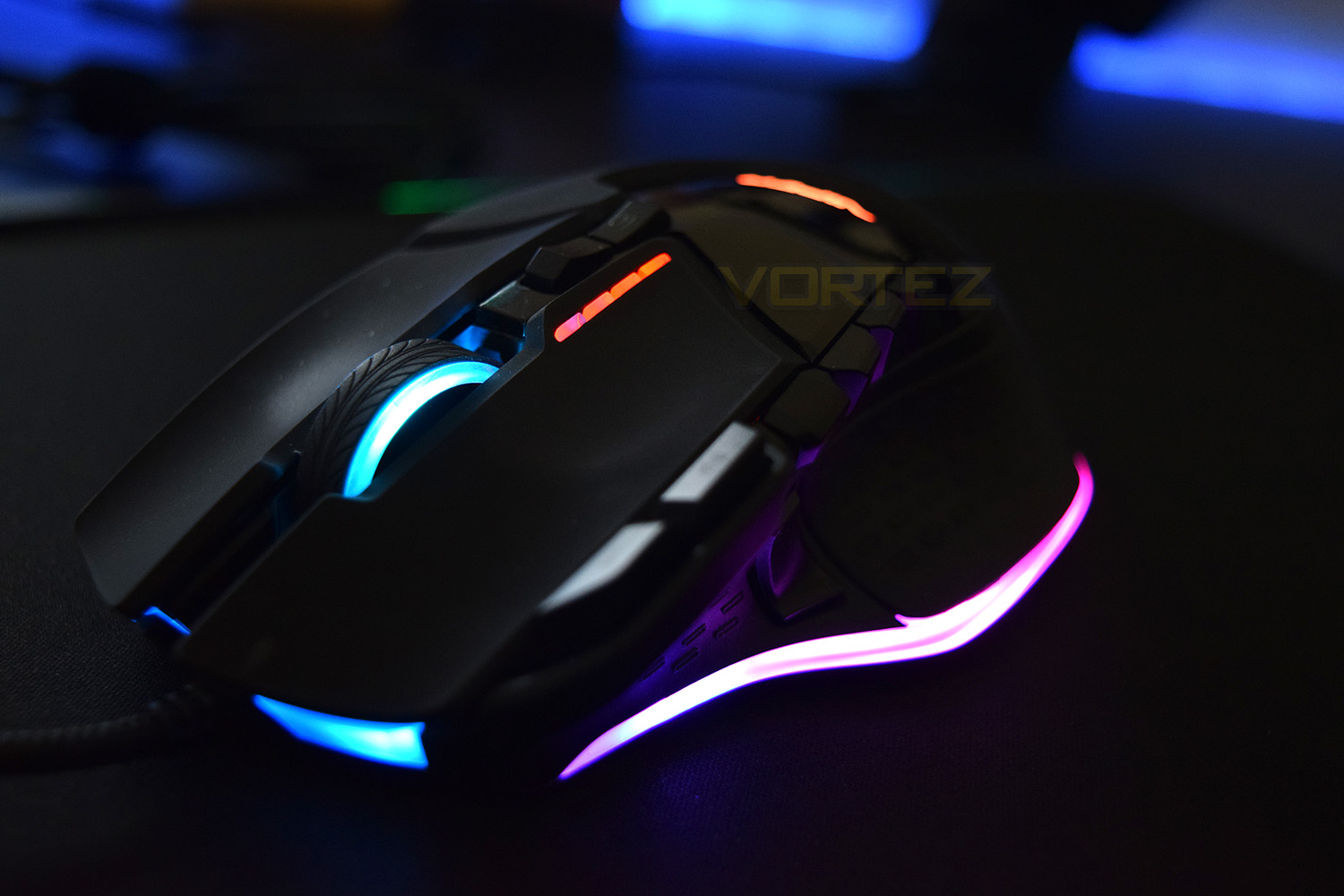
Despite the lack of effects on offer within the software, the RGB lighting looks brilliant on the V570. The 7 zones of lighting provide a decent canvas to put your mark on. However, if it’s RGB you’re after, in a flowing fashion, the standard “Wave” function built into the software looks beautiful.
Conclusion
Patriot are certainly better known for their DRAM and Flash Storage, but that hasn’t stopped them from producing a decent mouse for under £50. The sensor is a bit of a let-down, which is unfortunate, but you would be hard-pressed to find any issue if only using it for MMO games.The RGB bandwagon, as we’ve mentioned in several previous reviews, has many-a-passenger at this point, Patriot now being one of them. The LEDs in the V570 look brilliant against the all-black body; the colours are vibrant and are placed in good zones on the mouse.
Comfort is most-probably the strongest point on the V570. The overall shape is perhaps the best-suited mouse I’ve ever had the blessing of using; the curves and thumb-area are matched so perfectly that it feels like an addition to my hand, more than a mouse.
The software is a little bit too lacking, but that could be resolved with a bit of investment from Patriot – hopefully we’ll see a better performance in subsequent products.
To sum up into one paragraph, the comfort can just about make up for the rest of the features, unless you plan on using the mouse for fast-paced FPS games or anything similar, at which point, we’d recommend something with a stronger sensor.
The RGB lighting looks fantastic and the comfort is sublime, however the sensor lets the entire mouse down.
Pros
+ Unbelievably comfortable
+ Good price
+ Adjustable weight
+ Beautiful RGB lighting
+ Great form and usability in MMOs
+ Macro keys
+ Good build quality
Neutral
+- Questionable sensor performance
+- Ceramic feet provide no friction
Cons
– Cursor moves too easily when clicked
– Weak software
+ Unbelievably comfortable
+ Good price
+ Adjustable weight
+ Beautiful RGB lighting
+ Great form and usability in MMOs
+ Macro keys
+ Good build quality
Neutral
+- Questionable sensor performance
+- Ceramic feet provide no friction
Cons
– Cursor moves too easily when clicked
– Weak software
Click here for an explanation of our awards at Vortez.net.
Stay connected with the Vortez Social Media pages: