Utilising slim display bezels, an Intel Core i7 processor and an NVIDIA GEFORCE GTX 1060 with Max-Q design, the PC Specialist Fusion II appears to offer an ideal entrance into the world of portable gaming.

Product on Review: PC Specialist Fusion II
Manufacturer: PC Specialist
Street Price: £1,199.00
Gaming laptops are becoming increasingly popular, with many users seeking a portable workstation that can transform into a gaming rig on an evening, bridging the gap between a bulky desktop and a small laptop. However, thanks to innovations in cooling technologies and improvements in energy efficiency, laptops don’t need to be hefty machines that require a leaf blower for their cooling.
PC Specialist has allowed us the opportunity to evaluate several of their machines in the past, today we look at the PC Specialist Fusion II, the latest in their laptop range, offering an 8th Gen Intel Core i7-8750H processor and an NVIDIA GEFORCE Max-Q GTX 1060.
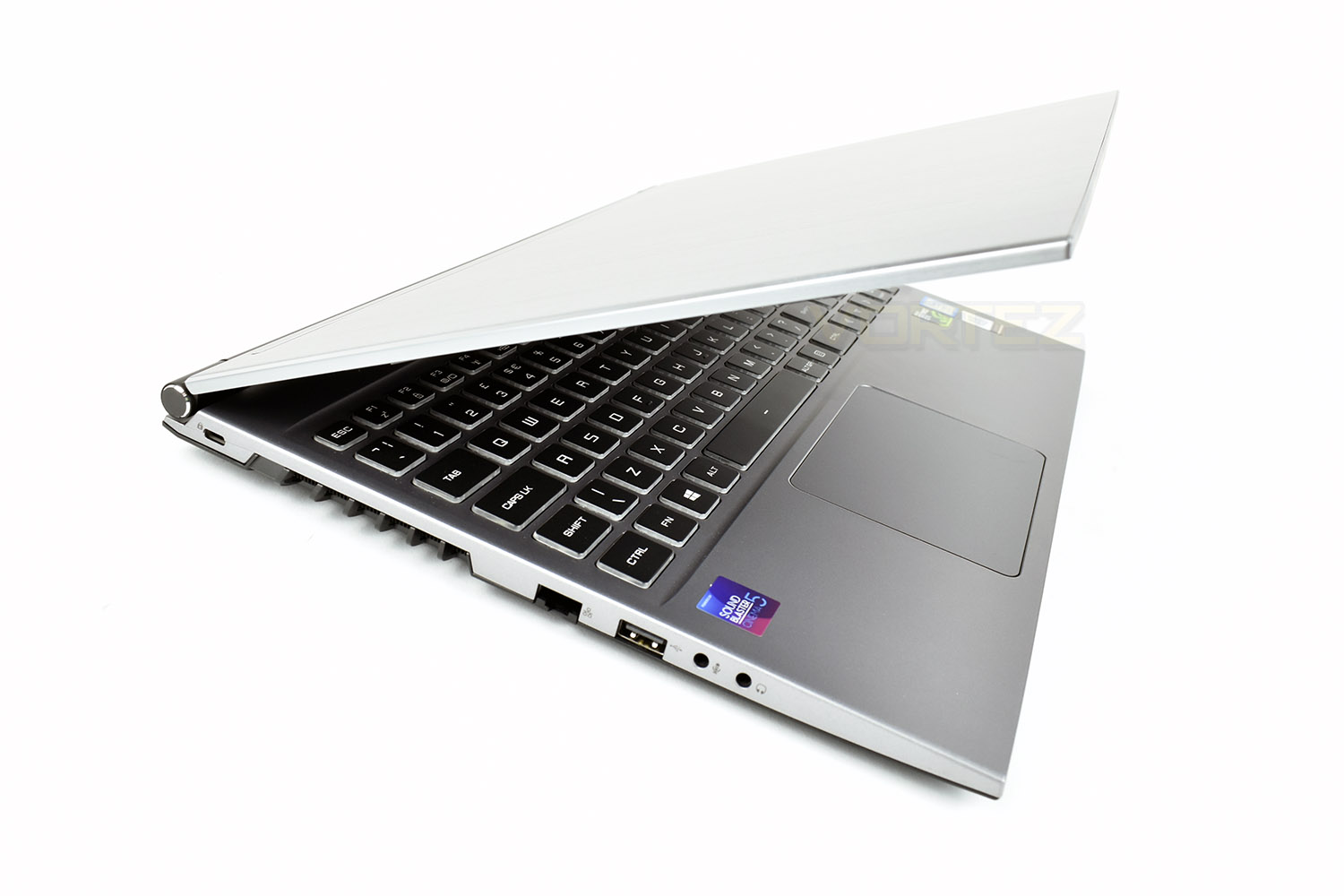
Alongside the impressive CPU and GPU comes a 15.6” display with 7mm bezels. A pair of M.2 slots are also provided, with one populated by a 512GB NVMe SSD which promises read speeds in excess of 3000MB/s. We also get 16GB of 2400MHz DDR4 memory. Rounding out the specification is a 720p webcam and an RGB backlit keyboard.
All things considered, the Fusion II seems to offer a decent recipe for workflow and gaming. Let’s chuck some tests at it and see how it performs.
PC Specialist on the Fusion II:
Technical Specifications
Intel i7-8750H
GPU Options:
GeForce GTX 1060 Max-Q
Display:
60Hz 72% NTSC LED (1920×1080)
Memory:
16GB Corsair 2400MHz SODIMM (2x 8GB DIMMs)
Storage:
2x M.2 SSD Slots
1x 512GB Intel 760p NVMe
Battery:
62WH Li-Ion Battery
Wireless:
Wireless LAN 802.11AC/B/G/N (M.2 Interface)
Webcam:
720P HD Webcam with microphone
Speakers:
2x 2W Stereo Speakers
Connections:
1x Microphone In
1x Headphone Out
1x HDMI
1x USB 3.1 (Type C)
2x USB 3.1
1x USB 2.0
2x Mini DisplayPort 1.3
1x RJ-45
1x Memory Card Reader
1x DC Power-In
Packaging & Bundle
The PC Specialist Fusion II lands in a thin box with no discernible point of focus. This, however, is only the internal box. PC Specialist send their laptops in an outer box with thick bubble wrap padding. We’d be astounded if a laptop arrived broken when shipped via this method.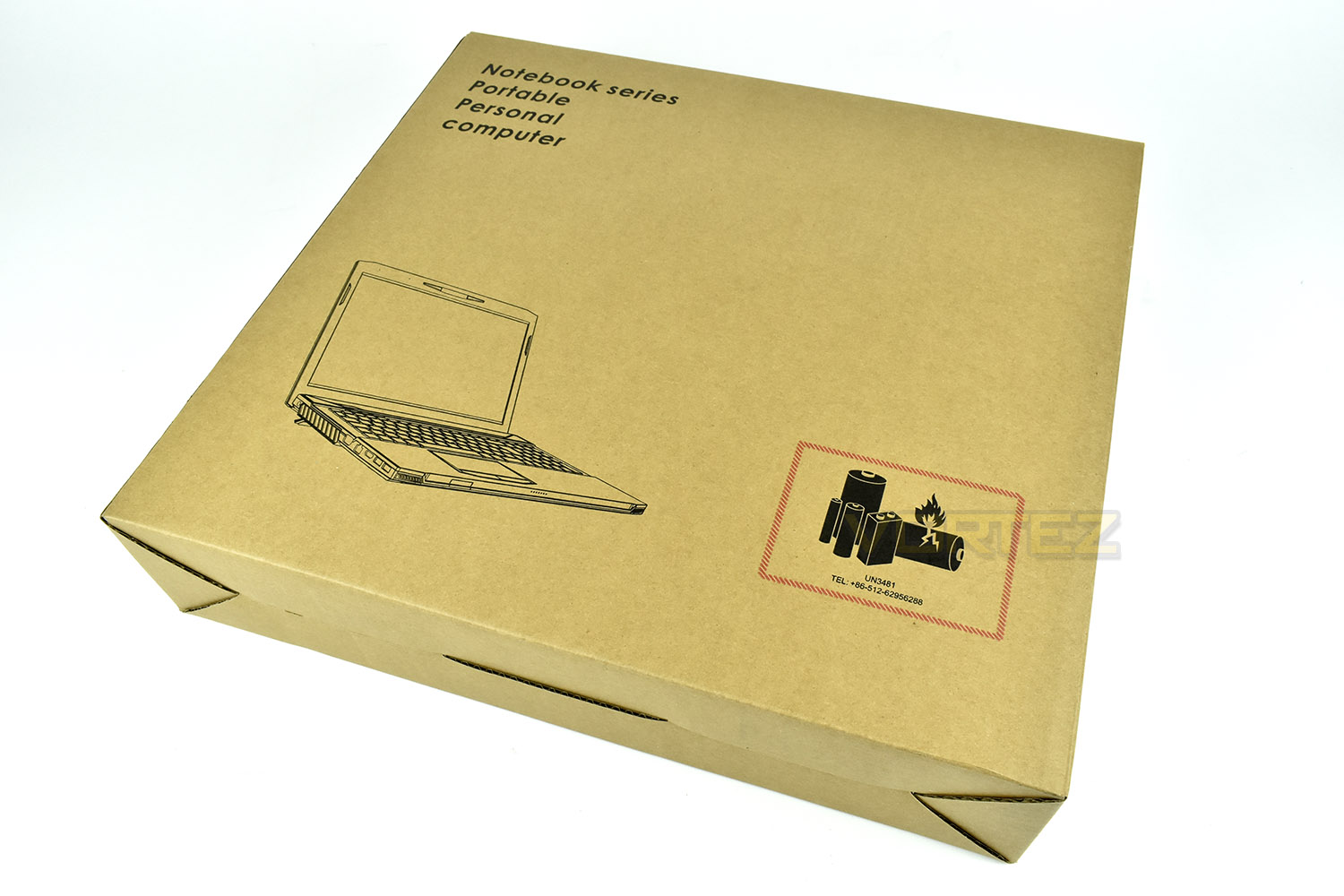
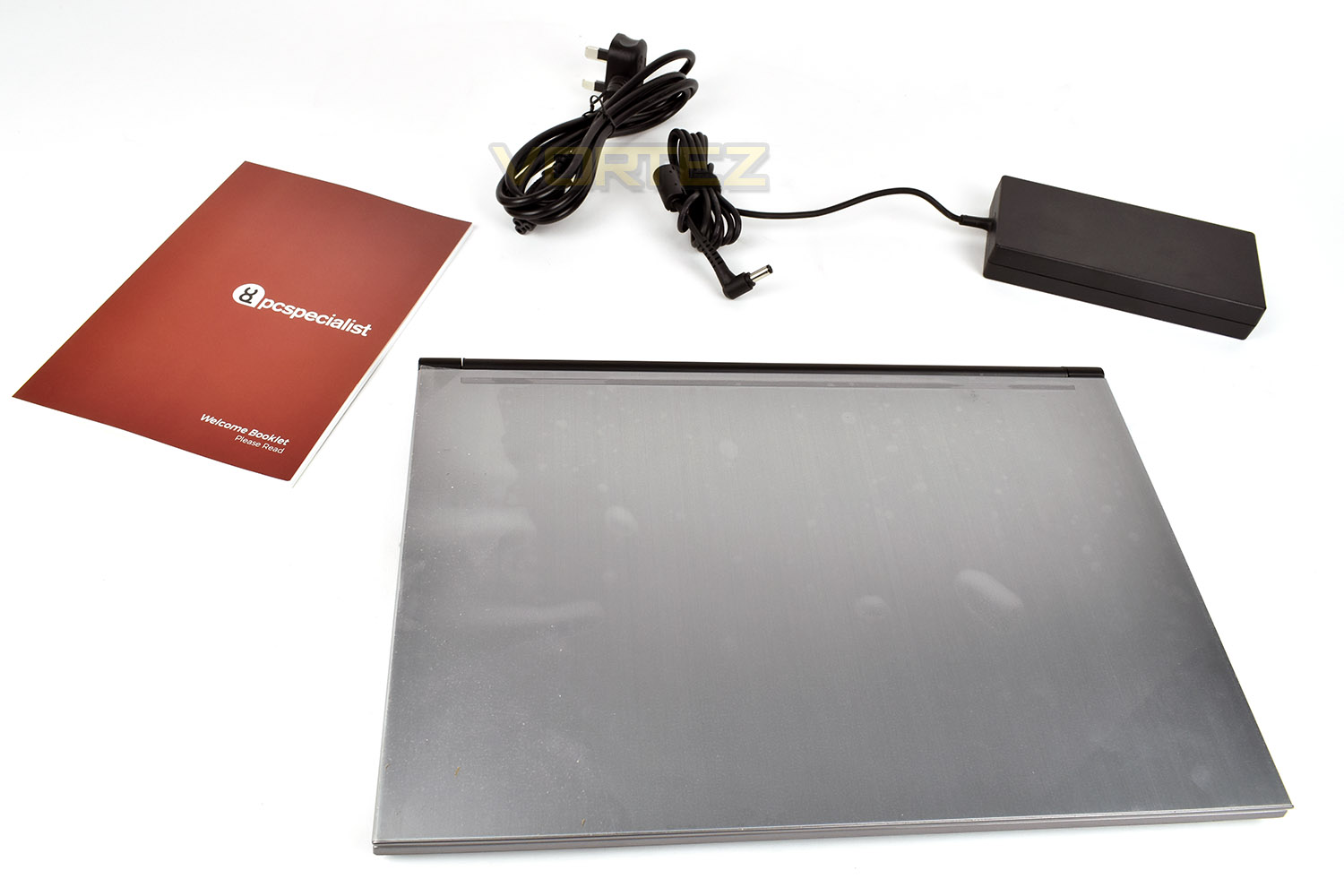
Bundled with the laptop is a charger and welcome booklet. Nothing all that exciting, but necessary none-the-less.
Closer Look
The lid of the Fusion II is a single piece of flat, brushed steel. It’s minimalist but looks great on this particular model.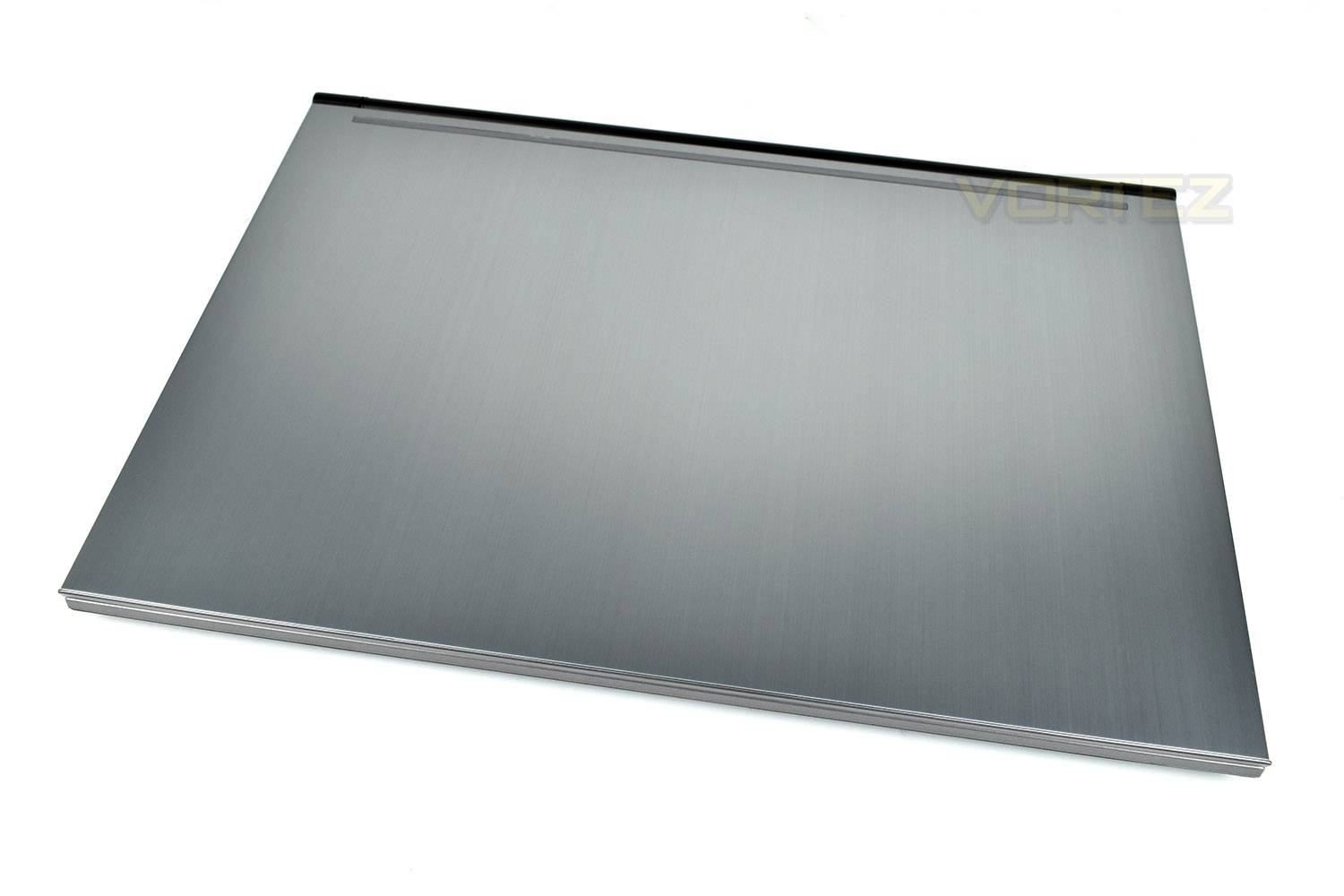
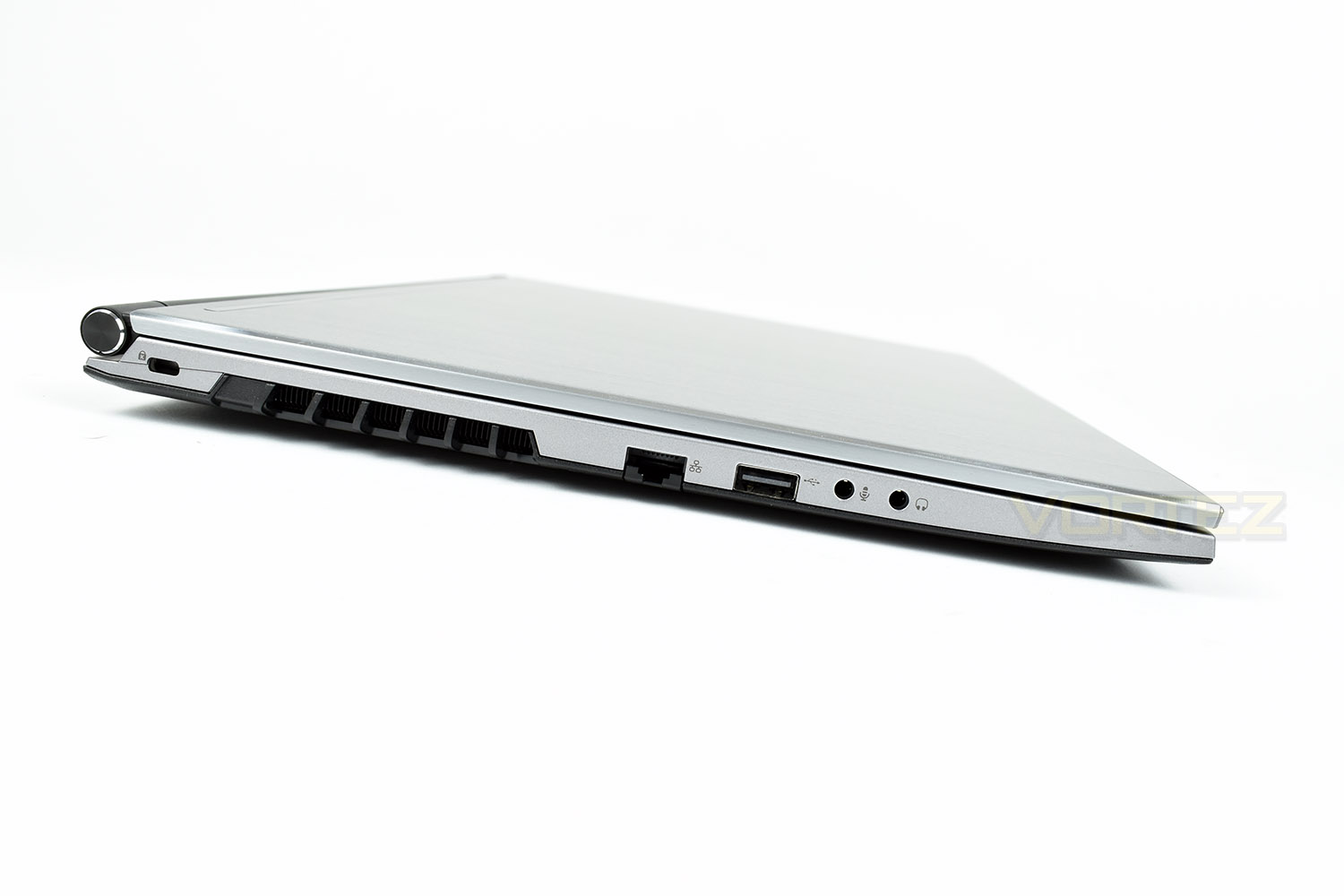
The left edge of the laptop houses a Kensington lock on the far left, with a reasonably large heat vent for those power-hungry components. There’s a collapsible RJ45 network adaptor, a USB 3.0 port and microphone/headset 3.5mm jacks.
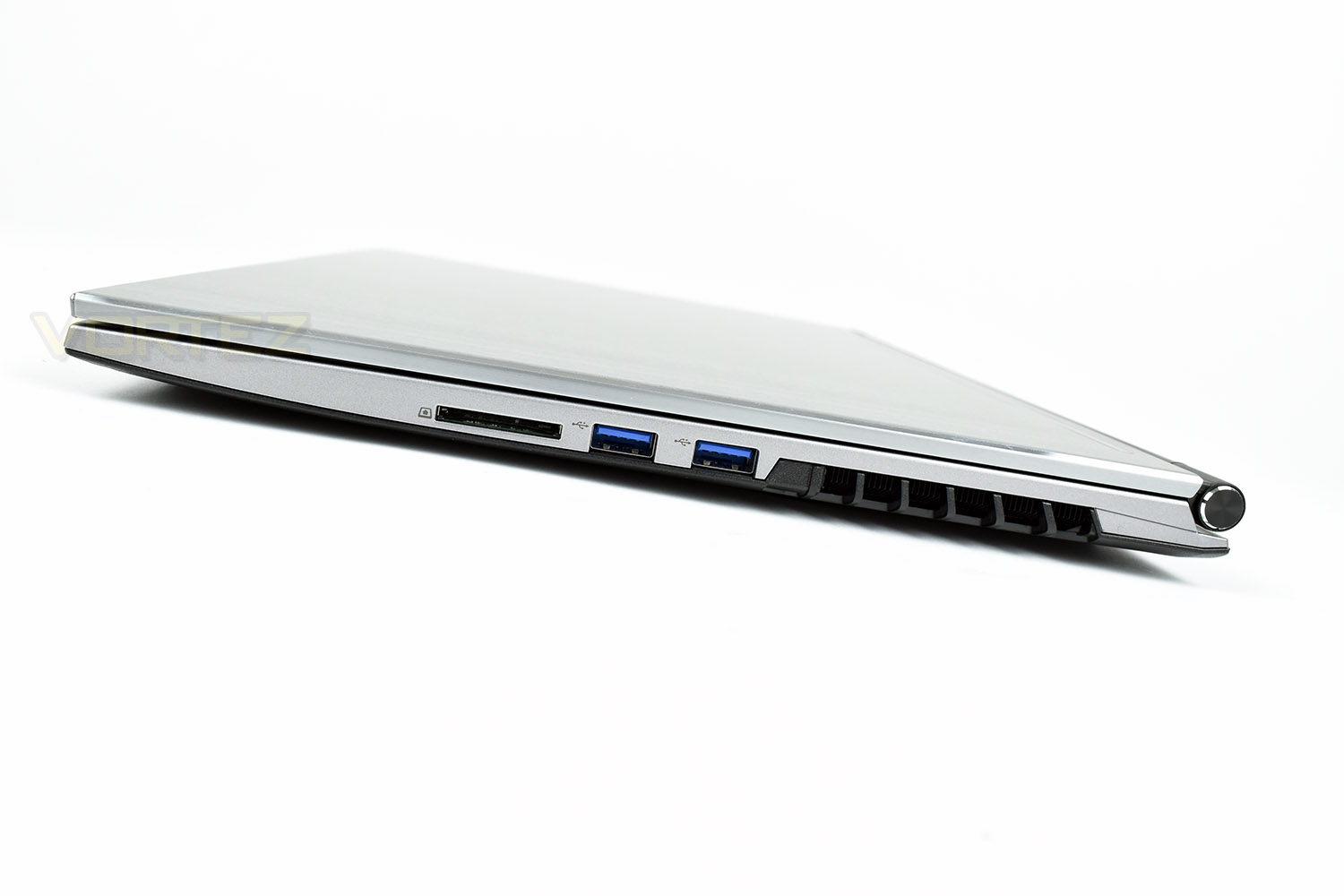
The right edge mirrors the left in terms of the heat venting, with a pair of USB 3.1 ports and an SD card slot.
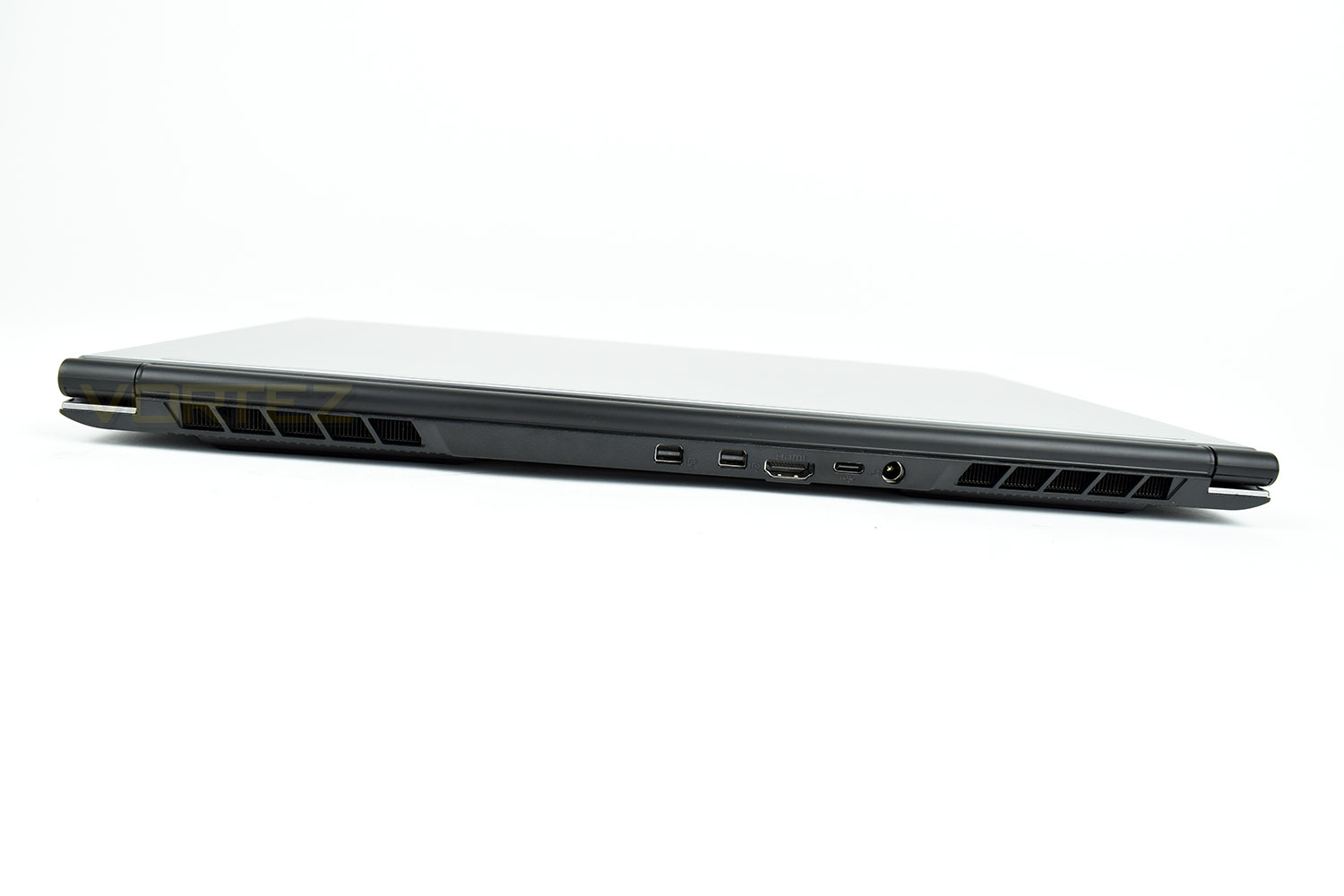
The backside houses a pair of Mini DisplayPort 1.3 ports, an HDMI port, USB 3.1 Gen. 2 Type-C and the DC Power in.
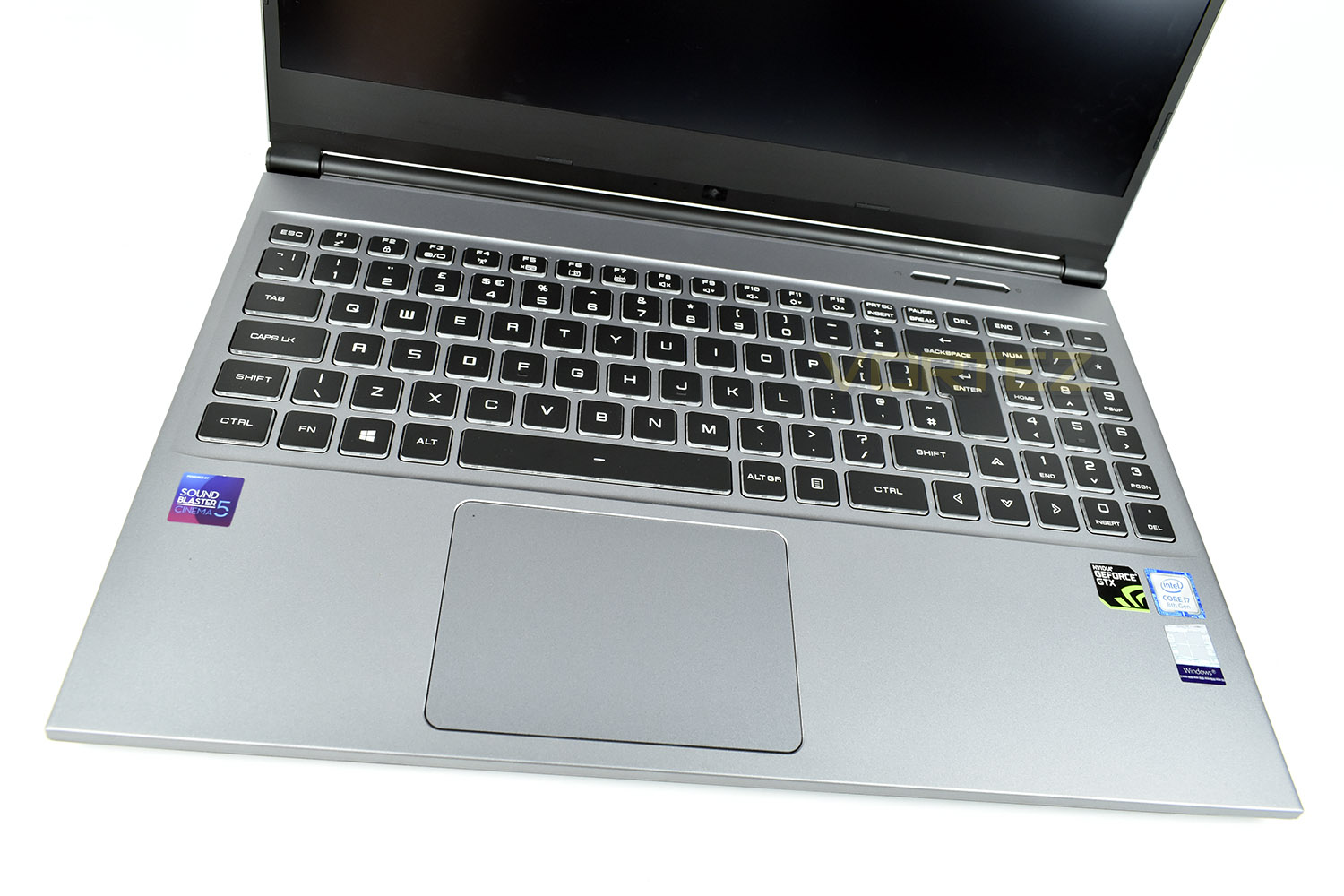
The keyboard features RGB backlighting and a dedicated number pad, with the top row being utilised for Fn keys, such as volume and wireless communications.
Closer Look (Continued)
The 1080p display is surrounded by a thin bezel, measuring only 7mm along the top and sides, but is understandably thicker at the bottom. This has partly been achieved by moving the webcam to just above the laptop chassis which is inevitably going to result in unflattering angles.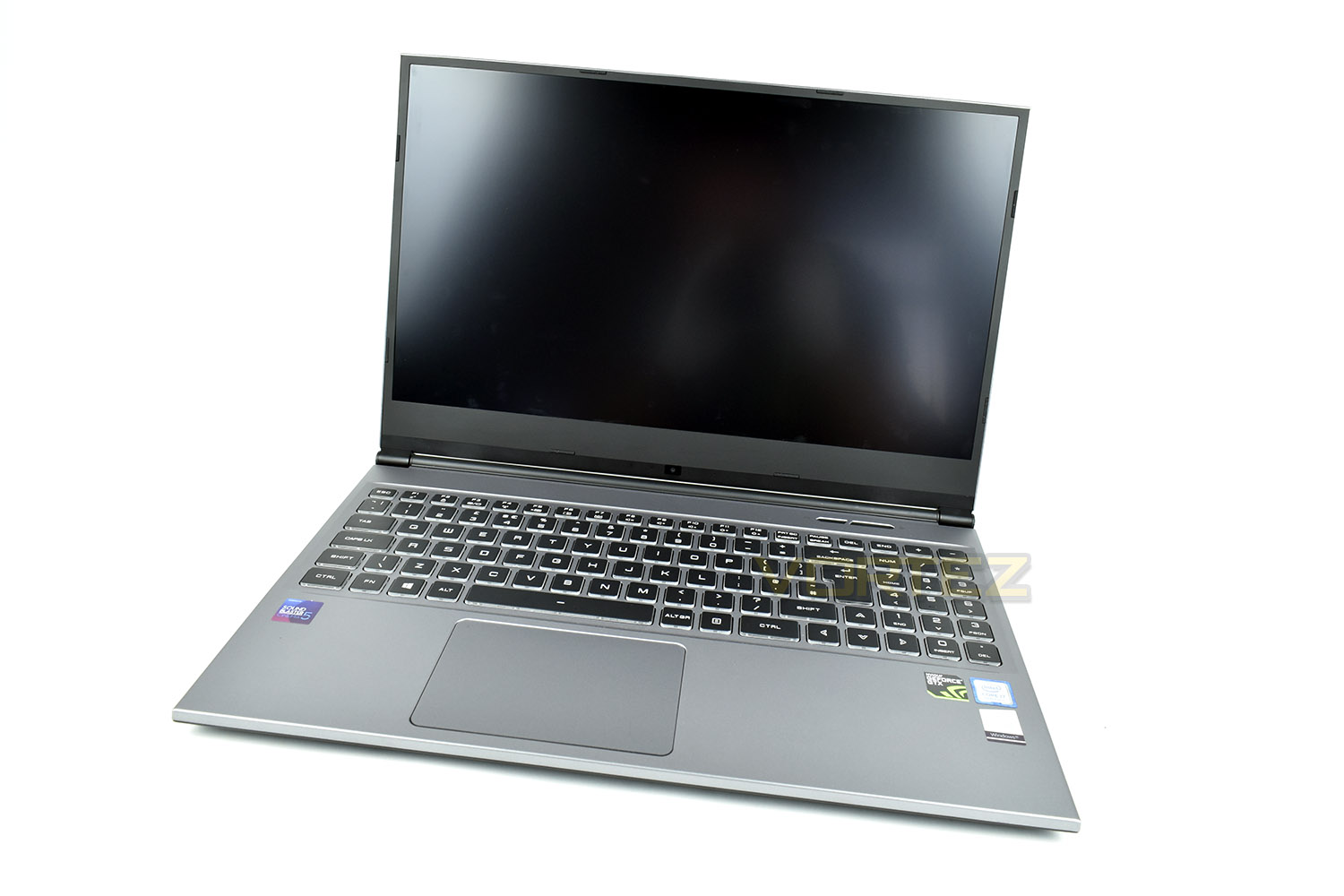
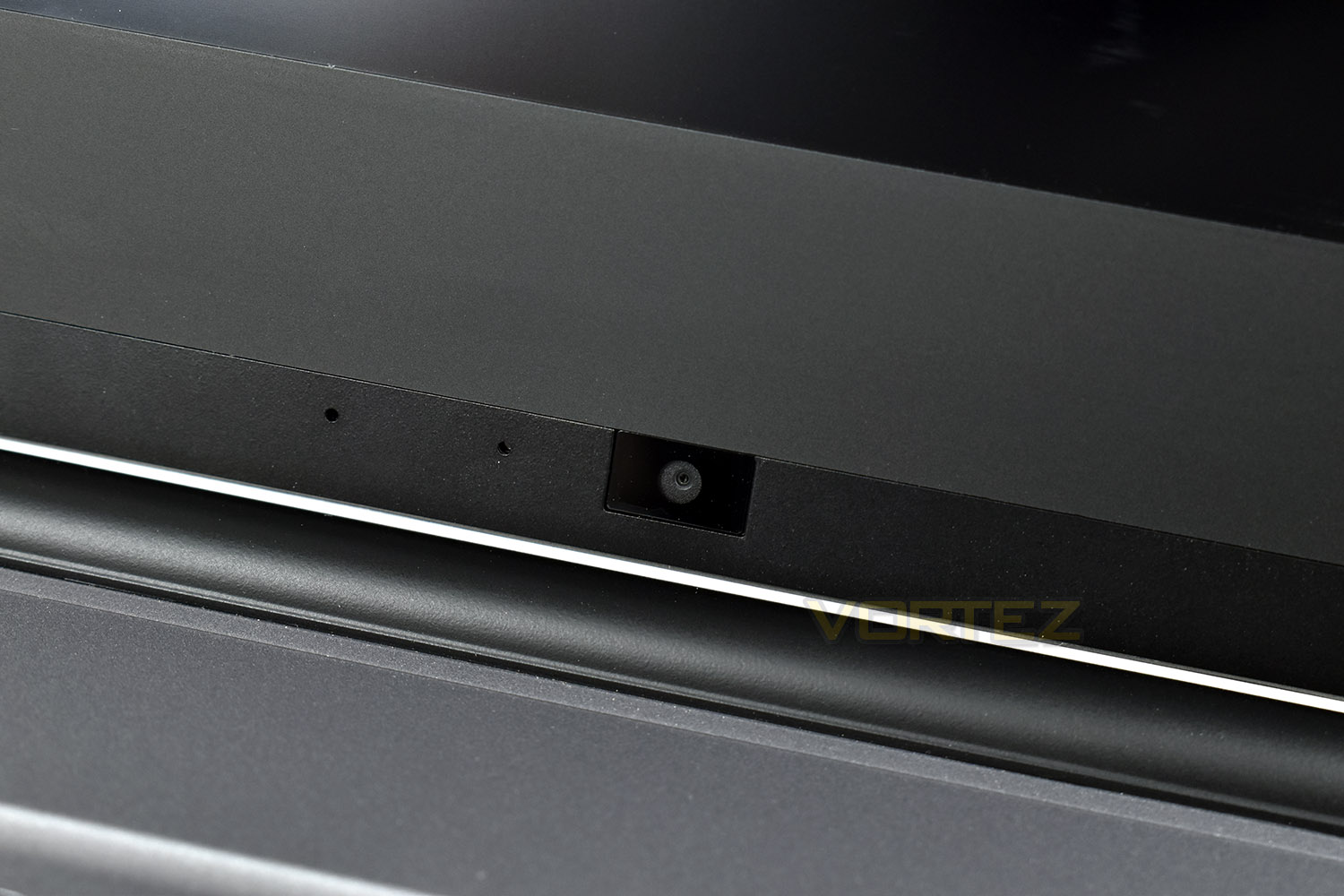
Flipping the laptop over, the underside is well ventilated to help expel any heat produced during gaming sessions. There’s 4 large rubber feet to prevent the laptop moving around and to help raise the base from the surface you place it on for better cooling.
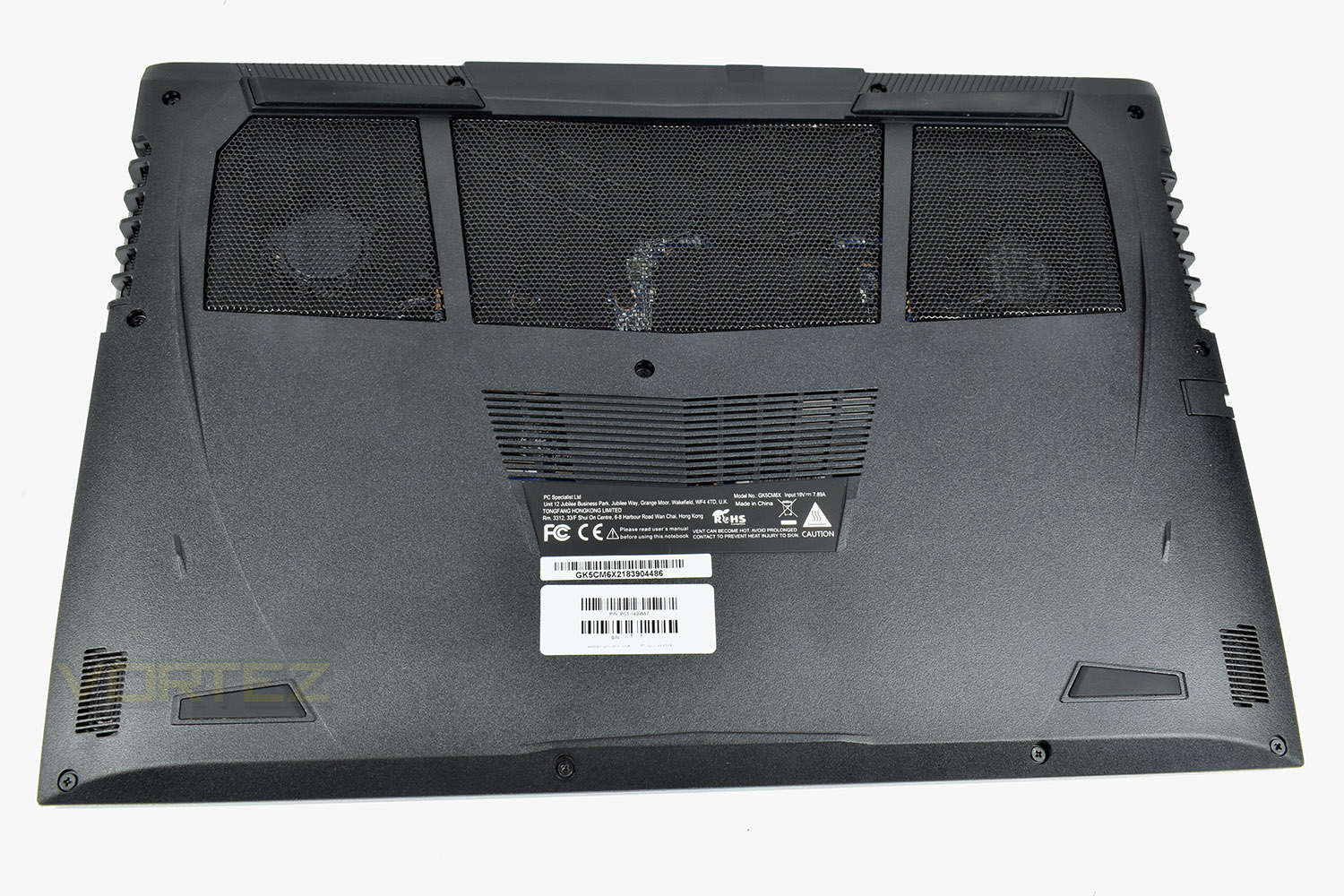
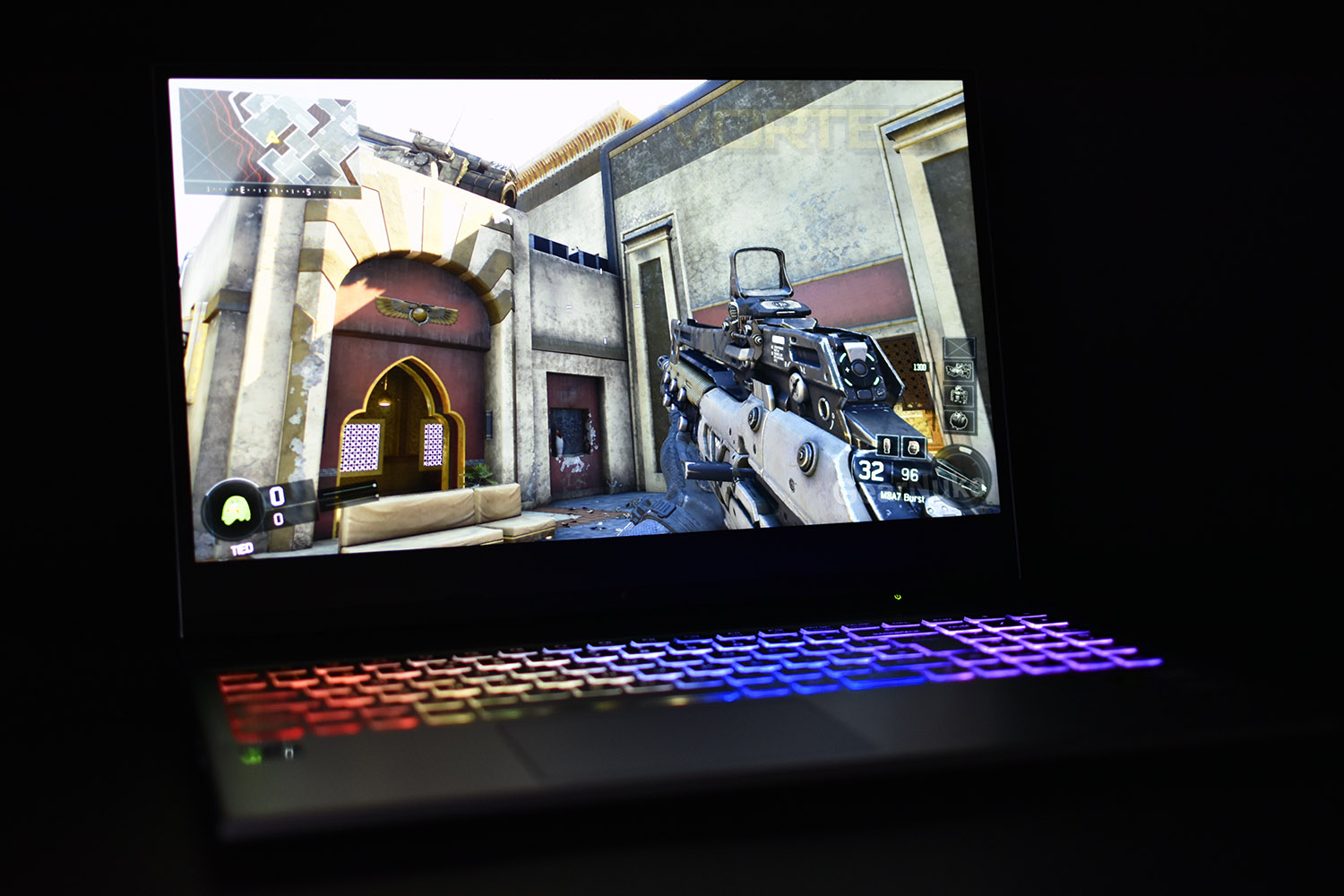
While gaming, the keyboard can be customised to whichever colour you fancy but you’re limited to 4 zones across the keyboard, which the software will blend between.
Benchmarks: Temperatures, Boot Time & Uptime


Benchmarks: Cinebench R15 & Handbrake
Benchmarks: PCMark 8 & 10

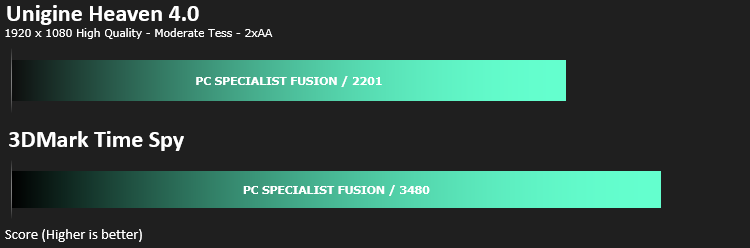
Benchmarks: 3DMark & Heaven 4.0
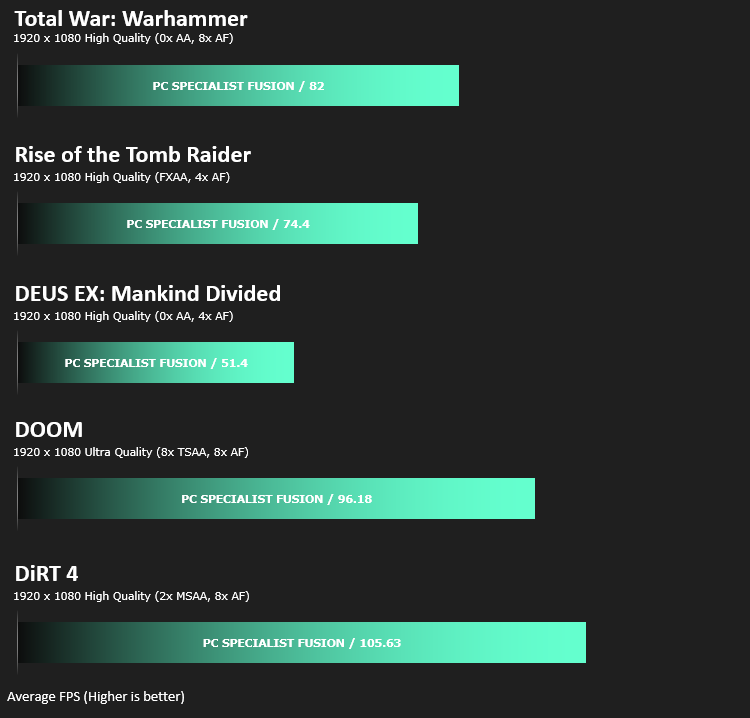
Benchmarks: Gaming (1080p)
Performance Testing
In terms of appearance, the Fusion II sadly doesn’t really set itself apart from the crowd, with a plain silver lid and chassis, contrasted only by the black keyboard and display surround. That being said, in a market awash with garish colour schemes and obtrusive branding, perhaps this is exactly what you’re looking for.
The RGB keyboard is spaced nicely, taking little time to adapt from the usual size and spacing of a mechanical desktop keyboard, though the keys are soft and require almost no pressure to depress. The RGB lighting is also faint and washed out despite the sidewall of each key being translucent plastic. We also weren’t particular blown away by the customisation options in the software, allowing control of 4 separate RGB zones with the software working out how to blend the colours between.
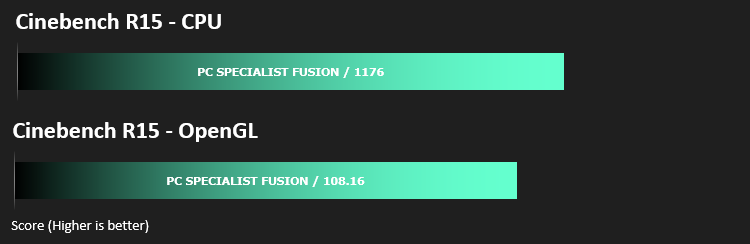
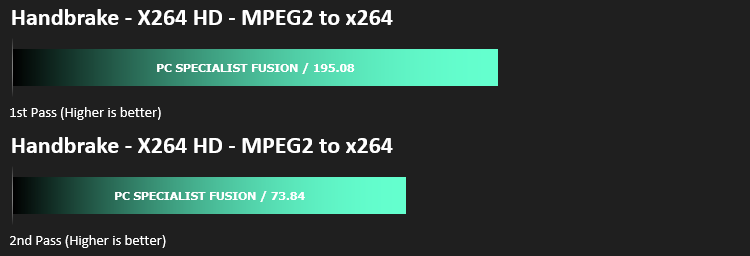
During our games testing, we used the keyboard and plugged in a SteelSeries Rival 710 gaming mouse; this gives us the opportunity to test different aspects of the display and the machine, on the whole, as a gaming device. As the previous graphs show, the GeForce GTX 1060 and Intel Core i7 8750H pair up nicely to offer excellent 1080p framerates though unfortunately that is let down by a monitor with noticeable response times and ghosting issues. The overall experience was playable but the monitor certainly won’t be winning any awards.
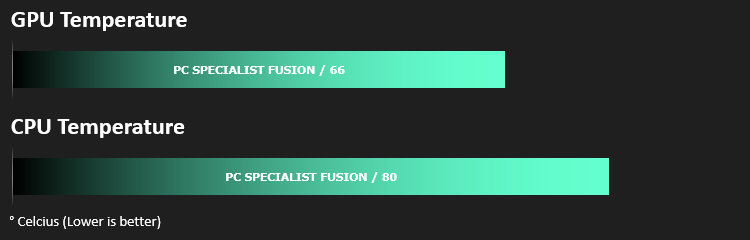
As is evident in the temperature testing, despite the chassis being only 19mm thick, cooling doesn’t require much thought, nor did it generate excessive noise compared to other similar laptops, though a headset would still be recommended if planning a lengthy gaming session.
Audio is provided by a Sound Blaster Cinema 5 chip using Realtek’s codec. The sound isn’t anything special, but frankly perfectly acceptable for watching a movie or some light gaming.
The trackpad is large and easy to use, with a smooth painted finish which doesn’t grip your finger at all. Left and right click aren’t separated visually, instead relying on the user using their best judgement to figure out where to click for each button. The trackpad can be disabled using the Fn row allowing you to rest your palm in a comfortable position while gaming.
Conclusion
Styling is, to put it bluntly, lacklustre, but as we explained, that may be exactly what you’re looking for, and the brushed steel does contrast nicely with the black keyboard and monitor surround, with the 7mm screen bezels certainly helping to ensure the laptop looks classy. The RGB backlit keyboard is a welcome addition to any laptop, making use at night and in-game that little bit easier, but the lack of customisation and any sort of vibrancy does detract somewhat.Thanks to the Core i7 8th Gen 8750H CPU and 16GB of DDR4 2400MHz memory, you will receive a very capable machine for multi-tasking on the go with plenty of horsepower in reserve. The GTX 1060 with Max-Q design also pushed out plenty of frames to saturate the 60Hz refresh rate on the display ensuring the best possible experience but ghosting and slow response times on the display itself were noticeable.
Temperatures were never a problem, with the GTX 1060 never reaching 70°C despite the thin chassis. The CPU averaged 80°C across all 6 of the cores, with one reaching 93°C maximum, though considering the horsepower provided by the CPU, and the lack of any real noise from the system, this is perfectly acceptable.
Battery life fared reasonably well, managing a little over two hours in our test and almost 5 hours of word processing while typing up this review.
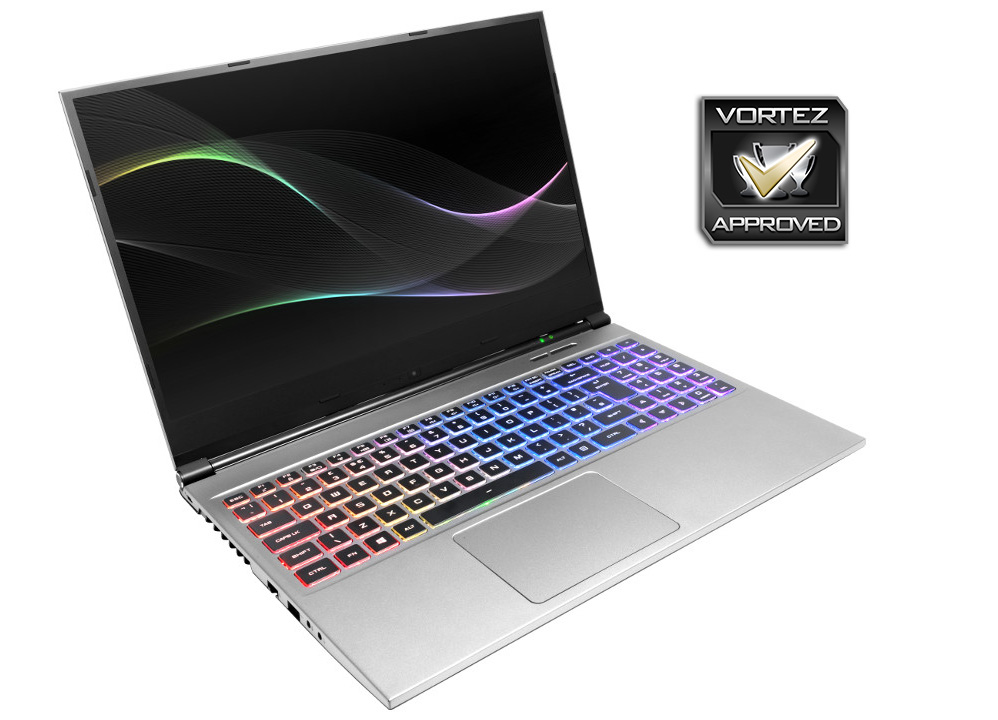
For your £1199, we feel the PC Specialist Fusion II offers reasonable performance and a decent gaming experience, but we would suggest, if gaming is the main aim, to aim for something in PC Specialist’s range with a 144Hz display.
+ Understated and simple design
+ Cracking performance from the Intel CPU and NVIDIA GPU
+ Large, easy to use trackpad (with on/off toggle)
+ Thin and solid chassis design
+ 7mm screen bezels
+- Decent battery life
Neutral
+- Laptop doesn’t stand out from the crowd aesthetically
+- Keyboard feels numb to type on
+- Webcam placement
Cons
– Not per-key RGB backlighting
– Ghosting and slow response times from the display
Click here for an explanation of our awards at Vortez.net.
Stay connected with the Vortez Social Media pages:
Join in with the discussions on Discord