Packing Intel’s latest 8th Generation Core i7 processor and NVIDIA’s 10-Series, the Vyper promises performance in heaps while remaining small and portable.

Product on Review: PC Specialist Vyper Review
Manufacturer: PC Specialist
Street Price: Tested Specification: £1,223.00
With the rising popularity of LAN gaming events and gaming as a whole, being able to transport your system with you is essential to some users; while there are some desktop machines that could be thrown into a rucksack and plugged into a monitor at your destination, nothing will compare to a laptop for ultimate portability.
PC Specialist has provided us their latest Vyper system, packed with a capable Intel Core i7-8750H CPU, NVIDIA GeForce GTX 1060 (6GB) graphics, 16GB of DDR4 memory and a Samsung 970 EVO NVMe SSD, all housed within a 15.6” chassis that weighs only 2.4kg.
Another feature of which it can boast is a per key RGB backlit mechanical keyboard, tuned for gaming performance with full N-key rollover.
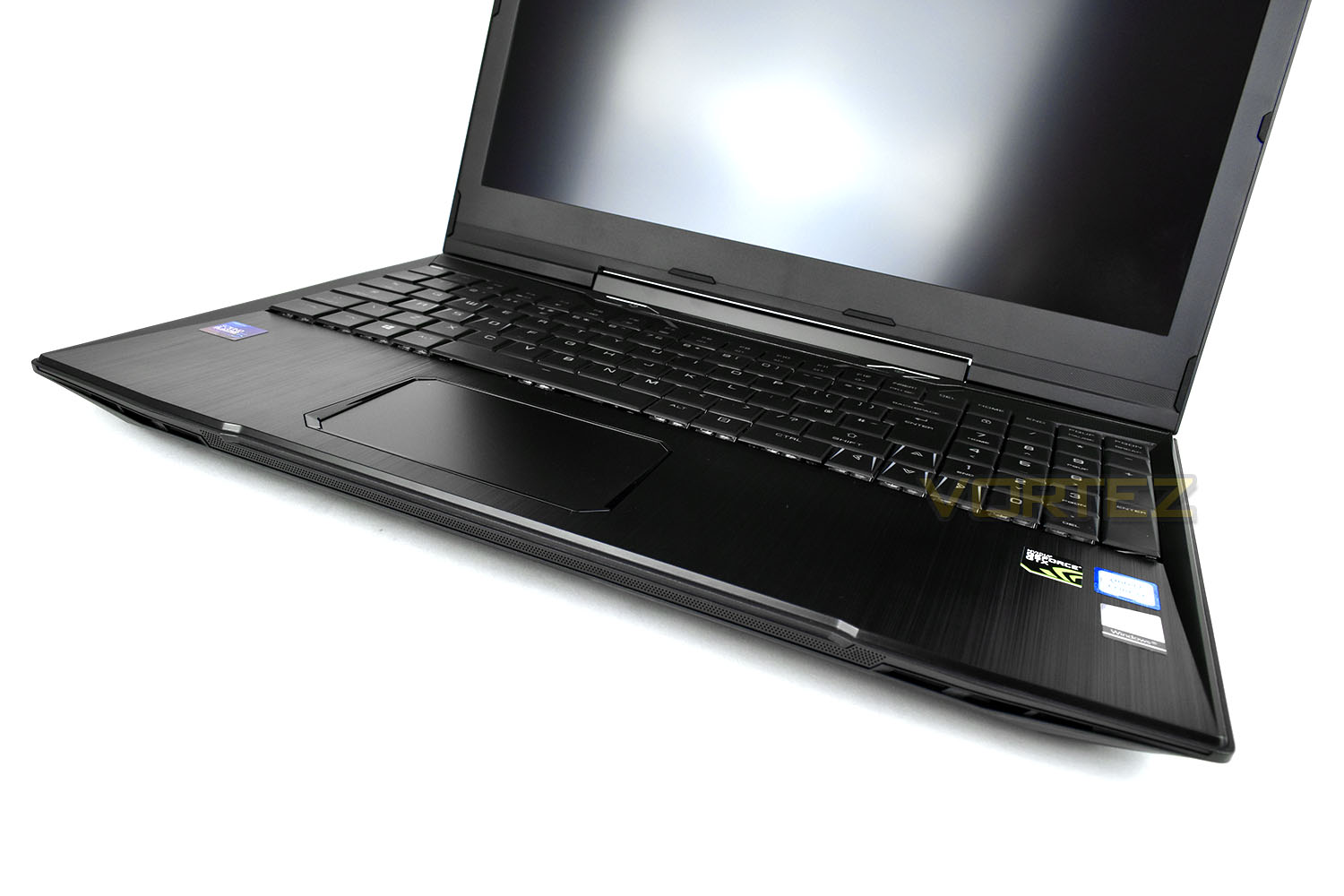
The laptop chassis is also home to a plethora of connectivity, including Bluetooth 5.0, 802.11 AC/B/G/N wireless, Gigabit LAN. We also find a 1080p LED backlit screen using TN panel technology for fast response times, ideal for gaming.
So, with a distinct focus on gaming, lets push ahead with our testing and see how it fares.
PC Specialist on the Vyper
Get ahead of the game with the 15.6″ Vyper gaming laptop – Powered by the latest 8th Generation Intel® Core™ Processors and the latest NVIDIA® GeForce 10 Series graphics. The Vyper features a mechanical keyboard with per-key multi colour lighting, allowing you to fully personalise the laptop to your mood and environment.
Technical Specifications
DIMENSIONS & WEIGHT
Dimensions (W x D x H): 375 x 260 x 29.5mm
Weight: 2.4kg
CHIPSET
Intel Core i7 8750H
MEMORY
Memory Type: DDR4 2400MHz
Number of Modules: 1x 16GB
Maximum Supported Memory: 32GB
HARD DRIVE CAPACITY
Hard Drive Type: 1 x 9.5mm, 2.5″ S-ATA HDD support
M.2 Port: 3 x M.2 Ports (1st for WLAN, 2nd for SSD M.2 2280 Card with SATA / PCIe Gen3x4 interface, 3rd for SSD M.2 2280 Card with SATA Interface)
DISPLAY & GRAPHICS
Graphics: NVIDIA GeForce GTX 1060 6GB
Screen Size: 15.6 inch Widescreen
Native/Maximum Resolution: 1920 x 1080
Backlight: LED
AUDIO
Chipset: Realtek High Definition Audio
Channels: 2 channel HD Audio
Connections: Microphone-in and headphone-out
Speakers: 2 x 2W Stereo Speakers
Integrated Microphone: Yes
COMMUNICATIONS
LAN: Gigabit LAN
Wireless Support: Wireless LAN 802.11AC/B/G/N (M.2 Interface)
Bluetooth Support: Bluetooth V5.0 module support
Webcam: 720P HD Webcam
KEYBOARD & MOUSE
Keys: Per-Key RGB Mechanical Keyboard
Language Support: Multi-Language support
Pointing Device | Touchpad Mouse: Touchpad Pointing Device with left/right click
Backlit Keyboard: Yes
MEMORY CARD READER
Memory Card Reader: 2-in-1 Card Reader (SD/MMC)
PORTS
HDMI Ports: 1
USB: 1 x USB 3.1 PORT (Type C) + 2 x USB 3.1 PORTS + 4 x USB 2.0 PORT
Microphone-IN: 1
Headphone-OUT: 1
DC-in: 1
LAN: 1 x RJ-45 jack
BATTERY & POWER LEAD
Battery Type: 3 Cell Lithium-Ion battery (46WH)
Typical Battery Life: Up to 4 Hours
Power Lead & AC Adpater: 1 x Power Lead included with AC Adapter
SECURITY
Kensington Lock: Yes
Dimensions (W x D x H): 375 x 260 x 29.5mm
Weight: 2.4kg
CHIPSET
Intel Core i7 8750H
MEMORY
Memory Type: DDR4 2400MHz
Number of Modules: 1x 16GB
Maximum Supported Memory: 32GB
HARD DRIVE CAPACITY
Hard Drive Type: 1 x 9.5mm, 2.5″ S-ATA HDD support
M.2 Port: 3 x M.2 Ports (1st for WLAN, 2nd for SSD M.2 2280 Card with SATA / PCIe Gen3x4 interface, 3rd for SSD M.2 2280 Card with SATA Interface)
DISPLAY & GRAPHICS
Graphics: NVIDIA GeForce GTX 1060 6GB
Screen Size: 15.6 inch Widescreen
Native/Maximum Resolution: 1920 x 1080
Backlight: LED
AUDIO
Chipset: Realtek High Definition Audio
Channels: 2 channel HD Audio
Connections: Microphone-in and headphone-out
Speakers: 2 x 2W Stereo Speakers
Integrated Microphone: Yes
COMMUNICATIONS
LAN: Gigabit LAN
Wireless Support: Wireless LAN 802.11AC/B/G/N (M.2 Interface)
Bluetooth Support: Bluetooth V5.0 module support
Webcam: 720P HD Webcam
KEYBOARD & MOUSE
Keys: Per-Key RGB Mechanical Keyboard
Language Support: Multi-Language support
Pointing Device | Touchpad Mouse: Touchpad Pointing Device with left/right click
Backlit Keyboard: Yes
MEMORY CARD READER
Memory Card Reader: 2-in-1 Card Reader (SD/MMC)
PORTS
HDMI Ports: 1
USB: 1 x USB 3.1 PORT (Type C) + 2 x USB 3.1 PORTS + 4 x USB 2.0 PORT
Microphone-IN: 1
Headphone-OUT: 1
DC-in: 1
LAN: 1 x RJ-45 jack
BATTERY & POWER LEAD
Battery Type: 3 Cell Lithium-Ion battery (46WH)
Typical Battery Life: Up to 4 Hours
Power Lead & AC Adpater: 1 x Power Lead included with AC Adapter
SECURITY
Kensington Lock: Yes
Packaging & Bundle
Due to the ‘built-to-order’ nature of PC Specialist’s laptops, the packaging it arrives within doesn’t describe the system in any way, but the foam inserts inside will guarantee a safe journey with the courier.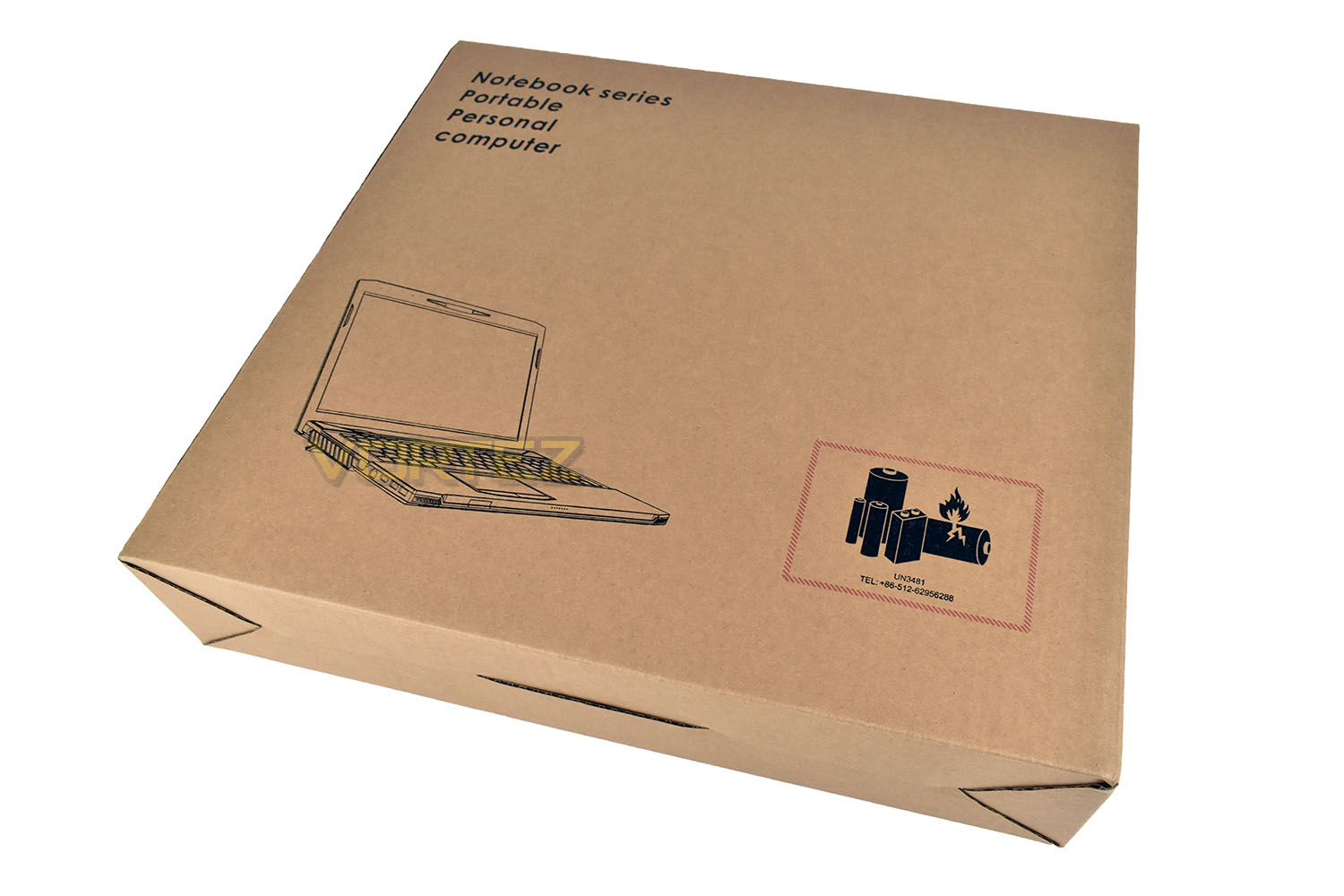
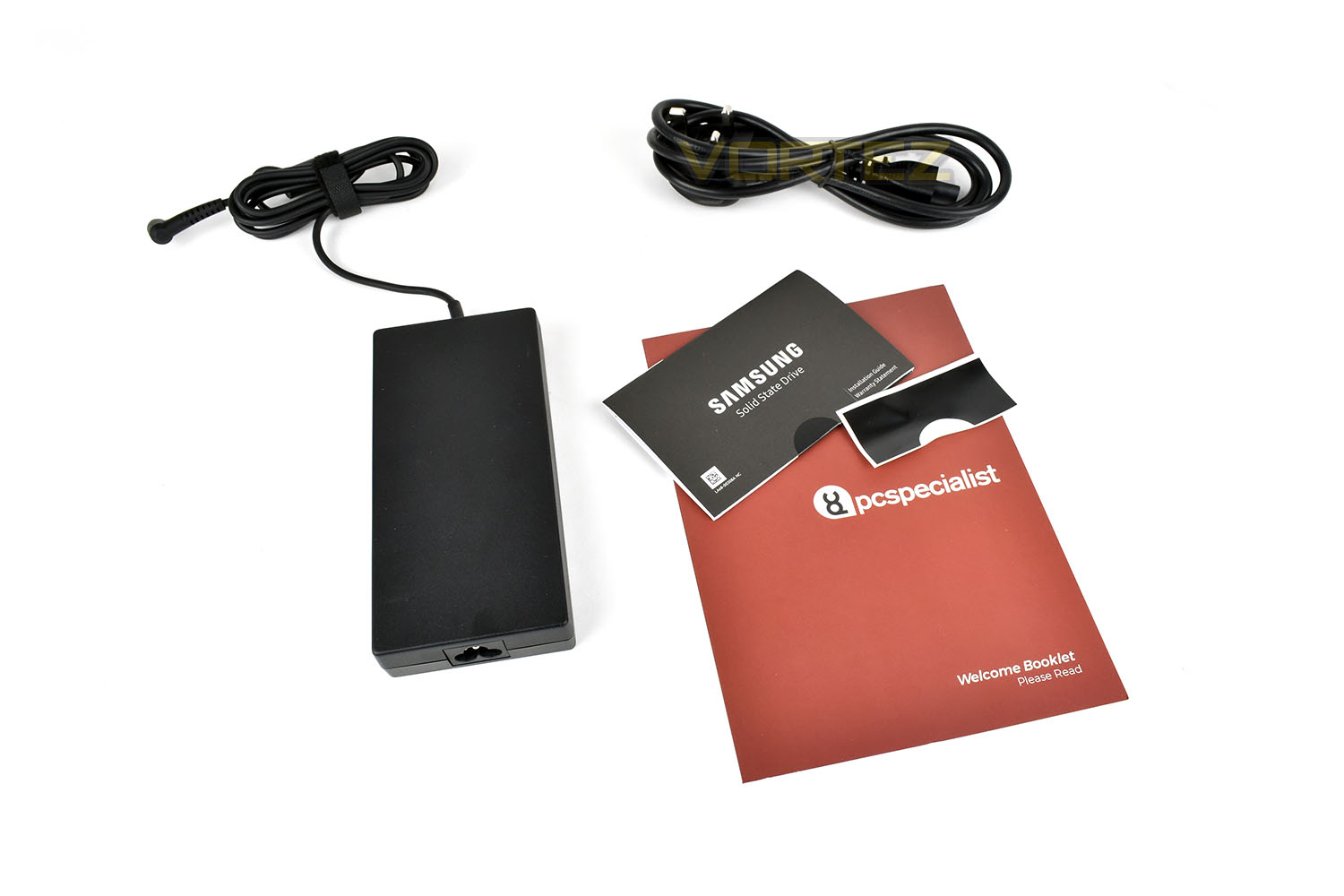
With the Vyper system is a small power brick, a Samsung manual for the 970 EVO drive included and a PC Specialist Welcome Booklet.
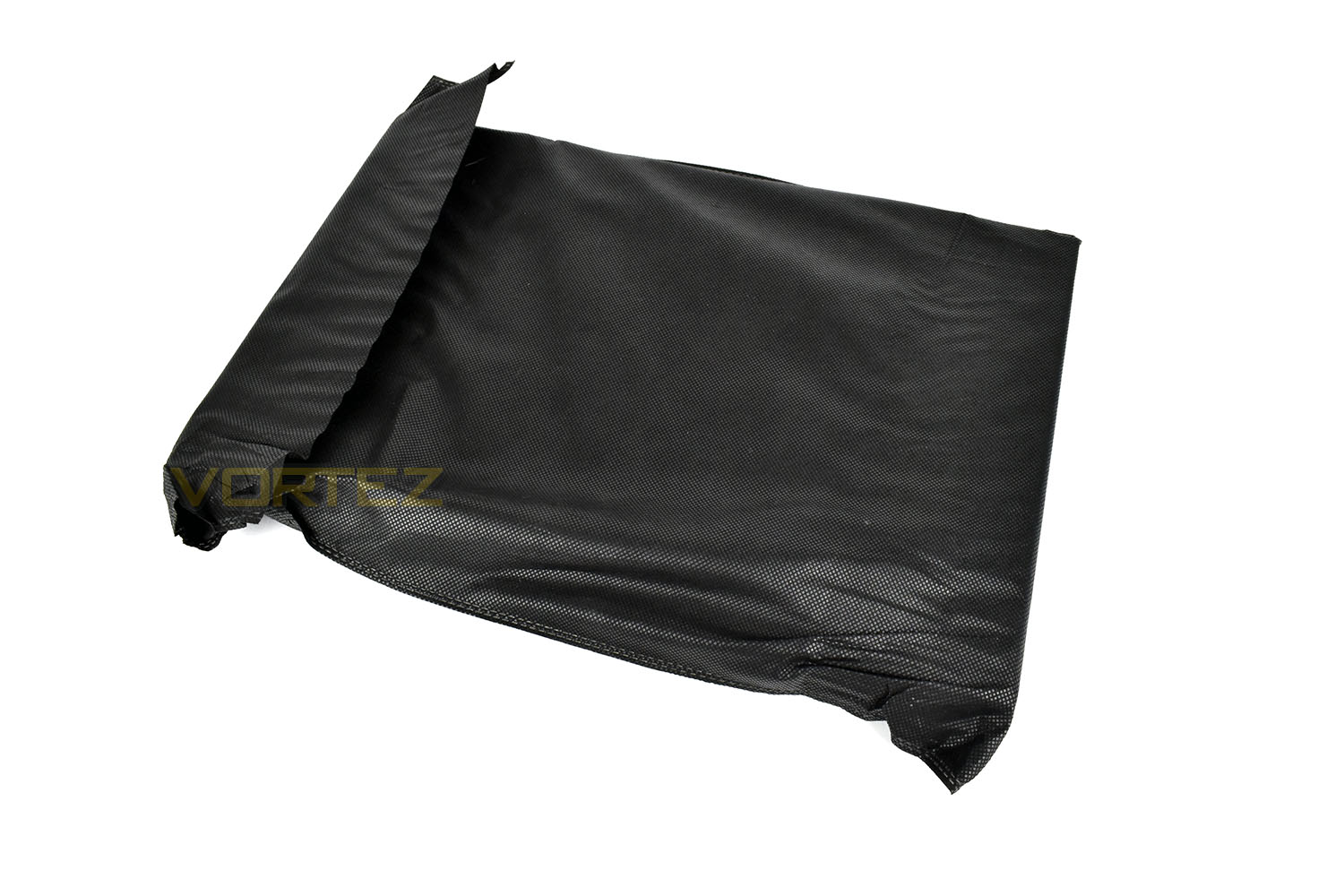
A cloth bag surrounds the laptop, which may be handy to keep hold of to prevent scratching of the lovely chassis in your laptop bag or rucksack.
Closer Look
If a minimalist appearance is what you’re after, the Vyper will please your eyes. The lid is a brushed-aluminium style piece of hard plastic.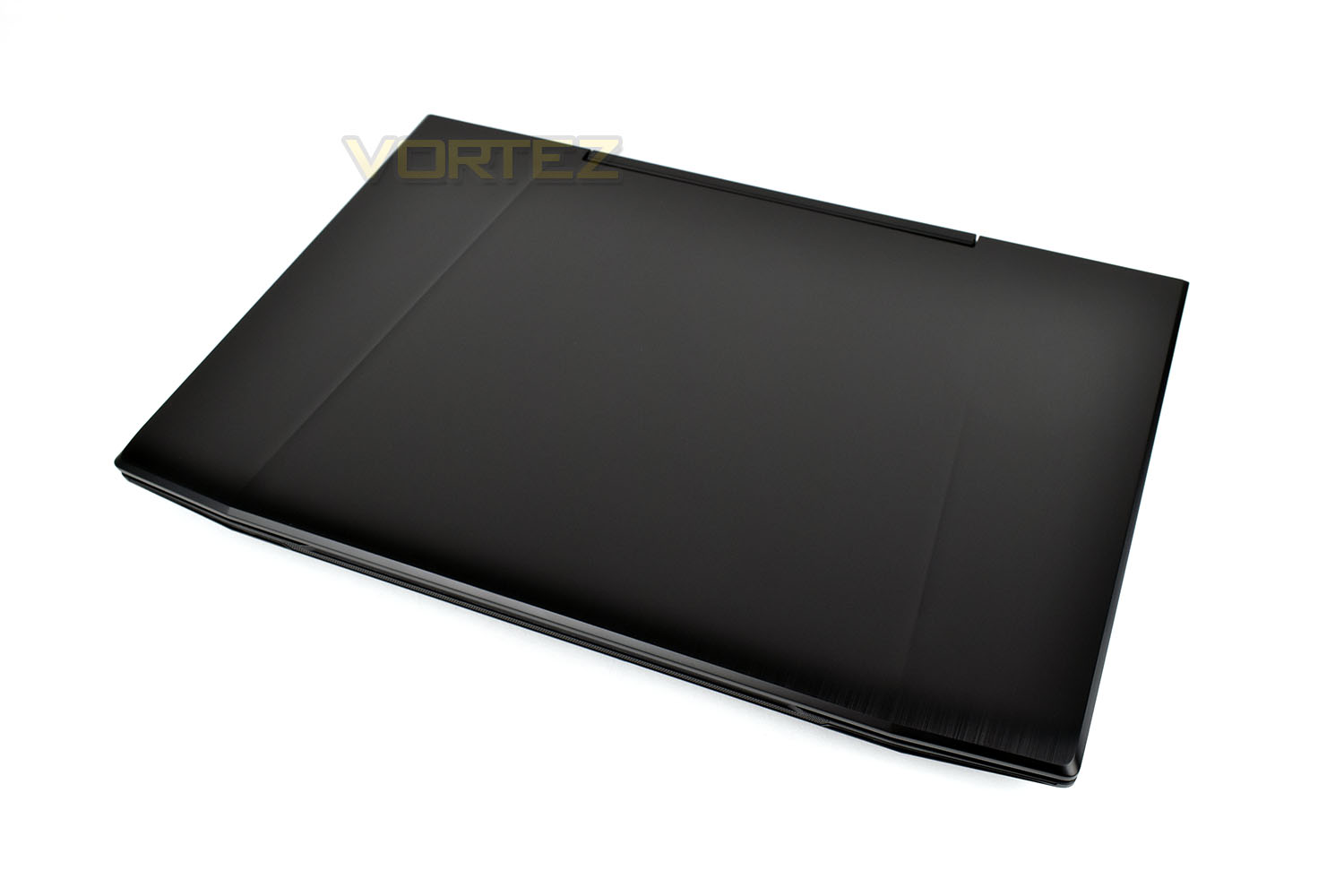
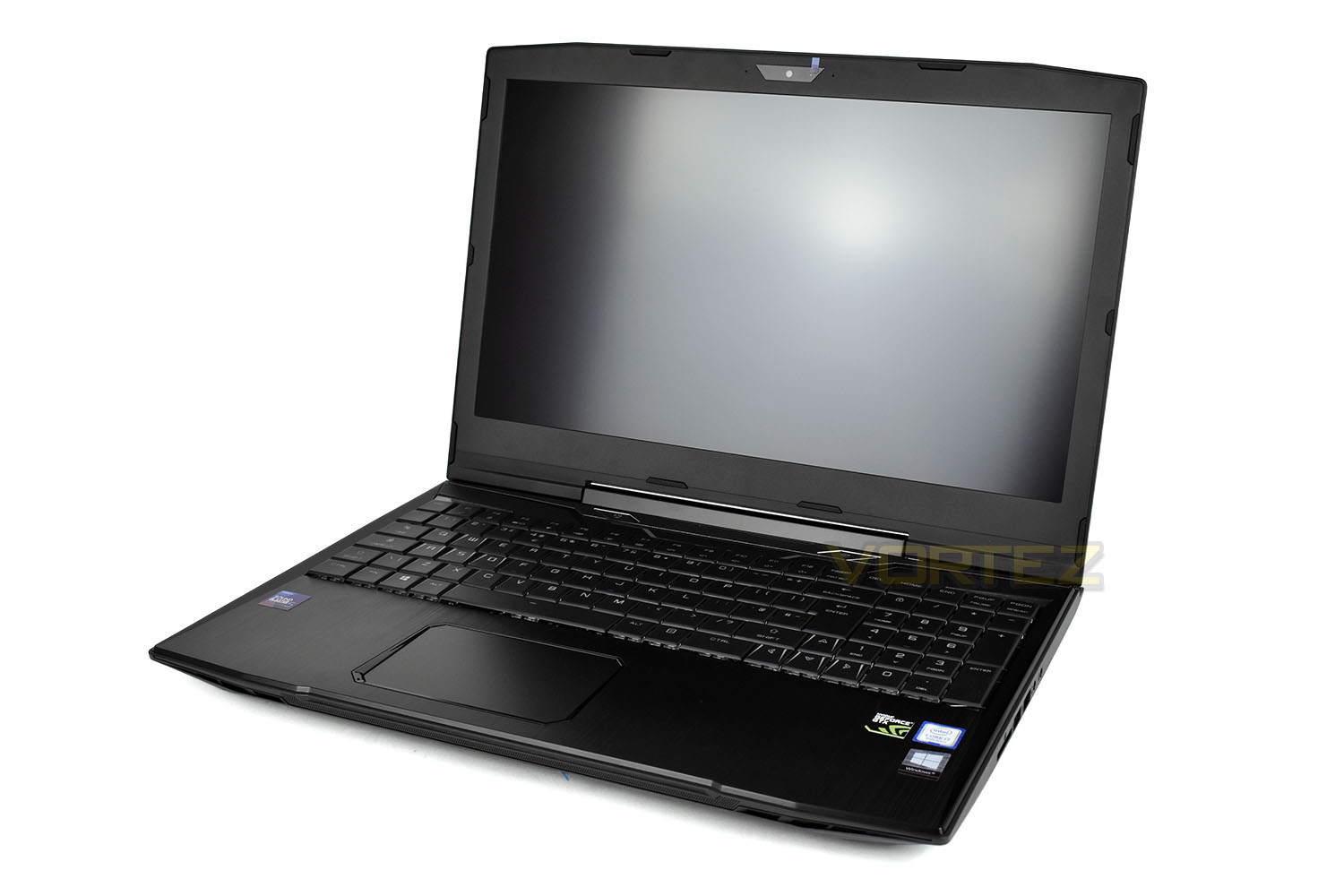
Lifting the lid reveals the same styling. The multi-touch trackpad features a right and left-click hidden within the unit instead of separate buttons. The keyboard contains a number pad to the right, bunched tightly with the main keyboard. There’s a matt coating on the 15.6” screen, reducing glare and reflections in bright environments. Just above the 1080p panel is a small, unobtrusive 720p (1MP) webcam.
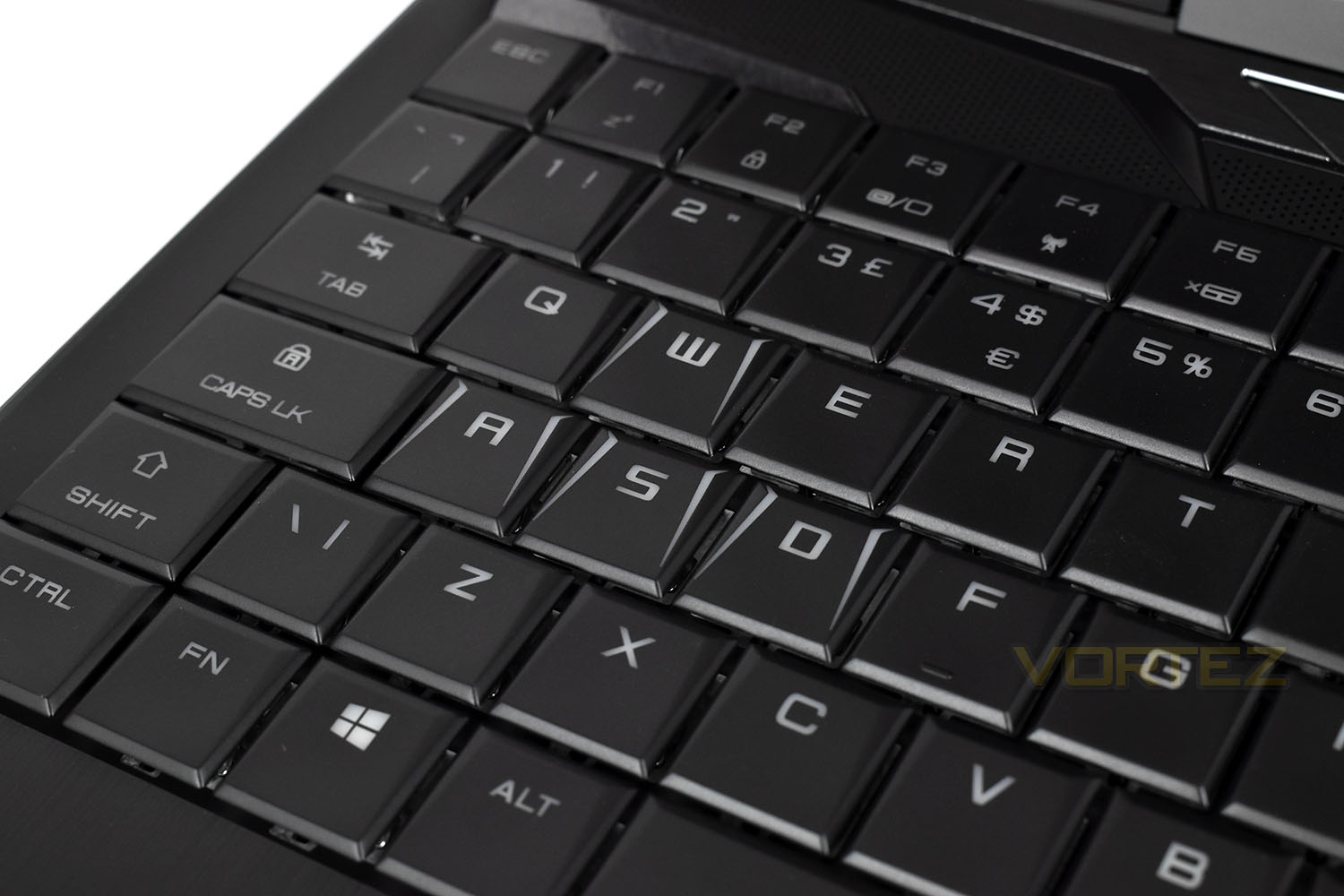
PC Specialist, with their focus on the gaming aspirations of the Vyper, have etched out some angled markers on the WASD keys, however the shape remains exactly the same as the surrounding keycaps. One incredibly handy feature build into the FN keys function on F5 is to disable the trackpad to prevent accidental mouse movement while gaming – obviously, an external mouse/pointing device would need to be used at this point.
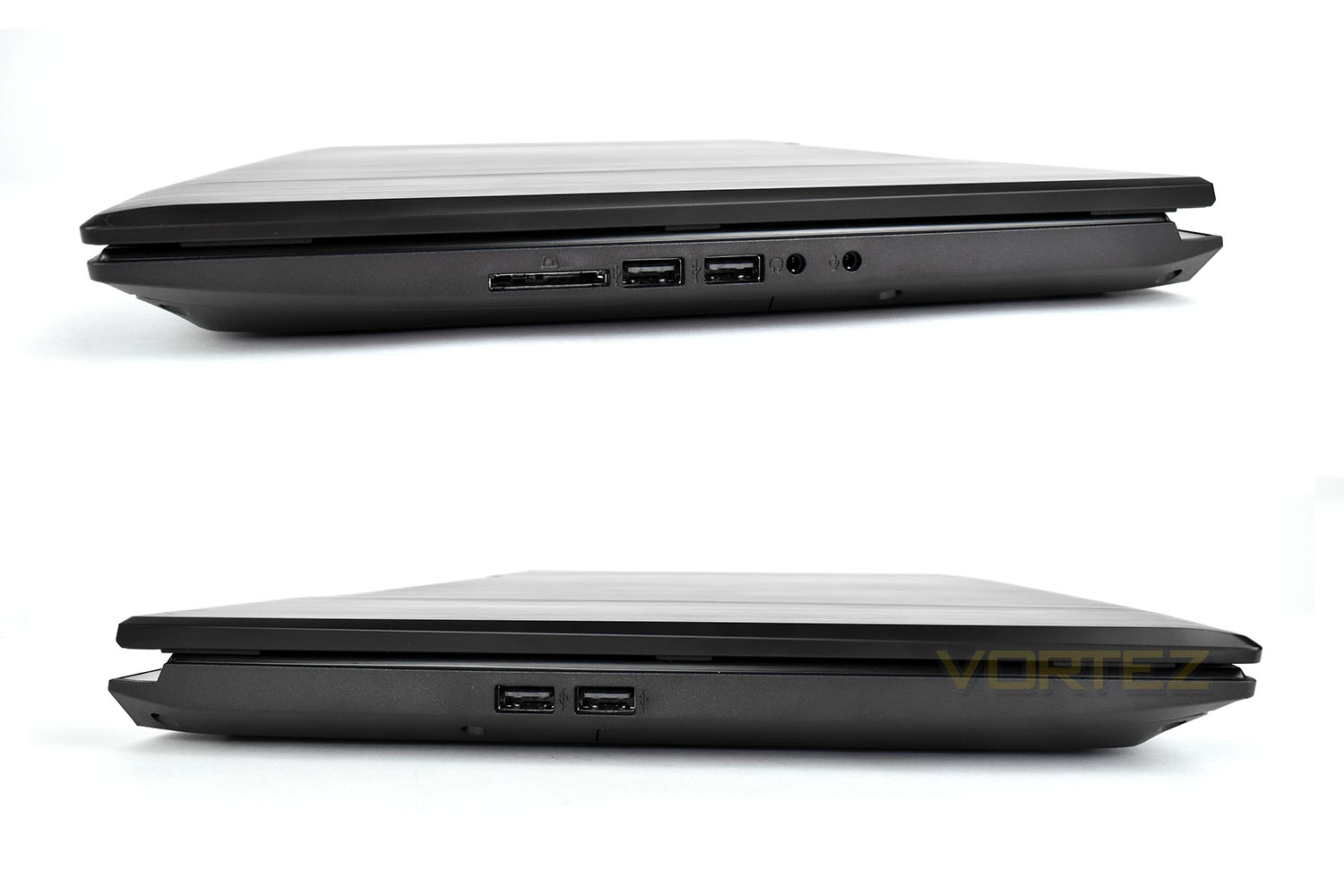
The right-hand side houses the SD card reader, a pair of USB 2.0 ports and microphone in/headphones out. The left is a little less busy with only a pair of USB 2.0 ports.
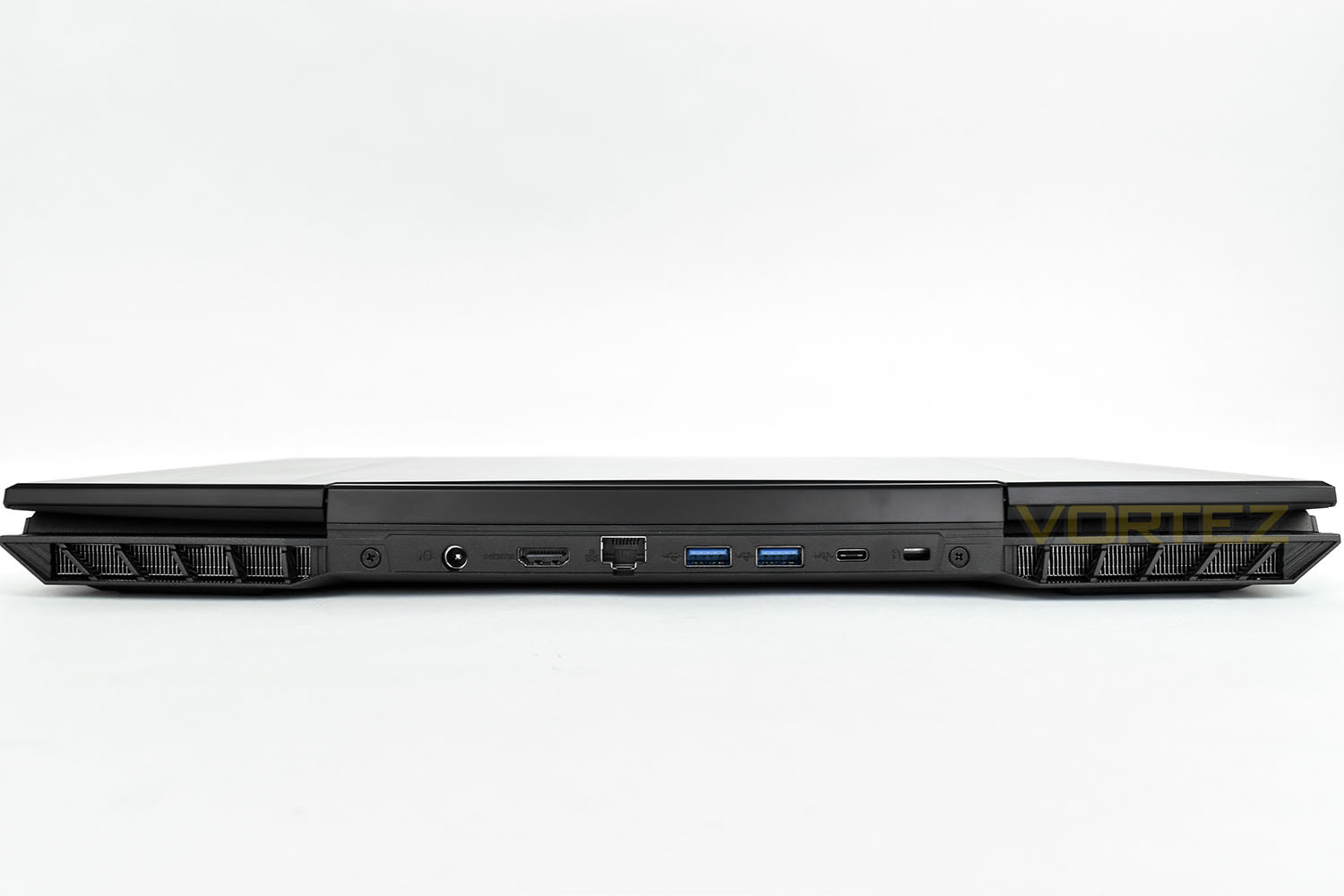
The rear is where the real big-guns of the connectivity world lie, with an HDMI, Gigabit LAN, a couple of USB 3.0 ports and a USB 3.1 Gen. 2 Type C. Keeping all of this behind the screen can help maintain a tidy workspace by allowing all of the ugly wires to be hidden behind the screen.
Benchmarks: Temperatures, Up Time & Boot Time
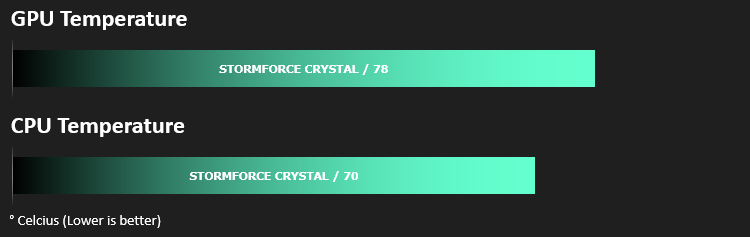
For our first benchmark test we observe the max. CPU/GPU temperatures of the system while allowing Unigine Heaven 4.0 to run on a 30-minute loop. To report back on the temperatures we use RealTemp and GPU-Z which provide the peak figures.
In this test we observe how fast the boot into Windows 10 is by using a digital stopwatch.

Battery uptime is another important observation, for this, we charge the notebook up to 100% and then disconnect the charging unit and leave Heaven 4.0 running on a continuous loop until the notebook loses all power.

Benchmarks: Cinebench R15 & Handbrake
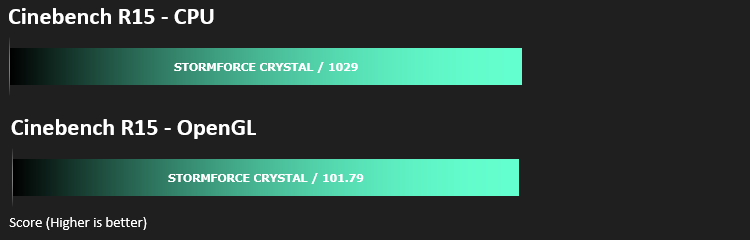
CINEBENCH can measure systems with up to 64 processor threads. This test scene contains approximately 2,000 objects which in turn contain more than 300,000 polygons in total, and uses sharp and blurred reflections, area lights, shadows, procedural shaders, antialiasing, and much more. The result is displayed in points (pts). The higher the number, the faster your processor is.

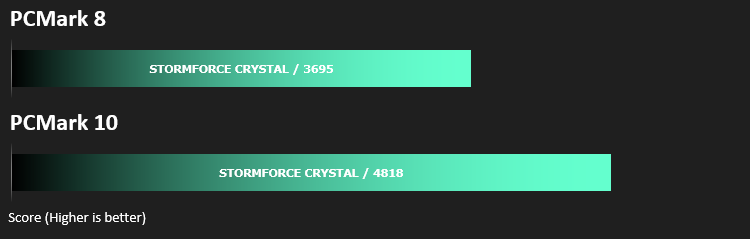
Benchmarks: PCMark 8 & 10
PCMark 10 combines performance benchmarking with battery life measurement and includes tests based on popular Adobe and Microsoft applications. Whether you are looking for long battery life, or maximum power, PCMark 10 will help you find the devices that offer the perfect combination of efficiency and performance for your needs. It’s the complete PC performance benchmark for home and business.
Benchmarks: 3DMark & Heaven 4.0
Time Spy is a DirectX 12 benchmark test for gaming PCs running Windows 10. With its pure DirectX 12 engine, built from the ground up to support new API features like asynchronous compute, explicit multi-adapter, and multi-threading, Time Spy is the ideal benchmark for testing the DirectX 12 performance of the latest graphics cards.

Benchmarks: Gaming (1080p)
The Vyper 15 uses the NVIDIA GeForce GTX 1060 (6GB) for graphics delivery, in this section we test the latest gaming titles to see how effective the 3D capabilities are. We report on the average framerate using FRAPS.

Performance Testing
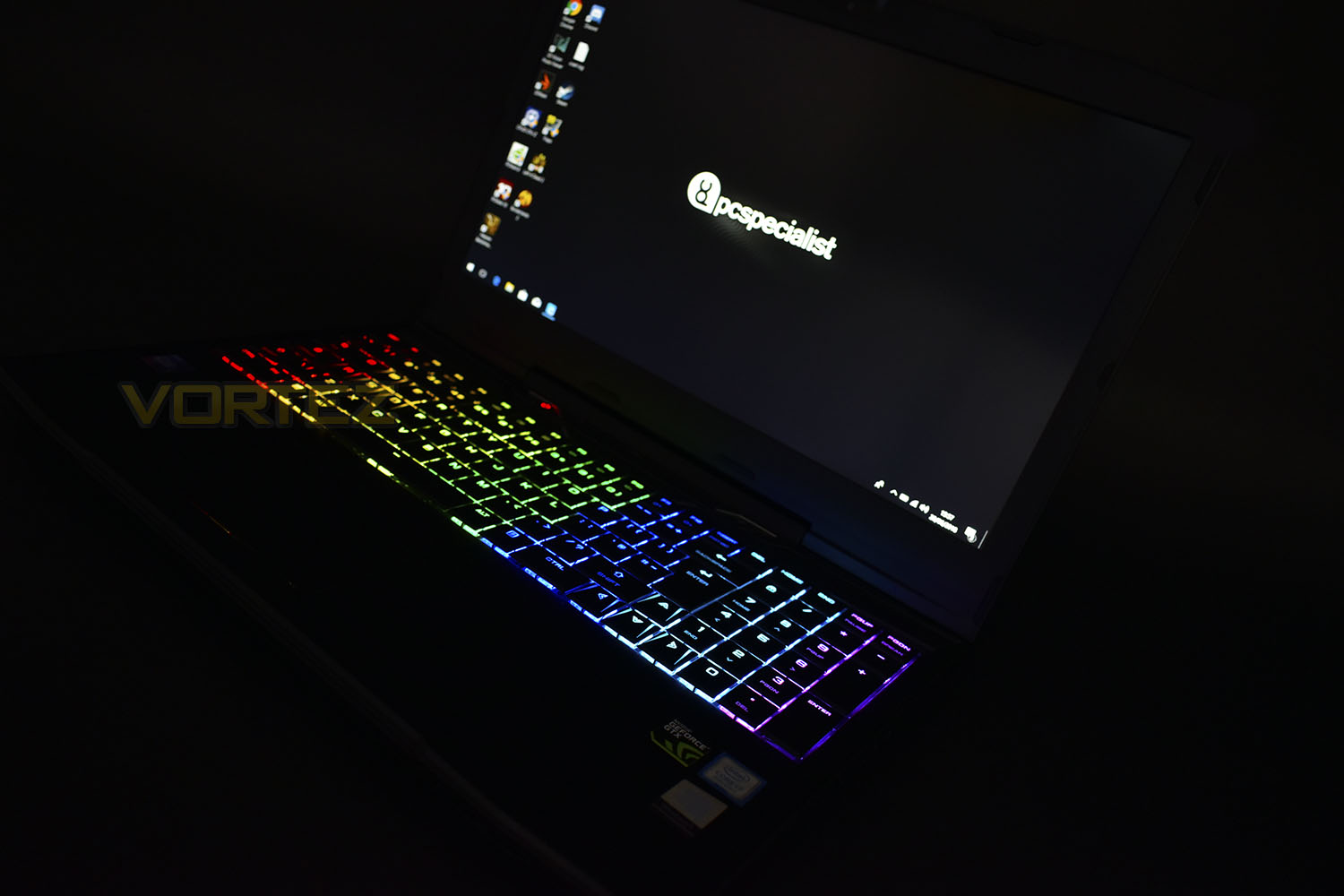
Starting with the cosmetics, the overall appearance of the Vyper 15 is beautifully simple. The all-black lid with no distraction from that simplicity. Once the lid is opened, the laptop remains clean and straightforward, however, when the laptop is powered on and the keyboard allowed to do its RGB thing, that’s when you suddenly realise the gaming potential of the laptop; the arrow keys and WASD keycaps are etched with some small directional shapes to help you quickly locate the keys you require for gaming. Our only gripe with the keyboard is the proximity of the number pad with the keyboard itself, leaving very little room. It was often far too easy to accidentally press the wrong key.PC Specialist’s decision to route the main ports to the back of the laptop is, in our opinion, a solid choice and something all laptop manufacturers should work hard to achieve. The main bonus of this is a total lack of cables obstructing you from your work or play, both visually and physically. They’ve also aimed the exhaust vents from the heatsinks out the rear of the laptop, helping to prevent sweaty hands.
Moving onto the display, which is a 1080p 60Hz TN panel measuring just over 15” diagonally. The matte coating does a good job of limiting reflections on the screen, an absolutely vital feature for any gaming orientated laptop while also handy for using the laptop in any bright environments. The NVIDIA GeForce GTX 1060 graphics card, with 6GB of VRAM on board, pushes frames perfectly well at the 1920×1080 resolution, all of the games we tested, with the slight exception of Deus Ex, managed an average of 60 FPS or more (Deus Ex managed an impressive 54.6).
The laptop doesn’t feel “solid” in all respects. We would’ve liked to have seen something sturdier than the plastic construction. The screen feels like it would damage all-too-easily if dropped or any pressure applied from above, there’s also a seriously worrying amount of flex within the screen and lid when open.
Looking at our CPU tests, the i7-8750H really stepped up to the plate, powering through tasks with incredible efficiency. A Cinebench score over 1000, from a reasonably budget-orientated laptop cannot be sniffed at. For context, an i7-7700K desktop CPU scores around the same.
Thanks to the Samsung 970 EVO 500GB SSD, boot times and overall system responsiveness was difficult to beat, while the 1TB HDD provides ample space for music, videos and lesser-played games.
A clever feature we particularly liked was a shortcut key (FN + F4) in this case, which turns off the trackpad. When using a discrete mouse and the built-in keyboard, we found that your thumb could brush against the trackpad and ruin your aim.
Battery life is something of great importance in a laptop, especially if you plan to use the device on the go, nowhere near a power socket. Unfortunately, the Vyper doesn’t perform well in this instance, managing little over 90 minutes in our battery test.
Conclusion
Aesthetically, the laptop certainly isn’t anything special, but the simple and quiet design of the chassis is a nice change from the typical bright accents and logos on the lid. We also particularly liked the RGB backlit keyboard, with a mechanical feel. It’s not particularly sharp, like a Cherry MX switch, but it’s without doubt better than a typical laptop keyboard.Combining an incredibly capable Core i7 CPU, an NVIDIA GTX 1060 6GB GPU, 16GB of RAM and a 500GB NVMe SSD has paid dividends. It’s very difficult to find a usage scenario where the Vyper won’t excel. Temperatures were good, considering the small chassis and relatively power-hungry internal components.
Another perhaps insignificant design choice that we enjoyed was the positioning of the key IOs, such as the HDMI, power, ethernet and USB 3.0 and 3.1 ports. Having those around the back can change the appearance of a laptop hugely, especially when used for gaming with a discrete mouse and with the power adaptor connected for maximum performance. As mentioned, the exhaust ports also facing rearward is key to extended comfort.
Priced at £1200 for the tested model, we feel this represents decent value for money, with a 3 year standard warranty thrown in on top.
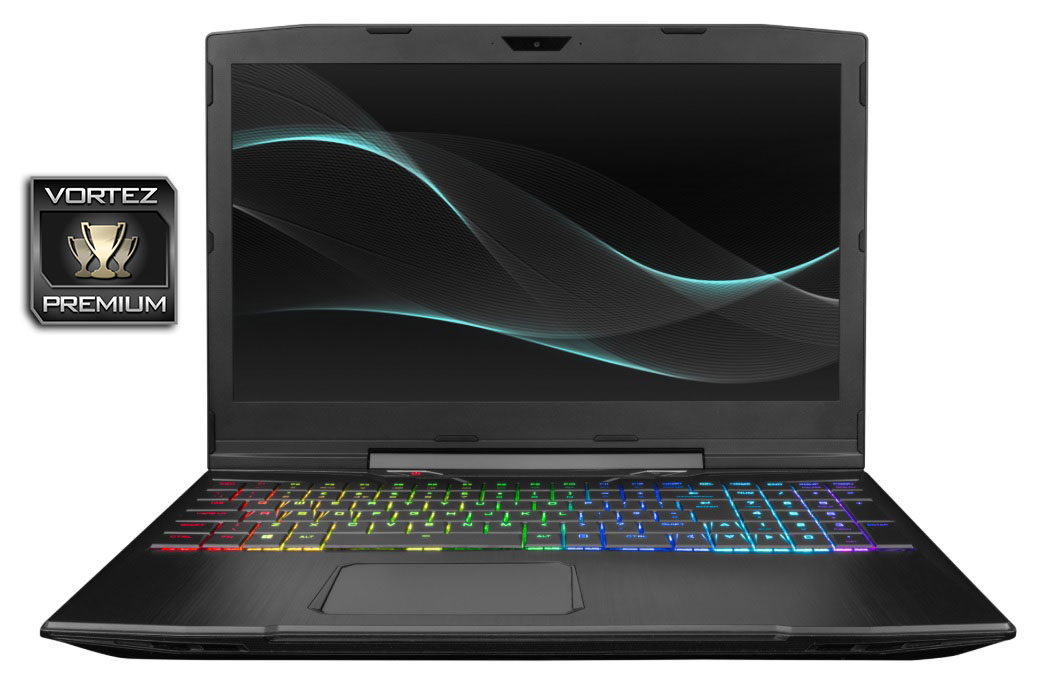
A well rounded, thoroughly designed laptop that’s genuinely capable of any reasonable task you can throw at it. Definitely worthy of a recommendation.
Pros
+ Excellent performance in all tests
+ Lovely, bright screen, with matte coating
+ Excellent placement of ports
+ RGB mechanical keyboard
+ Simple, elegant design
+ NVMe SSD offers maximum responsiveness
+ 3 year warranty
Neutral
+- Keyboard felt a little cramped at times
Cons
– Poor battery life
+ Excellent performance in all tests
+ Lovely, bright screen, with matte coating
+ Excellent placement of ports
+ RGB mechanical keyboard
+ Simple, elegant design
+ NVMe SSD offers maximum responsiveness
+ 3 year warranty
Neutral
+- Keyboard felt a little cramped at times
Cons
– Poor battery life
Click here for an explanation of our awards at Vortez.net.