We’ve tested the full-size brother, now it’s time to take a look at the Tournament Edition, aimed at eSports and PC Gamers in general.

Product on Review: Razer Blackwidow Tournament Edition Chroma V2
Manufacturer: Razer
Street Price: £139.99 / $139.99
Back in May, we tested the Razer Blackwidow Chroma V2, the full sized brother to today’s test piece; this landed our Gold award for a variety of reasons. Today we take a look at the Razer Blackwidow Tournament Edition Chroma V2 (That’s quite a mouthful!), a cut-down, eSports focussed version of that very same keyboard.
Sporting a 10-keyless design, Razer Chroma RGB backlighting, removable USB cable, a choice of 3 different, Razer designed, mechanical keys and an ergonomic wrist rest, Razer has gone all-out with the key features for a gaming keyboard.
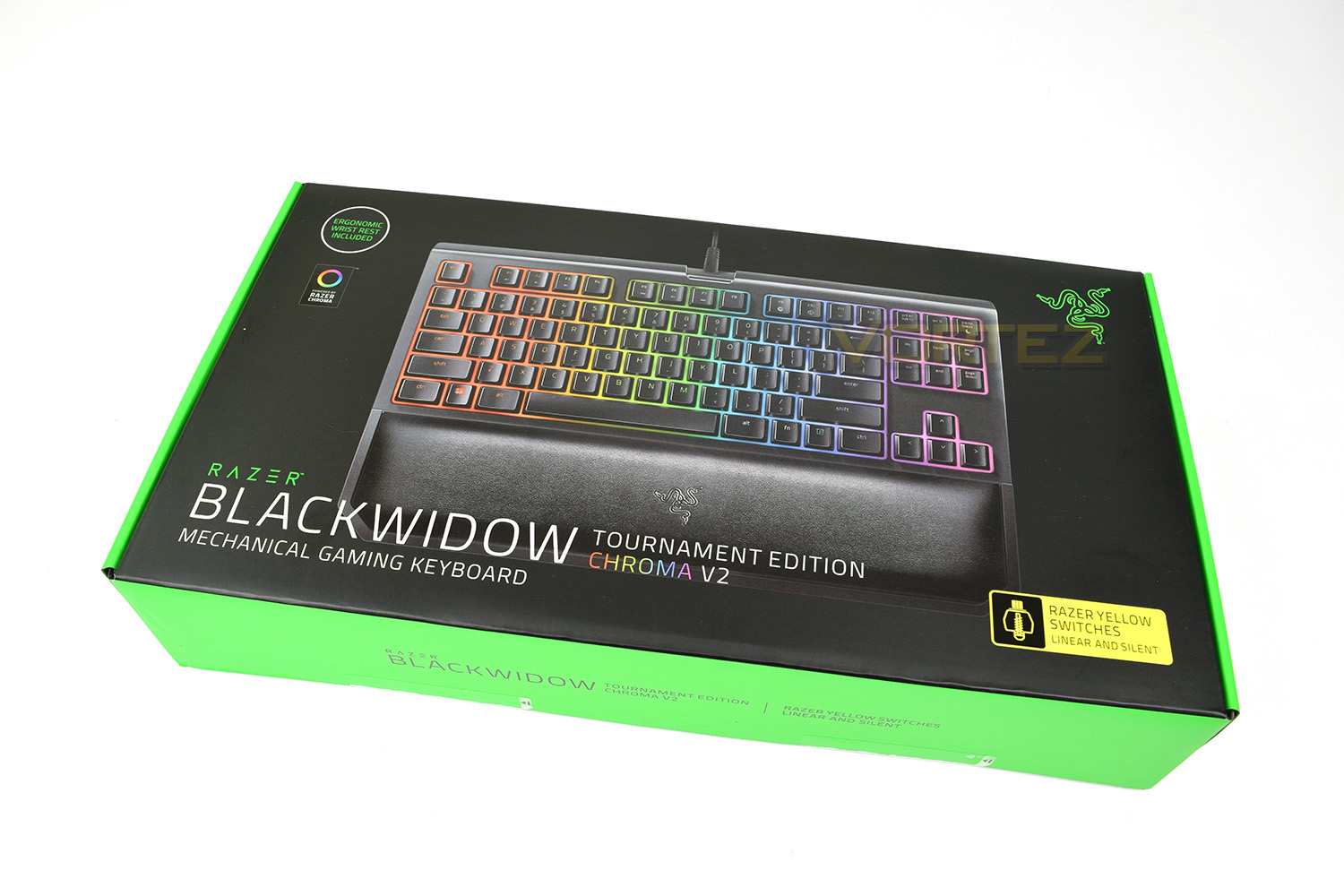
The sample provided by Razer also features the new Razer Yellow mechanical keys, these are advertised as linear and silent, almost as a direct competitor to Cherry’s Speed Silver key switches. The Razer Yellow mechanical switches are rated to 80,000,000 actuations which should be absolutely unachievable under even the most extreme of usage scenarios.
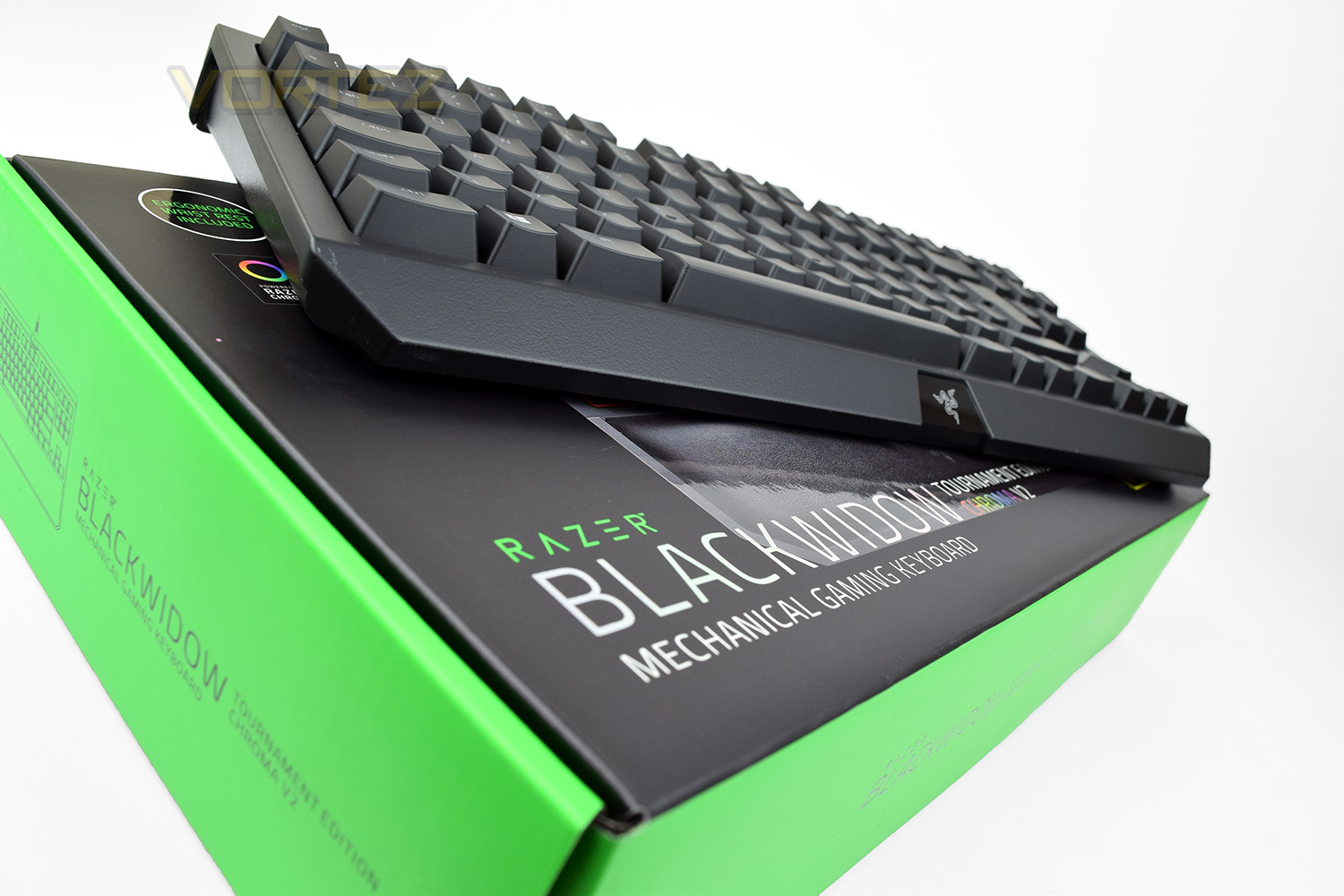
Razer can, without doubt, be referred to as a class-leader in the peripherals market. Its products are used all around the world by millions of customers but does that kind of user-base guarantee performance? We’ll put the Tournament Edition Chroma V2 through its paces, compared side by side to the Chroma V2 and see how it fares.
Manufacturer on the product:
Introducing the Razer BlackWidow Tournament Edition Chroma V2—the keyboard with the fastest performance we’ve ever produced. When you’re in the middle of an intense tournament match, every millisecond counts in trying to secure that winning edge over your opponent. With this keyboard, you can now make that a reality.
Technical Specifications
At a glance
Razer™ Mechanical Switches with 80 million keystroke lifespan
Tenkeyless compact layout
Ergonomic wrist rest
Fully programmable keys with macro recording
Instant Trigger Technology
Razer Chroma customizable backlighting
Specs
Razer™ Mechanical Switches with 50g actuation force
80 million keystroke lifespan
Razer Chroma customizable backlighting with 16.8 million colour options
Compact layout
Ergonomic wrist rest
Razer Synapse enabled
10 key roll-over anti-ghosting
Fully programmable keys with on-the-fly macro recording
Gaming mode option
1000 Hz Ultrapolling
Instant Trigger Technology
Detachable braided fibre cable with cable strap
Razer™ Mechanical Switches with 80 million keystroke lifespan
Tenkeyless compact layout
Ergonomic wrist rest
Fully programmable keys with macro recording
Instant Trigger Technology
Razer Chroma customizable backlighting
Specs
Razer™ Mechanical Switches with 50g actuation force
80 million keystroke lifespan
Razer Chroma customizable backlighting with 16.8 million colour options
Compact layout
Ergonomic wrist rest
Razer Synapse enabled
10 key roll-over anti-ghosting
Fully programmable keys with on-the-fly macro recording
Gaming mode option
1000 Hz Ultrapolling
Instant Trigger Technology
Detachable braided fibre cable with cable strap
Packaging & First Look
Green and black has become the signature colours of Razer, no other company can pull it off quite as well. Continuing with this theme, Razer delivers the TE Chroma V2 in said colours.The front of the box features a large image of the keyboard, along with some large stickers signifying included items and technologies included. A great, big colour-coded sticker on the front saves any confusion with this keyboard, signifying which of the three variants of the mechanical switch is included. The TE is also available with Razer Green and Razer Orange keys.
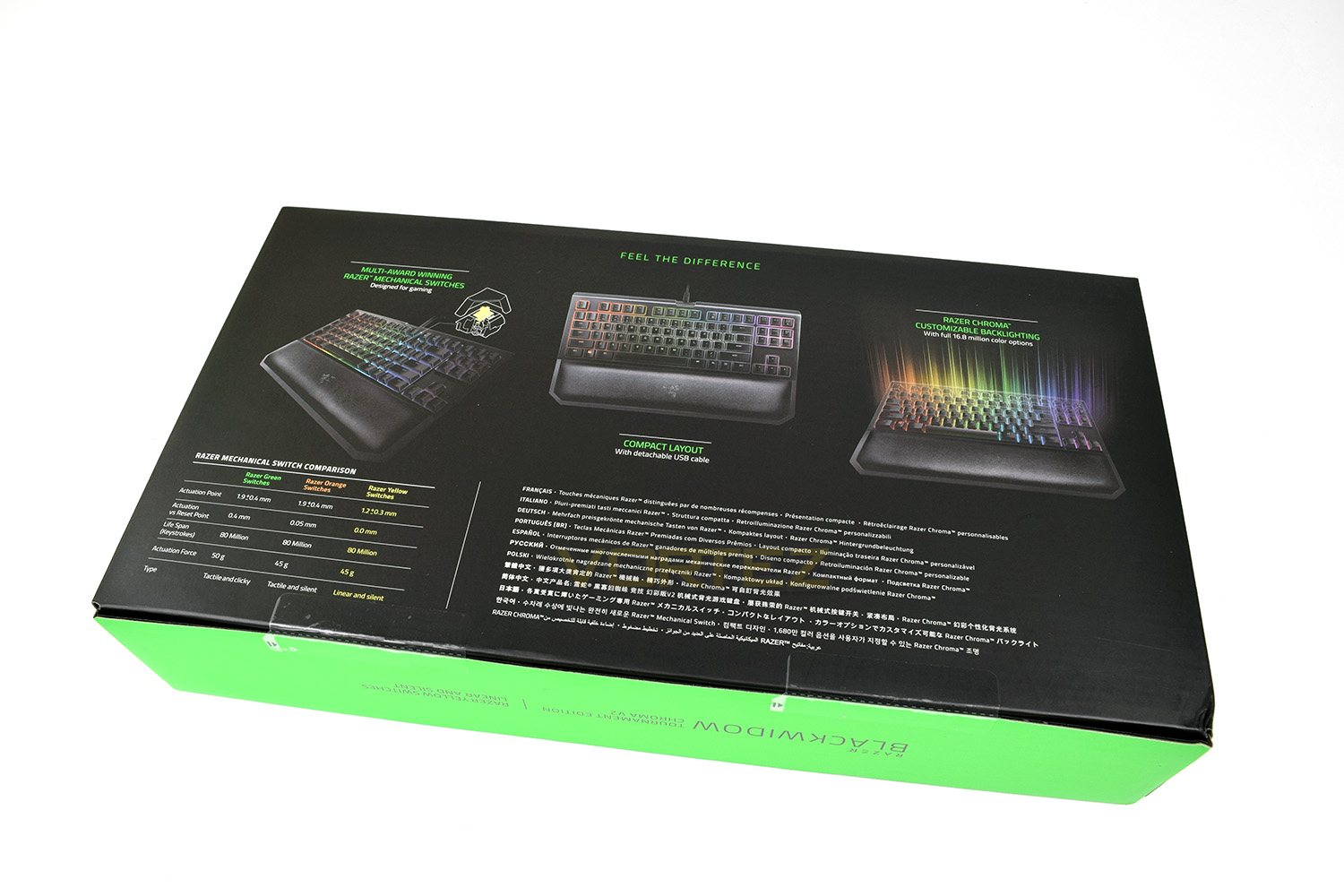
The rear of the keyboard gives a broader overview of features within the Razer Blackwidow TE. It also describes the difference between the 3 mechanical switches offered on today’s Razer keyboards.
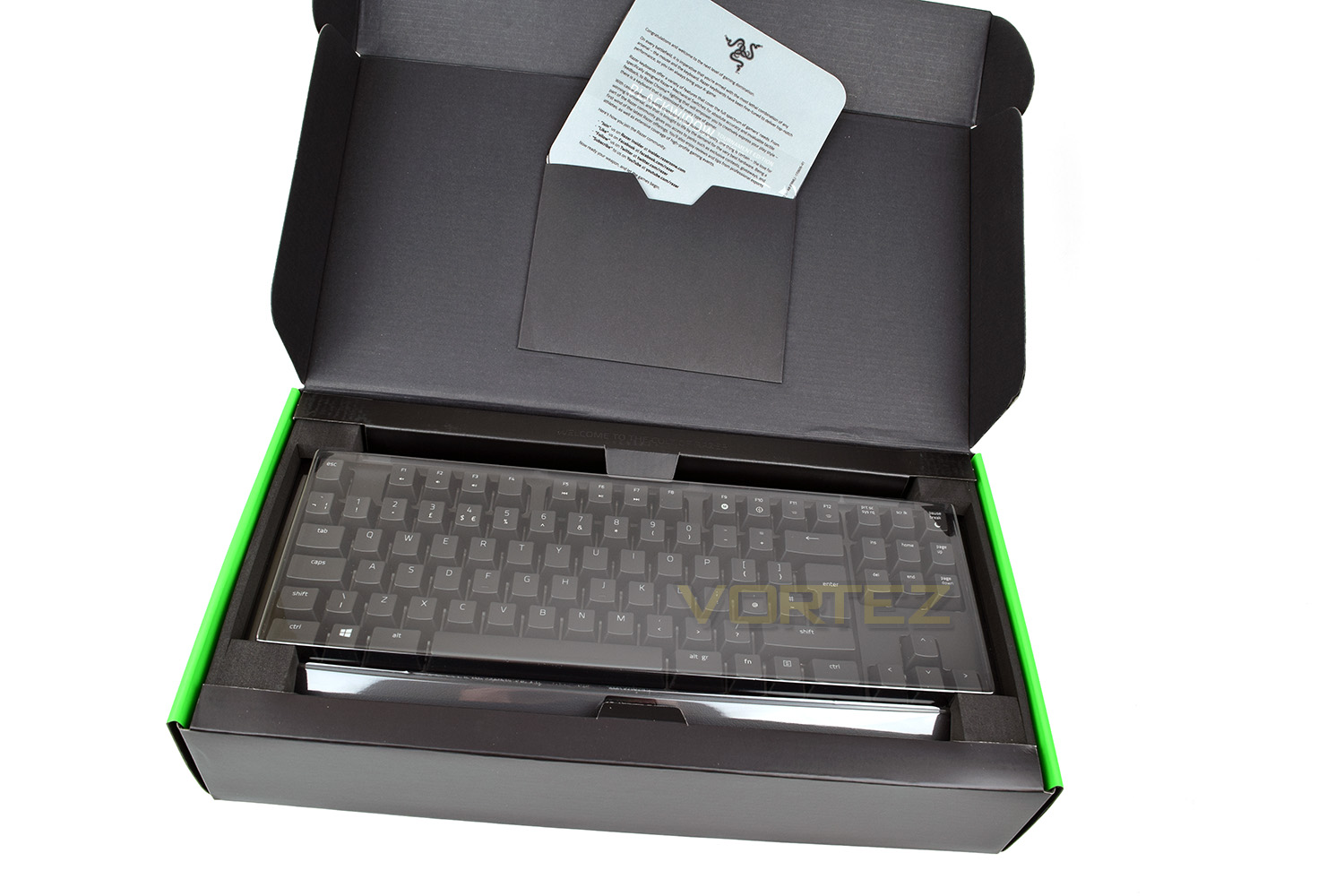
Lifting the lid, the keyboard is held in place under a sturdy piece of transparent plastic, with foam and cardboard surrounding the perimeter. This should ensure a safe journey from the factory to the end user. In the lid, you will find the welcome card, quick start guide and your Razer stickers.
Included with the Blackwidow is an ergonomic wrist rest, which attaches via strong magnets; this wrist rest is well padded with an extremely soft faux leather cover. Also included is the braided, 2M, detachable mini-USB cable.

We immediately fell in love with the appearance of the Razer Tournament Edition; it’s small, due to the lack of the number keys, but they haven’t gone too far and squashed everything up too much. “cute” pretty aptly sums this up.
Closer Look
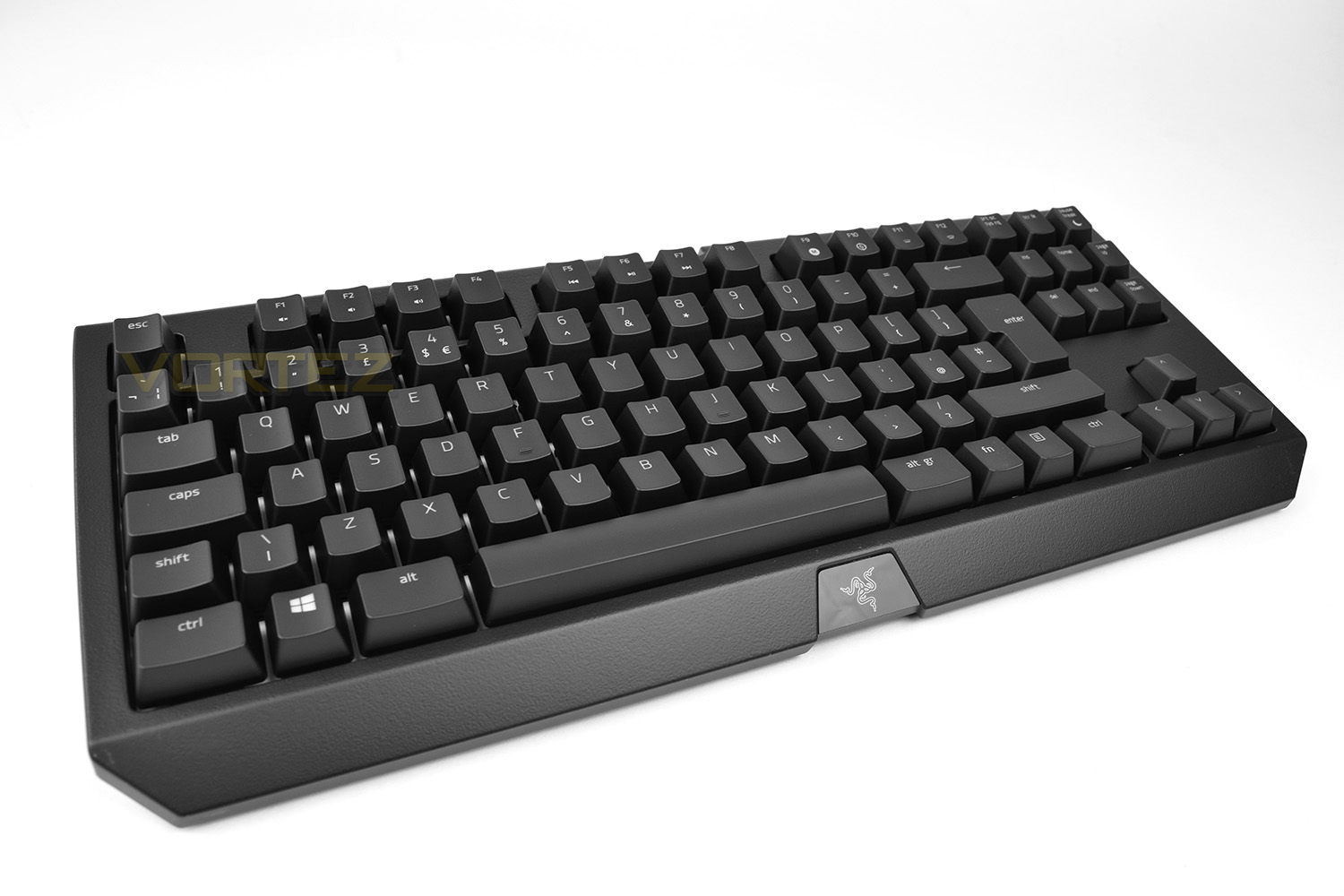
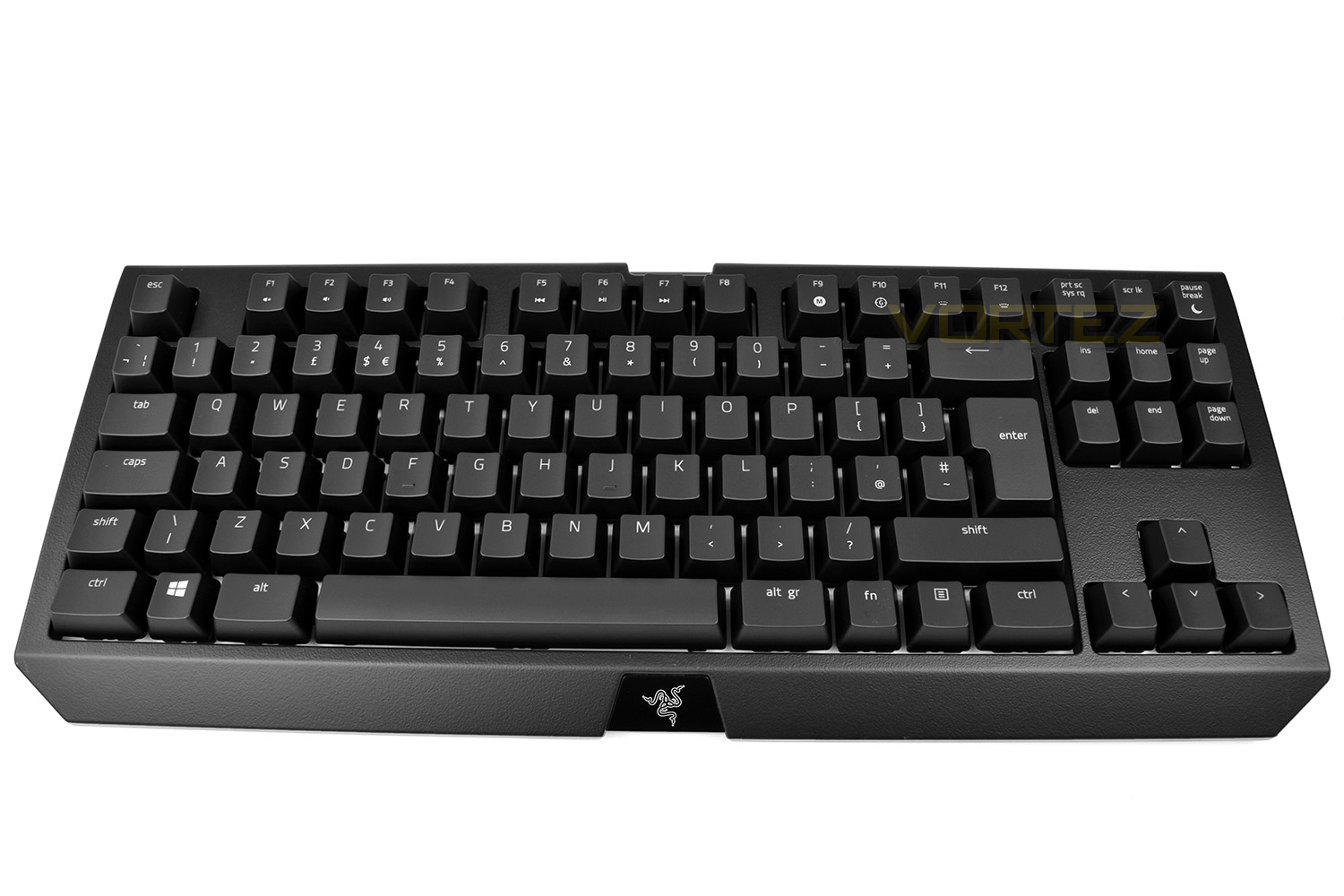
If you’re familiar at all with the previous Blackwidow Chroma V2, the Tournament Edition’s styling cues will be immediately apparent, however, the entire dynamic of the keyboard has changed due to being over 100mm shorter in length and 20mm narrower in width. The height remains the same.Razer has removed the number keys from the right-hand-side and also lopped off the five macro keys on the left. The keyboard still relies on a Fn key and a bank of multi-function F keys along the top row for most of the common media functions, as well as macro recording and gaming mode.
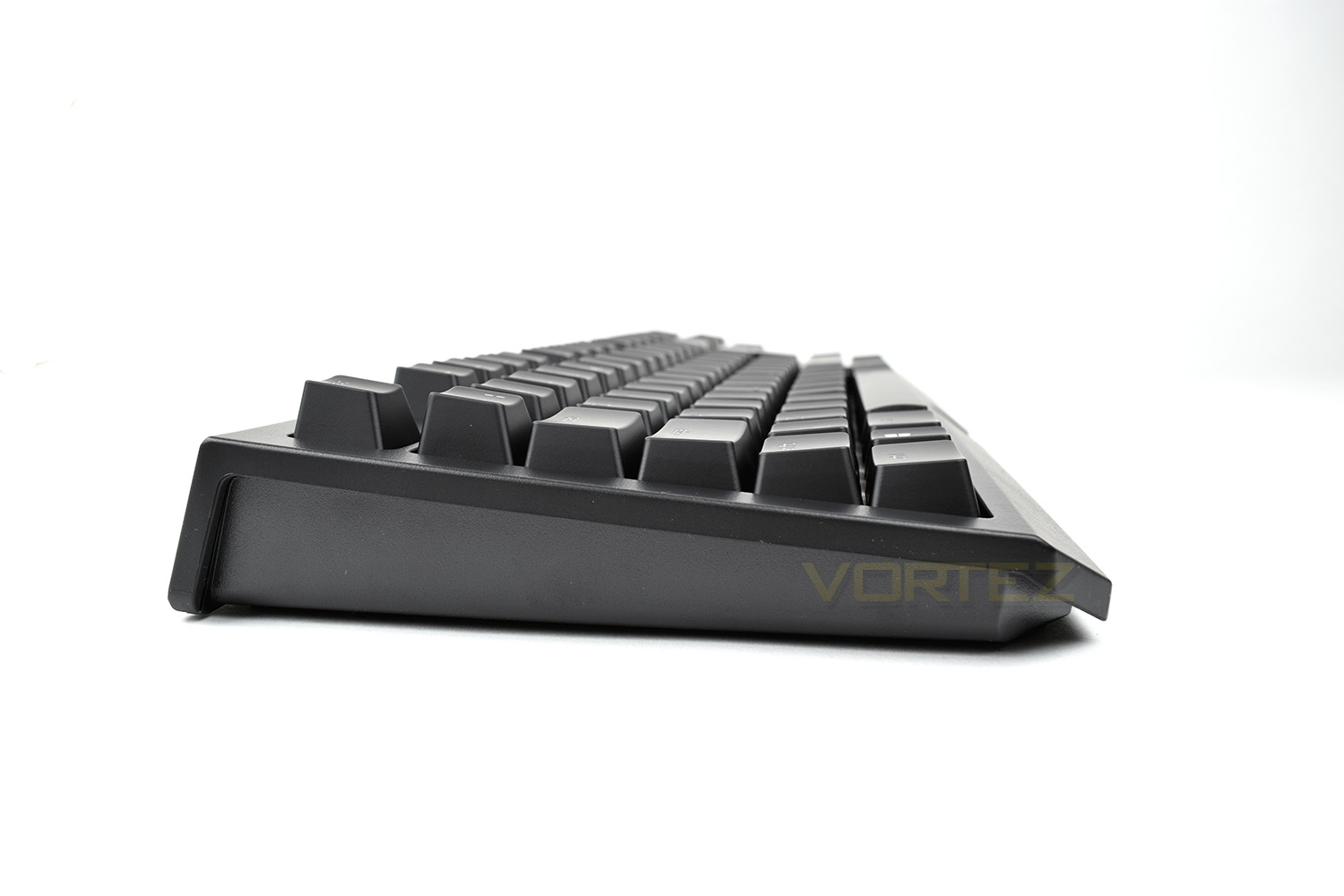
Looking at the keyboard from the left, without the feet extended, the keyboard features quite a large degree of forward angle. You can also see that the mechanical keys are encased, which is unusual of mechanical keys.
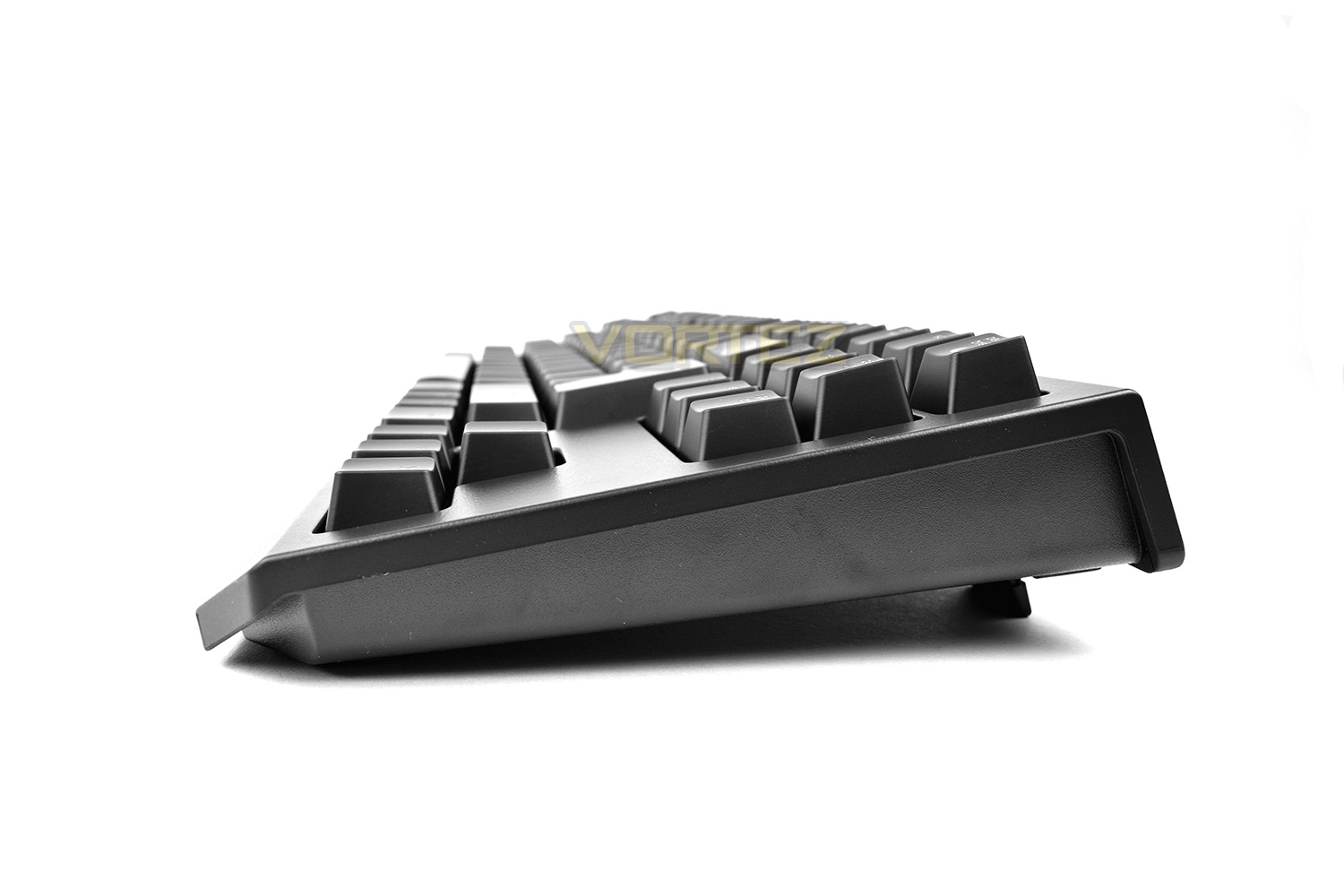
We’ve raised the extender feet at the back of the keyboard for the photograph from the right. This shows what kind of angle you can expect. This would also be host to the 3.5mm audio and USB pass-throughs on the bigger brother, which Razer has removed from the TE.
Attaching the large wrist rest changes the keyboard entirely, adding almost 90mm to the bottom, however, typing angle and comfort are somewhat changed. The rest is roughly 28mm thick and provides ample cushioning, especially when compared to competitor models with only a solid plastic wrist rest.

Closer Look (Continued)
The keyboard provided to us uses the Razer Yellow mechanical keyswitches. These are Razer’s most recently developed key designed to be the fastest and most responsive, lending itself perfectly to gaming. The base of the key tray is made of a semi-reflective white material, perfect for reflecting some of that RGB Chroma backlighting.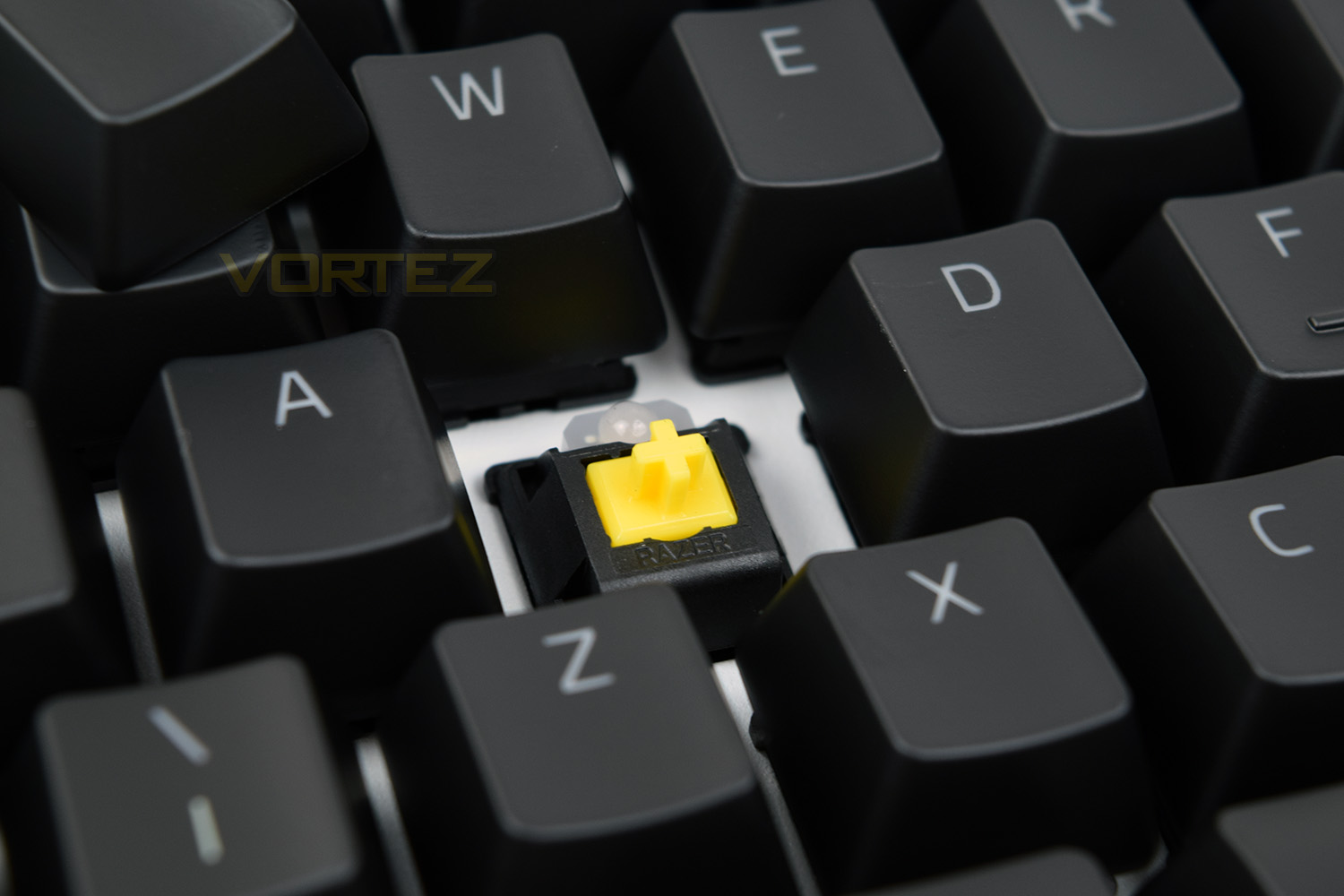
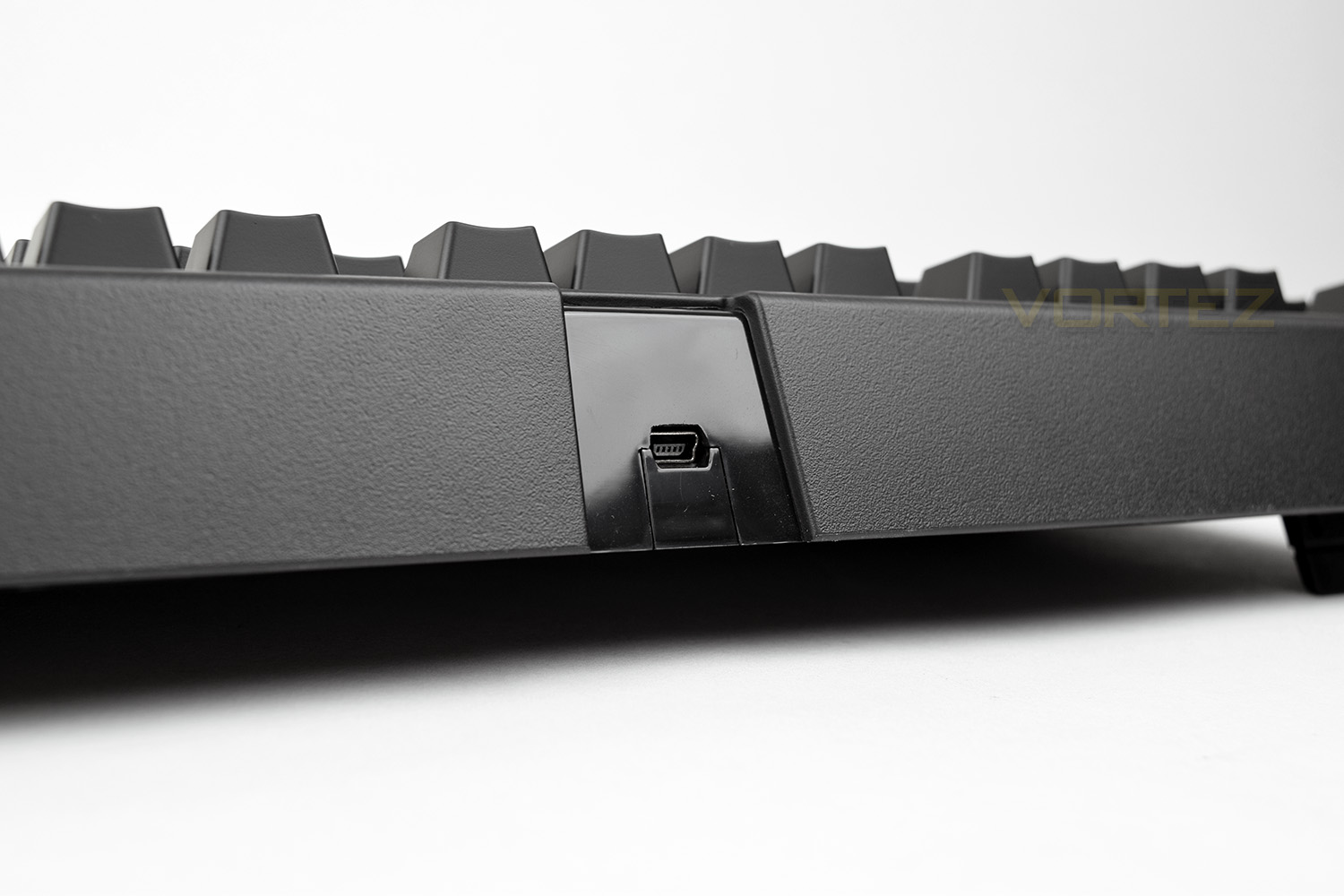
On the rear of the keyboard is a Mini-USB port. The 2M braided cable features a moulded connection to form a tight fit. The cable also comes with an attached Velcro cable tidy, to help keep your desk tidy. The keyboard is much easier to throw into a rucksack with the detachable Mini-USB cable making transport to eSports events and the like that bit more enjoyable.
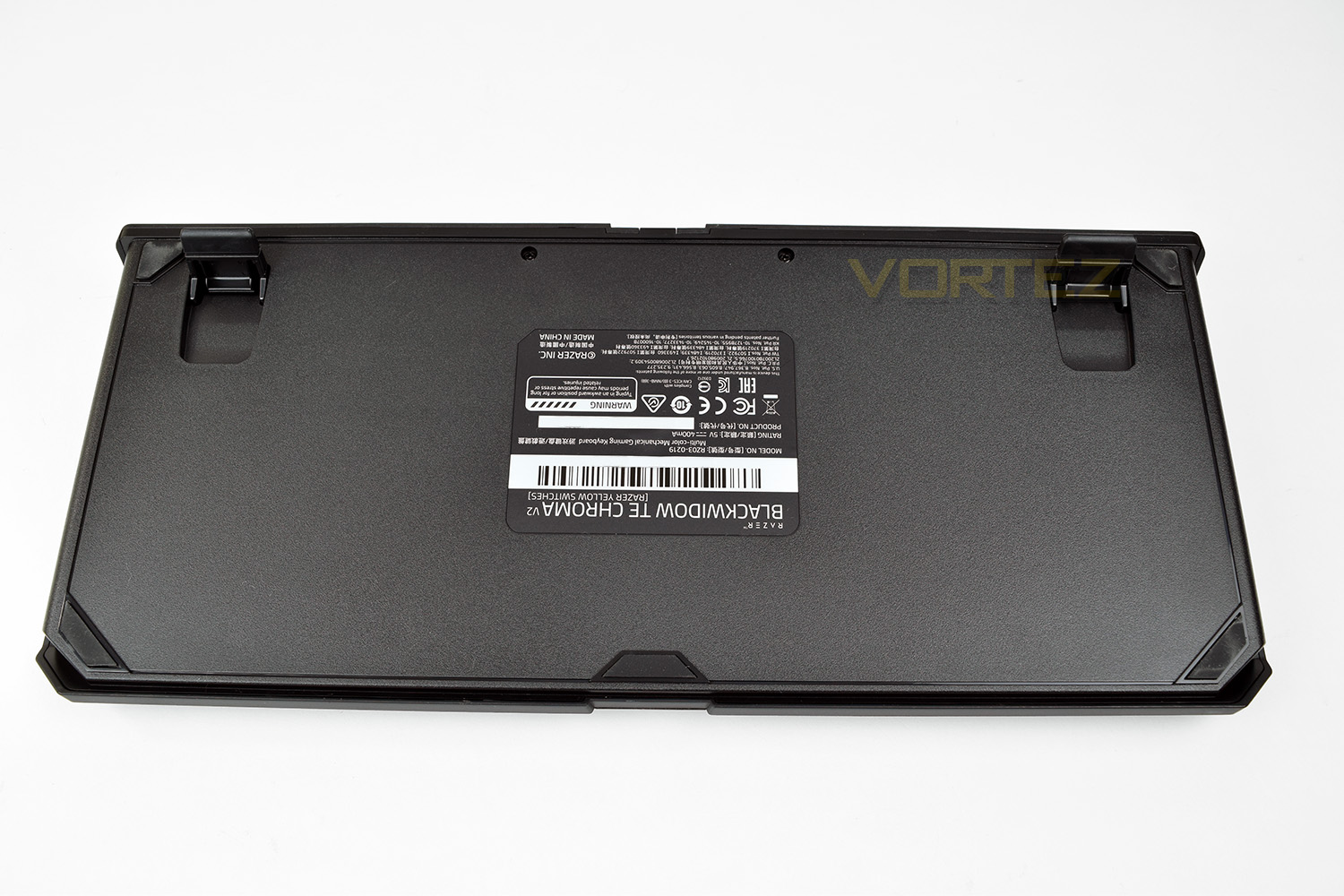
The underside of the keyboard is home to five large rubber pads. They provide plenty of traction to stop the keyboard moving around. There are also two feet which elevate the rear of the keyboard by an extra 14mm. These feet are also rubber-tipped to ensure that the keyboard remains stable and in-place.
Software
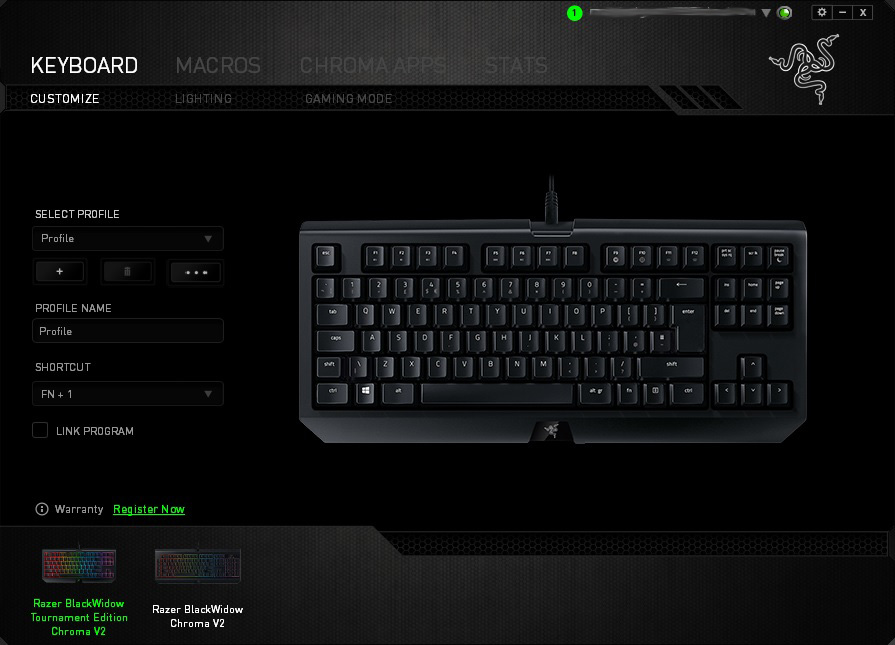
The Razer Blackwidow Tournament Edition Chroma V2 uses Synapse 2.21 at this present moment in time, though it’s likely we’ll see everything moved over to Synapse 3.0 soon; that driver version is currently in beta.Once you’ve set up your account, which is required to allow you to sign in on any PC and download your settings, you’re met with the Customize screen. This screen allows keys to be assigned different purposes and for profiles to be constructed, with the ability to assign profiles to any program, therefore allowing certain setups to launch automatically, as soon as a game or piece of software is launched.
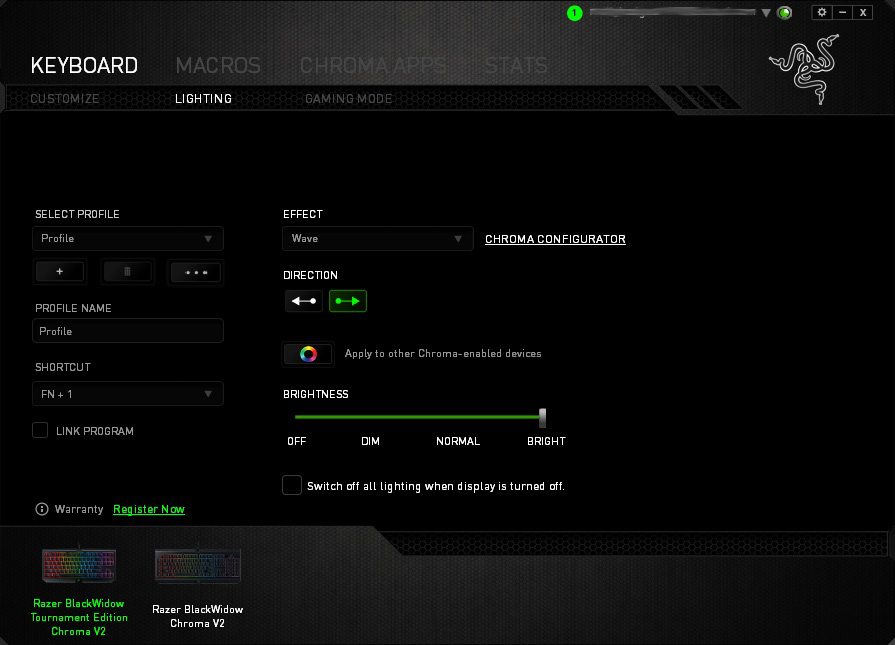
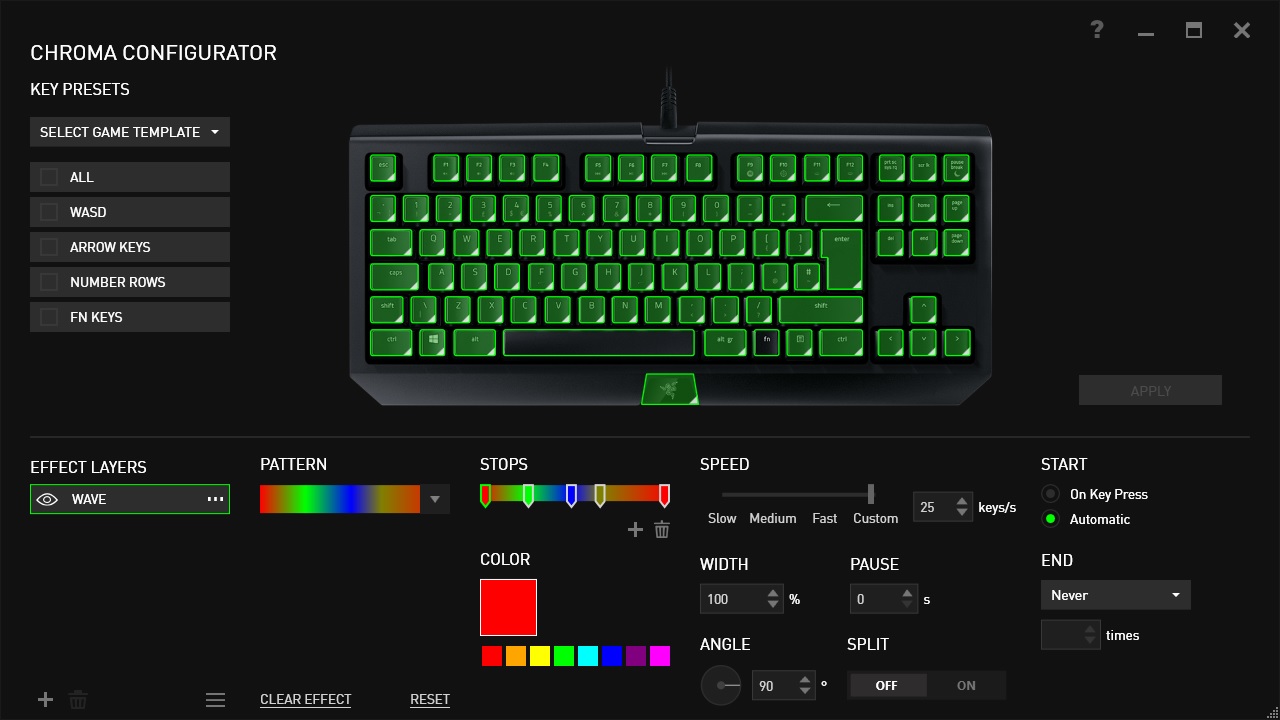
Next up, lighting, this is where the fun begins. The RGB lighting on this keyboard is worthy of an award on its own, so the software needs to be useful to fully utilise its abilities. Many different effects can be chosen, including starlight which lights up random keys, one at a time, in a choice of your colours. Fire is pretty fun, using orange, red and yellow to create the effect of a fire, roaring up from the bottom of the keyboard.
It’s also possible to download profiles from Razer’s website, created by Razer themselves or by the community.
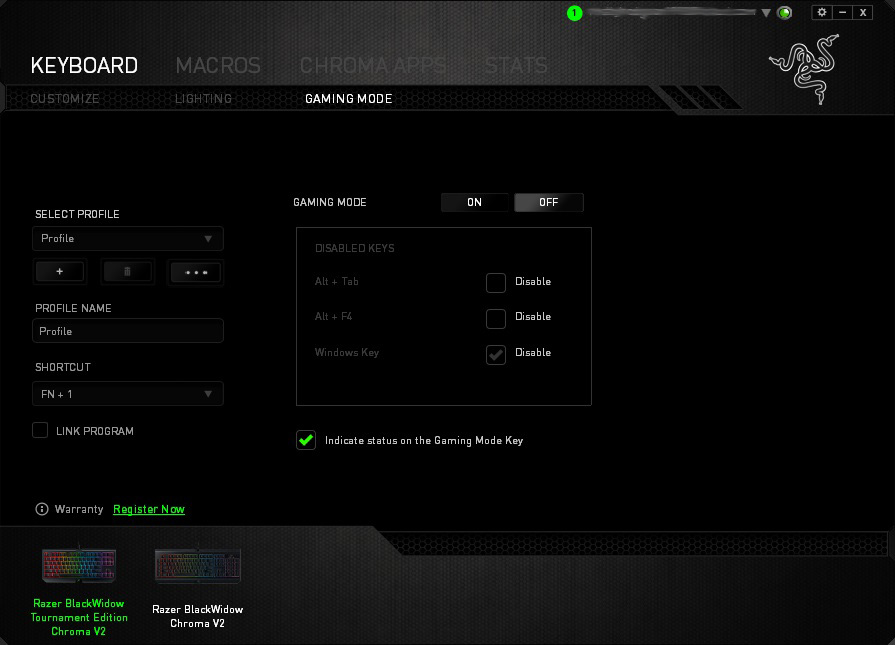
Gaming mode can be enabled within the software, which disables certain keys of your choice, to prevent them being accidentally clicked in the heat of battle; this setting can also be enabled using Fn + F10, marked on the key accordingly.
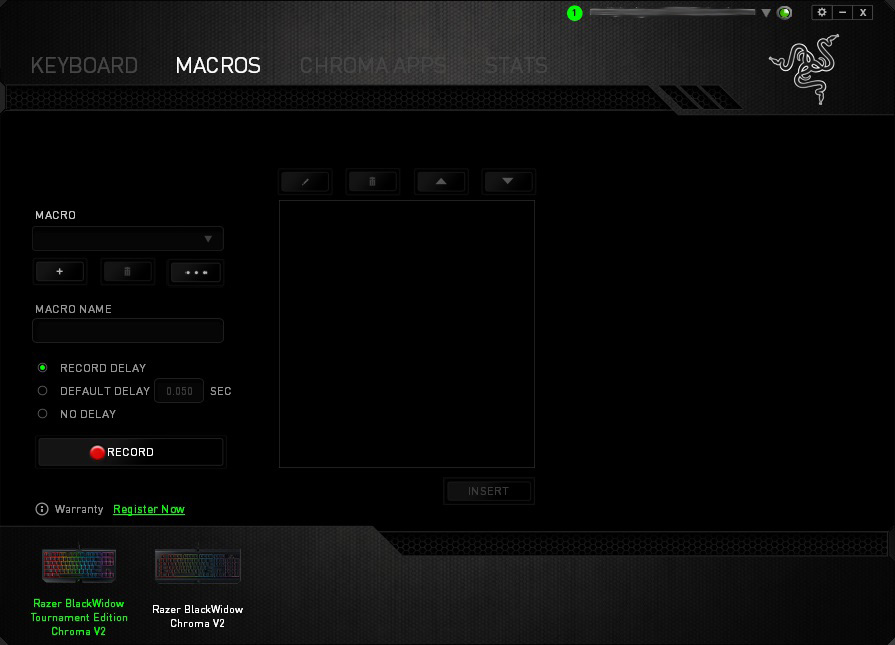
Macros can be assigned to any key on the keyboard. Setting up macros is incredibly easy, with the software able to record everything you do and repeat it perfectly, at the click of a button. We found this feature handy for starting our in-game recording software but the possibilities are near endless.
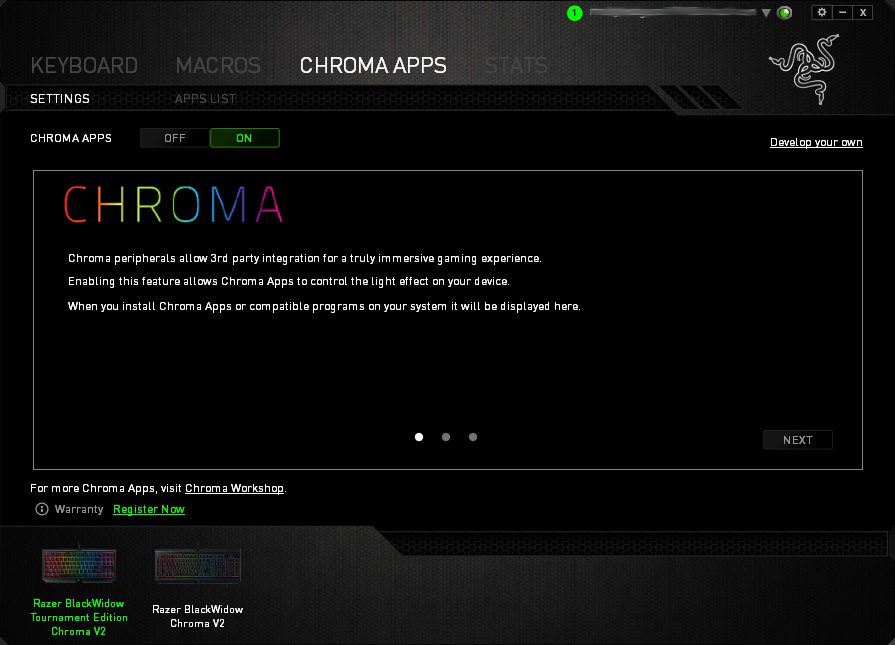
Chroma Apps is a big deal, giving users a practical use for the RGB backlit keys. Razer has developed an SDK that developers, and third-party users alike, can use to take control of the lighting on the keyboard; for instance, only highlighting the keys required while playing a game, or displaying the direction of which you’re being attacked from in an FPS game, by way of flashing keys in that corner. We tested this in Orcs Must Die: Unchained and Rise of the Tomb Raider, both of which performed incredibly well; we didn’t feel that this is just a gimmick but has actual merit. Many big titles have adopted this feature, a list of which can be found here Chroma Workshops
This feature was also used to test out the audio visualizer, which plays along to the beat of any song or sounds generated by the PC. This looked stunning, another great use for the RGB lighting.
Performance Testing
Thanks to the tiny footprint of the TE V2, those of you aiming for a minimalist workstation will likely find yourself very happy with this keyboard. The TE can also be very useful for players that find they need their mouse to be closer to the WASD area of their keyboard, often the number keys can get in the way, at which point, there’s not a great deal you can do about it, other than buy a 10-keyless.Despite the reduced size, the keys are still spaced well which makes typing a joy; the mechanical Razer Yellow keys perhaps aren’t the best choice if you plan on doing a lot of typing; we’d suggest going for the Green or Orange instead, which are tactile instead of the linear key action from the Yellow. However, as a device purely for gaming, this keyboard performs perfectly. Razer has implemented several technologies to make this as responsive and useful as possible. Not only have they shortened the actuation distance to only 1.2mm, they’ve also developed a technology which sends the signal to your system without any need for a debounce delay, this is called Razer Instant Trigger Technology (ITT); all of that talk may sound unnecessary and in all fairness, it likely is, but those who perform at the bleeding edge of eSports competitions come to rely on milliseconds, so it may not actually benefit us mere mortals, but it’s nice to know it’s there.
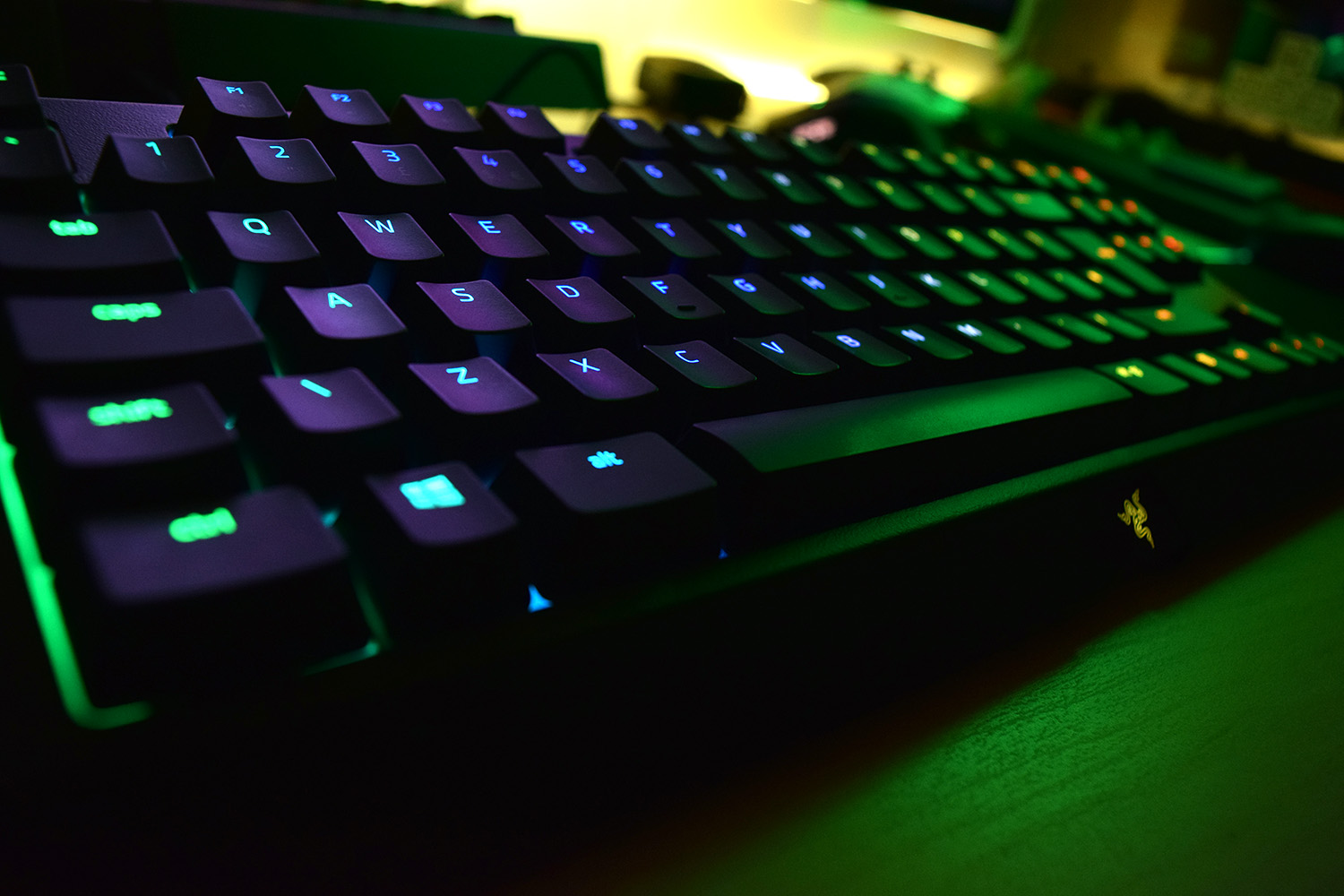
During our testing in Battlefield 1, War Thunder and PUBG the keyboard performed exactly as it should. The keys are ultra-responsive and return back to their original position extremely quickly. The ergonomic wrist rest allows you to remain in relative comfort even during the most prolonged of gaming sessions; the beauty of the wrist rest is the magnetic attachment system making it easy to remove for any reason.
As you would expect from Razer, a huge advocate of the RGB scene, the keyboard puts on a heck of a show. Due to Razer producing their own key switches, they have full control over every aspect of development; with the choice and placement of the LED being included. The RGB LEDs used are certainly brighter than most keyboards but the main positive is the Chroma integration and software. Chroma integration, as explained on the previous page, allows game/software developers to tap into the keyboard’s LED layout and utilise effects and colours to emphasise game actions or events in software. The LEDs are also used to indicate the activity of Caps Lock and Scroll Lock due to the absence of dedicated indicator LEDs which are traditionally located above the number pad.
Build quality is spot on and doesn’t really require much consideration, everything feels well put together.
Conclusion
As previously mentioned, the keyboard is aimed at a specific market, of which you will either fit into or not. Many gamers are now adopting the cut-down, minimised keyboards to enhance their gaming performance at the cost of general usability. Everything has a trade-off.Of course, it would be nice to have seen a 3.5mm audio passthrough, as well as a USB, but the removable mini-USB cable can’t handle that kind of throughput without impeding the gaming performance of the keyboard, which is the main point at hand.
One thing we haven’t yet touched on is cost. The Razer TE arrives at £139.99 and the same in the US. Realistically, you’re fairly limited in your choice of 10-keyless keyboards from a top-end manufacturer, but Razer does demand a premium for its products due to several factors. Build quality, design, software integrations and just the pure fact that it’s Razer are but a few. It’s worth pointing out once more – the included wrist rest improves comfort drastically.
Looking at the big picture, if you’re in the market for a small, minimalist keyboard from a well-established manufacturer, you can’t go far wrong with the Razer Blackwidow Tournament Edition Chroma V2.
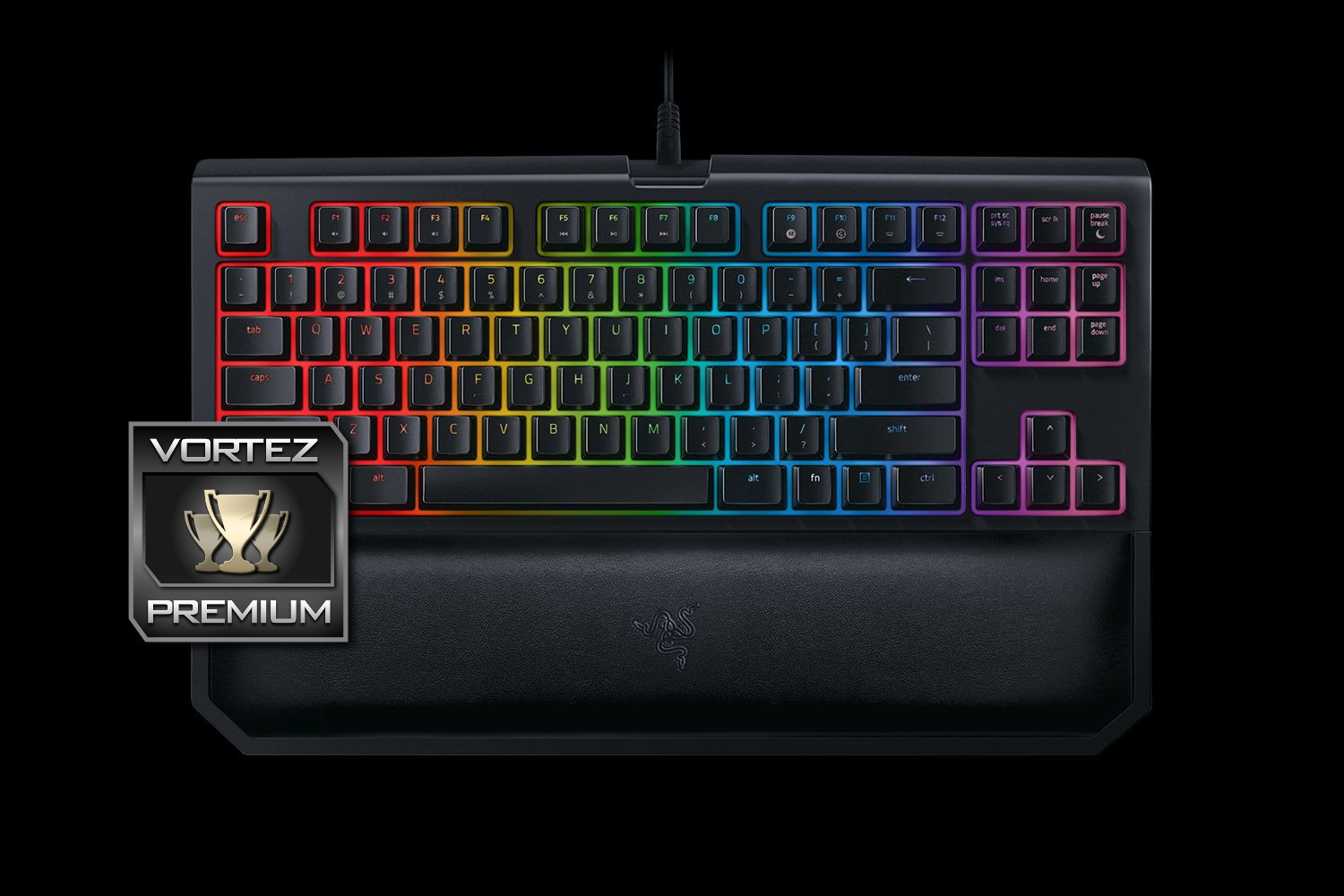
Searching for a tenkeyless keyboard and have a pocket full of cash? This keyboard should be on your shortlist.
Pros
+ Chroma RGB lighting
+ Build quality
+ Included wrist rest
+ Choice of three excellent mechanical keys
+ Detachable Mini-USB cable
+ Lag-free input
Cons
– Price
– No Macro keys
+ Chroma RGB lighting
+ Build quality
+ Included wrist rest
+ Choice of three excellent mechanical keys
+ Detachable Mini-USB cable
+ Lag-free input
Cons
– Price
– No Macro keys
Click here for an explanation of our awards at Vortez.net.