Comfort levels suited to long hours of play, the Razer DeathAdder Chroma is a solid performer.

Product on Review: Razer DeathAdder Chroma
Manufacturer: Razer
Street Price: £64.99 GBP / $69.99 USD
Known to both casual and hardcore gamers alike, Razer’s tri-snake logo is as iconic as it distinct. You’d have to slither a thousand miles before you come across someone in the gaming scene who isn’t aware of who Razer is, something which gives the brand an edge. Constricting its competitors and rattling its way in to every market of PC gaming peripherals, Razer is usually the first manufacturer that comes to consumers minds when looking for a new piece of kit. Mice, keyboards, headsets, and most recently audio equipment. Razer is clearly looking to dominate.
Today we will be looking at the Razer DeathAdder Chroma. A refresh to the original DeathAdder from 2007. An ergonomic gaming mouse with 16.8 million customizable lighting colours, geared towards gamers and eSports players.

Overview by Razer
Perfectly designed to fit snugly under your palm, the ergonomic shape of the Razer DeathAdder Chroma gives gamers the most comfortable gaming experience ever, especially during the most testing of battles. Together with its rubber side grips, the Razer DeathAdder Chroma keeps you in control for extended gaming sessions.
Technical Specifications
Ergonomic right-handed design with textured rubber side grips
10,000dpi optical sensor
Chroma lighting with 16.8 million customizable color options
Razer Synapse enabled
Five independently programmable Hyperesponse buttons
1000Hz Ultrapolling
On-the-fly sensitivity adjustment
Always-on mode
300 inches per second*/50g acceleration
Gold-plated USB connector
Seven-foot, lightweight, braided fiber cable
Approximate size: 127mm/5” (Length) x 70mm/2.76” (Width) x 44mm/ 1.73” (Height)
Approximate weight: 105g/0.23lbs
10,000dpi optical sensor
Chroma lighting with 16.8 million customizable color options
Razer Synapse enabled
Five independently programmable Hyperesponse buttons
1000Hz Ultrapolling
On-the-fly sensitivity adjustment
Always-on mode
300 inches per second*/50g acceleration
Gold-plated USB connector
Seven-foot, lightweight, braided fiber cable
Approximate size: 127mm/5” (Length) x 70mm/2.76” (Width) x 44mm/ 1.73” (Height)
Approximate weight: 105g/0.23lbs
Packaging & First Look
Displayed on the front of the box Razer provides all the details and primary features of the DeathAdder Chroma in a simple yet stylish design with a picture of the mouse smiling for the camera.
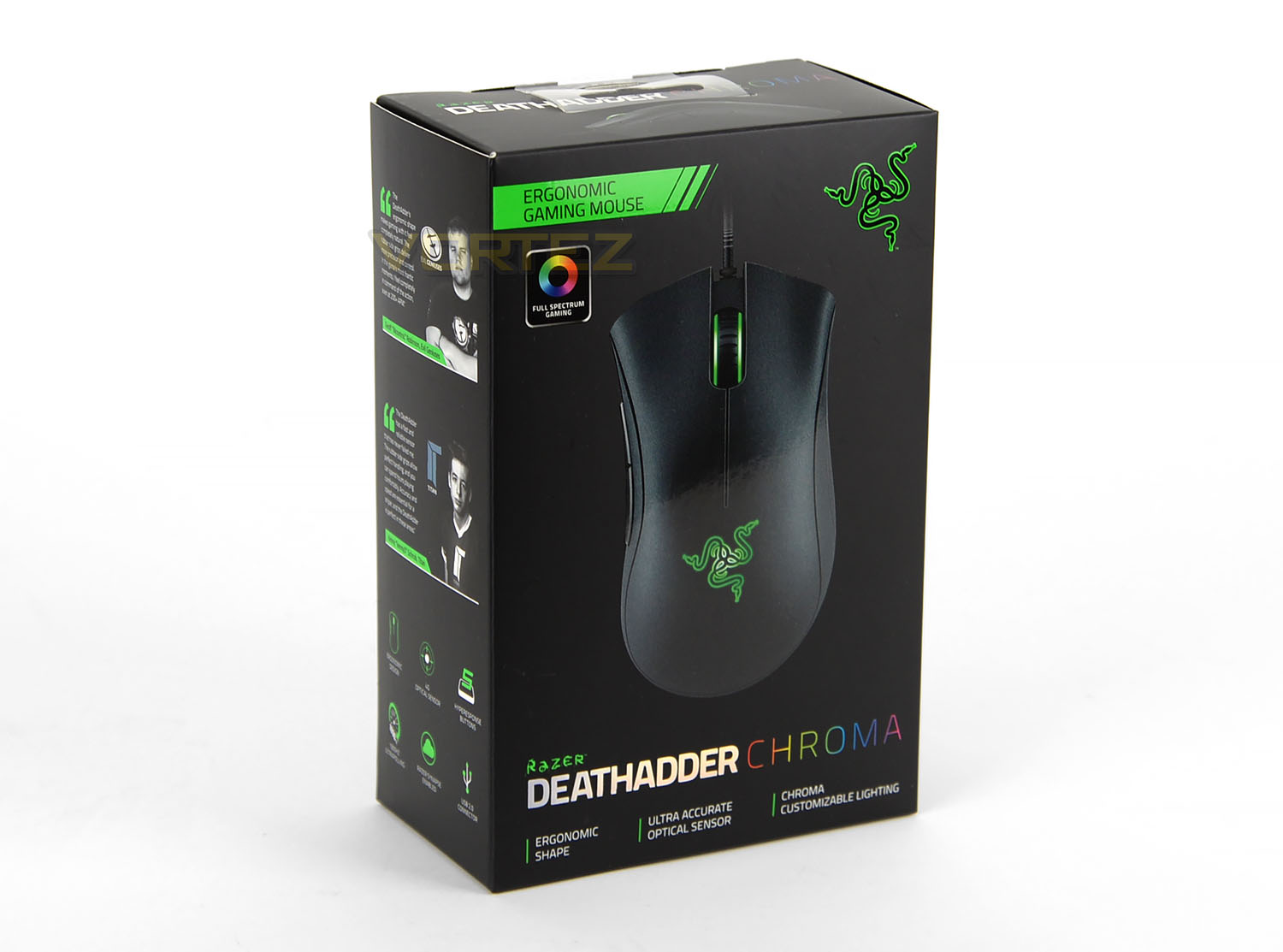
To the sides and rear of the packaging consumers will find full specifications on the mouse, along with recommendations by eSports players and software features for the mouse to take advantage of. Where most packaging now comes with a velcro opening revealing the product in a clear plastic sheet for consumers to grasp a feel. The Razer DeathAdder Chroma uses a traditional styling of removing the product from the top or bottom of the box.
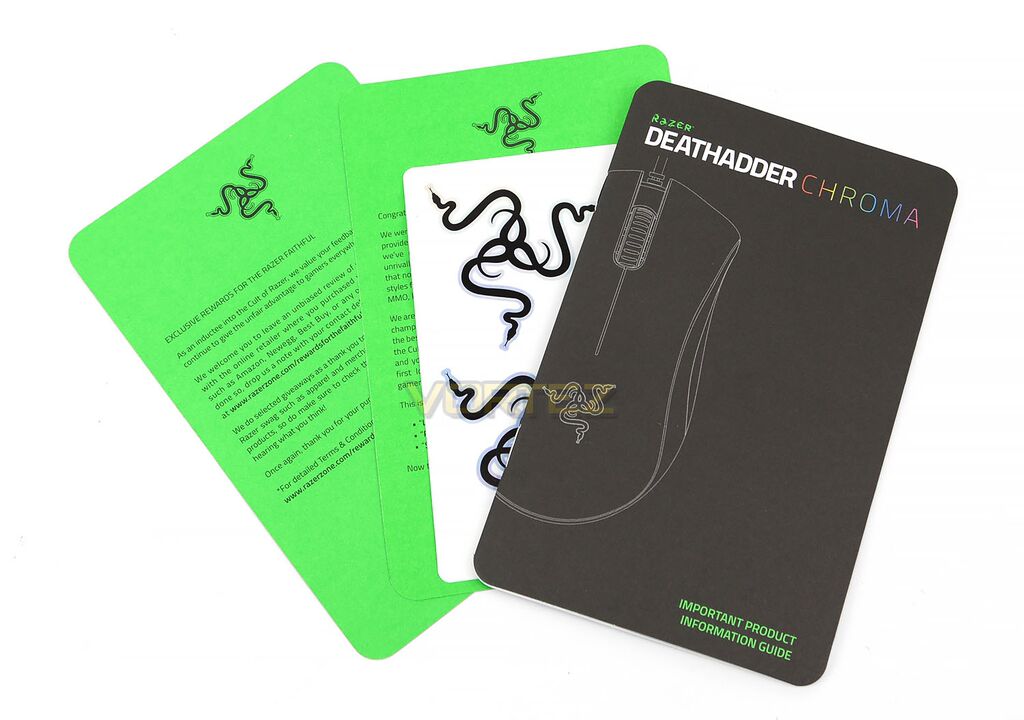
Included with the mouse is an instruction manual, a sticker sheet, and a signed certificate by Razer detailing the philosophy of the company.
Closer Look
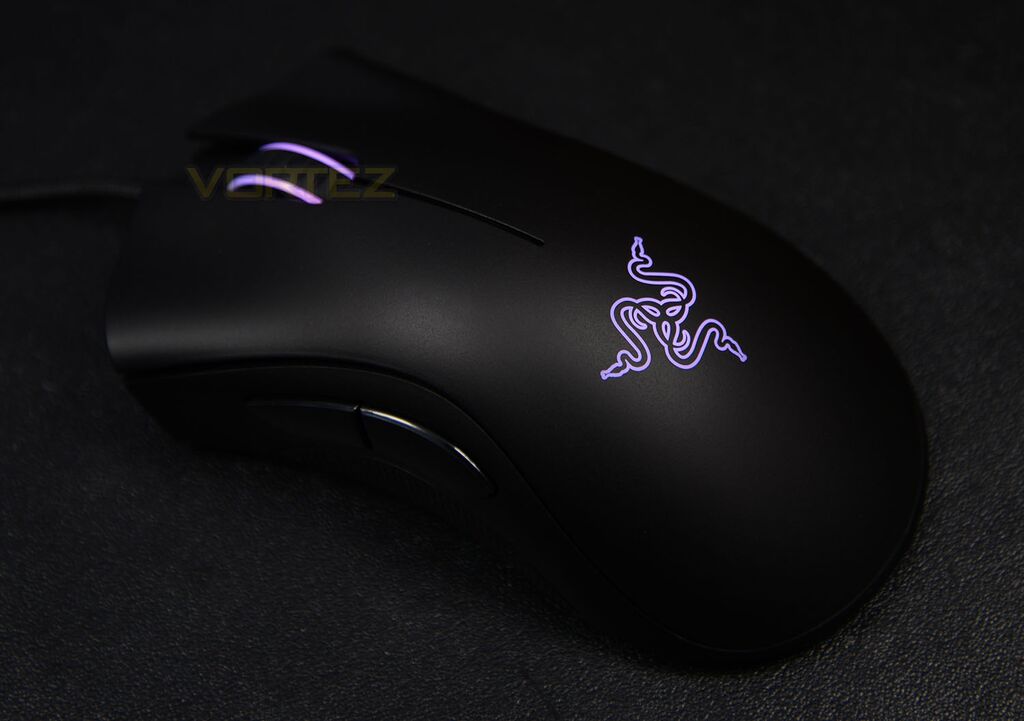
Taking a first look at the DeathAdder Chroma, the simplistic styling coupled by its iconic logo presents itself as somewhat attractive. Fair to say that it’s also quite basic, it is worth noting that this is a refresh to the original and Razer’s selection of mice naturally carry a similar aesthetic throughout. However, it would be truly refreshing to see Razer stray away from this design and bring something that’s new on the visual front while still remaining reminiscent of the original DeathAdder. This is something we’ve seen from other manufacturers, making them more distinct and willing to take risks, compared to what Razer currently has on offer.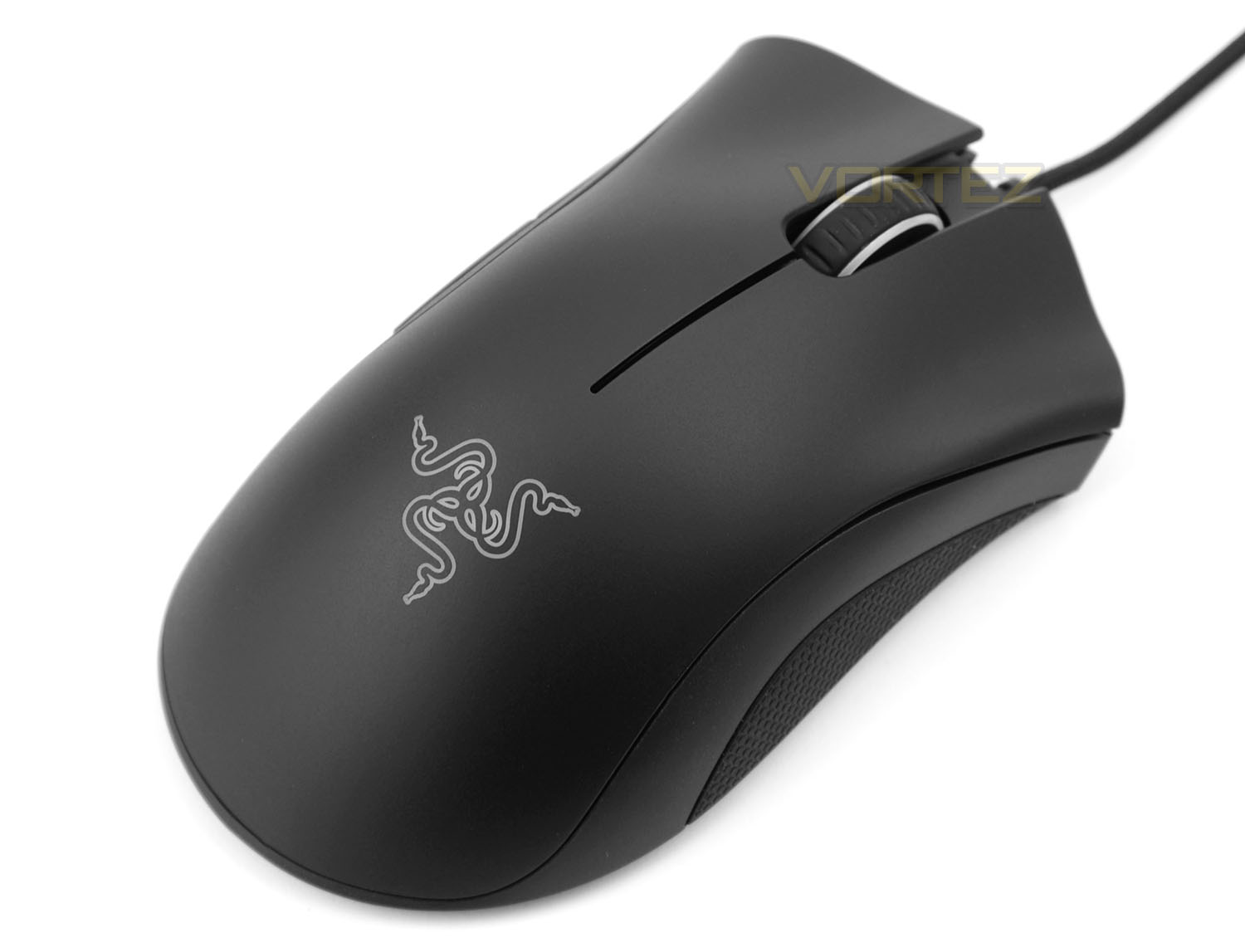
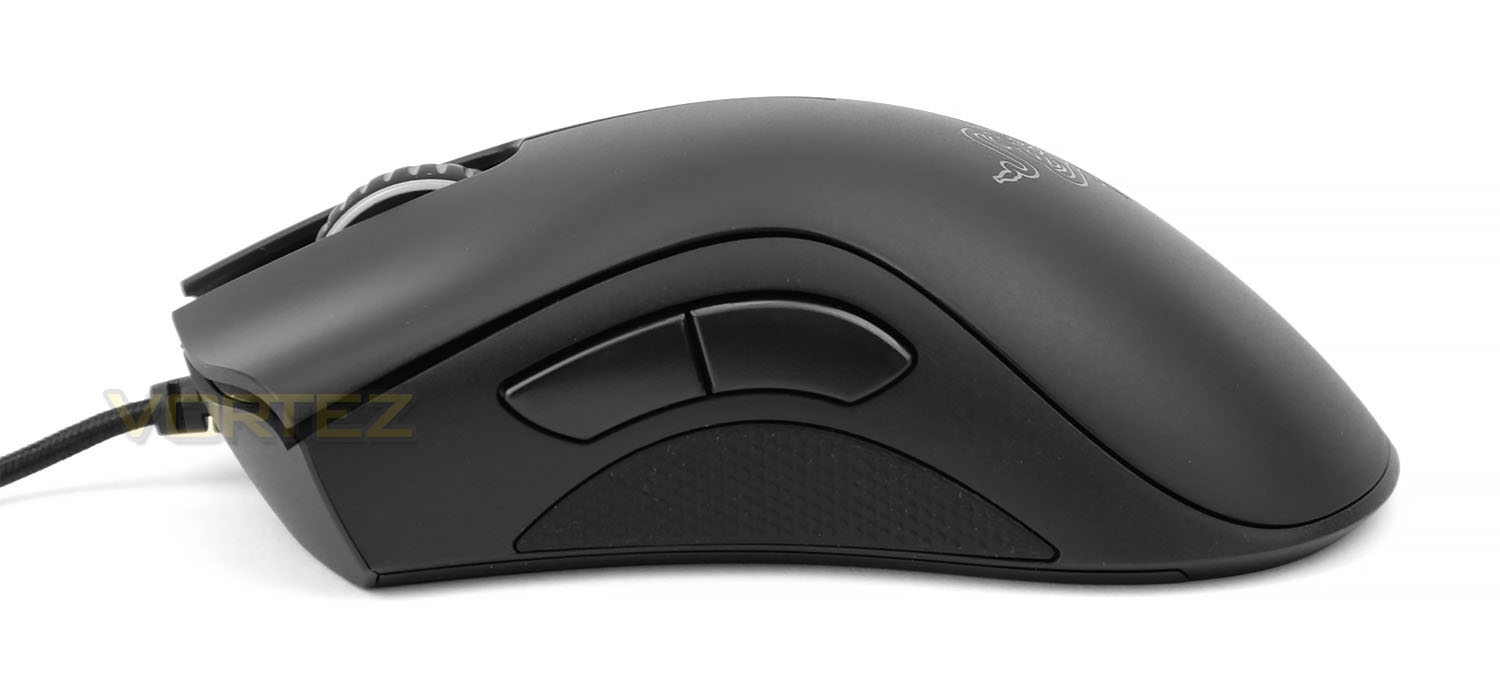
Where the DeathAdder Chroma is truly appealing isn’t within the users preference to its visual design, but the engineering and design being given to the users comfort when actually using it. With rubber grips to the sides and curved buttons which allow your fingers to rest over the contour of the body, using the mouse for a great number of hours showed no discomfort or irritation.
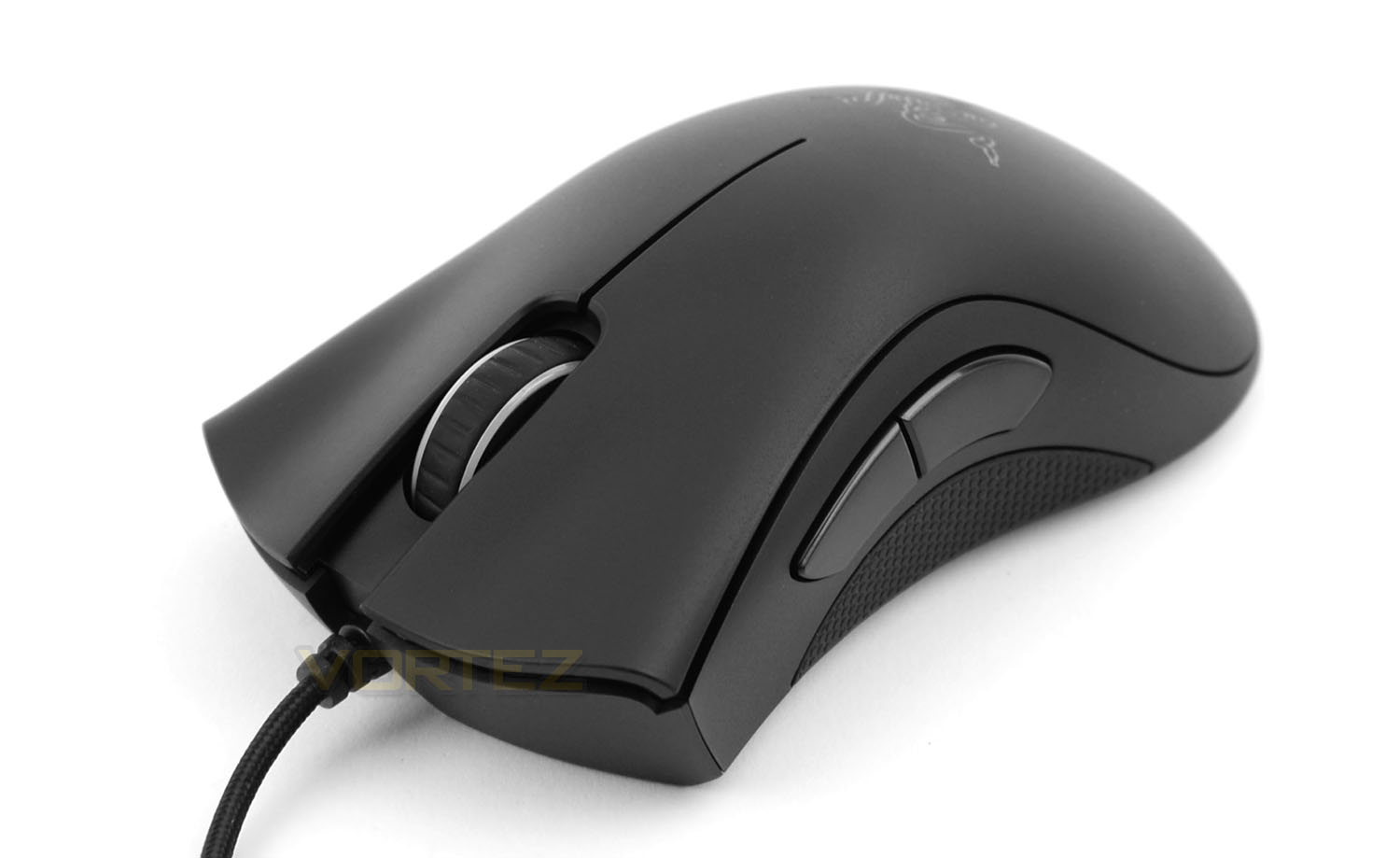
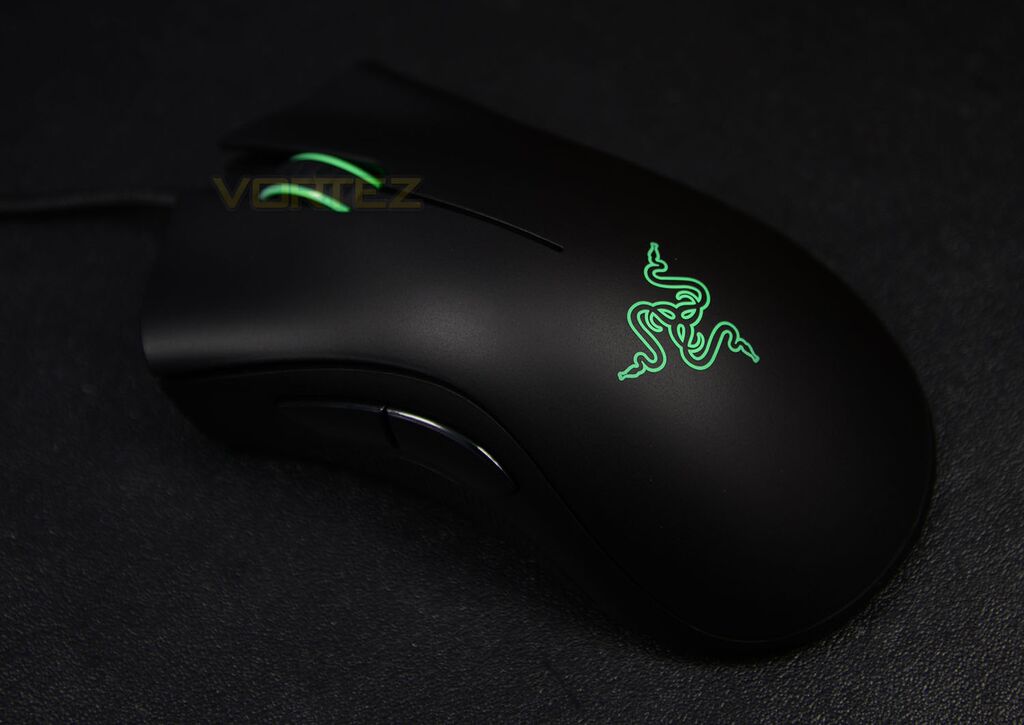
The mouse also has two large side buttons and a backlit scroll wheel to the centre, both of which can be reassigned through macro profiles along with the backlit logo. Razer has also made adjustments from the original DeathAdder, opting for a 4G optical sensor with a DPI rating of 10,000.
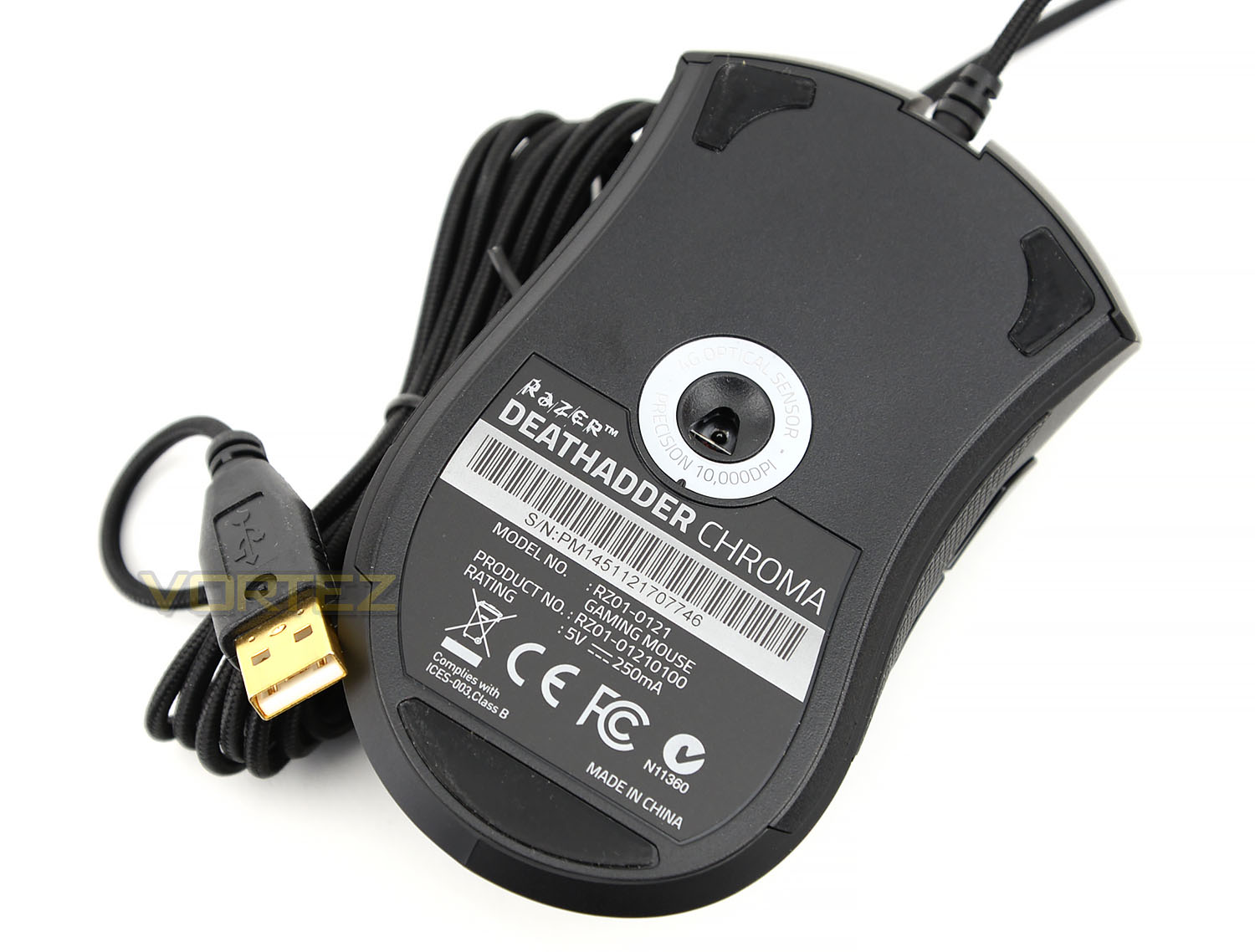
While the styling of the mouse is quite pleasing, it’s hard not to feel disappointed in its styling as it barely differs from other mice within Razer’s product line. As mentioned previously, other manufacturers are becoming more distinct with their designs. Whether that lies within the curvature, body, button placement, or sizing, the DeathAdder Chroma doesn’t do much in the way of saying “Gamer” that much more than a basic multimedia mouse by the likes of someone like Dell.
Software & Performance
Performance on the other hand is where this mouse excels. Without even touching the software package and configuring custom DPI setting, the smoothness and responsiveness of simply moving the cursor across the screen was impressive in itself. Some mice feel great to use right out of the box and others reach this level after making adjustments through software. The DeathAdder Chroma sits perfectly within the former, something which was pleasing to see.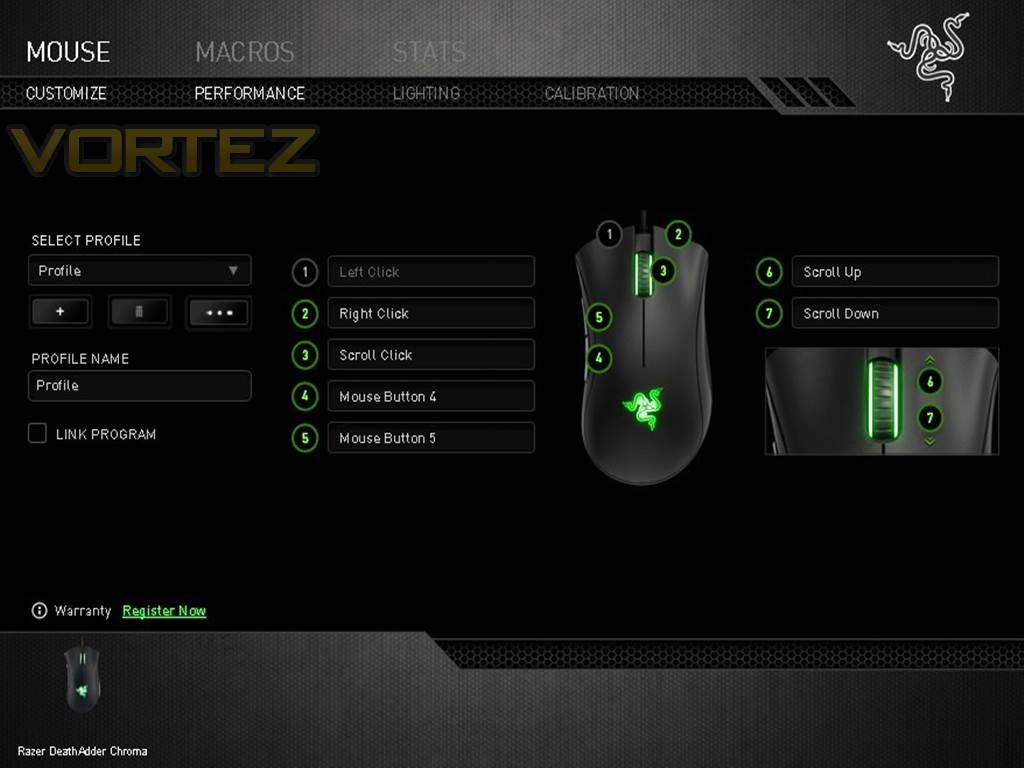
Taking advantage of Razers Synapse 2.0 software package which is available to download through the manufacturers website, gamers will be able to setup custom macro profiles for their games as well as the adjustment of DPI and lighting settings. Basic within its functions and easy to navigate through its simple menus, the design and aesthetics of the software is something that other manufacturers would do well to learn from.
Three menus, simple colouring, and user-friendly. As seen with other software that makes use of additional buttons, macro profiles, lighting and so on. The flashier the design, the more frustrating it is to actually use. There’s nothing more irritating than a clunky U.I. that’s been swamped in tabs, charts, sliders and the like, that couldn’t have been designed in the space of three to five options. Thank you Razer.
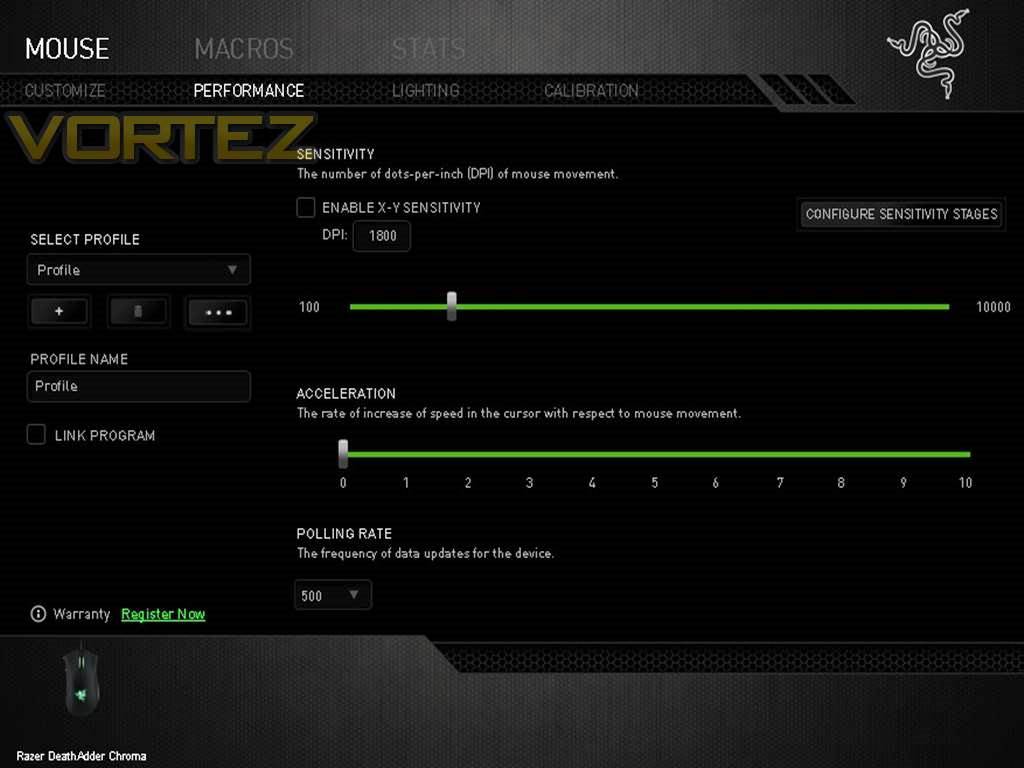
Within these menus owners will be able to tweak the mouse in terms of performance preferences and lighting options. Sensitivity, acceleration, and a frequency polling rate up to 1000Hz. Razer provides the option to configure five stages of sensitivity that can be switched on-the-fly via the use of side buttons. These features can further be extended to different profiles which can be linked to different games and applications.
Software & Performance (Continued)
Although the use of lighting software isn’t anything new, where Razer does attempt to bring something different to its software suite comes in the form of surface calibration. With pre-configured settings for all of Razer’s mice and mouse mats, owners can also calibrate their own surfaces to allow better tracking and sensitivity for use with the product.

While this failed to impress when using the mouse mats that where available on-hand, whether or not this provides any benefits with Razer’s own branded mouse mats is something that remains to be questioned. Built with a 4G optical sensor the DeathAdder Chroma proved to function well regardless of the surface being tested on.
Something we wasn’t to fond about within the Synapse software was a feature called Stats and Heatmaps. Razer promotes this feature as something that’s somewhat crucial to the performance and skills of the player when using the mouse, and what this feature essentially does is track how many clicks the player has made and analyze where on-screen they click the most.

As to what improvement this actually makes to the player and the game their playing is also something to be questioned. But in the eyes of the general consumer, we feel it’s safe to say “Who actually cares?” The feature is a gimmick at best and by sharing and comparing stats with other users through social media networks, it makes itself appear more gimmicky and questionable.
Conclusion
The Razer DeathAdder Chroma is an impressive piece of kit and proves to be a solid performer for gaming. That being said however, the only unique trait about the mouse is actually down to its level of comfort, which can prove to be of substantial importance when gaming for long hours. Aesthetically it’s likeable at best, and the updated features of customizable lighting and the upgraded sensor makes it a subtle upgrade over the original. Aside from the tacked-on Stats and Heatmaps feature, the software is one of the most pleasing to use.
However, It should be noted that we did experience issues when installing the software, something that other users have come across since the Synapse is universal to the majority of Razer’s products. For those not looking for a mouse that’s a visual stand-out and doesn’t mind the simplistic aesthetics, the Razer DeathAdder Chroma might just be what they’re looking for. The Razer DeathAdder Chroma is available now for £64.99/$69.99.
A pleasure to use for lengthy gaming sessions makes the Razer DeathAdder Chroma a perfect companion.
Pros
– Clean Aesthetics
– Great Comfort
– Fantastic Software
Cons
– Gimmicky Software Features
– Clean Aesthetics
– Great Comfort
– Fantastic Software
Cons
– Gimmicky Software Features

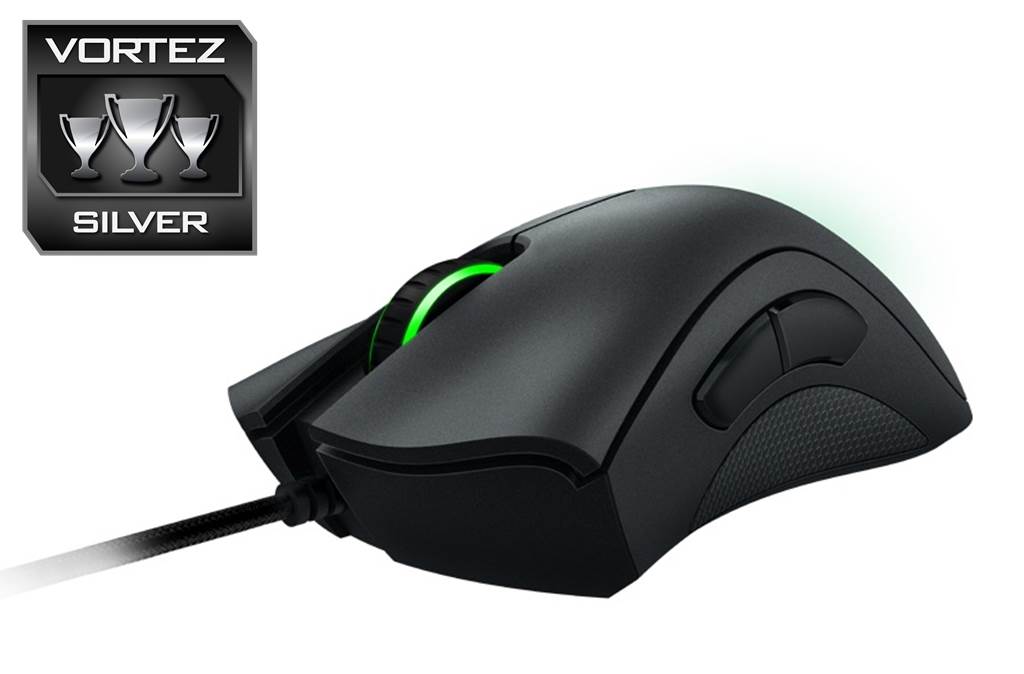
Click here for an explanation of our awards at Vortez.net.