Razer deemed the Mamba a fit recipient of their brand new technology, using electromagnetic resonance to provide power to the device, ditching the wire altogether. Read on to see what we thought.

Product on Review: Mamba HyperFlux + Firefly HyperFlux
Manufacturer: Razer
Street Price: £249.99 / $249.99
Razer are incredibly well known within the PC gaming industry, most notably for their mice and keyboards; the bread and butter for computer gamers. Today we look at their introductory model into an almost-undoubtedly evolving sub-sector, the Mamba HyperFlux and Firefly HyperFlux in a single bundle, first introduced at this year’s Consumer Electronics Show.
Razer’s Mamba gaming mouse has pedigree, making it the ideal recipient of the HyperFlux treatment, as is the Firefly mouse mat, with the obligatory RGB lighting.
The Mamba HyperFlux features a 16,000 DPI optical sensor, the current most accurate sensor available, along with RGB lighting, Razer’s Adaptive Frequency Technology and mechanical switches, all while boasting a tiny weight of only 96g.
The Firefly comes with a choice of two surfaces, plastic or cloth, along with RGB lighting around 3 edges and a flowing, sumptuous design.
You may be wondering what HyperFlux means – this is the term given to Razer’s new wireless power technology. It’s strictly limited to the Mamba HyperFlux and Firefly HyperFlux at present but we expect this to expand in the coming months and years. The surface of the Firefly produces a tiny electromagnetic field which the Mamba can retrieve and use to power the electronics within, without any need for a physical connection.
All of that sounds great, but with a price tag just shy of £250, is the will to rid the wire strong enough? Read on to find what we thought.
Razer on the Mamba HyperFlux & Firefly HyperFlux:
Experience total wireless freedom with the Razer Mamba HyperFlux. Backed by the new Razer HyperFlux Wireless Power Technology, you get an ultra-lightweight, wireless gaming mouse that runs indefinitely* with wireless power from the included Razer Firefly HyperFlux mouse mat.
Technical Specifications
TECH SPECS
At a glance
• Razer HyperFlux Wireless Power Technology
• Battery-less, lightweight wireless gaming mouse
• 16,000 DPI 5G optical sensor
• Dual hard and cloth mat surface
• Powered by Razer Chroma™
Razer Mamba HyperFlux
• Razer HyperFlux Wireless Power Technology
• Adaptive Frequency Technology
• Mouse cable for use in wired mode without power mat
• Razer 5G optical sensor with true 16,000 DPI
• Up to 450 inches per second (IPS) / 50 G acceleration
• Nine independently programmable Hyperesponse buttons
• Razer™ Mechanical Mouse Switches
• Gaming-grade tactile scroll wheel
• Ergonomic right-handed design with enhanced rubber side grips
• Razer Chroma™ lighting with 16.8 million customizable colour options
• 1000 Hz Ultrapolling
• Razer Synapse 3 (Beta) enabled
• Approximate size: 124.7 mm / 4.90 in (Length) X 70.1 mm / 2.75 in (Width) X 43.2 mm / 1.70 in (Height)
• Approximate weight (excluding cable): 96 g / 0.211 lbs
• Cable length: 2.1 m / 6.89 ft (For using mouse in wired mode when away from Razer HyperFlux enabled wireless power mat)
Razer Firefly HyperFlux
• Razer HyperFlux Wireless Power Technology
• Dual hard and cloth mat surfaces
• Optimized surface coating for highly responsive tracking
• Razer Chroma™ lighting with 16.8 million customizable colour options
• Non-slip rubber base
• Razer Synapse 3 (Beta) enabled
• Approximate size: 355 mm / 13.97 in (Length) X 282.5 mm / 11.12 in (Width) X
• 12.9 mm / 0.50 in (Height)
• Approximate weight (excluding cable): 643 g / 1.41 lbs
• Cable length: 2.1 m / 6.89 ft
At a glance
• Razer HyperFlux Wireless Power Technology
• Battery-less, lightweight wireless gaming mouse
• 16,000 DPI 5G optical sensor
• Dual hard and cloth mat surface
• Powered by Razer Chroma™
Razer Mamba HyperFlux
• Razer HyperFlux Wireless Power Technology
• Adaptive Frequency Technology
• Mouse cable for use in wired mode without power mat
• Razer 5G optical sensor with true 16,000 DPI
• Up to 450 inches per second (IPS) / 50 G acceleration
• Nine independently programmable Hyperesponse buttons
• Razer™ Mechanical Mouse Switches
• Gaming-grade tactile scroll wheel
• Ergonomic right-handed design with enhanced rubber side grips
• Razer Chroma™ lighting with 16.8 million customizable colour options
• 1000 Hz Ultrapolling
• Razer Synapse 3 (Beta) enabled
• Approximate size: 124.7 mm / 4.90 in (Length) X 70.1 mm / 2.75 in (Width) X 43.2 mm / 1.70 in (Height)
• Approximate weight (excluding cable): 96 g / 0.211 lbs
• Cable length: 2.1 m / 6.89 ft (For using mouse in wired mode when away from Razer HyperFlux enabled wireless power mat)
Razer Firefly HyperFlux
• Razer HyperFlux Wireless Power Technology
• Dual hard and cloth mat surfaces
• Optimized surface coating for highly responsive tracking
• Razer Chroma™ lighting with 16.8 million customizable colour options
• Non-slip rubber base
• Razer Synapse 3 (Beta) enabled
• Approximate size: 355 mm / 13.97 in (Length) X 282.5 mm / 11.12 in (Width) X
• 12.9 mm / 0.50 in (Height)
• Approximate weight (excluding cable): 643 g / 1.41 lbs
• Cable length: 2.1 m / 6.89 ft
Packaging & First Look
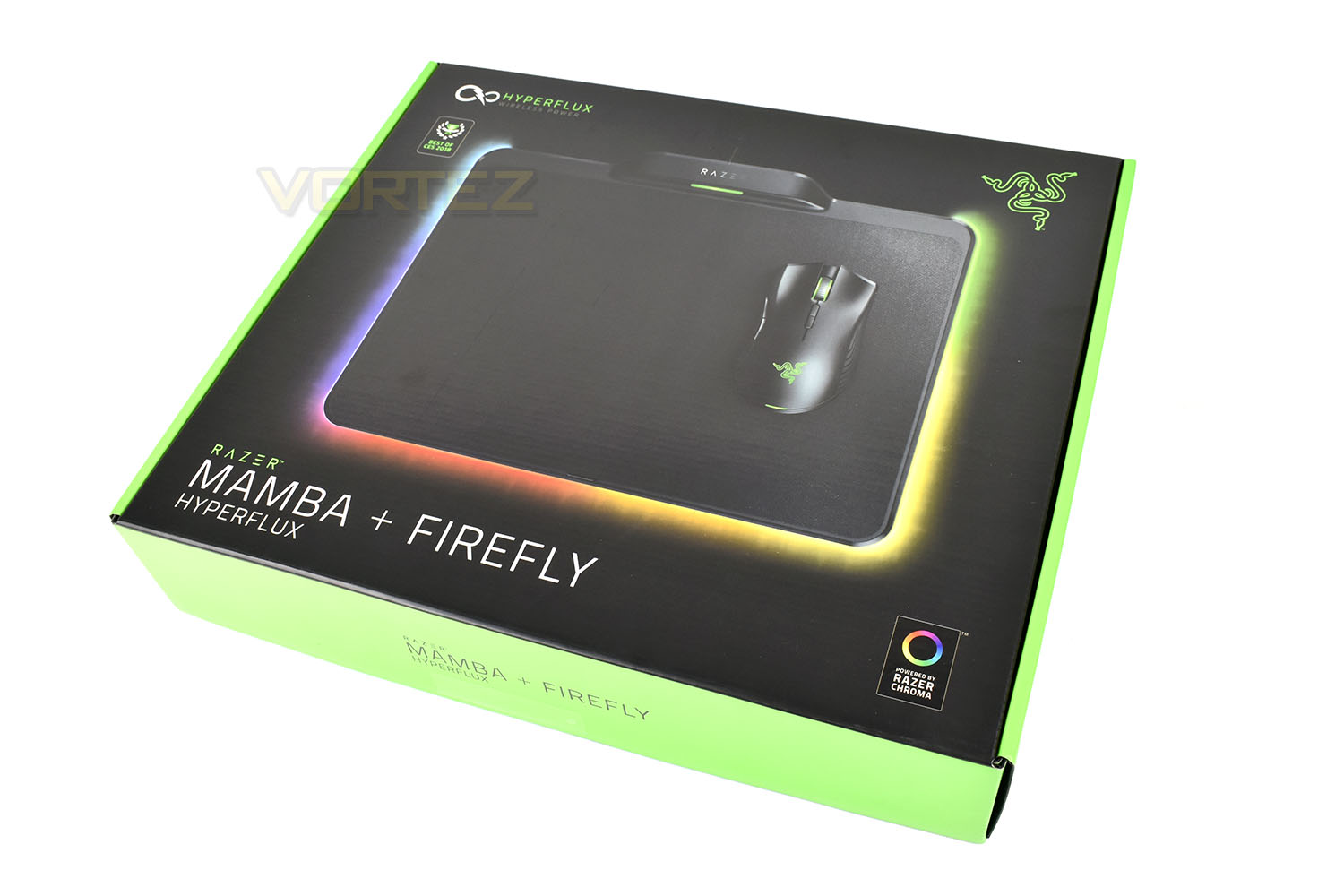
There’s no huge surprise when it comes to the packaging, the synonymous black and green has been deployed, yet again, for that striking yet familiar appearance. The packaging is understandably large and flat due to the hard-backed nature of the Firefly HyperFlux mouse mat.The front of the packaging features little information about the devices themselves, save for a mention of the Razer Chroma lighting and HyperFlux Wireless Power, along with an accolade for Best of CES 2018.
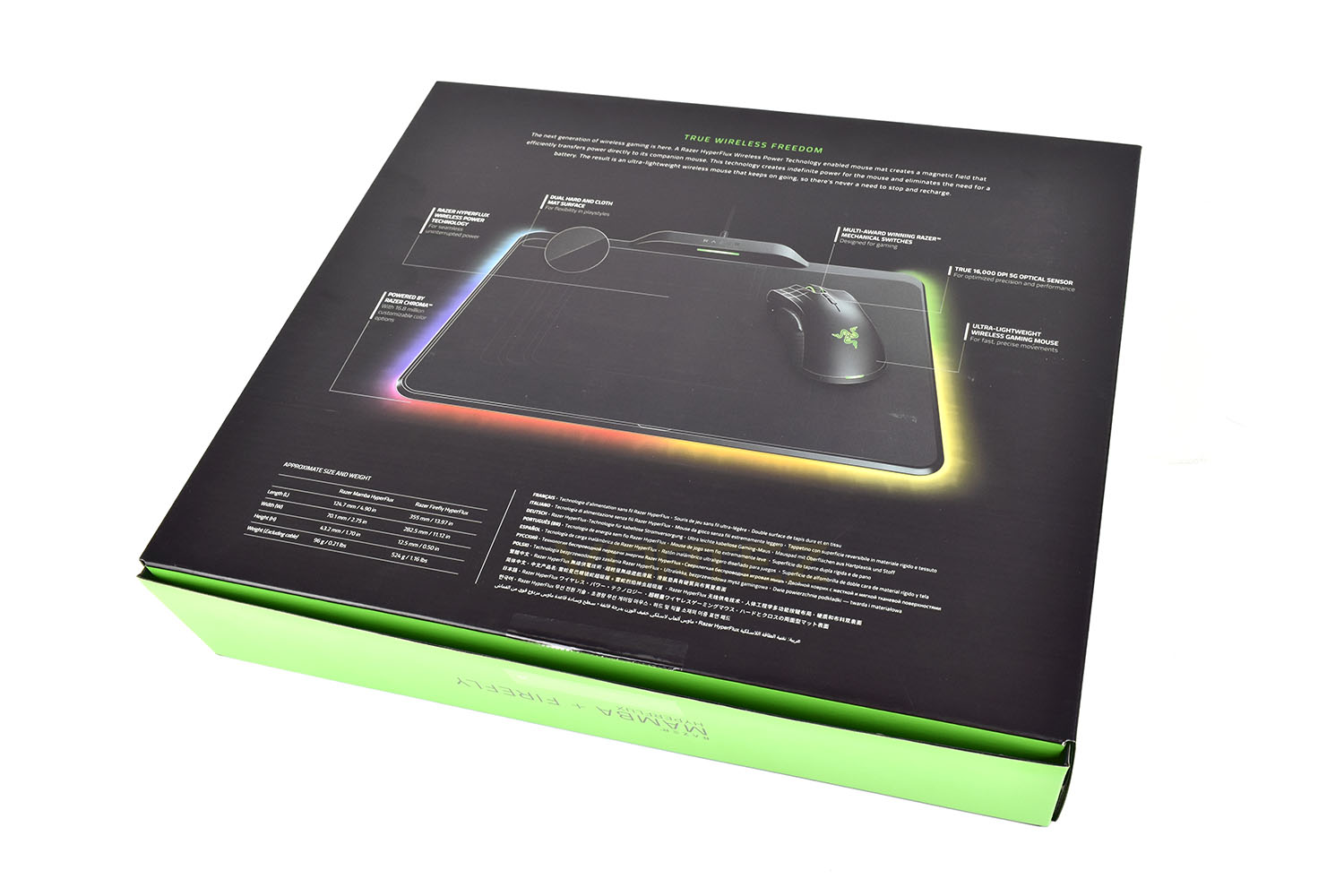
Flipping the box over, we’re given an in-depth annotated image of the devices, describing each point and feature. There’s also some approximate sizes and weights in the bottom-left.
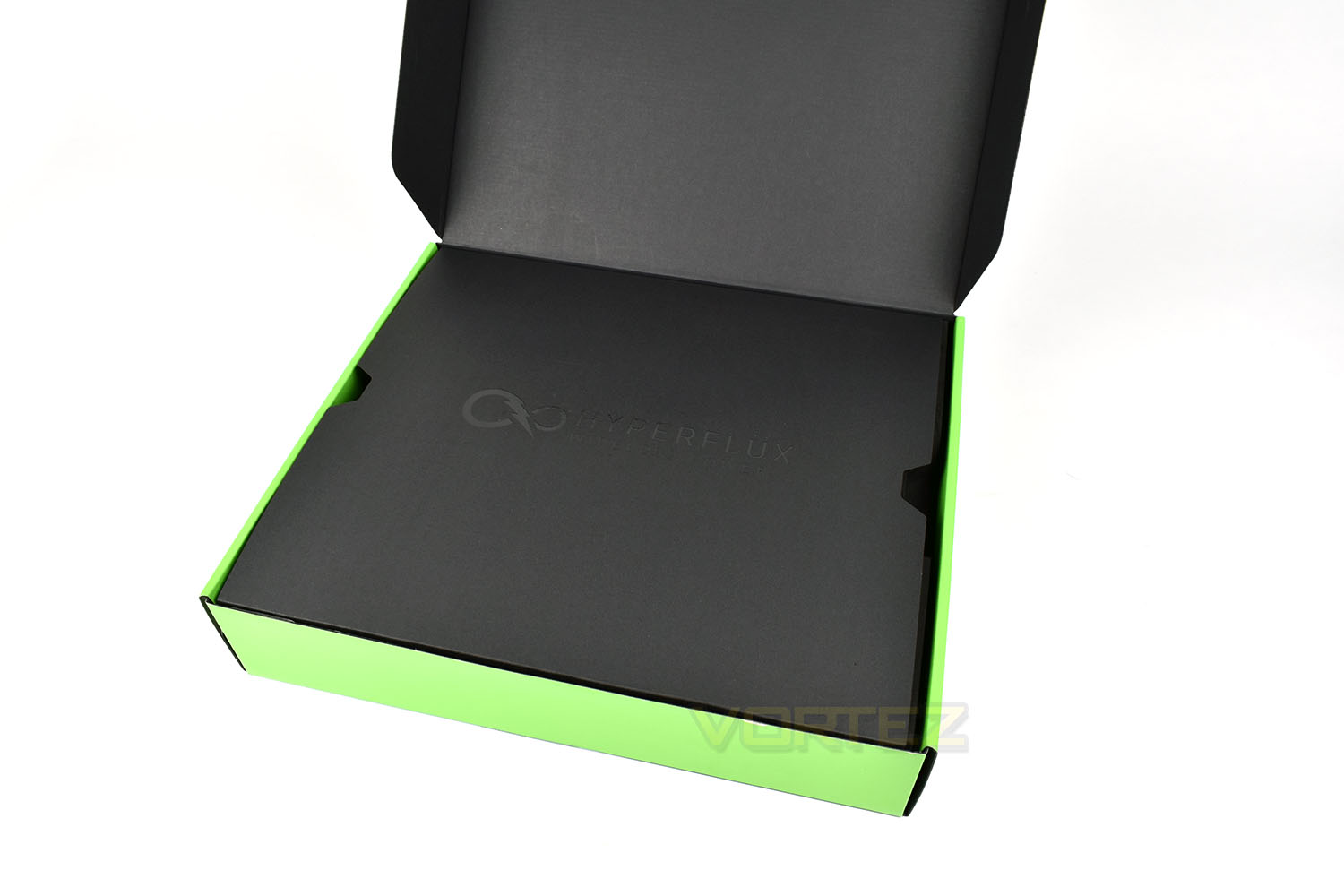
Inside the packaging is another reminder of why you spent £250, with “HyperFlux Wireless Power” embossed onto the top of a protective sheet.
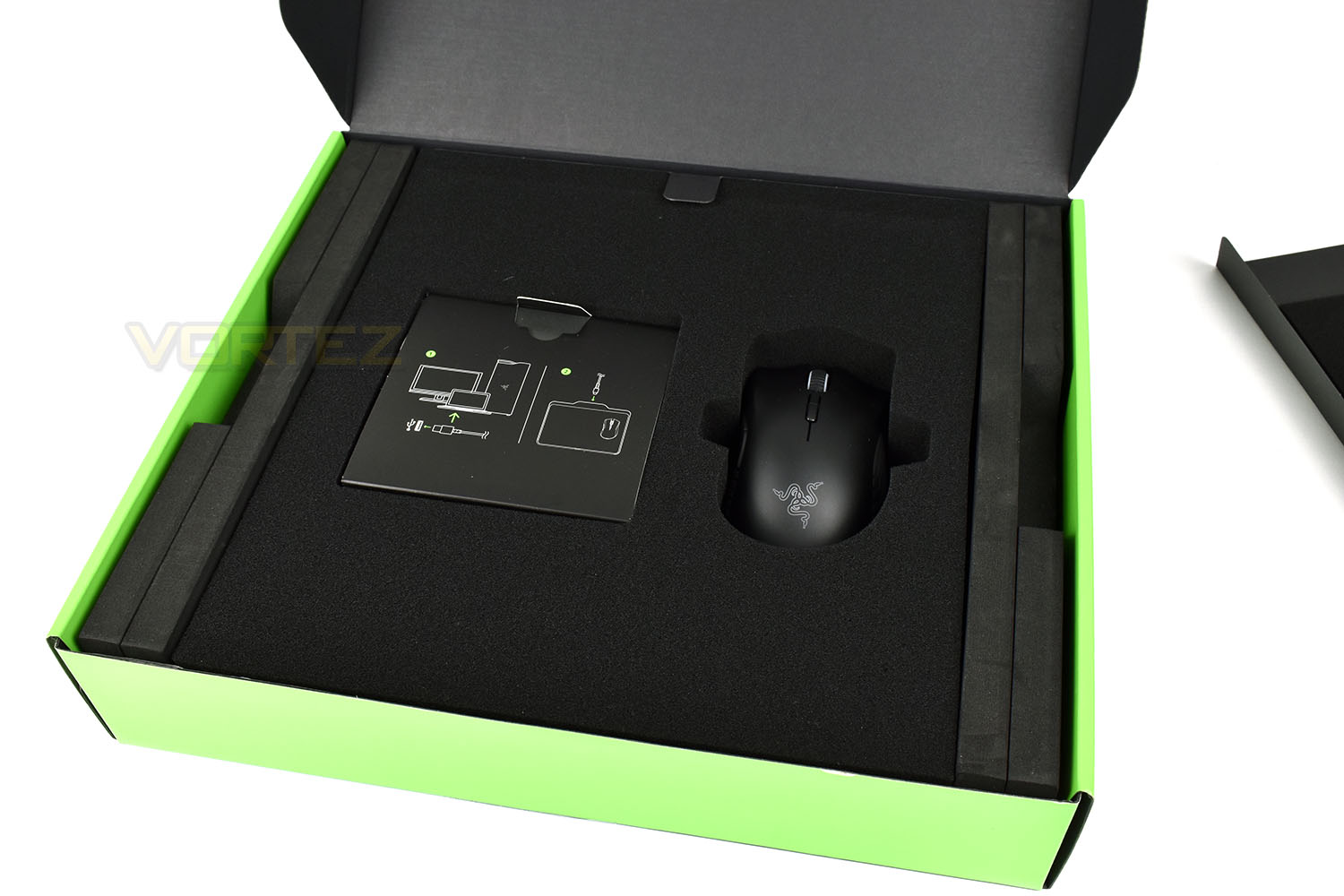
Underneath the cardboard lid is a thick sponge, ensuring your Razer Mamba gaming mouse arrives in perfect condition. The Firefly resides underneath, also protected by the sponge.
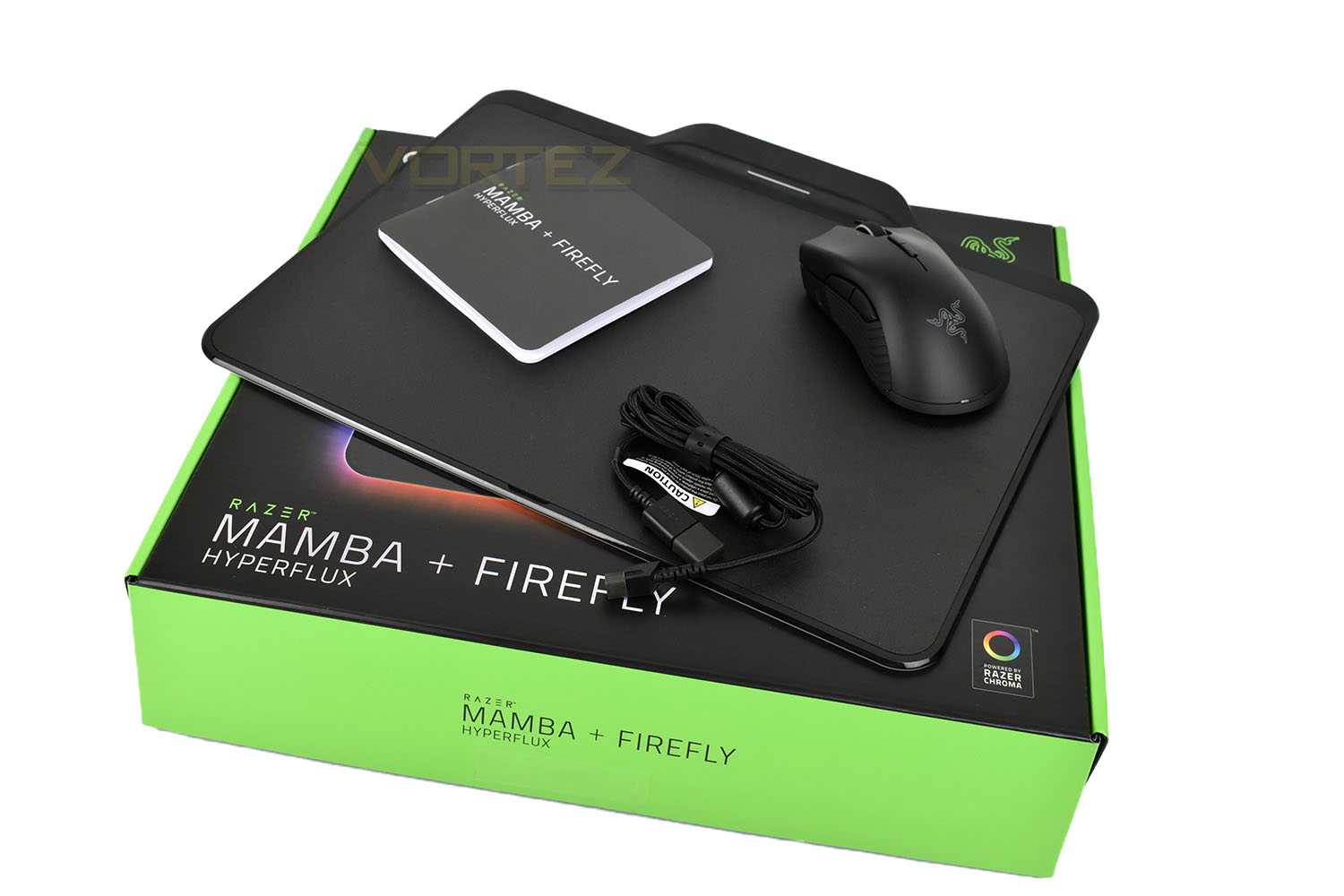
Included with the Mamba + Firefly is a 2.1M Micro-USB cable and an instruction guide. The Micro-USB cable can be used to connected to the Firefly as well as the Mamba if you wish to use the device in wired-mode. Handy if you’re planning to take the device to a LAN or a friend’s house.
Closer Look (Mamba)
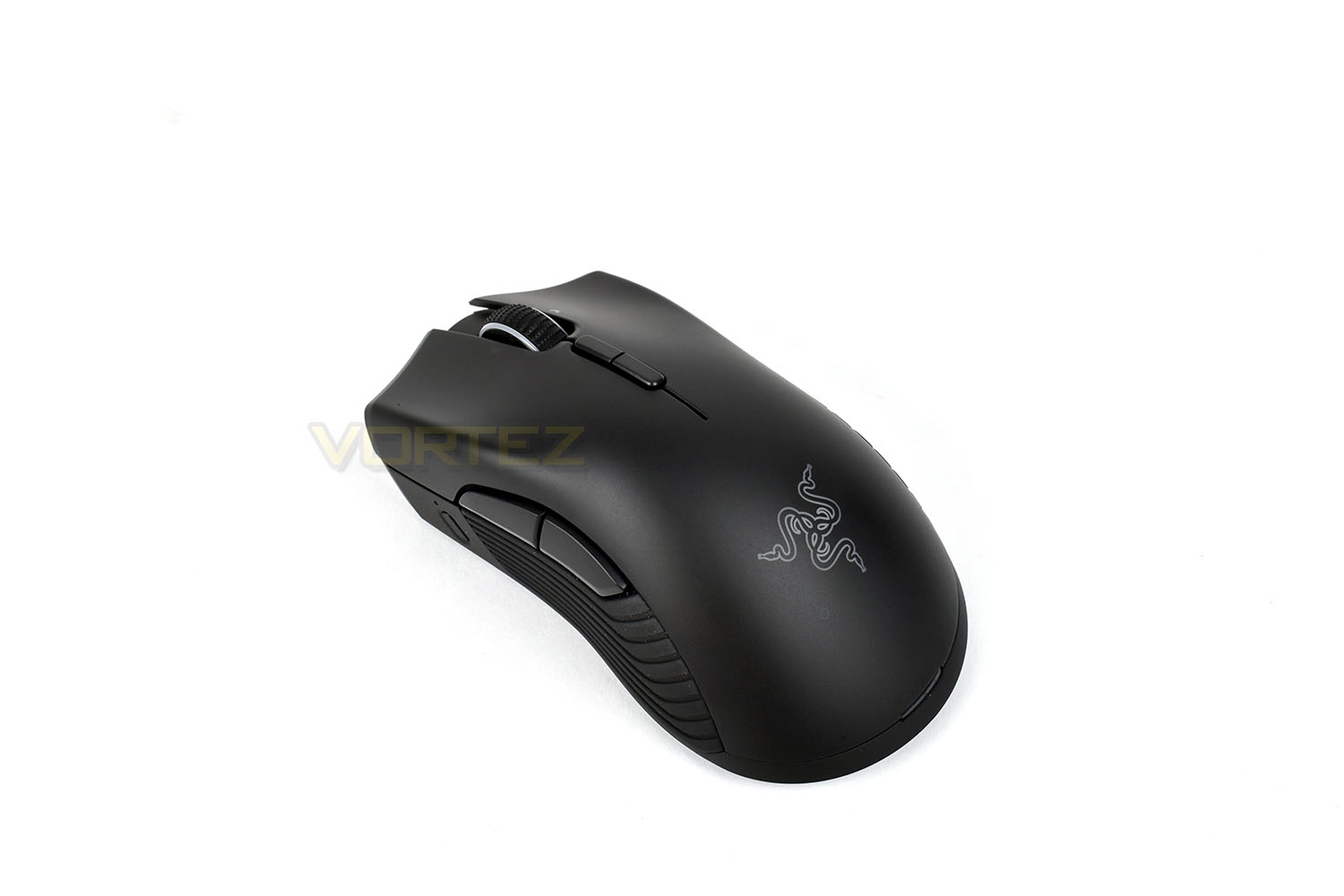
The Razer Mamba HyperFlux is an ergonomic, right-handed device with a flowing, curvy shape. Just like the Logitech G903 + PowerPlay combo we looked at a few weeks back, the Mamba requires no physical connection between the PC and device for any power, instead relying on an electromagnetic field generated below the tracking surface of the Firefly HyperFlux; however, the main difference between the two approaches is Razer’s total lack of a battery, resulting in a “battery life” of around 25 seconds, provided by a super capacitor located within the Mamba. The result of a battery-less design is a lightweight device, tipping the scales at an incredibly light 96g, which is almost unheard of in a wireless mouse. Razer claim this makes the mouse more responsive and useable within twitchy games.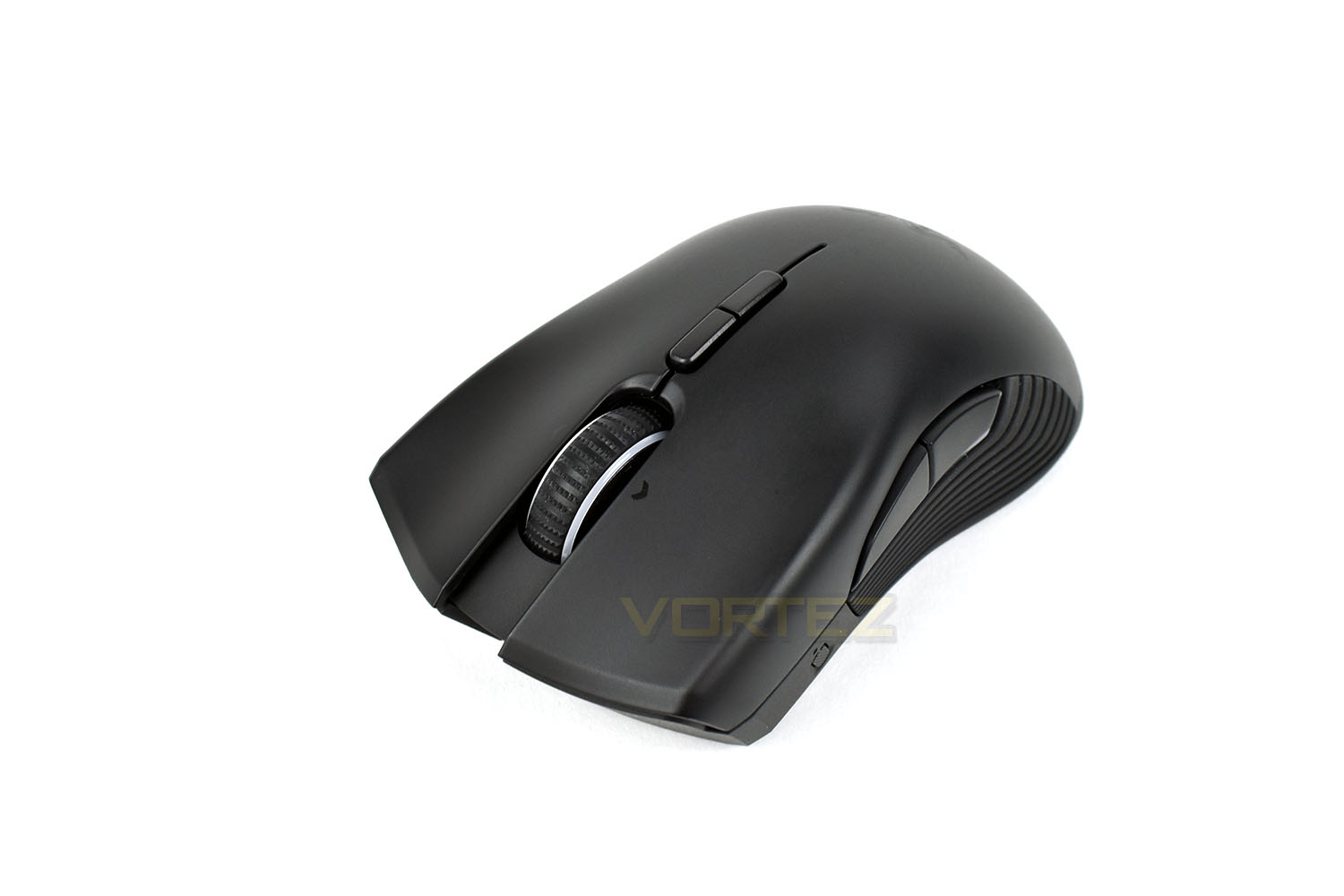
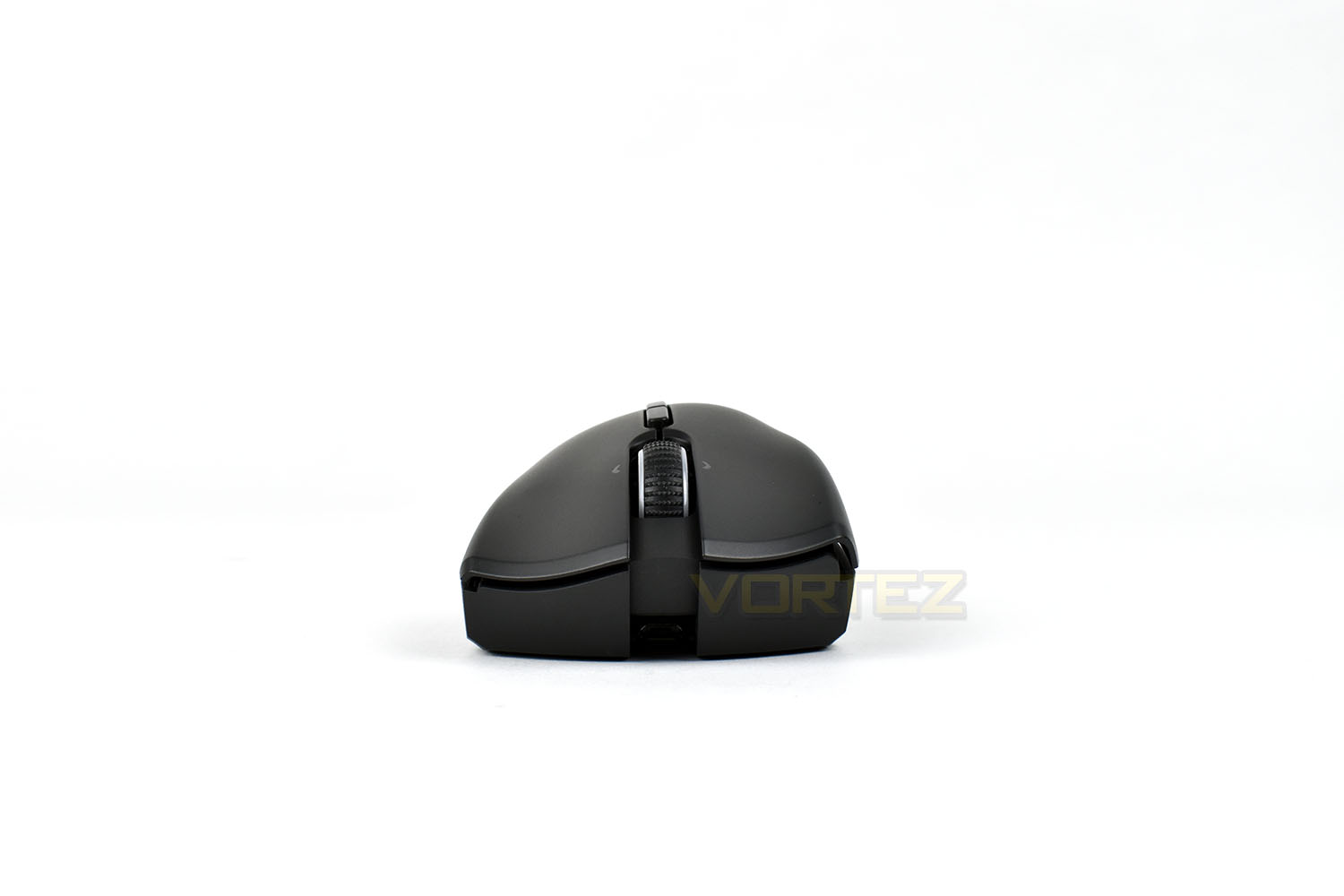
At the front is a Micro-USB charging/data port, hidden deep underneath the scroll wheel, for use if you ever require the mouse to be used away from the Firefly HyperFlux. The scroll wheel looks a little bit like a studded belt; it’s made from soft rubber instead of hard, pointy metal, you’ll be glad to know.
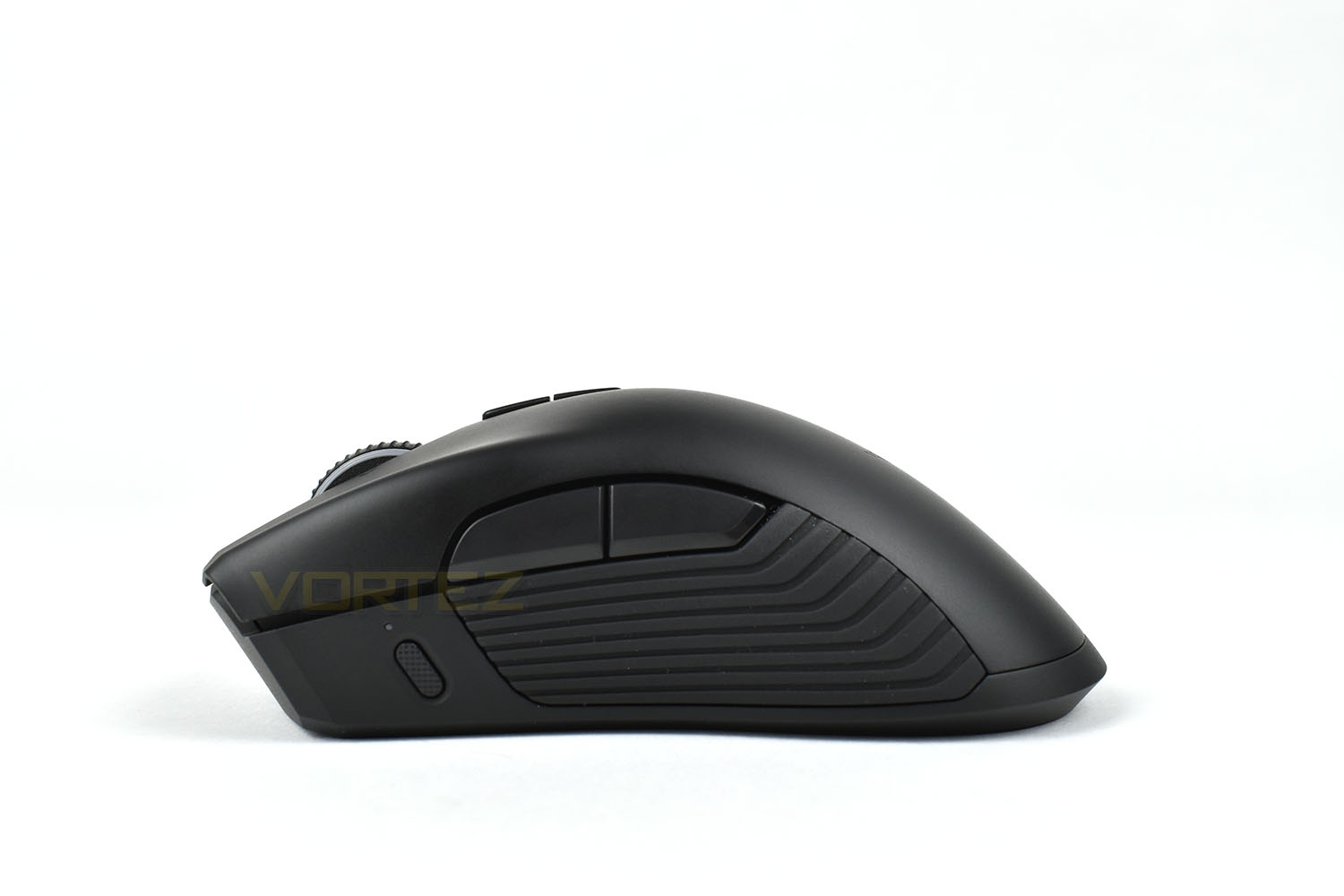
The left side of the Mamba features a pair of buttons above the rubber thumb grip, being assigned to forwards and backwards by default. Towards the front of the mouse is a profile switch to dip in and out of profiles on the fly. The horizontal lines along the edge of the mouse provide decent grip.
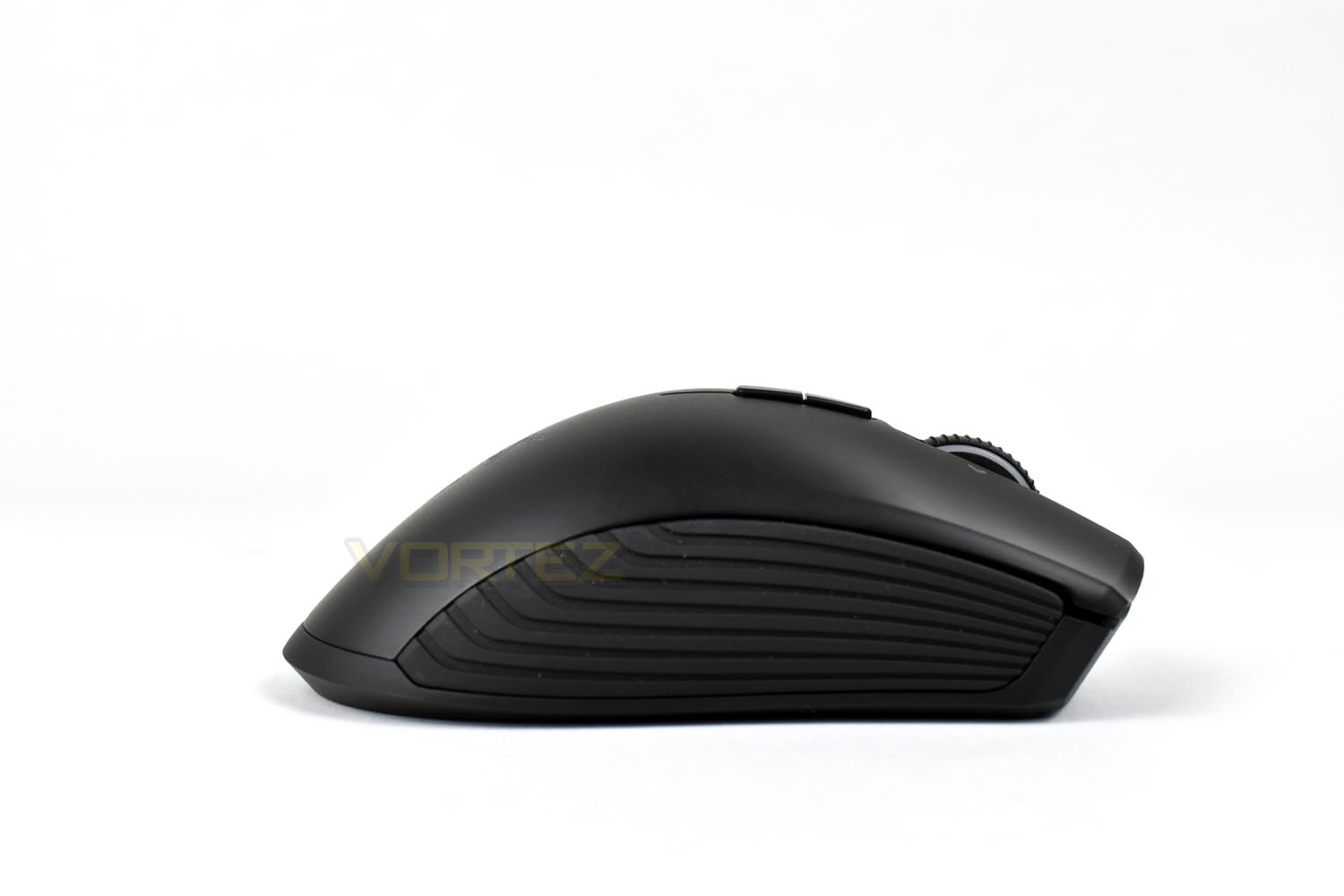
The right-hand-side is a similar affair, with the horizontally-grooved rubber grip running the entire length of the mouse.
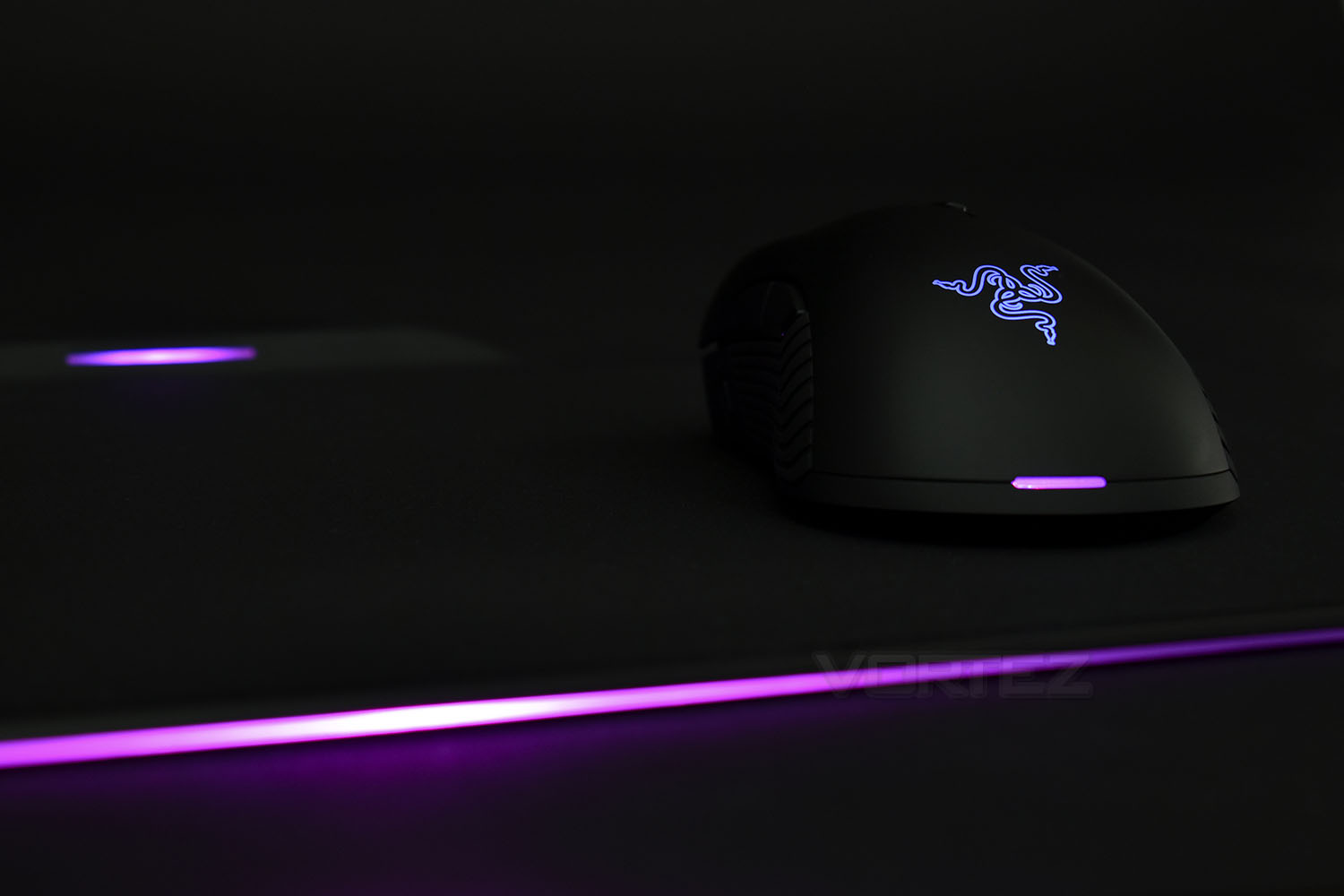
Positioned towards the bottom of the mouse is a small RGB LED strip which coordinates with a slightly larger LED on the Firefly mouse mat, used to indicate that the mouse is receiving power. On top of the shell is the Razer logo, backlit with whichever colour you fancy.
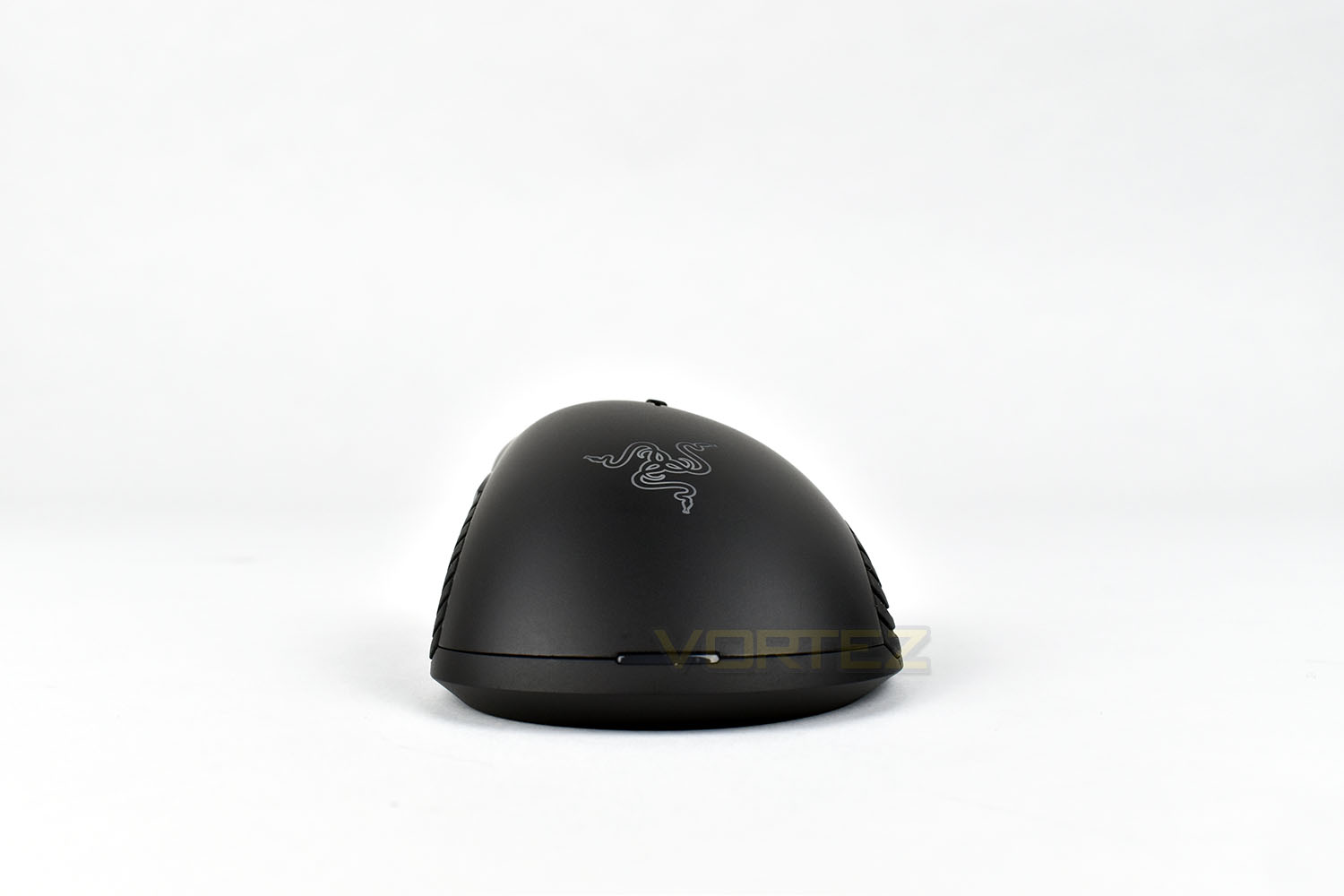
Located just behind the scroll wheel, is a pair of DPI switch buttons, to flick between DPI profiles on the fly. This angle also illustrates the shape of the right and left click, slightly concave to accommodate your fingers.
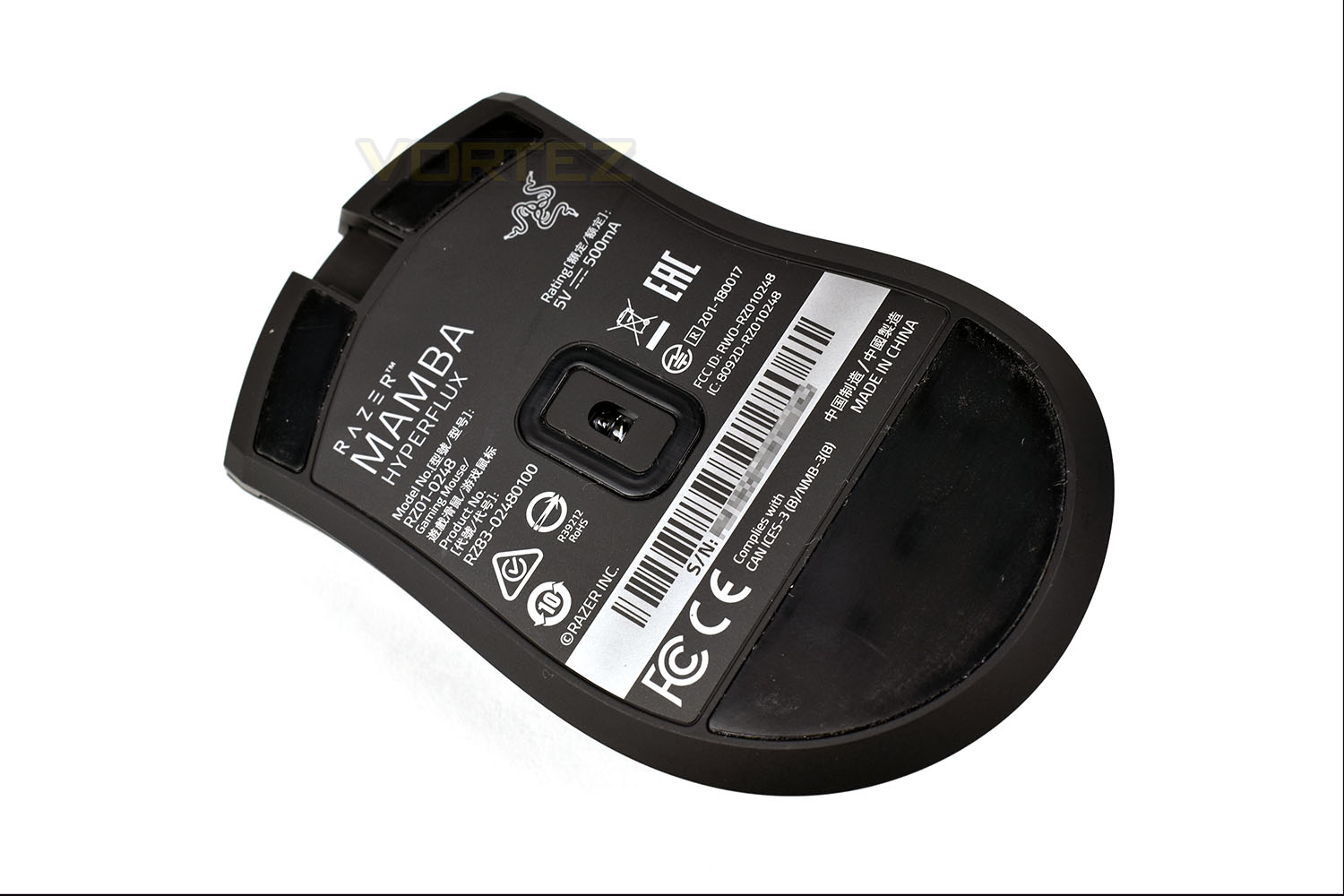
The underside of the Mamba features three PTFE glide pads, with the rear-most being huge, especially for such a lightweight mouse. There’s also a small curtain around the sensor, helping to reduce the ingress of any dirt, hair or debris that is often found on your mouse mat.
Closer Look (Firefly)
The original Firefly mouse mat retails for £49.99, which makes the Firefly HyperFlux roughly twice that price, using some rough back-of-an-envelope mathematics, however, for that cost you still receive the beautiful RGB lighting spanning the front-most three edges as well as the top two corners, and of course, the HyperFlux technology which is integral to the Mamba HyperFlux gaming mouse.The Firefly measures 355mm x 285mm and is roughly 4mm deep (at the tracking surface).
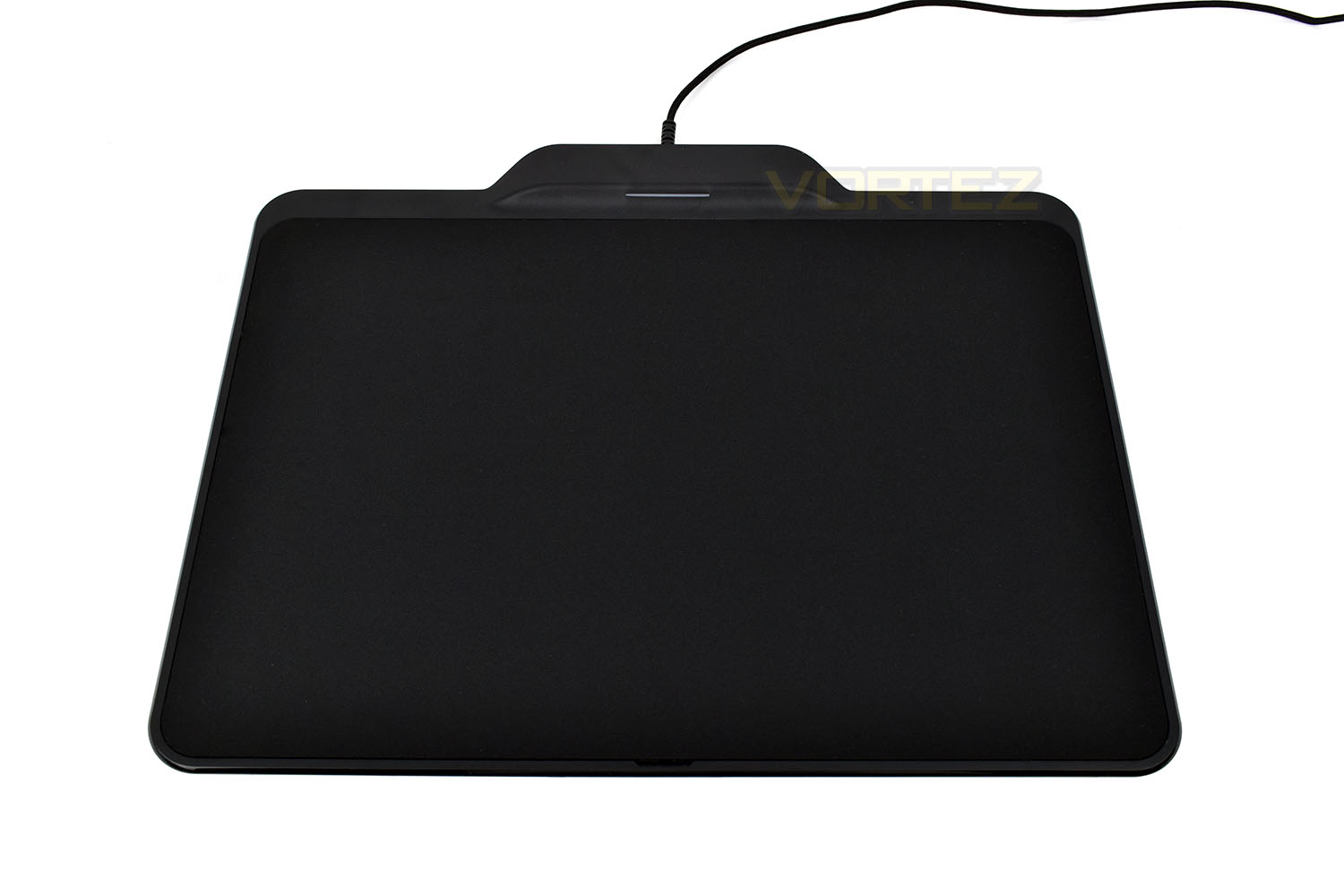
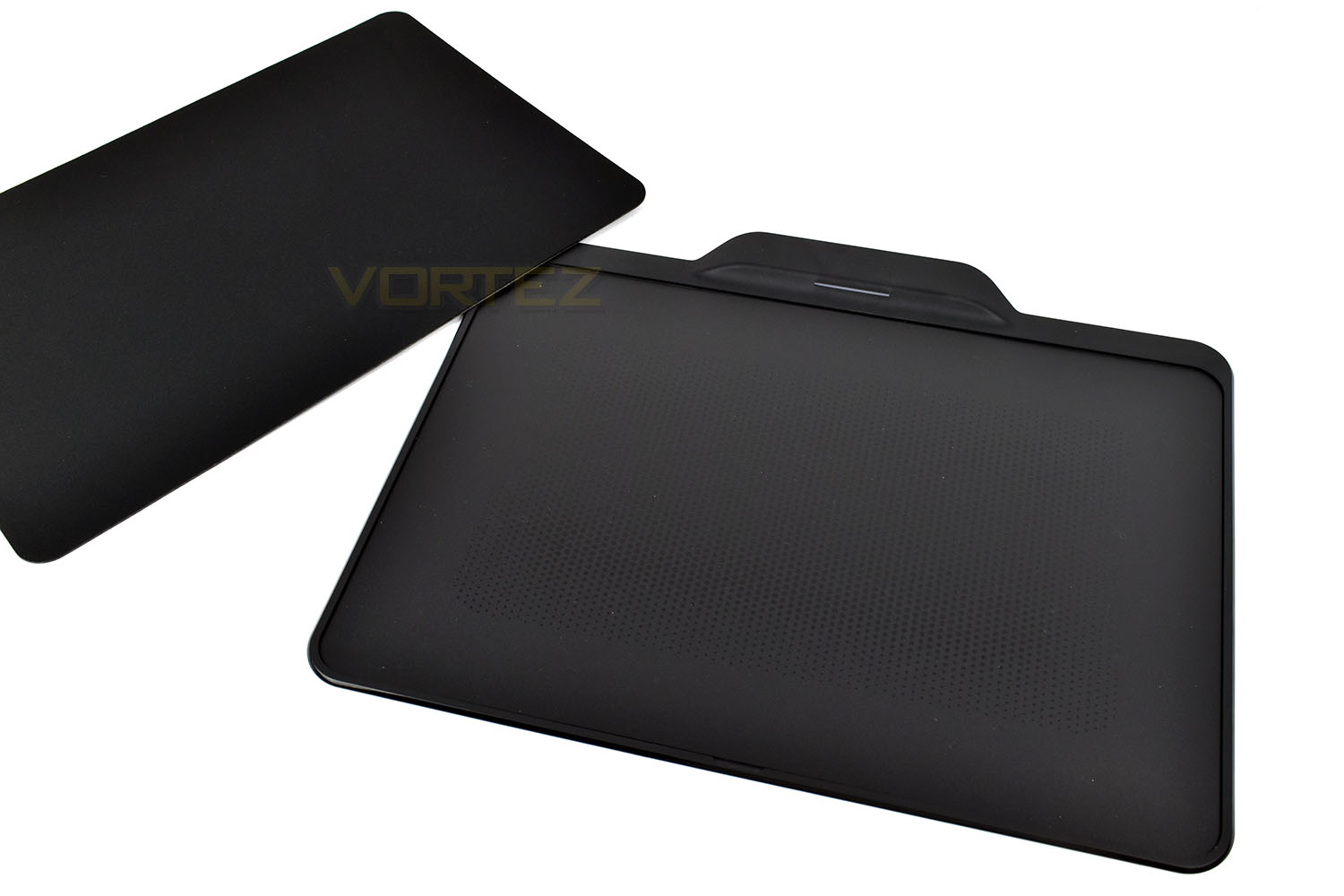
There’s a pair of surfaces on offer, one a hard plastic and the other a softer, tightly-woven cloth. No matter which surface you pick, the finish is flush with the outer edge, resulting in a smooth and incredibly beautiful appearance.
The Razer Synapse 3.0 software is pre-programmed to include a calibration profile for each surface so be sure to choose the correct one for optimal tracking.
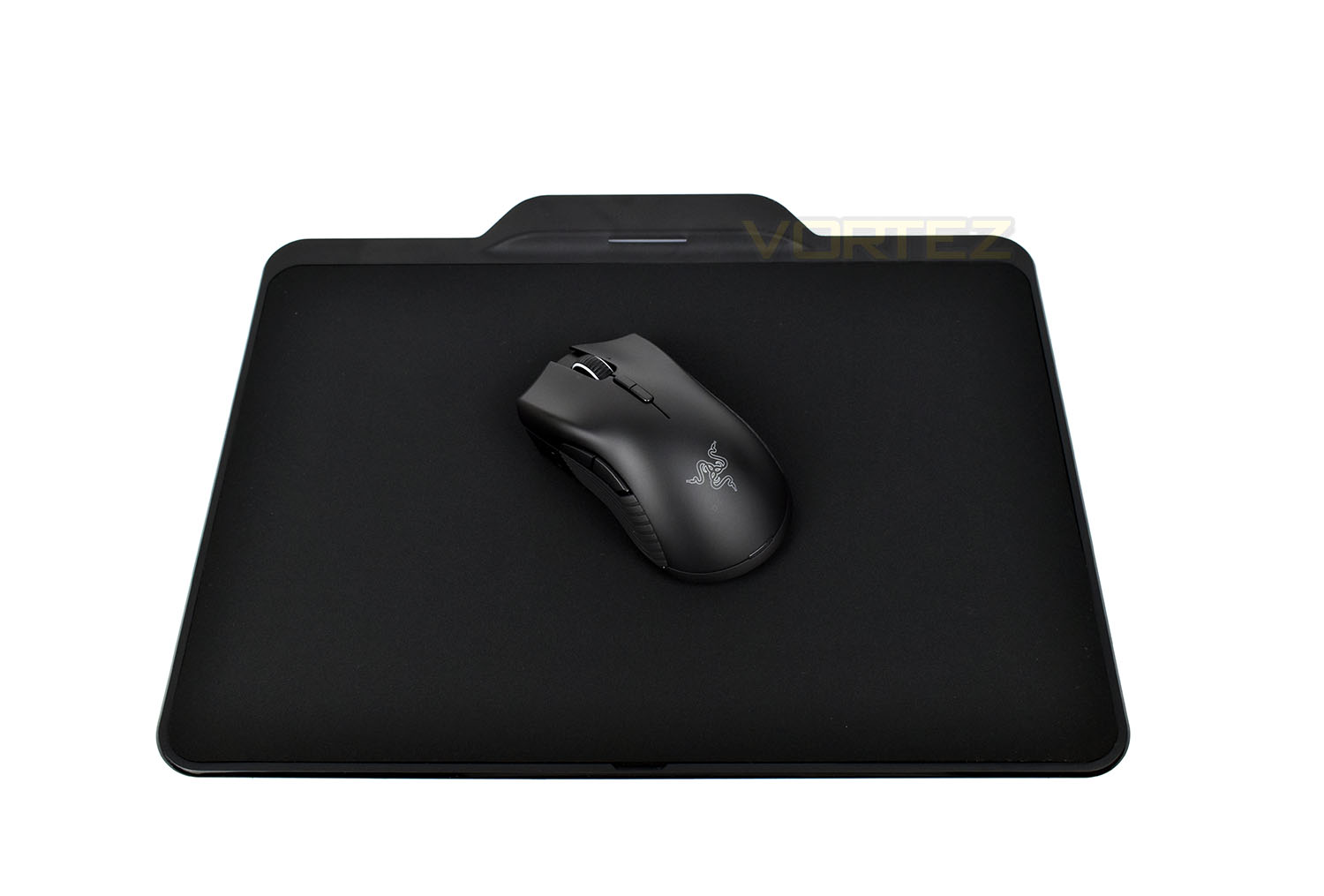
The hard plastic is a lot lighter in colour, being grey instead of black and provides less friction than the cloth.
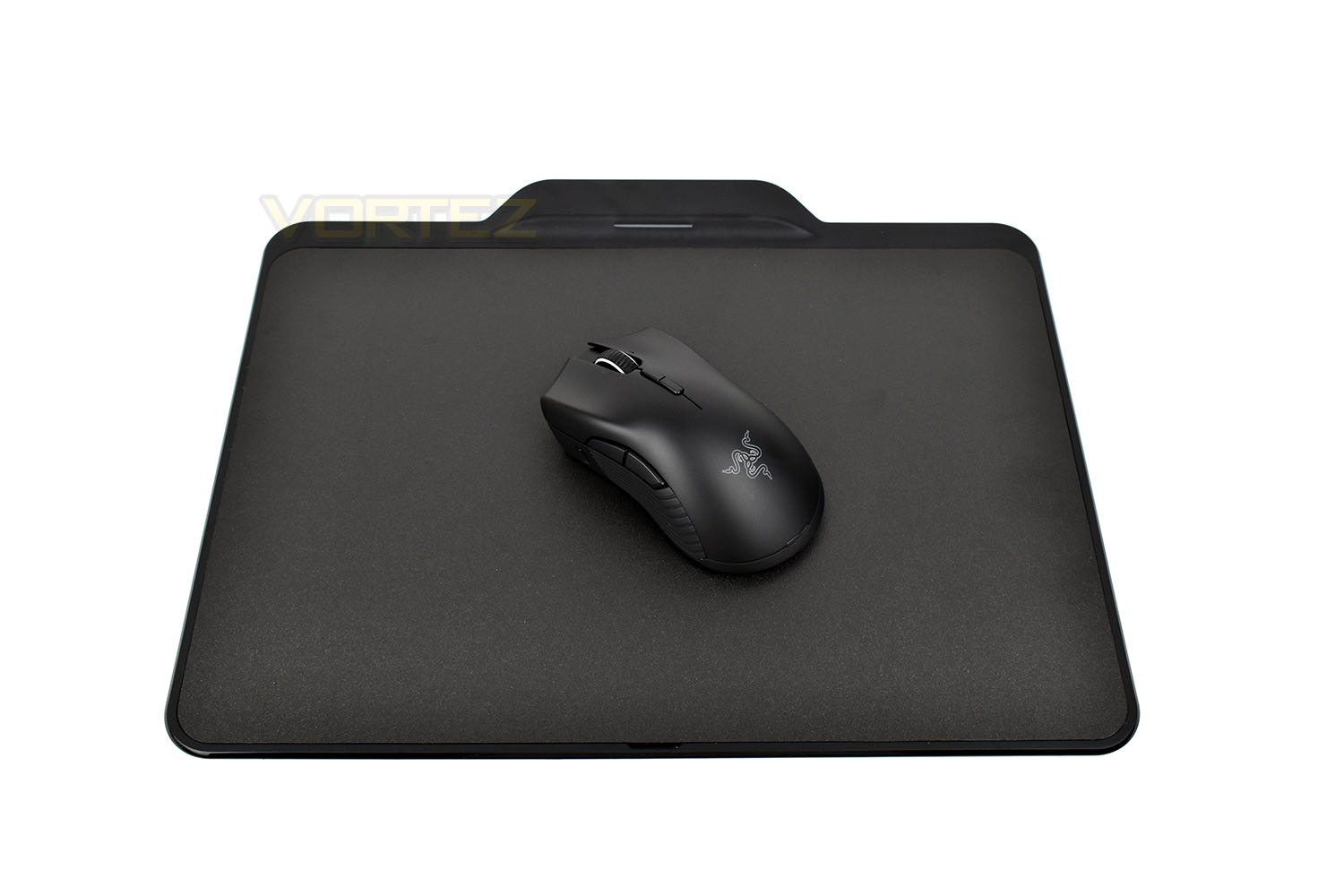
The cloth surface is a magnet for dust and stray pet hairs but offers a more comfortable surface.
Under the switchable surface is a pad of incredibly sticky dots, gripping onto the surface and preventing any kind of movement or lift from the surface. The recessed design should prevent any slippage but it’s good to see a fail-safe design employed by Razer!
Software
To genuinely extract every last bit of performance from the Mamba HyperFlux + Firefly, you ideally need to install Razer’s latest Synapse 3.0 software suite; this is currently in beta but in recent months has become much more stable, with new features and improvements being made almost daily.Here is a short video highlighting some of the features and usability. Alternatively, read on below for a short walkthrough, with images.
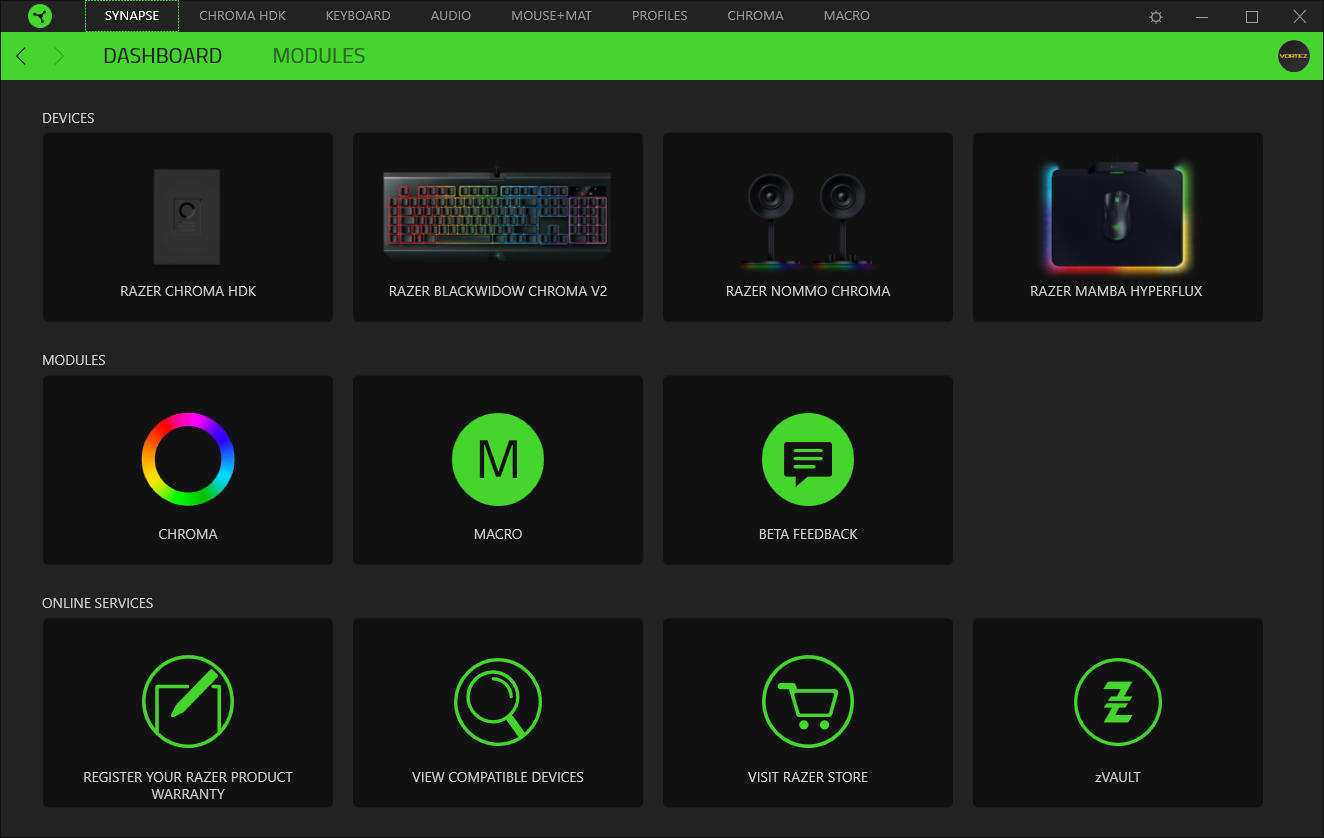
Upon opening the software, you are presented with a thumbnail layout, featuring the main functions of the software as well as images of any Synapse 3.0 compatible hardware.
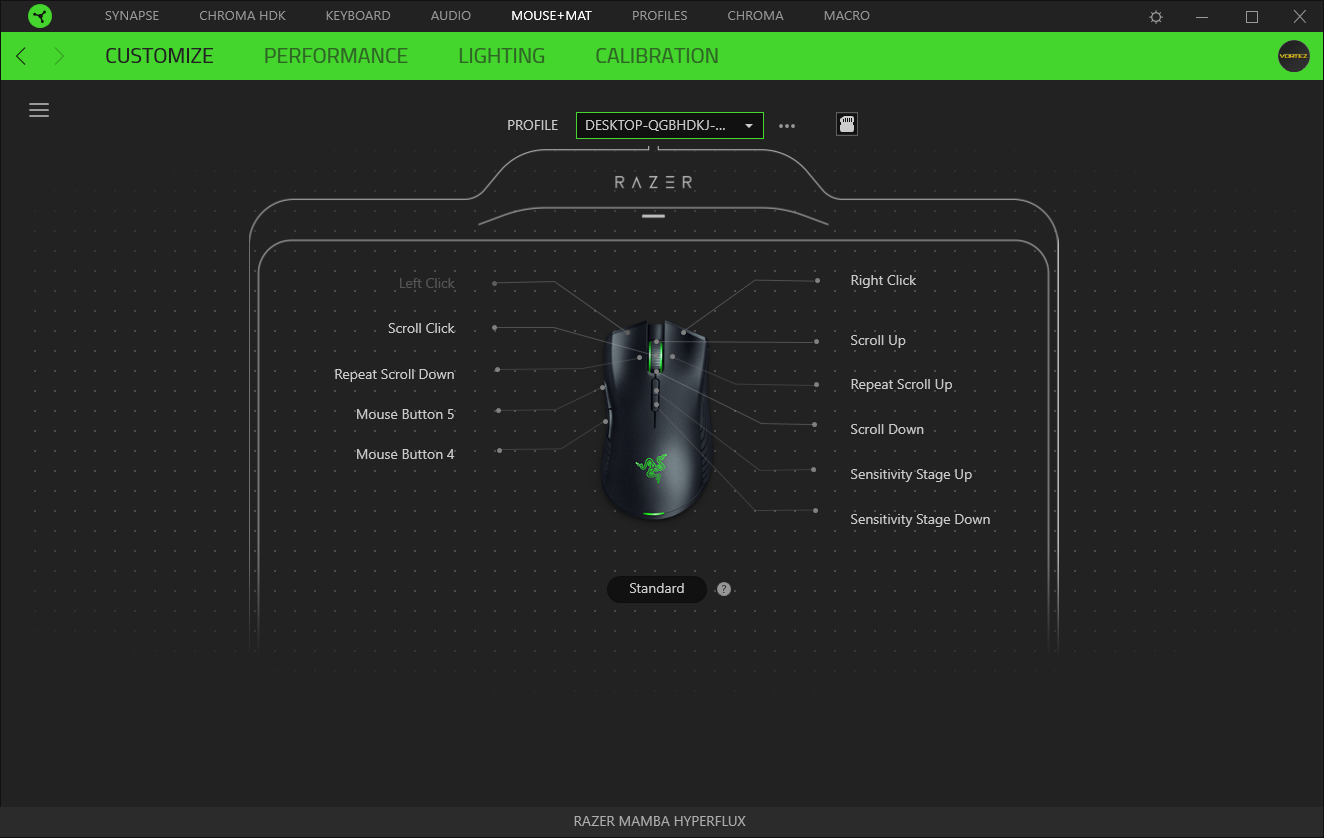
After selecting the Mamba HyperFlux, it’s possible to reassign any of the buttons on the Mamba. This can range from basic media functions to things as complex as entire macro assignments.
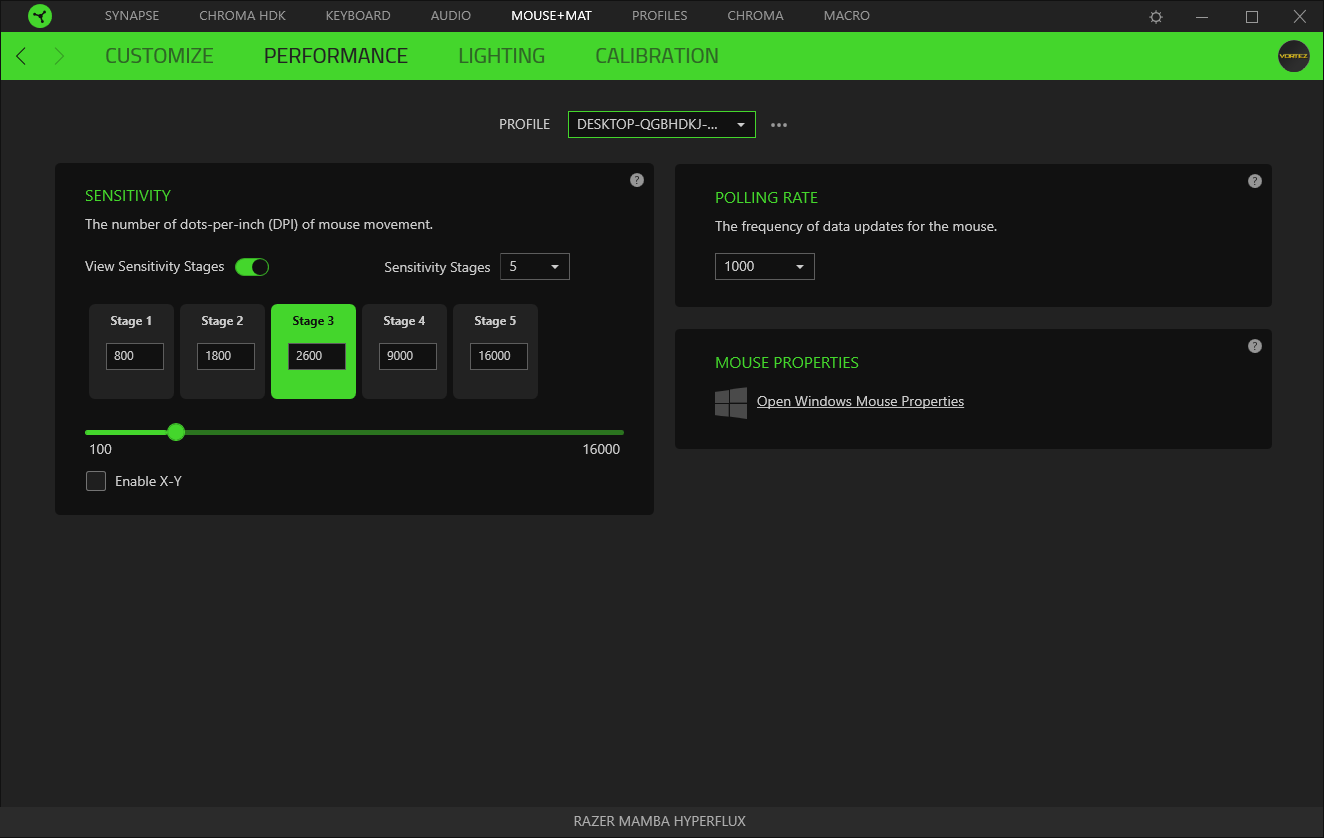
The next tab along allows adjustment of the polling rate and sensitivity of the optical sensor. You can select up to 5 different stages, each of which can be configured in steps of 50, from as low as 100, all the way to 16,000. X-Y adjustments can be made individually by toggling the check box.
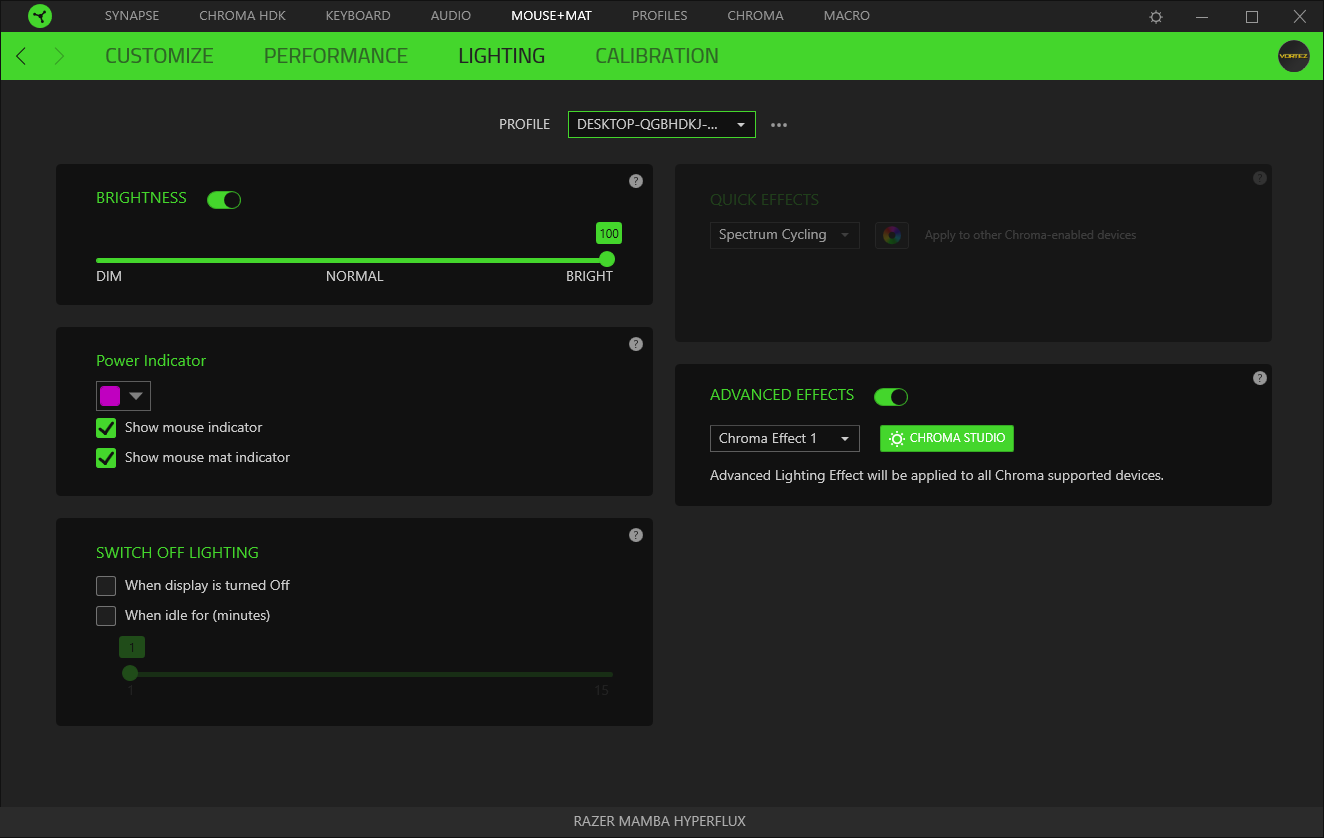
The basics of the lighting are adjusted on the next page, brightness controls the RGB LEDs on both devices at the same time, from 33% to 100%, or off all together. The power indicator colour can be chosen from a selection of 64 default colours, or any RGB colour you fancy via the custom feature. These lights indicate an electromagnetic link between the Mamba and Firefly.
Quick effects are available from here, however we recommend you visit the Chroma Studio and fully configure your RGB lighting with the tools provided.
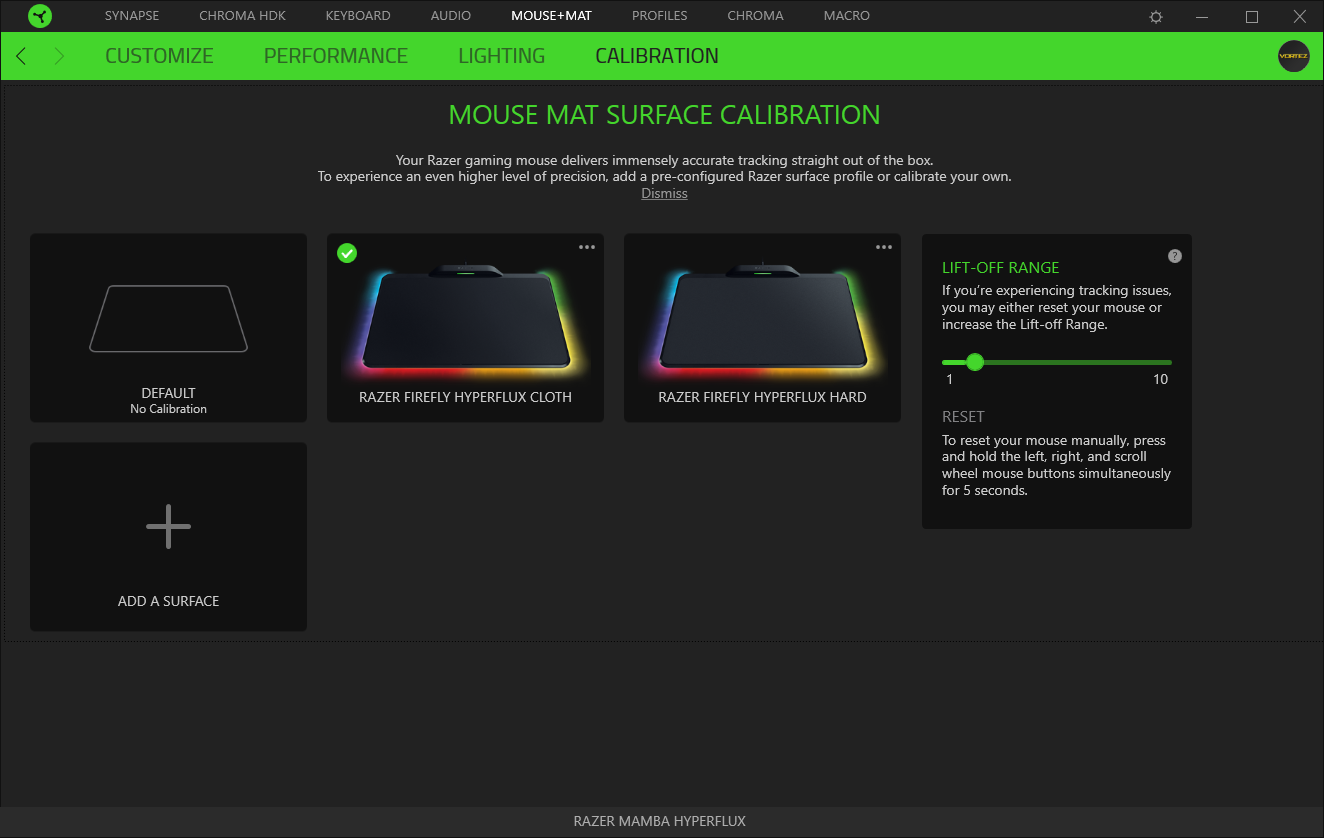
The cloth and hard plastic surfaces are pre-configured within the software but you can calibrate to any surface you like (though that does somewhat defeat the point of buying this bundle). The lift-off range is also adjusted here.
The Chroma Studio is where the magic happens. This labyrinth of buttons, toggles and sliders appears like something from The Crystal Maze at first, but once you’ve pulled a few levers and witnessed the results, things quickly click into place. The lighting affects you can create within are limited by two factors: Your imagination and the amount of time you’re willing to invest.
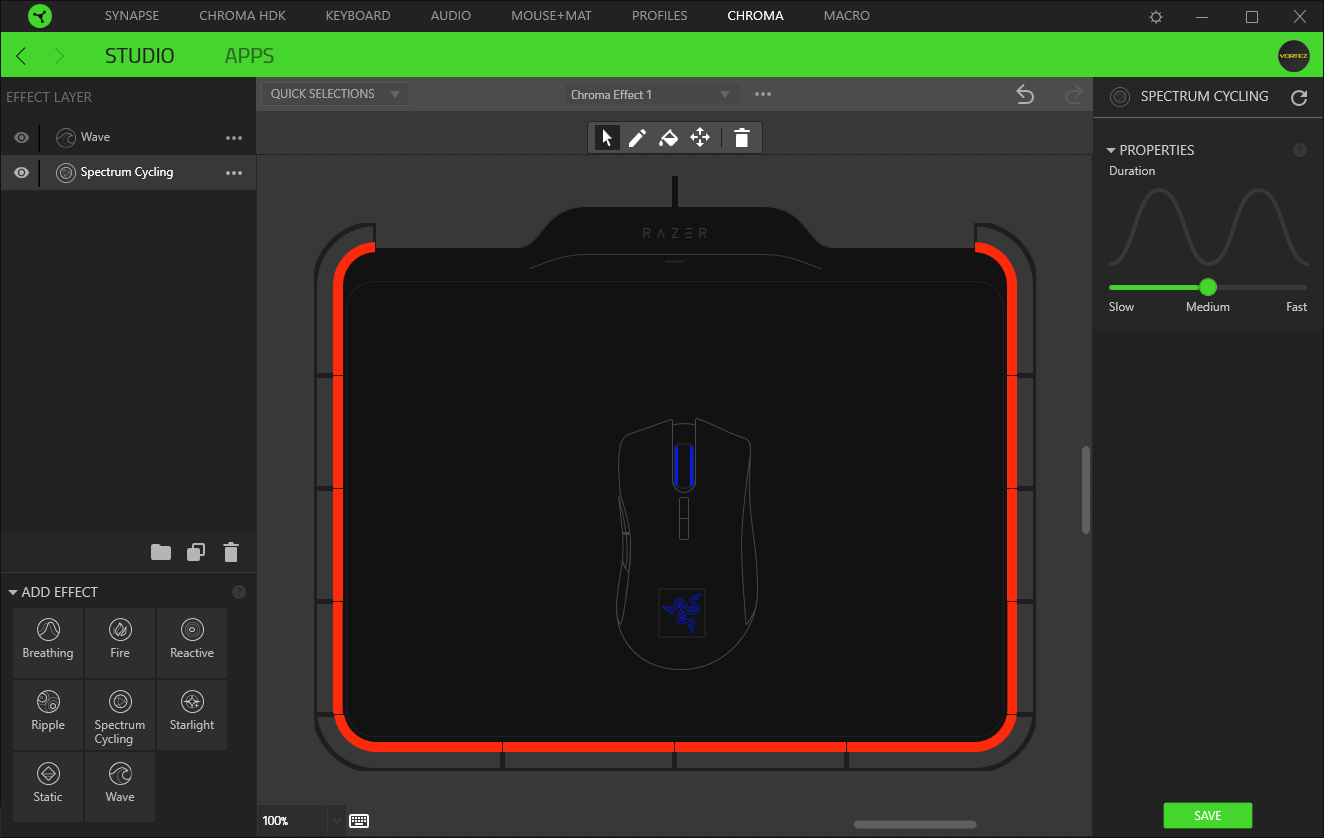
Macros are on the final tab, much like the Chroma Studio, this can be tweaked and configured to perform almost any action you can think of. For example, resizing an image in Photoshop requires the following keypresses: CTRL + Shift + I -> 1500 -> Enter -> CTRL + 1. All of that can be condensed into a single press of a mouse button, streamlining complex processes.

We will keep saying this until we’re blue in the face, but Razer are working incredibly hard on their latest Synapse 3.0 software suite; the results speak for themselves.
Performance Testing
Razer’s Synapse 3.0 isn’t required for the Firefly to pair with the Mamba, resulting in a device that’s ready to go as soon as your PC is booted, without any delay; although the pairing process takes less than five seconds anyway so it’s not going to cause any major issues. The Mamba features a power saving mode, which puts the rodent to sleep after a period of inactivity; the moment the mouse is nudged, the connection is remade and movement on-screen is actioned.The main focus of the product is Razer’s Electromagnetic Resonance Technology (ERT) which is still relatively new to the peripherals market, though sadly, you can’t charge other devices on the pad, such as a phone or any Qi wireless charging enabled products. However, in terms of providing power to the Razer Mamba HyperFlux, we saw absolutely no issues whatsoever, with a consistent and solid power supply. No longer do you have the dilemma of brighter RGB lighting or faster polling rates being a direct trade-off to battery life – crank them up to 11 and enjoy your mouse as Razer intended!
Razer’s HyperFlux operates using a single, continuous strip of wire under the surface of the mouse mat, slowly spiralling into the centre of the Firefly. We tested the range of the inductive mat by placing the mouse in each corner of the Firefly and monitoring a loss of power for 5 minutes, as well as directly in the centre. No drop in power was noticed, signifying a uniform power delivery.
Backing up the wireless power is Razer’s Adaptive Frequency Technology, working tirelessly to establish and maintain a 100% stable and secure connection between your mouse and PC, ensuring every movement, click or scroll is registered within a single millisecond, every single time. Our testing procedure involves a host of gaming titles, including Battlefield 1, Paladins, Company of Heroes and PLAYERUNKNOWN’S BATTLEGROUNDS, covering a broad range of usage scenarios. The Optical sensor performed flawlessly, as well as the buttons on the mouse – this is easily one of the best devices we’ve had the pleasure of using, mainly thanks to the complete freedom the lack of wire grants.
The shape of the Mamba has been revised and adapted over several years by Razer, culminating in the current design. We have absolutely no complaints against the shape, the materials used or the button placement.
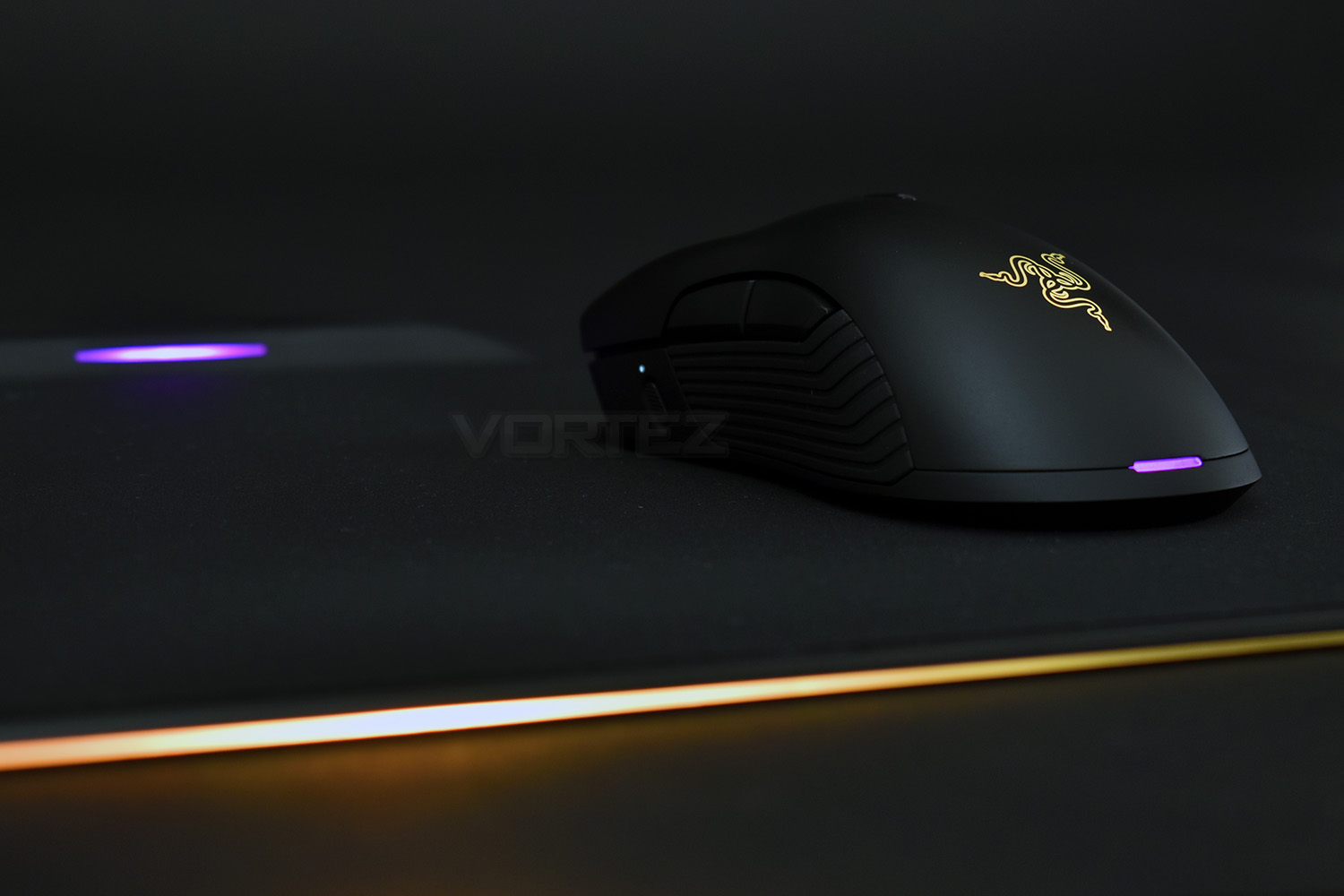
RGB lighting. Something which Razer have invested heavily into is their Razer Chroma ecosystem, which aims to unify your entire system into one, huge, fully-addressable blank canvas. The mouse itself loses the lighting strips down each flank, compared to the previous model, which is a shame, but when combined with the Firefly, we were blown away by the overall aesthetic.
Measuring in at roughly 350mm x 280mm x 4mm, the Firefly never posed any issue in terms of playable area, using a DPI of 2600 for the majority of testing. Both surfaces also tracked perfectly and felt wonderfully comfortable, with the cloth surface being so finely woven that it felt more like an incredibly fine felt instead of cloth.
Razer appear to have trapped a small, angry little animal inside every Mamba, that lets out a little scream when removed from the Firefly (it’s actually the capacitor letting out a little whine, but we couldn’t help but chuckle at the noise).
Conclusion
The Razer Mamba HyperFlux + Firefly HyperFlux bundle offers everything a gamer might need, a dependable and accurate sensor, thumb buttons, on-the-fly adjustment of profiles and DPI settings and of course, RGB lighting, but the true beauty of the device is the wireless nature. Don’t forget, the cable is still required to connect the Firefly to an available USB port, but that can be routed much more tidily. Please don’t confuse the Firefly as a “charging mouse mat”, because it’s not that; the super conductor inside is, technically, storing a charge, but only enough for around 25 seconds, at a push. This does, however, enable Razer to produce a wireless mouse with a weight of only 96g, which feels awesome in the hand. It’s almost unbelievable how light the device is.Adopting Razer’s proprietary Adaptive Frequency Technology, the mouse doesn’t miss a beat, with the mouse and receiver working together to check and adapt the wireless connection in millisecond intervals; enabling 100% transmission stability, 100% of the time.
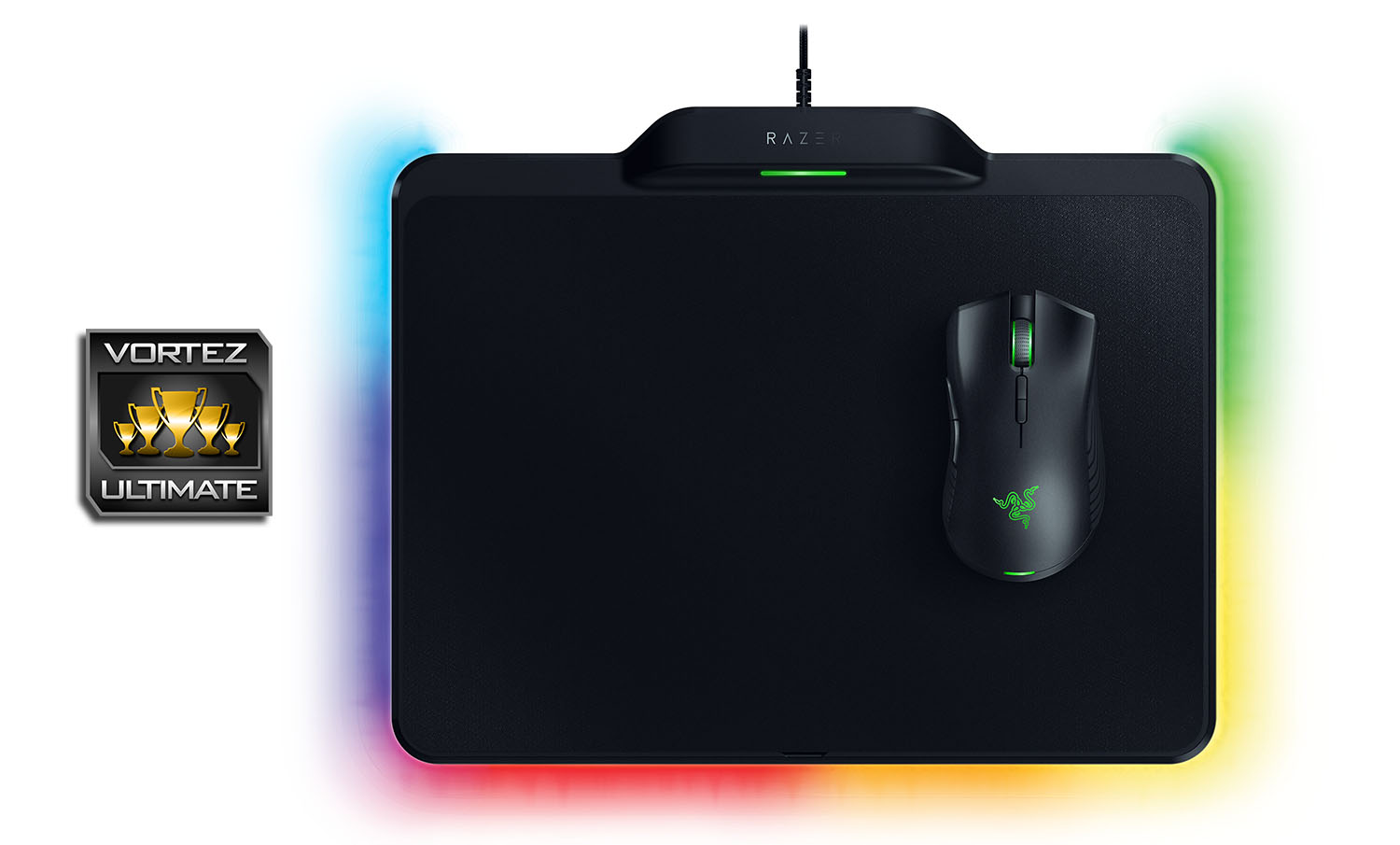
The RGB lighting around the Firefly is excellent, illuminating the desk below, while the black surface of the Firefly helps accentuate the lighting on the Mamba that little bit more in a dimly lit room. The Chroma Studio is excellent for getting the perfect look or effect.
Fans of Razer will take little convincing, but those less-convinced might find the £250 price tag is a little too far to stretch for a little convenience; that is perfectly justified, but if you’re lucky enough to have deep pockets and in search for a new, RGB enabled, wireless mouse that never needs to be charged, we can’t recommend this enough.
Early adopters of any technology are always bitten by a higher price, but without those more adventurous types, innovation would slow. Push the boat out, buy the Mamba + Firefly HyperFlux and revel in the joy of going wire-free.
Pros
+ Gorgeous and comfortable design
+ Lightweight design aids responsiveness
+ Beautiful RGB lighting ecosystem
+ Synapse 3.0 is becoming a brilliant piece of software
+ No charging required
+ Wireless transmission is solid
+ Sensor performance was exemplary
Cons
– Price
– Only one compatible device at present
+ Gorgeous and comfortable design
+ Lightweight design aids responsiveness
+ Beautiful RGB lighting ecosystem
+ Synapse 3.0 is becoming a brilliant piece of software
+ No charging required
+ Wireless transmission is solid
+ Sensor performance was exemplary
Cons
– Price
– Only one compatible device at present
Click here for an explanation of our awards at Vortez.net.
Stay connected with the Vortez Social Media pages:
Join in with the discussions on Discord