







Today we take a look at Razer’s premium laser wireless/wired gaming mouse and see if it lives up to expectations.
Manufacturer: RazerProduct reviewed: Razer Mamba
MSRP: £99.99
The name Razer will be familiar to most as the ‘nvidia’ styled gaming corporation that has brought to the table some fantastic products over the years they have been in existence. You only have to drop onto gaming forums to hear people recommending and discussing Razer products. I personally have never owned a Razer product so I am very much looking forward to this review, that I might discover how true these statements are.
Today I have the delight of reviewing the very latest innovation from Razer, the Mamba. Before I begin, some info giving a background to Razer should decipher their aspirations:

“Razer collaborates with gamers to develop, manufacture and market cutting-edge gaming peripherals utilizing proprietary technologies that give gamers the competitive edge. We reinvented the computer gaming industry by bringing this competitive edge to gamers when professional computer gaming was in its infancy. In the mid 90s, with the advent of networked gaming and competitive first-person-shooter (FPS) games, gamers found that their legacy peripherals were inhibiting rather than enhancing their gameplay.
Undoubtedly, Razer is the worldwide leader in terms of professional gaming peripherals. While we are light years ahead of our competitors in terms of technology, design and ergonomics, we are not resting on our laurels but are developing other key products and peripherals with the gamer in mind to bring that competitive edge to gameplay that Razer is synonymous with.”

So without further delay. Let’s uncover this new gaming peripheral.
Packaging and Closer Look
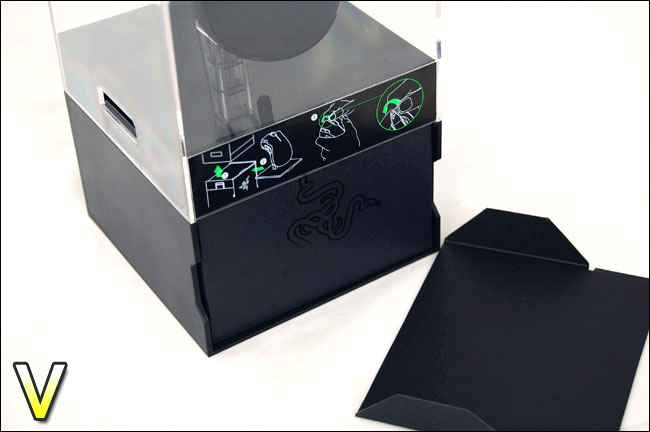
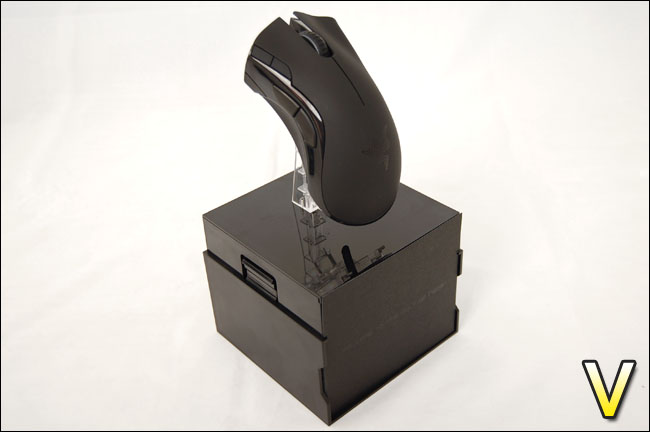
The very first thing that will strike you when you see the Razer Mamba is the presentation of the packaging. Extreme care has been taken to the consideration of the first impression of the Mamba. It is presented in a Perspex box, showcasing this awesome looking mouse. The mouse itself sits on a clear stand so that it appears to suspend in the air. A lot of time has been spent in this aspect of the production, innovation that clearly speaks of a premium product. It’s quite obvious from the outset that you are investing in a high-quality piece of kit here.
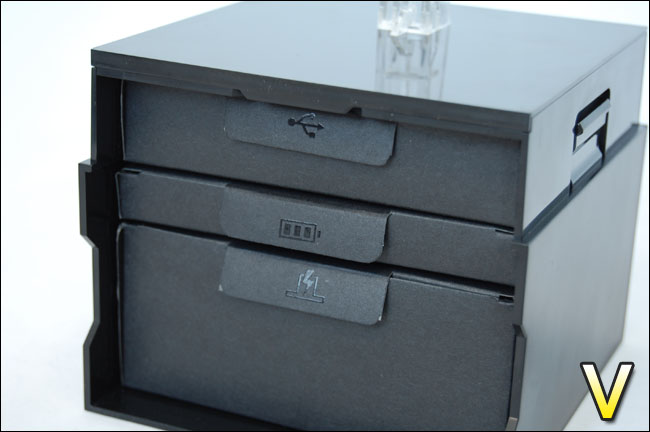
Removing the outer Perspex reveals a cardboard box of shelves. Inside each of these shelves are USB cable, battery and wireless unit that acts not only as a wireless transceiver but also a charging unit for the battery.
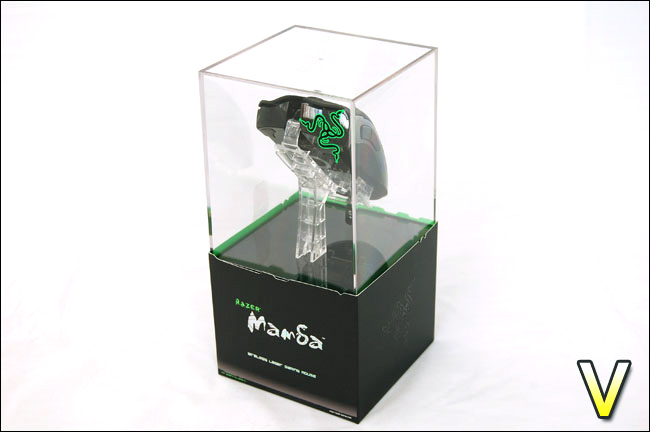
The brilliance that lies with the Mamba is that you are able to achieve both wired and wireless operation. Until now this has been a feature absent from gaming mice, prior to the release of the Mamba gamers would have to opt for a wired mouse or a wireless mouse. Wireless gaming mice haven’t really claimed much confidence but with the Mamba operating at 5,600DPI gamers can now rest assured that the accuracy of this mouse can be relied upon. There is with the Mamba a 1ms response latency time which as you will agree is very impressive. In theory there shouldn’t be any issues with transceivers communicating based on the specifications provided. We will be testing this later on.
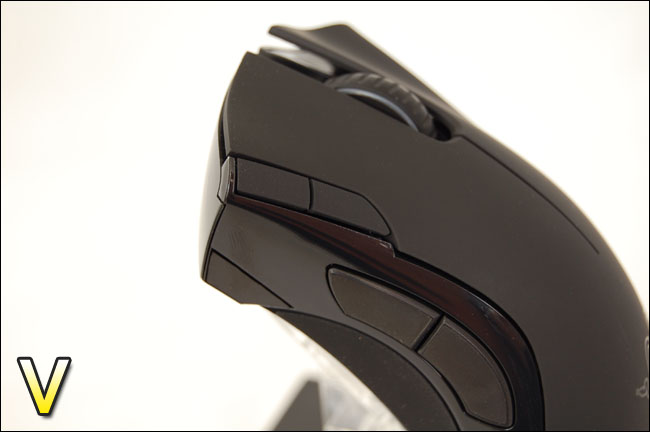
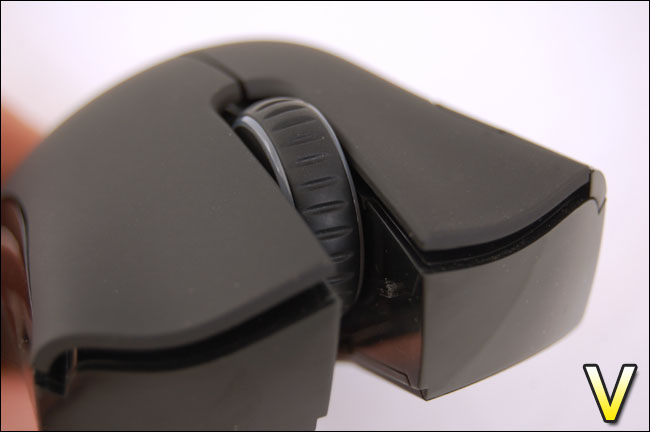
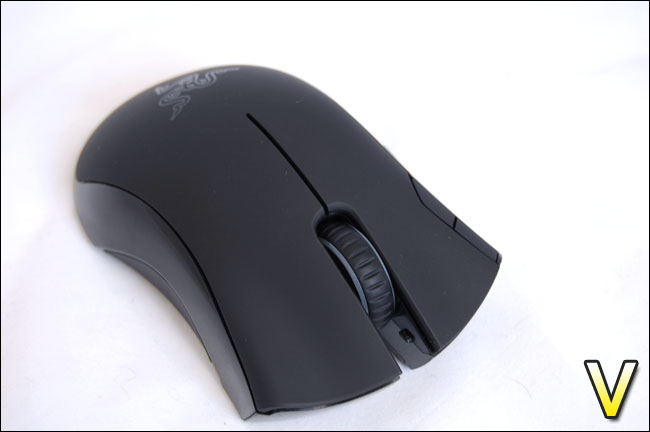
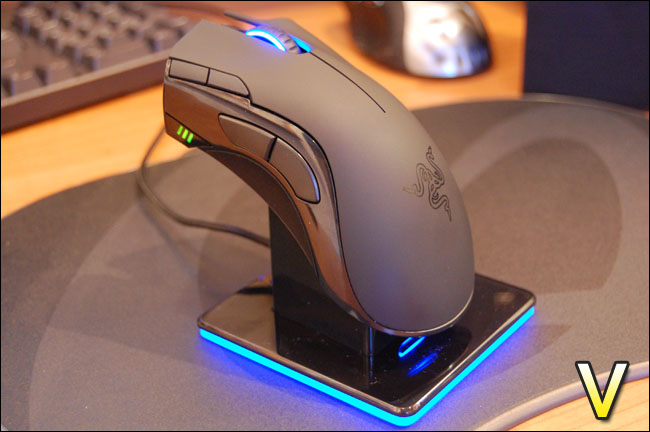
Now onto the Mamba’s design. There is very little difference with the Mamba and other gaming mice in the Razer lineup. The Mamba features 6 customizable buttons that are controlled via the software provided by Razer. The center scroll wheel rotates with very little noise (a noisy scroll wheel is something that really does annoy) and is illuminated by a pleasant blue glow.
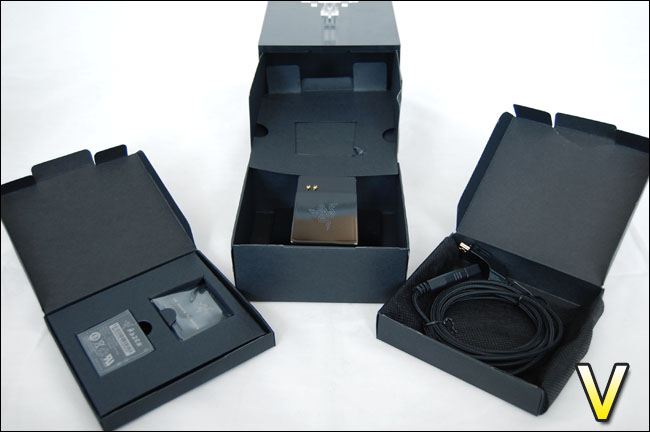
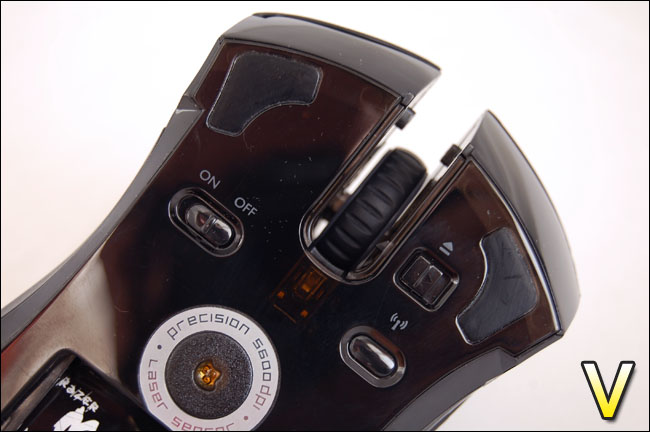
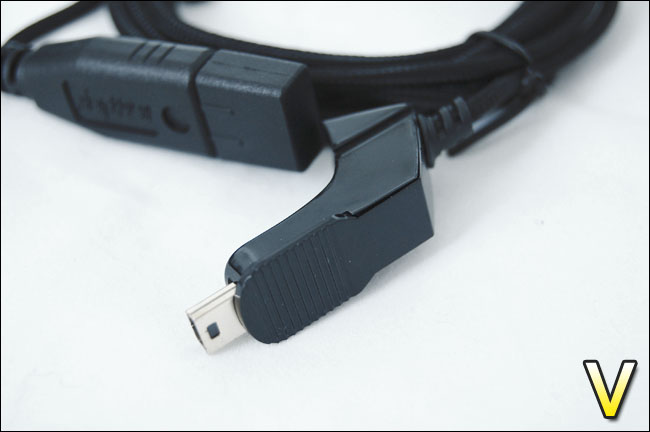
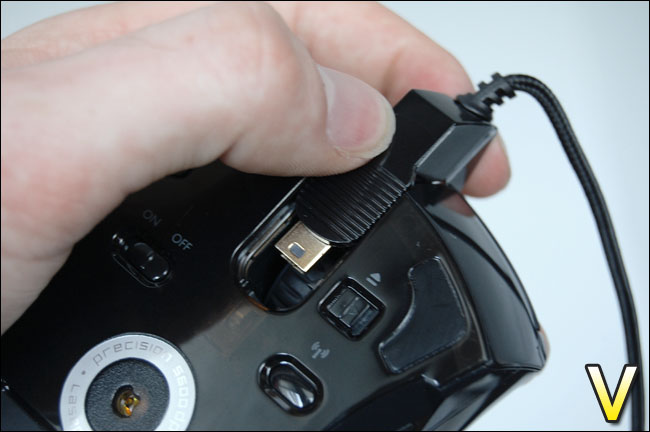
Moving onto the underside of the Mamba there is a slot for the battery and a cover to slide over the top once the battery is in position, and two buttons – one to turn the wireless on or off and another to synchronize the mouse and charging unit. Just underneath the scroll wheel is a slot for plugging in the USB cable for wired mode. Lastly the 4 teflon feet are in place to guide the Mamba along the surface of your choice.
Closer Look Continued
Specifications
Gaming-Grade Wireless Technology
The Razer Mamba gaming grade wireless technology is engineered to free you from the reins while achieving the highest gaming standards. Its ability to be polled at an interval of 1ms maximizes the frequency at with data is sent to the PC. This also means your command gets executed first even if you and your opponent react at the same time.
Dual Mode Wired/Wireless Functionality
The Razer Mamba’s dual mode wired/wireless functionality allows you to switch between the wireless freedom and the frenzy of wired play, with zero downtime for charging. By connecting the Razer Mamba™ via its USB cable, it converts into a wired mouse – the gamer is then freed from battery life concerns as the battery is also charged while in wired mode.
Razer Synapse™ Onboard Memory
With its upgraded Razer Synapse™ onboard memory, the Razer Mamba enables you to store more profiles and longer macro strings on your mouse without the need for software. You can now take your custom mouse settings to any tournament or LAN party, without the hassle of any software.
Charging Dock
Included with the Razer Mamba™ is its charging dock which also acts as the wireless receiver unit.
• Gaming Grade Wireless Technology
• Dual Mode Wired/Wireless Functionality
• Razer Synapse™ On-board Memory
• Seven independently programmable Hyperesponse™ buttons
• 5600DPI Razer Precision™ 3.5G Laser sensor
• 1000Hz Ultrapolling™ / 1ms response rate
• Up to 200 inches per second*/ 50g acceleration
• Approximate size: 128mm x 70mm x 42.5mm
• Battery Life: 14hrs (continuous gaming); 72 hours (normal gaming usage) *Depends on surface used
Windows® 2000 / XP / X64 / MCE 2005 / Vista / Vista64
Available USB port
CD-ROM Drive (for drivers)
At least 35MB of hard disk space (for drivers)
Software
There is no software with the Mamba, Razer has decided to remove it from this product but have included directions to their website where you can download the latest version of the driver including the software. I must confess it’s not that easy to find what you are looking for when you first arrive at the drivers section on the Razer website but once you have downloaded the software is easily installed following the onscreen instructions.
Without these drivers you will find it hard to operate the Mamba in wireless mode, so be sure to install them before you use the mouse.
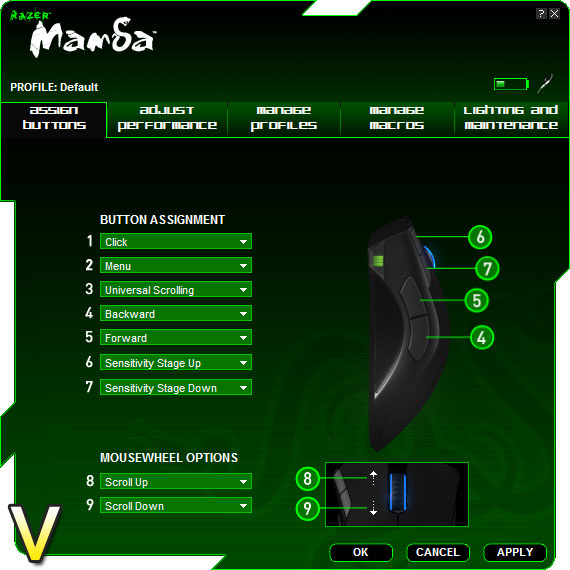
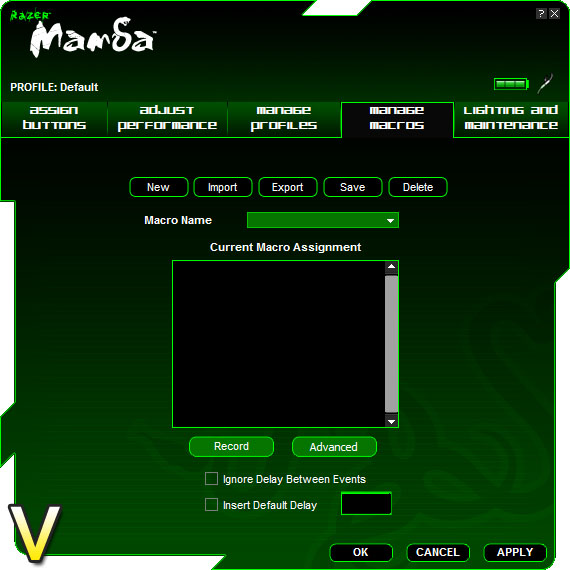
On first launch, the software informs you that the on-board memory is being read (Synapse). Inside the software you have a full management over the Mamba, controlling all buttons, DPI setting, and acceleration.
We are able to store profiles on the Mamba’s onboard memory, this is a handy feature for those attending LAN parties as the settings travel with the mouse. There is also the feature of being able to use Macros which are quite popular amongst some gamers.
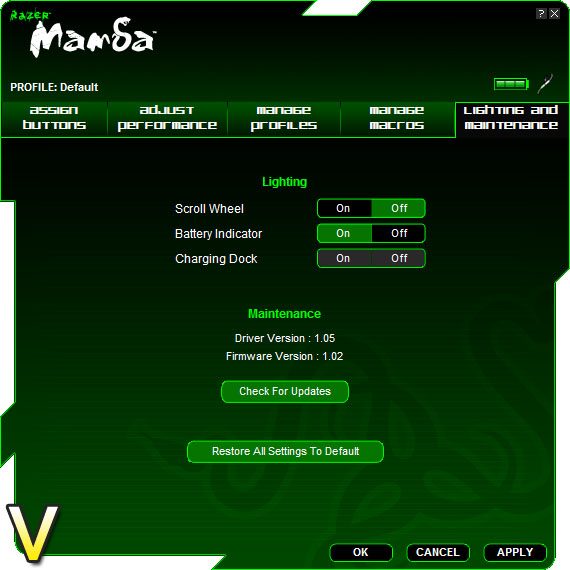
Lastly there is a tab that allows us to control some of the lighting indicators on the Mamba. Overall some great software that gives you the user some impressive amount of control over your mouse, something which most gamers will compliment greatly.
Testing
Unlike the results we can typically obtain from testing a graphics card of processor, the testing of mice yield completely different results. Whilst we can clearly see performance results with these components with mice, it is a totally different kettle of fish. The results of testing are personal to the user, so this stage is quite difficult to ascertain but the overall opinion of the mouse should help to determine if the Mamba is a winner.
So to test the Razer Mamba I will be releasing it in its natural surrounds by using it in some intense gaming sessions. As with other mouse reviews, the games selected will be within different genres so that the assumptions gained are fair. I will be testing the Mamba in both wired and wireless modes during 30 minutes of gameplay within each game.
I will also be testing the mouse out with a simple task inside Adobe Photoshop.
The games I will be testing with the Razer Mamba are:
Unreal Tournament 3
Prince Of Persia
War Hammer 40,000: Dawn of War II
Results
I was impressed with the Mamba’s performance both wired and wireless. Between these two modes there was almost no difference at all. When you handle the Mamba you can instantly recognize that you are dealing with a premium products. It feels expensive, it oozes confidence. Without sounding too enthusiastic, this is one of the best mice I have ever used. It looks feels and moves unlike anything I’ve used in the past.
All three of the games partnered with the Mamba brilliantly. In particular the first-person shooter – Unreal Tournament 3 felt very smooth. This is the gamer’s tool. Joining online game servers, I sprinted round feeling ultra confident – with this, I played better. Overall in the gaming department the Razer Mamba is winning solution and it may even boost you to gaming stardom in the not too distant future!
For the Adobe Photoshop test, I cut-out an image using the lasso tool. No problems experienced here, there was plenty of traction to prevent any annoying slip-ups. So this should also aid any graphical work or general usage that someone might have outside of their gaming hobbies.
Conclusion
When the Razer Mamba was first uncovered I was impressed with how much care had gone into the presentation and packaging. First impressions are important, and Razer have achieved this right from the word go.Taking the Mamba out of its luxurious packaging reveals a master class of production. As I’ve already said this mouse will bring you confidence by the way it looks, feels and operates. If you want the best mouse on the market, then this is surely it. What other high-end gaming mouse at the very peak of performance offers both wired and wireless capabilities in one?
The above taken into account, it comes as a disappointment that the end product appears on the shelf at a hefty $129.99 (Razer) / £120 / €139. Sure enough prices are dropping but can the average gamer afford such a luxury? This is over double the amount that a high-end laser/optical mouse would cost on the market and for most owning the Razer Mamba will remain a fantasy rather than a reality.
UPDATE: Novatech has just lowered their prices on the Razer Mamber to £68!! ***Lowest Price in the UK – Razer Mamba Wireless Gaming Mouse!!*** – Novatech Community Forums! This obviously alters the value of the Mamba making it a more favourable buy.
Pros
+ Amazing tracking
+ Great aesthetics and appearance
+ Long battery life
+ Wireless and Wired
Cons
– Big price tag
I award the Razer Mamba the Vortez Hardware Silver Award. Discuss this review on our forum.
