







Razer are synonymous with gaming peripherals and today we get to check out their latest mouse, the Razer Naga Hex.

Product on Review: Razer Naga Hex
Manufacturer and Sponsor: Razer
Street Price: £69.99inc. VAT (At time of review)
Any gamer worth their salt will be familiar with the name Razer. Indeed it is perhaps the first manufacturer many will think off when considering a new gaming peripheral, be it a mouse, keyboard or headset. Razer are perhaps best known for their mice though. The Mamba, DeathAdder, Boomslang, Abyssus etc all share a common theme – snakes and it is with this theme that we bring you their latest offering, the Naga Hex.
Carrying on from the snake naming theme which is used in most of their pro gaming mice products, the Naga hails from a Hindu and Buddhist mythology, it’s full name being ‘Sanskrit naga’ meaning Serpent. The Naga was half human half serpentine who could assume either form. Accidental or not, the Naga also feature in perhaps the biggest MMORPG (Massive Multiplayer Online Role-Playing Game) who also take on a serpentine form. So in name at least, the Razer Naga Hex carries on the serpent traditions.
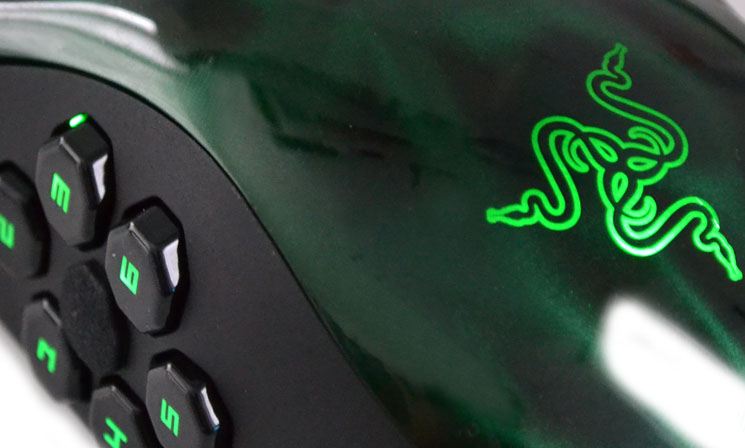
To get the most from a MOBA (Multiplayer Online Battle Arena), gamers demand peripherals that are accurate yet have multiple configuration options allowing them to map abilities to various controls. This in turn can give the gamer the edge in reaction speeds, winning them the crucial battle.
Cast from their Expert range, the Naga Hex aims to satisfy the RPG/MOBA gamer by giving them a mouse that has not one or two but six mechanical thumb buttons, Razer Synapse which allows you to take your mouse settings with you wherever you are and an ergonomically perfect design. The Razer Naga then seems to be the Holy Grail of MOBA mice.
About Razer
Razer is more than just the world’s leading brand in gaming.
We were founded in 1998 in San Diego, California by our CEO Min-Liang Tan and our President Robert “Razerguy” Krakoff in a tiny shared office with a couple other gamers. We have grown today to hundreds of employees worldwide with offices in nine cities, including San Francisco, Hamburg, Seoul, Shanghai and Singapore.
Our vision from the very beginning was to be the world’s greatest gaming brand and we’ve set out to achieve that by designing the best gaming products that any gamer has ever seen.
Razer is more than just the world’s leading brand in gaming.
We were founded in 1998 in San Diego, California by our CEO Min-Liang Tan and our President Robert “Razerguy” Krakoff in a tiny shared office with a couple other gamers. We have grown today to hundreds of employees worldwide with offices in nine cities, including San Francisco, Hamburg, Seoul, Shanghai and Singapore.
Our vision from the very beginning was to be the world’s greatest gaming brand and we’ve set out to achieve that by designing the best gaming products that any gamer has ever seen.
Specification, Features & System Requirements
– 6 MOBA/action-RPG optimized mechanical thumb buttons
– 11 total programmable Hyperesponse buttons
– Special switches in buttons for 250 clicks per minute
– 10 million click life cycle
– Razer Synapse 2.0
– 5600dpi Razer Precision 3.5G Laser Sensor
– 1000Hz Ultrapolling/1ms response time
– Approximate Size : 116 mm / 4.57” (Length) x 70 mm / 2.76” (Width) x 46 mm / 1.81” (Height)
– Approximate Weight: 134 g / 0.30 lbs
– 11 total programmable Hyperesponse buttons
– Special switches in buttons for 250 clicks per minute
– 10 million click life cycle
– Razer Synapse 2.0
– 5600dpi Razer Precision 3.5G Laser Sensor
– 1000Hz Ultrapolling/1ms response time
– Approximate Size : 116 mm / 4.57” (Length) x 70 mm / 2.76” (Width) x 46 mm / 1.81” (Height)
– Approximate Weight: 134 g / 0.30 lbs
Features
6 MOBA/action-RPG optimized mechanical thumb buttons
In action-RPG and MOBA games, six hotkeys are all you need for epic ownage. So bind the six most powerful spells, skills, and items that make you the ultimate hero in-game to the six thumb buttons on the Razer Naga Hex.
Interchangeable Thumb Rests
Increased ergonomic comfort with 3 different thumb rests to suit your thumb size and grip type.
High performance buttons up to 250 clicks per minute
The Razer Naga Hex accurately registers up to a whopping 250 clicks per minute, perfect for those clicking frenzies. Increased durability with a 10 million click life cycle ensures that your dominating streak continues long after you enter the fray.
Razer Synapse 2.0
The most cutting-edge cloud software ever created for gaming, Razer Synapse 2.0 automatically saves all your custom settings for your Razer Naga Hex into a cloud server. It also downloads driver and firmware updates without you have to lift a finger, keeping your mouse in optimum condition for monster kills all the time.
System Requirements
PC with USB port
Windows® 7 / Windows Vista® / Windows® XP (32-bit)
Internet connection (for driver installation)
At least 100MB of hard disk space
Packaging & Accessories
Package Front
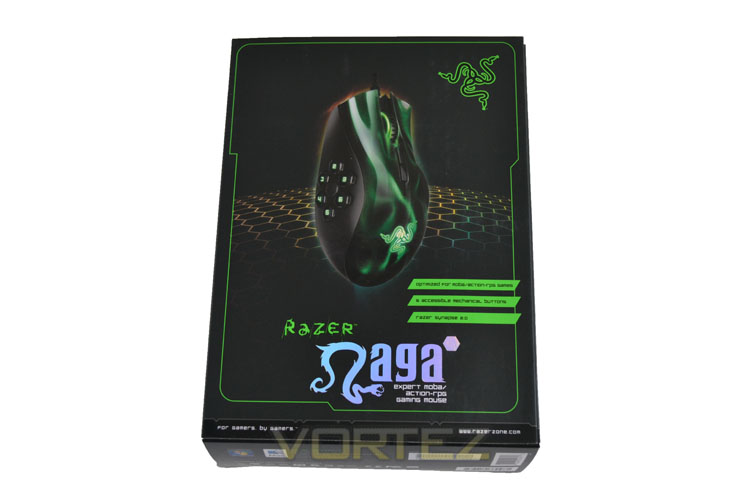
The front of the package is very attractive with picture of the mouse above the Razor Naga emblems amidst a svelte matt black/dark green background. A theme which continues to both sides of the package which display a message from ‘RazorGuy’, promoting the product further on one side and the other giving an overview of the main features.
Package Rear
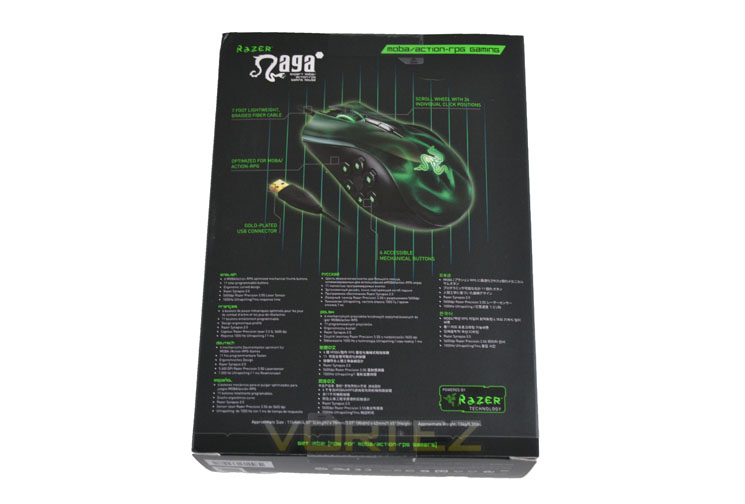
The rear of the box is a fetching as the front with an overview schematic of the mouse and the feature list printed below in 10 of the World’s most popular languages.
Package Window
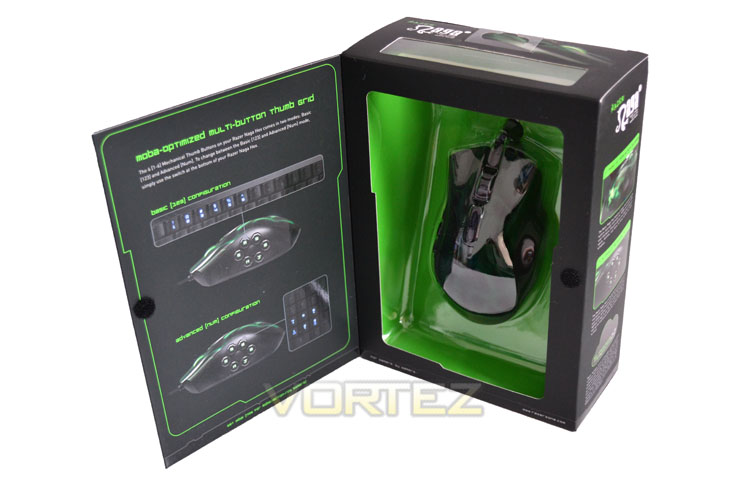
Something I like to see with mouse packaging is the ability to ‘try before you buy’. While it is not exactly ideal or precise it does give you an indication for how the mouse feel in your hand. Razer it seems appreciate this and have provided a window for this very purpose.
Envelope
Razer have the accessories hidden away inside a discreet black envelope…
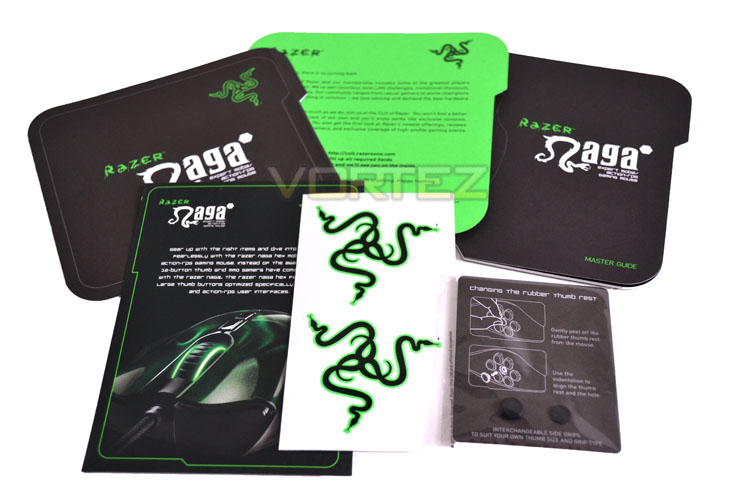
Accessories
…which opens up to reveal a quick start guide, a master guide, introductory note and Razer membership offer along with a pair or window stickers and a set of spare thumb rests of varying sizes. Perhaps the only accessory missing are spare Teflon feet but other than that it is a good selection of accessories included with the product.
Razer Naga Hex First Look
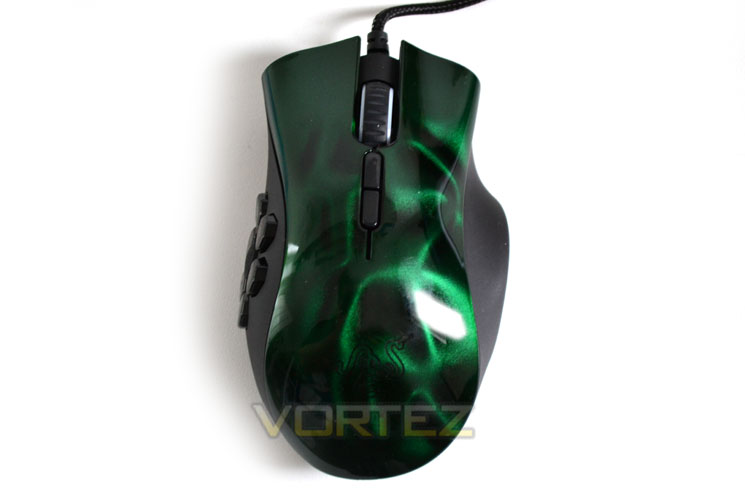
Birdseye View
At first glance, aside from the aesthetics, the Naga Hex doesn’t look like anything too remarkable. It has a contoured shell with a rounded rump, scroll wheel, two top mouse buttons and two main buttons.
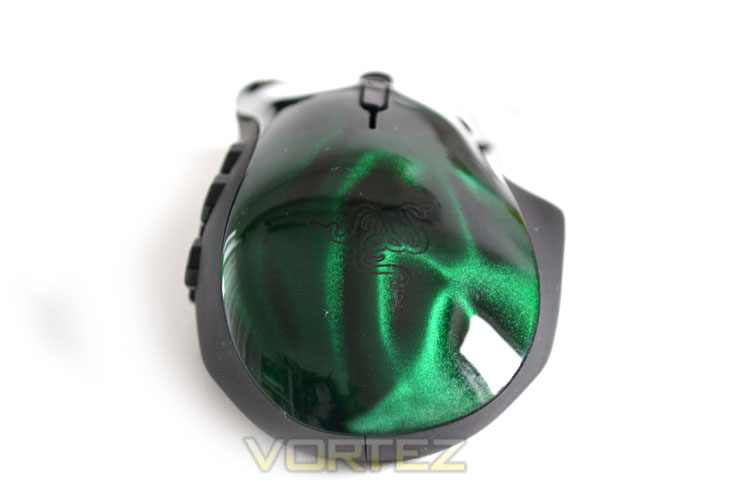
Mouse Rear
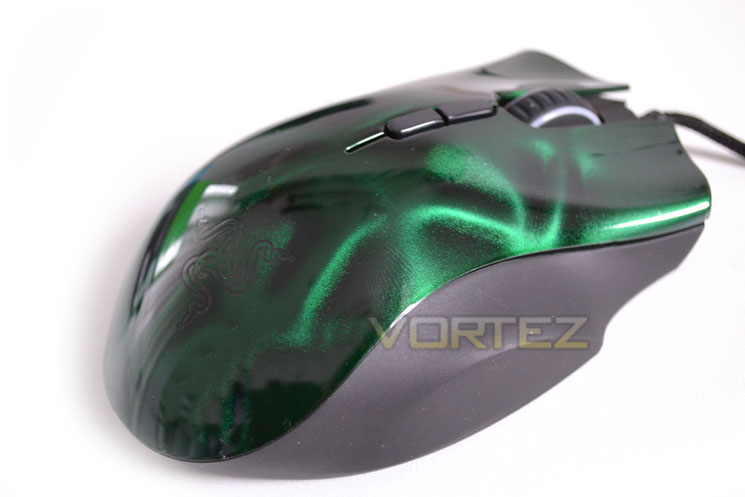
Perhaps the most startling thing about the Naga Hex is the colour. The main mouse surface is finished in an extremely high gloss which protects the gorgeous pearlescent British racing green aurora effect beneath.
Right Side
As you can see from the picture above, the mid-section of the mouse is black plastic which has a fine, non-slip textured feel to it.
Left Side
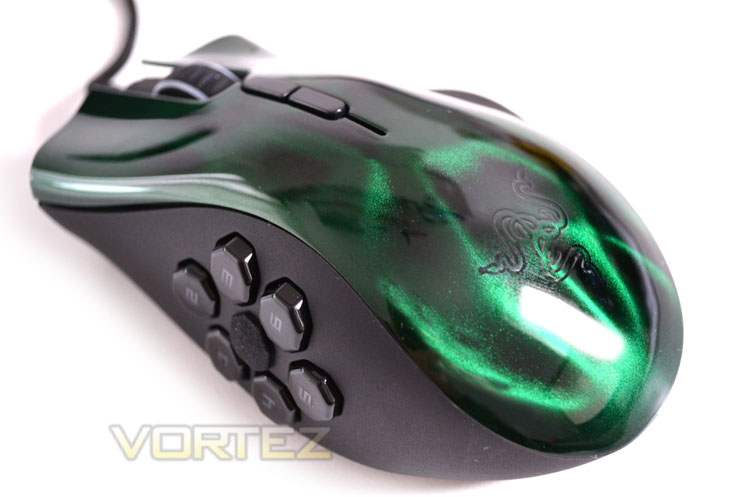
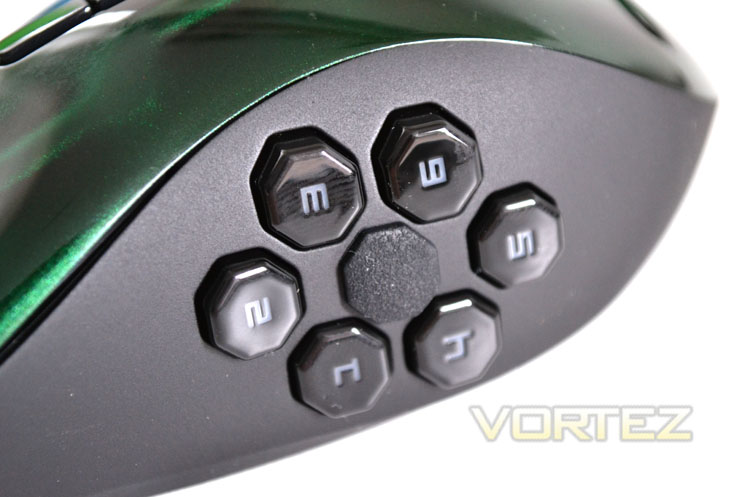
To the left side of the mouse we find 6 buttons labelled conveniently 1 through 6. In the centre of the hexagonal shaped buttons lies a thumb rest. All of the buttons are contoured towards the thumb rest which makes for a very comfortable design.
Ergonomics
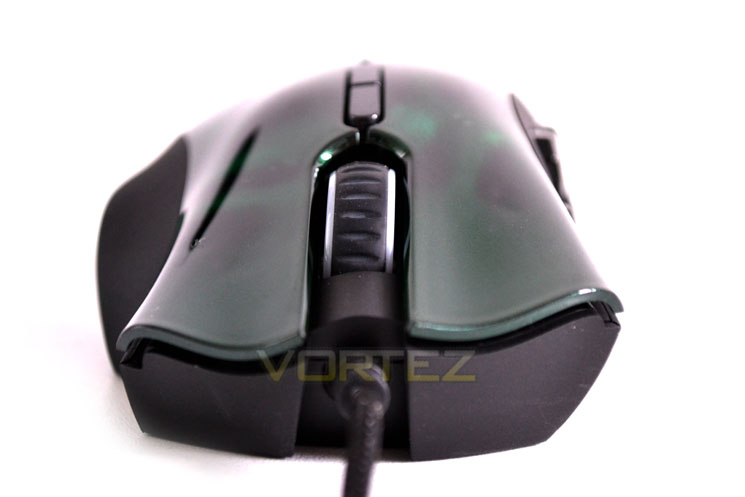
From the front mouse you can clearly see that a lot of thought has gone into the ergonomics of the mouse. Both left and right buttons are sculpted to cradle your finders perfectly. Not only that but there is also a third finger rest cut out from the mid section which encourages a palm-grip.
I’m starting to like this rodent…
Closer Look
Scroll Wheel
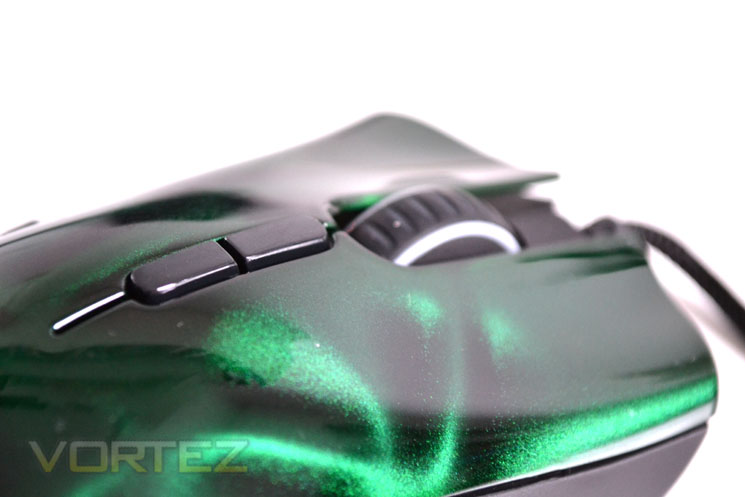
The scroll wheel is plastic wrapped in a ribbed rubber surround. It is notched in operation for a precise feel. There are no left/right clocks available although the mouse does act as a button itself.
Side buttons
Because the mouse is designed for MMO it needs to be configured for multiple tasks. Here is where the Naga Hex comes into it’s own. While not having as many side buttons as its bigger brother from the Elite family of mice, the aptly named Naga Epic, it still retains six of the ten thumb buttons which for all intents and purposes will serve the MMO gamer very well indeed.
Each button is hexagonal in shape with the buttons having a smooth touch thanks to the rounded edges. They are mechanical microswitches switches and can be mapped to whatever action, spell or ability in game that you desire thanks to the macro capability of Razer Synapse 2.0 discussed in detail further on in the Software section of the review.
Naga bottom
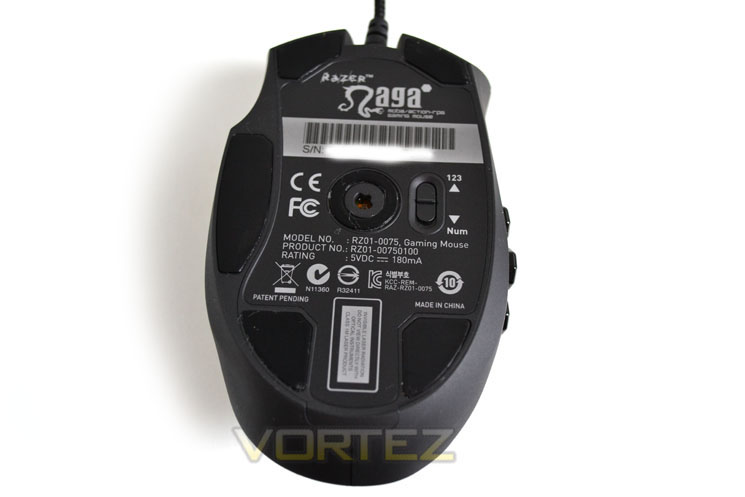
The belly of the Razer mouse has five Teflon feet fur durable, silky smooth gliding operation on any surface. To the left of the mouse optics we find a switch that moves the side button operation from the 1-6 keyboard to the 1-6 numpad.
Laser
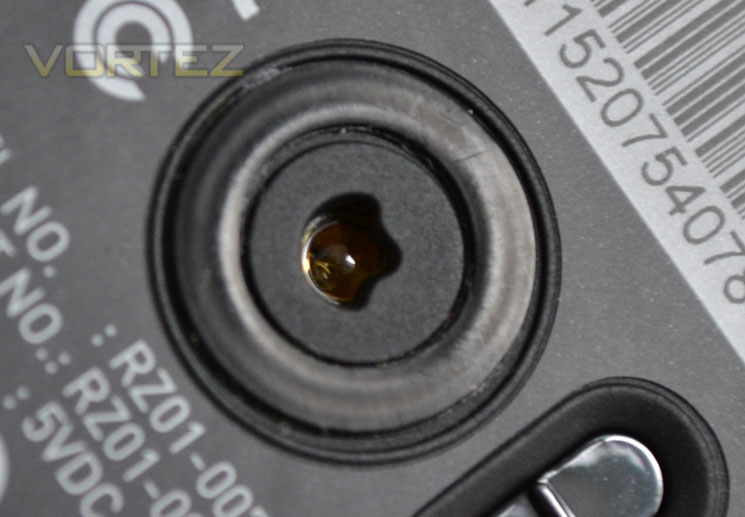
Razer have not skimped on the mouse laser as the Naga uses a 5600dpi Razer Precision 3.5G Laser Sensor capable of a 1000Hz polling rate. The sensitivity of the mouse cqan of course be adjusted to your preference via the software suite.
USB Cable
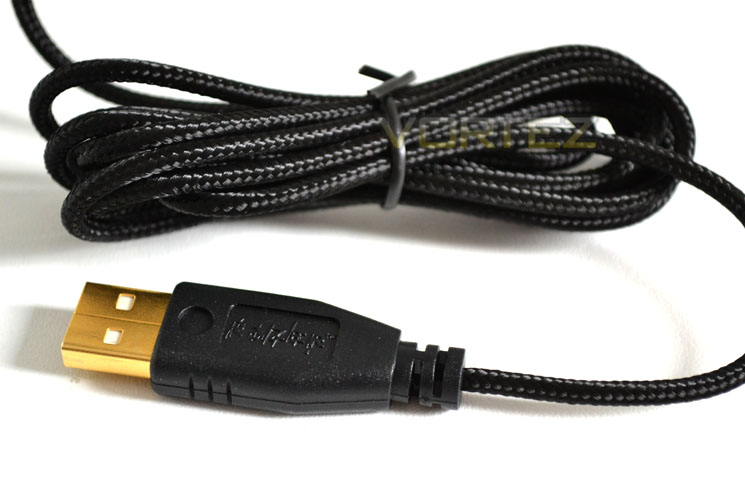
Lastly, we come to the USB cable. As with all ‘gaming’ mice, the Naga comes with a gold plated USB plug for the ultimate in connectivity and durability. I won’t harp on about the difference between this and a standard USB plug as we have covered this many times before other than to say it looks pretty and as everyone else is doing it – why shouldn’t Razer?
Overall, Razer have let loose a serpent that is not only a fantastic looking piece of kit but at face value has lot’s of functionality. Let’s see if the good news continues as we take a look at Razer Synapse 2.0…
Software
Razer Synapse 2.0 means that wherever you go, your Razer peripherals settings go with you (assuming you have the internet). Your Razer products settings, macros and configuration will sync to the ‘cloud’ meaning should you go to a LAN or a mates house, you will not need to program your device with your favourite Macros or sensitivity all over again.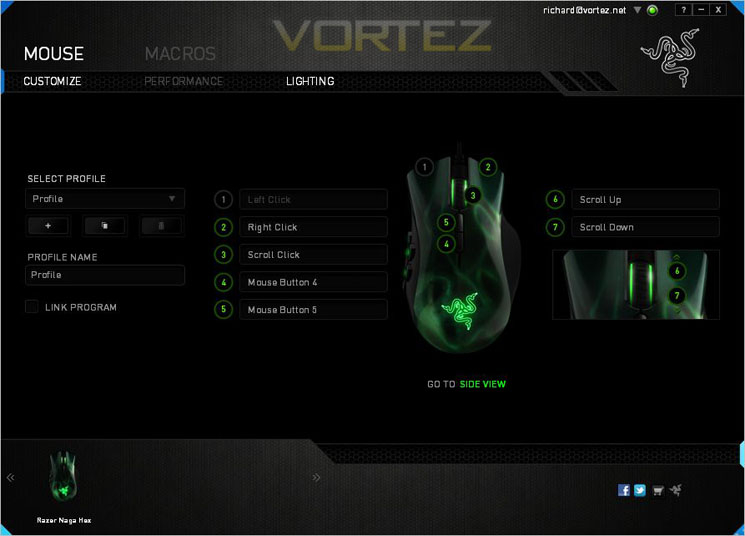
After registering your Synapse 2.0 product via a quick email verification you gain access to the control panel. Under the mouse heading there are 3 sub-headings, the first of which allows you to create your profiles or link created profiles to a program. Ideal if you want to have a different set of Macros for different games.
Button configuration
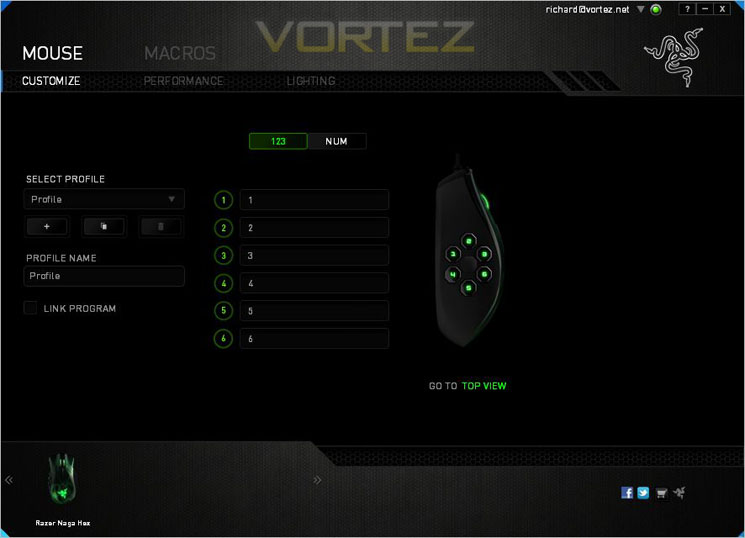
Switching to the side view allows you to configure the side buttons.
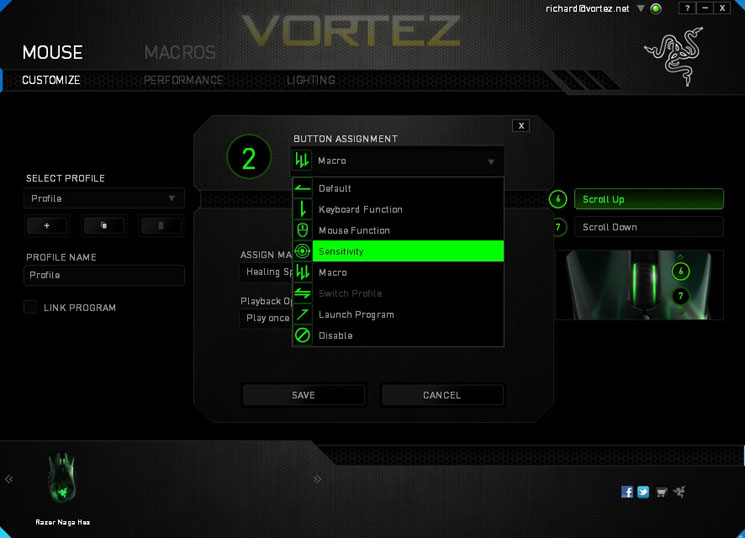
Button Assignment
Each button can be assigned to perform a task. The available tasks are: Default, Keyboard Function, Mouse Function, Sensitivty, Macro, Switch Profile, Launch program or simply disable that button.
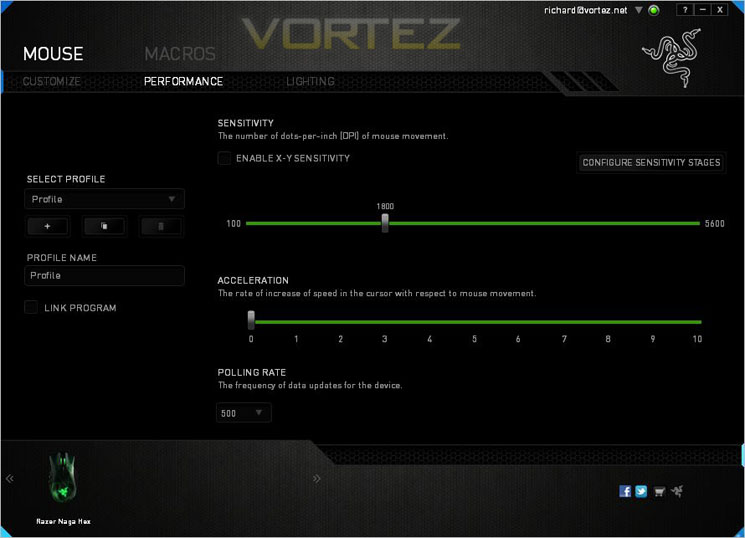
Performance
the performance section does exactly what it says on the tin (or tab). It allows you to configure the mouse sensivity on both axis, adjust cursor acceleration and the polling rate. I am still baffled why anyone would want to downclock a mouse to anything other than maximum but the option is their should you desire.
Lighting
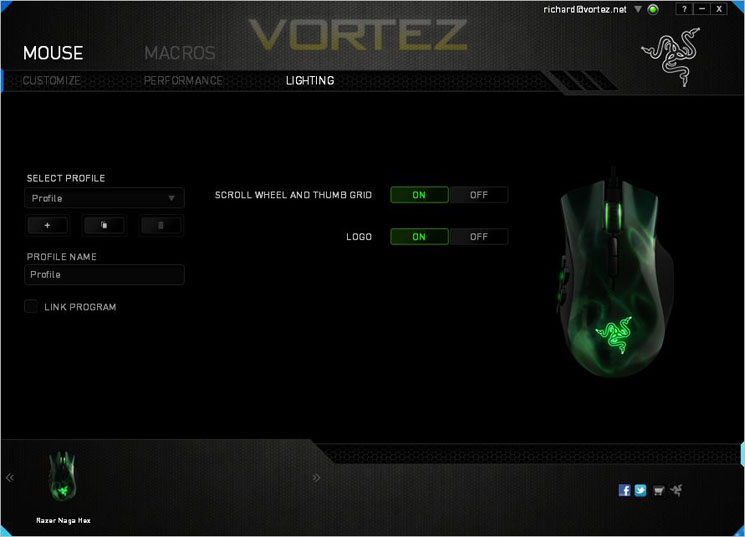
The Naga’s lighting can be turned on or off on both the scroll wheel/thumb buttons and the Razer logo on the palm rest. Sadly the lighting cannot be adjusted in levels nor can the palm rest logo be adjusted to stay on rather than pulse. Regardless, if lighting isn’t your thing then the whole mouse can be put in the dark.
Macros
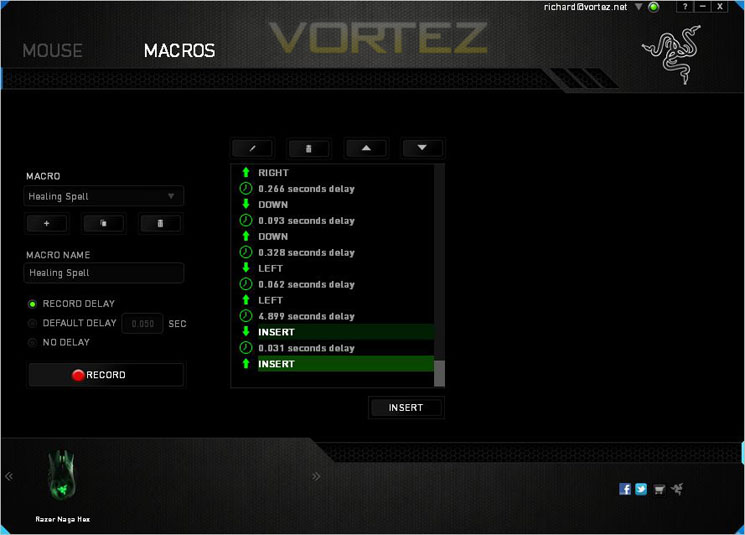
Last of all we move along to the Macro setup tab. Setting up your desired key combinations along with (or without) delays is very easy. Just create your Macro name, hit the record button then precisely what ever key/mouse combination required, hit record again and click the save button and you’re done.
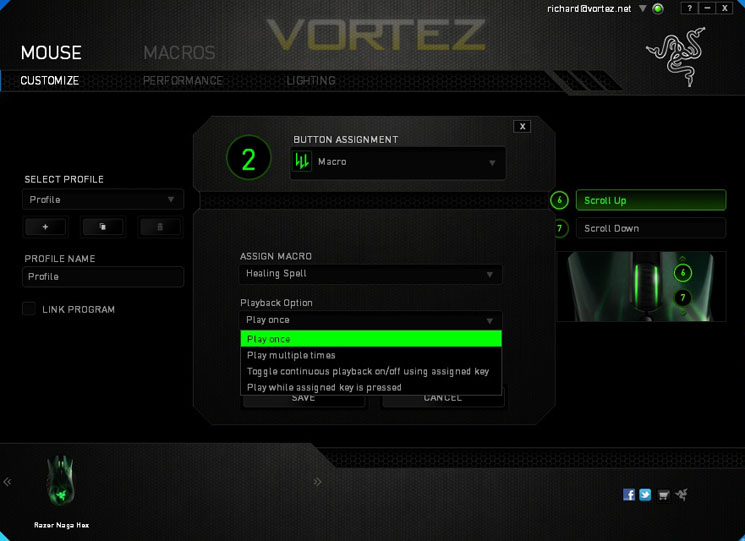
Once the Macro has been created you can then assign it to one of the 11 configurable mouse buttons. Job done!
All in all the software is easy to operate thanks to it’s intuitive design. You don’t need to read a large instruction manual to use although Razer have thrown one in should you wish to do so! If I had one gripe to make it would be that there is too much space and not enough function. The add, save and delete buttons for example are smaller than a mouse pointer so while the console is big, the real estate used is often frustratingly small.
Testing
General Use
To test the Razer Naga Hex in general use I used it throughout the creation of this review which included cutting, pasting, editing along with Photoshop work so the mouse was put to use in a variety of scenarios.
As a general usage peripheral, the Naga is easy to get along with. It is a plug’n’play device that will work with most operating systems without the need to download drivers. Obviously to program the mouse for anything other than basic use then you will need an internet connection to either download the software or to sync online with the cloud.
Measuring just 4.5 inches in length (116mm) it cannot be described as a behmoth and so I feel is more suited to someone with small to medium sized hands. As I am in neather category I found I was having to use the mouse in the claw grip rather than may favoured palm grip, a grip which I believe the Naga is best suited for which was a shame. Regardless, it wasn’t uncomfortable to use by any stretch of the imagination thanks to the great ergonomics. Despite the glossy feel, my hand didn’t slip off the mouse once during the creation of this review.
While it may get you lot’s of attention from the geeks in the office and to give the mouse credit, it is totally useable as an everyday mouse, it is obviously over engineered for this purpose and thus the gaming arena, specifically MOBA/ Action RTS gaming where the Naga comes into it’s own.
Gaming
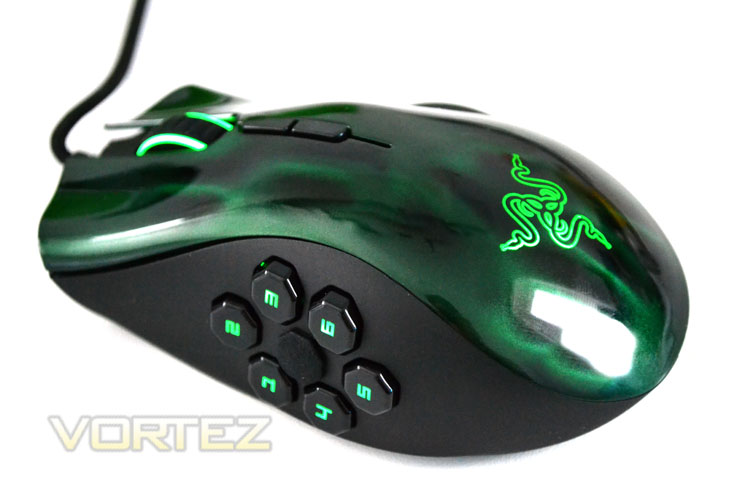
We normally restrict our gaming tests to First Person Shooters however this mouse is crying out for some StarCraft II. Don’t you just love it when you haven’t played a game in a while and then get straight back into the action like you never left? After a few rounds I nipped back to my desktop to edit some macro settings along with configuring the side buttons to perform different tasks and while it certainly took some getting used to having 6 thumb buttons at my disposal, it soon became second nature to use. Admittedly I didn’t need to configure all of the buttons but it was nice to have the luxury nonetheless. Whether it was the game or the way the mouse felt so natural to use I soon became embroiled in the battles, so much so I forgot I had a review to write!
World of Warcraft is not my favourite game perhaps because I’m just so poor at it that I never really gave it time to grow on me. Regardless I can easily see why a mouse such as the Naga will have WOW fans frothing at the mouth. The sheer configuration options on the mouse make it the ideal partner for someone who has a need to bind every key to a spell, action or movement. Having the macros bound to mouse buttons makes the reaction time less and thus can mean the difference between levelling up or letting the clan down in those crucial raids. I did try it out of course but in all honesty – the pull of StarCraft was just to much for me!
Ergonomics
The Naga has to go down as one of the most comfortable mice I have used in a long time. Were it a little longer then I would proclaim it to be perfect. The thumb buttons were perfectly positioned and the inclusion of a thumb rest meant the side buttons did not get pressed by accident too often at all. the switchgear used on all of the buttons is claimed to work for 10 million presses which will see a good few years of use before it begins to tire.
If I had to change anything about the mouse other than the length, it would be the amount of pressure required to press the main buttons. All to often I found that I hit the right or left mouse button while lifting/repositioning the mouse. You cant have it both ways though I guess. Ultra responsive it may well be but it is also ultra sensitive which may be a hindrance to some. Other changes include lighting effects. An option to colour code the buttons rather than have numbers would work better in dim conditions. While it soon became second nature as to which numbered button was where, a colour coded scheme would work even better.
It’s time to wrap this review up so head on over to the conclusion as I gather my closing thoughts on the Razer Naga Hex…
Conclusion
I’ll be the first to confess that I wouldn’t normally consider the Razer Naga Hex being that my preferences lay with FPS games, a genre best suited to Razer’s Mamba. That was before I tested the Naga Hex. First and foremost the Razer Naga Hex is a mouse designed to be used with MOBA/Action-RPG games. For that genre it is suited perfectly. 6 buttons may seem a lot to those who see little need for such extravagances but those who have a wealth of macro settings and actions to complete will certainly find a use for them all. If the 6 buttons were not enough then switch to num mode and get even more variety!It however surprisingly easy to use in an FPS environment too. The 6 thumb buttons were obviously O.T.T for FPS gamers but the mouse was very comfortable to use, precise and sensitive enough for the most demanding of players. At £70 it is perhaps not the best option for FPS gamers but if you like to dip your toes in a variety of games then it is certainly worthy of consideration.
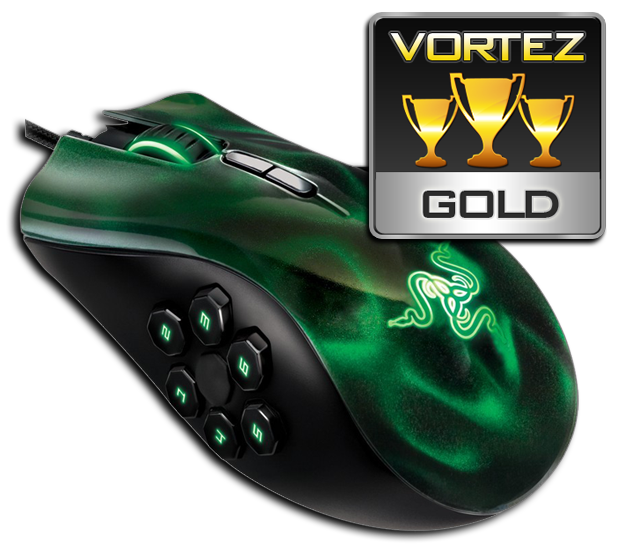
Razer have created a mouse that makes MOBA and RPG games even easier to play and will likely give users who play these games online the winning edge. Starcraft II, while being an RTS game was well suited to the Naga Hex and it was surprisingly useful with FPS titles too. However, it is the attraction of configuring the macro settings and binding actions to the multiple buttons the Naga hex has at its disposal that is sure to attract followers of EVE, WOW and Rift alike and for those game types there is simply no better offering at this price point. For this reason the Razer Naga Hex is a deserved winner of our prestigious Gold award.
Pros:
– Class leading Aesthetics
– Ergonomically sound
– Mechanical Switches throughout
– Fantastic package
Cons:
– Maybe too small for big hands
– Software install requires email verification
– No spare feet
– Class leading Aesthetics
– Ergonomically sound
– Mechanical Switches throughout
– Fantastic package
Cons:
– Maybe too small for big hands
– Software install requires email verification
– No spare feet

Click here for an explanation of our awards at Vortez.net. Thanks to Razer for providing today’s review sample.

