Razer, a profound market leader within the gaming peripherals sector, bring to the fore their latest Razer Raiju Ultimate featuring many advancements over the previous generation.

Product on Review: Razer Raiju Ultimate
Manufacturer: Razer
Street Price: GBP £199.99 / USD $199.99
At the tail-end of 2016, Razer introduced the Razer Raiju for the PS4, a custom designed gaming pad with the intention of giving you the competitive edge against your friends. Fast forward a couple of years and we see the Razer Raiju Ultimate, with many tweaks designed to further that advantage.
The Razer Raiju Ultimate gives the choice between wired and wireless communication, with full PC and PS4 support, in both wired and wireless modes. The Raiju Ultimate now also features Razer Chroma RGB lighting around the trackpad with several built-in effects such as Reactive and Immersive.
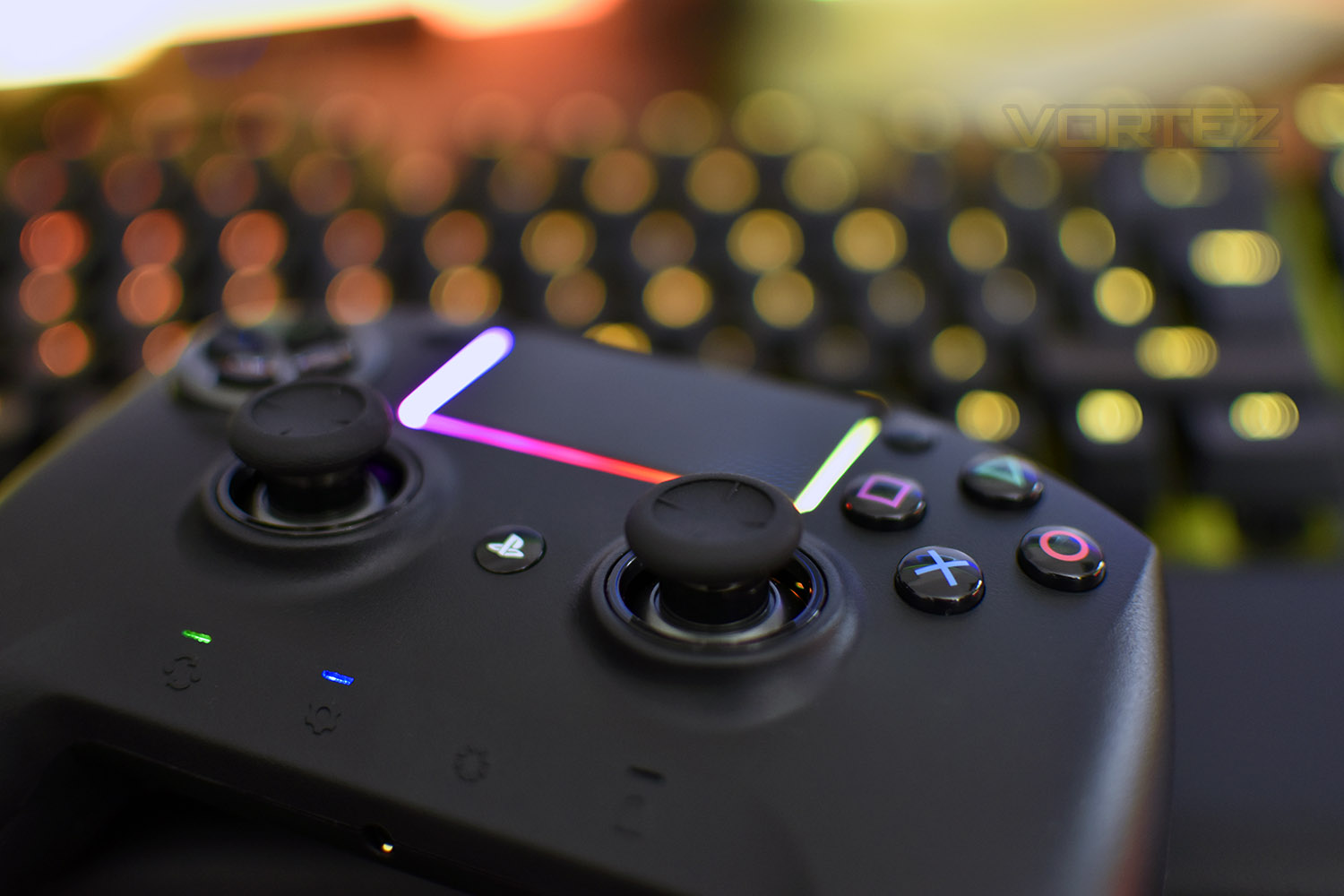
Razer have used the familiar Dualshock 4 layout and customised that design somewhat, while also tweaking the design in several ways, including Mecha-Tactile Action buttons, interchangeable thumbsticks and D-Pad, additional buttons and a row of function switches.
The Razer Raiju Ultimate is configured via smartphone, either iOS or Android, with the app controlling both lighting and button mapping.
Razer also offer the Razer Raiju Tournament Edition with cutback features but today we investigate the Ultimate Edition. Let’s see what it’s made of.
Razer on the Raiju Ultimate:
The Razer Raiju Ultimate is the wireless PS4 controller that allows advanced customization via our own mobile app. Whether it’s remapping multi-function buttons or adjusting sensitivity options, you have full control from the palm of your hand. Take it further with interchangeable thumbsticks, and choose either a tilting or individual D-Pad button layout. Enable functions on the fly with a quick control panel, and activate Hair Trigger Mode for quick-firing action. Comes with 3 connectivity modes: PS4, USB and PC without manual repairing for optimal efficiency. Also features wired mode.
Technical Specifications
At a glance:
Works with PS4 and PC (Windows® 7 and above)
Bluetooth/Wired connection
Interchangeable thumbsticks & D-Pad
Razer Chroma™
12 months warranty
Tech Specs:
4 multi-function buttons
Mecha-Tactile triangle, circle, X, square action buttons
Multi-color Razer Chroma™ Lighting strip
Trigger stops for quick-firing action
3.5 mm audio port for stereo audio output and microphone input
(Audio function only available in USB mode)
Up to 11 hrs battery life – On a single charge
Detachable 3 m / 10 ft lightweight braided fiber cable with Micro-USB connector
Approximate size: 106 mm / 4.17 in (Length) x 155 mm / 6.09 in (Width) x 66 mm / 2.60 in (Height)
Approximate weight (without cable): 370 g / 0.82 lbs
System Requirements:
PS4 or PC (Windows® 7 and above)
Mobile app for iOS and Android
Package Contents:
Razer Raiju Ultimate Gaming Controller for PS4
USB to Micro-USB cable
Important Product Information Guide
Carry case
Works with PS4 and PC (Windows® 7 and above)
Bluetooth/Wired connection
Interchangeable thumbsticks & D-Pad
Razer Chroma™
12 months warranty
Tech Specs:
4 multi-function buttons
Mecha-Tactile triangle, circle, X, square action buttons
Multi-color Razer Chroma™ Lighting strip
Trigger stops for quick-firing action
3.5 mm audio port for stereo audio output and microphone input
(Audio function only available in USB mode)
Up to 11 hrs battery life – On a single charge
Detachable 3 m / 10 ft lightweight braided fiber cable with Micro-USB connector
Approximate size: 106 mm / 4.17 in (Length) x 155 mm / 6.09 in (Width) x 66 mm / 2.60 in (Height)
Approximate weight (without cable): 370 g / 0.82 lbs
System Requirements:
PS4 or PC (Windows® 7 and above)
Mobile app for iOS and Android
Package Contents:
Razer Raiju Ultimate Gaming Controller for PS4
USB to Micro-USB cable
Important Product Information Guide
Carry case
Packaging & Bundle
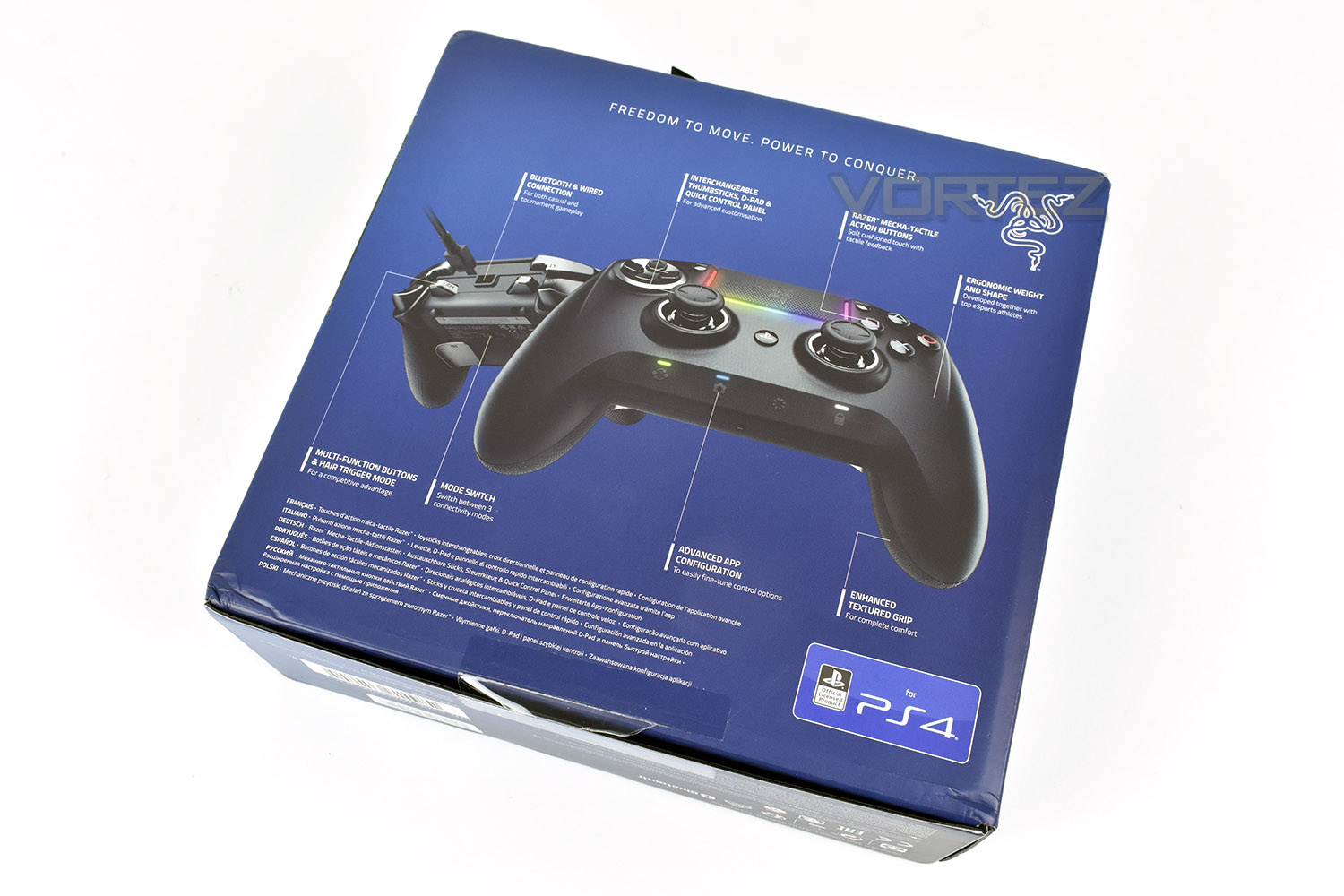
Typically, a Razer product would arrive in a jet black box with neon green sides but due to the affiliation with the PS4, the packaging is bright blue. The front shows a clear image of the product with some basic information regarding the particulars.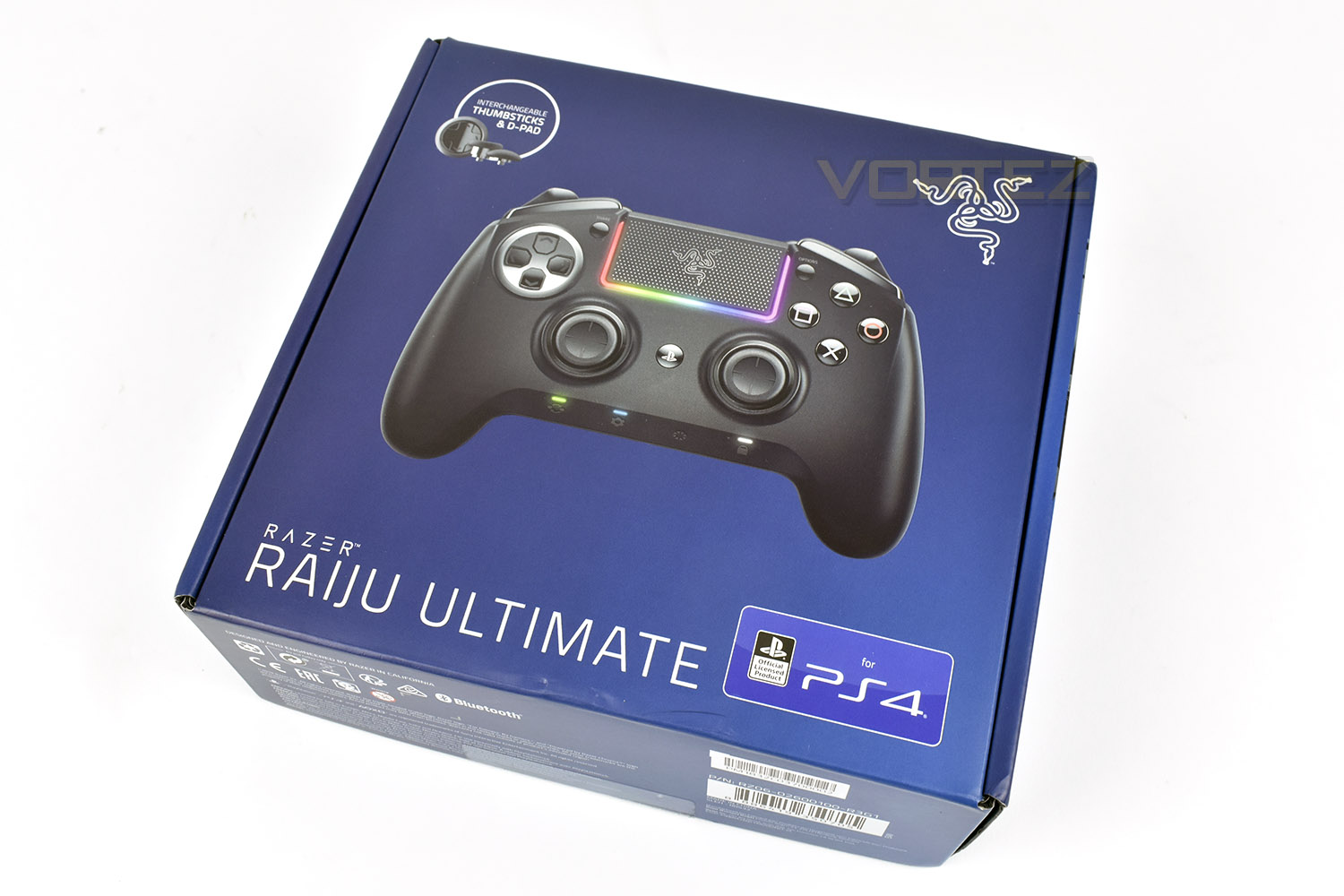
The back side of the packaging features annotations of the gamepad along with a front and rear view.
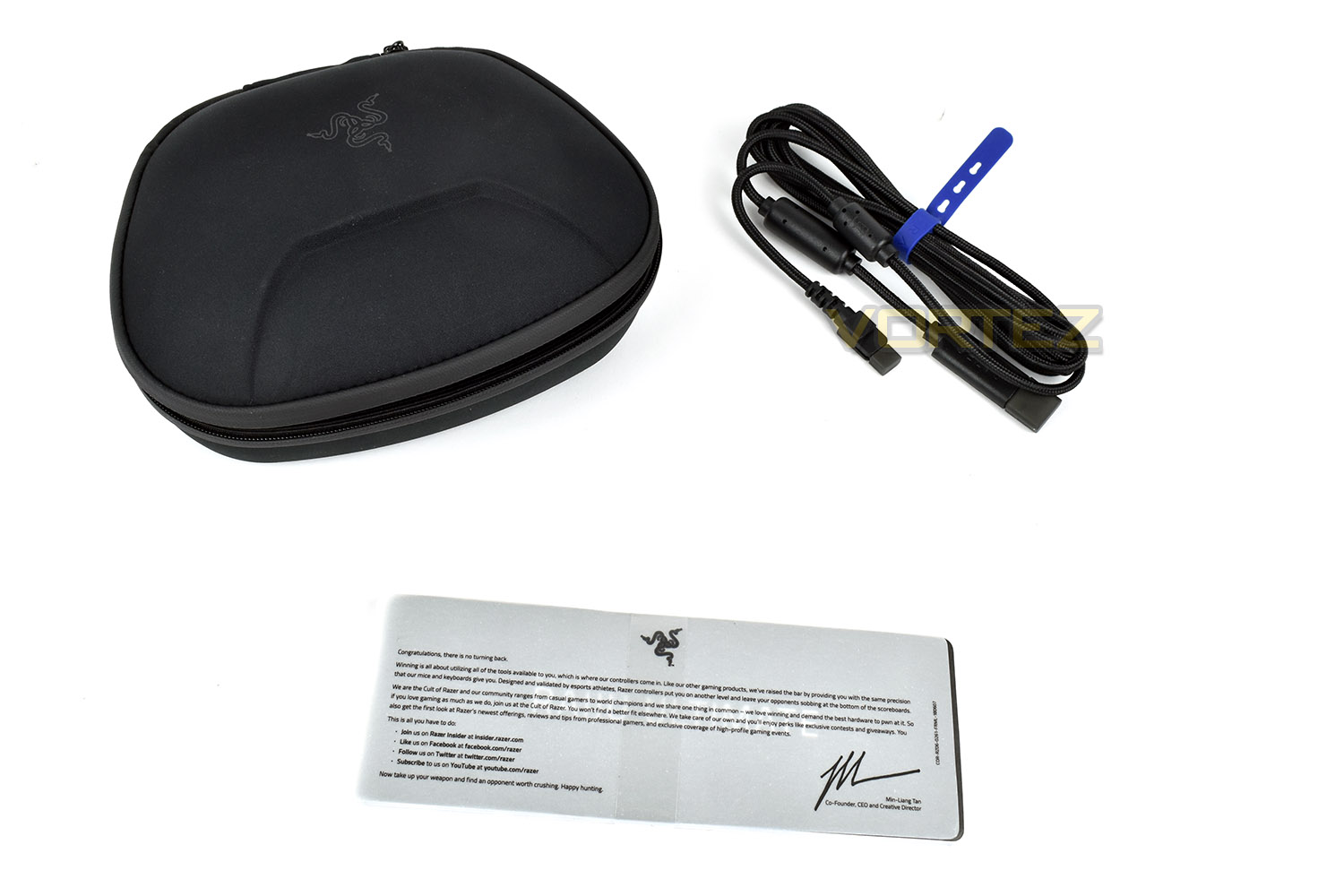
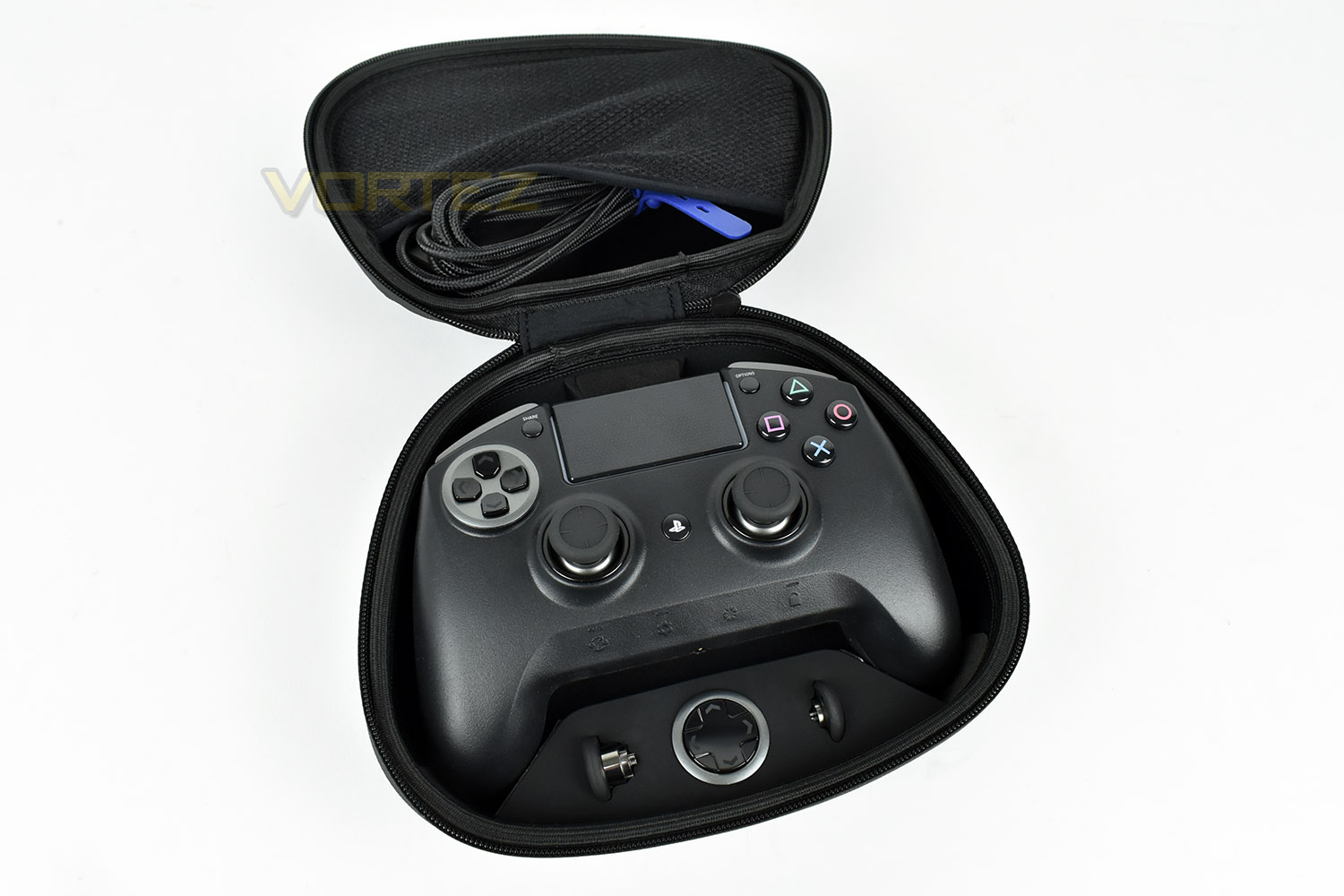
Bundled with the gamepad is a carry case, including the interchangeable thumbsticks and D-pad. There’s an instruction manual and welcome sheet as well as the 3 metre braided cable, with moulded adaptor for a snug fit to the controller.
Closer Look
The Raiju Ultimate shares the same basic shape as the Dualshock 4 controller but with different spacing and materials, the functions of each buttons are fairly self-explanatory at this point, save for the bottom row which we’ll later explain. One stand-out feature is the overall size of the controller, rivalling the Xbox One controller more than the PS4 Dualshock 4 in size.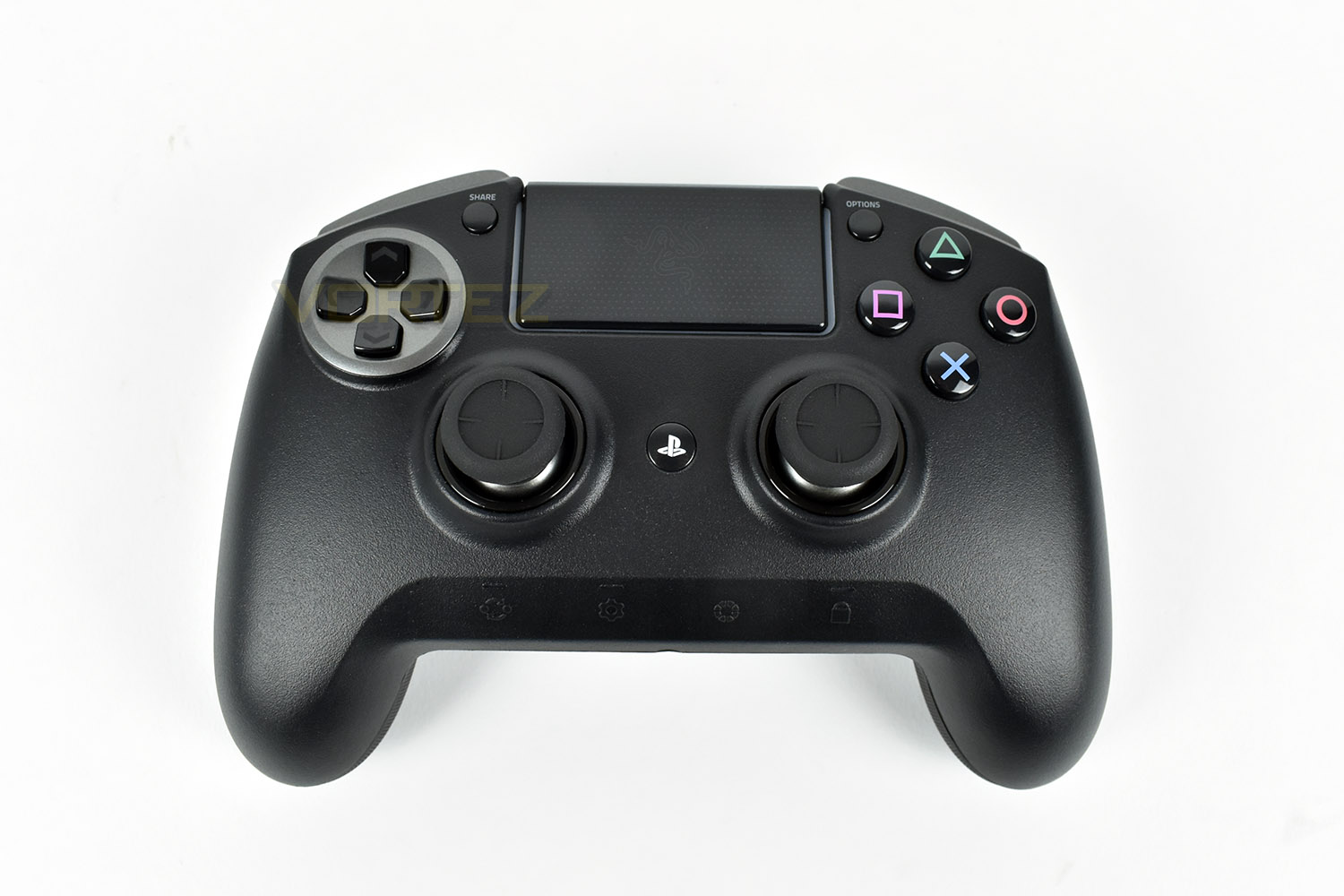
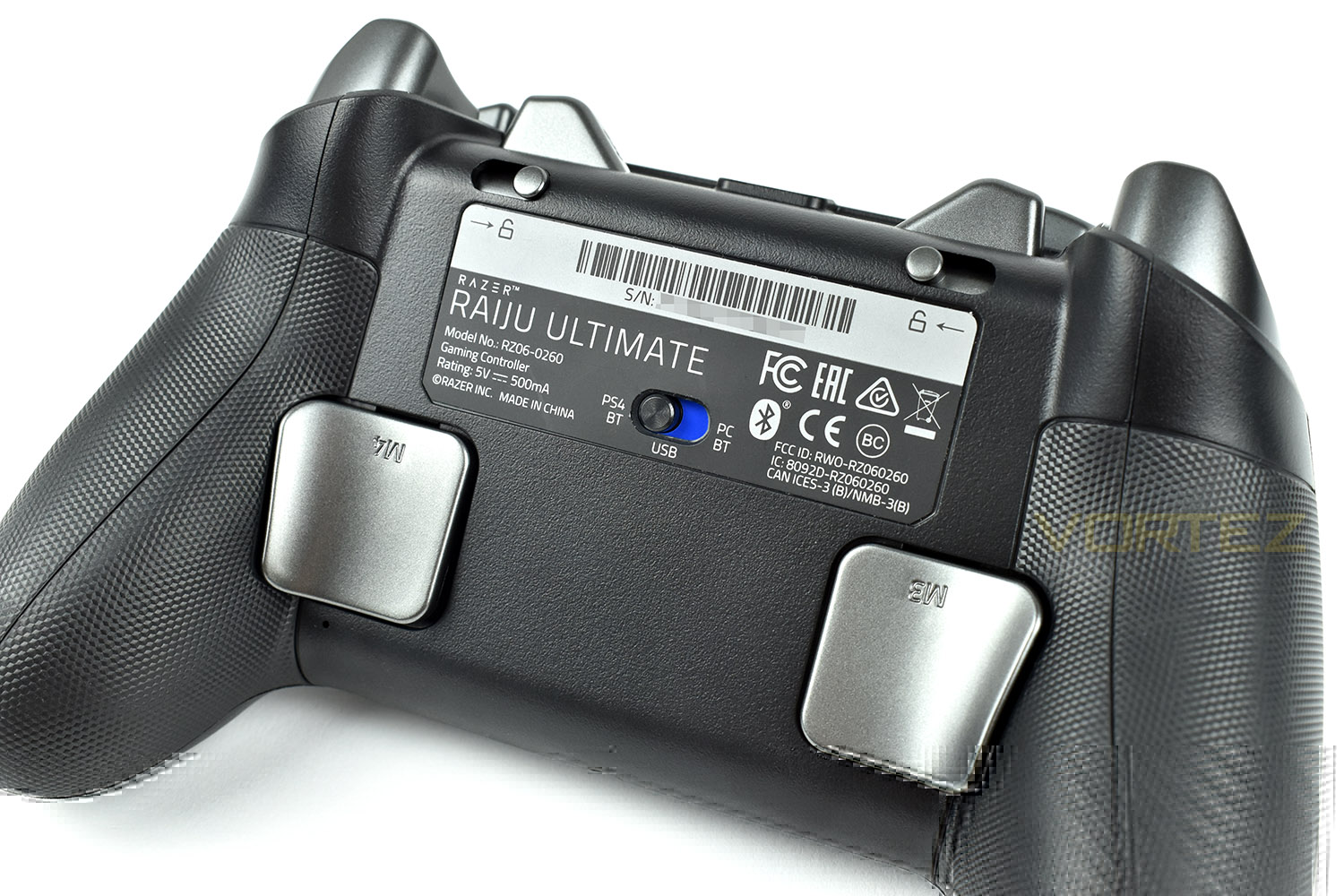
On the reverse of the Raiju is a pair of large paddles which can be assigned the function of any other buttons on the pad, such as swapping weapons in your favourite shooter, or changing gears in a racing game. Razer have designed these to reside exactly where your fingers will naturally sit when holding the pad.
In the centre of the product label is a three-way toggle switch, allowing you to connect this to your PS4 and PC through Bluetooth or use the wired connection.
Just above the label are a pair of toggles, one on each side, when locked into position, these limit the distance that the two main triggers (R2 and L2) need to be depressed before the activate, giving you a slight competitive edge in fast paced shooters.
The top end of the controller also receives a pampering, with Razer adding an M1 and M2 key, which are just within reach of a “standard” sized hand, though we did find that they weren’t particularly “handy” for the typical female hand.
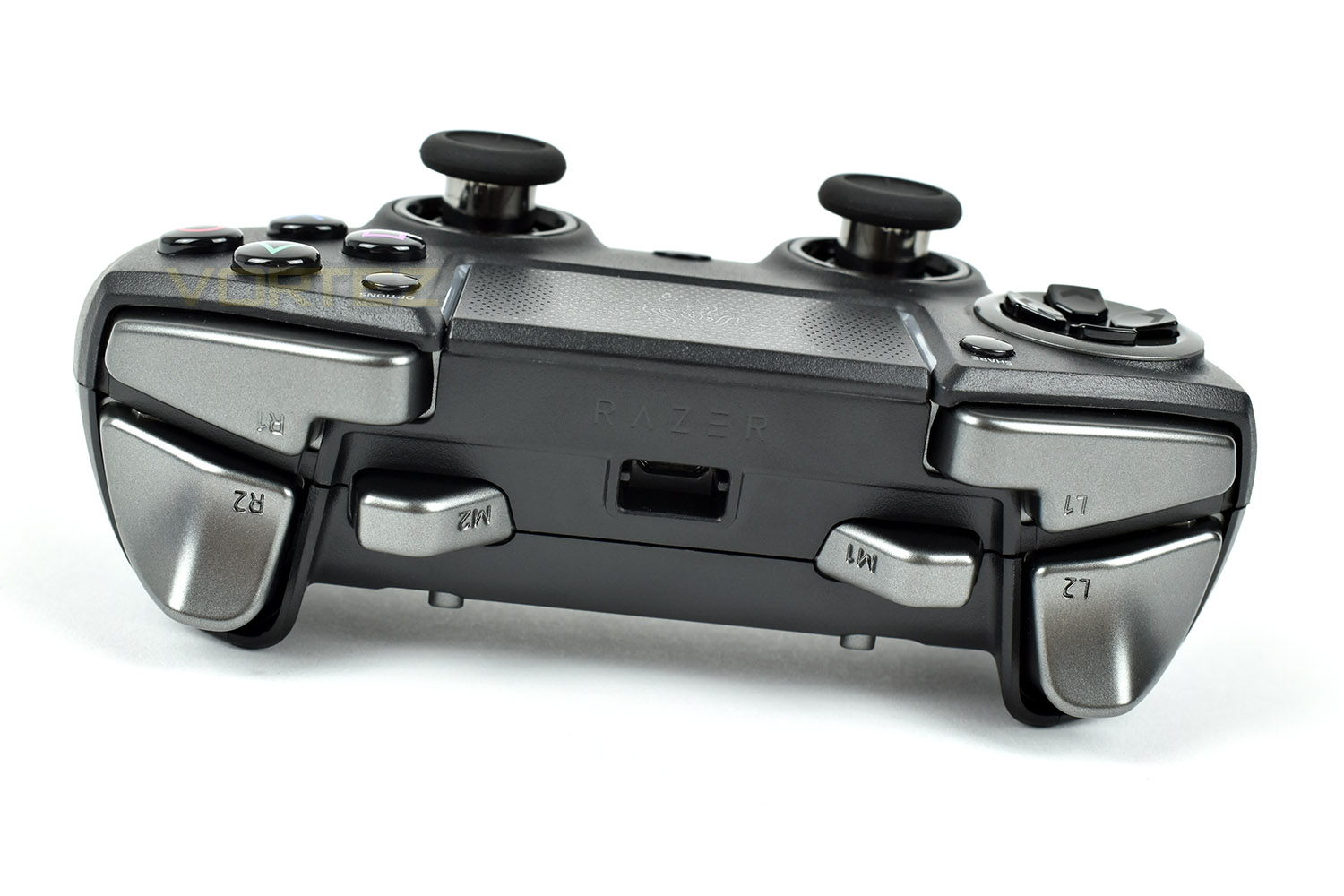
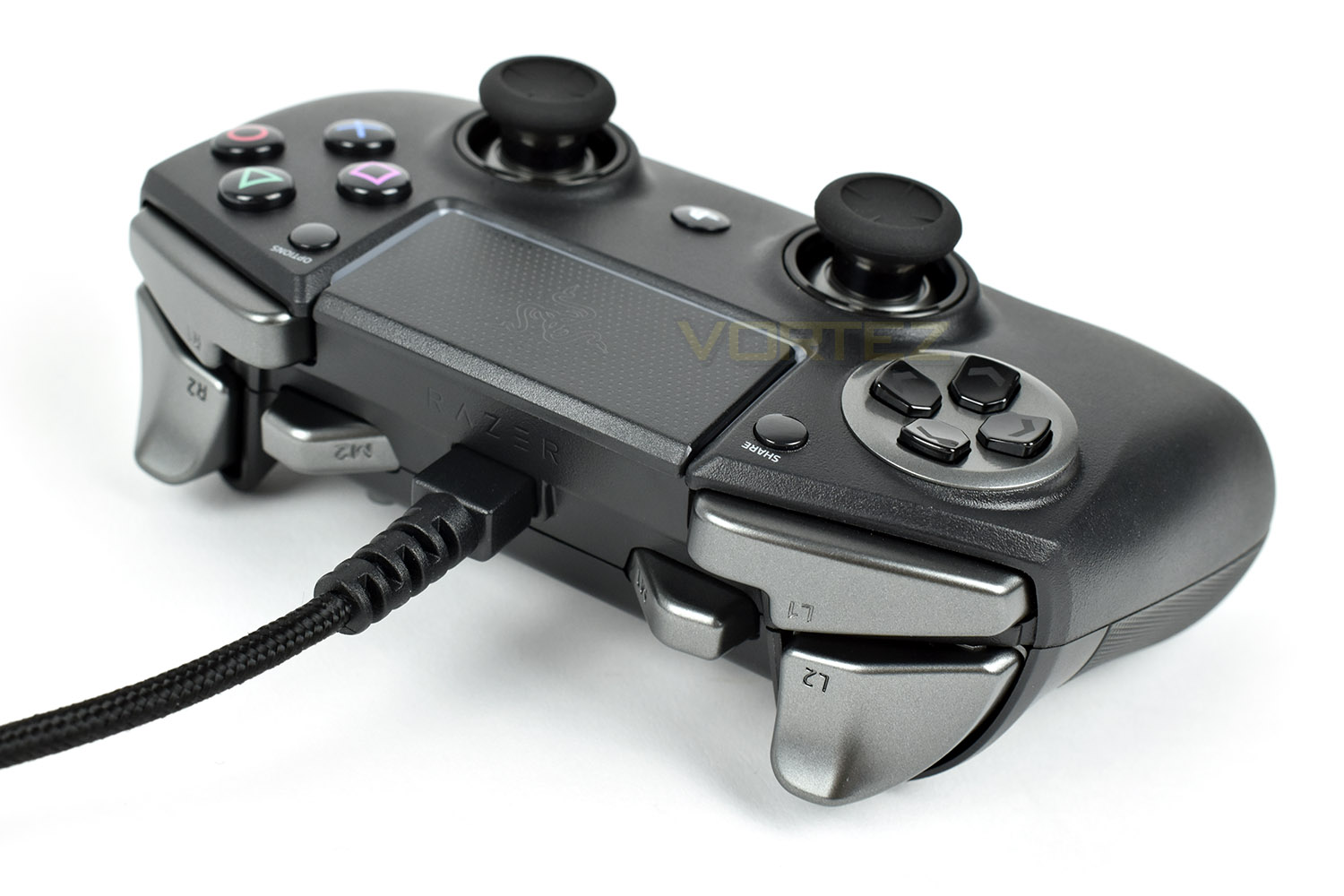
The Micro-USB slot is housed in the dead-centre, reasonably deep within the controller to help prevent damage to the port from the cable wiggling around.
Closer Look (Continued)
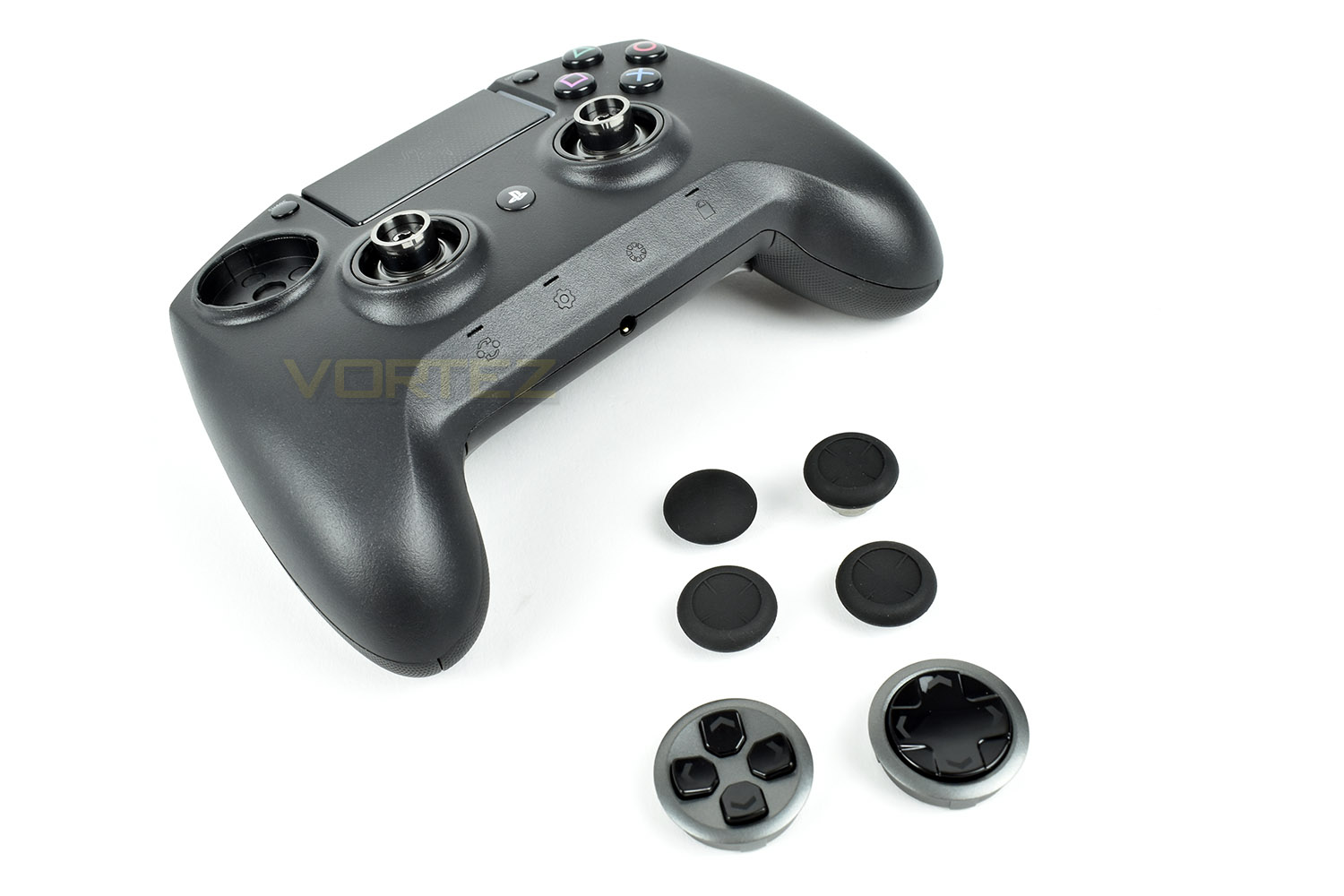
The removeable D-Pad can be swapped out, giving the option of an 8-way or 4-way, depending on which you require for your particular games. The pieces are held in with magnets preventing them from falling out accidentally.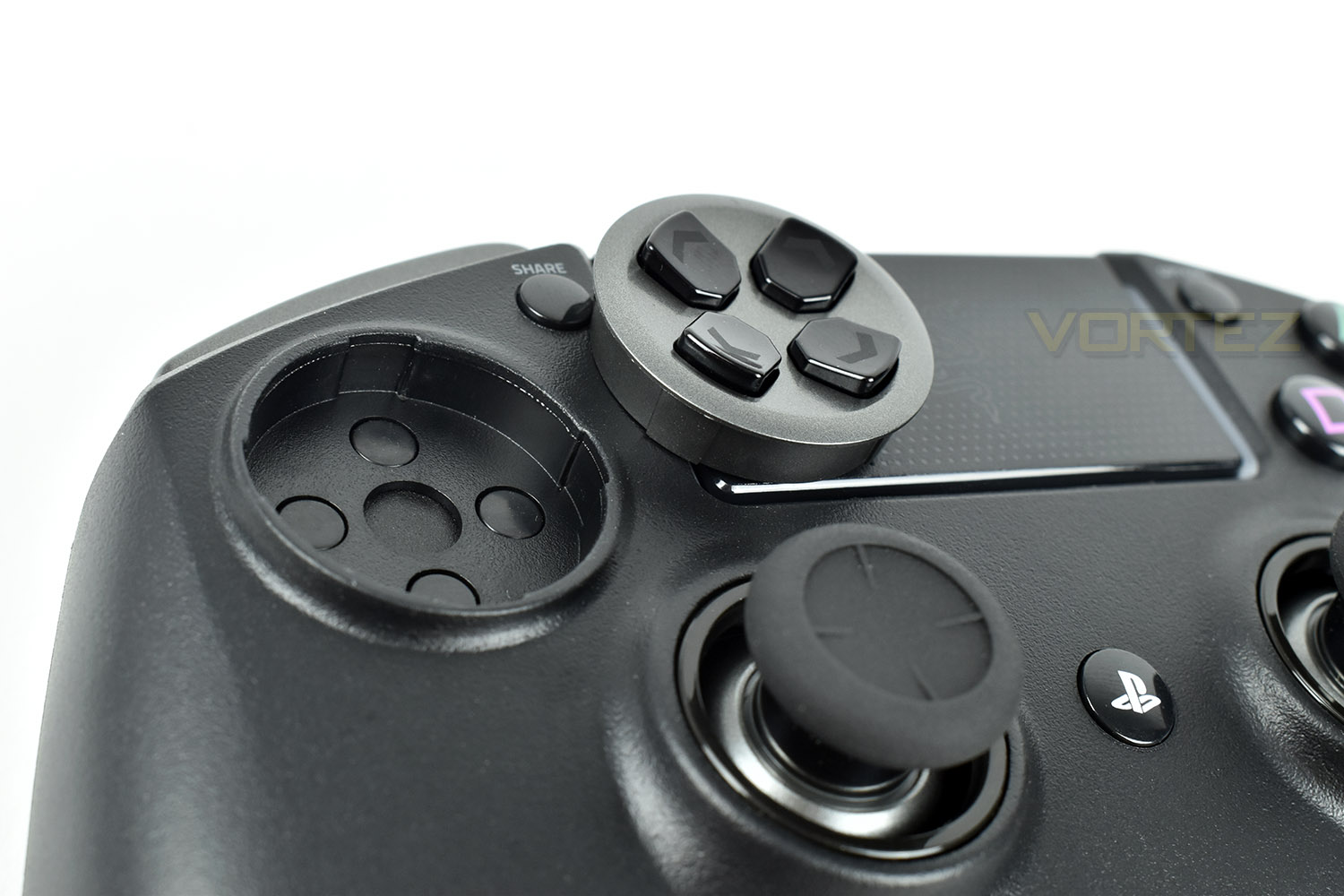
The thumbsticks can also be swapped out. Razer provide one of each replacement, as well as the two standard tops. One of the replacements uses the same rubber top as the standard piece but extends the shaft by 5mm to allow better control of the analogue stick by increasing the overall travel required for any such movement. The other replacement is the same height but a convex cap instead of the typical concave shape. These are also held in place with a magnet.
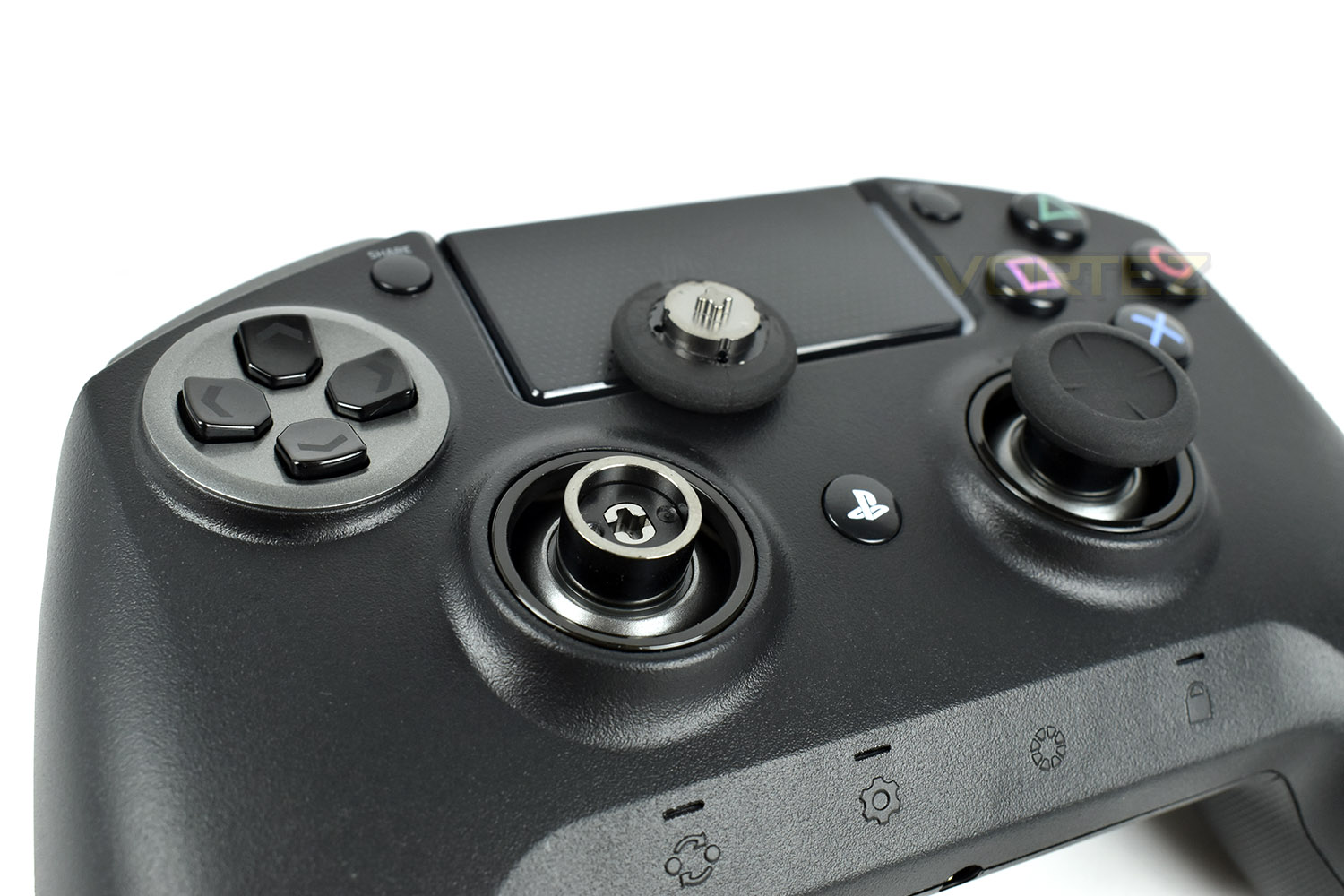
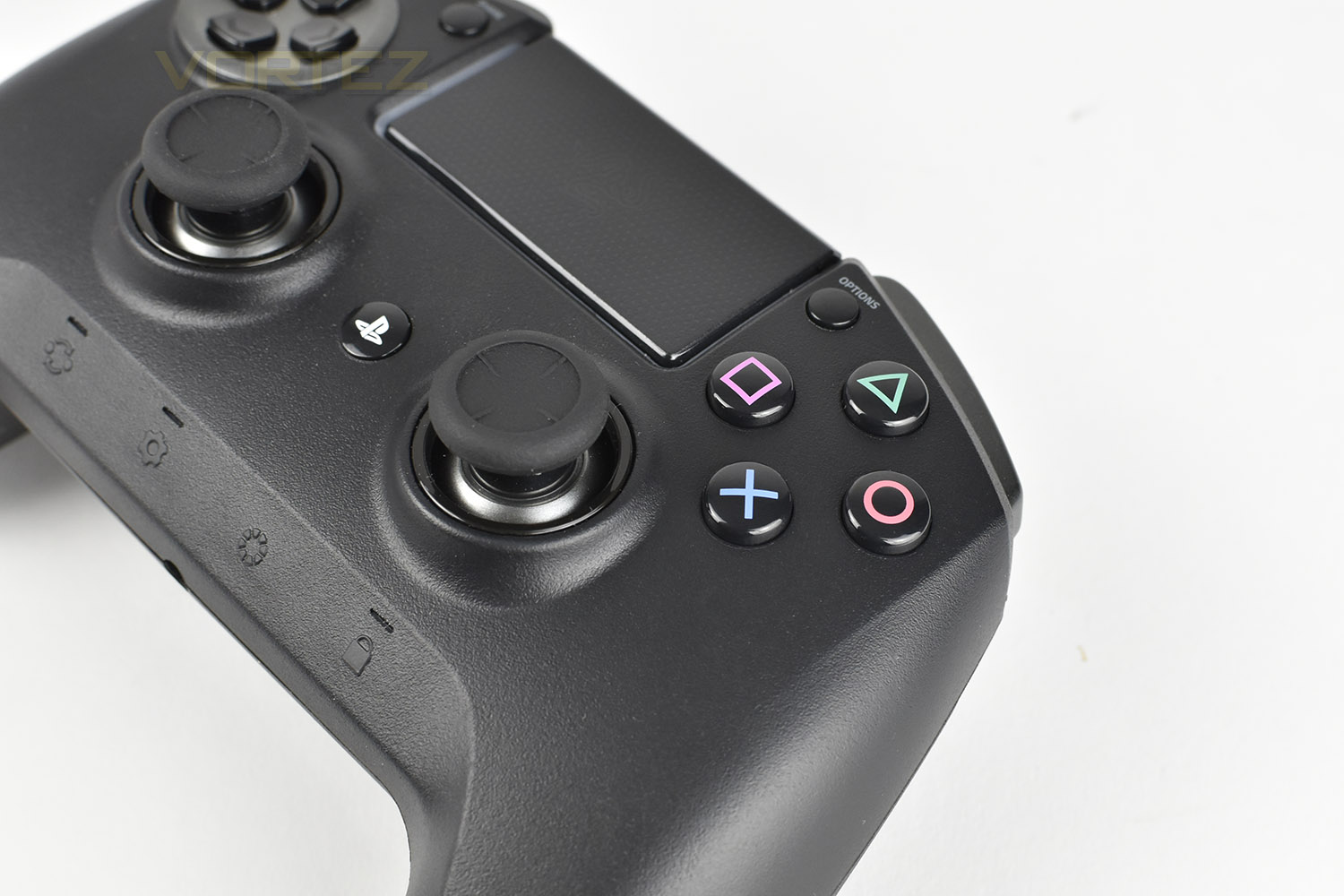
The Action buttons, Cross, Square, Triangle and Circle use a Razer-developed Mecha-Tactile switch to provide a crisp yet cushioned feel.
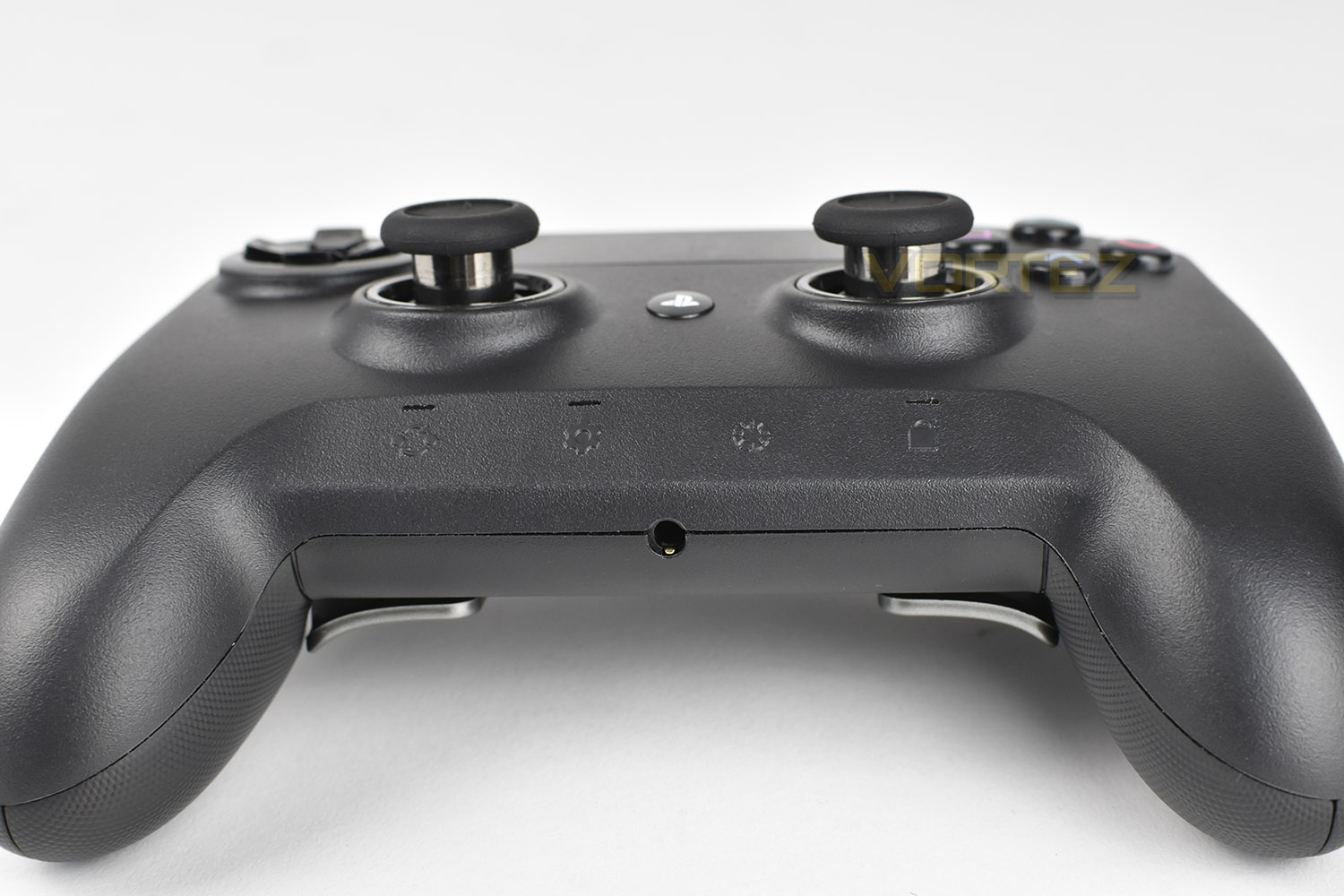
Along the bottom row of the gamepad are four separate function buttons, the first of which (starting from the left) is used to switch between the four different profiles within the gamepad. The second button turns on the gamepad’s communication feature to allow the smartphone app to find the Raiju. The third button controls lighting features, to let you turn down or off the Chroma lighting on-the-fly. Finally, the fourth button locks the previous three buttons to avoid any accidental clicks.
The 3.5mm port on the bottom allows the use of a headset with either a 3-pole or 4-pole 3.5mm jack.
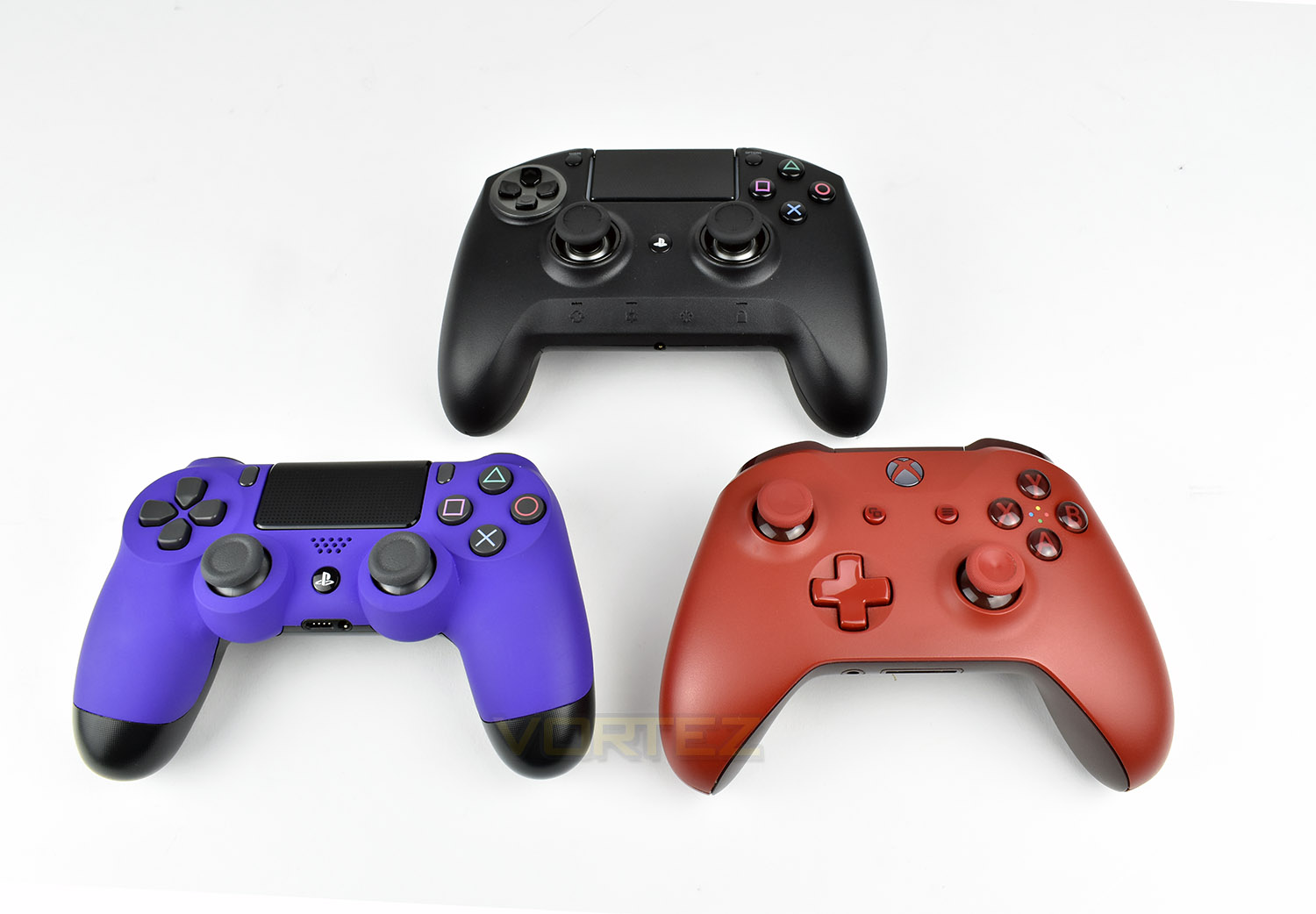
When compared to the PS4 Dualshock 4 and Xbox One controllers, the size is immediately apparent, as is the weight. The Dualshock 4 tips the scales at 219g, with the Xbox One pad weighing in at 261g (With official Xbox battery); the Raiju smashes that with a weight of 370g without the cable.
Software & RGB Lighting
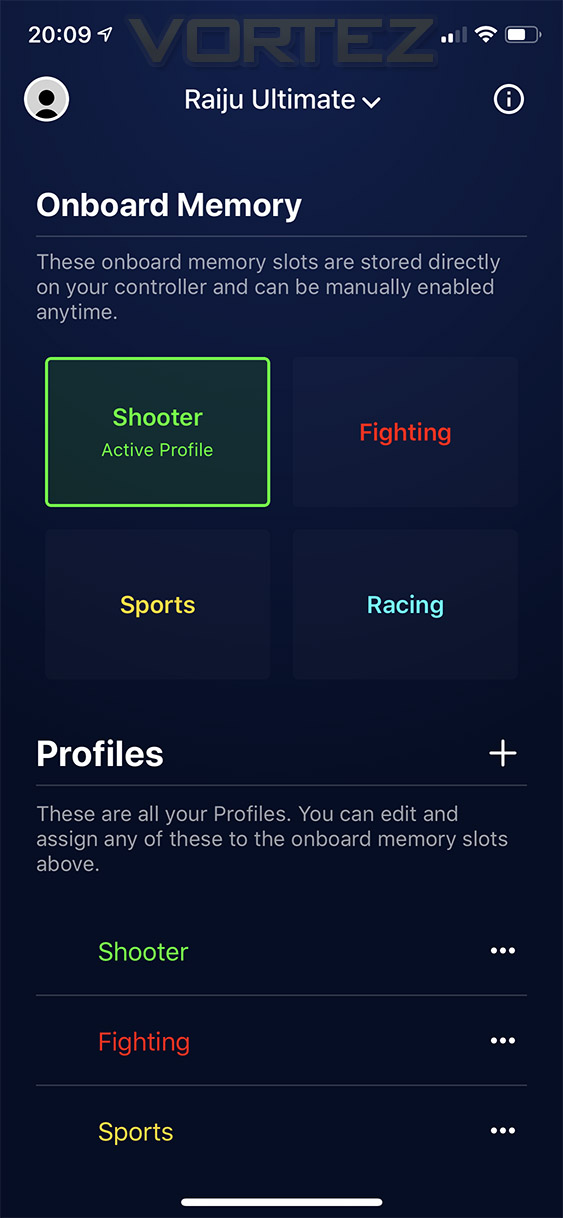
To adjust the lighting or functional configuration of the Razer Raiju Ultimate, you’re required to own an iOS or Android device to install the relevant application. We suspected that the Razer Synapse software would control the Raiju Ultimate when connected to a PC but that wasn’t the case; instead we had to download an invisible driver from the Razer website.Once installed, connecting up the pad was as simple as holding the second button on the bottom of the controller for a few seconds until it flashes, the application then connects up to the controller automatically.
From there, you can change profile:
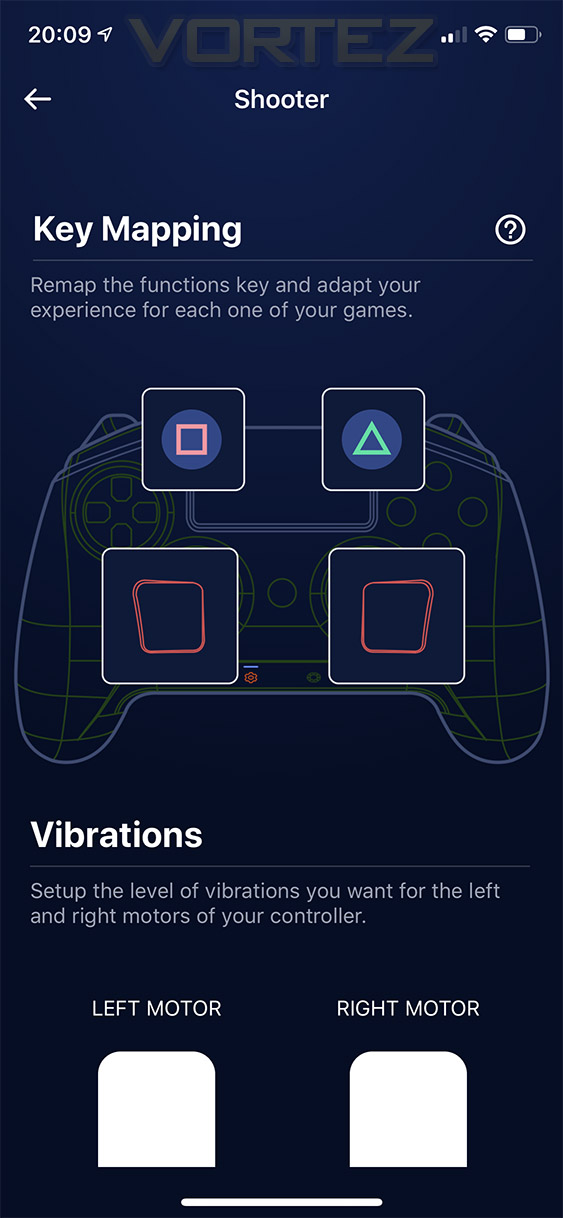
Key mapping:
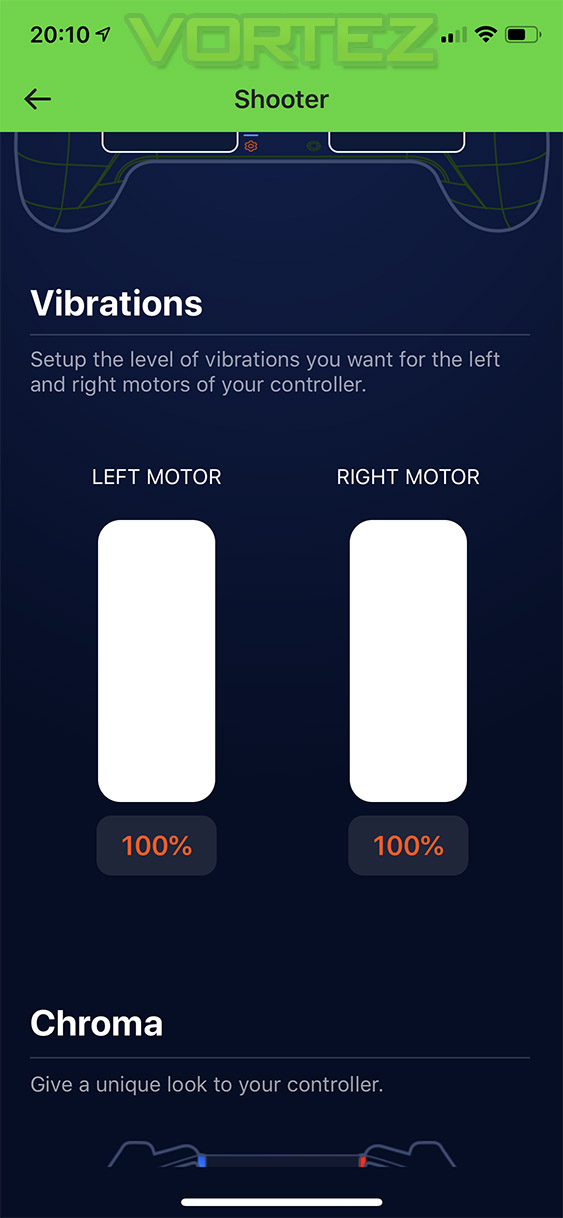
Vibration feedback, with individual control on both sides:
And Chroma effects on the final page:
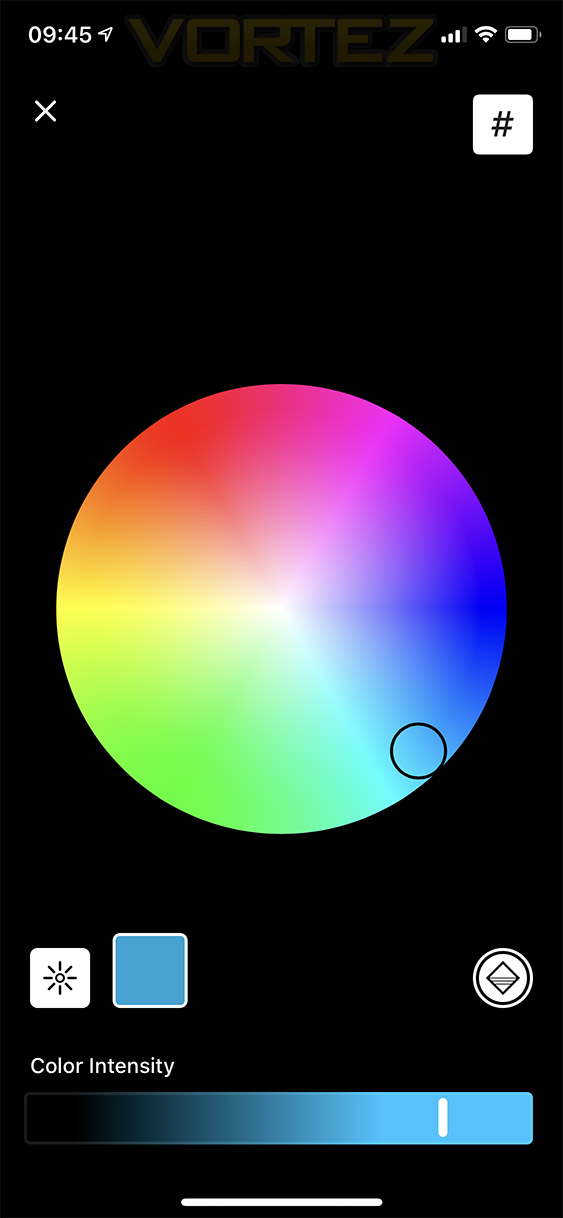
Here’s a short video showing the application in action on an iPhone, the Android version looks almost identical.
Last, but certainly not least, a demo of the RGB lighting effects:
Performance Testing
Due to the PS4 and PC compatibility, we will cover both scenarios in this review; it absolutely isn’t out of the equation that a potential buyer would consider this an investment for more than one system.Starting off with connectivity, we found it was tricky to get the controller to connect to the PS4 even when following the manual to the “T”. We’re unsure of whether this is a problem with the PS4, having tested on both an original PS4 and the newer PS4 Pro, or whether the controller had some problems. Either way, it took around 5 minutes of trial and error before it would connect. Connecting the PC, however, with an ASUS Bluetooth dongle, was much easier, taking only a few seconds.
Software is the obvious next step; due to a lack of customisability within the PlayStation operating system, Razer have developed an iOS and Android companion application which controls RGB lighting, vibration settings, button mapping and profiles for specific games. The application can configure the controller while in use, which is handy, though Razer do warn you about some connectivity issues that might occur when adjusting some settings, which is reasonable.
The Raiju Ultimate is made of a dense rubber, giving better grip than any pad we’ve seen before, aided further by the etched texture on the back of each hand-hold. The usual Dualshock 4 layout means that little adjustment is required to accustom yourself to the new controller, other than the M1, M2, M3 and M4 buttons that you’ll need to get used to pressing if you plan on utilising the controller fully. However, having said that, the positioning of the M3 and M4 buttons, which Razer have purposefully laid where the fingers naturally find themselves, are far-too-easily pressed if you grip the controller during an intense gaming session; we found that an adjustment in the natural resting position of the hands was the only way to alleviate this issue, short of disabling both buttons. A solution we’ve seen on the Xbox One Elite controller is removeable buttons, which we can see remedying this situation completely.
Focussing on Razer’s Mecha-Tactile Action buttons (X, Square, Triangle and Circle), the buttons give off a gentle clicky noise, and feature a very defined but soft tactile feel that’s crisp and noticeable. They feel infinitely better than the typical buttons on a Dualshock 4 controller, requiring less force to actuate while providing better feedback. There’s also less lateral movement than the standard controller and more button travel overall.
Razer’s “Hair Trigger” switches enable the gamepad to be used for games requiring a degree of accuracy on the triggers, such as a racing game, but with the flick of a switch, you can reduce the required movement to roughly a third, meaning faster triggers, especially useful if using an “as fast as you can pull the trigger” gun in your shooter games. The shorter stop on the trigger feels firm with no “give”.
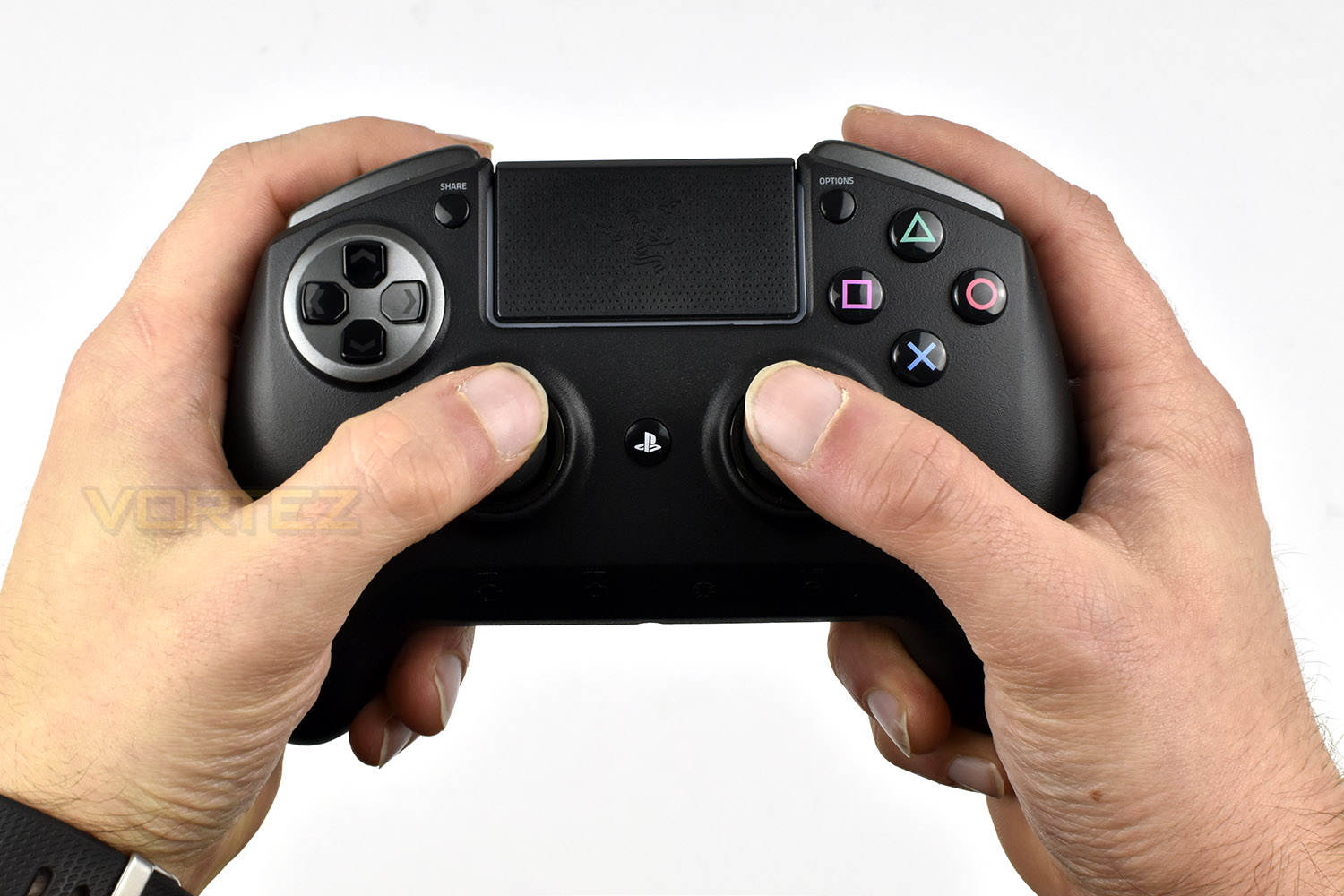
Allowing the user to swap between a 4-way or 8-way D-Pad can be beneficial in many aspects, with 8-way being useful for games like Street Fighter or Tekken, where different combos are accomplished by using all 8 possibilities, whereas something like Call of Duty requires only the 4, using them to call in kill streaks and the likes. The thumbstick options are also great, especially the taller option, increasing the height by 5mm; the extra control you gain is surprising from such a small increase. However, we feel that Razer massively dropped the ball here, only providing one of each replacement. Had we paid £199 for a game controller, and found that we liked the taller or domed thumbstick, we’d likely want to keep the gamepad symmetrical, but that isn’t an option; we don’t see them sold separately on the Razer website either.
Moving onto connectivity and compatibility. As we mentioned on the previous page, we had some difficulty connecting the controller to the PS4 and PS4 Pro, but that may well be down to the operating system and not the controller because connecting to the PC went without a hitch. We found the controller worked flawlessly on the PS4, as it should, with all buttons behaving exactly as promised, though in certain games on the PC, it didn’t function properly at all, allowing you to use one single point of input at any one times, the worst offenders were Forza Motorsport 7 and Forza Horizon 4, two Microsoft games, so this may be down to Microsoft only allowing their Xbox controllers true functionality, but for £199, we’d like to see it work flawlessly on both platforms. One rather large flaw we found during testing was the 3.5mm jack. The 3.5mm audio jack can only be used on the PS4 when using the controller in wired mode, this, for us, is unacceptable. The vast majority of players will use a headset when playing online with their friends, which pretty much completely voids the wireless capability of the controller; considering the £40 PS4 Dualshock 4 controller does this without issue.
Razer Chroma RGB lighting. The lighting zone is well implemented, with smooth effects and vibrant lighting, of course, it doesn’t really add anything to the usefulness of the controller but it looks fantastic.
Moving onto battery life, last of all. We found we got around 6 hours from the gaming pad before it complained about needing to be charged, in the worst case scenario, though when we switched to playing Crash Bandicoot, which relied much less on the vibration feedback than Gran Turismo, we saw that improve to 10 hours; both tests were measured with the RGB Chroma lighting turned up to 100% as well as the vibration motors.
Conclusion
Update – 28.01.2019. Subsequent to this review being released, Razer identified an issue with wireless Bluetooth connectivity that introduced unacceptable levels of input latency under some system configurations. Today they released a firmware updated addressing the issue, which can be applied with a PC.
These updates can be found here:
Razer Raiju Ultimate – Download here
Razer Raiju Tournament Editon – Download here.
These updates can be found here:
Razer Raiju Ultimate – Download here
Razer Raiju Tournament Editon – Download here.
In conclusion, the Razer Raiju Ultimate is a great gaming pad, with several optimisations that give an advantage but they seem to have given with one hand and taken away with the other.
The hair-trigger buttons on the top of the controller (R2 and L2) can give a millisecond advantage to the player in the heated battles happening in today’s big FPS shooters, while the M3 and M4 buttons, laying directly under previously-unused fingers can be used to operate buttons more efficiently. The interchangeable D-Pad and thumbsticks are also fantastic.
Thanks to Razer’s expertise in the RGB arena, using Chroma lighting on almost everything they release these days, the Raiju Ultimate certainly stands out from the crowd on the cosmetic front, but with its bulky shape, the overall appearance is spoiled somewhat. Having said that, we found ourselves turning it off while gaming to help improve battery life.
Razer’s Mecha-Tactile Action buttons are a masterpiece in how to produce a gaming pad button, as far as we’re concerned, they improve over the standard Dualshock 4 in every regard.
Connecting the Raiju to the PS4 was somewhat of a drama, with it taking around 5 minutes to set up, when it should take a matter of seconds, and then to find that the Raiju Ultimate, a £199 Bluetooth controller doesn’t support audio over Bluetooth, instead requiring the gamepad be used in wired mode to support the 3.5mm headphone jack, we’re not overly impressed by the wireless connectivity of the Raiju; it definitely requires some work.
We found, despite our best efforts to adjust to the new shape and layout, that the M3 and M4 buttons were awkwardly positioned if you didn’t intend to use them, and even if you do use them, they’re too easy to press accidentally. It’s not out of the equation to be in a position to buy such a controller for the improved Action buttons and triggers etc, with no need for the extra buttons. We’d like to see these removeable, as we’ve seen on competitor’s offerings.
Having interchangeable thumbstick and D-pad options is an excellent idea that we fully support, but we’re struggling to understand Razer’s choice to only include one of each thumbstick option with the controller, we would love the ability to extend both thumbsticks by 5mm to maintain symmetry on the gamepad.
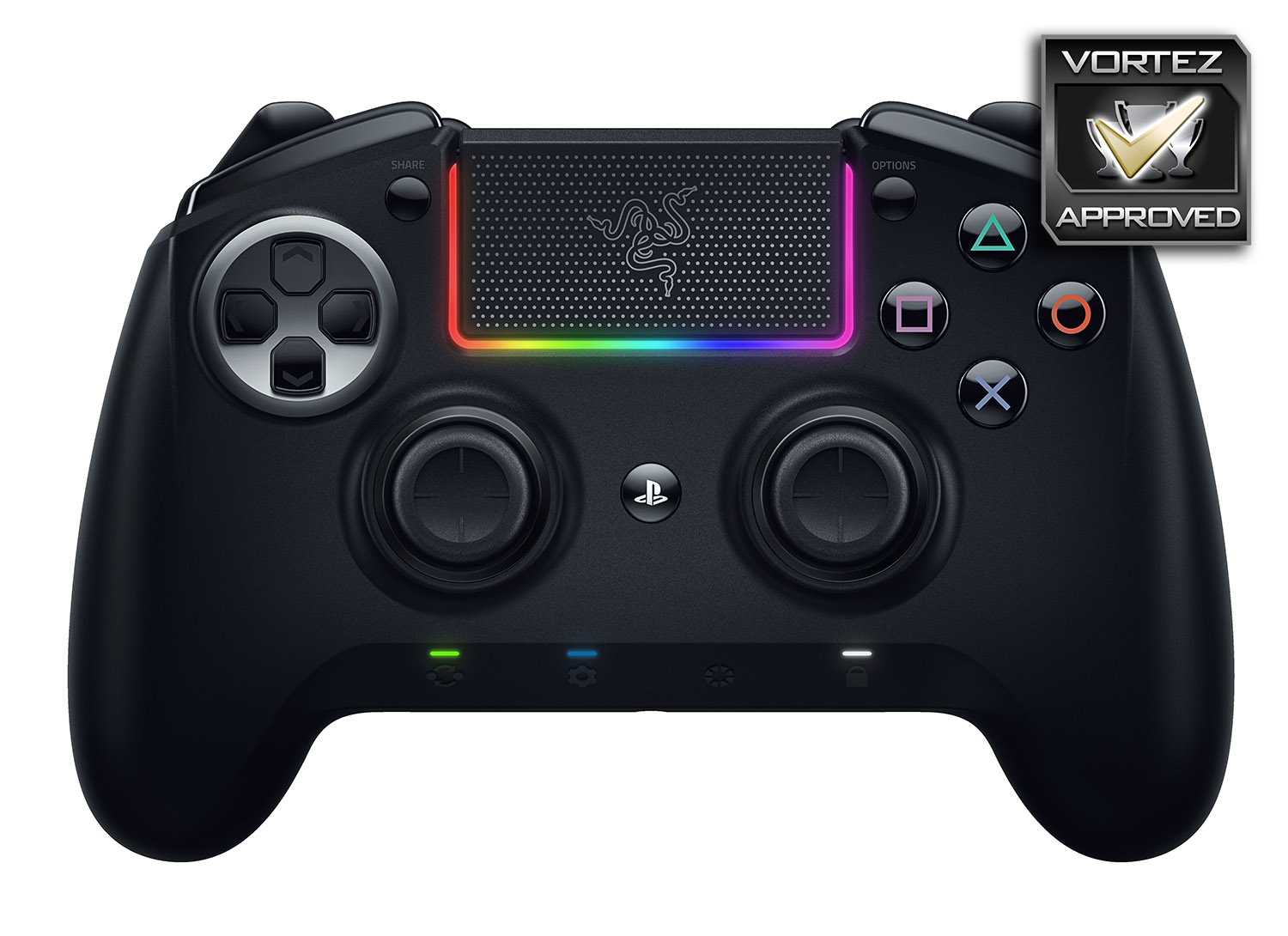
For £199, the Razer Raiju Ultimate offers some excellent customisation and usability, with the best Action buttons we’ve used, but the lack of Bluetooth audio and extra thumbsticks raises a big question mark over the massive price tag.
Pros
+ Grippy surface
+ Epic Mecha-Tactile Action buttons
+ Hair-trigger L2 and R2 are fantastic
+ Beautiful Razer Chroma RGB lighting
+ Interchangeable D-Pad and Thumbsticks
+ Solid build quality
+ Carry case included
+ Lengthy, braided cable
+ iOS & Android software works well
Neutral
+- Connectivity issues with the PS4
Cons
– £199 price tag
– No wireless audio on the PS4
– Awkward positioning of M3 and M4 buttons
– Poor battery life during certain scenarios
– Only one of each thumbstick replacement
– Doesn’t work with all PC games
+ Grippy surface
+ Epic Mecha-Tactile Action buttons
+ Hair-trigger L2 and R2 are fantastic
+ Beautiful Razer Chroma RGB lighting
+ Interchangeable D-Pad and Thumbsticks
+ Solid build quality
+ Carry case included
+ Lengthy, braided cable
+ iOS & Android software works well
Neutral
+- Connectivity issues with the PS4
Cons
– £199 price tag
– No wireless audio on the PS4
– Awkward positioning of M3 and M4 buttons
– Poor battery life during certain scenarios
– Only one of each thumbstick replacement
– Doesn’t work with all PC games
Click here for an explanation of our awards at Vortez.net.
Stay connected with the Vortez Social Media pages:
Join in with the discussions on Discord