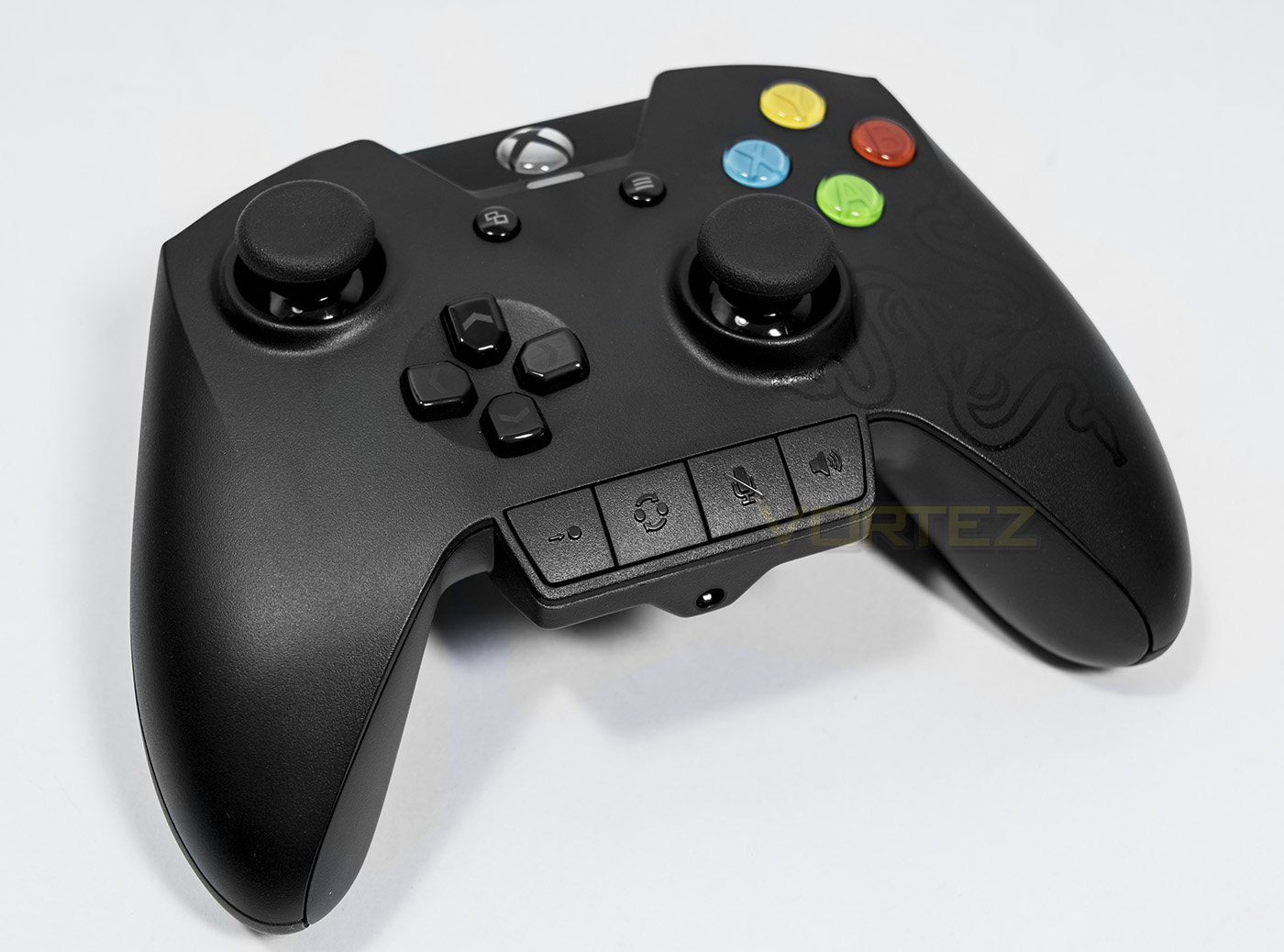
The Wildcat game pad sets its sights on rivalling the Elite controller for the Xbox One and Windows. It has an ergonomic lightweight body and four additional remappable buttons.

Product on Review: Razer Wildcat
Manufacturer and Sponsor: RAZER
Street Price: UK: £119.99, US: $149.99
Razer have had a presence with the Xbox console for a while, releasing the Onza controller for the Xbox 360 in 2011. The Onza was a well received entry by Razer, yet many felt it was poorly implemented with many complaints about build quality. Since then, Razer have been working away to refine their game pads and have since released various controllers including the Sabertooth for 360, and now the Wildcat for Xbox One. Enthusiast/tournament game pads are now in full swing, the overwhelming popularity of the Xbox Elite controller solidifies this fact, yet some haven’t quite found the perfect partner with the Elite controller. Some find it too heavy for prolonged use and others are getting frustrated about the back paddles are too easy to hit, causing mistakes/misclicks in game. These properties are strong blows from Razer, with the Wildcat weighing a mere 260g, and having 2 additional bumper buttons on the top, and two aluminium triggers on the underside.
Overview by Razer
Made for tournament play and developed with feedback from the world’s best eSports athletes, this ultimate gaming controller packs four additional Multi-Function Buttons over the ordinary controller layout for unparalleled customizability. The optimized weight, optional palm grips and reinforced wired connection are designed for long gaming sessions and gives you the unfair advantage over your foes whether it’s in training or in critical tournament moments. With full customizability to create dedicated button layout profiles for each of your games or tweak your audio settings on the fly, the Razer Wildcat for Xbox One gives you absolute control without any distractions.
Technical Specifications
– 2 shoulder Hyperesponse Multi-Function Bumpers
– 2 removable Hyperesponse Multi-Function Triggers
– 4 Hyperesponse ABXY action buttons
– 4 button Quick Control Panel
– Optional trigger stops for rapid-fire
– Zero slow-turn analog joysticks
– 3.5 mm audio port for stereo audio output and microphone input
– Optional rubber palm grips
– Quick-release cable feature
– Carrying case
– Detachable 3 m / 10 ft lightweight braided fiber cable with Micro-USB connector
– Approximate size : 106 mm / 4.17” (Length) x 156 mm / 6.14” (Width) x 66 mm / 2.60” (Height)
– Approximate weight (without cable) : 260 g / 0.57 lbs
– 2 removable Hyperesponse Multi-Function Triggers
– 4 Hyperesponse ABXY action buttons
– 4 button Quick Control Panel
– Optional trigger stops for rapid-fire
– Zero slow-turn analog joysticks
– 3.5 mm audio port for stereo audio output and microphone input
– Optional rubber palm grips
– Quick-release cable feature
– Carrying case
– Detachable 3 m / 10 ft lightweight braided fiber cable with Micro-USB connector
– Approximate size : 106 mm / 4.17” (Length) x 156 mm / 6.14” (Width) x 66 mm / 2.60” (Height)
– Approximate weight (without cable) : 260 g / 0.57 lbs
Packaging & First Look
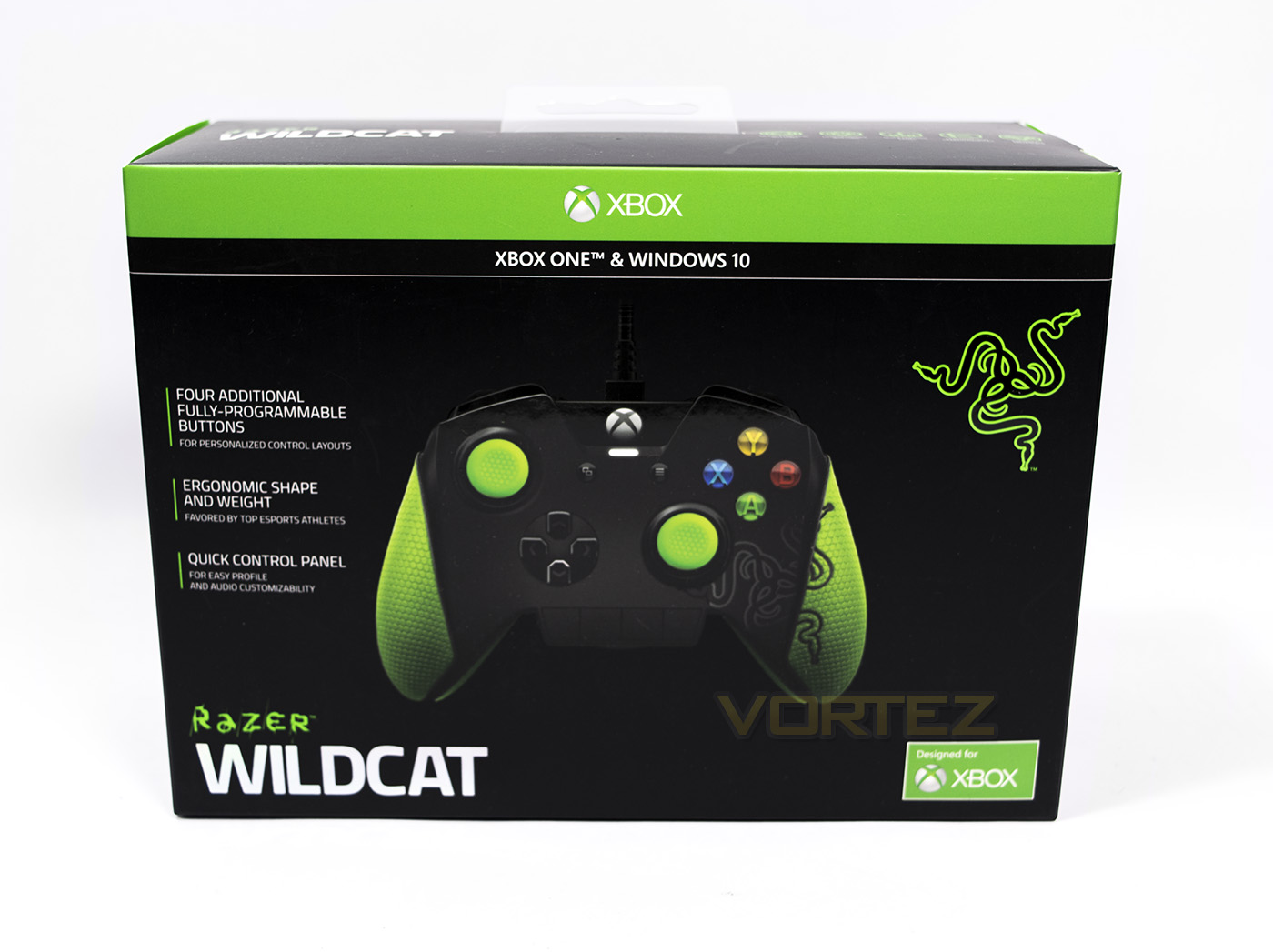
The box packaging is noticeably Razer yet also easily identifiable as a peripheral designed for Xbox One.
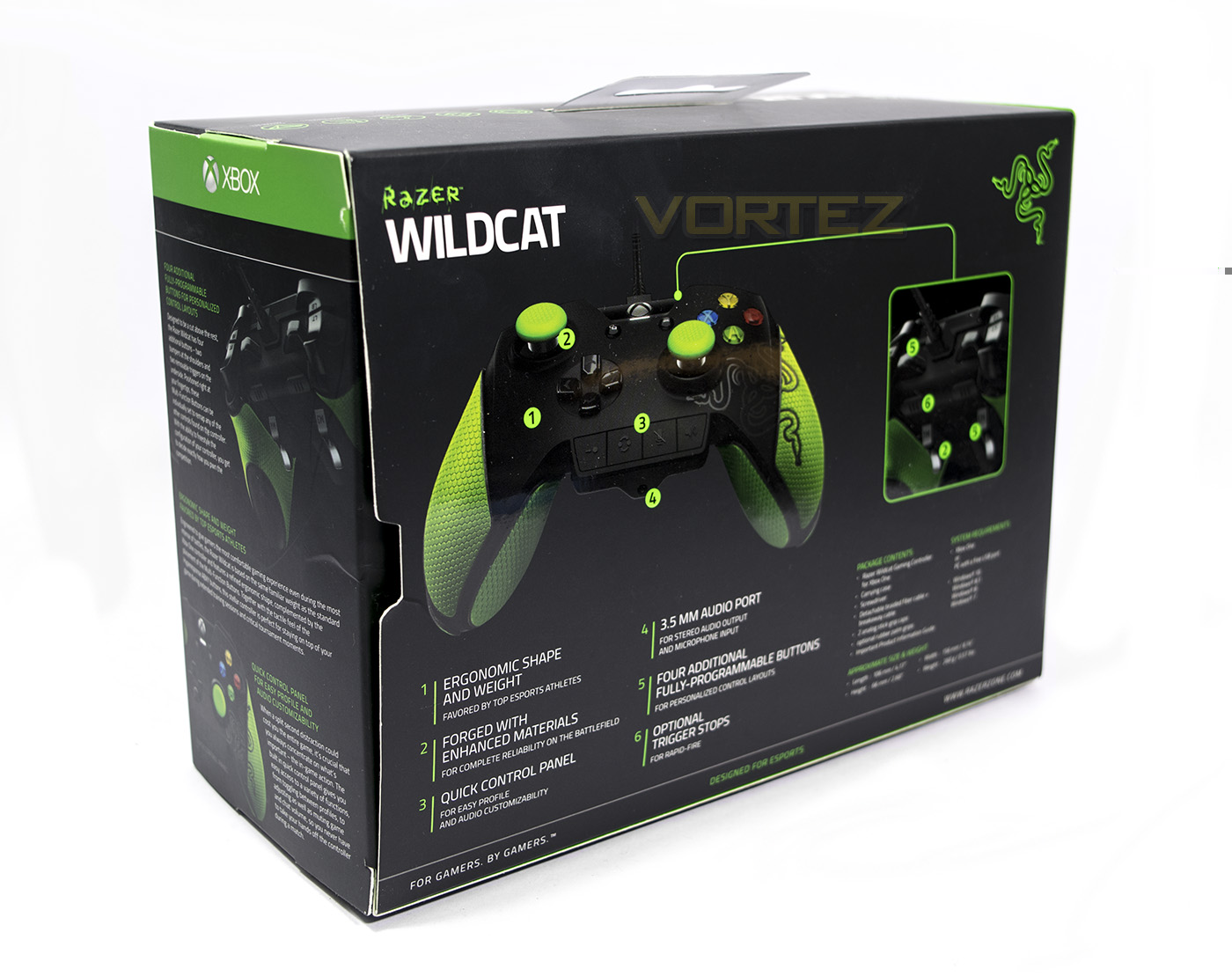
At the back there is information about further features including trigger stops and the control panel.
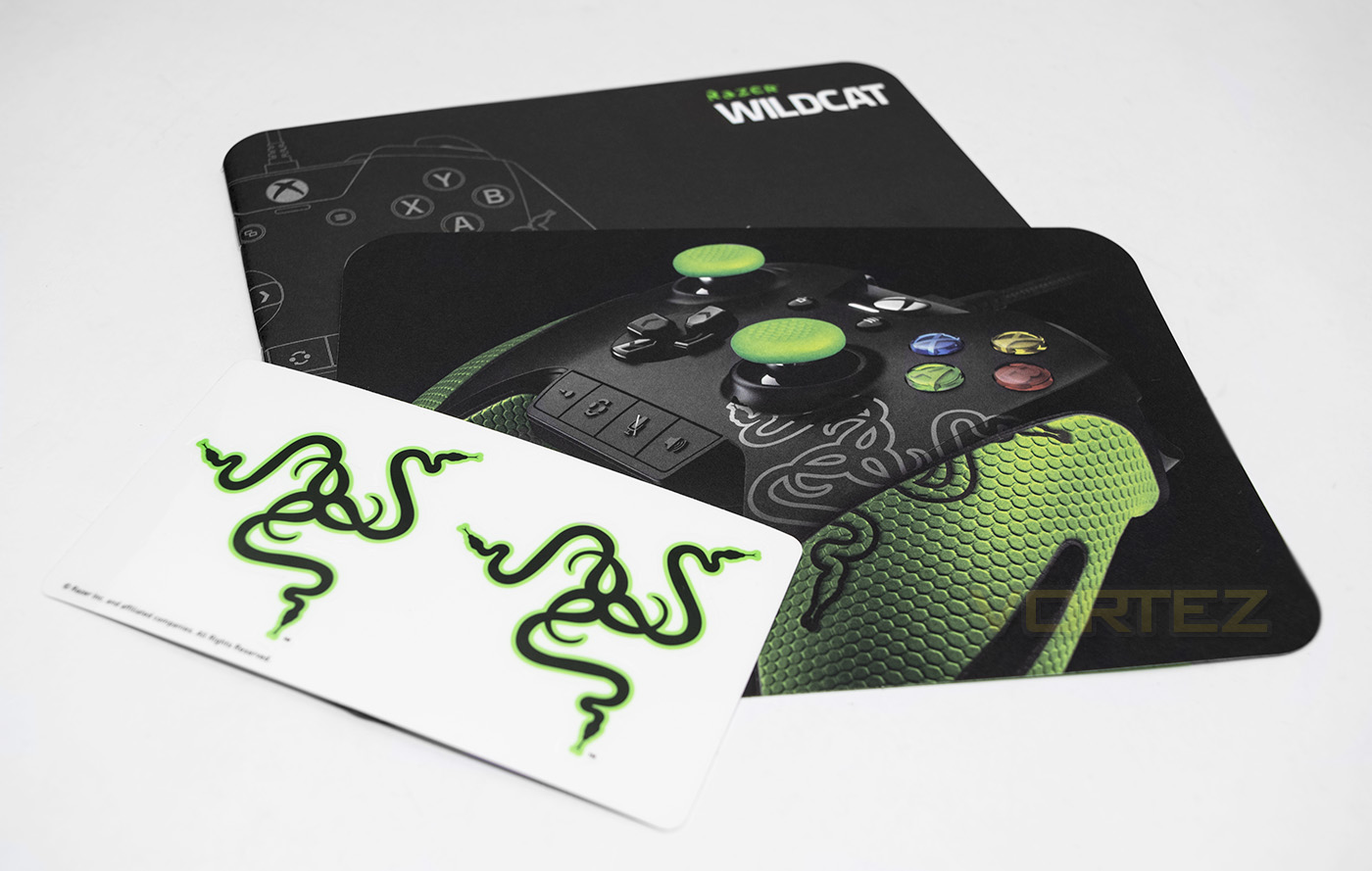
Opening the box we find some supporting information about Razer and their products including a guide and some stickers.
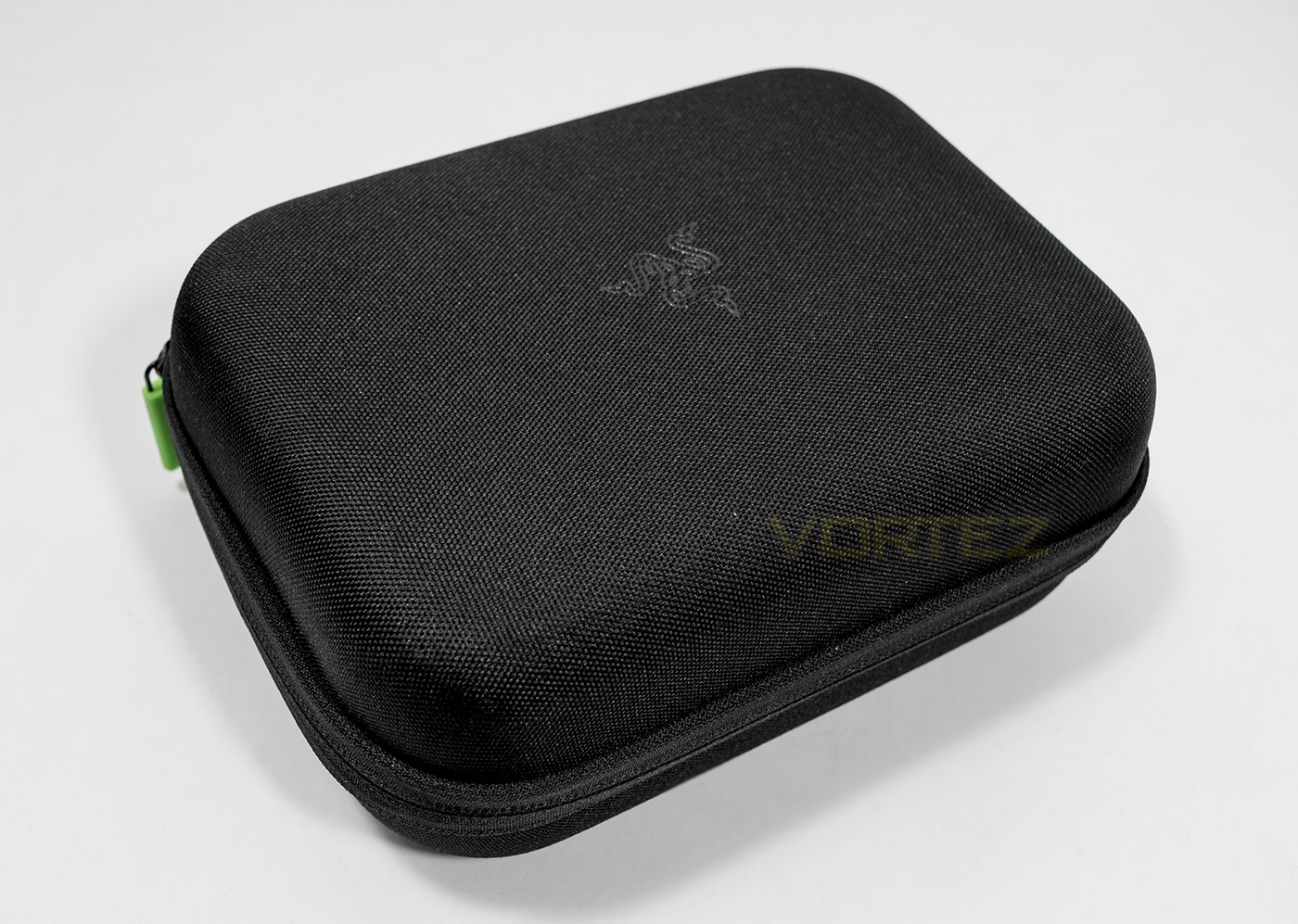
Inside the box is the carry/storage case, it feels rather robust and good quality.
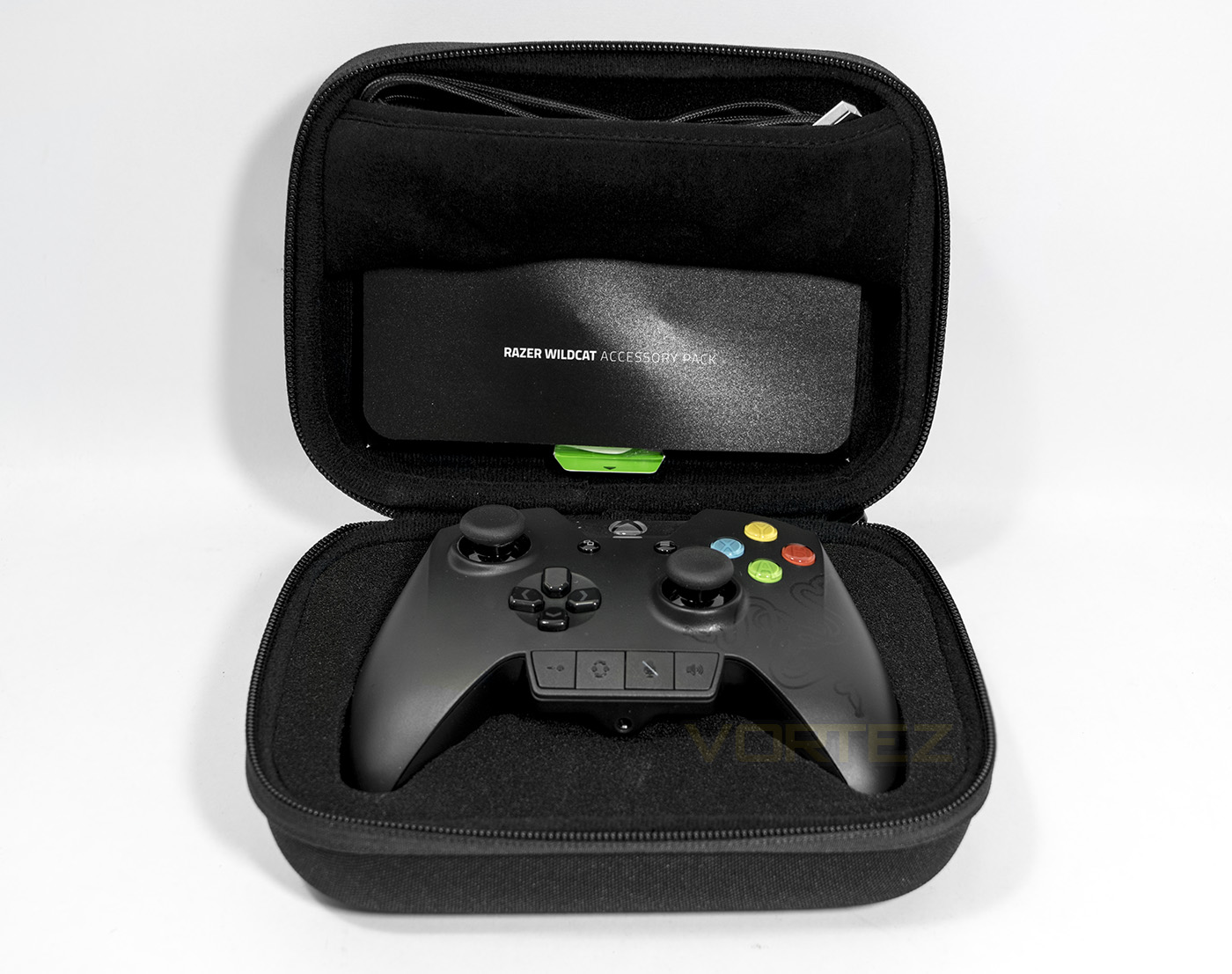
Inside the case there is a lot of foam padding, with storage areas for the cable, the accessories, and the controller itself.
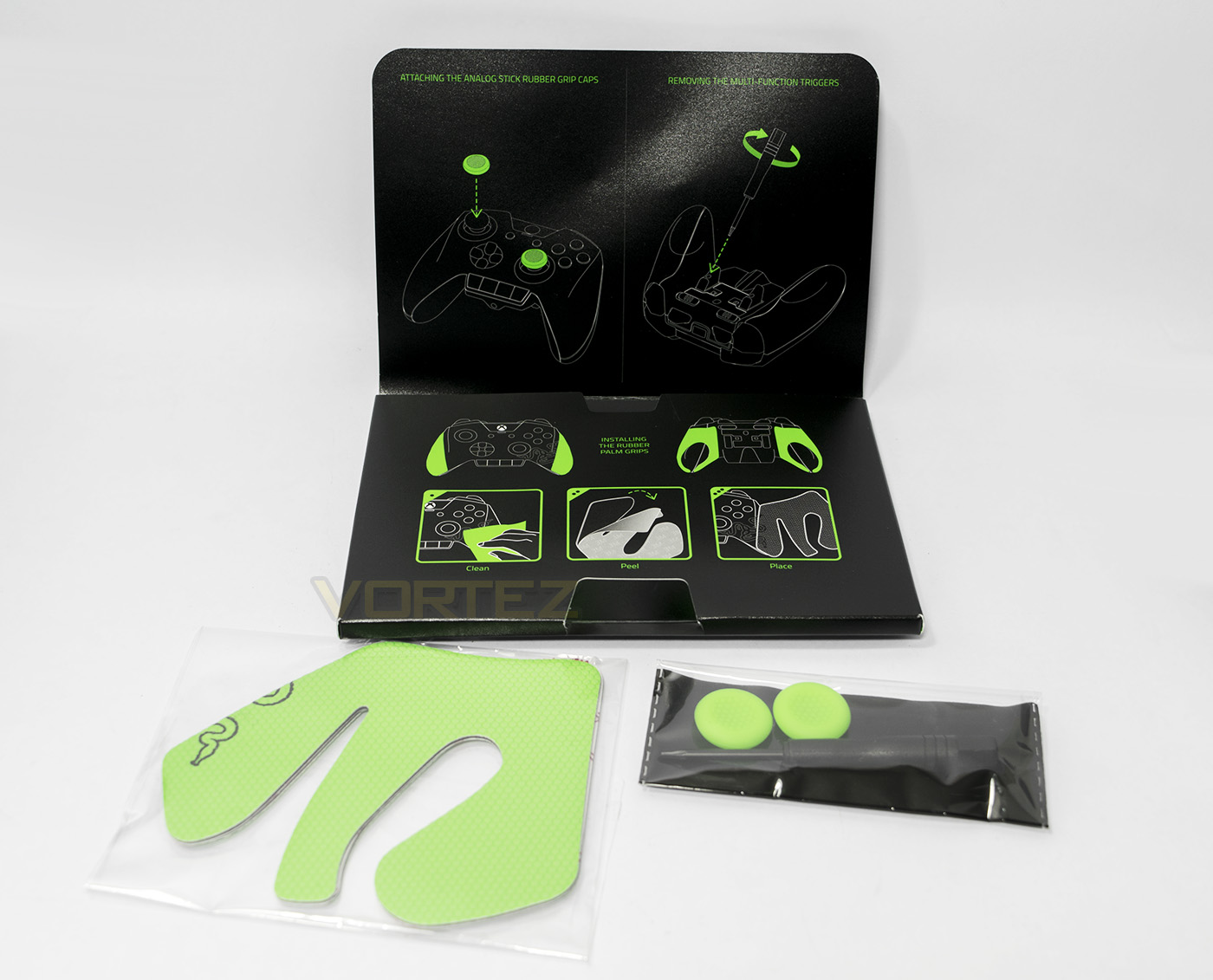
Included with the Wildcat is a sticky rubber grip in Razer green, 2x thumb stick covers also in green and a small screwdriver for removing the triggers from the pad.
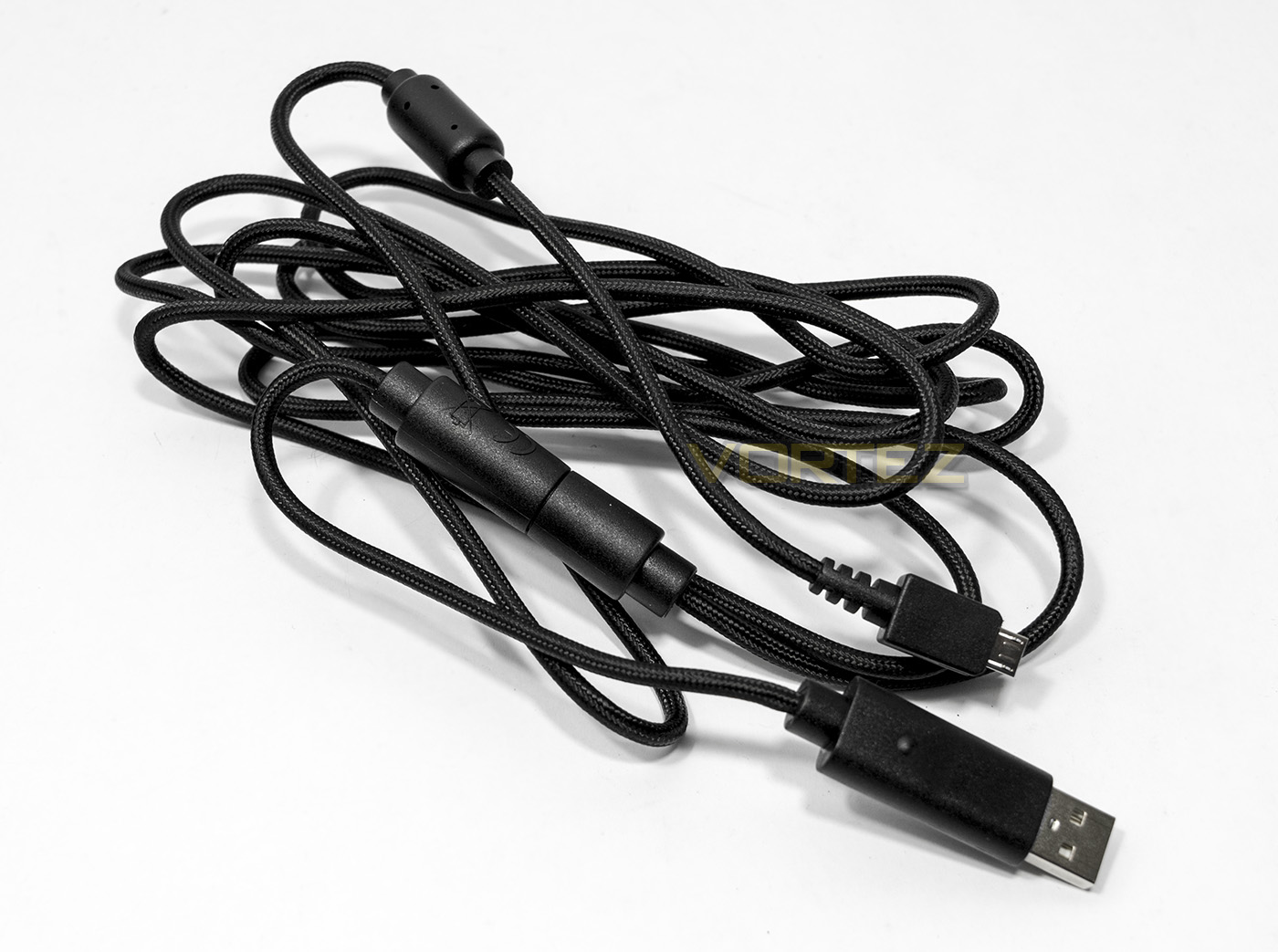
The braided cable included is 3m long and includes a breakaway connecting USB to microUSB.
Closer Look
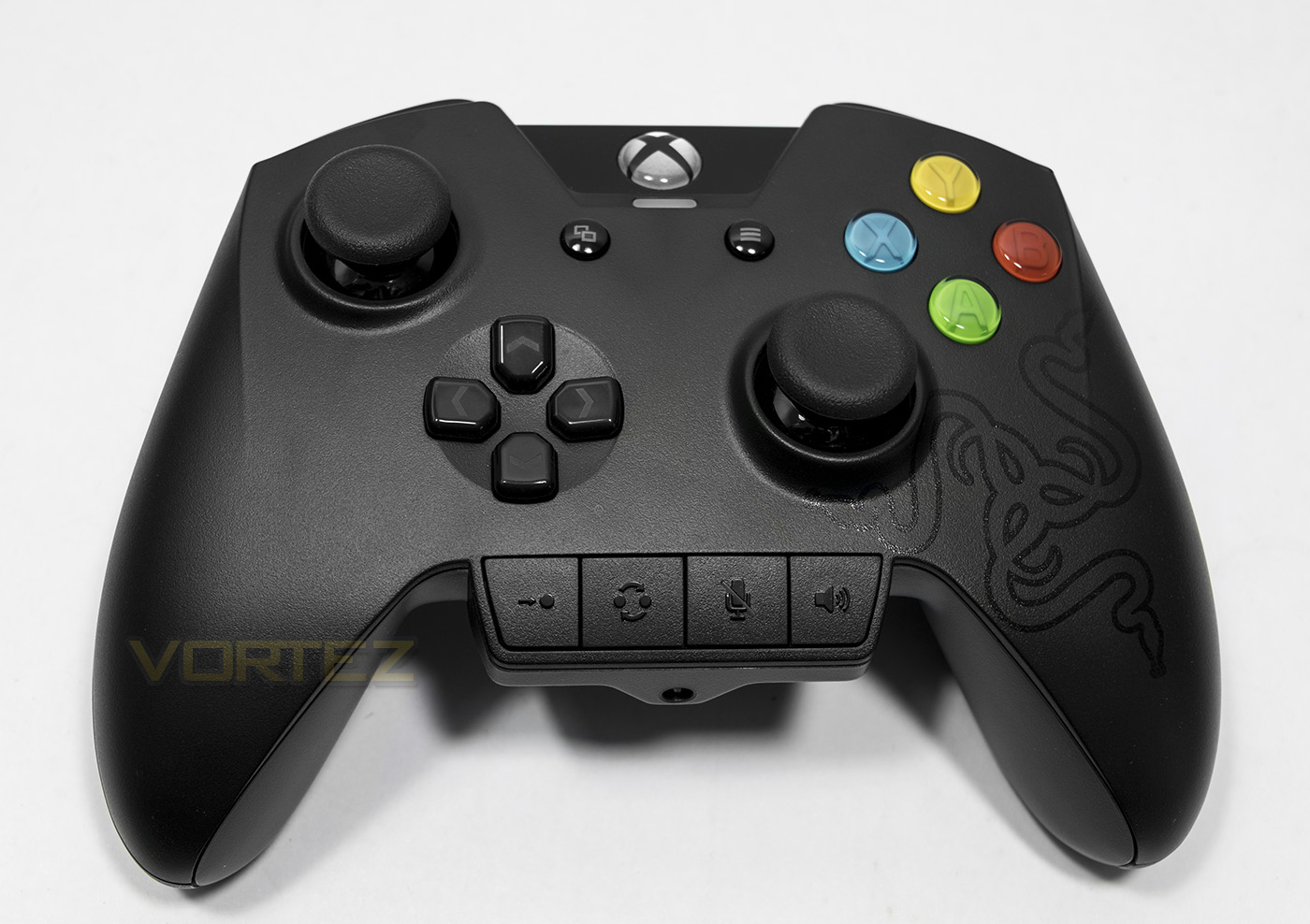
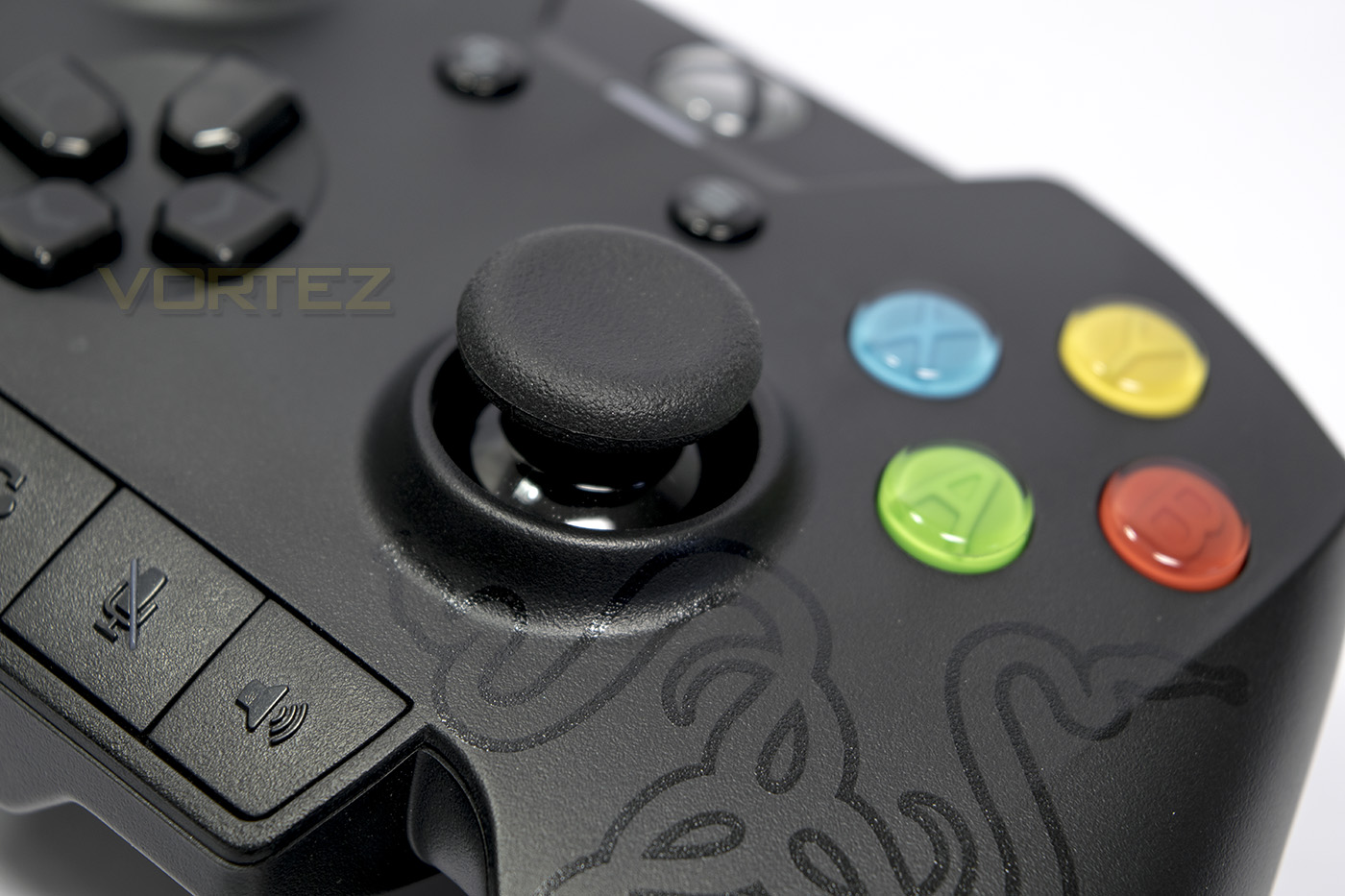
On first sight it is easy to see that it is a controller for the Xbox platform with the Razer logo being black on black, yet on closer inspection there are other subtle differences, most notably would be the Dpad and the control panel at the bottom. The control panel features a remap button, profile toggle button, mute microphone button and a volume control button. At the base there is a 3.5mm jack that will support most headsets with a 4 pole jack.
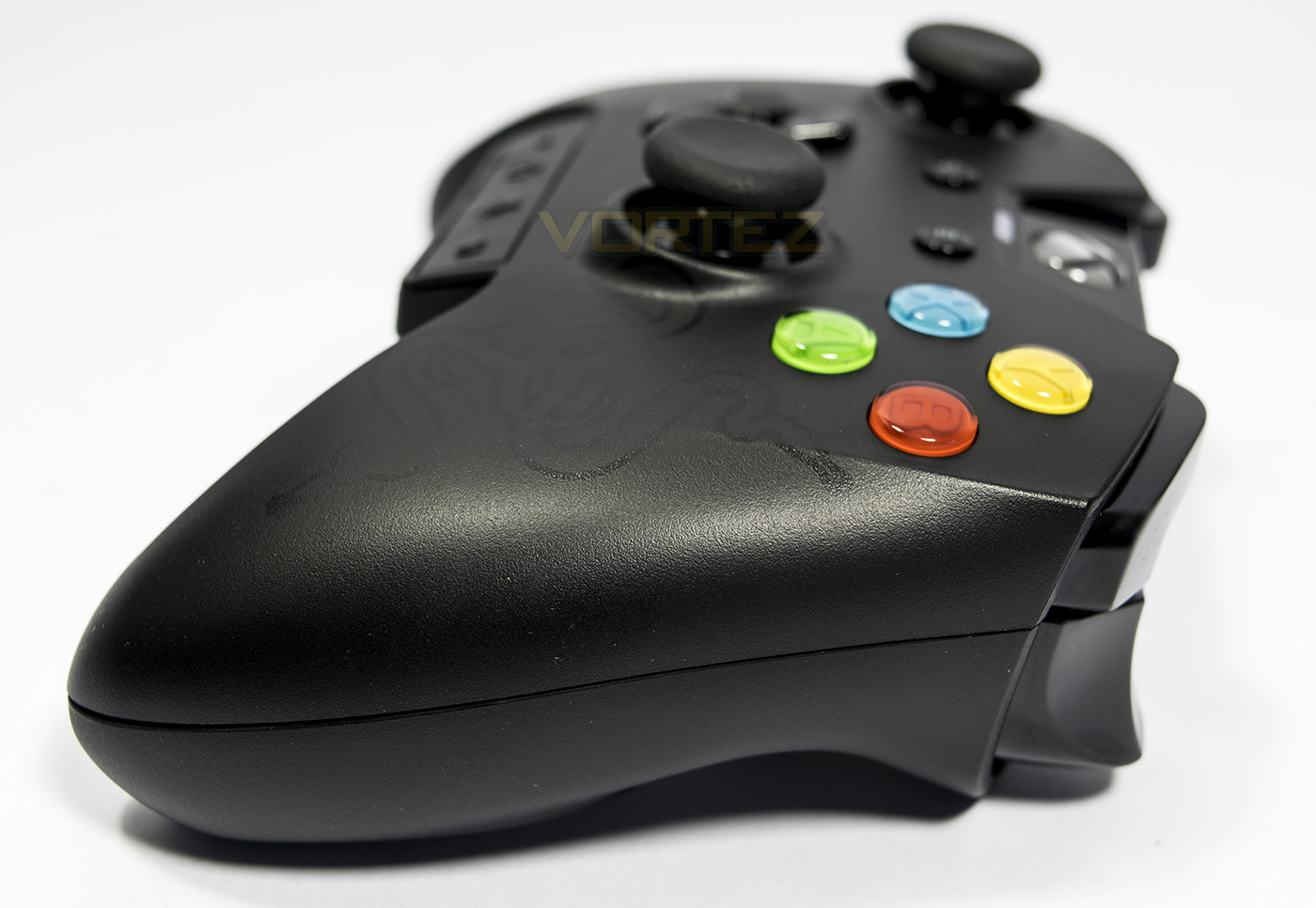
Side on we get to see the trigger and bumper buttons as well as the relatively low height of the XYAB buttons.
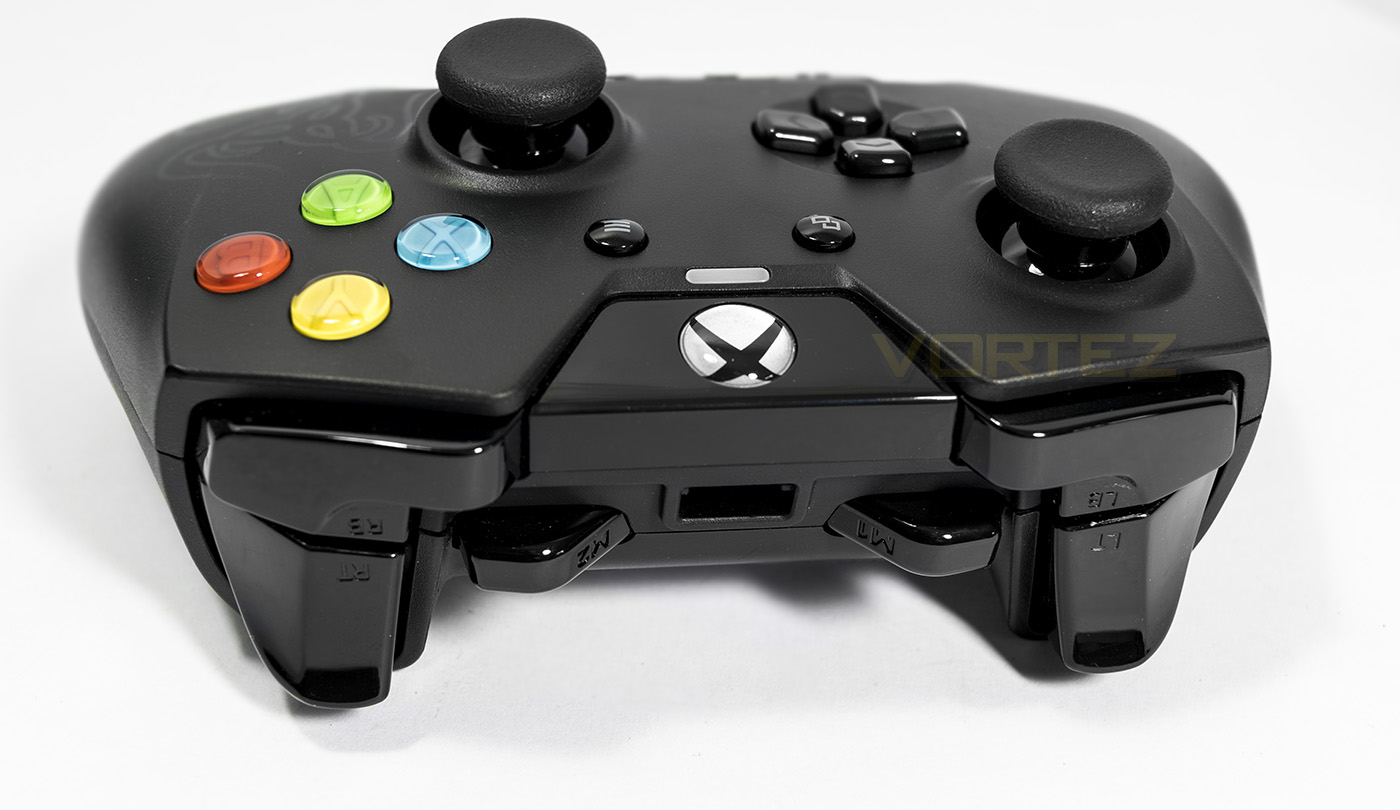
Checking out the top side of the controller in more detail, we see that there are two middle buttons straddling a cavern for the microUSB connector.
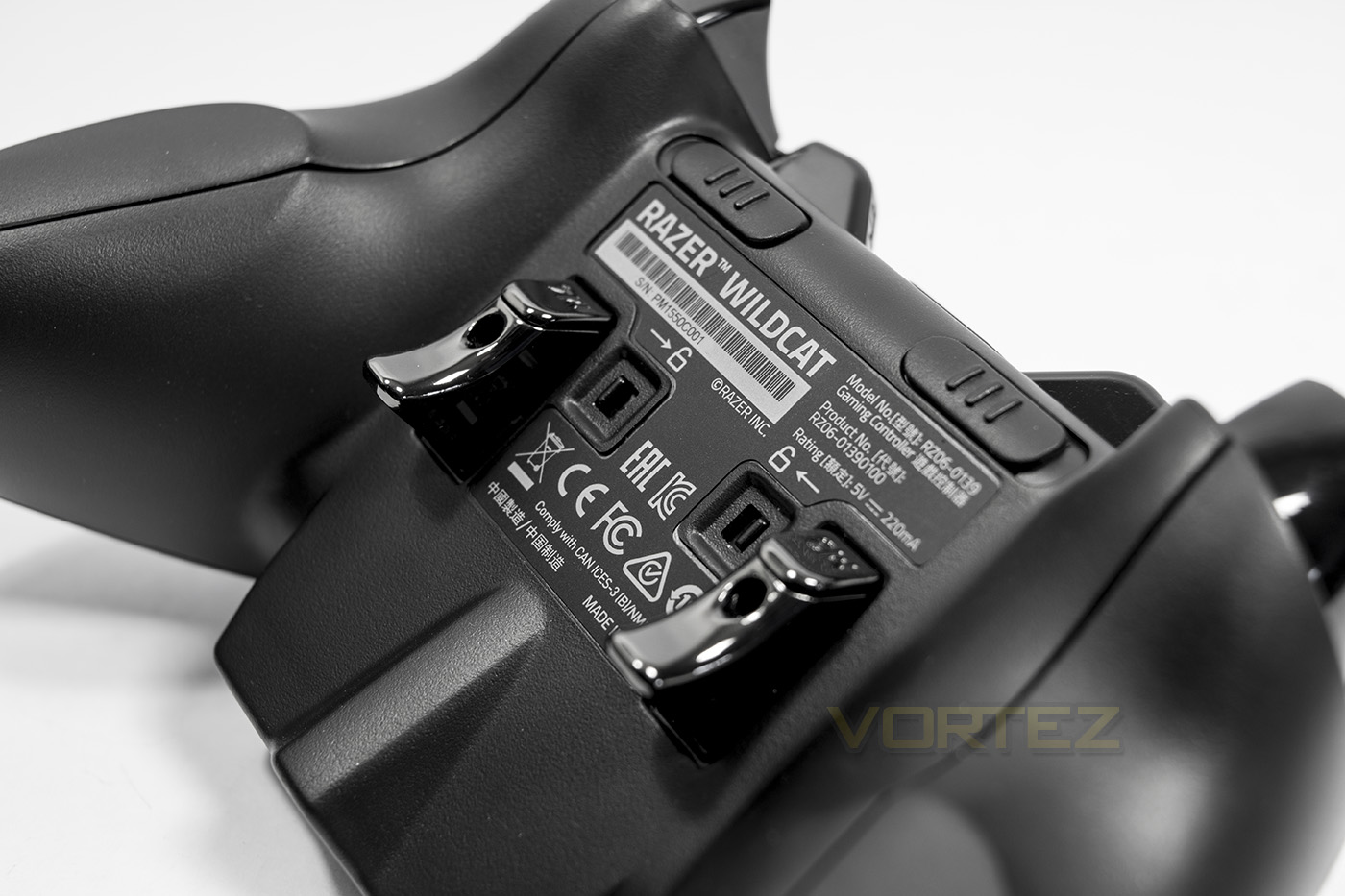
At the back you can more clearly see the custom ergonomic shape as well the profile of the additional aluminium triggers.
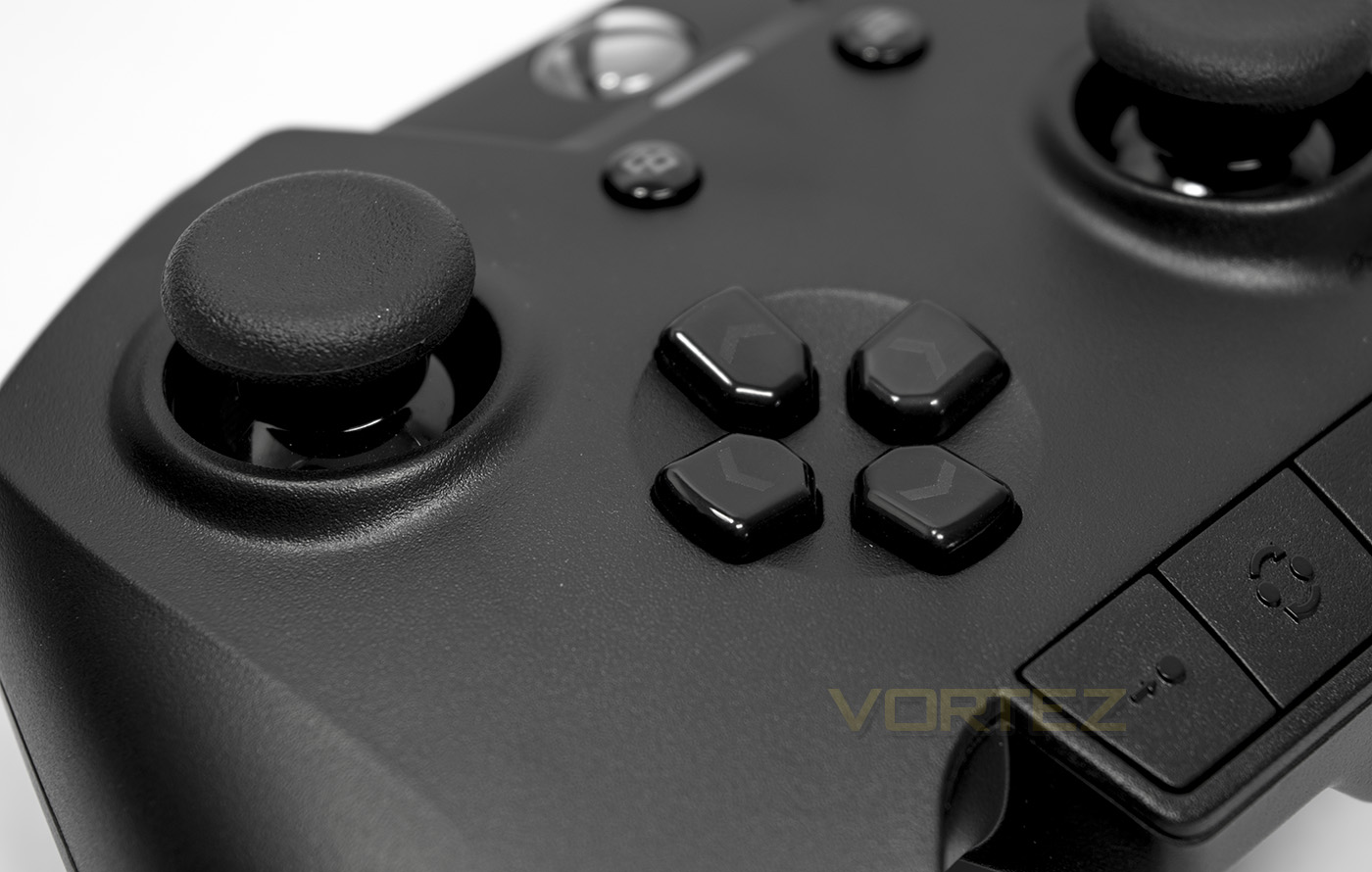
The thumb stick shafts are made out of robust high carbon steel to ensure durability, the Dpad uses Razer’s Hyper-response switches so each is an individual button.
Performance Testing
Setup, Design & Observations
The first thing to consider with the Razer Wildcat is that it is not wireless, and is ONLY wired. For some, this will be trusting in Razer’s know how to ensure that their controller has absolutely minimal latency and key registration that could theoretically provide that little extra advantage in game, though this is not something measurable. Others may find the lack of wireless connectivity an inconvenience. This works in Razer’s advantage however as no £20 wireless dongle is required to get the full benefit of the Wildcat on the PC. When plugged into your Xbox One or Windows 10 PC, the game pad worked seamlessly without and problem.
The optional rubber grip, while feels thick and soft, I chose not to use it as it felt like it would add significant beef to the shape of the controller, which as it is, feels very pleasing and comfortable. Pressing the bumpers and triggers felt good, with the triggers feeling very similar to the Xbox One official controller. The shape and design of the trigger make it easy for your fingers to pass round and have easy access to the middle buttons, being surprisingly intuitive to use. The same can be said of the resting position of the triggers on the underside, making them fall around your fingers in a comfortable manner without the need to adjust your grip position, they are also rather stiff in a good way, making them hard to hit by accident.
The ‘hyper response’ buttons showed their ugly side with the start/menu button feeling like it wanted to stick a little which reminded me of my experience with the Onza, which too suffered from buttons getting stuck down. As long as they remain fully functional, these buttons feel fantastic, actuating rapidly with a minute yet satisfying ‘tic’ sound/feeling.
There are three profiles the default profile (indicated by no LEDs) and is accessible by holding down the profile toggle button for a few seconds, then to access the following two profiles, you press the profile toggle button and is indicated by a left or right green LED. The additional buttons are only remappable in profile 1 and 2 and not in the default profile. To remap the ‘multi-function bumper or trigger’, you hold down the remap button on the control panel till the profile LED flashes, then hold down the MFB or MFT you want to remap, then press the button you want to remap to it, there will be a vibration to indicate that it has happened. This process seems a little strange at first as there are multiple key holds required but once you get used to it, it is quick and easy to do.
The Trigger locks feel great and have a significantly shorter travel than what we observed with the Elite controller, feeling closer to a hair trigger. Though in testing, there were some games where the button was not actuated at this stop point. This can be solved by turning on the hair trigger mode by holding the remap till the profile indicator blinks (meaning, this doesn’t work in default profile) hold the trigger, and press A to turn on hair trigger mode, you can repeat the process and press B to turn off.
At the base of the controller there is a 3.5mm jack which supports most headsets with a 4pole connector. The built in control panel has a microphone mute button as well as a volume control button that is used by holding the the audio button down and pressing the Dpad, up/down for master volume, left/right for chat/game volume.
Gaming
In Gears of War Ultimate Edition (still waiting for the Windows release) the sticks felt so smooth, and the hair trigger worked just right for rapid firing the Snub pistol (using hair trigger mode). The multi-function bumpers were surprisingly easy to use, I set the left MFB to A, and the right side MFB to X and mapping the Multi-Function Triggers to Y(left) and B(Right). This made it convenient for my mind to dive, roll, aim, shoot all while keeping my thumb on the aiming stick which makes two-piecing almost completely unfair.
I tested out the Dpad in the Street Fight V beta, and it felt fairly competent in use, though required utmost accuracy in presses due to the design, and over time was rather uncomfortable for a fast paced game. If you want a controller for use of the Dpad in fighting games (I loathe analogue sticks for such genres) this controller isn’t the best due to their tall profile from the surface of the controller, causing a drag on your thumb. Otherwise the Dpad is perfectly usable and is an interesting alternative to the standard Xbox One controller Dpad.
Conclusion
The Razer Wildcat is actually a mixed beast hunting down that Elite controller. Though the truth is, it is very different to the elite controller and these differences will make or break it as a choice for the gamer. Firstly, the ergonomic feel of the Wildcat feels gloriously good and I didn’t feel the need to stick on the rubber grip. The additional bumpers and triggers say in a very natural position, making them comfortable and easy to use, yet they weren’t so easy to use by accident. Also at just 260g, the Wildcat didn’t feel like it wanted to jump out of my hands after a long gaming session.
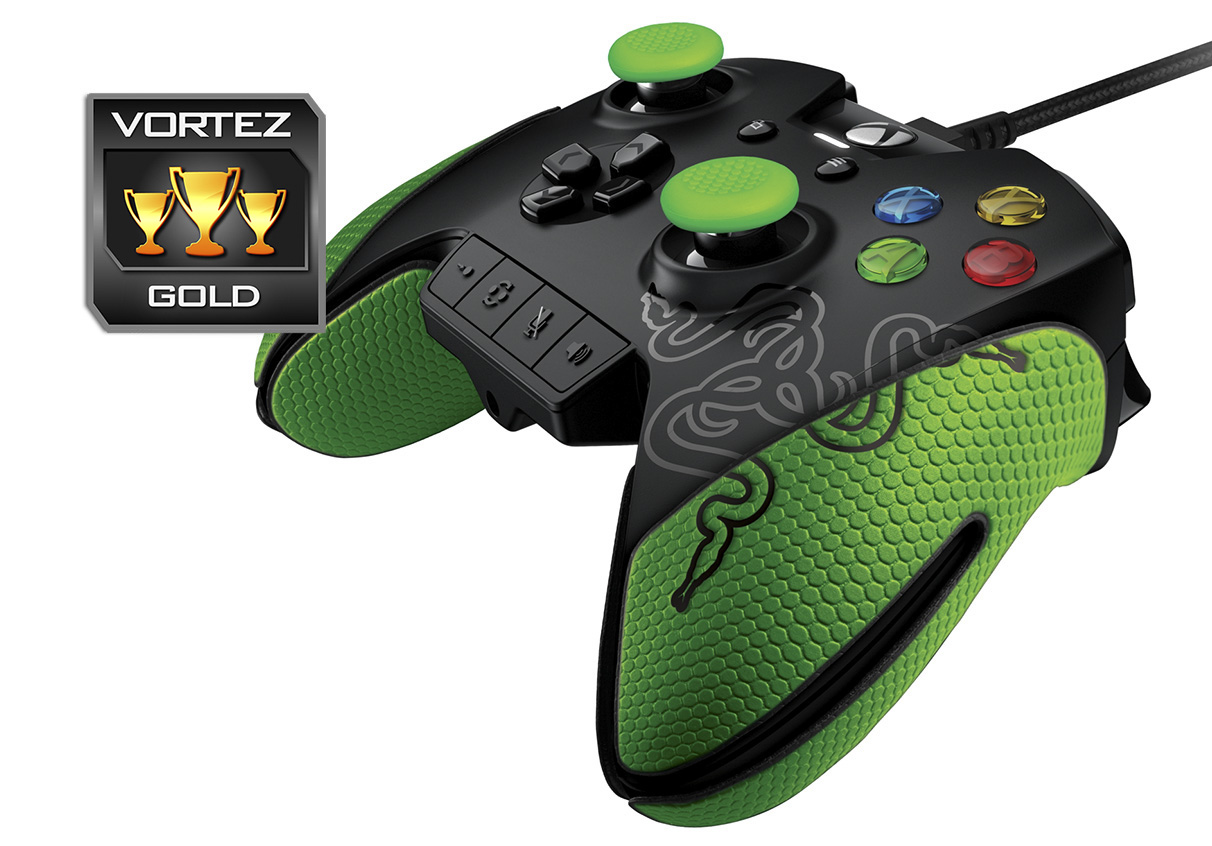
Other great points too are the durable materials used, like the carbon steel thumb stick shafts, these really make a difference to how robust they are and how smooth the sticks feel. The only downsides are, at this price point, many will expect ‘more’. For example, the Elite controller has a huge software suite of customisations and advanced controls, the Wildcat has none. The Elite controller is wireless, the Wildcat is not. Making the Elite controller seem more, even if it isn’t the superior controller in terms of usability and outright performance. Either way, the trade offs with the Wildcat are important blows to the Elite controller and is a viable alternative for the enthusiast gamer.
Razer have made a well thought out, usable, and comfortable controller specifically made for absolute performance in competitive play.
Pros.
+ Lightweight
+ Comfortable shape
+ 4 additional remappable buttons
+ Buttons feel good to press
+ Durable materials
+ Included carry case
+ Decent accessories pack
Cons.
– Not wireless
– No supporting software
– Custom shape means little 3rd party support
– Price
+ Lightweight
+ Comfortable shape
+ 4 additional remappable buttons
+ Buttons feel good to press
+ Durable materials
+ Included carry case
+ Decent accessories pack
Cons.
– Not wireless
– No supporting software
– Custom shape means little 3rd party support
– Price
Click here for an explanation of our awards at Vortez.net.