







We review ROCCAT’s second gaming keyboard, compact and feature rich. Jump in to find out what we thought.
Manufacturer: RoccatProduct reviewed: ROCCAT Arvo – Compact Gaming Keyboard
Price: £55.99 At the time the review was written

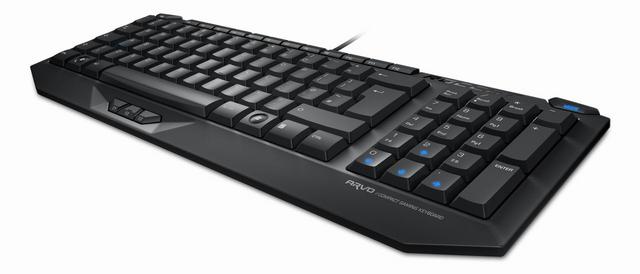
The last of the products released under ROCCAT’s synonymous SDMS range is finally with us for the close of 2009. All hail the ROCCAT Arvo. This is ROCCAT’s second keyboard – boasting a compact design with some neat features such as thumbster buttons.
Not only is the Arvo the last of the products under the SDMS but it will be the last product to be released by ROCCAT in 2009.
ROCCAT comment on the Arvo saying:
More space on the desktop without the need to forgo all the usual functions. This and a whole lot more besides is offered by the compact ROCCAT™ Arvo. It’s the first keyboard to offer a gaming mode integrated into the numpad and unique thumbster keys. These three extra keys can be assigned macros or the practical timer function, which can’t be found on any other keyboard on the planet.
Features
• COMPACT DESIGN
creates optimum gamespace
• MODE SWITCH BUTTON
for switching between Num Pad function and Gaming Mode
• 3 PROGRAMMABLE THUMBSTER KEYS
easy to reach with your thumb
• 2 ADDITIONAL MACRO KEYS
for individual keyboard commands
• MACRO MANAGER
create complex command sequences
• ANTI-GHOSTING CAPABILITY
for simultaneous keystrokes
• MEDIUM-HEIGHT KEYS
with an optimum keystroke response and perfect pressure point
• HIGH DURABILITY
with robust metal base
• 6 ILLUMINATED STATUS KEYS
directional keys, mode switch button and Caps Lock key
• KEY DEACTIVATION
for disabling Windows, Menu, Caps Lock and Tab keys
• ULTRA EFFECTIVE NON-SLIP BASE
with special lock-on keyboard feet for a comfortable gaming height
Technical Specifications
• Compact Keyboard Layout with 97 Keys
• 1000Hz polling rate
• >1.5m USB cable, cable diameter: 3mm
ROCCAT Arvo
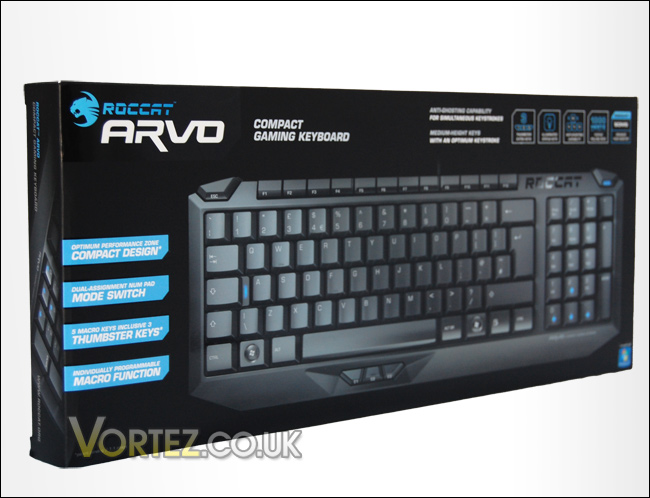
Every ROCCAT product usually arrives in a pleasantly designed box and the Arvo follows this trend. It comes in an attractive box, with an 3d impression of the Arvo on the front. It does a great job in informing you of all the features and on the reverse are further details including two testimonials from pro gamers ‘Zonic’ and ‘Tak3r’.Inside the box are the following:
• ROCCAT Arvo
• Inari Case Mission Book with ROCCAT ID Card
• Driver CD
• Quick Install Guide
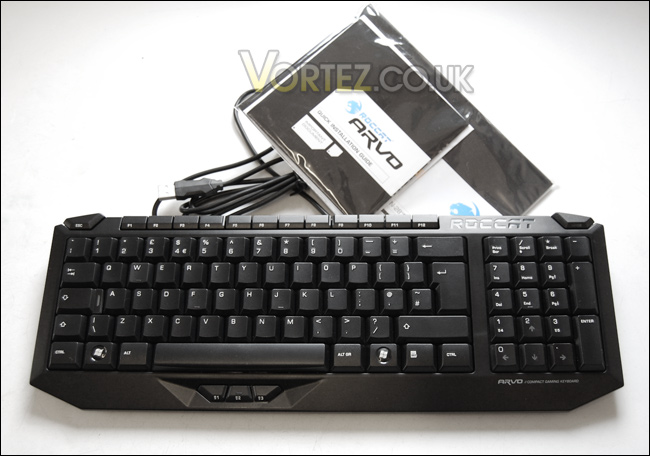
Taking the Arvo out of the box and handling it for the first time makes you aware of just how compact this keyboard really is. Even compared to the slim-line Dell keyboards that are commonly shipped with all of their desktop systems, it takes off a valuable inch or two.
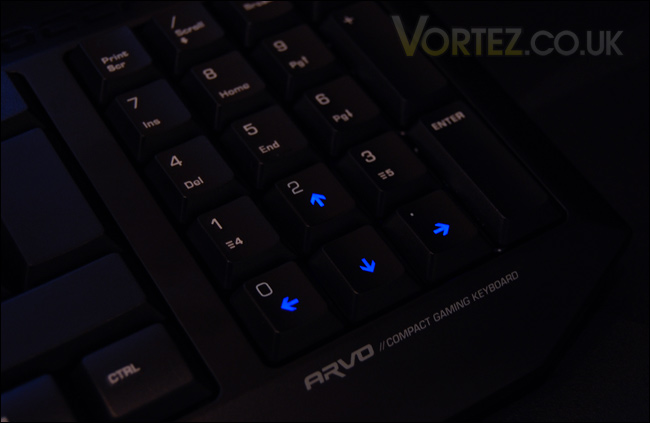
In order for the keyboard to be significantly smaller than the standard keyboard but supply extra keys ROCCAT have put a mode switch button (in the top right corner) that allows you to switch the numpad area to using numbers or arrow keys for gaming. This is indicated by blue LED’s that illuminate the arrow keys if you are in gaming mode. By this the Arvo can keep the same amount of buttons as the conventional keyboard but be much smaller in size thus making it a great product to fit into the SDMS (Smart Desktop Management System).
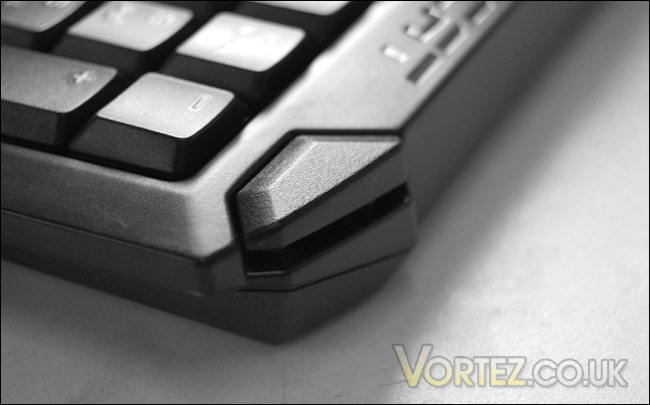
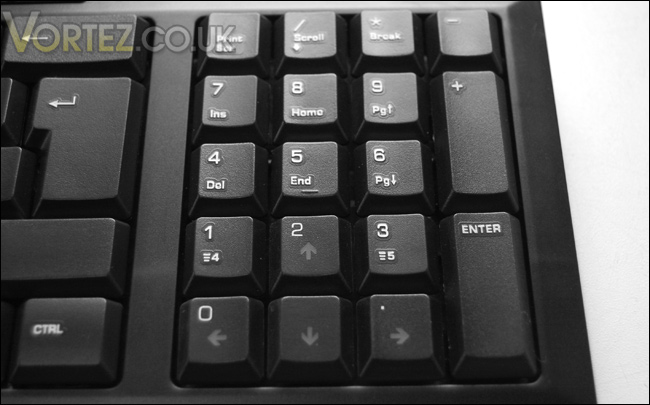
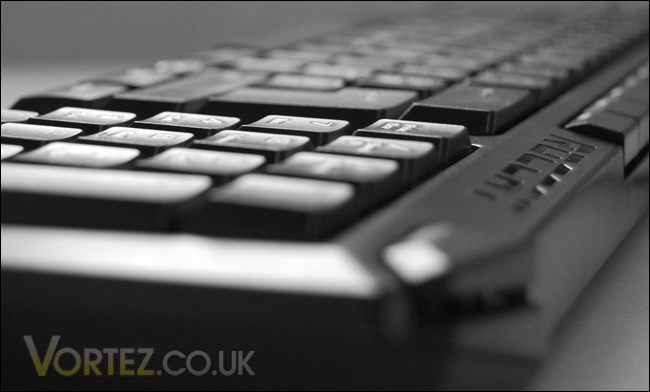
The shape and design of the Arvo is follows a similar design pattern to the Kova. The ESC button has a nicely shaped ergonomic feel to it as do the ‘F’ buttons, they are nice and short. The only buttons to remain similar in size are the letters themselves, this should allow typing speeds to but unaffected which is great news. Compact keyboards are great in essence but this usually means odd shaped buttons throughout and this affects keyboard typing, but not with the Arvo.
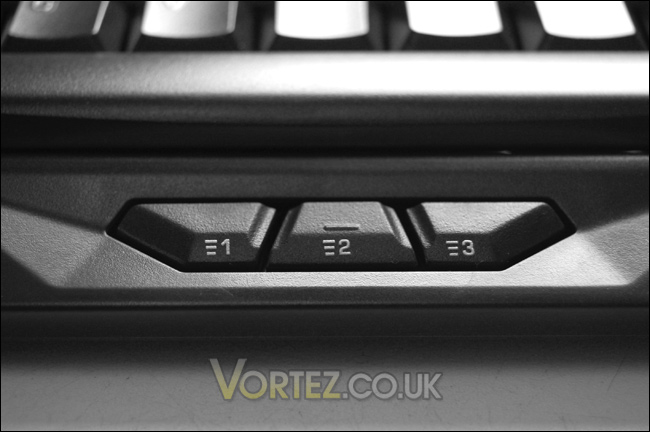
Below the space bar are three ‘thumbster’ buttons that compliment the other two keys positioned on the 1 and 3 numpad buttons. These buttons can be programmed to perform predefined macros. Due to gamers commonly using WASD for gaming, the thumb is usually positioned over the space bar (jump) so placing buttons near this is a good idea. It keeps everything close and quickly accessible. Later we will be taking a look at the software bundled with the Arvo to see how effective the programming of these buttons is.
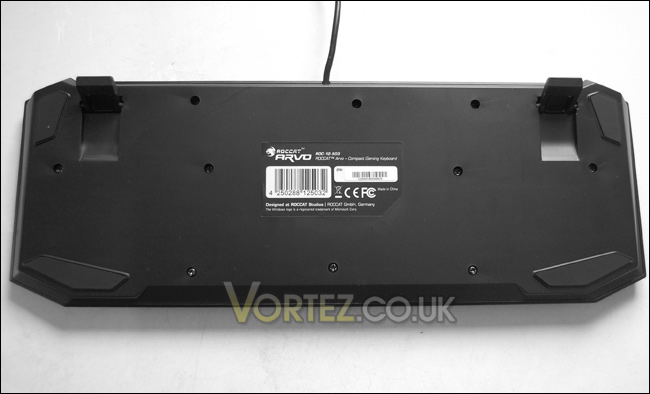
Lastly the underside of the Arvo features soft rubberized pads to prevent the board moving during usage. The two stands that flip out are also coated in this rubber material to add additional support. Overall the quality of this keyboard is very high and it looks and feels excellent. Over the page we will be taking a look at the all important performance of the Arvo.
Performance
There’s no hard and fast test for determining whether or not any gaming peripheral is better than the rest. But to provide you with some quality feedback I will be using the keyboard over 2 whole days, using as many of the keys as I possibly can both in Windows and in-game.Windows based tasks
The ROCCAT Arvo being so compact gives the impression you do have plenty of space on the desk. The layout of the keyboard as already mentioned remains unhindered and so each of the tasks that I undertook with the Arvo were painless. I used this keyboard in web browsers, typing to friends using Windows Live Messenger, and amongst other applications and tasks to actually write this review. Typing is fast and comfortable, the transition from numpad to gaming mode can put you in a bit of a spin at times especially if you use the arrow keys to navigate folders or even web pages. But like with many things, once you have used the Arvo for a few hours it becomes second nature. I programmed a few of the thumbster keys (using the software below) to functions such as opening up my default browser to my homepage, again this is easy and gives the whole windows experience additional functionality.
Gaming
With the Arvo being a gaming keyboard, its only fair that we give it a run through on a game or two. To test out the ROCCAT Arvo I spent many hours in Call of Duty Modern Warfare 2. As with the previous Windows testing, the Arvo takes on gaming tasks with ease, because its compact it allows you to get into better position with the mouse and have greater control. What I like most of all though is the ability to use those thumbster buttons below the spacebar. As ROCCAT suggest, they give your thumb something more to do!! I assigned a few commands as I describe below, and this gives me more control inside the game. A clear winner.
Software
Bundled with the Arvo is a Driver CD containing software that allows you to customize the 5 programmable buttons on the keyboard. Using the software is quite easy and the program itself is fairly lightweight and small enough to not cause any problems.
There are preset macros that have already been setup for popular games such as WoW and Crysis. I don’t actually play any of these games frequently enough to use those macros. The only game I’m seriously playing at the moment is Call of Duty Modern Warfare 2 and since this isn’t in the list, to use the thumbster buttons I will need to create a new macro. But since the software allows me to do this easily, its no painstaking task.
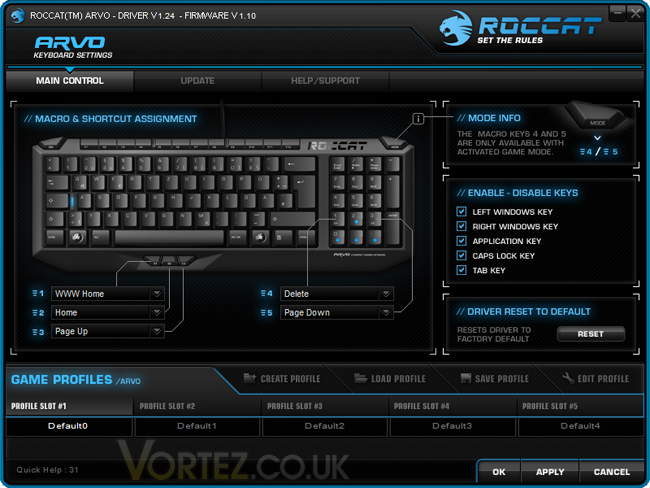
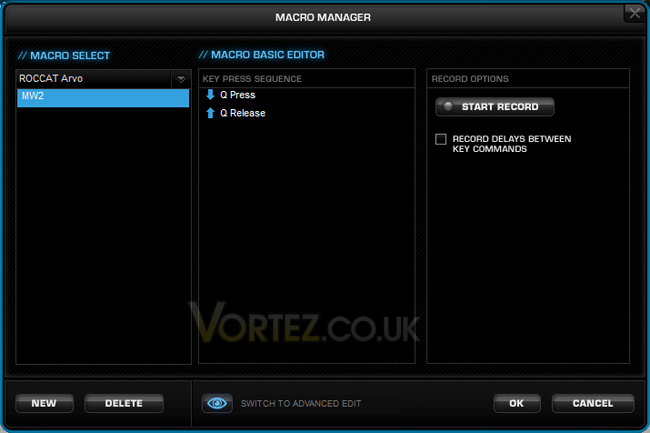
To create a new macro I just had to load up Modern Warfare 2and ensure the Arvo software is running the background. When the game has loaded, I just have to make sure I’m actually taking part in a mission or on a multiplayer server and then if I ALT + Tab back to the Arvo software and click create new macro, record, jump back in game and I just need to perform the action, close the game down, go back to the Arvo software stop the record and edit all the other keystrokes that are unnecessary out. It sounds like a lot of steps but really it isn’t. It took me all of 2 minutes to create the macro, I assign the thumbster button #1 to throw a stun grenade. This is actually really handy for Modern Warfare 2, assigning a key to a killstreak command would be very useful.
Conclusion
We\\\’ve seen an impressive collection of products added under ROCCAT\\\’s SDMS this year, the Arvo being the last to complete the collation. ROCCAT can certainly be proud of what they have achieved in the SDMS.The purpose of the SDMS is to utilize your desktop, to furnish your system with simple yet feature rich gaming peripherals. The ROCCAT Arvo does just this. It\\\’s compact, yet it doesn\\\’t loose any functionality. It\\\’s low cost yet it isn\\\’t made from cheap and nasty materials.
What I like most about the Arvo are those novel thumbster buttons, I\\\’m surprised there isn\\\’t anything on the market to come up with this idea. I\\\’ve tried and tested the Arvo and this particular feature is a favourite, and is so useful.
If I was to criticize this keyboard in anyway I would have to be that at first it can be tedious during windows operations having to swap between gaming mode and numpad mode. Using Photoshop in particular highlighted this for me because, I use the keypad to resize images and I also use the delete key on the numpad (number 4) and so I need to switch between these modes each time I resize and cutout objects.
The ROCCAT Arvo is on the shelf at £55, which is placed quite reasonably amongst the rivals. This product is ideal for someone who wants to free up that space on the desk but be able to get the most out of their games. It comes as no surprise that the ROCCAT Arvo receives the highest award – Gold.
Pros
+ Sleek, and very compact
+ Price
+ Looks great
+ Thumbster buttons are very useful
Cons
– Can be tedious swapping between modes during tasks that use both
We would like to thank Meroncourt and ROCCAT for providing the Arvo. Discuss this review on our forums

