A 19,000 DPI optical sensor, 2.4GHz and Bluetooth connectivity, incredible low weight and RGB all over the chassis are just some of the stand-out features of the Burst Pro Air, read on to see what we think.

Product on Review: ROCCAT Burst Pro Air
Manufacturer: ROCCAT
Street Price:
GBP: £89.99
USD: $99.99
AUD: $169.99
Two trends have crept their way into the peripherals market in recent years, lightweight mice and wireless technology, traditionally it has been incredibly difficult to produce any product that’s lightweight and wireless, typically due to the weight of a battery. However, ROCCAT appear to have cracked it with the Burst Pro Air, tipping the scales at only 81 grams.
The Burst Pro Air offers a 100-hour battery life, 2.4GHz gaming-grade wireless connectivity, as well as Bluetooth 5.2 for less latency-sensitive applications, a 19K DPI optical sensor and NVIDIA Reflex compatibility. Not only that, ROCCAT have shoe-horned four-zone RGB lighting under the shell, and equipped it with their new Titan Optical Switch technology for unprecedented speed and precision.
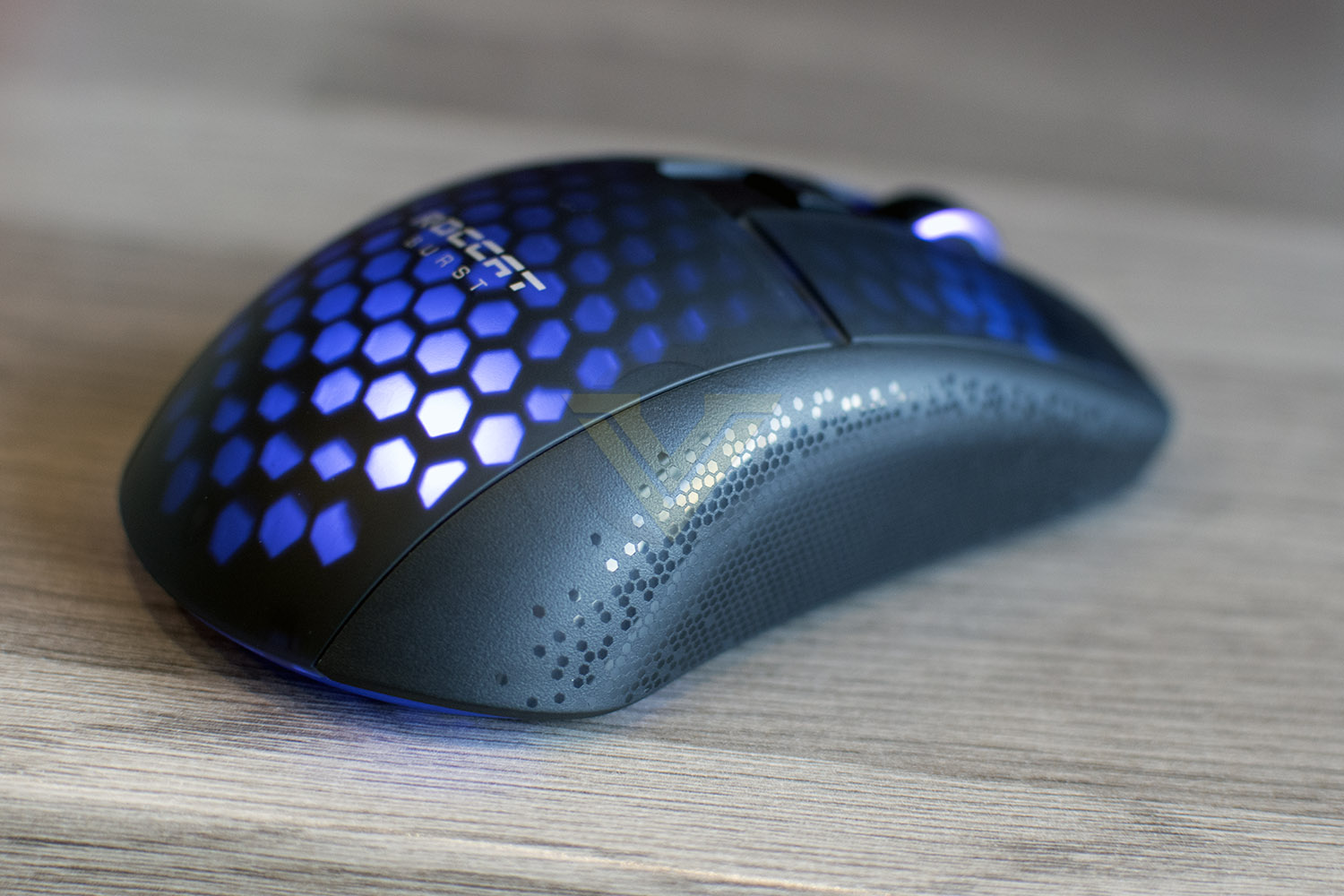
ROCCAT’s Bionic Shell, which features a honeycomb structure under the plastic, helps to reduce the mouse’s weight while retaining water and dust resistance, and thanks to the symmetrical shape, the mouse is suitable for righties or lefties.
The feature list is certainly promising and it comes from a strong pedigree, so let’s see how it fares in our tests.
ROCCAT on the Burst Pro Air:
Meet the ROCCAT® Burst™ Pro Air wireless gaming mouse for PC. The Burst™ Pro Air brings ROCCAT’s symmetrical lightweight shape with its enthusiast feature set, comfort and performance, into wireless. Its water- and dust-resistant Bionic shell keeps mass at a lightweight 81 grams. Featuring Titan Switch Optical, heat-treated glides and Stellar Wireless technology for high-performing, unrestricted gameplay.
[youtube=https://youtu.be/4CxEsUmTbjQ]
Technical Specifications
Sensor:
ROCCAT® Owl-Eye 19K optical sensor (Based on PAW3370)
Adjustable lift-off distance
50g acceleration
400 IPS tracking speed
General
ROCCAT® Titan Switch Optical
100 million click life cycle
On-board memory for up to 5 profiles
ROCCAT® Bionic Shell
1.8m flexible detachable cable
Dimensions
Length: 120mm
Height: 38mm
Width: 58mm
Weight: 81g
Compatibility
Windows® 7 and above (Software support)
USB 2.0 (or higher)
Internet connection (for driver software)
ROCCAT® Owl-Eye 19K optical sensor (Based on PAW3370)
Adjustable lift-off distance
50g acceleration
400 IPS tracking speed
General
ROCCAT® Titan Switch Optical
100 million click life cycle
On-board memory for up to 5 profiles
ROCCAT® Bionic Shell
1.8m flexible detachable cable
Dimensions
Length: 120mm
Height: 38mm
Width: 58mm
Weight: 81g
Compatibility
Windows® 7 and above (Software support)
USB 2.0 (or higher)
Internet connection (for driver software)
Packaging & First Look
The Burst Pro Air is delivered in a small black box with a funky looking design on the front, the box advertises the 2.4GHz and Bluetooth connectivity, Titan Optical Switch and extreme lightweight design.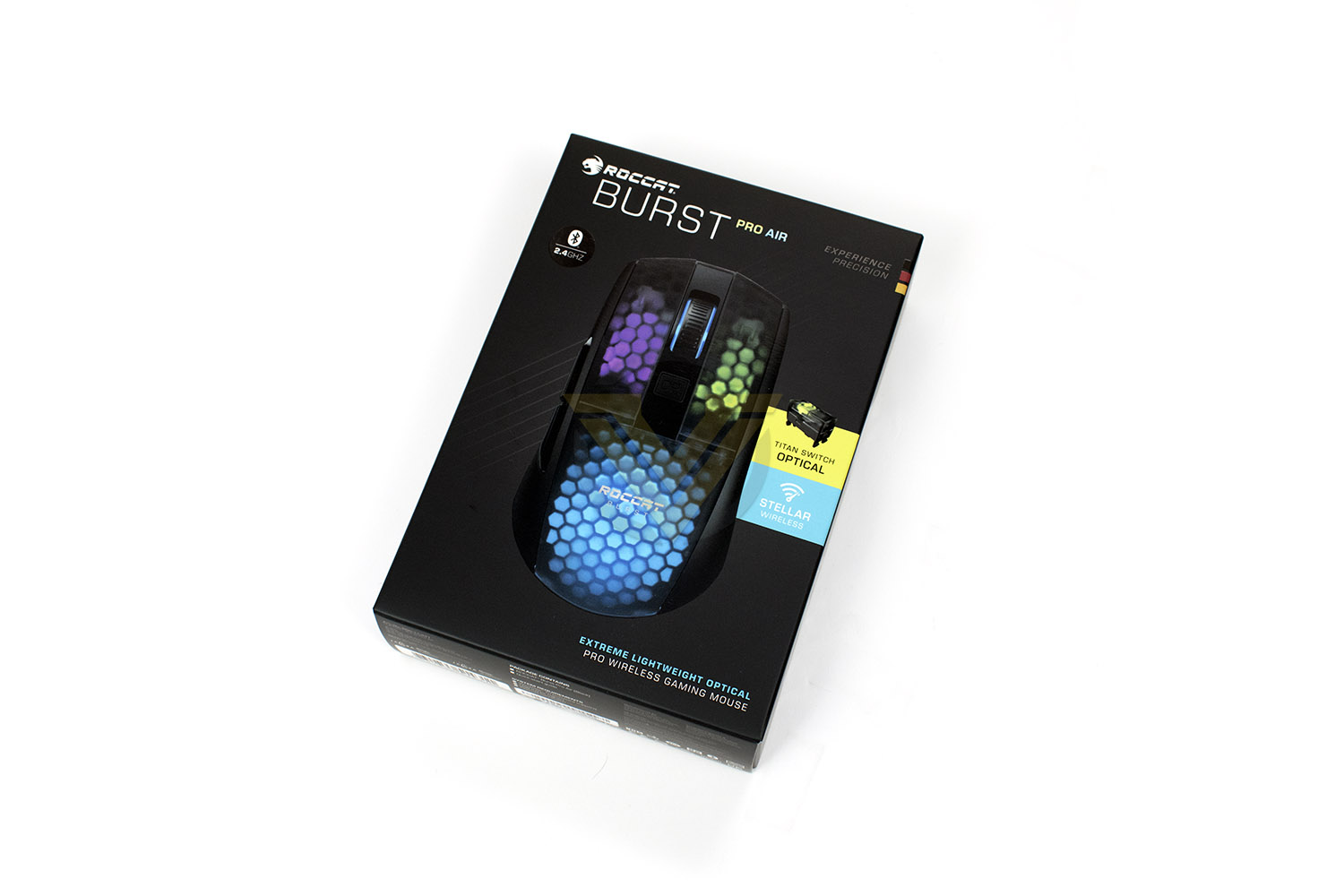
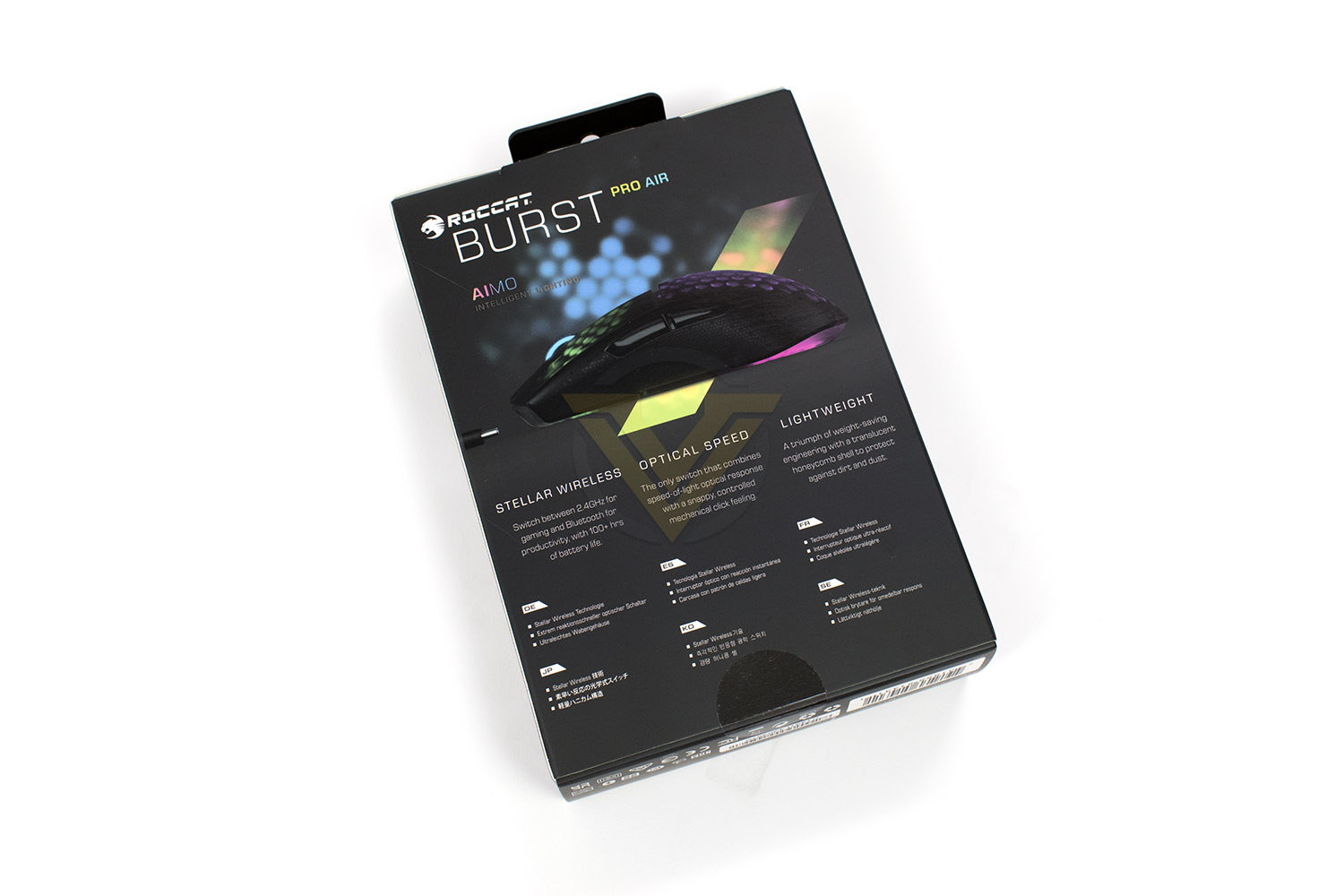
The reverse side goes into the deep-dive, giving you all the information you need, as well as more fancy imagery of the mouse.
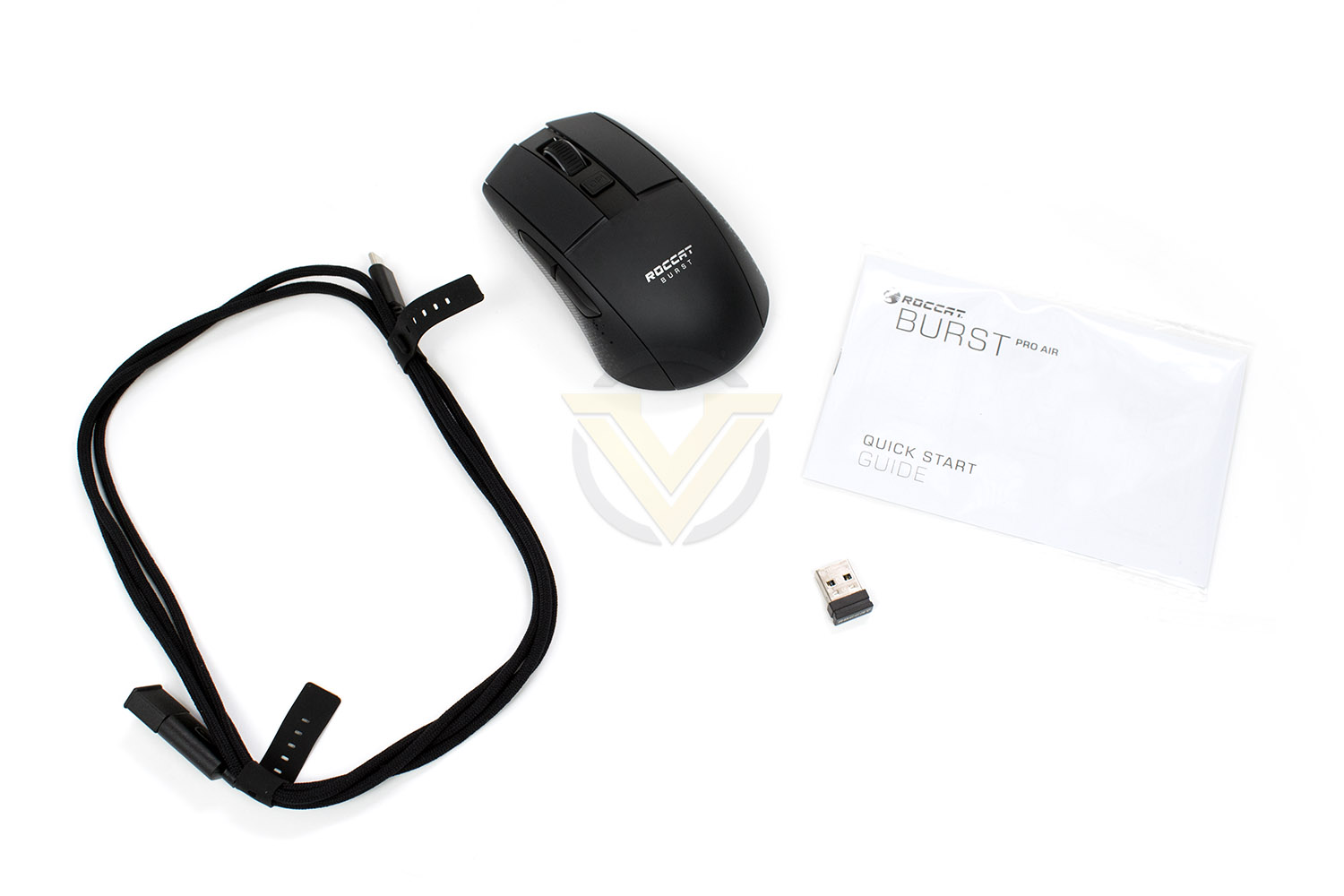
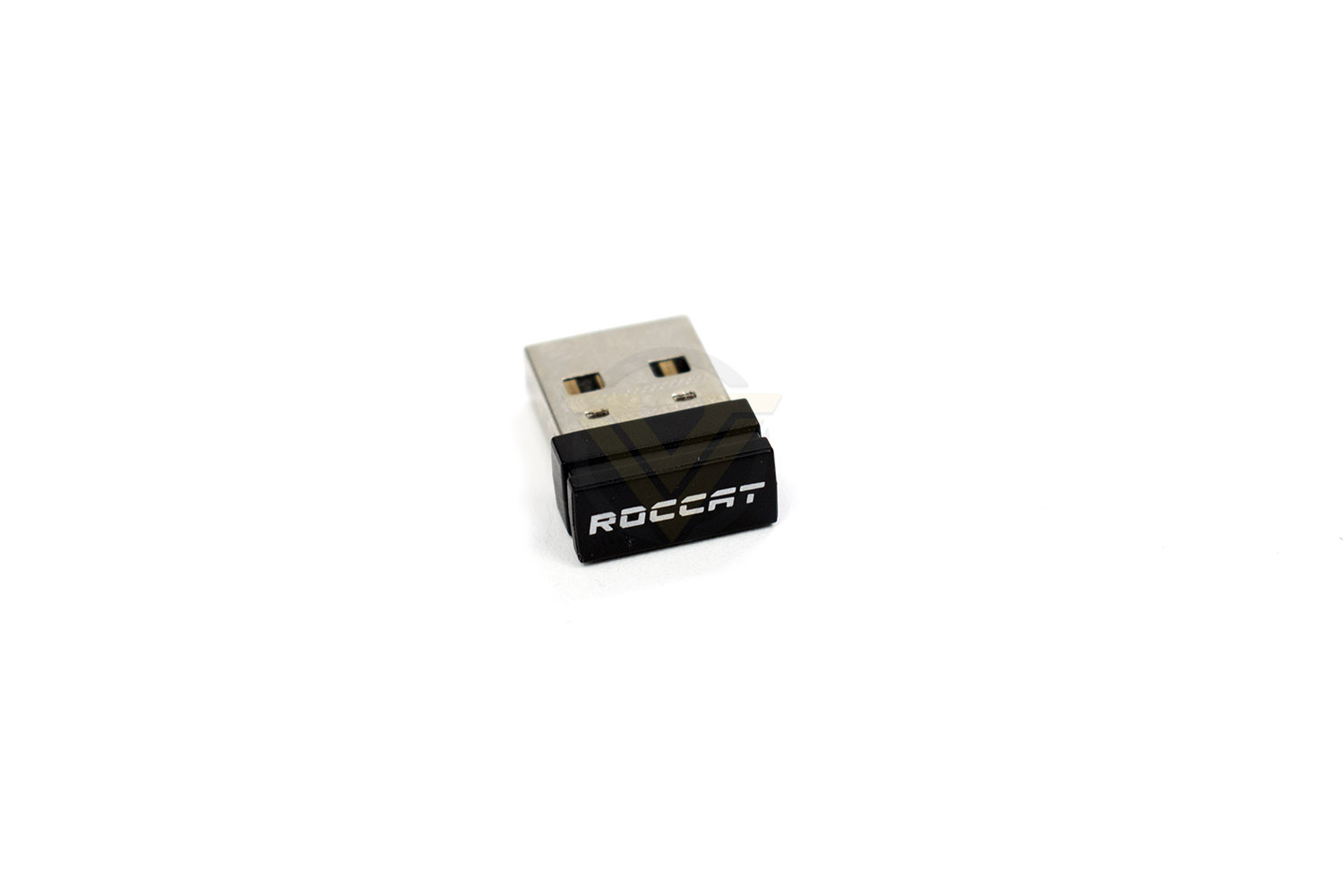
Included with the mouse is a tiny wireless USB dongle, a USB Type-A to USB Type-C braided cable and a quick start guide.
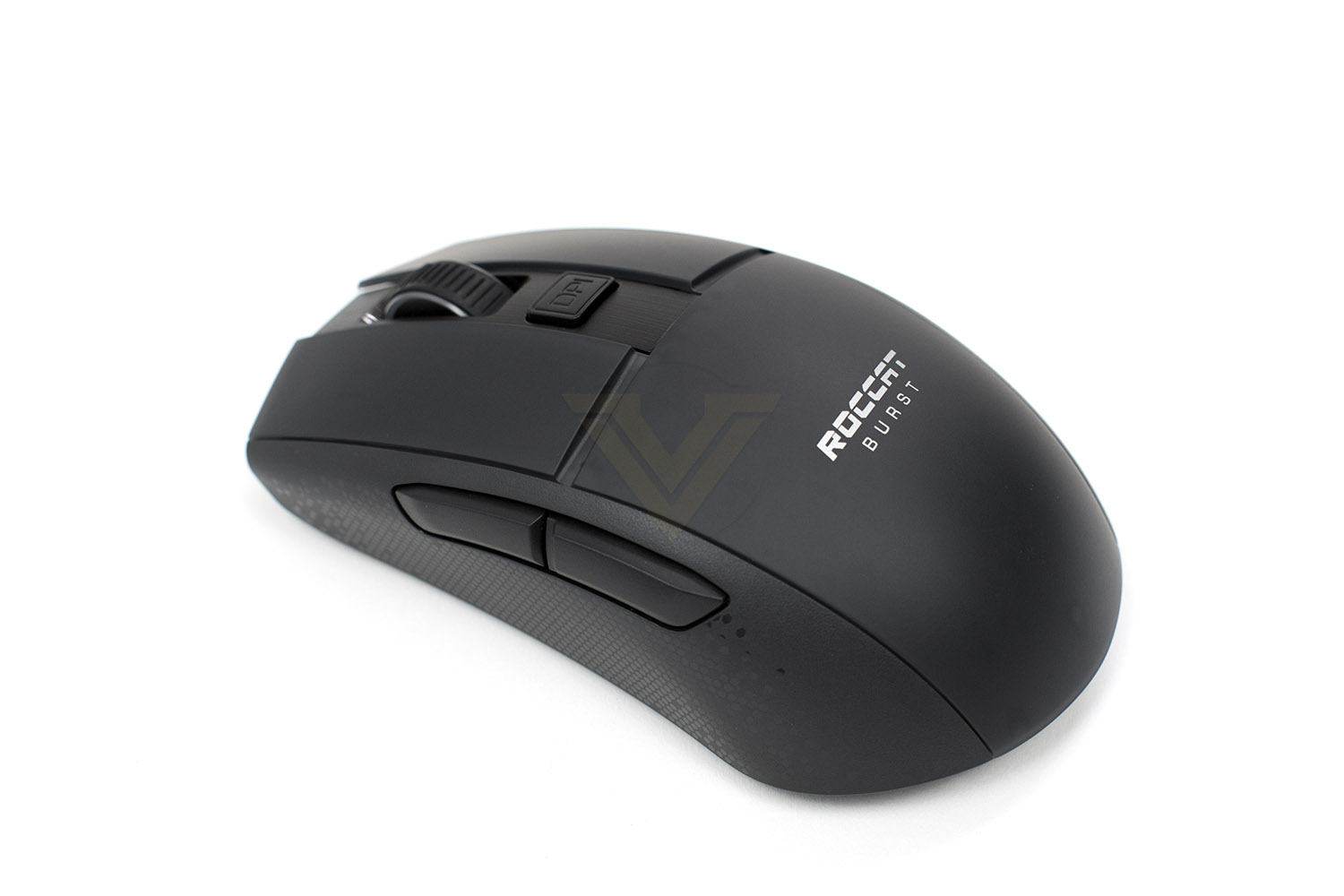
ROCCAT’s Burst Pro Air is packaged inside of a symmetrical chassis, weighing in at a tiny 81g.
Closer Look
ROCCAT’s new wireless mouse measures in at 120mm in length, 58mm wide and 38mm tall, with a fairly everyday-looking exterior, but everything isn’t quite as it would seem.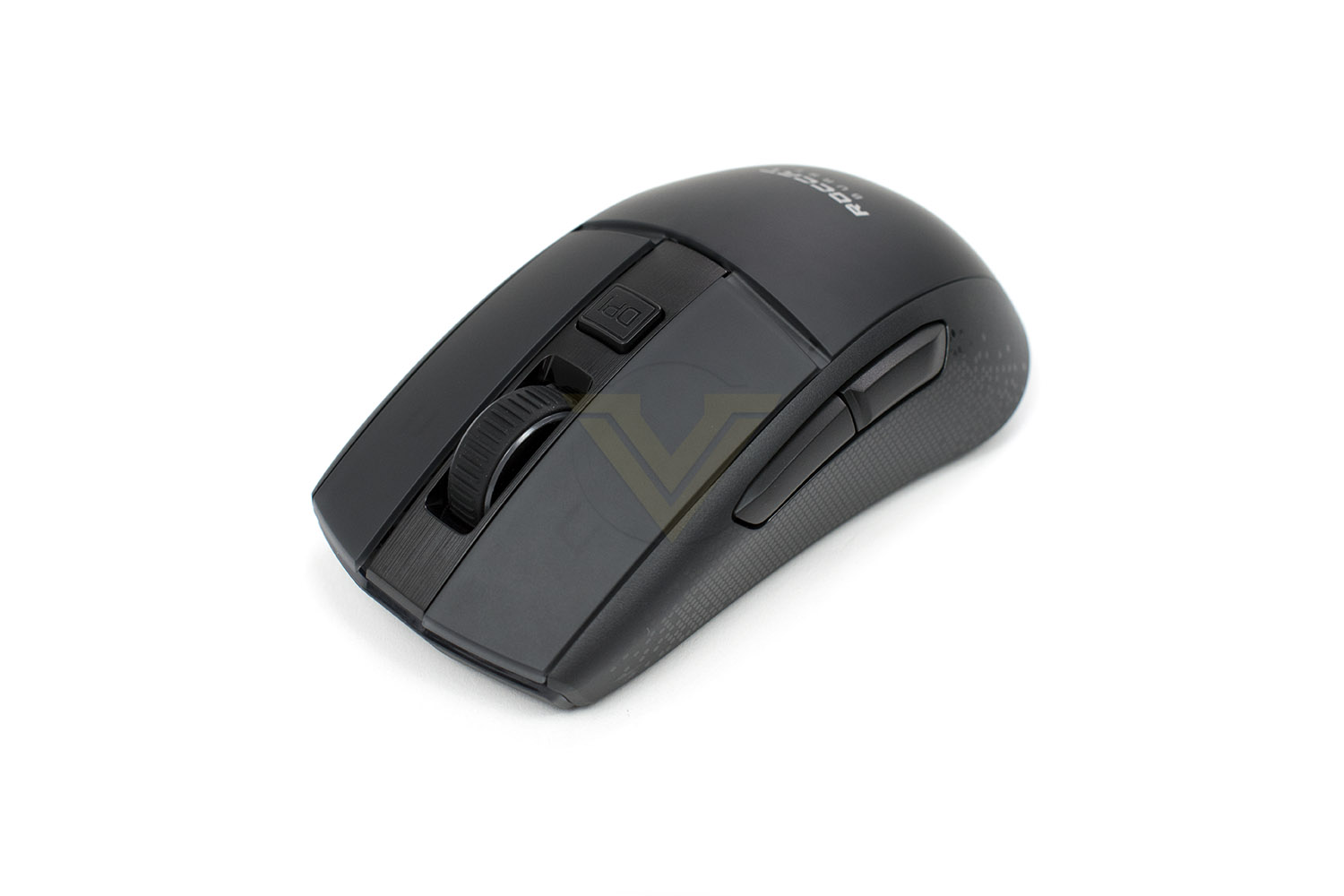
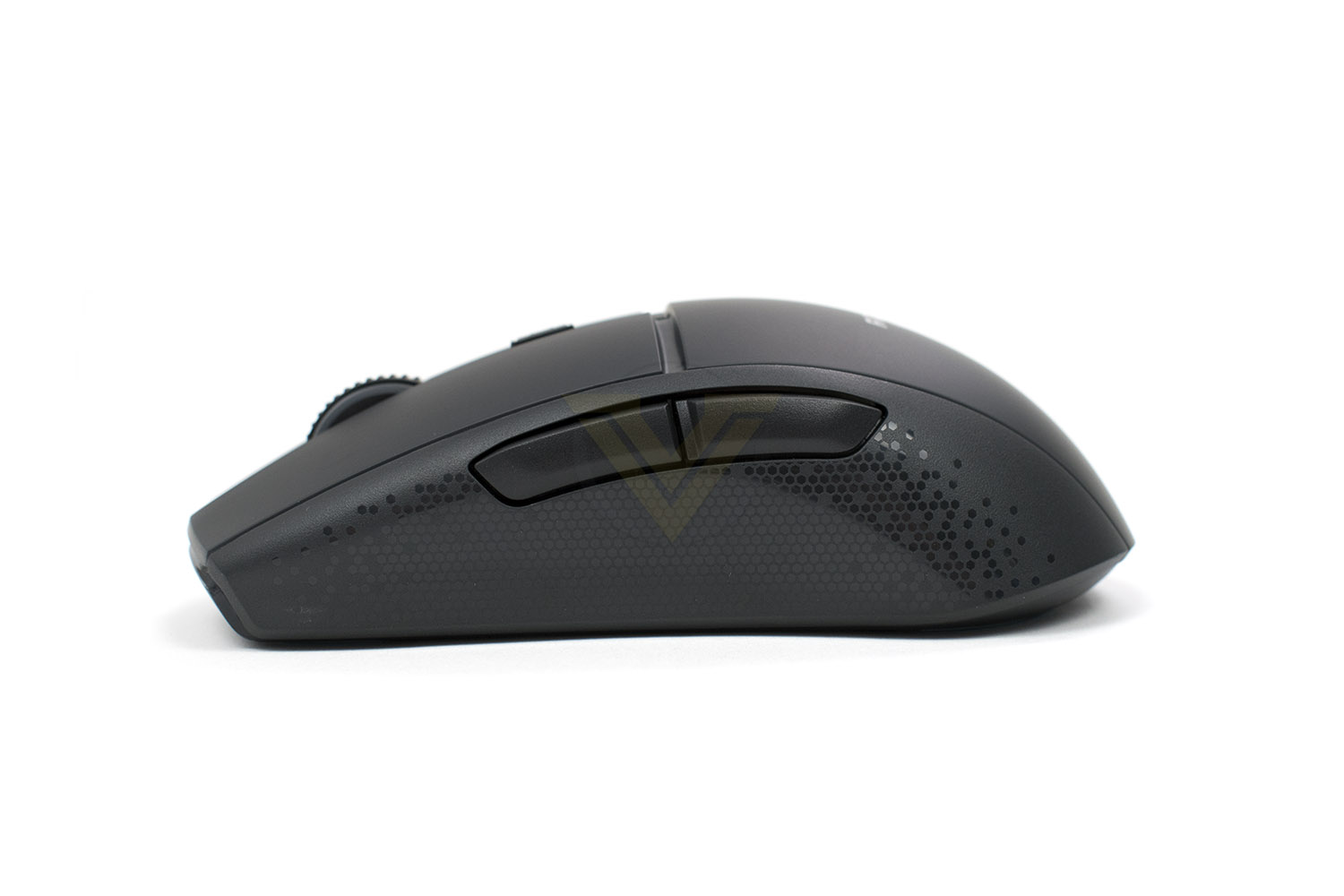
The left side of the mouse is textured to help aid grip with a couple of large thumb buttons. From this angle, you can get a good idea of the shape of the mouse.
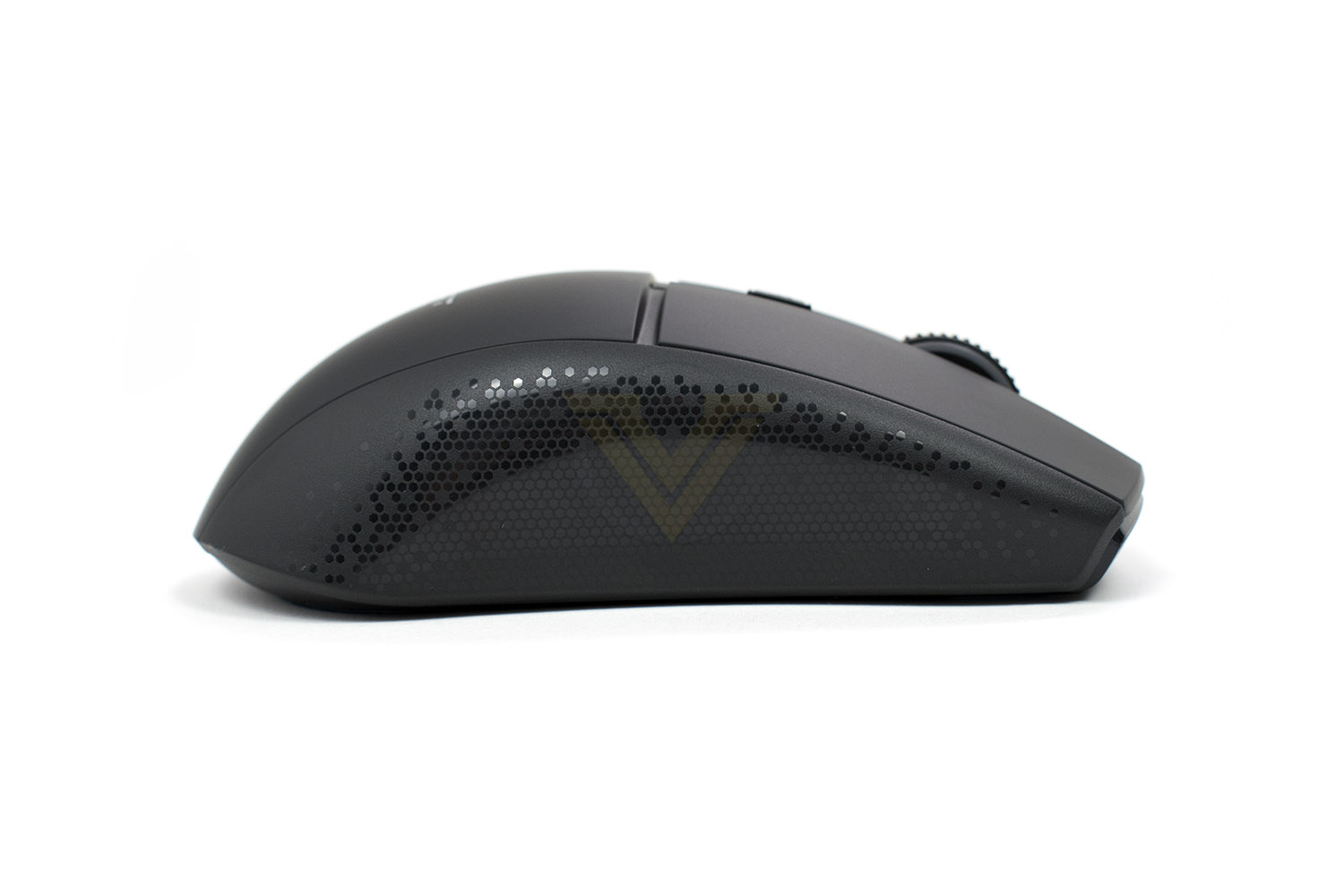
The right side mirrors the left in terms of shape, but it’s lacking the two buttons, so despite ROCCAT’s advertisements of the Burst Pro Air being symmetrical, it’s not quite.
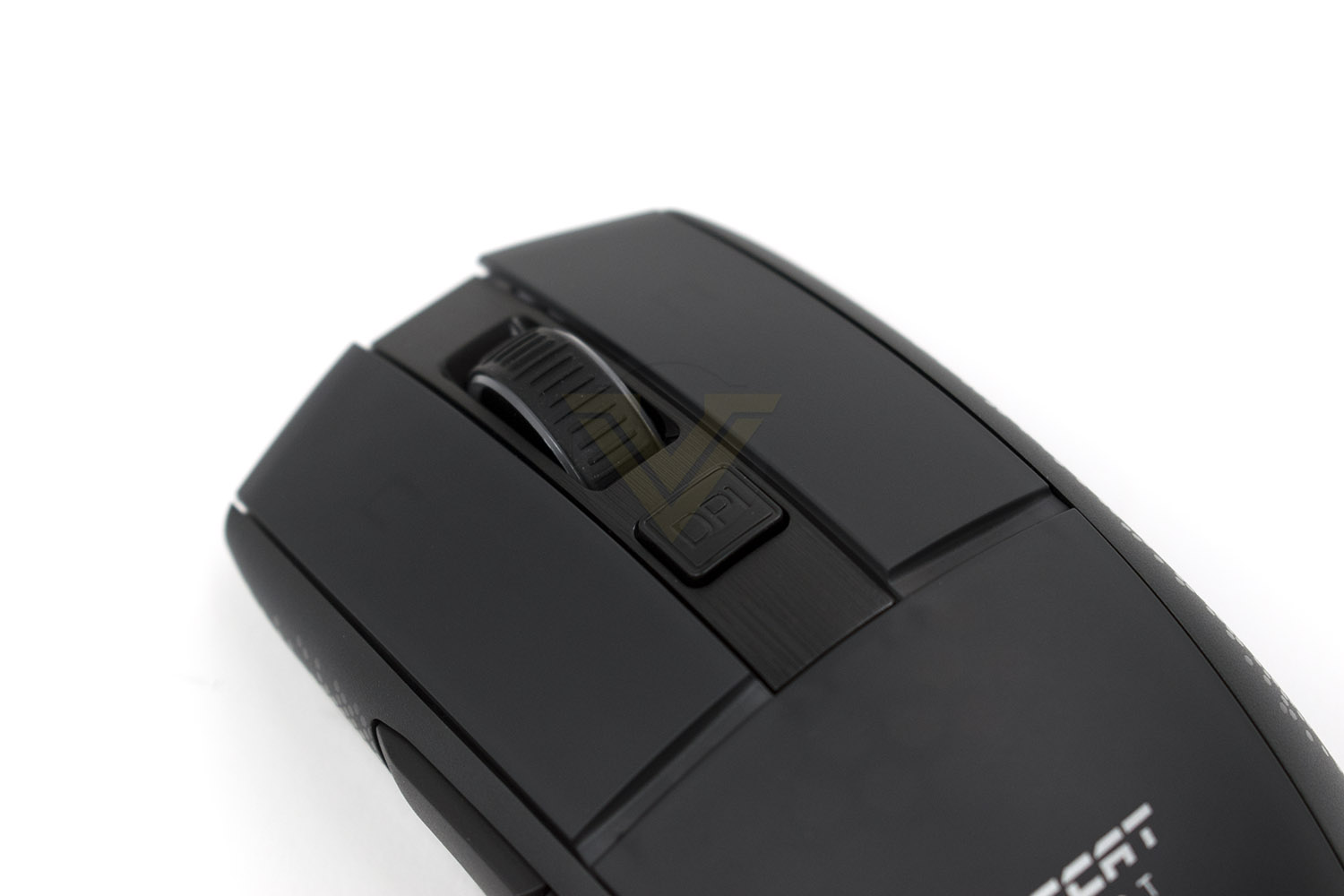
The front of the mouse houses a large rubberised scroll wheel with RGB lighting on the edges, a DPI button just behind it for toggling between DPI presets and two broad buttons for the right and left click. Just under those large buttons are ROCCAT’s optical switches, which offer faster actuation, no debounce time and extended lifespan.
Closer Look (Continued)
Flipping things over, the underside of the mouse has a good deal going on to talk about. The PTFE glides are heat-treated for extra longevity and reduced friction, and as you can see, they’re huge compared to some other brands of mice. The 19k optical sensor, based on the PAW 3370 sensor, is located almost exactly in the centre of the mouse, which gives the most natural feeling possible. Along the top edge, as seen in the photo, there’s a recess where the USB wireless dongle fits perfectly, a wireless sync button and an on/off switch that doubles as a wireless transmission toggle between the 2.4GHz and Bluetooth.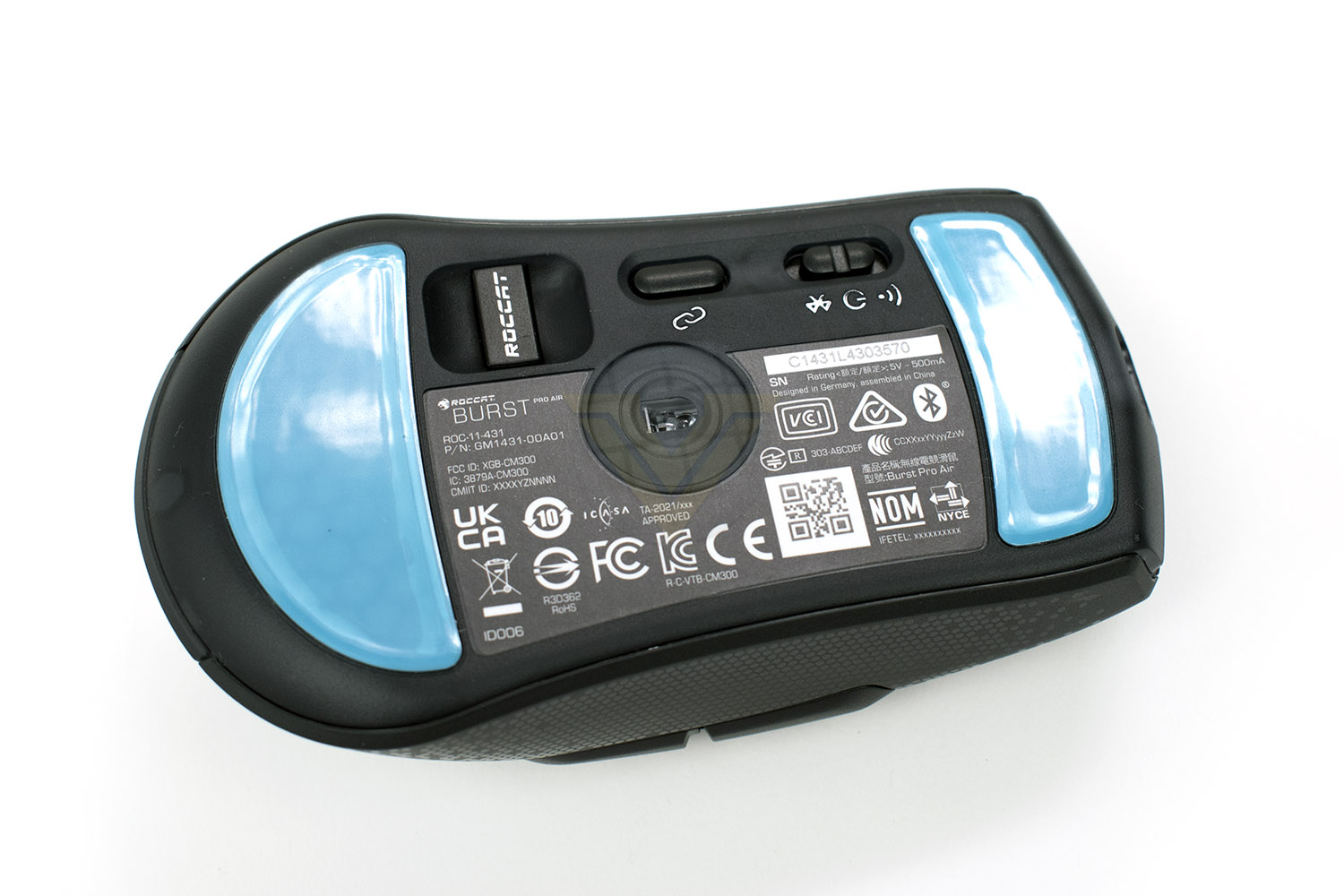
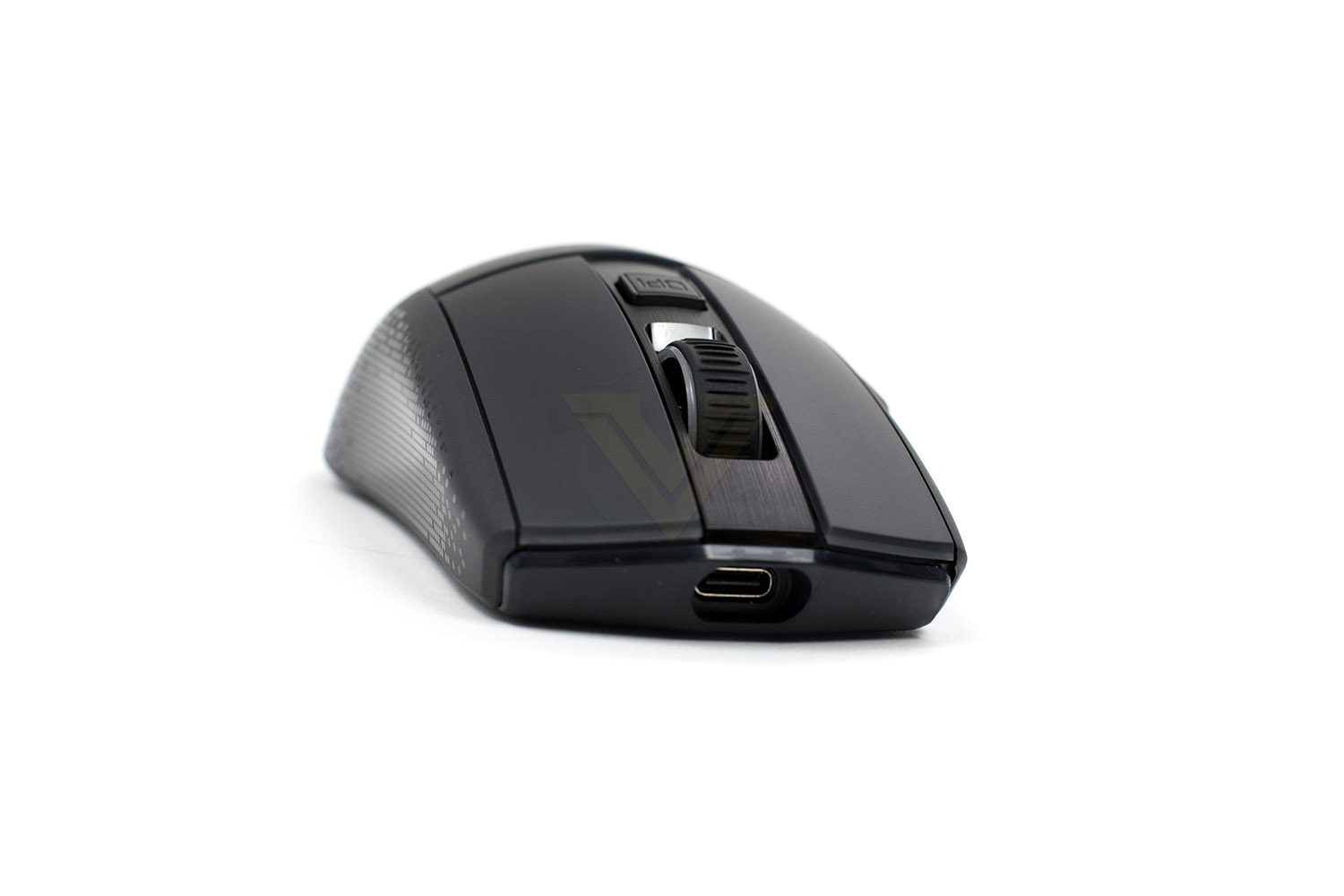
On the front of the mouse is a recessed USB Type-C port that’s uses for charging, with 10 minutes of charging providing up to 5 hours of playtime.
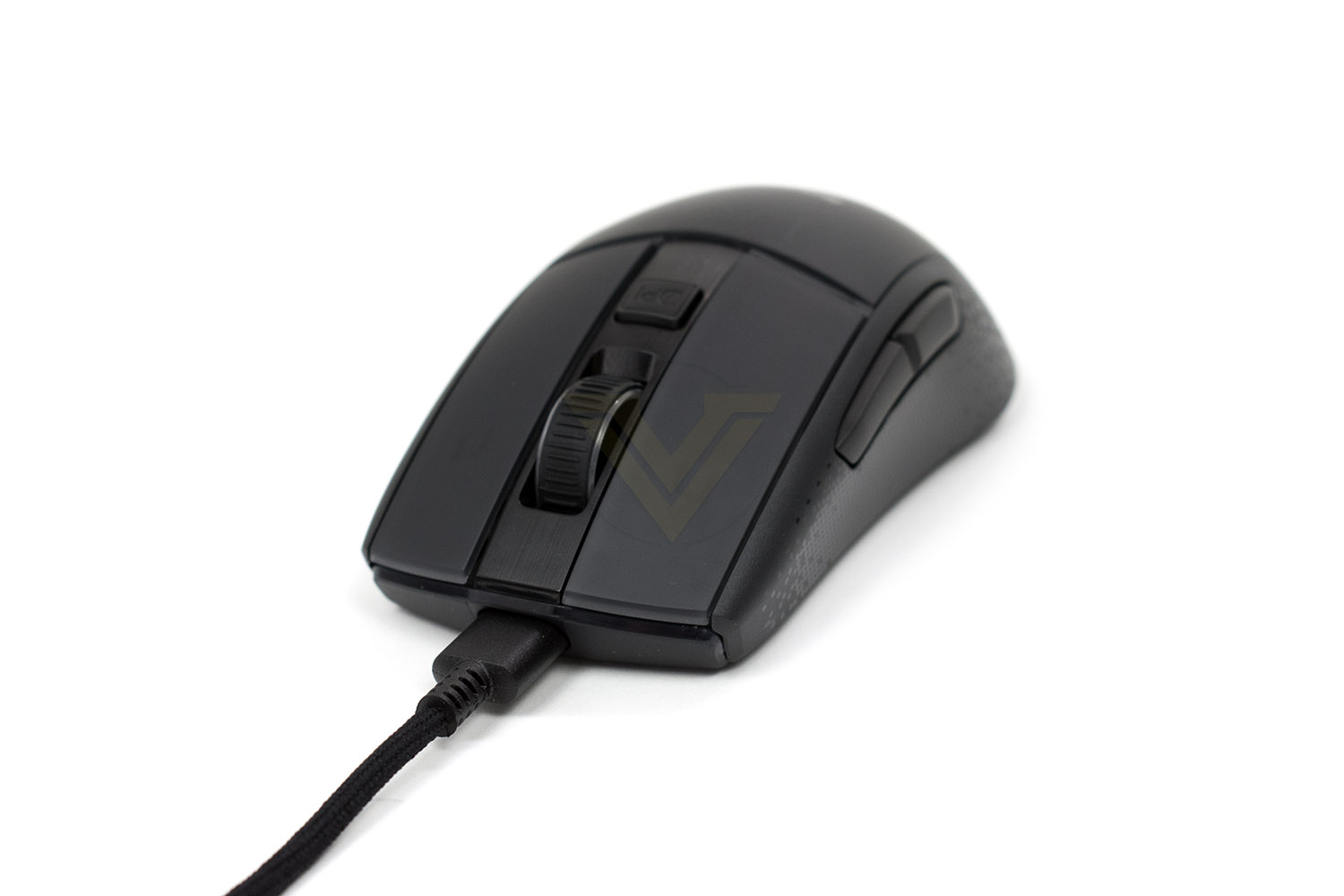
With the USB cable plugged in, it’s hard to tell that the mouse is even wireless, with a solid fit and good stability.
The tiny USB dongle sticks out just far enough that you can remove it again, with a small recess around the perimeter of the plastic enclosure, allowing your nails to gain some purchase. The dongle is only needed for the 2.4GHz transmission.
Software
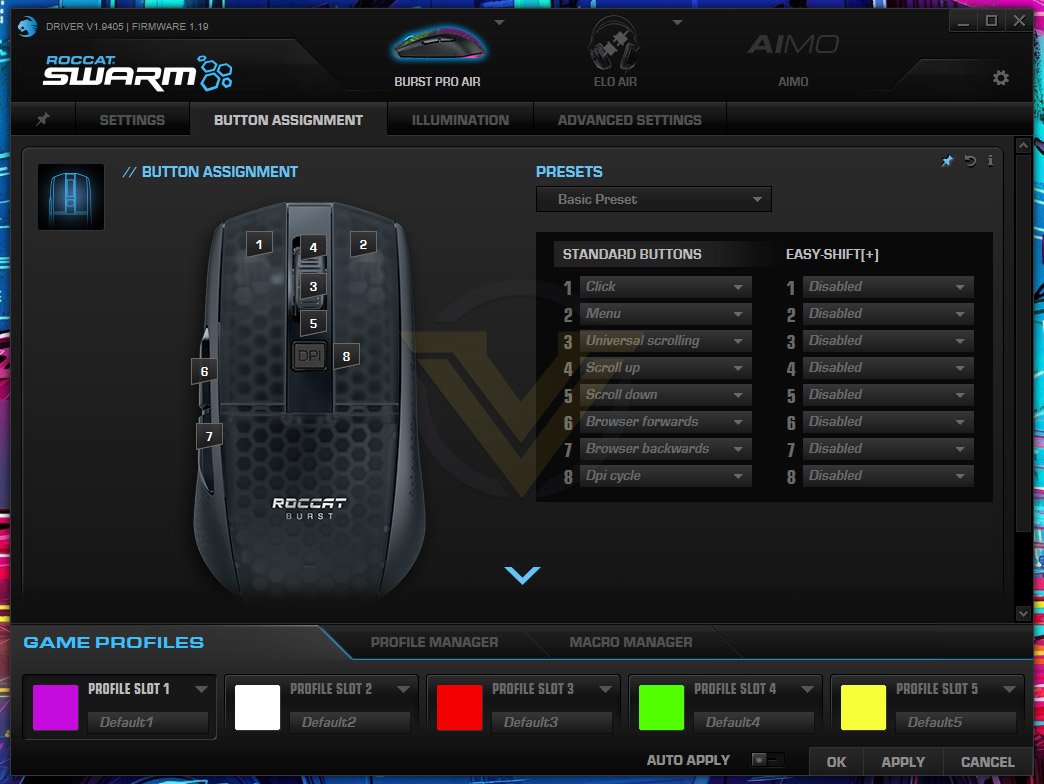
ROCCAT’s Swarm software suite looks after all of their peripherals, allowing very granular control of the small details on your mouse, or other peripherals. Setting the application up isn’t difficult and it immediately gets to work updating the firmware of all of your devices.The landing page is a customisable pinboard where you can add different options from other sub-sections of the software to easily and quickly get hold of them.
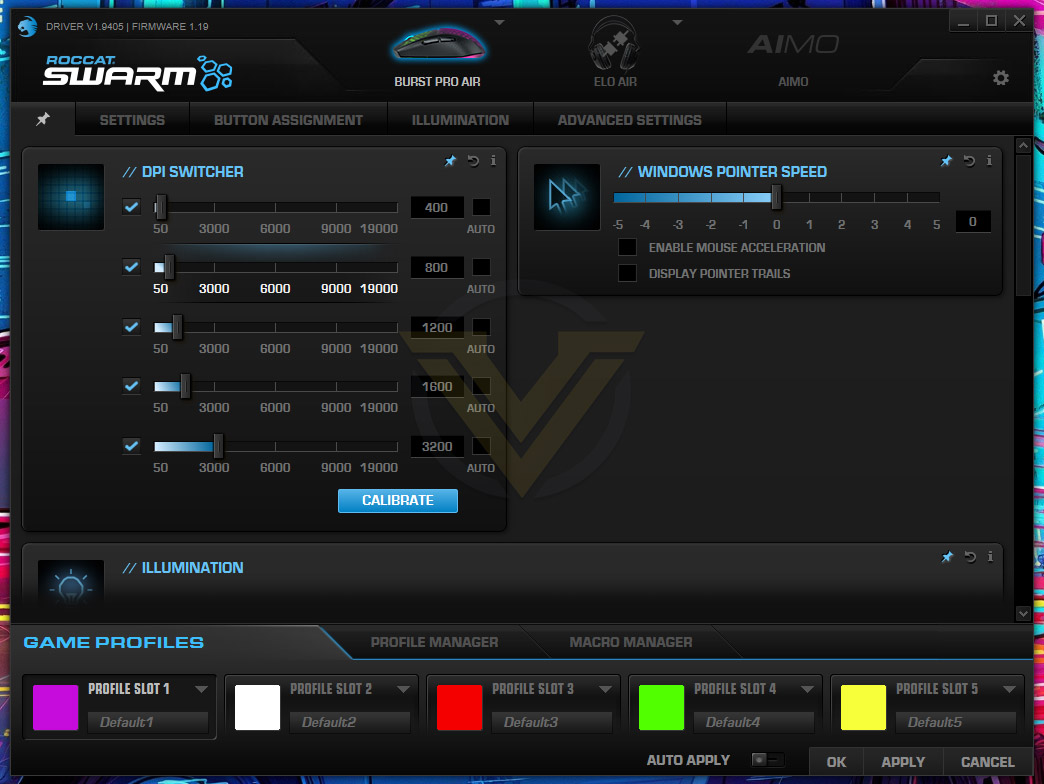
The first tab, Settings, allows you to adjust the main configurables of the Burst Pro Air, things like the pointer speed within Windows and the DPI settings, you can adjust things to your heart’s content here.
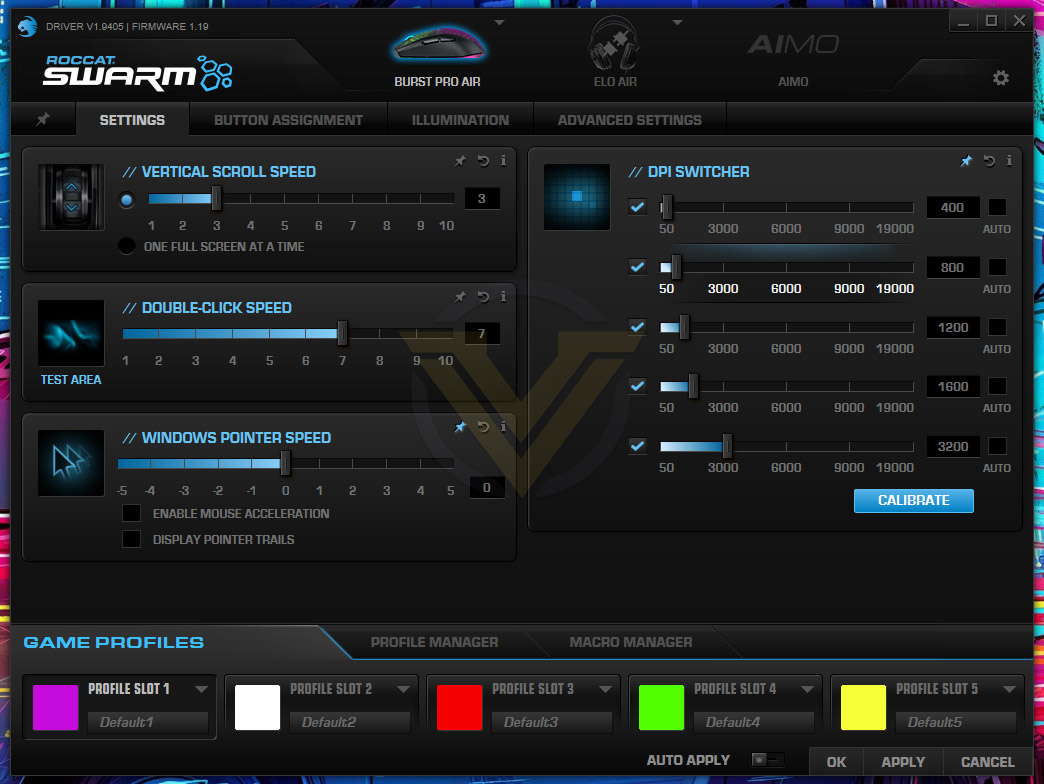
Moving along the top, the next screen is for button assignment, there are certain things you most likely won’t want to mess with, like the right and left click, but buttons 6 and 7, as well as the DPI selector, may well find better uses within your daily routines or gaming sessions. Macros can be set up at the bottom, if you find yourself using those in games.
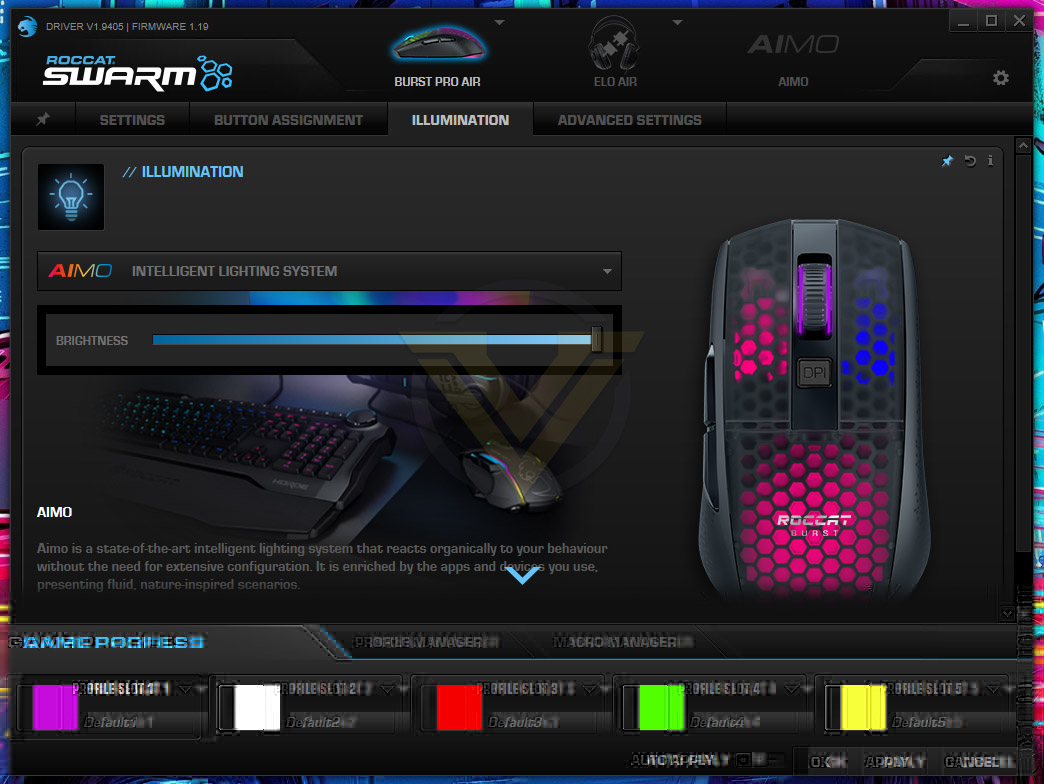
The illumination settings are next up, with four separate zones that can be adjusted. You can leave the RGB lighting up to ROCCAT’s AIMO Intelligent Lighting System, or you can adjust things to your heart’s content. If you have several other ROCCAT peripherals, we’d definitely recommend just using the AIMO, you can get some really lovely effects on the go.
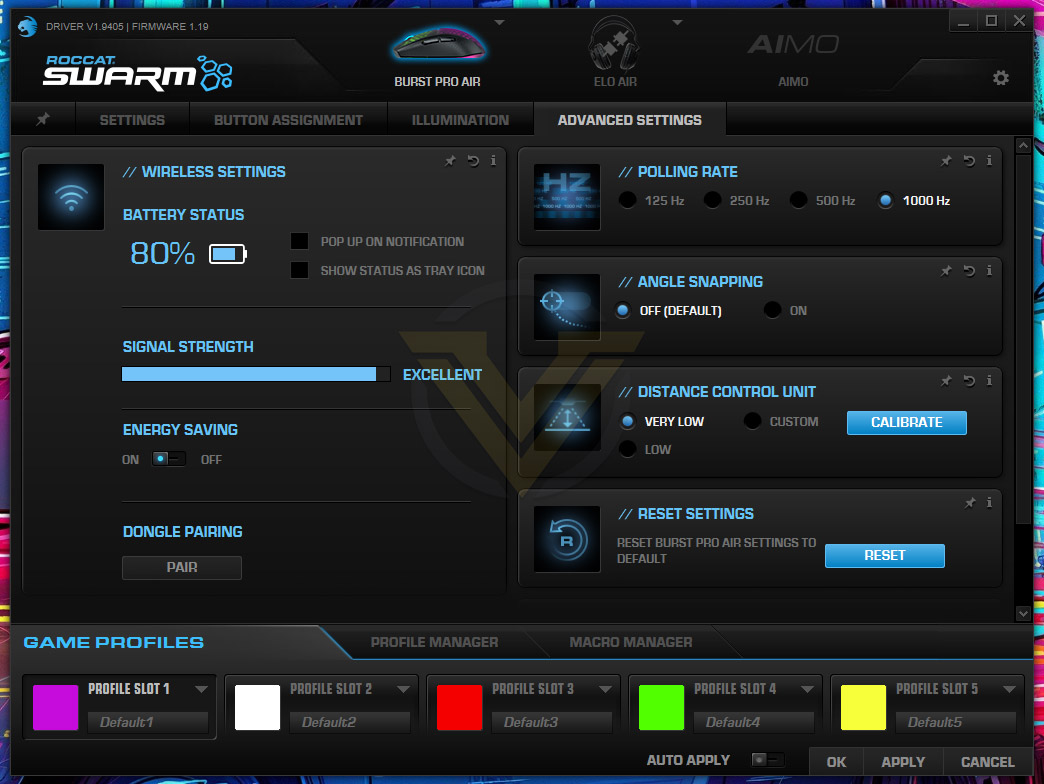
Onto the advanced settings, there’s some options you’ll definitely want to check out. The wireless signal strength isn’t something we’ve seen on a wireless mouse so far, which is pretty cool, and does work well when moving the mouse further and further away from the dongle. Other options include the polling rate, angle snapping, lift-off control and energy saving.
Performance Testing
The first time you fire up the Burst Pro Air, you’ll more than likely be blown away by how easily the mouse glides compared to whatever you’re replacing it with, the device moves around like nothing we’ve tested so far.Setting things up, thanks to the ROCCAT SWARM software, is a piece of pie. There’s a firmware update to do on the mouse and dongle, but other than that, you’re good to go. Things are especially straight forward if you already own or use other ROCCAT peripherals as the AIMO lighting will immediately kick into action and extend the current lighting effects already on show.
In daily use, the mouse is great, no complaints at all. The thumbs buttons are where they should be, it’s comfortable to hold, the build feels good. Yep, no issues here. Perfectly good as working from home daily driver.
Moving onto gaming, where we can let the thing stretch its legs, we ran it through a couple of tests. Firstly we dialled in the DPI and sensitivity settings, getting things set up just as they should be, then we kicked off the gaming with a prolonged session on Borderlands 3, the lightweight design was lovely, genuinely lovely. Next up we loaded in War Thunder, a game where fine, prolonged controls are key to gunning down enemies; after getting my eye-in with the new mouse, the lightweight design began to pay dividends, allowing smooth and precise movements.
The 19,000 DPI Owl-Eye sensor, based on Pixart’s PAW3370, performed remarkably well on the whole. The mouse felt quite sluggish straight off the mark, requiring us to up the DPI counter and reduce the sensitivity but once we had everything set up, it was all go. We tested the mouse out on a fine cloth surface, a wooden desk and a coarse mouse mat, all three tracked without issue.
A new technology within the world of peripherals is optical switches, we’ve seen a few keyboards with this feature but it was always due to make its way over to mice as well. There are two main advantages to using optical switches, it removes the debounce delay, which is a processing method that removes multiple signals, but it takes a short period for this to happen; optical switches are also more reliable than traditional metal contacts. While I fully trust that the debounce delay is removed, and that helps to improve the overall latency of the device, I couldn’t tell the difference, even with a 165Hz display on a fast-paced game; having said that, it certainly can’t do any harm, and if you’re really serious about your gaming then you may well find it easier to notice the tiny difference. One thing I did notice, however, was the crispness of the clicks, they feel lovely with a very positive action.
Build quality, as is to be expected from ROCCAT these days, is top-notch. Despite the incredibly thin plastic housing, structural rigidity is fine, they’ve found a clever way of using the honeycomb design underneath to keep things stiff while removing weight. There’s a small amount of flex from the thumb section (if you’re right handed) but nothing that would detract from things on a day to day basis. The scroll wheel is weighted just right, with a soft and quiet click so you’re not a nuisance to anyone else.
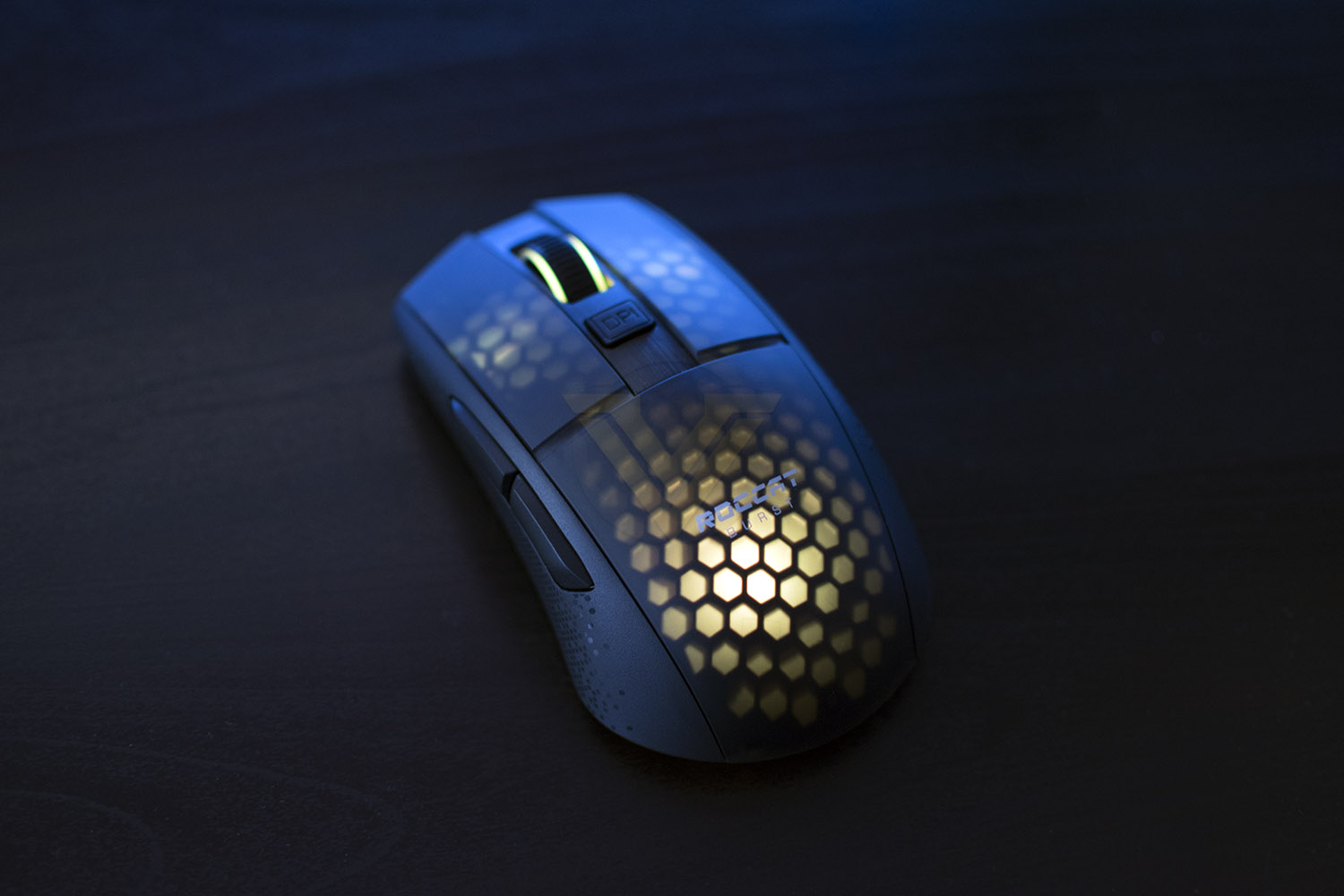
RGB lighting is quite unique here, with no actual “windows” built into the device, instead ROCCAT have machined the plastic chassis to be so thin that it becomes translucent. This is a very clever method, not only because it’s something new and fancy, but if you don’t like RGB lighting you can turn it off and there is absolutely no indication that there should be any lighting. Despite having to punch through the plastic housing, the lighting is still colourful and bright, the only noticeable problem here is the smoothness of the transitions, it’s very jumpy and ruins the effects somewhat.
Finally, onto battery life. We tested the mouse over about a two-week period and needed to charge it twice. We ran it with the RGB lighting the entire time, which will significantly effect the battery life, but it’s just too nice to turn off. Charging, though, really isn’t an issue, the paracord Type-C charging cable provides so little resistance that you could happily run it wired for 30 minutes while you build up a charge.
Conclusion
So, our closing thought on The ROCCAT Burst Pro Air?The chassis will fit most hands comfortably, it’s a fairly neutral shape with no real stand-out features, but sometimes that’s exactly what you want from a mouse, and it certainly hasn’t put us off it. We tested the mouse over the course of about a fortnight and found it to be very comfortable and easy to adapt to, the buttons are laid out where you want them, the scroll wheel is quiet but weighted perfectly, charging is super easy and the PTFE pads do their job without issue.
Build quality, especially with such a low weight, might be something you’re concerned about but we predict absolutely zero problems, there’s a no noticeable flex from the chassis, which might’ve been an issue with the thin plastic, and all of the buttons feel positive and nice to use, especially the right and left click with the Titan Optical Switch technology, rated for 100 million presses.
ROCCAT’s software suite offer everything you’ll need, it’s laid out in a logical manner, makes changing settings as easy as possible and gives plenty of control of macros and RGB lighting. This is certainly up there with some of the best peripheral software that we use on a regular basis. Top marks here.
If you’re spending as much as this on a mouse, you’re not just using it for browsing social media, it’s for gaming, and we can confirm with no doubt that the gaming performance is excellent. The wireless technology frees us from the snags and problems associated with the wire, but without any of the latency that would usually come with it; the Burst Pro Air is even NVIDIA Reflex Compatible but we don’t have the skill nor the equipment here to test that.
Battery life is plentiful, even with the RGB lighting turned on, and when the time comes to charge it back up, the cable is so flexible that it really isn’t a problem. The only real issue we have here is that when the mouse goes into standby mode, it takes about 5 seconds or so before it engages with the PC again. It’s a small gripe, but we had to find something we didn’t like.
Overall, for something as simple as it is, the ROCCAT Burst Pro Air is one of the best all-rounders we’ve tested here.
I’ve daily driven a Razer mouse for about 3 years now, and tested umpteen mice since, but I think I’ve finally found its replacement. If that isn’t a recommendation, I don’t know what is.
Pros
+ Comfortable design
+ Insanely lightweight
+ Unique RGB lighting
+ Optical switches feel great
+ Charging cable is incredibly flexible
+ Good battery life
+ PTFE glides are like silk
+ 2.4GHz and Bluetooth connectivity
Cons
– Takes a while to wake up
+ Comfortable design
+ Insanely lightweight
+ Unique RGB lighting
+ Optical switches feel great
+ Charging cable is incredibly flexible
+ Good battery life
+ PTFE glides are like silk
+ 2.4GHz and Bluetooth connectivity
Cons
– Takes a while to wake up
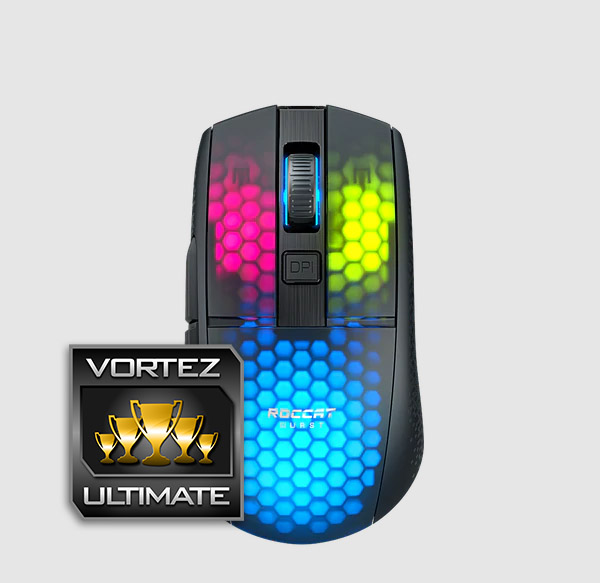
Click here for an explanation of our awards at Vortez.net.
Stay connected with the Vortez Social Media pages:
Join in with the discussions on Discord