







ROCCAT have upgraded their popular gaming mouse the Kova with some great new features and customisation. The all new Kova[+] Gaming Mouse!
Product on Review: ROCCAT Kova[+]
Manufacturer and Sponsor: ROCCAT
SRP: £44 Inc. VAT
ROCCAT had a tremendous 2010, introducing some of the finest gaming products to the market with a keen eye for innovation and proficiency. Kick-starting 2011 we have ROCCAT’s first product to launch, namely the Kova[+]. Just like the Kone[+], the Kova[+] is a successor to its originator the Kova which was a mouse centered around oldschool gamers – those that wanted impressive feedback but a basic shell. No customisation, no driver software. But things are about to change.
The ROCCAT Kova[+] has a number of new features to further enhance an already successful, award-winning peripheral. To name just a few items, we have: increased maximum speed from 40IPS to 130IPS, increased maximum acceleration from 30G to 40G, Soft Touch exterior for better grip and a full fledged driver suite to fully customise all buttons including the revolutionary EasyShift[+] which we first saw introduced on the Kone[+] last year.
Some exciting features are to be had with the Kova[+] and just looking at the technical papers reveals an interesting new gaming mouse. So lets begin our review.
ROCCAT’s Take:
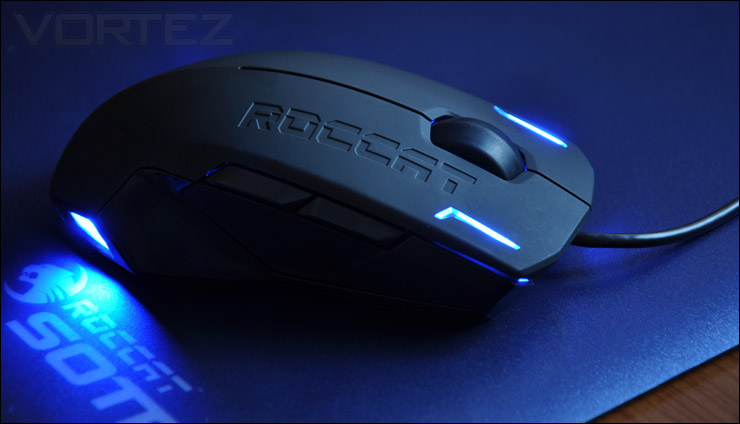
Armed with the latest and proven ROCCAT™ technological innovations, the successor to the ROCCAT™ Kova is equipped to the teeth. The new ROCCAT™ Kova[+] now unites powerful technology with intelligent software and an advanced V-shaped design for left or right-handed use.
Technical Specifications:
Sensor
– 3200dpi optical gaming sensor
Max. Speed
– 130 IPS (inches per second)
Max. Acceleration
– 30G
Polling Rate
– 1000Hz polling rate
16-bit Data Channel
2M USB cable
Dimensions
– Max. (W) 12cm X (L) 6.5cm
Weight
– Approx. 90g (excl. cable)
Packaging & Bundle
The Kova[+] is presented in the packaging we have come to be quite familiar with. The box is of course designed with the ROCCAT colour-scheme and branding, the main features are printed on the front and a diagram of the Kova[+] can be seen on the rear of the box pinpointing the actual features that are significant. The front has a lid that opens out to reveal a preview of the Kova[+] and some further details such as example button configurations for World of Warcraft, multimedia and web browsing – just to give you an idea about how you could have the mouse setup. ROCCAT packaging always has that “WOW” factor, I personally love the way they address their presentation.
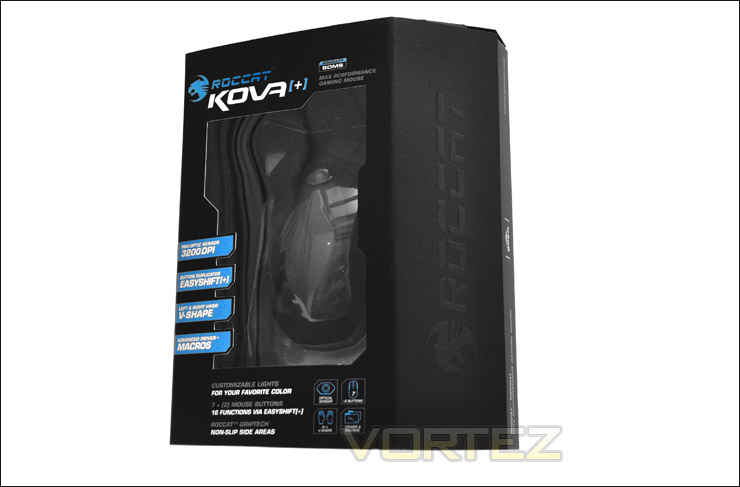
The packaging for the Kova[+]
Opening the box up to reveal the bundle, we have just a few items inside. Included we have: quick start guide, driver CD, membership card and of course the Kova[+] itself.
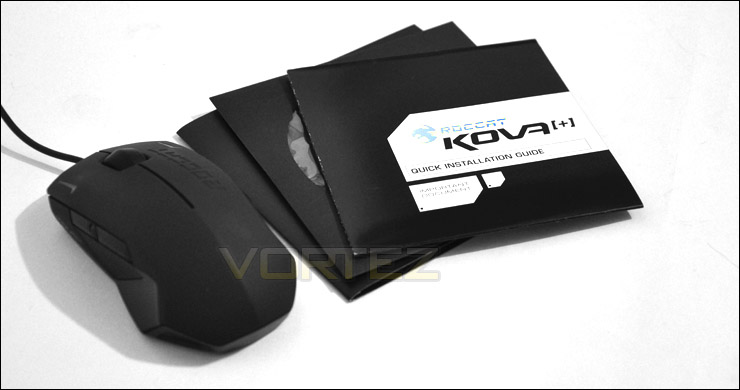
The bundle
Closer Look
Those who are familiar with the original Kova gaming mouse will instantly realise that the dimensions, shape and size of the Kova[+] have all remained the same. Externally, the only significant difference is the Soft Touch coating which ROCCAT have layered on the shell. Originally with the Kova we had a glossy, smooth surface which whilst feeling pleasant, doesn’t exactly remain firm in the hand after prolonged usage. So now we have a dull, matt finish on the Kova[+] which as well as looking great, also feels pleasant and has the added bonus of remaining in the hand even after lengthy gaming sessions.
Along the right mouse button we have the ROCCAT insignia engraved which is a great touch. Next to this we have the scrolling wheel which has the ability to manage elements of windows and in-game features such as volume control on the fly.
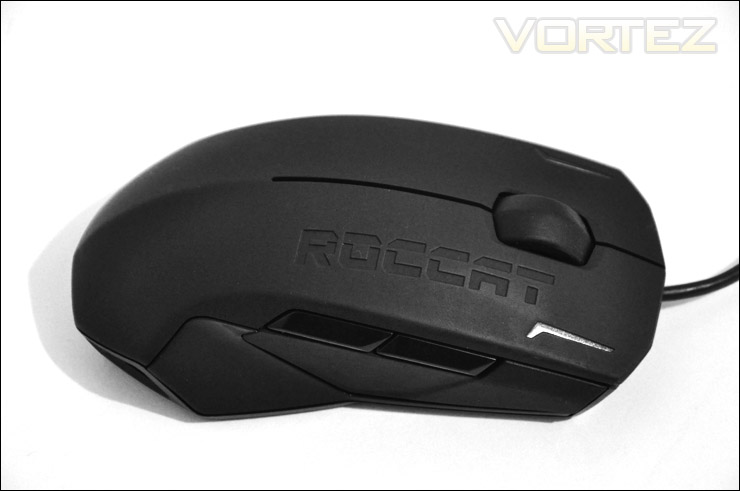
A new skin for the exterior
Both sides of the Kova[+] remain symmetrical thanks to its ‘V’ shape design, providing a way for both left and right handed gamers to take full advantage of this mouse. You will notice that both sides have forward and backward navigator buttons. This is great to see, most mice currently on the market only focus on right handed gamers – I’m sure the left handed gamers out there must be feeling neglected.
On the left side of the Kova[+] the back navigator button will, by default, act as the Easyshift[+] button – this button basically acts as a shift key, allowing you to duplicate the amount of functions/commands on the mouse.
The overall shape of the Kova[+] is a very interesting one. It resembles the profile of a Lamborghini, or even something from Robocop.
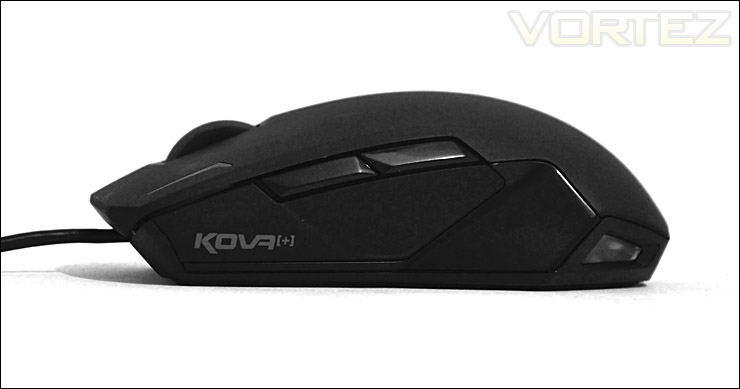
The left side with Kova[+] imprint
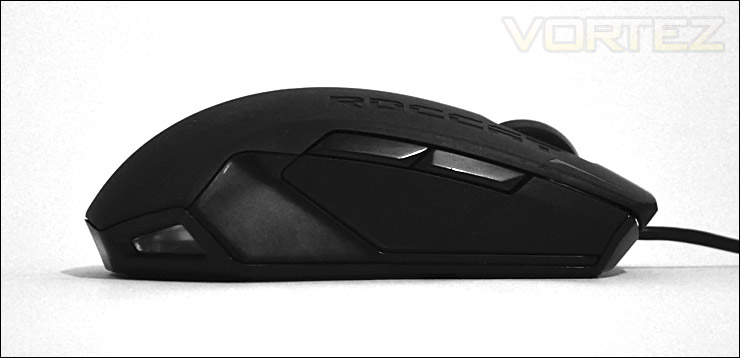
The right side, following same shape/design
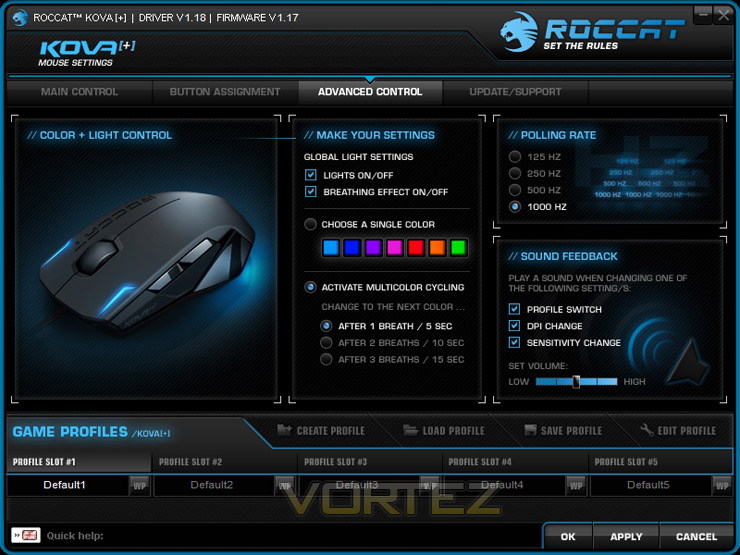
Lighting is provided via 4 LEDs that are positioned at the front (edges of the mouse buttons) and to the rear. These can be customised within the software bundled with the Kova[+] – we will take a look at this a little later.
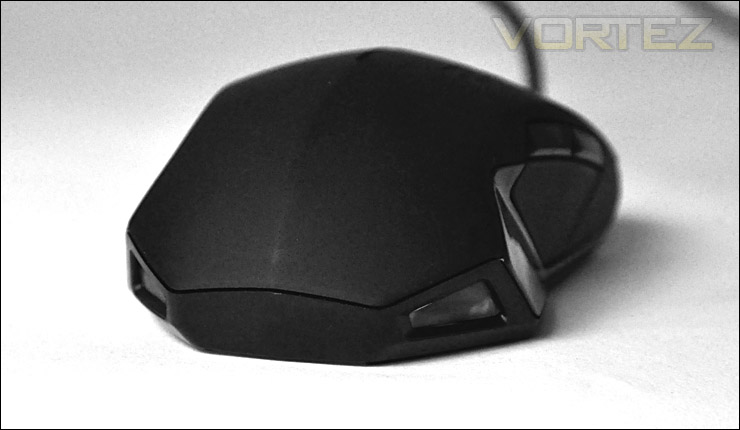
Lighting can be customised via software
On the underside of the Kova[+] we have 4 traction/glide pads that are strageitcally placed for accurate operation. We also have the serial number on the underside and of course the 3200DPI optical sensor which ROCCAT term “PRO OPTIC SENSOR R2”.
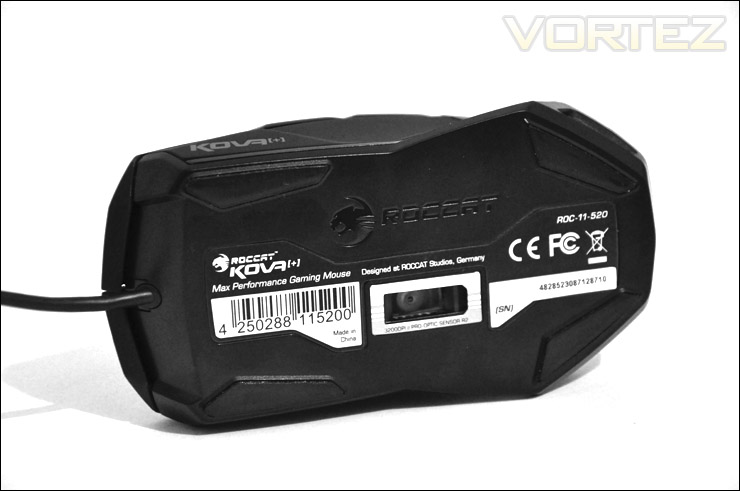
The underside of the Kova[+]
Comparison – popular gaming mice
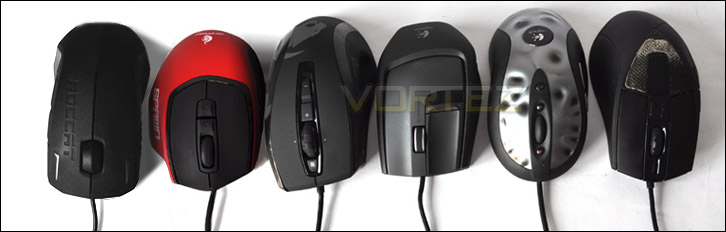
As with previous mouse reviews, its useful to compare the size, stature, and shape of the product under observation against a range of commonly used gaming mice. So below the ROCCAT Kova[+] stands next to a series of popular gaming mice. These are as follows (from left to right)
+ ROCCAT Kova[+]
+ CM Storm Spawn
+ ROCCAT Kone[+]
+ Logitech G9x
+ Logitech MX518
+ CM Storm Sentinel
As you can see from the selection of mice, the Kova[+] is the longest of the bunch and features a unique grip compared to the other mice. The one significant thing of course being that the Kova[+] is the only mouse here to provide support for both left and right handed gamers.

Software & Customisation
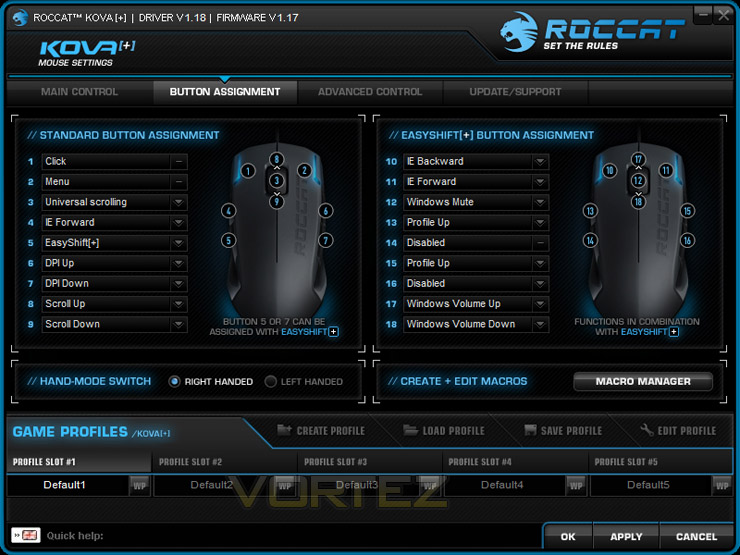
Bundled with the Kova[+] we have a drivers CD which has ROCCAT’s software suite. It also includes a number of other items such as graphics and wallpaper, manual and product information for a series of other ROCCAT products.
The ROCCAT software suite is extensive, it brings a lot of functionality to the table. Buttons can be customised, easyshift[+] utilised and colours can be controlled at the touch of a few buttons. Aside from these things though there are intricate elements that can be tweaked such as the polling rate and DPI settings (400-3200).
We can also of course apply macros to specific buttons by using the “Macro Manager” found inside the software suite which is very intuitive and easy to use. Please see our video for the full operation of this software, including live demo.
Performance
Visual opinions to the side, we now have to consider the performance aspect of the ROCCAT Kova[+]. In some ways, establishing if a peripheral is a good performer is quite a hard thing to conclude. After all we all have our own personal preferences; different shaped or sized hands and tastes. Nevertheless I will express my views on the mouse as best I can. So the real question is: How does the Kova[+] perform in game? As after all, it is a gaming grade mouse. In order to ascertain the performance of the Spawn it is necessary to put the mouse to good use for over a day within a selection of environments.
Gaming
– Call of Duty Black Ops
– Battlefield Bad Company 2
The Kova[+] handles games with exceptional precision and accuracy. The shape and size of the Kova[+] means that it is perhaps a little longer in length than other mice we have tested but it still feels great in the hand, button placement is also excellent as is the new Soft Touch exterior. It feels very smooth but has the added bonus of preventing the mouse sliding out of the hand.
The EasyShift[+] feature is a great success, for those who loved the physical aspect of the Kova but require button customisation then this mouse is the one for you.
ROCCAT have fine tuned their software by changing the voice feedback system to alert you of the actual DPI setting when it is changed rather than the announcer just saying “DPI UP”. We now have “800 DPI” and “1600 DIP” booming out from the speakers, which is much more informative. (if you don’t know what I’m talking about check our video)
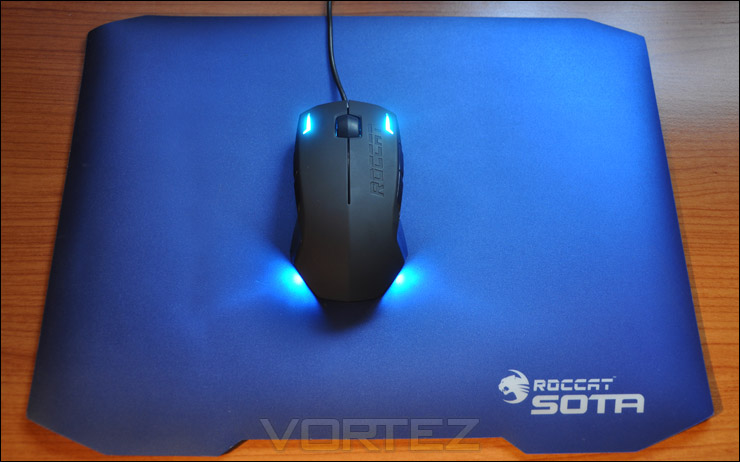
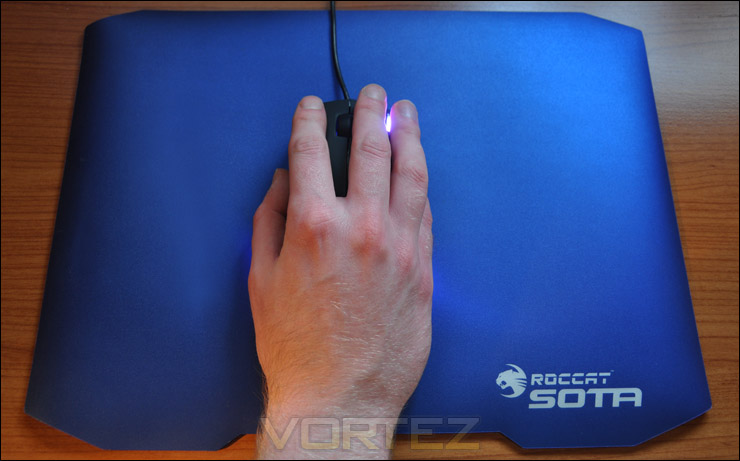
The optical sensor performs excellent on both hardened plastic surfaces and the soft cloth type – I tested both. I experienced no problems whatsoever during the testing period, movements are fluid, natural and accurate. The Kova[+] should be deemed as a great gaming mouse.
General usage – Operating System & Image Editing
The operating system is the fundamental element to the computer and we couldn’t do without it. We use its interface on a daily basis. Although the Kova[+] is primarily a gaming device, its interaction within the OS is pleasing. I also used the Kova[+] for some brief graphics editing and again, I was not let down here. When we are modifying graphics there is no room for inaccuracy. The Kova[+] doesn’t disappoint, it is very accurate.
Conclusion
Just like the original Kova, the Kova[+] is an overwhelming success. If you liked the Kova, then you are going to love the Kova[+]. In similar fashion as they did with the Kone, ROCCAT have gone away and devised ways in which they can improve an already successful gaming peripheral. I can’t recall any companies in this particular market that have the initiative of doing this. Bringing back a classic and adding features to it isn’t an easy task and ROCCAT ought to be commended for this.
Many left handed gamers are left in limbo when choosing a gaming mouse because the current market is geared towards right handed gamers. It’s rare to see a mouse designed for a left handed individual but the Kova[+] addresses this issue by being shaped in the form of a “V” which is symmetrical, thus allowing both left and right handed gamers to enjoy the delights of this mouse.
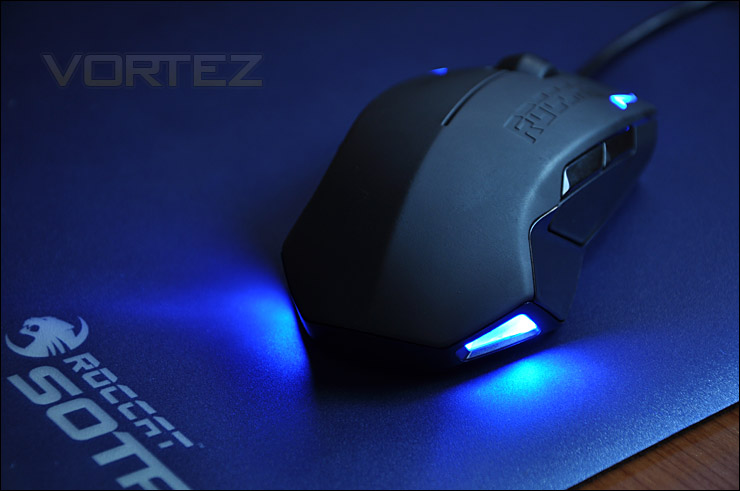
Externally you aren’t going to see any major difference between the Kova and the Kova[+] aside from the new “Soft Touch” coating which brings a matt finish as opposed to a glossy, slippery surface. The differences are under the hood, an increased max. speed, max. acceleration and of course the software suite allowing you to assign buttons, macros and duplicate the functions on the mouse with Easyshift[+]. We’ve already seen the capabilities of ROCCAT’s software suite with the Kone[+], again we are given the luxury of using it with the Kova[+] too.
Overall, the Kova[+] is a great performer, its accurate in all applications and can be tastefully modified without much effort. SRP is £44 Inc. VAT so you can expect the Kova[+] to sit around the £40 mark. Making it a firm contender for the mid-range spot and is sure to be a success.
Pros
+ Accurate, precise
+ Powerful software
+ Highly customisable
+ Great touch & feel
Cons
– Light, no weight system
+ Accurate, precise
+ Powerful software
+ Highly customisable
+ Great touch & feel
Cons
– Light, no weight system


