Today we take a look at ROCCAT’s first wireless gaming mouse, featuring their ROCCAT Owl-Eye 12,000 DPI sensor, a huge range of buttons and RGB lighting.

Product on Review: Roccat Leadr
Manufacturer: Roccat
Street Price: £129.99 / $139.99
German peripherals manufacturer, Roccat, known for its “outside of the box” approach to concept and design, have provided us with their first attempt at a wireless gaming mouse, the Roccat Leadr. Housing a whole host of features, including their very own Owl-Eye Optical Sensor capable of 12,000DPI, class-leading wireless technology offering zero-lag and virtually zero-latency, a whole suite of buttons and customisable RGB lighting.
Roccat claims this mouse to be the “wired mouse with no wires,” and on paper, it certainly seems like it can back that up, so let’s move onto the review and see if all of those buttons make a difference.
Roccat on the Leadr:
The Leadr gives you the freedom of wireless with the performance of wired. It rocks a combo of pioneering wireless technology and an optimised Owl-Eye optical sensor, meaning gaming with a wireless mouse is no longer a handicap. Zero lag and with virtually zero latency, it features a docking station with a top-up cable for use as a wired mouse, plus an innovative suite of buttons for enhanced control. The Leadr is the wired mouse with no wires, making it wireless royalty.
Technical Specifications
TECHNICAL SPECIFICATIONS:
ROCCAT® Owl-Eye optical sensor with 12000dpi
Wired/Wireless combo mouse
1000mAh inbuilt Li-Ion rechargeable battery
2.4GHz wireless transmission
1000Hz polling rate
50G acceleration
250ips maximum speed
Mouse acceleration: no
Angle snapping: no
72MHz ARM Cortex-M0 (both mouse & stand)
512kB onboard memory (mouse)
Adjustable lift-off distance
1.8m Micro USB to USB cable
DIMENSIONS / WEIGHT:
Width 80mm , Height 45mm , Length 126mm , Weight 134g
SYSTEM REQUIREMENTS:
Windows® 8, Windows® 7, Windows® 10
USB 2.0 Port
Internet connection for driver installation
ROCCAT® Owl-Eye optical sensor with 12000dpi
Wired/Wireless combo mouse
1000mAh inbuilt Li-Ion rechargeable battery
2.4GHz wireless transmission
1000Hz polling rate
50G acceleration
250ips maximum speed
Mouse acceleration: no
Angle snapping: no
72MHz ARM Cortex-M0 (both mouse & stand)
512kB onboard memory (mouse)
Adjustable lift-off distance
1.8m Micro USB to USB cable
DIMENSIONS / WEIGHT:
Width 80mm , Height 45mm , Length 126mm , Weight 134g
SYSTEM REQUIREMENTS:
Windows® 8, Windows® 7, Windows® 10
USB 2.0 Port
Internet connection for driver installation
Packaging & First Look
ROCCAT tends to go with a 7 sided affair, instead of the usual 6 sided box, adding a little bit of their flair before you even lay hands on the Leadr. The front of the packaging is packed with information and a huge image of the mouse.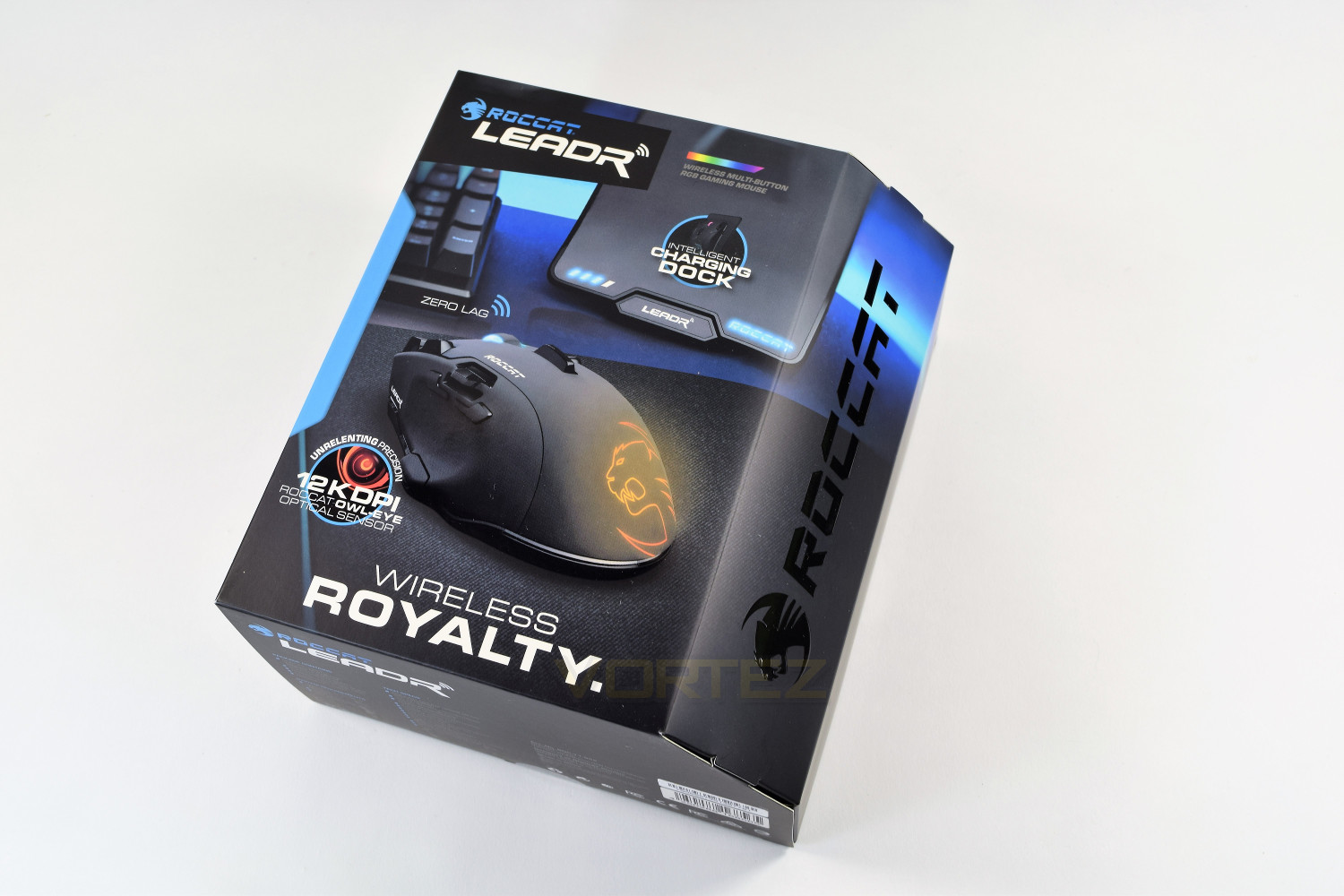
The rear of the box caters to all of your curiosities, detailing all of the features of the mouse, along with a better image of the front end, showing off that plethora of buttons.
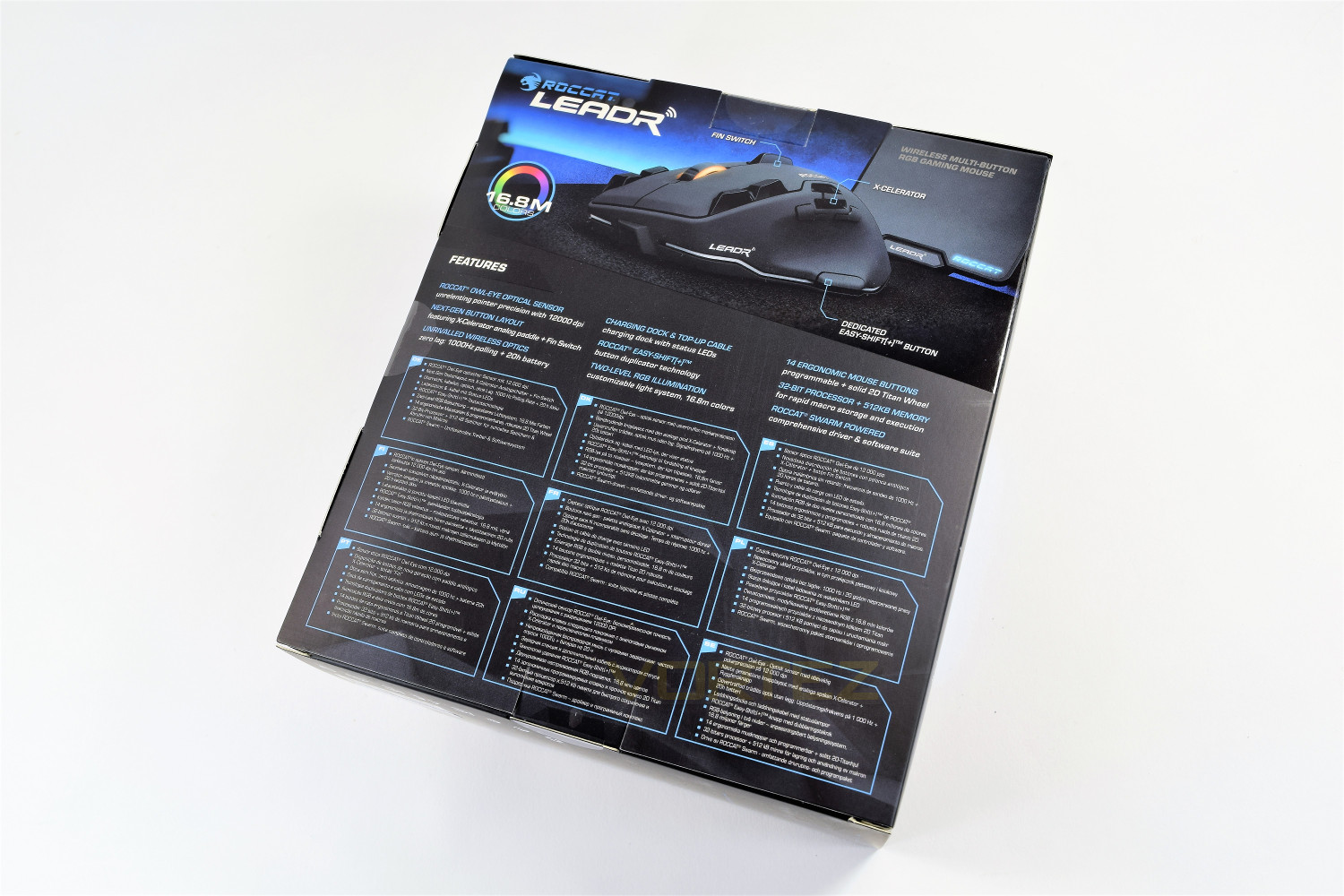
The top of the box shows a couple of accolades, claiming to be MMO and FPS approved; though we’ve been unable to find out who approved the Leadr.
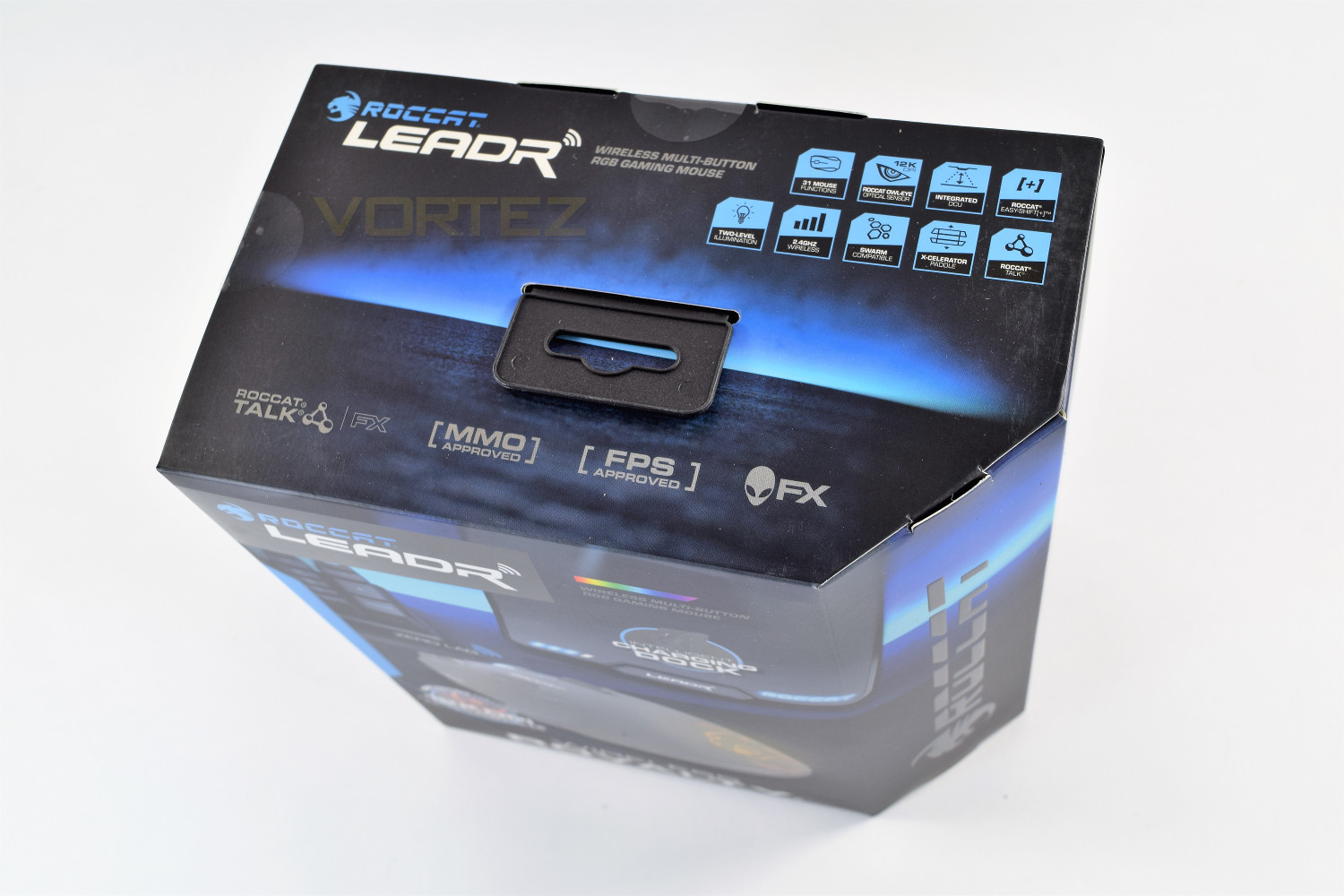
Unfortunately, ROCCAT doesn’t provide a method of seeing the mouse without opening the packaging, unlike many other manufacturers out there; fingers crossed for a display model somewhere nearby in your local computer hardware store. This would be handy, especially due to the size of the ROCCAT Leadr.
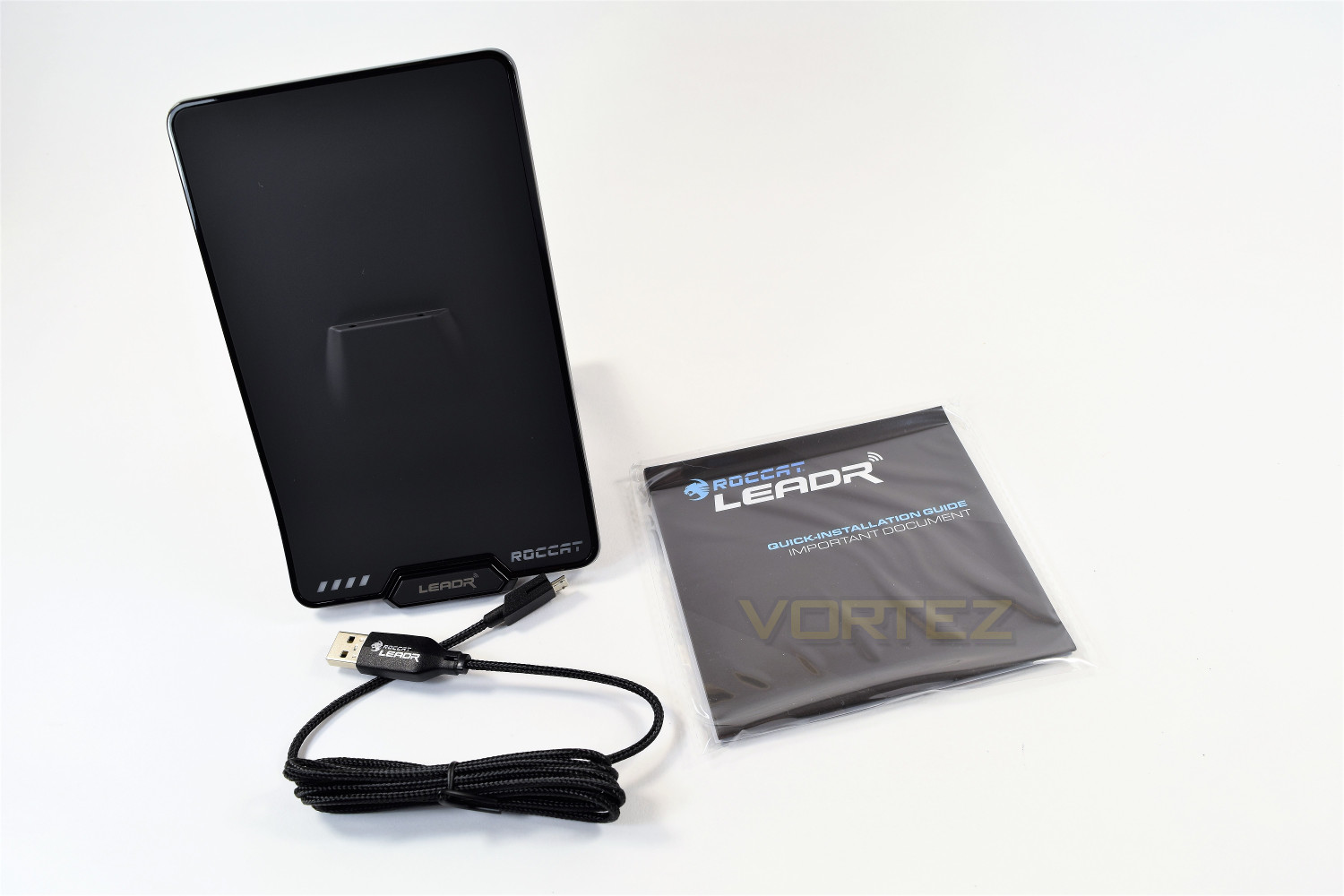
The charging stand, measuring a huge 180mm in height and 110mm in width, a 1.8M braided cable and a quick-install guide come included with the Leadr.
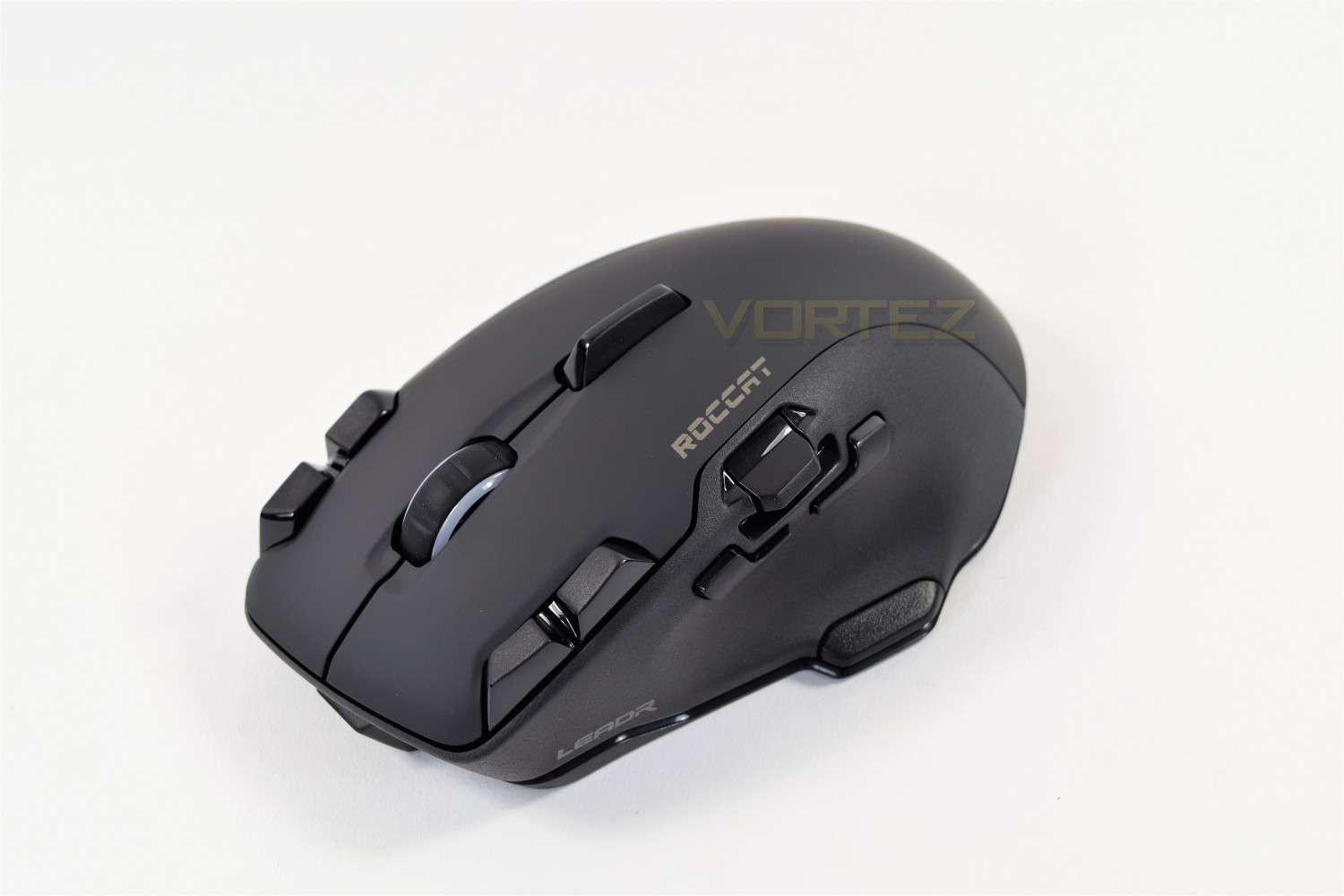
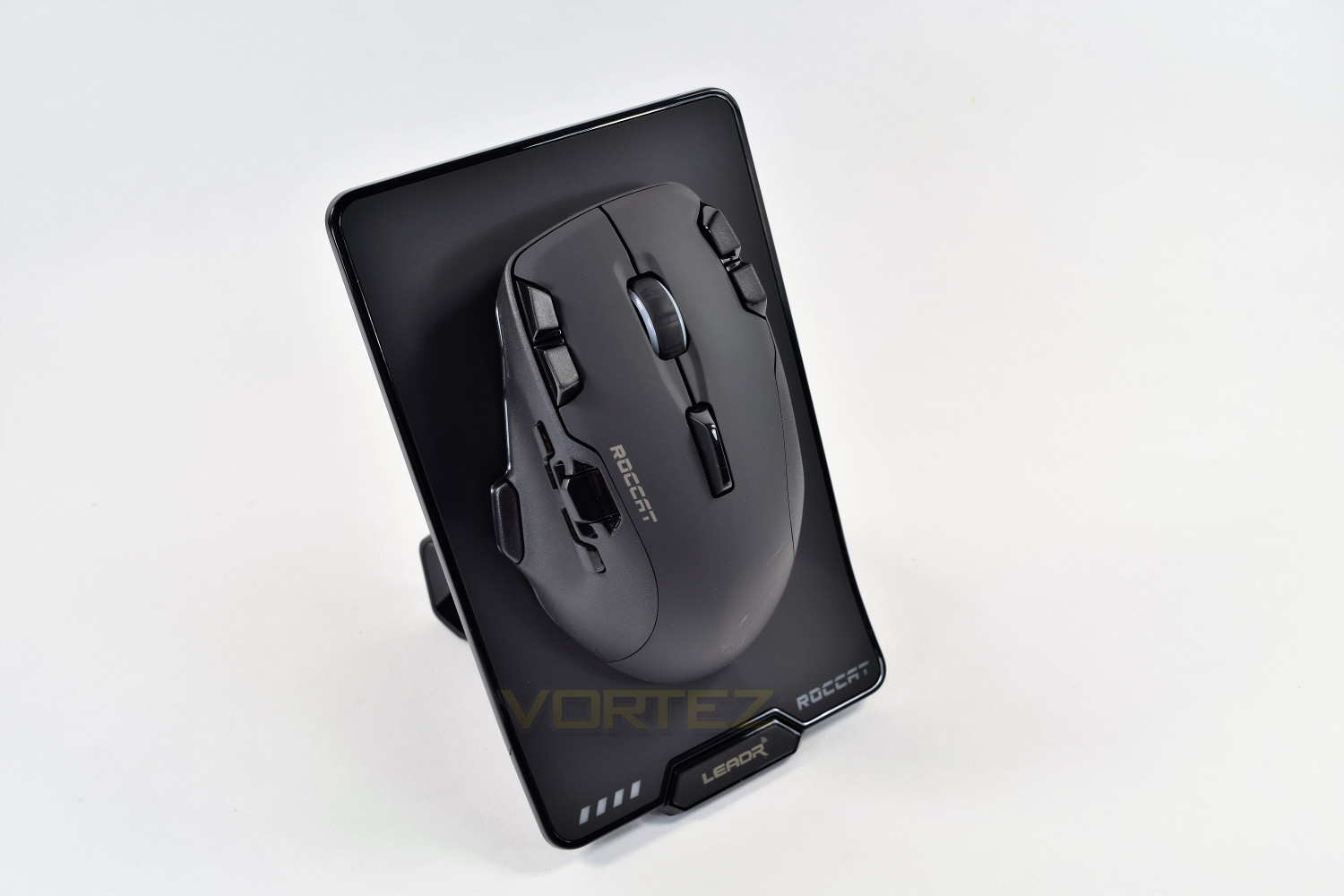
Once all of the packaging and protective bags had been moved out of the way, we were presented with a daunting mouse, housing 11 buttons, a paddle and a sense of “how does this work?”
However, after the initial shock had subsided, the Leadr is very attractive, with the smooth matte finish and ROCCAT logo on the palm section, married to the rough(er) plastic on the right and left.
Closer Look
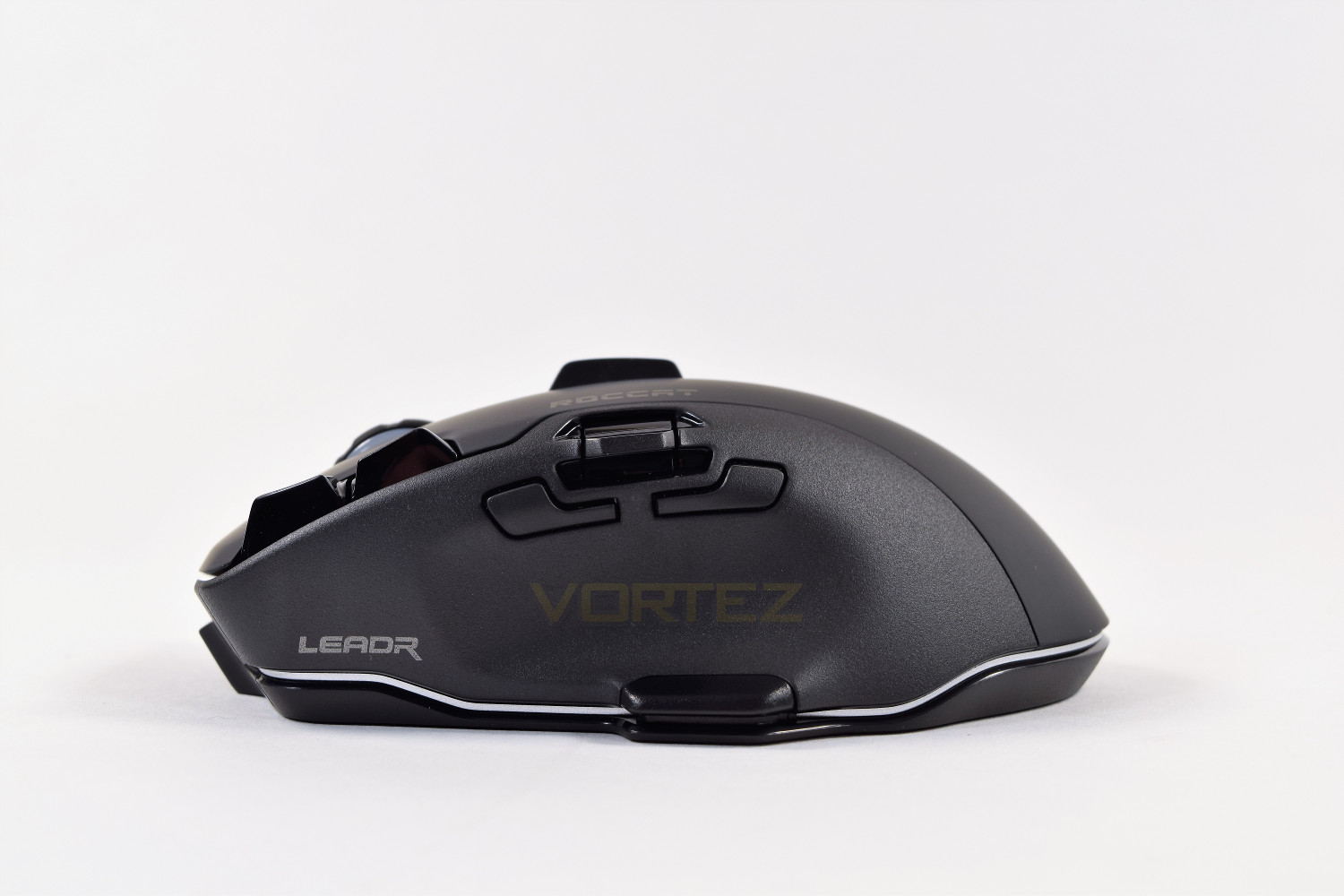
The ROCCAT Leadr is an incredibly busy mouse, housing 12 buttons and the X-Celerator paddle. Alongside the left and right click are a pair of buttons, on the left is the DPI sensitivity adjustment, and on the right, you can switch through profiles. Behind the scroll wheel is a paddle which can be tilted in either direction, though its placement is a little out of the way; another paddle, just above the thumb, can move up and down, this is the X-Celerator paddle, which is incredibly good for scrolling web pages, it’s also a purely analog input, so can be feathered; useful as a throttle in-game. Directly underneath the X-Celerator paddle are the standard forwards and backwards inputs for your internet browser.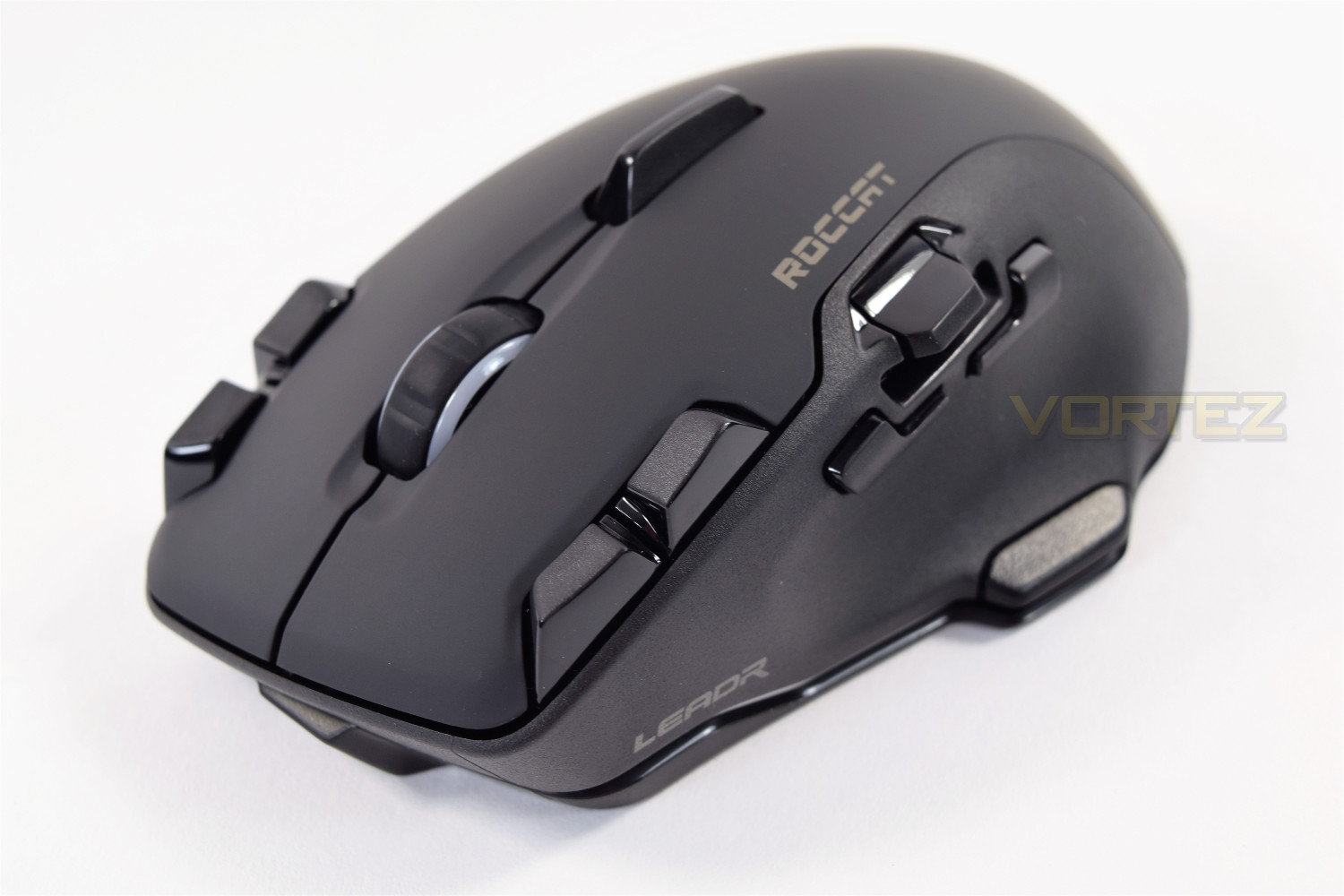
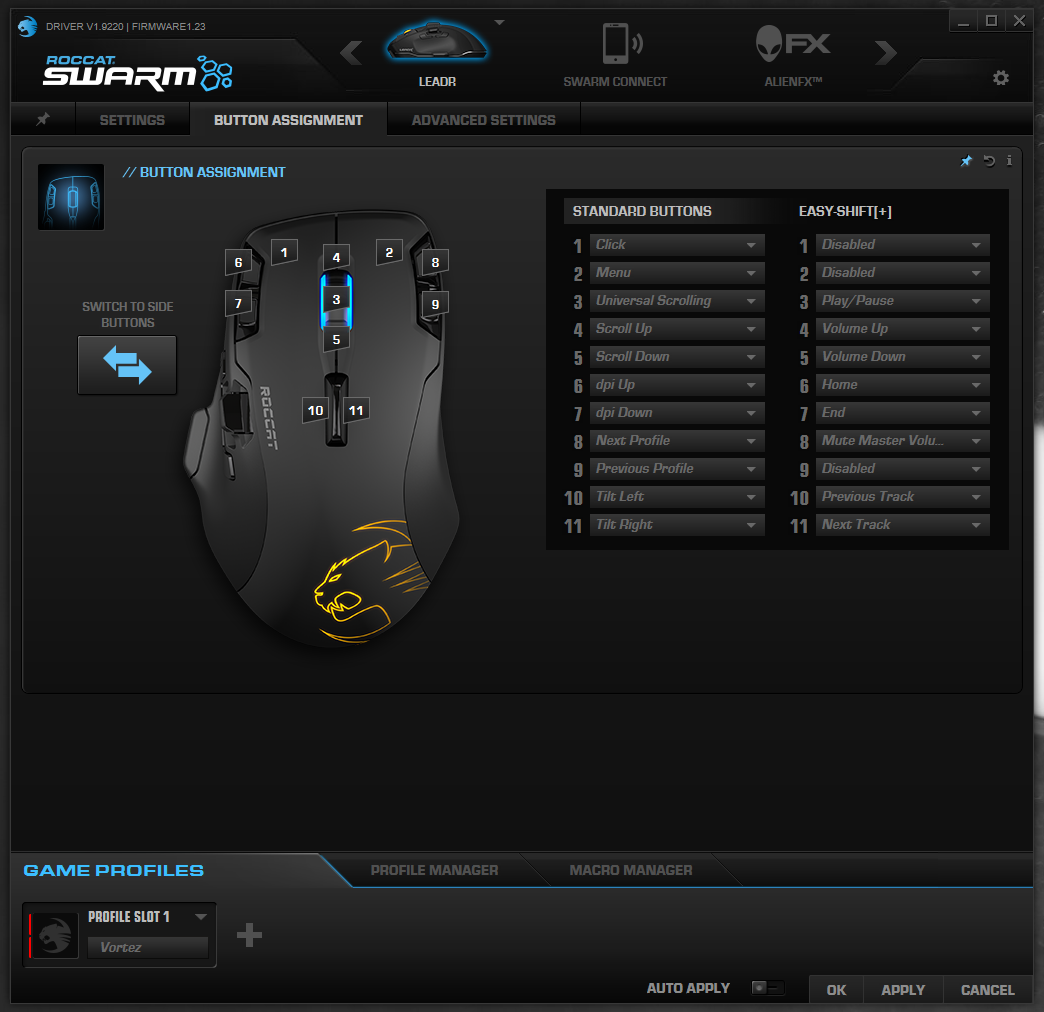
If that wasn’t enough for you, on the left-hand side, located below the thumb-groove is the ROCCAT Easy-Shift[+] button, which while depressed, can alter the effective function of each button on the mouse, allowing a total of 28 functions from the Leadr; the learning curve for some of the lesser-used functions is huge, but the ability to alter your system volume using the scroll wheel is fantastic! This is, of course, fully customisable through the ROCCAT Swarm software.
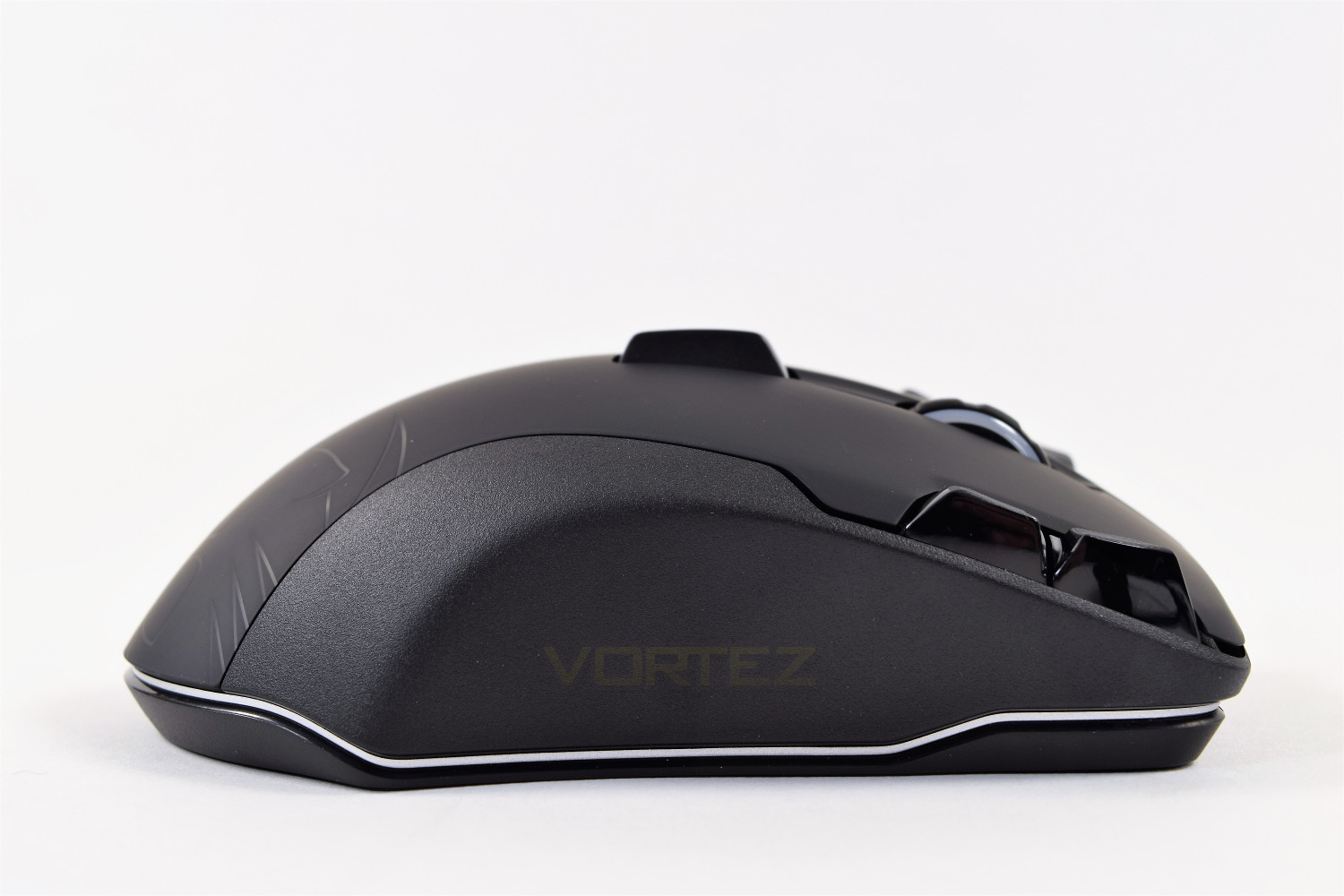
The right-hand side of the Leadr is formed to allow your outer fingers somewhere to lie, other than that, there’s not much to look at here.
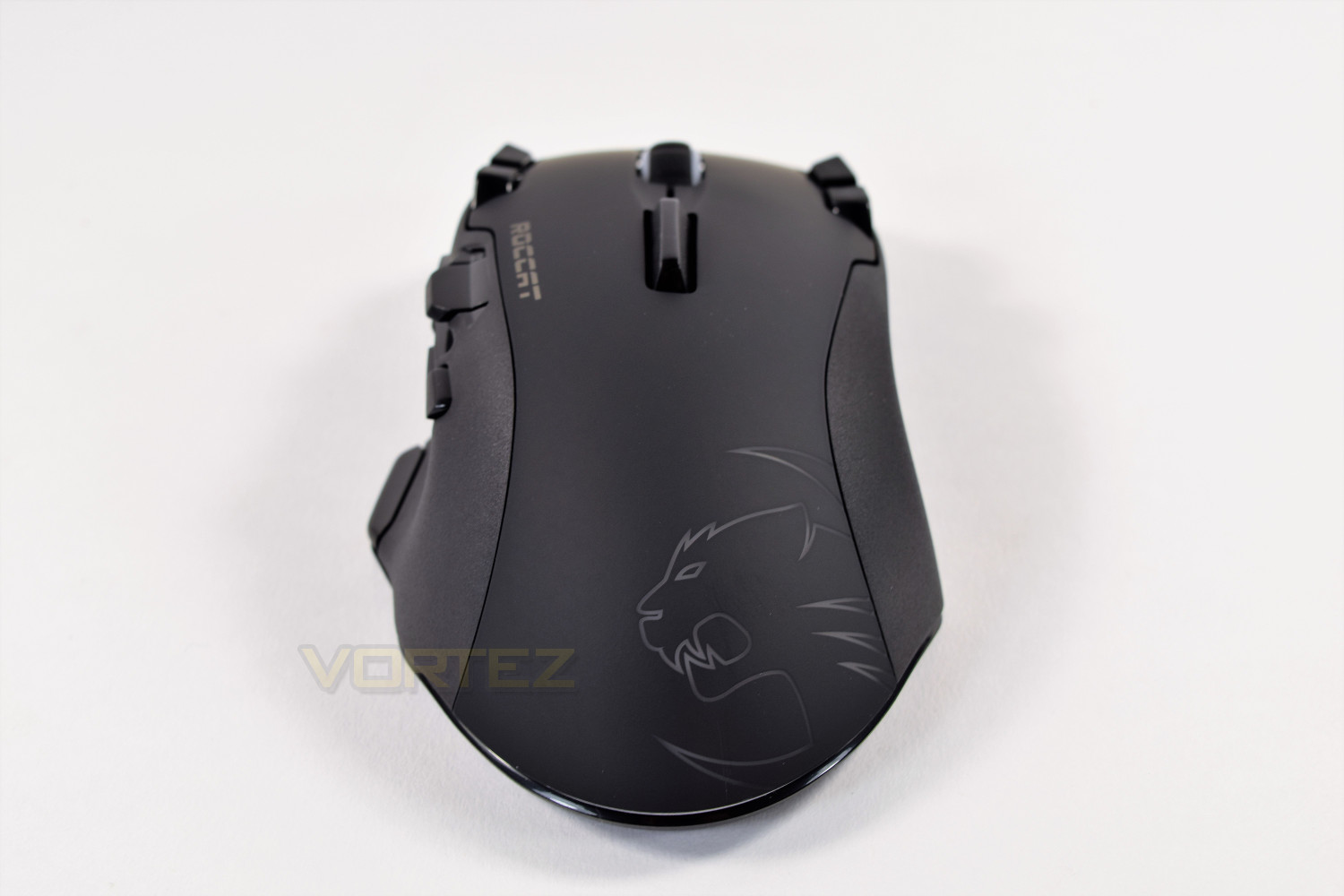
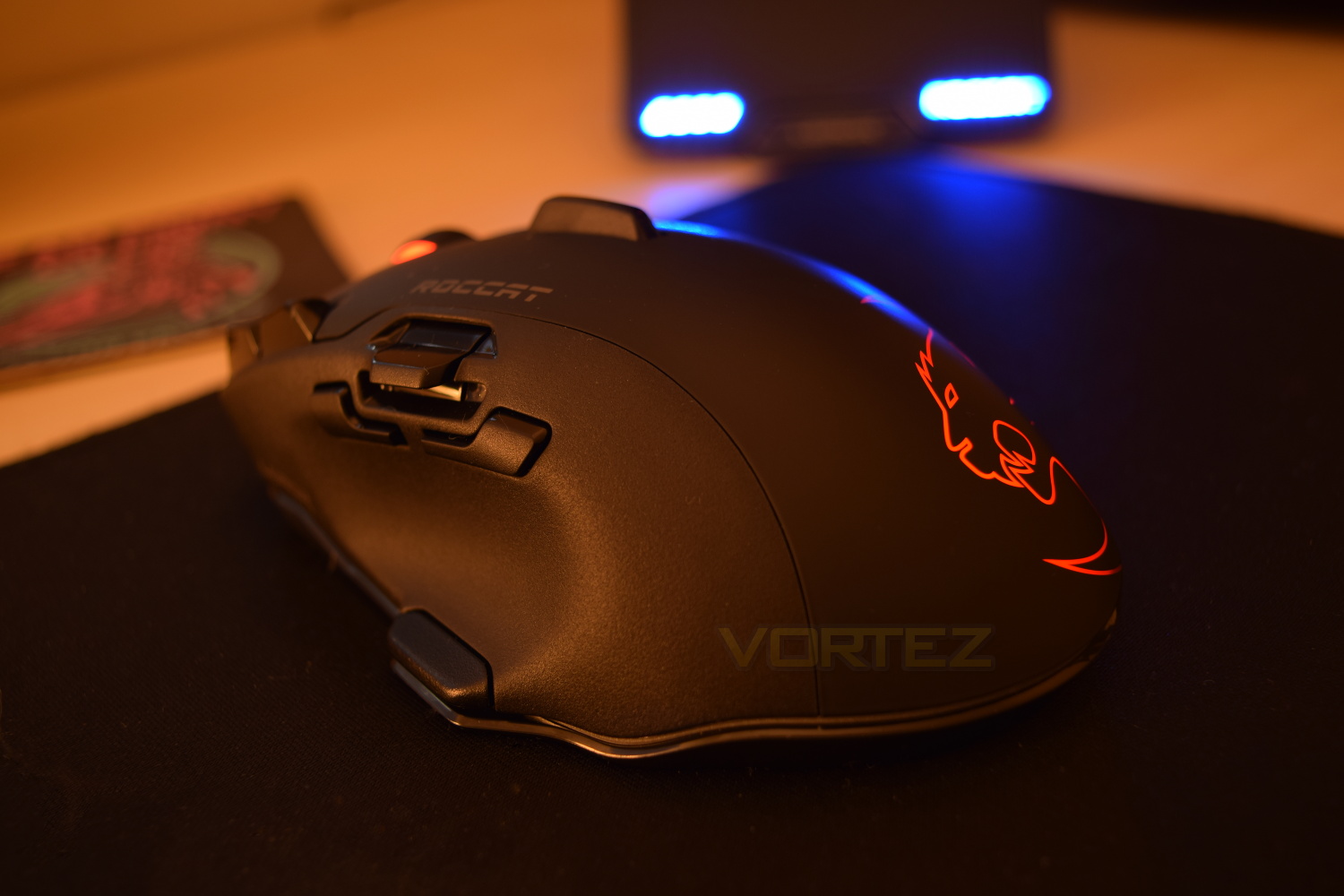
The ROCCAT logo dominates the rear portion of the mouse, which looks brilliant when lit by the RGB backlighting, perfectly crisp with no light bleed at all.
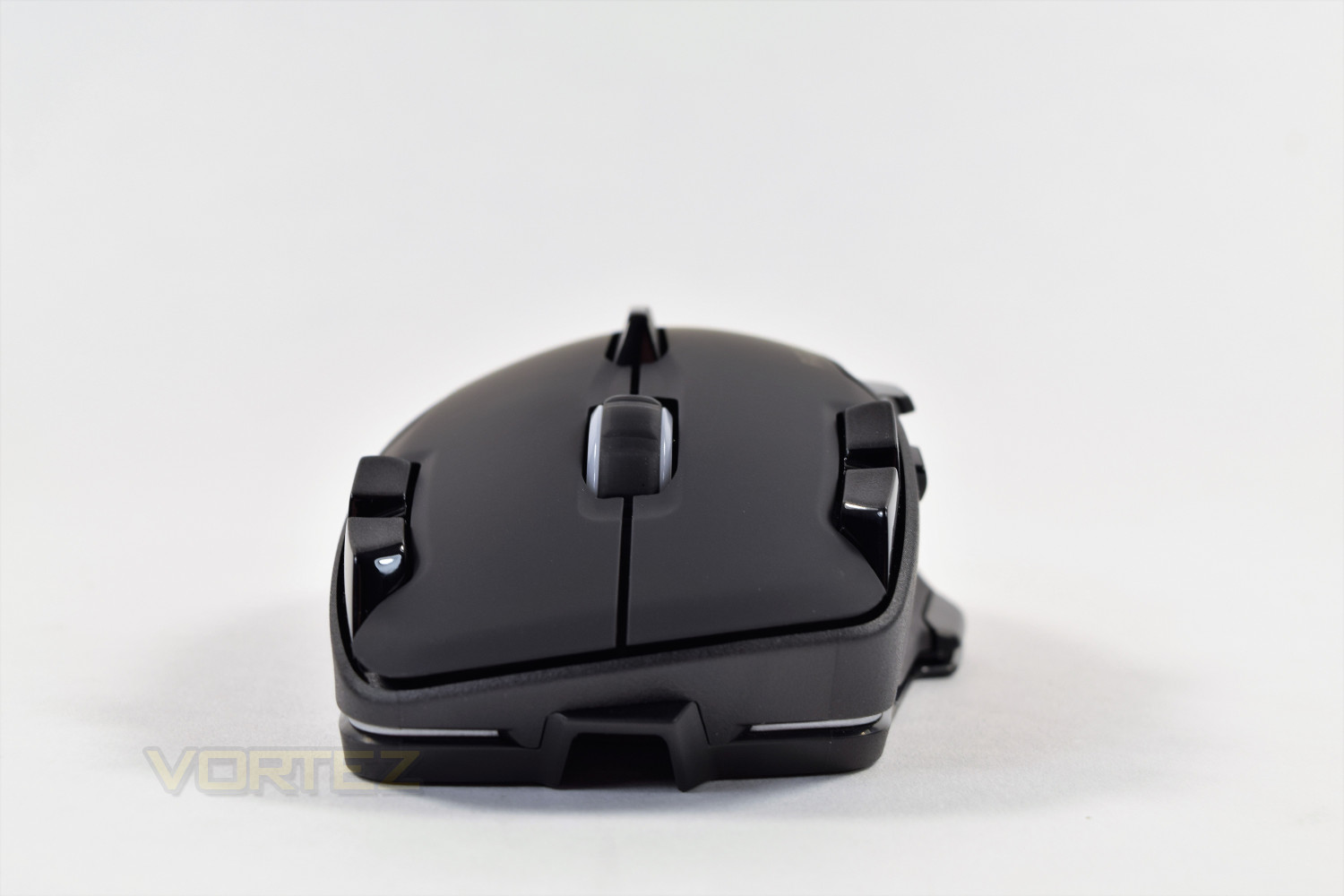
Though this mouse is wireless, you are presented with the option of attaching the Micro-USB cable into the front of the mouse, which locks into place to ensure it never works loose. The same Micro-USB cable must be used for both the charging/transmitter base and the mouse; ROCCAT only provides one.
Closer Look (Continued)
The charging base is a rather large affair, which is fully required when you take into account the size of the Leadr itself. There’s a set of 4 blue LEDs on the bottom left of the stand, which indicates the Leadr’s current battery level, opposite to that, is the blue backlit ROCCAT branding; due to the RGB nature of the mouse, it would’ve been favourable to have the option of changing the colour of these lights to match your chosen colour scheme, or being able to dim them somewhat. It’s worth noting that the wireless range is easily 15-20ft, when in plain sight, so the base could be positioned out-of-sight and would also be suitable for use in a large living room with a TV-PC.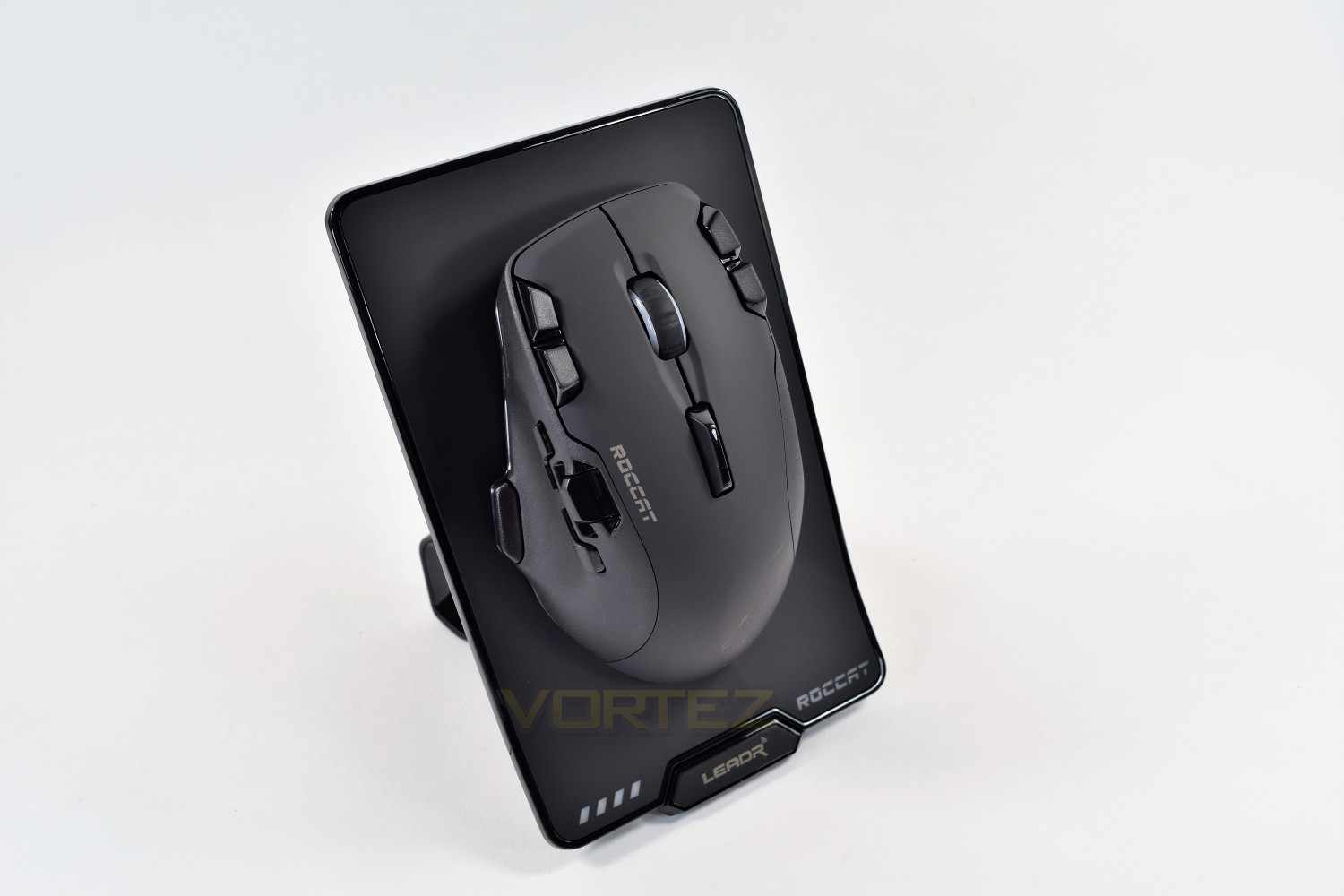
Flipping the mouse over you can see those two golden pins, located at the deepest point of that recess; they’re for the charging base and locate themselves incredibly well. Just above that is the ROCCAT Owl-Eye sensor, capable of 12,000 DPI, you will note that the sensor is positioned towards the front of the mouse, and not dead-centre like most mice; this may cause accuracy issues for some users. Well-placed Teflon pads also cover a decent portion of the underside.
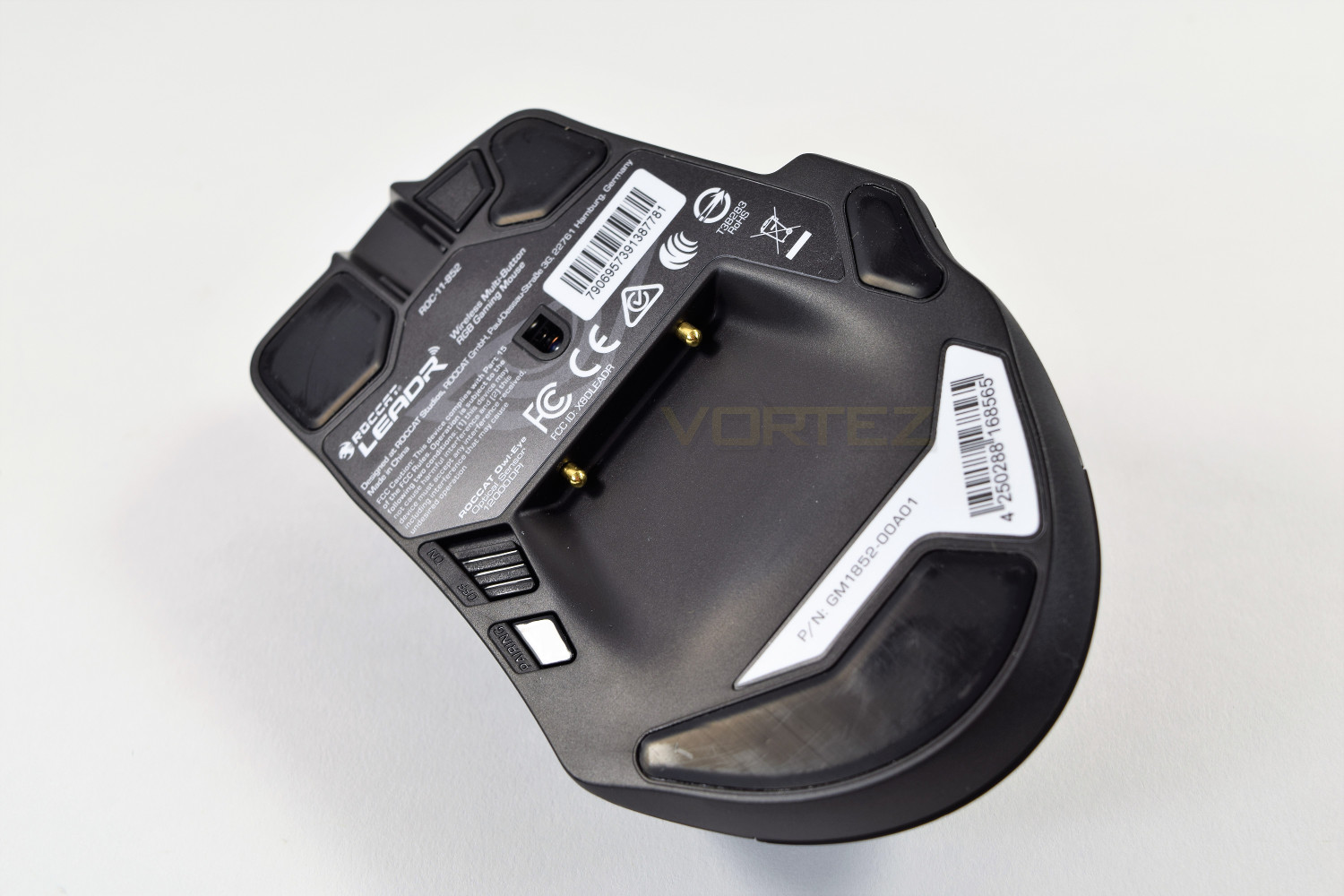
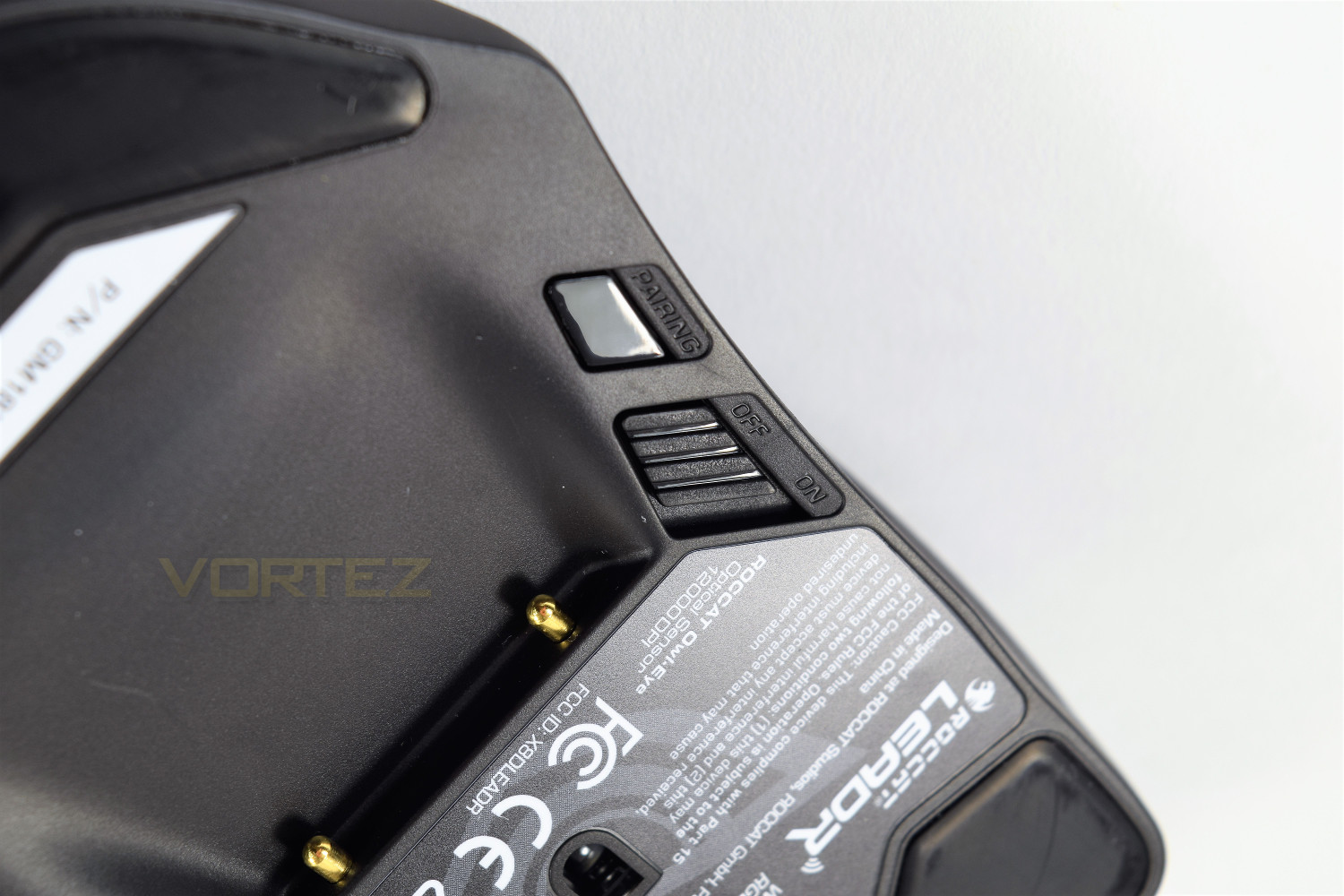
Just to the left of the charging recess is an On-Off switch, if you’d rather control the power instead of relying on the auto-off function. There’s also a pairing button, which you should only need once.
The RGB lighting isn’t the brightest we’ve seen, but it’s certainly clean and crisp, really showing off that huge ROCCAT Logo on the back of the mouse. A full 16.7M colours can be utilised.
Software
The ROCCAT Leadr is powered by the Swarm software, an incredibly detailed and well laid-out package, designed to offer a whole range of options to the user.Upon launch, you’re greeted with the update screens, for the mouse and the base, which must both be connected via the included Micro-USB cable, one at a time. Once this is complete, you’ll find yourself land on the “Pinned” screen, a customisable location where you decide what you see. There’s no limit to what can be pinned onto this tab, allowing you the fastest access to the most used features.
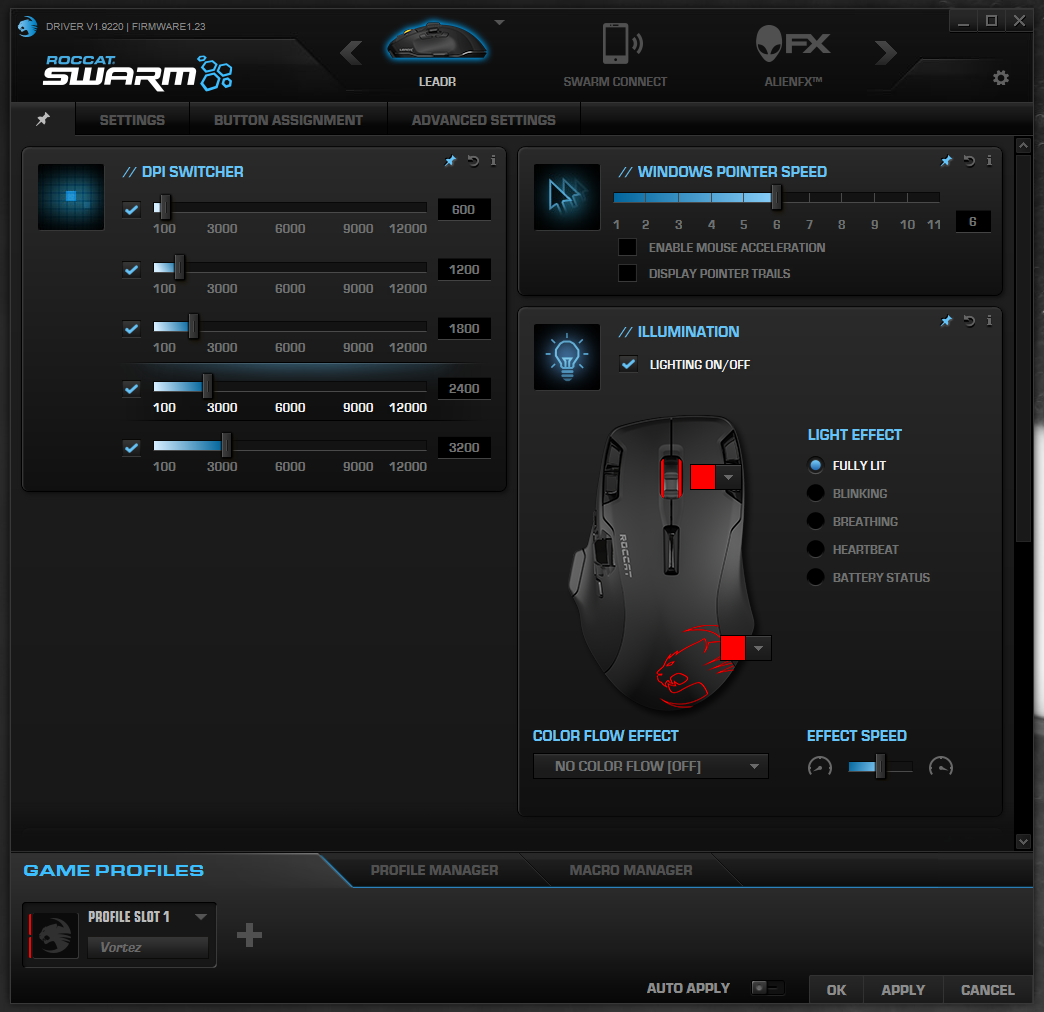
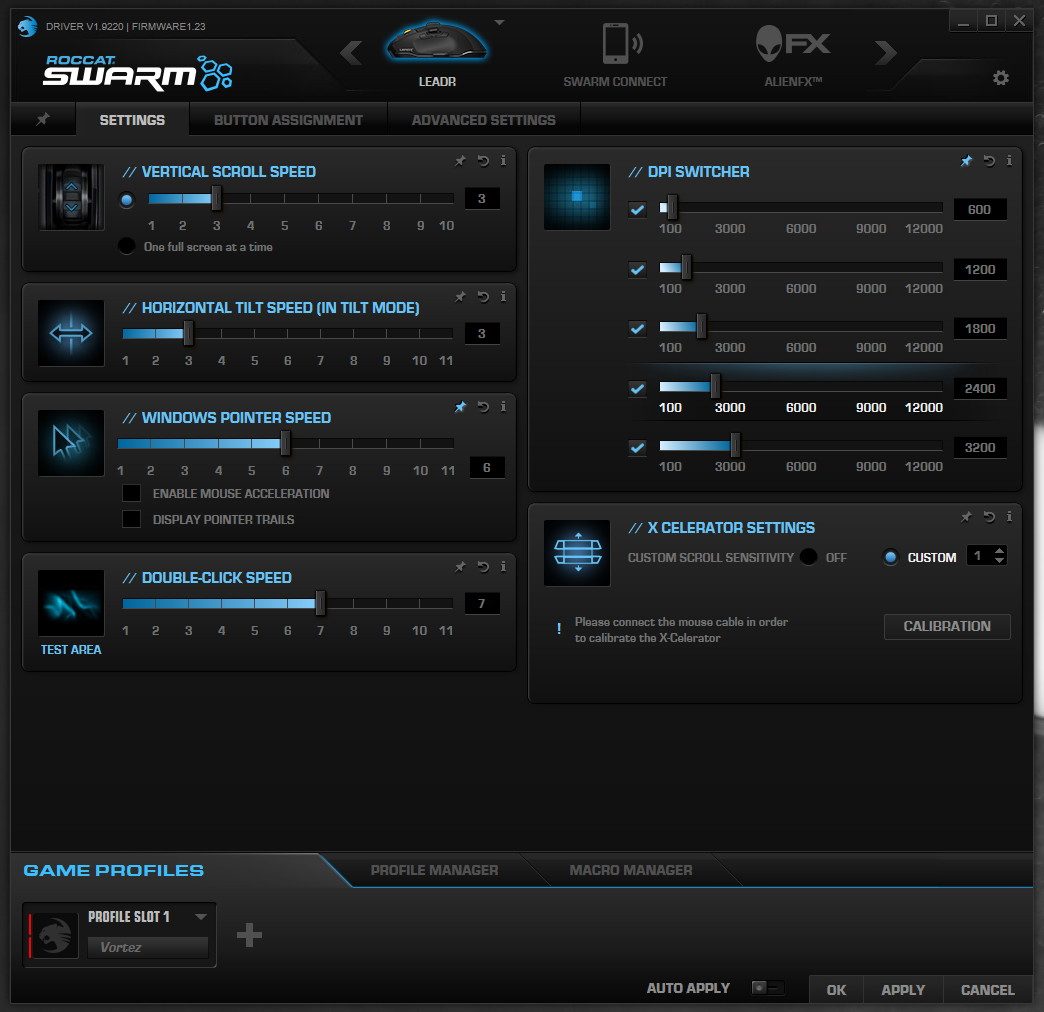
Settings is the next tab, allowing set up of mouse movement, click speed, DPI settings and a stand-alone setting for the X-Celerator paddle, calibration for the paddle can only be completed with the mouse plugged into the PC via the Micro USB cable.
Moving along, you’ll find Button Assignment, which in turn is an incredibly important part of the Swarm software, as far as the Leadr is concerned. Along with being able to swap profiles, you’re able to assign different functions per profile, and also for profiles to launch along with the start-up of a .exe file.
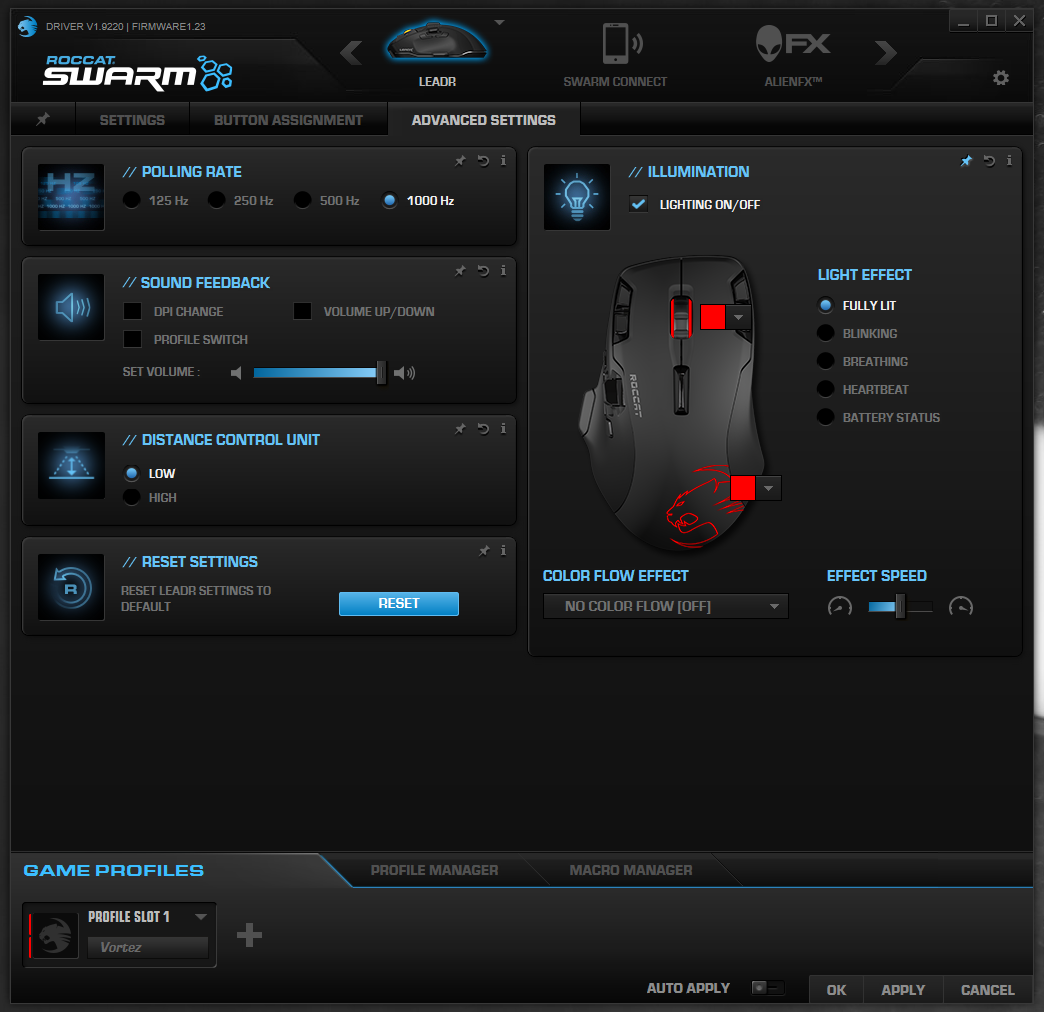
The lighting, amongst other features, can be adjusted in the final tab, you have a choice of 5 different lighting effects, an option of the effect speed, and of course, you can choose from the entire RGB range. The two separate RGB zones can be differently configured to display different colours, but they must both share the same effect. You will also notice the polling rate and sound feedback; the sound feedback is interesting, providing audible alerts to anything changing.
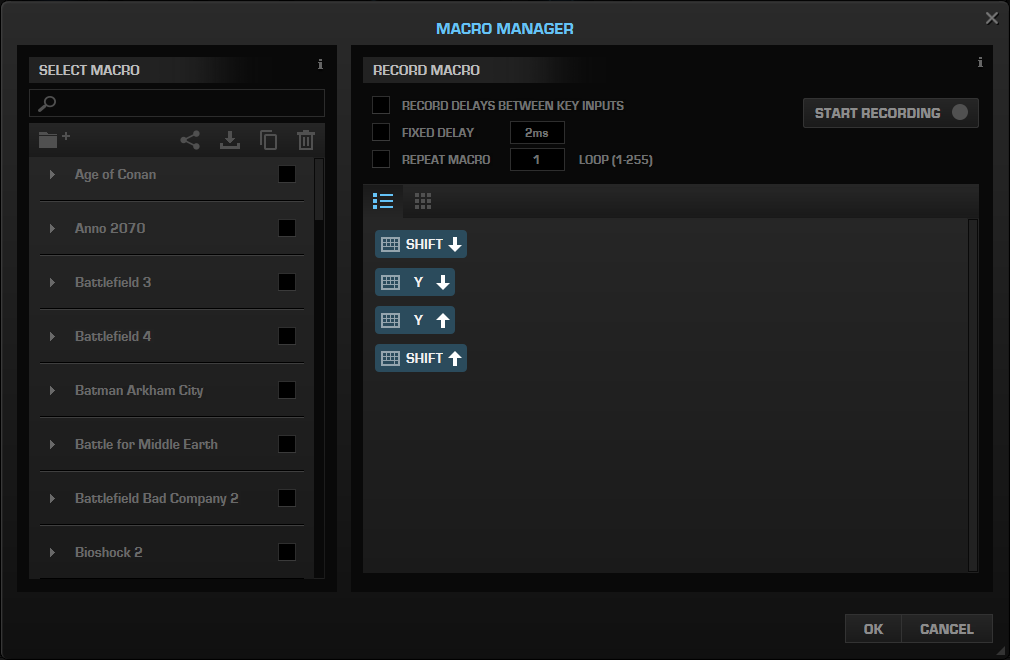
Finally, the Macro manager, which comes pre-filled with all of the most common titles, offering pre-configured Macros for all of the in-game functions. You can, of course, record your own Macros and assign them to one of the many buttons on the mouse.
Performance Testing
First things first, the ROCCAT Leadr may look like a massive mess, with buttons placed randomly for the sake of it, but I can tell you, with absolute confidence, they work, and they work incredibly well. The DPI Sensitivity and Profile Switch buttons, either side of the right and left click, are both well thought out and well positioned; they leave plenty of space for the left and right click but also allow rapid switching with the minimum of movement.The X-Celerator paddle on the left of the mouse is a God-send and works unbelievably well – The resistance is tuned to perfection and the usage scenarios are near-limitless, providing an analog input for whatever you can think of; after using the mouse for a few days, it’s difficult to imagine scrolling a web page without it.
Using the Easy Shift [+] switch on the left can be hit and miss; the usefulness is entirely dependent on the user requiring more than one function from each of the buttons. The scroll wheel is set as a volume control along with the play/pause function by clicking the wheel, which saves time and is convenient, whereas having a “home” and “end” button on the mouse feels less-than-useful. Binding grenades and flashbangs to mouse 1 and 2, with the Easy Shift[+] depressed, would be useful to some, allowing incredibly quick use, or using them as special attacks in games like Paladins or Overwatch.
The 12,000 DPI ROCCAT Owl-Eye sensor is, by a long way, the best sensor I’ve ever used. The responsiveness and sheer ability of the sensor, at any DPI level, will blow anything else out of the water. ROCCAT has invested serious time and money into developing this and it pays dividends. Gaming performance was tested using Battlefield 4, Portal 2, War Thunder and Crossout; absolutely no issues to report.
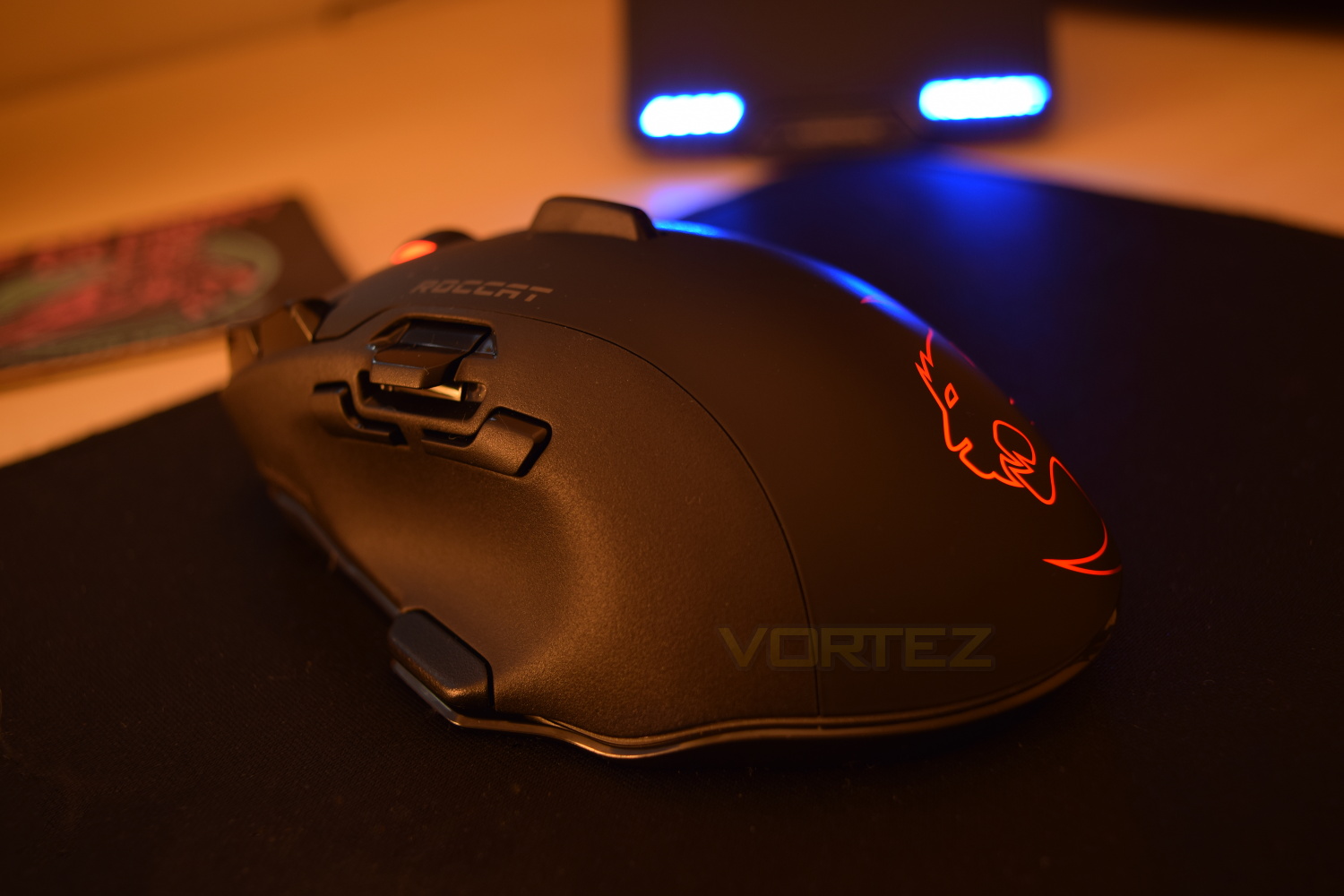
RGB lighting is something we see on almost every gaming mouse these days, but ROCCAT seems to have dropped the ball on the Leadr; the lighting itself is good, providing a crisp light-show, but the effects are far from “smooth;” with the transition between each preset colour being jerky and not seeming to “flow” as it should. The ROCCAT Leadr appears to have a software issue which may be fixed in subsequent firmware updates, but for now, the Leadr loses points here. Single colours fading in and out, along with the heartbeat effect both work flawlessly, however.
ROCCAT claim battery life to 20 hours, with our own findings being very close to this. Charging is quick, taking around 2 hours, though there was no warning at all about the battery being critically low, with a sudden stop being the only sign. There is a battery display, comprised of 4 blue LEDs, on the charging base, however, the first light took around 12 hours to disappear, with the following 3 taking around 7 hours. An ability to adjust the automatic standby time would be welcomed, to help conserve battery life when leaving your PC on.
Syncing with the charging base was a doddle, taking little over 5 seconds to pair up. Once paired, if the mouse does go into automatic standby, the mouse and base will re-sync upon clicking any button on the mouse within a fraction of a second, no noticeable delay was observed, at all.
Conclusion
The ROCCAT Leadr is a large mouse, suitable for the bigger hand, but with that size comes a whole host of incredibly well-positioned buttons. The X-celerator paddle, along with the Easy-Shift[+] are both exactly where they need to be. The RGB lighting is a lot more subtle than offerings from other manufacturers but still more than bright enough to show off that ROCCAT logo; unfortunately the lighting effects do need some tweaking to score full marks.Functionality is excellent, the Owl-Eye sensor works flawlessly in any scenario, the 20-hour battery life is more than enough for any gaming session, however, if you do find yourself in a gaming session of mammoth proportions, there is also the ability to connect the mouse via the included Micro-USB. The ROCCAT Swarm software is excellent and suits the Leadr to the T.
The price, at £130 / $140, might be a little eye-watering to some, but for a no-compromise wireless gaming mouse, this seems reasonable and is along similar lines with offerings from Razer and Logitech.
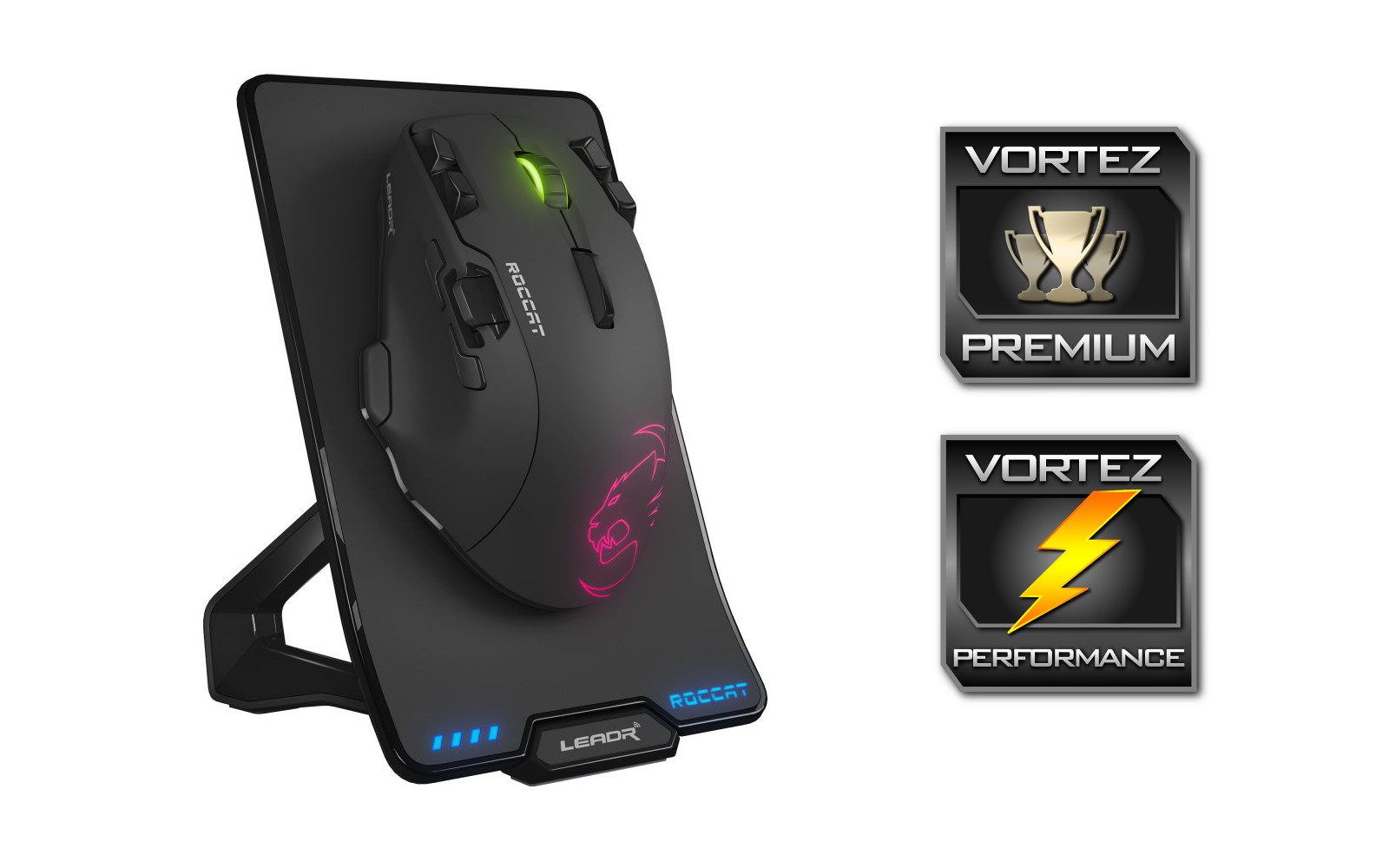
The ROCCAT Leadr, with the Owl-Eye sensor and whole host of buttons genuinely does offer wired performance without the hindrance of the wire.
Pros
+ Excellent build quality
+ Comfortable shape and design
+ Impeccable wireless performance
+ 20 Hour battery life
+ RGB lighting
+ X-Celerator paddle
+ Easy-Shift[+] button aids productivity
+ Wired or Wireless functionality
Cons
– RGB transitions could be smoother
– Pricey at £130
+ Excellent build quality
+ Comfortable shape and design
+ Impeccable wireless performance
+ 20 Hour battery life
+ RGB lighting
+ X-Celerator paddle
+ Easy-Shift[+] button aids productivity
+ Wired or Wireless functionality
Cons
– RGB transitions could be smoother
– Pricey at £130
Click here for an explanation of our awards at Vortez.net.