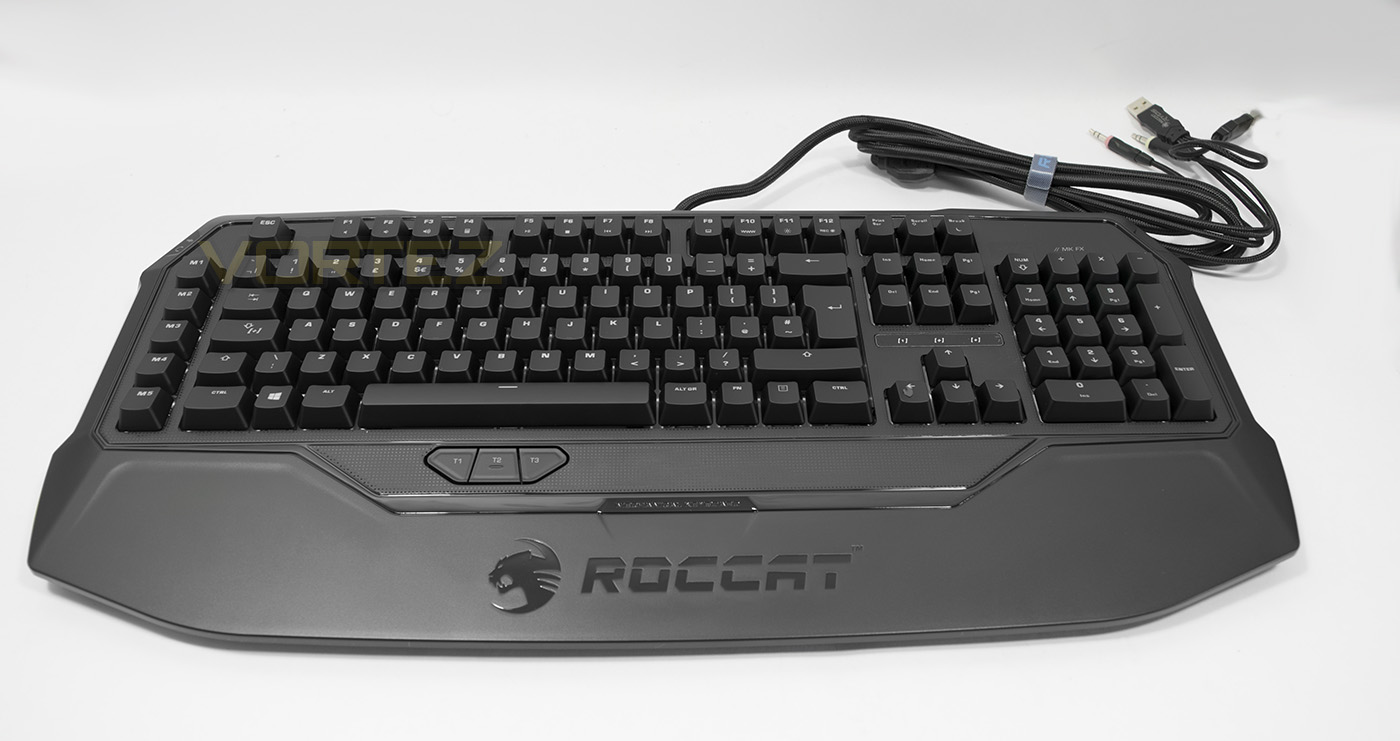
The Ryos MK FX keyboard has been fitted with advanced RGB lighting for complete customisation along with the easy shift feature that enables complete remappability of each key.

Product on Review: ROCCAT Ryos MK FX
Manufacturer & Sponsor: ROCCAT
Street Price: US: $169.99, UK: £139.99
A little while ago we took a look at the ROCCAT Ryos TKL Pro, which is the compact Tenkeyless version of the Ryos keyboard. The interesting design, unique features and its solid performance really helped it stand out, since then we have been eager to get our hands on a full RGB Ryos keyboard.
The Ryos MK FX has a feature list that reads like various others in its series, including Cherry MX switches, dual 32bit ARM processors, 2MB of on board memory, as well as having a built in wrist rest and thumbster buttons. However the Ryos MK FX gets a full RGB lighting makeover and is supported by ROCCAT Swarm, ROCCAT’s unified driver software.
Overview by ROCCAT
Do you pick style or performance when you look for the perfect weapon to add to your gaming arsenal? Do it the ROCCAT way: pick both. Purpose built for hardcore gamers, the Ryos MK FX is the most advanced mechanical gaming keyboard on the market. Using all of ROCCAT’s industry expertise and gaming experience, the Ryos MK FX boasts a feature set so comprehensive and a design so eye-watering you’ll be leading the pack by miles – complete with 16.8 million color per-key RGB illumination.
Technical Specifications
– RGB Per-Key illuminated mechanical keyboard
– Advanced anti-ghosting with N-key rollover
– CHERRY MX key switches
– 3 programmable thumbster keys
– 5 programmable macro keys
– 94 total programmable keys
– 1000Hz polling rate
– 1ms response time
– 1.8m braided USB cable
– 1 x audio in, 1 x audio out
– 2 × 32-bit ARM Cortex processors + 2MB flash memory
Dimensions / Weight
Width 50.8 cm , Height 4.4 cm , Length 23.4 cm , Weight 1600 g
System requirements
Windows® 7 32 Bit, Windows® 7 64 Bit, Windows® 8, Windows® 10
Internet connection for driver installation
2 x USB 2.0 Ports
1 x 3.5mm jack (sound)
1 x 3.5mm jack (mic)
– Advanced anti-ghosting with N-key rollover
– CHERRY MX key switches
– 3 programmable thumbster keys
– 5 programmable macro keys
– 94 total programmable keys
– 1000Hz polling rate
– 1ms response time
– 1.8m braided USB cable
– 1 x audio in, 1 x audio out
– 2 × 32-bit ARM Cortex processors + 2MB flash memory
Dimensions / Weight
Width 50.8 cm , Height 4.4 cm , Length 23.4 cm , Weight 1600 g
System requirements
Windows® 7 32 Bit, Windows® 7 64 Bit, Windows® 8, Windows® 10
Internet connection for driver installation
2 x USB 2.0 Ports
1 x 3.5mm jack (sound)
1 x 3.5mm jack (mic)
Packaging & Bundle
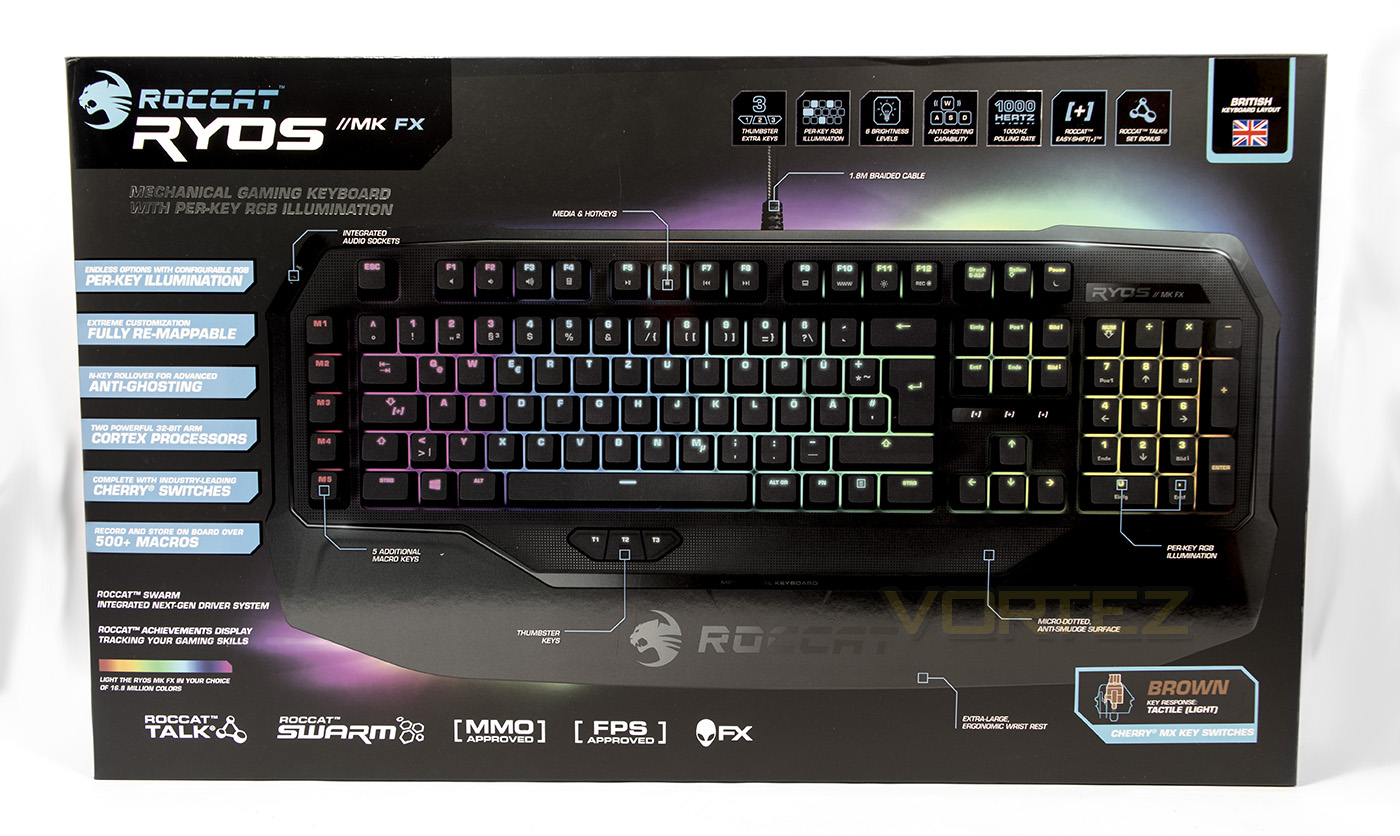
The packaging for the Ryos MK FX is relatively large, ensuring that the keyboard inside will arrive safely. The exterior design is rather typical of ROCCAT, with lists of features in blue tabs, and tiles of supported technologies surrounding the product image. There is clear identification that this keyboard features RGB per-key illumination, Cherry MX keys and that this is the British layout.
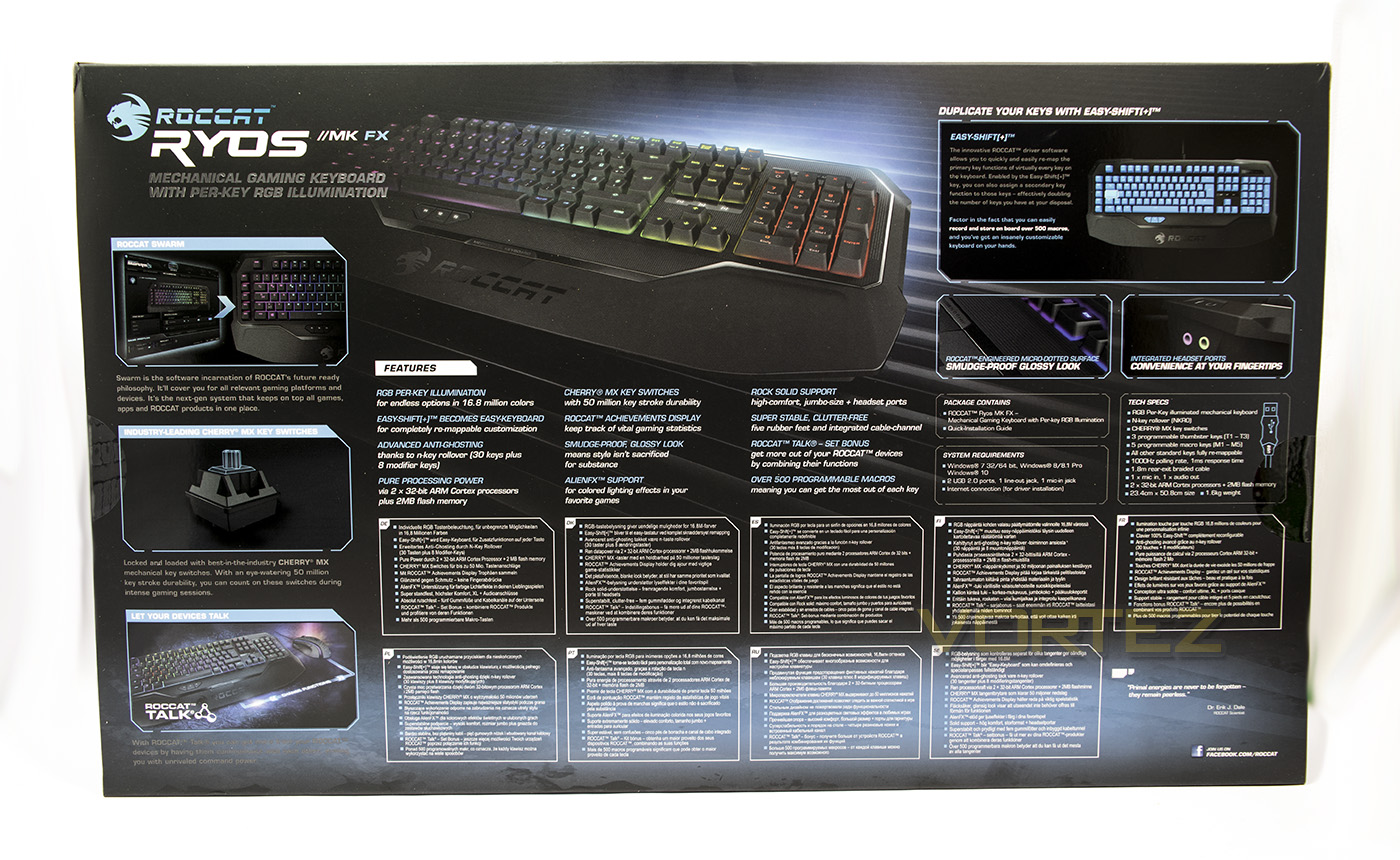
At the back there is a more detailed breakdown of various features as well as the technical specifications available in various languages.
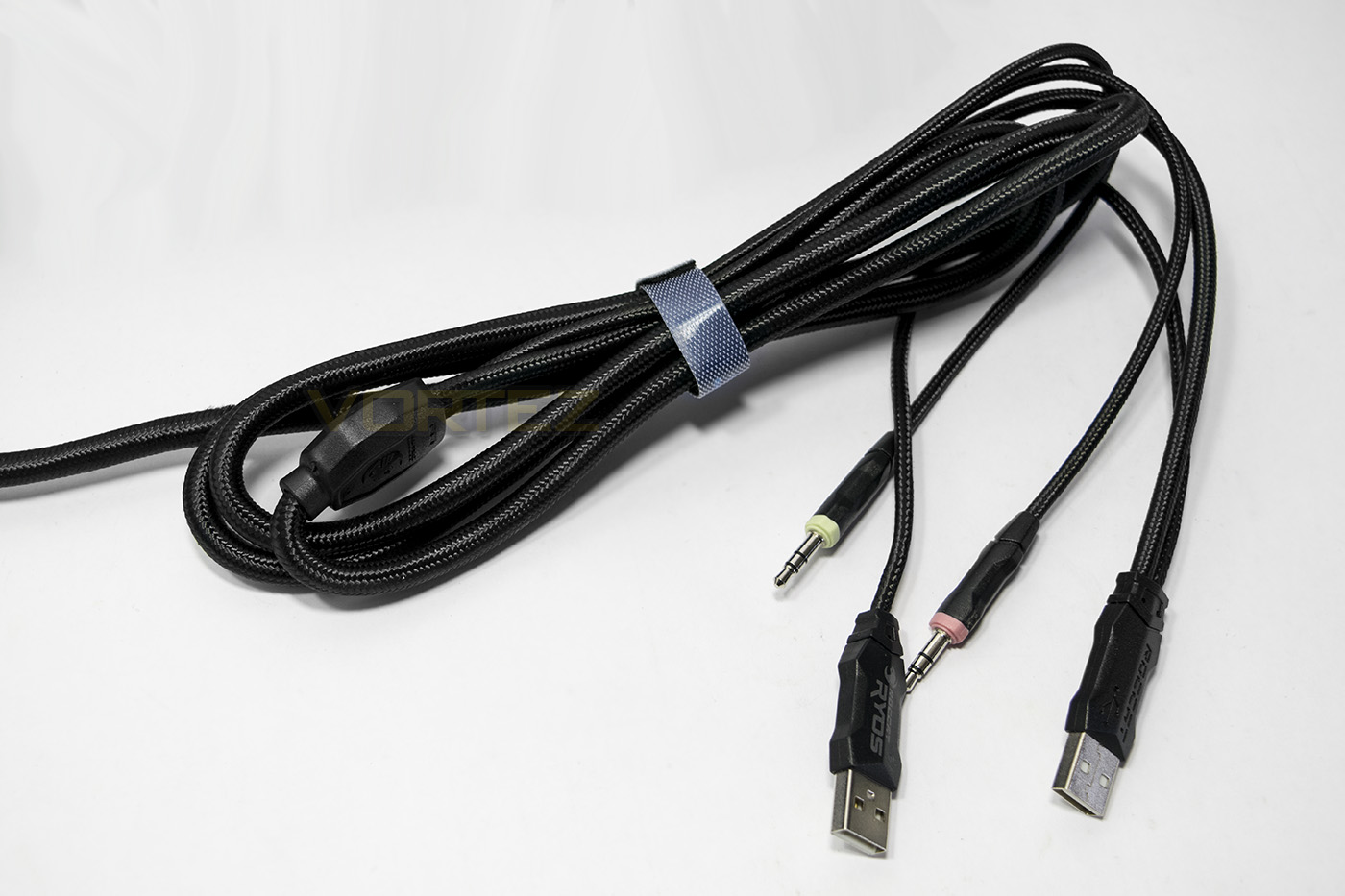
The included cable is 2m long and is braided, featuring audio pass through jacks for stereo/microphone as well as requiring 2x USB connectors for stable power/performance.
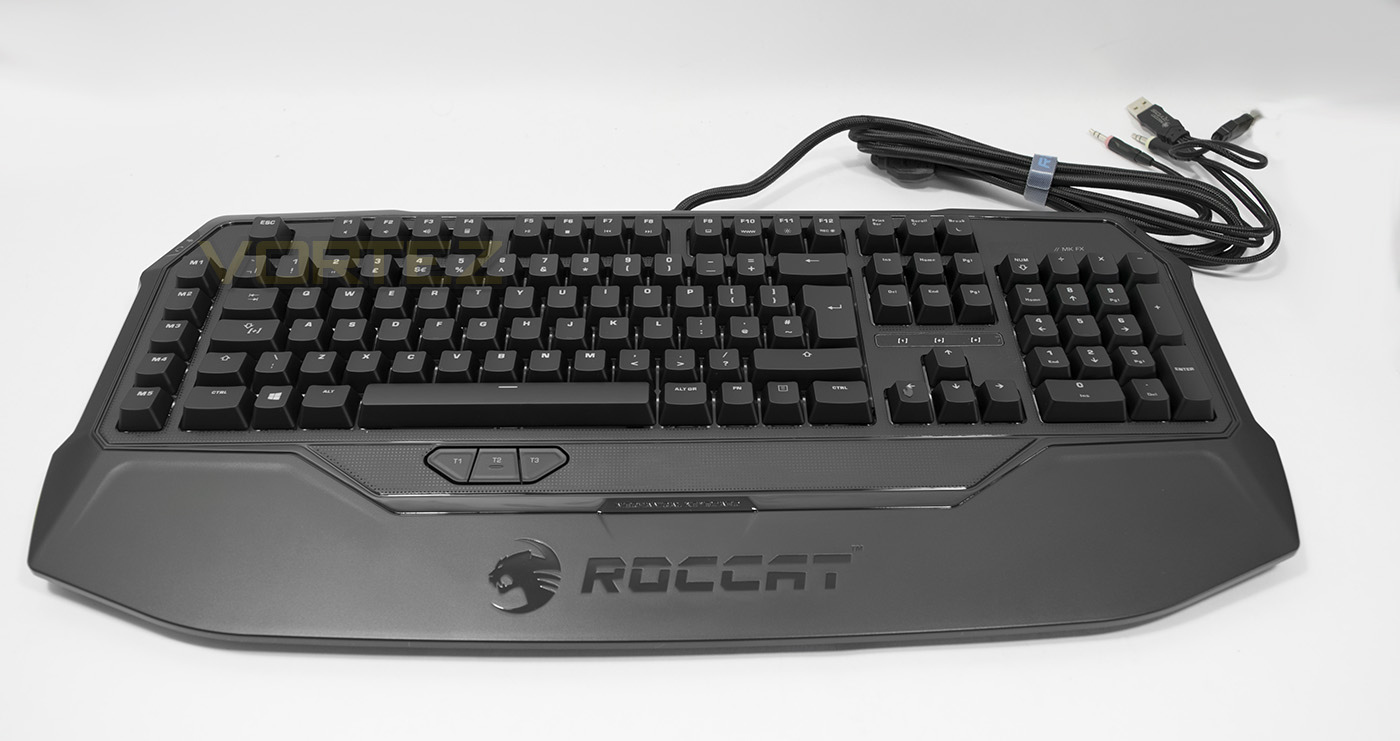
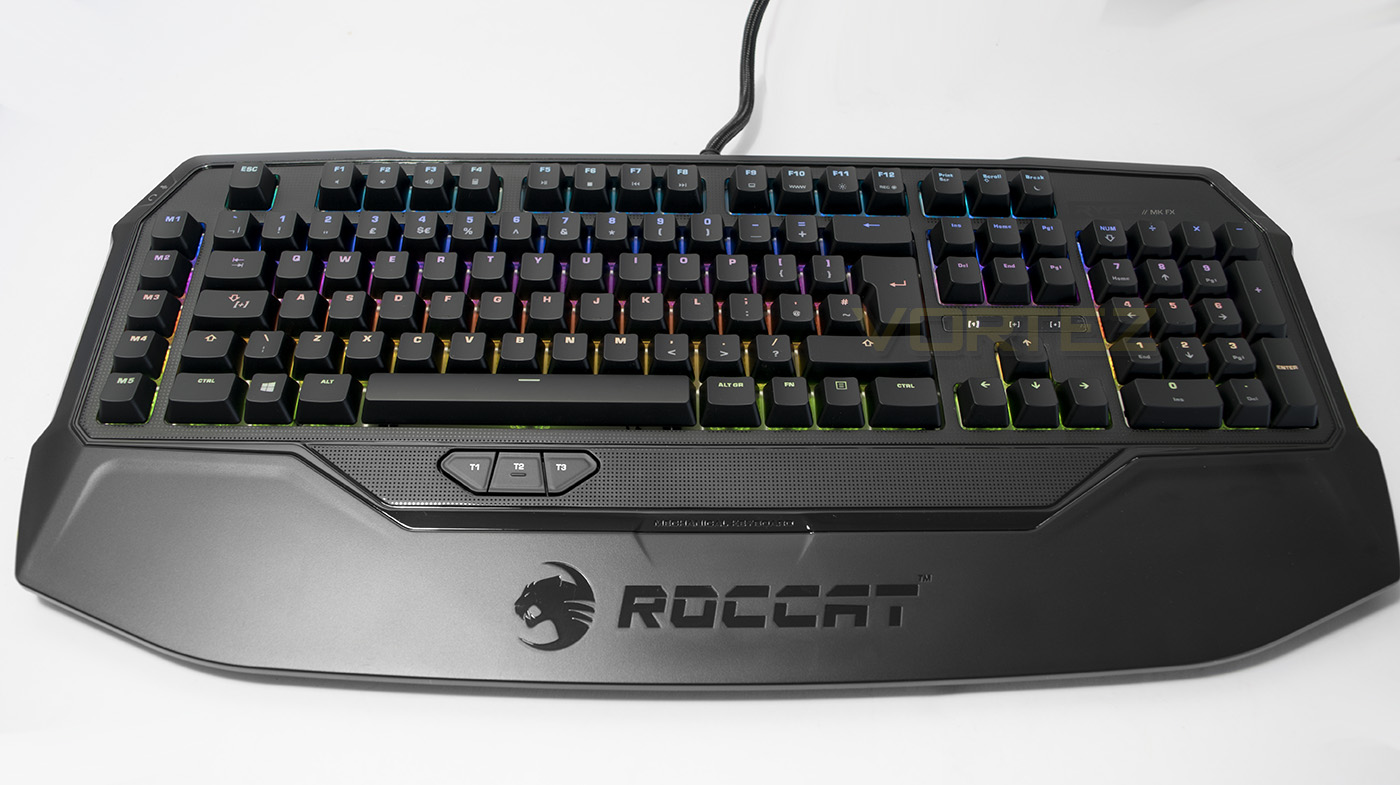
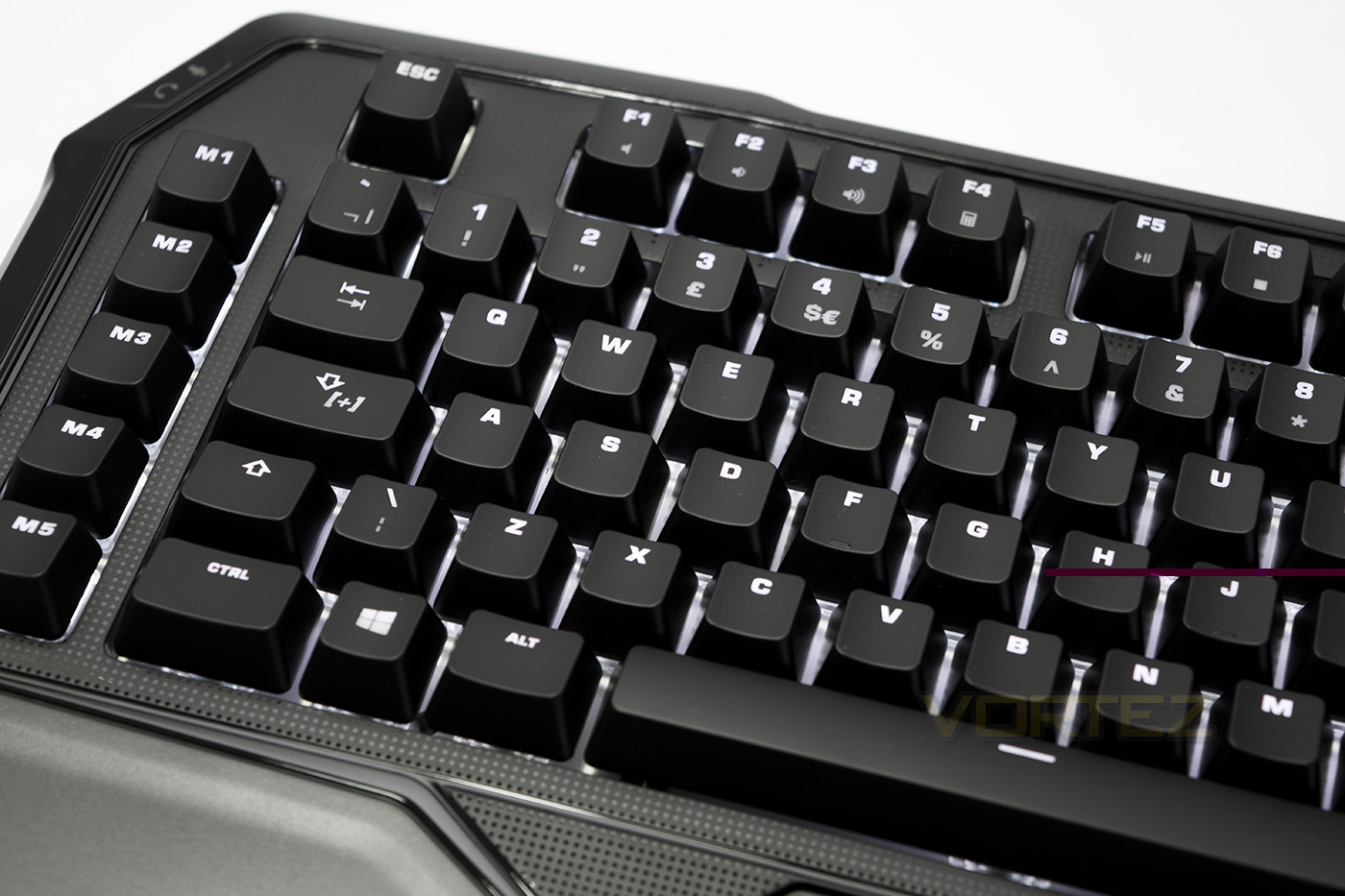
The Ryos MK FX is similar in appearance to the Ryos MK Pro, though on closer inspection you can see the white background behind the keycaps. This is something employed by various RGB keyboards we have seen before to help the lighting look more vibrant and stand out.
Closer Look
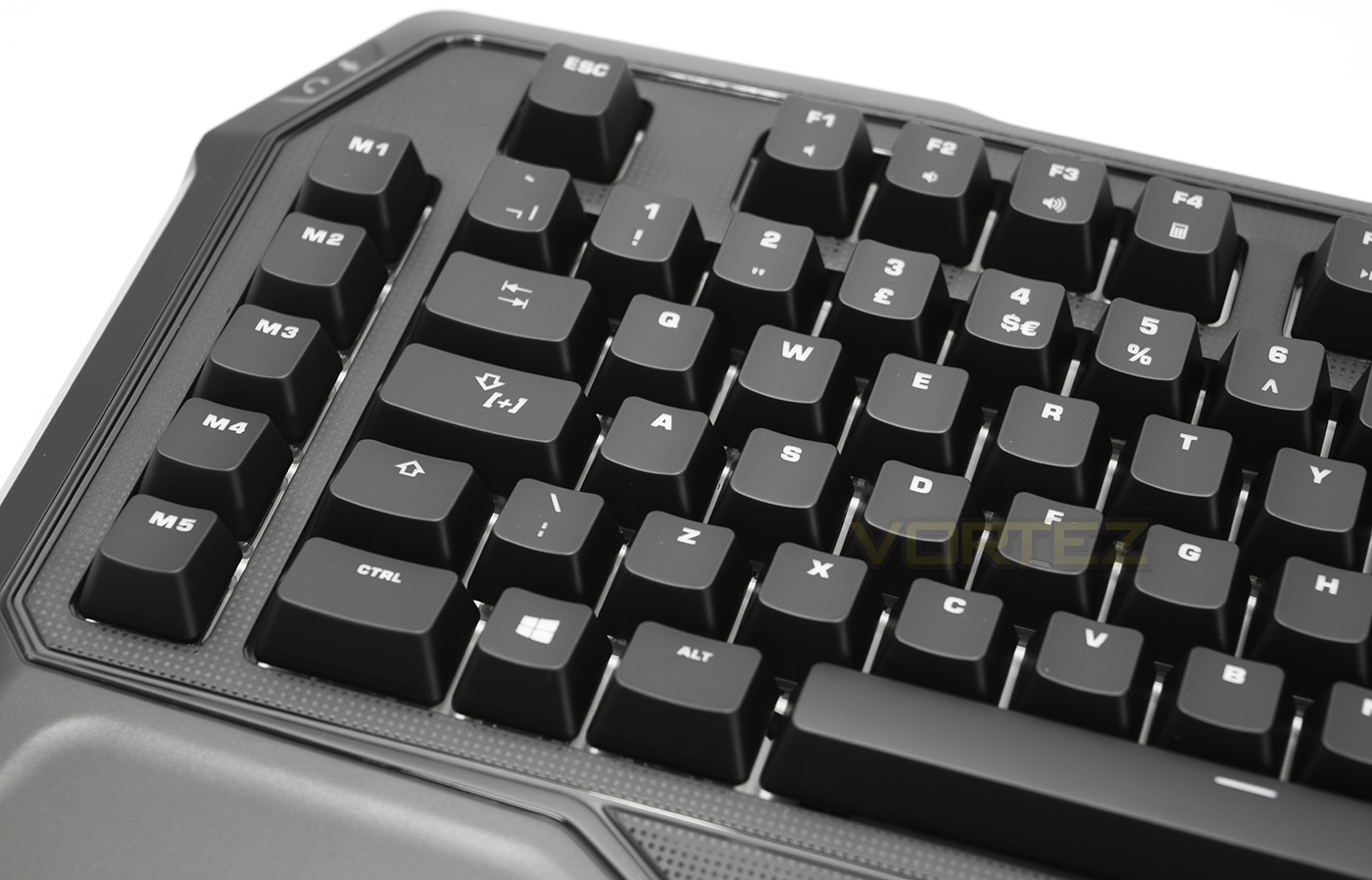
As this is a full size keyboard, as with the Ryos MK Pro, it features an additional 5 extra macro keys. The easy shift key replaces the standard caps lock key, and at the top we can see that the F keys double as media keys. (Mute, volume down, volume up, calculator).
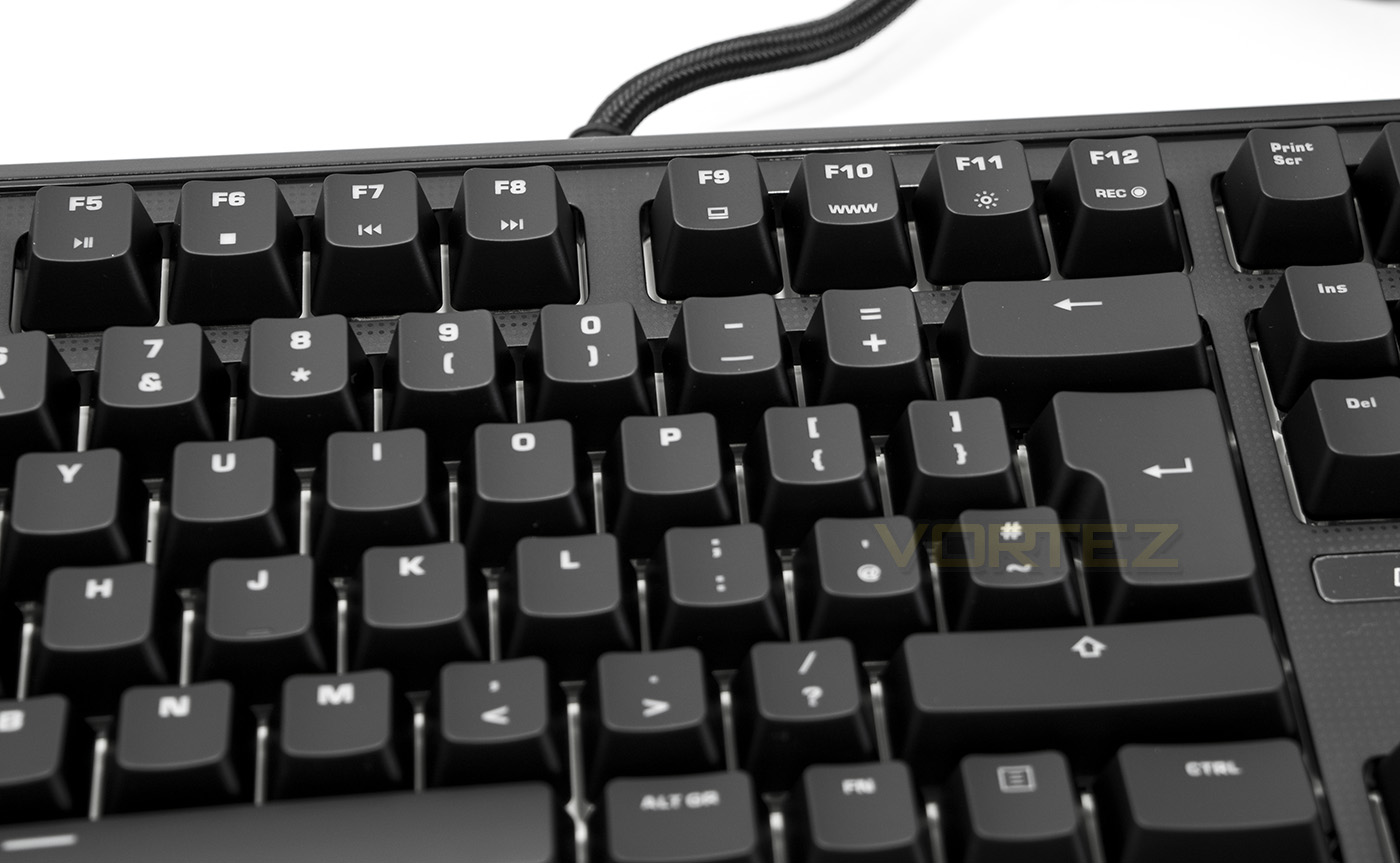
More functions are enabled by using the F keys with the Fn button.
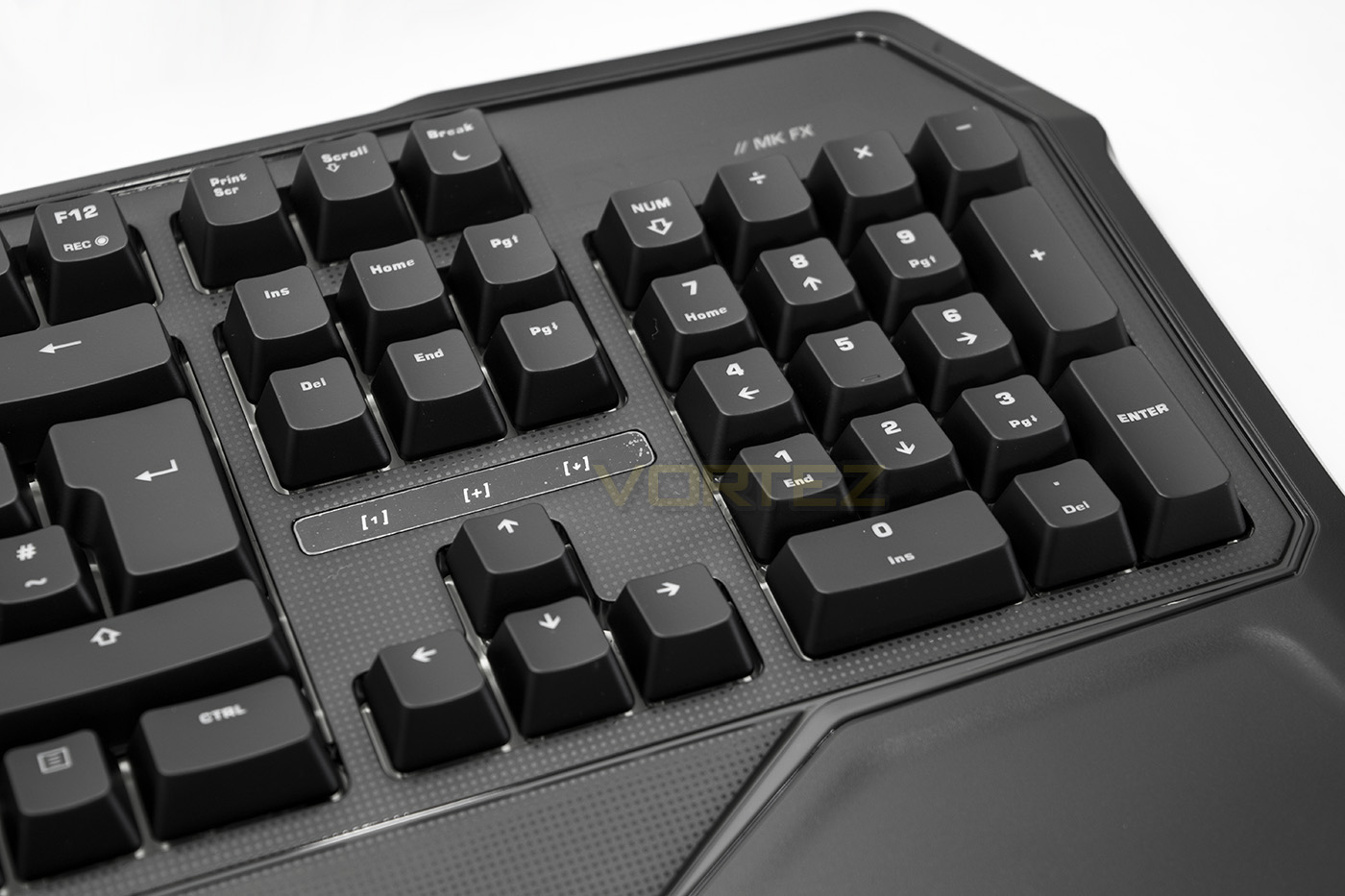
By using an Fn key, there is no need for additional buttons that would sometimes be seen above the numpad.
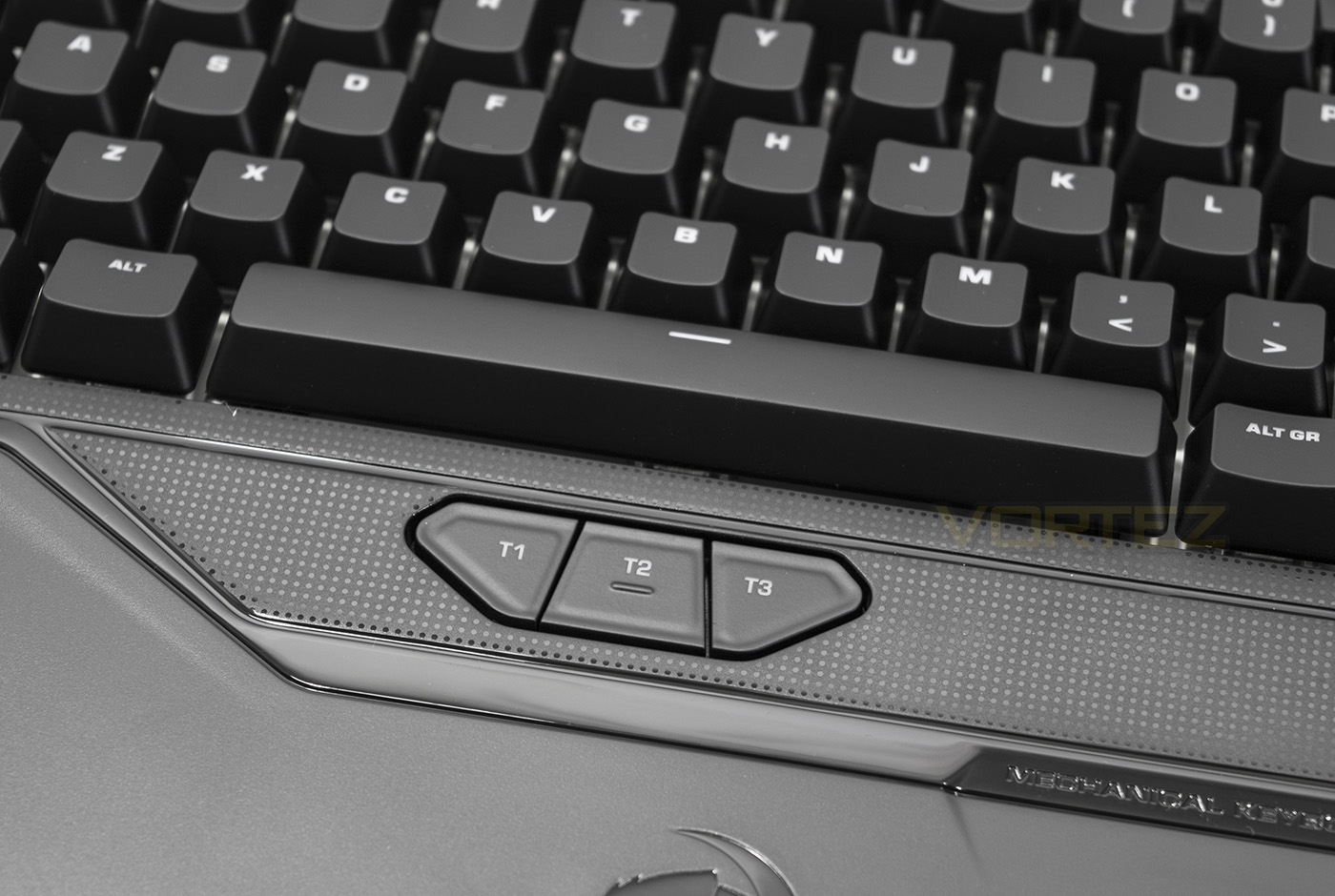
There are three programmable thumbster keys that are easy to reach just below the spacebar.
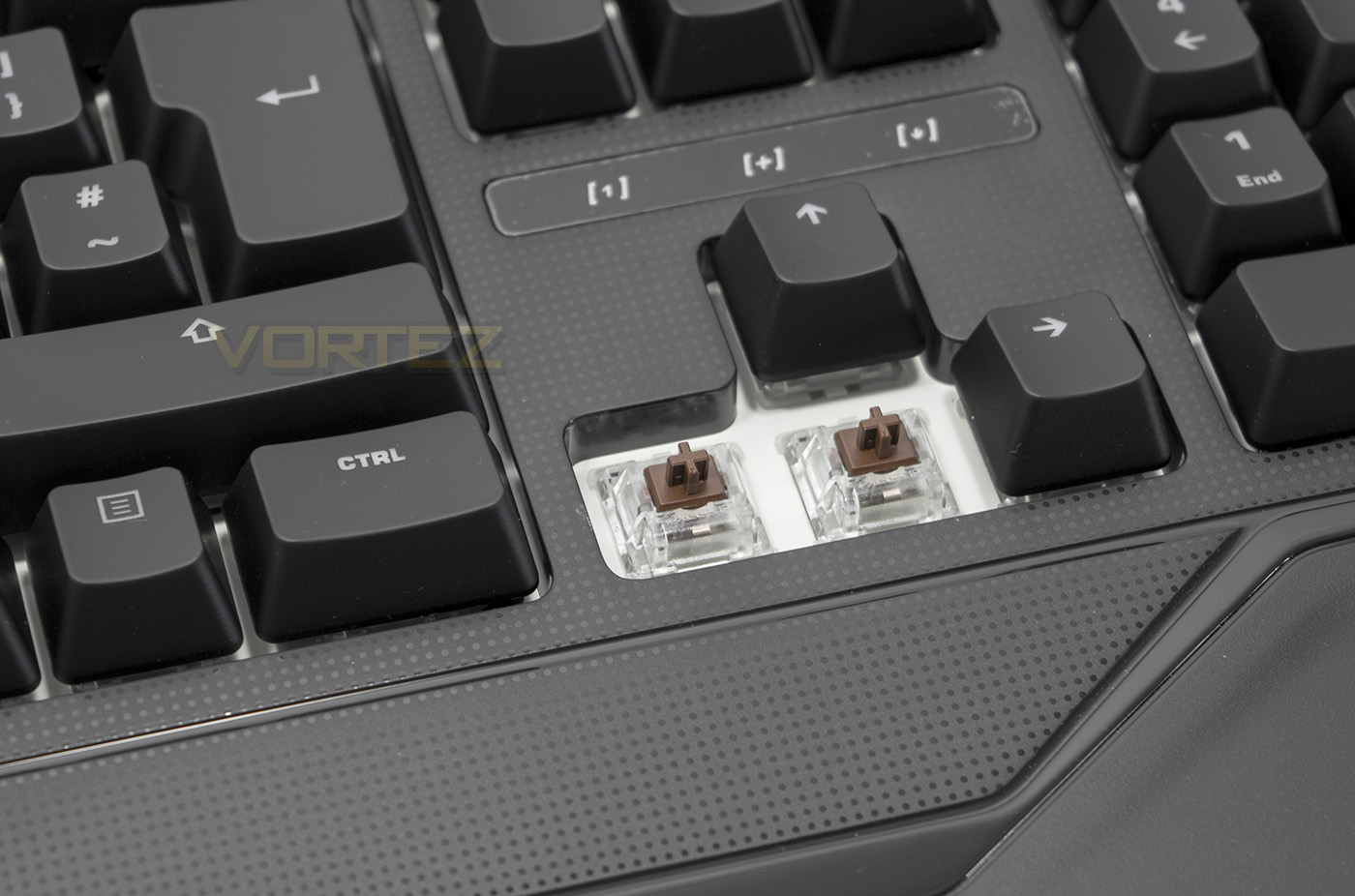
The Ryos MK FX uses genuine Cherry MX switches, this version features brown.
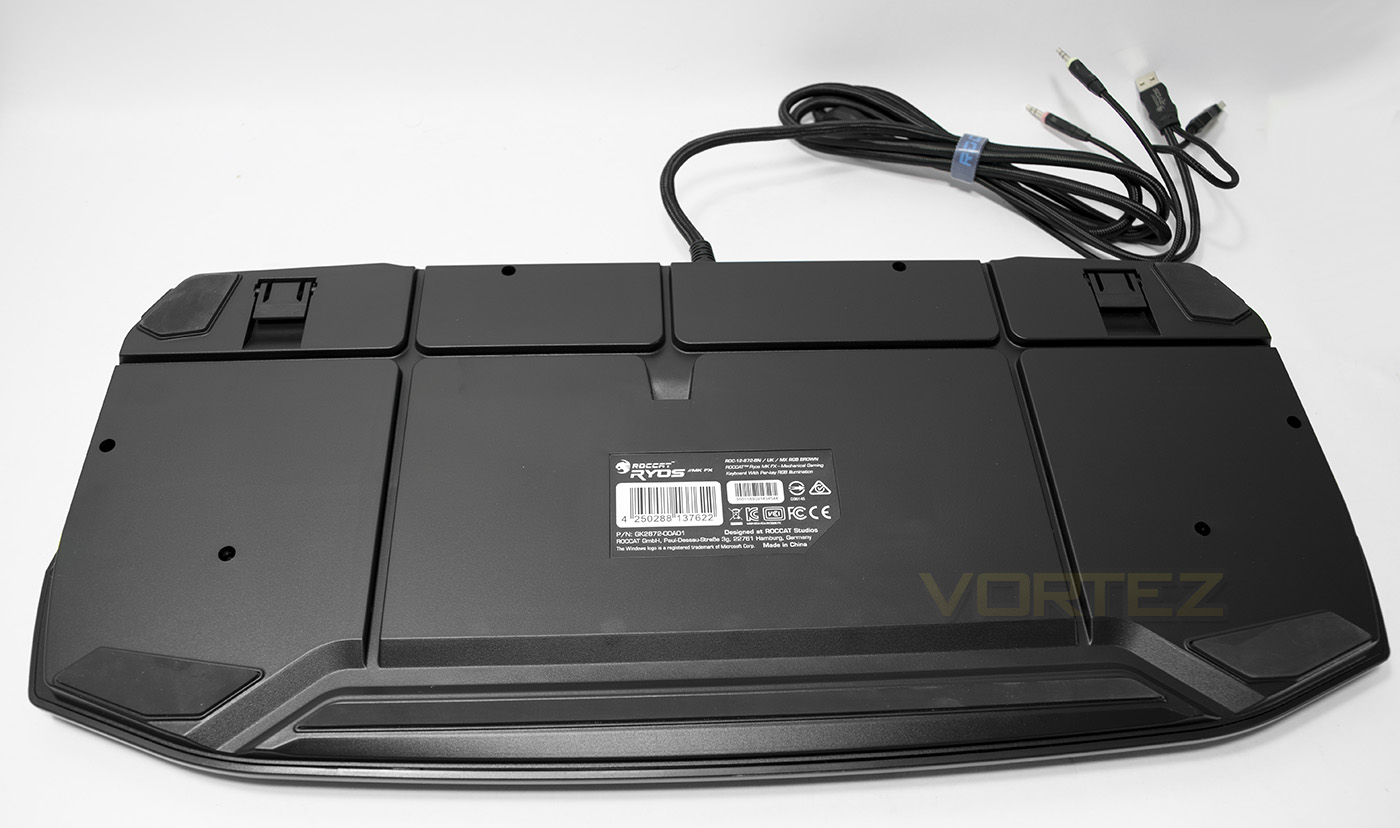
The underside of the keyboard features large non-slip pads and the traditional feet should you wish to change the angle of the keyboard, there are also cable routing channels.
Software & Lighting
The ROCCAT Swarm software has a customisable home page that you can pin all your favourite settings to for quick access, and features a host of advanced controls such as key reassignment/activation/deactivation, as well as effects for a standby mode after a set time of inactivity. You can view the key assignment map as the image of the keyboard, or in a more detailed view of each key being listed with its standard and easyshift assignment.
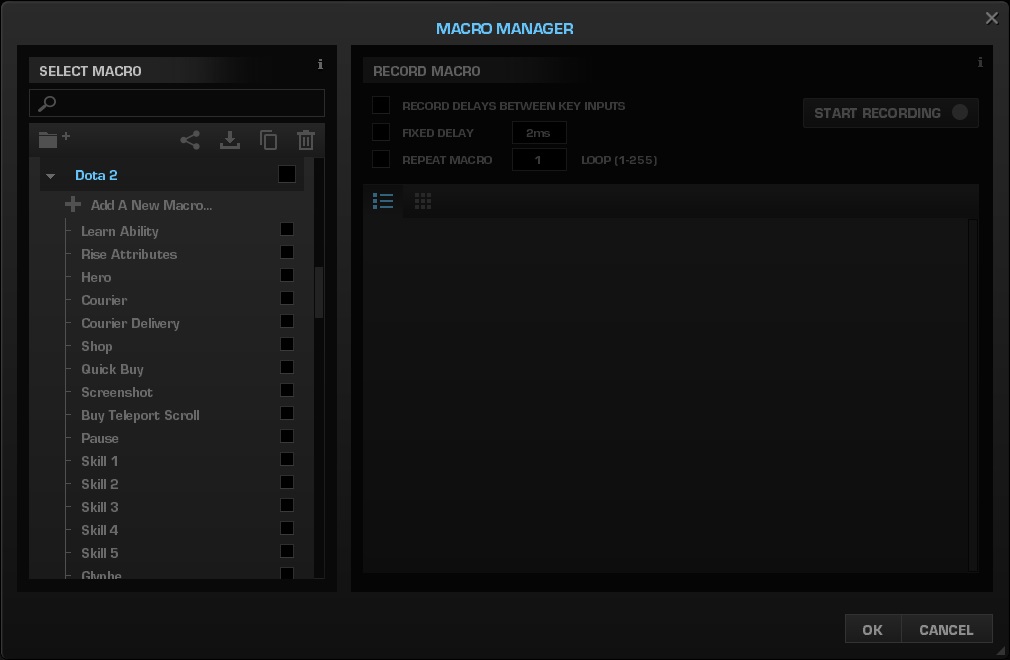
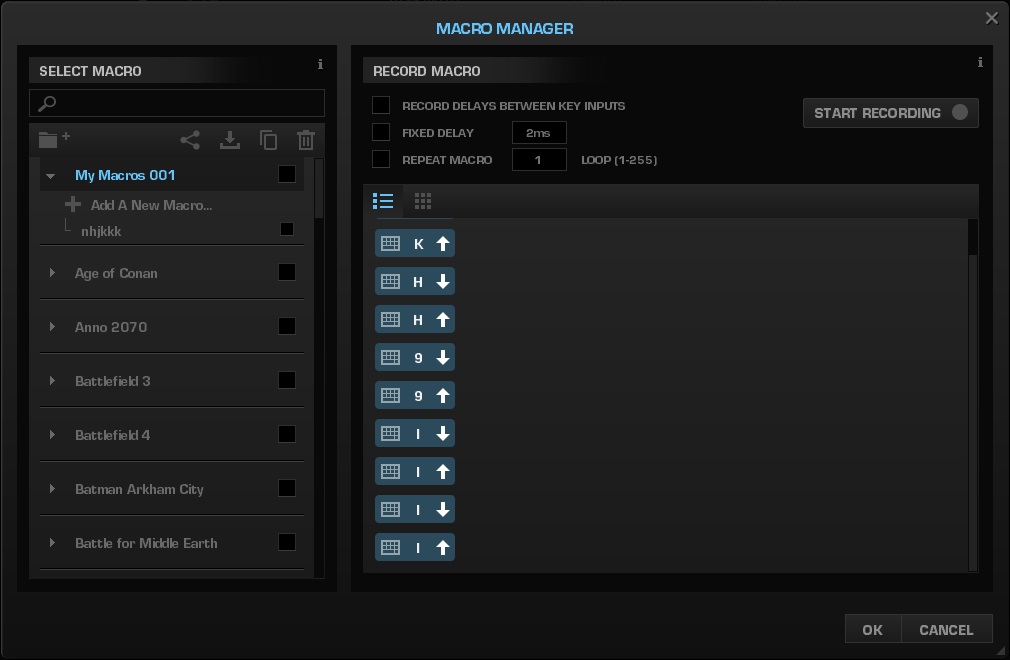
You can assign each key with a recorded keystroke using either the live recording or the macro editor. The macro manager felt a little difficult to gain access to as you have to create a new folder then add a new macro in the folder, then record the macro, but once you find your way through this, it is rather straight forward and easy to use. There is a large library of useful macros already stored for many popular games making life easier. I found that the Macro recording didn’t record any mouse button presses and you would have to add them manually by right clicking, even then it was limited to standard left/right mouse clicks and not any additional buttons. This may not be a major problem for most, but I like to note this as some macros I like to record DO require mouse key presses.
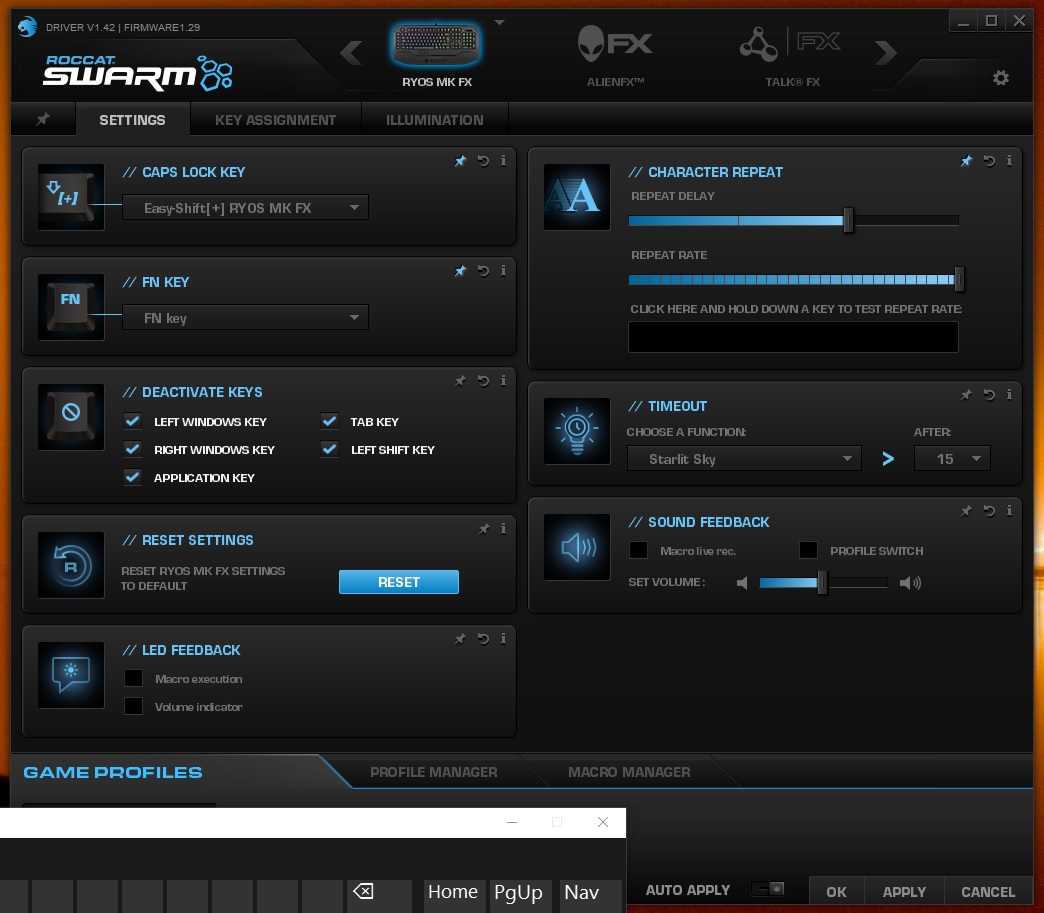
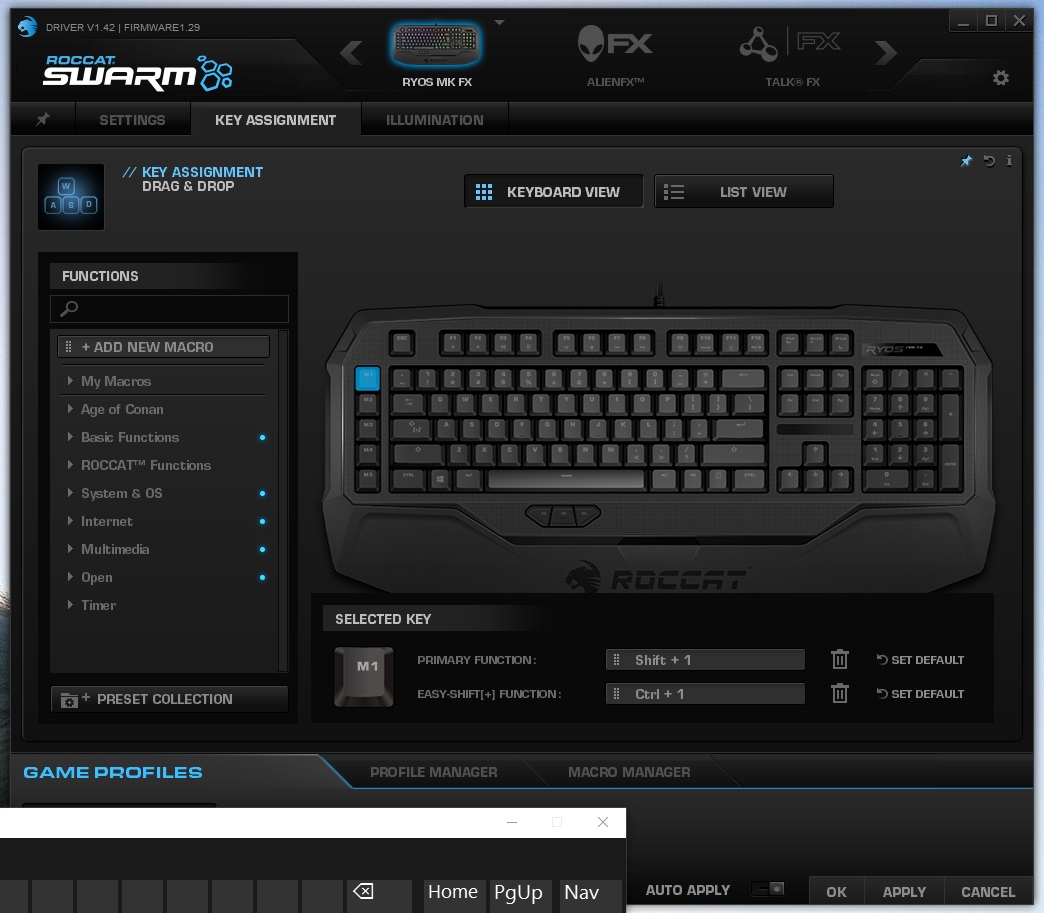
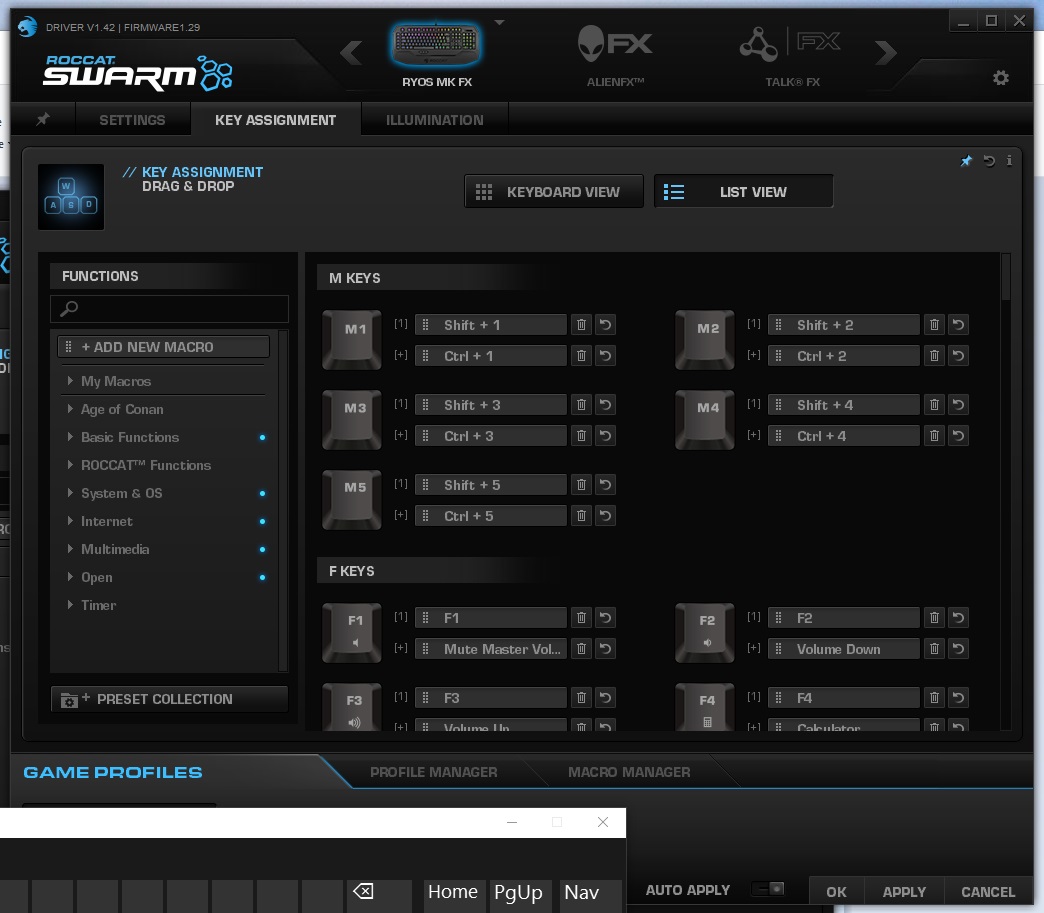
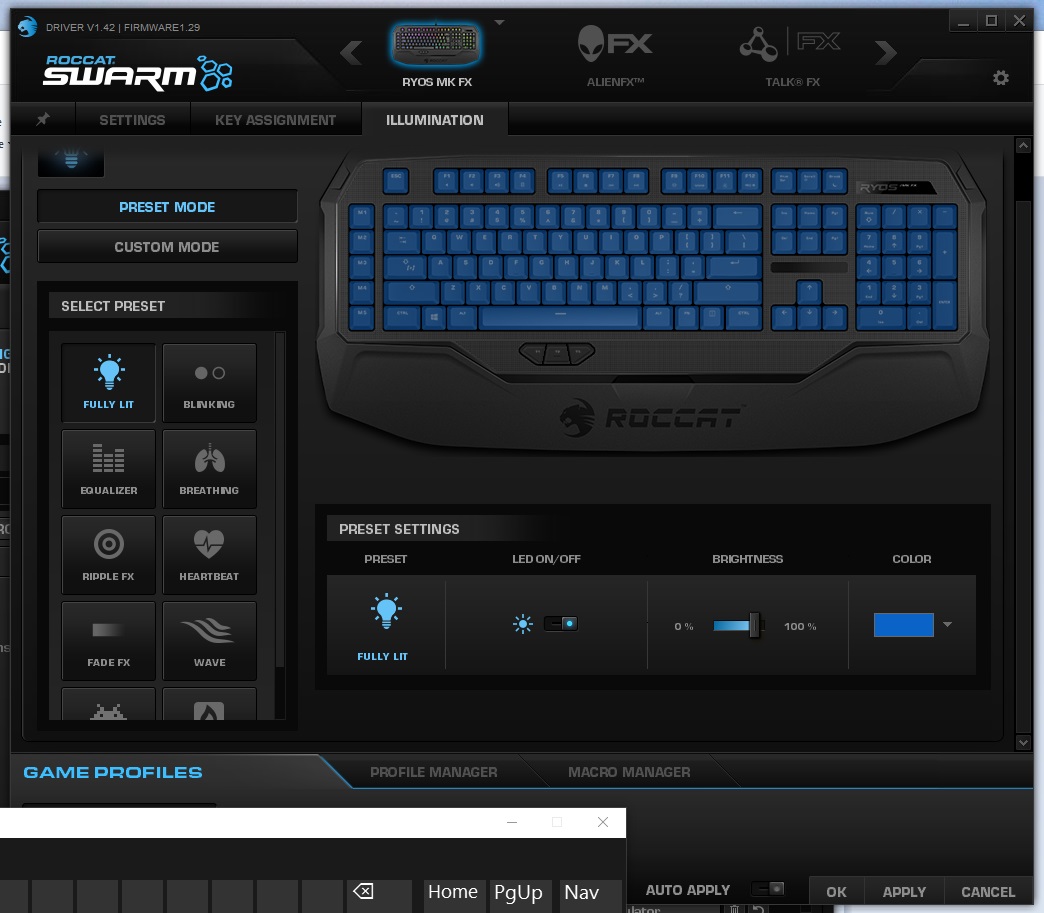
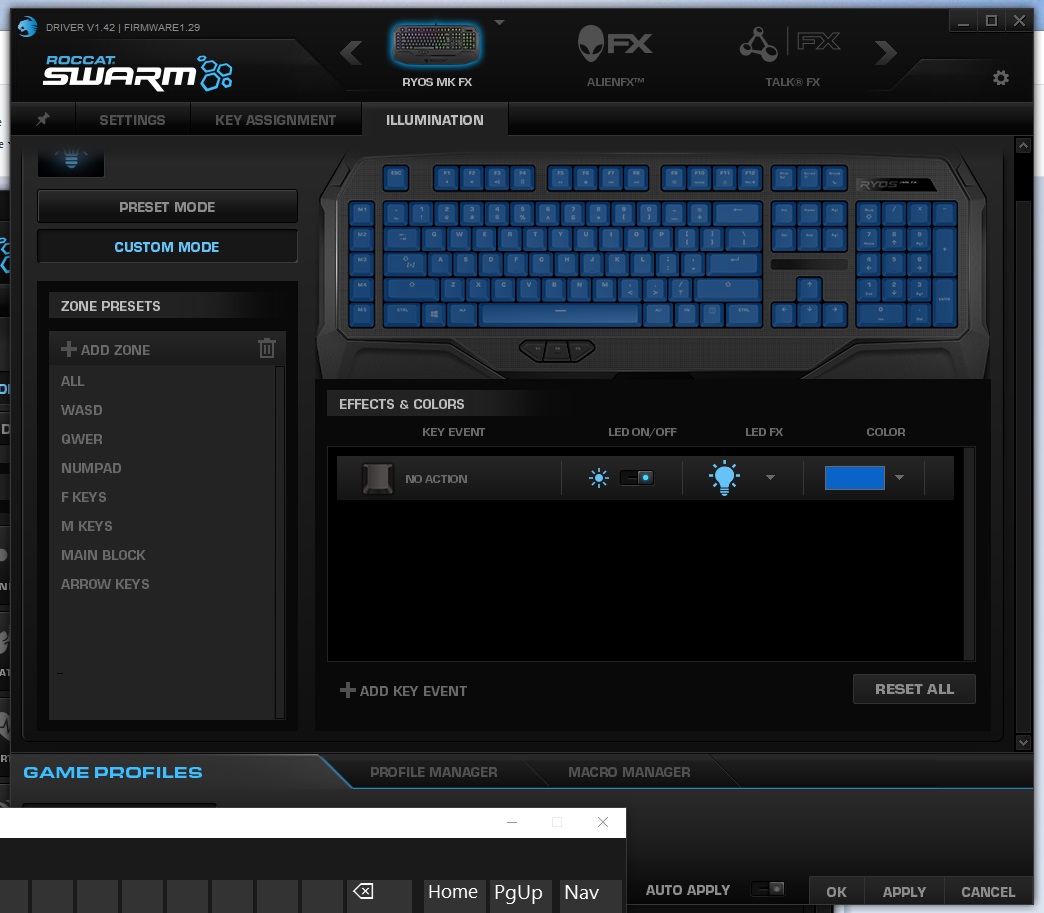
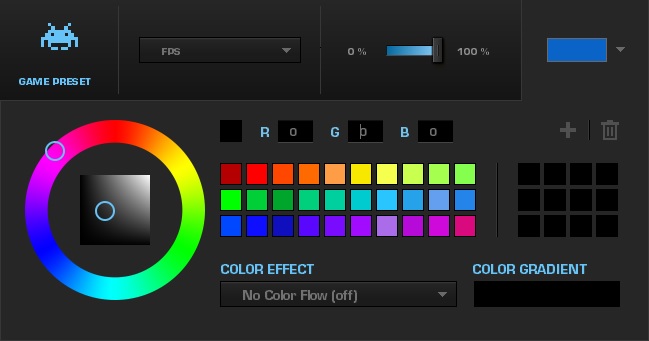
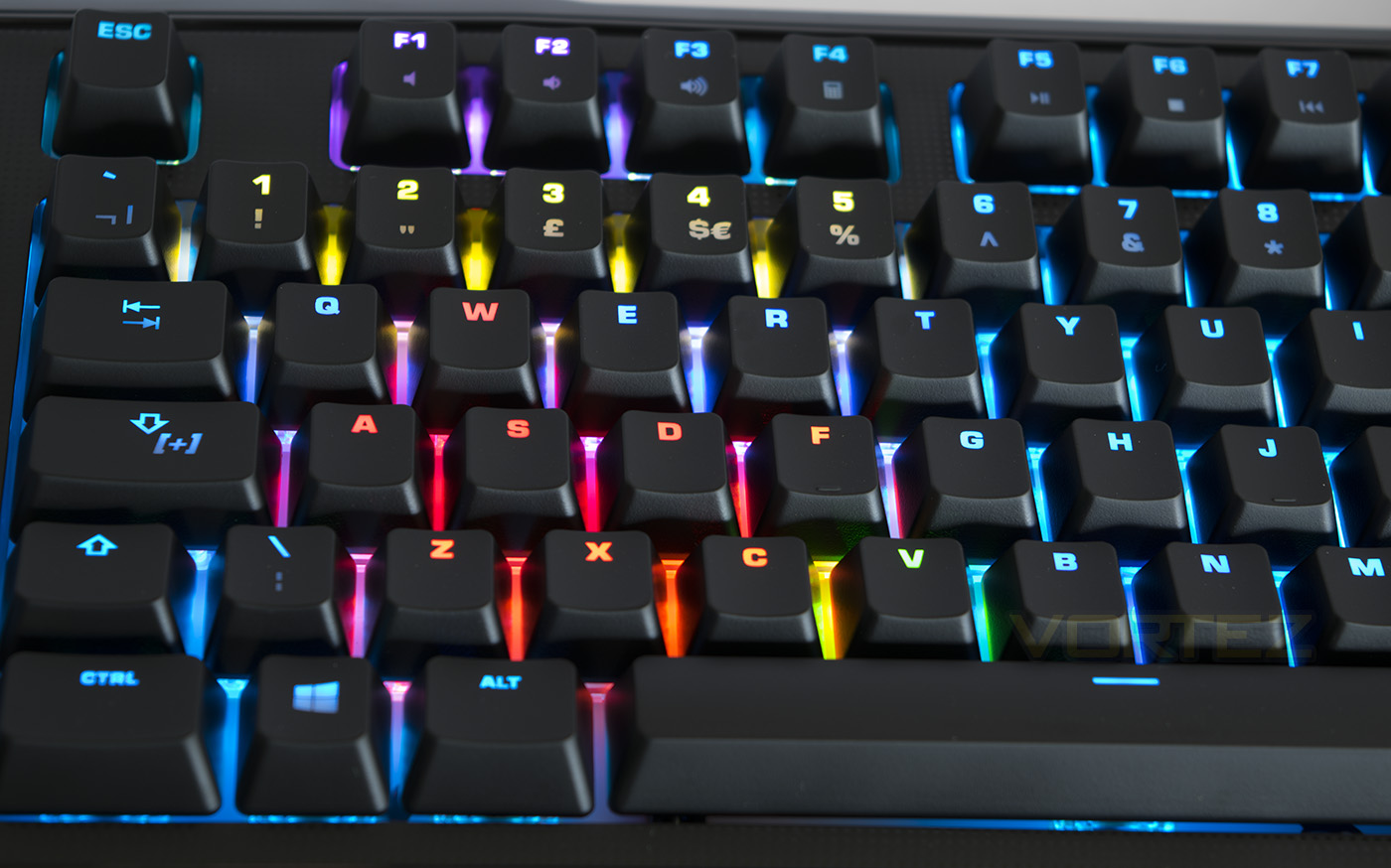
The lighting modes for the Ryos MK FX fall into two categories, preset or custom modes. The preset modes have various set parameters that create attractive lighting modes. The equaliser mode specifically looked fantastic. The manual mode allows you to create several layers or lighting parameters for more advanced lighting effects. There were a few things I noticed that was very interesting. One is, the ripple effect option gave a choice of three speeds, all but the fastest speed felt laggy, and it is strange that ROCCAT didn’t offer a more sliding scale of speed rather than 3 presets, of which two seem defunct. Another thing I noticed was that the lighting didn’t feel like it was bright enough. Other than these mentions, the RGB lighting ROCCAT used is actually impressive in how well they render colour accuracy, in between shades looked fantastic as well as being the only RGB lighting I have witnessed that actually presented an excellent white colour.
Performance Testing
Setup, Design & Observations
Setting the Ryos MK FX keyboard up is fairly straight forward, though make sure you have 2x USB ports spare. Apparently this is to ensure its 1000Hz polling speed, anti-ghosting capability as well as powering the keyboard and its lighting adequately. This seems strange as we have experienced many keyboards that function perfectly on just one USB port. Maybe this is something to do with the dual ARM processors. Though it felt like a waste having to use 2x USB ports (both 3.0 in my case) and not getting a USB pass-through in return.
In use the Ryos and its integrated wrist rest is actually very comfortable to use allowing you to ignore its 35mm thickness as you get a level typing plane. This does come at the cost of desk space as it has a rather large footprint. The Ryos mk FX features 30+8 key anti-ghosting, so not quite full NKRO but enough to give full confidence. The UV coated, laser etched key caps feel good quality and durable.
The additional macro keys will be a sigh of relief for those that demand dedicated macro keys and its worth not forgetting that you can reprogram the thumbster buttons too.
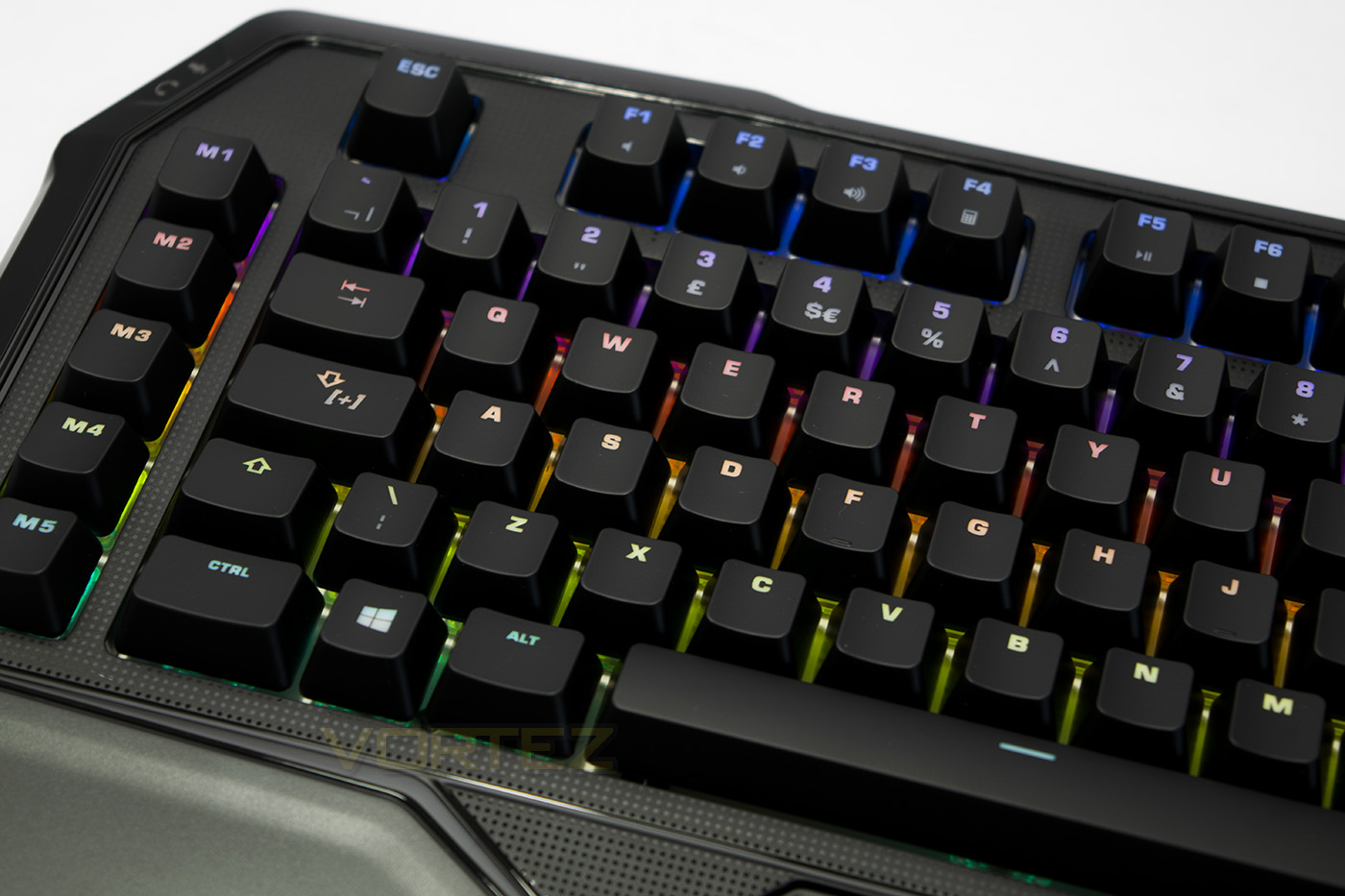
ROCCAT have again chosen to pair the Ryos MK FX with Cherry MX switches that ensure durability with their 50 million keystroke rating. At the moment at least, it seems that the Ryos MK FX is only available with Brown switches. This may not entirely be a bad thing, though some may have their own established preference. Cherry MX Brown switches are mechanically similar to Red switches and have the same the 45cN actuation force, but instead of being linear, Brown switches provide a silent tactile bump when pressed.
Conclusion
The ROCCAT Ryos MK FX in our testing came out strong. It is comfortable to use for typing and gaming, and has many powerful functions that many gamers will find useful. The easy shift key can instantly turn the Ryos into a powerhouse of shortcuts and macros while the per-key RGB lighting provides interesting lighting effects.
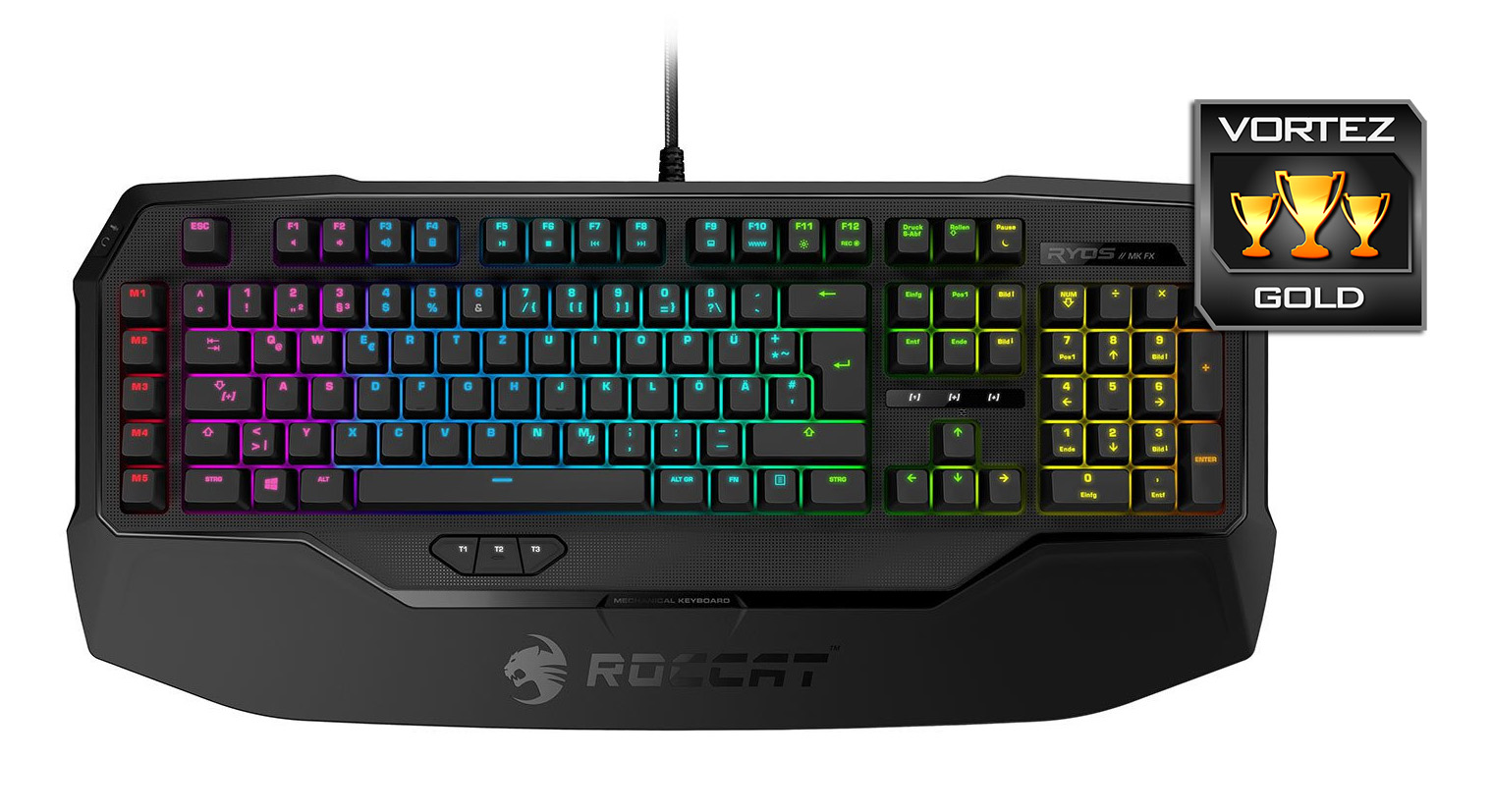
Comparatively, the Ryos MK FX is priced right alongside the Corsair STRAFE RGB and the Razer Blackwidow Chroma. Between these, the ROCCAT doesn’t appear as the most vibrant in outright brightness, though the Ryos MK FX does offer outstanding colour rendering, having a true ‘white’ lighting appearance may sway some buyers. The Swarm software supports the creation of advanced lighting effects, (as we also see in the CUE and Razer Synapse) so it would be interesting to see if ROCCAT supports the community in regards to content creation and sharing.
Though there are features such as the additional macro keys and thumbster buttons, it would have been nice to have seen a USB pass-through on the Ryos MK FX. Many people find that an easily accessible USB port is invaluable and seems a little counter intuitive when you consider that the Ryos MK FX requires 2x USB ports to power. Despite this, its hard to deny that ROCCAT have a solid, feature rich mechanical keyboard that gamers will love.
The Ryos MK FX is a solid mechanical keyboard featuring advanced lighting and programmability along with powerful ROCCAT technologies.
Pros.
+ Attractive design
+ Comfortable to use (built in wrist rest)
+ Good RGB lighting + effects
+ Dual on board processors
+ 5 Additional macro keys + 3 Thumbster keys
+ Audio jacks
Medicore
+- Only available with Brown Switches?
Cons.
– No USB passthrough
+ Attractive design
+ Comfortable to use (built in wrist rest)
+ Good RGB lighting + effects
+ Dual on board processors
+ 5 Additional macro keys + 3 Thumbster keys
+ Audio jacks
Medicore
+- Only available with Brown Switches?
Cons.
– No USB passthrough
Click here for an explanation of our awards at Vortez.net.