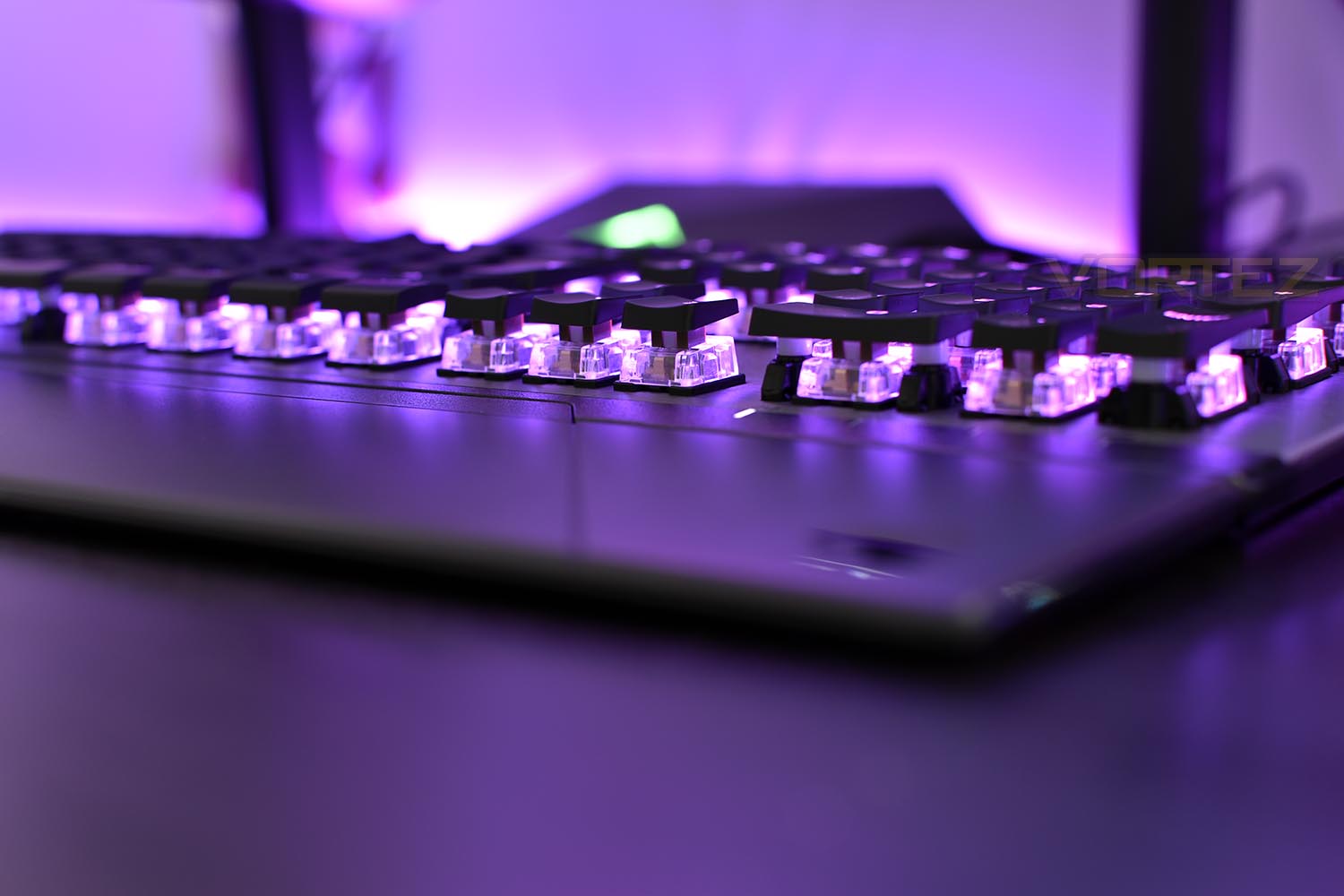
ROCCAT have their first stab at producing their own mechanical keyswitch in the Vulcan 120 AIMO, equipped with RGB lighting wrapped in a thin chassis.

Product on Review: ROCCAT Vulcan 120 AIMO
Manufacturer: ROCCAT
Street Price: GBP £149.99 / USD $159.99
ROCCAT, a German gaming brand, have been piecing together gaming peripherals for 11 years now, within which they’ve released some truly great items. Today we look at their latest and greatest, the ROCCAT Vulcan AIMO 120, the flagship keyboard in a 3-tier line-up which also features the Vulcan 80 and Vulcan 100 AIMO.
Stand out features on the Vulcan 120 AIMO include their brand new Titan mechanical keyswitches, designed from the ground up to provide a swift and precise motion while retaining the tactile feel. Paired to those keyswitches are shallow keycaps that are roughly 50% lighter than standard to provide a rapid response and change the appearance of the keyboard drastically.
An anodised aluminium backplate has been used to give the keyboard structural rigidity to survive daily usage while helping to accentuate the RGB AIMO illumination; a ROCCAT-designed lighting system that reacts to user inputs and provides truly unique lighting effects.
The Vulcan 80 offers a no-frills, no-nonsense approach to the gaming keyboard, giving gamers the essentials while the Vulcan 100 AIMO adds RGB lighting and multimedia functions. The Vulcan 120 AIMO that we review today arrives with a magnetic wrist rest and per-key RGB lighting with unique effects.
The Vulcan AIMO 120 lands with a price tag of £149.99 in the UK, so it sets itself firmly against the likes of Corsair, Razer, SteelSeries and Logitech but let’s delve into the testing and look at the new Titan switch to see what it’s made of.
ROCCAT on the Vulcan 120 AIMO:
The Vulcan is a precision gaming tool that lets you sense its performance from the first glance and the first key stroke. Developed following the renowned principles of German design and engineering, it is the best keyboard ROCCAT has ever built.
Technical Specifications
General:
Actuation point (tactile, silent): 1.8mm
Switch travel distance: 3.6mm
Integrated macro & settings memory: 512kb
All keys remappable
ROCCAT® Easy-Shift[+]™ technology
32-bit ARM Cortex-M0 based processor
USB cable: 1.8m
Polling rate: 1000Hz
ROCCAT® Swarm software suite
Vulcan 120 AIMO:
weight: 1150g
RGB per-key illumination with 16.8m colors
Removable ergonomic palm rest
462mm x 235mm x 32mm dimensions
Compatilibity:
System requirements: USB 2.0 Port, Internet connection for driver installation
Operating system: Windows® 10, Windows® 7, Windows® 8
Actuation point (tactile, silent): 1.8mm
Switch travel distance: 3.6mm
Integrated macro & settings memory: 512kb
All keys remappable
ROCCAT® Easy-Shift[+]™ technology
32-bit ARM Cortex-M0 based processor
USB cable: 1.8m
Polling rate: 1000Hz
ROCCAT® Swarm software suite
Vulcan 120 AIMO:
weight: 1150g
RGB per-key illumination with 16.8m colors
Removable ergonomic palm rest
462mm x 235mm x 32mm dimensions
Compatilibity:
System requirements: USB 2.0 Port, Internet connection for driver installation
Operating system: Windows® 10, Windows® 7, Windows® 8
Packaging & Bundle
ROCCAT deliver the Vulcan 120 AIMO in a large black box, with an angled, arty image of the keyboard on the front. Other than that, there’s only an indication of the keyboard layout on the front of the box.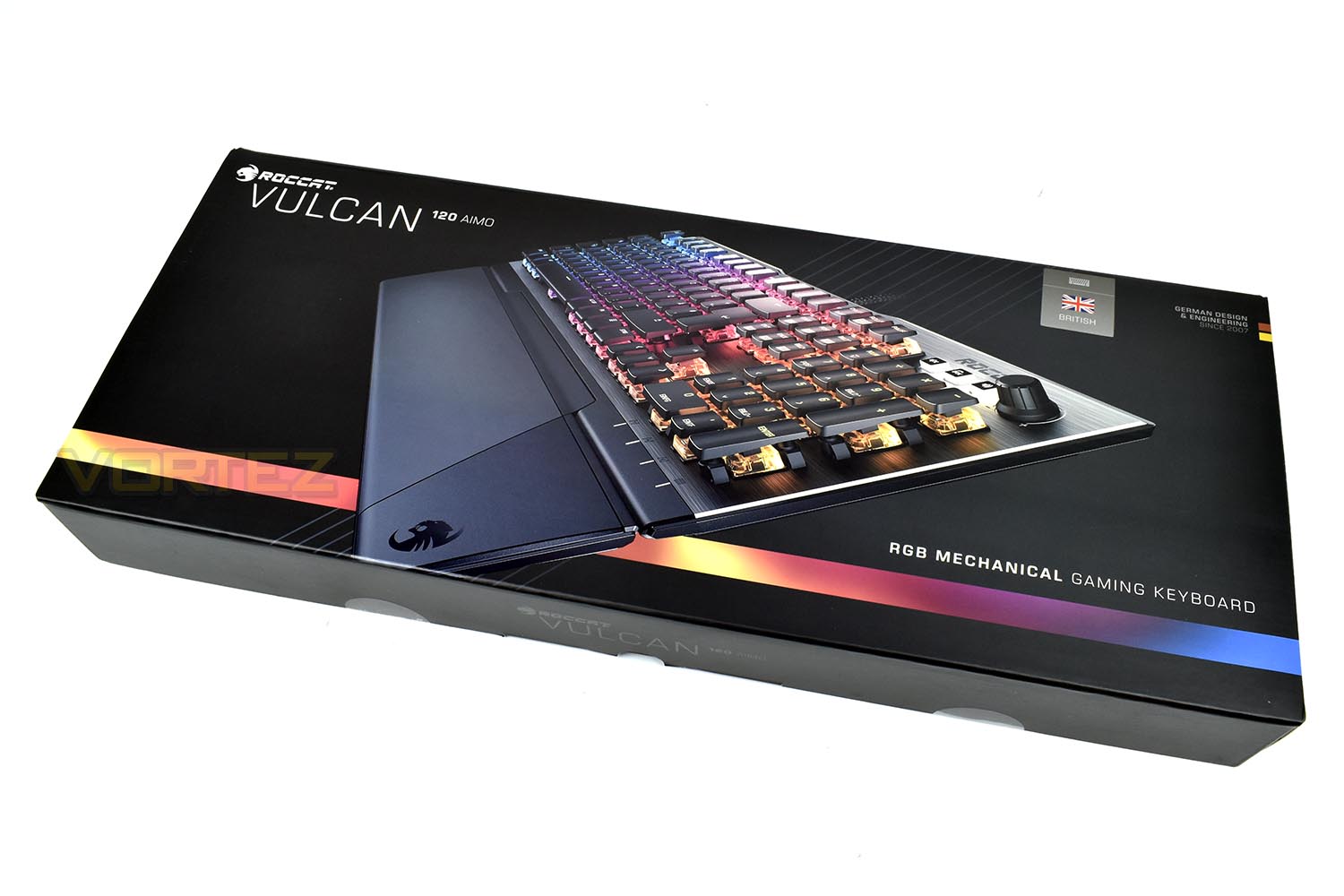
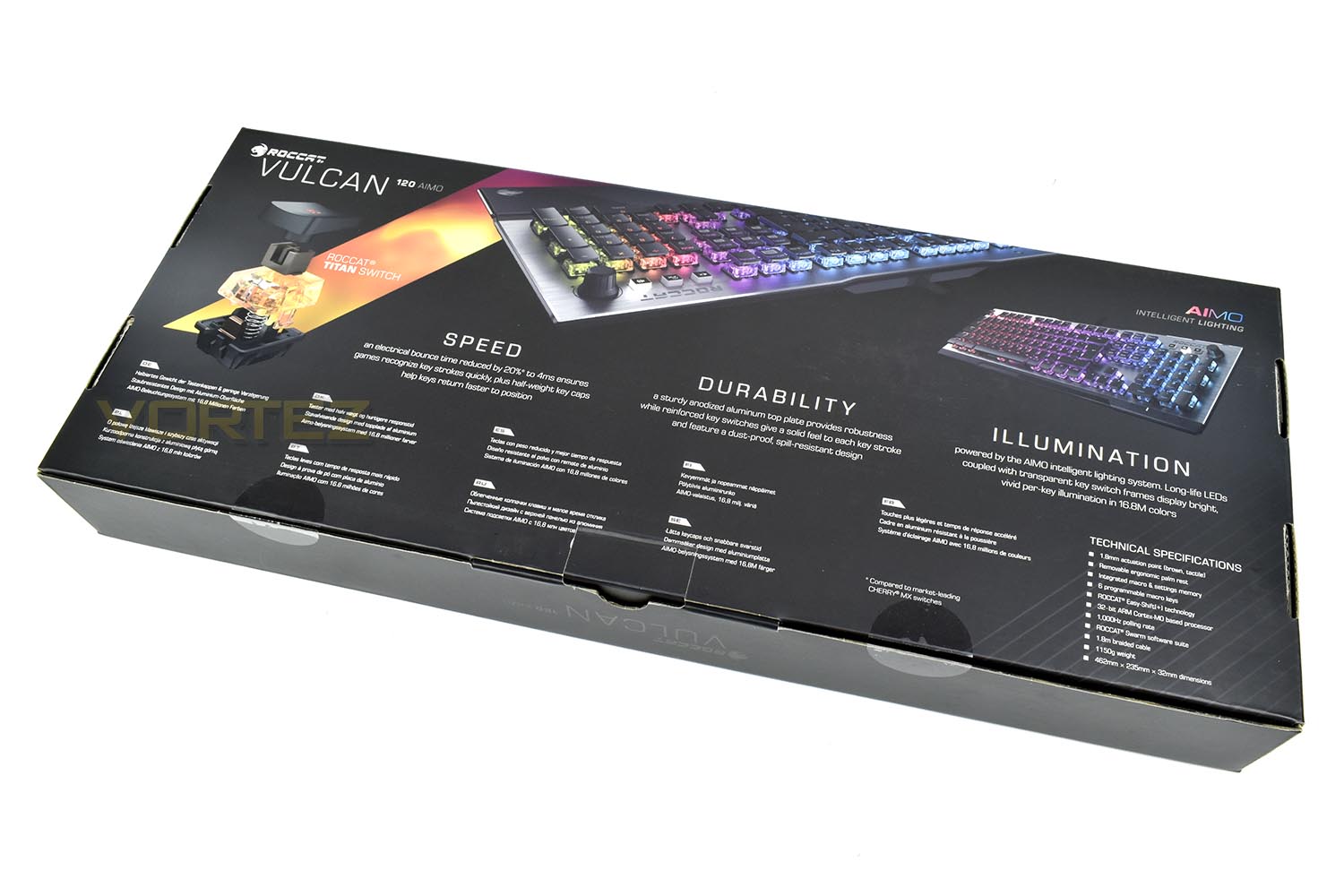
The reverse side shows the key selling points, including a breakdown of the new ROCCAT Titan switch.
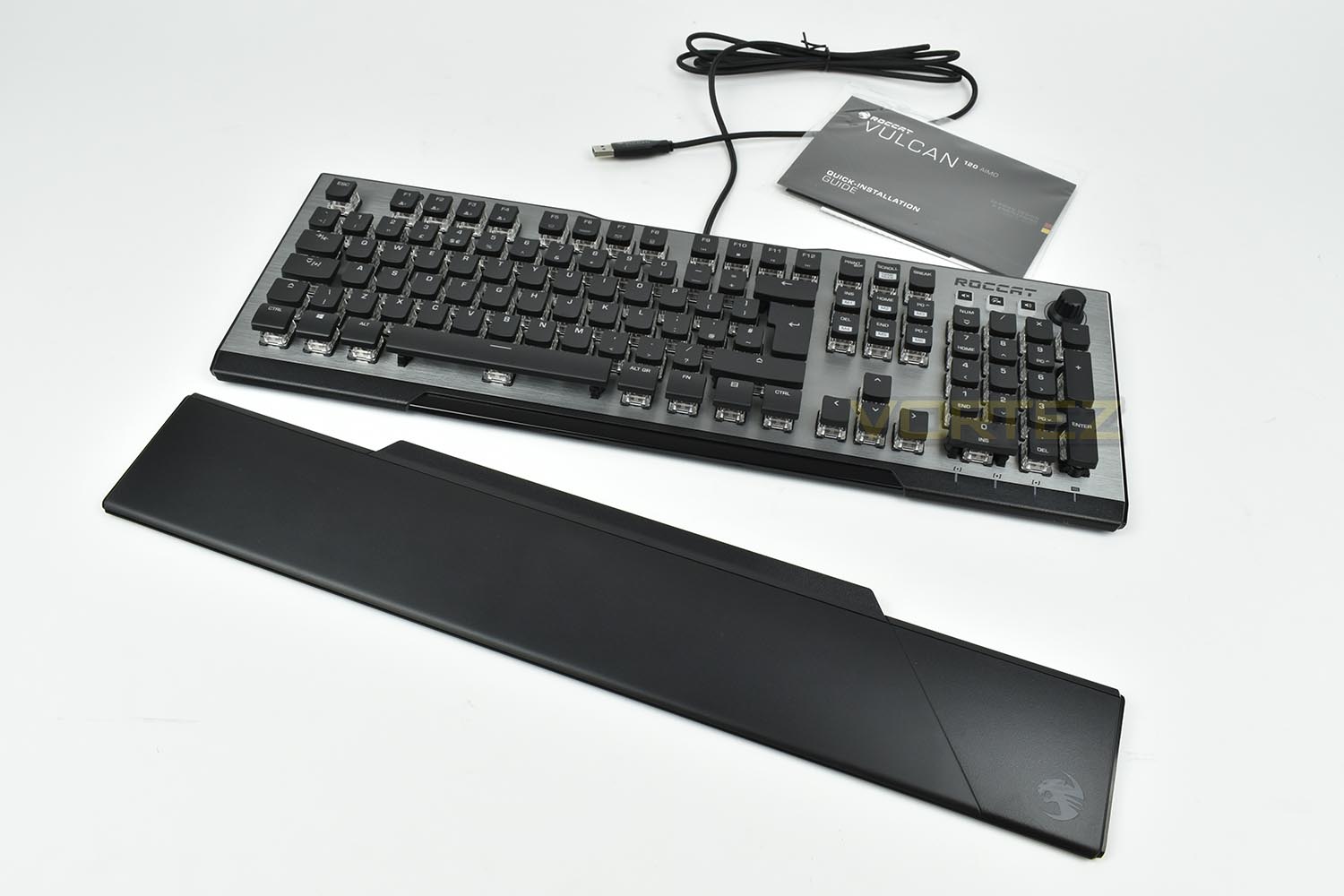
Keeping things simple, the keyboard arrives with a magnetic wrist rest, quick installation guide and some ROCCAT stickers.
Closer Look
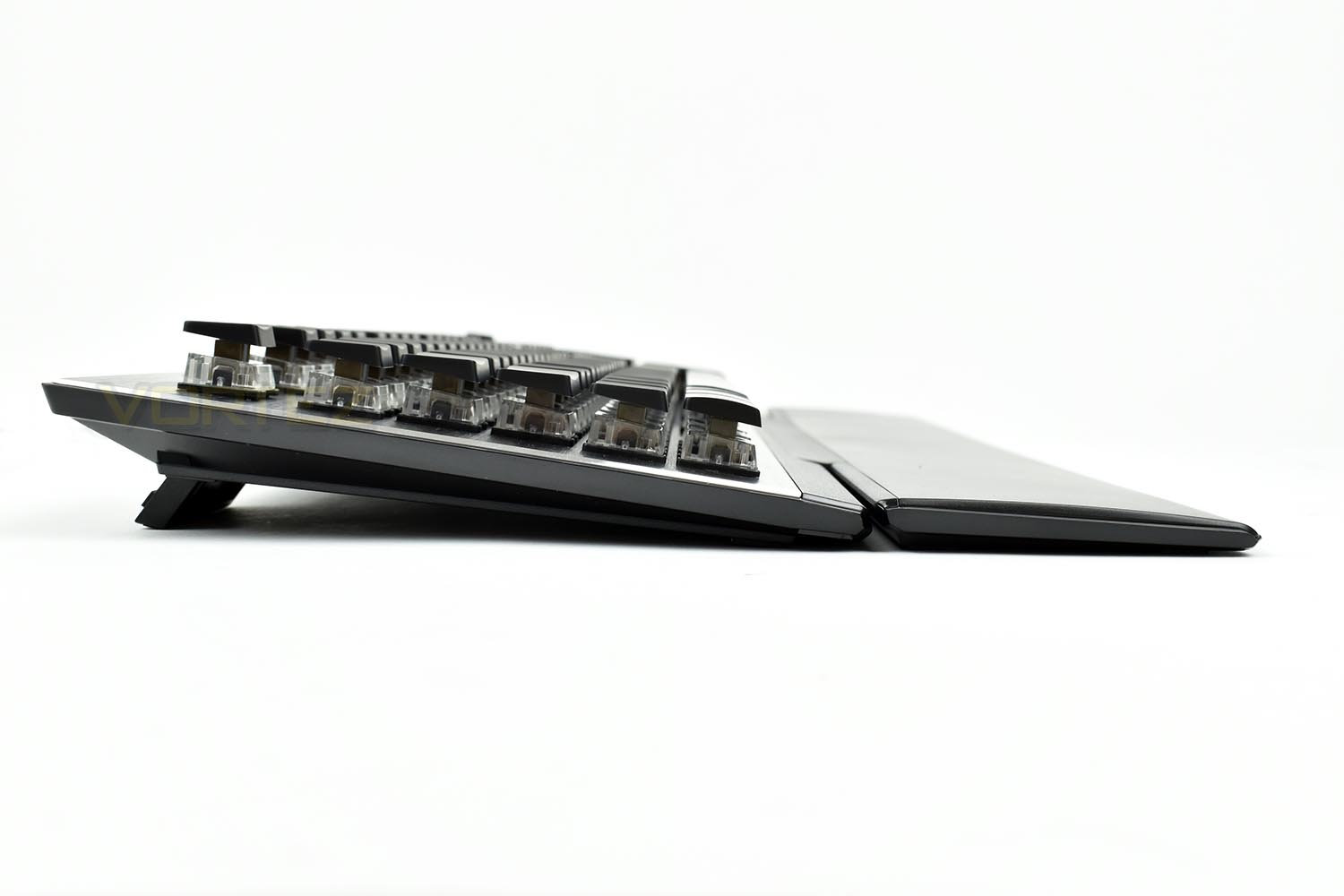
ROCCAT have employed a rather unique design language when putting together the Vulcan 120 AIMO. The ROCCAT Titan keyswitches are almost entirely above the aluminium backplate.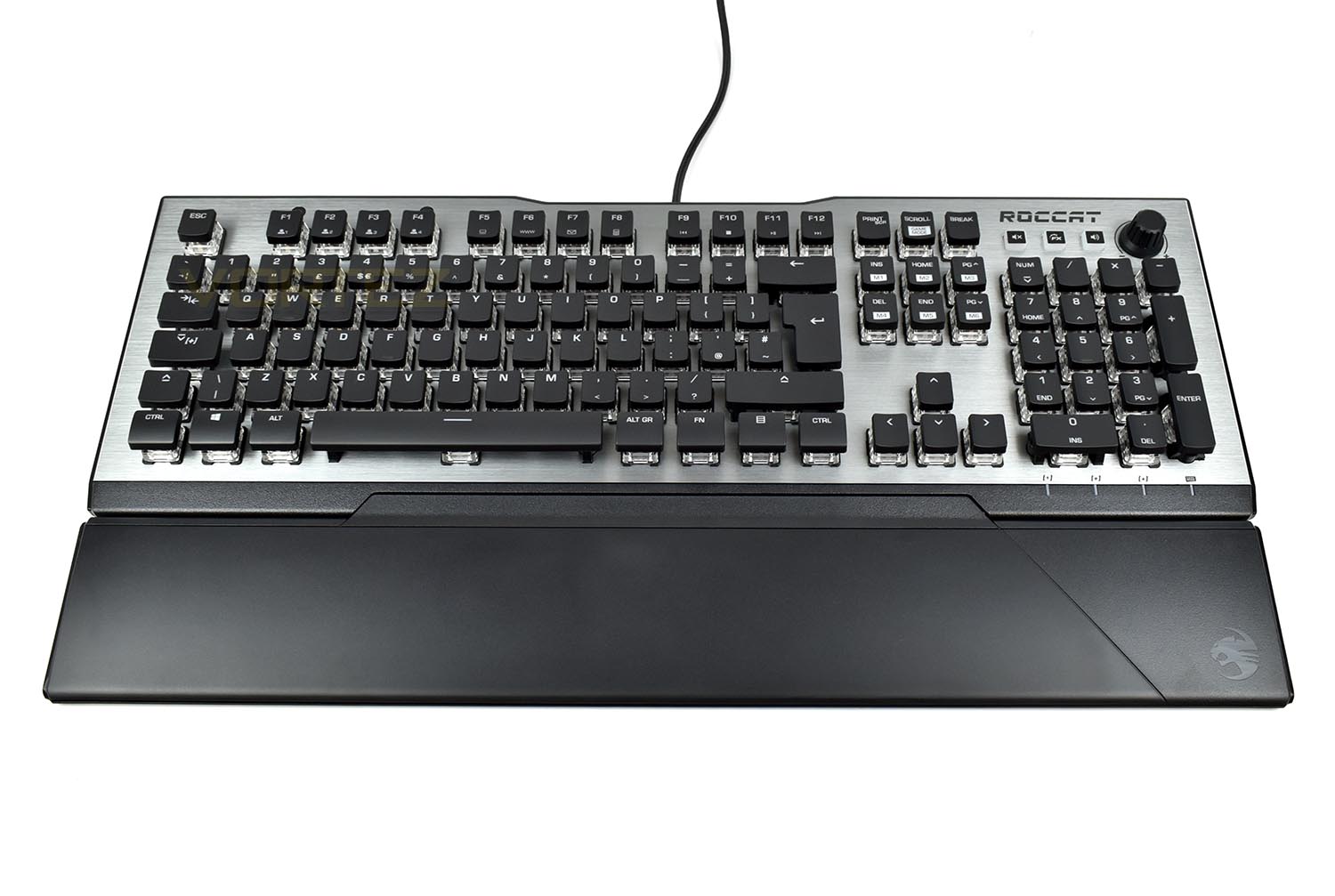
From the left, this can be seen to produce a very thin keyboard, by putting the majority of its bulk above the faceplate, forming a wedge-shaped keyboard that tapers to only 8mm at the front.
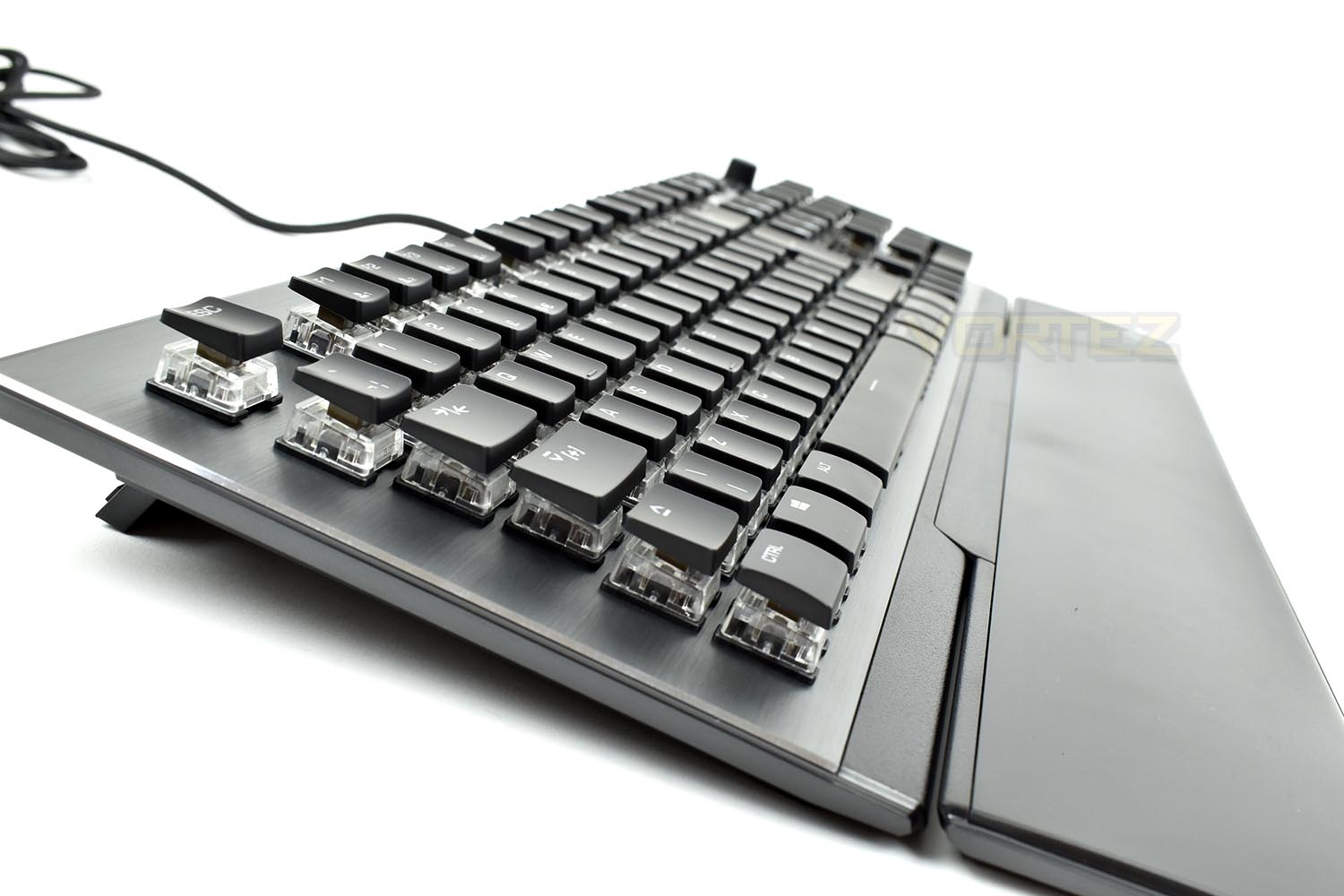
One of the key features (pardon the pun) is the ROCCAT Titan mechanical key switch, a mechanical key that ROCCAT have built from the ground up. The key switch features a 1.8mm actuation point and 3.6mm of overall travel with the aim of providing a tactile feel with absolute precision.

The key switch itself isn’t the only optimisation, ROCCAT have also trimmed down the keycaps, removing around 50% of the overall mass which helps to improve rebound and key feel, while also giving the keyboard a unique appearance.
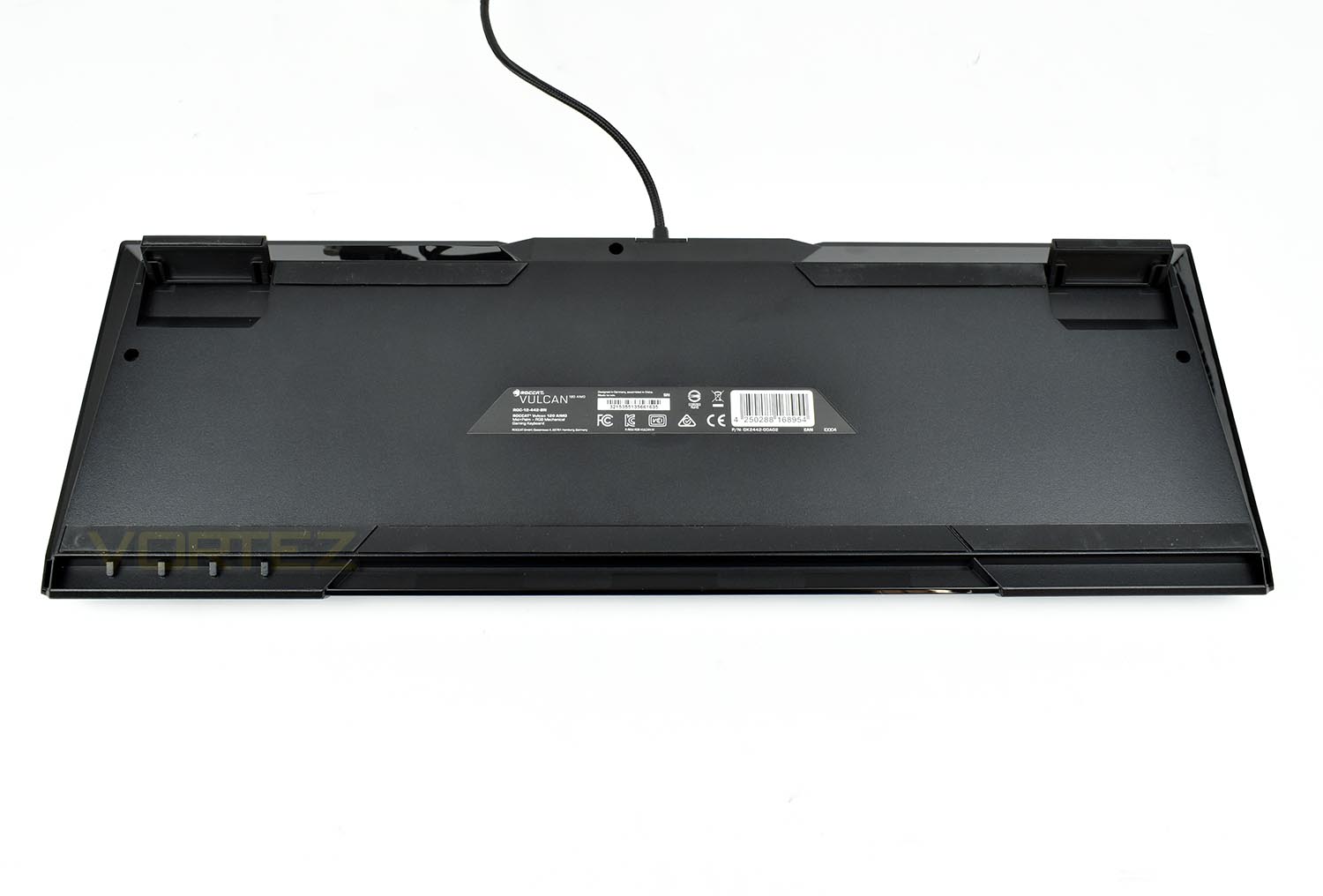
The underside of the keyboard is pretty basic, using some large rubber pads for grip. The stand off feet in the corners are rubber-tipped; when flipped out they increase the keyboards height from 18mm to 30mm.
Closer Look (Continued)
Located on the top-right of the keyboard is an adjustment wheel; as standard, this controls the system volume, though it can be configured to do almost anything you like. The FX and Volume buttons to its left toggle what the dial is responsible for. The 3rd button is a mute switch.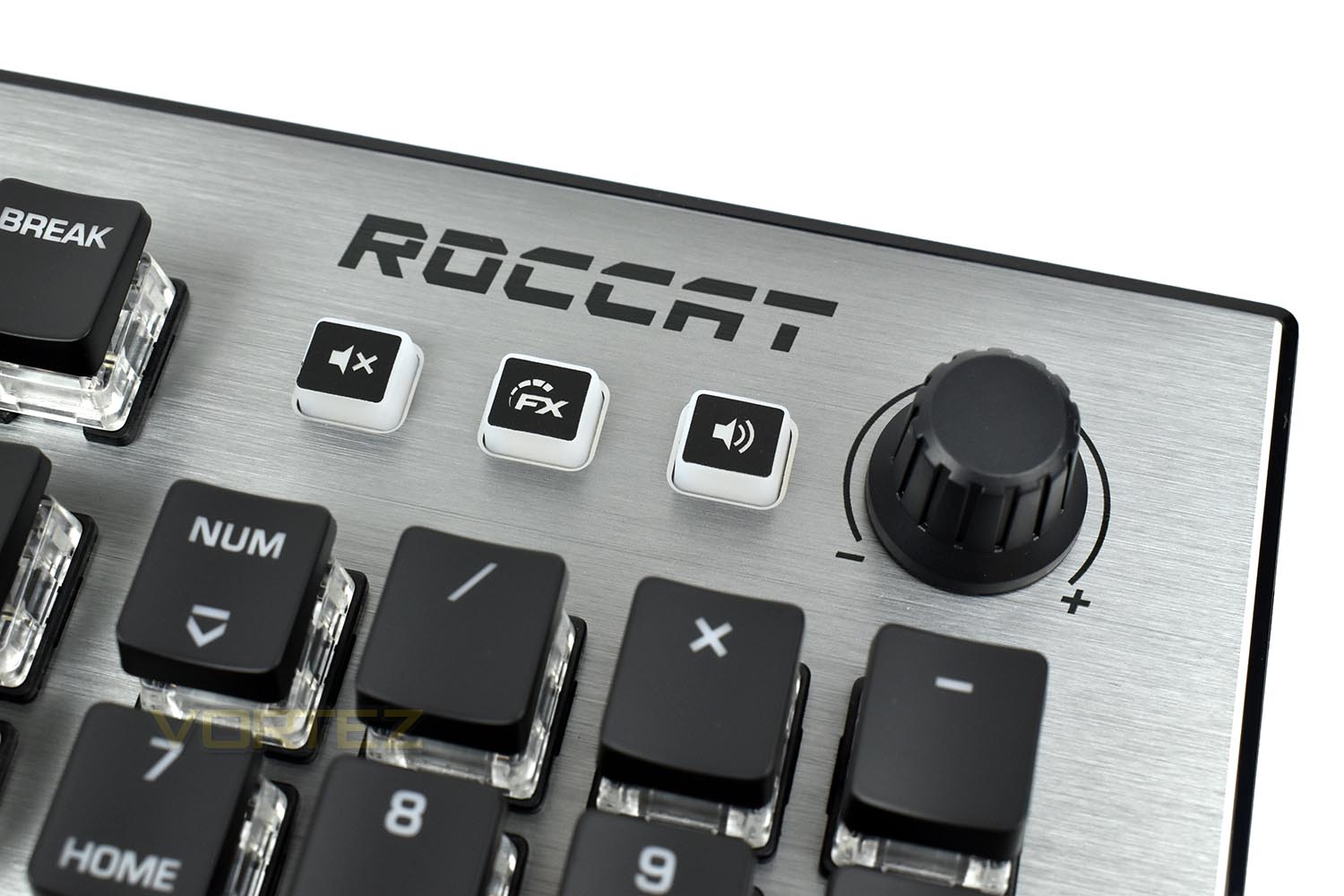
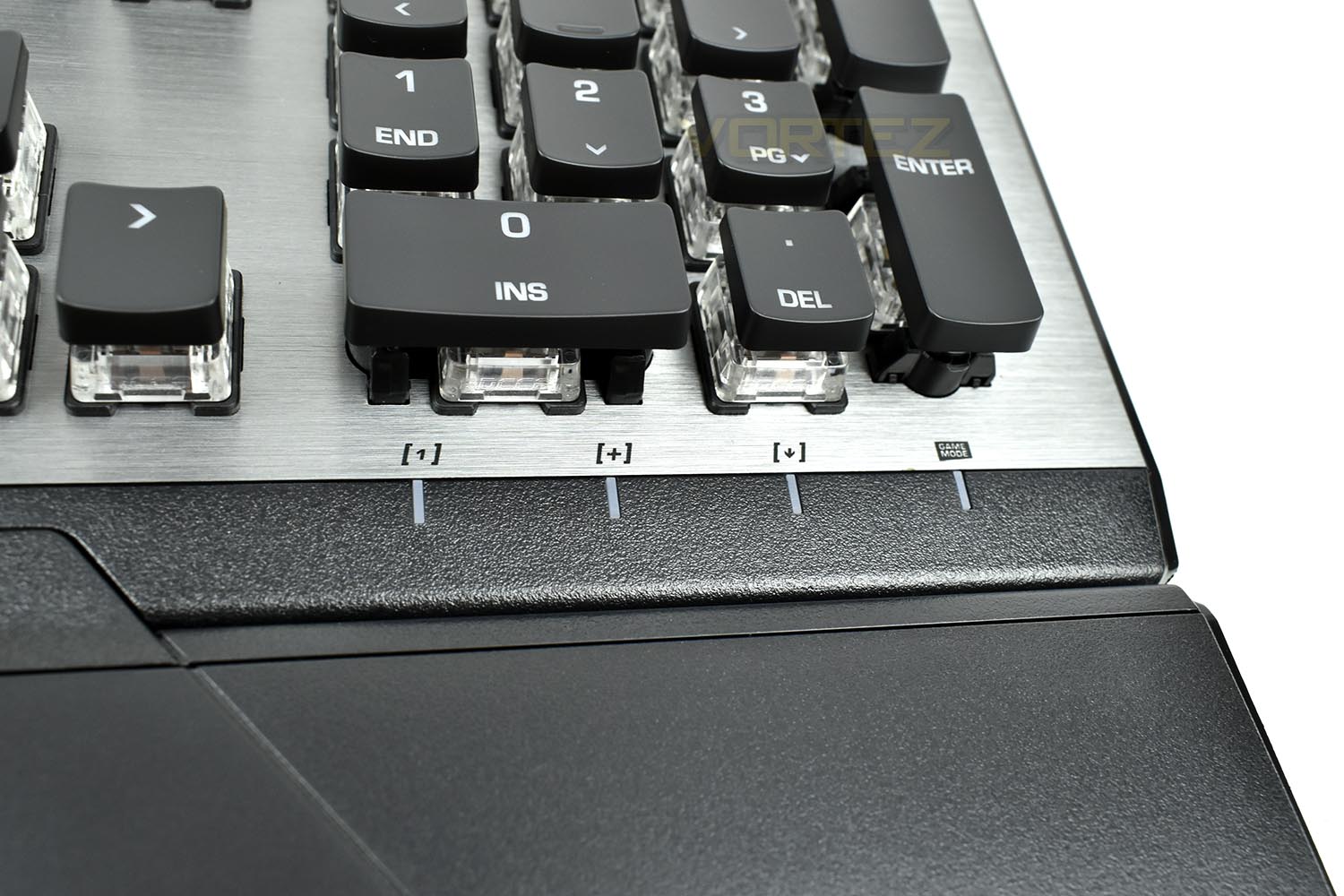
The LED indicators responsible for displaying the current CAPS lock, Num lock and Scroll lock status are on the bottom right of the ‘board, easily within eyeshot for a quick glance. There’s also the Game Mode indicator displayed on the 4th LED.
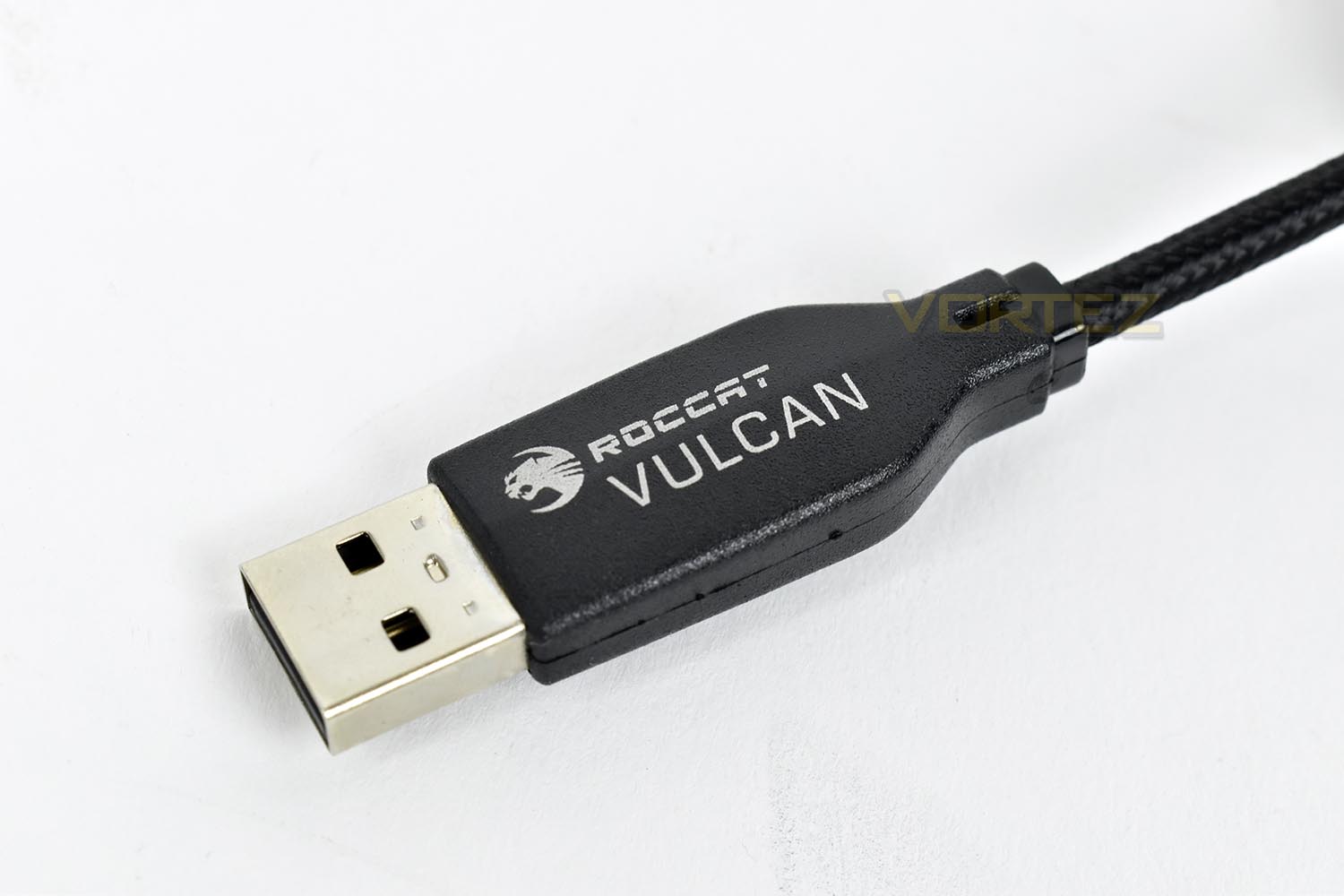
Sometimes it’s the small things that make a big difference. We’ve all been around the back of a PC trying to figure out which USB cable to unplug, well thanks to ROCCAT they’ve taken that guess work out of the equation with the products title written directly onto the USB shroud. It’s a small feature but we like it.
Software
ROCCAT use the Swarm software to configure their hardware, set up profiles and update product firmwares.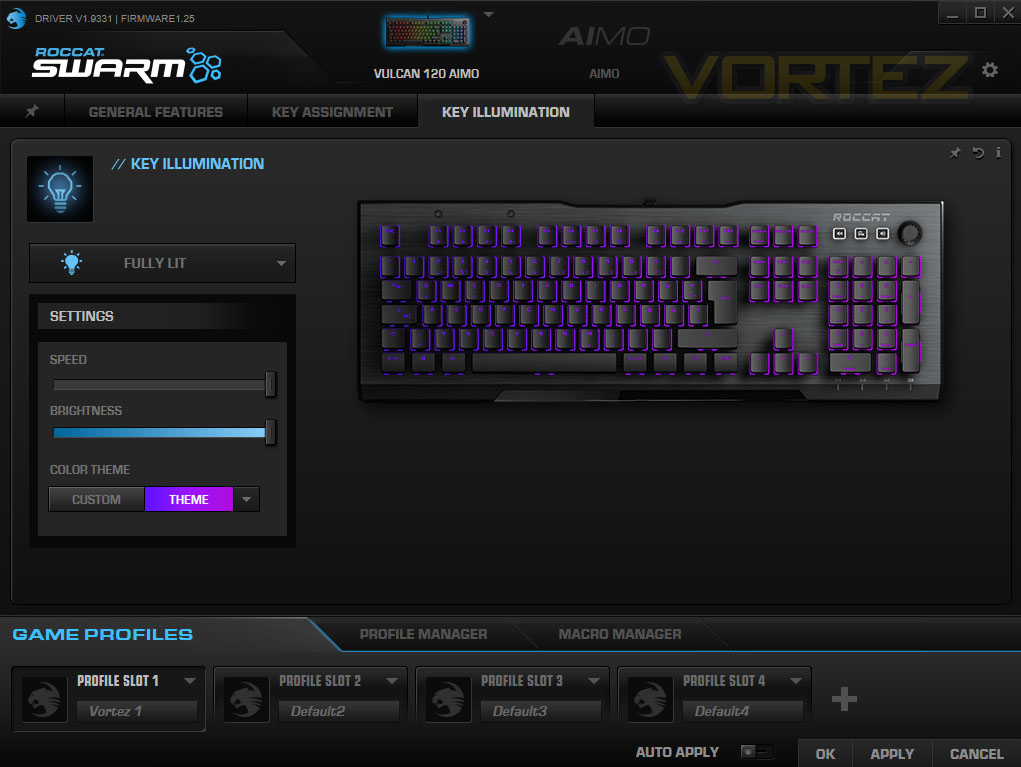
We’ve included a short video to show how well the software works. Overall, we’re impressed by ROCCAT’s offering.
Performance Testing
Typically, most manufacturers just buy a bunch of mechanical keys from Cherry and use those, not ROCCAT though, they’ve decided to develop their own called the Titan. Overall, the key switch performs remarkably well, especially for a “first effort” in the lucrative mechanical switch market. We feel as though ROCCAT have aimed to mimic the Cherry MX Brown key switch; the key responds perfectly well in games and gives decent tactile feedback without being too audible, but if we’re pushed to make a decision, we’d still choose a Cherry MX Brown key switch over this. It’s just that little bit more refined, but in all honesty, it’s not a “make or break” feature.Thanks to the super low stature of the keyboard along with the large wrist rest, we found the keyboard to be comfortable for lengthy periods of use, whether that was for gaming or typing up this review, and with the wrist rest being held in place by magnets, it’s very easy to move it out the way if you wish.
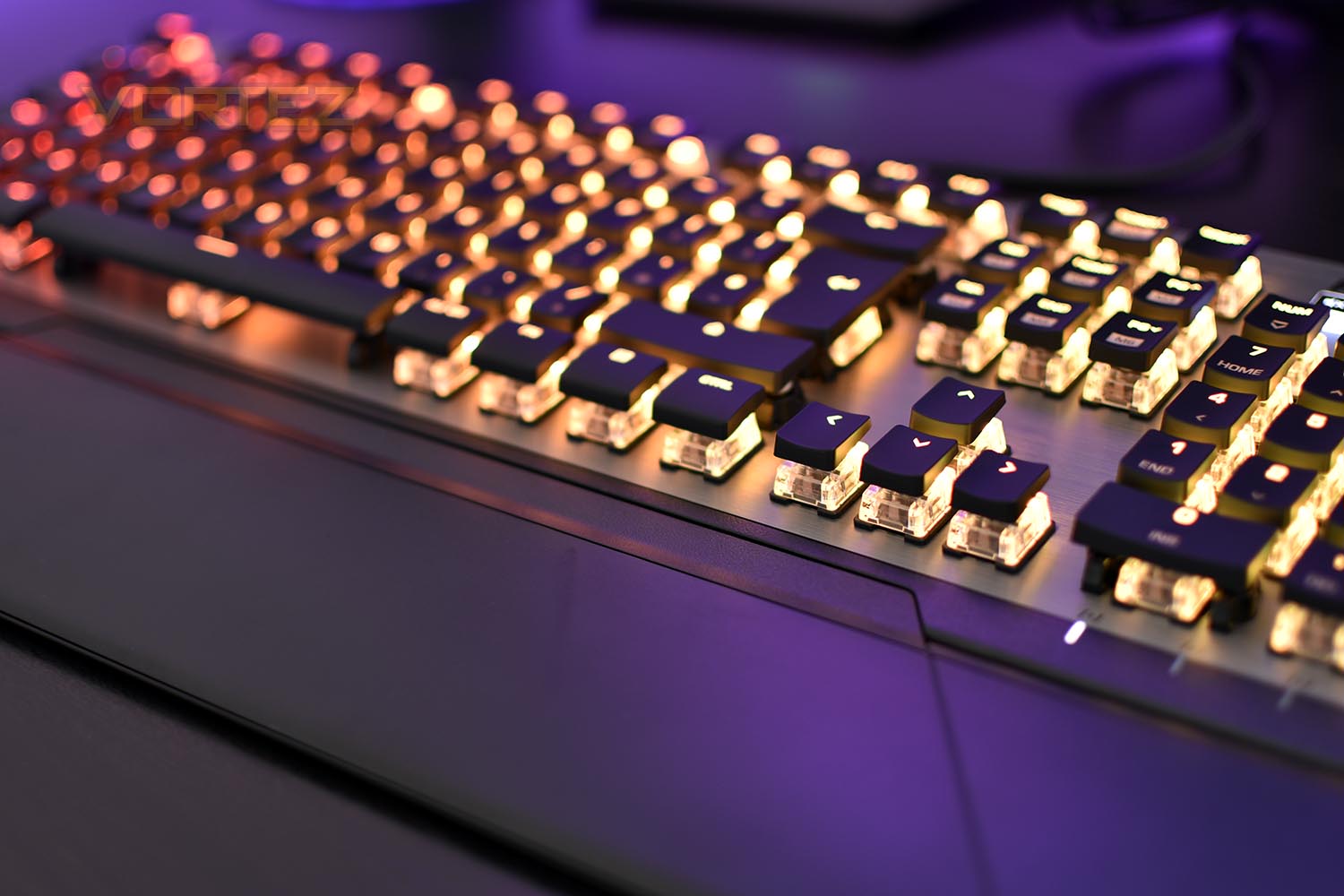
Along the F keys, on the top row, between F5 and F8, we find shortcut keys to open specific programs or windows, they open, in order, This PC, your web browser, your email client and the calculator. These small quality-of-life shortcuts can soon become second nature, saving you that little bit of extra effort you need them. F1 to F4 switch between profiles and F9 to F12 are used as media keys. Let’s not also forget, the audio knob in the corner, which can also be configured to adjust things like keyboard brightness at the flick of a button.
The RGB lighting is fantastic, especially thanks to the clear housing on the switch, the shallow keycaps and the aluminium backplate. The AIMO system provides some truly epic lighting effects with smooth transitions and amazing colours to boot, while even the “Fully Lit” option blends the lighting between two very similar shades of the colour you chose. It’s much less boring than the traditional “pick a colour and go”.
Build quality is excellent for such a thin keyboard, largely thanks to the aluminium backplate. There’s little-to-no flex throughout the chassis and a braided cable is always better than a typical rubber-coated affair.
Conclusion
ROCCAT have brought to market a capable, good looking keyboard with a proper price tag to go with it, though the question is, does it beat the competition?Firstly, the ROCCAT Titan keyswitch feels great for typing and gaming, helped along by the keyboard’s thin profile and low stature, we found the overall experience to be comfortable and enjoyable, which certainly bodes well for a worthwhile purchase.
Add in the RGB lighting that permeates throughout the clear housing with tiny keycaps, this increases the keyboard’s appeal, with its unique approach of suspending the keyswitches above the backplate for maximum “shine”. The built-in effects in the ROCCAT Swarm software are beautiful too.
We can’t be all praise on a keyboard that does prevent some flaws, such as the rather clunky layout of the media keys in the top-right, they could be better laid out and stylised a little, instead of using a cheap feeling rubber dome. We’d also like to see the volume wheel have some kind of button built-in as a mute toggle. The Vulcan also lacks a USB passthrough, and while we complain that keyboards still tend to only use USB 2.0, it’s much better than nothing. Swarm, ROCCAT’s all-in-one software suite, is well featured, but we did find it to be a little bit laggy and juddery with a great range of features that we’re never likely to use. It serves its purpose and does have the AIMO RGB lighting feature as a massive saving grace.
Overall, we’ve found the ROCCAT Vulcan 120 AIMO to be a very competent keyboard, rivalling the likes of Corsair and Razer for features, build quality and appearance, but thanks to the shallow keycaps and above-board keyswitch placement, the unique appearance of the Vulcan really shines through. Plus, there’s always the added bonus of ROCCAT producing the 80 and 100 models, giving you the option of dropping a large portion of the cost if you don’t want RGB lighting.
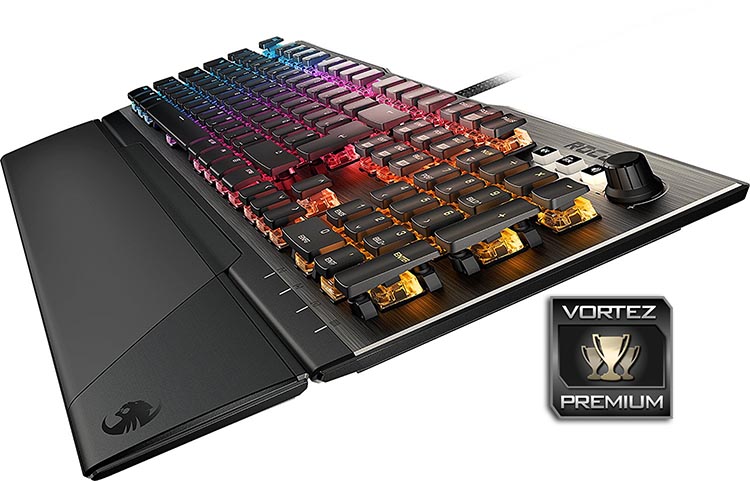
ROCCAT’s first attempt at a mechanical keyswitch has proved largely successful, which paired with the exclusive styling, makes this a very tempting purchase.
Pros
+ Titan keyswitch feels great
+ RGB lighting truly shines through
+ Unique approach to styling and design
+ Magnetic wrist rest
+ Brushed aluminium looks beautiful
+ Good build quality
Neutral
+- Swarm software could be improved
+- Another keyswitch choice would be nice in future revisions
Cons
– No USB passthrough
– Clunky media keys
+ Titan keyswitch feels great
+ RGB lighting truly shines through
+ Unique approach to styling and design
+ Magnetic wrist rest
+ Brushed aluminium looks beautiful
+ Good build quality
Neutral
+- Swarm software could be improved
+- Another keyswitch choice would be nice in future revisions
Cons
– No USB passthrough
– Clunky media keys
Click here for an explanation of our awards at Vortez.net.
Stay connected with the Vortez Social Media pages:
Join in with the discussions on Discord