







A spacious XL-ATX full tower case from Rosewill is under the spotlight. Can THOR V2 deliver a striking blow to the competition?

Product on Review: THOR V2
Manufacturer and Sponsor: Rosewill
Street Price: $130USD (At time of review)
Over in the UK and Europe many of you may not have heard of Rosewill but they are a Newegg brand and their portfolio of products span numerous categories including even the computer chair!
Today we will be delving into their computer case department for a look at their latest XL-ATX ready computer chassis named THOR V2. THOR V2 is a full tower gaming case available in either white or black that comes with 4 pre-installed fans, USB 3.0 ports, fan control and assortment of useful features all for an attractive price-tag. As the name suggests this is the second revision of THOR. After receiving feedback from customers and reviewers around the world Rosewill have revised THOR to include some changes that include:
• Front panel to include extra USB 3.0 port
• Enhancement to build quality of chassis to make it stronger.
• Thumbscrews for PCI expansion slot covers
It’s good to see from the start that Rosewill are serious enough to take onboard feedback from customers and make necessary revisions to their products. So let’s begin our analysis of THOR V2.
About Rosewill
Our vision is to become the leading brand in computer hardware and peripherals. We aim to achieve this goal by creating superior customer satisfaction. We view our customers as our most important assets. Through our integrity, our innovative products, and our excellent customer service, we aim to create lasting customer relationships.
Technical Specifications
Model THOR V2
Type ATX Full Tower
Color Black
Case Material SECC Steel
Motherboard Compatibility Micro ATX, ATX, SSI-CEB(E-ATX), XL-ATX
With Side Panel Window No
External 5.25″ Drive Bays 6
External 3.5″ Drive Bays 2
Internal 3.5″ Drive Bays 6
Expansion Slots 10
Front Ports
2 x USB 3.0 (internal 20-pin connector to MB)
1 x e-SATA
2 x USB 2.0
Audio In/Out(AC97, HD)
2 x Fan speed control knob
140mm Fans 1 x Rear 140mm Fan
200mm Fans 1 x Front 230mm Red LED Fan(with LED on/off switch)
1 x Top 230mm Fan
1 x Side 230mm Fan
Side Air duct No
Dimensions(L x W x H) 99.14” x 22.84” x 21.89” (WxHxD)(bezel included)
9.14” x 22.84” x 20.08” (WxHxD)(bezel NOT included)
Weight 30.42 lbs.
Warranty 1 year limited
Packaging & First Look
THOR V2 arrives in a large computer case box with a depiction of this case’s external appearance. Around the sides are the technical specifications, detailing the size, weight and features whilst the back remains exactly the same as the front.
Inside, the chassis is covered in a clear plastic sheet and held in place via dual polystyrene pillars to protect it whilst it’s in transit.
THOR V2 packaging
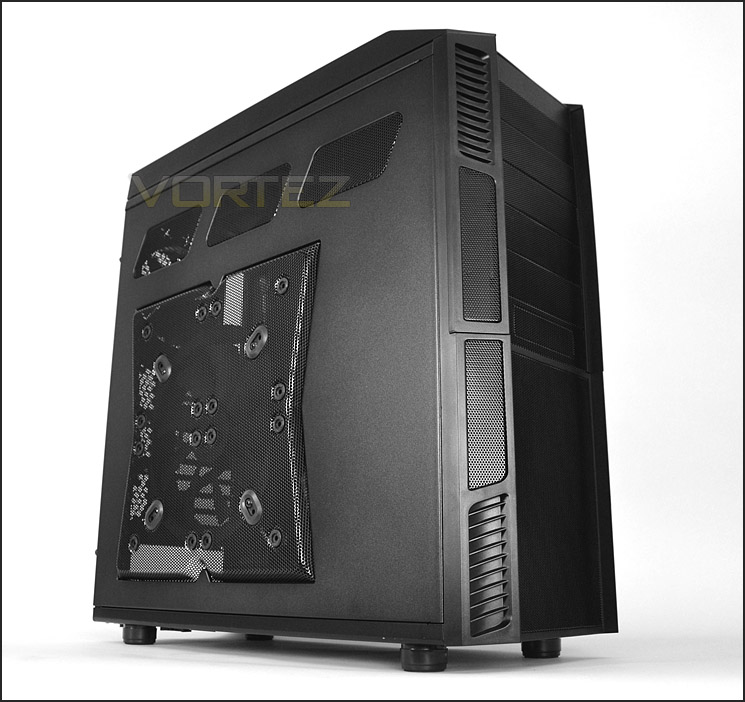
Removing the case from its packaging we get our first glimpse of THOR V2. This case is certainly designed with the gamer in mind – it isn’t as “in your face” as some gamer cases but it still retains that rugged look.
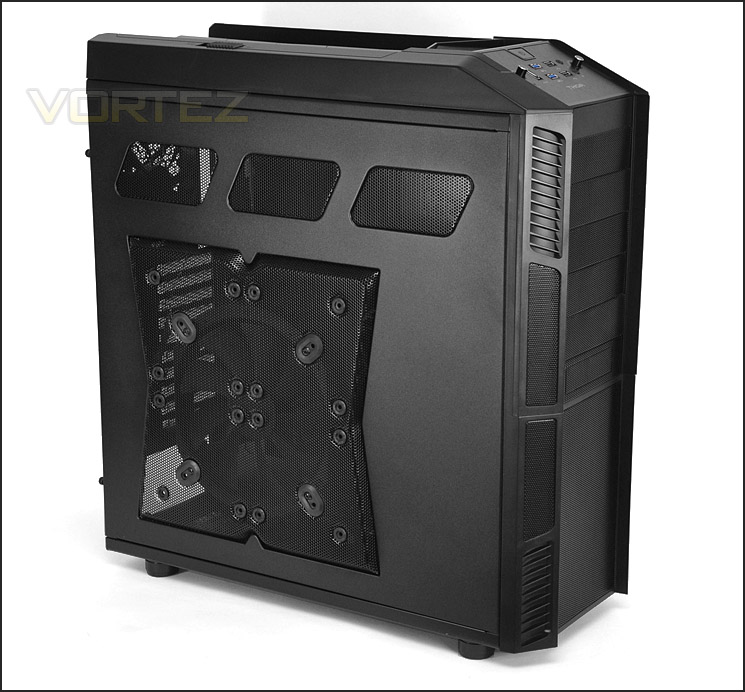
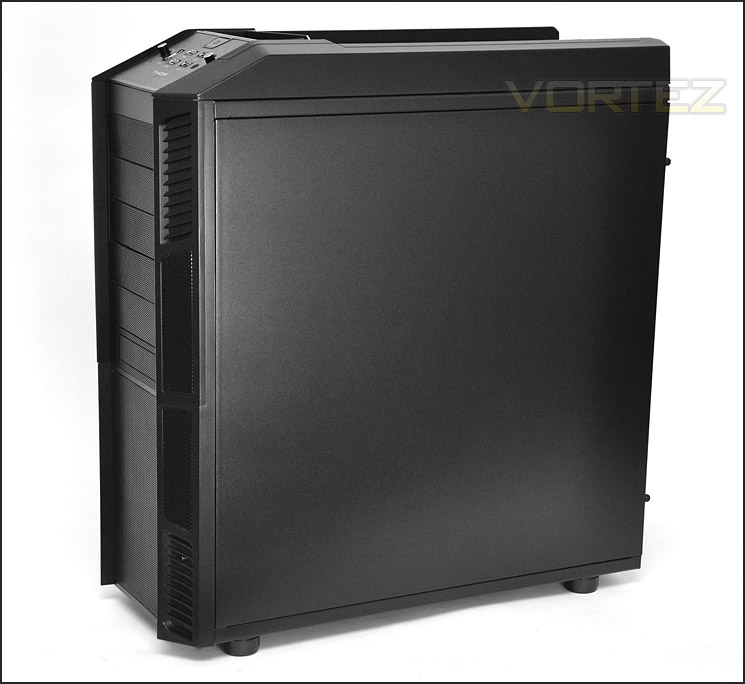
The prominent side panel has a large mesh region that already has a 230mm intake case fan attached and there are also mounting holes for 4x 120mm fans if you want to change the configuration. Above this are another 3x steel mesh windows. The reverse simply has a solid steel side panel with no significant features.
Prominent side panel with mesh features and 230mm intake case fan
A gamer case with solid steel panel
Over the page we will continue our look at the external elements of THOR V2.
Exterior
The front of THOR V2 features a centralised steel mesh theme whilst the sides are plastic. There are 6x 5.25” drive bays – the bottom bay has a 3.5” adapter tray so that a HDD or similarly sized device can be installed. Behind the lower mesh section is a 230mm LED intake cooling fan, this emits a warm red glow when powered up and can have its colour switched off.
Around the back there is a slot at the bottom for mounting the PSU. Above this there are 10x PCI expansion slot covers, all with perforated steel mesh to encourage better airflow inside the chassis. To the side of this PCI section is even more ventilation but with wider holes. Further up the back of THOR V2 is another mesh section – this has a 140mm rear exhaust fan mounted to it and finally at the top there are 4x circular rubber grommets for water-cooling tubes.
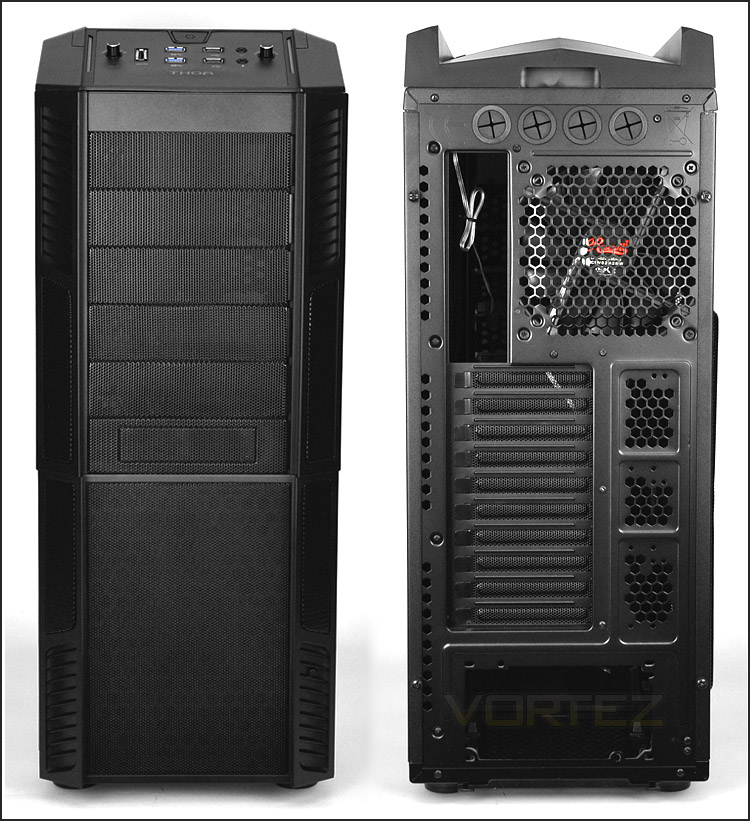
The front and back of THOR V2
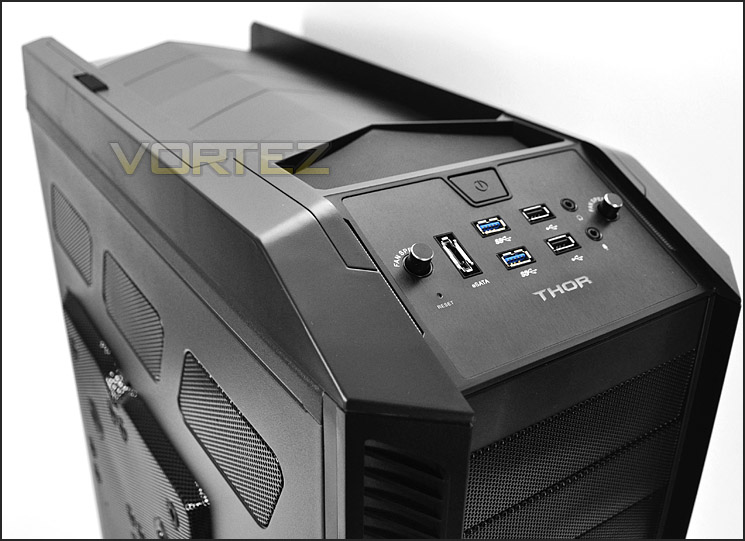
At the top of THOR V2 is the front panel connectivity. Here there are various ports that can be used, including the following:
• Power/Reset button
• 2 fan speed knobs
• ESATA port
• 2x USB 3.0 ports (via the motherboard header)
• 2x USB 2.0 ports
• Headphone/Microphone jack
The fan control knobs allow for 2 fans to have their RPM changed – the cables inside simply need to be connected.
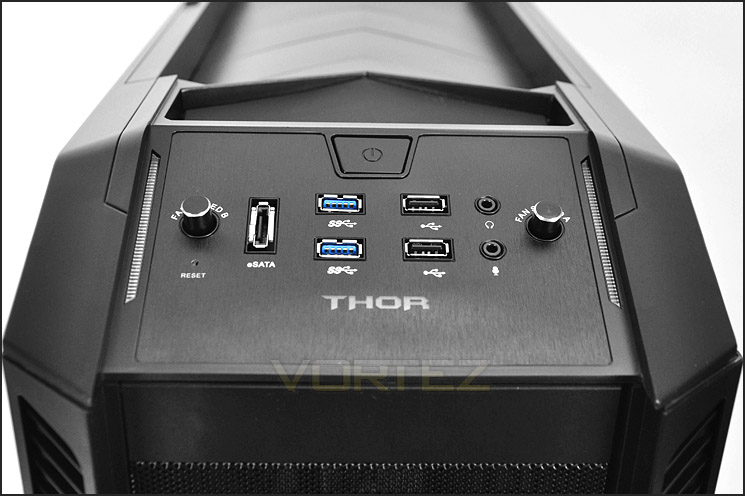
The front panel controls include USB 3.0 ports
Further back from this front panel is a small area with a rubber floor for small personal items and then even further back is a fin-like plastic external shell. This has a slide button to allow the vents/fins to be closed or open, this button doesn’t give the smoothest of operation. Rosewill could improve this mechanism.
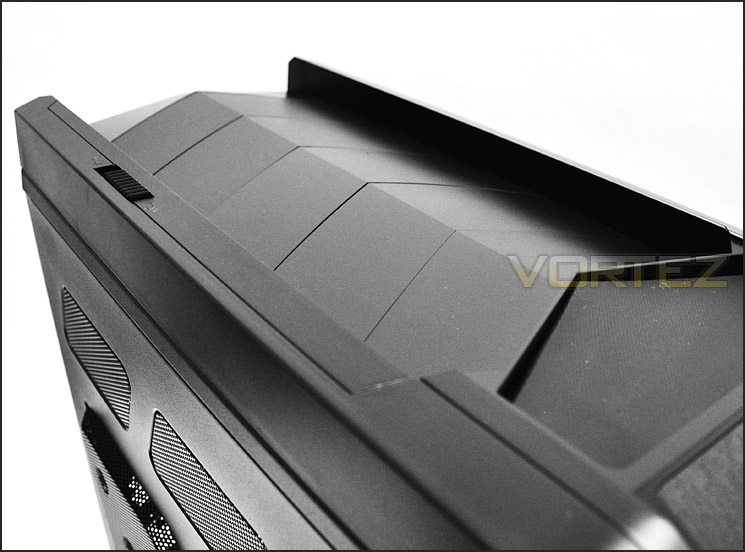
Top section with slider button
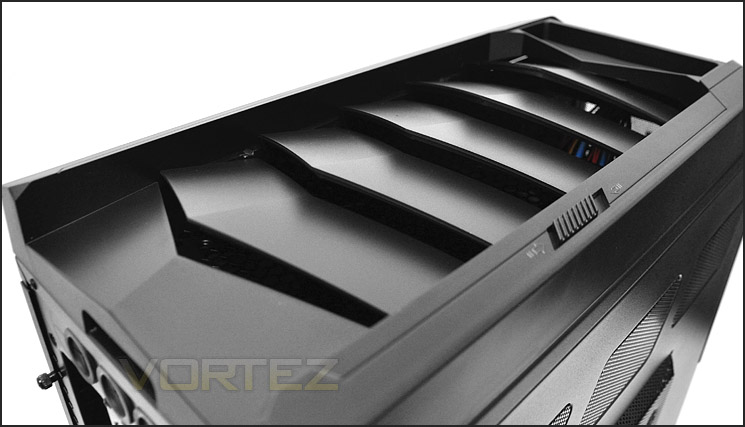
Vents can be opened for airflow
Finally, the underside features 4x rubber feet to prevcent the case from slipping and to give it slight elevation and in the very middle there is a section marked out for mounting a 140/120mm fan on the inside of the chassis. Towards the back of the case there is a dust filter that is removable by simply sliding it backwards – this sits under the PSU fan.
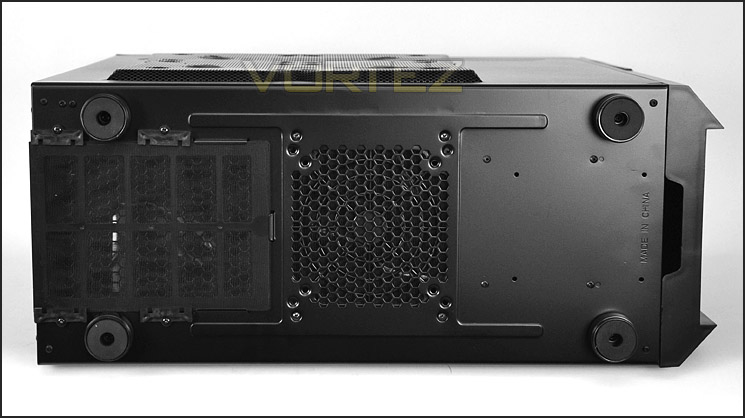
The underside of THOR V2
Interior
Both side panels on THOR V2 are secured via 2x thumbscrews. Upon removing the side panels we are met with a nicely arranged internal layout. There are lots of cable management grommets and enough space for XL-ATX compatibility. THOR V2 has a clean and roomy interior with good build quality.
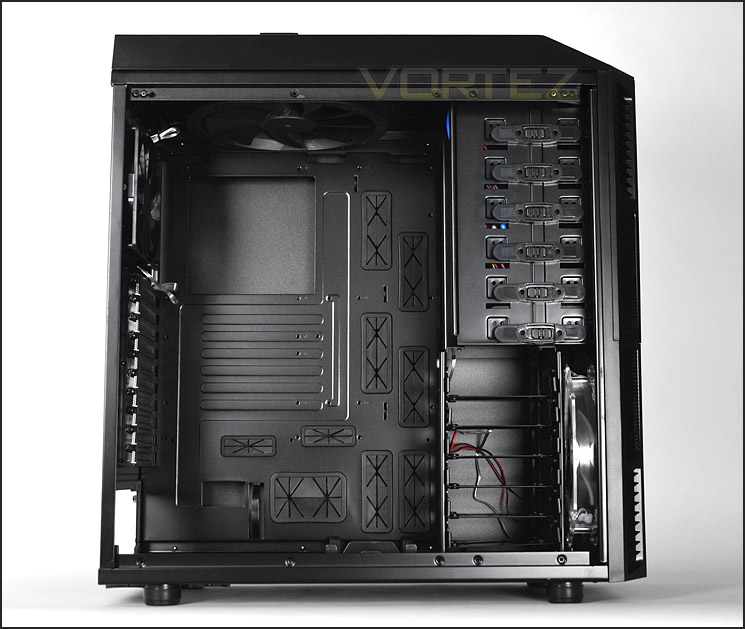
A spacious internal layout
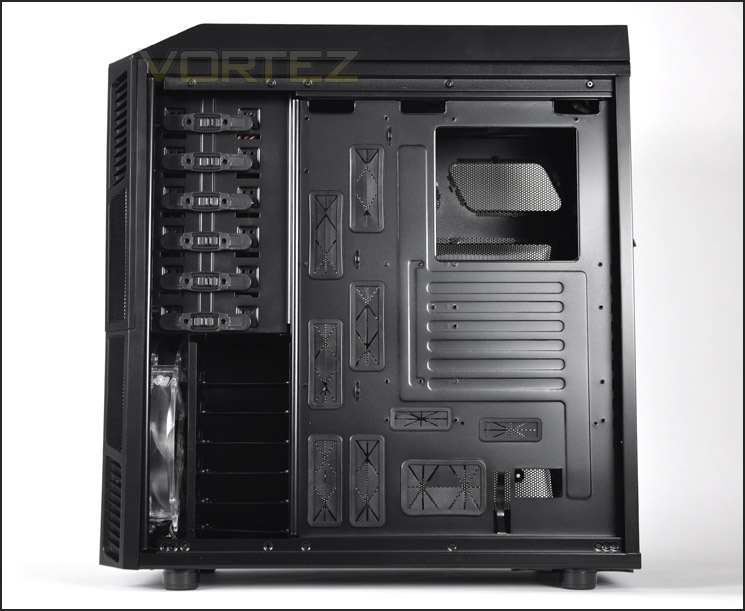
Numerous cable management grommets
Inside the PSU area has 4x rubber mounts to prevent scratching and there is also a mesh panel with removable dust filter underneath. Next to this is a fan placement holder for adding even more airflow inside the chassis – this holder can take 140/120mm fans.
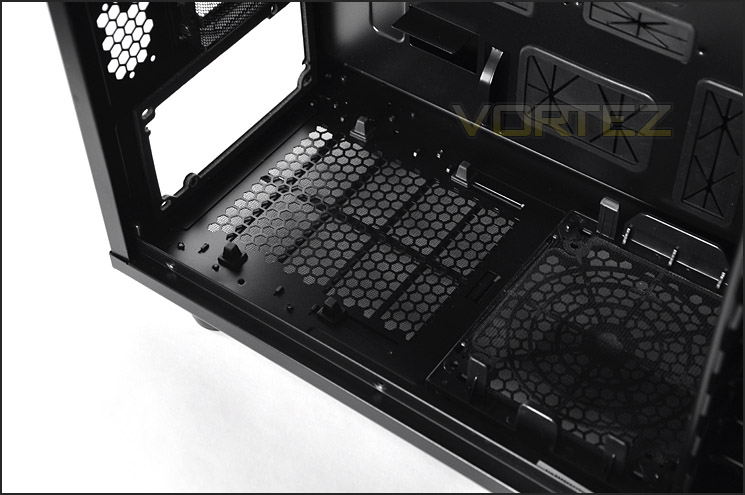
PSU area with space for mounting a fan at the bottom
The PCI section features 10x expansion slot covers that are perforated and steel. These covers have thumbscrews for easy removal.
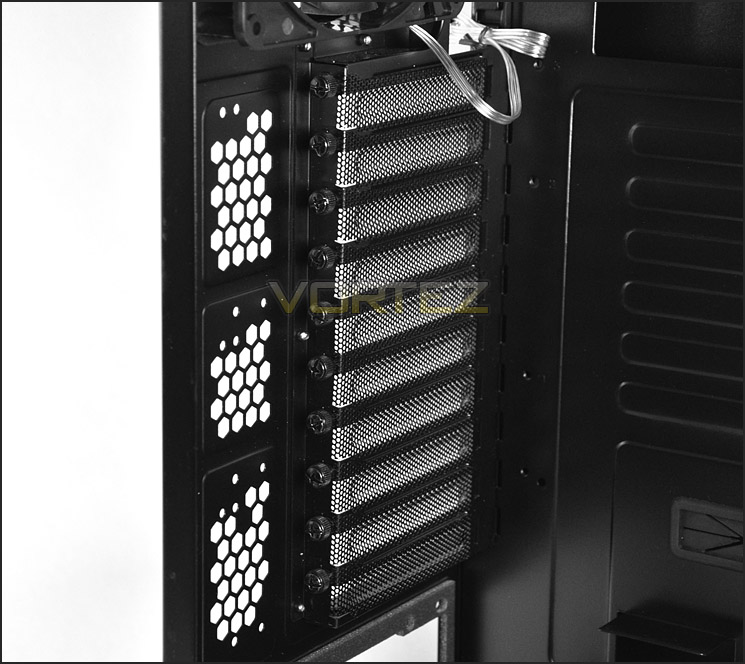
Lots of PCI expansion slot covers for multi-GPU configurations
On the next page we will continue the tour of THOR V2’s internal design.
Interior (Continued)
At the back of THOR V2 we have a 140mm rear exhaust fan and a 230mm exhaust fan. There are also mounting holes for dual 120/140mm fans. There is space at the top for mounting a 240 water-cooling radiator.
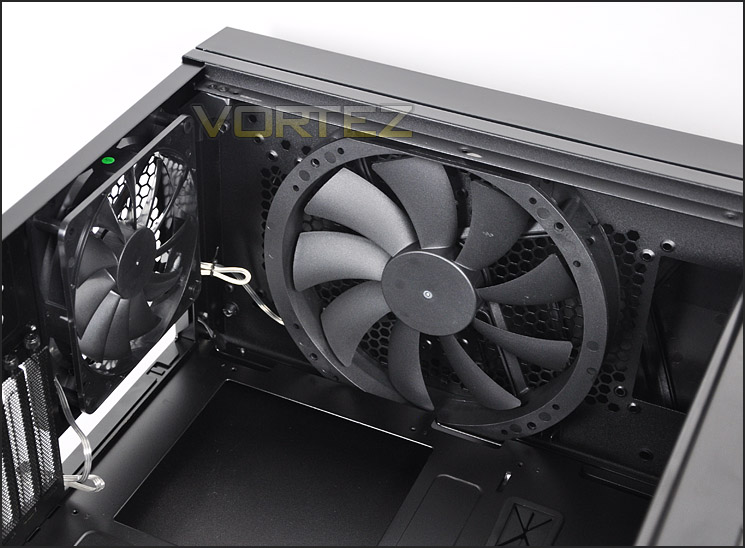
140mm rear exhaust and 230mm top exhaust with room for water-cooling
Over on the other side of THOR V2 are 6x 5.25” drive bays – all of these have a tool-less design mechanism so there is no need to use a screwdriver. The drive simply needs to slide into an available slot and then just slide the latch across for a fixed placement. The bottom bay has a 3.5” adapter tray so that a 3.5” HDD or something of similar dimensions can be installed.
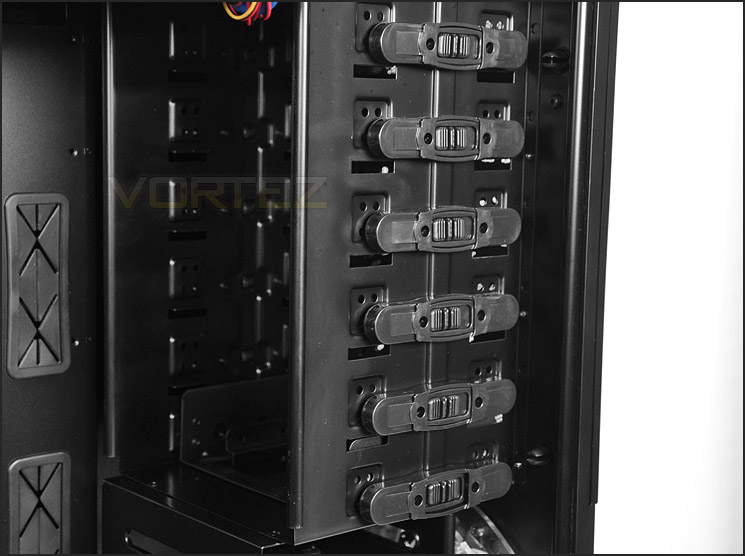
The optical drive section with up to 6 options
Beneath this is the HDD cage this again has 6 options for mounting either a 2.5” or 3.5” drive. Inside the cage are 6x steel trays – in the next section we will observe the installation process. Behind the HDD cage is a large 230mm intake LED fan to give added cooling to the HDDs mounted here and provide airflow for the system.
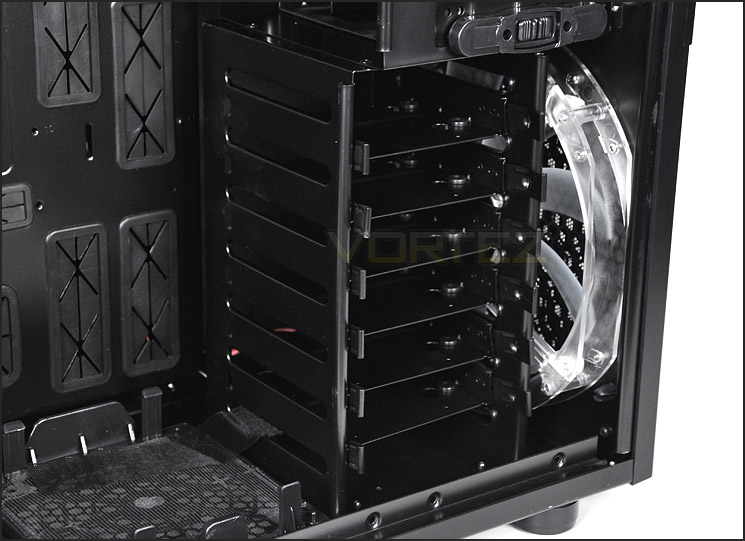
HDD cage has 6x steel trays for 2.5” or 3.5” drives
On the next page we will install our test system within THOR V2 and see how it handles an XL-ATX configuration.
Installation
A case may look great within any kit inside but how does it fare with installing kit within its chassis? Since the THOR V2 is an XL-ATX ready computer case we have installed an XL-ATX system within and as you can see from the pictures below this case deals with such a large setup very well. The entire installation process was performed in next to no time thanks to the space and well executed tool-less design mechanisms inside THOR V2. This case can accommodate high-end hardware and cable management is an absolute delight thanks to the adequate space behind the motherboard tray and numerous cable management grommets. Overall, a very pleasing result.
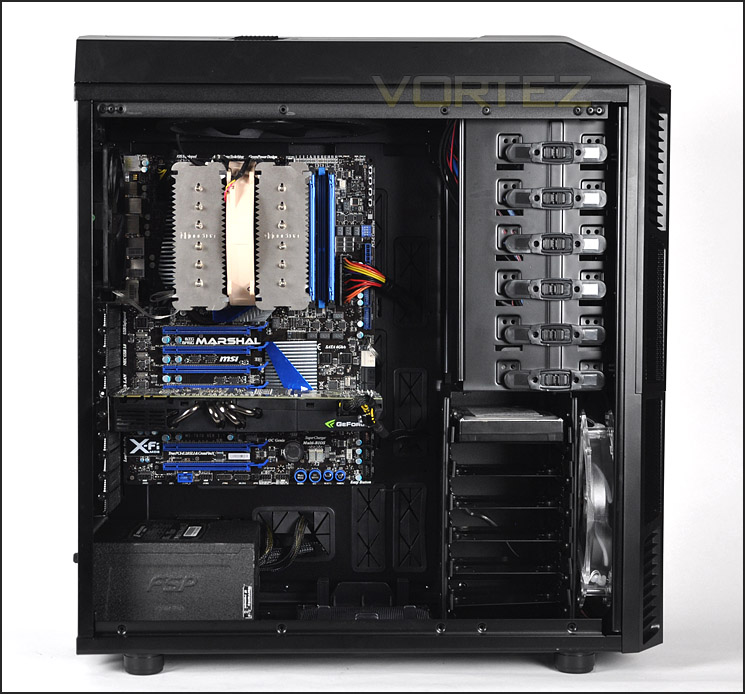
Comfortably fits XL-ATX
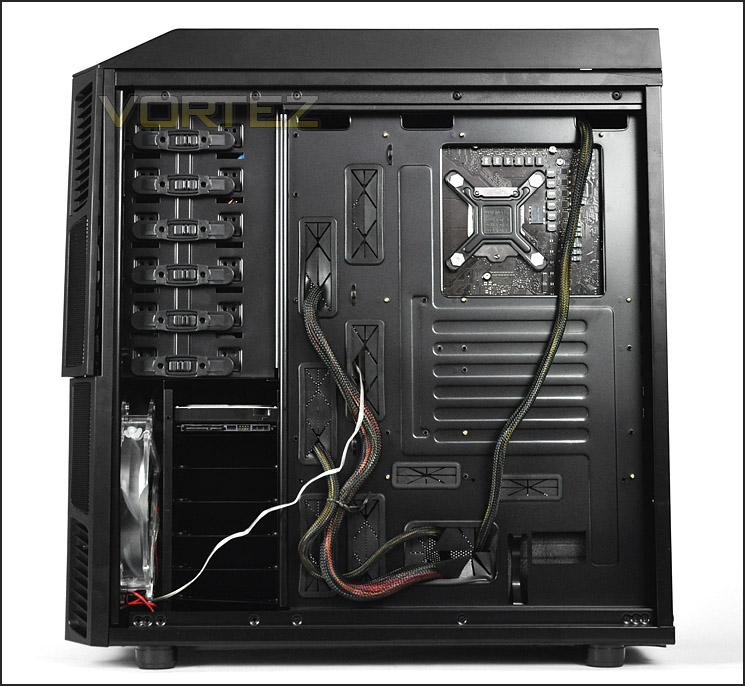
Cable management is good
As mentioned previously, in order to install a HDD within THOR V2 we must drop the drive into one of the steel trays. These trays can accommodate both 2.5” and 3.5” drives – the provided screws just need to be put in from the underside. There are rubber spacers for the bottom of the drive to prevent scratching and vibration and these trays are suitably robust.
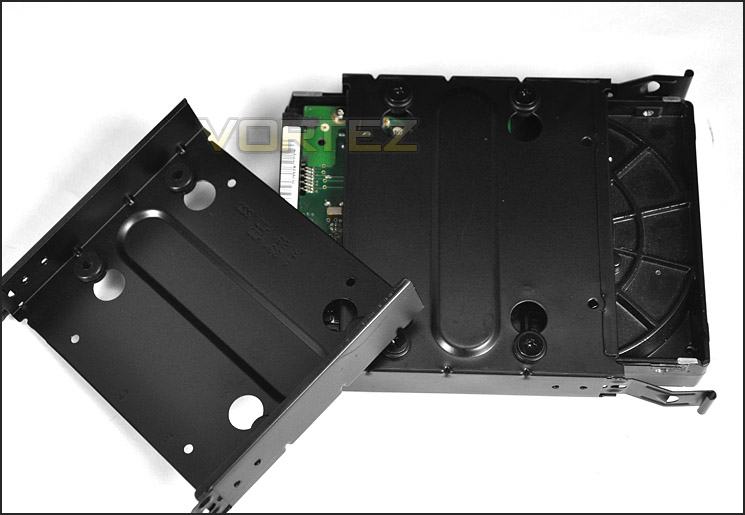
HDD trays are robust and easy to deal with
Clearance – CPU, GPU, WC, Cable Management
Clearance inside a chassis is essential to enthusiasts, in this section we will be looking at all areas to reveal just how flexible THOR V2 really is.
First off, the CPU cooler. Rosewill don’t state how much clearance we have in this department but the Noctua NH-D14 which is 160mm in height did fit within the THOR V2 without any hassles. There is another 10mm before it touches the side panel.
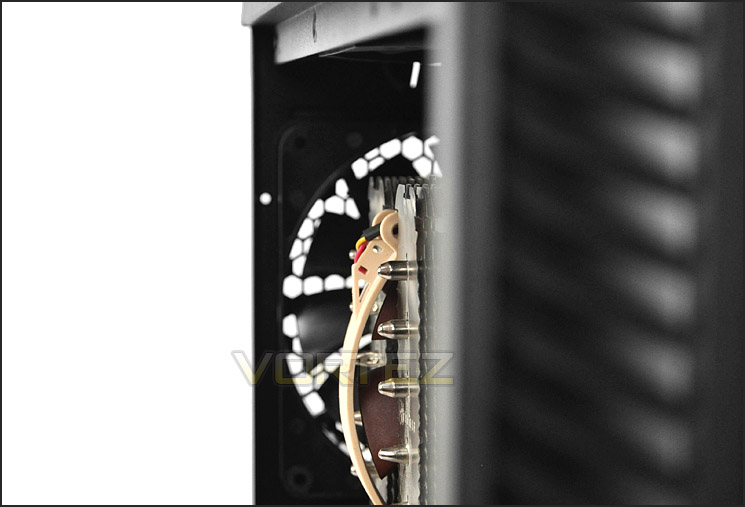
THOR V2 can accommodate flagship CPU coolers
The HDD cage isn’t removable within THOR V2 so we have to rely upon the clearance between the graphics card and the cage itself – gladly there is sufficient space for the NVIDIA GTX480 graphics card which is 11” in length. Thankfully, we can install a graphics card of up to 12” in length.
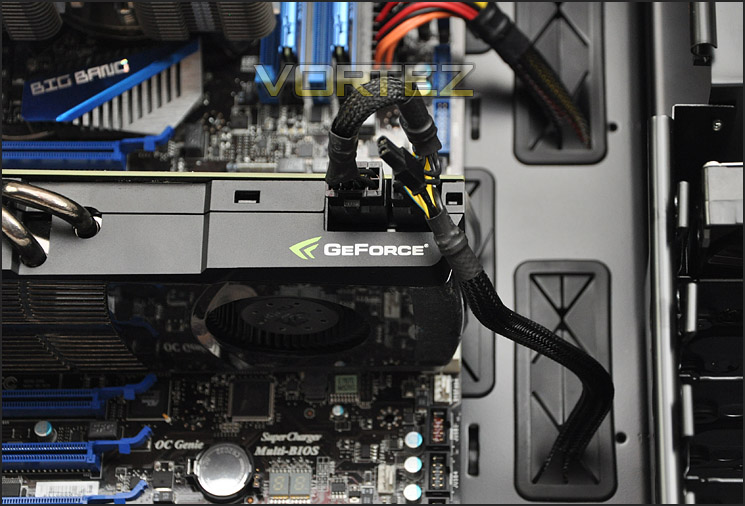
Adequate space for high-end graphics cards
Water-cooling radiators can be installed within THOR V2 at the top but sadly I wasn’t able to remove the top panel. If you have a water-cooling radiator that is standard, thin type then you can mount a 240mm specific one at the very top after removing the exhaust fan.
Behind the motherboard tray there is almost 2.5cm of clearance which is very generous and allows for all types of cables to be assembled round the back and out of sight.
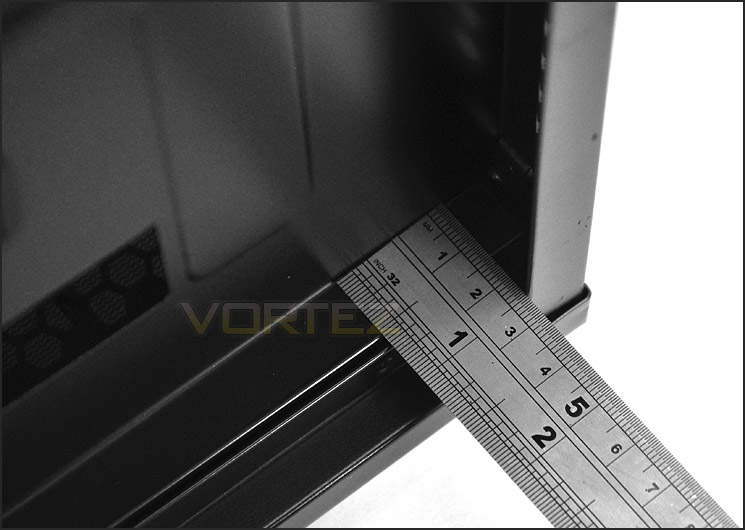
Plenty of space behind the motherboard tray
Thermal Performance Testing
Our thermal performance testing for the XL-ATX is still only young but since THOR V2 ready for this type of system we have tested our XL-ATX MSI Big Bang Marshal configuration in this case.
Inside THOR V2 there are 4 pre-installed fans – 3 of these are 230mm and 1 is 140mm. All of the fan placements are in spots that generate good, positive airflow so the results should be promising.
To discover the thermal performance of the THOR V2 I will record idle temperatures after 20 minutes from a cold boot. I will then stress the system and temperatures will again be monitored after 30 minutes have elapsed. Fan controller will be set to high for all fans.
For the purpose of accurate analysis the idle and load temperatures for CPU and GPU will be recorded and the range between idle and load will be calculated to determine how efficient cooling is.
NOTE: Ambient temperature is 20C
System Components
CPU Intel Core i5 2500K
Motherboard MSI Big Bang Marshal (P67)
Graphics ZOTAC NVIDIA GTX 480 AMP
Memory 8GB Kingston HyperX Genesis 1600MHz CL9
HDD Samsung Spinpoint 500GB SATA-II
PSU FSP AURUM GOLD 650M
Noise
With all of the fans spinning and the prominent side panel featuring a large perforated section as well as the front being fairly “open” noise is a slight problem.
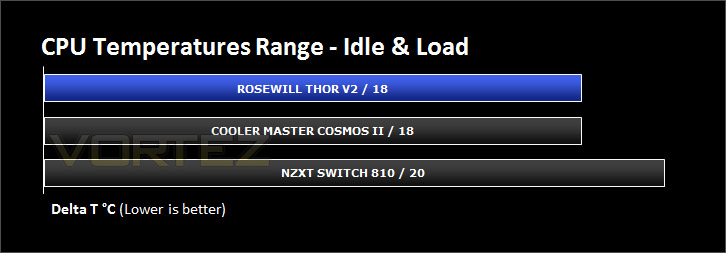
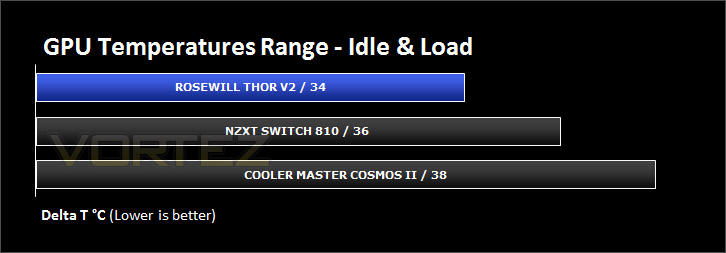
Conclusion
This is the first Rosewill product to be reviewed at Vortez and therefore knowing what to expect was a mystery. In the computer case department we have been used to the delights of some top brands within the industry so how does the THOR V2 hold out against the opposition?
The THOR V2 might not be to everyone’s personal taste but this doesn’t hide the fact that it has been designed well. Inside there is support for XL-ATX and even with such a system present there is still lots of space remaining. Build quality within the chassis is very good and thermal performance as you would have guessed from 4x pre-installed fans – 3 of them being 230mm deliver strong performance.
Sadly though cooling does come at a cost – noise. The side panel on THOR V2 has a large perforated mesh section and the front is almost entirely mesh too. With all of these large fans spinning and gaps within the case here present, noise does leak out.
At the moment THOR V2 is only available in certain parts of Europe and USA. The stated price of $130USD presents us with a very good value for money offering.
In conclusion then, Rosewill’s THOR V2 is a lively full tower with plenty of space and some very useful features. Those who are looking to move into a large chassis but are on a budget should consider this case.
+ Lots of space
+ Decent build quality inside
+ Good thermal performance
+ 4x pre-installed fans (3x 230mm)
+ Attractive pricing
Cons
– Plastic front fascia looks cheap
– Noise


Click here for an explanation of our awards at Vortez.net. Thanks to Rosewill for providing today’s review sample.


