







The Anti Vibe Magnetic makes case fan installation quick and painless, while dampening vibrations.
Product on Review: Sharkoon Anti Vibe Magnetic Fan FrameManufacturer and Sponsor: SHARKOON Technologies GmbH
MSRP: £4.99 (80 mm) and £5.99 (120mm)
Street Price: Unknown

In the recent years, there has been a growing interest for silencing computer systems. High performance air cooling used to be synonymous with high speed fans that would cause vibration, bearing noise and excessive air turbulence. Nevertheless, many users are now willing to find a compromise between noise and performance by using medium speed fans, as well as vibration dampening material.
For fans, the most common product to reduce vibration is silicone or rubber mounts. Using such product will prevent vibration from the fan to be transferred to the computer case. These fan mounts work very well once installed, but the difficulty is the installation itself. Depending on how long the mounts are, needle nose pliers might be needed to secure the mounts onto the fan. This could be complicated because the clearance for such a tool in a computer case might not be available, such as near the rear I/O panel. Elsewhere, silicone or rubber gaskets that are placed between the fan and the computer case help dampen vibration. The downfall of these gaskets is the fact that it uses metal fan screws to secure the fan to the computer case. This might, unfortunately, transmit vibrations to the computer case.
Recently, Sharkoon has made a very different fan mount from the competition. Although it is made of silicone like most vibration dampening solutions, its installation is much simpler. In fact, the Sharkoon Anti Vibe Magnetic is secured to the metal computer case with magnets. It is also a full-sized frame. Therefore, clearance in a computer case for tools is not needed because no tools are needed.
On paper, the Sharkoon Anti Vibe Magnetic fan frame offers simplicity, ease of installation and vibration dampening. Whether this holds true or not will be determined in the following pages.
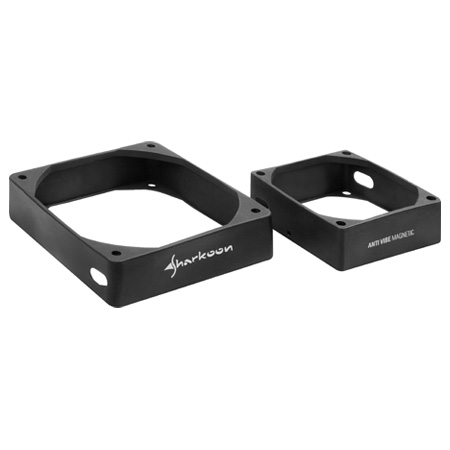
The Sharkoon Anti Vibe Magnetic Fan Frame
About Sharkoon:
The company headquarters is located in Germany, and in order to cultivate close contacts with suppliers in Asia, we also have a foreign office in Taiwan. From a worldwide distribution network spanning more than 30 countries, we offer customers a portfolio of unrivalled products for all areas of the PC. Moreover, our selection of products is constantly developing and reaches the broadest possible group of customers. Since its inception in 2002, Sharkoon has shown consistent growth and set itself apart through steadily increasing sales.
Our goal is the continued growth and expansion of our expertise, to be demonstrated in the establishment and development of successful and sustainable business relationships with our customers and partners. Some of our biggest strengths are our flexibility and rapid response capabilities and the ability to react to future market and technology trends.
Features and Specifications
The Sharkoon Anti Vibe Magnetic is offered in two variants corresponding with the supported fan size: the 120 mm and the 80 mm frame. It is unfortunate to see the Anti Vibe Magnetic limited to a specific fan size. Other fan sizes such as 92 mm and 140 mm are also popular, but not supported by this product. Furthermore, the fan frame only supports fans that are 25 mm thick. Those who prefer the thicker 38 mm or thinner 15 mm fans are out of luck.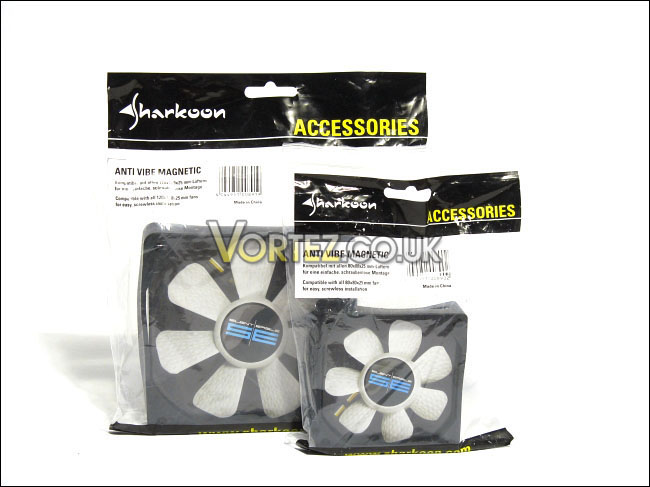
The 120 mm and 80 mm variants
Seeing as the Anti Vibe Magnetic is secured to a metal case by magnets, no tools are needed for its installation. This simplifies the installation of fans into computer cases. Some may be worried by the presence of magnets in the silicone frame. Sharkoon reassures customers by stating that these magnets are not strong enough to damage magnetic-sensitive components in a computer, but they might if intentionally done:
“Magnets inside a PC case? Yes, no problem! As the power of these magnetic clamps decreases exponentially with growing distance there is no danger for any component! Anyway the fan sleeves may also be screwed in a more conventional way.”
Link: Features
Features:
• Compatible with all 80 x 80 x 25 mm fans (80 mm version)
• Compatible with all 120 x 120 x 25 mm fans (120 mm version)
• Easy, screwless installation in PC cases at or on any magnetic surface via the eight integrated magnetic clamps
• Decoupling and protection for the fan
• Flexible and sturdy
• Fast and multi-purpose application
Delivery includes:
• Anti Vibe Magnetic
Packaging and Contents: 120 mm
The 120 mm version of the Anti Vibe Magnetic comes in a simple re-sealable plastic bag. The overall design gives a quite serious feel because of the minimal use of graphics. Only yellow, blue, black and white are used are colours on the packaging. A simple sticker in front of the packaging gives information regarding the product.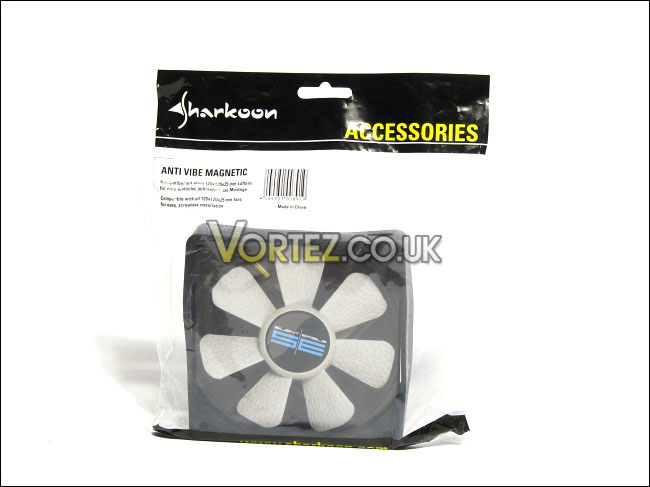
The front of the packaging
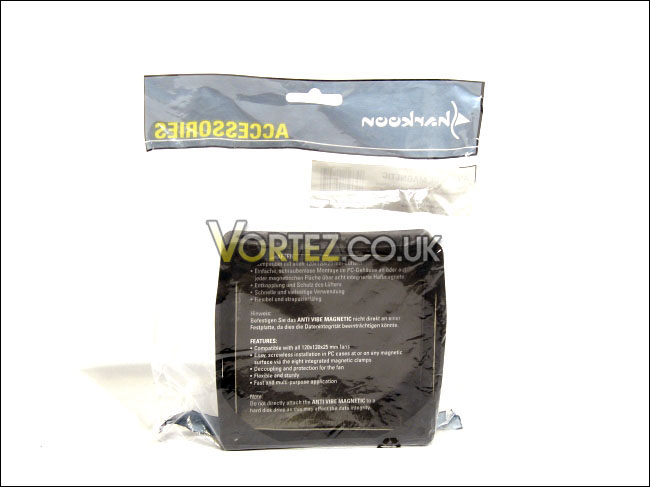
The back of the packaging
In order to reinforce the silicone fan frame of the Anti Vibe Magnetic, Sharkoon has placed a paper cut-out into it. A fan, the Sharkoon Silent Eagle SE, is printed on this paper, showing the customer how the product is used.
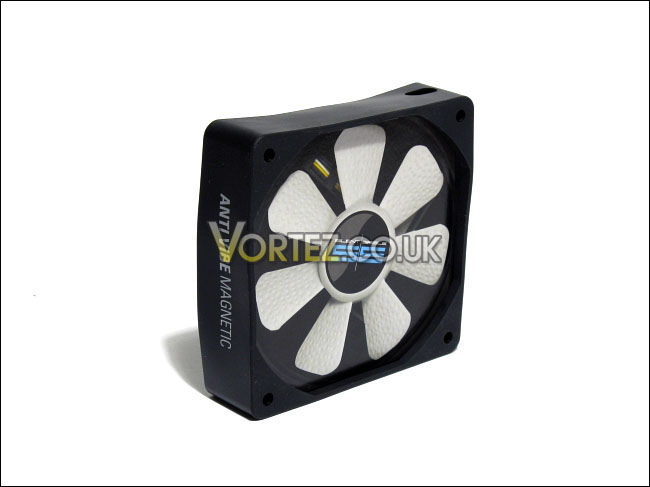
The front of the Anti Vibe Magnetic
At the rear of this paper, there is a features list of the Anti Vibe Magnetic. This information is given in English and in German, and is identical to what is found on the product’s webpage on Sharkoon’s website.
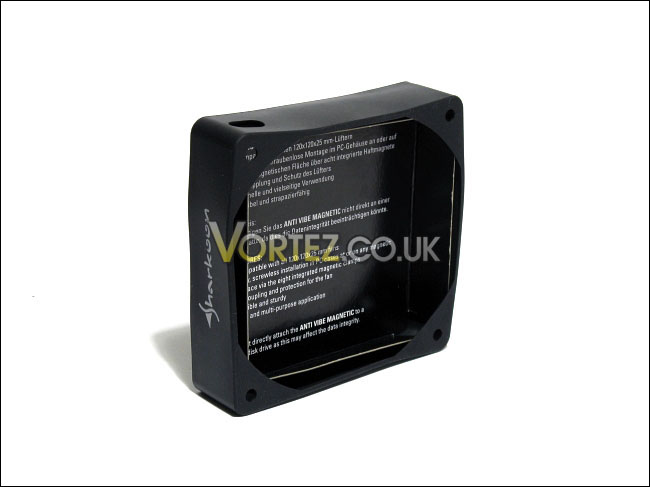
The back of the Anti Vibe Magnetic
With the paper cut-out removed, the Anti Vibe Magnetic can be better observed. The silicone frame is black matte. Two holes on the side of the frame allow for the fan’s power cable to be routed through them. Holes that give access to the eight screw holes of an installed case fan are available.
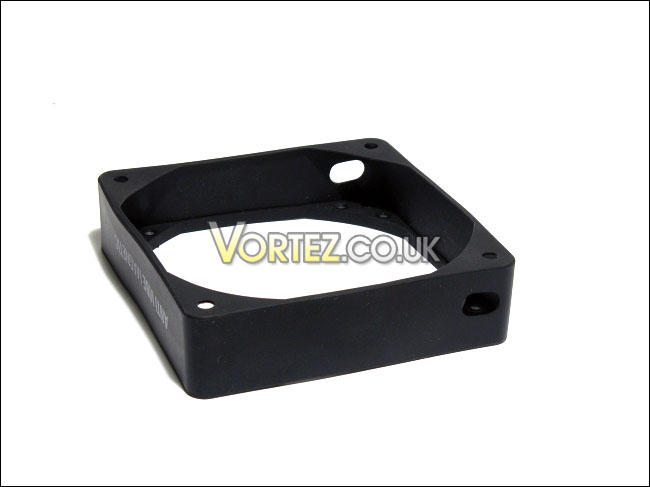
A general view
Packaging and Contents: 80 mm
In terms of packaging, the 80 mm variant of the Anti Vibe Magnetic is identical to the 120 mm variant, except for a smaller size. Indeed, it uses the same colours and layout. The silicone frame is also packaged inside a re-sealable plastic bag.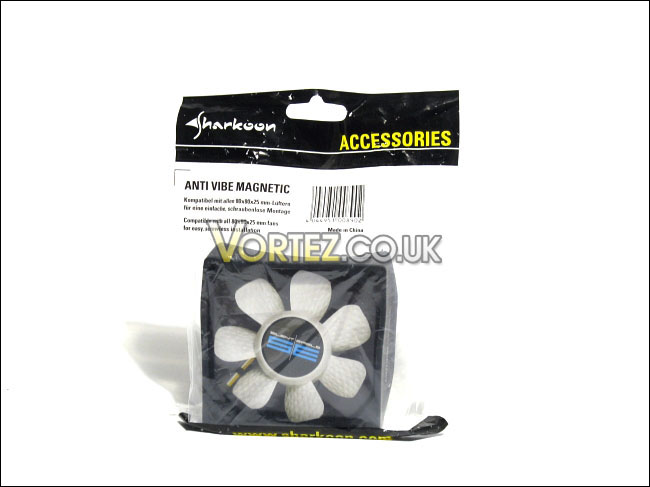
The front of the packaging
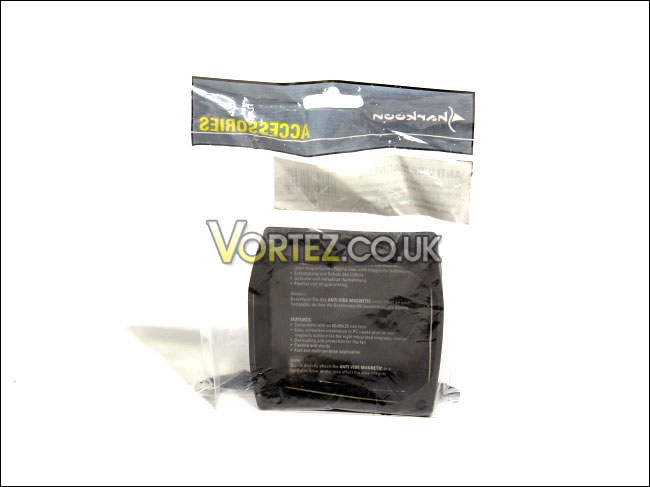
The back of the packaging
Once taken out from the re-sealable plastic bag, the 80 mm Anti Vibe Magnetic holds a paper cut-out, simulating an installed fan. At the rear of this paper is a list of the product’s features in English and in German.
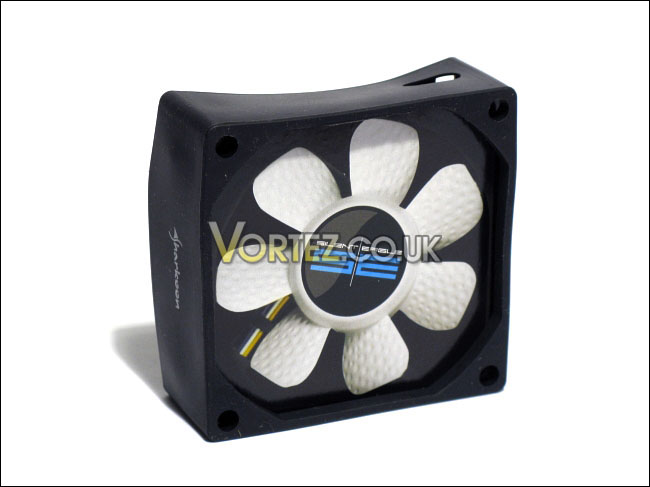
The front of the Anti Vibe Magnetic
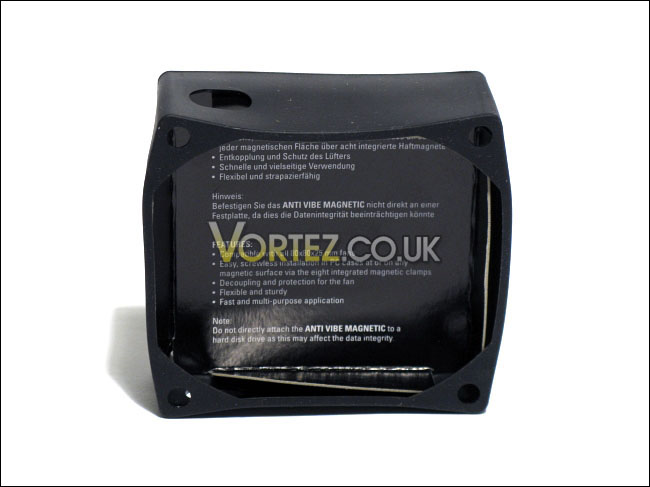
The back of the Anti Vibe Magnetic
The Anti Vibe Magnetic frame has a black matte finish. Two holes allow for the power cable of an installed fan to be routed through them. The silicone frame has holes that allow for the screw holes of an installed fan to be accessed. This can be useful in the event that the customer does not have a metal computer case, such as an aluminum or acrylic case. Thus, the customer can screw the fan into place, but still acquire some of the vibration dampening benefits from using the Anti Vibe Magnetic.
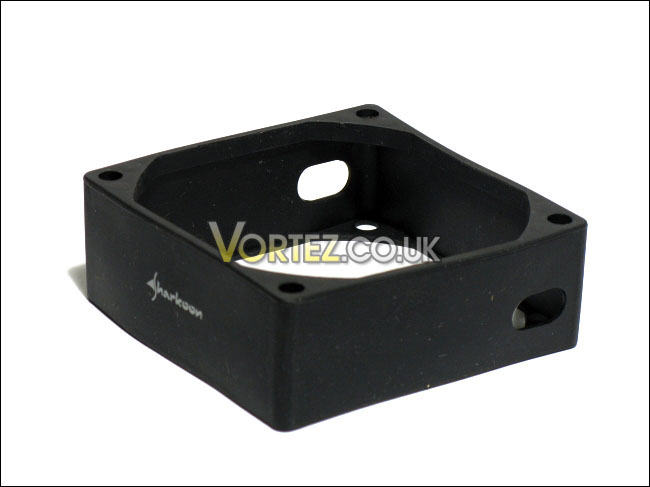
A general view
Overall, the packaging of the Anti Vibe Magnetic is very good. It is simple and easy on the eyes. The re-sealable plastic bag is also an added bonus, seeing as it can be easily reused for future activities. All used fonts are easy to read, and the design was consistent throughout the product. Sharkoon’s usage of paper with a fan and a feature list printed on it was a good idea. Sharkoon used a minimal of resources and space, but effectively optimized it.
Closer Look
Besides having eight holes for screws and two holes for cable routing, the Anti Vibe Magnetic has four words printed on its sides: Anti Vibe Magnetic and Sharkoon. A very serious and simple design, once again. The black matte finish should blend in with any computer case.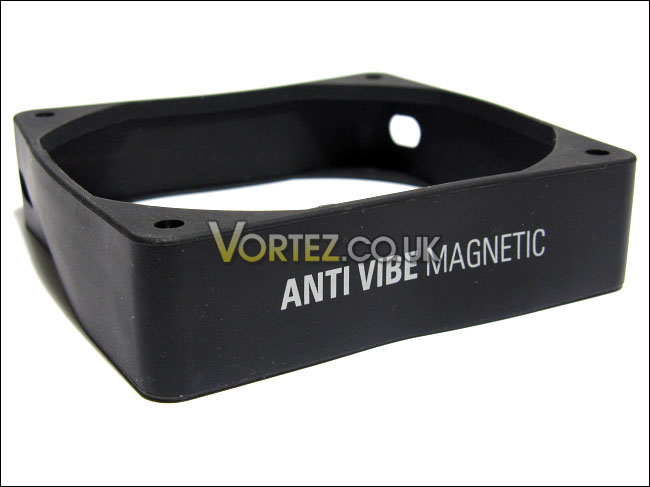
The product’s logo
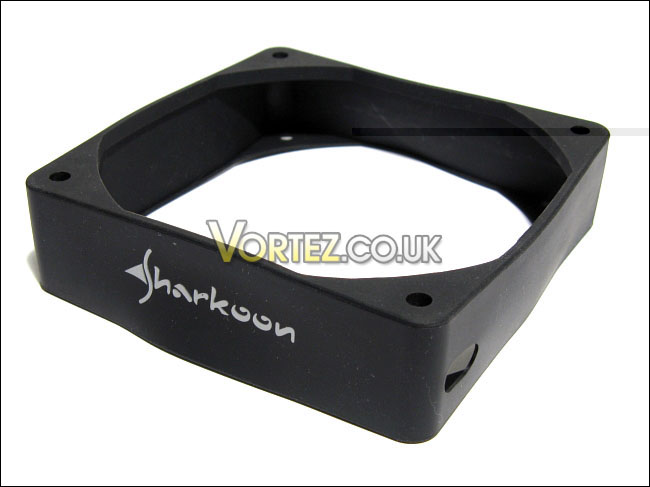
The company’s logo
Although the Anti Vibe Magnetic has eight magnets installed in its silicone frame, the magnets are placed only on one face of the frame. In other words, two magnets are found at each of the four corners of the same face of the frame. Obviously, only one side of the frame would be touching the metal computer case, anyway. Thus, putting magnets on both faces of the frame would be a waste. Also, this is an advantage because it avoids close contact of the magnets to other components of a computer. For example, if the Anti Vibe Magnetic was installed as a front intake near the 3 ½ inch drive bays and it had magnets on both faces, the magnets would be much too close to the hard drives for comfort.
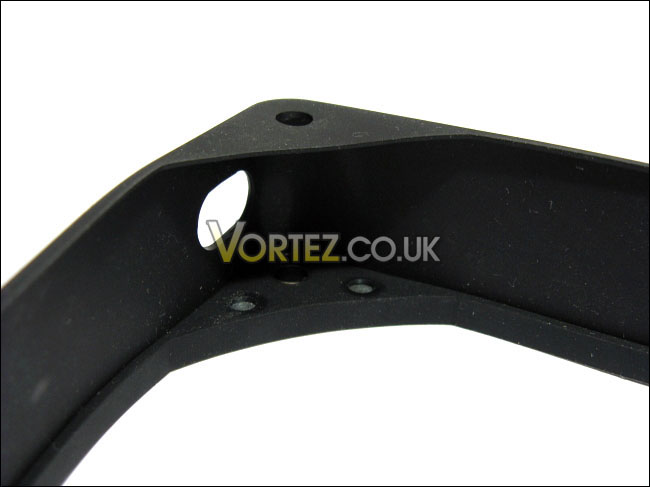
The cable routing hole and two magnets
The face of the silicone frame containing the magnets is thicker than the opposing face. This should dampen vibrations even further.
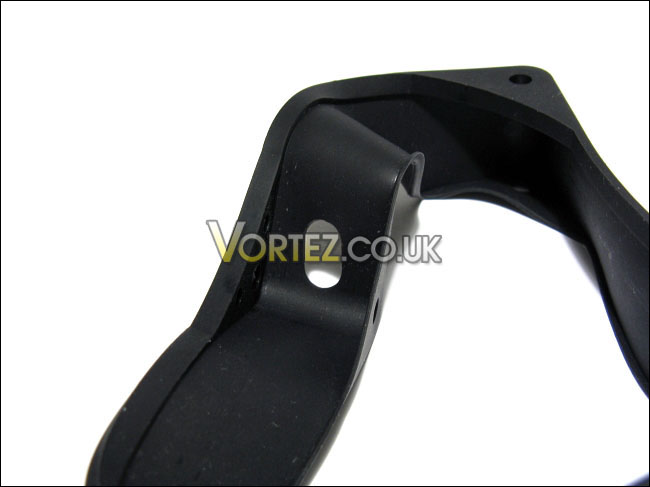
A thicker face of the frame
The Sharkoon Anti Vibe Magnetic is made of flexible silicone. By consequence, wrapping the silicone frame around a case fan should not be a problem. Also, its flexibility demonstrates that it should absorb vibrations very well.
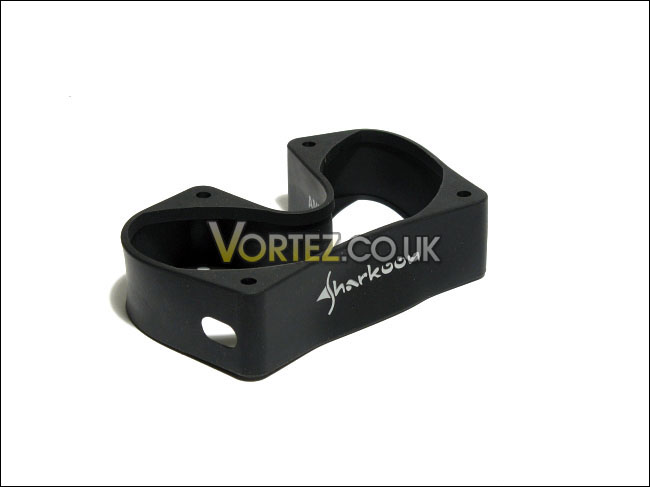
A flexible silicone frame
Installation and Drivers
Installation of the Sharkoon Anti Vibe Magnetic is straight-forward: route the cable through a given cable-routing hole of the frame, place two of the fans corners into the silicone frame, and gently pull the frame over the two other corners of the fan.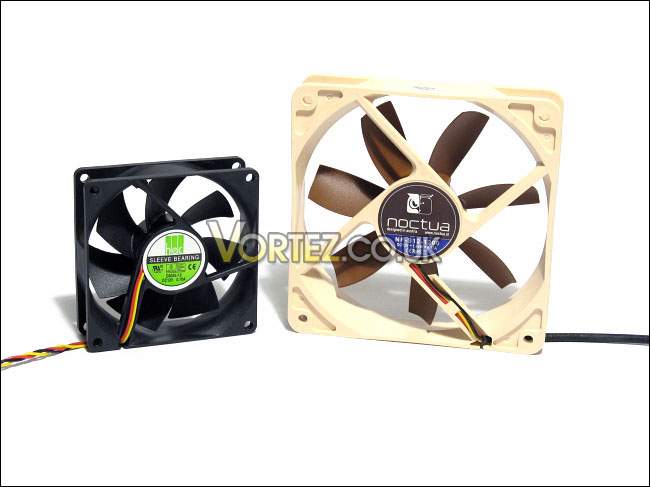
The two tested fans: the Noctua NF-S12-1200 and the HEC D80SL-12
Once installed, the Sharkoon Anti Vibe Magnetic frame held the fan very snugly. At this point, the Anti Vibe Magnetic with an installed fan is placed against a metal panel of a computer case. The Anti Vibe Magnetic attaches itself to a computer case quite confidently. Shacking the computer case roughly should not cause the Anti Vibe Magnetic to detach from the case.
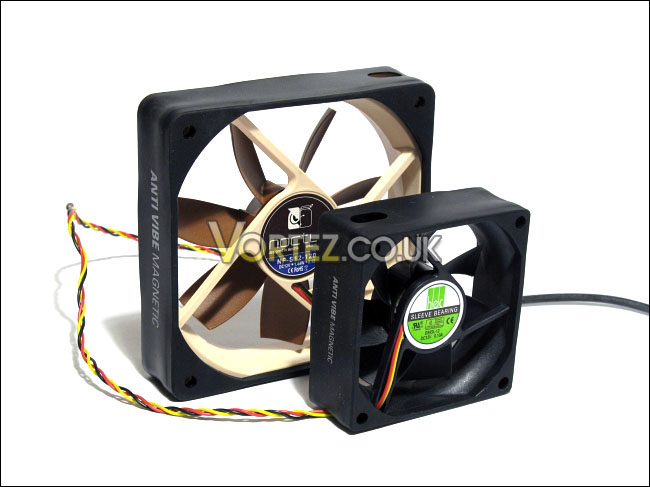
The Anti Vibe Magnetic installed
The frame’s removal from the fan is even easier than the installation seeing as the frame is very flexible. Without a doubt, Sharkoon’s claim that the product is installed rapidly is true.
Test System and Testing Methodology
Testing MethodologySeeing as I do not have any sophisticated equipment to detect vibration or a sound level meter, a fairly crude test methodology will be used. Two hollow metal cookie boxes will be placed, with their lids removed, against a wooden floor. Given the fact that these boxes are hollow, they resonate quite loudly when there is a slight vibration. A fan will be placed between these two boxes, with its sides resting on each side of the boxes. The fan will be placed in such a way as to direct air upwards to avoid too much air turbulence around the boxes, which could cause them to resonate even more.
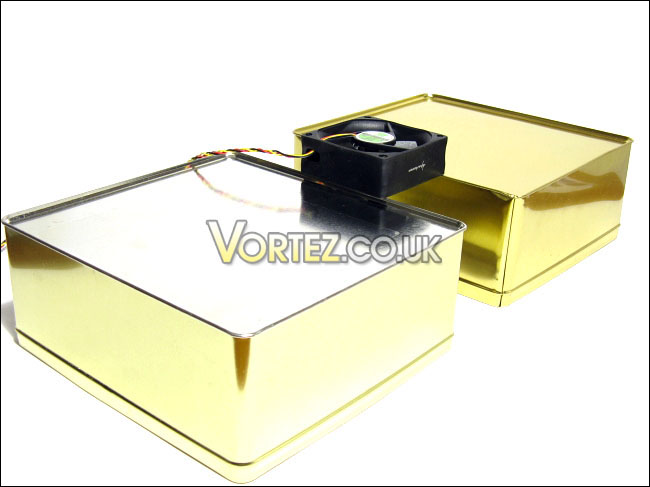
The simple testing methodology
The fan will be tested with and without the Sharkoon Anti Vibe Magnetic fan frame. The noise coming from the resonating boxes will be compared between the two tests.
In terms of fans, the Noctua NF-S12-1200 case fan will be used with the 120 mm Sharkoon Anti Vibe Magnetic, and the HEC D80SL-12 case fan will be used with the 80 mm Sharkoon Anti Vibe Magnetic.
Tested Fans:
– Fan #1: Noctua NF-S12-1200
– Fan #2: HEC D80SL-12 (possibly a Yate Loon)
Test Setup
– CPU: AMD Athlon X2 5000+ Black Edition @ 2.6 GHz 1.15V
– Motherboard: Gigabyte GA-MA78GM-S2H 780G
– RAM: Corsair XMS2 TWIN2X4096-6400C5 PC2-6400 2x2GB
– Case: Antec NSK3480 mATX
– Power supply: Antec EarthWatts 380W
– CPU cooler: Noctua NH-U12P with Noctua NF-P12 @ 5V
– Case fan: Noctua NF-P12 @ 5V
– Hard drive 1: Western Digital Caviar SE16 WD6400AAKS 640GB
– Hard drive 2: Hitachi DeskStar T7K500 HDT725025VLAT80 250GB
– DVD Drive: LG GH22NS30 DVD Writer
– OS: Windows Vista Ultimate SP1 64bit
– Mouse pad: QPAD|UC Large
– Monitor: Dell E207WFP 20” TN
Test Results
The Noctua NF-S12-1200 is not known to vibrate greatly, even when it spins at 1200 RPM. Although the fan does not vibrate greatly on a wooden floor, it caused a decent amount of noise when placed on the two metal boxes. In fact, it was much more than I had anticipated. This also applied to the HEC D80SL-12 fan.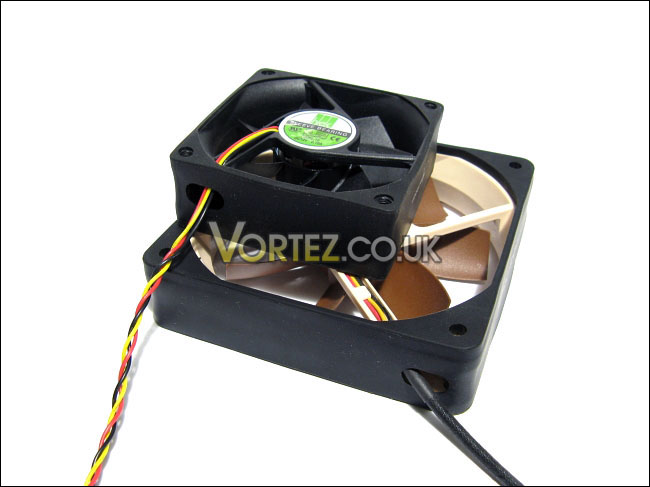
When the Sharkoon Anti Vibe Magnetic silicone frame was installed on the fans, vibrations caused by the fans virtually disappeared. Indeed, I could not feel nor hear the boxes resonate anymore. Sharkoon’s silicone frames effectively reduced case fan vibrations to a minimum.
The same phenomenon occurred when the case fan was installed in an Antec NSK3480. I could not hear any difference between using the silicone fan mounts supplied by Noctua or the Sharkoon Anti Vibe Magnetic. However, the convenience the magnets add to fan installation is excellent. Furthermore, seeing as the Sharkoon Anti Vibe Magnetic does not need to be screwed onto a computer case, they can be virtually installed anywhere in a metal case, such as the air vents on the right side panel of many computer cases.
Although vibration noises occurring when the fan is secured with metal screws to the Antec NSK3480 was minimal, it was noticeable for a silent computer build. The noise would be greater if a computer case with thinner panels was used. The Sharkoon Anti Vibe Magnetic virtually eliminated the fan’s vibrations.
Conclusion
Although the niche of silent computing enthusiasts is still fairly small in comparison to performance enthusiasts who would settle for a quiet computer, more and more products claiming silent operation have been released in the recent years. Sharkoon’s Anti Vibe Magnetic fan frame is another step towards making computers silent, by offering a simple way of dampening vibrations of a case fan.Furthermore, tool-less designs have become a big selling point of computer hardware. Once you work with a tool-less computer case, you might never want to go back to a case that requires tedious metal screws. Now, Sharkoon brings tool-less installation of case fans to a new level. Up to now, I believe that the only other tool-less solution for fans was a plastic snap-on frame, included in some computer cases in the past. Silicone fan mounts can also be tool-less, but they can be tedious if there is not enough clearance for hands or tools in the computer case. Unlike the latter, the Anti Vibe Magnetic is easily installed into computer cases thanks to its magnets. The magnets also make the silicone fan frame installable on nearly any place in a computer case.
A downside of the product would be the risk damaging magnetic-sensitive computer components. Sharkoon reassures customers that the risk is low, however. Also, only computer cases that have magnetic surfaces can fully benefit the vibration dampening feature of the Anti Vibe Magnetic. Therefore, aluminum or acrylic case users are out of luck, but the Anti Vibe Magnetic can still be installed with normal fan screws. Elsewhere, the Anti Vibe Magnetic only supports specific fan sizes: 120 mm or 80 mm, with 25 mm thickness. I believe that Sharkoon should have done differently. Instead of making frames for a specific fan size, Sharkoon should consider making four separate silicone frames that would fit only around the corners of the fan. A small silicone clip could be integrated into the frame to secure the frame to a fan corner. This will unfortunately not allow fan screws to be installed. However, with this way, any fan size of 25 mm thickness would be supported.
With all of this considered, I think that the Sharkoon has hit a high note with the Anti Vibe Magnetic fan frame. Sharkoon delivers in its promise to offer an easy and quick solution to fan installation, with the added bonus of vibration dampening. As such, the Sharkoon Anti Vibe Magnetic fan frame is awarded the Vortez Hardware Gold award.
Pros
+ Easy installation and usage; much simpler than metal screws and silicone mounts
+ Excellent build quality and highly flexible frame
+ Great vibration dampening; virtually eliminates vibrations from a fan
+ Good and simple look; a black matte finish allows it to blend in with cases
Cons
– Contains magnets; low risk of damaging magnetic-sensitive components and support for computers with magnetic surface
– Support for specific fan sizes; 120 mm or 80 mm case fans of 25 mm thickness
Vortez Hardware would like to thank Sharkoon Technologies for supplying this product sample. We hope to see more Sharkoon reviews on our website soon.
To discuss this review please visit our forum.


