Silicon Power’s latest value oriented PCI Express 4.0 SSD. How does it compare against other Solid State Drives?

Product on Review: UD90 SSD
Manufacturer: Silicon Power
Street Price: 1TB Model – $90 USD | $180 AUD
Since both AMD and Intel platforms now fully support PCIe 4.0, SSDs of this nature have been steadily replacing their old counterparts. On offer from such drives which boast such capabilities are blistering transfer rates which were unheard of until recently.
Today sees us explore an SSD which utilises the Phison E21T controller – the Silicon Power UD90. SP claim this drive is capable of hitting up to 4800MB/s. In our review we’ll be putting it up against other previously reviewed SSDs to see how it fares.
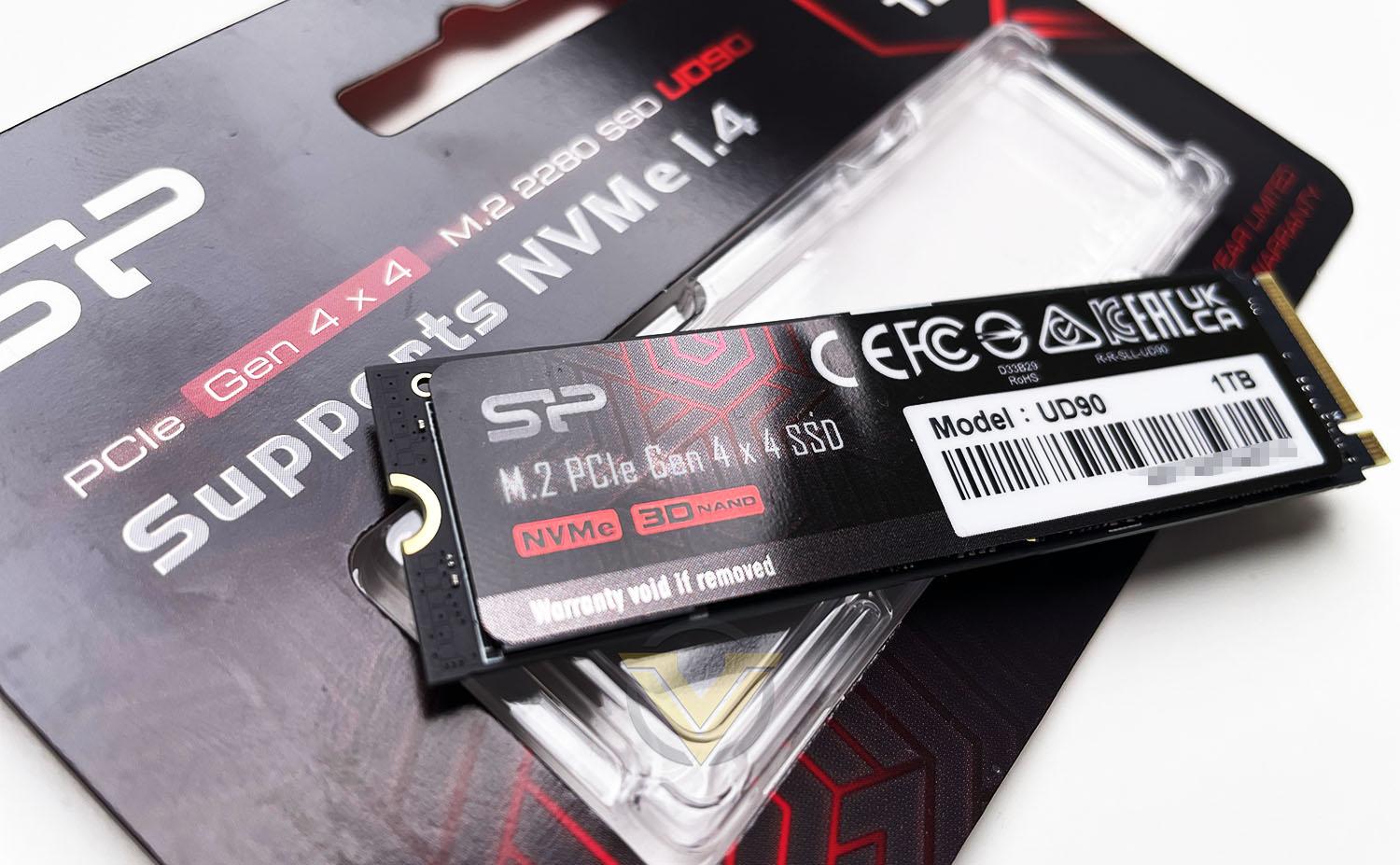
Silicon Power on their UD90
Give your system the power of PCIe 4.0 with the budget-friendly UD90. Providing the best bang for your buck, it reaches read speeds up to 4,800MB/s and write speeds up to 4,200MB/s. It also boasts 2x faster data transfer rates than its predecessor, PCIe 3.0, for sustained use and dependable performance. With this much efficiency, the UD90 allows you to maximize your creative output at an unbeatable value.
Technical Specifications
Below are the technical specifications surrounding the UD90:
Capacity
250GB-2TB
Form Factor
M.2 2280
Interface
PCIe Gen4x4
Speed
Sequential Read – Up to 4800MB/s
Sequential Write – Up to 4200MB/s
NAND flash
176-Layer TLC NAND Flash
Controller
Phison E21T
Operating Temperature
0° to 70° C
MTBF
1,600,000 Hours
Warranty
5 Years
250GB-2TB
Form Factor
M.2 2280
Interface
PCIe Gen4x4
Speed
Sequential Read – Up to 4800MB/s
Sequential Write – Up to 4200MB/s
NAND flash
176-Layer TLC NAND Flash
Controller
Phison E21T
Operating Temperature
0° to 70° C
MTBF
1,600,000 Hours
Warranty
5 Years
Closer Look
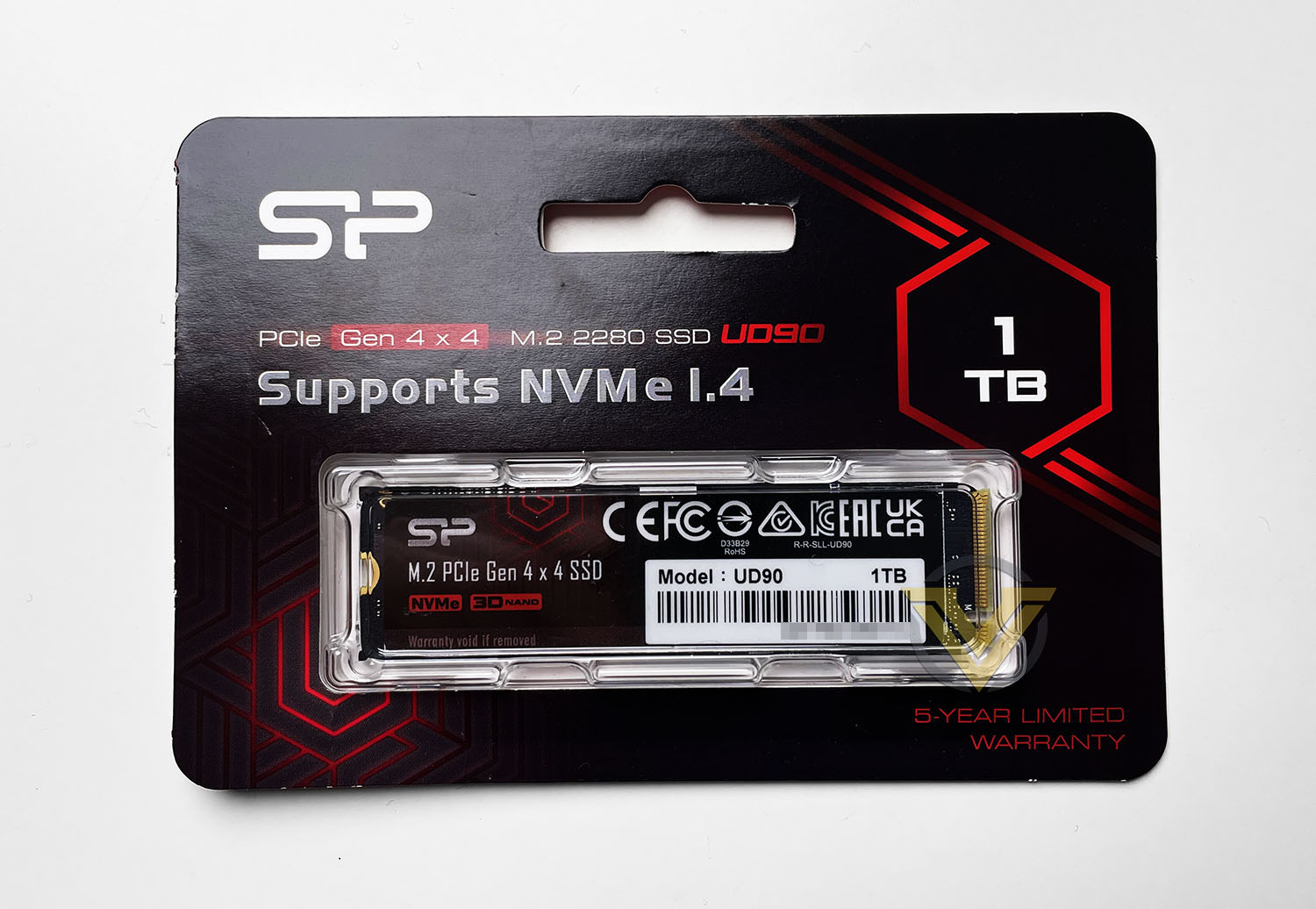
Silicon Power has decided to opt for the minimalist approach with packaging on the UD90 – just like their other product lines. Having no-fuss packaging is a great idea since this can be easily recycled once the drive is removed. As you can see there is very little by way of information, aside from some of the basic stats surrounding the speed, capacity and warranty. To extract the drive from the packet, we just need to slice the back. The drive comes on its own with a plastic container.
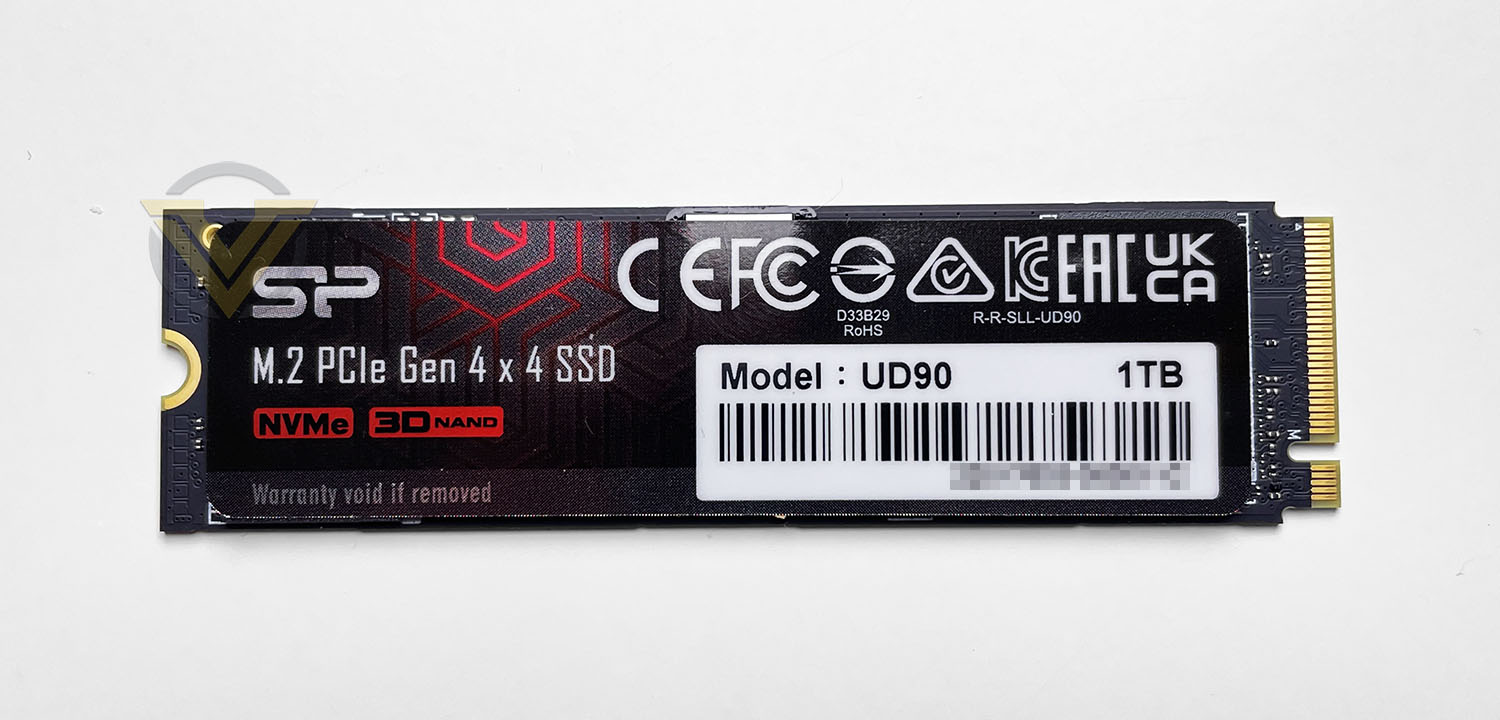
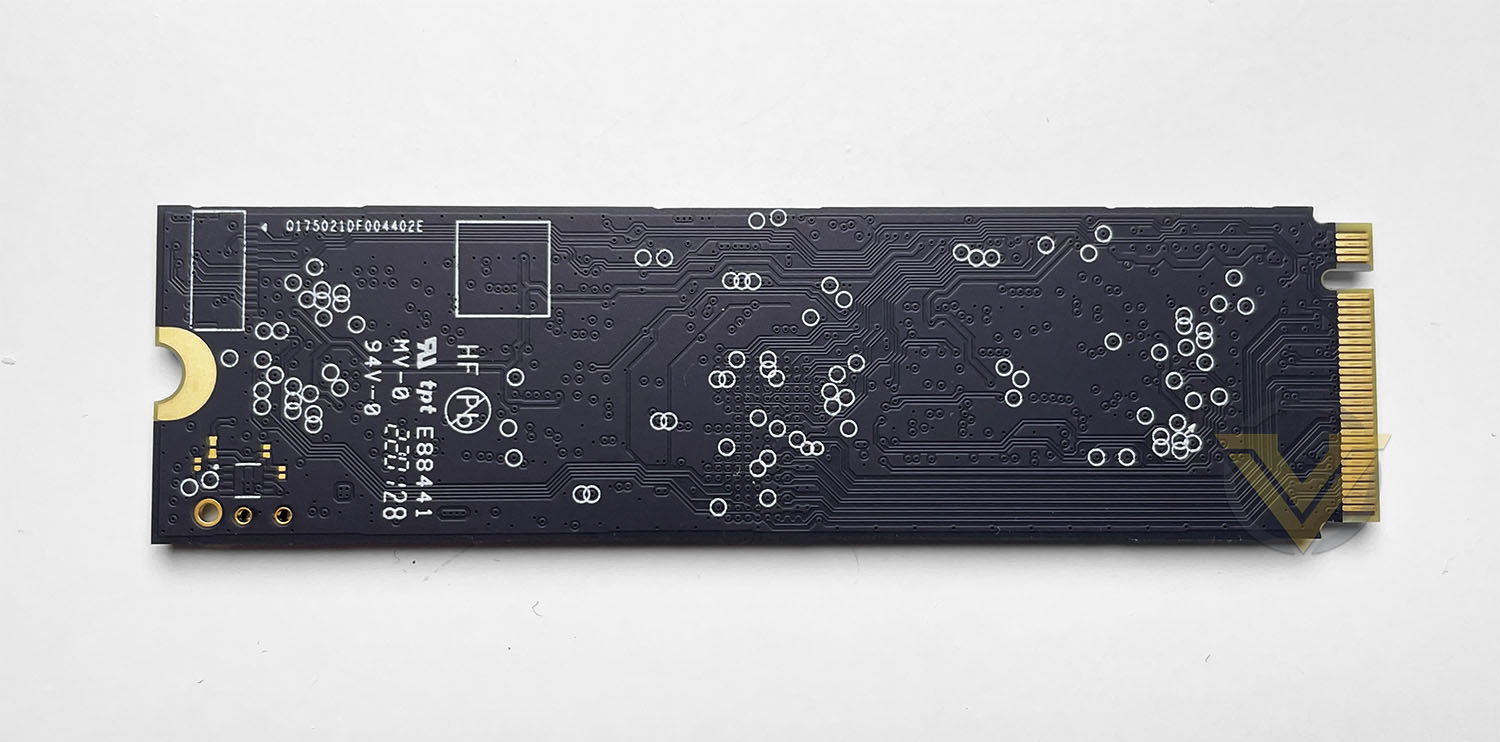
UD90 conforms to the M.2 form factor and more specifically the 2280 size, it has no integrated heatsink like other M.2 SSDs you find on the market, so in this sense it will have no issues in terms of physical compatibility. The sticker that sits over the top side is nicely designed and should marry up with other hardware reasonably well.
UD90 uses the Phison E21T controller which is DRAM-less. This drive also lends itself to using 176-layer TLC Flash.
Over the next pages we’ll be putting the UD90 under examination to see what you can expect in terms of performance.
Test Setup & Methodology
Our test system is formatted and a fresh version of Windows is installed with just drives in place – no additional applications. Windows is then updated to the latest release and the drivers are installed.
Included in the list of benchmarks are the following applications:
BENCHMARKS
Anvil Pro
AS SSD
ATTO Disk Benchmark v2.46
AIDA64
AS SSD
ATTO Disk Benchmark v2.46
AIDA64
TEST CONFIG
CPU Intel Core i9-12900K
Motherboard MSI Z690 UNIFY
Graphics GIGABYTE RTX 3060
Memory 64GB CORSAIR Dominator Platinum RGB DDR5
Storage Silicon Power XPower UD90 1TB
PSU Corsair HX1050 Gold
OS Microsoft Windows 11 Professional 64-Bit
Motherboard MSI Z690 UNIFY
Graphics GIGABYTE RTX 3060
Memory 64GB CORSAIR Dominator Platinum RGB DDR5
Storage Silicon Power XPower UD90 1TB
PSU Corsair HX1050 Gold
OS Microsoft Windows 11 Professional 64-Bit
Benchmarks: Anvil Pro
Anvil Pro from Anvil Storage utilities is one of the most popular storage benchmarking utilities today thanks to the large suit of tests available. You can test pretty much anything from Read/write Speed to IOPs with many variables to tweak allowing you to get either a single or host of results to compare with other likeminded enthusiasts. In our test we ran the standard suite 5 times, subtracting both the highest and lowest scores and determined the final result from the average of the remaining three results.
Benchmarks: AS SSD
AS SSD Benchmark is a straightforward tool for measuring the speed of your SSD drive.
Simply launch the program, choose your drive, click Start, and it’ll test your SSD’s read and write speed in a variety of ways, delivering a score for each when it’s done. And if that’s not enough, there are also additional file copy and compression-related benchmarks available from the Tools menu. (The author’s support page is German only, but if you need further English explanations then there’s a thread on the program at the OCZ Technology forum.).
Simply launch the program, choose your drive, click Start, and it’ll test your SSD’s read and write speed in a variety of ways, delivering a score for each when it’s done. And if that’s not enough, there are also additional file copy and compression-related benchmarks available from the Tools menu. (The author’s support page is German only, but if you need further English explanations then there’s a thread on the program at the OCZ Technology forum.).
Benchmarks: ATTO
The ATTO Disk Benchmark performance measurement tool is compatible with Microsoft Windows. Measure your storage systems performance with various transfer sizes and test lengths for reads and writes. Several options are available to customize your performance measurement including queue depth, overlapped I/O and even a comparison mode with the option to run continuously. Use ATTO Disk Benchmark to test any manufacturers RAID controllers, storage controllers, host adapters, hard drives and SSD drives and notice that ATTO products will consistently provide the highest level of performance to your storage.
Benchmarks: AIDA64
AIDA64 Product PageThis simple integer benchmark focuses on the branch prediction capabilities and the misprediction penalties of the CPU. It finds the solutions for the classic “Queens problem” on a 10 by 10 sized chessboard. At the same clock speed theoretically the processor with the shorter pipeline and smaller misprediction penalties will attain higher benchmark scores. For example — with HyperThreading disabled — the Intel Northwood core processors get higher scores than the Intel Prescott core based ones due to the 20-step vs 31-step long pipeline. CPU Queen test uses integer MMX, SSE2 and SSSE3 optimizations.
Benchmarks: CrystalDiskMark
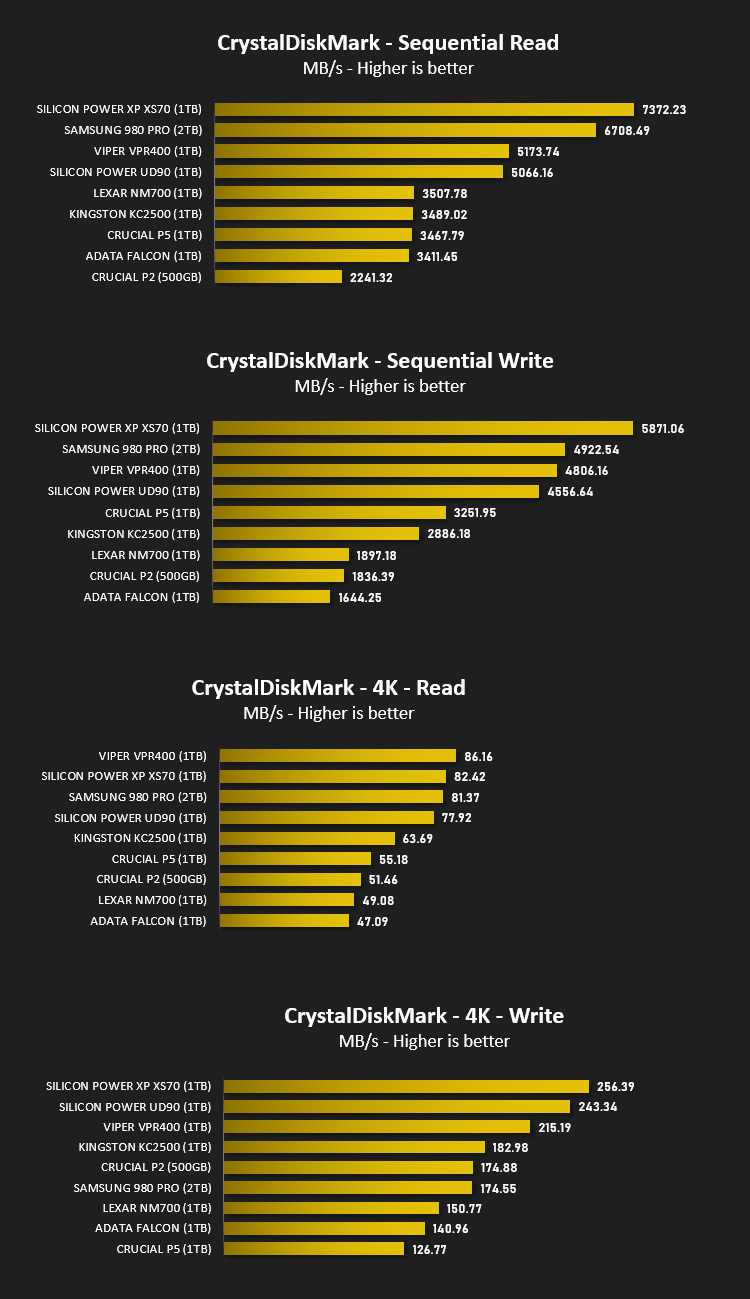
CrystalDiskMark is an open source disk drive benchmark tool for Microsoft Windows. Based on Microsoft’s MIT-licensed Diskspd tool, this graphical benchmark is commonly used for testing the performance of solid-state storage. It works by reading and writing through the filesystem in a volume-dependent way. It generates read/write speeds in sequential and random positions with varying numbers of queues and threads.
Conclusion
The UD90 is touted as a value-friendly option for those wanting a slice of the PCIe 4×4 action. Against drives which cost more, this drive still manages to hold its own and offer similar performance as you will have seen on the previous pages. The Samsung 980 Pro and Silicon Power’s own XS70 are the only drives using the same interface as UD90 and the results are quite remarkable in terms of throughput and IOPS.
Those with one of the latest AMD or Intel motherboards will have PCIe 4.0 at their fingertips, and investing in a drive like UD90 will allow users to tap into the amazing performance on offer.
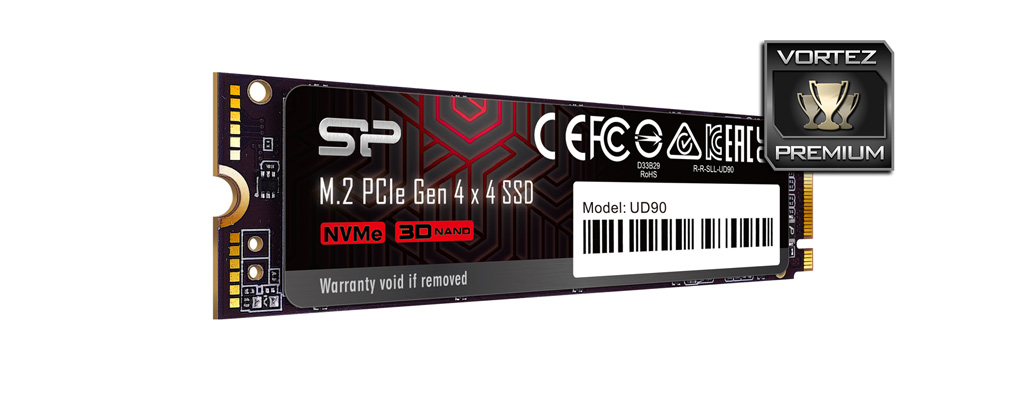
UD90 is available to buy in a variety of capacities from 250GB-2TB. Our 1TB model is priced at $90 USD | $180 AUD. For this price and the included 5-year warranty we regard this as an excellent value for money option.
Silicon Power’s UD90 does not shy away from offering exceptional performance for its price point and we highly recommend it.
Pros
+ Offers up great performance
+ No compatibility issues due to size/design
+ Great value for money
+ 5 Years Warranty
Cons
– None apparent
+ Offers up great performance
+ No compatibility issues due to size/design
+ Great value for money
+ 5 Years Warranty
Cons
– None apparent
Click here for an explanation of our awards at Vortez.net.
Stay connected with the Vortez Social Media pages: