







We take a look at Speedlink’s wireless mouse with a twist; touch sensitive scrolling.
Product on review: Speedlink MYST Touch Scroll Mouse
Manufacturer and Sponsor: Speedlink/Meroncourt
SRP: £22.99 Inc. VAT

Speedlink is a name you may immediately associate with headsets such as their extremely popular MEDUSA series, but they make many more products besides headsets, including mice, speakers, webcams, bags and console peripherals. This is the first mouse from Speedlink that Vortez have looked at and it’s not a simple run-of-the-mill affair.
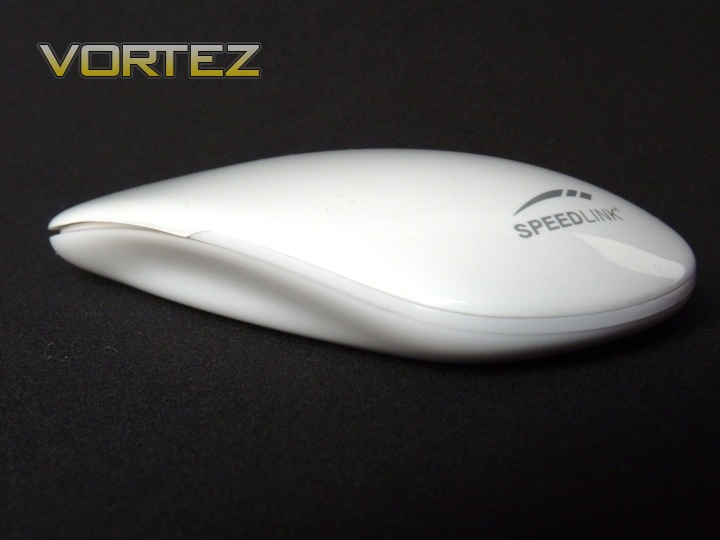
The MYST Touch Scroll mouse (abbreviated to MYST from now on), as the name suggests, includes touch sensitive scrolling. This is a very novel feature not seen widely across the PC market yet. The MYST is a small and light mouse, aimed primarily towards users on the move. It comes in both wired and wireless flavours, and in black or white colours. Today, I’ll be looking at the white, wireless version.
Here’s what Speedlink have to say about the MYST:
The MYST Touch Scroll Mouse combines timeless design with the most modern technology. Its harmonious surface conceals sensible touch sensors which carry out the functions of the mouse wheel: Thus merely a soft whisk with the finger is all that is required for scrolling in documents and websites, a light tap activates the function of the middle mouse button. In addition with its elegance the MYST is a decorative piece for your desk and, thanks to its flat housing and light weight, ideal for when you are on the move.
Quite a description to live up to, so let’s see how the MYST fares.
Technical Specifications:
Wireless 3 button mouse
2.4GHz radio technology
Nano receiver with up to 8m range
High-precision optical sensor with 1,600dpi
Touch sensors for scroll function and middle mouse button
Wireless 3 button mouse
2.4GHz radio technology
Nano receiver with up to 8m range
High-precision optical sensor with 1,600dpi
Touch sensors for scroll function and middle mouse button
Packaging and Mouse
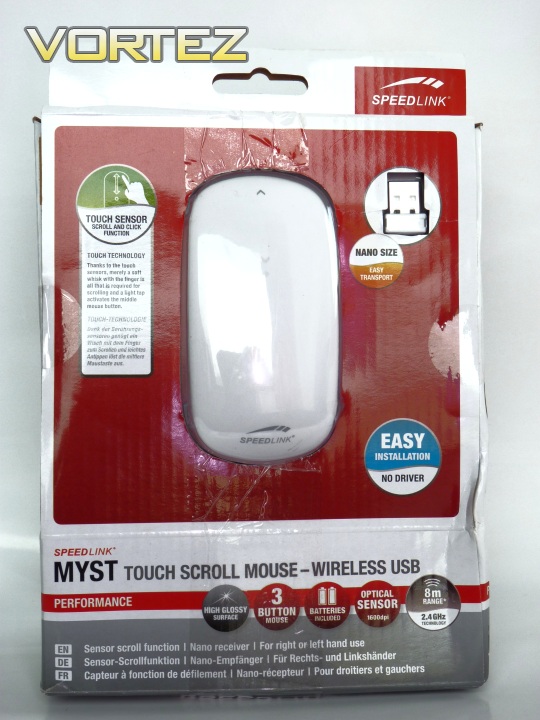
First glimpse at the mouse through the transparent packaging
The box arrived slightly damaged, but testament to the quality of the packaging, the mouse and receiver were both in tact and completely undamaged. You can see the box art is clear and communicative, showing both the mouse and receiver, be it the white version, as seen here, or the black version, which is also available.
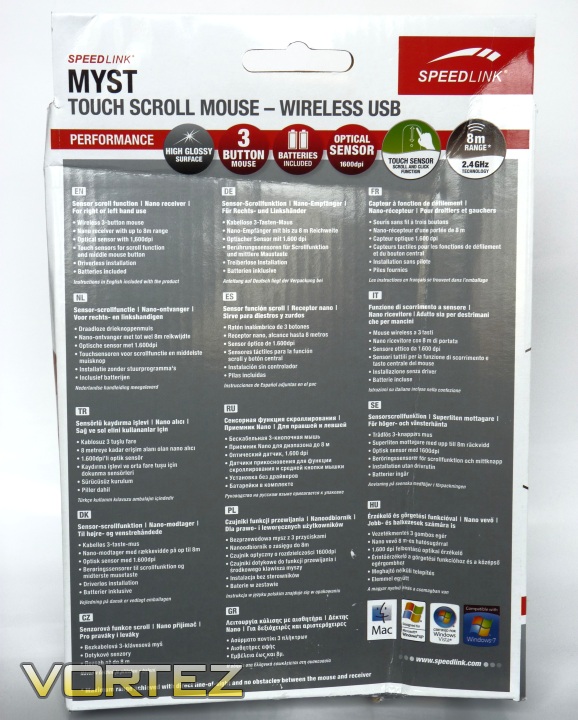
Basic features in a selection of European languages
The rear of the box is a straightforward affair, a feature list in a variety of languages. We can also see that the MYST is compatible with Mac, Windows XP, Windows Vista and Windows 7. This is good to know, especially since the mouse is not provided with any drivers, and should install automatically on these operating systems.
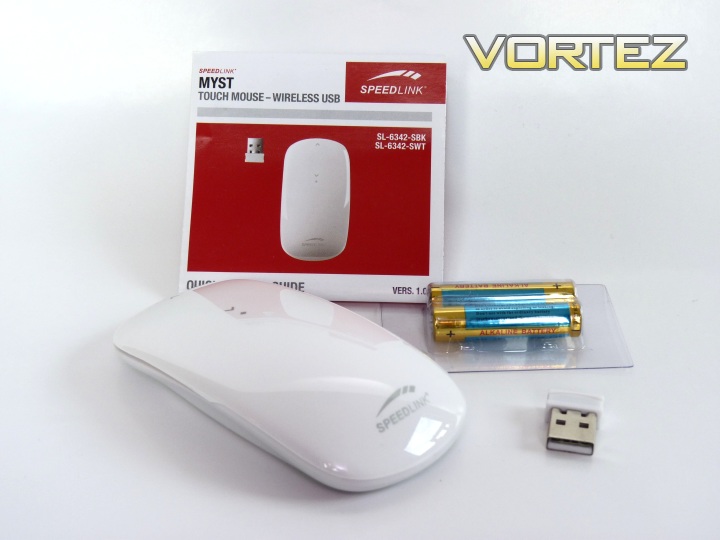
A sparse, but adequate bundle
Bundled with the mouse are two AAA batteries, the wireless receiver and a manual, which contains installation instructions, though I doubt you’ll need them! Yes, this bundle isn’t huge, but it doesn’t need to be either. This mouse is about being compact and portable, and this is best accomplished without wires and unnecessary accessories. Perhaps the addition of a small bag to carry it in would have been a possible addition, but it’s just as well placed inside a laptop bag if you need it to be portable.
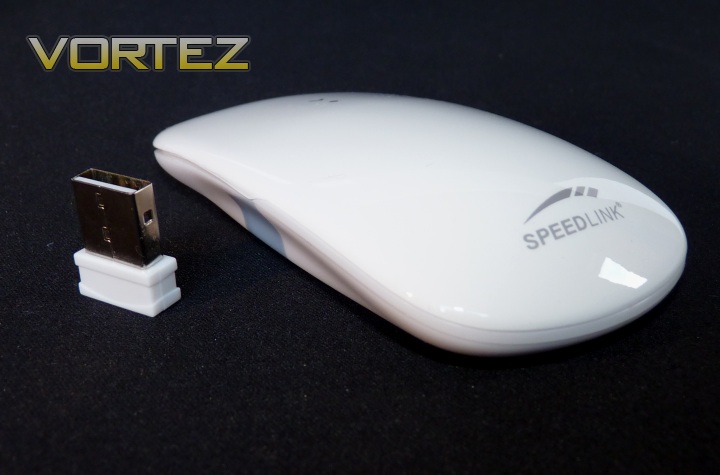
The mouse and receiver together
As you can see, the mouse and receiver are both very small – ideal for a notebook or netbook.
Closer Look
Let’s look at the mouse in more detail.
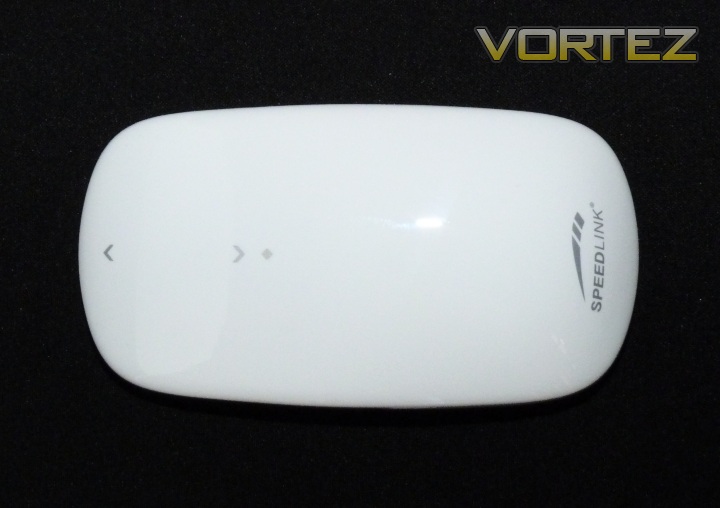
No visible breaks in the smooth surface
From the top, you can see the shape of the mouse. You’ll notice it can be used by both left or right handers as it’s totally symmetrical. You’ll also notice the Speedlink logo on the rear and the marked scroll area and middle click (marked by the grey diamond).
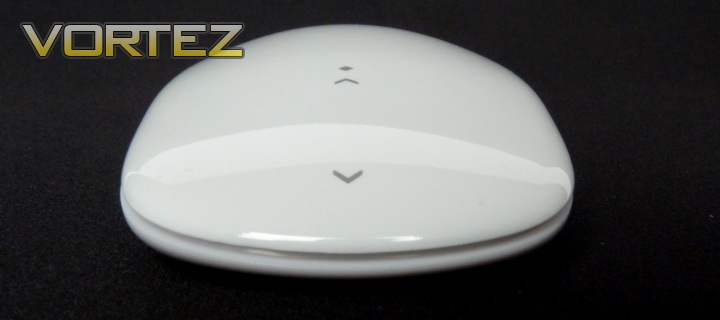
The view from the front
From the front, you can see there is a long gap around the front of the mouse. This is to allow room for the flex of the top section, which allows the two mouse buttons to click.
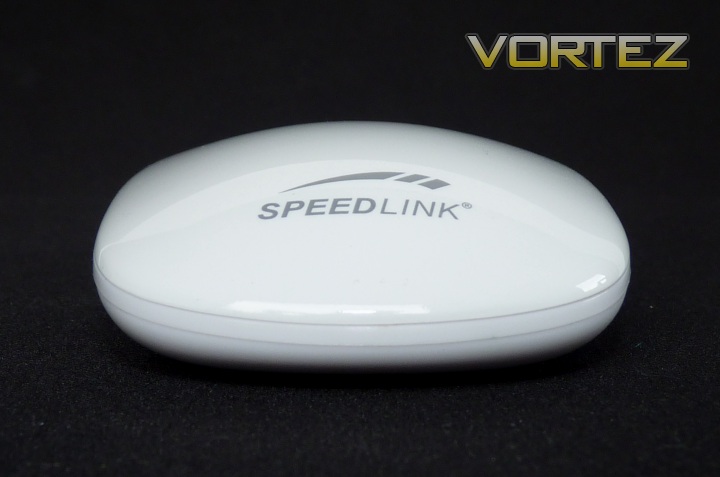
The rear view
The Speedlink logo is finished in grey on the rear of the mouse. Not much else of interest here, though you may notice the mouse is quite low in height. This has implications for comfort, which are discussed over the page.
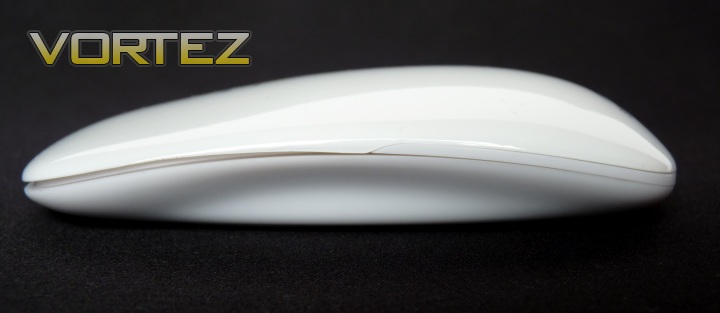
The MYST from the side
Once again, you can see how low the MYST is. There is a slight recess visible down the side too, assumably as an area to put your thumb or finger.
Closer Look cont'd
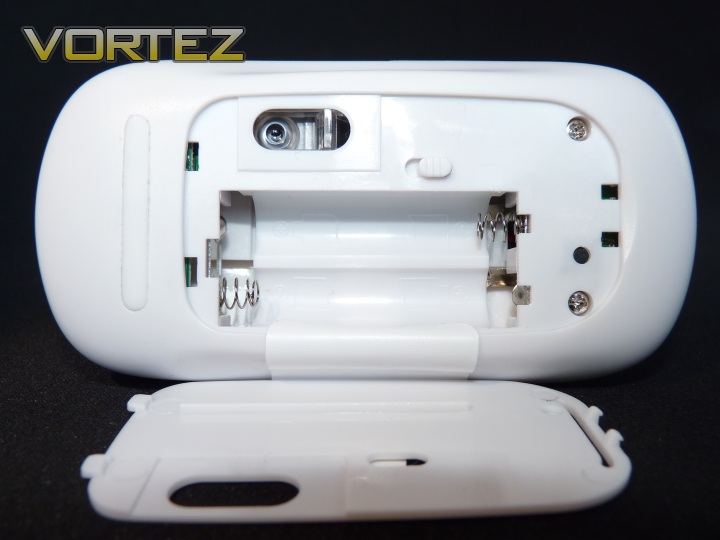
The underside, with battery cover off
Here you can see the bottom of the mouse. I have removed the battery cover in this shot. There is a useful on/off switch on the bottom, next to the optical sensor.
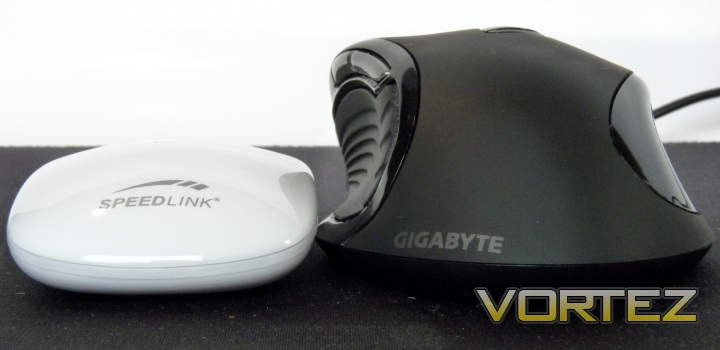
The MYST next to Gigabyte’s M6980, as reviewed by Vortez here.
Here, the height difference between the two mice is striking. The MYST is not only half the height of the M6980, but it’s also thinner.
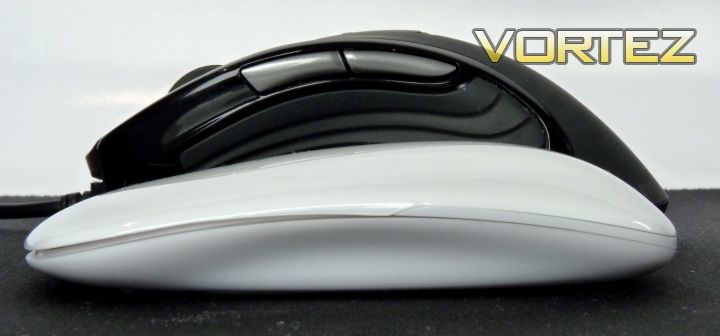
The MYST in front of Gigabyte’s M6980
In length, the MYST is about the same as a regular mouse, perhaps a little shorter as the M6980 isn’t that long either.
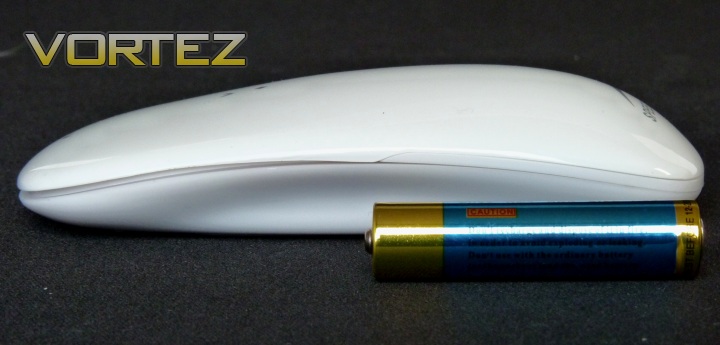
A triple-A (AAA) battery next to the MYST for reference
Another reference shot to help you get an idea of size.
Performance
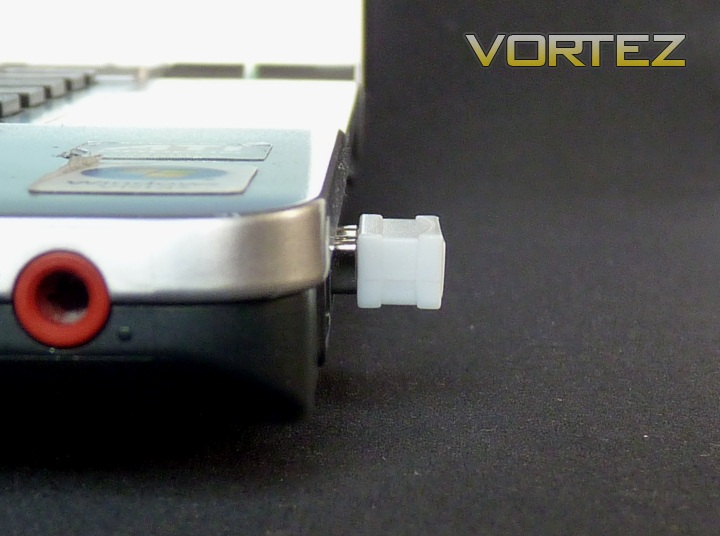
The receiver plugged into a notebook
Although the receiver looks small, it actually protrudes a fair amount from the side of a laptop, if you’re using it in this fashion. This means there is a risk of damage to either the receiver or your USB if you’re not careful. That said, it’s a lot better than some of the stick-like offerings of the past.
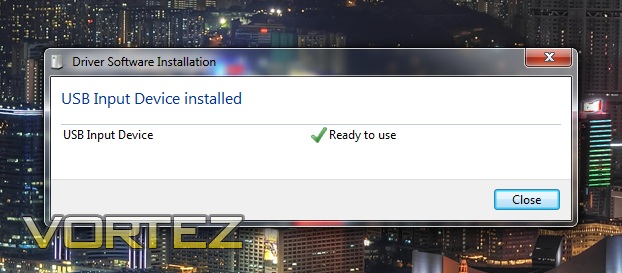
The install result in Windows 7 x64
Installation in Windows could not be easier – it’s as simple as plugging in the receiver and you’re off. The driver used is the basic USB Input Device, which is included with at least XP, Vista and 7.
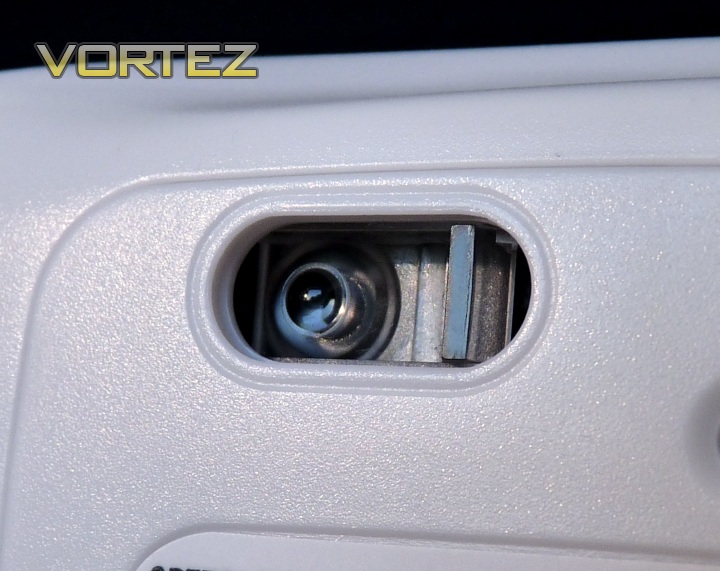
1600 dpi optical sensor
The performance from the mouse is pleasing. 1600 dpi is a good amount of sensitivity for everyday use, speaking personally, though it may a little high for some. However, with the smoothness of the tracking, you should find it quite easy to adapt to. There is no hardly any noticeable lag between mouse and cursor movements, though the keen and seasoned gamer may notice it slightly, as with almost any wireless mouse. 1600 dpi is also not too sensitive as to hamper the finer selections and manipulation within windows, browsing and office type tasks, though if you’re looking for a mouse suitable for image editing, I would look elsewhere. I say this because there is no option to tune the sensitivity except through windows, as with any other similar mouse. This may mean that really fine, pixel-level selections may be frustrating.
A variety of surfaces have been tested with the MYST, including wood (shiny and matte finished), gaming surface (BoogieBug Aimpad XL) and short carpet. The only one that presented any issues was the carpet, and frankly, if you expect an optical mouse to work on such a surface, you’re asking a bit much. Some larger mice work better, which may be due to the distance of the sensor from the surface, though without testing this it’s difficult to say much more than that. Good performance on a variety of surfaces is ideal for a mouse designed to be portable, as you never know where you might be setting up your notebook or netbook next.
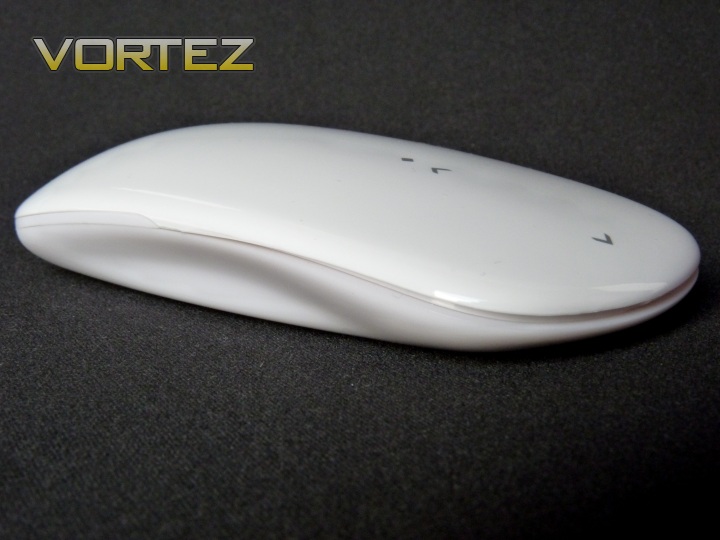
The mouse certainly looks the part with its smooth, uninterrupted lines
So, the real party piece of this product is the touch sensitive scrolling, but does it work? The short answer is yes, however it’s not without problems. The first, and main, problem you’ll find with this setup is the loss of tactile feedback. Read – being able to feel the scrolling, or indeed scroll area. The mouse is no doubt beautiful to look at, but the smoothness of the top means there is no real boundary or change in texture to recognise the scrolling area with. This means for at least the first week or so of usage, you’ll be scrolling with your fingers and wondering why nothing is happening on screen, only to realise you’re pawing at the mouse button instead and missing the scroll area completely. This is frustrating, I won’t lie. For many users, this would also be an immediate put-off, especially since there is such an unnecessarily steep learning curve. This problem could be simply solved by adding recessed dimples or similar in or around the scroll area. In addition to this, the actual area you can scroll with is pretty small, not only by width (making it difficult to find) but by length too. I would recommend putting the scroll lines setting in your operating system as high as you can bear, otherwise on long pages you’re going to be continuously and frustratingly scrolling for what seems like an eternity. Some credit is due for implementing this into a mainstream product, but I can’t help but think it’s quite a let down at the same time.
Comfort and Build
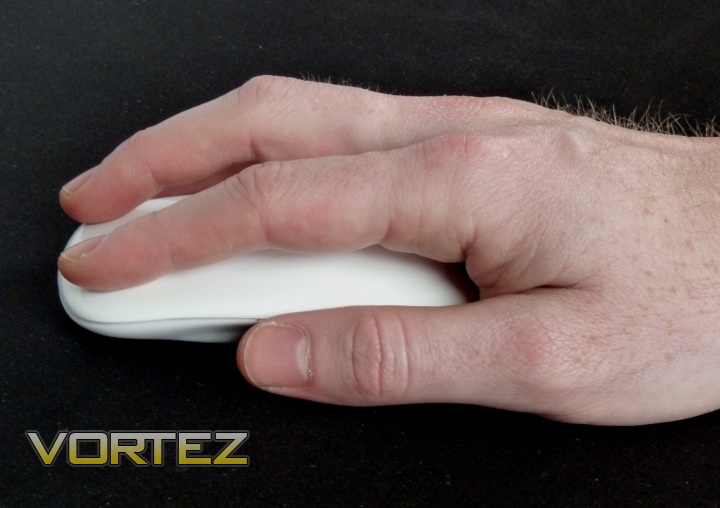
A fingertip-style grip will work best with the MYST
Let’s talk about comfort for a minute. Interfacing with your PC, and the quality of this interaction (especially over long periods) is often overlooked. Take the Gigabyte M6980 a shown on the last page: Its moulded curves fit your right hand brilliantly, and for long periods it is very comfortable to use. Looking at the MYST, it’s obvious it’s less ergonomic. The MYST is very flat, and this is really the main problem. Getting a decent grip on the MYST can sometimes be difficult, and although my hand does look large in the image above, it’s probably typically sized. As you can see, the low sides, even with their moulded recess, are not exactly large or ergonomic at all. In fact, the recess you can see serves little purpose as it cannot be reached anyway.
The MYST is also very light, as advertised as a feature on the packaging. If you have experience with mice, you’ll know there really is an optimum weight for comfort and performance, rather than convenience and portability, which are lesser concerns, in my opinion. With this in mind, the MYST feels too light; it really needs some more weight to keep it down on the desk when you’re clasping it as you must (due to the shape). Even a small amount would be of benefit, and with mice this physical size I really can’t imagine there was an issue with them being too heavy for easy transport; so Speedlink seem to have attempted to solve a problem that simply wasn’t there in the first place. That’s assuming the light construction is not a by-product of design and marketed on the box out of coincidence, without much thought.
The build quality of the MYST is good, and despite the top shell being combined with the two click buttons, there are no signs of stress or the possibility of it breaking. The switch on the bottom is fairly robust, clicks are about as firm as you would expect on a small mouse of this size and the finish is very nice indeed. The white version may well be the colour of choice here (especially if you have an Apple Mac) not only because it looks nicer, but also because it won’t show those hairline scratches that Piano black products seem to attract.
Conclusion
Great to look at, not so great to use
So, if you’ve read the rest of the review, well done, you’re evidently still interested in this product and I’ll tell you why you should or shouldn’t buy it in the next few paragraphs. If you’ve simply skipped to the conclusion, it’s OK, I know you’re busy so I’ll cut to the chase (though I strongly recommend that if you like the look of this product to go back and read the rest, especially since there are pretty pictures!).
What does the MYST do well? Firstly, there’s the looks. Reminiscent of the Apple Magic Mouse (probably not by coincidence), it’s one of the best looking wireless, portable mice out there. Simple as that. The build quality is also good for a product in this price range. The MYST also brings something quite new to the table (for PC users in this price range at least) in the form of touch scrolling, and innovative and pioneering products from manufacturers are those that make the PC peripherals market so varied and interesting.
Where does the MYST let itself down? The two main issues with the MYST are comfort and ease of use. I can’t recommend this mouse for intricate work or for long periods of use whereby you require decent accuracy, up to what it can deliver, as it’s just not ergonomic enough. It’s certainly not enough better than using a notebook or netbook trackpad in terms of comfort to warrant carrying it around everywhere with you. Although the scrolling is pretty cool and new, it’s not fun to use, especially for the first few days. You’ll find yourself looking at the mouse to find the scroll area all the time, which is frustrating. Yes, you’ll eventually get used to it after a while, but I think many may put it down, never to pick up again, long before that.
If you’re an Apple user and can’t stretch to the £40+ asking price of the fully multi-touch Magic Mouse, this might be just the ticket for handy usage when out and about. If you’re using a regular notebook or netbook and fancy something stylish, the MYST may also fit the bill, for light usage. If your budget is higher, you may want to look at stretching to Speedlink’s fully multi-touch ‘Cue Wireless mouse’ with gesture control or even just a regular notebook mouse, complete with scroll wheel.
The MYST is stylish, exciting and will look great on your desk, but there’s a chance it’ll be relegated to paperweight duties pretty quickly if you don’t have the patience.
Pros
+Great looking mouse
+Good build quality
+Spot on performance over a range of surfaces
+ Touch scrolling is new and interesting at this price point
Cons
-Touch scrolling has an unnecessarily steep learning curve
-Not comfortable for prolonged usage
-No recharge function
+Great looking mouse
+Good build quality
+Spot on performance over a range of surfaces
+ Touch scrolling is new and interesting at this price point
Cons
-Touch scrolling has an unnecessarily steep learning curve
-Not comfortable for prolonged usage
-No recharge function


