The focus is often put onto expensive keyboards boasting many superfluous features that often add cost more than usefulness. Today we’re looking at something which gets back down to the basics, the Apex 3 from SteelSeries. RGB lighting, media controls, wrist rest, it has plenty to be proud of, but is it any good?

Product on Review: SteelSeries Apex 3
Manufacturer: SteelSeries
Street Price: GBP £59.99 / USD $49.99 / AUS $149.00
SteelSeries, once known primarily for their high-cost, high-performance equipment are now branching out into the budget end of the market; we’ve recently looked at their new Rival 3 gaming mouse that offers incredible value for money but today we’re going to investigate the SteelSeries Apex 3, a keyboard which aims to offer the same.
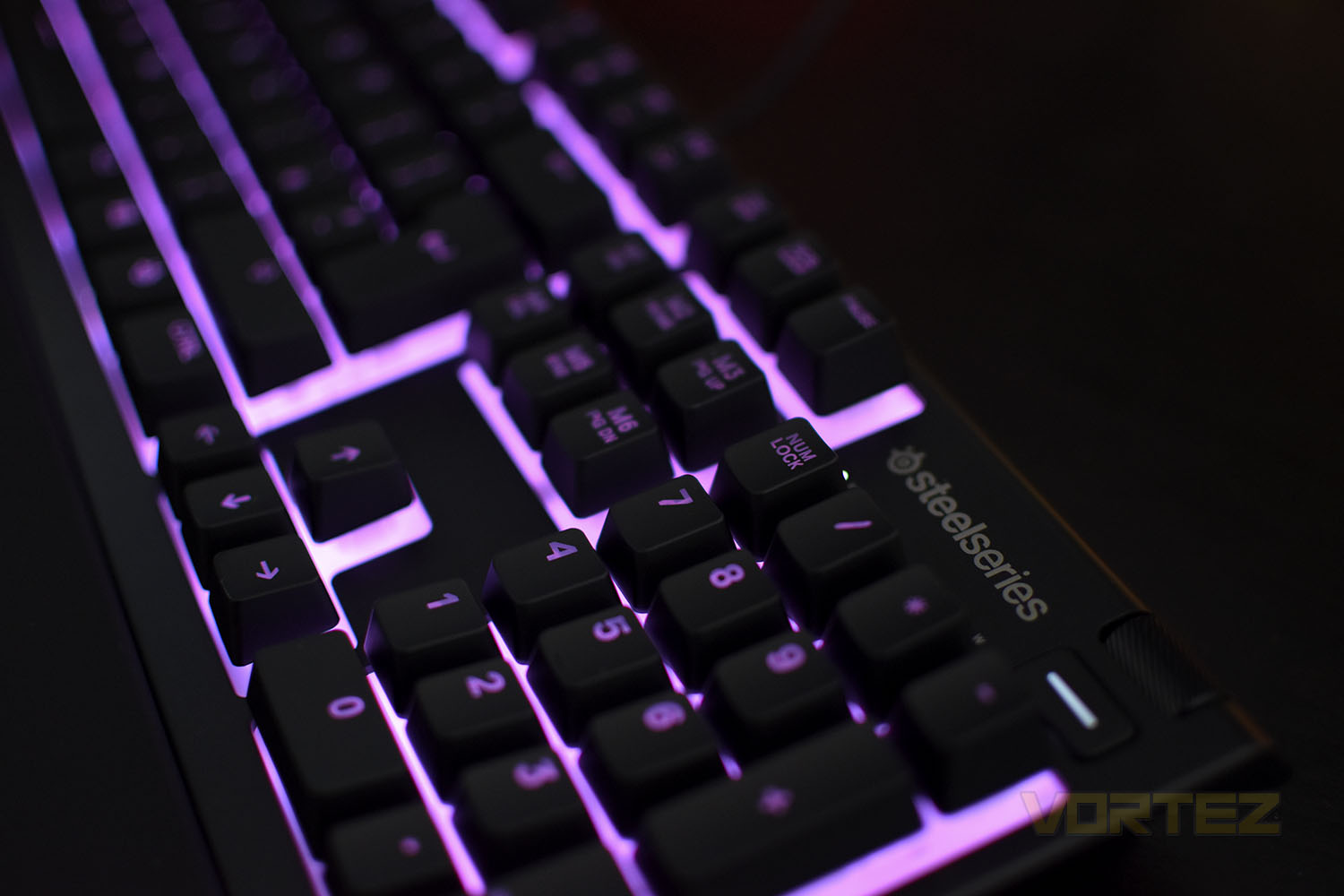
Sporting 10-zone RGB backlighting to illuminate your desktop, IP32 water resistance to protect against spilled drinks, whisper quiet gaming switches so you don’t annoy your team mates over the microphone and a premium magnetic wrist rest to protect your wrists, the Apex 3 appears to offer more than most in this price segment.
There are also clever cable routing options, multimedia controls, 10 language options and, of course, full SteelSeries Engine 3 support. All of this will set you back only £59.99/$49.99/$149.00 (depending on your location).
There’s plenty of competition in this price segment, including the ASUS TUG Gaming K5, ROCCAT Horde AIMO and Razer Cynosa Chroma, so what does the Apex 3 offer that you can’t find elsewhere? Let’s dive in and check out what’s what.
SteelSeries on the Apex 3:
The water resistant Apex 3 is a full-fledged gaming keyboard created by combining SteelSeries’ cutting-edge technology with a collection of gaming-focused features.
Technical Specifications
Design
Top Material: High Quality Polymer Frame
N-Key Roll Over: 24 Keys
Anti-ghosting: Gaming Grade
Illumination: 10-Zone RGB Illumination
Weight: 1.8lbs (816g)
Height: 39.69mm
Width: 444.7mm
Depth: 151.62mm
Switch
Type & Name: SteelSeries Whisper-Quiet Switches
Lifetime: 20 Million Keypresses
Compatibility
OS: Windows and Mac OS X. USB port required
Software: SteelSeries Engine 3.15+ (coming soon) for Windows (7 or newer) and Mac OSX (10.11 or newer)
Packaging & Bundle
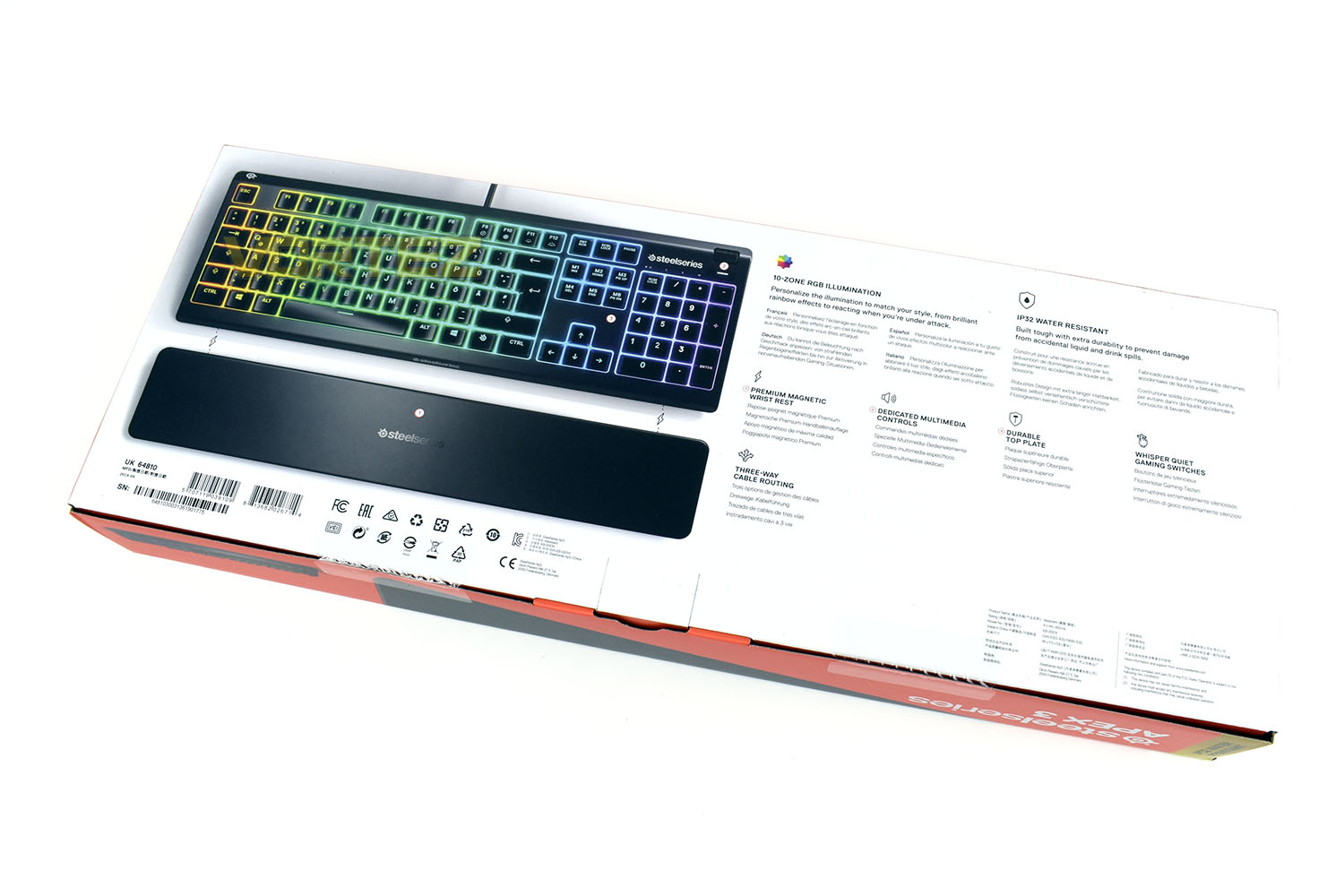
“The most winning brand in eSports” is something SteelSeries are incredibly proud of, and rightly so. To that end, they tend to include it on all of their packaging. There’s a few other points of note on the front of the box, not least of which being the PC, Mac, Xbox One and PS4 support.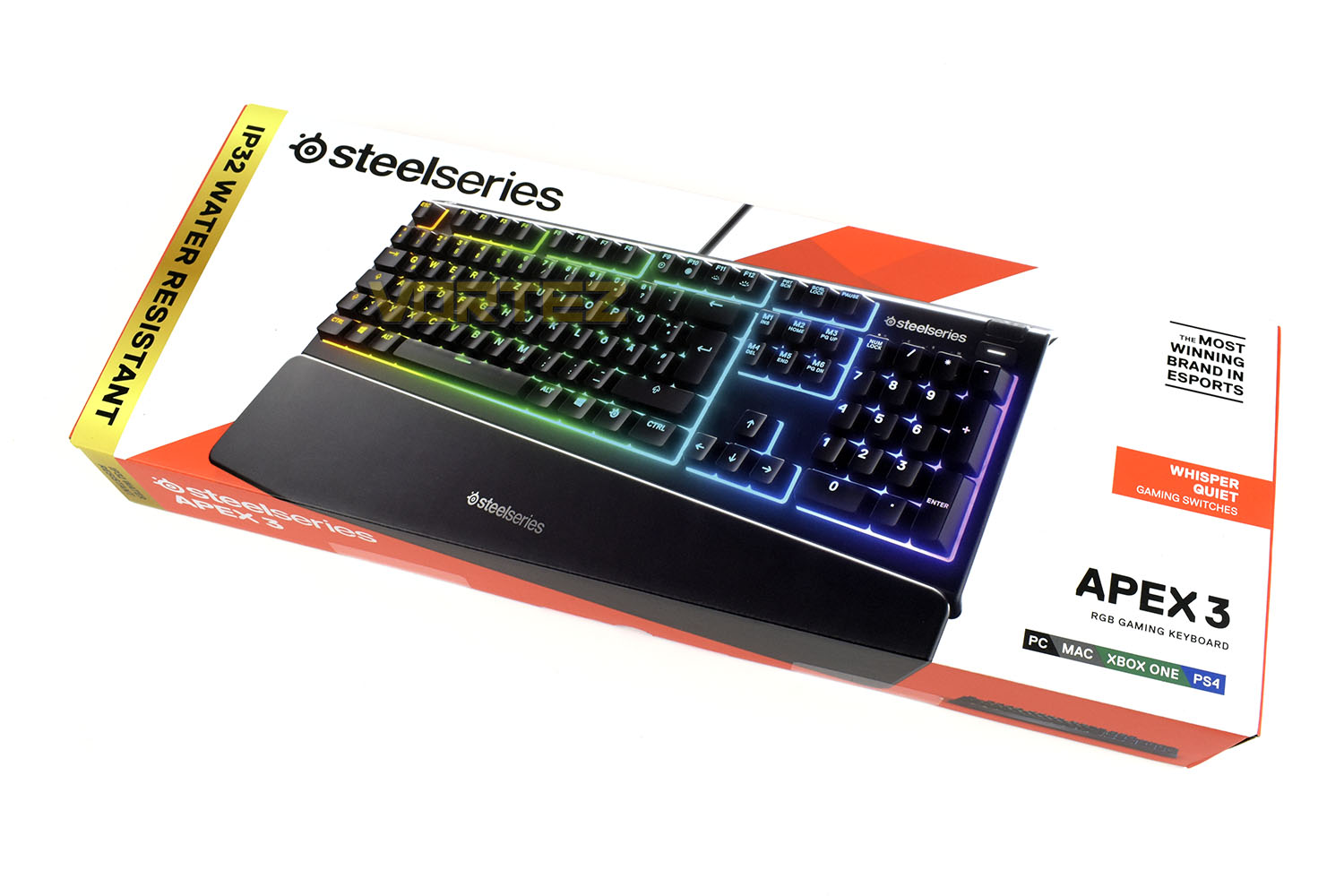
On the flip side SteelSeries have laid things out in an efficient, easy to read manner. Even the image of the keyboard is zero-fuss with the photo taken directly from above.
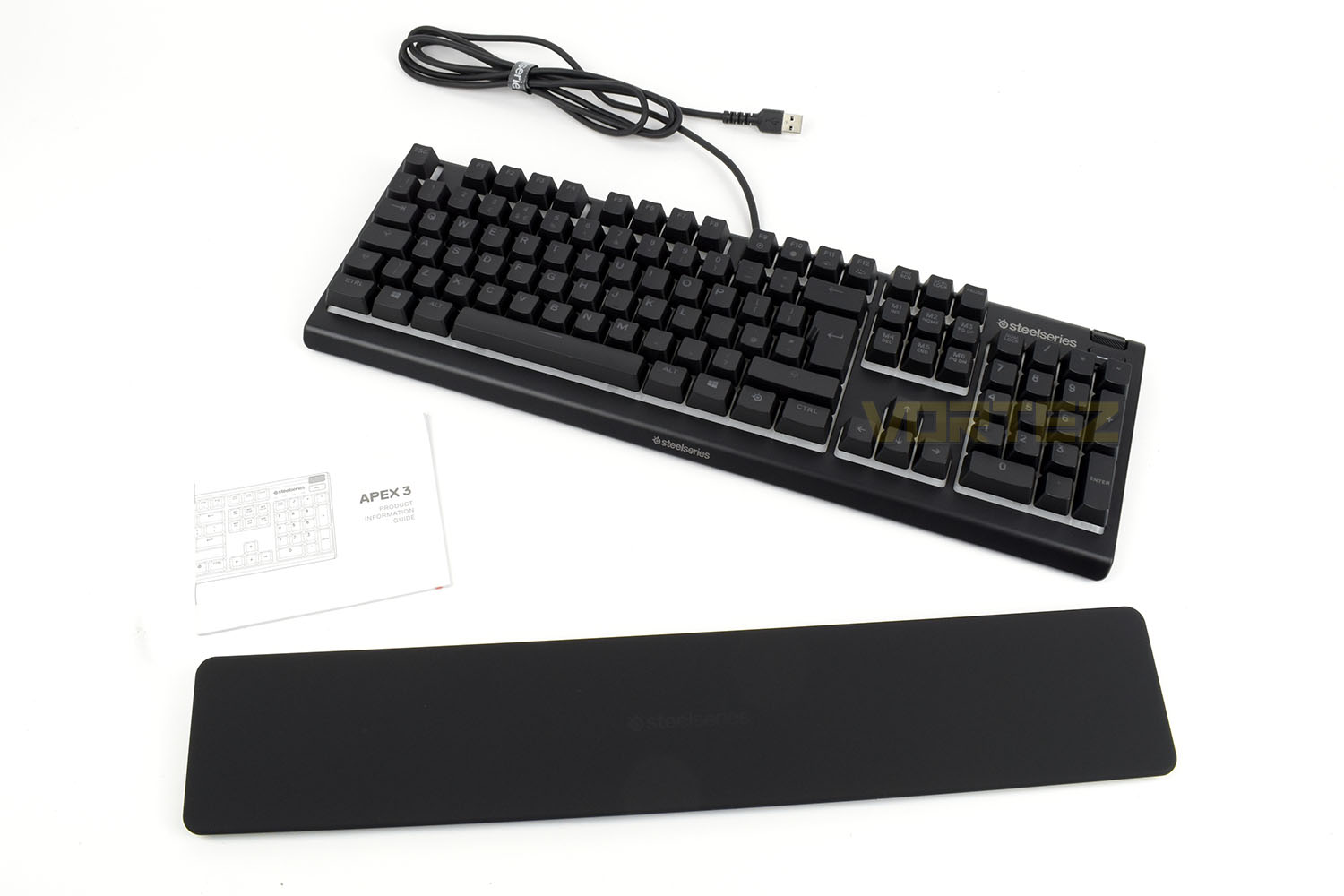
Keeping things to the bare minimum, you get an information guide and a wrist rest. What more do you need though, really?
Closer Look
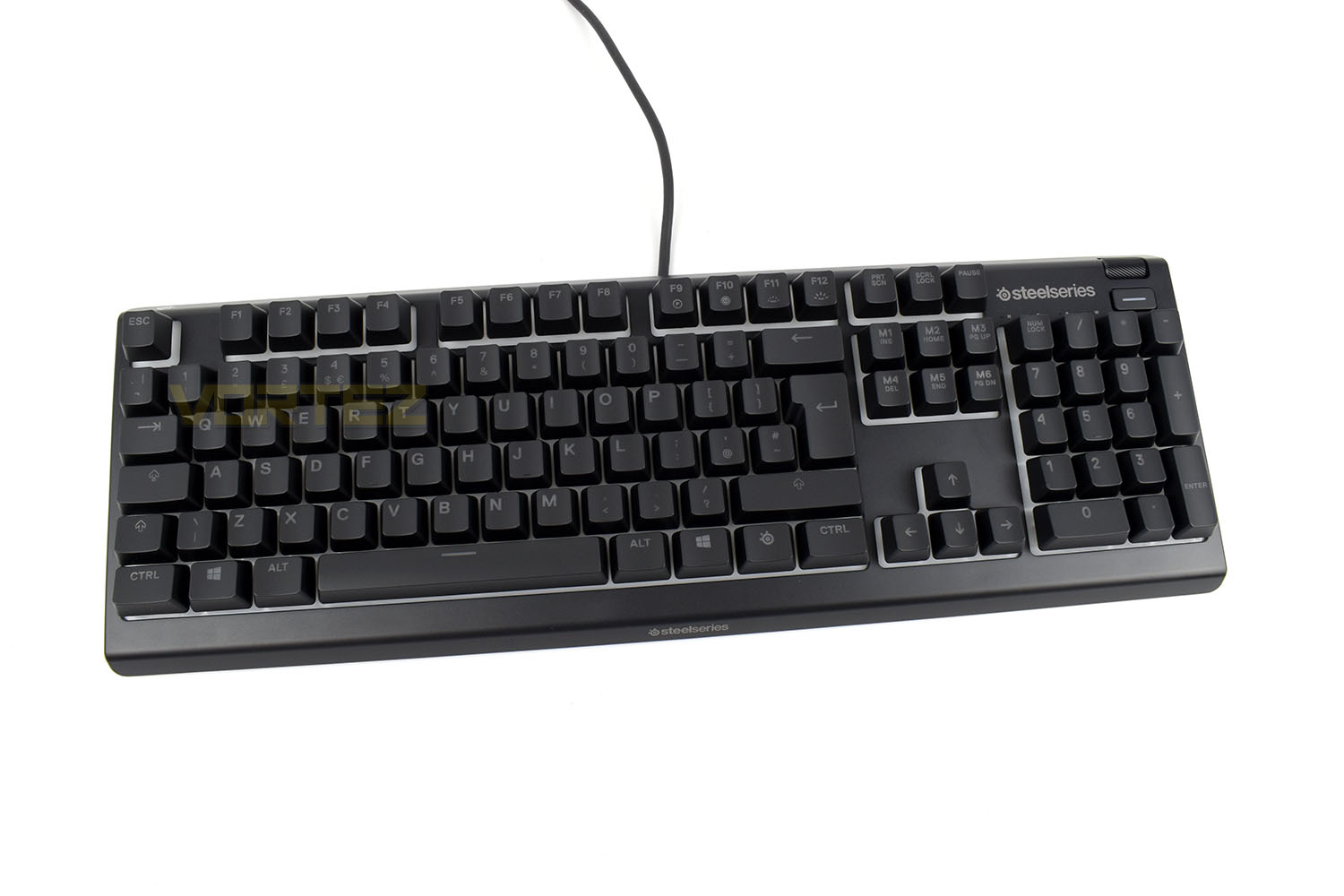
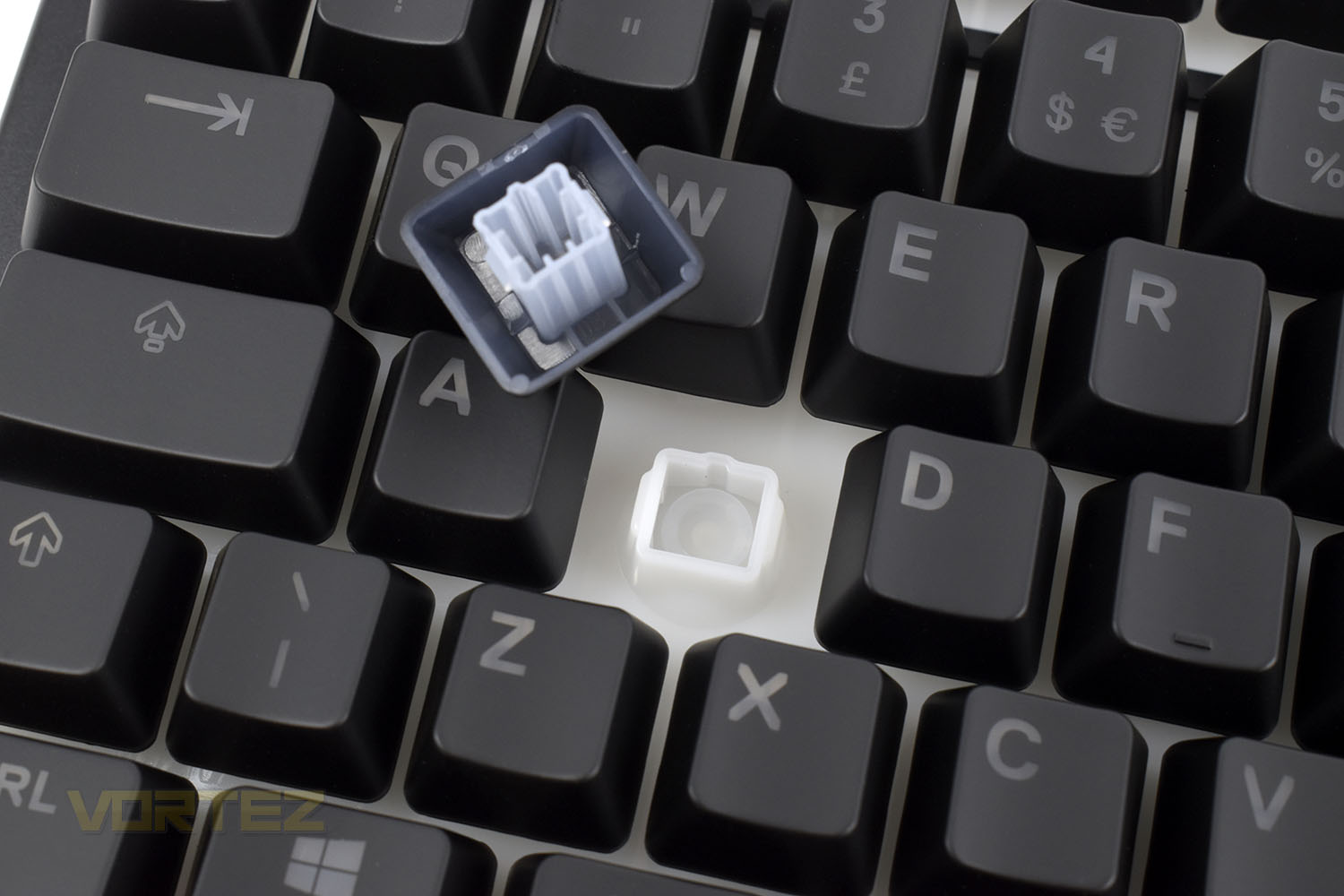
SteelSeries have used an all-plastic construction as a cost-saving exercise. Metal faceplates add stiffness and look good but they don’t add a great deal of tangible benefits, compared to what they cost.You can also see that the backing plate for the keys is a bright white plastic, this is employed as a tactic to increase the vibrance and brightness of the RGB lighting.
The wrist rest self-locates with a magnet placed at each end. The rubber coating is comfortable but isn’t quite up there with the plushy leatherette types. However, anything that isn’t plastic at this price point is fantastic.
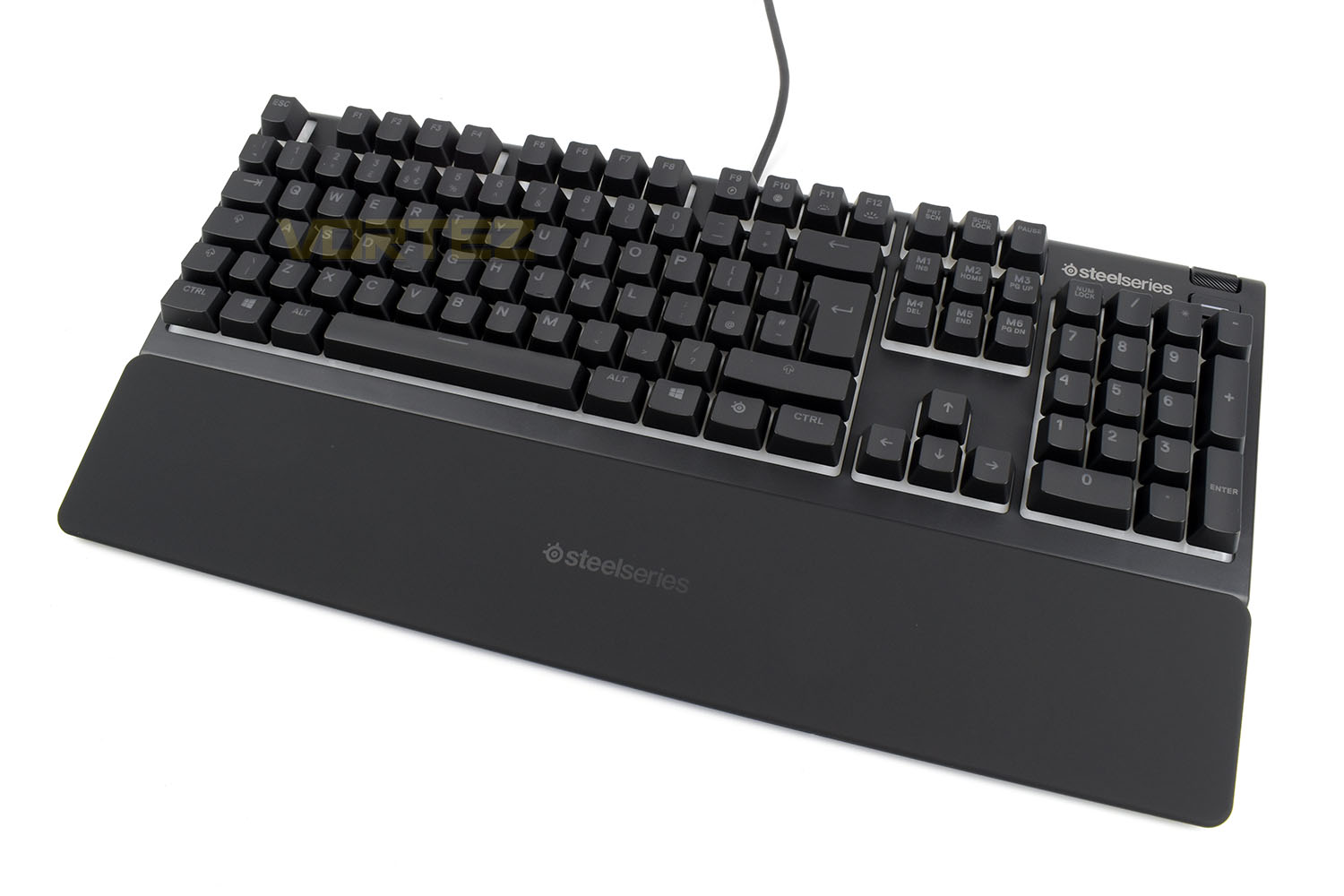
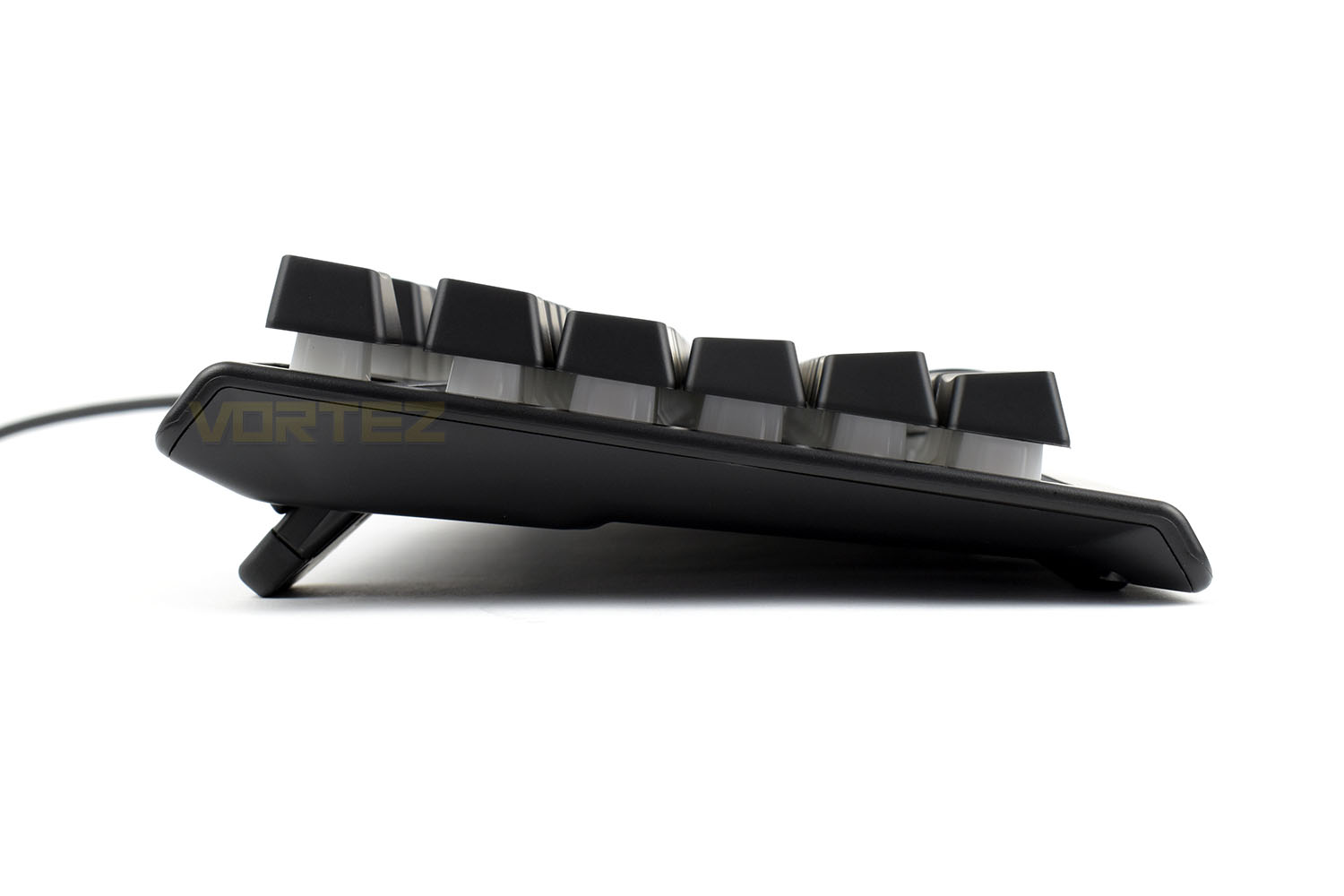
You could be excused for thinking the keys look like they’re mechanical when looking at them from the side but the Apex 3 does benefit from a thinner chassis due to synapse key switches.
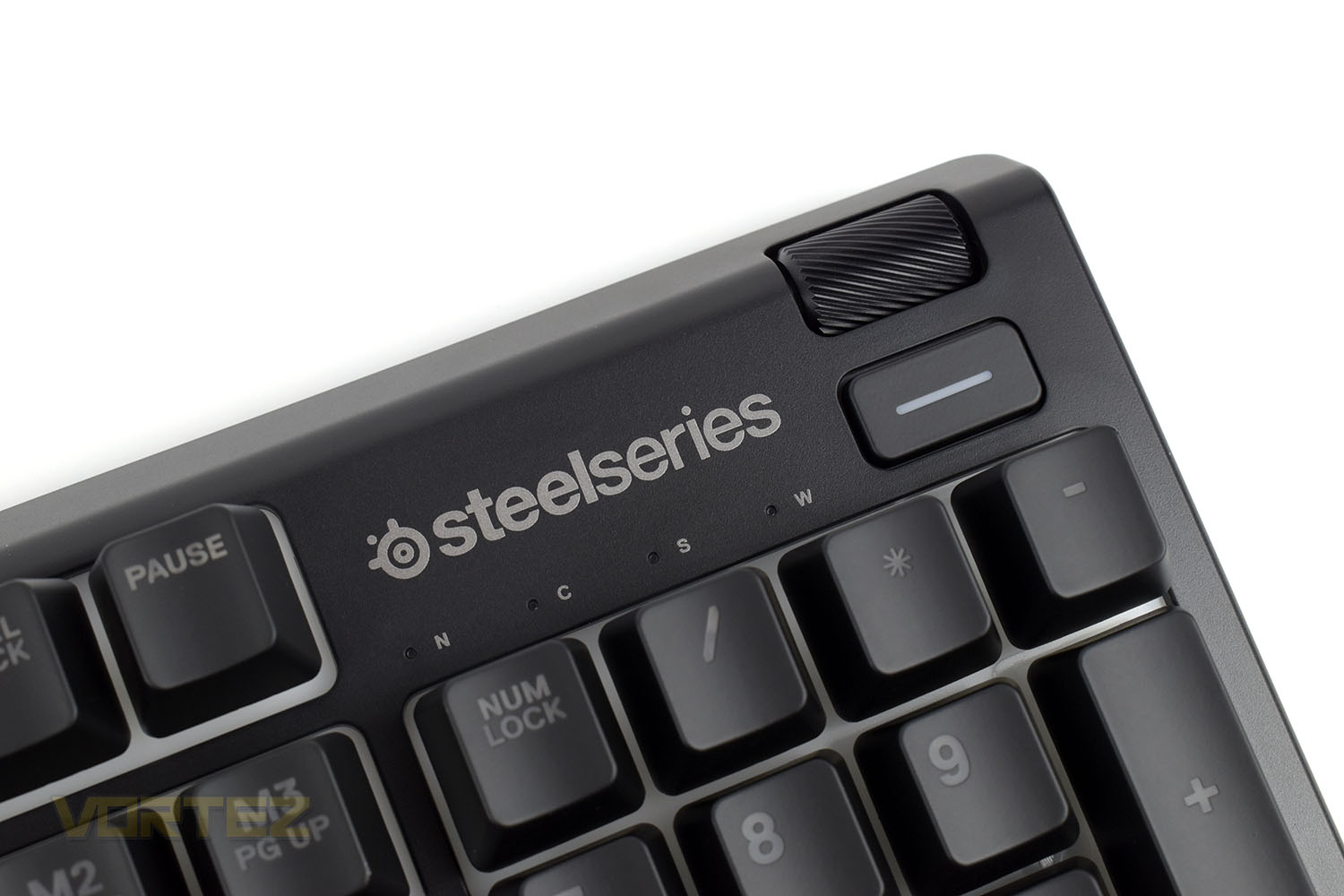
Top right of the keyboard is a play/pause button and a volume wheel. The SteelSeries logo sits proudly above the Num Lock, CAPS Lock, Scroll Lock and Windows Key Lock indicator LEDs.
Closer Look (Continued)
Designed to lower acoustic vibrations, which in turn reduces overall noise, the Apex 3 switches are quiet to use. They also feature a highly durable polyoxymethylene (POM) rubber dome sheet that’s 10x more long-lasting that you typically find on synapse keyboards. This not only extends the life of the keyboard but also prevents the feel from deteriorating over time.The keycaps are soft coated and produced from a hard-wearing ABS plastic.
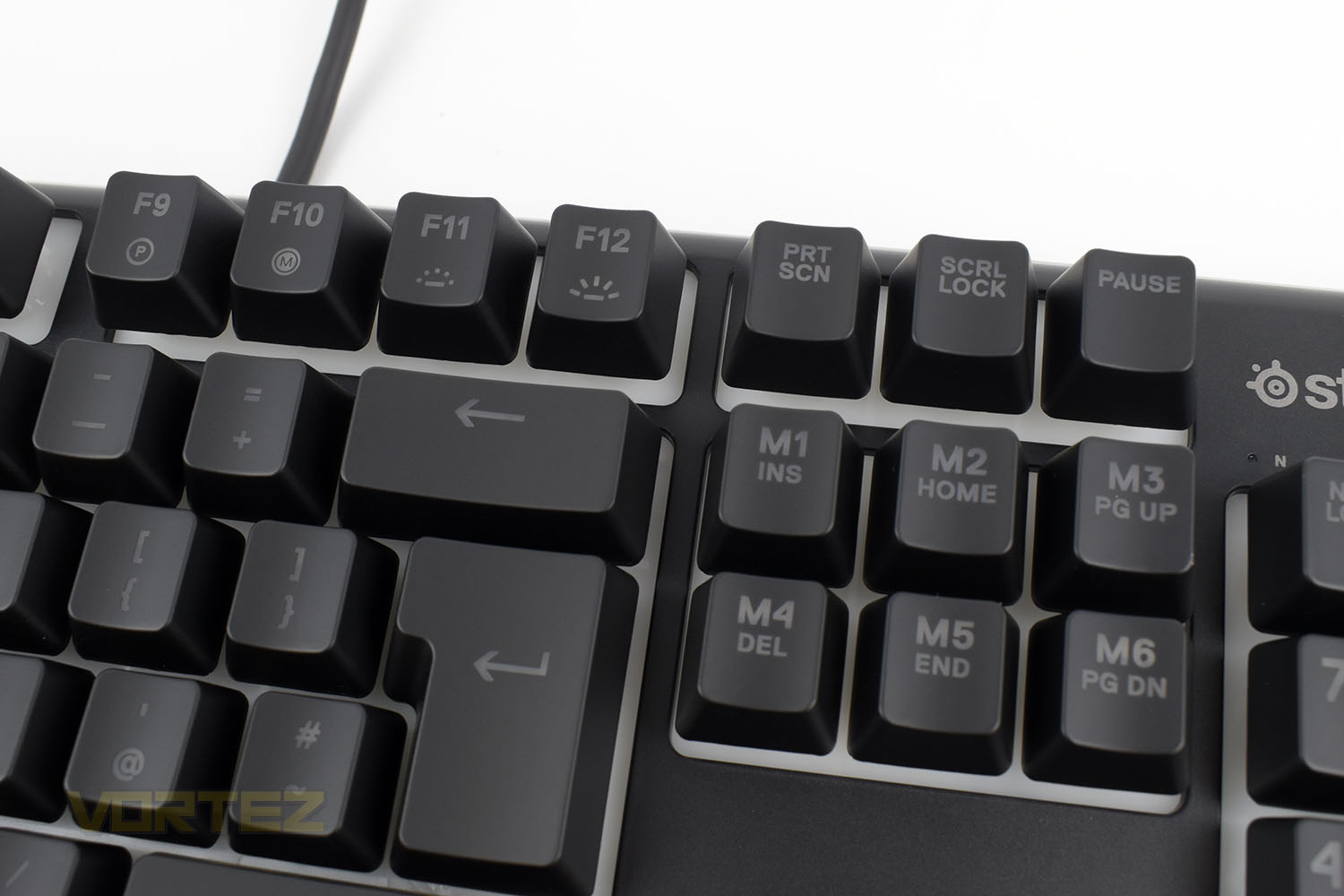
F9 – F12 are multifunctional with Profile Select, Macro Editor and brightness up or down from left to right. The Insert, Delete, Home etc. are also set as macro keys that can be assigned in the software.
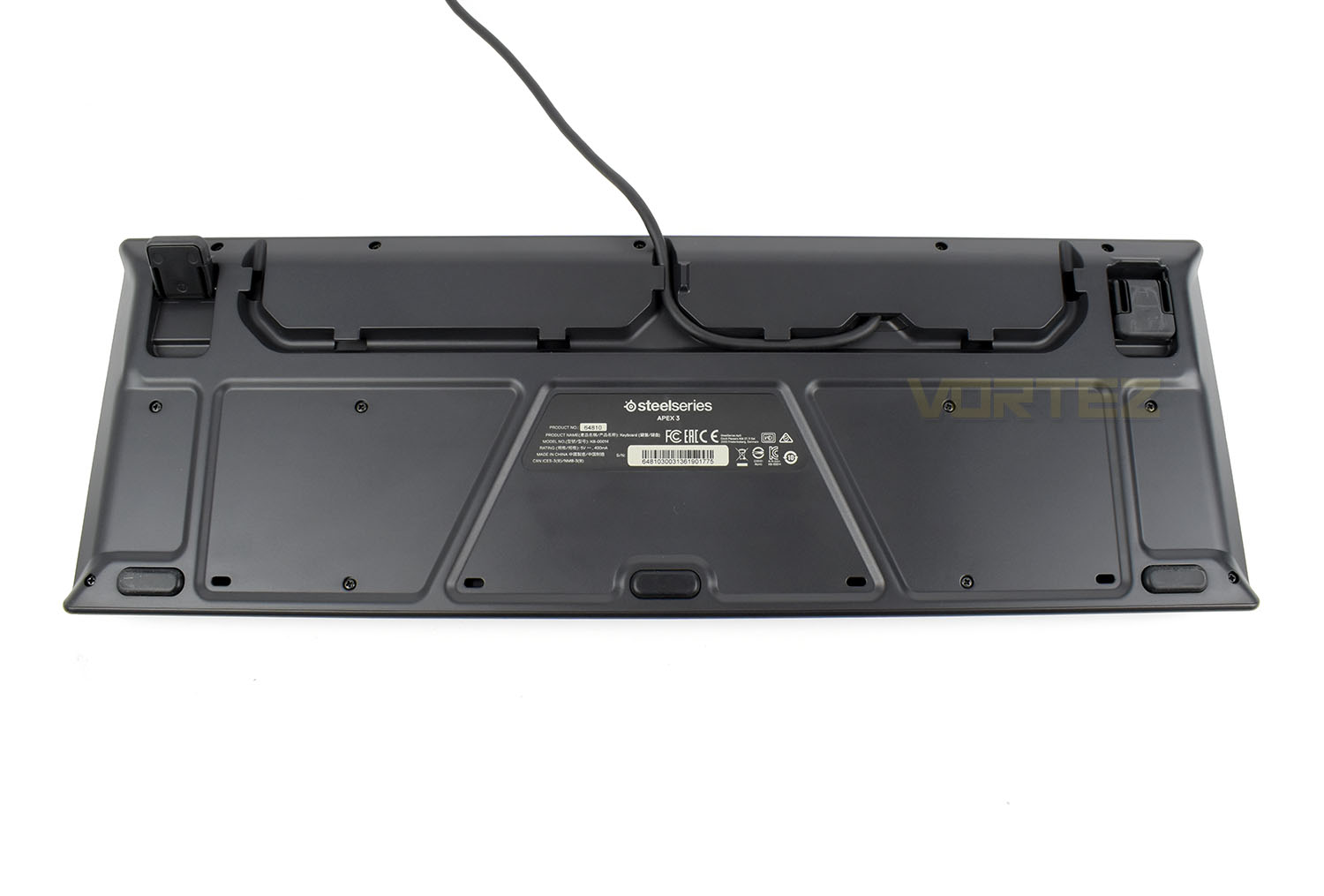
The underside of the keyboard features three cable routing options. In all 4 corners, as well as in the front centre, are rubber pads. The two extension feet in the corners are also rubber tipped.
Software
The SteelSeries Engine 3 is repeatedly receiving high praise here at Vortez. The Apex 3 also benefits from this excellent piece of software, but to a more limited degree, as you’d probably expect.Check out our short demo video below:
Performance Testing
From unboxing the keyboard to being fully operational, including installing the software and updating the keyboard’s firmware, it’s a matter of about 5 minutes. The packaging is simple, there’s only a single USB cable to mess with and the firmware update takes about 20 seconds. Very slick from SteelSeries.We’ll cover the gaming ability of the keyboard soon but for now we’ll focus on daily usability. The Apex 3 sports a few features that make it perfectly suitable for office tasks. The rubber dome keys, despite the negative connotations, perform remarkably well. The highly durable POM rubber that SteelSeries have used provides some tactile feedback and is properly quiet, just as they promised. The keys actuate quite late in the key travel, which may hinder your response times ever so slightly in fast action games but we’re talking microseconds here; having said that, while typing, the long actuation point can actually help to increase your typing accuracy by decreasing the chance of incorrect keystrokes from being registered. The wrist rest is angled well, and just the fact they’ve bothered to include one at this price point is excellent, it’s also super easy to remove or put in place if that’s your thing. The large, accurately manufactured keycaps insert into their associated slots with precision, thanks to that there’s very little wobble from the keys, giving a truly premium feel. Many mechanical keyboards, even those with Cherry MX keyswitches, can’t live with this level of stability.
When gaming, the lengthy actuation point and the rubber dome keys had us expecting a fairly unimpressive experience but it was exactly the opposite. SteelSeries really have put work and effort into these keys. They actuate nicely, have a tactile bump that’s not too dissimilar to mechanical keyboards and the keys are spaced well. We tested the keyboard in several games without a single hiccup.
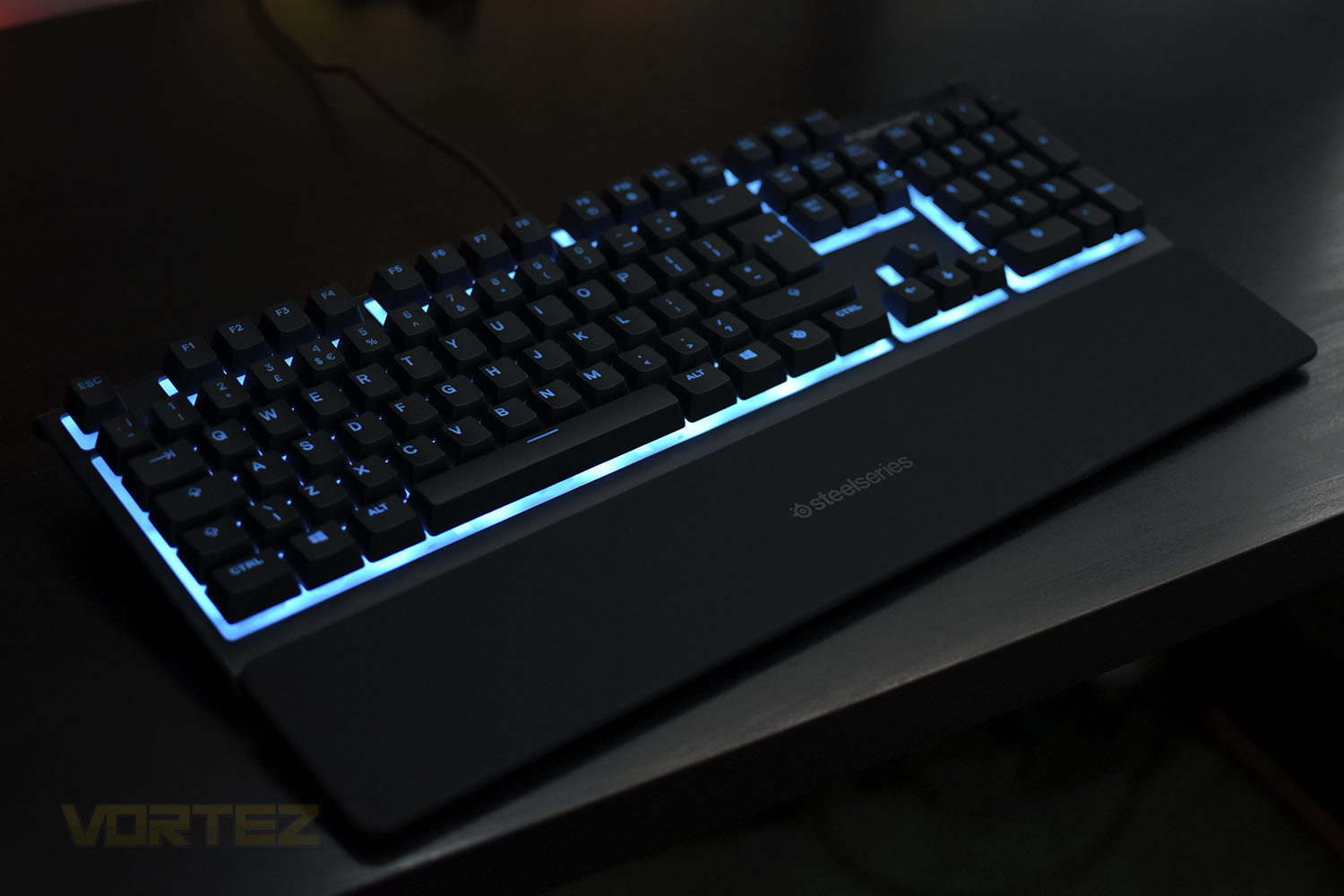
RGB lighting was something else we expected to be a little lacklustre, but again, the opposite is true. Unlike many other keyboards with “lighting zones” instead of per-key backlighting, the zones are arranged vertically, this is perpendicular to the way you’d typically want RGB lighting effects to travel, allowing smooth transitions and overall a fairly impressive display. SteelSeries have shifted all of the key icons to the top-left of the keys which helps to illuminate them a little more than they otherwise would if they were centres but the punchiness of the lighting isn’t really there. It’s definitely more of a border effect than the keys themselves, which goes a long way to explain the white keyboard tray that they’ve used.
The media controls in the top-right, with the volume roller and play/pause key are well positioned and allow you to quickly halt your music or adjust the volume levels. I prefer to listen to music while working, as I’m sure many others do, but being able to put an instant stop to it without finding the application is really handy. The volume roller is nicely weighted with tactile steps for each volume adjustment, however, the play/pause button seemed to be delayed when it was pressed. It took around 1.5 seconds to register in Spotify, just a small annoyance.
Build quality was drawn into question when we learned about the all-plastic construction but we can happily say it doesn’t noticeably change anything, we feel the plastic housing is ample for the use-case. Giving the option of three cable routing options is great on any keyboard, let alone on in this price segment, and to provide magnetic attachment on the wrist rest and media keys just furthers SteelSeries’ understanding of the consumer and what they want.
Conclusion
Typically, when reviewing budget hardware such as this, we need to constantly remind ourselves of the price and why certain features are missing or performance is lacking. The Apex 3 is the exception to that rule. What a keyboard SteelSeries have made here.First off, build quality. Sure, it’s only made from plastic and is missing the “aircraft-grade aluminium” that manufacturers love to use on their high-cost keyboards, but it certainly doesn’t feel like it needs anything like that from where we’re sitting. There are also the incredibly stable keycaps, they just don’t wobble at all; very few keyboards, even those equipped with Omnipoint or Cherry MX mechanical switches, can’t live with this level of stability. It truly adds to the feel of the keyboard and makes it a real pleasure to type on, or use for gaming.
The RGB lighting, while lacking a little in brightness through the keycaps and only being 10-zone, is more than enough for a keyboard of this value. Per-key lighting is handy for highlighting specific keys in your games but very few active gamers will need to look at their keyboard to find the keys anyway. SteelSeries could perhaps invest a little more time into including more preset lighting effects within the software though.
Including a wrist rest, something we feel is important for prolonged use, is lovely. There’s also the cable routing options and media controls, all for £60/$50/$149. Truly excellent value for money. Add that to the amazing Rival 3 and super comfortable Arctis 1, and throw in one of SteelSeries’ mouse pads and you can have a fully-featured peripheral setup for less than £150, typically what a “gaming keyboard” would cost on its own. SteelSeries are on a roll here.
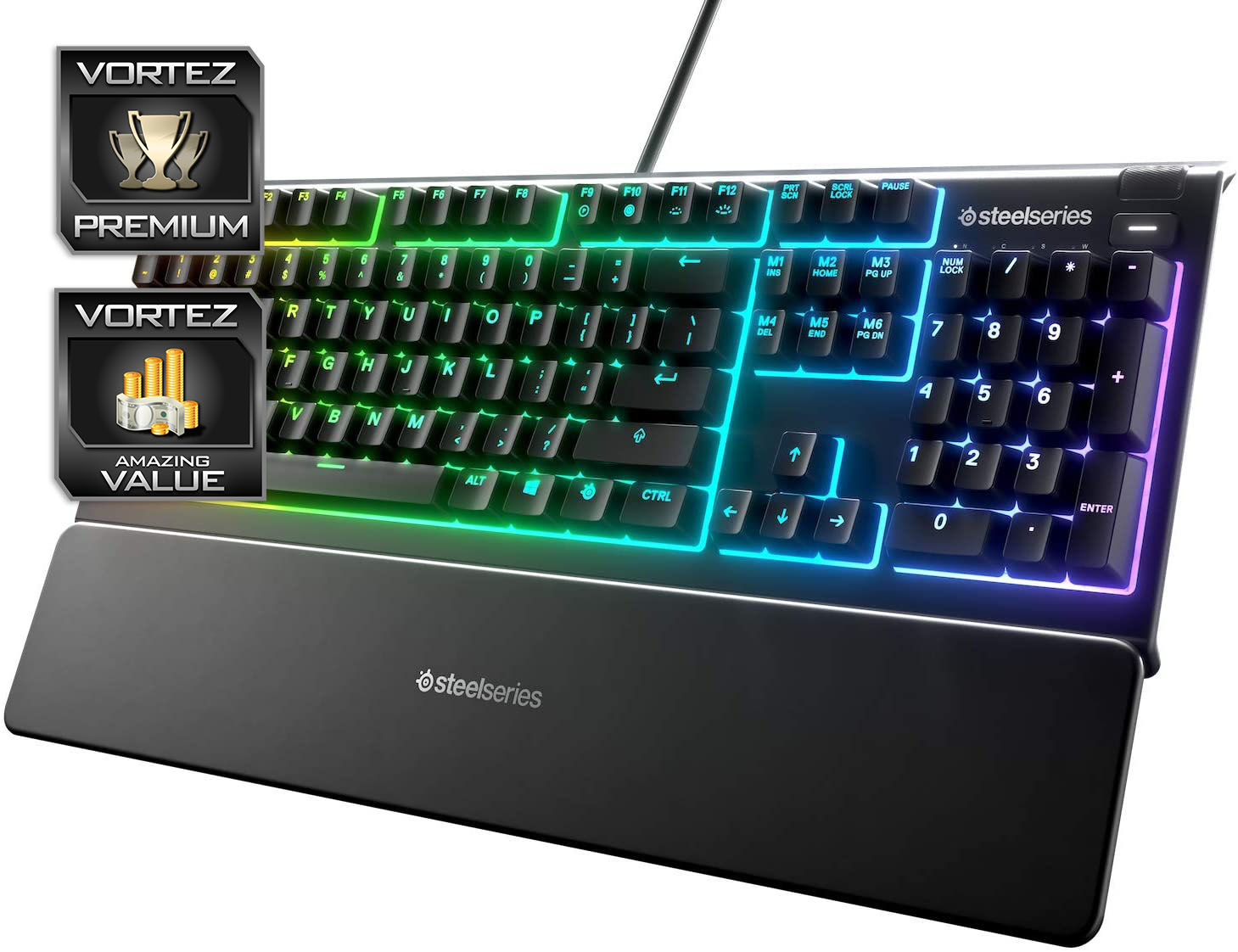
The Apex 3, as far as we’re concerned, is the best way you can spend £60 for a new keyboard. It has truly blown our expectations right out of the water.
Pros
+ Incredible performance for the money
+ Rubber dome keys feel really nice
+ RGB lighting
+ Media controls
+ Including wrist rest
+ Good build quality
+ Great SteelSeries Engine 3 software
Cons
– Software lacks preset RGB lighting effects
– Delay on the play/pause button
+ Incredible performance for the money
+ Rubber dome keys feel really nice
+ RGB lighting
+ Media controls
+ Including wrist rest
+ Good build quality
+ Great SteelSeries Engine 3 software
Cons
– Software lacks preset RGB lighting effects
– Delay on the play/pause button
Click here for an explanation of our awards at Vortez.net.
Stay connected with the Vortez Social Media pages:
Join in with the discussions on Discord