Boasting a soft-touch wrist rest, OLED display, vibrant RGB lighting and fancy new mechanical switches (Apex Pro only) the Apex 7 and Apex Pro keyboards certainly present a clear argument, but do they warrant their high price tag?

Product on Review: SteelSeries Apex 7 & Apex Pro
Manufacturer: SteelSeries
Street Price:
Apex 7: GBP £179.99 / USD $179.99
Apex Pro: GBP: £199.99 / USD $199.99
SteelSeries are a behemoth within the gaming peripherals market with many popular designs along the way since their inception in 2001. Today we’re going to look at their latest gaming keyboards, the Apex 7 and Apex Pro.
Following on from the Apex M750 that we reviewed in 2017, the Apex 7 and Apex Pro introduce several new features to breathe new life into a stagnating keyboard market.
Both the 7 and the Pro sport the same layout, and both are available in tenkeyless or full-size, to the point where they’re impossible to tell apart from appearance alone. The soft-touch wrist rest is included, as is full RGB support, but one of the key selling features is the OLED display with integrations built into many different pieces of software.
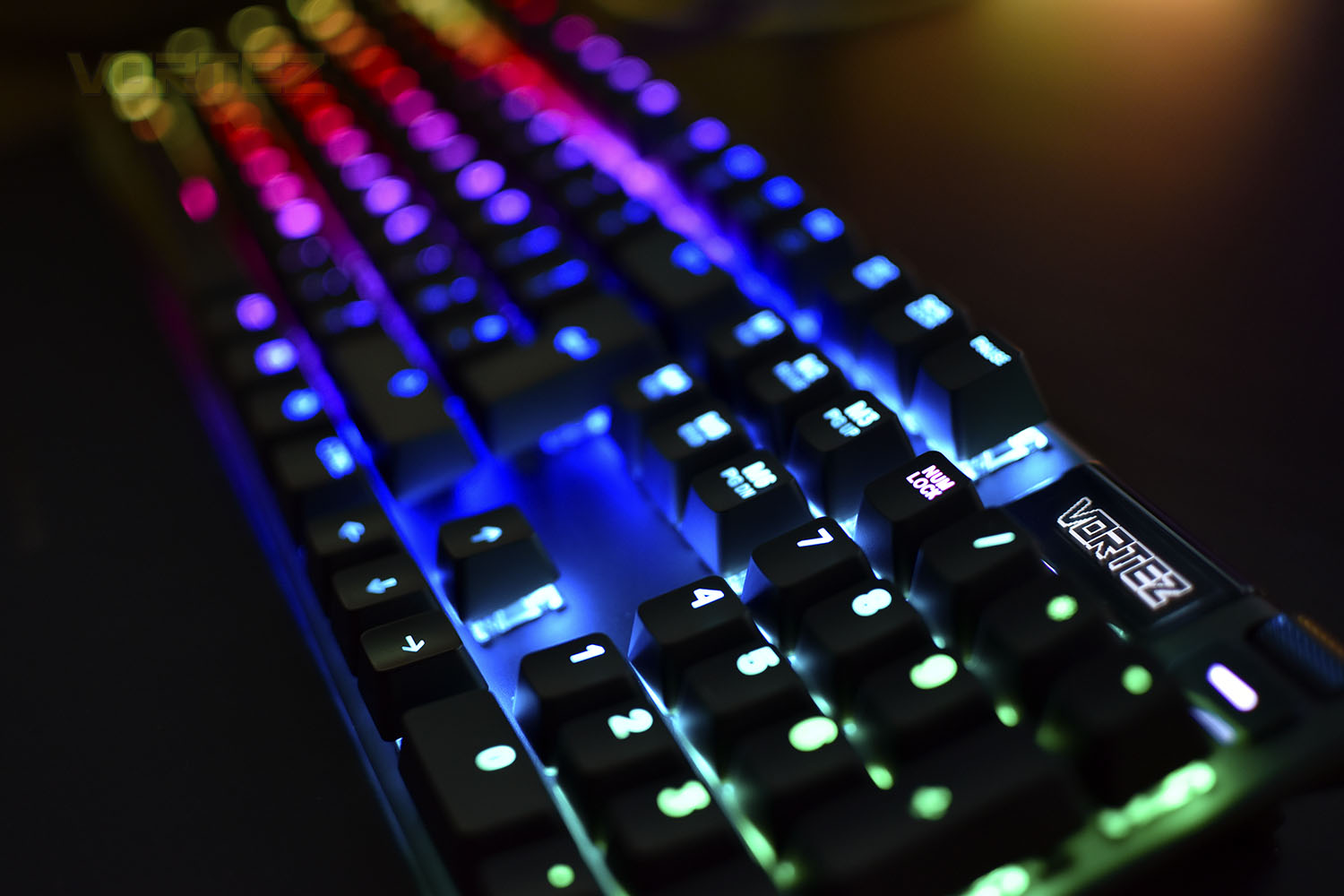
Wasting very little real estate, the keyboard is smaller on the desk than competitor keyboards while maintaining an optimal typing experience with typical key spacing, but under the keycaps is where the real magic happens. The Apex 7 is available with SteelSeries’ own QX2 mechanical Red, Blue or Brown switches but the Apex Pro brings a first of its kind, adjustable mechanical switches with per-key customisation, something we’re very keen to try out!
Priced at £179.99 for the Apex 7 and £199.99 for the Apex Pro, these are some of the most expensive keyboards we’ve look at to date, due to that, we’re going to need to see something incredible from these keyboards to both beat the competition and warrant the hefty pricetag.
SteelSeries on the OLED Smart Display:
An integrated command center displays useful information for adjusting settings, changing profiles, and seeing on-the-fly updates. Avoid tabbing out of what you’re doing, and instead let your keyboard show you the important details.
Technical Specifications
Apex 7:Design
Top Material: Aircraft Grade Aluminum Alloy Frame
N-Key Roll Over: 104-Key
Anti-Ghosting: 100%
Illumination: Dynamic Per Key RGB Illumination
Weight: 2.1 lbs
Height: 403.3 mm
Width: 17.2 mm
Depth: 139.2 mm
Switch
Type & Name: SteelSeries QX2 Mechanical RGB Switch
Switch Actuation: 2 mm
Total Travel: 4 mm
Force: 45cN
Lifetime: 50 Million Keypresses
Compatibility
OS:Windows and Mac OS X. USB port required
Software:SteelSeries Engine 3.15+ (coming soon) for Windows (7 or newer) and Mac OSX (10.11 or newer)
Box Content
Apex 7 Gaming Keyboard
Magnetic Wrist Rest
Top Material: Aircraft Grade Aluminum Alloy Frame
N-Key Roll Over: 104-Key
Anti-Ghosting: 100%
Illumination: Dynamic Per Key RGB Illumination
Weight: 2.1 lbs
Height: 403.3 mm
Width: 17.2 mm
Depth: 139.2 mm
Switch
Type & Name: SteelSeries QX2 Mechanical RGB Switch
Switch Actuation: 2 mm
Total Travel: 4 mm
Force: 45cN
Lifetime: 50 Million Keypresses
Compatibility
OS:Windows and Mac OS X. USB port required
Software:SteelSeries Engine 3.15+ (coming soon) for Windows (7 or newer) and Mac OSX (10.11 or newer)
Box Content
Apex 7 Gaming Keyboard
Magnetic Wrist Rest
Apex Pro:
Switch
Type & Name: OmniPoint Adjustable Mechanical Switch (Analog Hall Effect Magnetic Sensor)
Actuation Point: 0.4mm to 3.6mm
Force: 45cN
Response Time: 0.7ms (More info)
Lifetime: 100 Million Keypresses
Design
Top Material: Aircraft Grade Aluminum Alloy Frame
N-Key Roll Over: 104 Key
Anti-Ghosting: 100%
Illumination: Dynamic Per Key RGB Illumination
Weight: 2.14 lbs
Height: 40.3 mm
Width: 436.7 mm
Depth: 139.2 mm
Compatibility
OS: Windows and Mac OS X. USB port required
Software: SteelSeries Engine 3.15+ for Windows (7 or newer) and Mac OSX (10.11 or newer)
Box Content
Apex Pro Gaming Keyboard
Magnetic Wrist Rest
Type & Name: OmniPoint Adjustable Mechanical Switch (Analog Hall Effect Magnetic Sensor)
Actuation Point: 0.4mm to 3.6mm
Force: 45cN
Response Time: 0.7ms (More info)
Lifetime: 100 Million Keypresses
Design
Top Material: Aircraft Grade Aluminum Alloy Frame
N-Key Roll Over: 104 Key
Anti-Ghosting: 100%
Illumination: Dynamic Per Key RGB Illumination
Weight: 2.14 lbs
Height: 40.3 mm
Width: 436.7 mm
Depth: 139.2 mm
Compatibility
OS: Windows and Mac OS X. USB port required
Software: SteelSeries Engine 3.15+ for Windows (7 or newer) and Mac OSX (10.11 or newer)
Box Content
Apex Pro Gaming Keyboard
Magnetic Wrist Rest
Packaging & Bundle (Apex 7)
Making the RGB lighting as obvious as a punch in the face, SteelSeries have turned the vibrance up to 11 on their front image, but the keyboard does look great if these first impressions are anything to go by. With the PS4 and Xbox One now supporting keyboard and mouse gameplay, SteelSeries are keen to advertise compatibility in the bottom-right.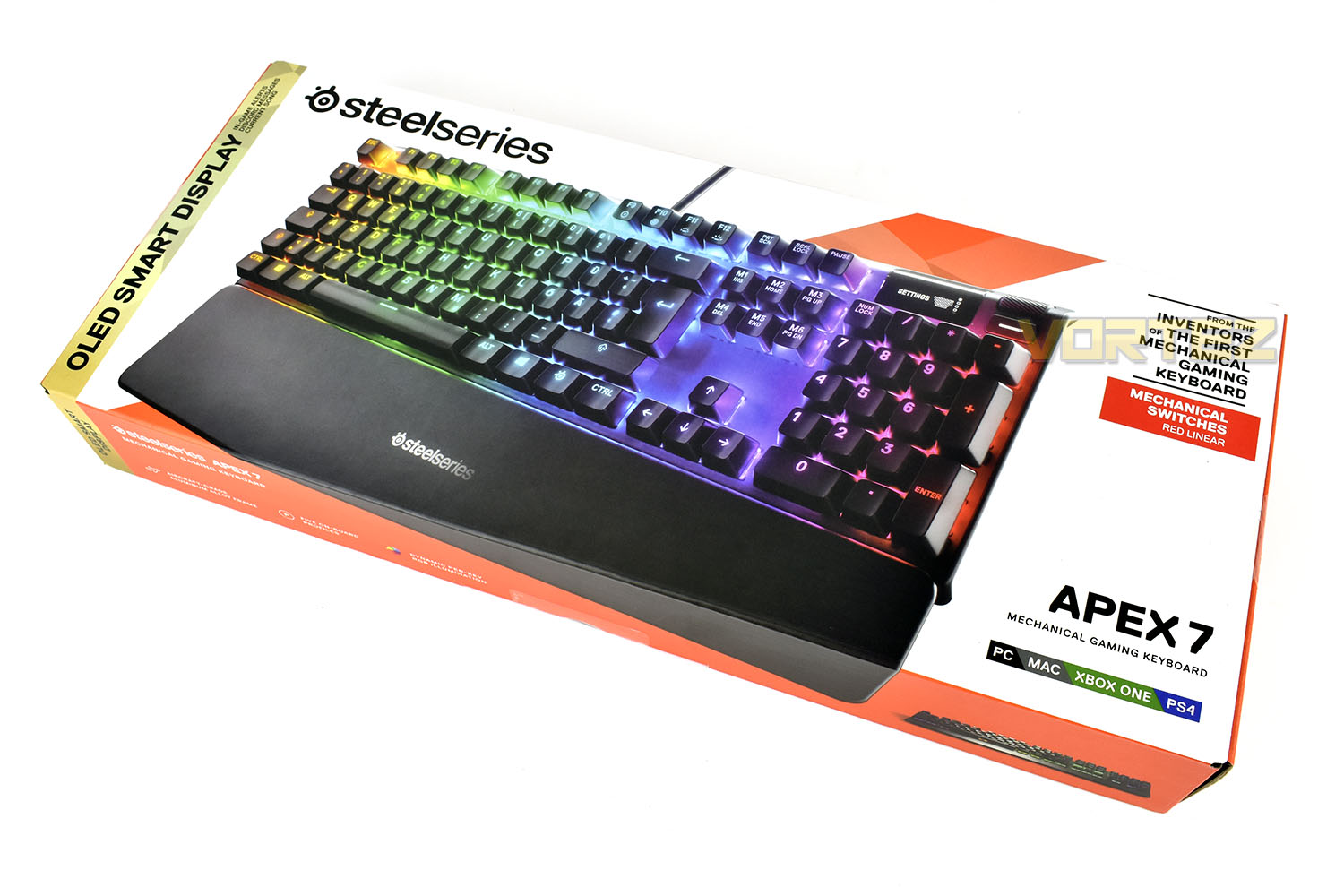
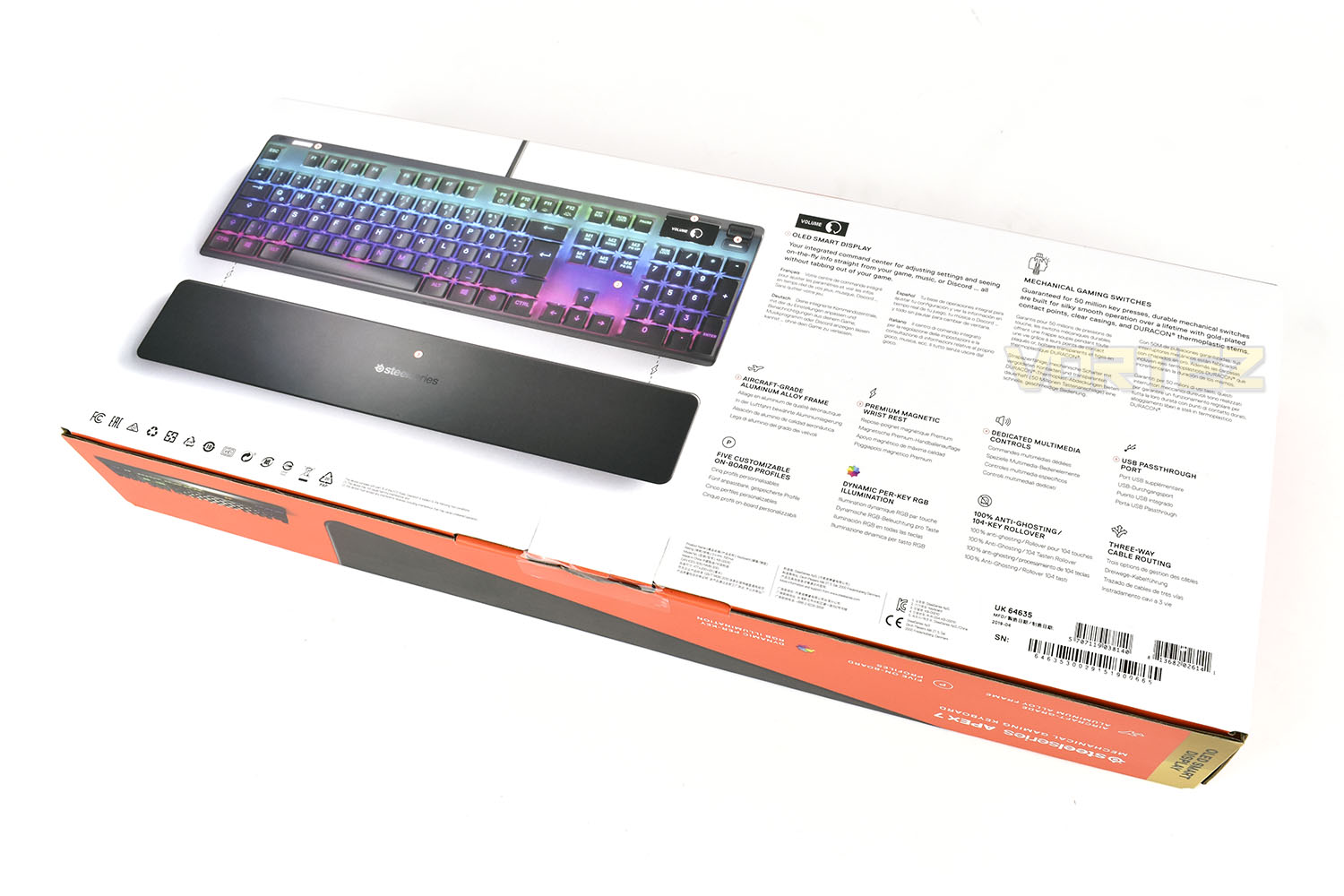
The reverse side gives a great breakdown of features with a clear, top-down image of the keyboard which includes an illustration of the magnetic attachment mechanism used by the wrist rest.
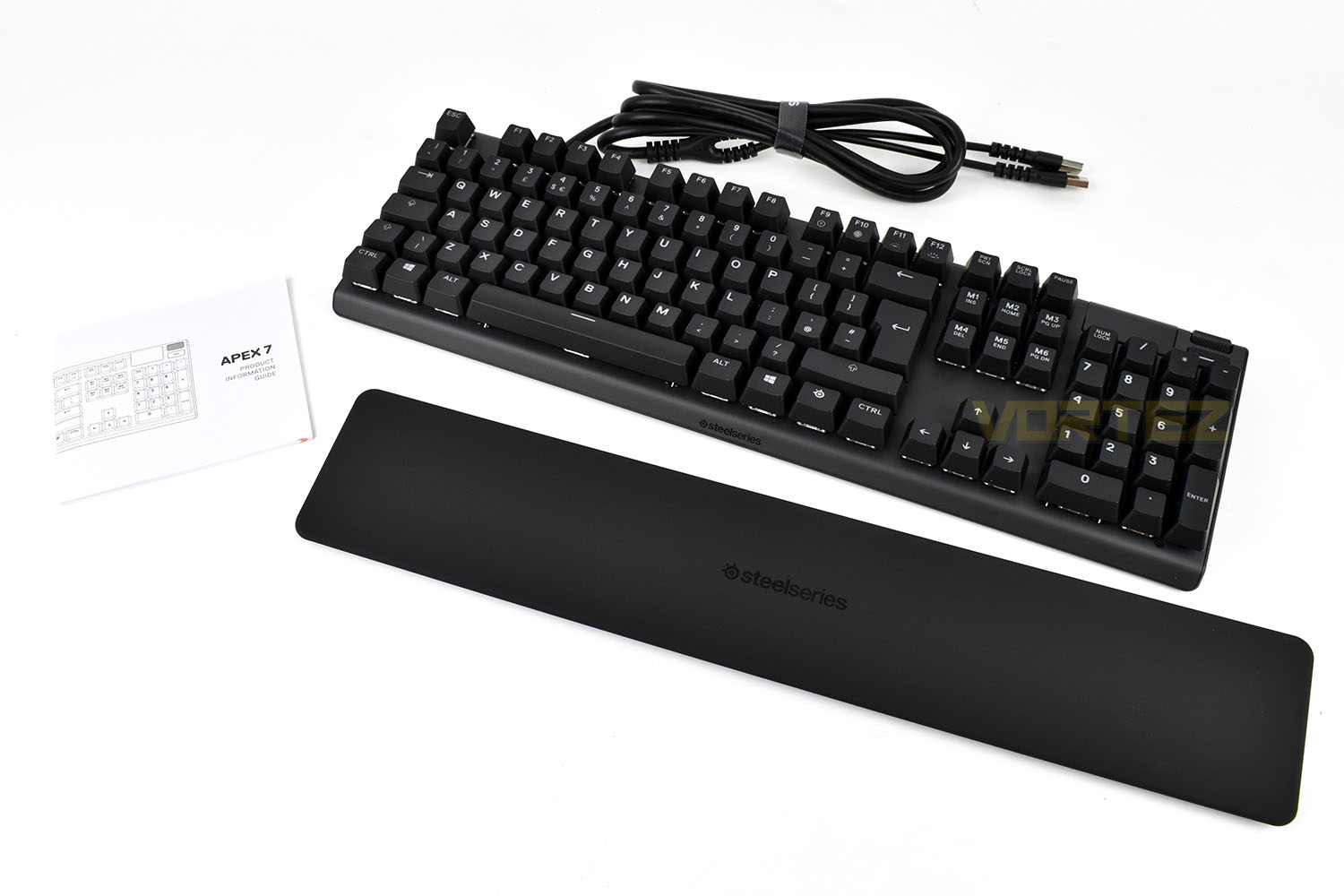
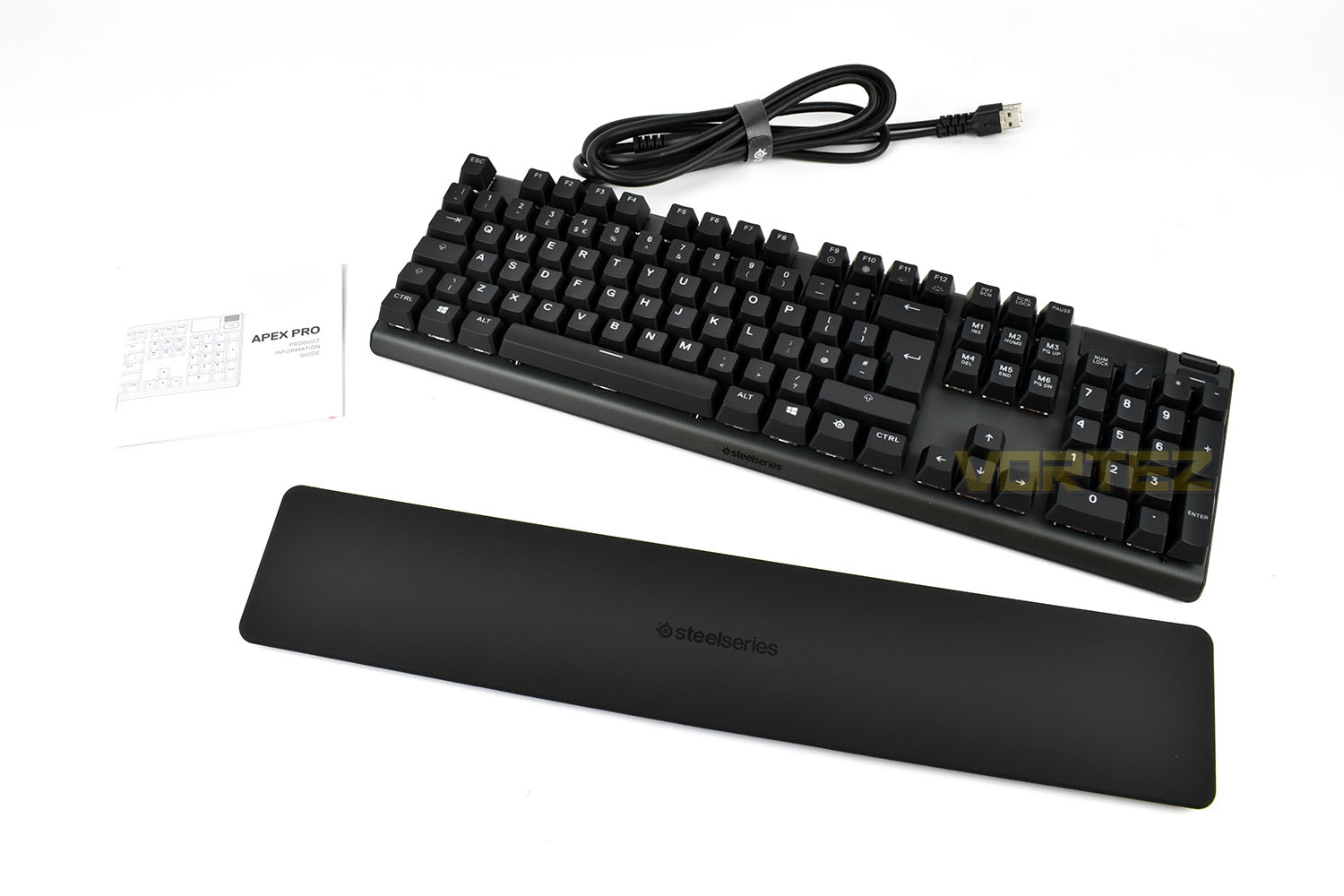
There’s nothing fancy about the bundle you get with the Apex 7, just an information guide and the wrist rest is all you’ll find here. Some stickers, a fancy keychain or something along those lines would be nice when you’re spending £180 on a keyboard.
Packaging & Bundle (Apex Pro)
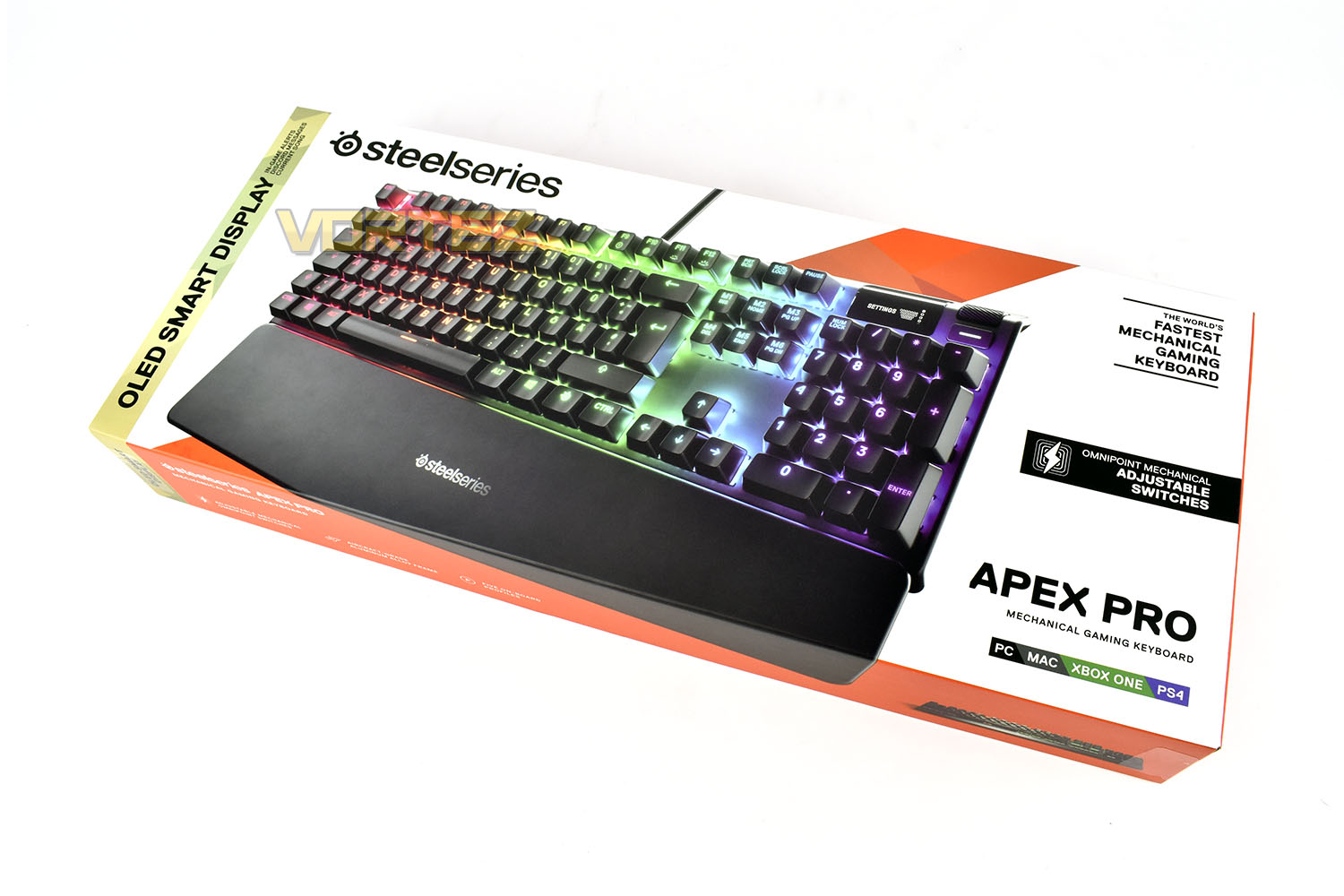
The golden end of the packaging is eye-catching, telling you about the OLED Smart Display that offers in-game alerts and Discord messages etc, but we feel the key selling point for this keyboard are those Omnipoint Mechanical switches, which are nowhere near as obviously advertised on the front of the box.SteelSeries claim this to be the world’s fastest gaming keyboard though, so we’ll see you in the CS:GO finals next week, right? I wish!
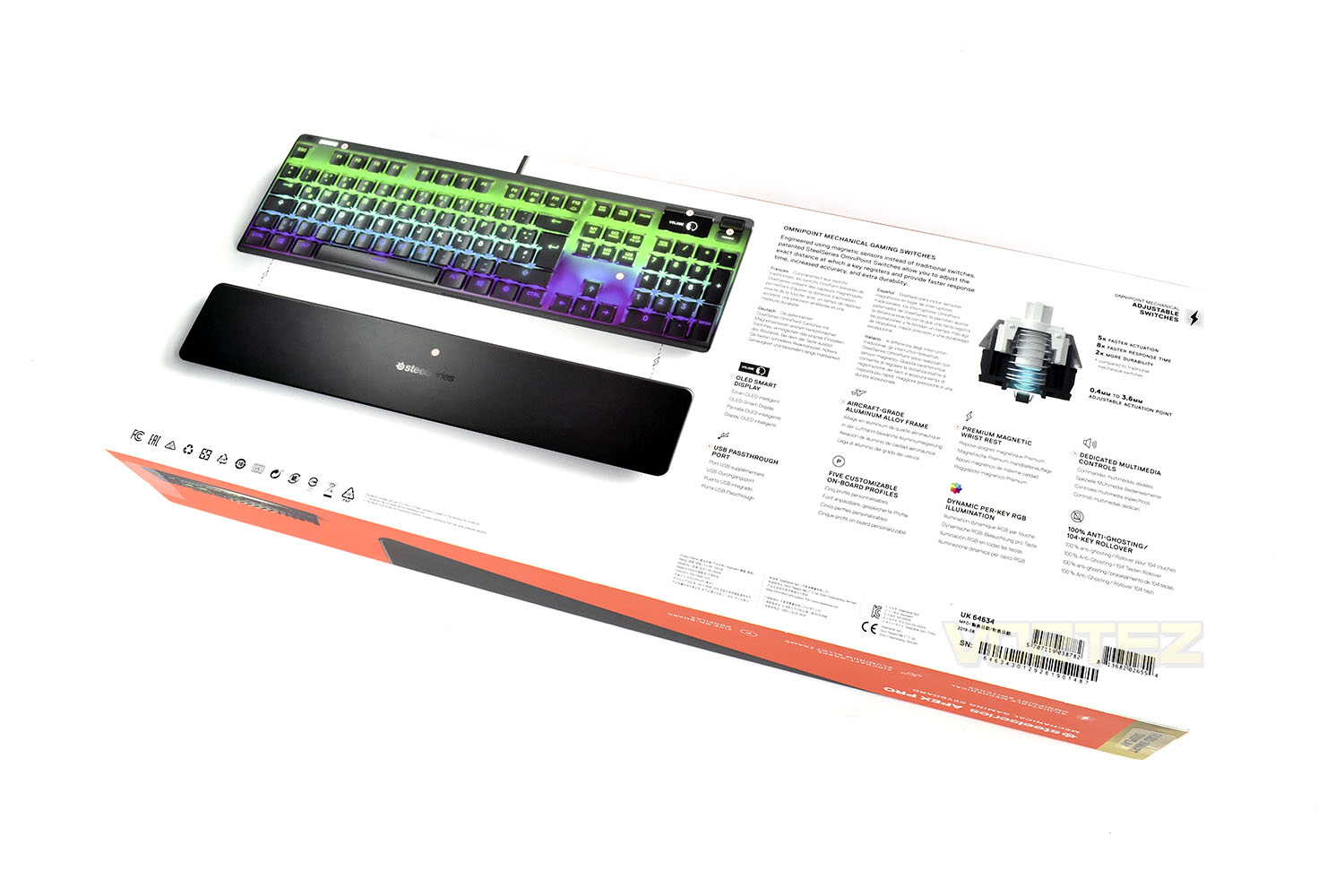
Focussing right in on that adjustable mechanical switch, SteelSeries make a bigger deal of it on the rear of the box. We quite frankly can’t wait to see what the fuss is all about. There’s plenty of other features we’re excited about but we just want the mechanical adjustment.
Just like the Apex 7, you get an information guide and the magnetic wrist rest and nothing more, for £200 we’d expect some kind of gimmicky extra, a bottle opener or a fridge magnet maybe.
Closer Look (Apex 7)
SteelSeries have wasted very little real estate while also maintaining a typical layout with fairly standard key spacing, all of the F keys are present, as is the num pad, but there’s only around 3mm border around the keys. The keyboard measures in at 440mm long x 140mm wide (220mm with the wrist rest).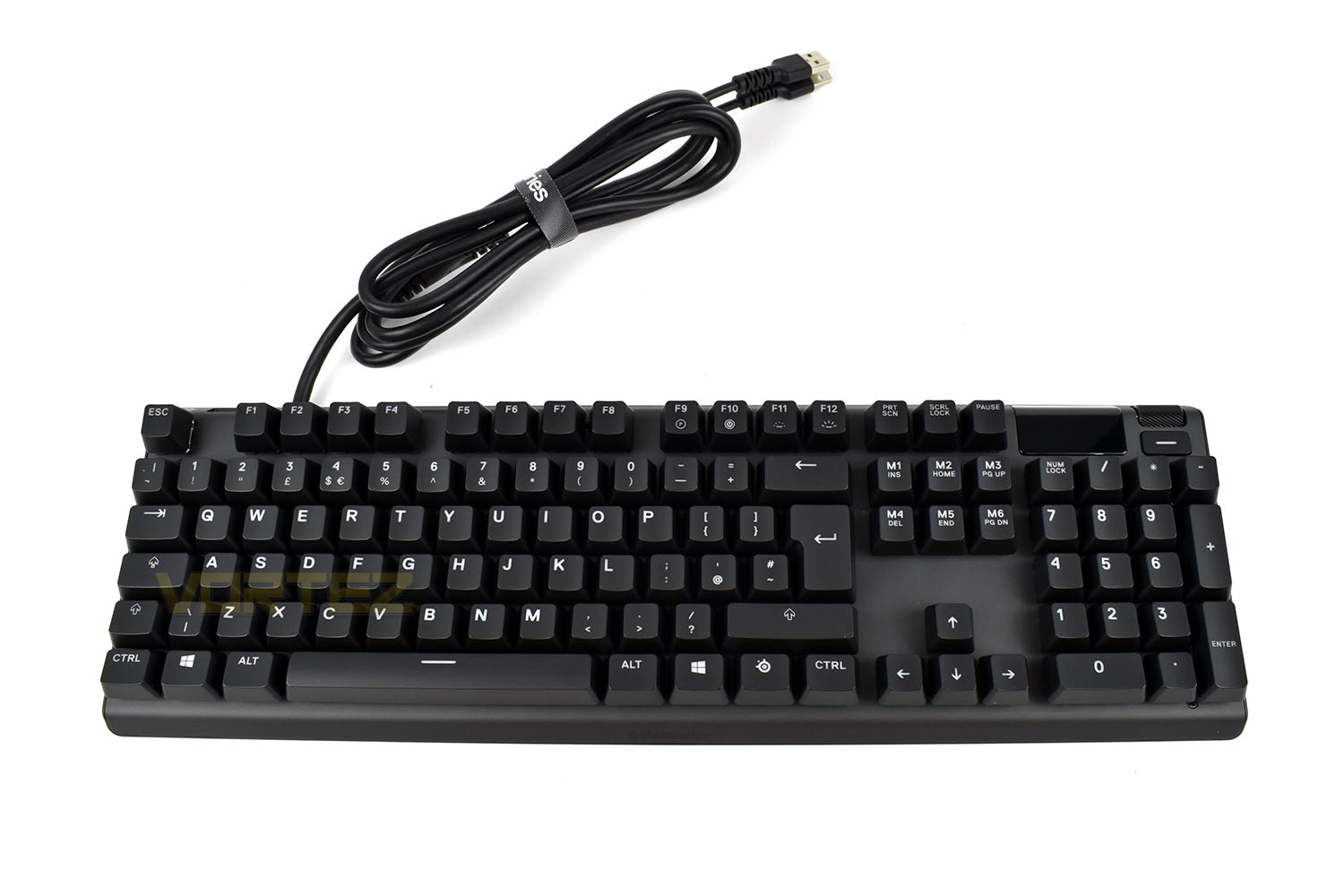
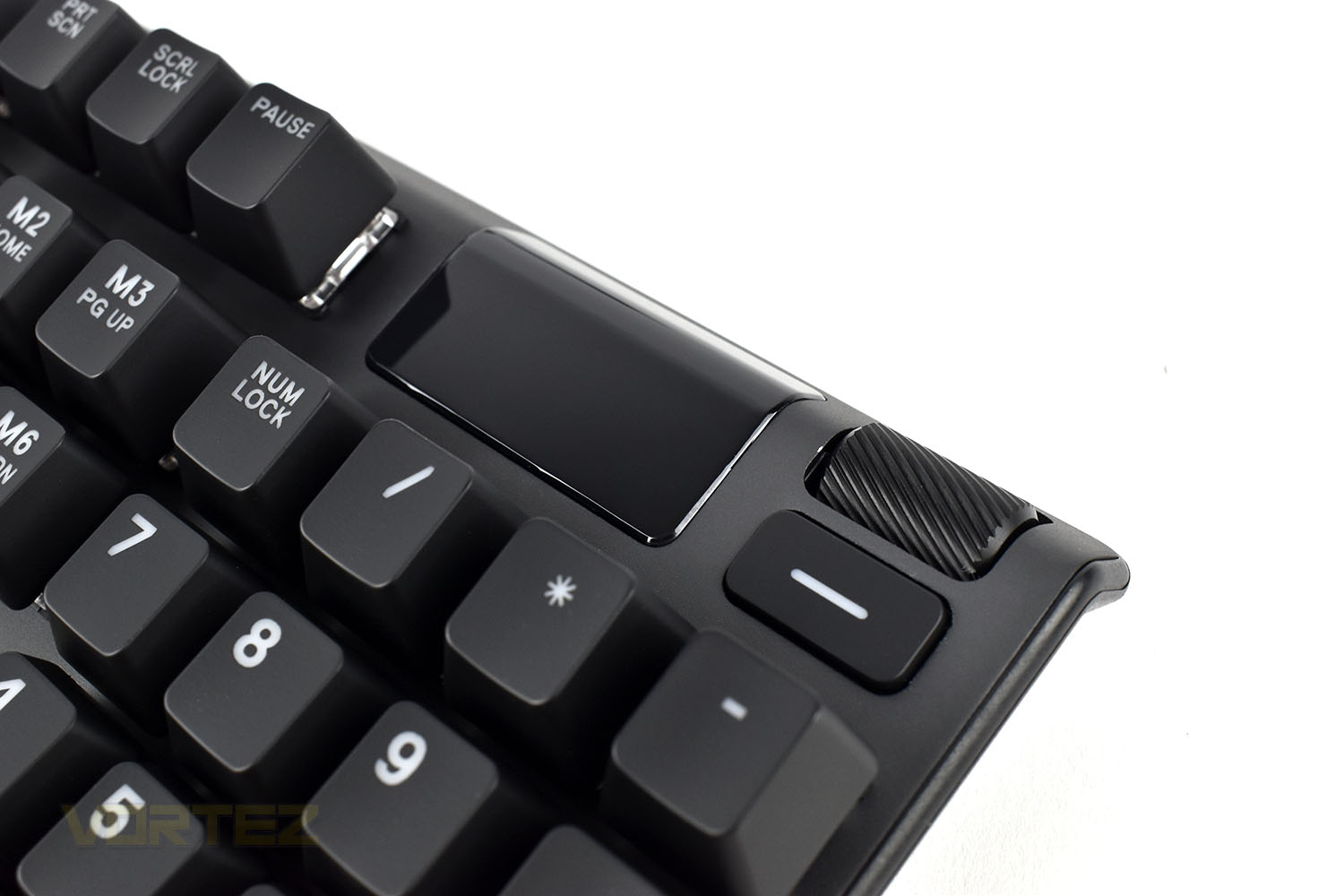
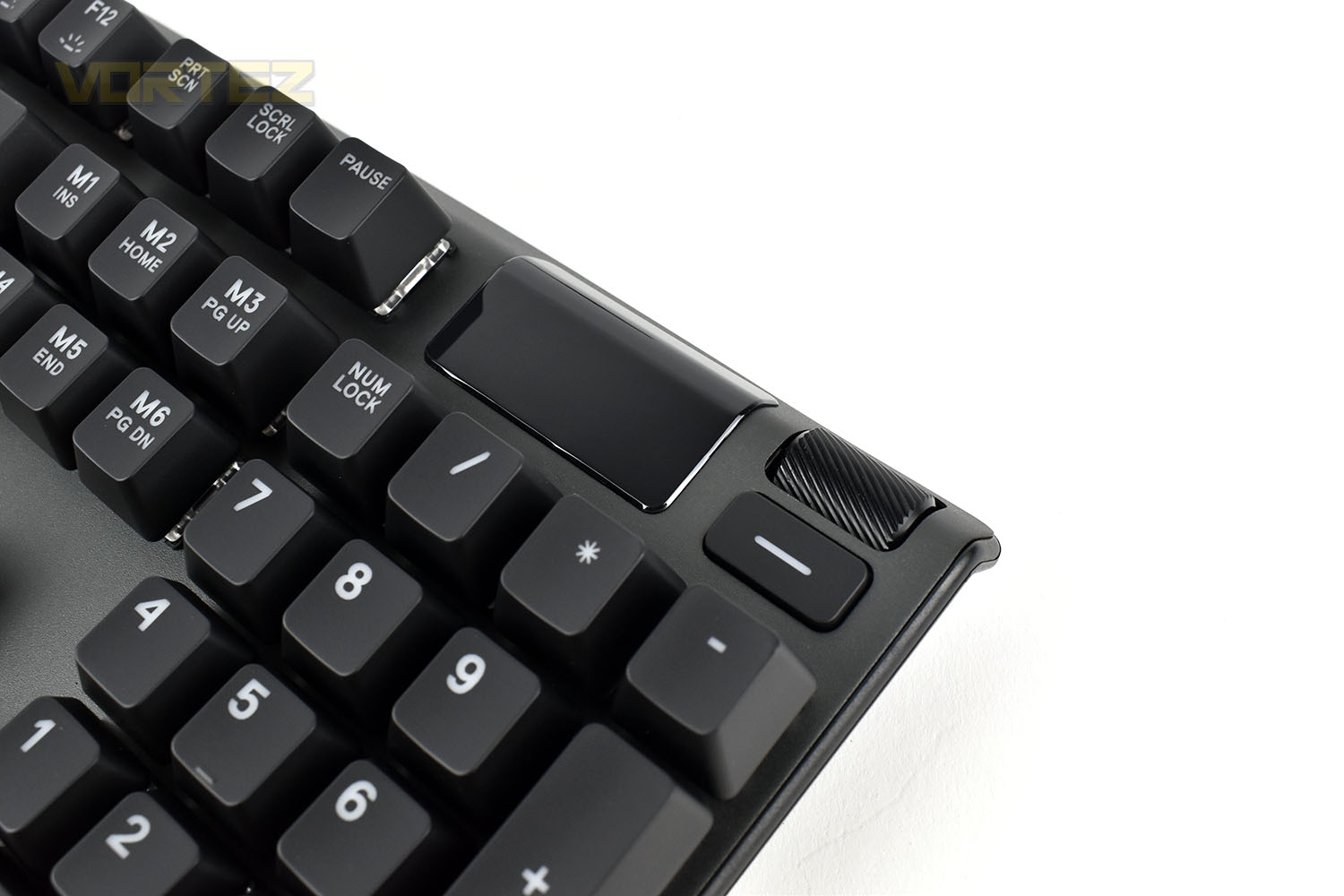
One of the main attractions of the Apex 7, and the Pro, the is OLED screen in the top-right of the keyboard, boasting a 128 x 40 resolution, it’s not going to set the keyboard market alight but we’ll see how it gets on with the Discord and in-game integrations. Beside that is a customisable button and a volume wheel.
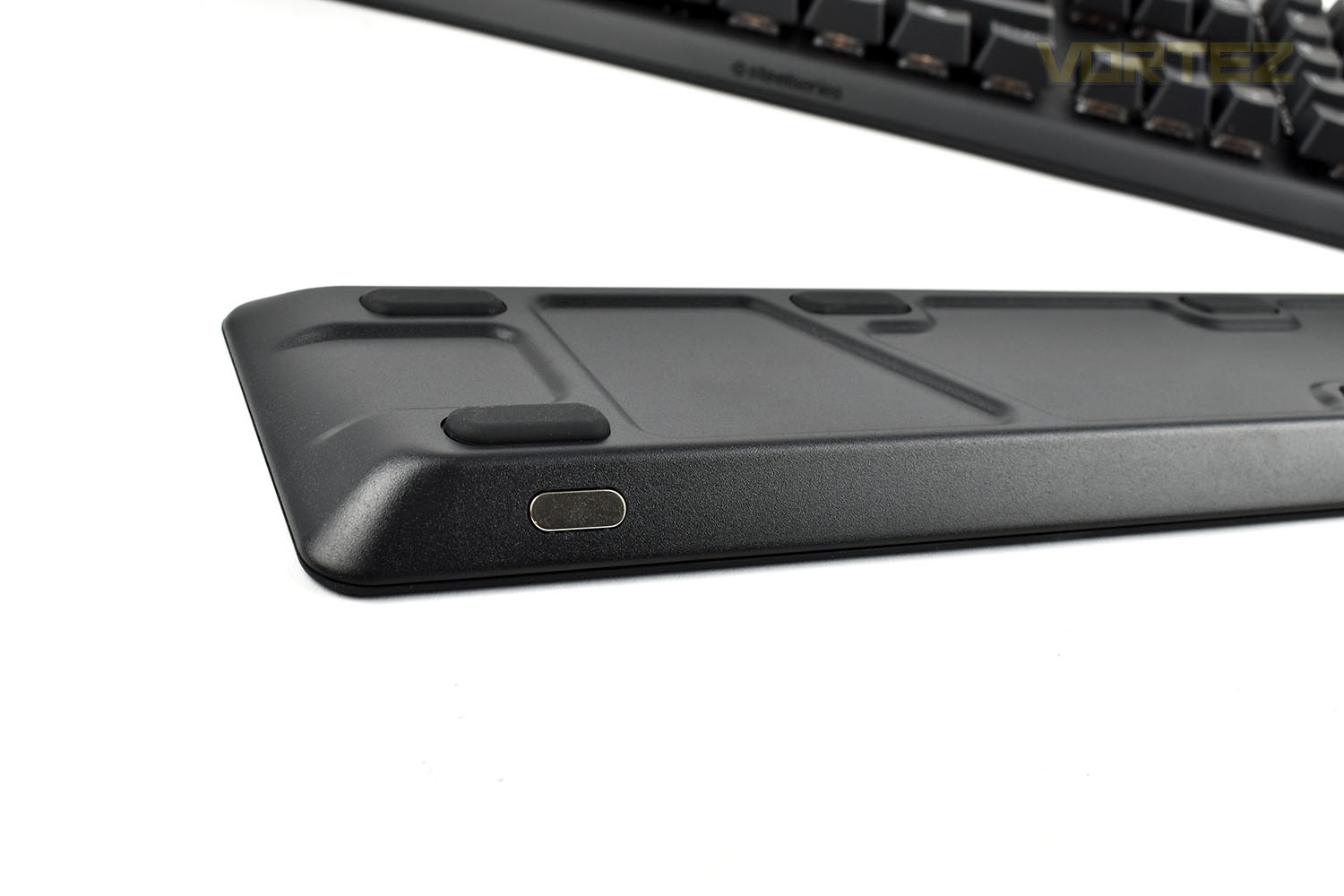
Putting the wrist rest into place, the magnets are incredibly strong; enough to move the keyboard while moving the wrist rest into place. But once it’s attached, it’s staying where you put it, that’s guaranteed!
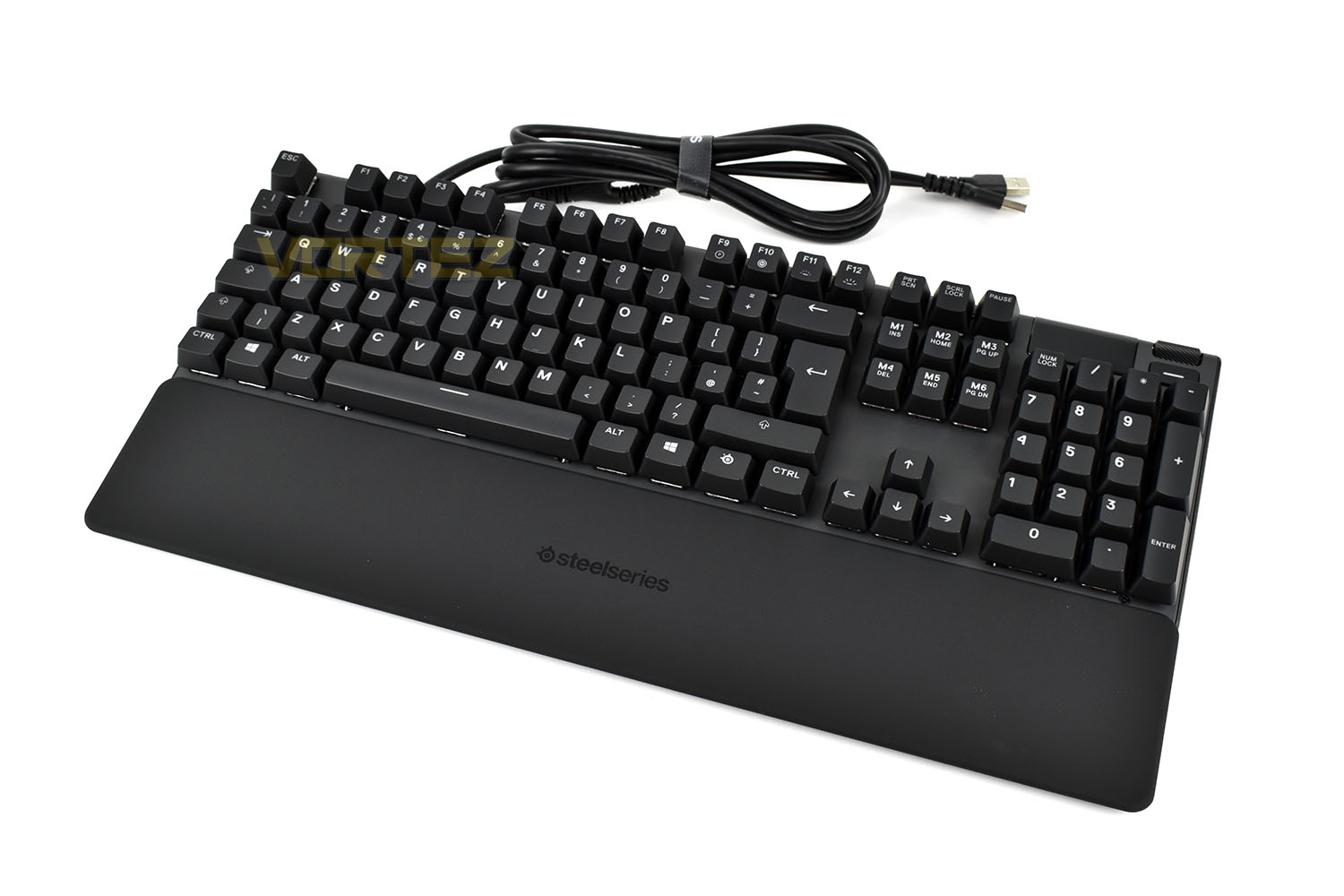
The magnet at each end is all that’s needed to snap things into place.
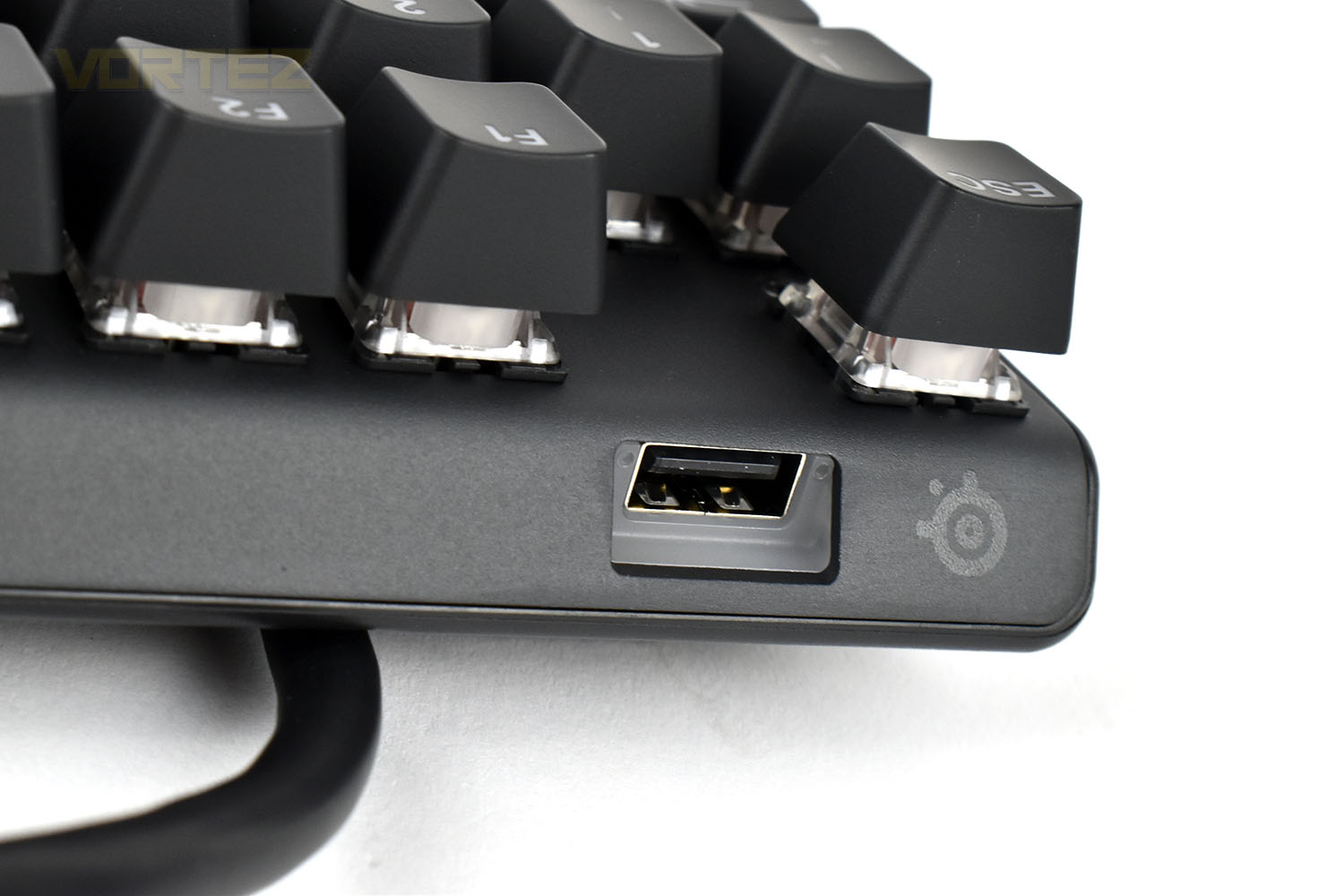
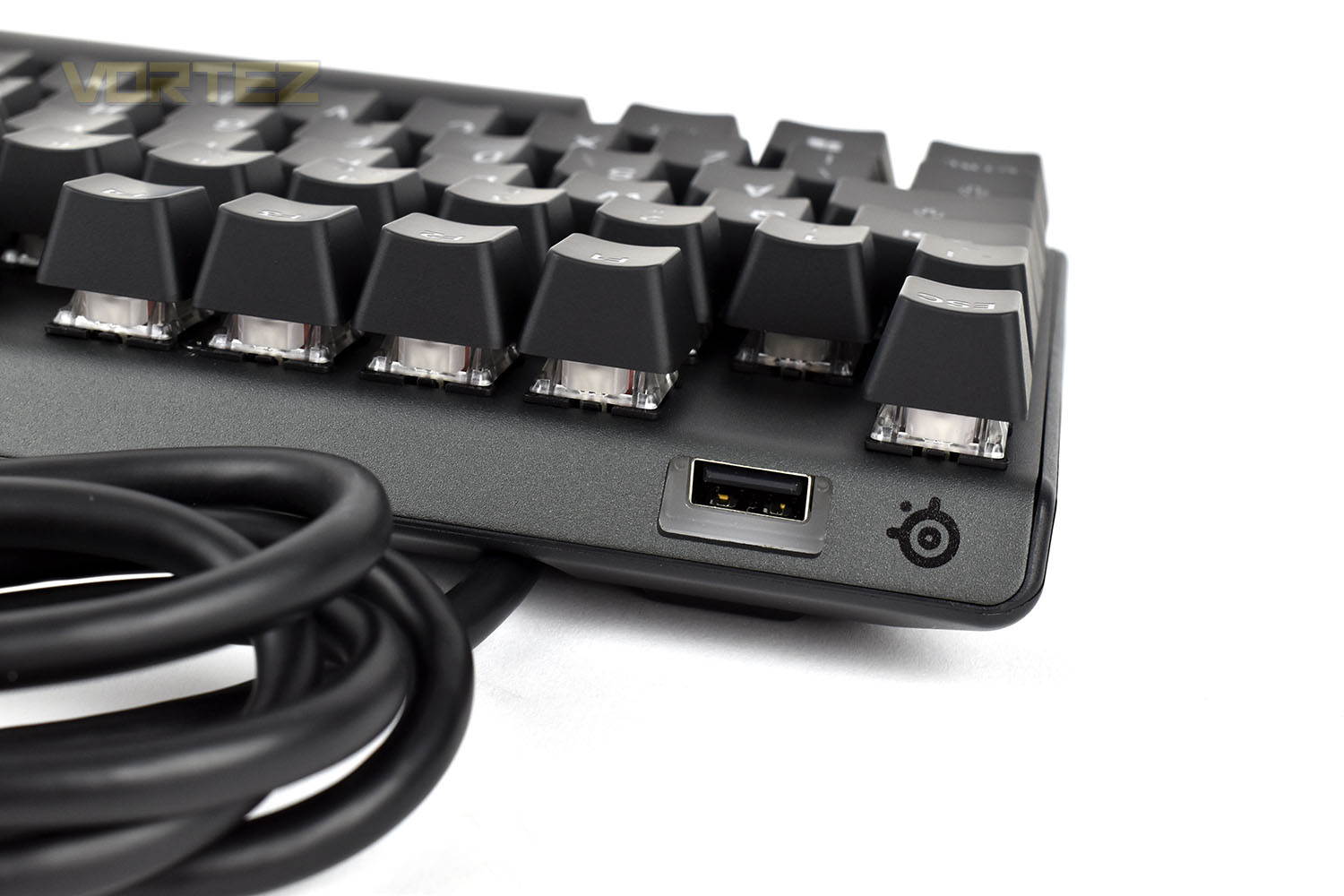
Between the Escape and F1 keys, on the top of the keyboard, is a USB 2.0 passthrough, useful for connection a headset or mouse, or for super quick access for a USB thumbdrive. The white plastic surrounding the port is backlit with a white LED, helping you find the port in the dark.
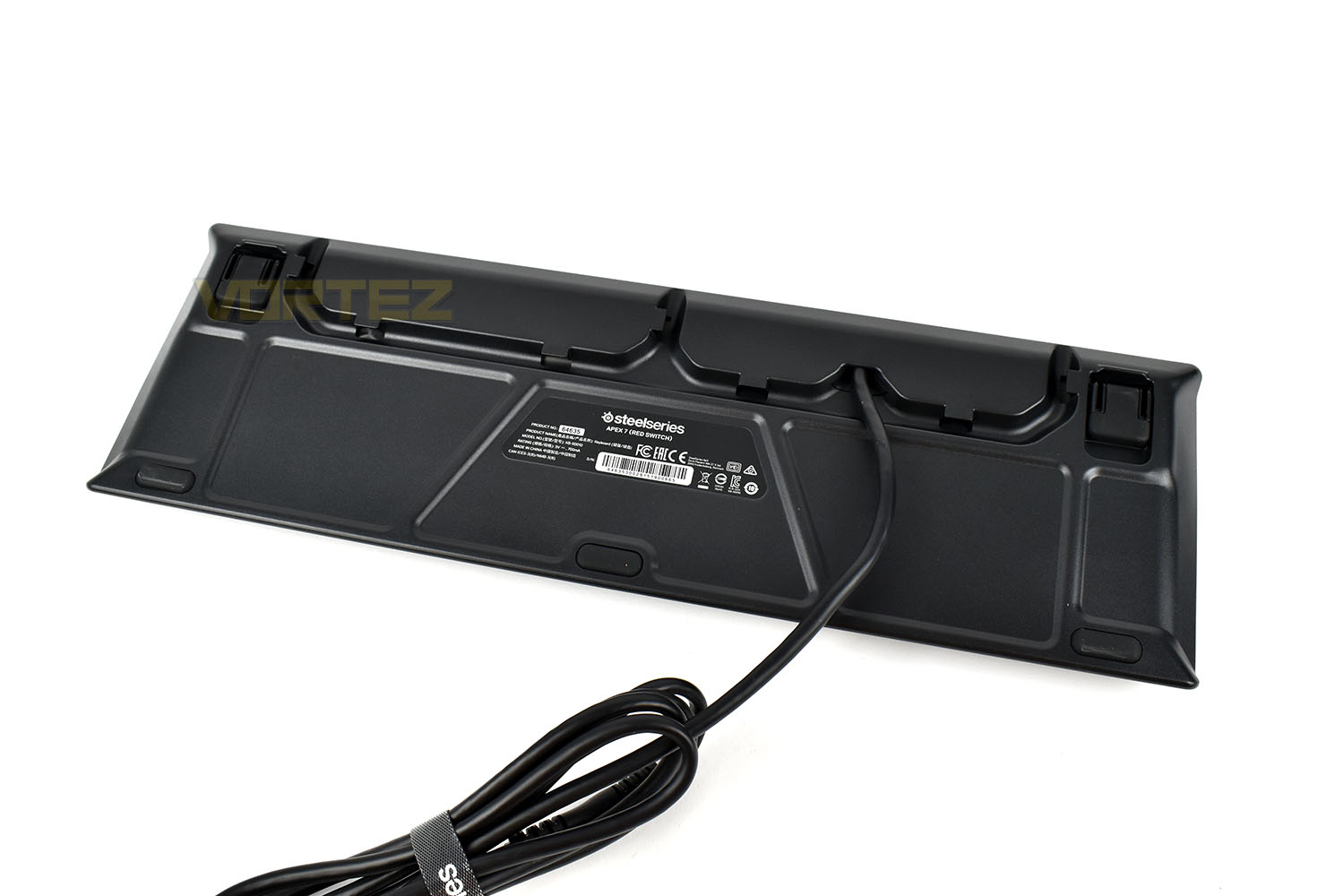
The underside of the keyboard houses wiring channels that allows you the choice of routing the cable from 3 different locations, helping to improve the cabling on your desk.
There are 3 thick rubber grips along the front of the keyboard and two larger grips at the back, on the front face of the feet.
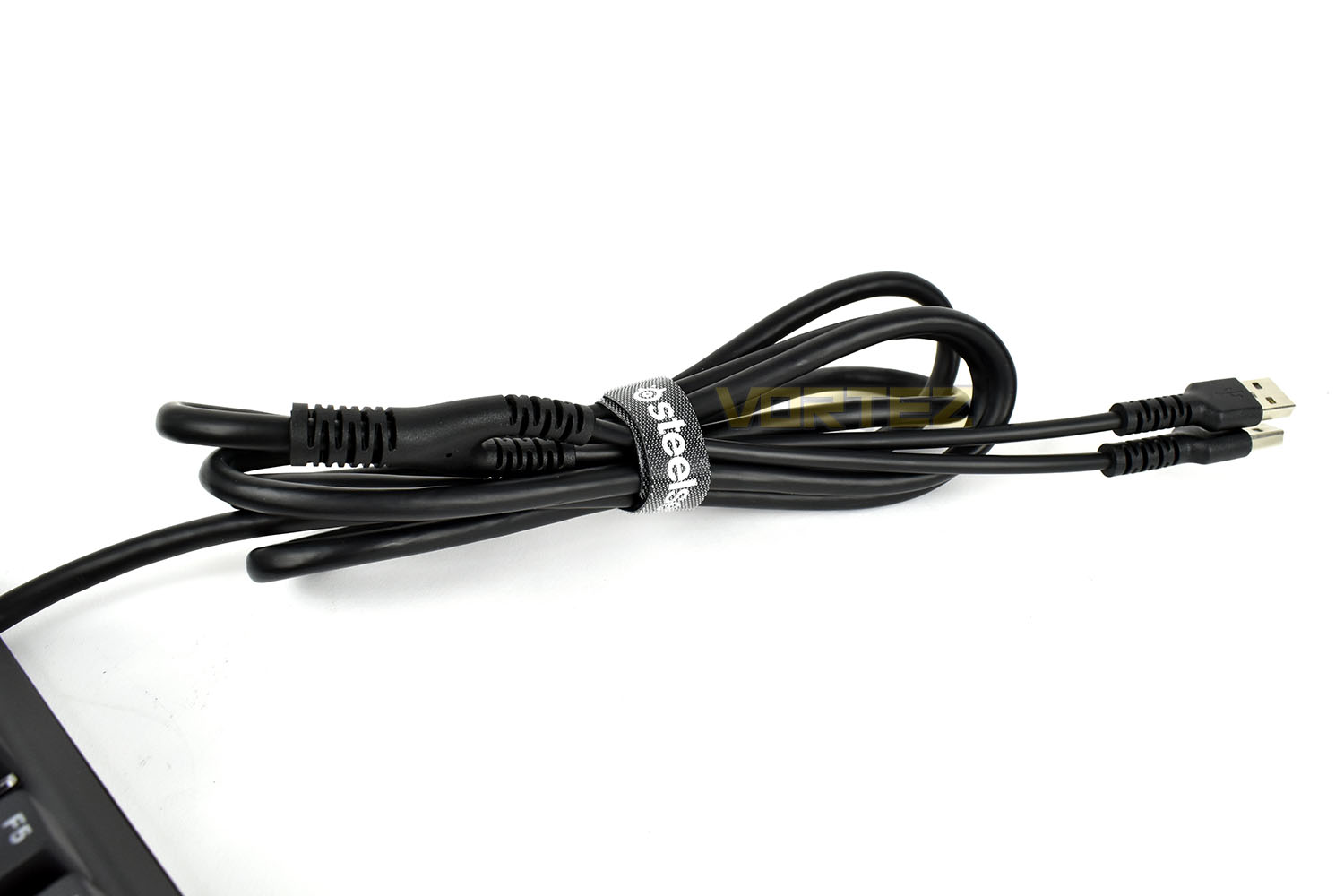
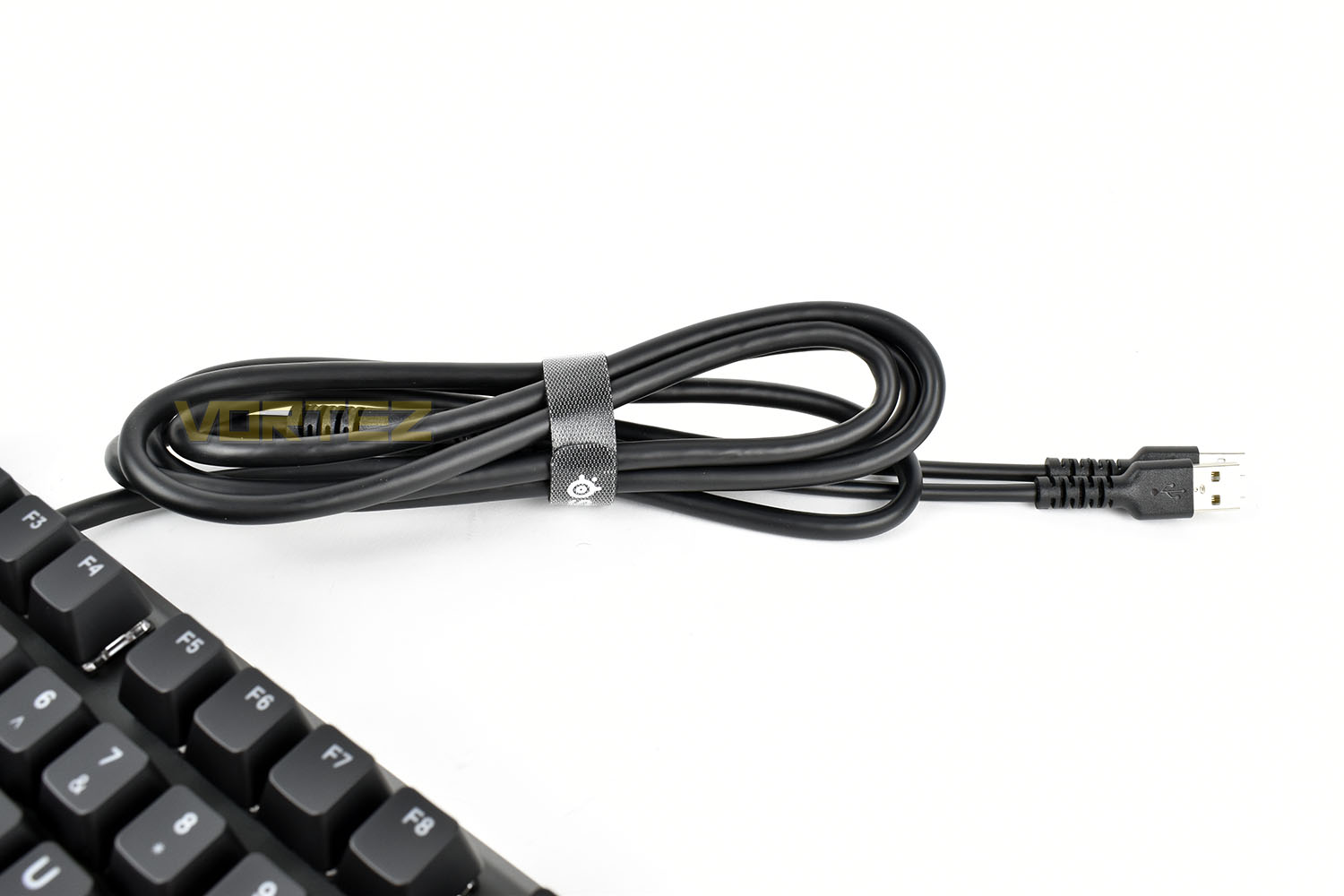
Quite unusually for a keyboard in this price range, the cable isn’t braided from end to end, but there may be a good reason for that. We’ve seen keyboards from other manufacturers who have placed cable routing on the bottom of the keyboard, and also braided the cable, which reduces the grip that can be applied to the cable. Using a rubber cable encourages a firm grip and better likelihood of the cable staying put within its channel underneath; particularly useful if you use your keyboard with the feet extended. There are two USB connections, one for the keyboard and one for the USB passthrough.
Closer Look (Apex Pro)
Pushing the envelope a little, SteelSeries have tightened the borders of their keyboard right to the edge of the keys, only leaving around 3mm around the top, left and right edges. The keyboard casts a 440mm x 140mm shadow on the desk, which is extended to 220mm with the wrist rest in place.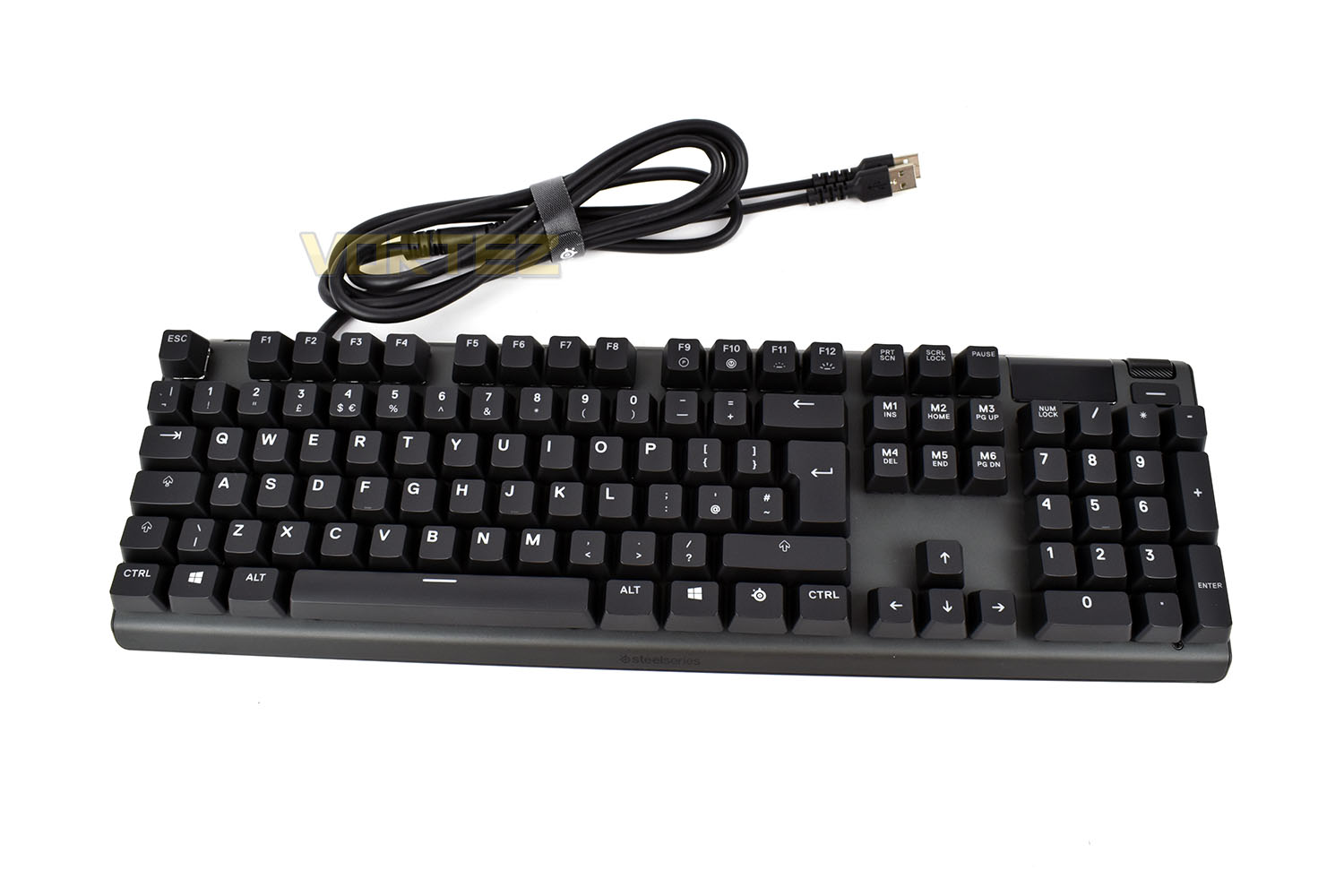
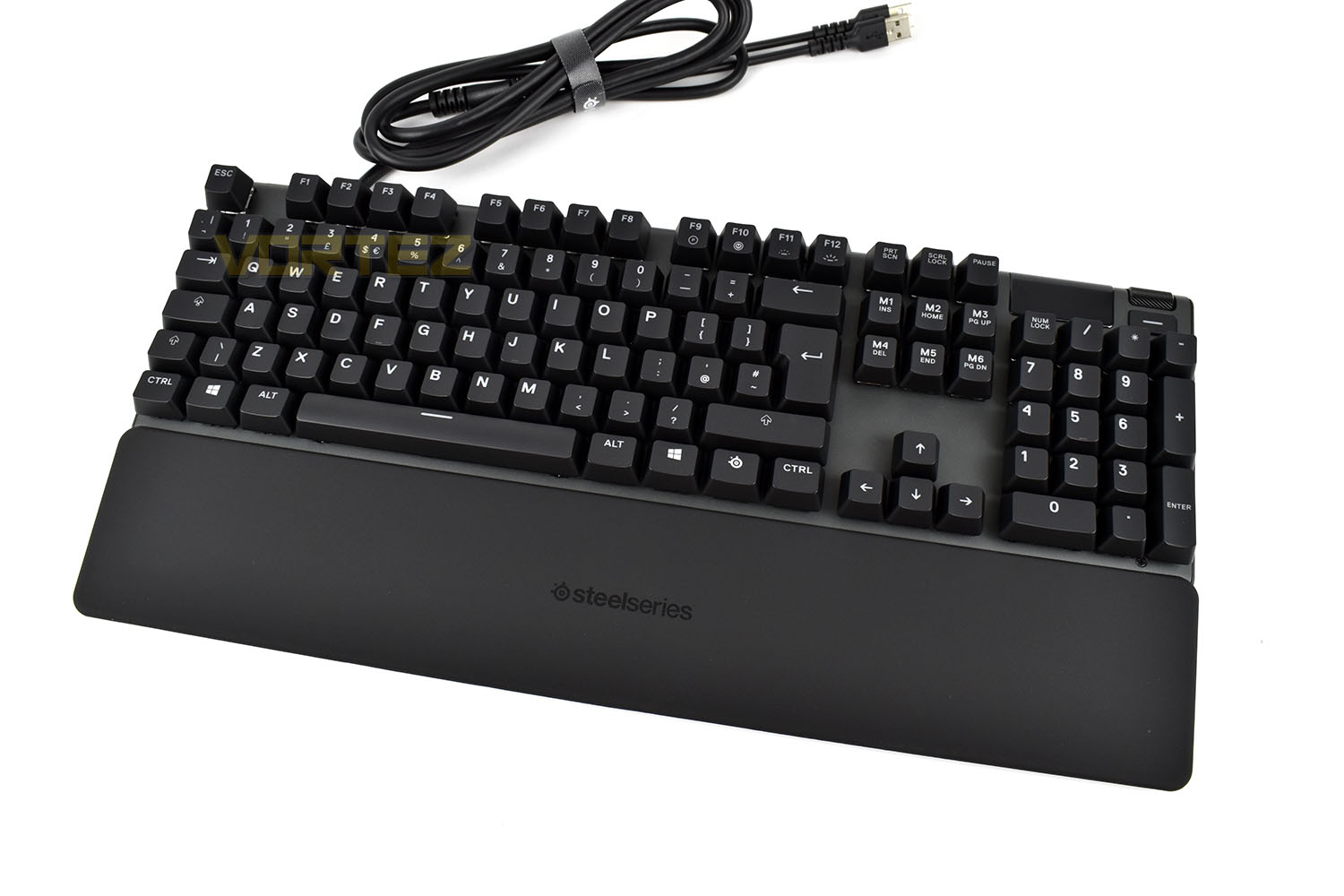
With the soft-touch wrist rest in place, using incredibly strong magnets to ensure it stays put, the keyboard looks very sleek. The rest isn’t padded at all but uses a super soft rubber coating that gives the impression of a cushion.
Just behind the F1 and Escape keys is the USB 2.0 passthrough, backlit to help you find it in the dark, which is handy for charging your phone or connecting up a headset instead of reaching around the back of your PC.
In the top-right of the keyboard is a volume wheel, which can be depressed to activate options, and a small customisable button underneath. Next to that is the 128 x 40 resolution OLED display with integrations built into games and Discord.
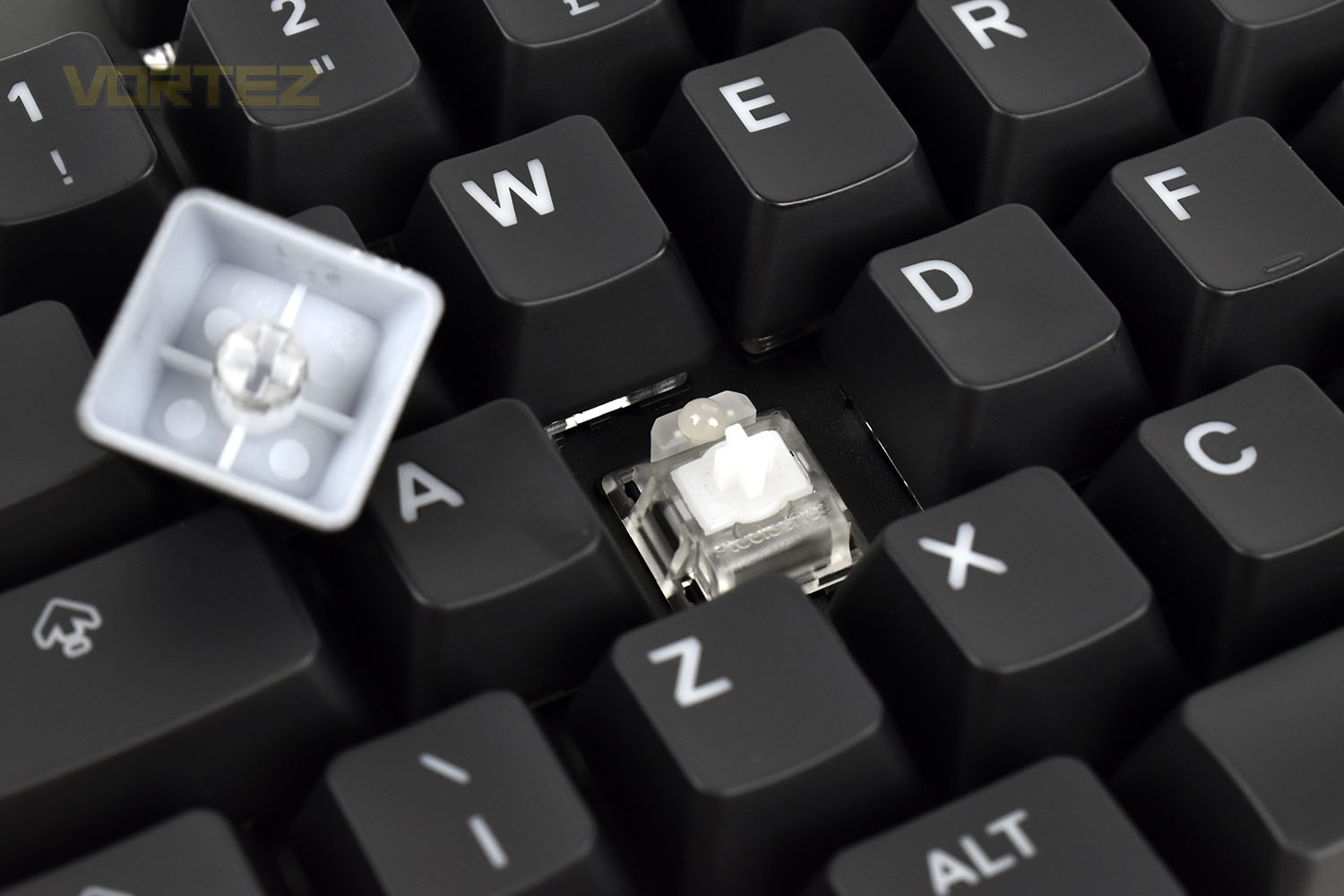
Perhaps the pièce de résistance of the Apex Pro is the adjustable Mechanical keyswitches, which can be tuned to the users preference between 0.4mm and 3.6mm of sensitivity to enable instant response or a more tactile, involved typing experience. This keyswitch is included on all of the keys in the “main block” of the keyboard, which basically excludes the F-row, direction keys, special keys above that and the numpad, where SteelSeries have installed their QX2 Mechanical switches in the red, linear flavour.
Putting the keyboard on its front, the cable routing options are immediately apparent, with three clear choices to help keep your desk as tidy as possible. The rubber grips on the bottom are bulky enough that they should help to absorb some noise from the keyboard as well as keeping it in place on your desk.
The 1.8M rubber cable is certainly thick and robust and should last a while. But it’s unusual for a keyboard, or any peripheral for that matter, to arrive without a braided cable, particularly at the £200 region. Having said that, using a rubber cable does make things easier when it comes to routing through the cable channel on the underside of the keyboard, helping the plastic grip onto the cable so it stays put, braiding the cable makes that much more difficult.
Software & Performance Testing
SoftwareSteelSeries use their Engine 3 software for all of their peripherals to make adjustments and configuration settings as easy as possible. We find their software suite to be intuitive, responsive and stable, which is all you can really ask. Below is a software demo of the Apex Pro, but everything for the Apex 7 is identical, apart from the mechanical key adjustments.
Performance Testing
To give the SteelSeries Apex 7 & Pro a thorough going over, we used the keyboards for around a week each and played several games on them to really see what’s what.
We’ll start off with the common features between the two then split our experience from there. The RGB illumination was beautiful, but that’s exactly what we expected after our experience of the Apex M750 from two years back. The effects were smooth, with loads of them to choose from in the software, but the biggest positive of the RGB lighting was that the majority of the light appeared to come through the keycap instead of bleeding around the edge which is often the case with mechanical keyboards; don’t get us wrong, there’s still lighting in and around the keys but we much prefer a bright, vibrant keycap shining against a sea of duller lighting.
Thanks to the wrist rest, which doesn’t budge at all by the way, the keyboards are beyond comfortable to use for long periods of time. We’re a big fan of including wrist rests with keyboards, especially as we sometimes spend upwards of 10 hours a day typing away at a computer, but some can be about as much use as a chocolate fireguard. The soft, cushioned leatherette types, like you get with Razer and Logitech’s high-end offerings, are our favourites but this comes in at a close 2nd place with the soft-touch rubber coating being surprisingly accommodating to the wrist. The only trouble is, due to it being so soft, we did notice that a metal watch strap had already begun digging into the coating after only a week of use so the longevity of the wrist rest can be brought into question – not an ideal situation when you’ve forked out £180/£200 on the keyboard.
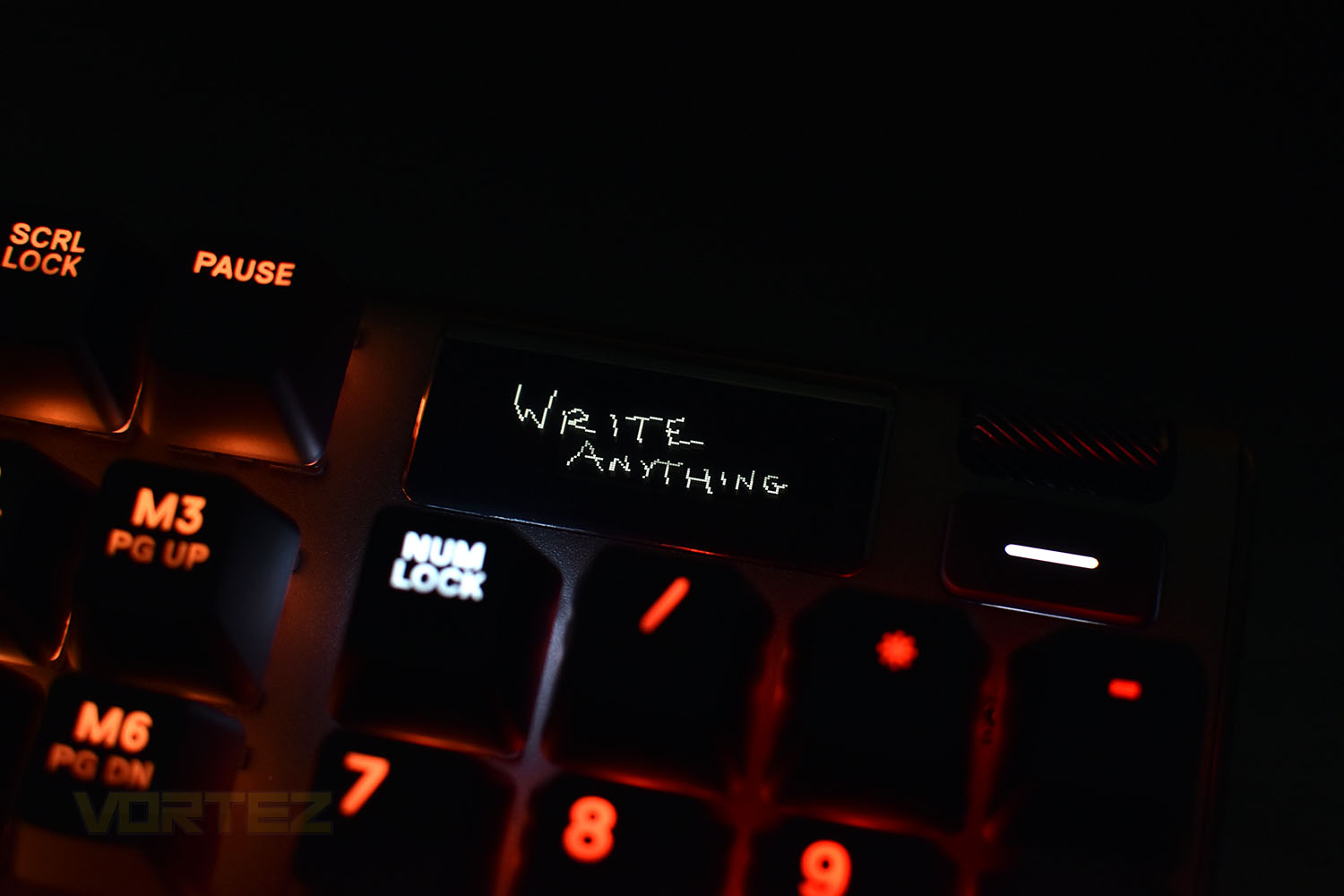
The OLED screen in the top right, with a 128 x 40 resolution might sound like a bit of a gimmick, and to be honest with you, it is just that, very gimmicky, but it does have some merit. The Discord notifications can be handy if you’re in a game and only use a single screen, and if you want to adjust settings on the fly without opening the software, the button and scroll wheel next to it can be used, but in all likelihood, you’re just going to open the Engine 3 software suite and fix anything that way. The biggest issue that the screen faces is it’s positioning; if you tend to sit back and get comfortable, like myself, the screen will be almost entirely obscured by the NUM LOCK and / keys which renders it almost completely pointless, however, there are plenty of players who lean forwards, with their nose much closer to the monitor, trying to gain the competitive edge; this screen would be a short glimpse away, if you needed it.
Now, for the keyswitches, we’ll start with the Apex 7. We tested the SteelSeries QX2 switches back in 2017 and found them to be perfectly good for a mechanical switch, with a 100M actuation lifespan, good RGB LEDs, a light resistance and relatively short actuation point which suited gaming well but, as time has gone on and we’ve tested more and more different types of mechanical switch, it doesn’t quite cut the mustard anymore, it’s a little too mushy and definitely too loud to compete with the likes of Cherry MX or Razer Mech switches, though it would be nice to try out their Brown or Blue variants to see how they compare to the equivalents in the market.
And finally, the part we’ve been wanting to tell you about since these keyboards arrived, the Omnipoint Mechanical Adjustable Keyswitch. Before we start, let’s get it out the way that the resistance, feel, required pressure or ‘bump’ cannot be adjusted, it’s purely the actuation point only, but still, let us tell you, it changes everything.
For starters, the keys themselves lack any kind of tactile feel, but manufacturing in a resistance bump, where the actuation point can move from 0.4mm to 3.6mm, just wouldn’t work, so going with a linear key makes perfect sense. From a gaming perspective, they offer so much; you can alter your WASD keys to respond at the 0.4mm point but have the keys surrounding it require more than that, which once you’re dialled in and become used to the settings, can help prevent you pressing the wrong keys when things get hectic. But on the other hand, if you do a lot of typing, the keys aren’t the best and you’d perhaps be better served elsewhere, if you’re not happy with the compromise.
Conclusion
The Apex 7 and Apex Pro are both well thought out, properly engineered and worthy of the SteelSeries name, but the pricetag, particularly on the Apex 7, does make things a little trickier.First off, the build quality is rock solid on the most part, the 5000-series aircraft-grade aluminium frame is incredibly stiff, preventing any kind of twisting or deforming. The keyboard also feels heavy, helping it remain in place if you tend to push your wrists into the front of the keyboard or type with heavy fingers.
The SteelSeries Engine 3 software is one of the best offerings out there, we’ve never had a problem with it during our years of testing; it’s intuitive, looks good, isn’t hard on system resources and is 100% stable. Not much more you can ask for from a piece of software, particularly in this day and age of half-baked software releases.
We liked the OLED screen, it was fun to play around with and put our logo on, but like we said in the performance testing section, if you sit back in your chair at all, the screen becomes obscured by the keys in front of it, making it almost pointless 95% of the time. You need to be hunched over forwards with your chin above the keyboard to see the screen, which definitely isn’t good for posture. Logitech did a similar thing with their G15 keyboard over a decade ago, and that was angled upwards for that very reason. SteelSeries, if you’re sticking with the OLED screens on peripherals idea, making it a bit more accessible would be great.
RGB lighting on both keyboards, at least with the naked eye, appears to be identical, so the Omnipoint Mechanical keys don’t appear to change that; it certainly wouldn’t be wise to offer different LEDs anyway, with the Apex Pro using a mix of QX2 and Omnipoints. The built-in effects in the Engine 3 software paired with the bright, vibrant LEDs under the keys works well, and thanks to clever positioning, the letters on the keys appear to glow brighter than any of the competitors, which may be down to the larger font used, but either way, it’s great.
The Apex 7 we were supplied arrived with the QX2 Red switches, something we’d tested before on the Apex M750 back in 2017. They’re good if you play a lot of games but they’re a bit too ‘mushy’ and definitely too loud, for that we have to mark them down. SteelSeries could definitely work on dampening the sound a little, or provide us the opportunity to test their Brown and Blue equivalents.
But finally, onto the Omnipoint Mechanical switches with their adjustable actuation point. We went into the review with some doubts, wondering what difference it would actually make, but as soon as we began changing the slider in the software and getting an immediately different result from the keys, we were hooked. Typing on the keyboard with the response dialled in at 0.4mm felt excellent, the difference felt noticeable from the Razer Greens that I usually type on. Going further than that, being able to set the WASD keys to 0.4mm and have the surrounding keys have a deeper actuation point can give an actual advantage, both in terms of the movement keys responding faster and the surrounding keys, such as grenade or “use” are harder to press accidentally.
Now, the biggest issue we’ve found here is the £20 price difference between the Apex 7 and the Apex Pro. Considering how much better the Omnipoint Mech keys are, we cannot think of a single reason to recommend the Apex 7, at least with the QX2 Reds. Buy the Apex Pro instead.
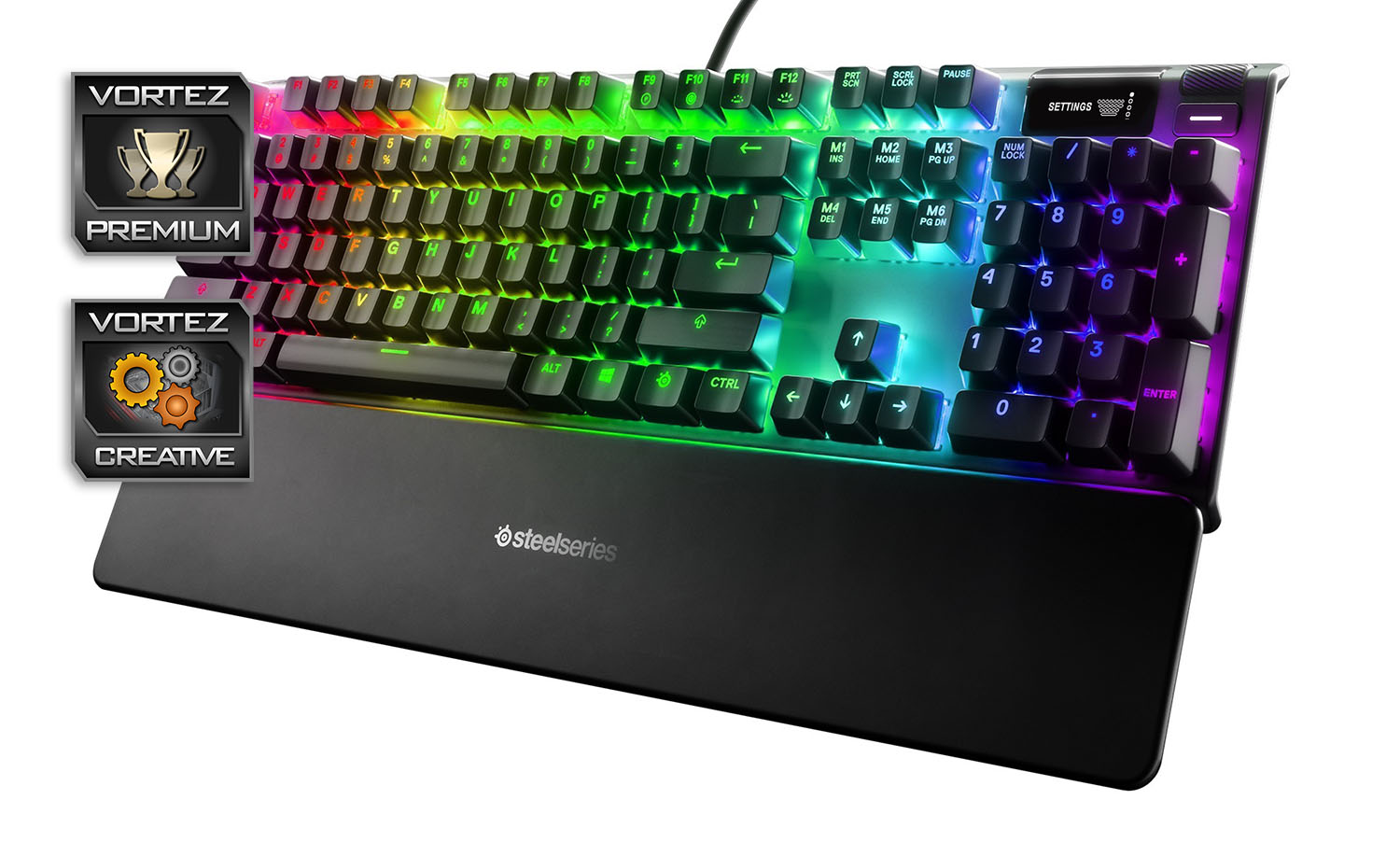
The Apex 7 and Apex Pro are excellent keyboards, but you need to buy the Pro to truly appreciate the effort SteelSeries have gone to. However, the £180 and £200 asking prices are much too steep.
Pros
+ Omnipoint Mechanical Switches are awesome (Apex Pro only)
+ Attractive RGB illumination
+ Magnetic wrist rest included
+ Incredibly sturdy frame
+ Available as tenkeyless
Neutral
+- OLED screen is fun but the use cases are limited
Cons
– Expensive
– QX2 Red switches are noisy and lack any feel whatsoever (Apex 7 only)
– Impossible to see the OLED screen most of the time
– No macro keys
+ Omnipoint Mechanical Switches are awesome (Apex Pro only)
+ Attractive RGB illumination
+ Magnetic wrist rest included
+ Incredibly sturdy frame
+ Available as tenkeyless
Neutral
+- OLED screen is fun but the use cases are limited
Cons
– Expensive
– QX2 Red switches are noisy and lack any feel whatsoever (Apex 7 only)
– Impossible to see the OLED screen most of the time
– No macro keys
Click here for an explanation of our awards at Vortez.net.
Stay connected with the Vortez Social Media pages:
Join in with the discussions on Discord