Fancying a 60% keyboard, packed with features, from a well-known manufacturer? The SteelSeries Apex 9 Mini may be the one for you.

Product on Review: SteelSeries Apex 9 Mini
Manufacturer: SteelSeries
Street Price:
USD – $129.99
GBP – £129.99
AUS – $159.99
SteelSeries, a Danish manufacturer of gaming peripherals, have really found their groove in recent years, with hundreds of awards dished out from various outlets, so when they offer us products to test, we can’t say no. Today we’re looking at their latest 60% keyboard, something which seems to be gaining more and more popularity within the gaming scene, the Apex 9 Mini.
The Apex 9 Mini comes equipped with their new OptiPoint Optical Switches, which offer a 33% faster actuation than “the competition”, with an optional 1mm or 1.5mm actuation distance, these new switches can also be removed and swapped, giving the keyboard extra customisation options and longevity that other mainstream keyboards can’t compete with.
Along with the OptiPoint switches, we also get double-shot PBT keycaps with a unique texture that claims to improve your typing accuracy, per-key RGB illumination, a detachable USB Type-C braided cable and height-adjustable tilt legs.
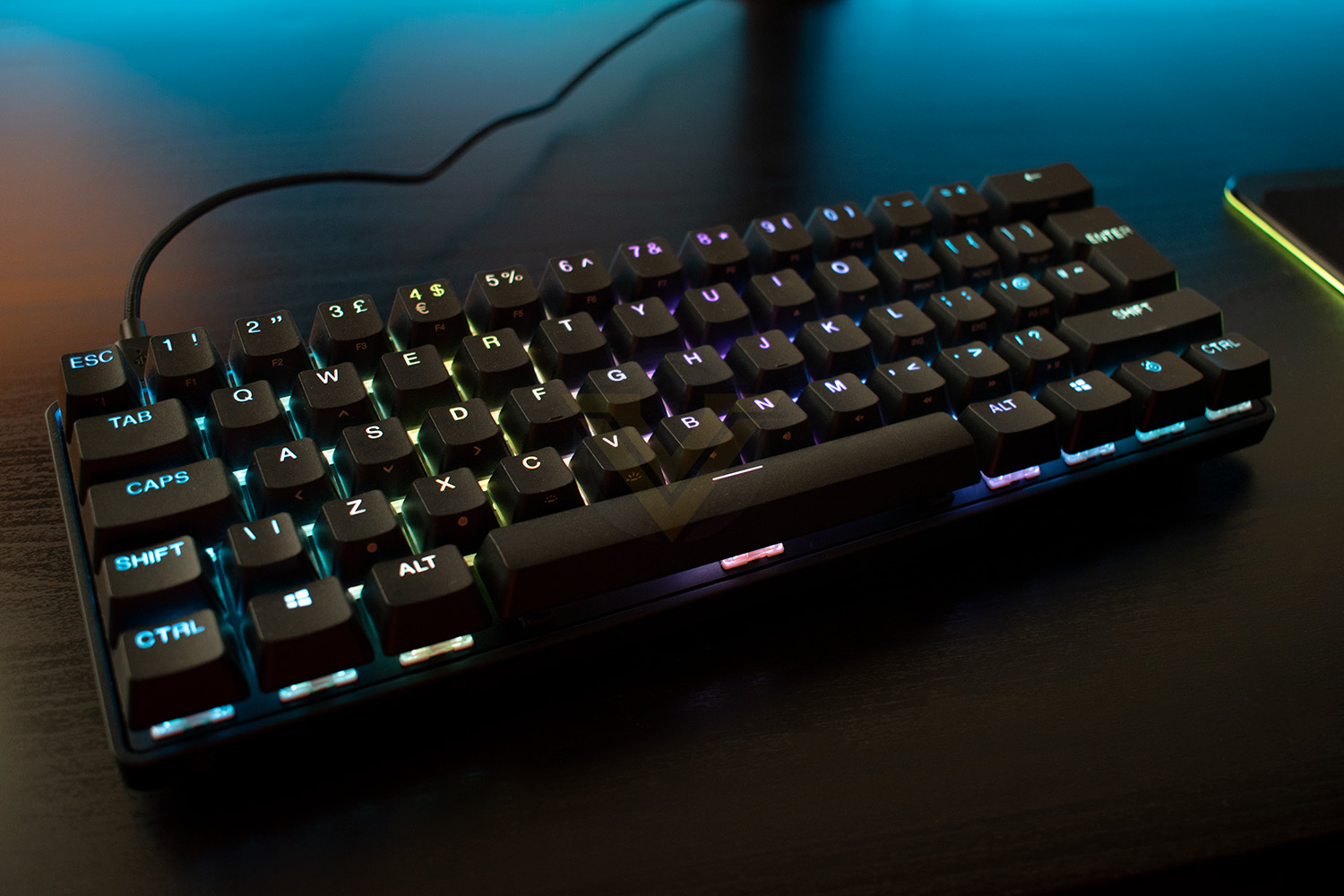
Measuring in at just 293mm x 103mm, the Apex 9 Mini’s tiny stature doesn’t mean it needs to sacrifice rigidity or robustness, arriving with an aircraft-grade aluminium alloy top plate to ensure the keyboard stands the best chance possible of lasting you many years to come.
The Apex 9 Mini talks the talk, but can it walk the walk? Let’s find out.
SteelSeries on the OptiPoint Optical Switches:
Experience optical speed like never before. The custom-built OptiPoint optical switches harness light to detect the registration depth of your keystroke for 33% faster actuation, zero debounce and a lightning-fast 0.2ms response time.
Technical Specifications
Technical
Key Switches: SteelSeries Linear OptiPoint Optical
Switch Rating: 100 Million Keypresses
On-Board Memory: 5 Custom Profiles
Processor: 32 bit ARM
Actuation Points / Force: 1.0-1.5 mm / 35g
Connection: Detachable USB Type-C
Design
Width: 293 mm / 11.53 in
Depth: 103 mm / 4.02 in
Height: 40 mm / 1.58 in
Weight: 676 g, Reinforced w/ Zero Flex Steel
Height Adjustment: Rubber Tri Level Feet
Lighting: Per Key RGB Illumination
Compatibility
OS: Windows, Xbox, PlayStation, and Mac OS X*. USB port required
*Not all software features supported on Mac OS
Software: SteelSeries Engine for Windows (8.1 or newer) and Mac OSX* (10.13 or newer)
*Not all software features supported on Mac OS
Box Content
Apex 9 Mini Gaming Keyboard
Detachable Braided USB-C to USB-A Cable
Keycap Puller
Product Information Guide
Key Switches: SteelSeries Linear OptiPoint Optical
Switch Rating: 100 Million Keypresses
On-Board Memory: 5 Custom Profiles
Processor: 32 bit ARM
Actuation Points / Force: 1.0-1.5 mm / 35g
Connection: Detachable USB Type-C
Design
Width: 293 mm / 11.53 in
Depth: 103 mm / 4.02 in
Height: 40 mm / 1.58 in
Weight: 676 g, Reinforced w/ Zero Flex Steel
Height Adjustment: Rubber Tri Level Feet
Lighting: Per Key RGB Illumination
Compatibility
OS: Windows, Xbox, PlayStation, and Mac OS X*. USB port required
*Not all software features supported on Mac OS
Software: SteelSeries Engine for Windows (8.1 or newer) and Mac OSX* (10.13 or newer)
*Not all software features supported on Mac OS
Box Content
Apex 9 Mini Gaming Keyboard
Detachable Braided USB-C to USB-A Cable
Keycap Puller
Product Information Guide
Packaging & Bundle
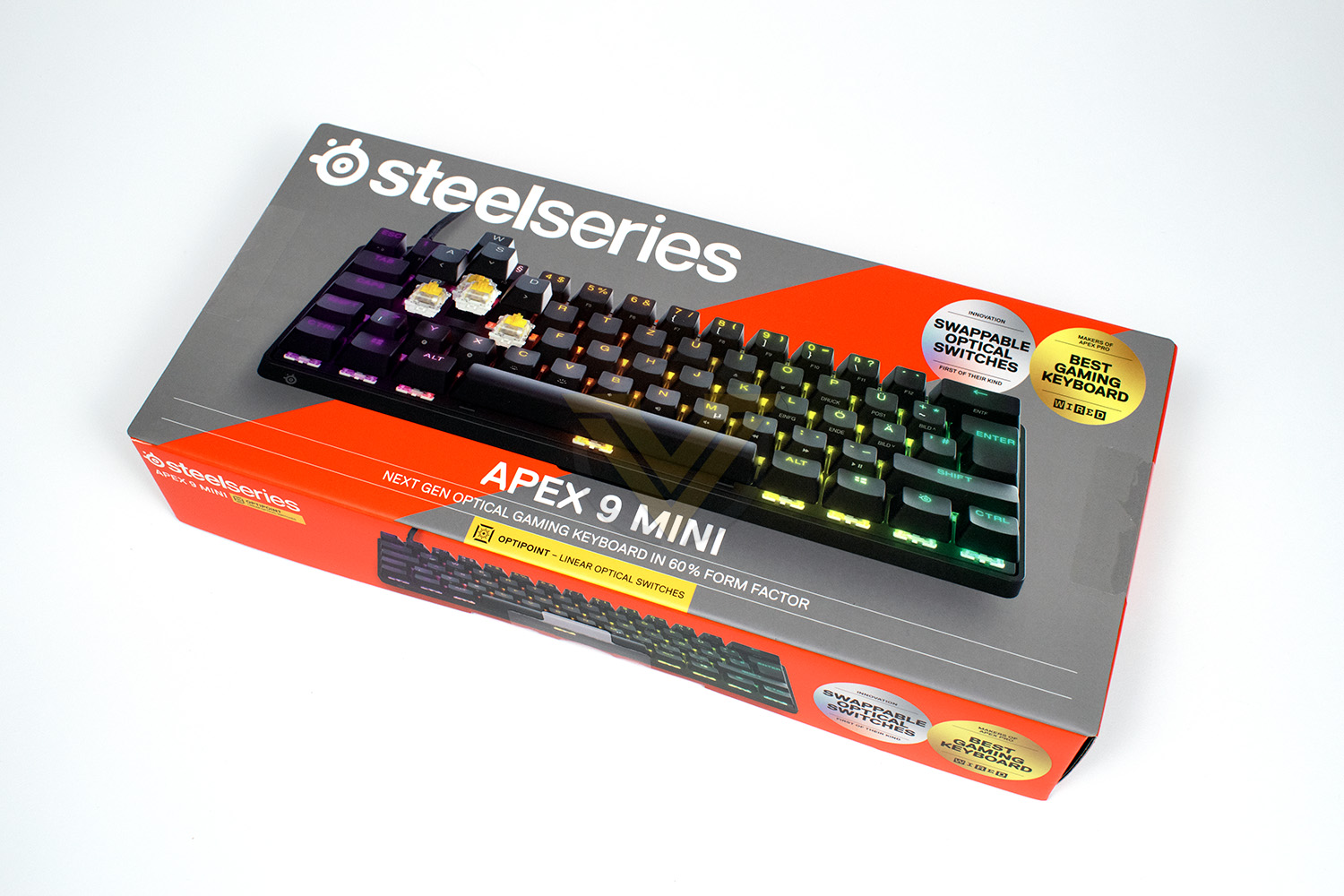
It wouldn’t be a SteelSeries review without that iconic orange and grey packaging. The box, as you’d expect for a 60% keyboard, is tiny, but at least it’s not wasting any materials that it doesn’t need to.The front of the box gives you a lovely clear image of the keyboard with some small snippets of information.
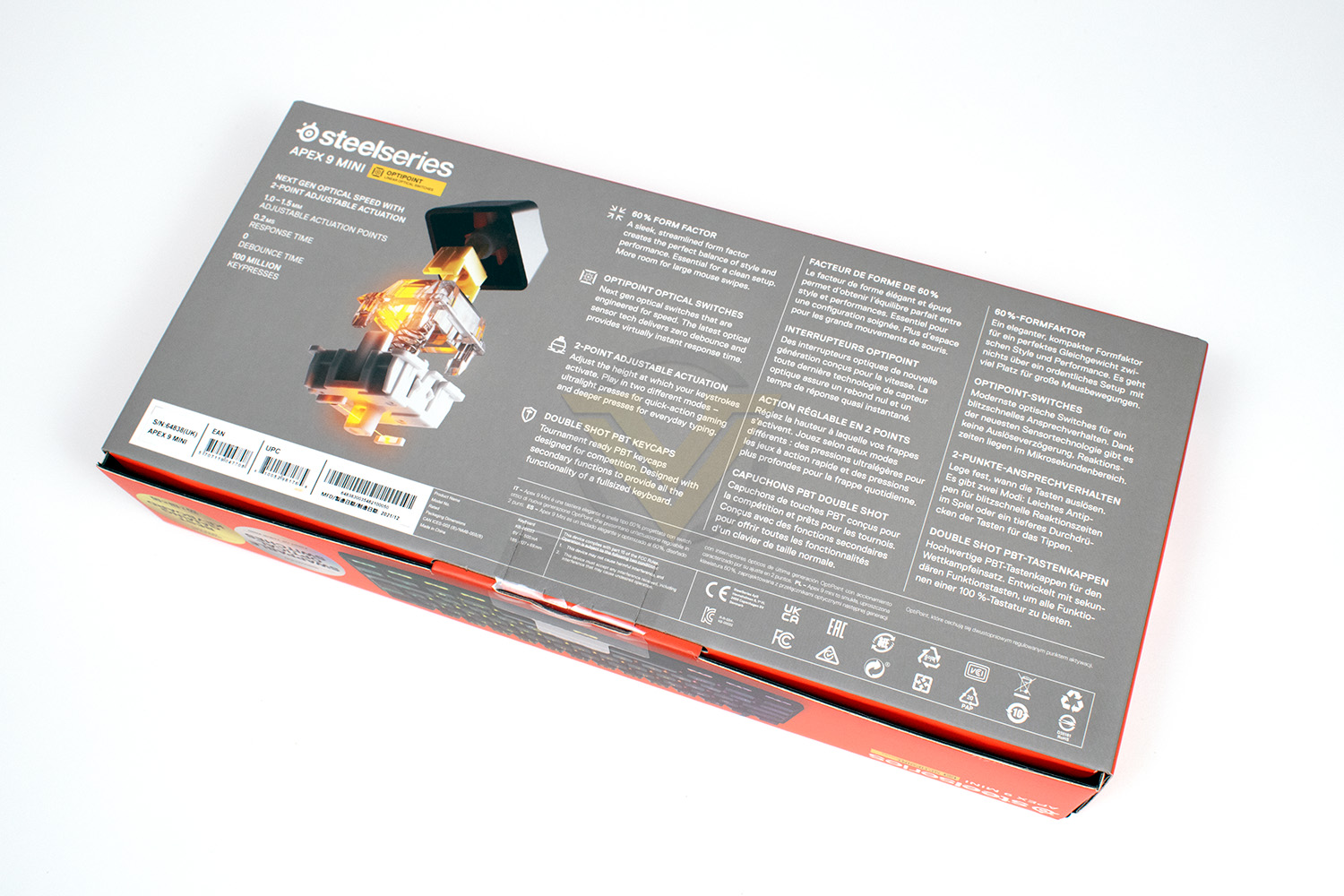
On the reverse side, you get a good chunk of details about the keyboard in terms of technical data and the main features that set it apart.
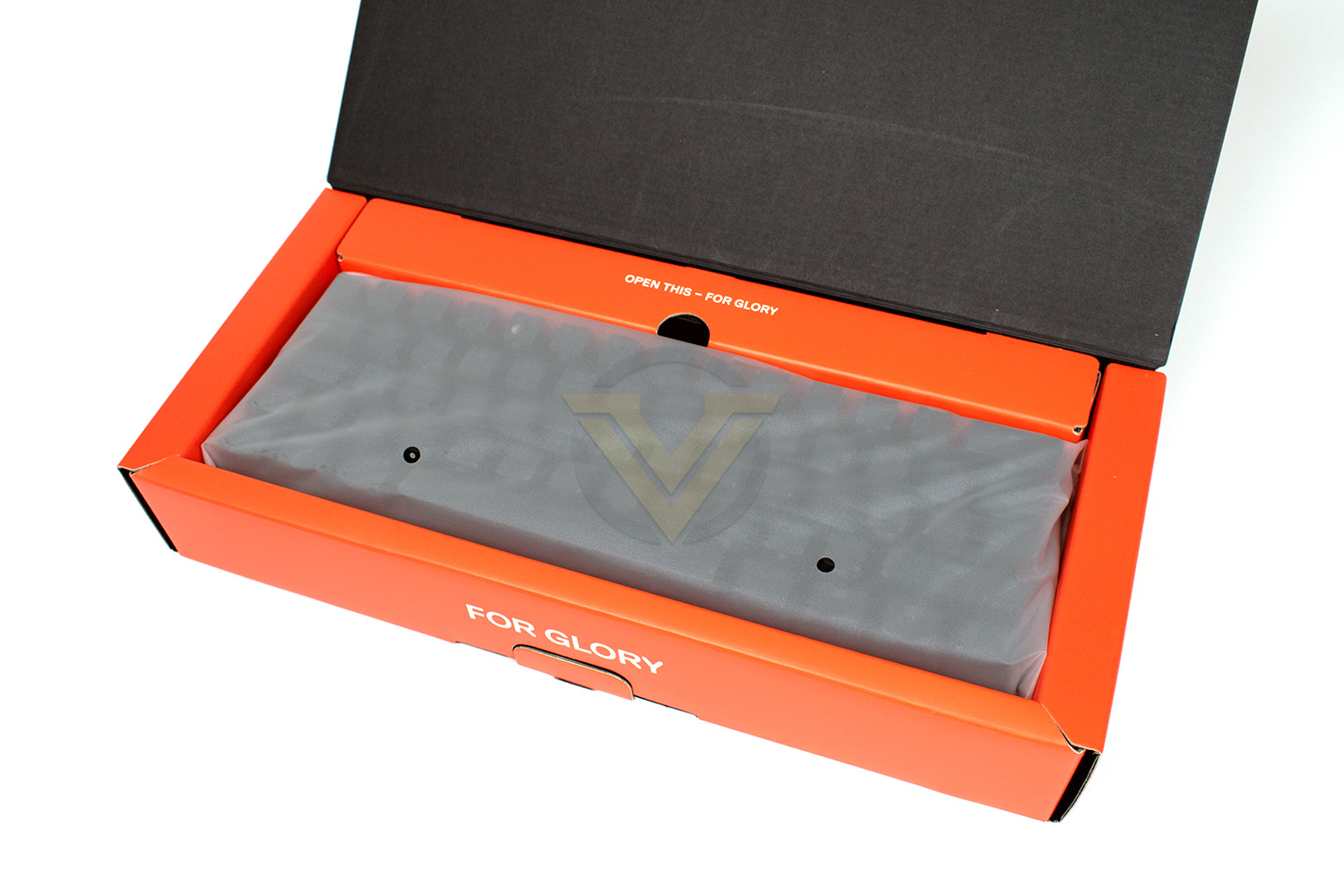
Tearing away the plastic security seals, the box opens up and we find the keyboard inside a lovely soft-touch plastic bag, with the USB cable tucked in the small box section above. There’s some clever use of cardboard here to ensure the keyboard is well protected without using too much plastic or foam, which is better for everything in the long run.
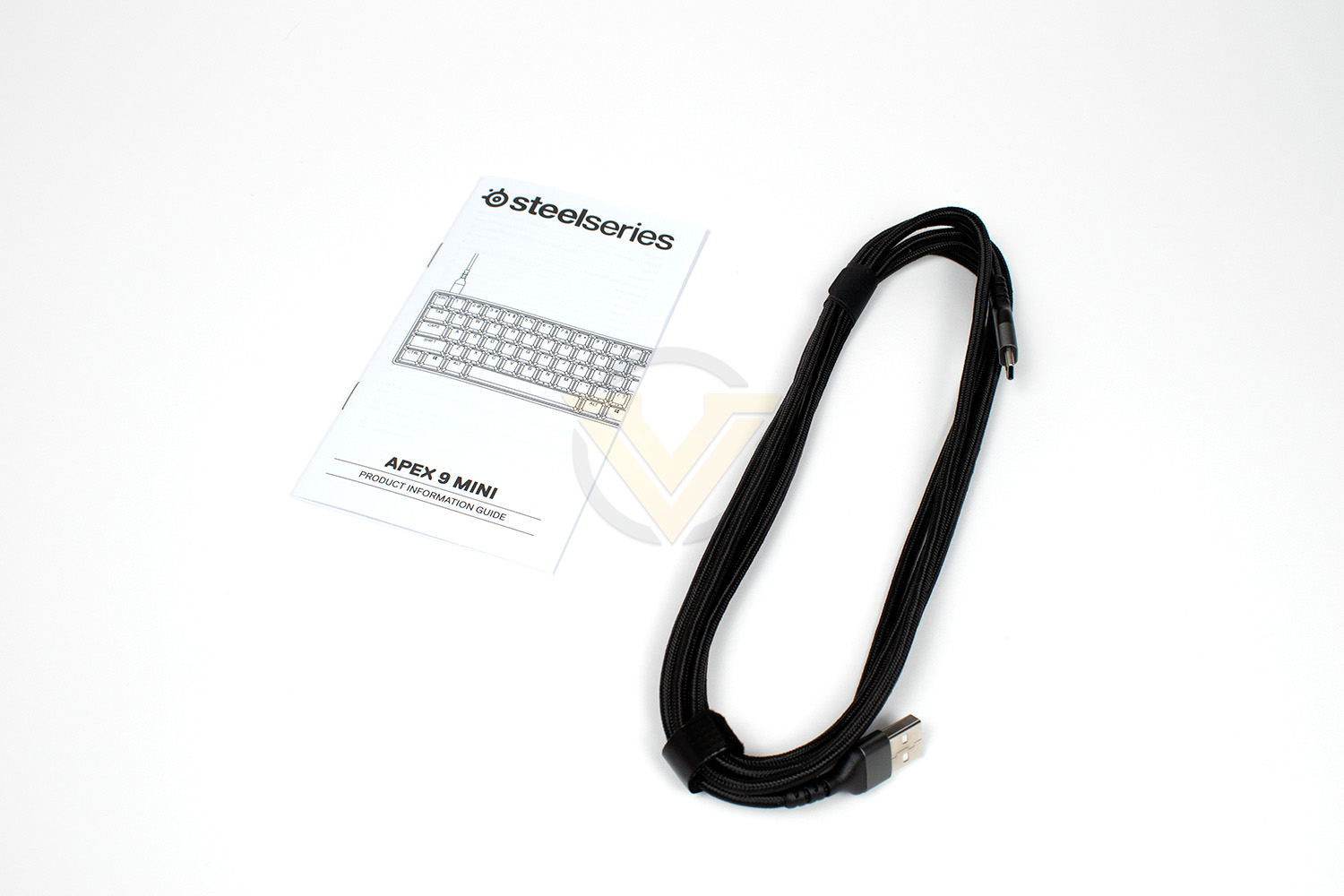
For a “bundle”, there isn’t much to talk about here. You get a Product Information Guide and a Type-A to Type-C braided USB cable, that’s it.
Closer Look
Popping the Apex 9 Mini out of its soft-touch bag, the keyboard really is tiny. For reference, it’s almost identical in length and width to the keyboard on a MacBook Air.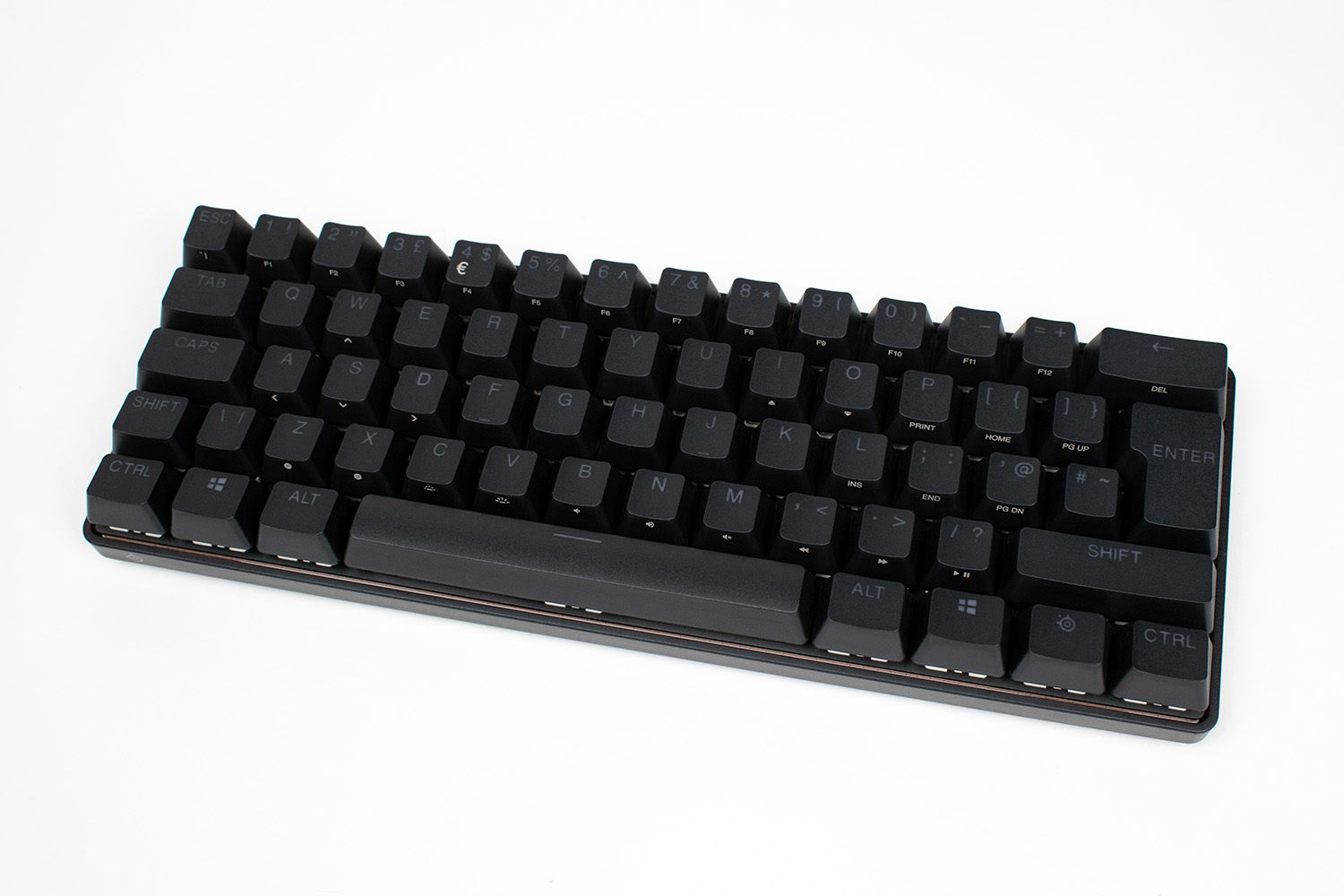
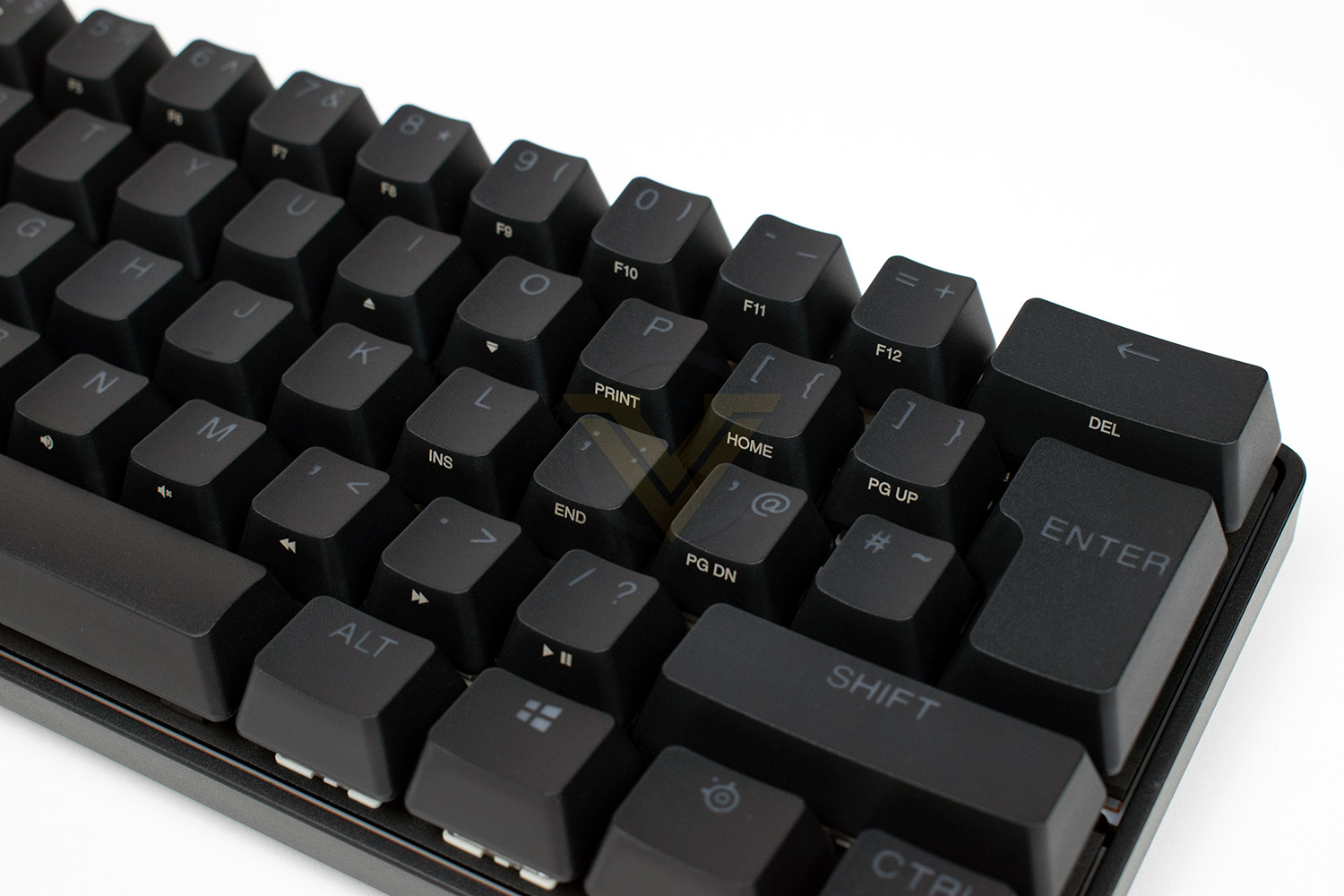
Due to the 60% layout, SteelSeries need to be clever about including keys with secondary functions to retain the capabilities of a full-size keyboard, here you can see many of the functions printed on the vertical edge of the key that faces you. The secondary function is kicked in by pressing the SteelSeries key between the right-hand Win and CTRL keys.
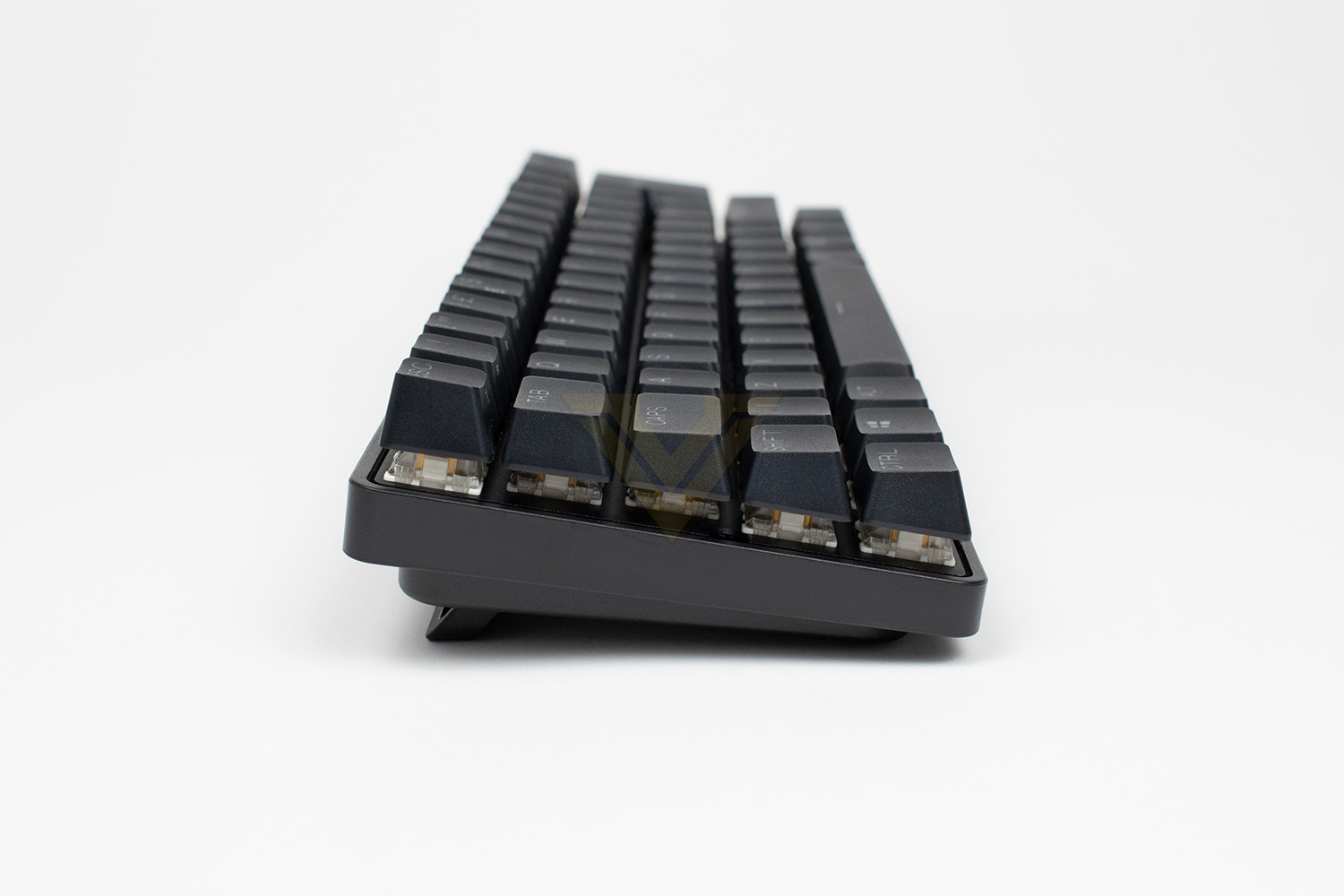
Looking at the keyboard from the end, it’s clear to see that the other dimensions being shrunk haven’t impacted its height, sitting just as tall as any other mechanical keyboard.
Closer Look (Continued)
Lifting up a keycap, the OptiPoint switch underneath is made up of a clear plastic housing with a yellow stem. SteelSeries have designed the switches to be easily removeable, but we haven’t been provided with a tool to remove one unfortunately. The idea here is that you can change out the keys for a different type, if you want to customise the keyboard, or if a key switch fails for whatever reason, it can be easily chopped out to get the keyboard working again. However, at the time of writing, we couldn’t find any key switches to purchase from their website.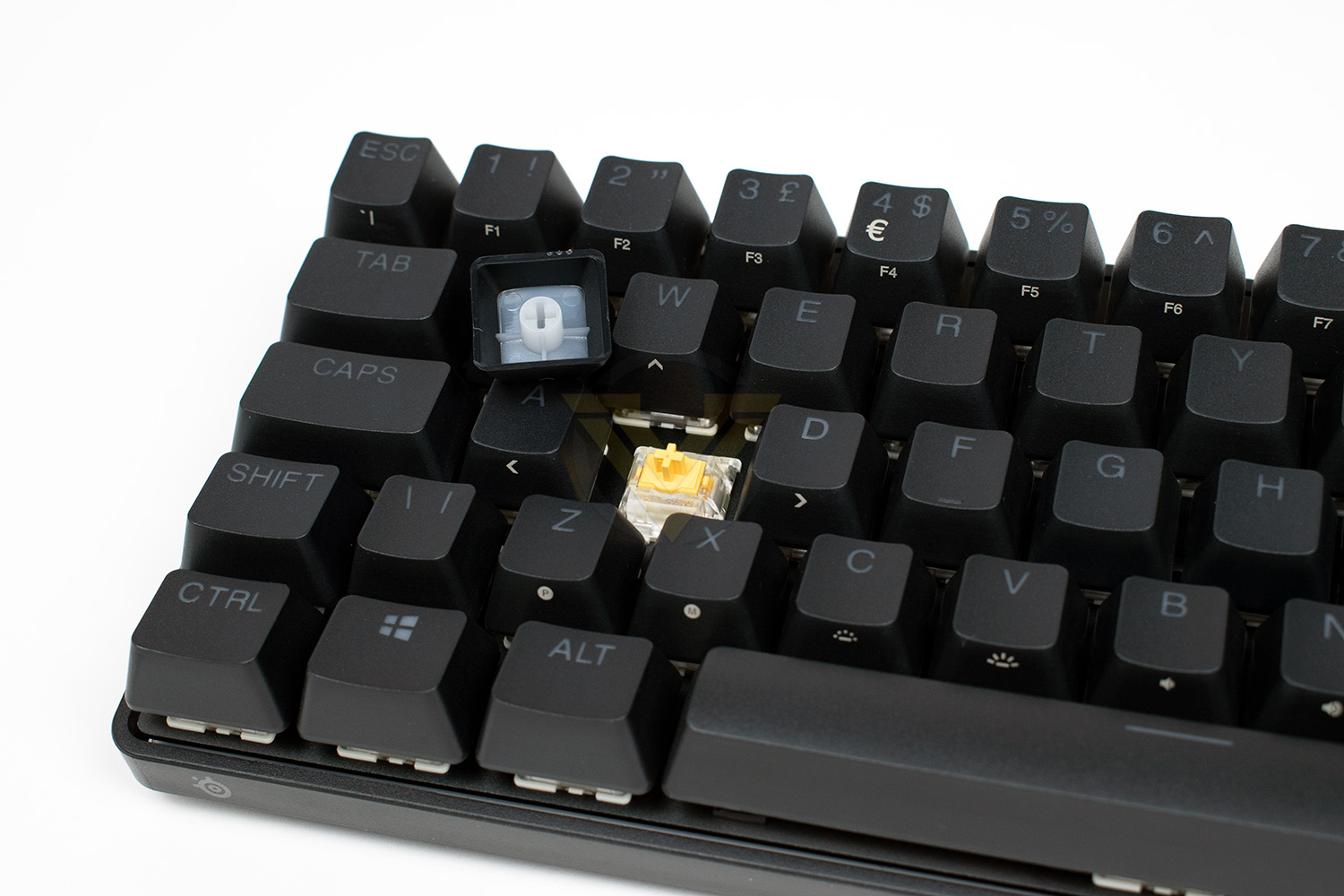
The underside of the keyboard is very neat and tidy, no ugly stickers or anything like that. We have extendable feet in each corner, with two options to allow you to half extend them if you don’t want to prop the back end up all the way.
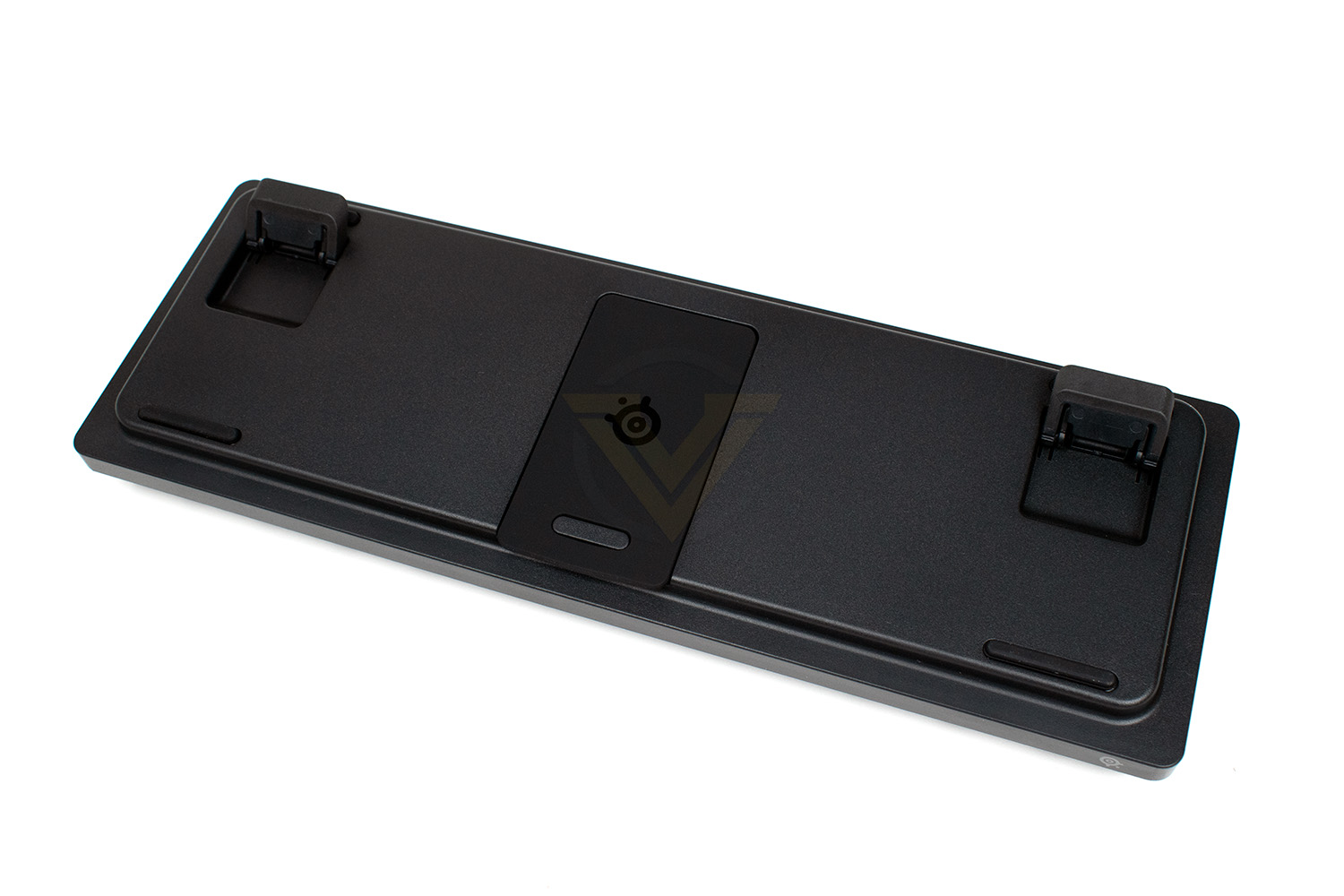
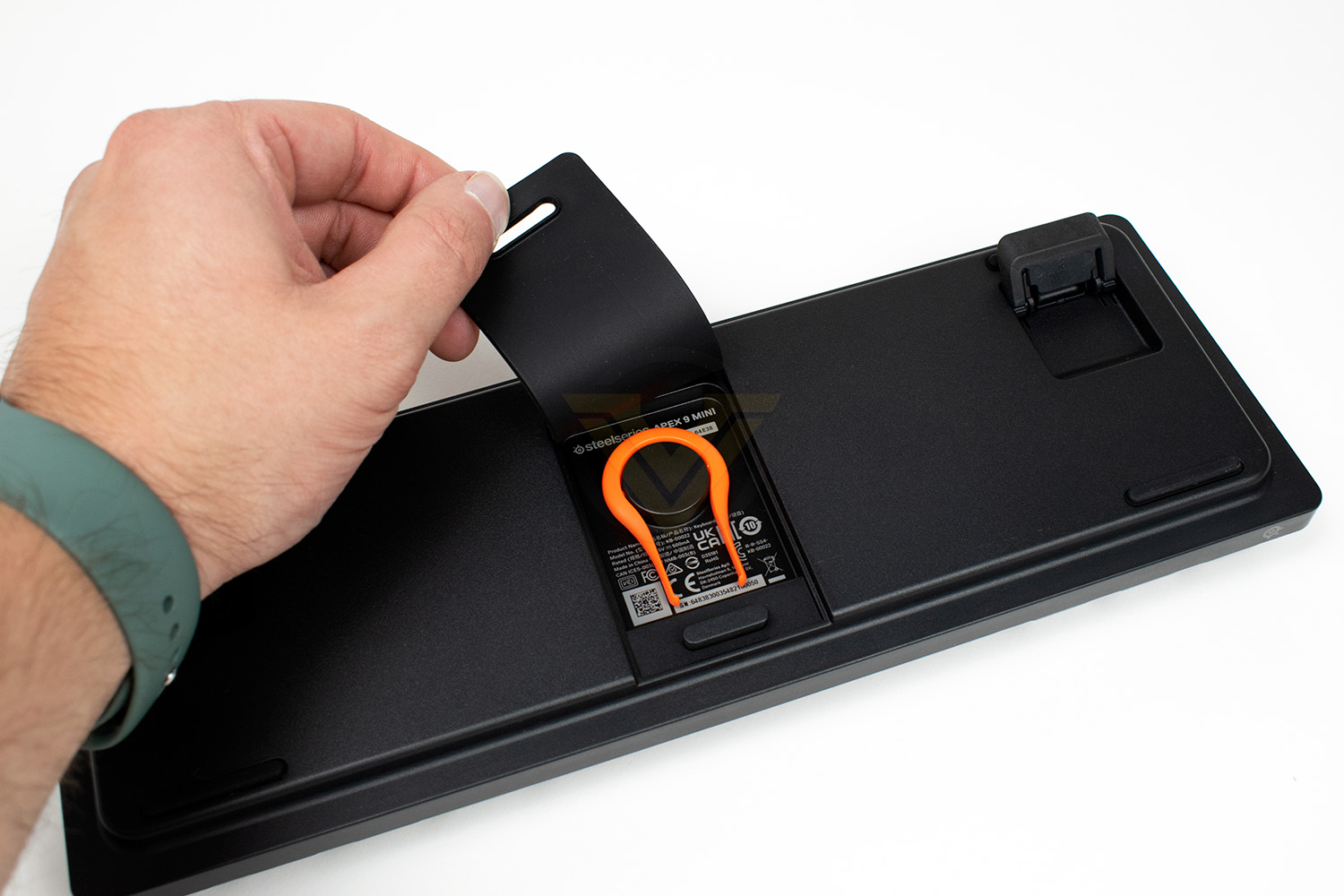
You’re probably wondering what’s under that rubber section; here you have it. SteelSeries have popped the keyboard label inside here and included a key puller what handily clips into place so you never lose it. Very clever idea.
Software
Opening up SteelSeries’ GG software suite, the home section appears to have become more of a store front page than anything else. It doesn’t serve much of a purpose here.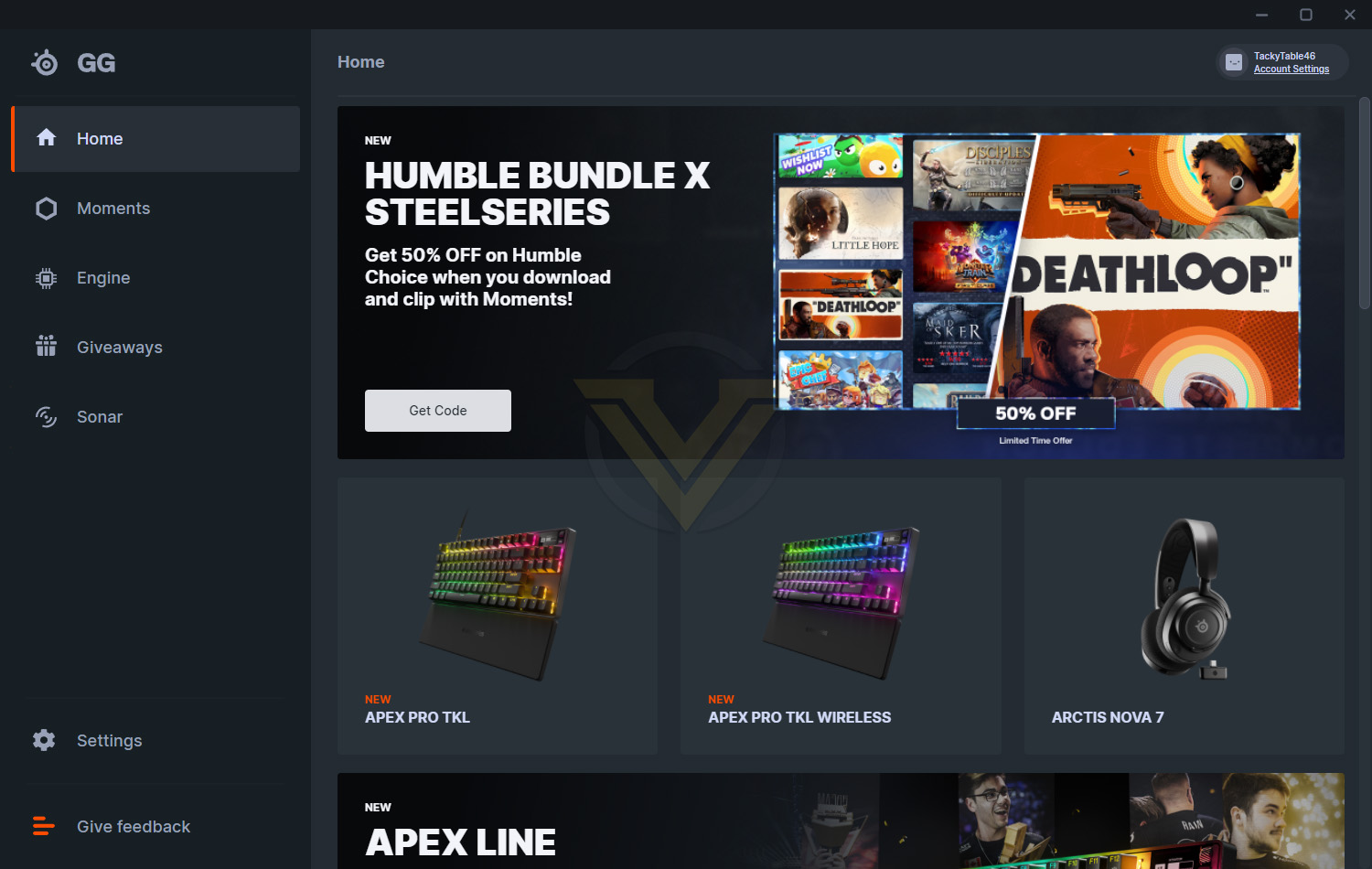
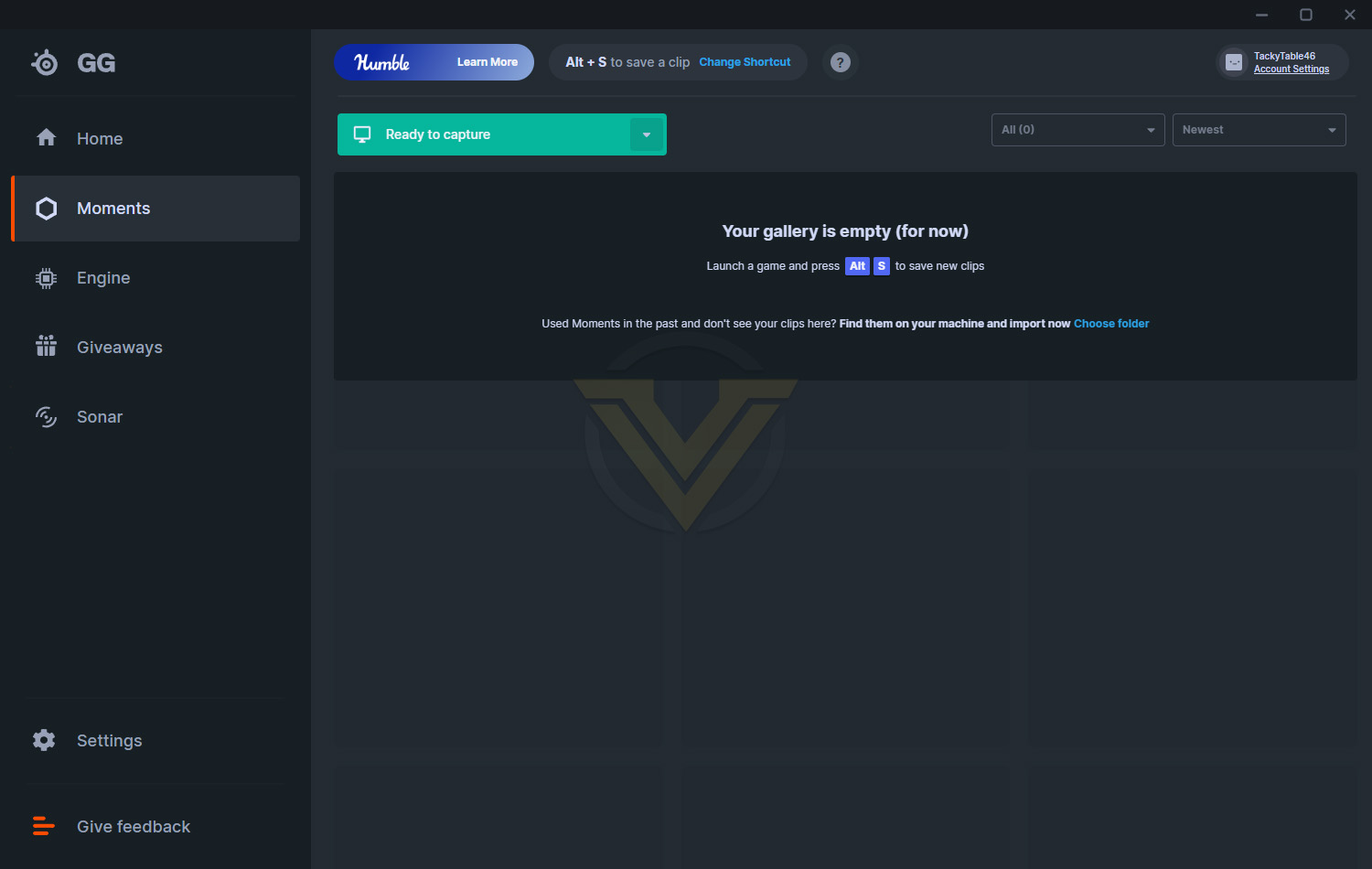
The second tab is called Moments, this is a piece of game-capture software. We know those of you who capture game footage most likely use a different software suite, such as NVIDIA Shadowplay, AMD Radeon ReLive or OBS, but at least SteelSeries give you another option.
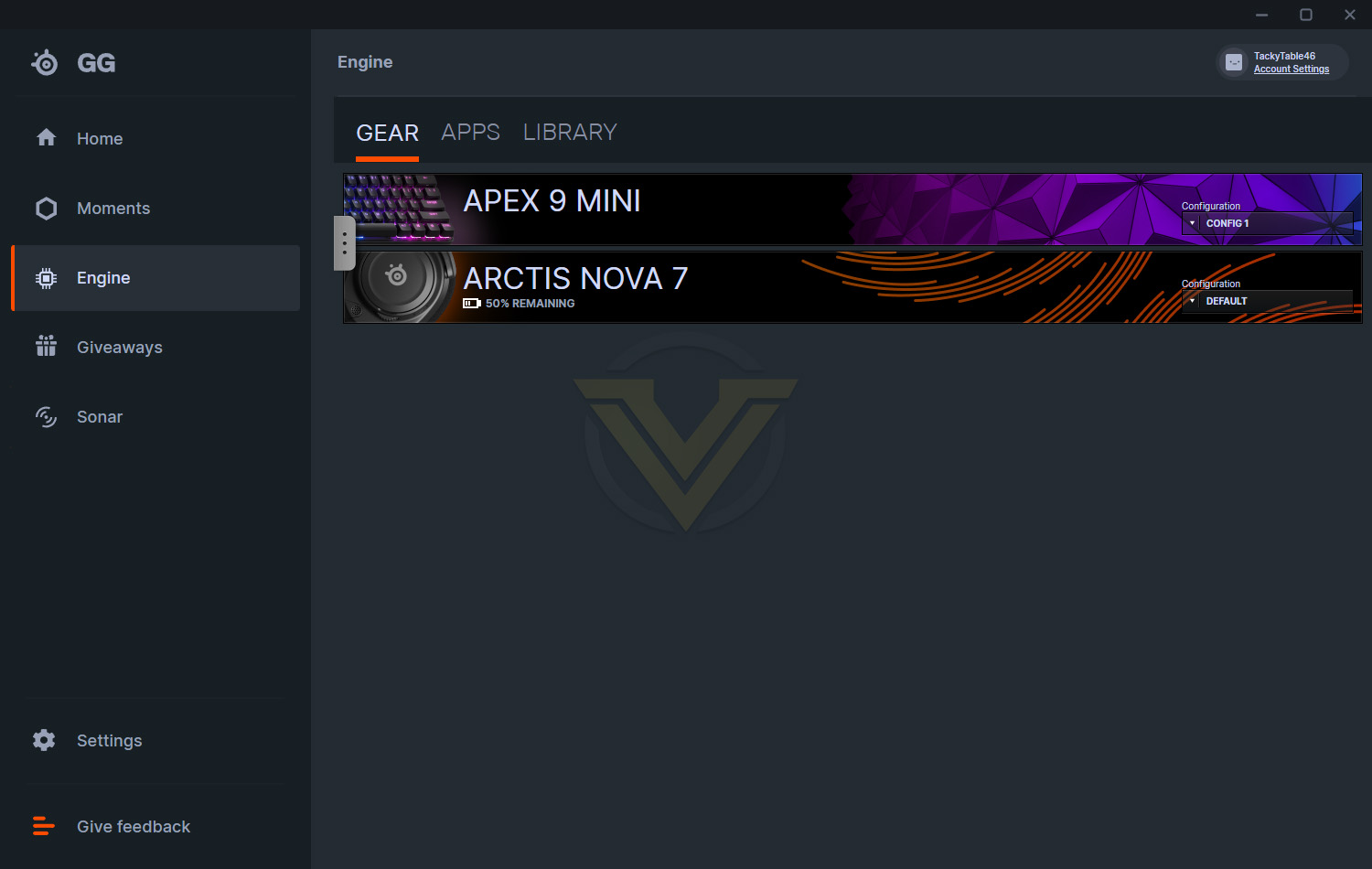
The following tab, Engine, is where you make tweaks and adjustments to your SteelSeries peripherals. They’ll all be listed here, whether they’re connected or not.
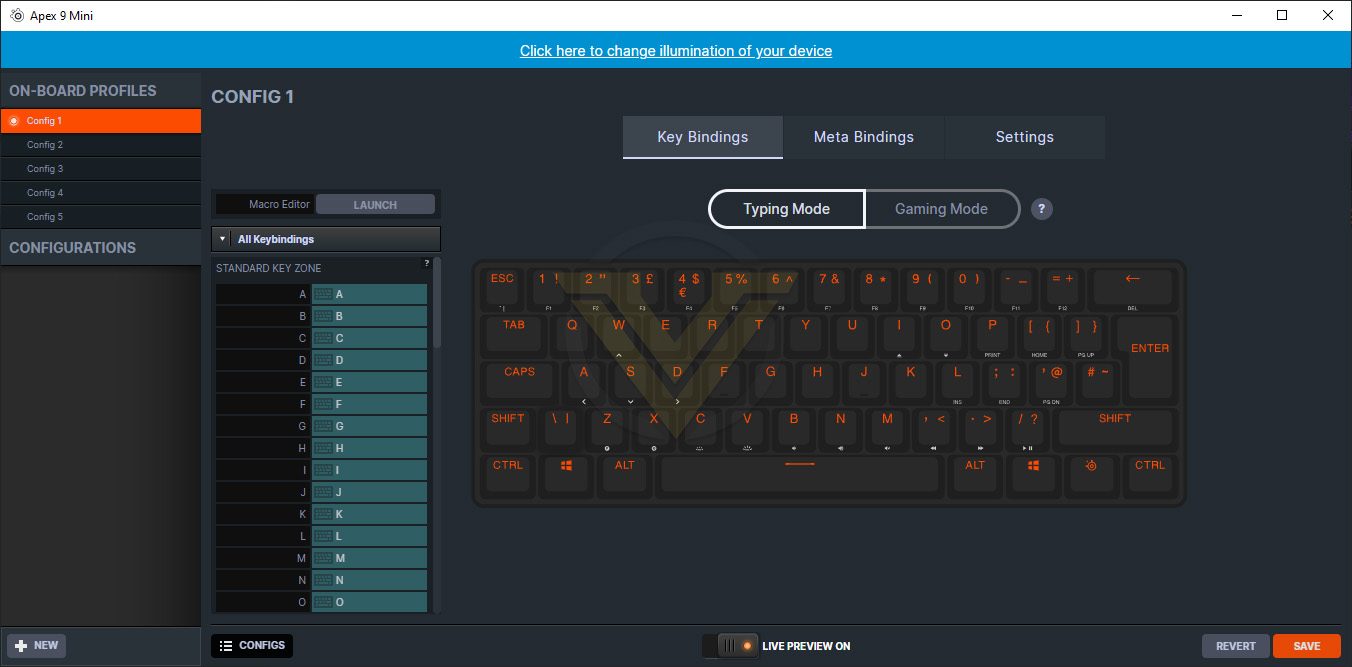
Clicking each individual item opens up its respective settings screens. The Apex 9 Mini’s settings screens looks as follows. Here you can adjust the function of each individual button on the keyboard, with the Meta Bindings section allowing you to change the function of keys when the SteelSeries button is held down.
The Typing Mode and Gaming Mode allows you to change the Optipoint switch’s actuation point between 1.5mm and 1.0mm.
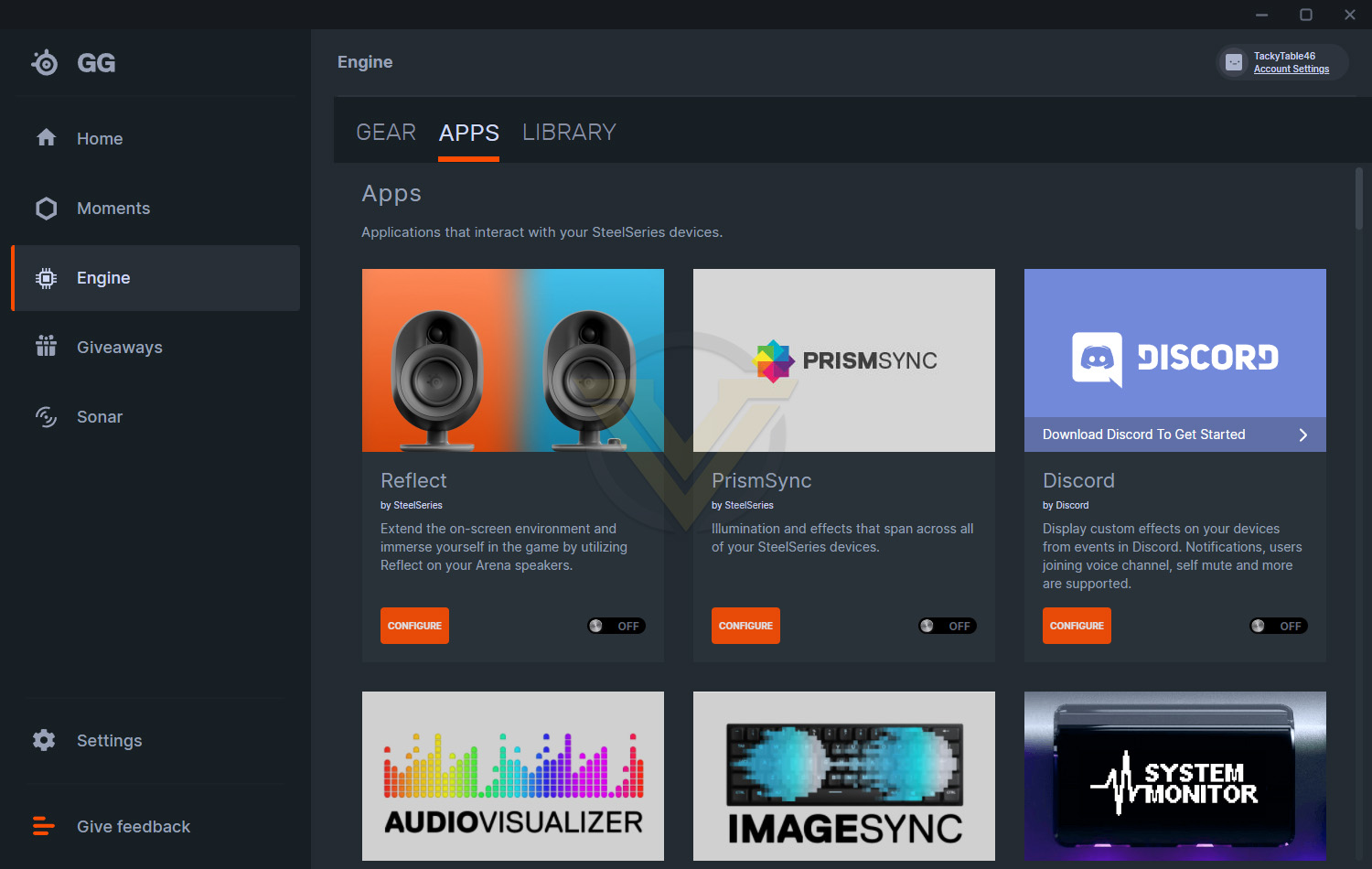
The Apps tab gives us access to a variety of different, well, apps. There’s a whole host of different things included in here, with PrismSync that aligns all of the RGB lighting on your SteelSeries equipment, Reflect which extends your screen onto your new Arena speakers, or many many game integrations that can display information in a variety of ways using your peripherals.
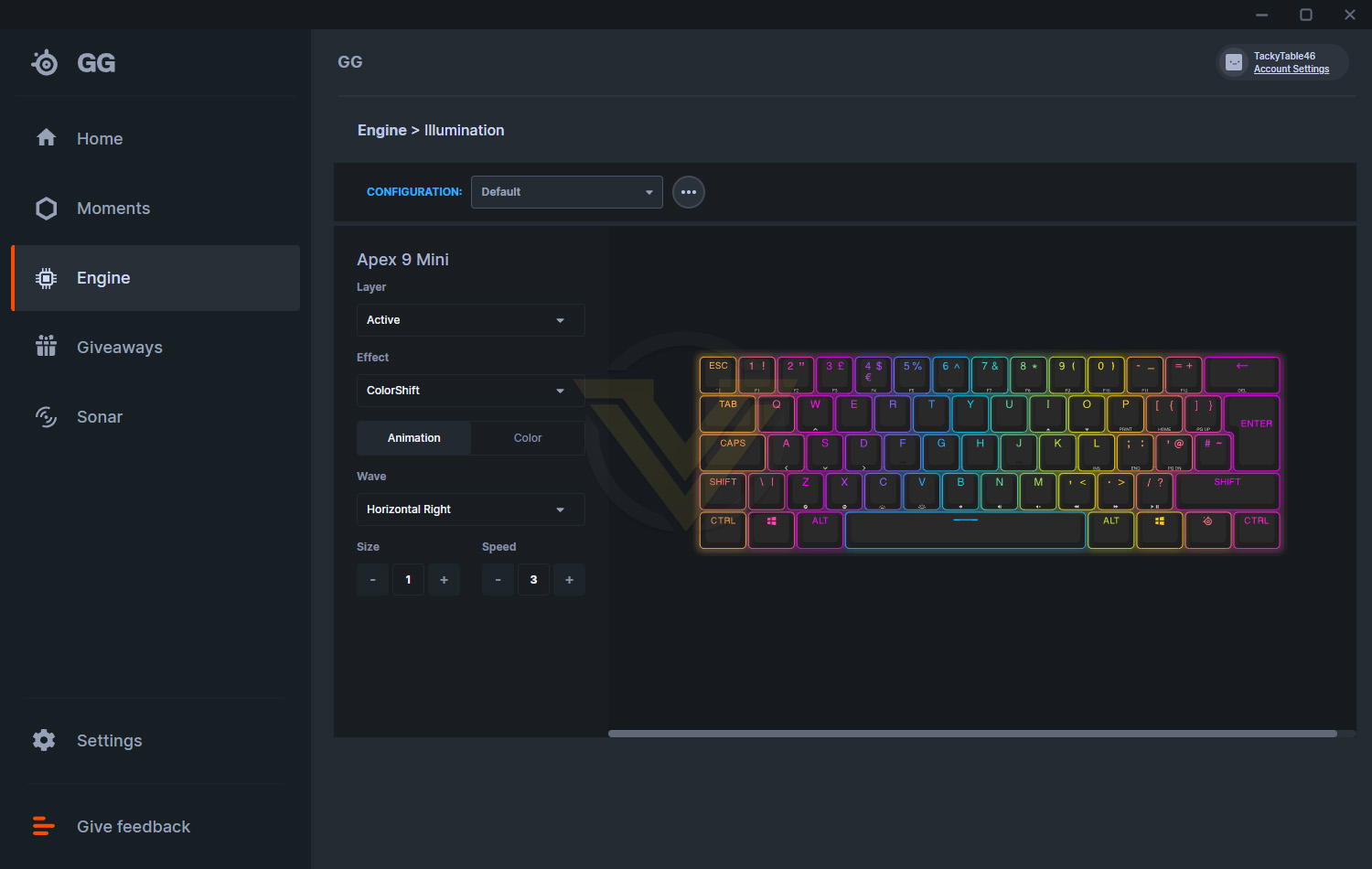
Jumping over to the illumination section of the software, SteelSeries have given plenty of effects to choose from, with options to create reactive effects as well. Things are kept very simple here, which is something that other peripherals manufacturers often overdo and overcomplicate, leading to a great ease of use that we genuinely appreciate.
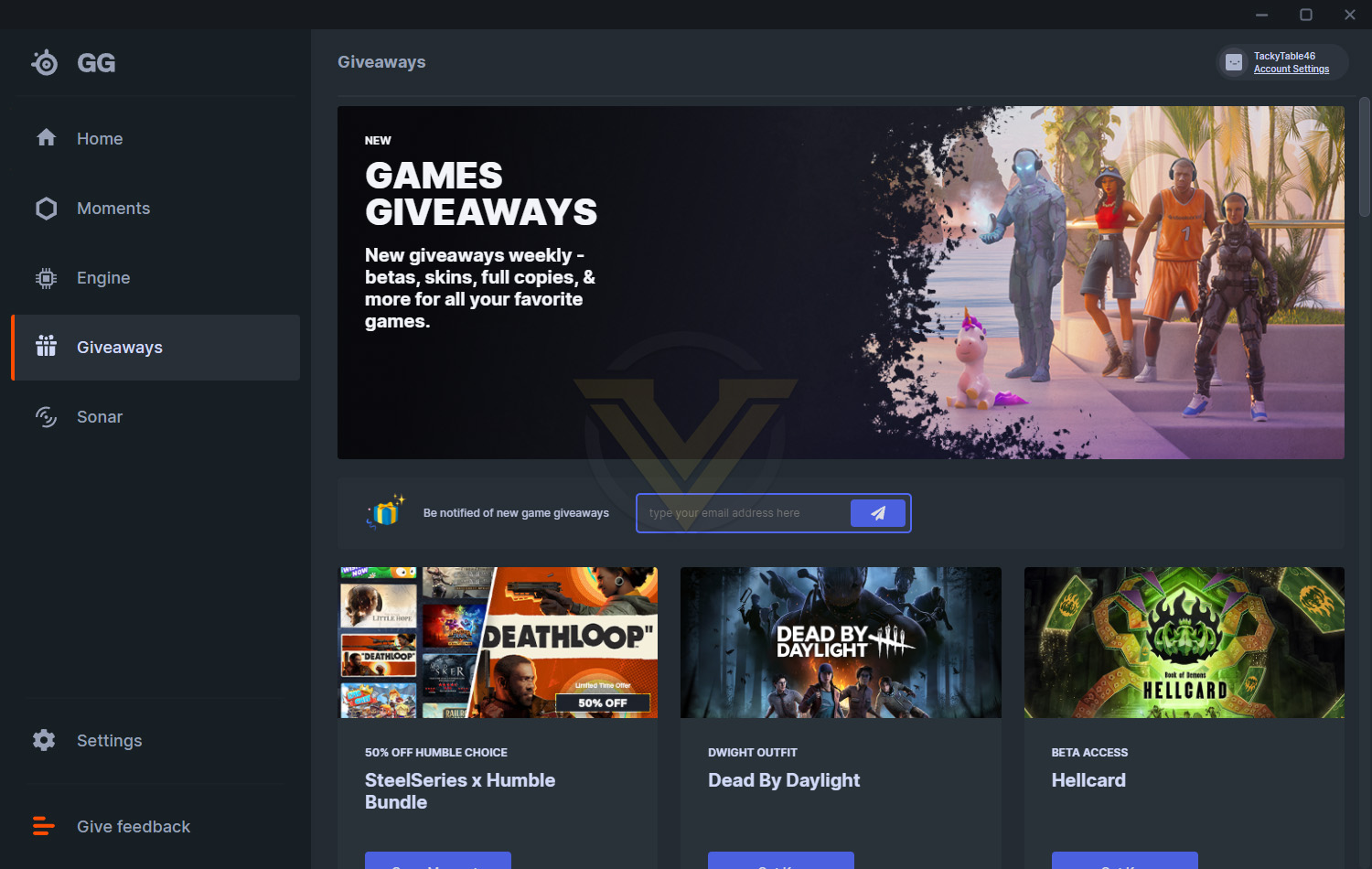
The Giveaways section of the software does exactly what it says on the tin. You enter your email address to receive notifications of new giveaways, or just scroll through the currently active list to see if anything tickles your fancy.
Performance Testing
The SteelSeries Apex 9 Mini is easy to set up and get going, with a quick firmware update being the only hurdle. The keyboard is connected using a Type-C to Type-A cable, but there’s nothing stopping you from purchasing your own cable if you want to coordinate colours, or prefer to use Type-C at both ends.Gaming performance is obviously important on a keyboard like this, but daily usability is often even more important. If you’ve never used a 60% keyboard before, it takes a bit of getting used to, the size is a shock at first; it’s very similar in size to the keyboard on a MacBook Air, for reference. Obviously, when you’re just typing away to friends in Discord or browsing social media, the keyboard behaves pretty much like any other, but basic functions become a bit more awkward, requiring you to initiate a meta keybind. The keybinds are spread out across the keyboard, with about 60% of the keys having a second function. The functions take some time to learn, and after 2 weeks of testing the keyboard, I still haven’t got the hang of many of them, but with some determination, you’ll be fine. While we’re on the subject of the meta keys, we need to discuss how difficult they are to see. If you’re using the keyboard in a well-lit room you won’t have any issues, but if you tend to play your games in a dark room, relying on the RGB lighting from your peripherals and your monitor(s) for illumination, the secondary functions are almost invisible, especially against the backlighting on the keyboard; I have perfect vision and very good night vision and they were just impossible to spot. SteelSeries could’ve installed a second RGB LED on the bottom of each switch to illuminate the secondary functions from inside the key but for whatever reason they haven’t.
Overall comfort is good, especially with not needing to move your hands about as much to use the keyboard, but a wrist rest feels like it would fit well. We understand that the whole point of a 60% keyboard is to save space on the desk, and that’s fine, but SteelSeries offers a wide range of optional accessories for their keyboards so a wrist rest option feels like the natural move, having said that, third party options are plentiful, but they won’t get the same fit and finish as an OEM option.
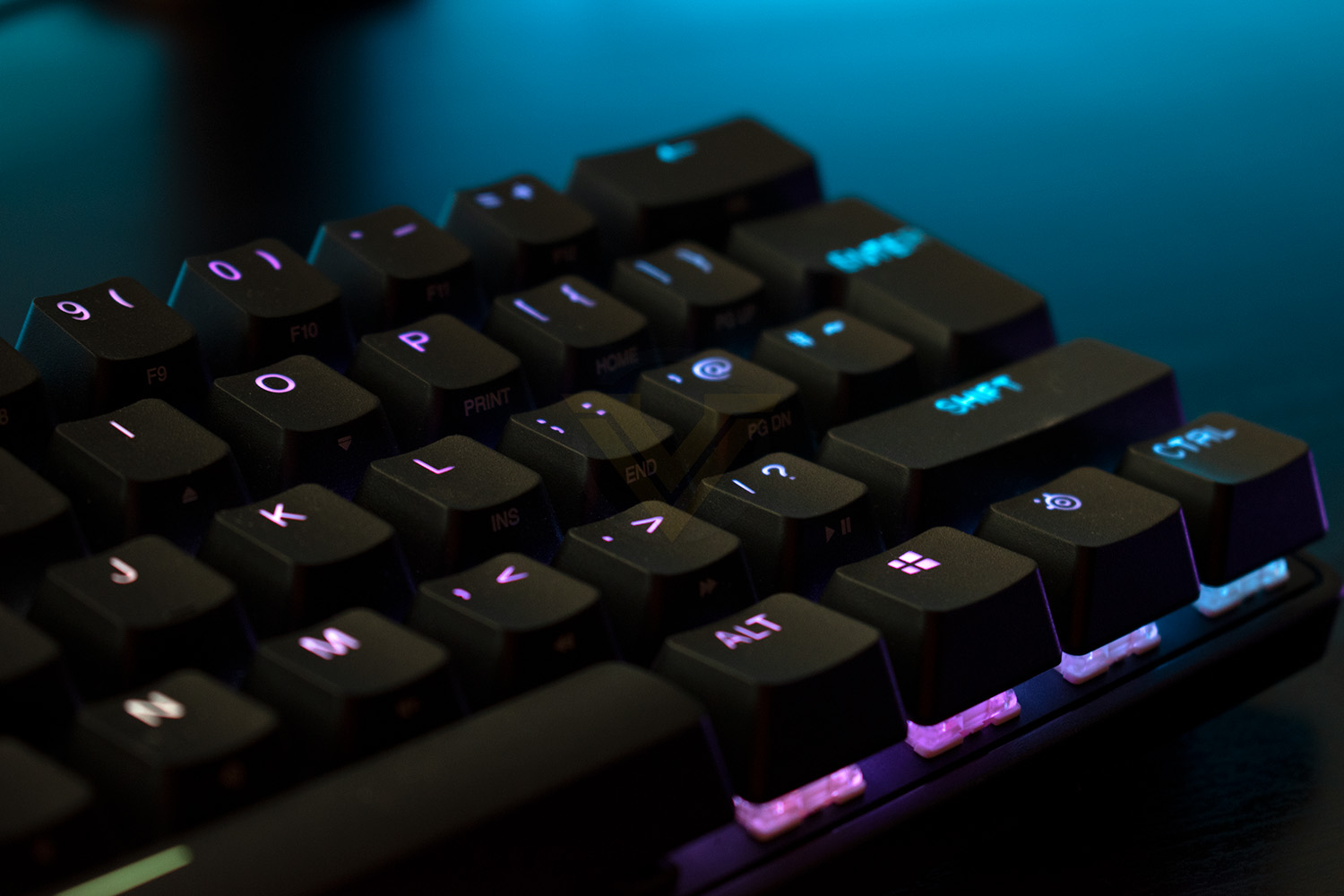
Gaming performance is fantastic, the small size gives you plenty more room to move your mouse around, or to position a microphone, or even just have your drink of choice closer to you, whatever you want to do. That isn’t the key thing here though, it’s the switches. The 1mm actuation distance really does make a difference despite it sounding like a gimmick in the advertisements, it feels super instant compared to your typical mechanical switches, which translates very nicely into games. I played many hours of Tiny Tina’s Wonderlands and a good session on War Thunder and I have to say, I loved the keyboard almost straight away, so much so that this might just become my daily driver.
Performance is always an important consideration but keyboards need to look good too, the good news here is that SteelSeries have nailed it. The compact size looks great, backed up with bright and vibrant RGB LEDs under the keys to give the keyboard whichever colour scheme you fancy. The GG software makes lighting changes a doddle as well.
Build quality, which typically is of zero concern when we talk about SteelSeries products, is called into question a little on this model. Grabbing the keyboard at each end and twisting it (which is pretty much the only way to compare a keyboard’s rigidity) gave some surprising results; it twisted like a propellor, far more than I expected it to given the “Series 5000 aluminium top plate” which is apparently used in combat jets. Despite the fairly excessive test, when using the keyboard there is a small amount of flex that might be off-putting to some.
SteelSeries have designed the keyboard to have easily replaceable switches, so you can repair the keyboard in years to come, if a switch fails at any point, but they also claim you can “easily customise and upgrade to your favourite OptiPoint switch”, but we don’t see any switches available in the accessories section, or anywhere at all on their website. SteelSeries also haven’t included a tool for pulling the switches, so we couldn’t test how easy they are to remove for you.
Conclusion
SteelSeries have a track record of producing top-quality equipment for gamers, which the Apex 9 Mini doesn’t let down.The Apex 9 Mini looks beautiful with its vibrant RGB lighting, tiny chassis and understated design, but it packs a real punch in terms of performance.
The Optipoint switches don’t feel as good as a traditional mechanical option, but if gaming is your main focus, which it likely is if you’re reading this, the 1mm actuation distance, zero debounce and 0.2ms response time give this keyboard an edge that very few keyboards can get close to.
Build quality is ok but it’s nothing to write home about, which given that SteelSeries make a big deal about it using combat jet aluminium, we expected more. It’s good enough for its intended use but we’ve seen how stiff SteelSeries keyboards can be, so why is this lacking?
Using the keyboard day to day isn’t too much of a nuisance, particularly if aesthetic and gaming performance are high up on your priority list, but the 60% layout with meta keybinds was just a bit too tiresome for my liking, the secondary functions were difficult to learn and didn’t ever feel natural after about two decades of using a standard keyboard layout. Perhaps your mileage will vary but it’s something to bear in mind when making a purchase decision.
Pricing is spot on for this model, with the likes of Razer and CORSAIR both offering 60% keyboards with optical switches for £129.99 in the UK, so pricing in the rest of the world is likely to be similar or identical. It isn’t cheap but it does come with some of the fastest switches a person can buy and some seriously good pedigree.
Overall, this keyboard ticks almost every box for what I’d want to find from a 60% gaming keyboard, it’s lovely to use, looks great, has removeable USB cable, excellent RGB backlighting, it’s almost the full package, if only SteelSeries offered an optional wrist rest and sold their OptiPoint switches somewhere.
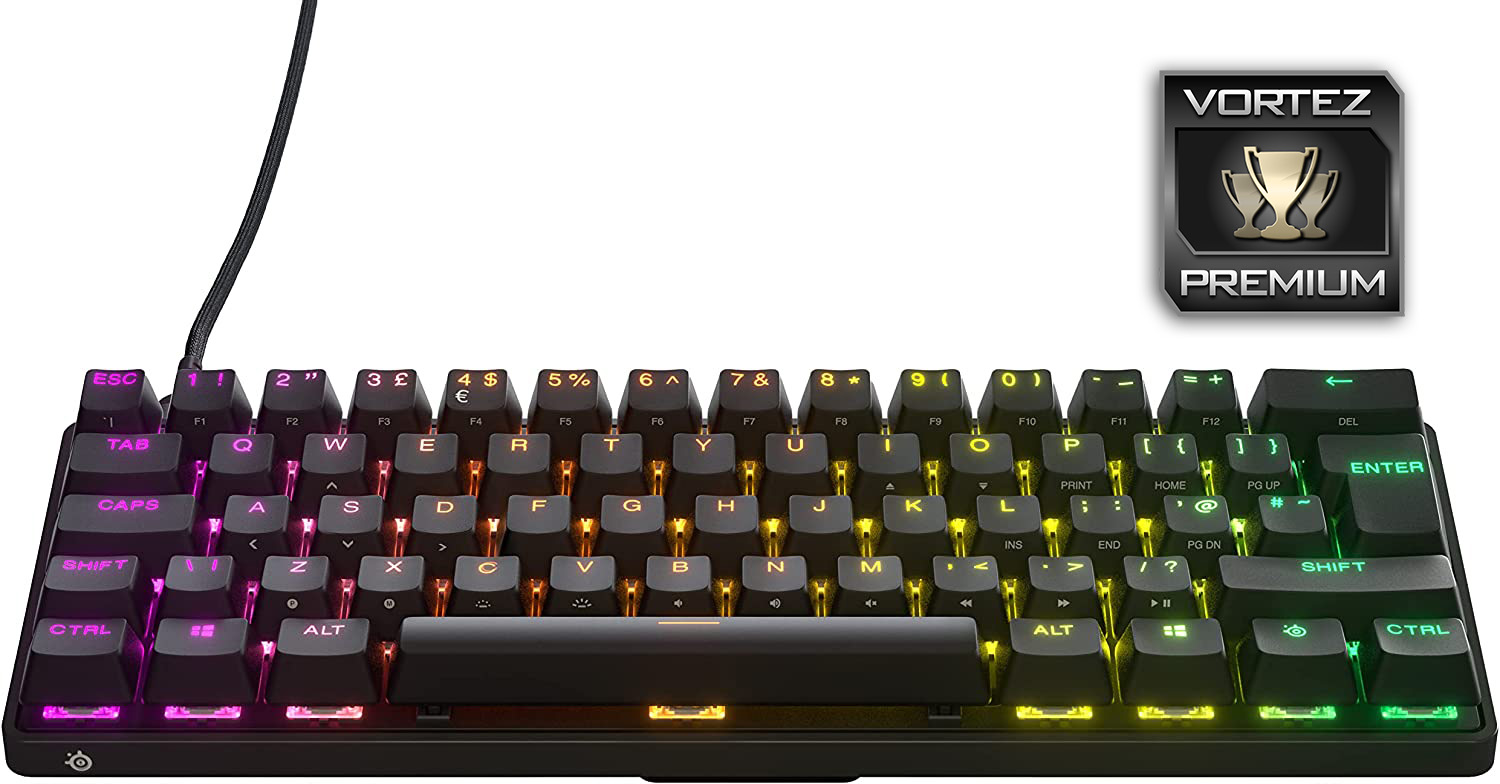
If you want a quick, small, aesthetically pleasing keyboard from a reputable manufacturer, you could do a lot worse than this.
Pros
+ Lovely RGB lighting
+ Easy to use software
+ Removeable USB cable
+ Competitively priced
+ OptiPoint switches are fantastic for gaming
+ Zero debounce
+ 0.2ms latency
Cons
– Build quality doesn’t quite match what we’ve seen from SteelSeries in the past
– No optional wrist rest
– No replacement switches despite claiming to offer them on their product page
– Meta functions are difficult to read in certain lighting
+ Lovely RGB lighting
+ Easy to use software
+ Removeable USB cable
+ Competitively priced
+ OptiPoint switches are fantastic for gaming
+ Zero debounce
+ 0.2ms latency
Cons
– Build quality doesn’t quite match what we’ve seen from SteelSeries in the past
– No optional wrist rest
– No replacement switches despite claiming to offer them on their product page
– Meta functions are difficult to read in certain lighting
Click here for an explanation of our awards at Vortez.net.
Stay connected with the Vortez Social Media pages:
Join in with the discussions on Discord