







We’ve reviewed a fair amount of mice recently at Vortez.co.uk and we have another to add to the bunch. The SteelSeries Ikari Laser, boasting 3200DPI.
Product on Review: SteelSeries Ikari Laser MouseManufacturer: Steelseries
Street Price: £53

The SteelSeries Ikari was released last year, and is their first gaming mouse. They are typically known for furnishing the gaming community with pro gaming headsets and other peripherals. The Ikari comes in two flavours, laser or optical. Today we have the laser edition of this mouse. Being their first mouse, it will be interesting to see how the Ikari turns out.
SteelSeries have the following to say about the Ikari:
The SteelSeries Ikari mice are the result of 15 months extensive research of ergonomics, technology, shape, motion, hand grip and play styles by gamers. The shape, materials and specifications of the SteelSeries Ikari mice are based on input from professional players from Team 3D, compLexity, mousesports, SK Gaming, Team NoA and other world-class gaming organizations, who collectively represent the world’s most accomplished gamers in Counter-Strike and other gaming disciplines.
The SteelSeries Ikari Laser mouse features programmable macros for RTS and MMO gamers and a high precision sensor suitable for FPS gamers. Furthermore the Ikari Laser is completely driverless which enables the mouse to remember settings and macros when plugged into tournament computers – without installing any drivers or software.
The advanced SteelSeries XY2 laser engine supports resolution settings with increments of only one CPI, which for the first time ever gives the user the ability to fine tune the mouse exactly to his personal reaction pattern. Set your windows and in-game sensitivity to default and set the CPI on your hardware instead of forcing software calculations.
With the built in LED display in the bottom of the Ikari Laser you are able to adjust your CPI anytime, anywhere – you are completely independent of software or drivers.
The gaming grade engine used in the SteelSeries Ikari Laser utilizes a new way of analyzing tracking, reaching 40.000 SPS (or around five times the speed of conventional laser technology).

Specifications
– Programmable macro buttons with driverless plug-and-play feature
– 40.000 samples per second (SPS) for unbeatable tracking
– 1 – 3.200 CPI (changeable in increments of one)
– Built in LCD display to help set CPI values on-the-fly
– Chassis material and shape based on input from professional gamers
Technical Specifications
– Samples per second: 40.000
– Inches per second: 50
– Counts per inch: 1 – 3.200 (one CPI Steps)
– Acceleration: 20 G
– Sensor data path: True 16 bit
– Lift distance: 1,8 mm (0,07 inch)
– Buttons: 5
– Cord: 2 m / 6,5 ft (braided to improve durability)
– Polling: 1000 Hz
– Gold-plated USB connector
– Measurements: 130 x 83 x 36 mm / 5,1 x 3,3 x 1,4 in
– CPI high/low indicator
– SteelSeries FreeMove Technology
– Large pressure points that reduce friction for optimized glide
– Driverless, plug-and-play feature for LAN gamers
– Operating systems: Win XP/Vista/Win 7/Win 2000/Win 98/Win ME/Mac OSX
SteelSeries Ikari Laser
The Ikari comes inside a cardboard box, with the mouse itself on display inside plastic casing. All around the box, there are features and specifications listed (which are listed on the previous page). Inside the box you will find:Ikari Laser Mouse
Drivers CD
Ikari Manual
SteelSeries Sticker
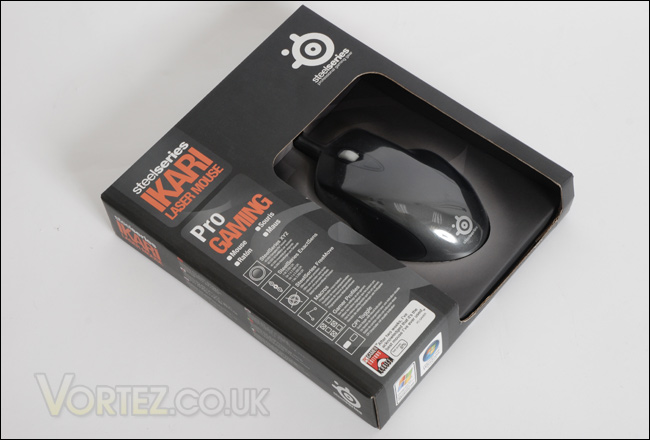
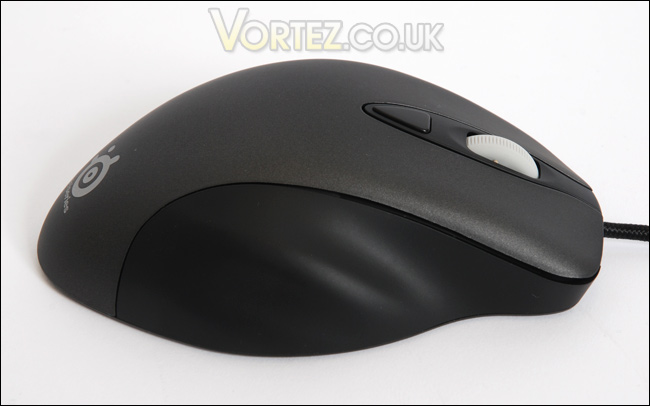
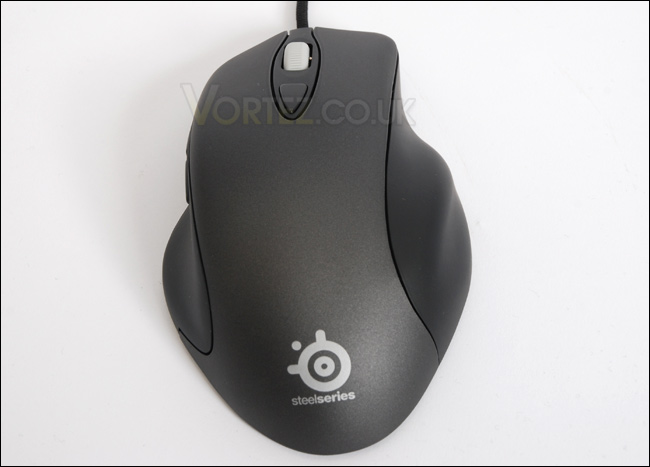
First impressions of the Ikari, with it out of the box. It looks fairly dull in appearance. Ergonomically though, it has some great curves and just looking at it you can see it has been crafted very well. Holding it in the hand for the very first time, it fits perfectly and feels really smooth. The surface actually feels semi-rough. So, although its smooth it will still attract sufficient grip whilst gaming. The sides use a softer compound even more suitable for grip.
There are set of thumb buttons on the side, typically used for forward and backward in your operating system. They are in just the right position for usage.
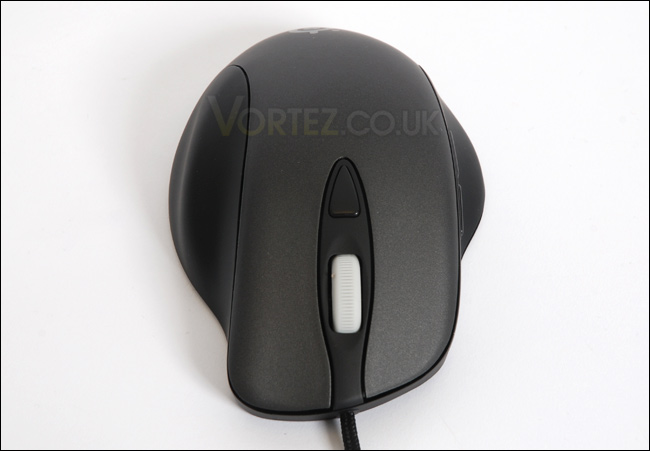
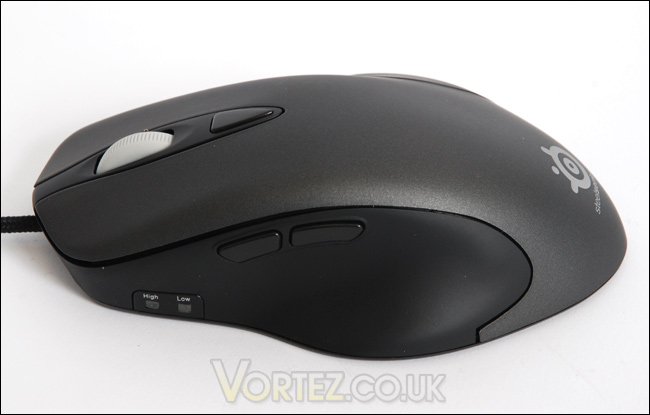
The button on the center of the mouse, just behind the scroll wheel controls the sensitivity of the mouse. Changing it from low to high. These modes can also be managed using the driver disc software. The underside actually has an LED panel to notify you of which profile you are currently in, as you can also customize particular profiles for certain games. This is a nice feature to have on the mouse.
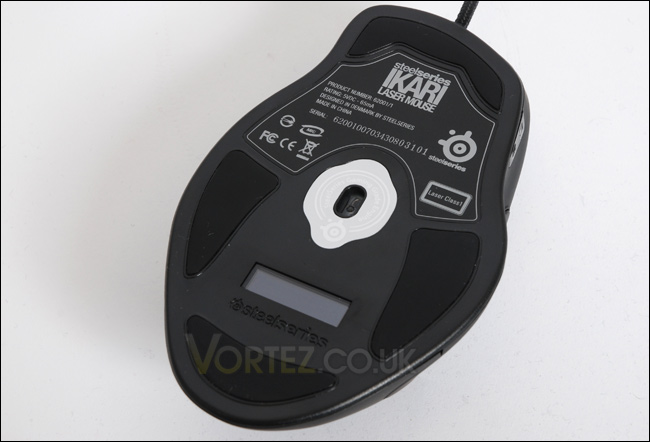
The underside of the mouse as I have mentioned features an LED panel for profiles and it also hosts our 3200DPI laser sensor which is capable of 40K samples per second and 20G’s. Very impressive.
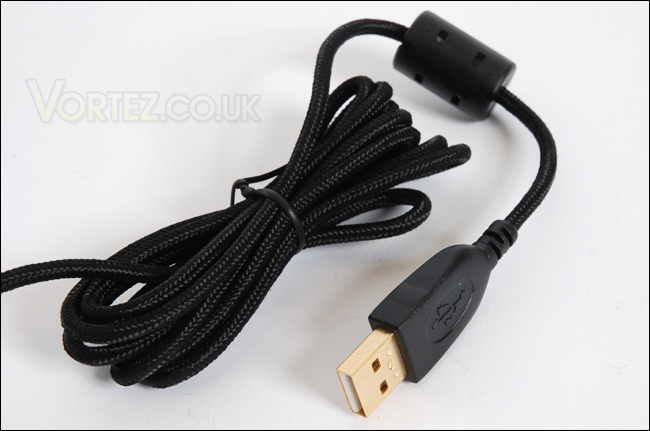
Lastly the USB cable has been given a nice shell of braided cord, giving it some extra protection against cuts and snagging. Most mice today still come with the plastic insulation so this is a good move.
Performance
DriversThe driver software on the CD allows you to control the Ikari quite nicely. You can add macros to each of the buttons, control exactly how much DPI the low and high settings of the mouse are, save profiles under any name you wish (this also displays on the LED screen underneath), and take advantage of FreeMove.
What is SteelSeries FreeMove?
SteelSeries FreeMove offers users the option to choose the degree of when this feature should kick in and correct your movement. Through seven steps in the Ikari Laser software you are able to adjust how much control should be left up to the mouse and how much control should be left up to yourself – in other words how precise should the mouse be reproducing your movement.
The driver software actually works quite well, and I encountered no problems at all.
Comfort
Comfort-wise as I’ve already mentioned the Ikari is a very comfortable mouse, and it sits in the hand perfectly. The only trouble I see is that its designed specifically for right handed users. So lefties are not catered for here. Aside from this the mouse is an ideal candidate for both gaming and general usage such as web browsing and graphic design. Testing the mouse in both environments gave me some excellent feedback on the mouse, as only after hours of using it will it show signs of discomfort and I’m pleased to say that there were no signs at all. The mouse is as comfortable after 2 minutes as it is after 2 hours, so as far as ergonomics is concerned, the Ikari is bang on the money.
Gaming
This is the true environment for any gaming specific mouse, so testing the Ikari inside a few games will ascertain how decent it truly is.
The Ikari shines on the battlefield and I was pleasantly surprised by what SteelSeries have developed here. Couple it with a nice gaming pad like the SteelSeries S&S and you have a match made in heaven, the glide and traction is noticeably superior to the standard mouse. The buttons on the Ikari presented no problems during gaming, in fact the sensitivity control button allowed me to swap and change between different settings making it a very versatile piece of kit. So overall, the Ikari is a well balanced mouse, offering some great performance both in game and out of game.
Conclusion
The Ikari Laser Mouse offers rock solid performance straight out of the box, it may not look bright and dazzling but the beautifully crafted exterior will slip into your hand and provide you with a brilliantly balanced tool giving you that edge in game.The surfaces really do feel great, and will not present any issues after hours of use and because you can fully customize each button on the Ikari it does indeed mean that you can use it for any and every game out there.
On the performance side of things, the Ikari delivers some highly accurate traction and due to the large pressure pads on the underside, just as SteelSeries comment – this does allow for uninterrupted glide.
The only problem that I have with this mouse is because of the price-tag I would expect some sort of weight system to manage the heaviness of the Ikari and unfortunately there isn’t one present, but because this is SteelSeries first mouse I will show a little discretion!
Pros
[+] Great ergonomics
[+] Very comfortable
[+] Excellent overall performance
[+] Sentivity and profile control
Cons
[-] Not suitable for left-handed gamers
[-] No weight system
A big thank you to SteelSeries for providing the Ikari. Discuss this review on our forums

