Today we take a look at an RGB mouse mat from SteelSeries. Priced at £66.99, can a mouse mat be worth that kind of outlay?

Product on Review: SteelSeries QcK Prism
Manufacturer: SteelSeries
Street Price: £66.99 / $59.99
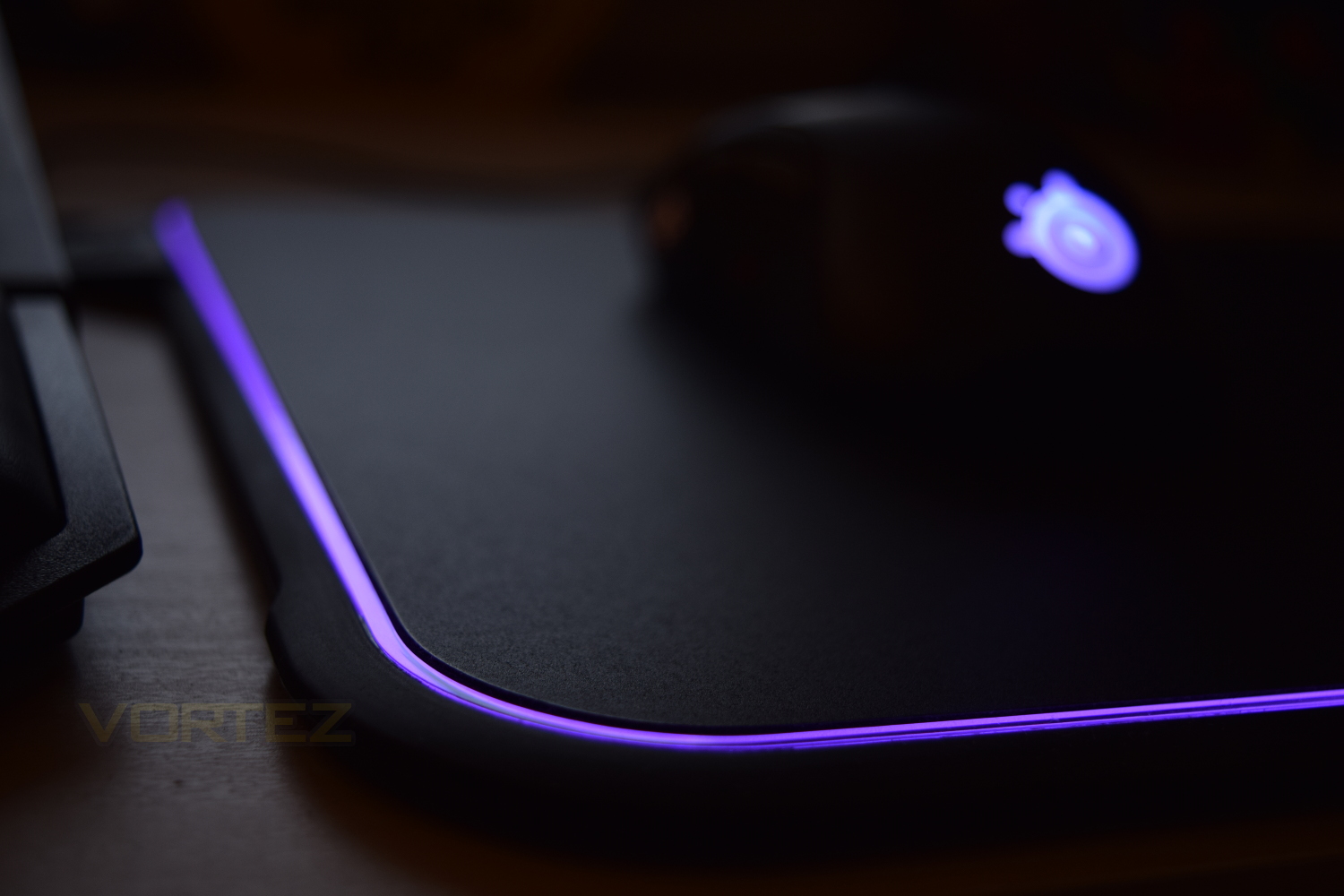
Not one to be left behind, SteelSeries have jumped aboard the RGB bandwagon which is currently gaining huge traction within the PC gaming market. The QcK Prism mouse mat is their most recent addition, offering full 360° RGB lighting, along with a dual-textured surface; one side a hard polymer, the other a micro-texture cloth.
The Prism’s usable surface space is 320mm wide and 270mm deep which should be ample room for any gamer. With the surface measuring almost 9mm from the desk, the height may cause issues for some, especially when compared to offerings from Razer and Corsair which are around half the height.
The QcK Prism is priced at £66.99 in the UK, with free shipping offered; this is slightly more expensive than rival offerings, though you do get the dual-sided surface to play with.
SteelSeries are renowned for their high-quality gaming gear, so read on to find out what we made of the QcK Prism in our tests.
SteelSeries on the QcK Prism:
QcK Prism is the world’s first RGB illuminated gaming mouse pad that lets gamers choose between two different surface types. Featuring advanced illumination settings for millions of colours and lighting effects, a non-slip rubber base, and an intuitive cable design that doesn’t interfere with gameplay.
Technical Specifications & Closer Look
Technical Specifications: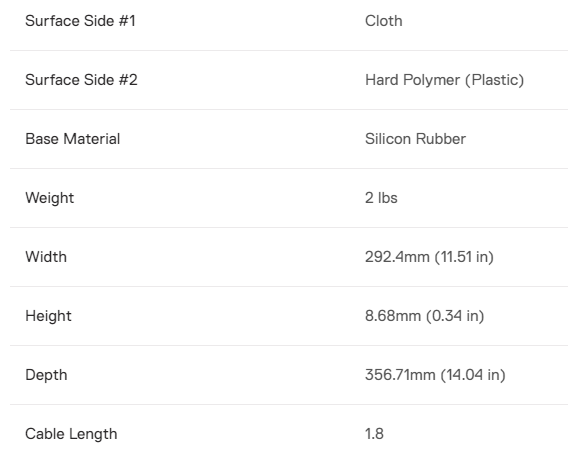
With the QcK Prism being a solid mat, there’s no scope for rolling it up into a tube, therefore the packaging is a flat box. The upside of this is a large picture as well as plenty of room for specifications and information.
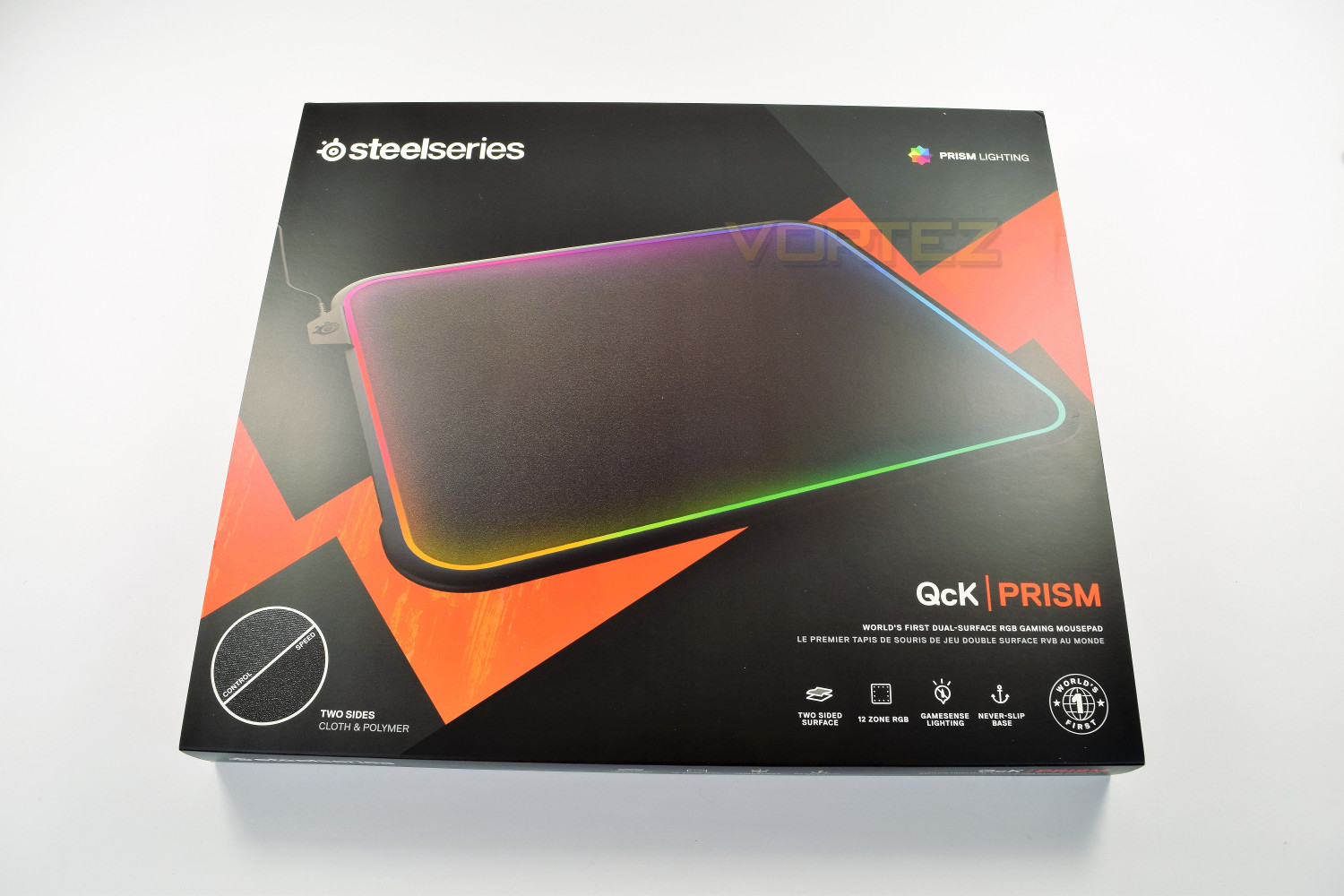
Upon first inspection, the QcK is a lot larger than predicted, especially in height from the desk. SteelSeries have done well with the cable routing, placing it on the left-hand-side of the mat, which helps with cable routing underneath the keyboard (For right-handed users) while also keeping it well out of the way of your mouse wire. Snags shouldn’t be an issue. The cable node is also much smaller than rival offerings. Measuring a lengthy 1.8M, you shouldn’t have any issues with cable length.
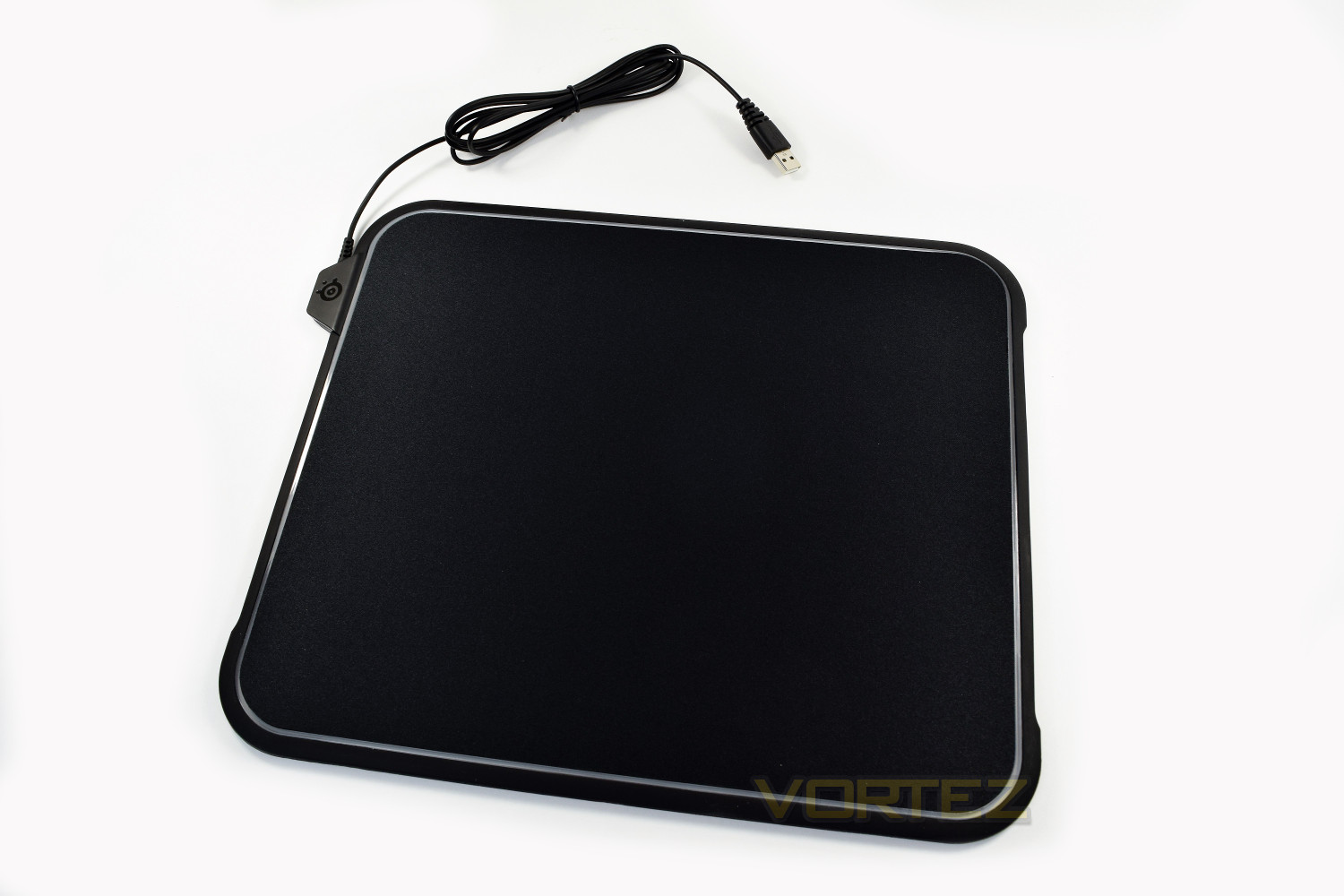
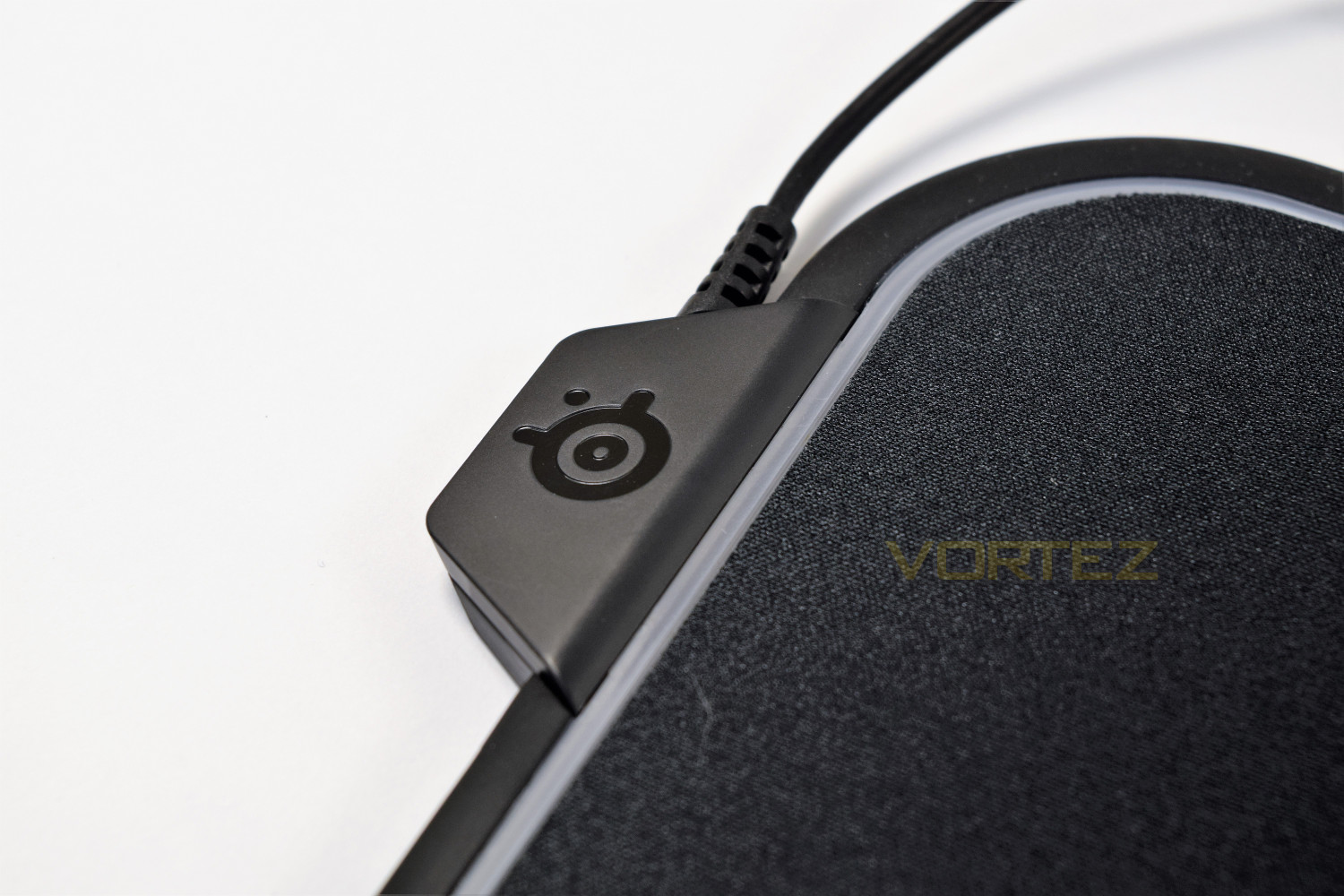
The RGB is provided by 12 LEDs placed around the edge of the mat, each can be individually configured or set on its way through one of the preset effects.
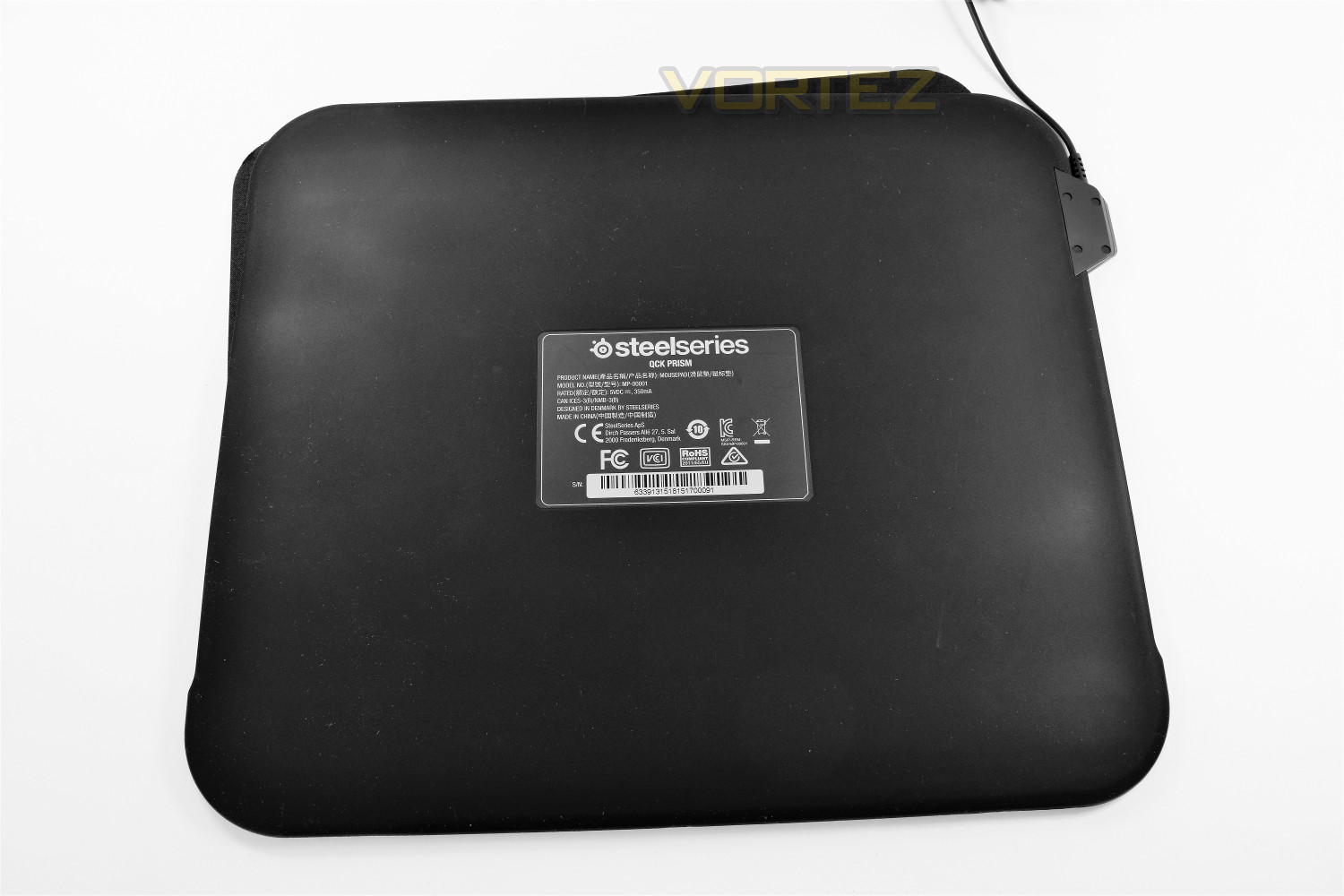
The underside of the Prism consists of an entirely flat layer of “Never-Slip” rubber which, when paired with the overall weight and size of the pad, should have no trouble remaining in place on any surface.
Dual-Textured Surface
The mouse surface is removed from a recess within the centre of the mat, which is covered with an incredibly grippy silicon rubber, your choice is a hard polymer plastic or a tightly-woven cloth.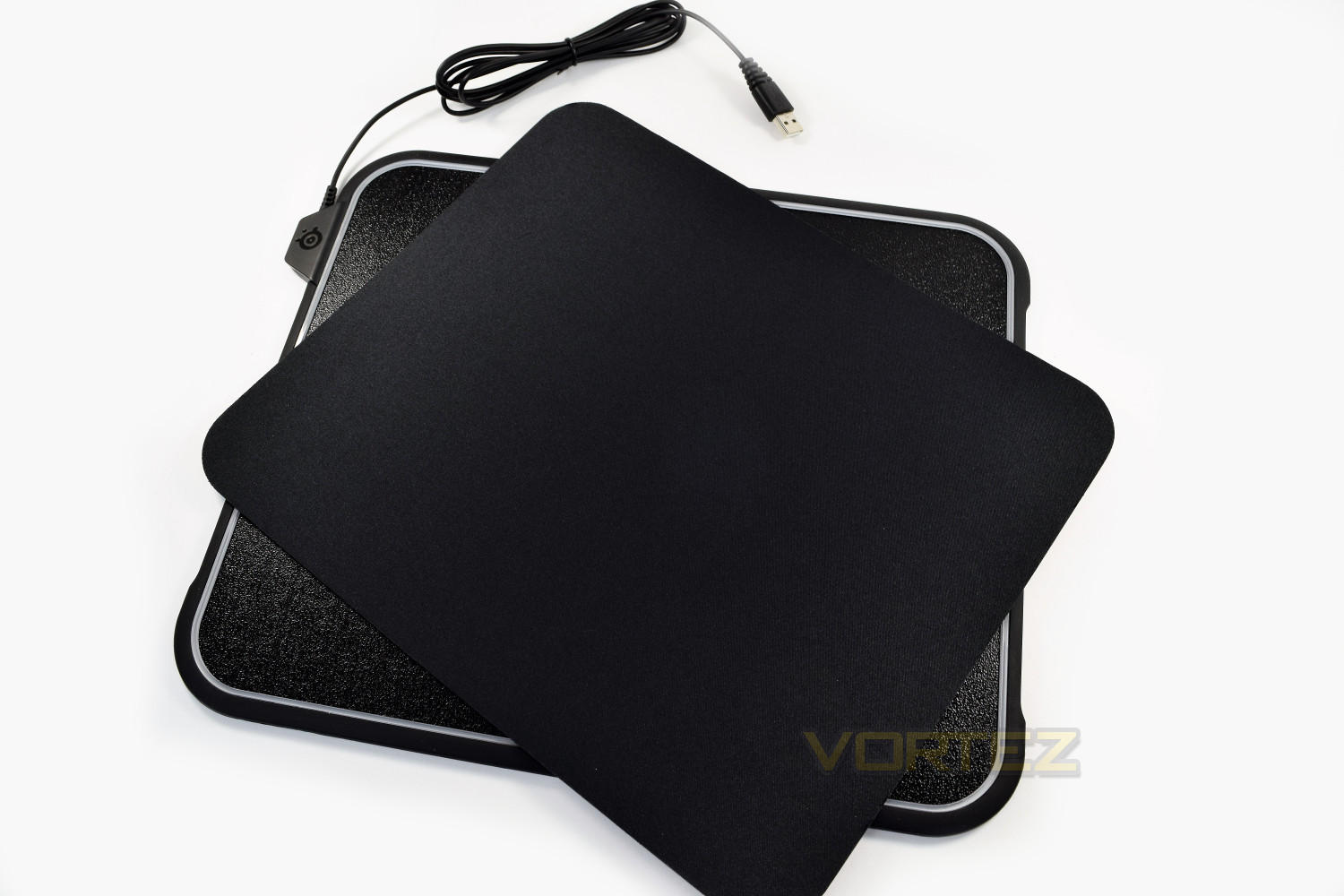
The hard-polymer is aimed towards fast-paced games such as first person shooters, whereas the woven-cloth is positioned with a more gentle pace in mind.
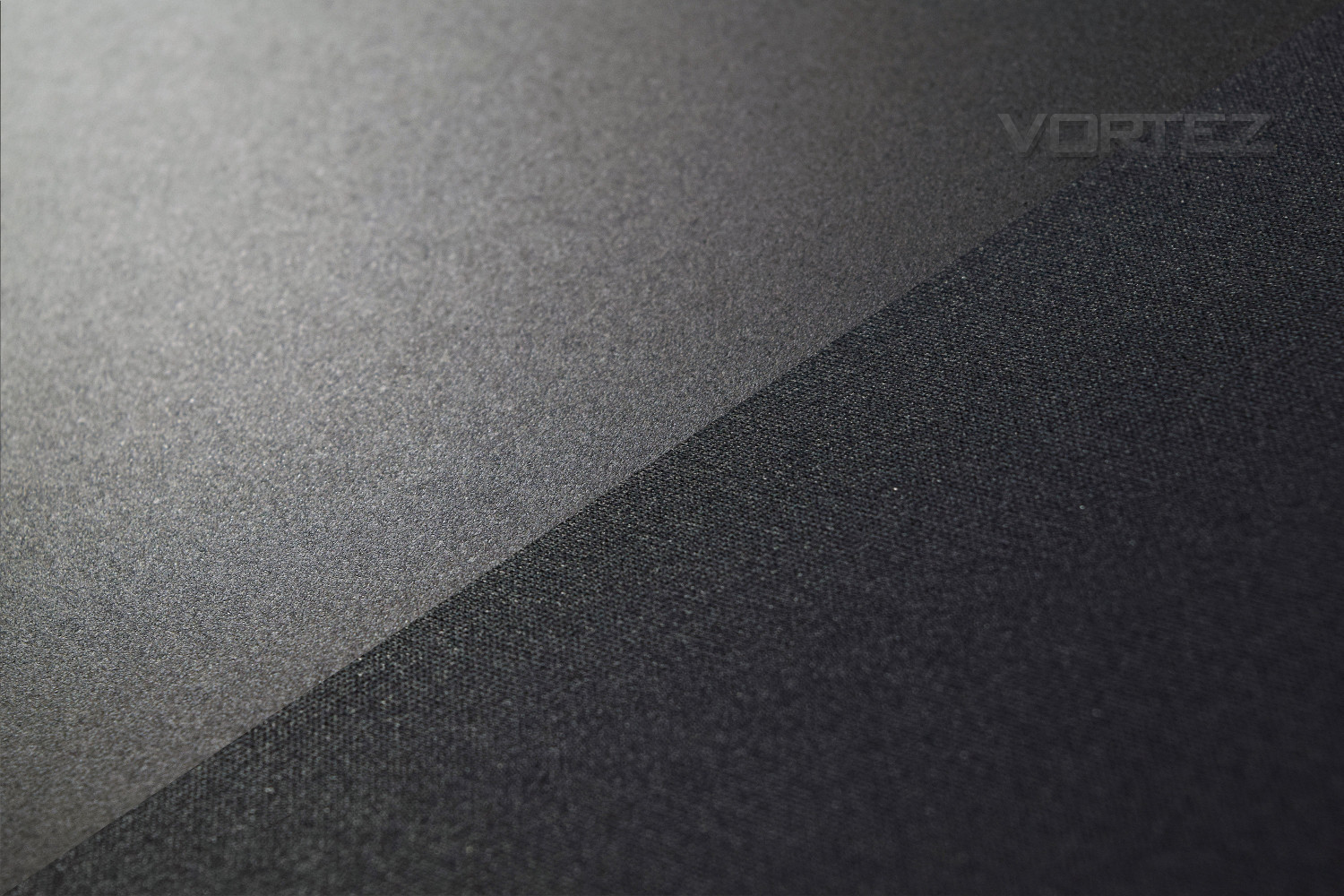
In the top-left is the hard-polymer plastic, with the woven-cloth in the bottom-right.
Software
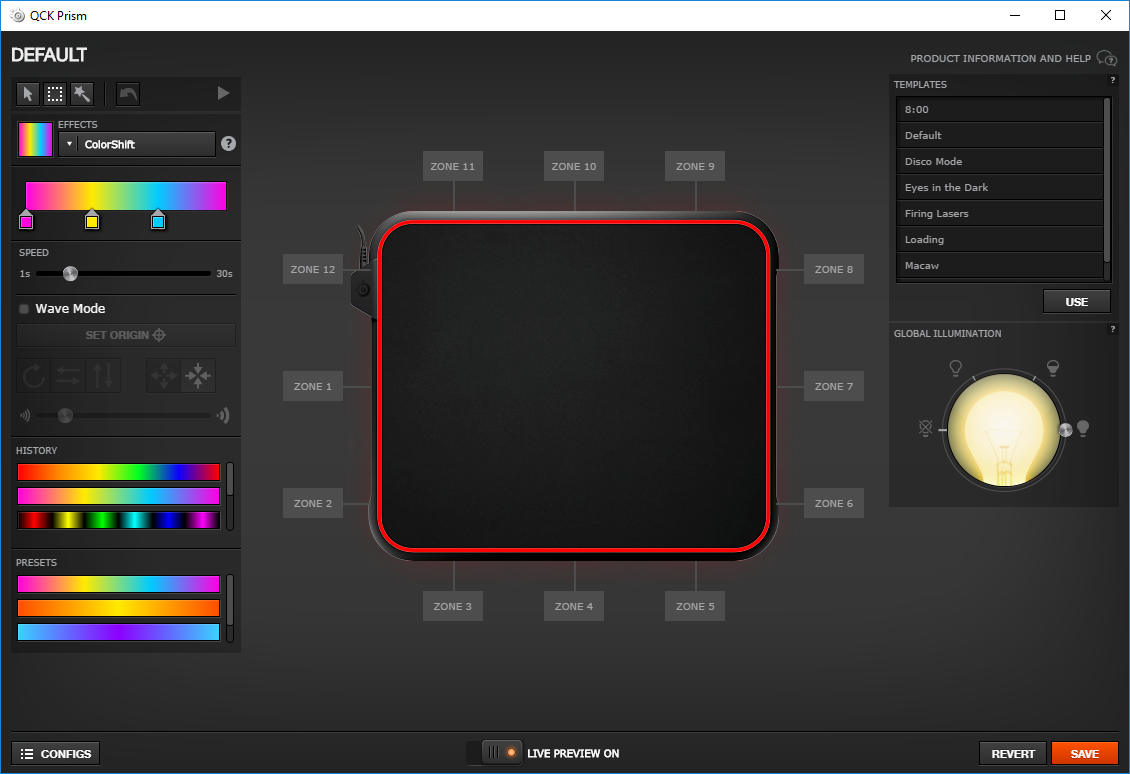
The QcK Prism is controlled via SteelSeries Engine 3, a piece of central software used to configure all of your SteelSeries devices in one handy application.Within our testing, we encountered zero issues and found all lighting adjustments to be near instant; a stark contrast to some competitor’s RGB programming.
Within the initial page, you can select profiles on the fly, or click into your chosen peripheral and adjust parameters.
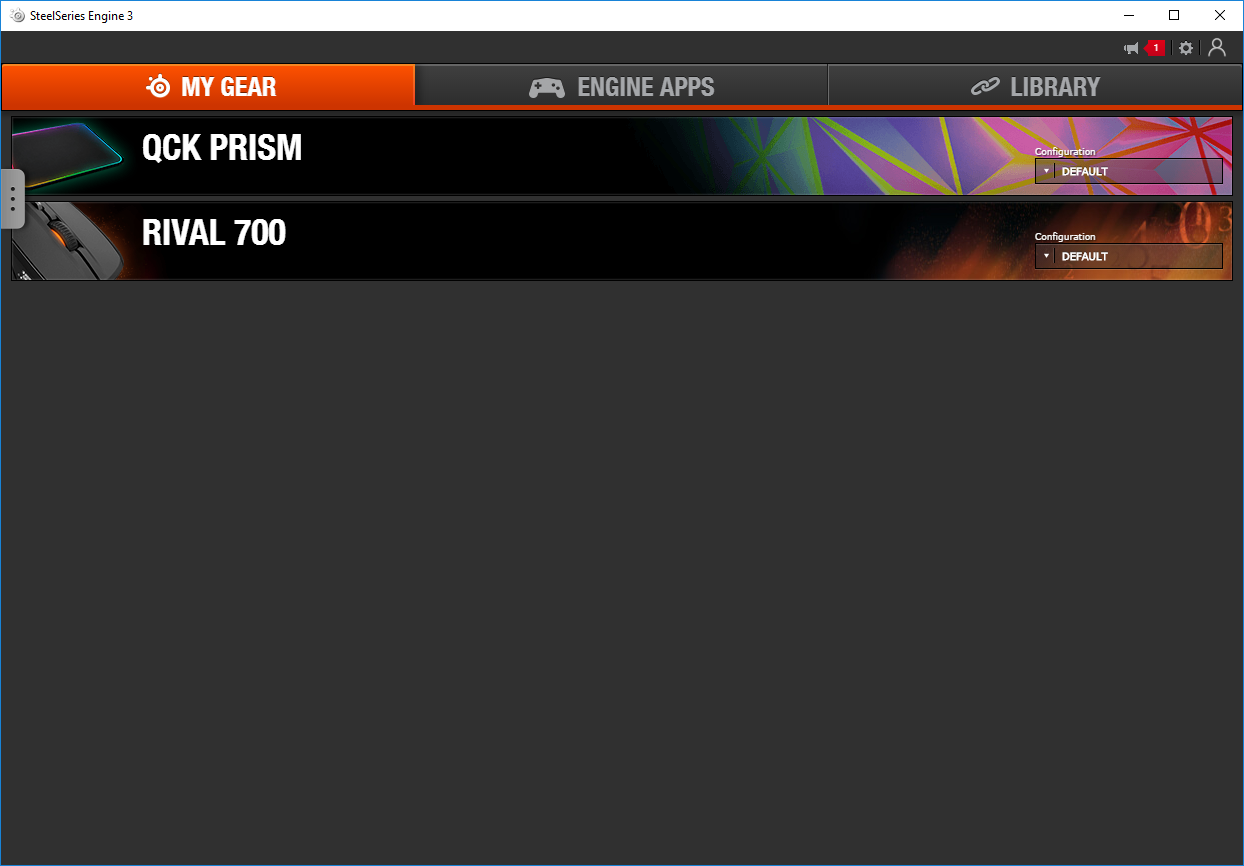
Engine Apps are handy in the most popular games, with more being added all the time. Events like low ammo or health or cooldown timers on special attacks can be assigned reactive illumination through the GameSense Lighting, making such events even more obvious with a large area of light flashing around your mouse; this can add a competitive edge to the most serious of gamer.
PrimeSync allows the user to sync the lighting of all of their Prism-enabled gear, such as headsets, mice and keyboards.

The Prism software allows you to control all 12 zones of the mousemat entirely independently, or all as one. You have the choice of 16.7 million colours, all of which are vibrant and reproduced well. We were provided with the Rival 700 mouse for testing, which also utilises the Prism RGB; we found the colours between the two were identical and complimented each other perfectly.
Performance Testing
The QcK Prism’s underside, made of a sturdy rubber, has absolutely zero issues staying exactly where you left it. Rest assured, we’ve tried to move it through vigorous mouse inputs to absolutely no avail.The ability to flip over the mouse mat to use an entirely different surface is a great idea from SteelSeries; the finely woven cloth is great for general use, while the hard polymer is excellent for fast paced FPS games. Underneath the mouse surface is rubber surface with plenty of traction to keep the mouse mat in place; this grips both sides equally well.
The mouse mat has been tested within Battlefield 4, Orcs Must Die: Unchained, Terraria and PLAYERUNKNOWN’SBATTLEGROUNDS, using the SteelSeries Rival 700. We found both sides of the mat responded exactly as expected, with the hard polymer side being ideal for the faster paced Battlefield and PUBG, while Terraria and OMD: U benefitted from the woven cloth surface for accuracy.
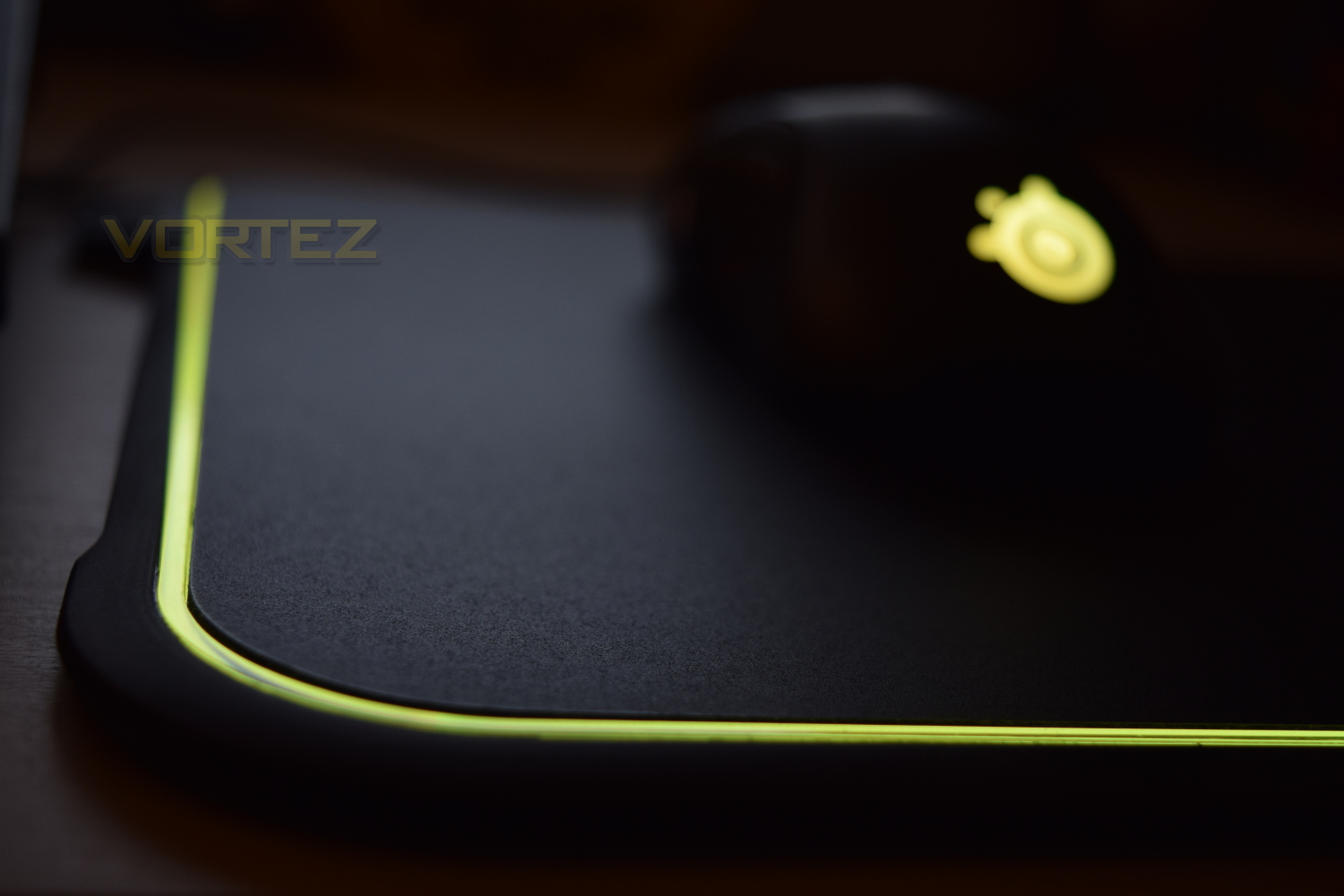
The RGB illumination brings a lot to your gaming sessions if you’re lucky enough to play one of the supported games, with DOTA 2, CS: GO and Minecraft being the main 3. The ability to display low ammo or cool down effects via a huge RGB display is eye-catching as well as useful. To those of us who just prefer the RGB scene, the QcK offers 12 zones of beautiful colour and transitions, around the entire perimeter of the mat, around 1 metre of RGB excellence. The software comes pre-installed with several effects and colours, though personal themes are very easy to produce.
Placing the cable and relevant parts on the left edge of the mouse mat is a great idea, particularly in terms of staying out of the way of your mouse wire as well as helping with cable routing; being able to hide the wire alongside the keyboard is a clever way of masking those unsightly cables – we’re probably very unlikely to see any wireless RGB mouse mats anytime soon.
Conclusion
The approach SteelSeries have adopted towards the RGB mouse mat market is certainly different to rival offerings, with the majority of their efforts being for the better.We enjoyed the RGB effects, especially when paired with the Prism-enabled Rival 700; the lights and effects were bright and colourful and transitioned in a beautiful manner. The fact that the ribbon of lights runs around the entire perimeter looks fantastic too, allowing for infinite loops of colour.
Steelseries placing the cable on the left, as well as the switchable surface, are both cracking features, something we’ve yet to see from another manufacturer. Razer and Corsair could learn a lot from SteelSeries in this department.
The price. This is the kicker. At £66.99 in the UK, regardless of the free delivery, makes this a pricey mouse mat. The dual-textured surface and RGB lighting are fantastic, and the pricing is there or thereabouts what other manufacturers are charging for their RGB mats, but it still comes as a bitter pill to swallow.
One major downside of the mat is the overall thickness, at 9mm; this raises your hand a little too far from the desk for palm-grip users, though claw and tip grippers will find less issue in this respect.
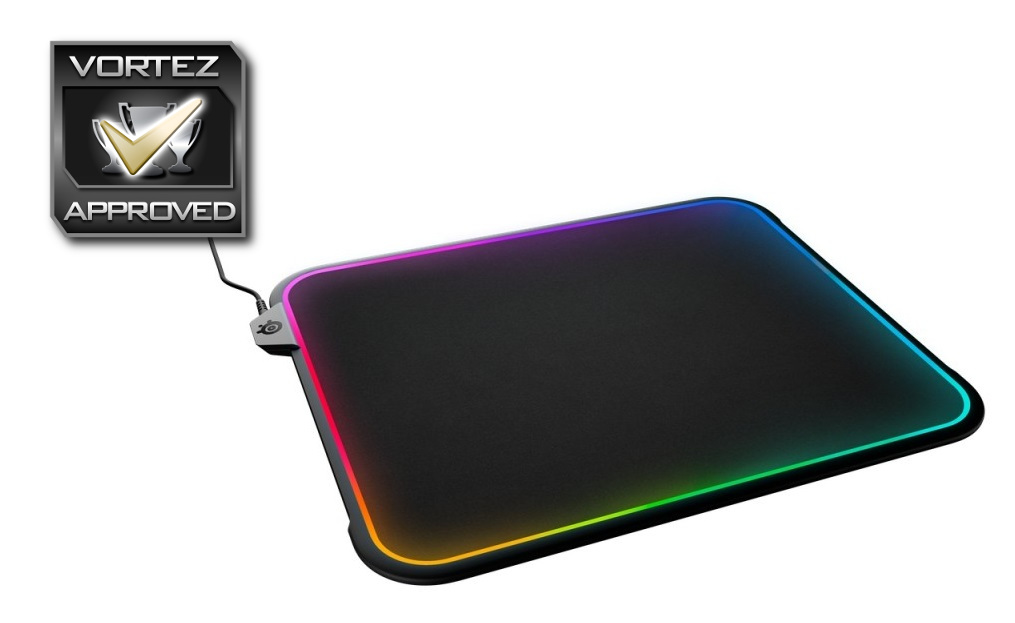
If you’re all about the RGB and seeking a versatile mouse mat, the QcK Prism certainly fits the bill
Pros
+ 12 zone bright RGB lighting
+ Cable node is small and out of the way
+ Dual-textured
+ SteelSeries Engine 3 is a joy to use
Cons
– Overall thickness is too much
– Can be seen as pricey compared to other mouse mats
+ 12 zone bright RGB lighting
+ Cable node is small and out of the way
+ Dual-textured
+ SteelSeries Engine 3 is a joy to use
Cons
– Overall thickness is too much
– Can be seen as pricey compared to other mouse mats
Click here for an explanation of our awards at Vortez.net.