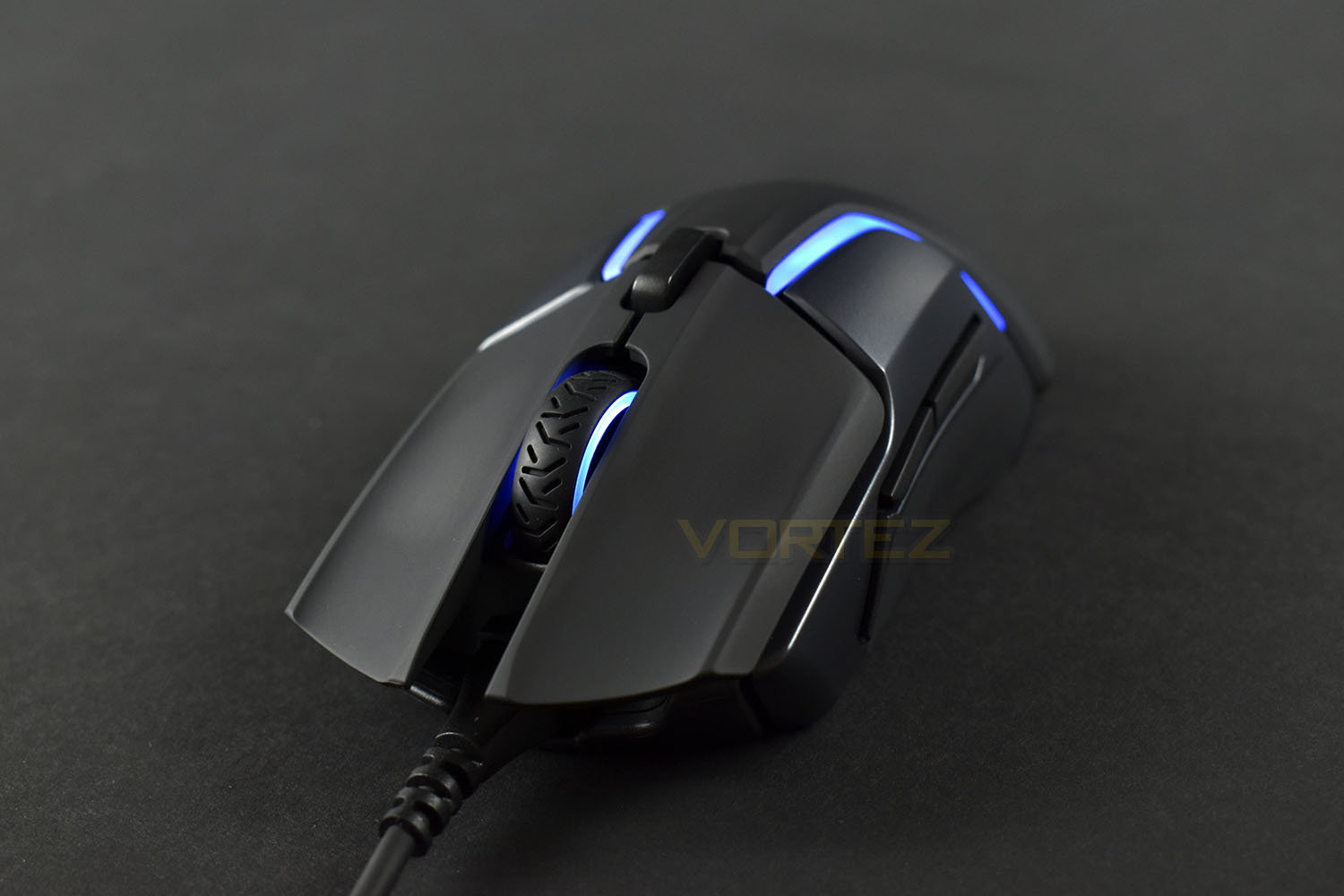
SteelSeries latest in the venture for the perfect pointing device, the Rival 600. Read on see what we thought.

Product on Review: SteelSeries Rival 600
Manufacturer: SteelSeries
Street Price: £79.99 / $79.99
SteelSeries have carved out quite the position within the gaming and eSports market, seemingly offering a device to suit every budget and ability. Their latest gaming mouse, the Rival 600, is under the spotlight today.
The Rival 600 offers a plethora of features, which it has to within an extremely fierce market. There are so many excellent options at the £70 – £90 price point, meaning that the Rival 600 is going to require something special or extraordinary to stand out from the crowd.
The TrueMove3+ sensor system is being touted as the star of the show, pairing a depth sensor with a 12,000 DPI optical sensor for accurate lift-off detection and control, as low as 0.5mm. Do you even lift bro?
The optical sensor is developed by PixArt exclusively for SteelSeries, offering true 1:1 tracking, zero acceleration, zero lag and zero errors, all processed by a 32-bit ARM CPU directly within the mouse itself.
Along with the sensor system, there’s durable silicone grips to help prevent any slip-ups, 60-Million click mechanical switches, 6-zone RGB lighting, and last, but certainly not least, a configurable weight system with 256 weight and balance options.
We’ve looked at several SteelSeries Rival mice over the last year or two, all of which have impressed us, so how does their latest iteration compare?
SteelSeries on the Rival 600:
Developed with the three basic principles of revolutionary performance, unreal durability, and powerful flexibility, the Rival 600 delivers when the pros need it the most, in battle.
Technical Specifications
Specifications:
Sensor System:
Sensor System – SteelSeries TrueMove3+ Dual Sensor System
Primary Sensor – TrueMove 3 Optical Gaming Sensor
Secondary Sensor – Depth Sensing Linear Optical Detection
CPI – 100-12000, 100 CPI Increments
IPS – 350+, on SteelSeries QcK surfaces
Acceleration – 50G
Hardware Acceleration – None (Zero Hardware Acceleration)
Lift Off Distance – Customizable, 0.5mm – 2 mm
Design:
Top Material – Black Soft Touch
Core Construction – Fiber-Reinforced Plastic
Shape – Ergonomic, Right-Handed
Grip Style – Universal
Number of Buttons – 7
Switch Type – SteelSeries Switch, rated for 60-million clicks
Illumination – 8 RGB Zones, Independently Controlled
Weight – 96g without cable. Customizable up to 128g
Length – 131mm
Width – 62mm (front), 62 mm (middle), 69 mm (back)
Height – 27mm (front), 43mm (back)
Cable Type – Detachable, Soft Rubber
Cable Length – 2m, 6.5ft
Compatibility:
OS – Windows, Mac, and Linux. USB port required
Software – SteelSeries Engine 3.11.10, for Windows (7 or newer) and Mac OSX (10.8 or newer)
Box Contents:
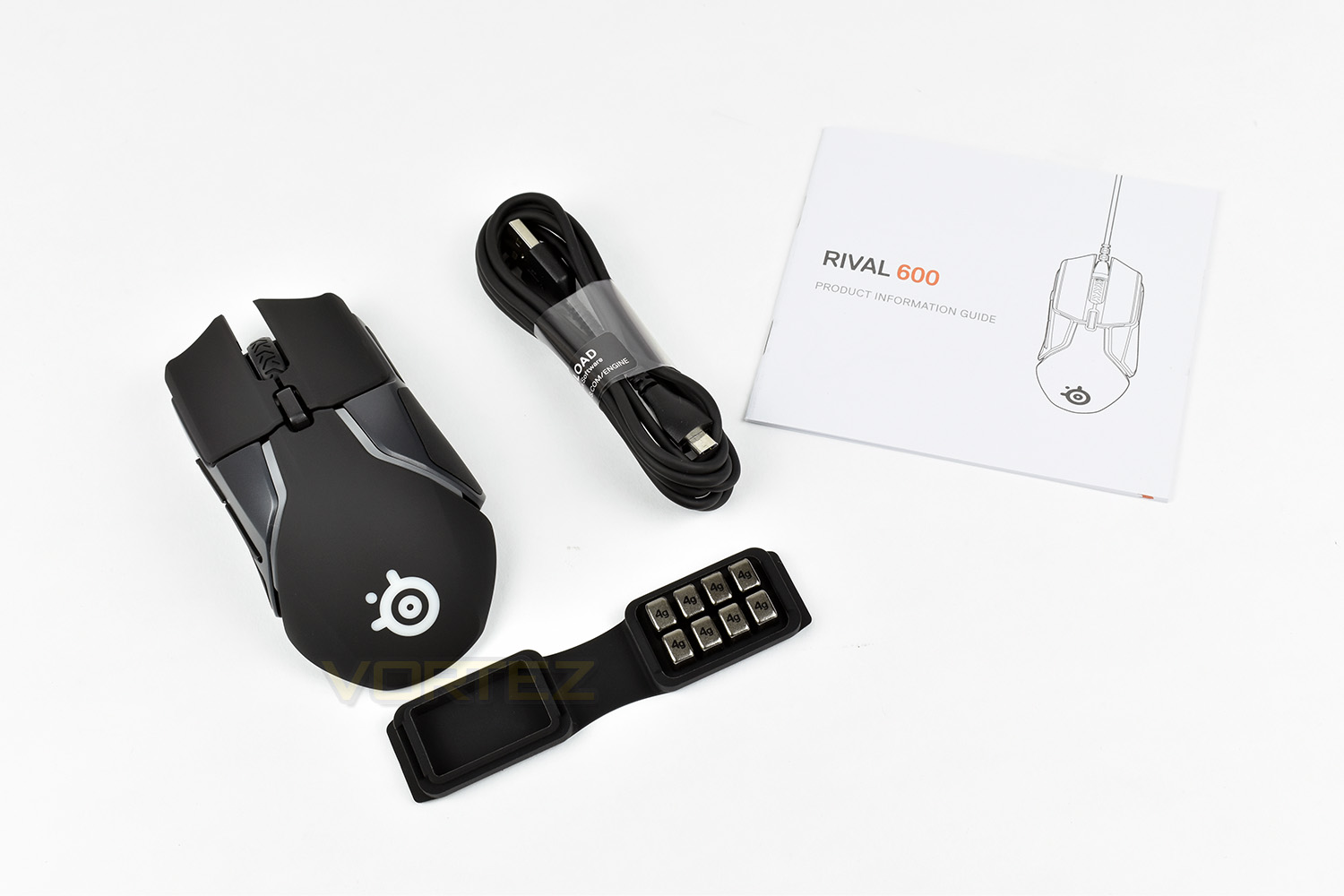
Rival 600 Gaming Mouse
Product Information Guide
Detachable USB Cable
Weight Box + Eight 4g Weights
Sensor System:
Sensor System – SteelSeries TrueMove3+ Dual Sensor System
Primary Sensor – TrueMove 3 Optical Gaming Sensor
Secondary Sensor – Depth Sensing Linear Optical Detection
CPI – 100-12000, 100 CPI Increments
IPS – 350+, on SteelSeries QcK surfaces
Acceleration – 50G
Hardware Acceleration – None (Zero Hardware Acceleration)
Lift Off Distance – Customizable, 0.5mm – 2 mm
Design:
Top Material – Black Soft Touch
Core Construction – Fiber-Reinforced Plastic
Shape – Ergonomic, Right-Handed
Grip Style – Universal
Number of Buttons – 7
Switch Type – SteelSeries Switch, rated for 60-million clicks
Illumination – 8 RGB Zones, Independently Controlled
Weight – 96g without cable. Customizable up to 128g
Length – 131mm
Width – 62mm (front), 62 mm (middle), 69 mm (back)
Height – 27mm (front), 43mm (back)
Cable Type – Detachable, Soft Rubber
Cable Length – 2m, 6.5ft
Compatibility:
OS – Windows, Mac, and Linux. USB port required
Software – SteelSeries Engine 3.11.10, for Windows (7 or newer) and Mac OSX (10.8 or newer)
Box Contents:
Rival 600 Gaming Mouse
Product Information Guide
Detachable USB Cable
Weight Box + Eight 4g Weights
Packaging & First Look
Typical of SteelSeries, the packaging is incredibly vibrant with plenty of information on the front as well an as illustration of the adaptive weight system.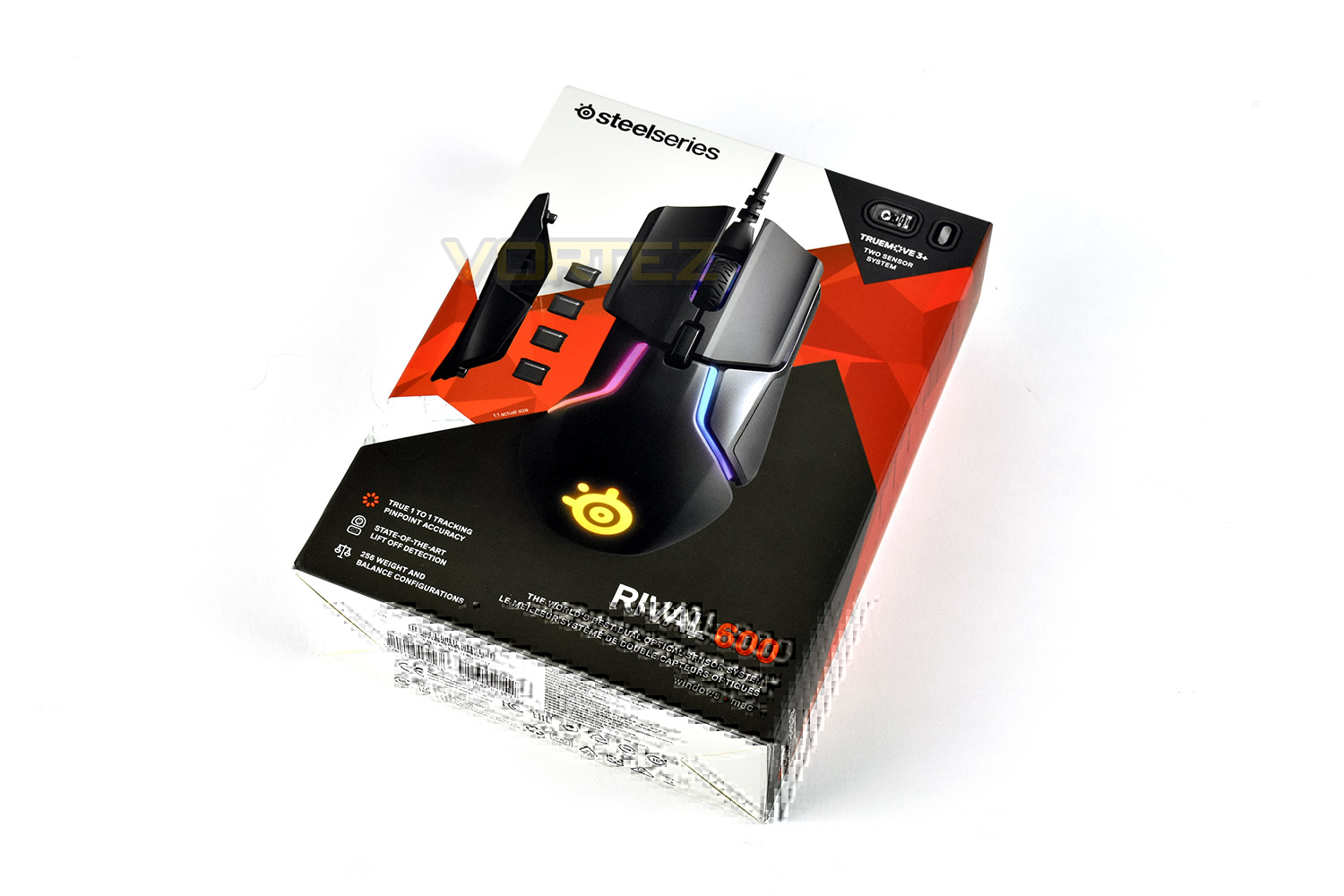
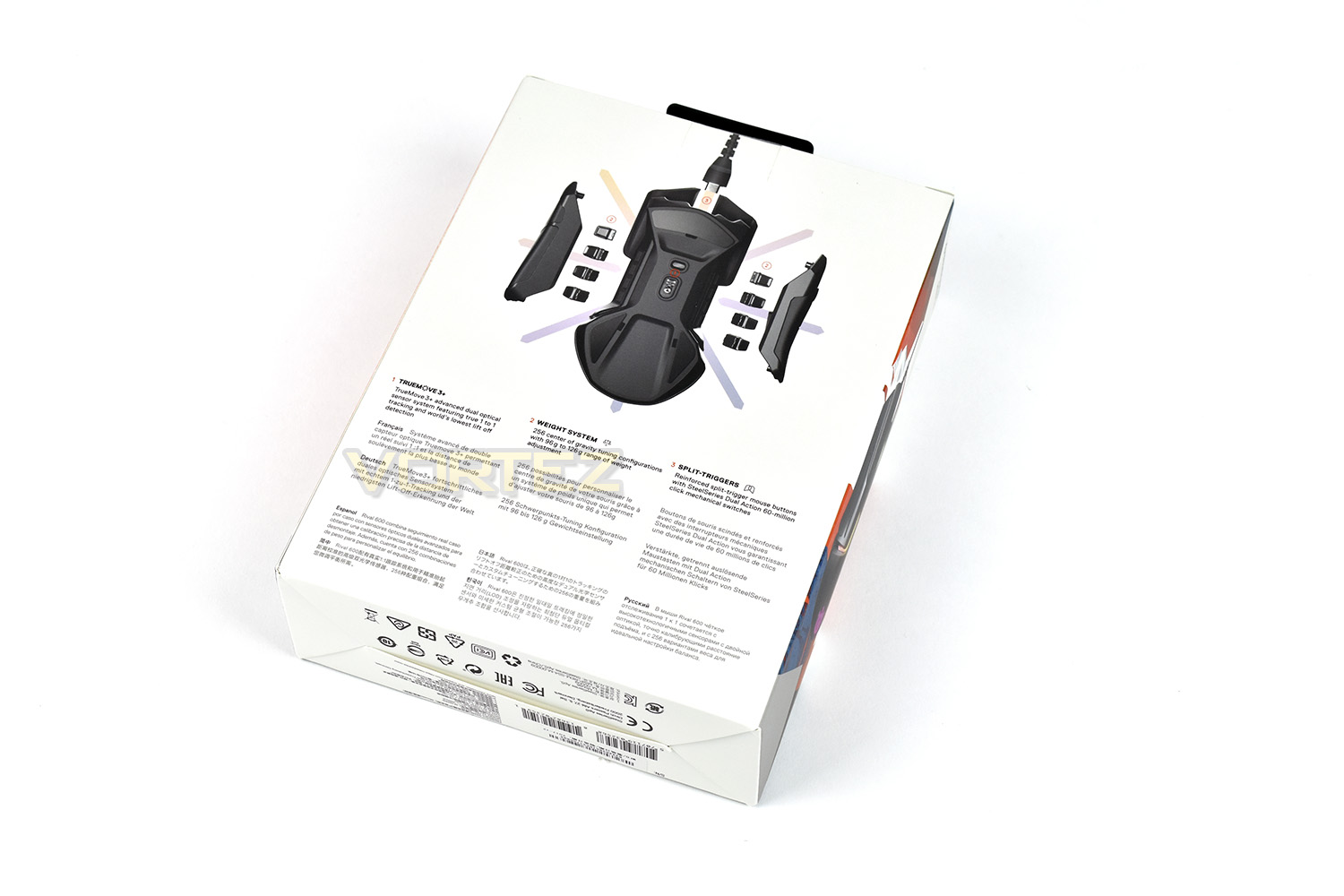
The back of the packaging furthers the information given, along with a photo of the underside of the Rival 600.
Inside the outer packaging is a small write up, getting the gamer ready for the fight!
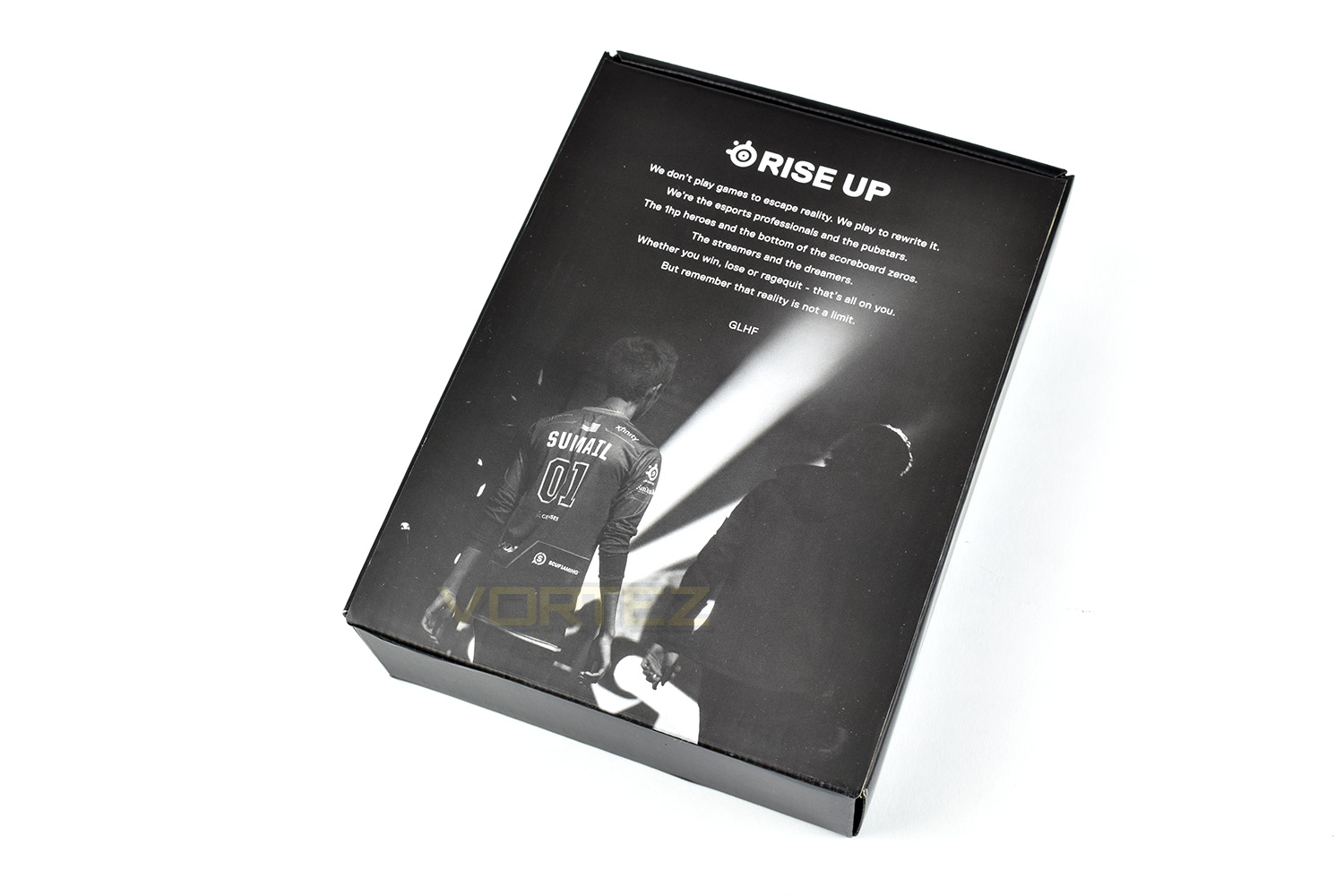
Ensuring your mouse arrives in perfect condition, the packaging is more than thick enough to absorb even the biggest of thumps.
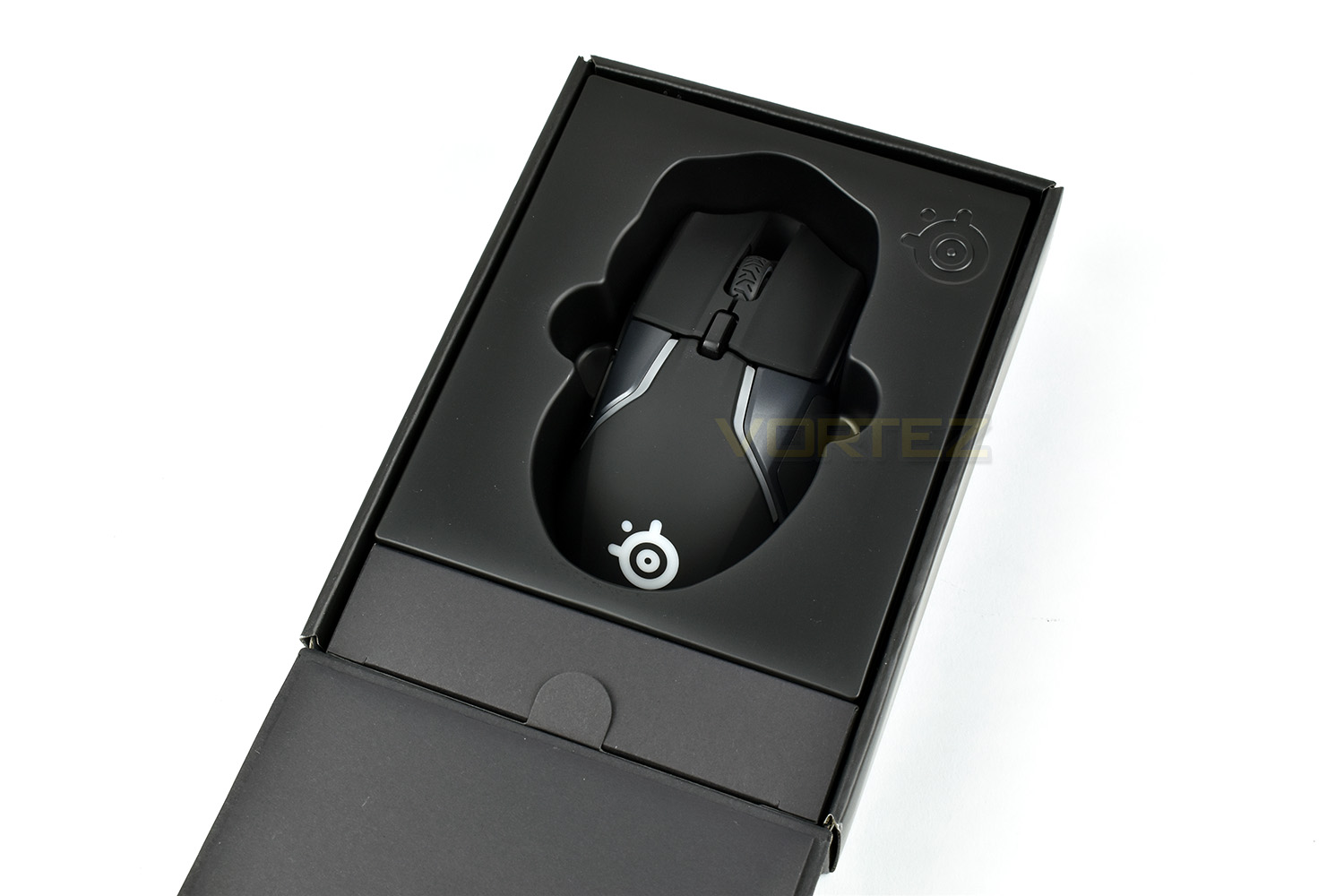
Along with the mouse is the detachable cable, an information guide and a small silicone package containing the weights system.
Closer Look
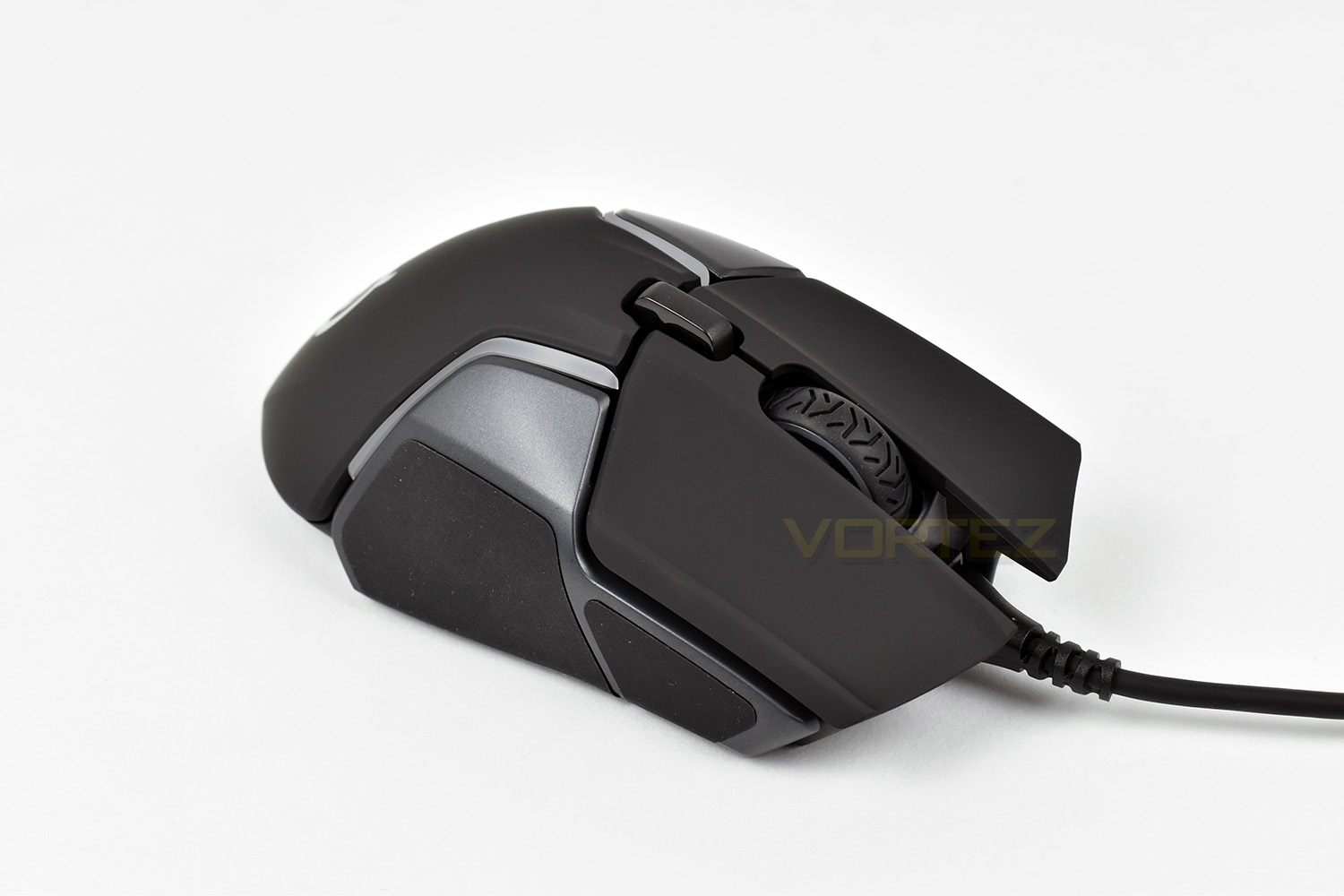
The Rival 600 is an ergonomic, right-handed mouse designed with a universal fit for all grip styles. As you can see, the 600 is angled quite heavily to the left. The USB cable attaches at the front through a moulded micro-USB connection. The right and left click buttons are entirely separate and feature a mechanical switch rated to at least 60,000,000 presses each.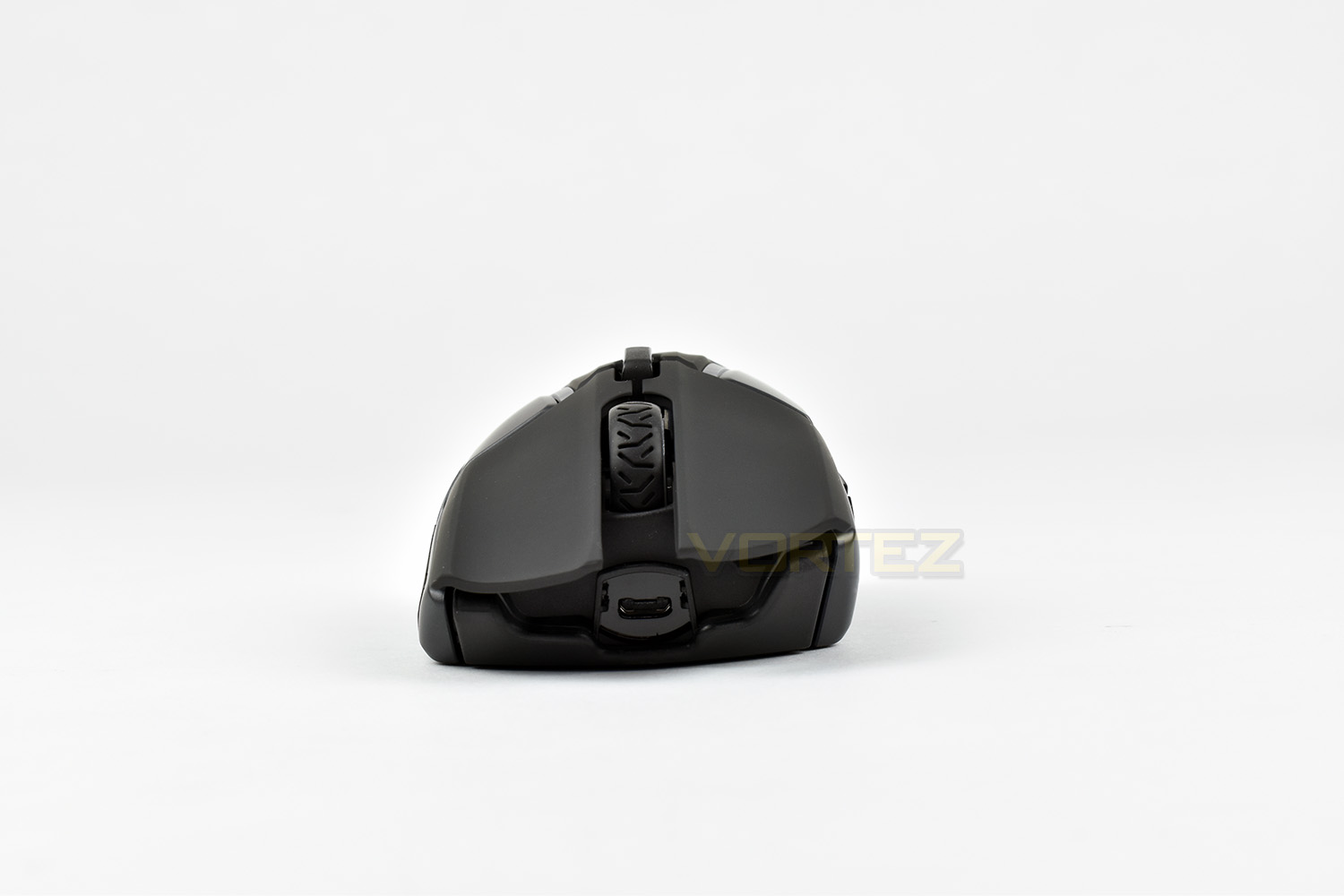
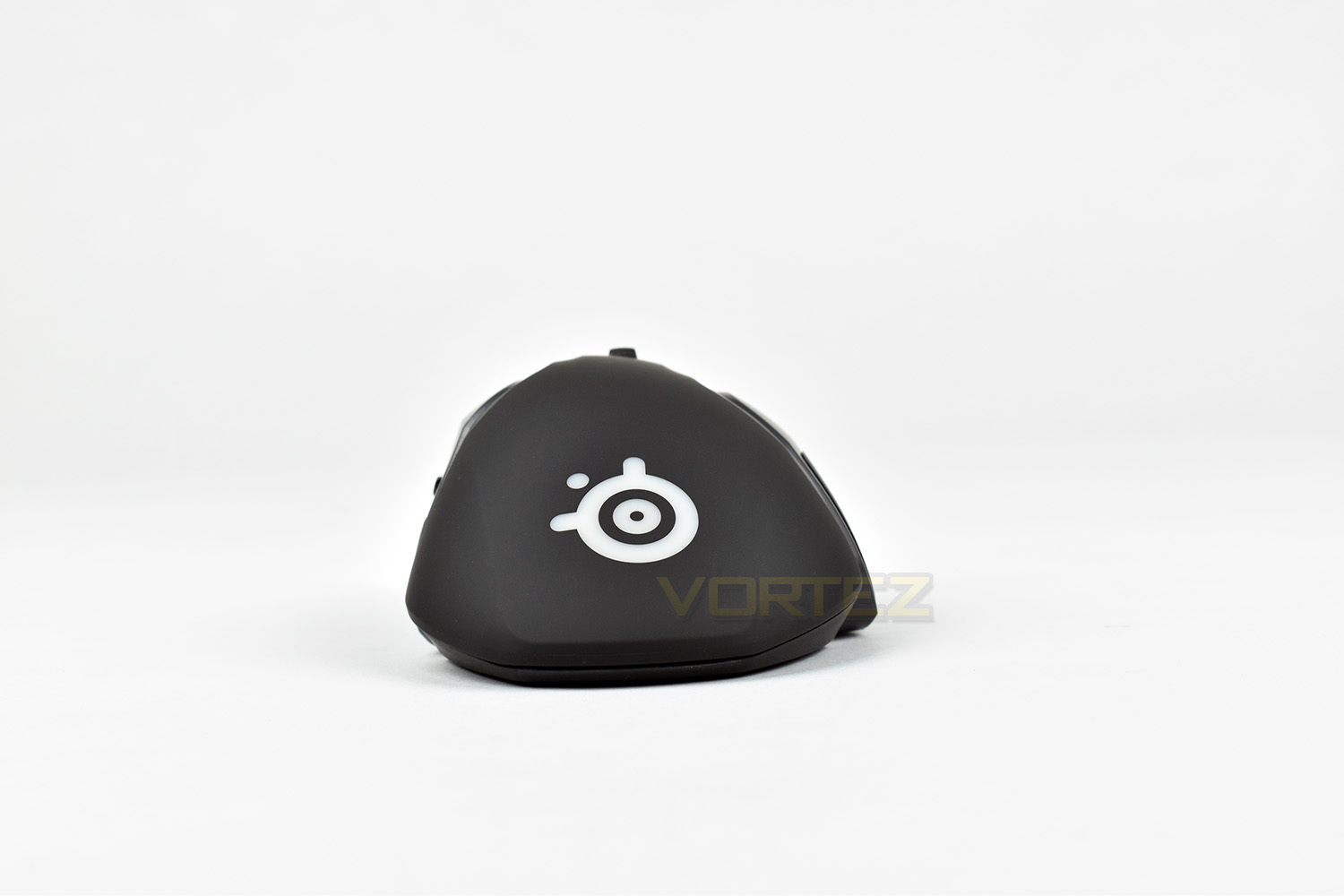
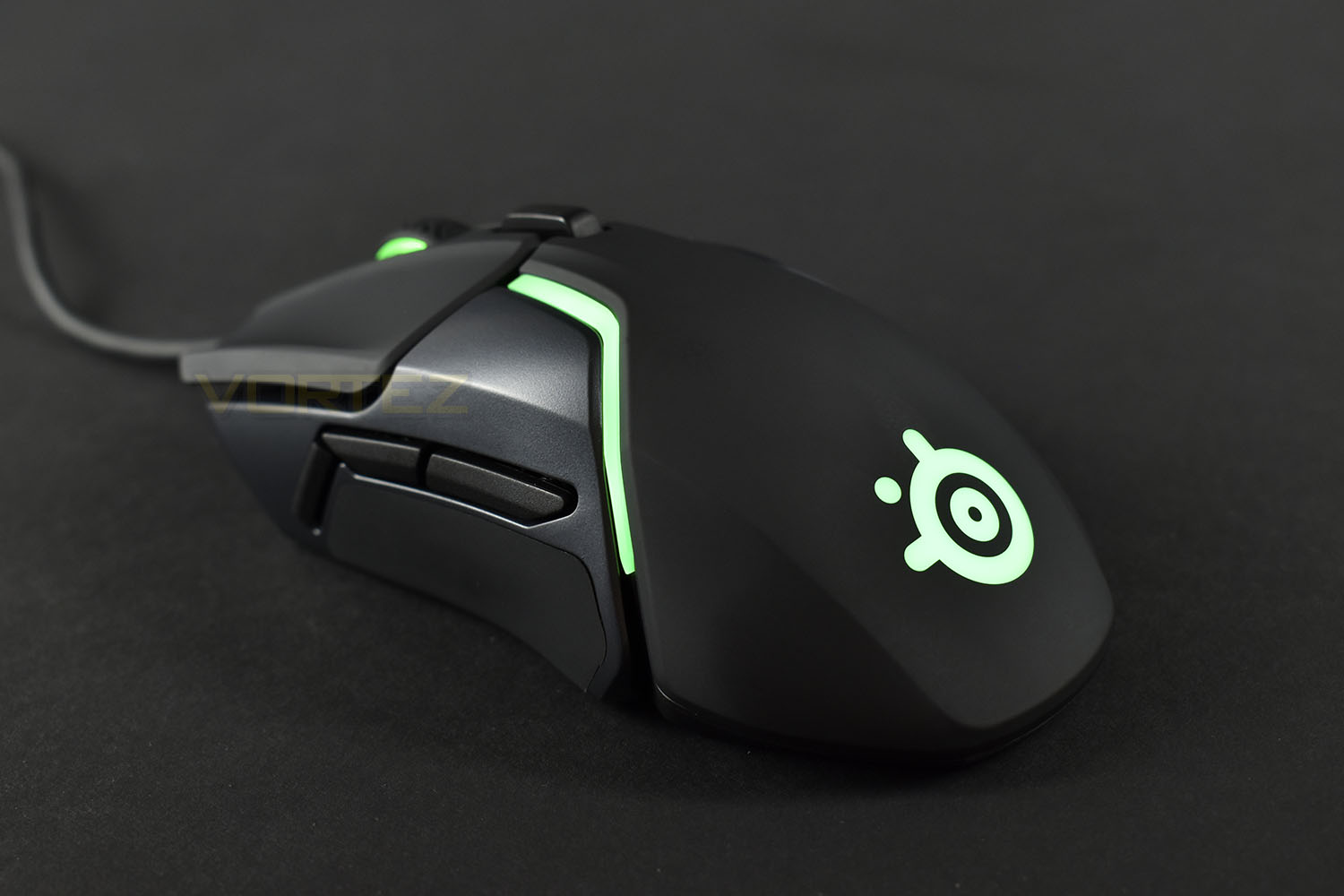
The rear of the mouse features a large RGB SteelSeries logo on top of a smooth, matte plastic.
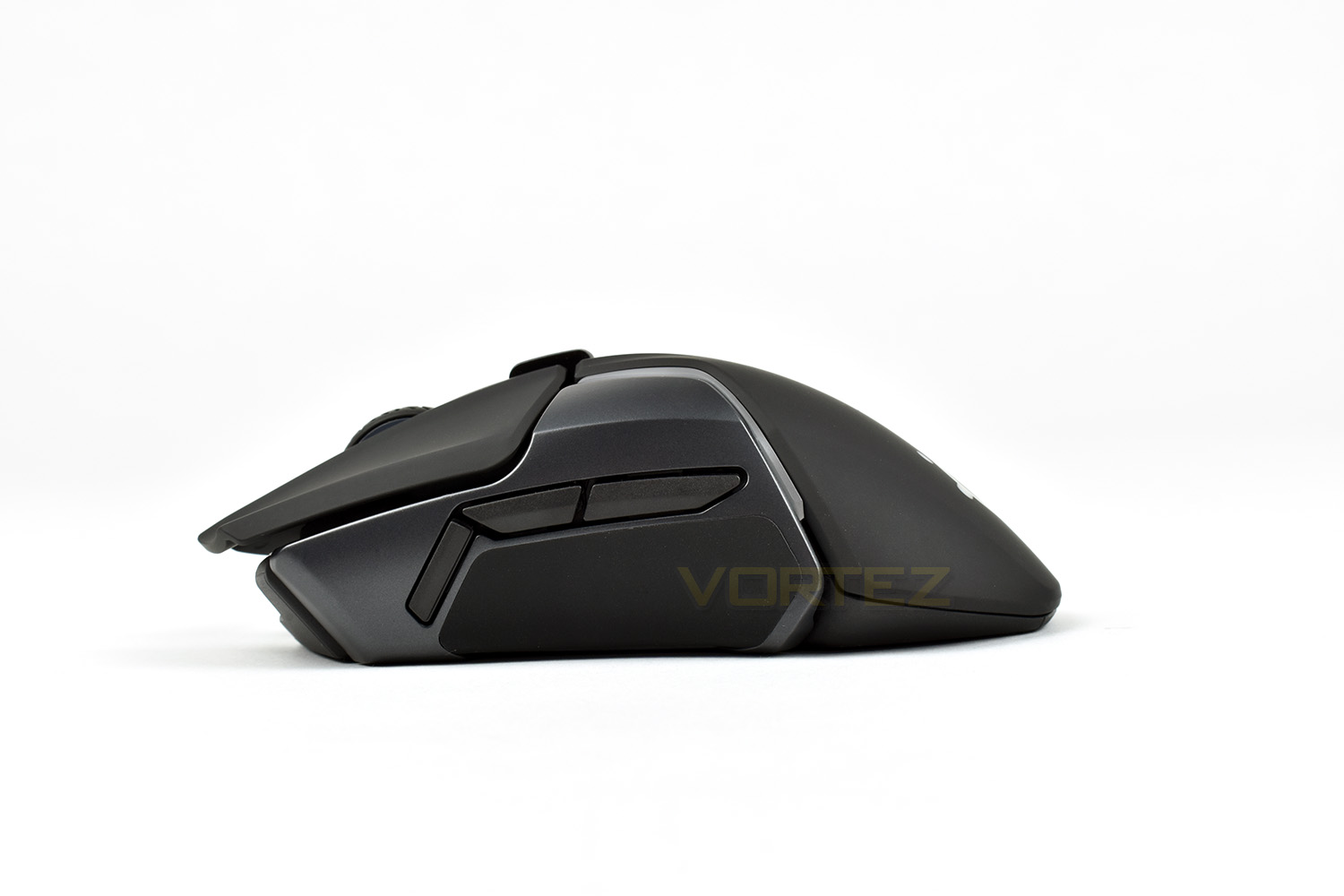
The left side of the mouse features 3 programmable buttons, with the upper two defaulting to the typical forwards and backwards whereas the front-most is programmable within the software to almost any function to can imagine.
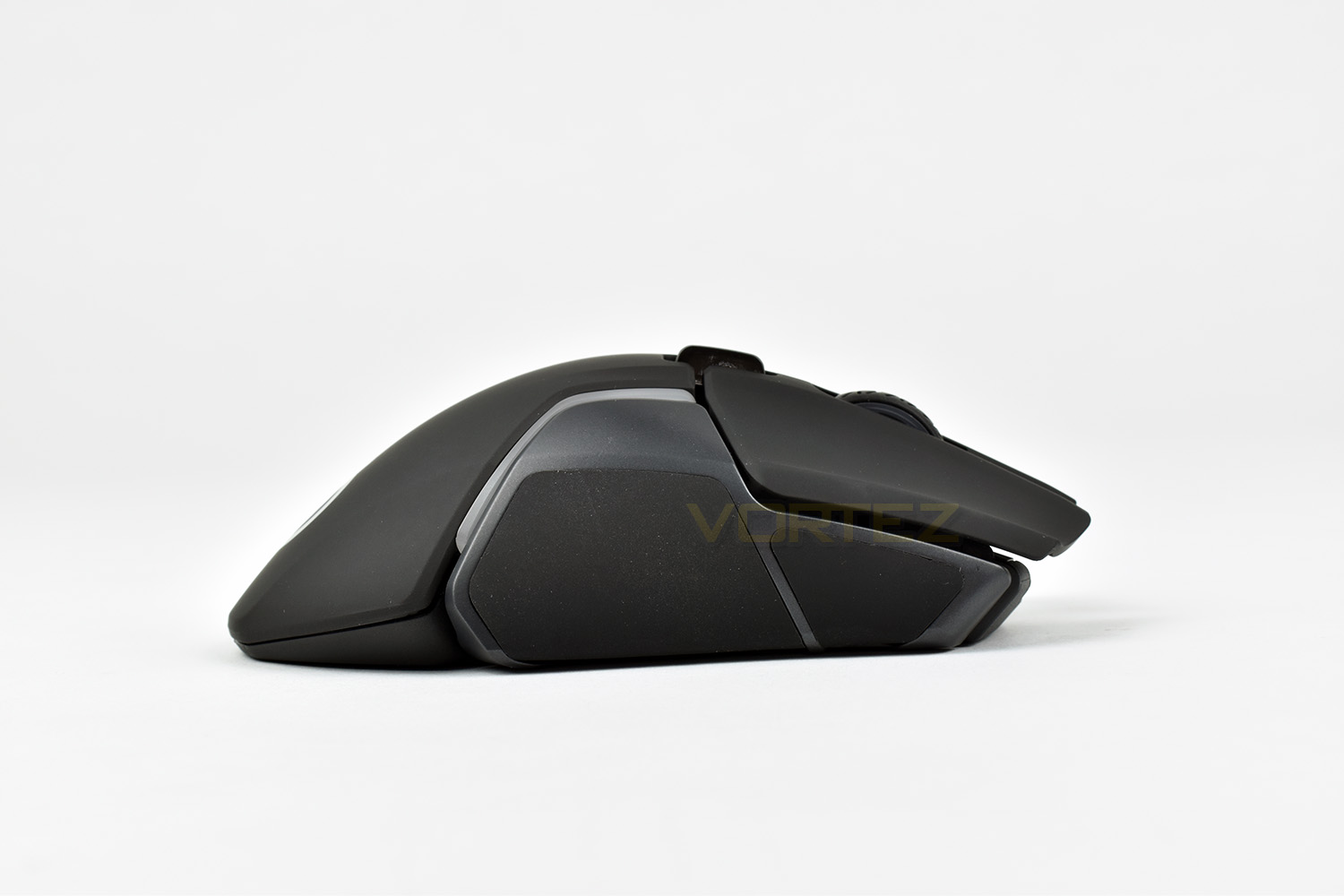
The left and right sides are both coated in an incredibly soft and grippy silicone coating. The sides are removable to access the weights system but we’ll cover that on the next page.
The right-hand-side also features the silicone patches, positioned very well for all grip styles.
The top of the mouse features the tyre-styled scroll wheel and a DPI switch behind that.
Closer Look (Continued)
The underside of the mouse houses three decent-sized PTFE pads to ensure the mouse moves freely, but the main point of focus is the sensors in the centre. The smaller, rectangular slot is the depth sensor, used exclusively to detect the distance between the mouse and the surface, whereas the TrueMove3+ optical sensor is located in the larger aperture.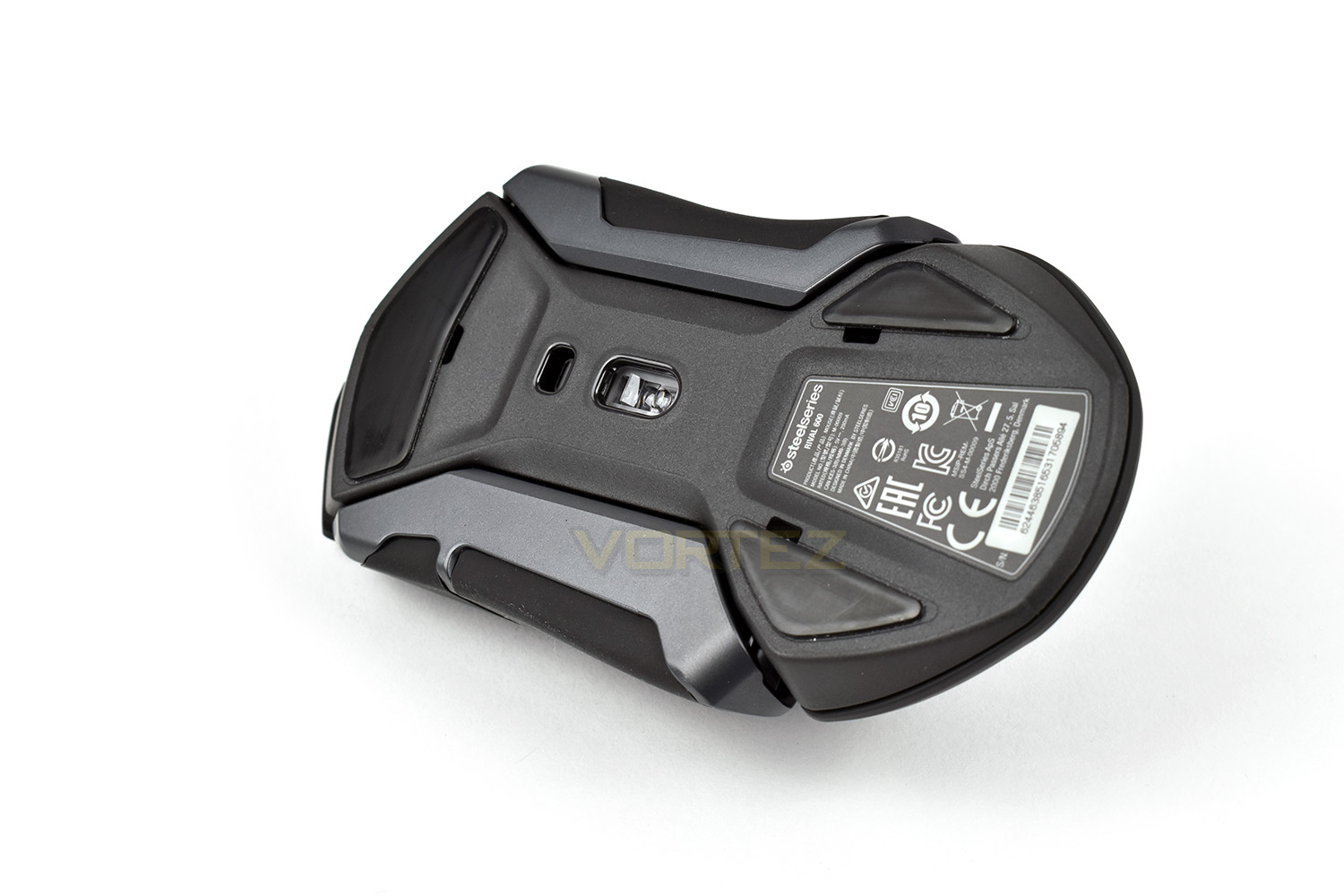
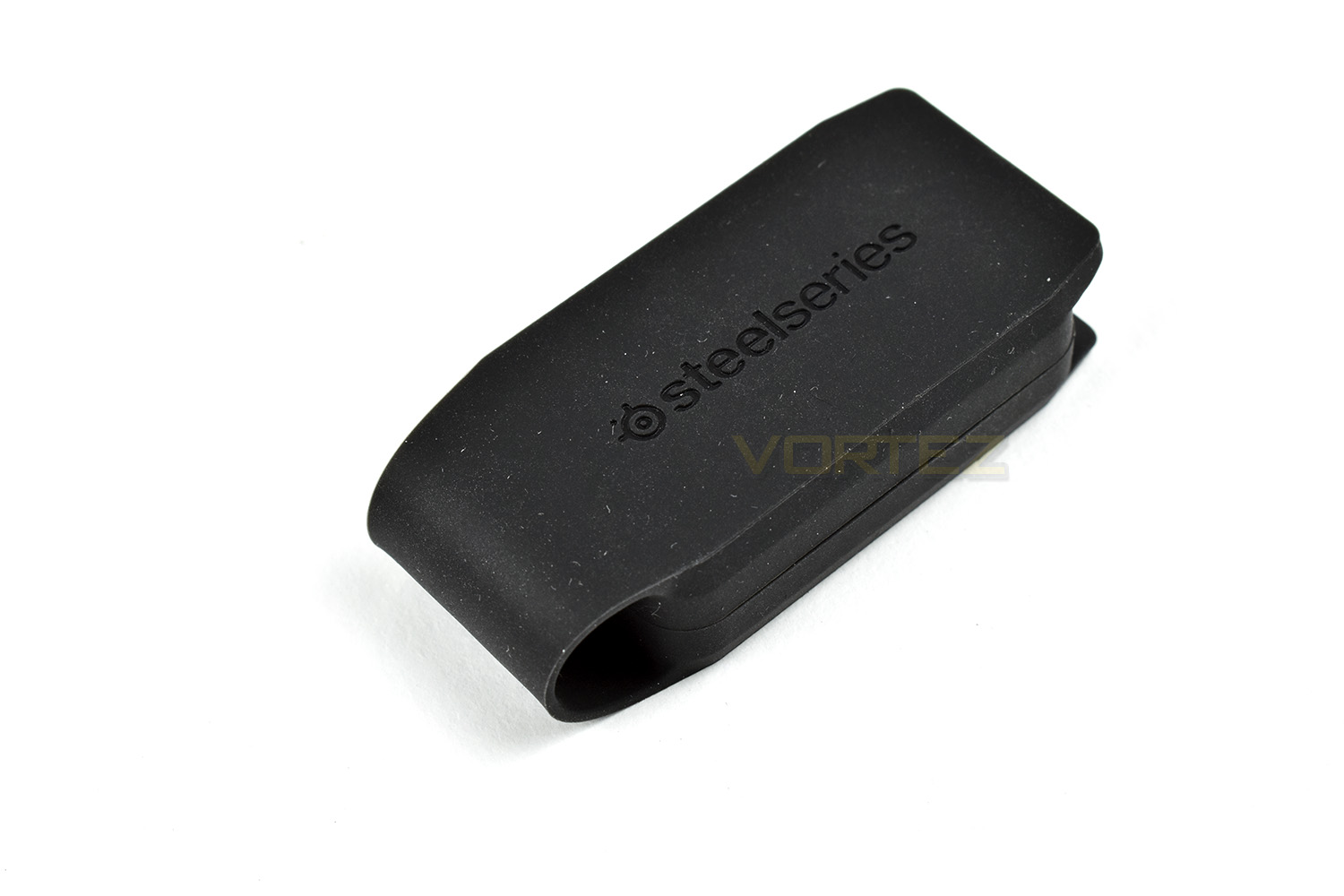
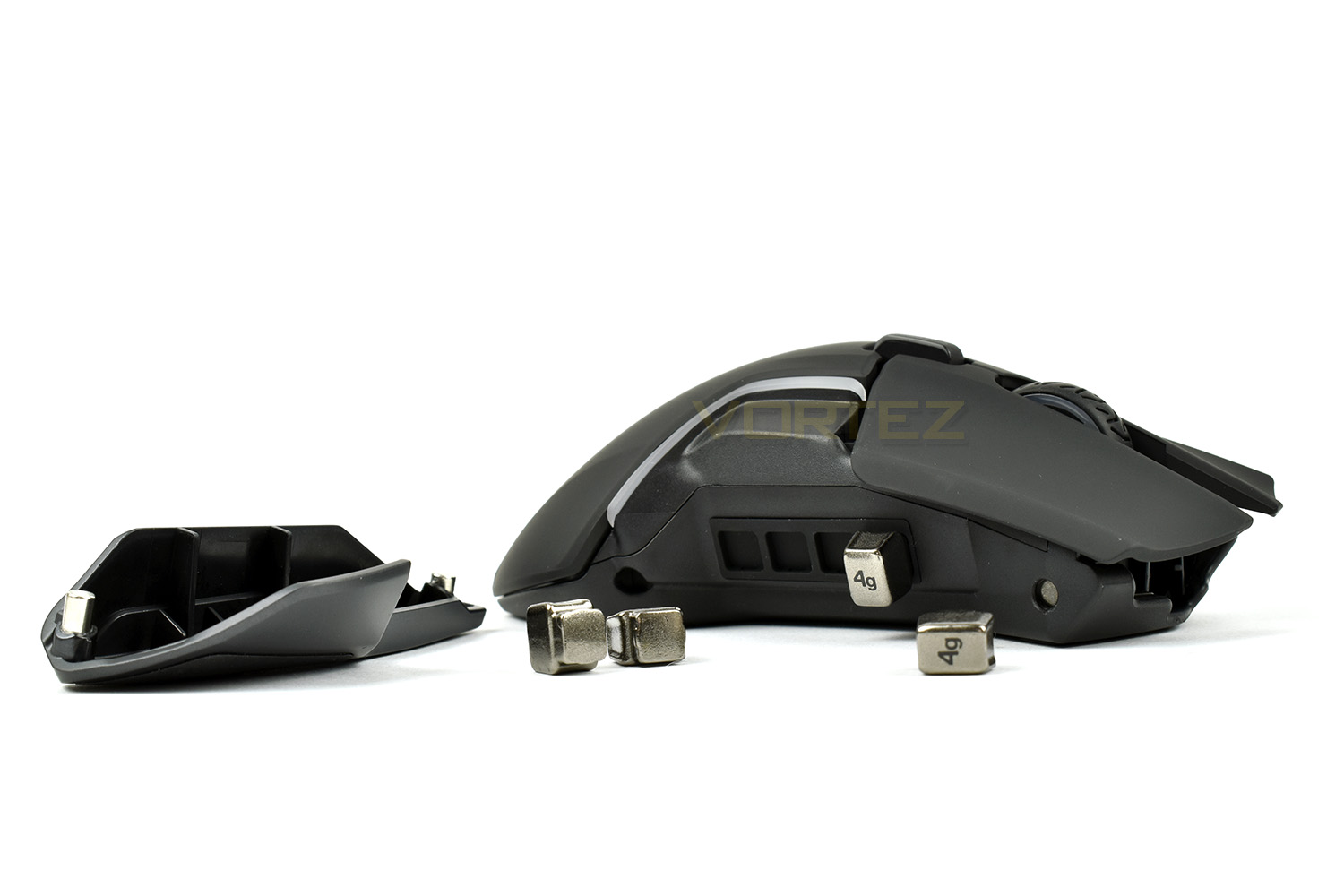
The weights arrive in a small silicone pocket, handy for keeping them safe.
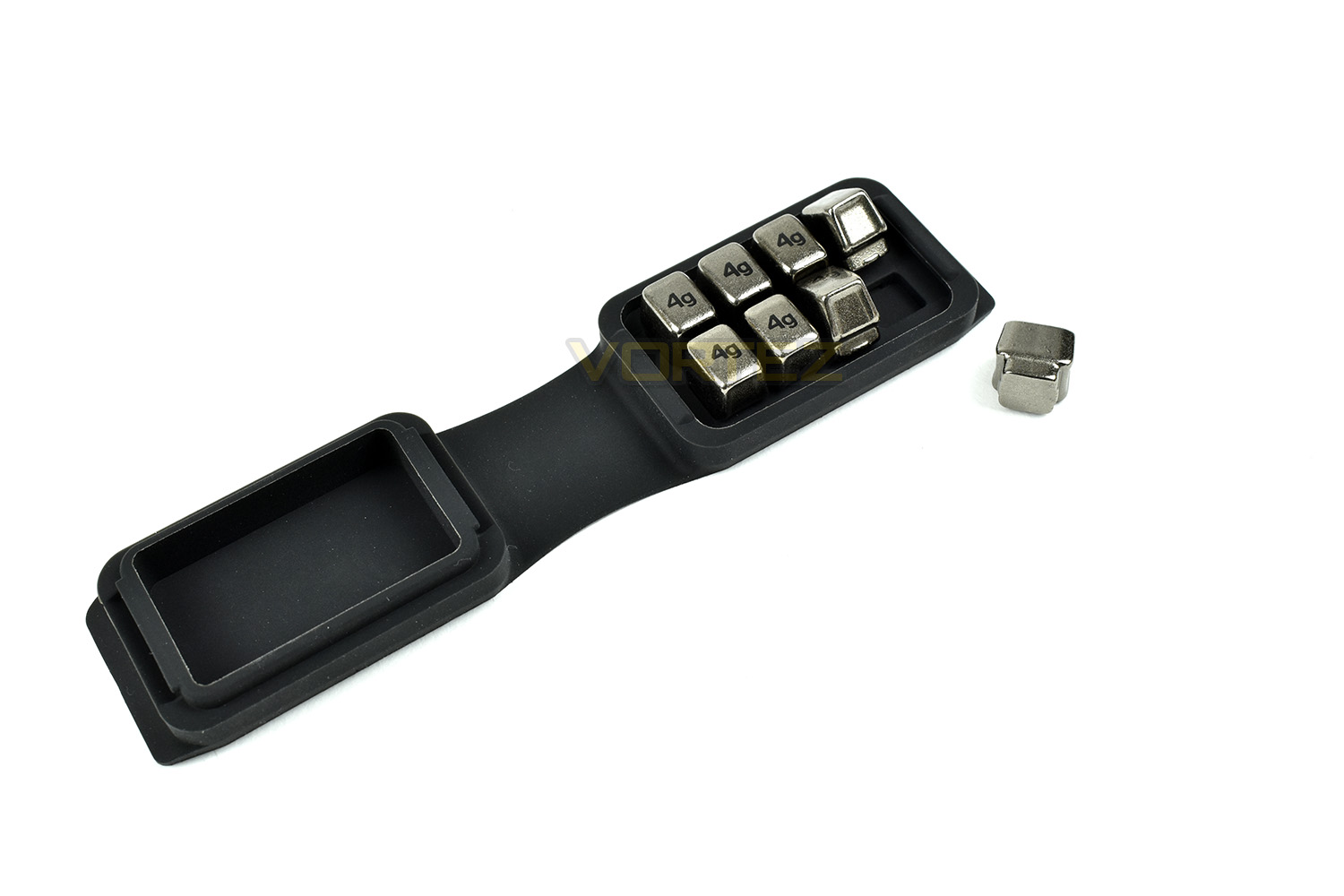
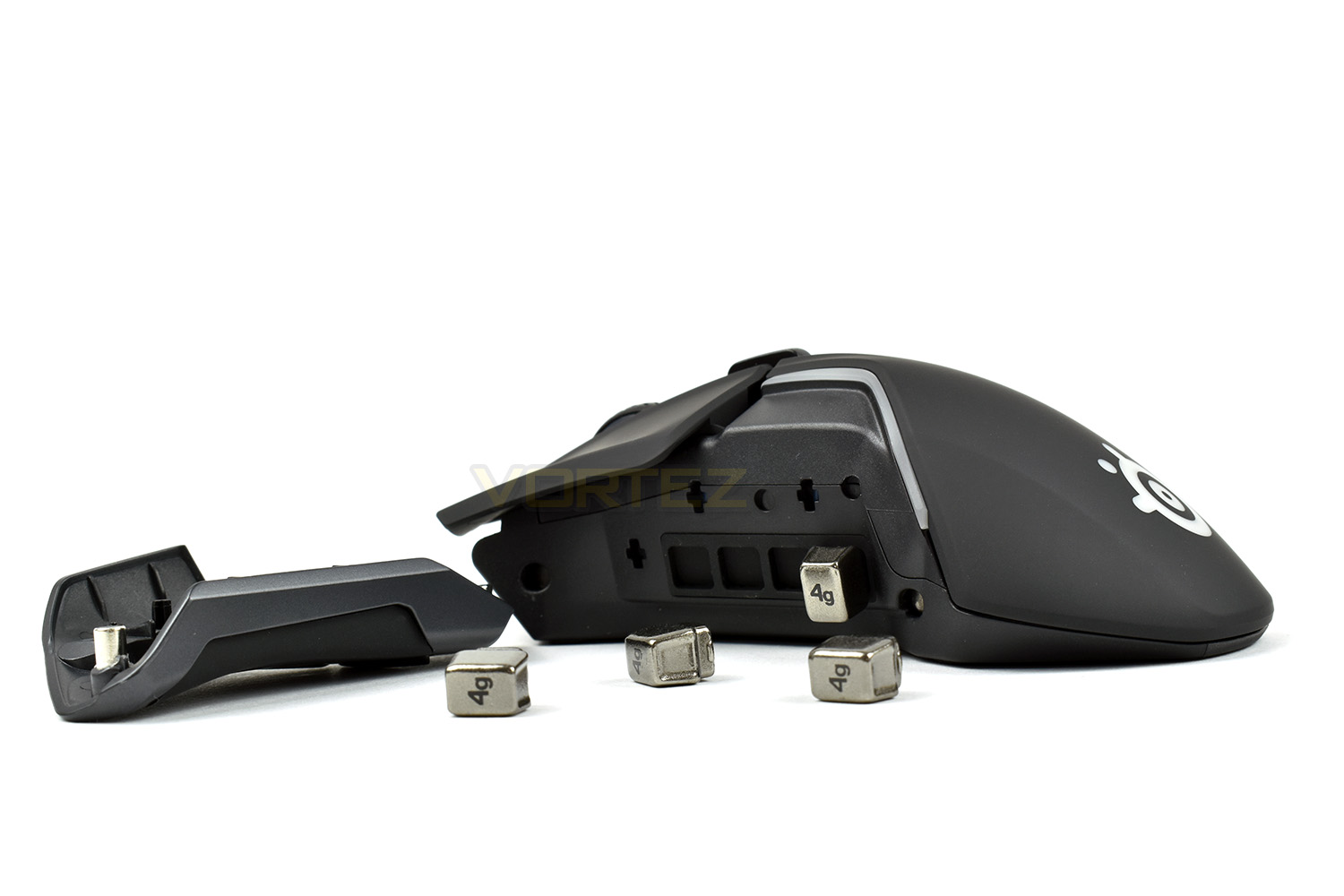
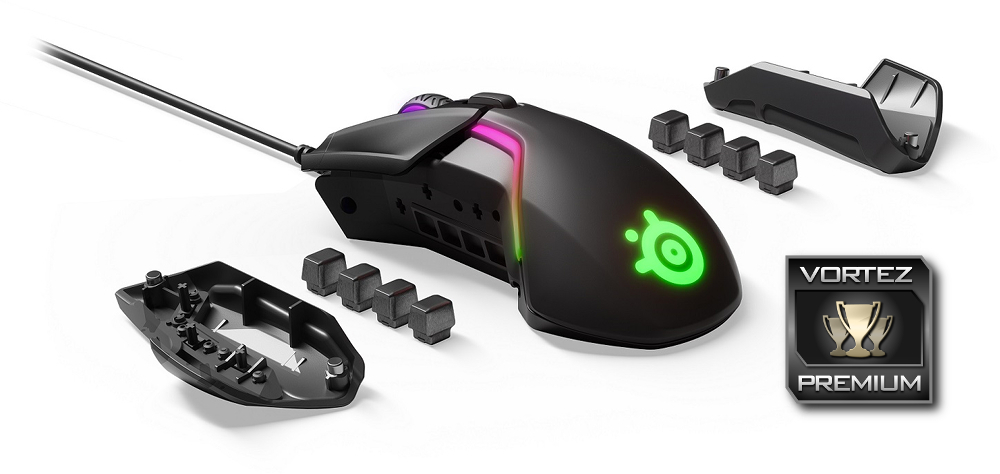
Those weights are then used in a clever way, letting the user utilise the weights to alter the balance of the mouse or the overall weight, or both. There are 256 weight options altogether. The side pieces are held in place, securely, by a system of magnets while the weights are locked into position using the grip of silicone alone; even after an extensive “earthquake scenario testing procedure” (shaking the mouse as hard as you can without the side piece in place) the weights remained locked in place.
Software
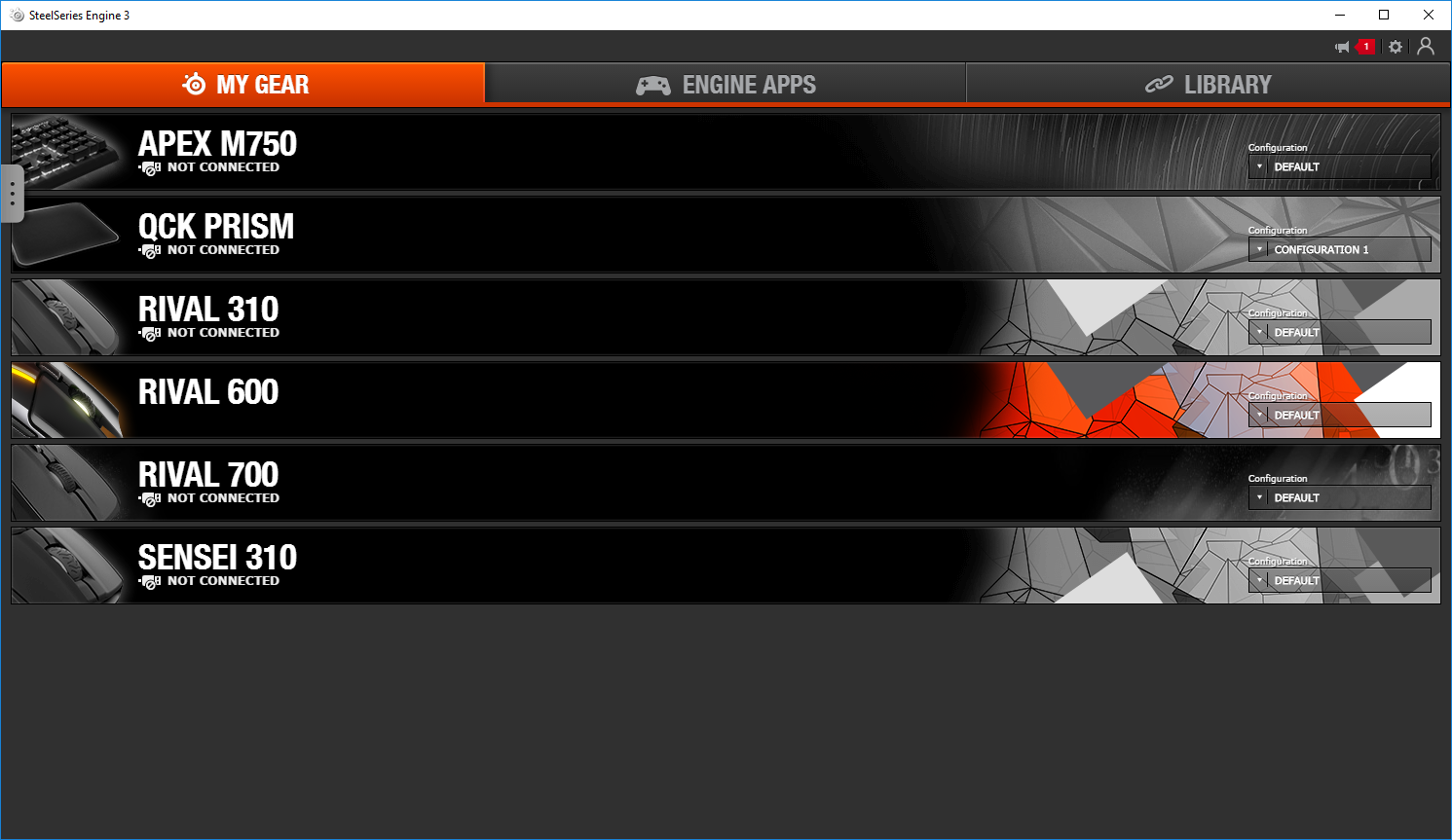
To take full advantage of the SteelSeries Rival 600, you must first install the SteelSeries Engine 3 software suite, used to customise any attached SteelSeries peripherals.The default landing page shows all connected devices, both past and present, along with any saved profiles. You can quickly choose stored profiles on the right hand side, using the drop down box.
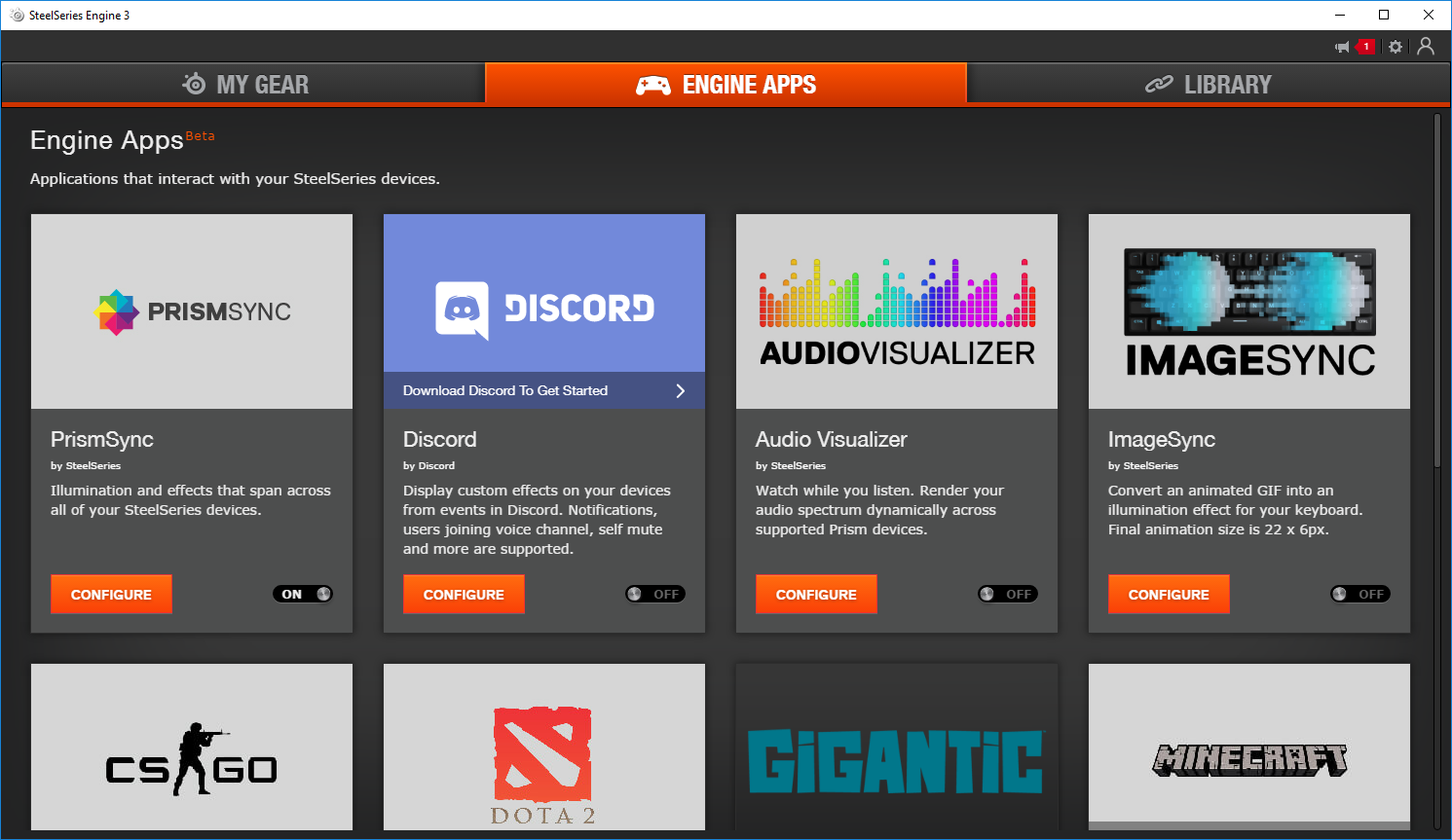
Engine Apps is still in beta, however it feels perfectly stable and works incredibly well. This section allows programs to connect with the RGB lighting within the Rival 600, either allowing your entire SteelSeries system to sync up through the PrismSync Engine or letting games like CSGO or DOTA2 tap into the lighting and provide visual feedback to on-screen events. The possibilities are almost endless.
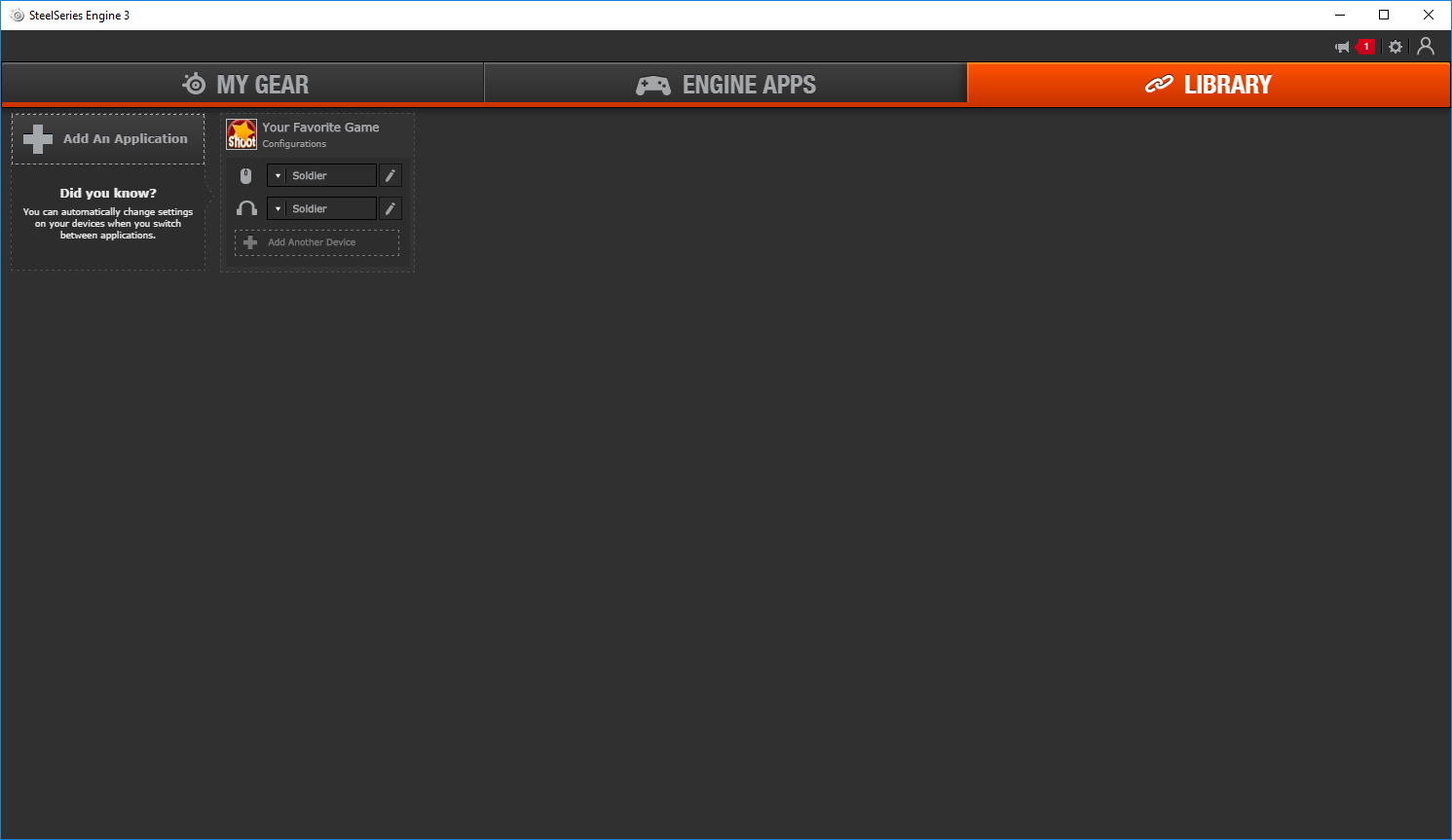
The Library tab recognises when a game or program is launched and can configure the mouse, or any other SteelSeries device, to assign a specific profile.
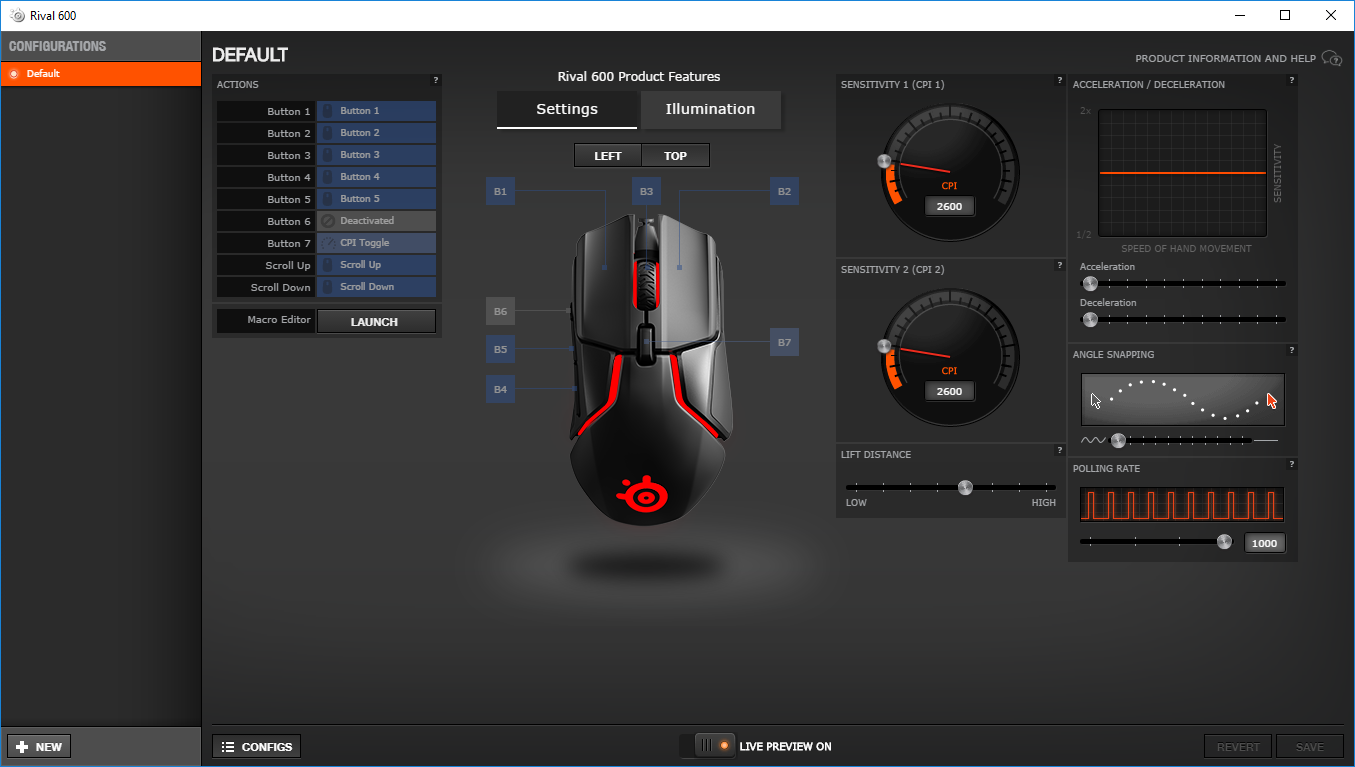
Getting onto the settings of the mouse, the SteelSeries Rival 600 is configured from a single page, with all of the options laid out clearly. Sensitivity, lift off distance, polling rate and acceleration are the options given, as well as being able to configure any of the buttons on the mouse.
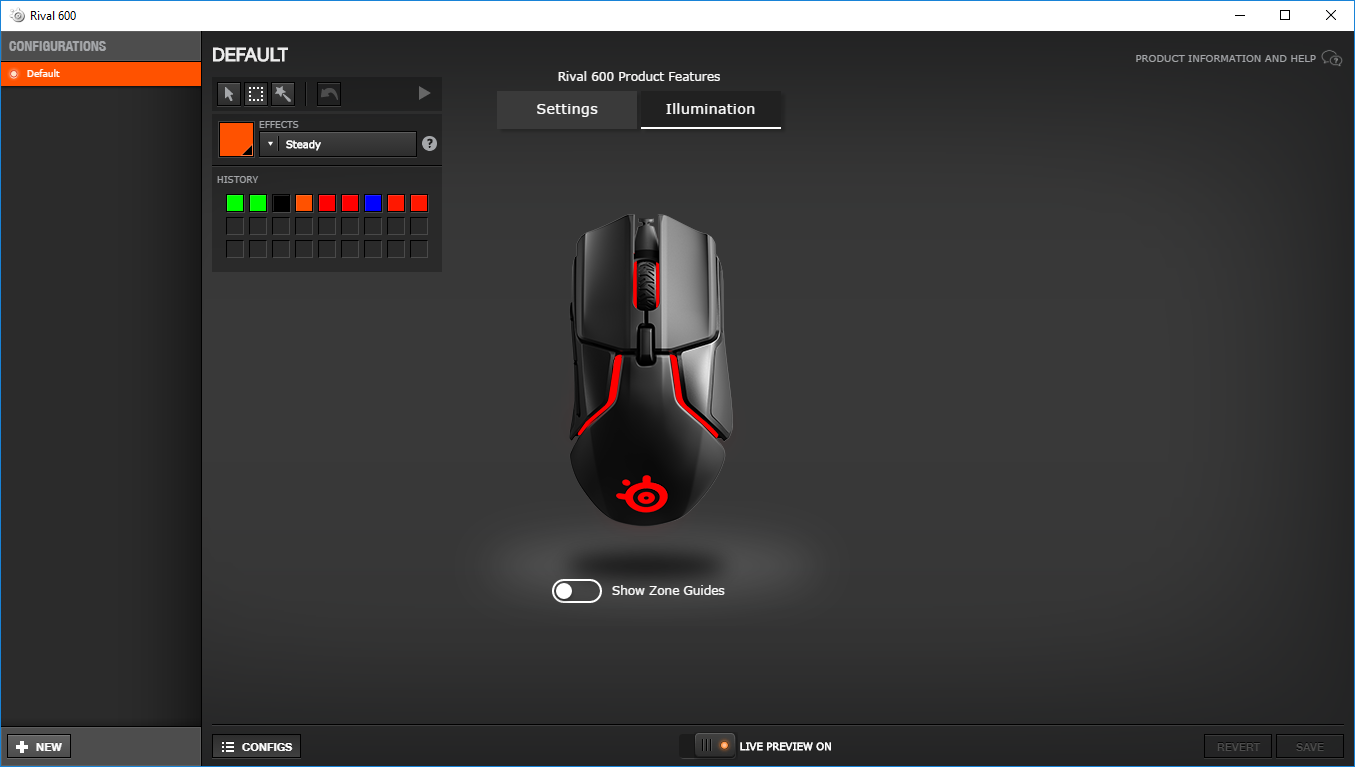
The final piece to the software is the illumination page, giving the user full control over all 8 RGB LEDs in the mouse – the scroll wheel and SteelSeries logo, as well as 3 LEDs on each side.
Performance Testing
First and foremost, the sensor. SteelSeries have produced some epic sensors over the last couple of years, with the Rival 310 and Sensei 310 both being incredibly impressive with the TrueMove3. Things have been stepped up another level with the TrueMove3+ with the inclusion of the depth sensor. The lack of any kind of acceleration, jitter, lag or any other distracting sensor issues are truly appreciated while using the Rival 600, especially when relying on the device to nail a headshot or get yourself out of a tight situation. It took such a small amount of time to become accustomed to the device, due to the 1:1 sensor tracking at anything less than 3500 DPI, which most people tend to stick to anyway. Lifting the mouse and placing it back down results in a tiny amount of mouse movement during the exercise, but once the mouse is placed back down, there’s no deviation whatsoever, resulting in a much more precise experience.The Rival 600 is on the larger side of the market, being better suited for someone with larger hands, but due to the extensive use of grippy silicone patches, the mouse can be used by a variety of different grip styles. One issue which effected myself was the DPI switch – whenever I was scrolling up a page, my finger would knock the DPI switch every time, making it pot-luck as to which DPI setting I ended up being assigned – the fix was to set both DPI options at 2600 – not ideal but it worked.
The weights system allowed a range of customisation to the mouse which is unlike anything we’ve tested recently. The two banks of the weights allow an additional 32g to be added, starting off with a mouse at 96g and resulting in 128g, giving the user a choice between a stripped down racing machine or a heavy behemoth of a mouse. The placement options also allow you to fine-tune the balance of the mouse, if you so wish.
As is the case on pretty much any peripheral on the market, RGB lighting is a must-have; The SteelSeries Rival 600 does not disappoint on this front, with incredibly bright and vibrant colours with excellent diffusion. The software also backed this up, allowing a great degree of customisation of both colours and effects.
Conclusion
In typical fashion, SteelSeries have presented another incredible example of how a mouse should be produced.The TrueMove3+ sensor is, quite possibly, the best sensor we’ve had the pleasure of using. The depth sensor has been utilised almost perfectly by SteelSeries, which when paired with the 12,000 DPI optical sensor with the 1:1 tracking, zero acceleration and onboard ARM processor, the overall experience is incredible.
RGB lighting is included and looks great with bright, vibrant lighting effects. Another thumbs up from us.
The shape of the mouse is comfortable and not too out-landish, featuring a fairly standard shape with some interesting lines to keep things fresh. We like it a lot, especially with the RGB lighting lines. The only problem I faced was the DPI selector switch being directly below my middle finger when scrolling upwards.
Overall, we’re hugely impressed by the handiwork that has been employed when designing and producing the latest Rival mouse. Good work SteelSeries!
The TrueMove3+ sensor needs to be used to be fully appreciated, but if you’re in the market for a mouse around this price bracket, we wouldn’t hesitate to recommend the Rival 600.
Pros
+ TrueMove3+ Sensor system is epic
+ Looks great
+ Bright, clear RGB lighting
+ 32g of weight option
+ Solid build quality
+ Removable cable for easy transport
+ 60,000,000 clicks on right and left buttons
Cons
– DPI selector is too easily knocked
+ TrueMove3+ Sensor system is epic
+ Looks great
+ Bright, clear RGB lighting
+ 32g of weight option
+ Solid build quality
+ Removable cable for easy transport
+ 60,000,000 clicks on right and left buttons
Cons
– DPI selector is too easily knocked
Click here for an explanation of our awards at Vortez.net.
Stay connected with the Vortez Social Media pages:
Join in with the discussions on Discord