SteelSeries change the game with the Rival 700, a highly customisable mouse that has an animated OLED screen and tactile vibration alerts.

Product on Review: SteelSeries Rival 700
Manufacturer: SteelSeries
Street Price: UK: £84.99, US: $99.99
Leaping to the opposite end of the spectrum after having a hands on with the Rival 100, we finally get the chance to play with the Rival 700.
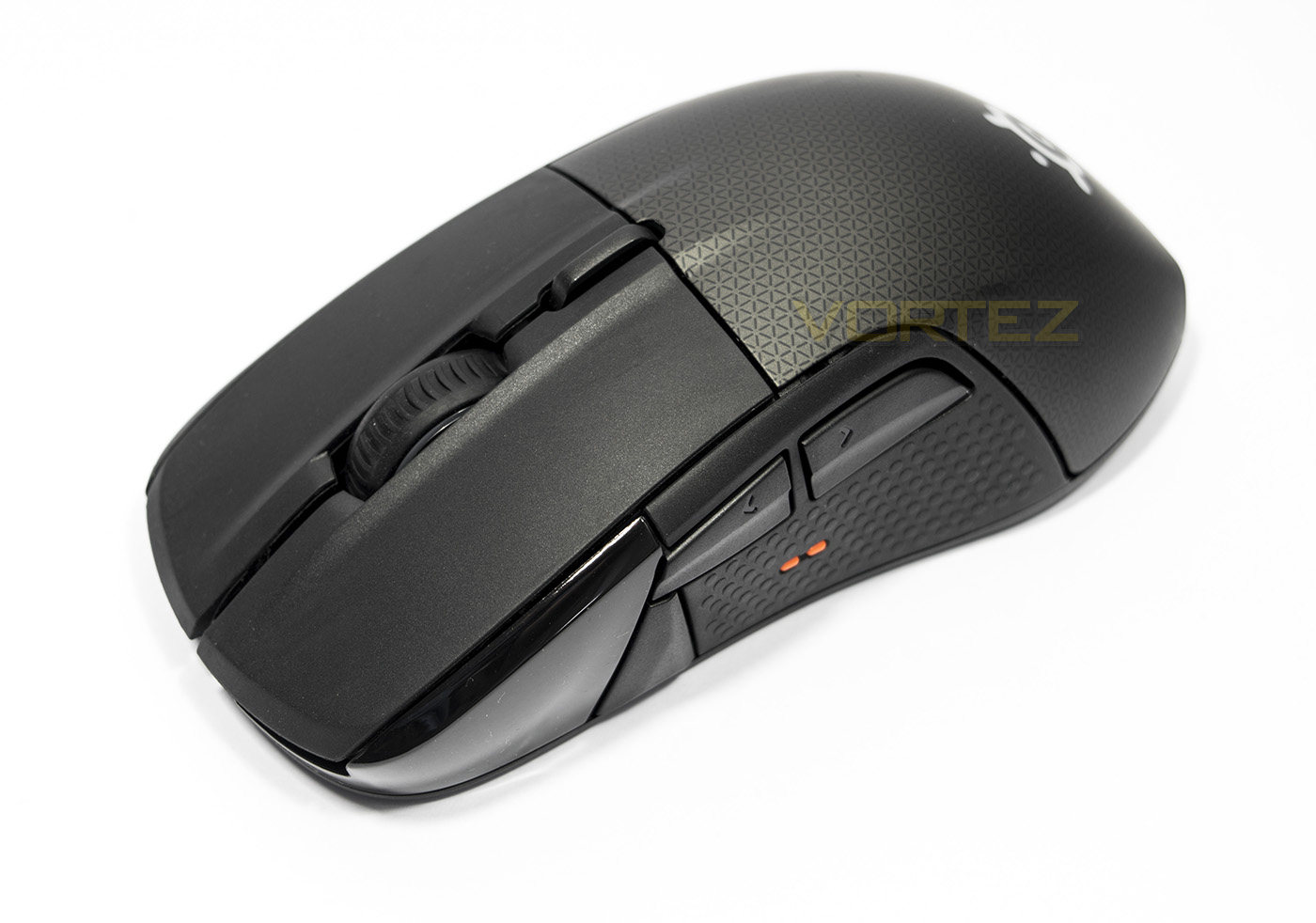
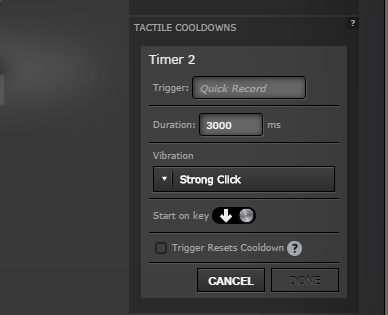
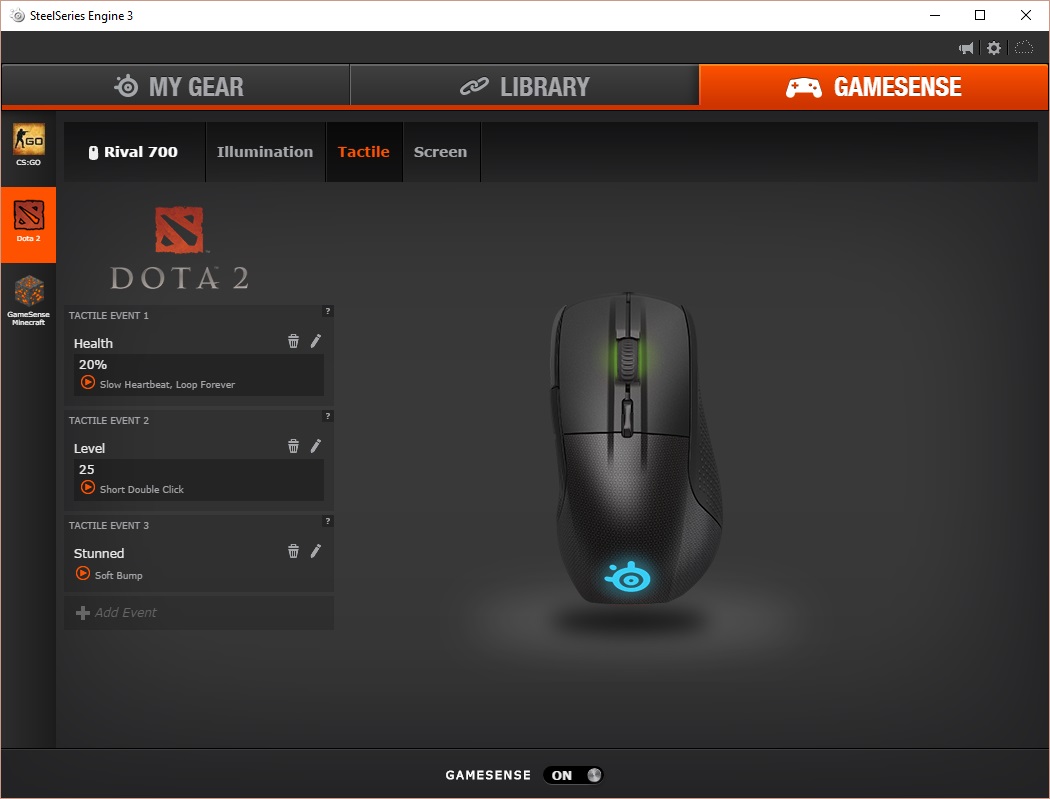
At first glance it would be easy to dismiss it as a run-of-the-mill teardrop shaped mouse. Then on closer inspection, the subtle ergonomic shape comes into focus. You then see the different materials for the main mouse buttons and the rear shell. At the side you will find three buttons with an orange tactile bump for your thumb to rest between them as well as a fully customisable OLED display that is capable of displaying 128×36 animated GIFs at 10fps. This can also be used to display in game statistics and events. Pushing the Rival 700 beyond competitors, SteelSeries have implemented a tactile vibration alert. By making the pulses vibrate up and down rather than left/right ensures it doesn’t interfere with the sensor tracking. The vibration can be customised to give various signals and alerts in game, E.G. in DOTA 2, it would repeatedly give a slow pulse if you are below 20% HP, or it can give a short sharp vibration to let you know once an ability has cooled down.
The body of the Rival 700 is highly modular also. There are additional shells available to purchase (glossy finish/anti-sweat finish), you can download a file to 3D print you own rear nameplate and you can even swap out the default sensor (which is the fantastic 3360 optical sensor) for the Pixart 9800 laser module, again sold separately. Additional details include rubber side grips, RGB LED lighting and memory space to save 5 different profiles.
Overview by SteelSeries
The Rival 700 is the most powerful gaming mouse armed with the first fully customizable OLED display, and customizable tactile alerts giving gamers real-time information and notifications.
Technical Specifications
Design
Material: Matte Top Cover
Ergonomic, Right-Handed
Grip Style: Palm, Claw, and Fingertip
Number of Buttons: 7
SteelSeries Switches: Rated for 30 Million Clicks
Reinforced Left and Right Clicks
Weight: 135g, 0.3lbs
Height: 124.85mm, 4.92in
Width: 68.46mm, 2.70 in
Depth: 41.97mm, 1.65in
Short cable length (non-braided): 1m, 3.28 ft
Long cable length (braided): 2m, 6.5 ft
Mouse Sensor
Sensor Name: PixArt PMW3360
Sensor Type: Optical
CPI: 100 to 16,000
IPS: 300
Acceleration: 50g
Polling Rate: 1 ms (1000 Hz)
Zero Hardware Acceleration
Tracking Accuracy: 1:1
Customization Options
Gamesense Support
OLED Display Customization
Tactile Alert Customization
SteelSeries Engine Support: SSE3
Multiple CPI Options
Programmable Buttons
Onboard Profile Storage
Acceleration Customization
Deceleration Customization
Color Options: 16.8 Million
Swappable Pixart 9800 Laser Sensor
Swappable Rival 700 Top Cover Pack
Printable 3-D Nameplate / Download 3D Files
Box Contents
Rival 700
Braided Long Cable
Soft PVC Short Cable
Quick Start Guide
Material: Matte Top Cover
Ergonomic, Right-Handed
Grip Style: Palm, Claw, and Fingertip
Number of Buttons: 7
SteelSeries Switches: Rated for 30 Million Clicks
Reinforced Left and Right Clicks
Weight: 135g, 0.3lbs
Height: 124.85mm, 4.92in
Width: 68.46mm, 2.70 in
Depth: 41.97mm, 1.65in
Short cable length (non-braided): 1m, 3.28 ft
Long cable length (braided): 2m, 6.5 ft
Mouse Sensor
Sensor Name: PixArt PMW3360
Sensor Type: Optical
CPI: 100 to 16,000
IPS: 300
Acceleration: 50g
Polling Rate: 1 ms (1000 Hz)
Zero Hardware Acceleration
Tracking Accuracy: 1:1
Customization Options
Gamesense Support
OLED Display Customization
Tactile Alert Customization
SteelSeries Engine Support: SSE3
Multiple CPI Options
Programmable Buttons
Onboard Profile Storage
Acceleration Customization
Deceleration Customization
Color Options: 16.8 Million
Swappable Pixart 9800 Laser Sensor
Swappable Rival 700 Top Cover Pack
Printable 3-D Nameplate / Download 3D Files
Box Contents
Rival 700
Braided Long Cable
Soft PVC Short Cable
Quick Start Guide
Packaging & First Look
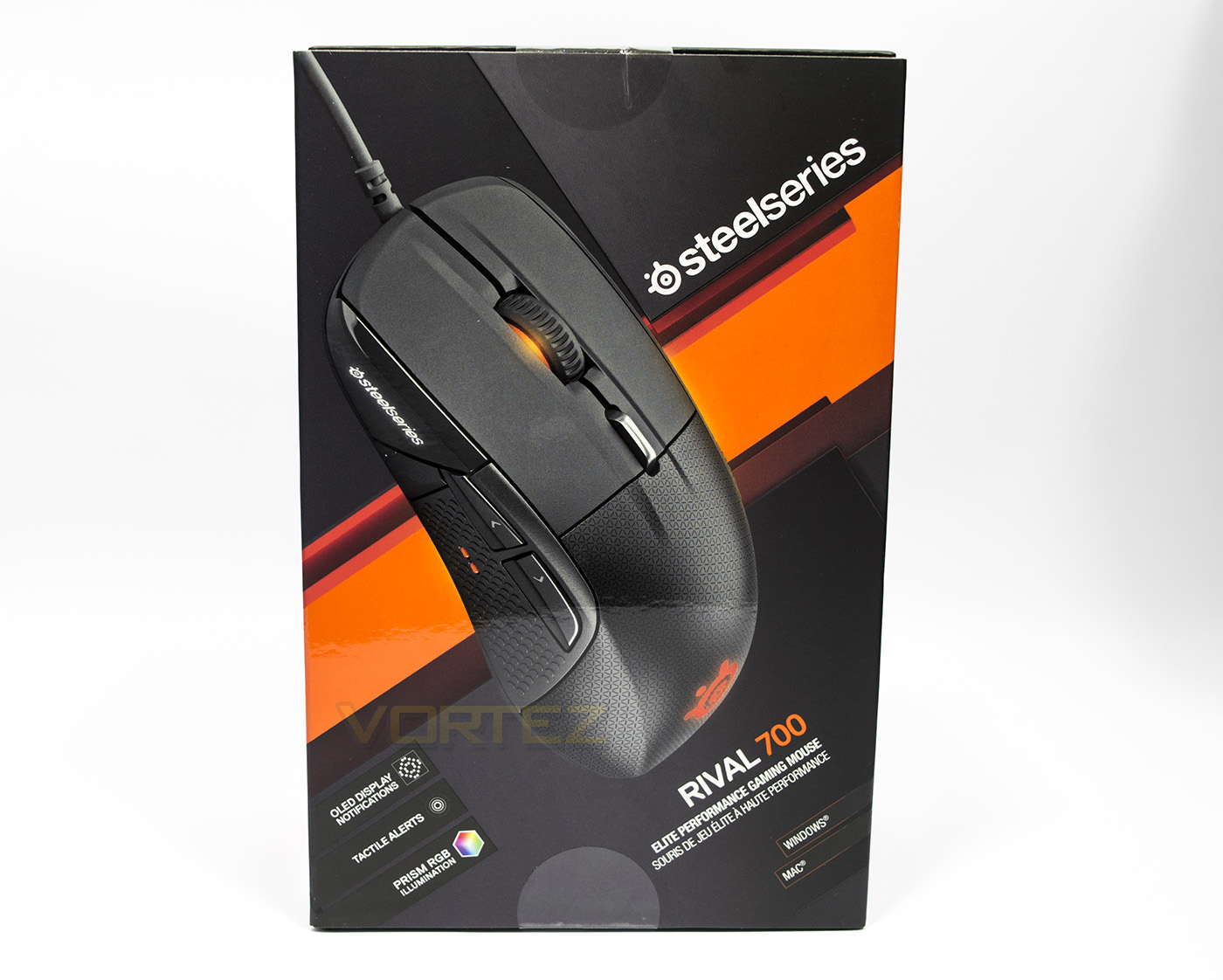
The packaging is very much SteelSeries, good quality black and burning orange with greys between. There is a large image of the contained product with supporting information about its features.
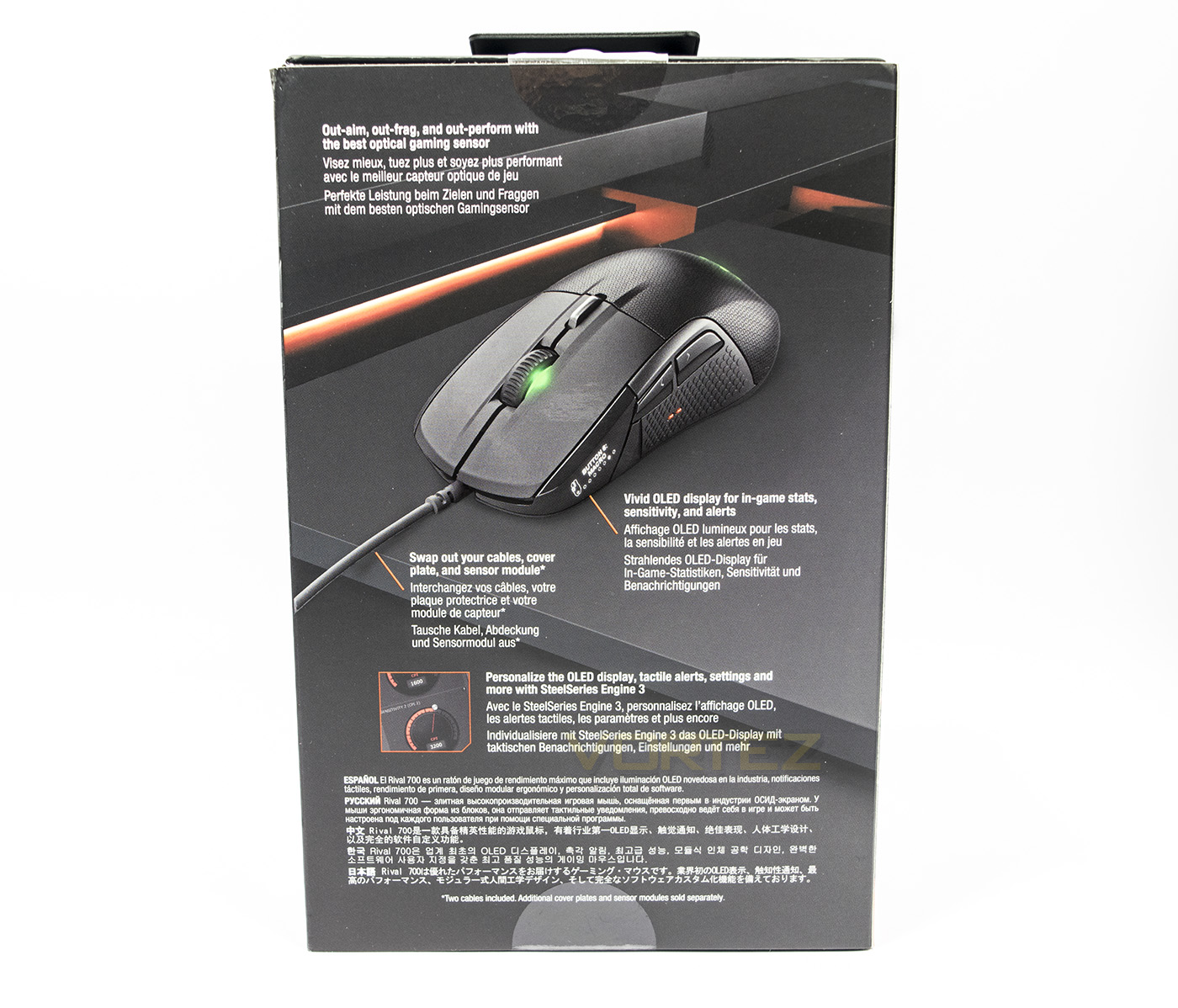
At the back there is more information about the OLED screen, the interchangeable parts written in various languages.
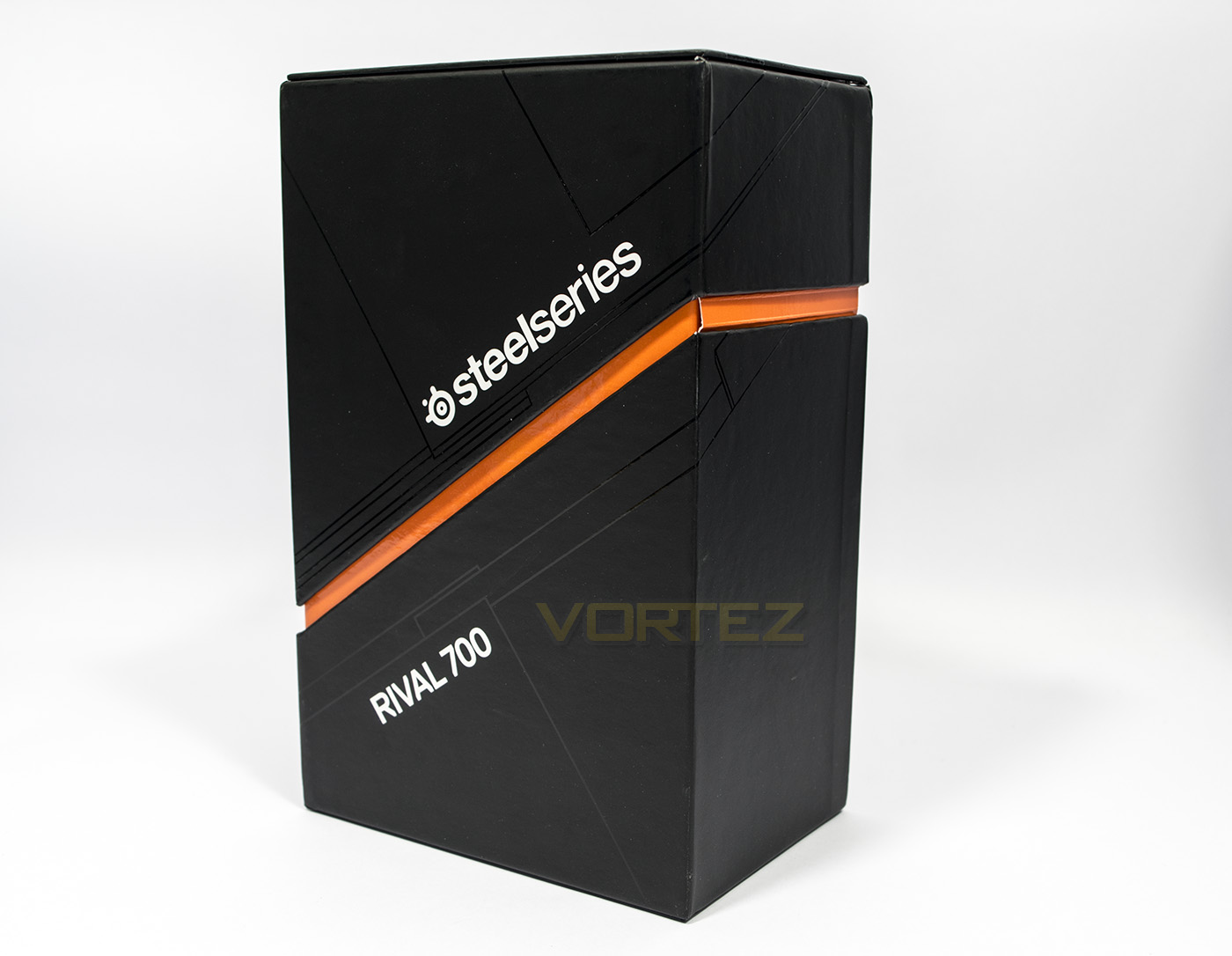
Remove the outer sleeve and we are greeted with a stylish monolith box that opens up like a rectangle pacman.
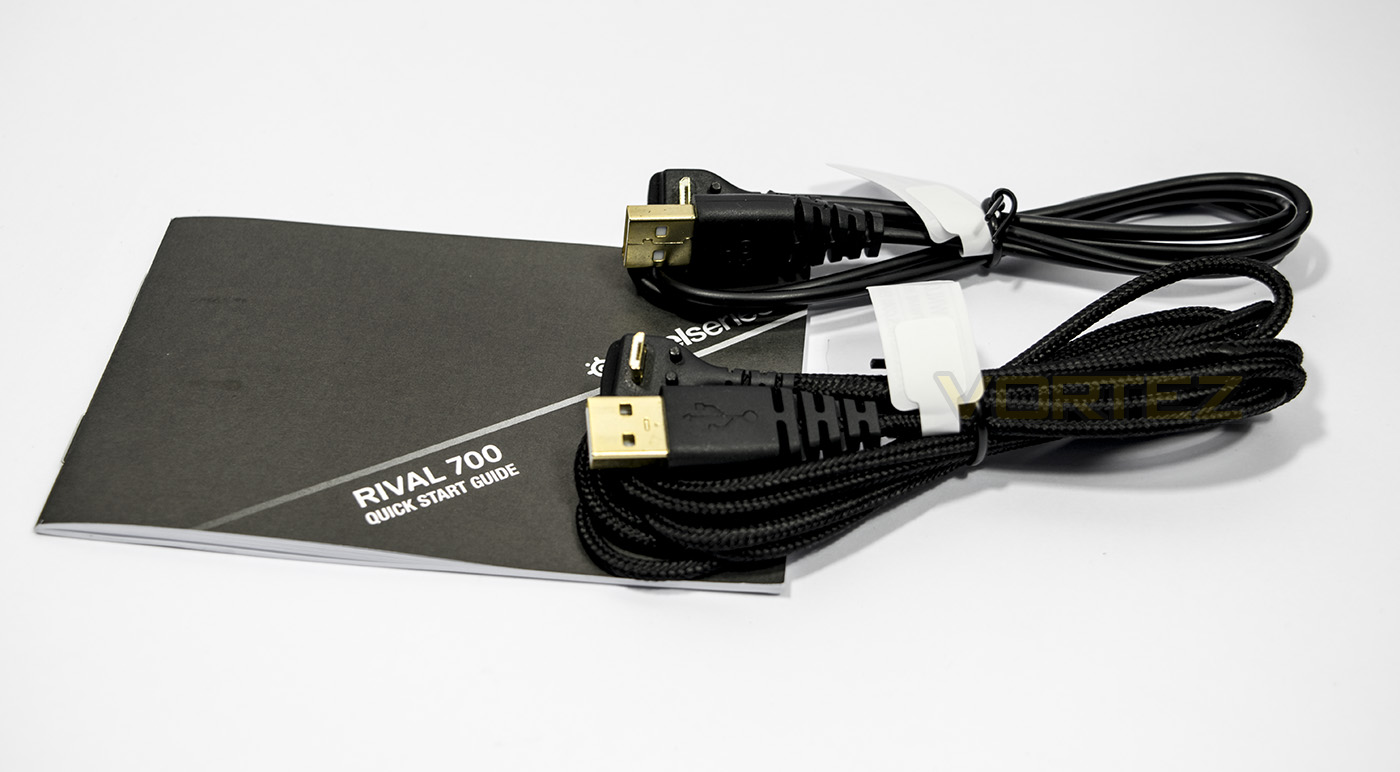
Included inside the box is a short PVC cable and a longer braided cable, alongside the manual.
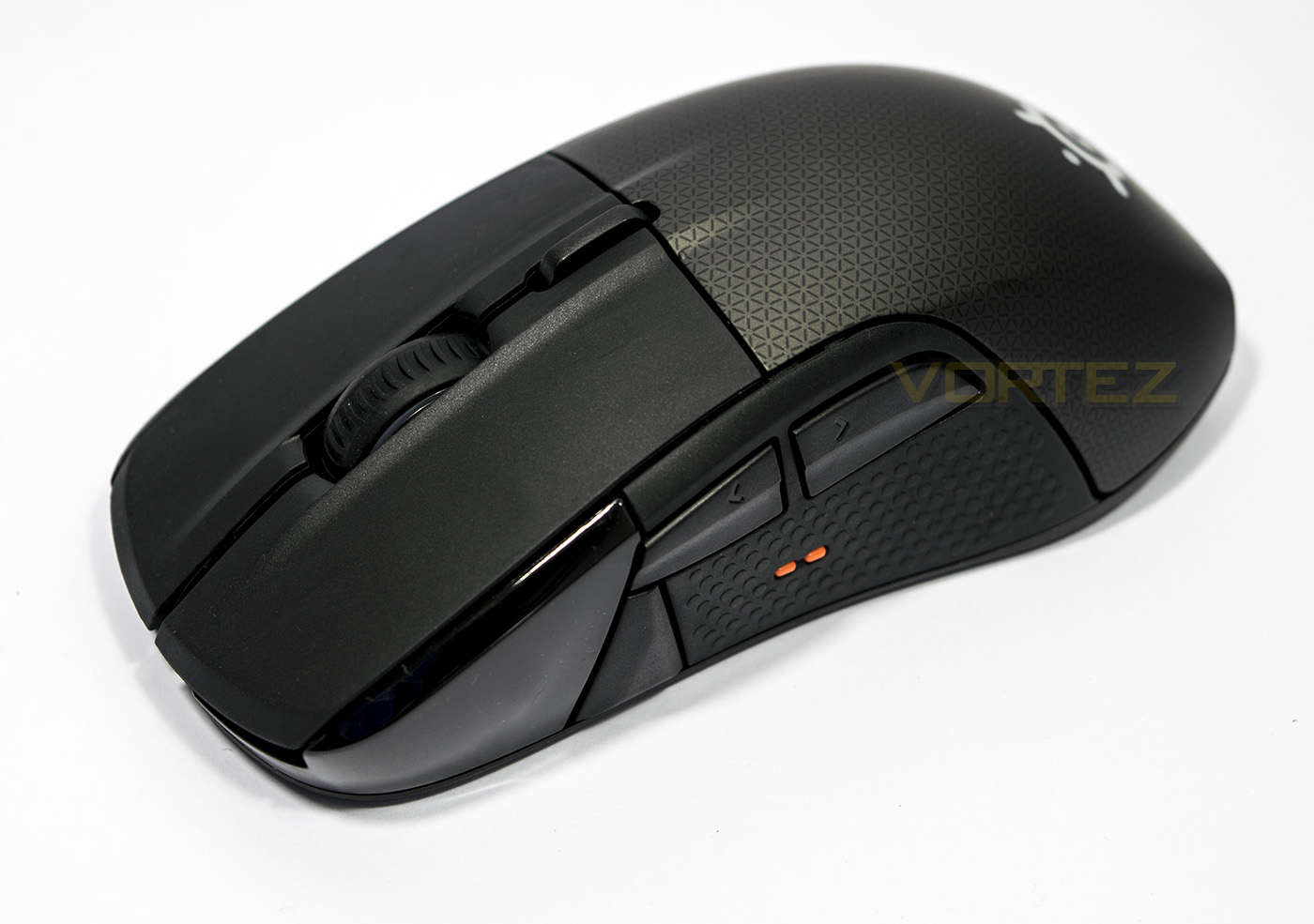
The Rival 700 itself, the cables are modular, the main mouse buttons are independent reinforced plastic, with the rear shell being removable.
Closer Look
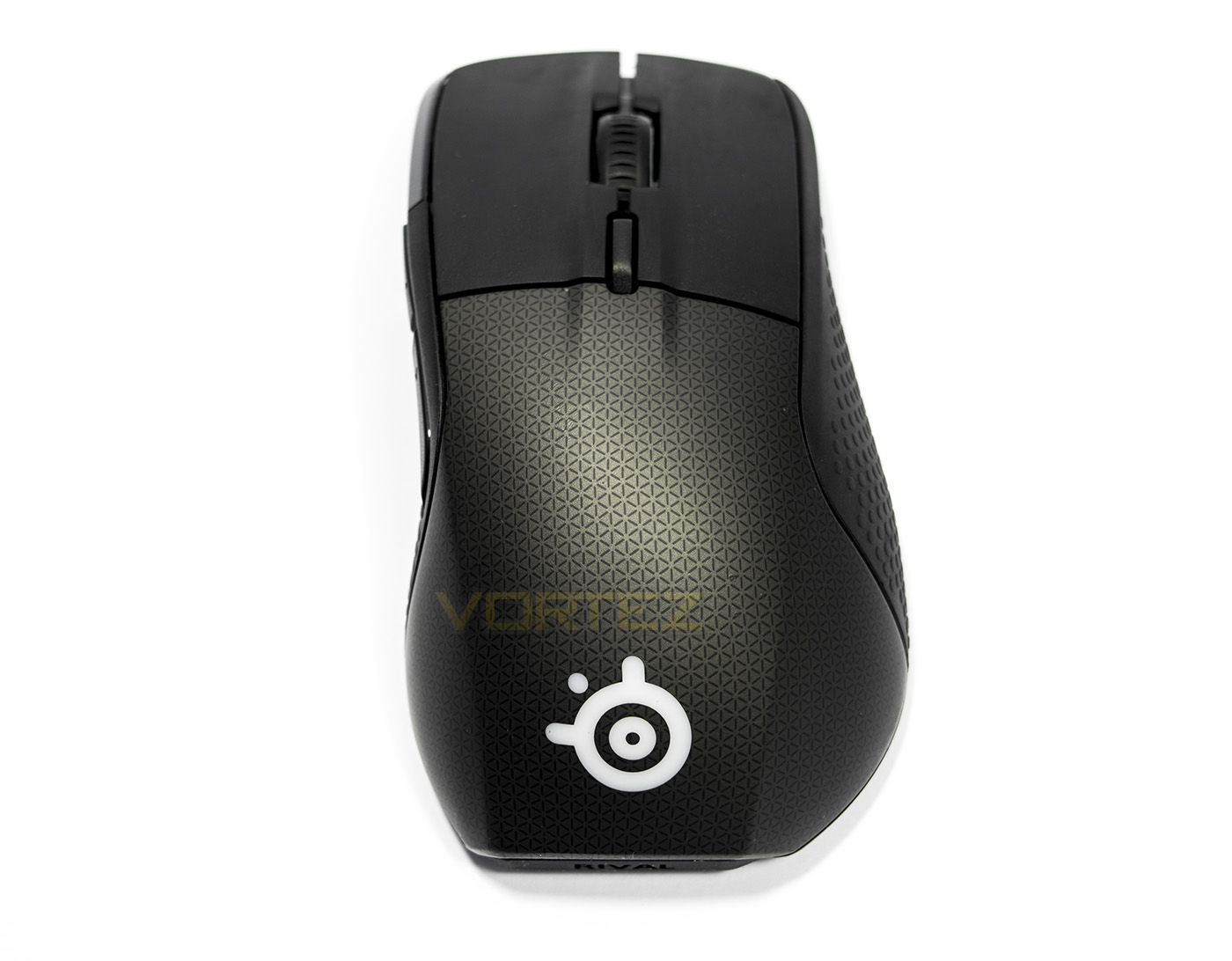
The top down view shows off the pear shaped ergonomics, revealing that it won’t be ambidextrous. You can clearly see that the main buttons are independent from the rear section.
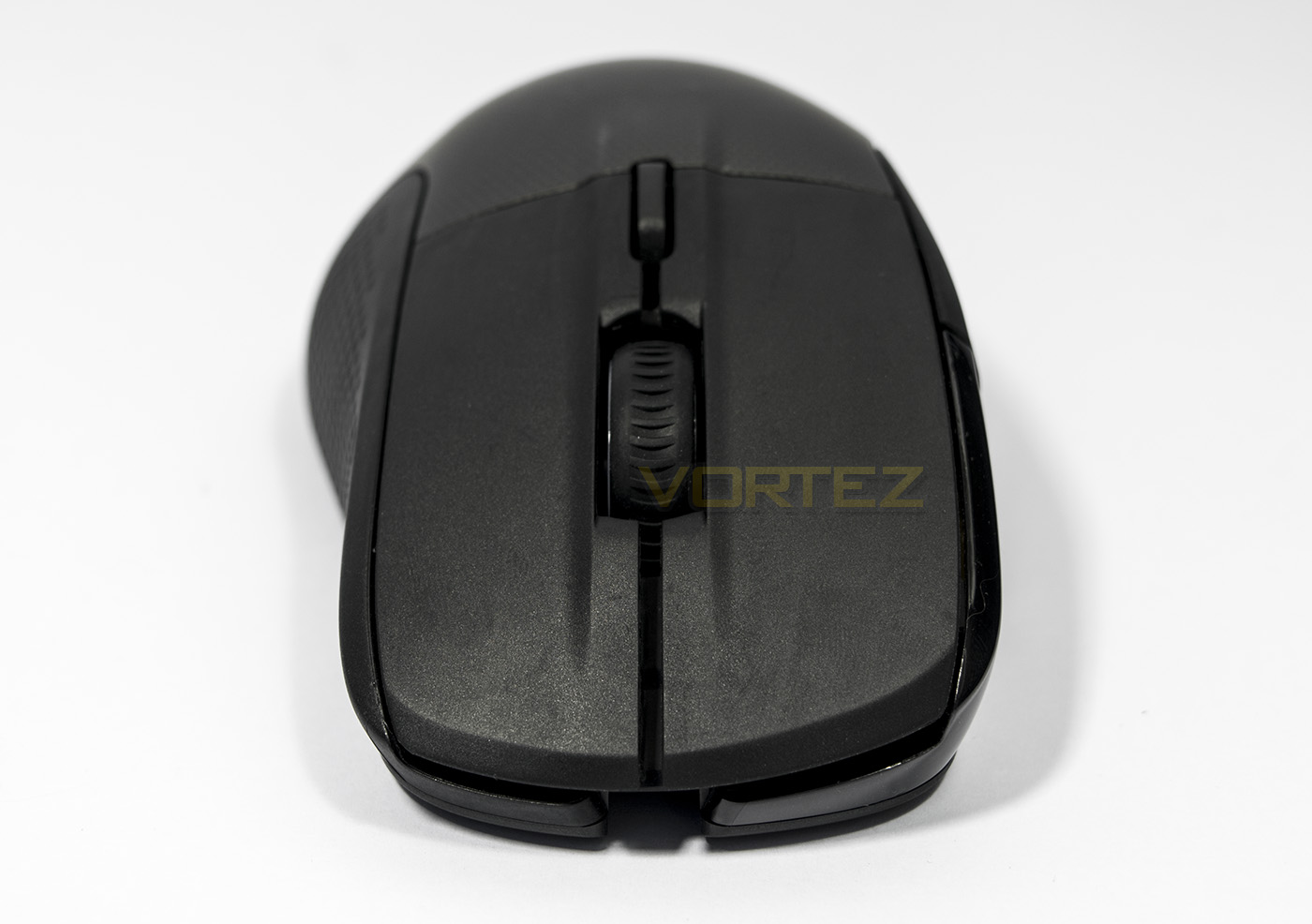
The front shows a wide rubberised mouse wheel with a DPI toggle button set behind it. There is a small gap at the bottom where the cables feed through to connect.
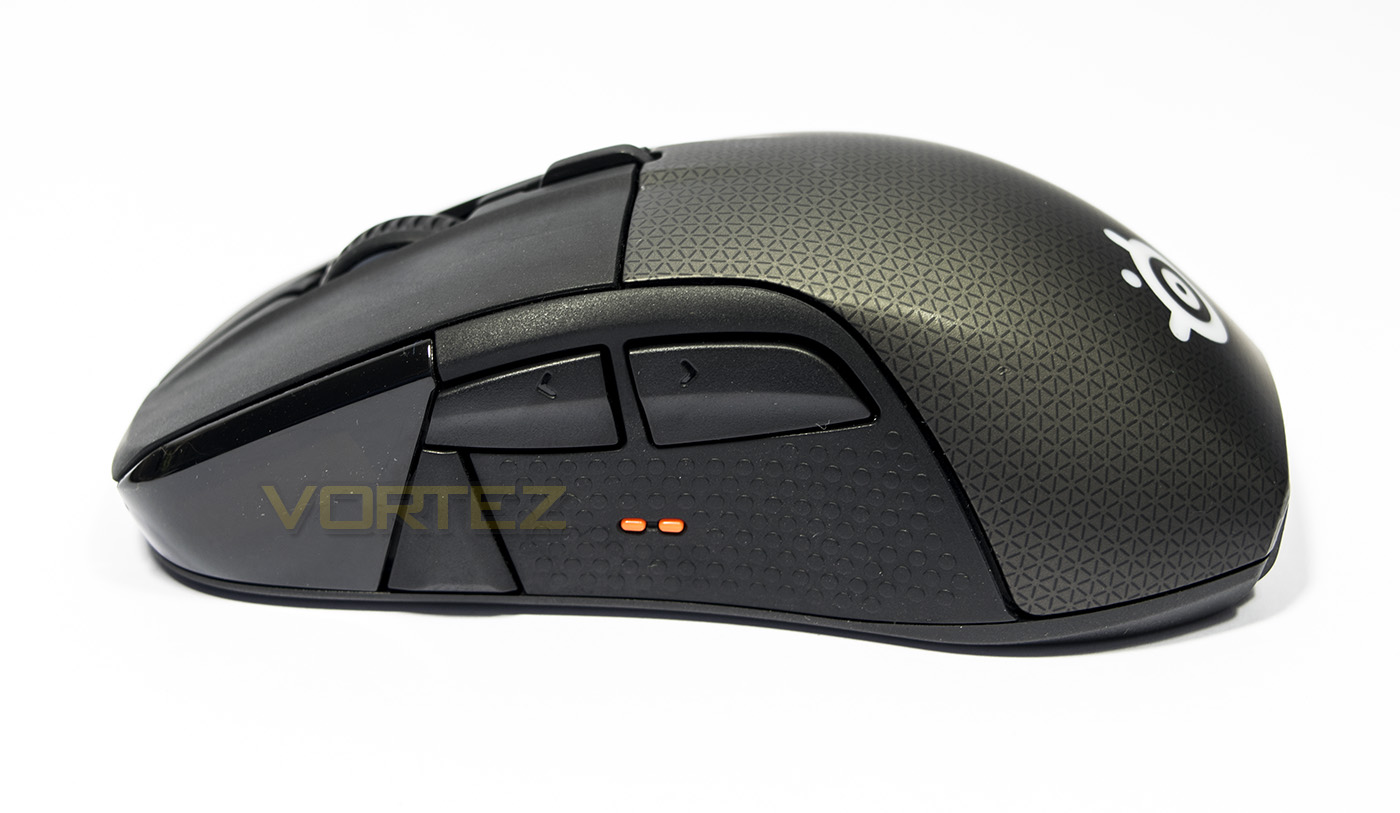
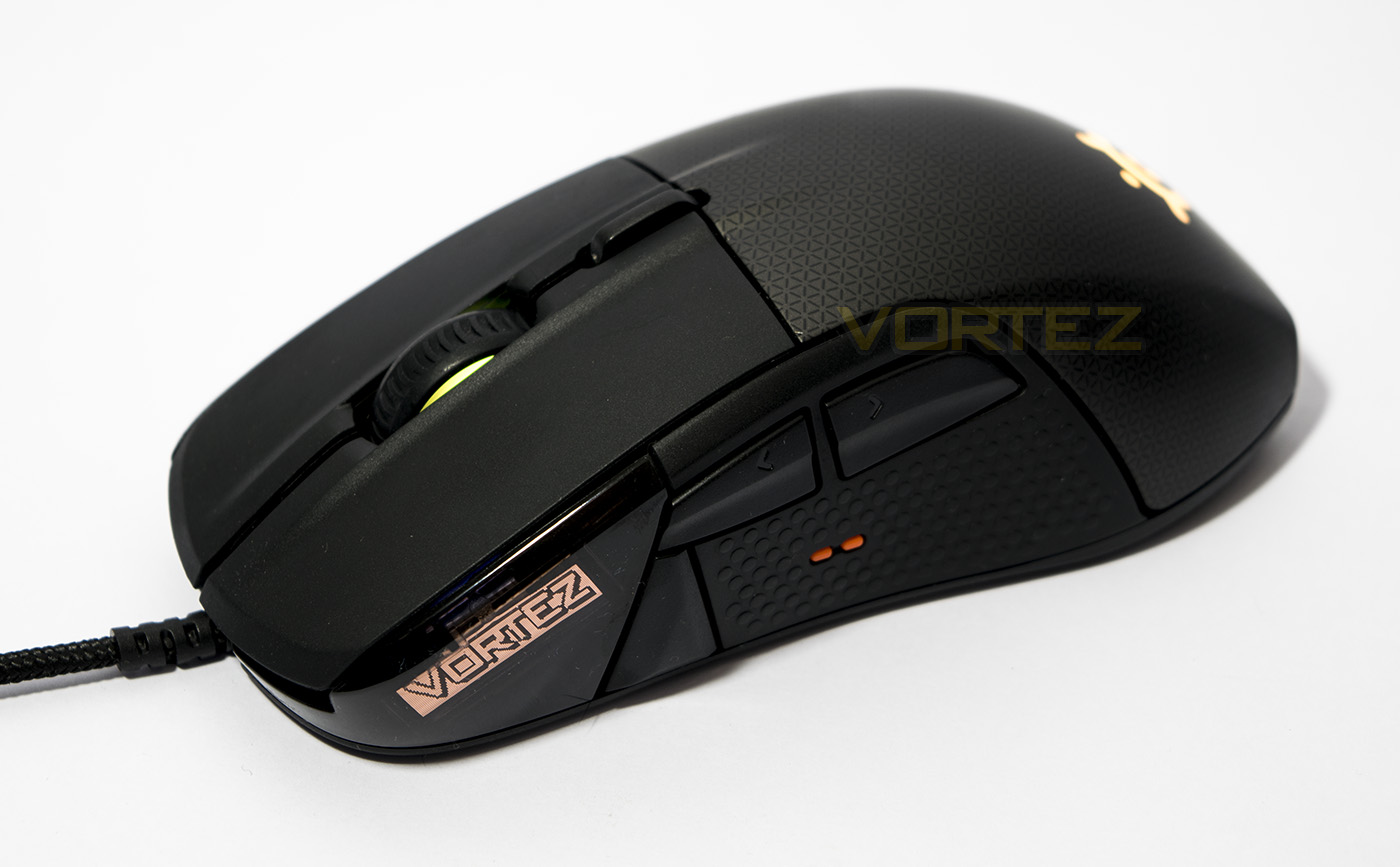
The business side looks rather sleek and well laid out. On the left is the OLED screen, then there is a large front button that could potentially be used as a sniper button, followed by the two forward/back buttons. The little orange bumps are a tactile reference for your thumb indicating the centre between the forward/back buttons. The rest of the side is set in a rubberised coating for grip.
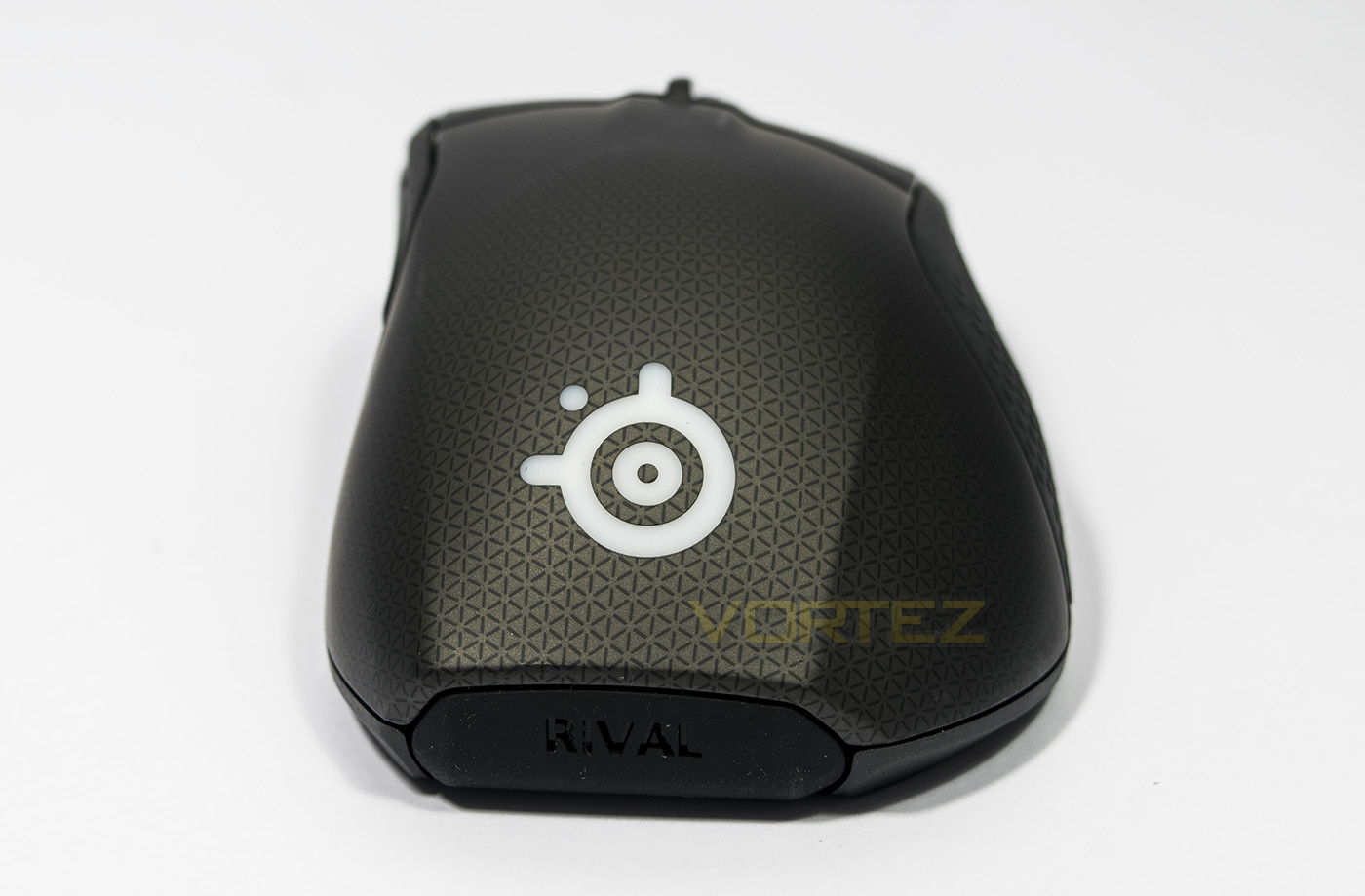
At the back we get the view of the SteelSeries logo, as well as the removable nameplate. You can download the 3D file to create and print your own custom nameplate.
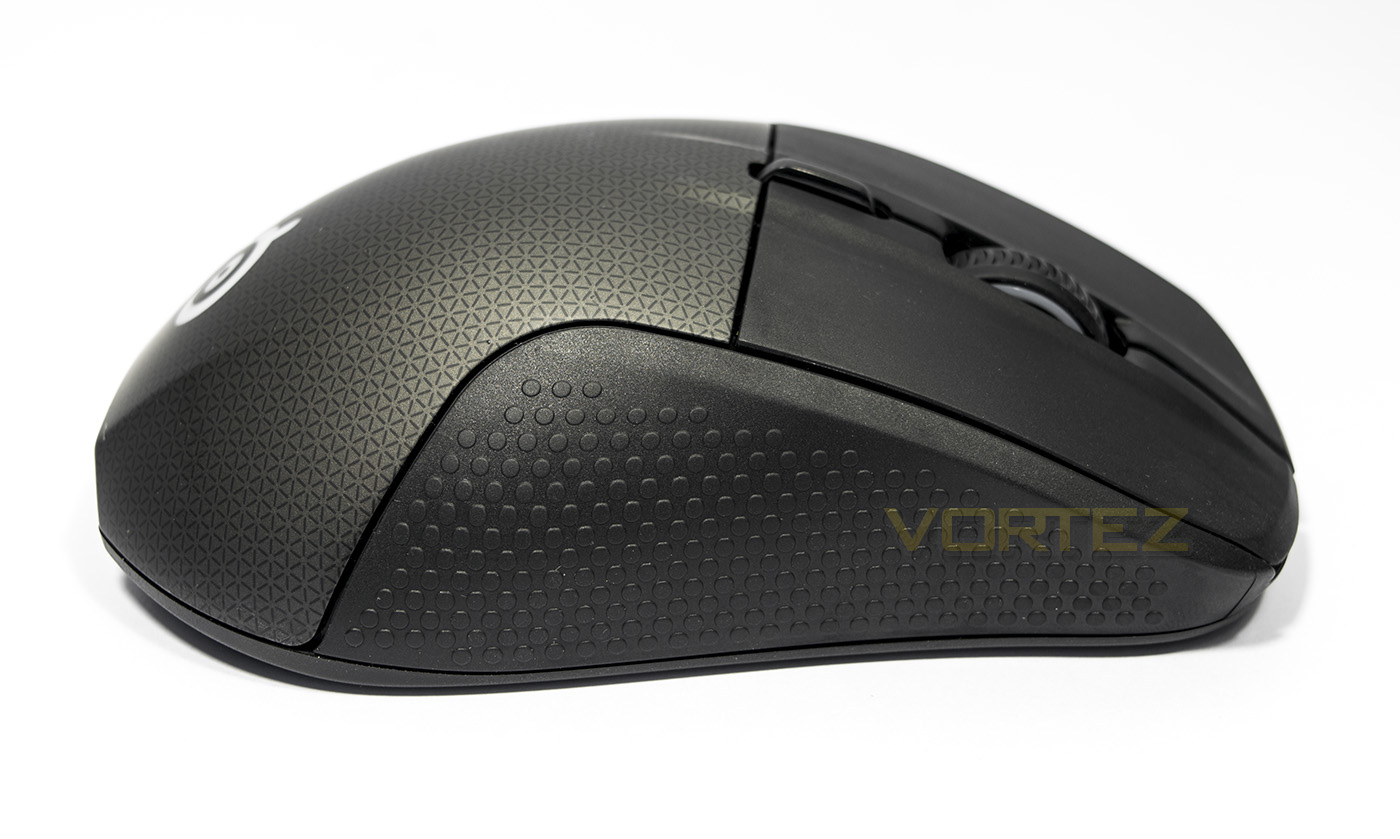
The right side of the mouse is mostly ergonomic shaping that is covered with textured rubber grip.
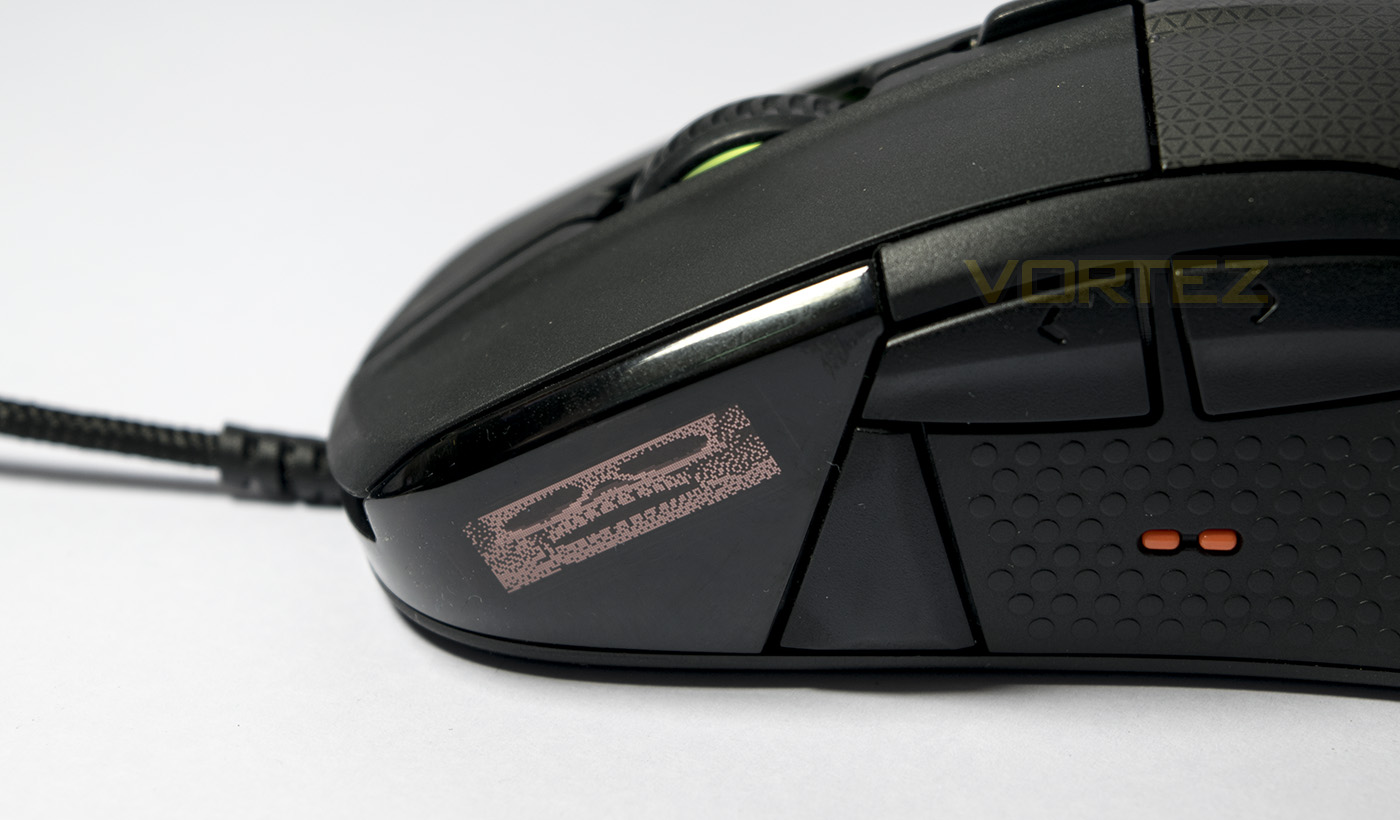
Powered up, we upload a fun animated gif.
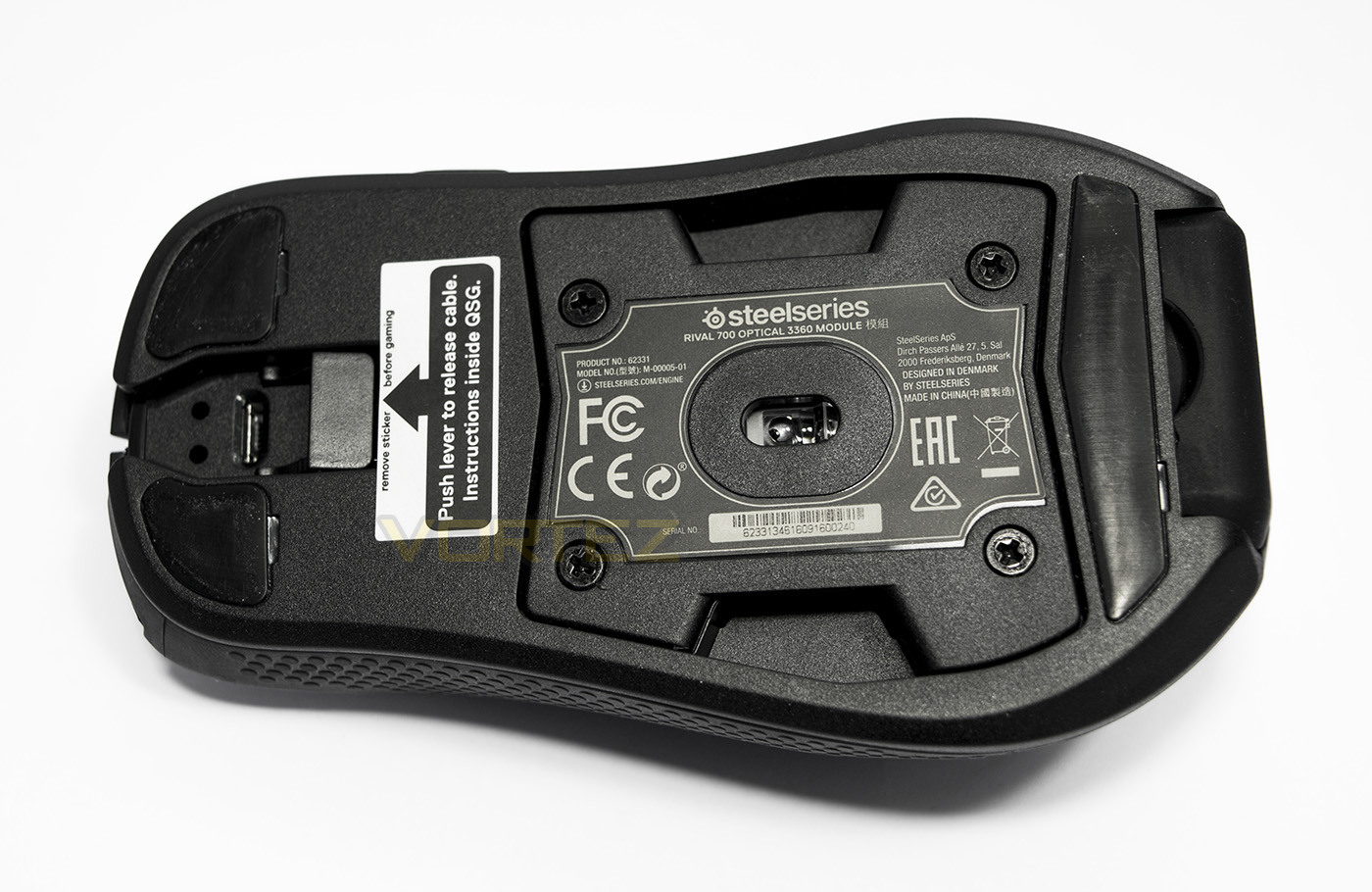
The sensor is positioned more towards the rear of the mouse. There are 4 screws to remove should you wish to swap out the sensor module. There is a large slip pad at the rear and two smaller ones at the front as well as a small lever to help remove the cable once it is installed.
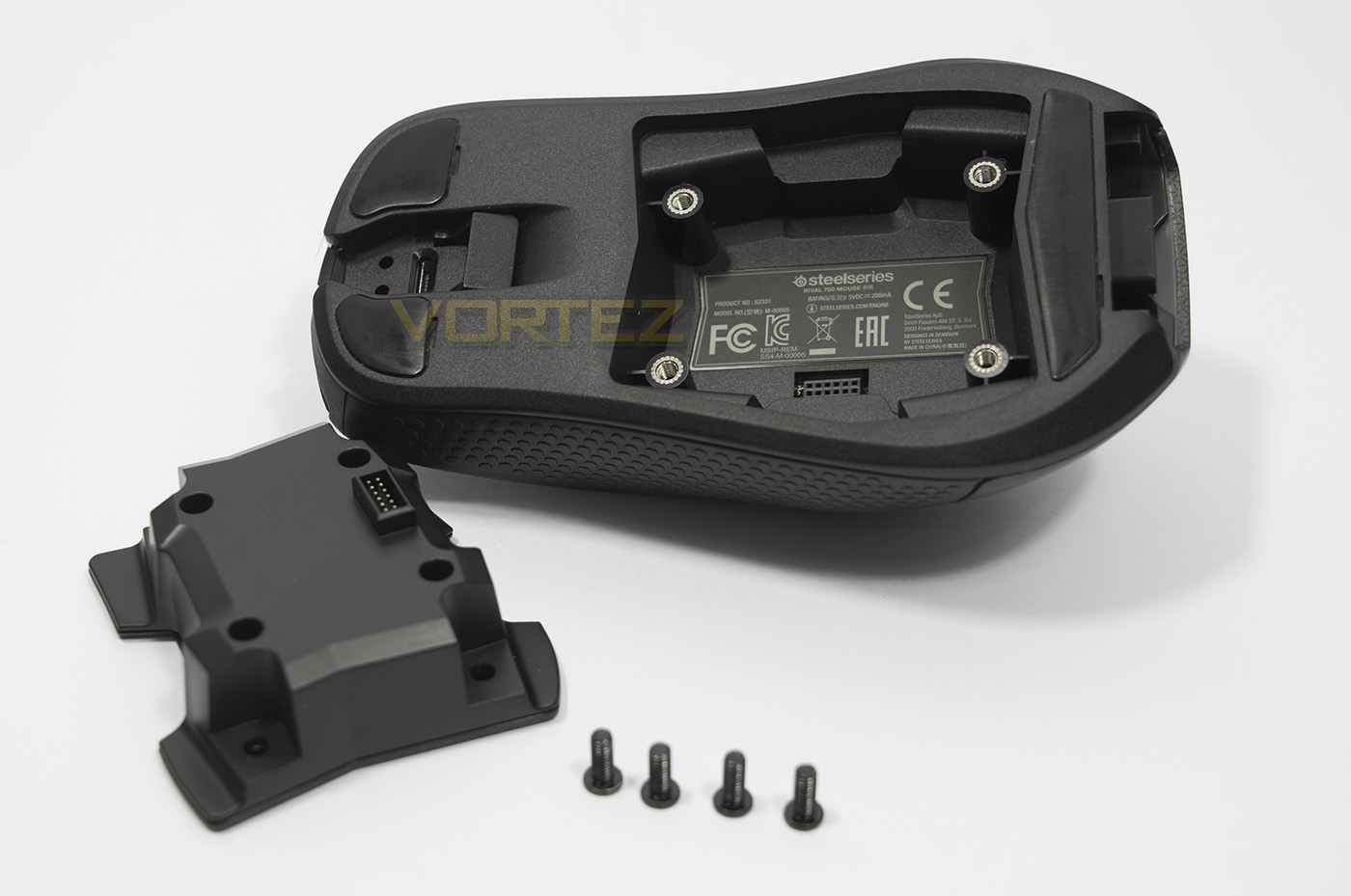
The sensor module is easy to remove, remove the screws and pull out, then plug back in, reinsert screws.
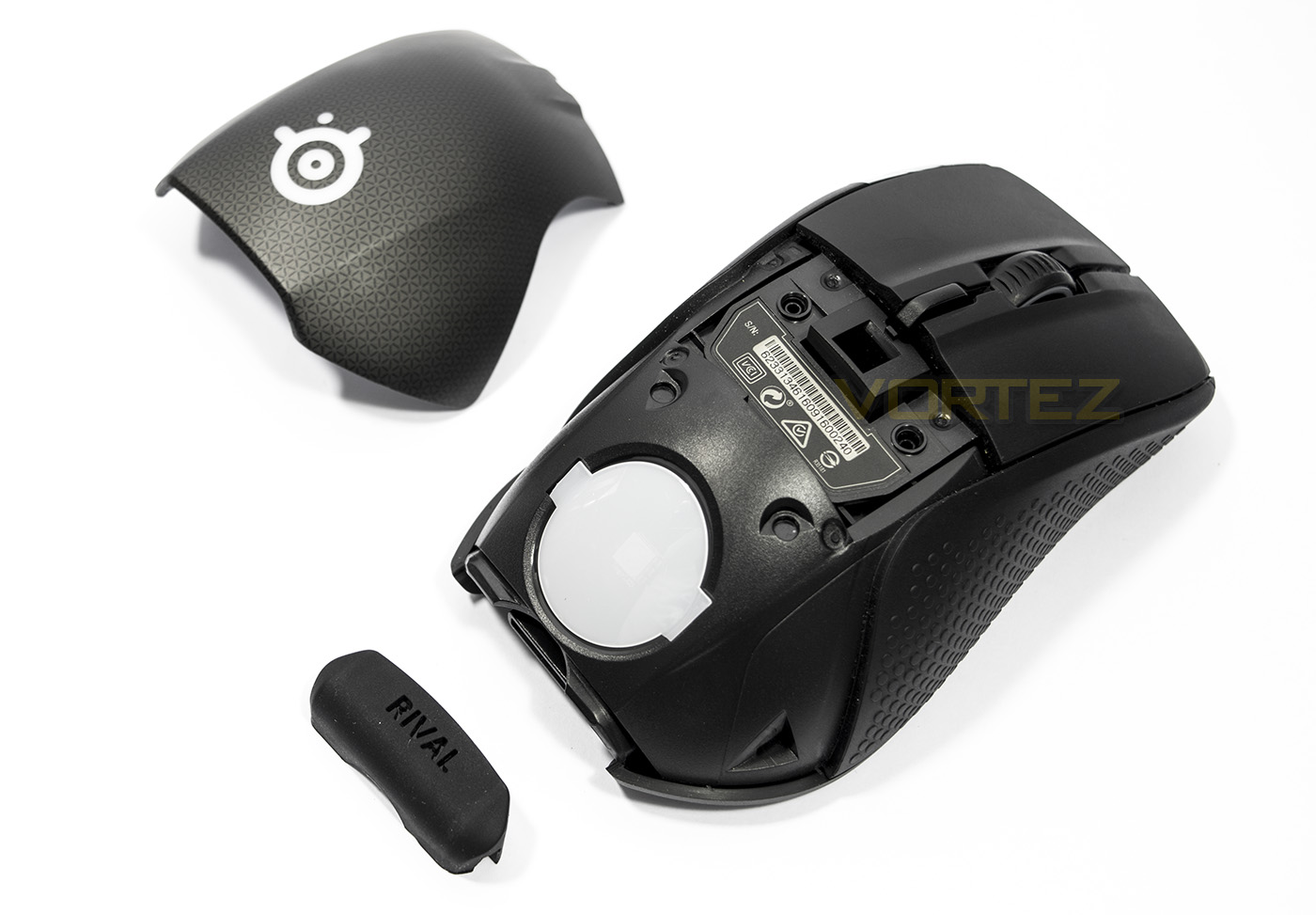
The rear shell pops off and can be replaced, it is easier to do this once you have removed the rear nameplate.
Software & Lighting
You can access the built in controls by holding the DPI button down for a few seconds, allowing you to navigate a menu displayed on the OLED screen using the mousewheel, clicking the mousewheel acts as confirm/OK, while the DPI button acts like a back button. This will allow you to change settings and profiles on the fly.
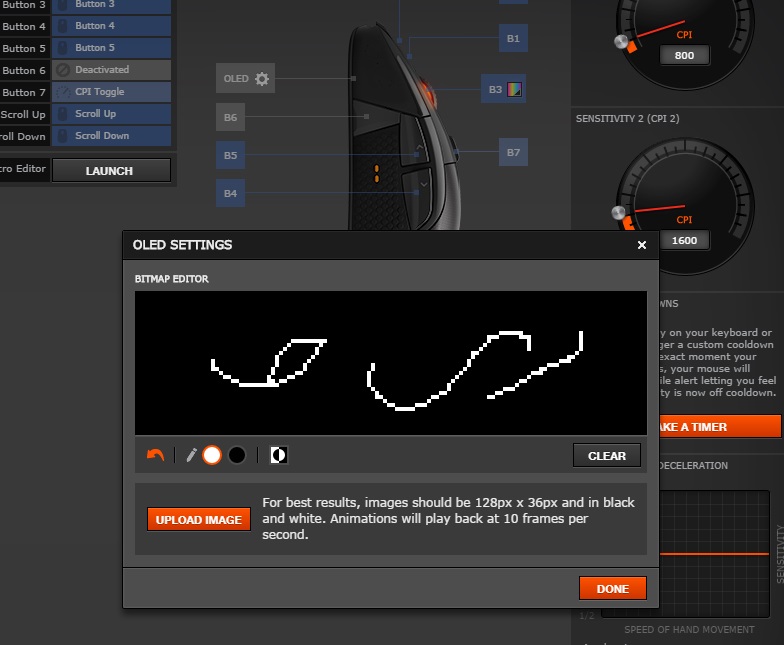
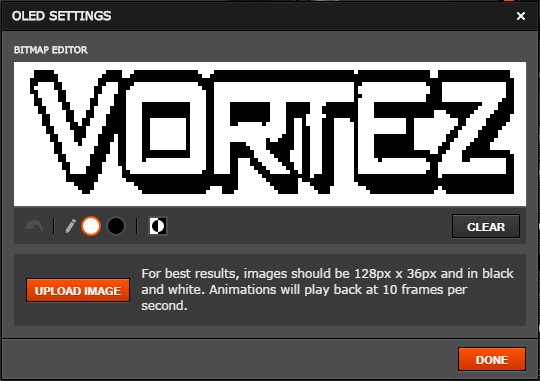
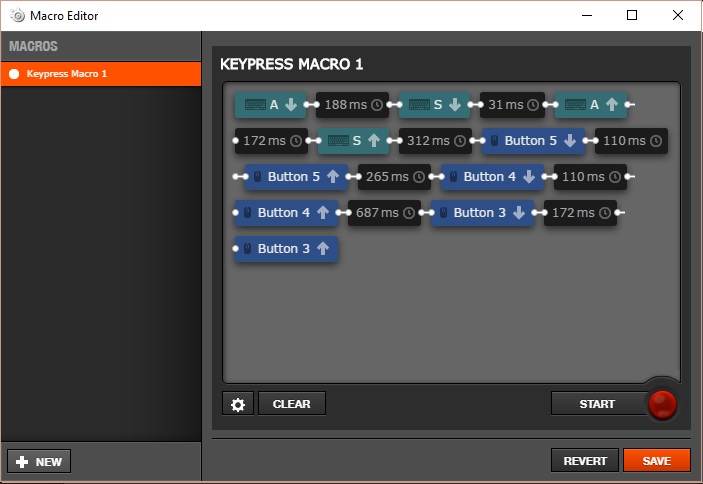
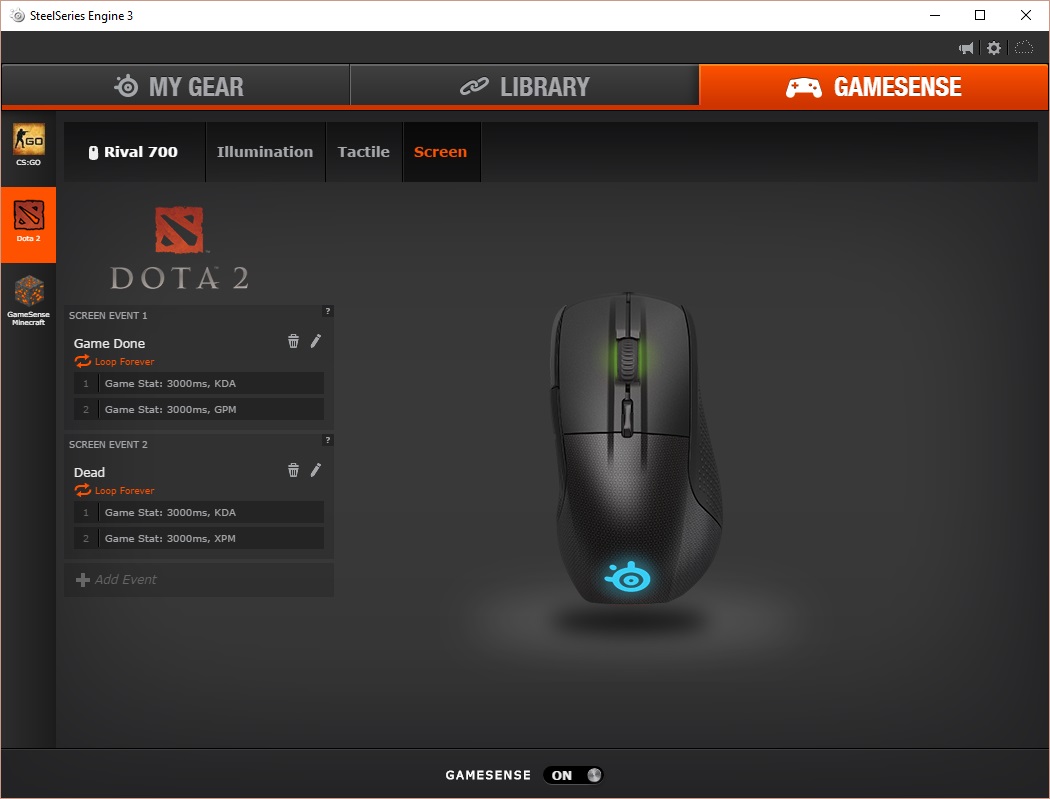
For full convenience, you will need to download and install the SteelSeries Engine 3; at least on your main system (if you have more than one). The SteelSeries Engine 3, like the other leading brands, is well laid out and easy to use unified software driver that will update the firmware and software as required for your device. You will find various standard settings such as a selection of DPI/CPI toggle settings, angle snap, polling rate and acceleration options. Here you will also be able to program each individual button, as well as adjust the lighting and vibration effects. The macro recorder is easy to understand and use, fully registering mouse and keyboard activity. The OLED screen has a bitmap editor which you can directly write on manually in black or white to make your own creations, or you can compress and resize existing GIFs or images to upload to the screen.
The Rival 700 also supports game sense, most notably with DOTA 2 and CS:GO where you can customise various in-game parameters and events for certain effects including the use of the OLED screen, lighting and the tactile vibration.
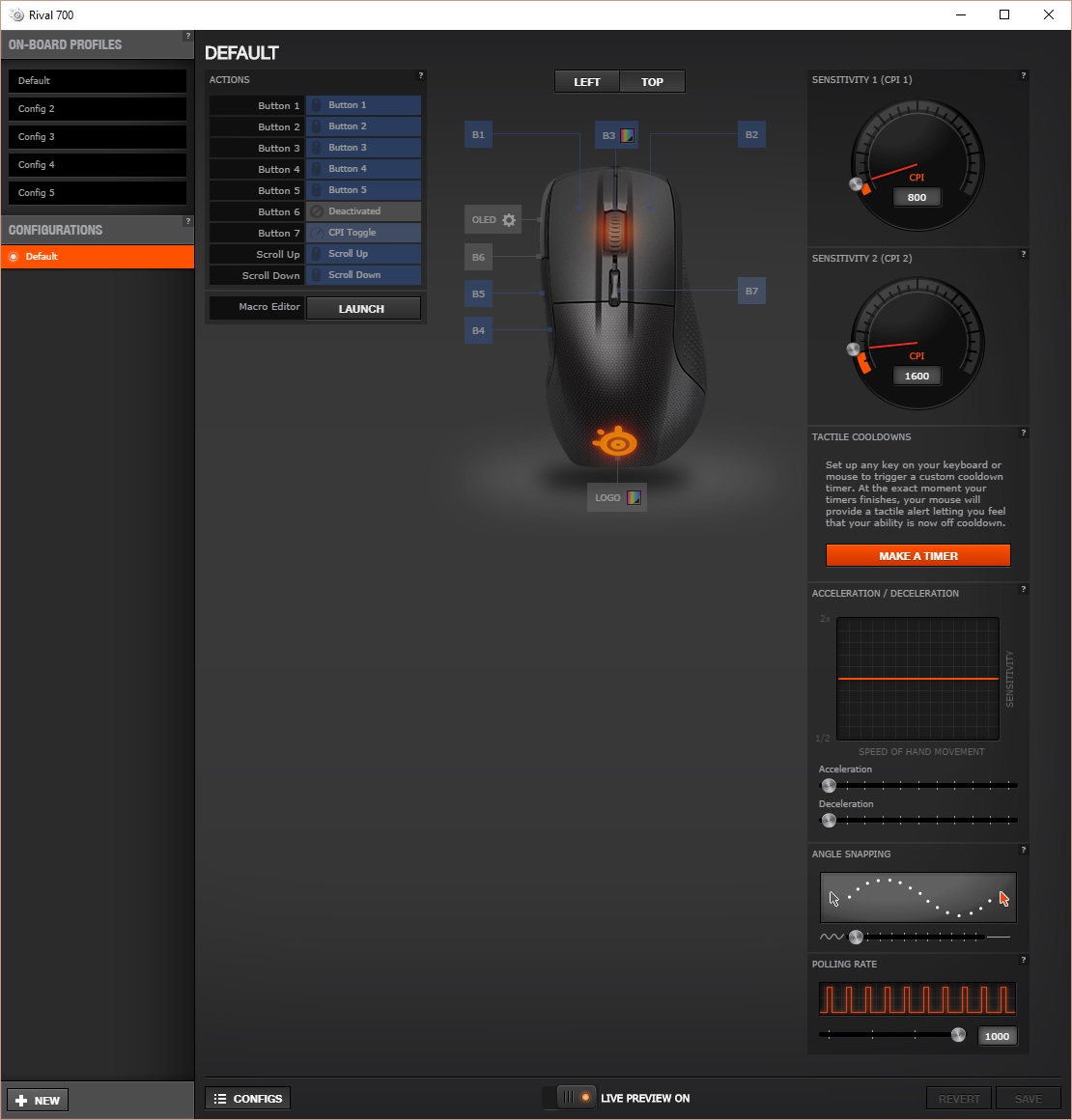
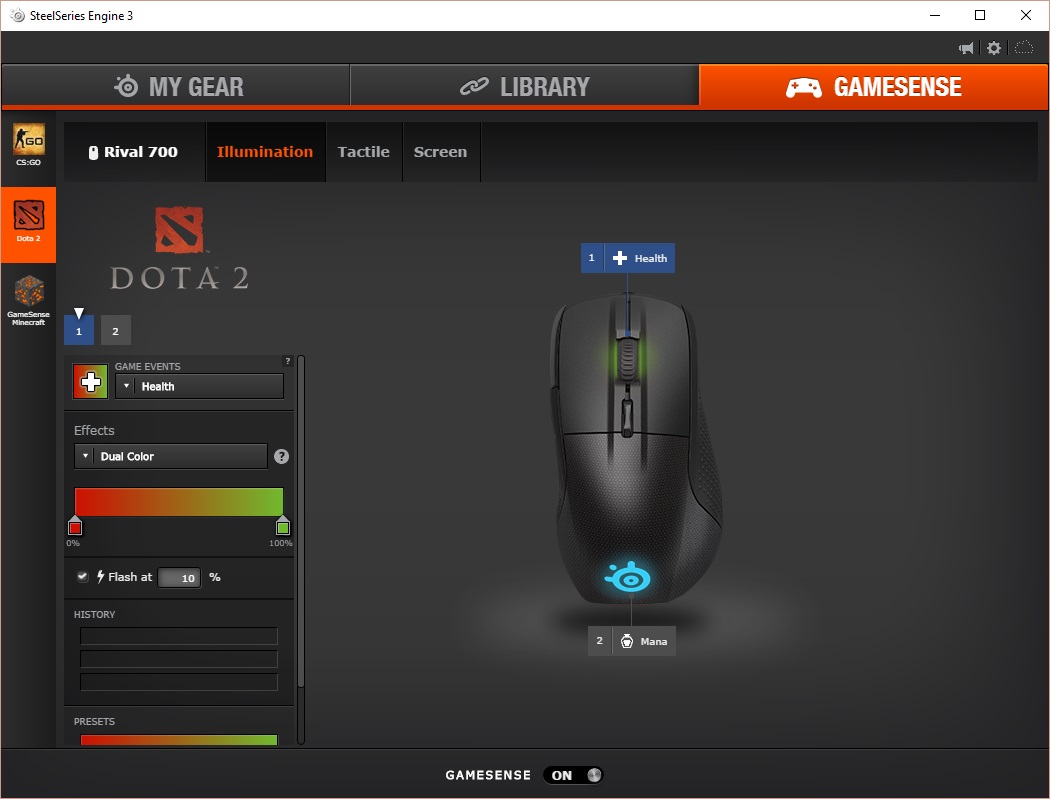
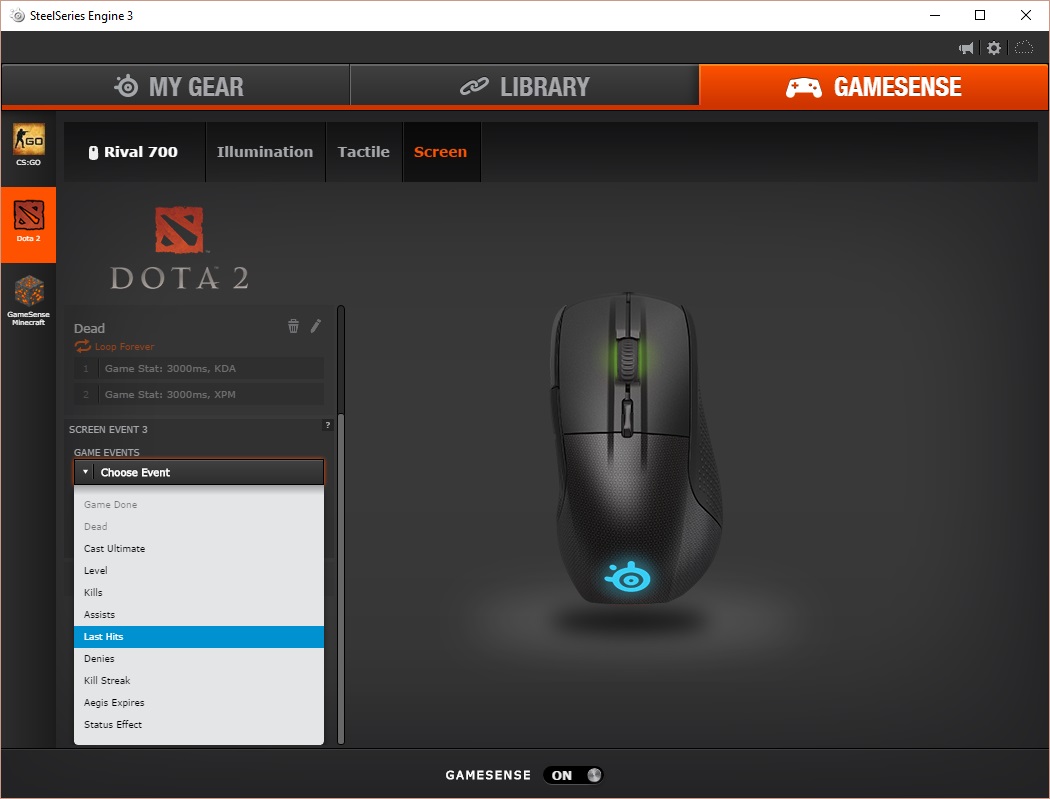
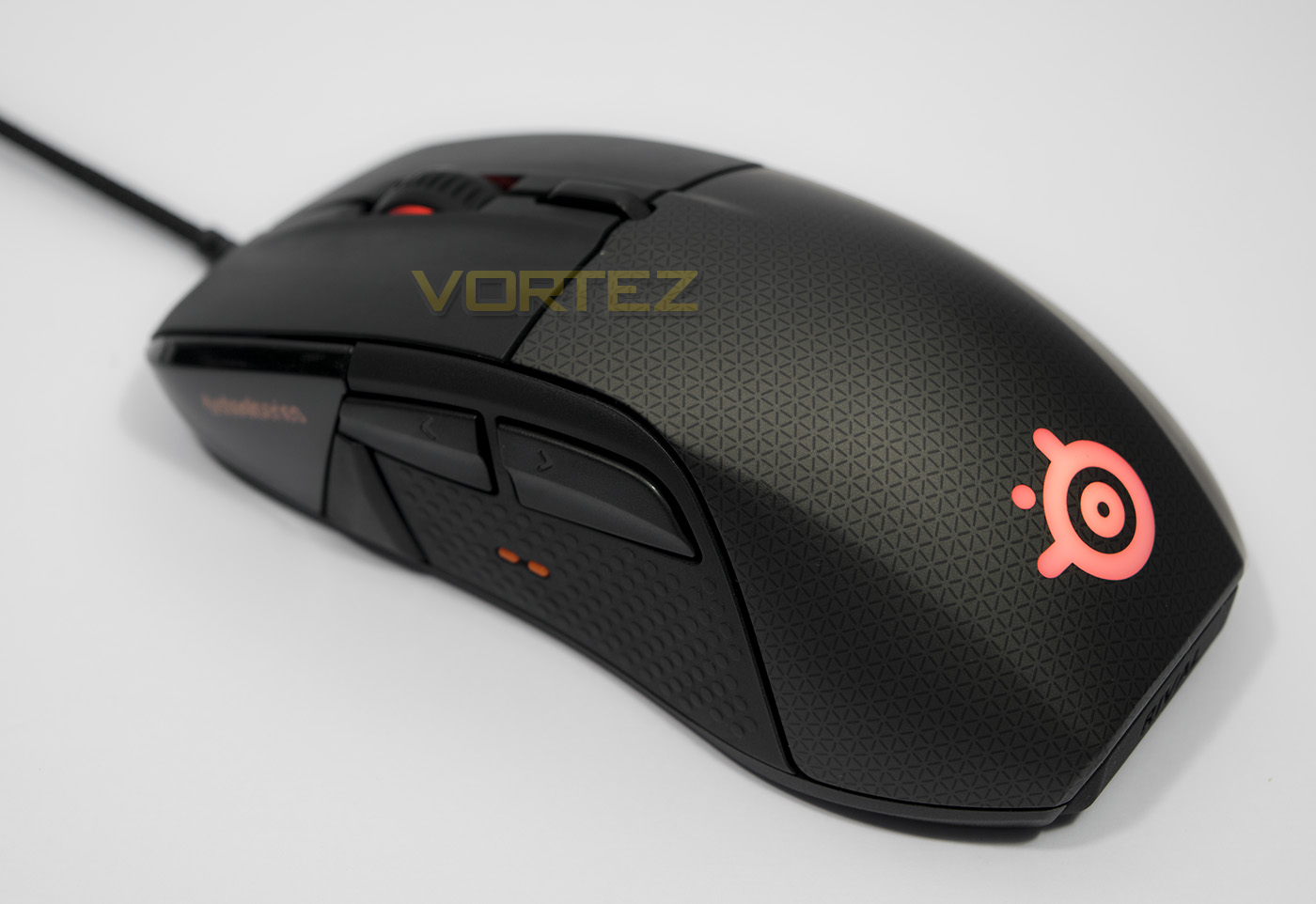
RGB lighting is fairly standard with 2 lighting zones for the mousewheel and rear logo in variety of effects you see with SteelSeries products, including the colourshift mode.
Performance Testing
Setup, Design & Observations
First impressions after opening the box is how sturdy the mouse feels, and though it is a mid-sized mouse, it is rather dense, making it feel heavier than it actually is. All those modular parts undoubtedly drive up the weight to 135g, though in fairness, it isn’t too heavy. In the hand it feels comfortable for both palm and claw grip.
The Rival 700 comes bundled with 2x cables, a shorter PVC one and a longer braided one, and they have a custom fit microUSB connector and slides underneath the front of the mouse. To remove the cable, you pull on the little lever provided and it lifts the cable out and can then be easily removed, which is a neat little inclusion.
The main buttons feel robust, like they can withstand a beating, this trend carries on with the mousewheel and side buttons, each having a satisfying response.
There are a few things I found interesting in use, firstly the orange tactile nodules for thumb positioning, after a while I never really noticed them, but I don’t think they are entirely needed, and to dive a little further, neither is the OLED screen. It displays GIFs rather well, and the options are endless in regards to how you can use it to customise your mouse.
To remove the outer shell, remove the rubber nameplate then lift the shell from the rear and it will pop off. The sensor can be removed by unscrewing the four screws then gently pull the module out, it has been designed well to minimise any likelyhood of user damage, so you don’t need to worry about trashing anything by doing this.
Performance
We tested out the 3360 optical sensor by setting it to its maximum DPI and using it on plain black fabric mouse mat, white paper, plain cardboard, glossy coloured magazine, and bare desktop surface (glossy wood veneer). It performed flawlessly across each surface with only a minor deviation to report on the glossy coloured card. The pointer is practically jitter free, responsive and smooth, to the likes that reminds me of the Logitech G900.
In DOTA2, the precision and control afforded fills you with confidence, the mouse goes where you want it to go intuitively and quickly. The vibration alerts quickly become obvious as to their meaning and provide an extra element to the game that console gamers have been afforded for quite some time. Running out of an engagement leaving you with lower than 20% HP caused the mouse to pulse as a warning, creating extra urgency and tension, and surprisingly, as claimed by SteelSeries, the vibration had absolutely zero effect on the mouse tracking/accuracy. Ability cool down alerts gave that extra game awareness to the extend I found myself no longer using a split second to glance at any ability cooldown time, but waiting for the vibration. Similarly in CS:GO, the precision was flawless, and the vibration alerts felt satisfying, especially when you score a headshot. I was vaguely aware of the OLED screen doing things while playing, but it would be reasonable to assume that this is actually something more for the benefit of any nearby spectators as it seems rather unreasonable to look away at your mouse unless you are dead.
Conclusion
The Rival 700 has brought some new/old ideas to the table (depending how you look at it)yet their implementation is flawless. Sure vibration and tactile feedback isn’t anything new, but they are something that has been missing in the realm of mouse and keyboard gaming. The vibration is strong, and gives an extra dimension to games that is natural, like a feature that should have always been there. Additionally, the way it has been implemented had no observed effect on accuracy. This is something I can imagine many gamers will start to demand in their mouse. Considering the fact you can have a vibration alert to let you know when you score a headshot or when an ability is off cool down, affords you that extra split second to make that critical decision, an absolute must for competitive gaming.
The OLED screen is something I would genuinely question as to its usefulness to the player. It is certainly utilised in an awesome manner, including displaying in-game stats and reactions to in-game events are pretty damn cool, but it is unlikely that the player will ever want to look down at the mouse mid-game to check it out, and if they do, it serves merely as a distraction. Despite that, its implementation is non-intrusive and the customisation options it provides may reveal something more interesting as those with the capacity to think outside the box develop it further.
Something that makes the Rival 700 particularly cool is the use of a modular sensor that can be taken out and swapped for the optional Pixart 9800 laser sensor, available separately. I would argue that using the 3360 optical sensor by default is a wise decision by SteelSeries as the majority of people would likely prefer it, not to mention that in our gaming sessions its performance is smooth, fast and reliable even in the most hectic gaming moments owed to its flawless tracking/control (Something I don’t recall saying about any mouse with the 9800 sensor).
There are few oversights to consider. One is the pricing as it sits at a hefty £85/$99, quite bluntly, many people would rather pay less. Though when compared to the competition, the Rival 700 has a unique feature set with top tier performance and construction. So if you are happy to fork-out that little extra, the Rival 700 will not disappoint. In fact, I would go as far to say that the advantage gained with the tactile alerts is enough of a game changer to warrant that extra consideration.
No matter what way you look at the Rival 700, SteelSeries have set a new bar for innovation by displaying the careful thought about each feature and how it would be implemented and used. After experiencing it, it isn’t far fetched to expect to see more mice featuring tactile alert/rumble or vibration features, something SteelSeries can take pride in for its flawless implementation. This level of foresight has created a top class product that gamers will find many reasons to love.
The Rival 700 breaks new boundaries with a whole host of forward thinking features, yet retains the core value of being a highly accurate, high speed gaming mouse.
Pros.
+ Excellent tracking across various surfaces
+ Zero acceleration 1:1 tracking
+ Comfortable for various grip types
+ Quality construction
+ Highly customisable
+ Vibration alerts
+ 128×36 px OLED screen
+ Great software support
+ Optional accessories (choice of extra shells/sensor)
Cons.
– Not wireless
+ Excellent tracking across various surfaces
+ Zero acceleration 1:1 tracking
+ Comfortable for various grip types
+ Quality construction
+ Highly customisable
+ Vibration alerts
+ 128×36 px OLED screen
+ Great software support
+ Optional accessories (choice of extra shells/sensor)
Cons.
– Not wireless
Click here for an explanation of our awards at Vortez.net.