







Fancy being the master in the gaming dojo? Try the SteelSeries Sensei pro grade gaming mouse on for size…
Product on Review : SteelSeries Sensei Pro Grade Laser Mouse
Manufacturer and Sponsor : SteelSeries
Street Price: £64.99 inc. VAT (GBP)

SteelSeries are a company that have a single ambition: To make the highest quality peripherals that cater for needs of the worlds top professional gamers. They started out in their quest by creating some very unique and innovative mouse surfaces and have today evolved into a forerunner of gaming peripherals from headsets to high-end keyboards. SteelSeries however do not take full credit for the empiric rise to gaming fame, they humbly suggest that they simply digest much valued feedback from their huge gaming fraternity and develop products that the gamers wants. Listening to feedback from your key customer base is what makes for a successful company and SteelSeries are without doubt held in very high esteem by all pro gamers thanks to the products that have been designed by gamers, for gamers.
Not only do they take on-board what the gamers say about their product but they also feed back a substantial amount of their profits back into the gaming community to stimulate growth by co-hosting gaming tournaments such as Iron Lady and King of the Hill. It goes without saying that they also sponsor many top gaming teams such as Fnatic, Natus Vincere and SK gaming to name but a few. Thanks to these ventures, SteelSeries get invaluable advice from the very cream of pro gamers which enables them to design peripherals that are not only designed for the very best, but with this in mind, the products are clearly excellent for the for the rest of us.
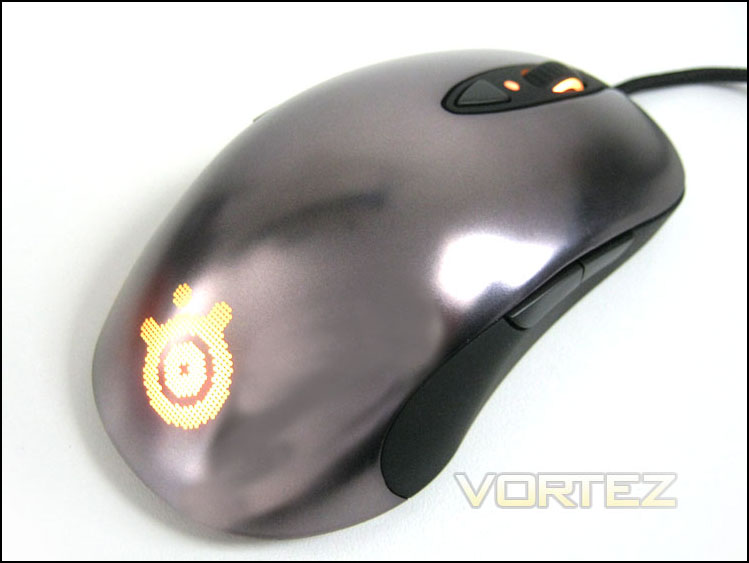
The product we have on review today is one such item, the SteelSeries Sensei Pro Grade Gaming Mouse. Like all of SteelSeries’ mice, they are inspired by Japanese such as the Ikari (Anger) and the Xai (talent). As the name suggests, the Sensei is the very best, the ‘teacher’ in the dojo of mice. It’s a very apt name because if you want to be the very best in your art, you will need a master Sensei.
You would be forgiven for assuming the Sensei is an evolution of the popular Xai gaming mouse but apart from the shape and LCD screen hidden beneath the mouse, the two are totally different packages as we shall see.
The name fits because everything we ever learned about mice, everything we ever researched, everything we ever discovered, everything that makes a mouse great, is exactly what we built the SteelSeries Sensei around. The DNA of Sensei is programmed to win. It is one of those rare hardware products forged by love and science, trial and error, passion from professional gamers and a desire to push the envelope. SteelSeries Sensei was born for tournament victory; it was built to help you win.
Features
Size & Weight
Weight: 102 grams (0.22 lbs)
Height: 38,7 mm (1.5 in)
Width: 68,3 mm (2.7 in)
Length: 125,5 mm (4.9 in)
32bit ARM processor
The processor in SteelSeries Sensei is a 32 bit ARM processor and it is as fast as the original Pentium 75 MHz processor released by Intel in 1994. That is fast, incredibly fast. This reference may sound like overkill, but it’s this type of power that allows us to do sophisticated calculations directly on the mouse – without the need for software drivers and without having to rely on the user’s computer.
Speed
With an on-board ARM processor the speed of the Sensei can be doubled. This is ideal for those with a multiple monitor setup.
Default CPI range: 1-5700CPI
Double CPI Range: 5701-11400CPI
Laser Technology
The Sensei laser is capable of 10.8 megapixel HD image correlation at up to 12,000 frames per second and has ability to handle tracking movements of up to 150 inches per second.
Macro capability
The Sensei has the capability to create extremely long macro settings with the assistance of the SteelSeries Engine software.
Path Correction
SteelSeries FreeMove eliminates path correction, which makes the mouse predict, correct and make your movement straight. With the SteelSeries Sensei, you can adjust the amount of path correction or completely disable it for 100% control of your movement.
ExactLift
The Sensei gives you the ability to customize the lift distance. This has a number of practical applications, most importantly it allows you to fine-tune the mouse to your preferred mousepad or mousing surface. Not all surfaces are equal. Surfaces are made of many different types of materials and those different materials have different qualities. They can be reflective, rough, smooth… the list goes on. All of these factors will influence the lift distance of a normal mouse; with the Sensei, we put a whole new dimension of control in your hands.
ExactAim
SteelSeries ExactAim will allow you to be more precise. Headshots anyone? As you slow down your cursor the mouse will decelerate even more allowing you to focus on your target.
ExactAccel
SteelSeries ExactAccel does just the opposite as ExactAim. As you increase the speed of your mouse movement, ExactAccel will accelerate your movements even faster in order for you to move across your game or page faster.
ExactSense
SteelSeries ExactSens allows you to control how fast your pointer should move by adjusting your CPI in increments of 1 between 1 to 5,700 CPI. This means, the SteelSeries Sensei offers you true hardware based sensitivity settings, freeing you of interpolation from game software. To really get the full benefit from ExactSens you need to deactivate any cursor acceleration and set your sensitivity settings in-game (sensitivity 1 or adjust your sensitivity slider to lowest possible setting) and on your operating system to default. You can use the CPI calculator below to find the value that resembles the cursor speed you are used to, giving you a good starting point for tweaking your sensitivity to perfection.
On-board LCD
With the LCD display on the backside of the SteelSeries Sensei, you can customize all settings to fit your specific needs. The LCD menu offers setup of even the most advanced ExactTech settings described on this page.
3 variable lighting functions
3 different zones on the Sensei (the wheel, the CPI indicator and the back) can be programmed individually – in 16.8 million different colors. It’s another way for you to personalize your mouse. It also brings a very real benefit to users who utilize multiple profiles: by giving them different colors, you can quickly switch between profiles and also ways know which profile is active. For those of you who don’t like glowing shiny stuff on your desktop, you can completely switch off all illumination.
Plug’n’Play
There’s no need to install software of any kind in order to use the Sensei. The built-in driver can be adjusted through an LCD menu on the backside of the mouse. Simply plug in the Sensei and play. For the PC Gamers* who want really advanced customization options, the Sensei is supported by SteelSeries Engine technology.
Let’s move on to the product packaging…
Packaging & First Look
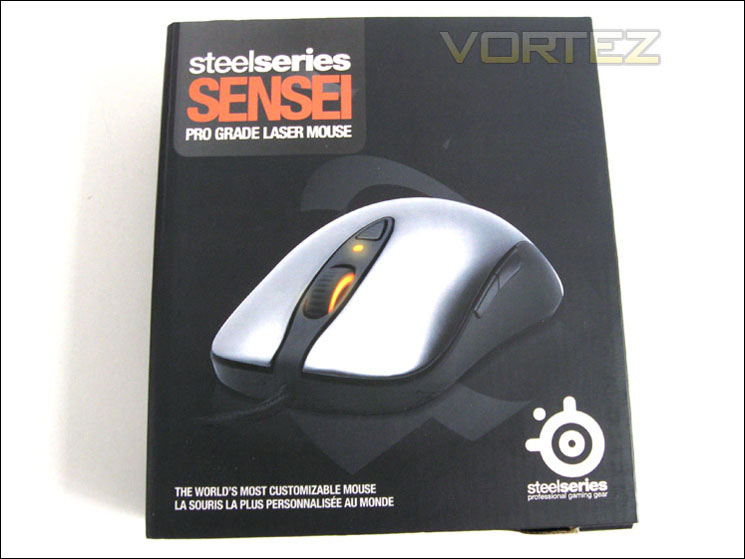
SteelSeries are not known for having flashy, over the top packaging and the Sensei is no different. The packaging could be described as being bland when compared to other products on the market however, the understated looks do give an aura of professionalism about the mouse which is perhaps the intended effect. The front of the box has a flip up lid which reveals a moulded plastic insert protecting the mouse. I like this feature as, should you be lucky enough to have a stoor that allows this, it allows the user to ‘try-before-you-buy’ – such an important aspect of any handheld device.
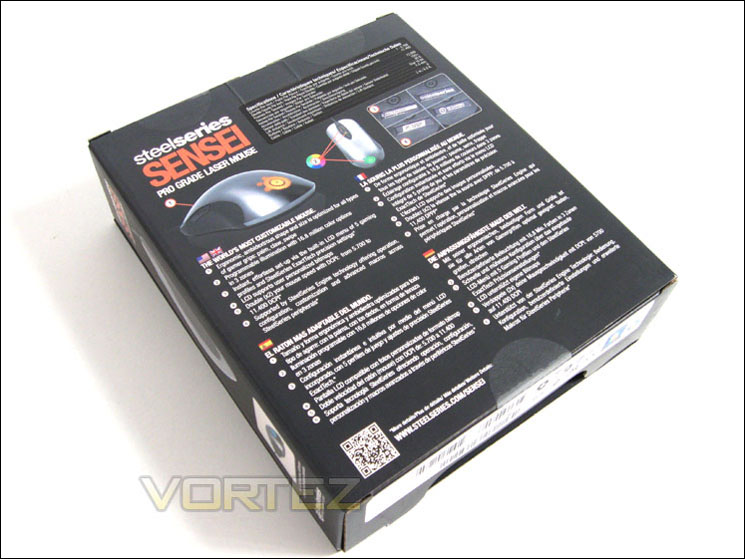
Flipping the box over we see that the main features are covered in-depth and in multiple languages, Danish not being one of the languages on offer which is strange considering SteelSeries hail from Denmark! Our Asian friends are also out of luck as it appears only the western European countries are catered for.
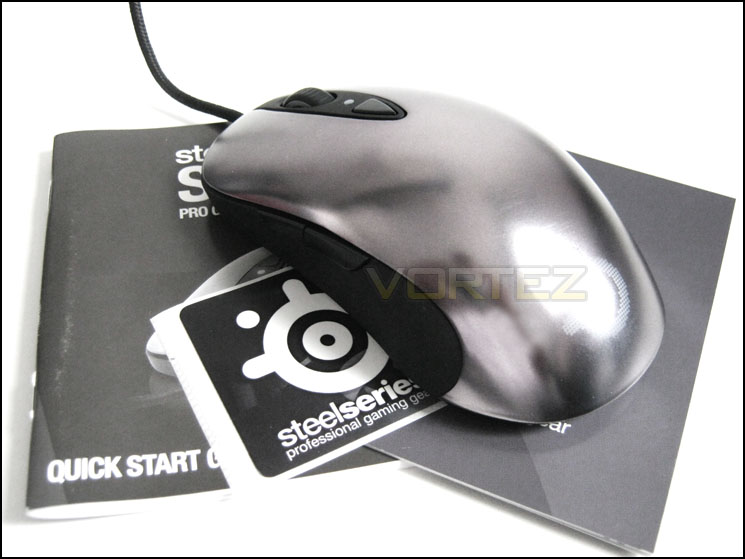
The bundle included in the package is nothing to write home about with just a quick-start guide, SteelSeries professional gaming gear product booklet and a SteelSeries sticker. Strangely, SteelSeries opted not to include a software disk. While the mouse requires no specific driver to operate being a plug’n’play device, software is required to configure and tweak the mouse functions to your preference. Thankfully the software is available to download from SteelSeries which as a side effect ensures you are always running the most up-to-date software version. I would perhaps liked to have seen a protective pouch to protect the mouse while in transit to LAN events as the matt silver coating of the mouse will be prone to scratches.
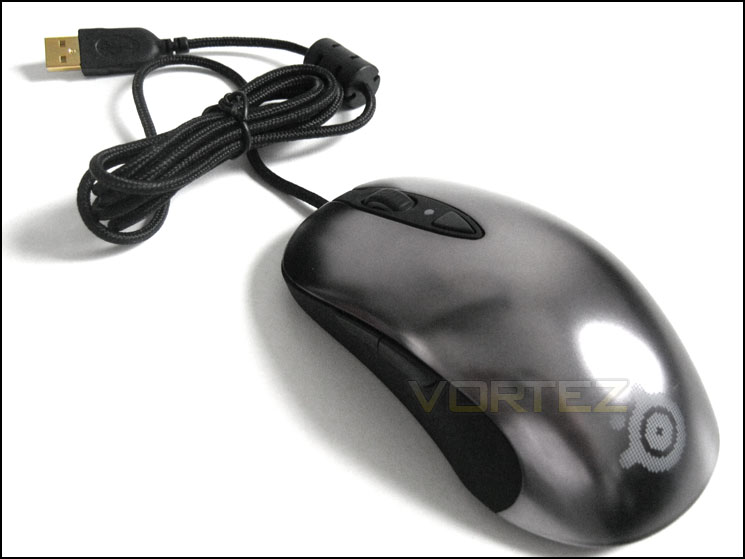
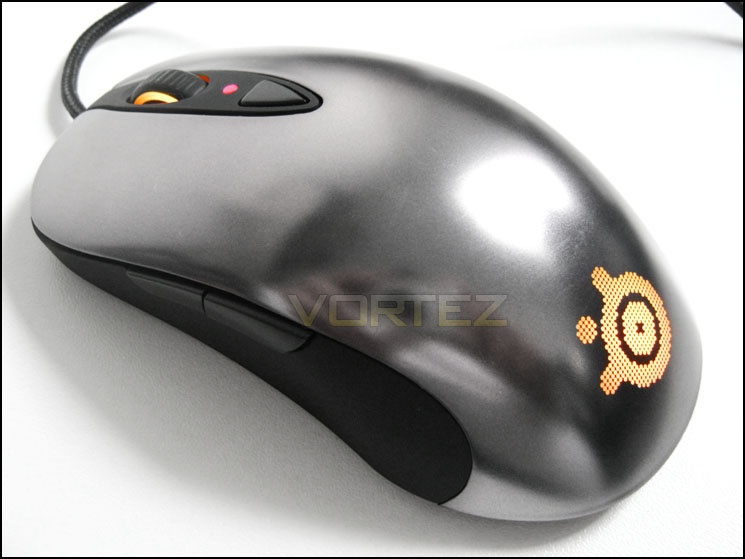
Here we also get to see a first shot of the SteelSeries Sensei mouse. Like the packaging, the mouse at first glance appears fairly unremarkable with a smooth matt silver finish to the top and black rubberised sides.
Let’s take a closer look at this rodent though because there is quite a lot more than meets the eye here…
Closer Look
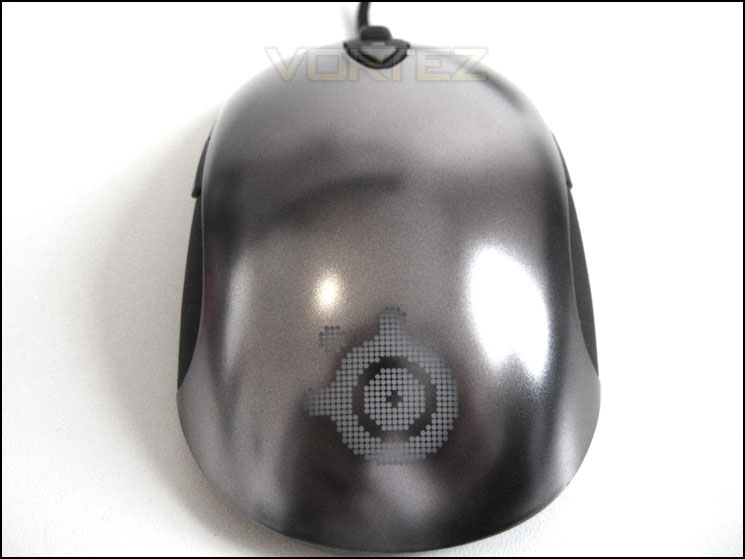
The dull sheen to the mouse is quite appealing but it is very smooth to the touch which may not appeal to some. Personally I found it very comfortable but it may cause problems for those who suffer from sweaty palms (more on that later). The rear of the mouse is dominated by the SteelSeries logo which is is not detectable by touch from the rest of the mouse surface.
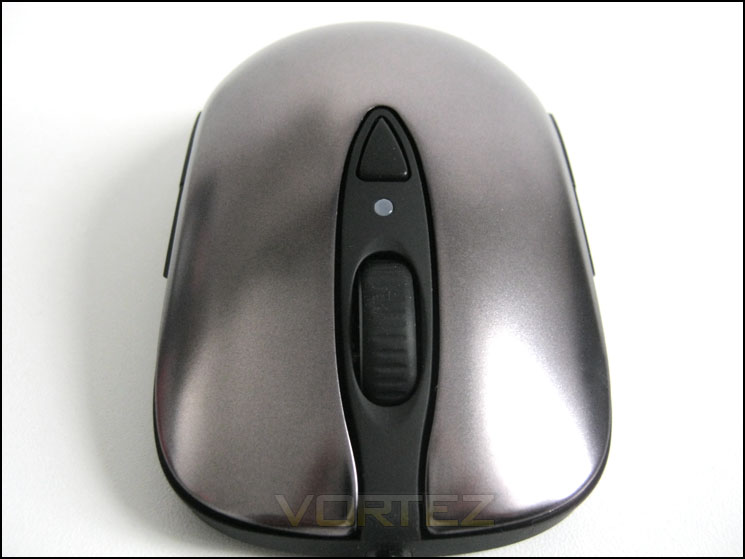
The front of the mouse, as you would expect has the mouse wheel and a single button triangular button sitting flush with the rubberised centre console. This button controls the CPI setting so is easily utilised to switch between profiles (sniping or ground pounding?). Between the mouse wheel and the button is a small LED which allows the user to quickly identify which CPI is in use. Unlike many gaming mice, the left and right mouse buttons are part of the overall mouse upper shell, adding to the sleek profile of the Sensei. Not only does this enhance looks but it will ensure ‘skin-sludge’ (as a refer to it) from getting lodged between the buttons and affecting their operation at the later date. Maintenance of the mouse will therefore be kept to a minimum.
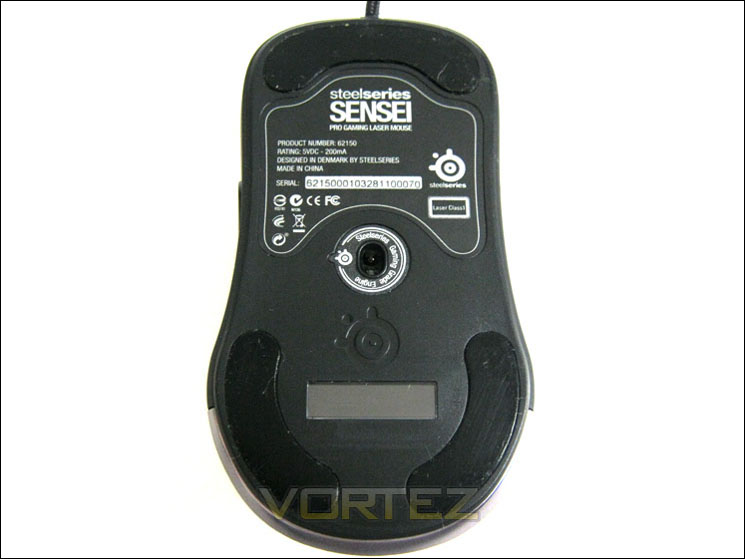
The Sensei has three very large UPI gaming grade Teflon pads which ensure that regardless of gaming surface, the mouse should glide with minimal restriction. These pads cover 16% of the mouse base which is much more than your average gaming mouse. Unfortunately, no replacement pads were included with the package despite SteelSeries saying they should be replaced when worn. I’m sure however, that SteelSeries will be able to supply replacement pads should this become an issue at a later date as their customer service is second to none.
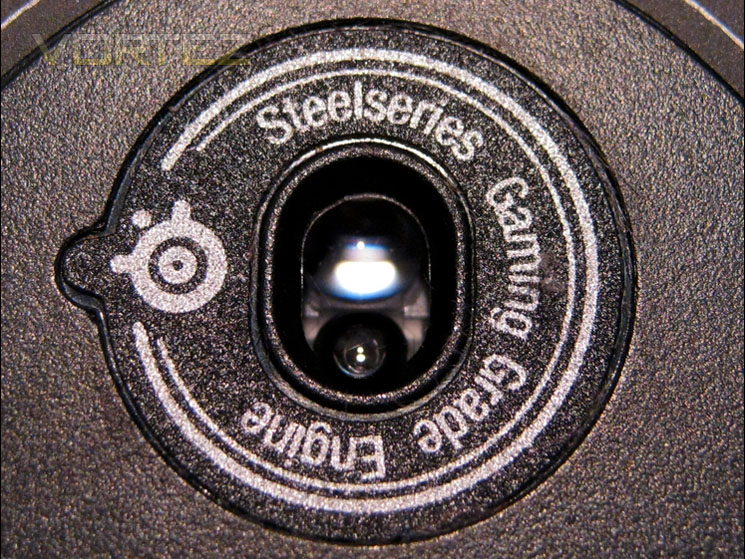
The laser utilised in the Sensei is the best available from SteelSeries boasting a 10.8 megapixel HD image correlation at up to 12,000 frames per second. The Sensei is also equipped to track movements of upto 150 inches per second. It is most likely a Avago ADNS-9500 sensor judging by the specifications given by SteelSeries which is the same laser used in the Xai mouse. The 23-bit ARM processor however allows doubling of the CPI from a maximum 5700 in standard mode up to a ridiculous 11400CPI. I would really love to see someone make use of the kind of sensitivity! Even with the triple-head monitor setup a minor flinch of the mouse would send the cursor from one screen edge to the far most screens edge. Most gamers will surely be satisfied with CPI of 2000, any more and (personally) I would found the product unusable. I feel you would need a midge-like touch and the reactions of a psychic cat to control a sensitivity of 11.4k. Nevertheless, it appears manufacturers are happy to play the numbers game and with an 11.4k CPI, SteelSeries certainly have the bragging rights with the Sensei!
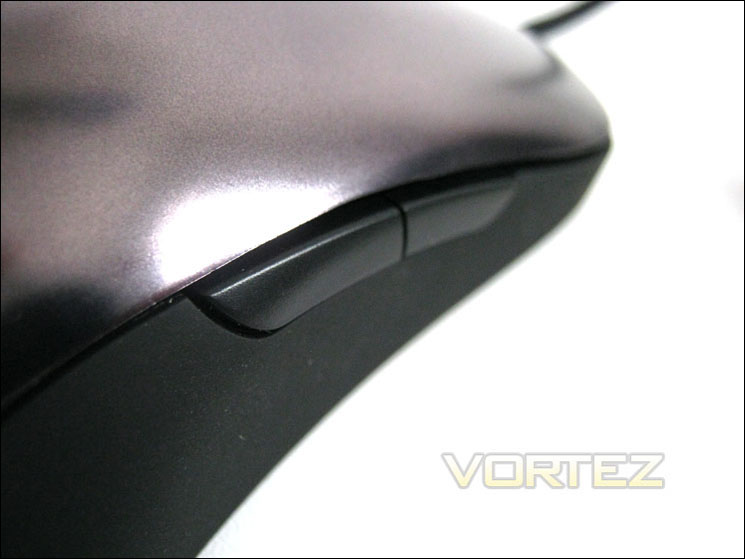
The Sensei has eight buttons: Main left and right buttons, 2 on the right, 2 on the left, centre click scroll wheel and the CPI control button. The 2 buttons to the right and left are positioned along the border of the main shell to the rubberised side panels and while they will no doubt be useful for both right and left handed, only two of the four buttons will have any real use in-game as depending on your preference the opposite side to your natural dexterity will be likely be defunct due to the awkward positioning. I did like the fact that SteelSeries made the CPI button flush with the centre console though meaning accidental sensitivity switching on the fly will be a thing of the past with the Sensei. All of the buttons are micro switched and emit a satisfying click when pressed. The sensitivity of the buttons are very light and require only the faintest of touches.
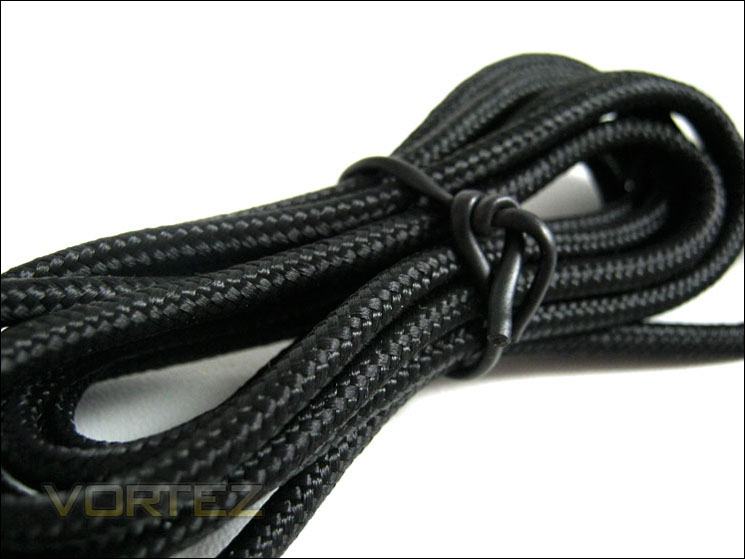
The whole of the cable is protected by dense weave braid which is great to see as this will protect the cable from damage and abrasions. Because of the braid though, the cable is not as flexible as usual so it would have been nice to have some sort of cradle to keep the excess out of the way. With just over 2m of cable there is lots of excess (depending on the position of your setup). That said you can never have too much and this amount of cable is enough to cater for most scenarios.
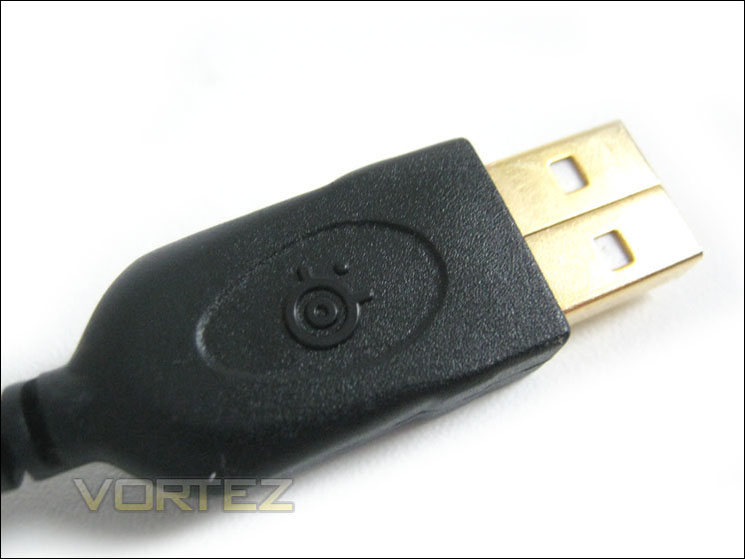
As with most high-end peripherals today, the USB plug is gold plated which should be enough to ensure a perfect connection is attained. While I see the use of gold-plating in analogue audio devices I am yet to see a truthful, explanation as to why this would be useful in a digital environment. That said, it looks more pro than silver/steel and with other manufacturers having this white elephant, why should SteelSeries lose custom by sticking to your boring standard versions?
Let’s take at the software and set the Sensei up for testing…
Software and Setup
As stated earlier in the review, there is no software/driver disk included in the package so users of the Sensei will have to download the latest version of the SteelSeries engine software here. The file is only small though (29.2mb) so you should be up and running in no time. Bare in mind that the mouse is plug and play though, you only need the software to programme the mouse and to make use of the additional features which is highly recommended of course.
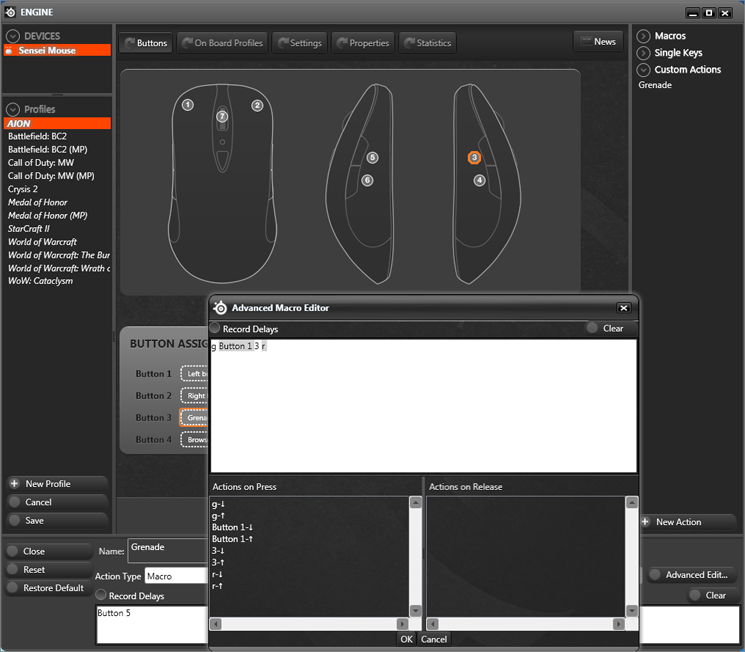
The buttons page is the first tab across the easy to navigate GUI. Seven out of the eight buttons can be programmed to do pretty much whatever you programme them to; all but the CPI button is customisable. Left-handers are afforded luxury here too with the mouse being easily adapted by one click. Perhaps the handiest feature of this section though and one which the screenshot represents is the ability to programme macro settings to each of the programmable mouse buttons. Both instantaneous and timed delay settings are available which makes for a great yet easy macro setup. For those unfamiliar with macro settings, this feature allows the user to programme a defined button to carry out a number of tasks. For example: In a game it can cause delay, switching to grenade, throwing the grenade, switching back to your chosen weapon and if you like reloading. With a macro key/button, one press is all you need and the mouse will do the rest for you automatically (assuming you have set the macro correctly to whatever your in-game controls are). Simples!
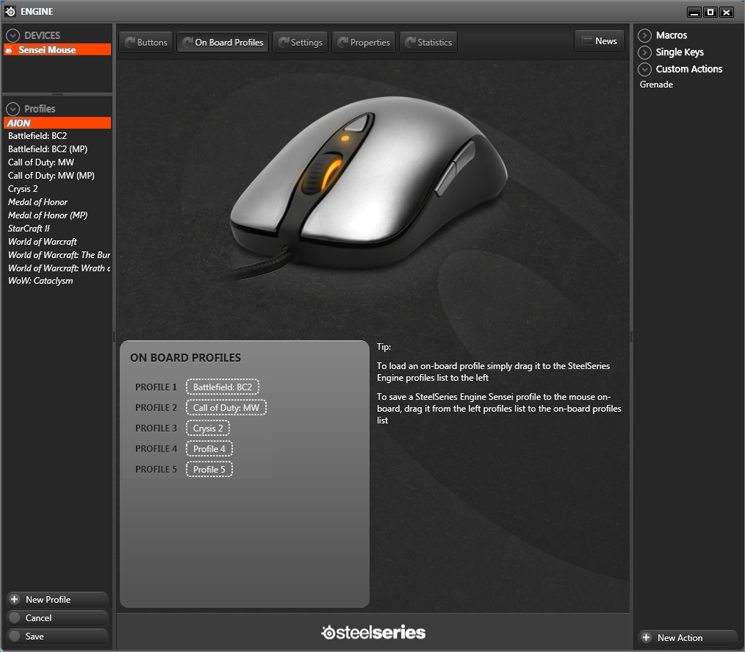
The next tab allows the user to store up to five profiles on the mouse. You can however store as many as you like within the software. What is the point to this I hear you ask? Well, the great thing about the SteelSeries Sensei, and one which attendees to LAN events will love is the mouse’s ability to store whatever profile you like and it will be the same setup when you plug it into another PC.
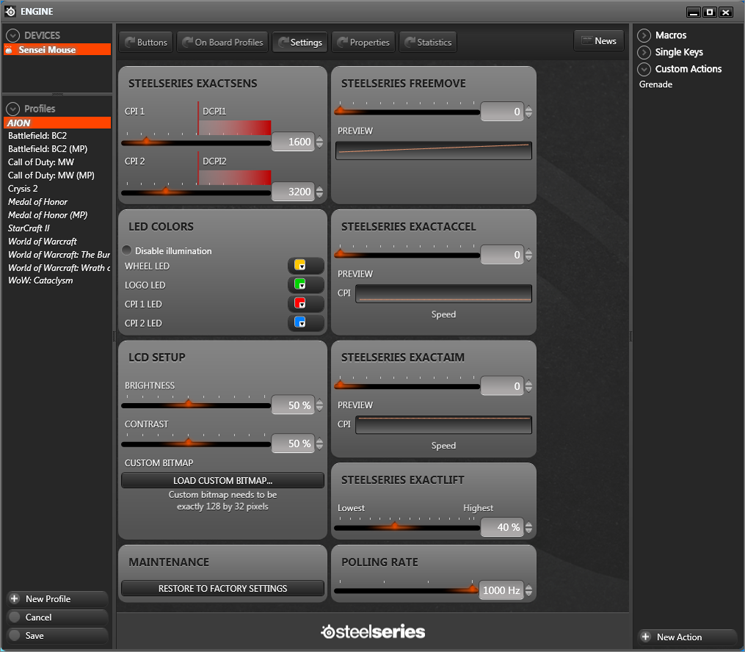
This is the area where I had most fun with the mouse. Customising your mouse to your own tastes is very simple with the s SteelSeries engine. Most of the settings are adjusted by the use of a slider so the mouse’s ‘feel’ can be extremely fine tuned to your preference. The two areas where I spent the most time were the LED colours and the LCD setup. Using LED’s is a break from the norm for SteelSeries so when I received this mouse and realised that not only did it have lights but these lights were also customisable I was aghast! There are three customisable lights on the mouse, the main logo, the CPI and the scroll wheel. Each LED can be set individually to over 16.8 million colours so finding the perfect theme for your mouse will be easy. Below, are just a sample of the colours available:
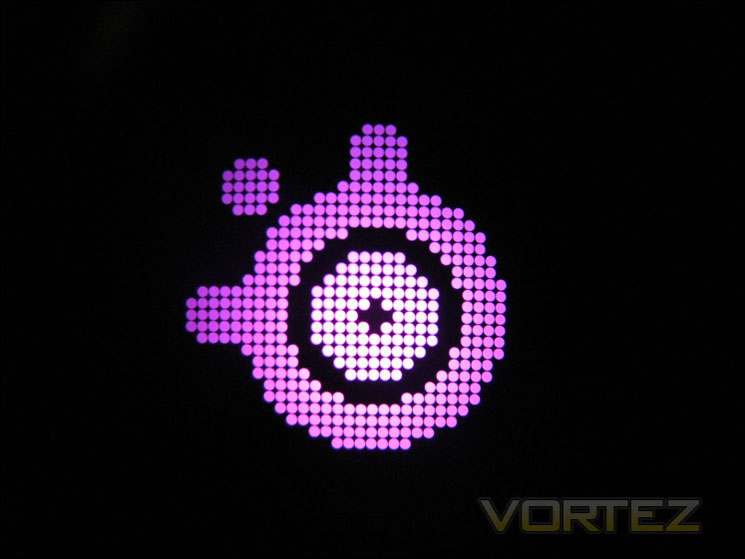
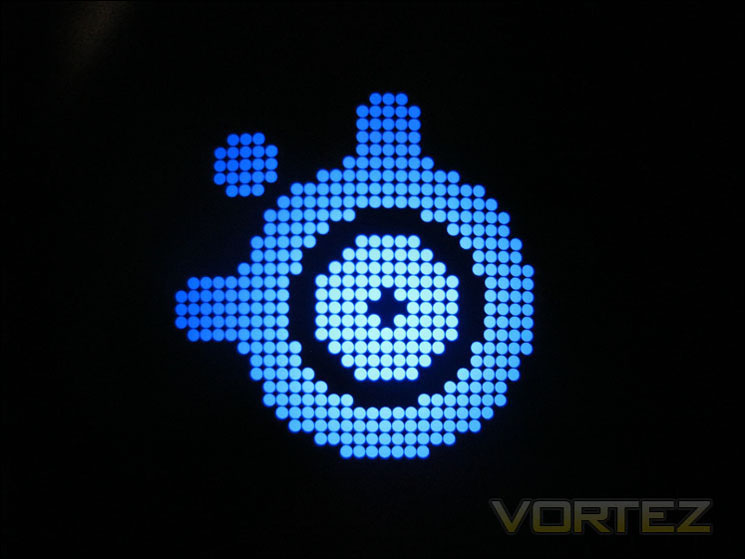

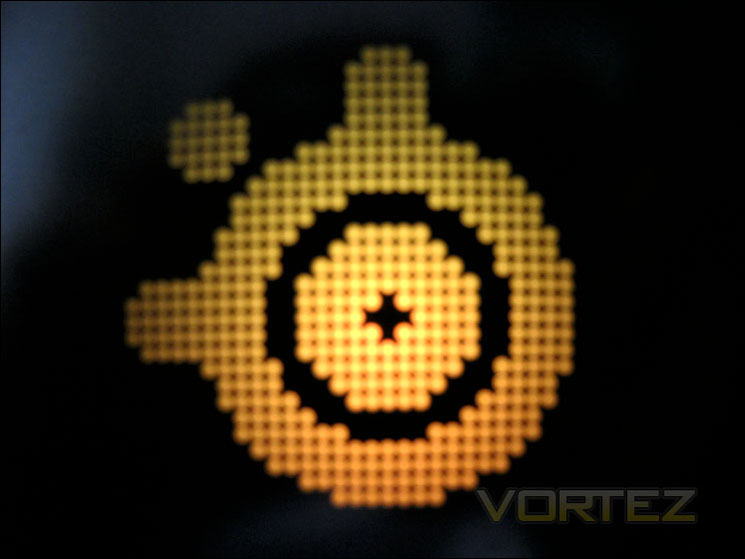


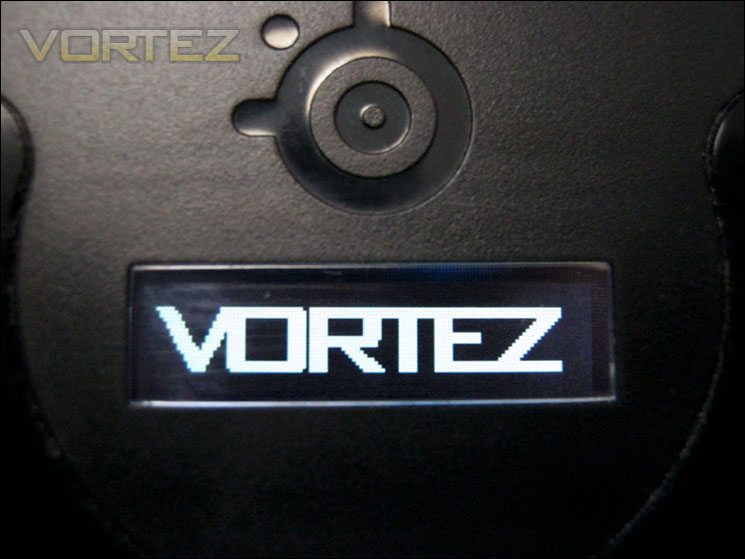
The LCD setup is also easy to use. On the one hand you can upload your own custom bitmap graphics (see above). While this may appear pointless, it does give a little sense of security as it’s an easy way to identify which mouse is yours should it go walkies at a LAN party. Primarily though, it is used as an on-board screen to allow you to set your profile. Just holding down the CPI button for a couple of seconds disables the mouse’s input to the PC and opens up the profile menu. Choosing the profile is simply a matter of scrolling through using the scroll when then another click of the CPI button to load said profile (inc macro, LED, sensitivity settings etc) and return to Windows operation. A very neat feature for those who prefer to use their own equipment at LAN meets.
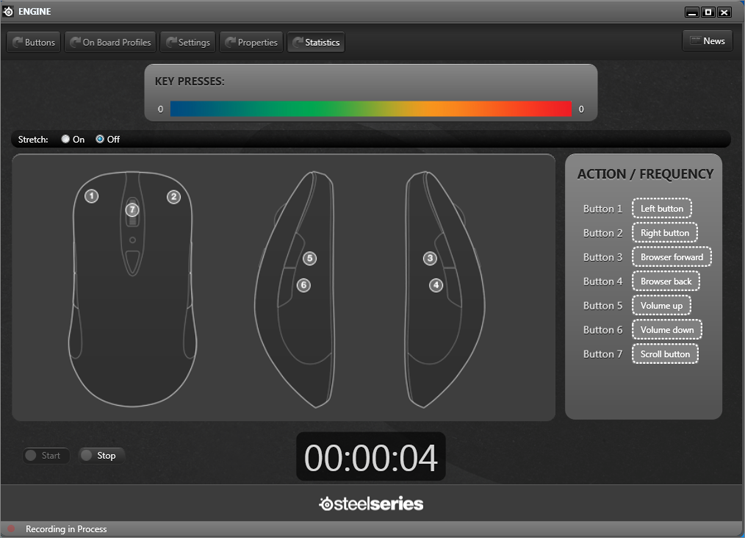
The final screen is a bit of an oddity in that you can record the amount of button presses. Why anyone would want to do that I cannot think other than for those who like looking at statistics.
With my profiles, macros and chosen colour schemes loaded up, it’s time to see how I got one with the mouse during a few days/nights of vigorous testing…
Comparison & Testing
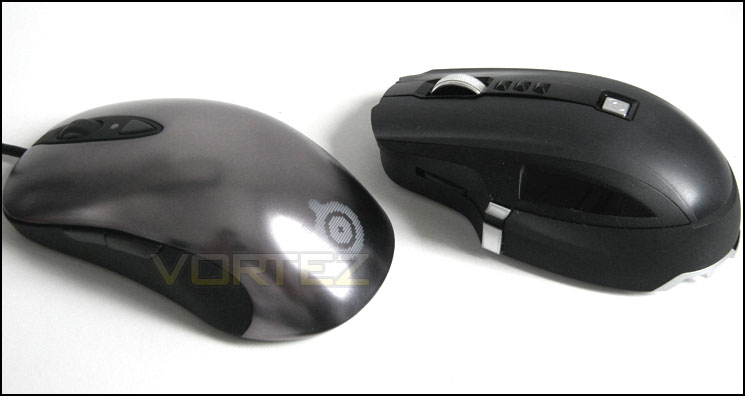
Here we see the comparison between the SteelSeries Sensei and Microsoft Sidewinder X8 mice. Both units are classified as gaming products but in all honesty they are worlds apart in quality. The Sensei has a touch of quality and professionalism about it that the Microsoft product simply cannot match. The Sensei is designed in such a way that it can be used in both ‘Claw’ and ‘palm’ grip modes.
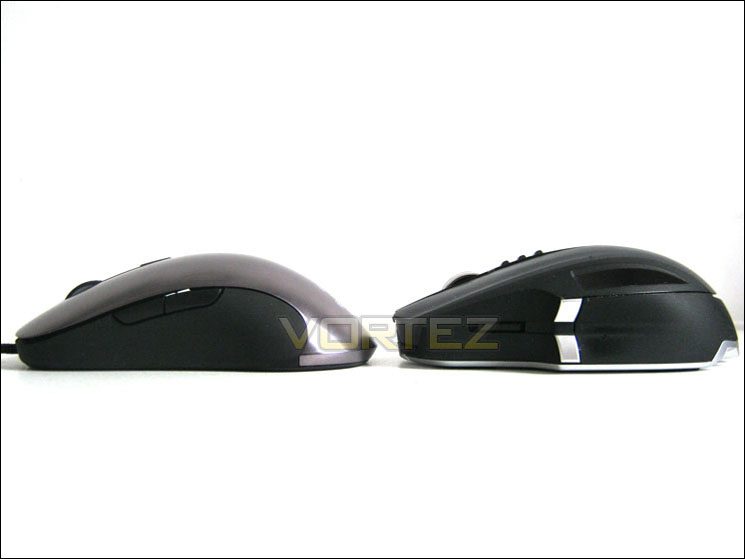
The SteelSeries Sensei measures 125.5mm in length which is relatively long for a mouse. Sadly the height was a little lacking as personally I prefer a palm grip for long gaming sessions. I find a ‘Claw’ grip can cause a little cramp after long gaming periods so while the Sensei will undoubtedly be a comfortable mouse to use for the vast majority of users, I found that due to the size of my hands, it did become a little uncomfortable to use after a lengthy (4 hours+) gaming period. This however is most likely due to my oversized hands rather than a fault of the Sensei. Were it any larger though, those who have small hands would find it too big so the SteelSeries have designed the mouse to cater for the majority.
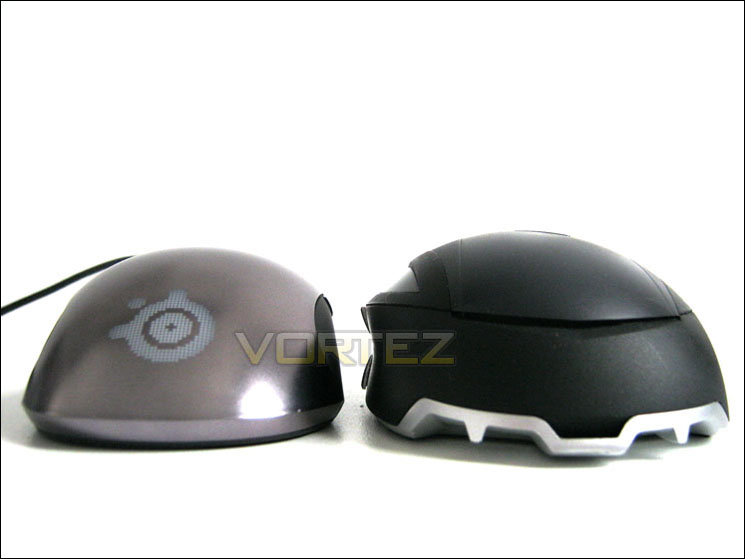
As you can see from the picture above, the Sidewinder is wider than the Sensei with the Sensei measuring a slim 68.3mm at its widest point.
Despite the Sensei being longer, in testing I found myself using the ‘Claw’ grip, most likely due to the lack in height compared to the palm grip I use with the fatter Sidewinder. That said, I’m sure those with smaller hands will find either ‘Claw’ or ‘Palm’ type grip comfortable thanks to the ergonomic design of the mouse. Also, with the mouse being symmetrical it will suit left-handed gamers, which is a major plus for SteelSeries as all too often wee see mice with moulded thumb grips that do not afford this luxury.
To test the mouse I set up varied profiles using the SteelSeries engine software and played a number of varied games:
Battlefield: Bad Company 2
This game is perfect to test the alternating sensitivity of the mouse as switching from sniper to medic to pilot requires switches in sensitivity to get the best from each class. A sniper will inherently prefer a very low sensitivity while those looking for fast and furious frags in the thick of battle will require high sensitivity. Thankfully, the sensitivity (CPI) switch proved to work wonderfully throughout, enabling me to switch quickly and easily depending on class choice and battle situation. Not only that, but not once did I accidentally switch sensitivity which is more than can be said for the Microsoft Sidewinder. Macro use was great too, despite being weird using a mouse for this purpose rather than a keyboard. Like most things with the Sensei; what at first feels a little alien soon becomes second nature.
Call of Duty: Modern Warfare
Being much faster paced than Battlefield: Bad Company 2, COD:MW requires a quick reactions and accuracy that is more instinctive than skilled. I found the Sensei improved my K/D ratio immensely and it was a pleasure to use. While it took a little getting used to, as with all mice you are not familiar with, after a few rounds it became very easy going and long before the night was over it just felt ‘right’ in my hand. The accuracy of hand to eye co-ordination seemed to be much more precise enabling me to aim instinctively rather than consciously making the effort to aim if that makes sense. While COD is renowned as being much more ‘spray and pray’ than the Battlefield series, I did feel that the Sensei improved my aim somewhat with many more headshots appearing than normal. I even got kicked by admin from two separate servers twice in an one hour towards the end of the night apparently for hacking which I guess is nothing new to the uber skilled pro’s out there but for me, that’s a first and goes some way to emphasising the prowess of the SteelSeries Sensei!
Crysis 2
Like the above games, Crysis 2 was also a joy to play with the SteelSeries Sensei. My one concern though was that due to the sensitivity of the side buttons I did occasionally press these by accident when playing which were a little aggravating losing cloak and throwing a grenade while sneaking up on some unsuspecting enemy. Despite this minor irritation, the Sensei performed extremely well in all other departments. I particularly liked the notched rubber scroll wheel which was not too stiff nor none too loose to operate.
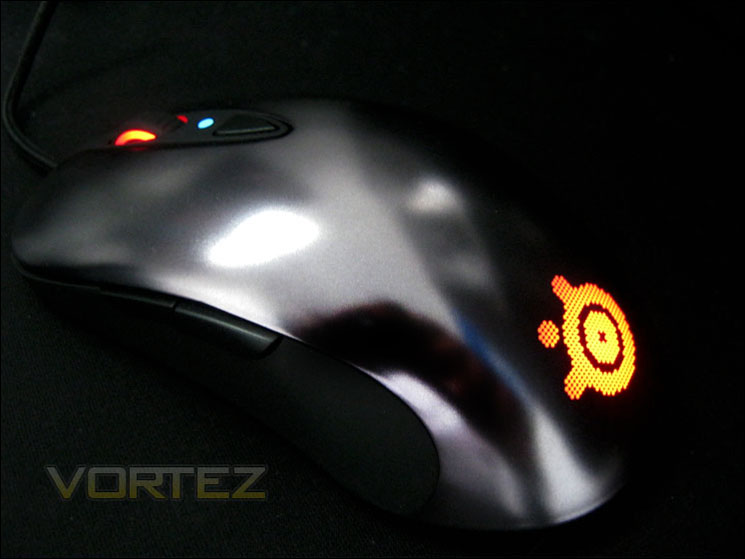
Overall in-game, the SteelSeries Sensei is far and away the best gaming mouse I have had the pleasure to use. It is precise, comfortable, accurate, sensitive or slow when you need it to be and best of all it is one of those mice that is relatively easy to get on with, regardless of your grip style, much like the gamers favourites, famed the Logitech MX-18 and Microsoft Intellimouse 3. I had my reservations regarding the smooth, almost silk like feel of the silver shell as I felt it may become very sweaty and therefore slippery after a few hours use but thankfully I encountered no issues. The rubberised sides are not as soft as some mice I have held but it does feel as though it will not erode and as you would expect, it affords comfortable grip regardless of how you hold it.
It’s time we wrapped up this review with my overall thoughts and comments on the SteelSeries Sensei…
Conclusion
The SteelSeries Sensei is a very professional mouse of that there can be no doubt. From start to finish of this review I have been consistently impressed by the way it looked, performed and perhaps most importantly, felt in my hand. It is clear that SteelSeries have absorbed the requests and advice from the gaming fraternity and passed this feedback on to the tech department who have created a model which is perfect in almost every single way. Unfortunately we don’t all have the same sized hands, hold a mouse in the same manner, prefer the same sensitivity etc. There is simply no ‘one size fits all’ when it comes to a mouse. What SteelSeries have done however is give you the closest thing to it. I could quite easily describe the mouse as the Goldilocks of mice because it just feels so ‘right’. It’s not too heavy, not too light, not too small, and not too big. If that wasn’t enough it is further customisable to satisfy pretty much every taste both in how it reacts on-screen and how it looks on your desk. Goldilocks it is not though; it is a wolf in sheep’s clothing.
The Sensei, while certainly not ugly, may appear to be discreet, perhaps unimpressive at first glance. There are no chromed scroll wheels, no removable weights or a gazillion buttons. The matt silver finish is even very understated. It’s what lies at the heart of the Sensei that impresses the most. The ARM processor, the precise class leading laser, the SteelSeries Engine all add up to make a supreme mouse that would benefit any gamer of any level.
There is very little I can criticise about the Sensei as it is the mouse that has almost everything you could want. It’s comfortable to use, compatible for those who prefer claw or palm grip, indeed it is even suitable for left-handed gamers. A first for SteelSeries too is the LED customisation. While some may baulk at SteelSeries who were renowned for their more discreet offerings, users of the Sensei still have the option to turn all of the lights off should they find the lights tacky. Personally, I love the way you can adapt it to suit whatever colour scheme you might prefer. There’s nothing worse than having a blue led lit keyboard and a red LED mouse or vice-versa for those who value aesthetics. The one single area which is likely to deter many potential buyers is the price. The average price of the unit is around the £65 mark which is very expensive for a mouse, though cheaper than a lot of the competition who do not have as many features. Being a top tier product though, people have and always will pay top money for a product of this kind so while the mouse is certainly not cheap, I believe it is worth every penny.
Mice are a very personal thing, perhaps more so than a keyboard and they are the primary source of interaction for a gamer to his PC. Mouse choice is therefore extremely important for those at the top of their game, but what about the rest of us, those that couldn’t hit a cow’s backside with a banjo? Well, I must say that while the SteelSeries will not turn you into a gaming king, it will certainly improve your gaming prowess regardless of how poor that maybe. A mouse is just a tool and while a bad work man, or indeed gamer for that matter, will always blame his tools, it would be a very foolish person to cast any such blame on the SteelSeries Sensei as it is without a shadow of a doubt, by far the best gaming mouse I have had the pleasure to use and for that reason it deserves nothing less than our very best award. Well done SteelSeries!
Pros
+ Class leading performance
+ Portable profiles
+ Massive customisation possibilities
+ On-the-fly CPI adjustment
+ On-the-fly profile
+ Infinite Macro settings to each button
+ Tremendous build quality
+ Dense braided cable
Cons
– Included accessories could be better but this is a very minor point


Thanks to SteelSeries for providing today’s review sample. Click here for an explanation of our awards at Vortez.net.


