SteelSeries have recently fired out a stable of game controllers most of which are targeted towards AppleTV and iDevices, then came the Stratus XL for Windows and Android.

Product on Review: SteelSeries Stratus XL for Windows and Android
Manufacturer & Sponsor: SteelSeries
Street Price: £56, €59.99, $69.99
Mobile gaming has grown in its popularity and complexity as mobile devices gain in computing power and to cater for this, gaming peripheral brands are coming out with their own controllers for the mobile platforms. Taking their experience and knowledge to this market, SteelSeries unleashed a range of four controllers, but only one of these will be for the Windows System, the Stratus XL (For Windows and Android).
The PC has seen many various controllers based on whichever console existed at the time along with many innovative and novel creations intended for gamers for specific niches (Flight sims, mech sims, racing sims etc.) however, until the XBox 360, you could argue that there was never a ‘standard’ for controllers in PC games. This has carried over to the XBone controller and now many third party renditions follow suit with an imitated design. SteelSeries in their design ethos however, recognise that, rather offering the same for PC gamers, they could directly merge the two leader controllers on the market (XBone and DualShock4) to create something a bit different. Wireless out the box using Bluetooth, the Stratus XL provides all the functions of a Microsoft controller which is compatible with over 2000 games.
 ]
]Overview by SteelSeries
Play over 2000 of your favourite full controller supported games through your Steam account with the new Stratus XL Wireless Gaming Controller for Windows and Android. The Stratus XL was designed to pull out of the box, connect to a PC, and instantly start pwning noobs. We hooked up our controller with XInput, so it functions just like a Xbox 360 controller on Windows. Not only does the Stratus XL work on Windows, but all Android devices as well. Easily switch between both with the touch of a button.]
Technical Specifications
– Pressure sensitive buttons for precise gaming control
– Console-style left and right analogue triggers
– Bluetooth 2.1 + EDR
– Extended battery life of 40+ hours with 2 AA batteries (included)
– 4 LED’s to display the player status during multiplayer gameplay
– Dedicated On/Off Slider Switch to enhance battery life even further, also includes Dedicated Pairing Button
– Console-like Form Factor: Comfort and ergonomics of full-sized controller, Standard console controls in familiar locations, Color coded action buttons for easy spotting
– Multi-Device Compatibility – Windows, Android
Size and Weight
– Weight: 280 grams (0.59 lbs)
– Height: 62.3 mm (2.45 in)
– Width: 150 mm (5.9 in)
– Length: 110 mm (4.33 in)
– Console-style left and right analogue triggers
– Bluetooth 2.1 + EDR
– Extended battery life of 40+ hours with 2 AA batteries (included)
– 4 LED’s to display the player status during multiplayer gameplay
– Dedicated On/Off Slider Switch to enhance battery life even further, also includes Dedicated Pairing Button
– Console-like Form Factor: Comfort and ergonomics of full-sized controller, Standard console controls in familiar locations, Color coded action buttons for easy spotting
– Multi-Device Compatibility – Windows, Android
Size and Weight
– Weight: 280 grams (0.59 lbs)
– Height: 62.3 mm (2.45 in)
– Width: 150 mm (5.9 in)
– Length: 110 mm (4.33 in)
Packaging & First Look
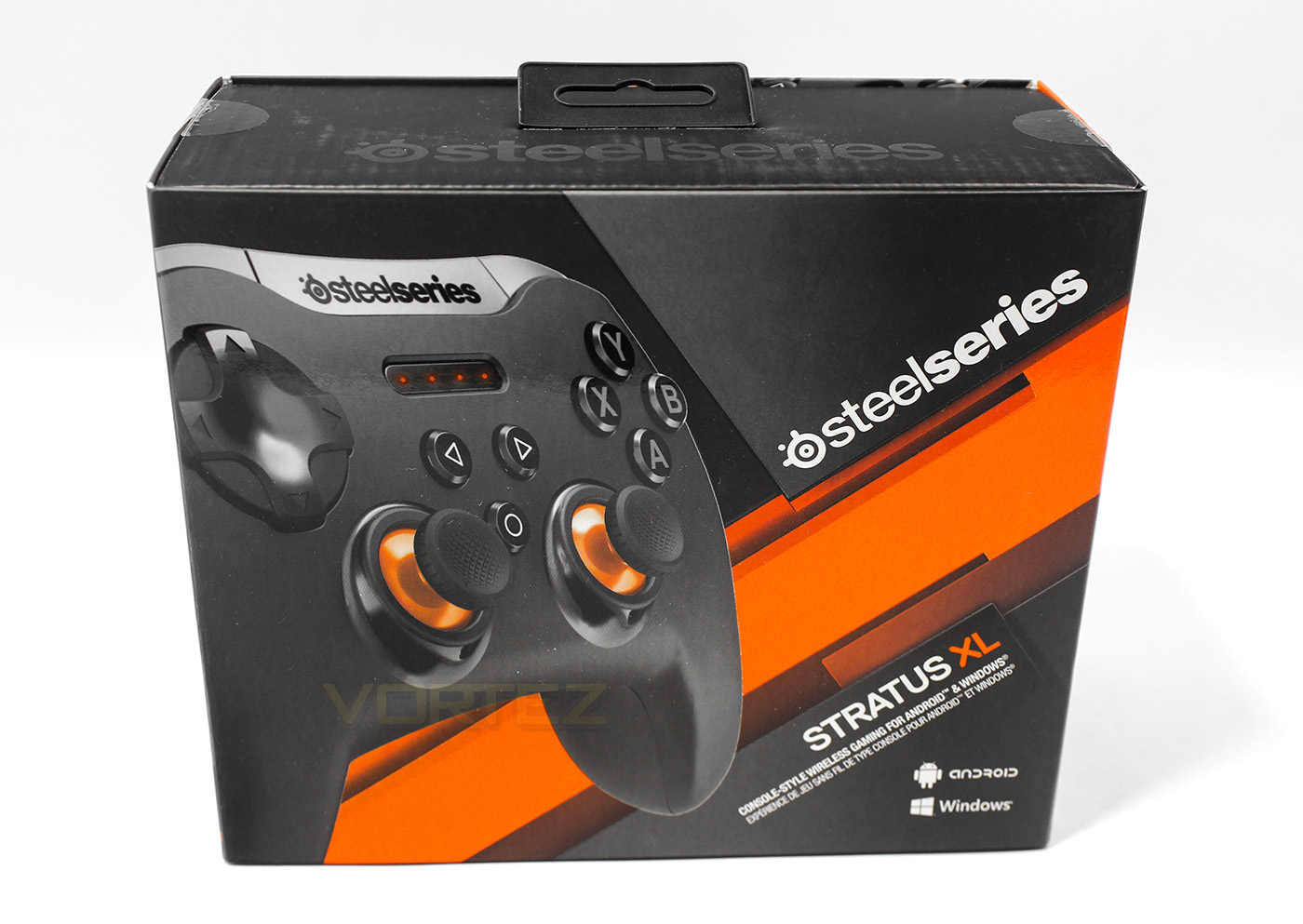
SteelSeries packaging is sleek and good quality, a true representation of what to expect inside. The orange colour is used well to accent the product. The product is clearly described to allow the consumer to understand what the product is for, ‘Console style wireless controller for Windows and Android’.
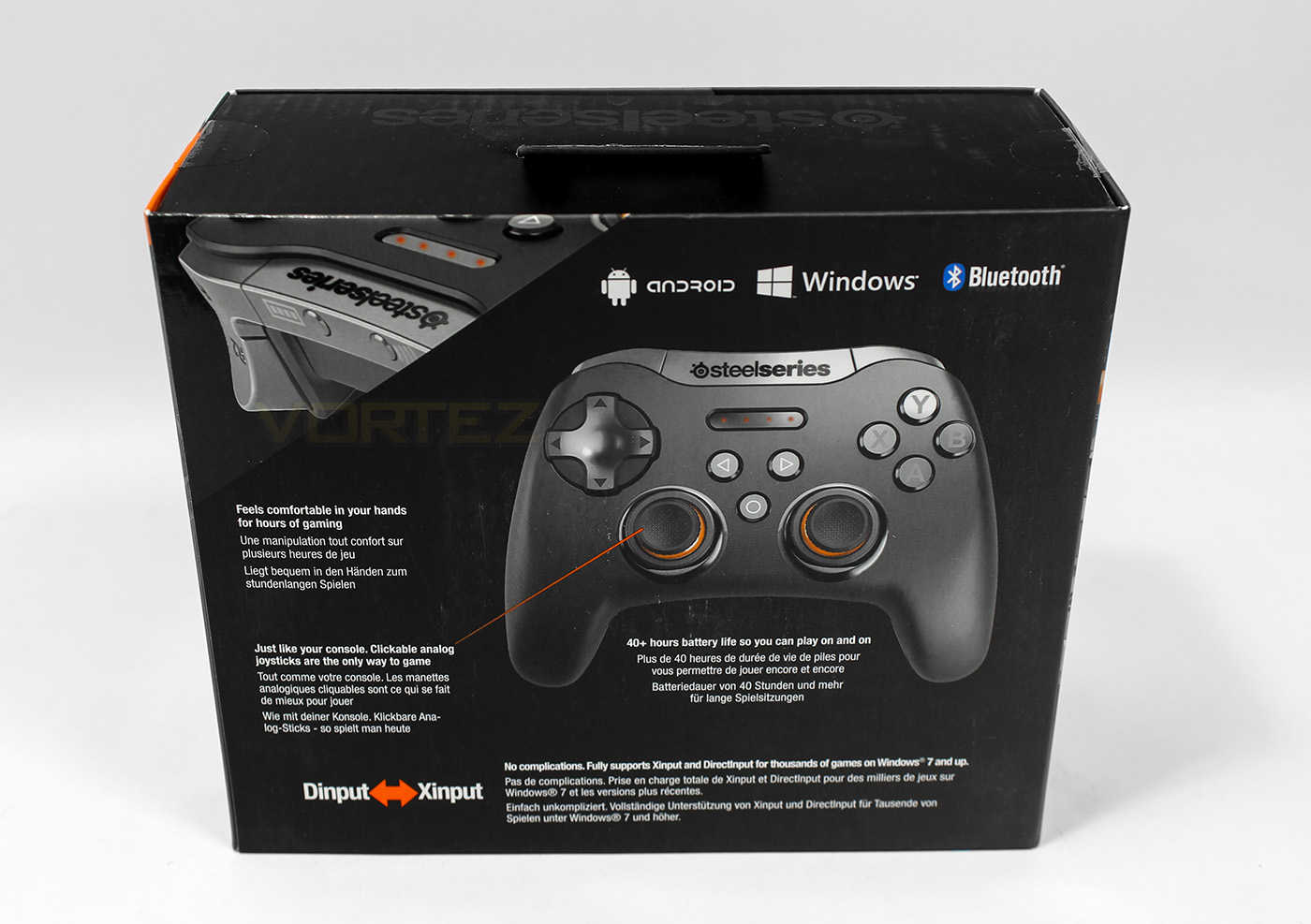
At the back there is some extra information pointing out the features including its long battery life, Bluetooth connectivity, though overall the information about the full specifications and details seem missing.
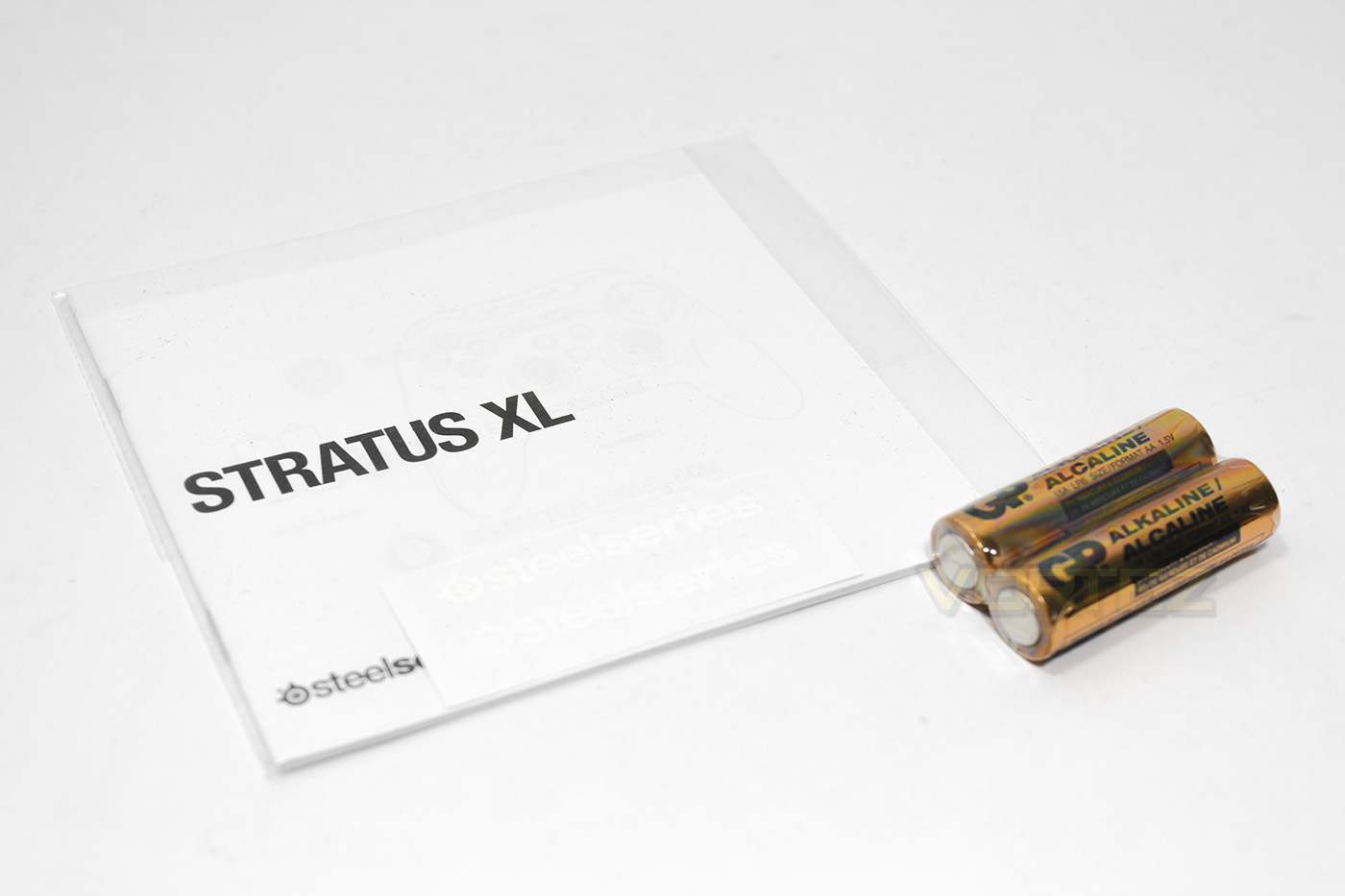
Included with the Stratus XL controller is a multilingual quick start guide with some SteelSeries stickers, and 2x AA batteries.
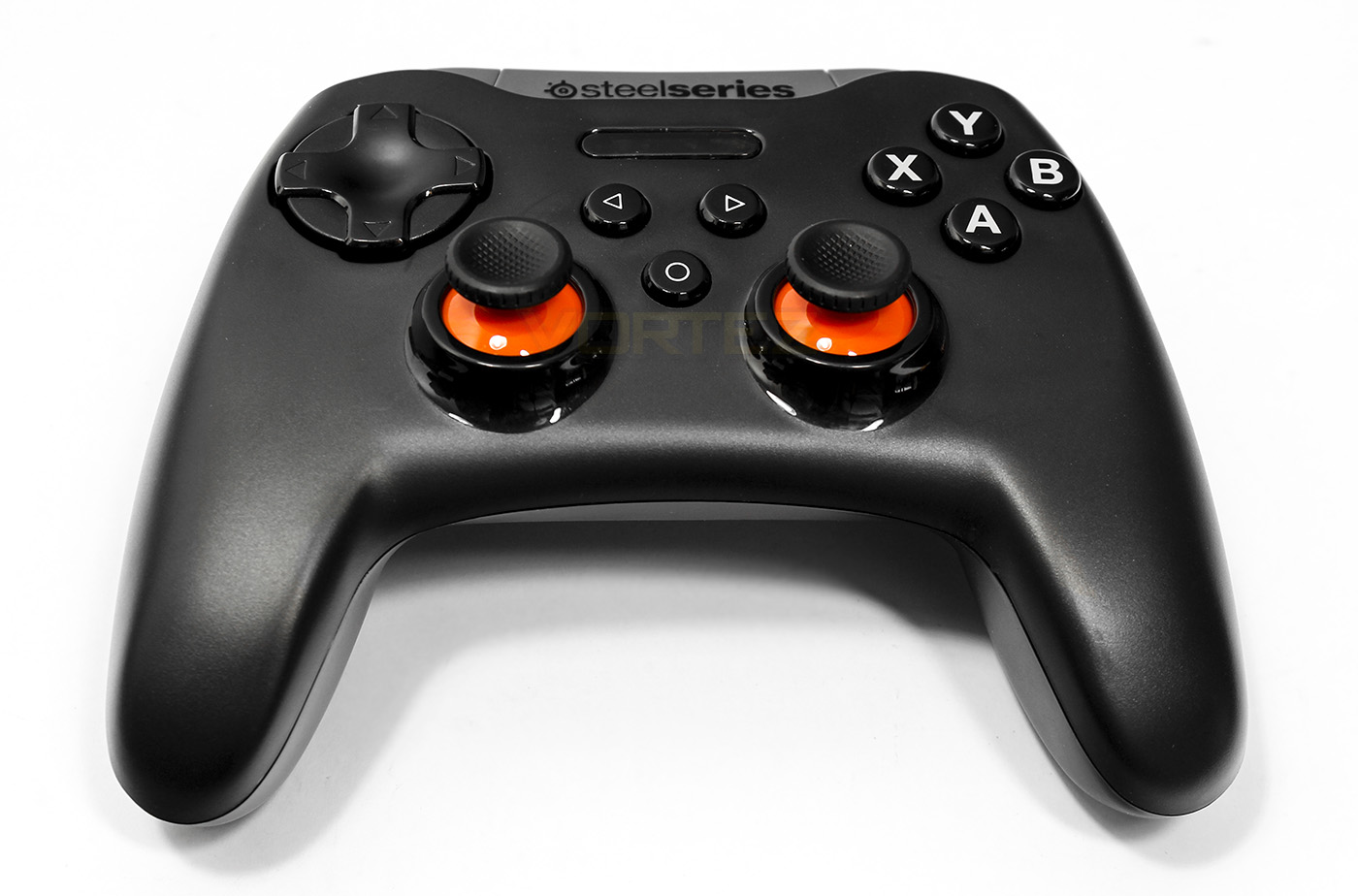
The Stratus XL controller looks like a merger of the XBone and PS4 controllers, taking the ergonomic shape of the XBone and slapping an 8 way D-Pad in the position where there would normally be an analogue stick.
Closer Look
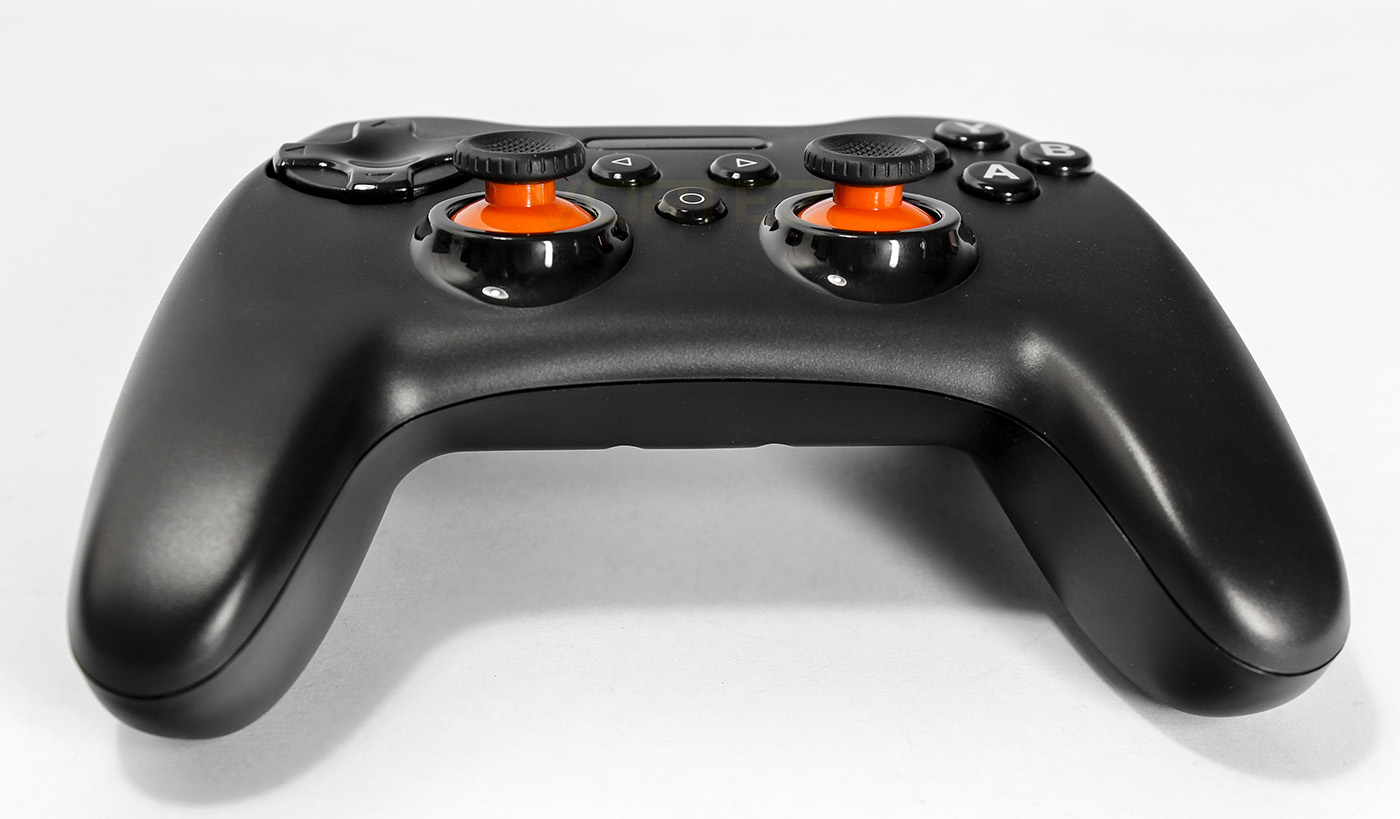
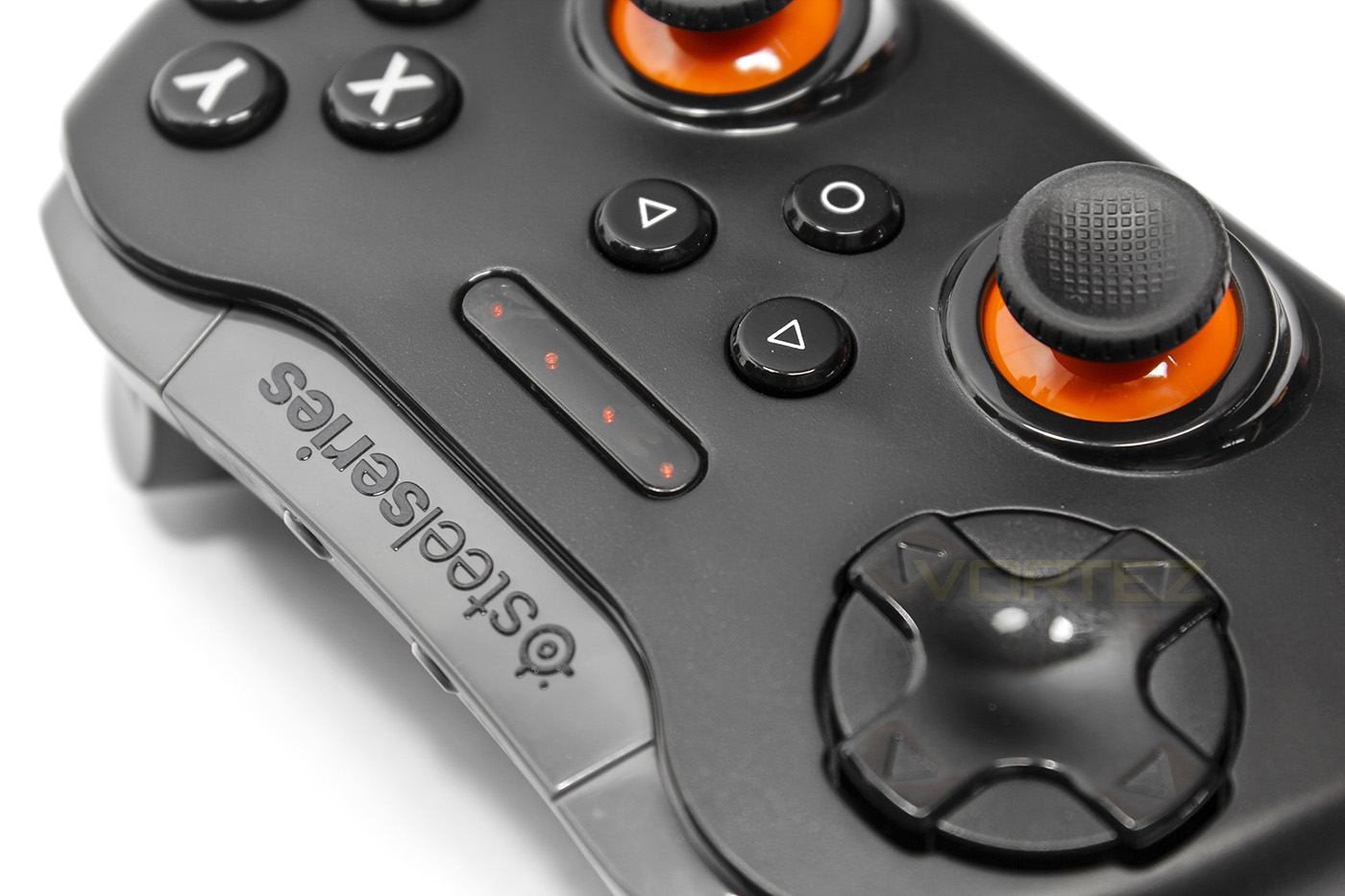
The thumbsticks are accented with the SteelSeries burning orange colour, and are rather low in height. The thumbsticks have a textured rubber, concave surface for grip and can also be clicked in (L3 and R3).
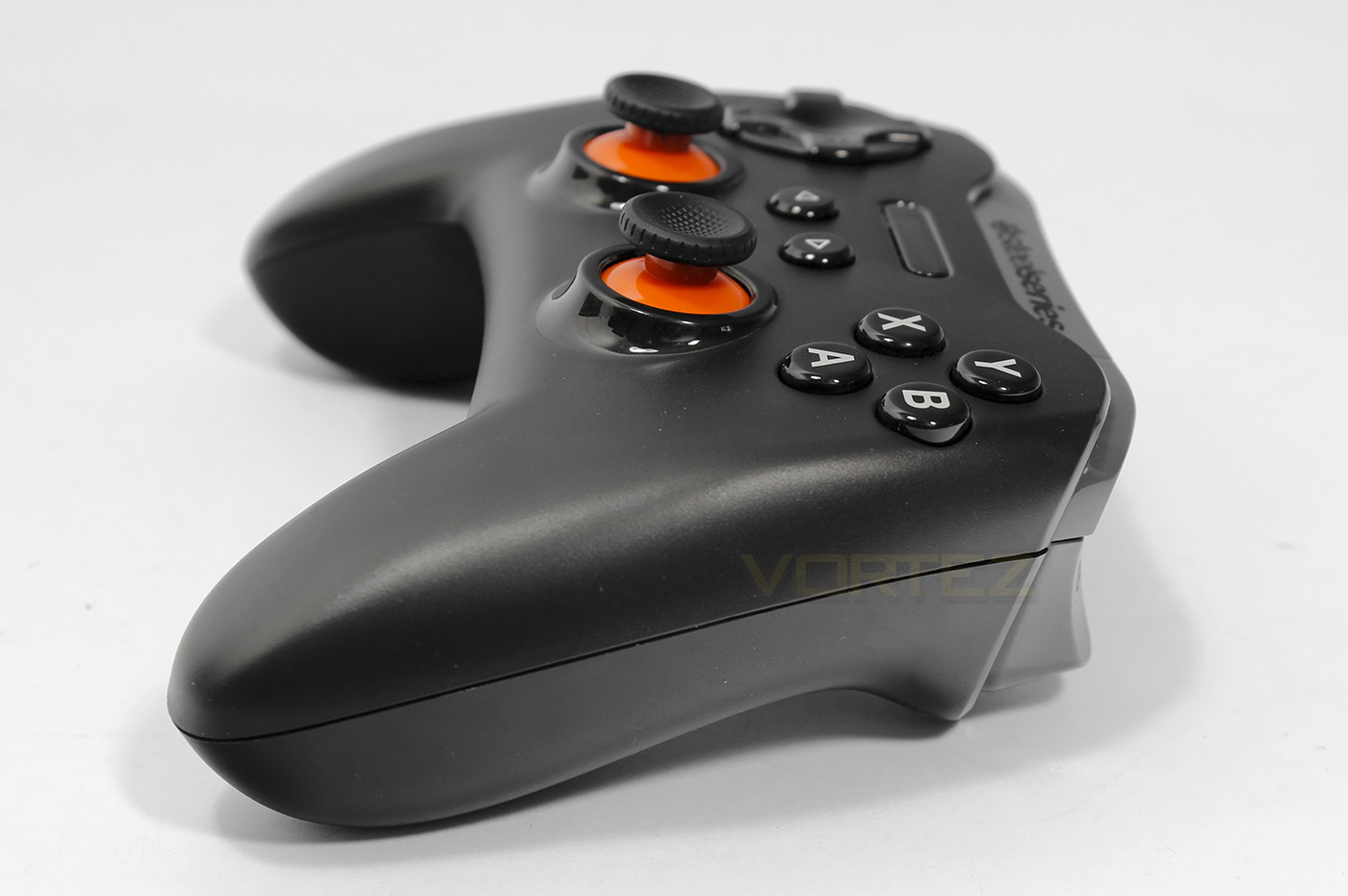
From the side you can see a seam running around the controller and the pressure sensitive buttons are placed quite close to the edge.
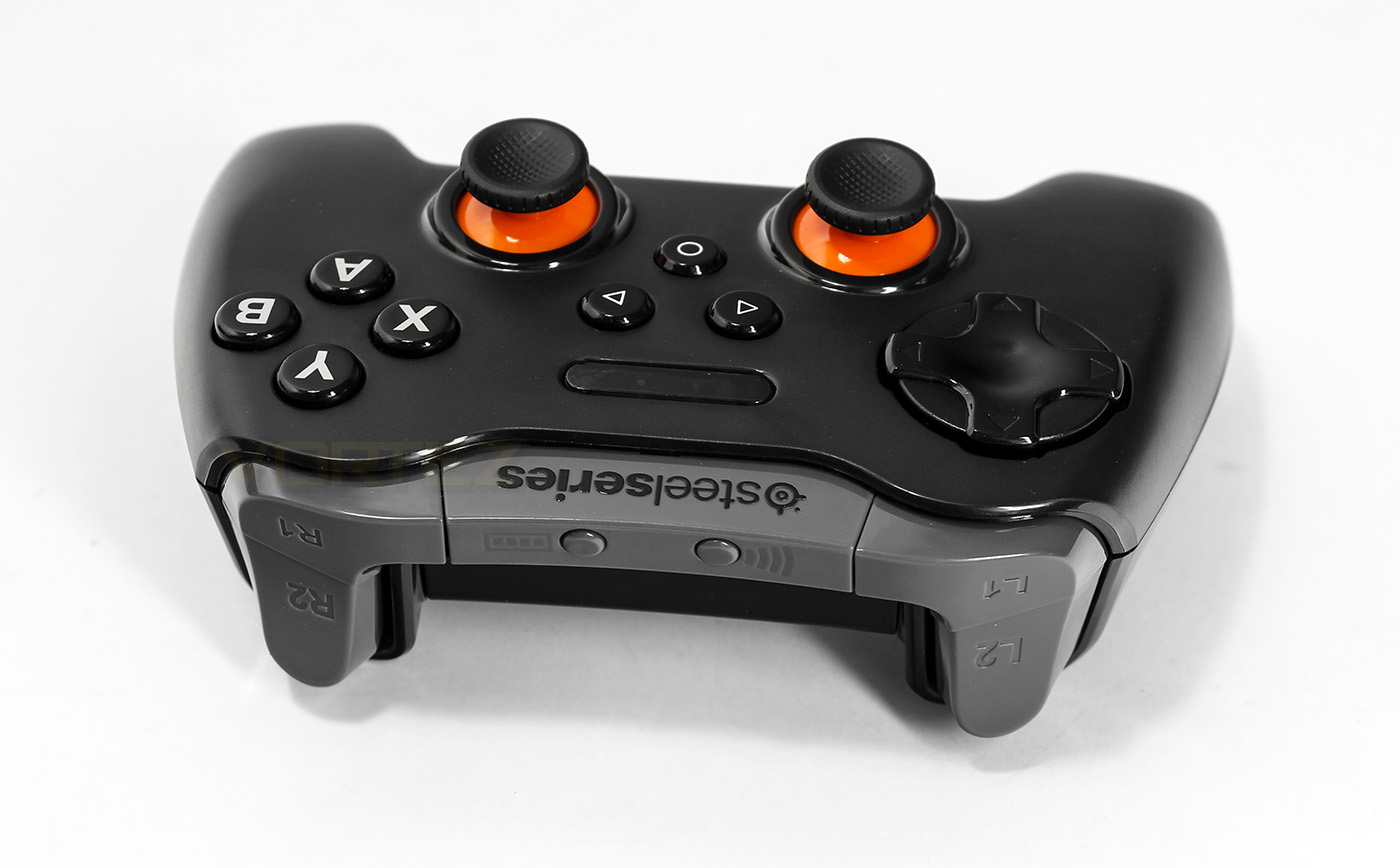
On top there are the bumper butters and triggers along with a dedicated battery and wireless button. There is an oval LED strip which displays 4 LEDs as well as a Start, back and home button.
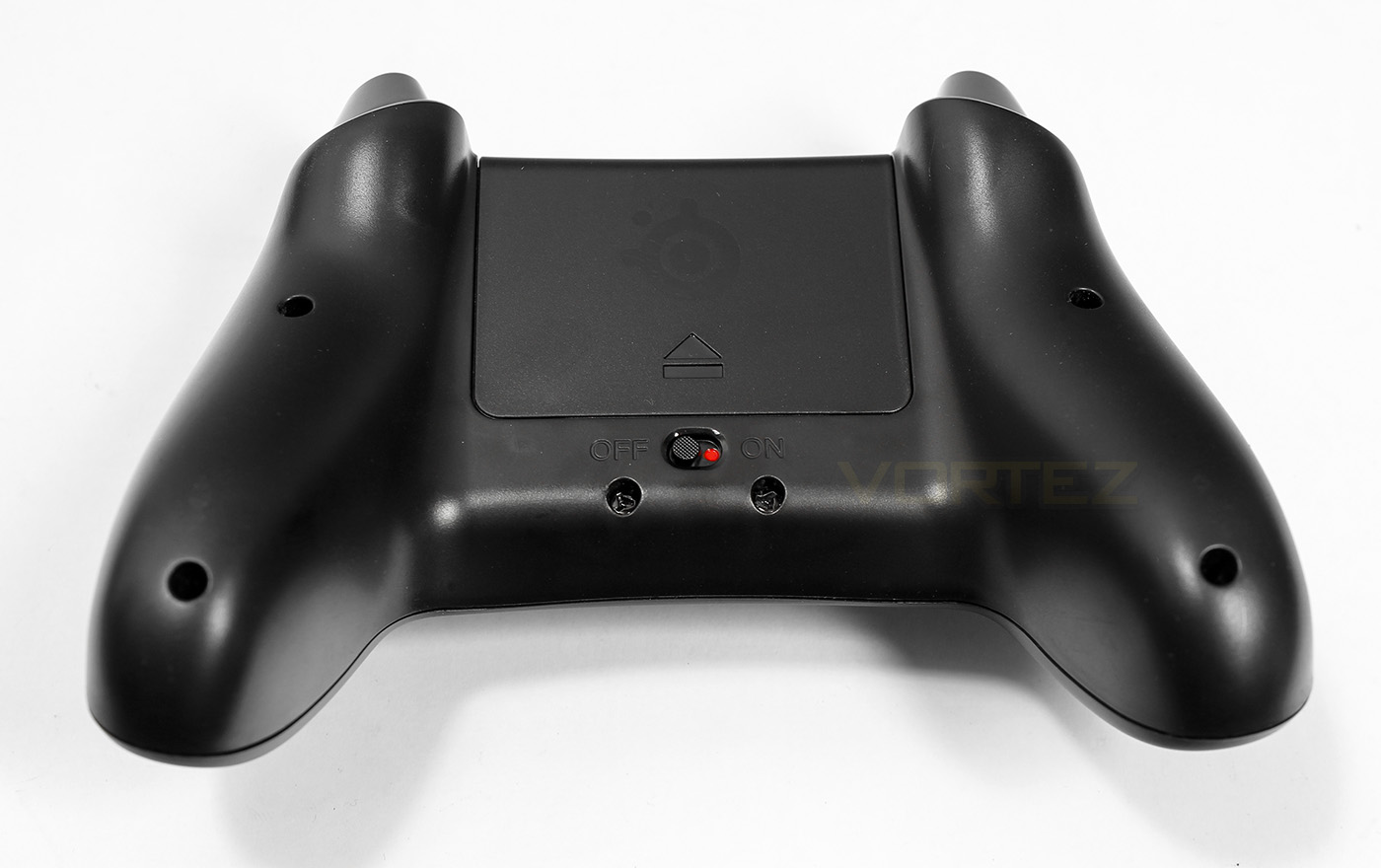
There are no external ports for the Stratus XL, but there is a smooth hard battery cover, there is also a dedicated on/off switch.
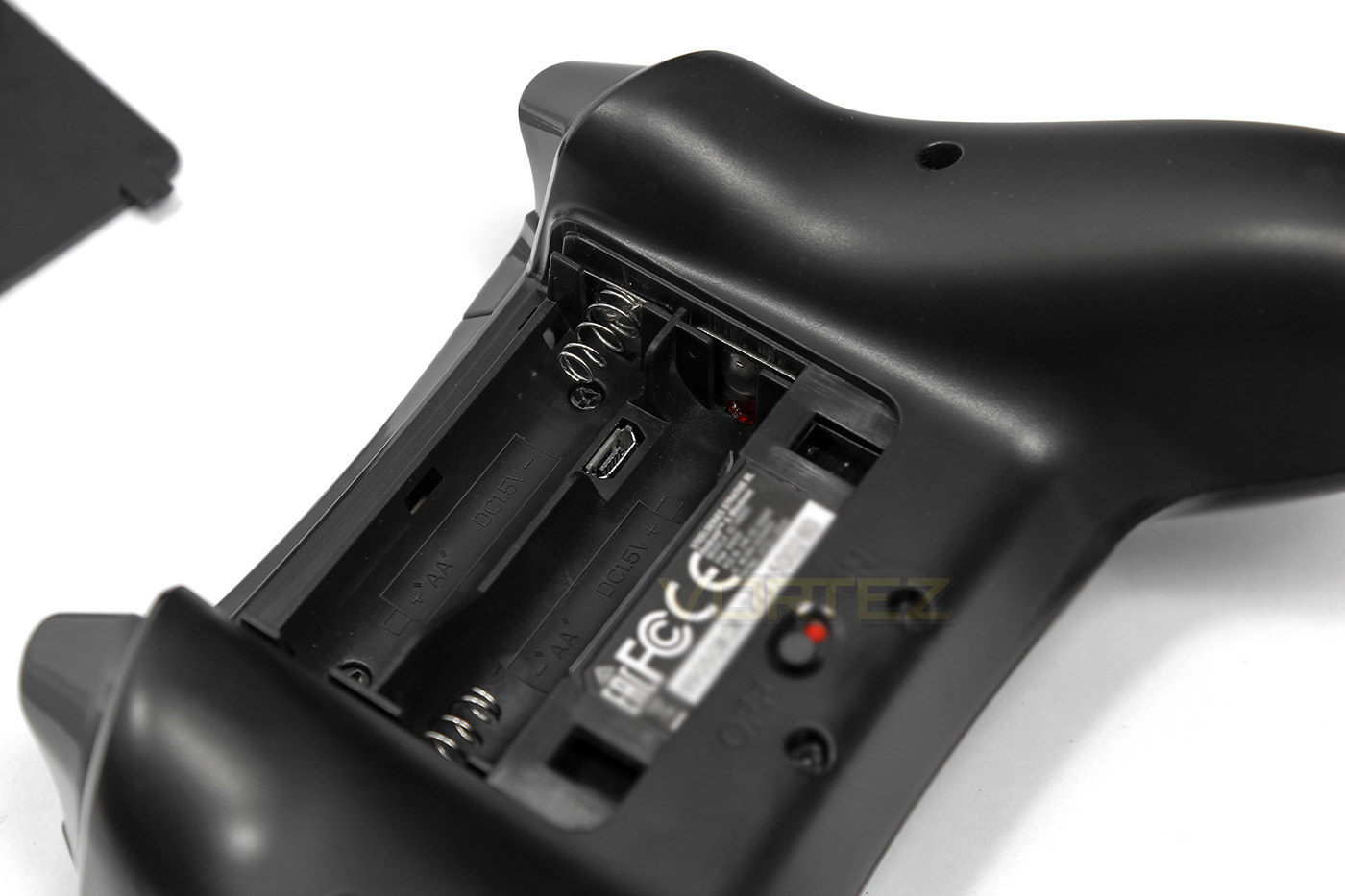
The Stratus XL is powered by 2x AA batteries, rated to last for up to 40 hours, but on the inside there is also a micro USB for wired gaming.
Software & Performance Testing
Software
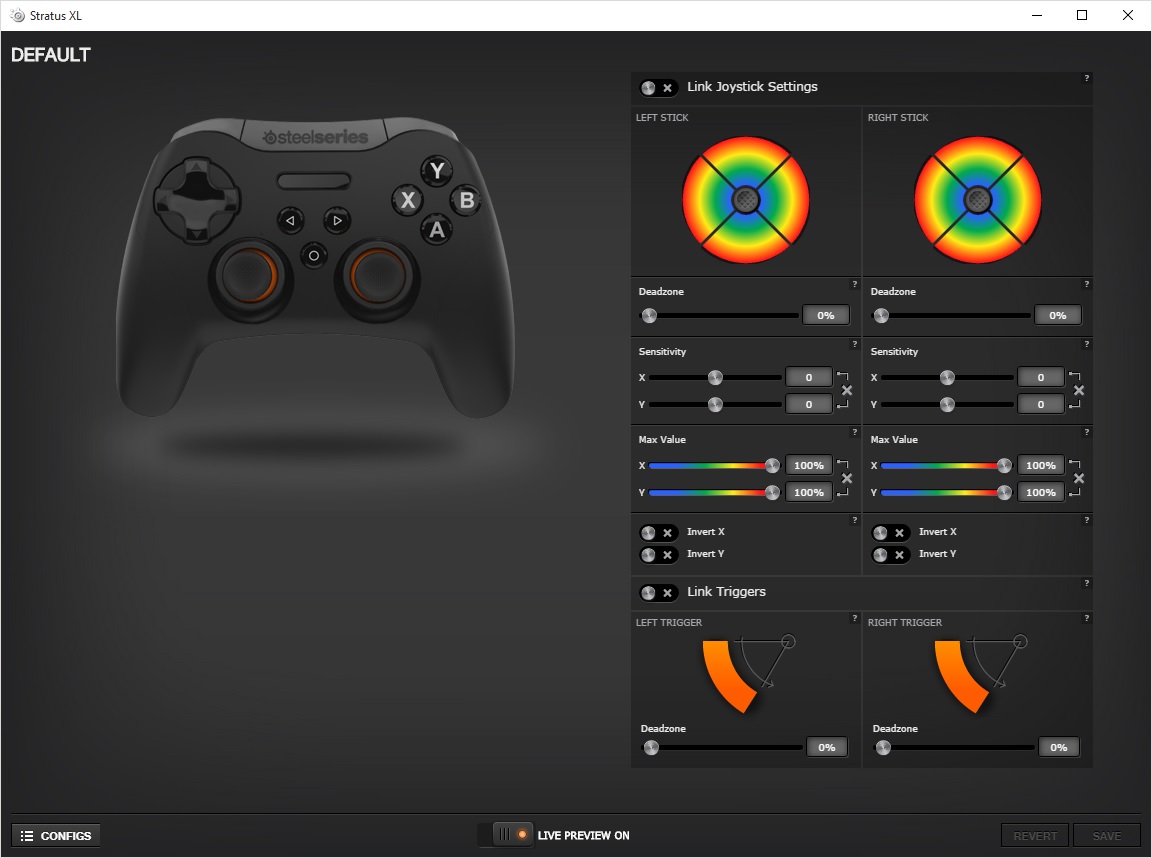
SteelSeries have included driver support with the latest version of the -url=https://steelseries.com/downloads]SteelSeries Engine 3[/url] and is required for full functionality on the Windows System. Once paired, or connected through a wire, you can then access the control panel which allows you to customise and calibrate stick settings which can be saved to a custom profile. You can also adjust the actuation point on the triggers.
Setup, Design & Observations
Pairing via Bluetooth on Windows 10 can be quite a pain as there is no instructions to describe the flashing of the LED lights. Once you have paired, worth doing after you install the drivers, you may require a restart, or to turn off the controller then back on again. Once it is paired correctly, it will display the first LED to indicated player 1.
In the hands, the Stratus XL feels good, smooth and comfortable and the seam around the sides is barely noticeable. The sticks feel great, like they may be centred magnetically,and the buttons too share a good quality feeling. The L1/R1 bumpers feel great, while the L2/R2 triggers feel quite awful, not in a cheap way, but in a ‘oh I’m bending a metal strip’ kinda way and there is no tactile feedback. Though you can adjust the actuation point with the software, there are no mechanical locks to reduce the trigger travel, meaning its difficult to control in games where you want speedy presses.
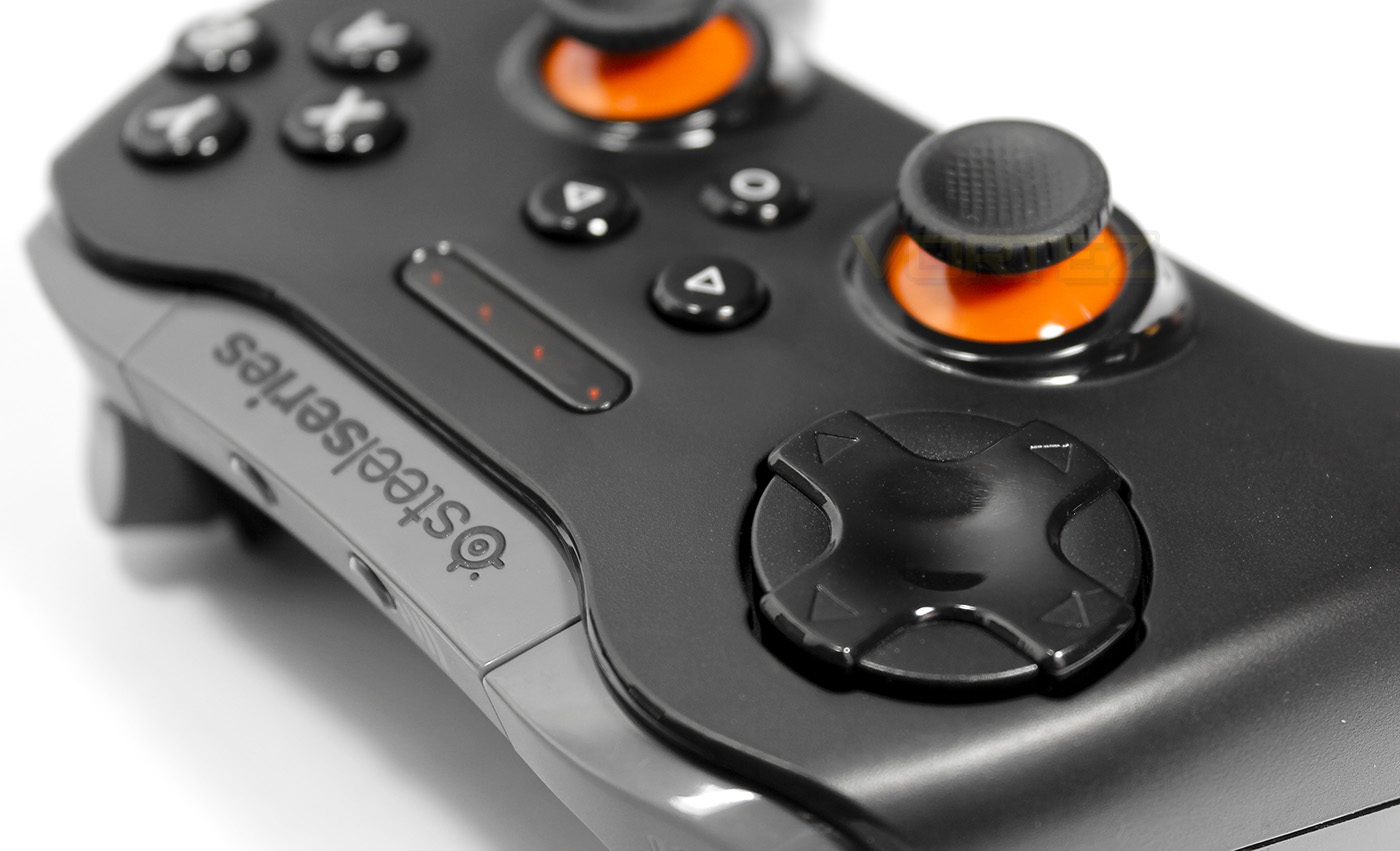
The 8 way D-Pad feels good, and in Ultra Street Fighter IV, swoops and directional presses were tight and easy to achieve. The D-Pad, is hugely better and more comfortable than the super awful XBox 360 floating D-Pad, yet, isn’t quite perfect, feeling a little too large, and because it uses membrane, rather than mechanical switches, it requires quite a large amount of force for each press, something fans of competitive fighting games might struggle with over long periods. The sticks felt great whether its a first person FPS or racing game, and the pressure sensitive buttons work as you would expect from the existing console controllers.
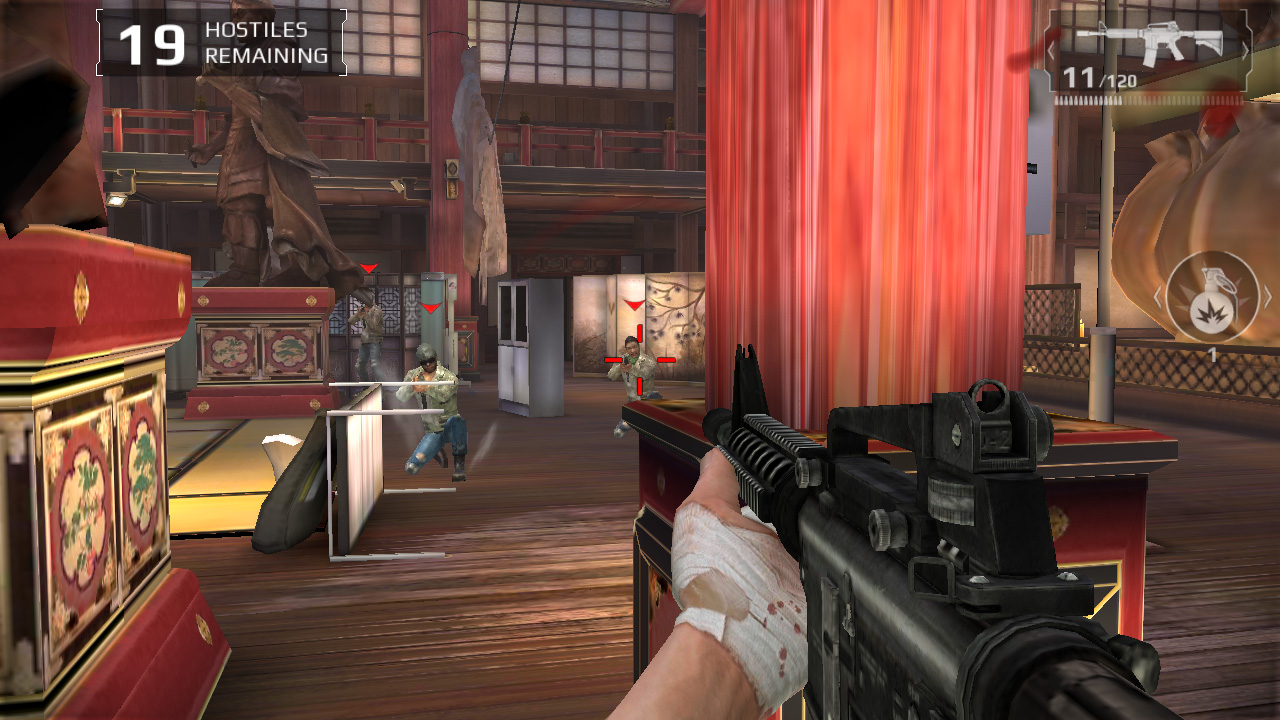
Gaming on Android devices may give a varied experience which will largely depend on the performance of your device. Connecting up to play Modern Combat 5: Blackout, the controller gave great analogue precision and control in game, though the lack of customising the controllers performance showed when trying to shoot, requiring a complete travel of the trigger to actuate a gunshot. Overall, if you are looking to use for your favourite games on Android, the controller is definitely competent as long as your device is capable of handling the level of game play. The Stratus XL is also compatible with various other Android based devices such as the OUYA, which is worth considering.
Conclusion
The SteelSeries Stratus XL for Windows and Android is a major contender for those looking for a seriously good quality controller that isn’t a Microsoft controller. It has the advantage of being compatible with Android devices and is wireless via Bluetooth out the box.
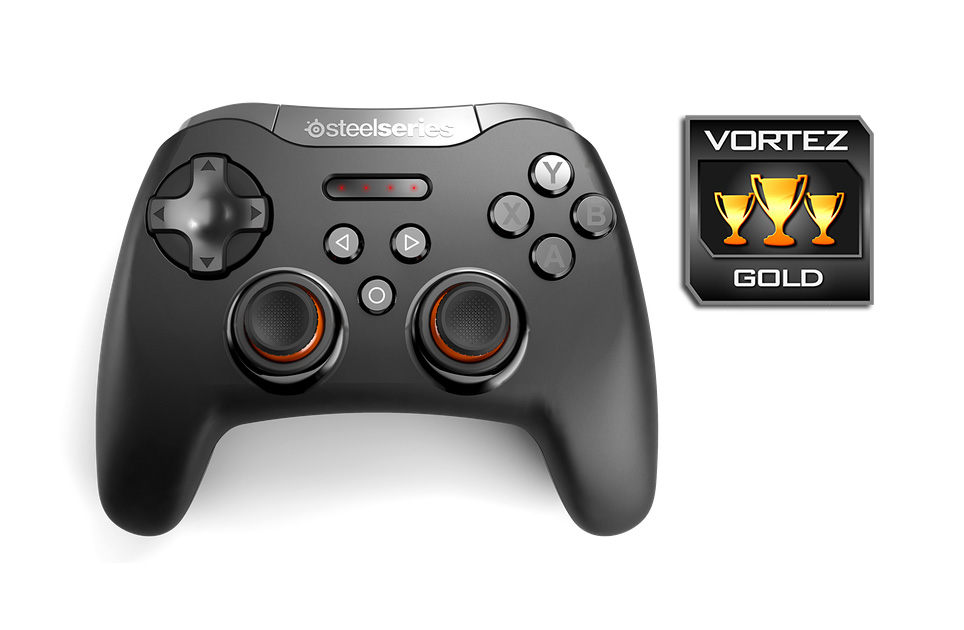
It is worth remembering that it can also be used wired, though its a shame that it isn’t fitted with a rechargeable battery as standard. Many people may not choose the SteelSeries Stratus over a Conventional XBox 360/One controller, however, when compared to the XBone controller, considering the extra £20 required to be used wirelessly with a Windows PC, the Stratus XL proves to be better value.
There are some features missing when compared to the XBone controller such as vibration and haptic feedback in the triggers, a feature that many gamers love. The Stratus XL still has its appeal, and will attract those specifically looking for a controller with the comfortable ergonomics of the XBox pad but with the layout of the DualShock pad, something that many may have desired for a long time. Though there have been others to attempt this combination previously, most have failed miserably. SteelSeries are certainly a brand trusted for high quality products and the Stratus XL for Windows and Android continues to uphold that trust. Though not quite perfect, as no controller is for every scenario, the differences that the Stratus XL offers is enough, and if you love this layout, the quality will not disappoint.
Unlike many third party controllers, SteelSeries have made a top quality, console like controller which is a genuinely viable option for any serious gamer looking for something outside the existing status quo of the console brands.
Pros.
+ Pressure sensitive buttons, analogue triggers
+ Very comfortable in the hand
+ Alternative D-Pad position (compared to MS controllers)
+ Long battery life
+ Can be used wired or via Bluetooth
+ Windows 7+ and Android compatibility
+ Competitively priced
Cons.
– Squishy triggers w/out mechanical stop or tactile feedback
– No mechanical switches
– No vibration/ haptic feedback
+ Pressure sensitive buttons, analogue triggers
+ Very comfortable in the hand
+ Alternative D-Pad position (compared to MS controllers)
+ Long battery life
+ Can be used wired or via Bluetooth
+ Windows 7+ and Android compatibility
+ Competitively priced
Cons.
– Squishy triggers w/out mechanical stop or tactile feedback
– No mechanical switches
– No vibration/ haptic feedback
Click here for an explanation of our awards at Vortez.net.