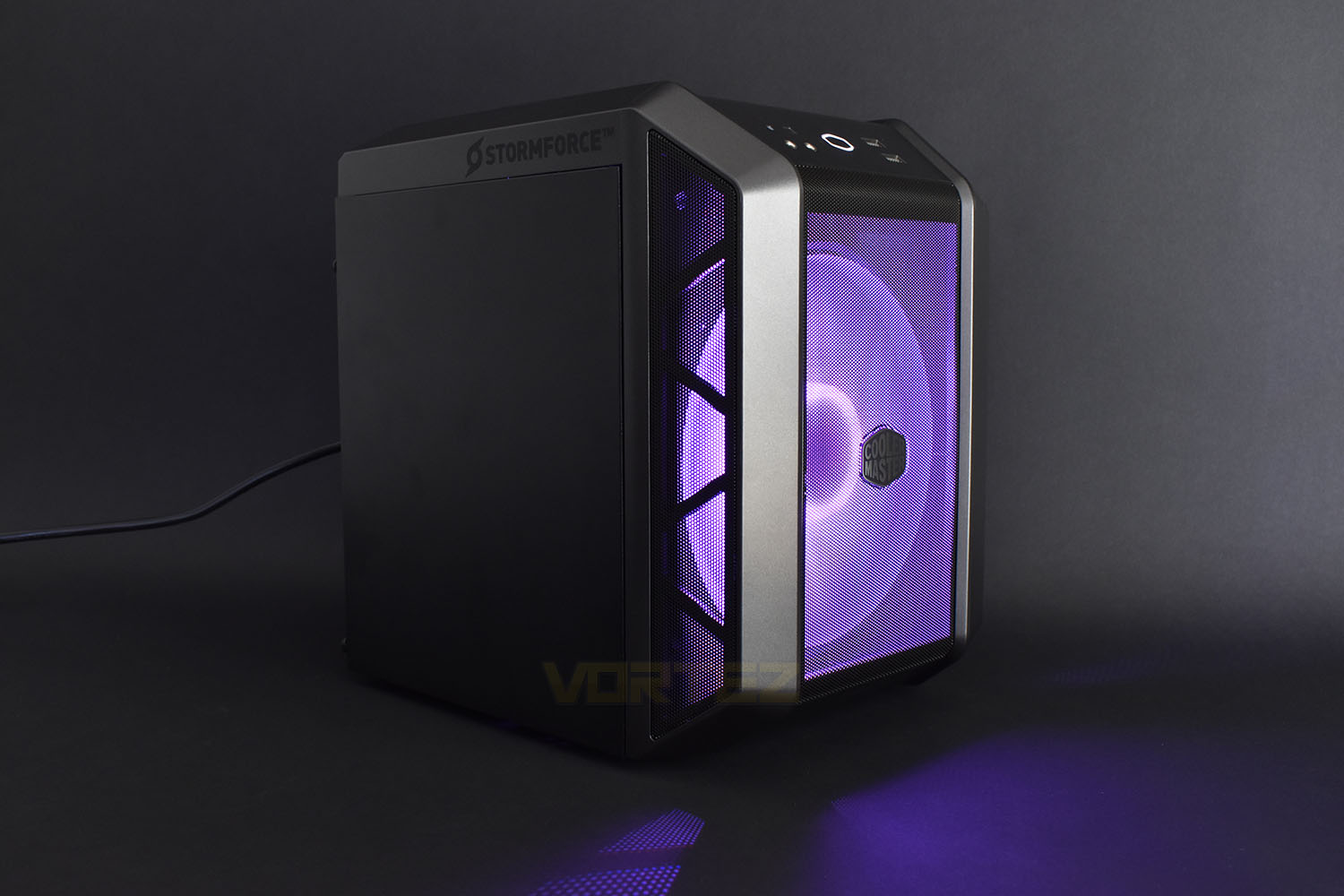
Rocking an Intel Core i5 9400F and NVIDIA GeForce GTX 1660, the Stormforce Magnum presents a solid system but the real magic is packing it inside the tiny Cooler Master H100 chassis.

Product on Review: Stormforce Magnum GTX 1660
Manufacturer: Stormforce
Street Price: £849.97
Stormforce are a UK-based system integrator who produce desktop computers for all budgets; whether you need something to check your weekly emails or a balls-to-the-wall gaming rig fit for 12 hour sessions, Stormforce have you covered.
This time around, we’re looking at a Mini-ITX form factor build, with some excellent hardware crammed inside the tiny Cooler Master Mastercase H100. Providing the graphics oomph is NVIDIA’s GeForce GTX 1660 with 6GB of GDDR5, backed up by Intel’s Core i5 9400F 6-core processor with Turbo clocks up to 4.1GHz.
The Magnum is also equipped with a high speed 500GB NVMe SSD, renowned for their excellent throughput and random-access speeds which allow a very responsive and snappy experience within Windows, not to mention the improved game loading times.
Thanks to Stormforce’s years of experience and knowhow, they back up all of their systems with a 3-year Collect and Return Warranty for extra peace of mind. The Stormforce Magnum ITX system is available for £849 in the UK but is it worth that, let’s pile on the pressure and find out.
Stormforce on the Magnum GTX 1660 (Intel i5 9400F)
The stylish and compact “Magnum i5 9400F GTX 1660” is based on the very latest cutting edge 9th gen architecture. Equipped with an Intel Core i5 9400F (boosting to 4.1GHz) combined with an Intel H310 chipset. A huge 16GB of DDR4 RAM runs at a swift 2666MHz, delivering blindingly quick multitasking performance.
Technical Specifications
PROCESSOR
Intel Core i5-9400F 6 Core, 6 Thread CPU
2.9GHz, Turbo up to 4.1GHz
9MB Cache
Air Cooler
MEMORY
16GB 2666Mhz DDR4 RAM
Supports up to 32GB
2 DIMM sockets (used)
HARD DRIVE
500GB NVME SSD
OPTICAL DRIVE
None supplied
SOFTWARE
Windows 10 Home
30 day trial of Microsoft Office included
MOTHERBOARD
Asus Prime H310I-PLUS R2.0
Bluetooth 4.2
On-board WiFi
DISPLAY
N/A
GRAPHICS
GTX 1660 4GB
Display Port
HDMI
DVI
AUDIO
HD 8-channel audio
INPUT DEVICES
Keyboard & mouse not supplied
NETWORKING
867Mbps WiFi
POWER SUPPLY
500w PSU
DIMENSIONS
Height: 381mm
Width: 208mm
Depth: 456mm
MOTHERBOARD INTERFACES
1 x PS/2 keyboard/mouse combo port(s)
1 x DVI-D
1 x D-Sub
1 x HDMI
1 x LAN (RJ45) port(s)
2 x USB 3.1 Gen 1 (blue) Type-A up to 5Gbps
2 x USB 2.0
3 x Audio jack(s)
EXPANSION
1 x PCIe 3.0/2.0 x16 (1 Used)
1 x M.2 2280 (1 Used)
LEDS
Case Controlled RGB LED Fan
CASE
Cooler Master Master Case H100
2 x USB 3.2 Type-A
1 x RGB Controller
2 x Audio Jacks
WARRANTY/MISCELLANEOUS
3 Years Collect & Return Warranty (3 Years Parts, 3 Years Labour)
Intel Core i5-9400F 6 Core, 6 Thread CPU
2.9GHz, Turbo up to 4.1GHz
9MB Cache
Air Cooler
MEMORY
16GB 2666Mhz DDR4 RAM
Supports up to 32GB
2 DIMM sockets (used)
HARD DRIVE
500GB NVME SSD
OPTICAL DRIVE
None supplied
SOFTWARE
Windows 10 Home
30 day trial of Microsoft Office included
MOTHERBOARD
Asus Prime H310I-PLUS R2.0
Bluetooth 4.2
On-board WiFi
DISPLAY
N/A
GRAPHICS
GTX 1660 4GB
Display Port
HDMI
DVI
AUDIO
HD 8-channel audio
INPUT DEVICES
Keyboard & mouse not supplied
NETWORKING
867Mbps WiFi
POWER SUPPLY
500w PSU
DIMENSIONS
Height: 381mm
Width: 208mm
Depth: 456mm
MOTHERBOARD INTERFACES
1 x PS/2 keyboard/mouse combo port(s)
1 x DVI-D
1 x D-Sub
1 x HDMI
1 x LAN (RJ45) port(s)
2 x USB 3.1 Gen 1 (blue) Type-A up to 5Gbps
2 x USB 2.0
3 x Audio jack(s)
EXPANSION
1 x PCIe 3.0/2.0 x16 (1 Used)
1 x M.2 2280 (1 Used)
LEDS
Case Controlled RGB LED Fan
CASE
Cooler Master Master Case H100
2 x USB 3.2 Type-A
1 x RGB Controller
2 x Audio Jacks
WARRANTY/MISCELLANEOUS
3 Years Collect & Return Warranty (3 Years Parts, 3 Years Labour)
Packaging & Bundle
Due to the tiny nature of the Mini-ITX chassis, the box doesn’t need to be enormous. Stormforce actually just use the Cooler Master box that the empty case is packaged in, which arrived in good nick and is ample for the job.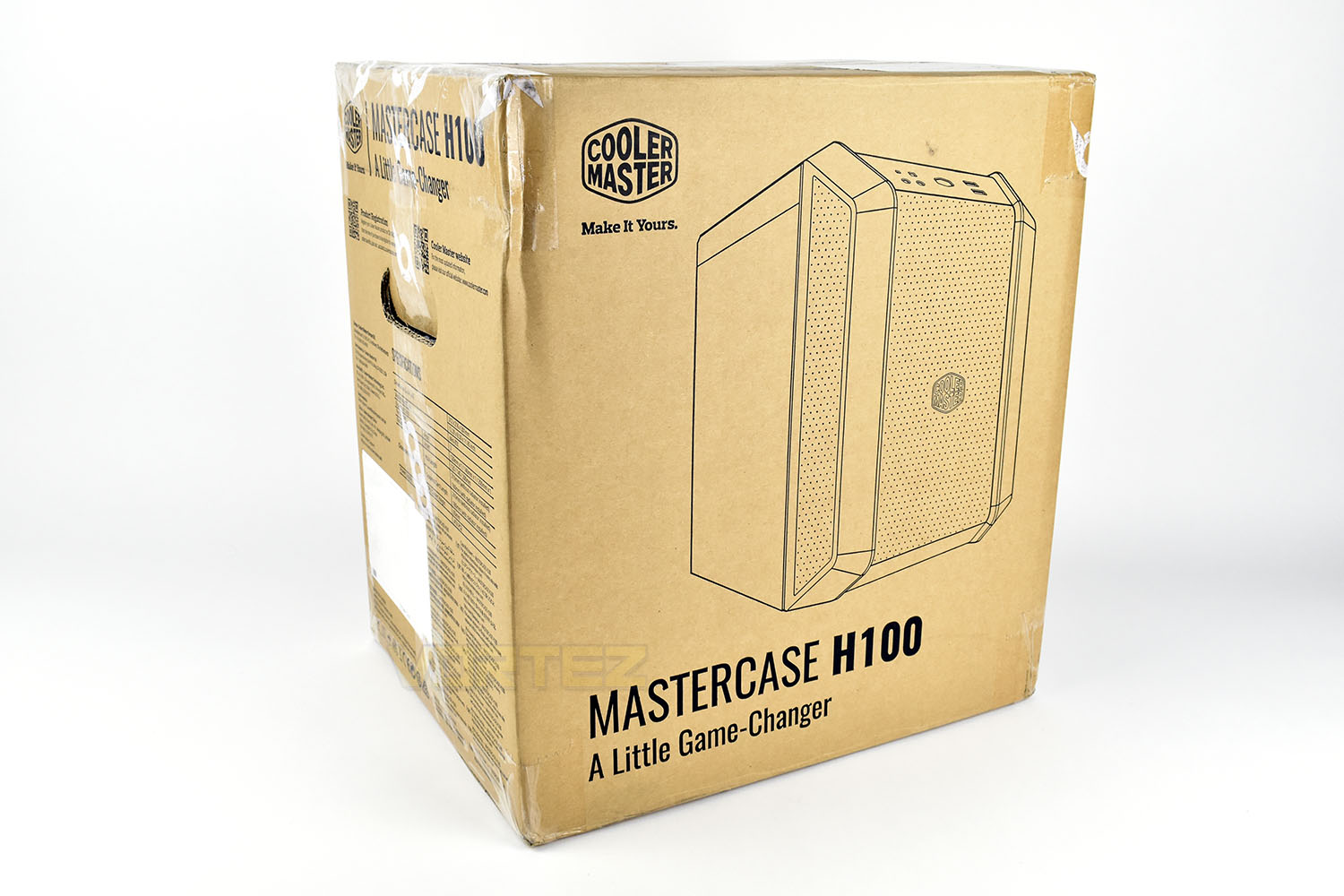
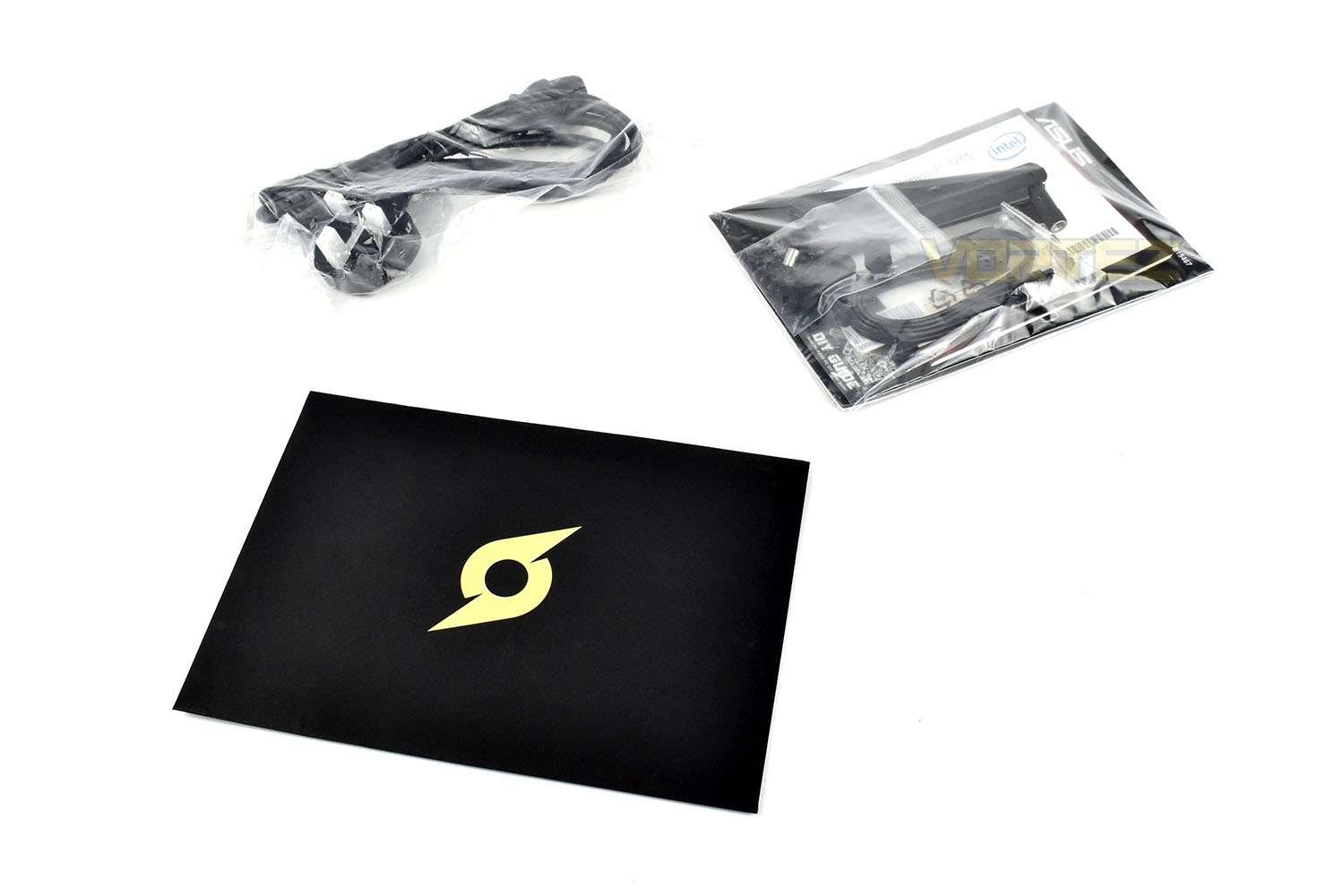
Included within the box, apart from the computer itself, is a Stormforce welcome envelope, a 3-pin UK power adaptor and a small sealy bag with the spare components from the graphics card, motherboard and WiFi adaptor. The bag also contains the WiFi antennas so be sure to screw them onto the back while setting it up.
Closer Look
Having not yet looked at the Cooler Master MasterCase H100 chassis, our first impressions completely revolved around how cute the case is, measuring in at only 380mm tall, 210mm wide and 460mm deep.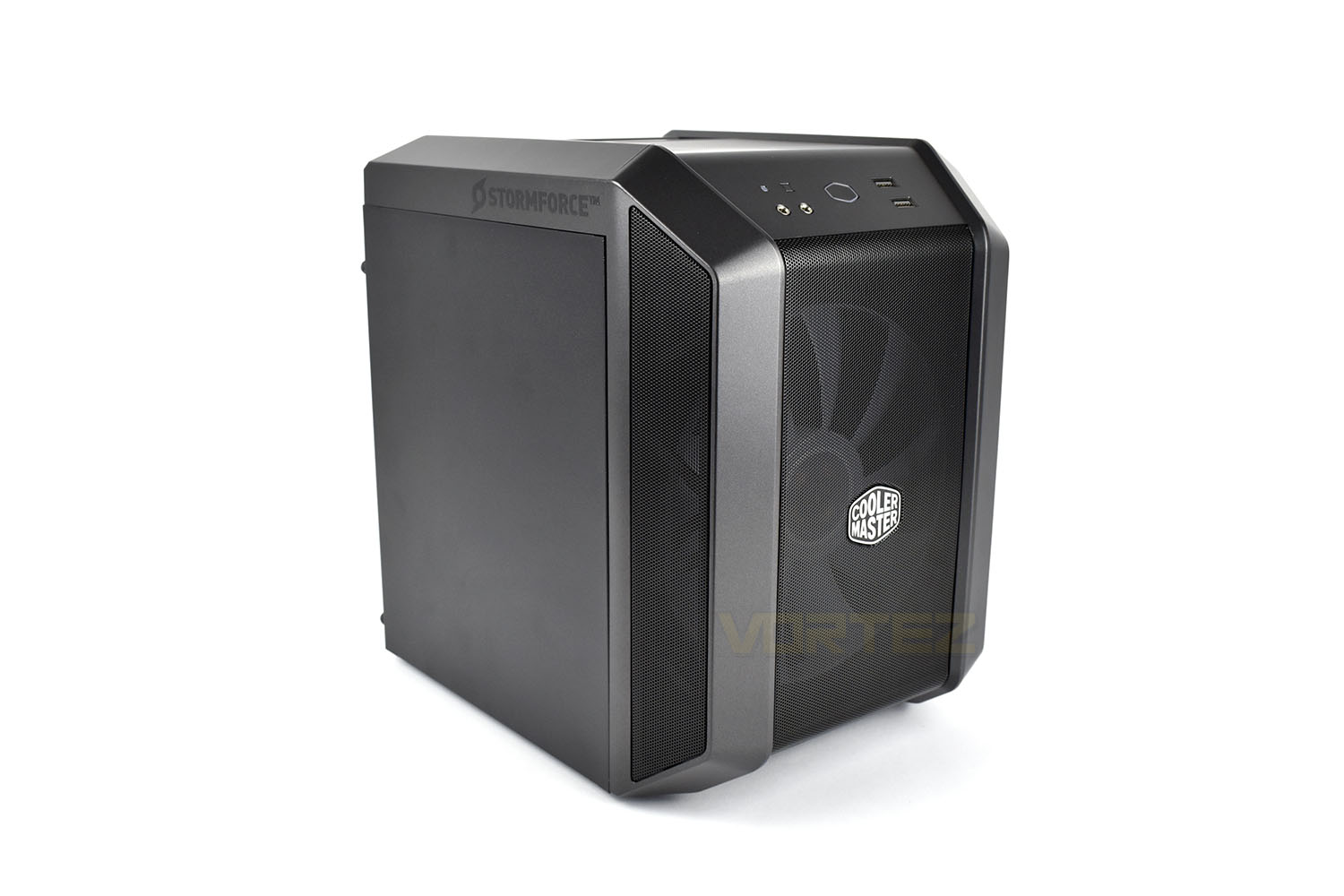
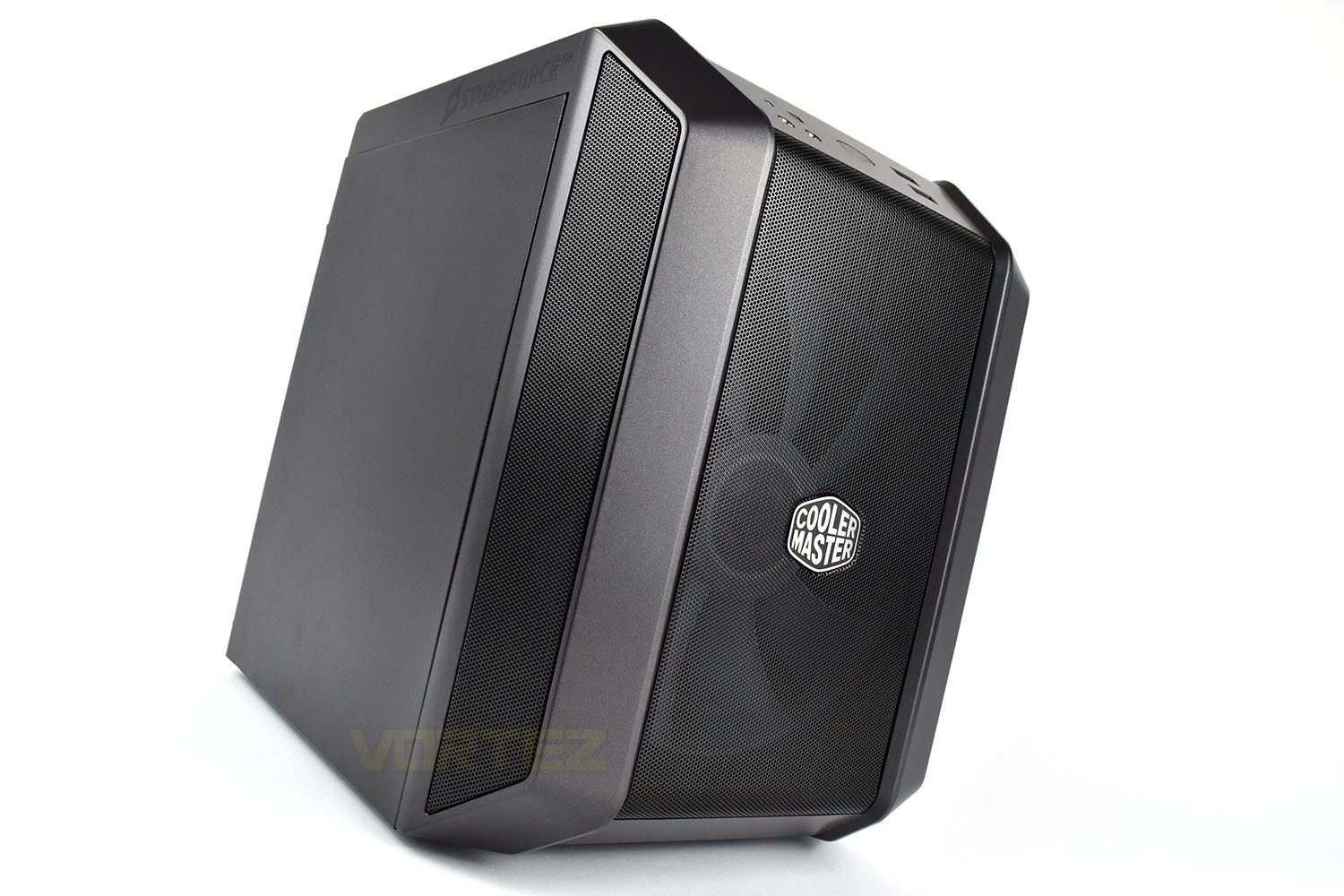
In the front of the case is a 200mm RGB illuminated fan which should be capable of pulling through a decent amount of air while remaining relatively quiet.
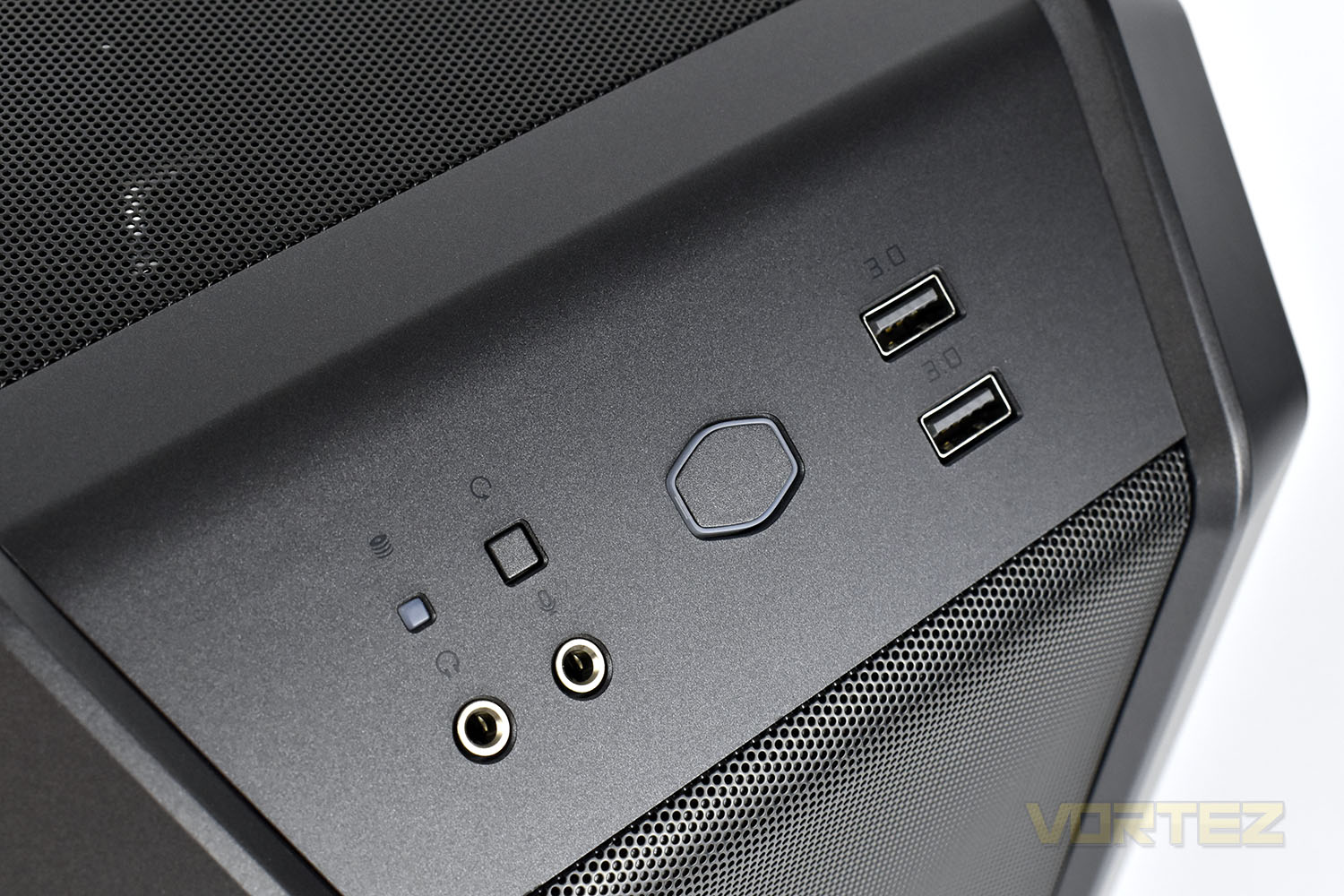
Above the meshed front panel is the front I/O, here there’s an HDD LED indicator, reset switch, headphone and microphone 3.5mm jacks, a Cooler Master logo-shaped power button and a pair of USB 3.0 ports.
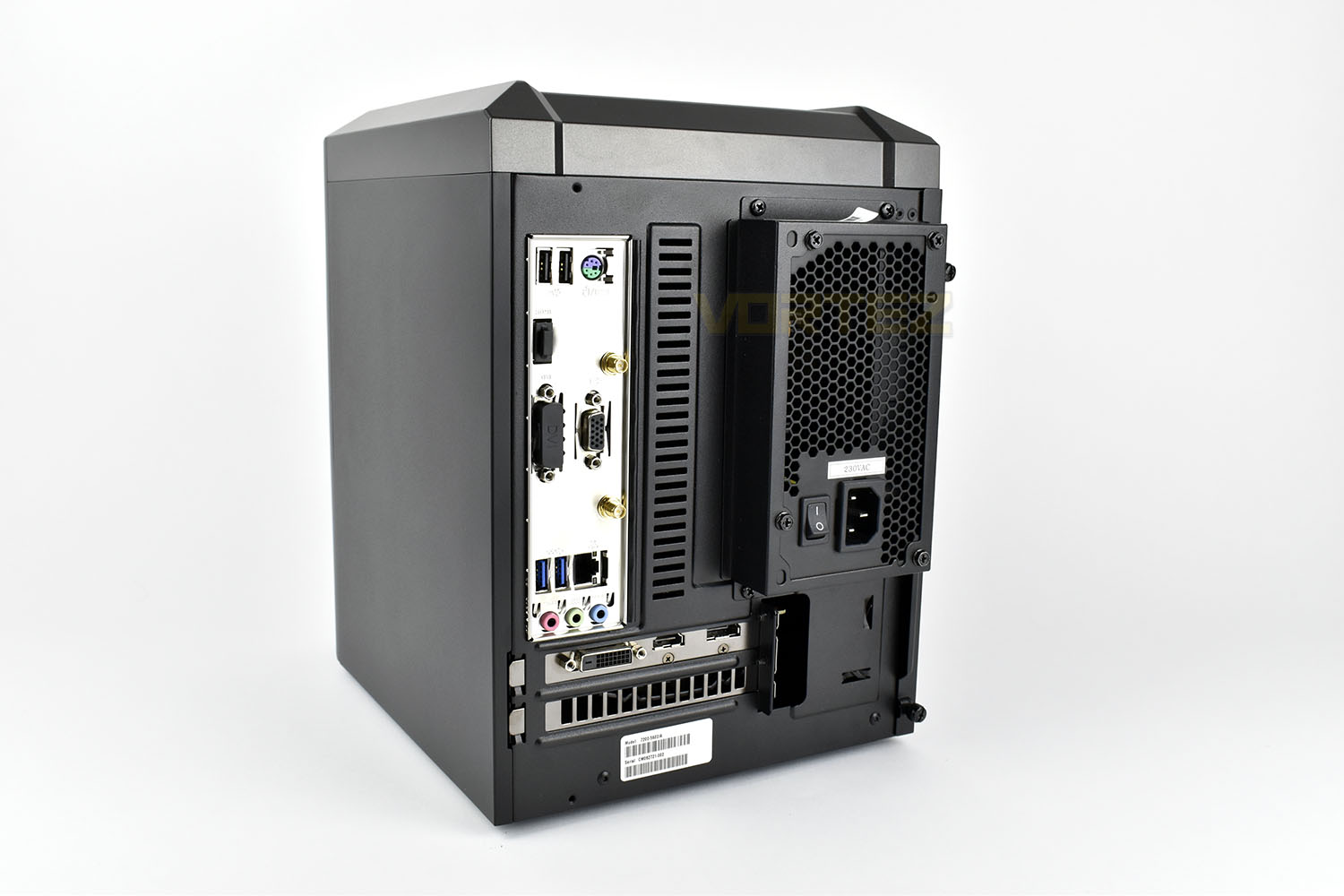
Swinging round to the rear, the power supply sits proud by around 25mm (one inch) so as to make more room inside the chassis for cables. You’re going to plug USBs, display connections and antennas into the back of the case, so this shouldn’t hinder you too much. If you do plan to push it up against a wall or a solid surface, there are 90° power cables available from online retailers for a small price.
On the motherboard rear I/O we get the following:
2x USB 2.0
1x PS/2 keyboard/mouse port
1x HDMI
1x DVI
1x VGA
2x WiFi antenna
2x USB 3.1 Gen. 1
1x Gigabit RG45
3x Audio connections
We then have a single DVI, HDMI and DisplayPort on the NVIDIA GeForce GTX 1660.
Closer Look (Internals)
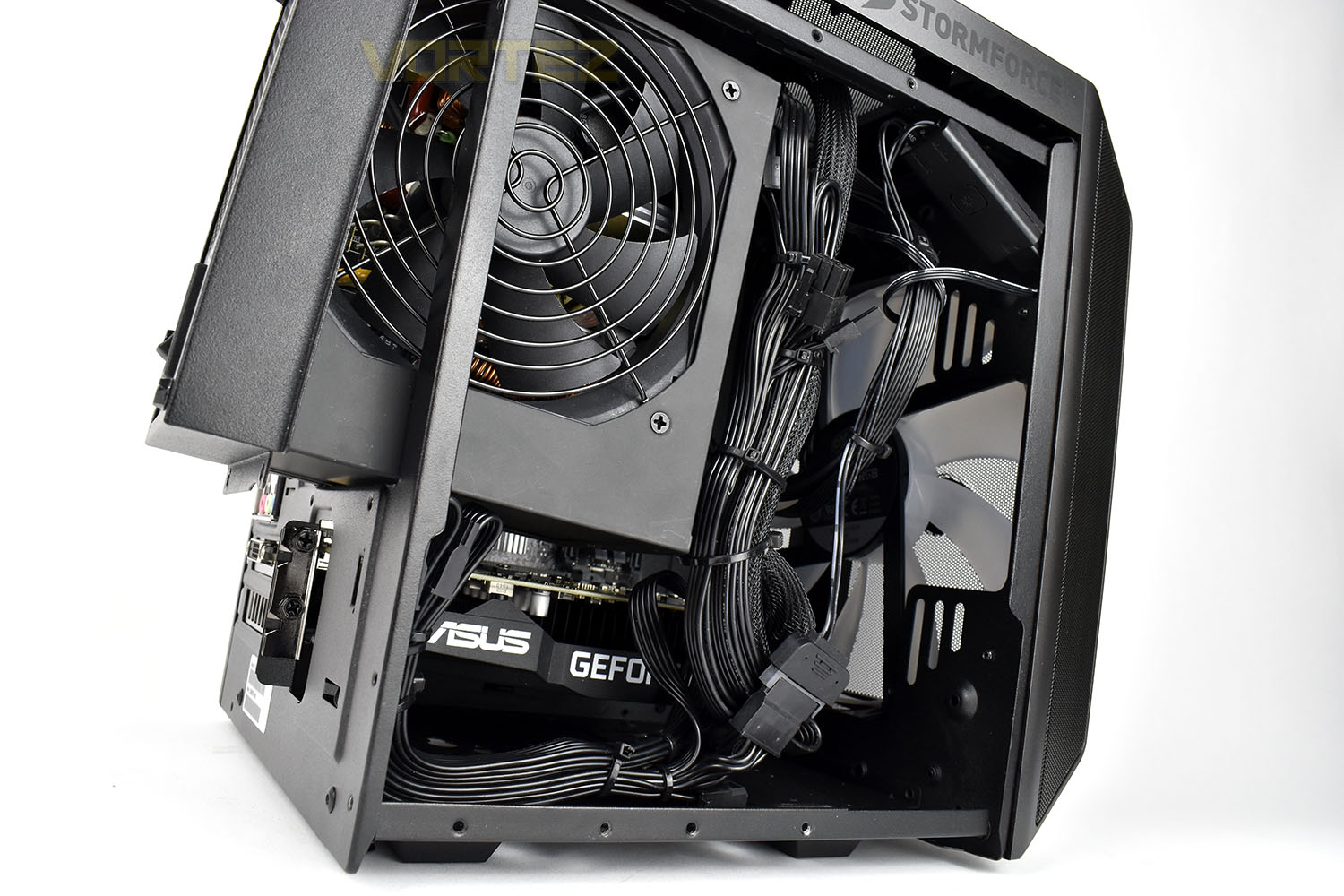
Because of the tightly packed layout inside the case, as well as Stormforce’s grand job on the cable management, we’re not able to bring you the photos that we’d usually present so we’ve moved the power supply as much as we can and tried to wiggle our camera inside. We also had to remove the a metal panel from inside, which can be used to mount a paid of 2.5” SSD/HDDs to.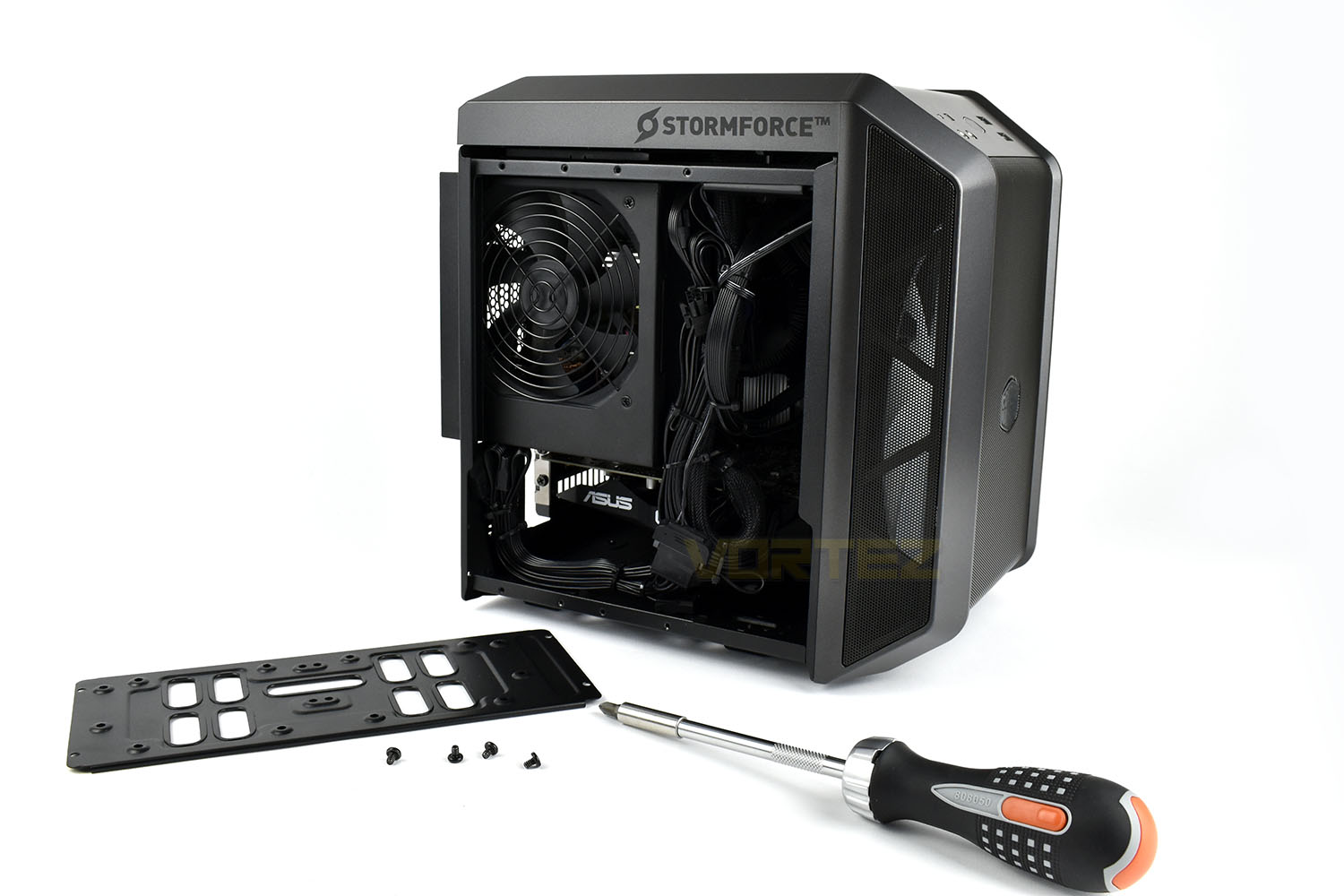
Stormforce have built the system upon the ASUS Prime H-310I-PLUS motherboard, using the Intel H310 chipset. Mounted onto that is a pair of Crucial 8GB DDR4-2666 DIMMs, making up 16GB, and an Intel Core i5 9400F processor.
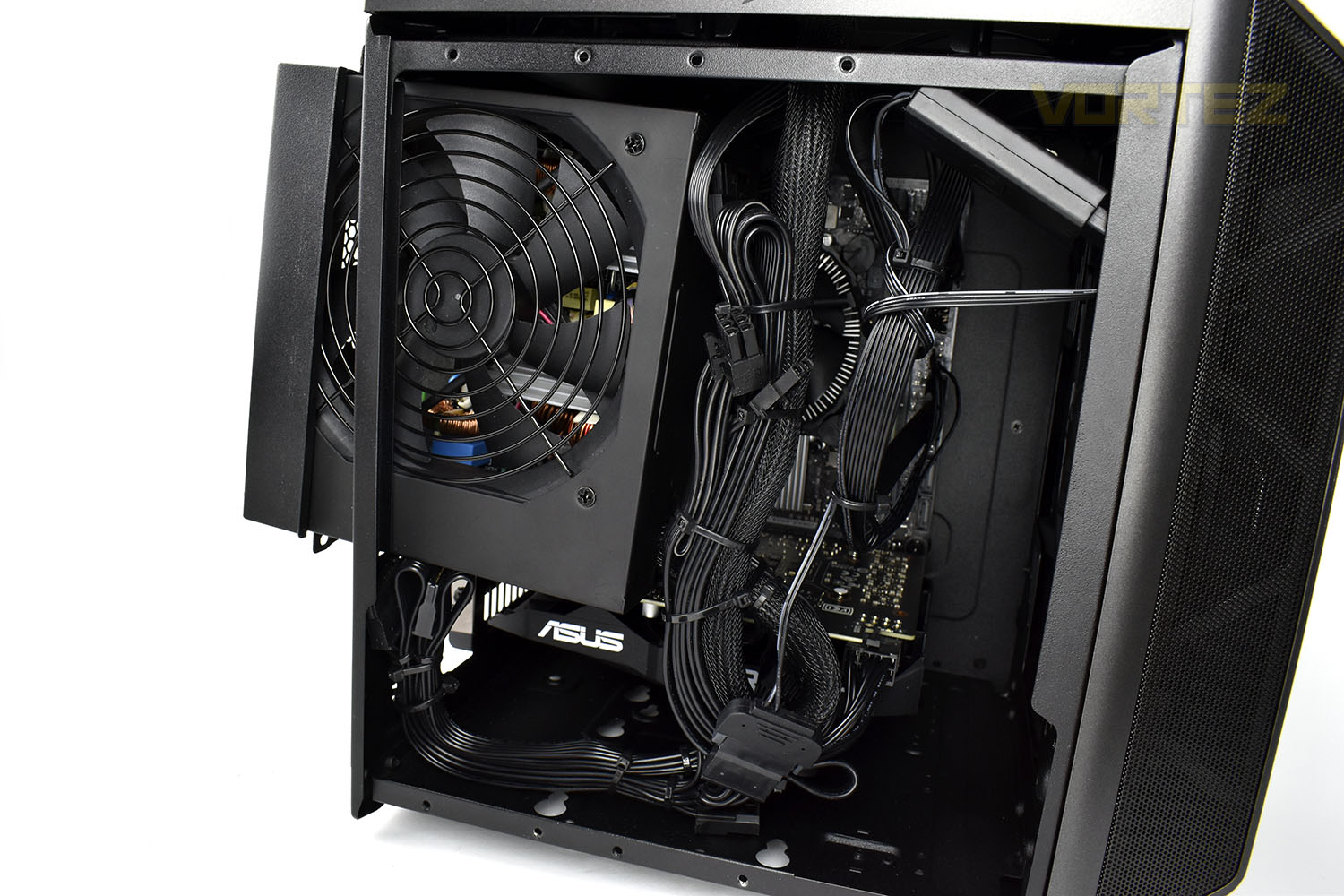
For graphics delivery, the ASUS Phoenix GTX 1660 has been used, which David reviewed in-depth here:
If you focus on the top-right of the case, just inside of the frame, you can see the in-line RGB selection that controls the colour of the front fan. Stormforce have wired this up to the reset switch on the front of the chassis for RGB LED control without taking the side panel away. Clever.
Benchmarks: Temperatures & Boot Time
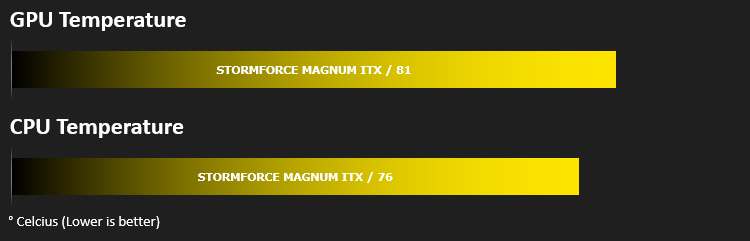
For our first benchmark test we observe the max. CPU/GPU temperatures of the system while allowing Unigine Heaven 4.0 to run on a 30-minute loop. To report back on the temperatures we use RealTemp and GPU-Z which provide the peak figures.
In this test we observe how fast the boot into Windows 10 is by using a digital stopwatch.

Benchmarks: Cinebench R20 & Handbrake
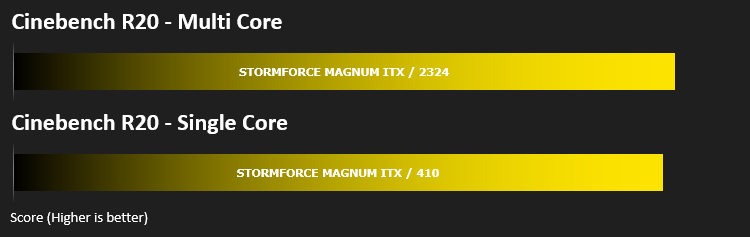
Cinebench is a real-world cross-platform test suite that evaluates your computer’s hardware capabilities. Improvements to Cinebench Release 20 reflect the overall advancements to CPU and rendering technology in recent years, providing a more accurate measurement of Cinema 4D’s ability to take advantage of multiple CPU cores and modern processor features available to the average user.
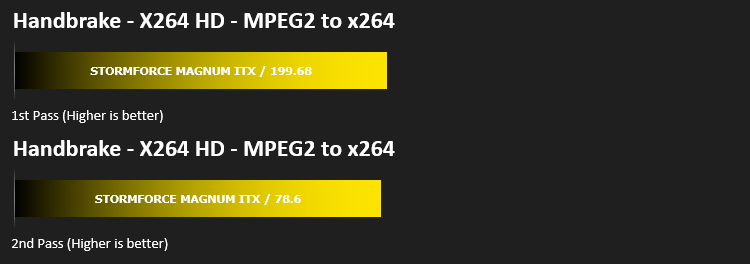
HandBrake is a tool for converting video from nearly any format to a selection of modern, widely supported codecs. We run an x264 benchmark through HandBrake to measure the system’s video processing speed. Results are delivered in a first pass and second pass format.
Benchmarks: PCMark 10, Unigine Heaven & 3D Mark
PCMark 10 combines performance benchmarking with battery life measurement and includes tests based on popular Adobe and Microsoft applications. Whether you are looking for long battery life, or maximum power, PCMark 10 will help you find the devices that offer the perfect combination of efficiency and performance for your needs. It’s the complete PC performance benchmark for home and business.

Time Spy is a DirectX 12 benchmark test for gaming PCs running Windows 10. With its pure DirectX 12 engine, built from the ground up to support new API features like asynchronous compute, explicit multi-adapter, and multi-threading, Time Spy is the ideal benchmark for testing the DirectX 12 performance of the latest graphics cards.

Extreme performance and stability test for PC hardware: video card, power supply, cooling system. Check your rig in stock and overclocking modes with real-life load! Also includes interactive experience in a beautiful, detailed environment.

Benchmarks: Gaming (1080p)
The Stormforce Magnum uses the NVIDIA GeForce GTX 1660 6GB for graphics delivery, in this section we test the latest gaming titles to see how effective the 3D capabilities are. We report on the average framerate using FRAPS.

Conclusion
Stormforce are a force to be reckoned with in the pre-built systems market, with their 3-year collect and return warranty, excellent build quality and easy to use website.The Magnum, despite being tucked into a tiny chassis, has performed remarkably well and offered very playable framerates; well into the hundreds in the 1080p titles that we tested. It also presented a compelling result in PC Mark and Cinebench, going to prove that the 16GB of DDR4 and Core i5 processor were more than up to the task of productivity, if you need to use it for that.
The Cooler Master MasterCase H100 is an excellent aesthetic choice from Stormforce, particularly if you wish to use it beside a television or on a small desk; however, while the 200mm front fan provides good airflow into the case, relying on the power supply as the exhaust for the system hinders the airflow overall, as our temperature graphs show. Having said that, noise suppression was good as the system never got loud, in fact it was barely audible, even during efforts to heat everything up with GPU and CPU benchmarks.
Adding up the components individually, and then including the Windows 10 licence and the 3-year Collect & Return warranty, it’s difficult to see how Stormforce are making any profit on this, but alas, here it is, the support and service of a well-known system integrator, essentially for free, and you don’t need to cut your knuckles open putting it together.
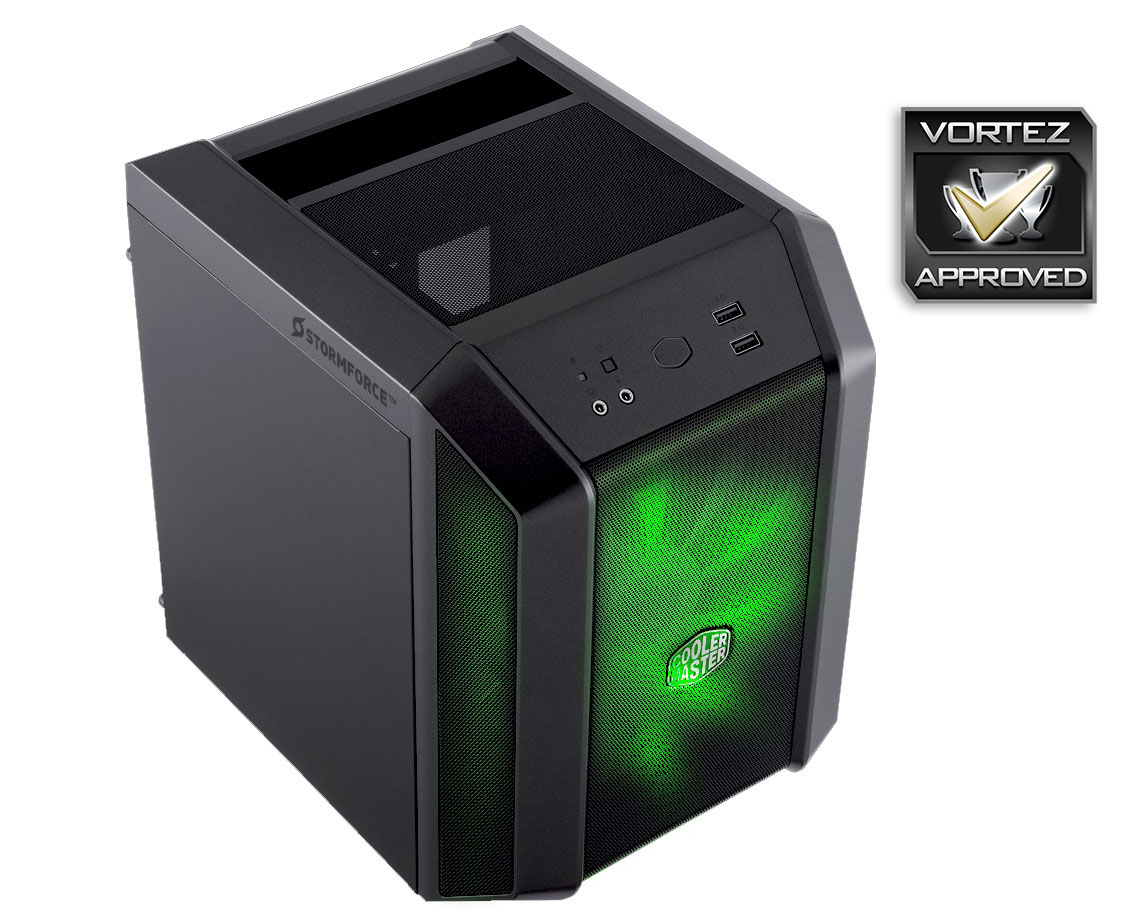
For £850, the Magnum is definitely worth considering. The chassis looks fantastic, performance at 1080p is amazing and the processor with 16GB of RAM allows a multitude of tasks to be run effectively. We’d have one of these.
Pros
+ Cute case
+ Quiet
+ Good gaming performance
+ Clever re-wiring of the reset switch to control RGB LED colour
Cons
– Gets toasty inside
+ Cute case
+ Quiet
+ Good gaming performance
+ Clever re-wiring of the reset switch to control RGB LED colour
Cons
– Gets toasty inside
Click here for an explanation of our awards at Vortez.net.
Stay connected with the Vortez Social Media pages:
Join in with the discussions on Discord