Featuring the latest components, the Stormforce Prism receives a revamp, promising improved performance. Read on to find out what £3800 buys you in today’s market.

Product on Review: Stormforce Prism RTX 2080Ti
Manufacturer: Stormforce
Street Price: £3,799.99
PC gaming has become serious business, with some machines costing upwards of £10,000 for a fully custom setup with all the bells and whistles, though if you’re not quite prepared to splash out the kind of money that could buy you a brand new car, perhaps Stormforce have the answer.
We looked at the Stormforce Prism GTX 1080Ti in June of last year, which sported largely the same specification as the system we’re looking at today. This scored top marks, based on the technology that was available at the time, but things have changed since then.
Today we present to you the Stormforce Prism RTX 2080Ti, featuring an AMD Ryzen Threadripper CPU, 32GB of DDR4 memory, an NVIDIA RTX 2080Ti, a 512GB Western Digital NVMe SSD and ASUS Prime X399-A motherboard to hold it all together.
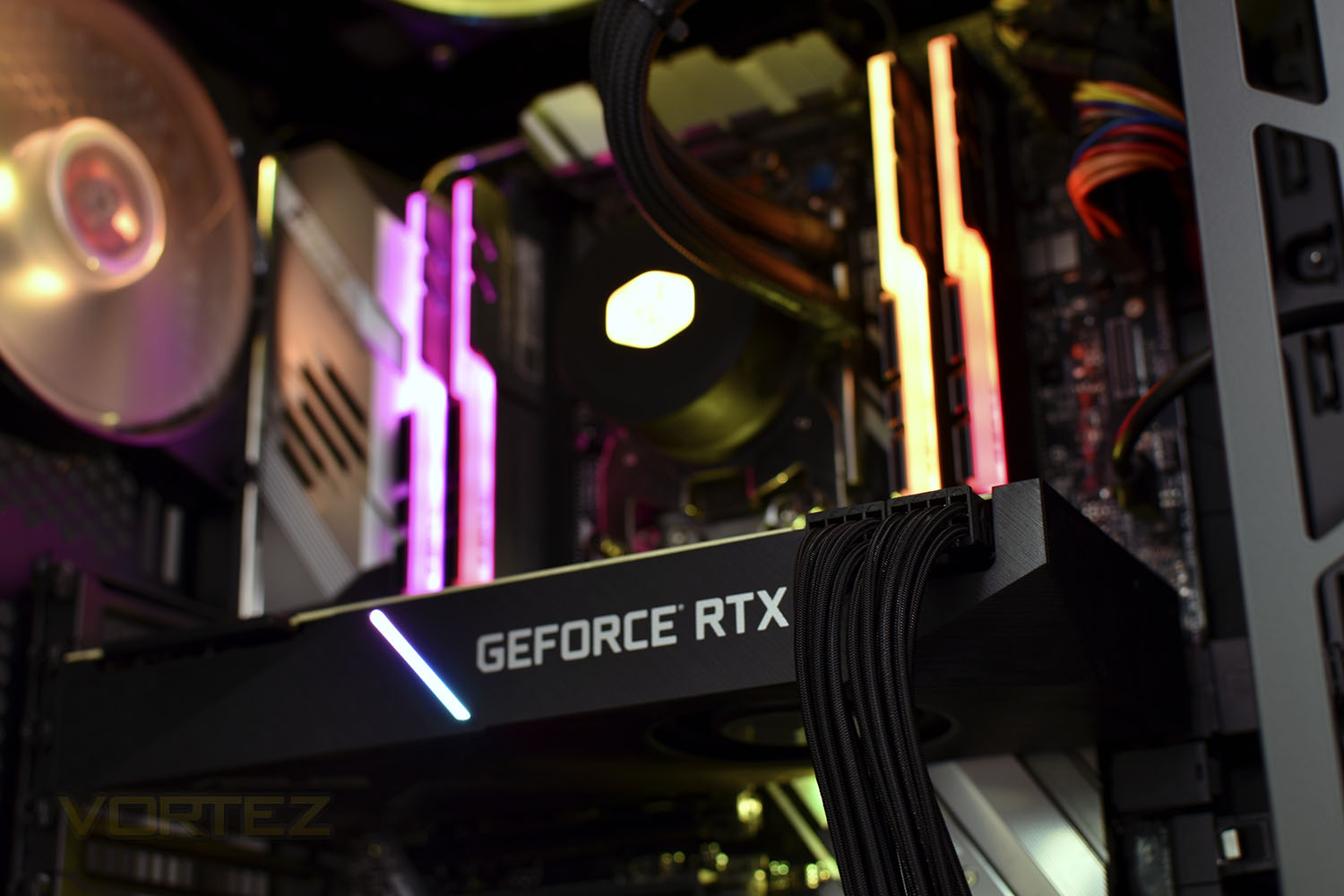
The RGB aspect of the build, which is very important in today’s PC community, is catered to by the Cooler Master Cosmos C700P, the Cooler Master Masterliquid ML240 CPU cooler and the G.Skill Trident Z RGB RAM.
With 32 computing threads and an NVIDIA GeForce RTX 2080Ti forming the main headline of this system, the performance should be excellent. Let’s boot it up and check out some results.
Stormforce on the Prism RTX 2080Ti:
Built from the ground up to perform, Stormforce proudly introduces the “Prism TR 2950X RTX 2080Ti”. Armed to the teeth and packing heat, this is serious business re-defined. Equipped with an AMD Threadripper 2950X running up to an epic 4.40GHz, sporting 16 cores to obliterate any task at hand. Paired with 32GB of 3000MHz RGB DDR4 memory, the “Prism TR 2950X RTX 2080Ti” will decimate your idea of speed.
Technical Specifications
PROCESSOR
AMD Ryzen Threadripper 2950X 16 Core CPU
3.5GHz, turbo to 4.4GHz
8MB cache
MEMORY
32GB G-Skill DDR4 3000Mhz RGB RAM
Supports up to 128GB
8x DIMM sockets (4 used)
HARD DRIVE
512GB Western Digital M.2 NVMe SSD Boot Drive
2TB Western Digital HDD
OPTICAL DRIVE
None supplied
SOFTWARE
Windows 10 Home
30 day trial of Microsoft Office included
MOTHERBOARD
ASUS Prime X399-A
DISPLAY
N/A
GRAPHICS
RTX 2080Ti 11GB
HDMI
DisplayPort 1.4
AUDIO
HD 8-channel audio
INPUT DEVICES
Keyboard & mouse not supplied
NETWORKING
AC 1300 Mbps WiFi
POWER SUPPLY
1000W PSU
DIMENSIONS
Height: 639mm
Width: 306mm
Depth: 651mm
MOTHERBOARD INTERFACES
1x optical S/PDIF out
1x USB 3.1 Gen 2 Type-A
1x USB 3.1 Gen 2 Type-C
8x USB 3.1 Gen 1 Type-A
1 x Optical S/PDIF out
1x LAN (RJ45) port
5x audio jacks
EXPANSION
4x PCIe 3.0/2.0 x16 (1 used)
1x PCIe 2.0 x4
1x PCIe 2.0 x1 (used)
2x M.2 2280 (1 used)
1x 5.25” external bay
2x 2/5”/3.5” internal bays (1 used)
1x 2.5” internal bay
LEDS
RGB fans and RAM with Aura Sync
CASE
Stormforce Prism gaming chassis
4x USB 3.0 (front)
1x USB 3.1 (Type C)
2x audio jacks (front)
AIO CPU Water Cooler
WARRANTY/MISCELLANEOUS
3 Year Collect, Repair and Return Warranty
AMD Ryzen Threadripper 2950X 16 Core CPU
3.5GHz, turbo to 4.4GHz
8MB cache
MEMORY
32GB G-Skill DDR4 3000Mhz RGB RAM
Supports up to 128GB
8x DIMM sockets (4 used)
HARD DRIVE
512GB Western Digital M.2 NVMe SSD Boot Drive
2TB Western Digital HDD
OPTICAL DRIVE
None supplied
SOFTWARE
Windows 10 Home
30 day trial of Microsoft Office included
MOTHERBOARD
ASUS Prime X399-A
DISPLAY
N/A
GRAPHICS
RTX 2080Ti 11GB
HDMI
DisplayPort 1.4
AUDIO
HD 8-channel audio
INPUT DEVICES
Keyboard & mouse not supplied
NETWORKING
AC 1300 Mbps WiFi
POWER SUPPLY
1000W PSU
DIMENSIONS
Height: 639mm
Width: 306mm
Depth: 651mm
MOTHERBOARD INTERFACES
1x optical S/PDIF out
1x USB 3.1 Gen 2 Type-A
1x USB 3.1 Gen 2 Type-C
8x USB 3.1 Gen 1 Type-A
1 x Optical S/PDIF out
1x LAN (RJ45) port
5x audio jacks
EXPANSION
4x PCIe 3.0/2.0 x16 (1 used)
1x PCIe 2.0 x4
1x PCIe 2.0 x1 (used)
2x M.2 2280 (1 used)
1x 5.25” external bay
2x 2/5”/3.5” internal bays (1 used)
1x 2.5” internal bay
LEDS
RGB fans and RAM with Aura Sync
CASE
Stormforce Prism gaming chassis
4x USB 3.0 (front)
1x USB 3.1 (Type C)
2x audio jacks (front)
AIO CPU Water Cooler
WARRANTY/MISCELLANEOUS
3 Year Collect, Repair and Return Warranty
Packaging & Bundle
When your Stormforce Prism arrives, you may be quite shocked by the sheer size and weight of the box but it does a grand job of ensuring the system arrives damage-free. There’re large sections of polystyrene inside as well as a custom foam insert inside the case which prevents the heavy GPU from moving.
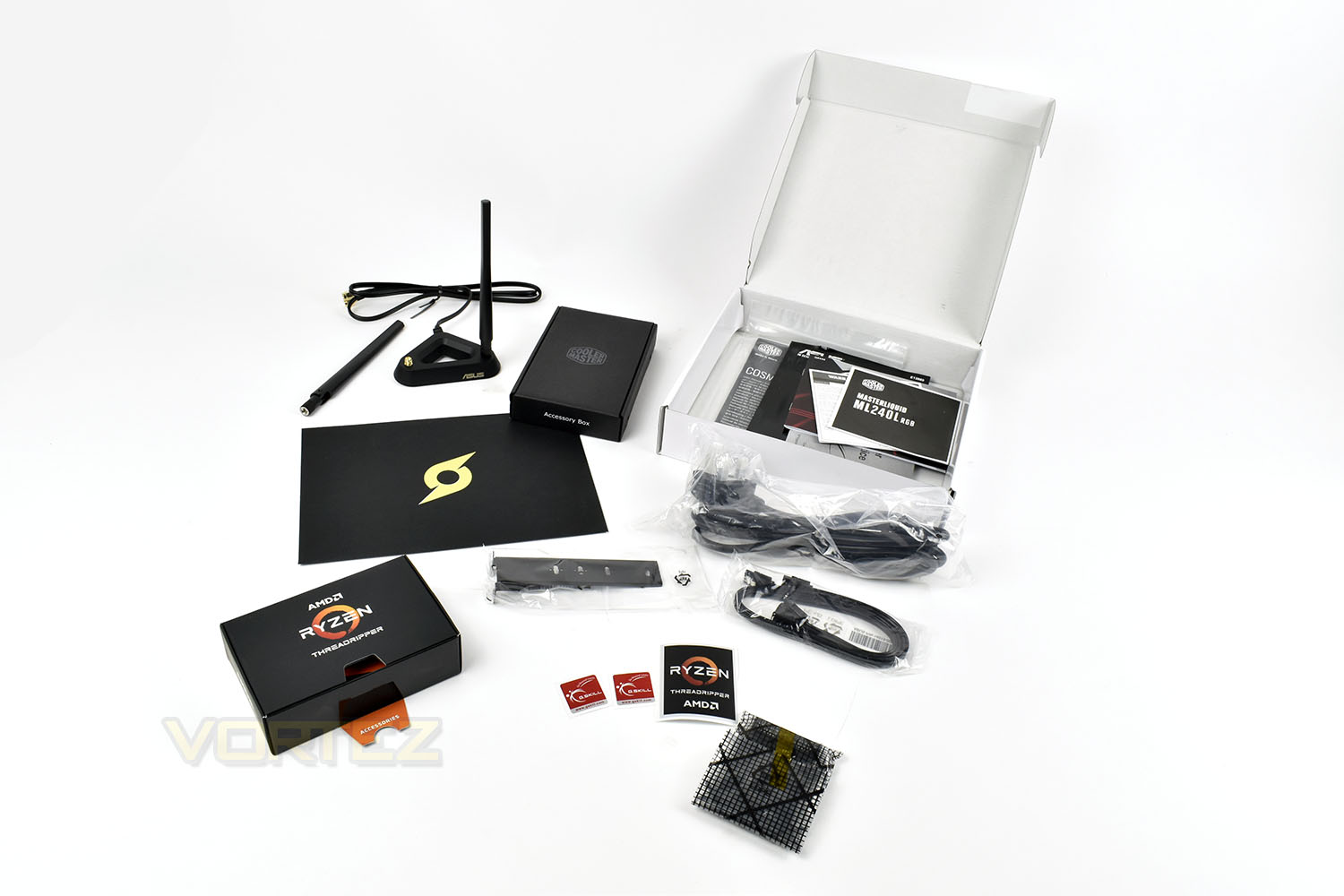
Stormforce obviously have to build up your machine from the component parts, which means there will be stickers, accessories and instruction booklets that you may need. They handily bundle all of this together in a small box that arrives with the PC. Inside are a couple of SATA cables, the power cable, M.2 supports, WiFi antennas, a few case stickers, an SLI bridge and the WiFi antenna for the ASUS add in card.
Closer Look
Once the case is removed from the box, the Cooler Master Cosmos 700P stands around 650mm tall making it easily one of the biggest chassis on the market, however, it looks fantastic with the curved tempered glass panel and large handles.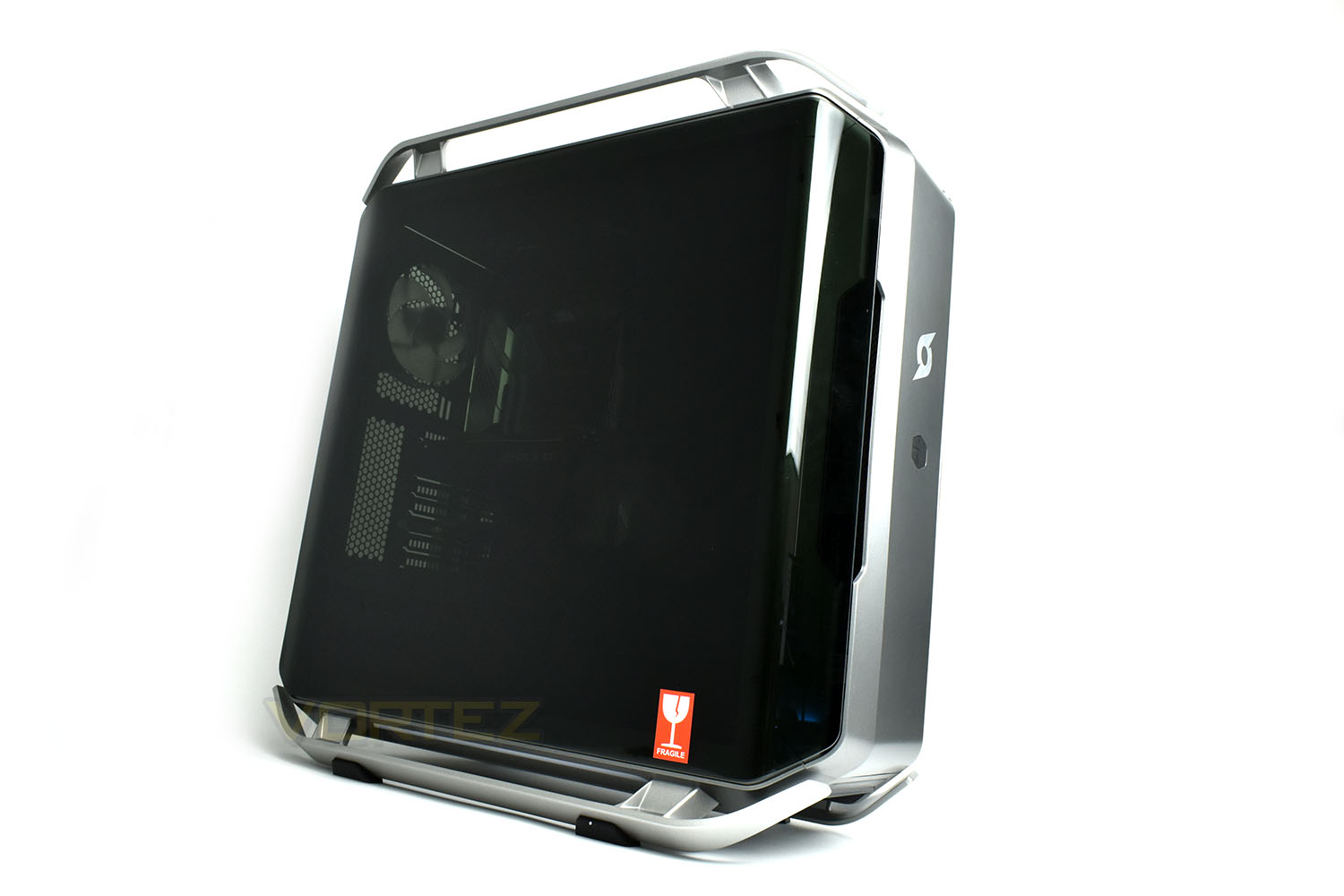
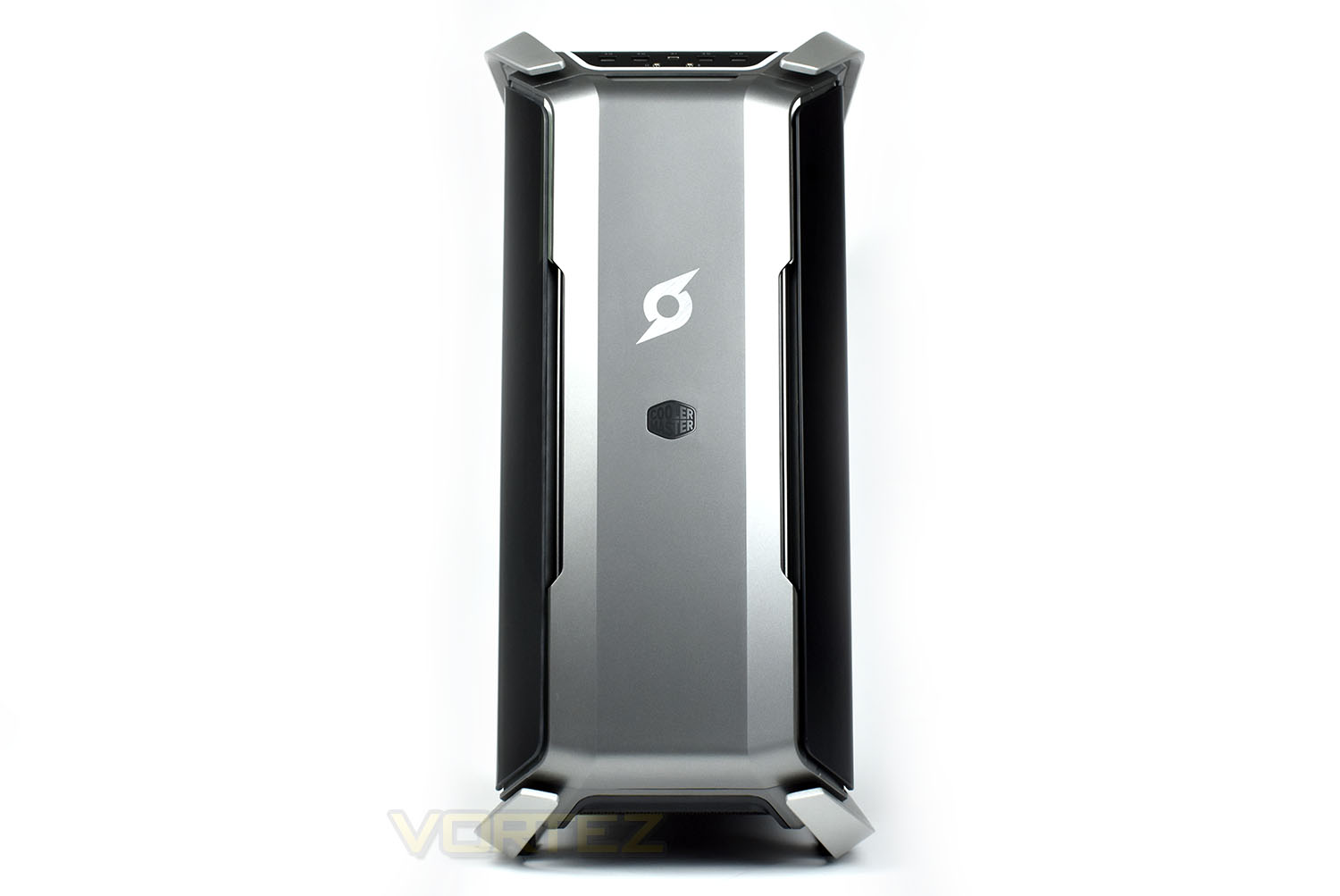
The front of the PC is a large piece of plastic with both the Cooler Master logo and a Stormforce logo above that. The plastic piece on the front can be removed to clean out the fans behind.
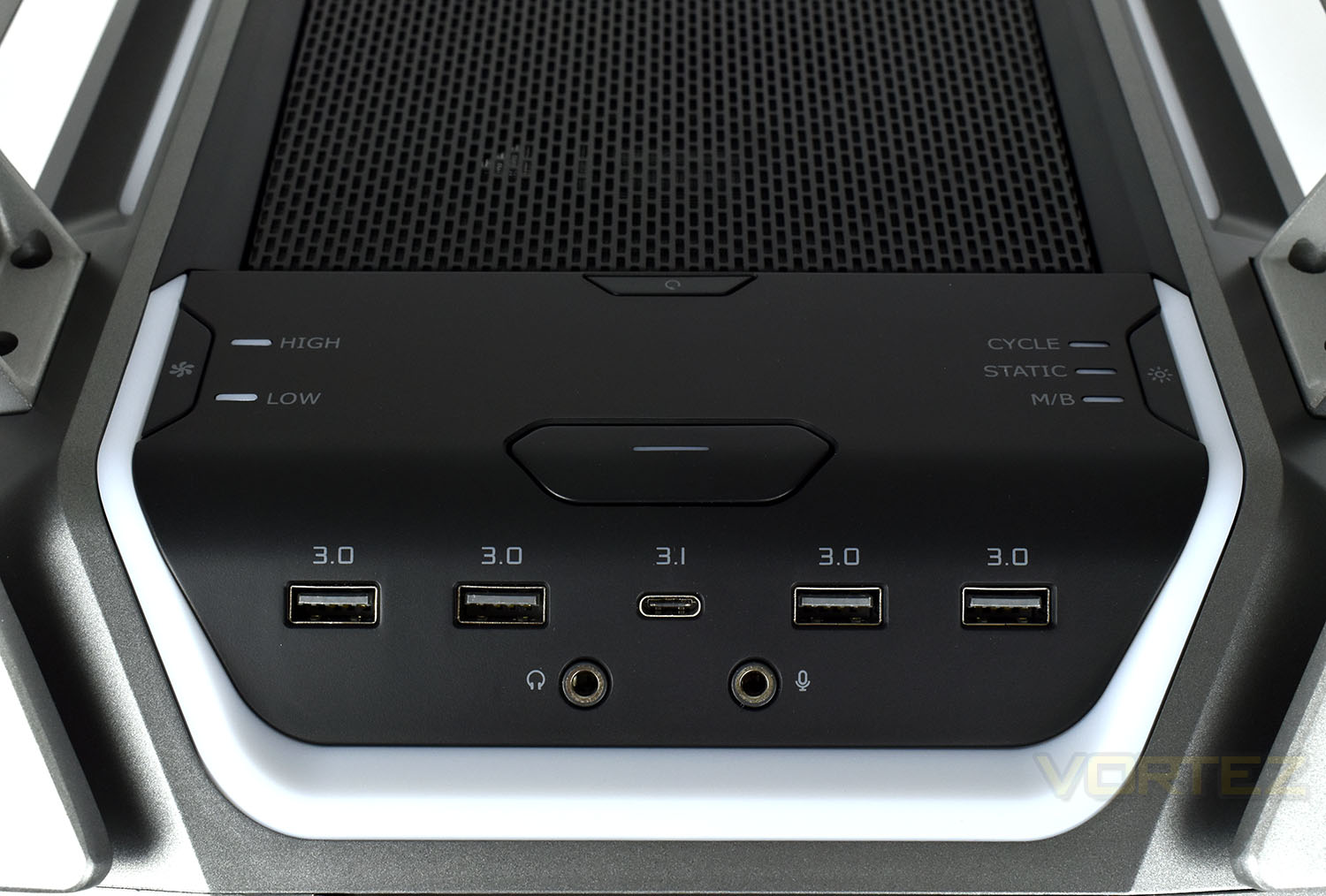
The top of the front of the case is heavily populated by buttons and ports, providing ample connectivity. We find a USB 3.1 Type-C, four USB 3.0 Type-A’s, headphone and microphone ports as well as a power switch. The two buttons flanking either side are used to adjust fan speed and the built in RGB lighting.
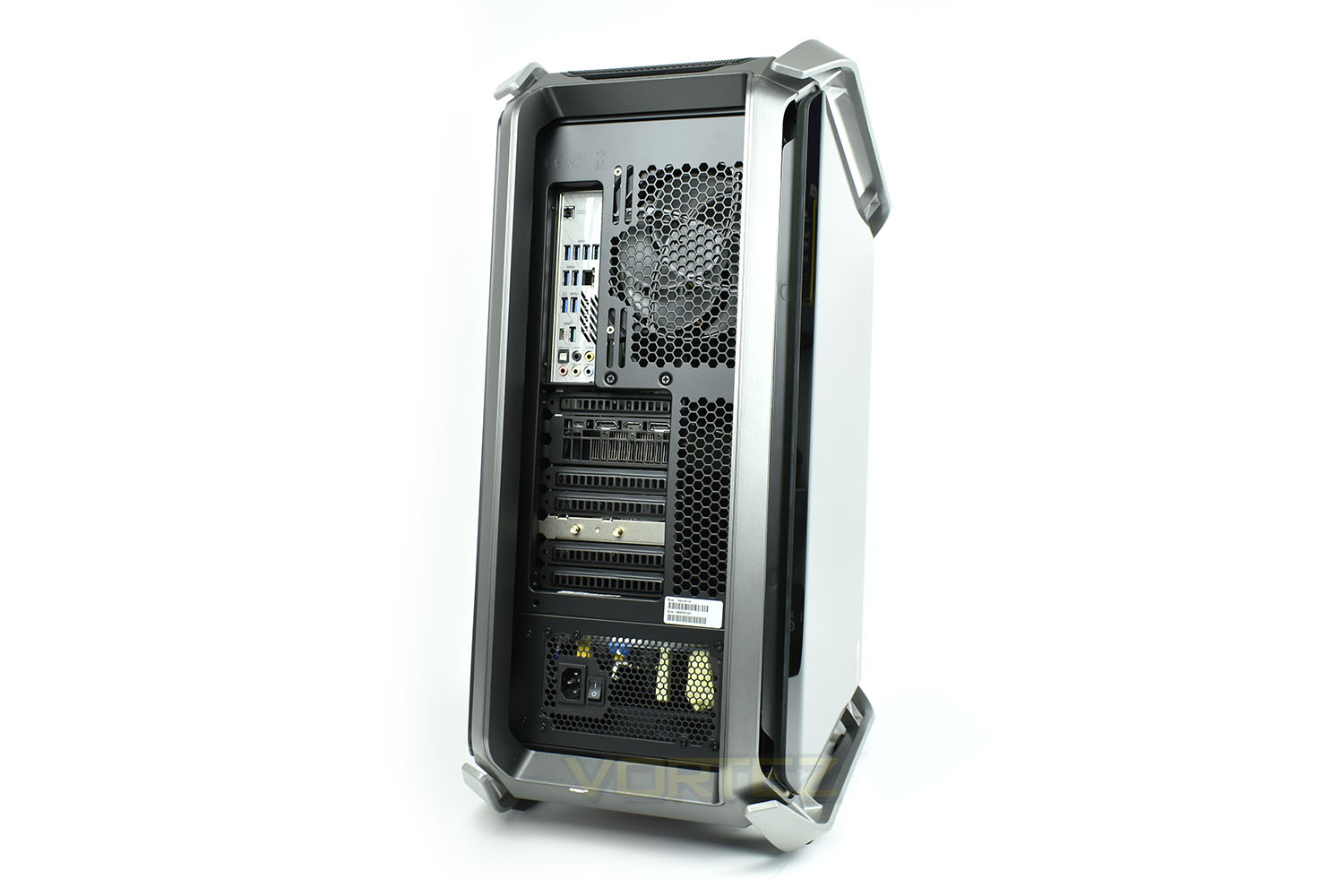
Spinning the case around, we can see the rear IO connectivity, of which there is many. Starting at the top and working our way down the motherboard, we have:
1x CMOS reset switch
4x USB 3.0
2x USB 3.0
1x Gigabit Ethernet
2x USB 3.0
1x USB 3.1 Gen. 2 Type-C
1x USB 3.2 Gen. 2 Type-A
5x 3.5mm audio connections
1x SPDIF optical audio
And then on the graphics card is:
1x Virtual Link
2x DisplayPort 1.4
1x HDMI 2.0
Finally, a couple of expansion slots lower is the WiFi add-in card with a pair of antenna connections.
Closer Look (Internals)
Moving onto the internals, things are laid out nicely in here. Cable management is good but we feel a little let down by the use of a cable modification to the GPUs 8-pin connectors while the 8-pin CPU and 24-pin motherboard power connections are “as standard” and much uglier. At £3800, we believe Stormforce could’ve stumped up a little extra to improve those cables and the overall style.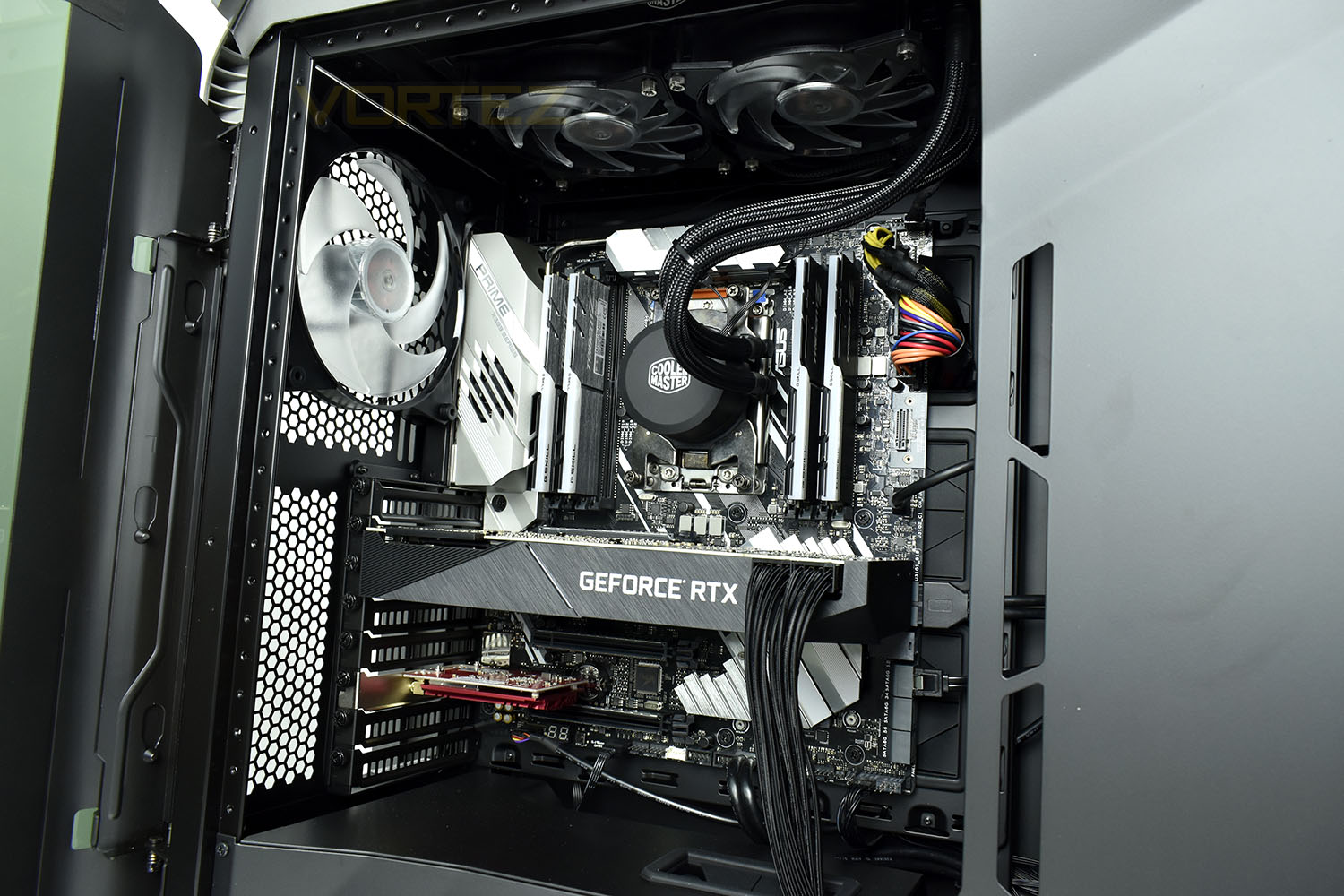
Focussing on the top half, we can see that ASUS have provided the motherboard in the form of an ASUS PRIME X399-A. This obviously uses the X399 chipset which is perfectly matched to the Ryzen Threadripper CPU installed within.
Providing the memory for the system is 32GB of G.SKILL Trident Z DRAM sticks, rated at 3000MHz with tight timings. These RGB modules are very popular amongst the PC enthusiast community for their speed and timing ratings.
At the heart of the system, under the Cooler Master 240mm radiator is an AMD Ryzen Threadripper 2950X; this CPU sports 16 cores and 32 threads, making it an absolute beast at multi-threaded workloads like video rendering and streaming, for example.
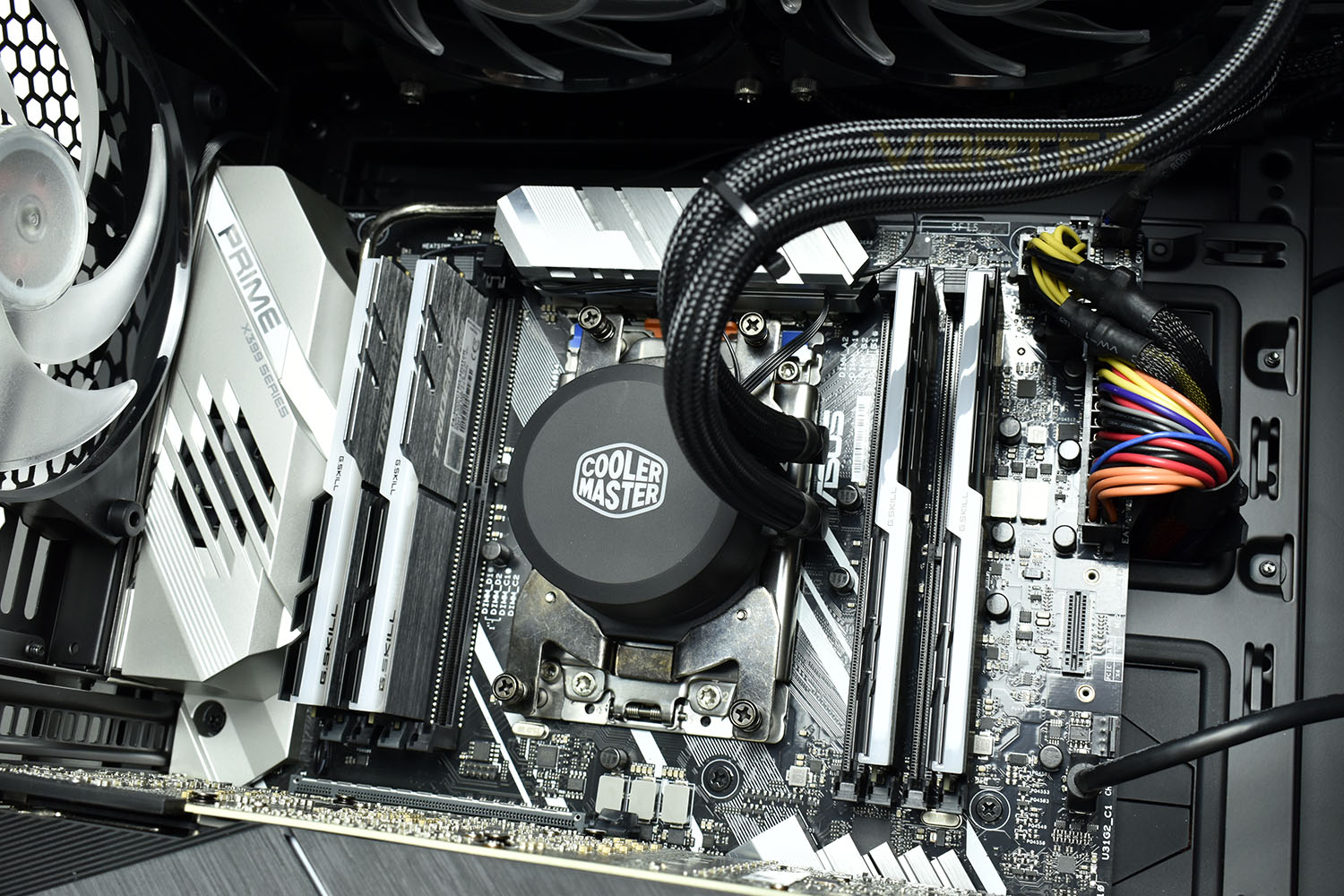
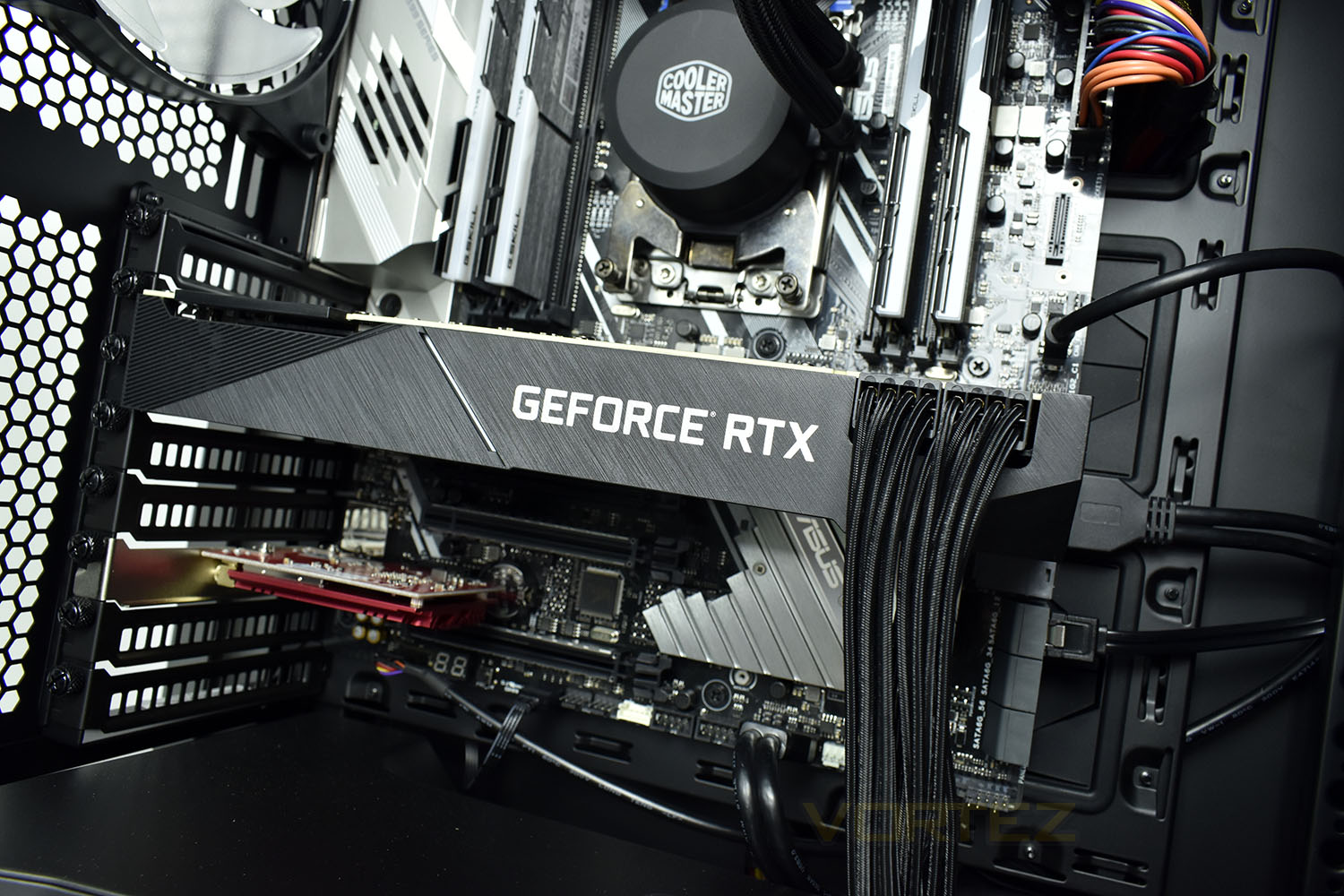
Under all of that expensive, power hungry hardware is something equally expensive and power hungry, the ASUS RTX 2080Ti, NVIDIA’s current cream of the crop consumer video card. This GPU packs in 4352 CUDA cores clocked at 1350MHz and 11GB of the latest GDDR6 memory allowing buttery smooth 4K gaming.
This exact model features a “blower” style cooler, helping to expel generated heat out of the back of the PC, instead of allowing it to stagnate inside the case.
The red add-in card under the NVIDIA GeForce RTX 2080Ti is the ASUS WiFi card, providing wireless internet access if you can’t find an ethernet cable near you.
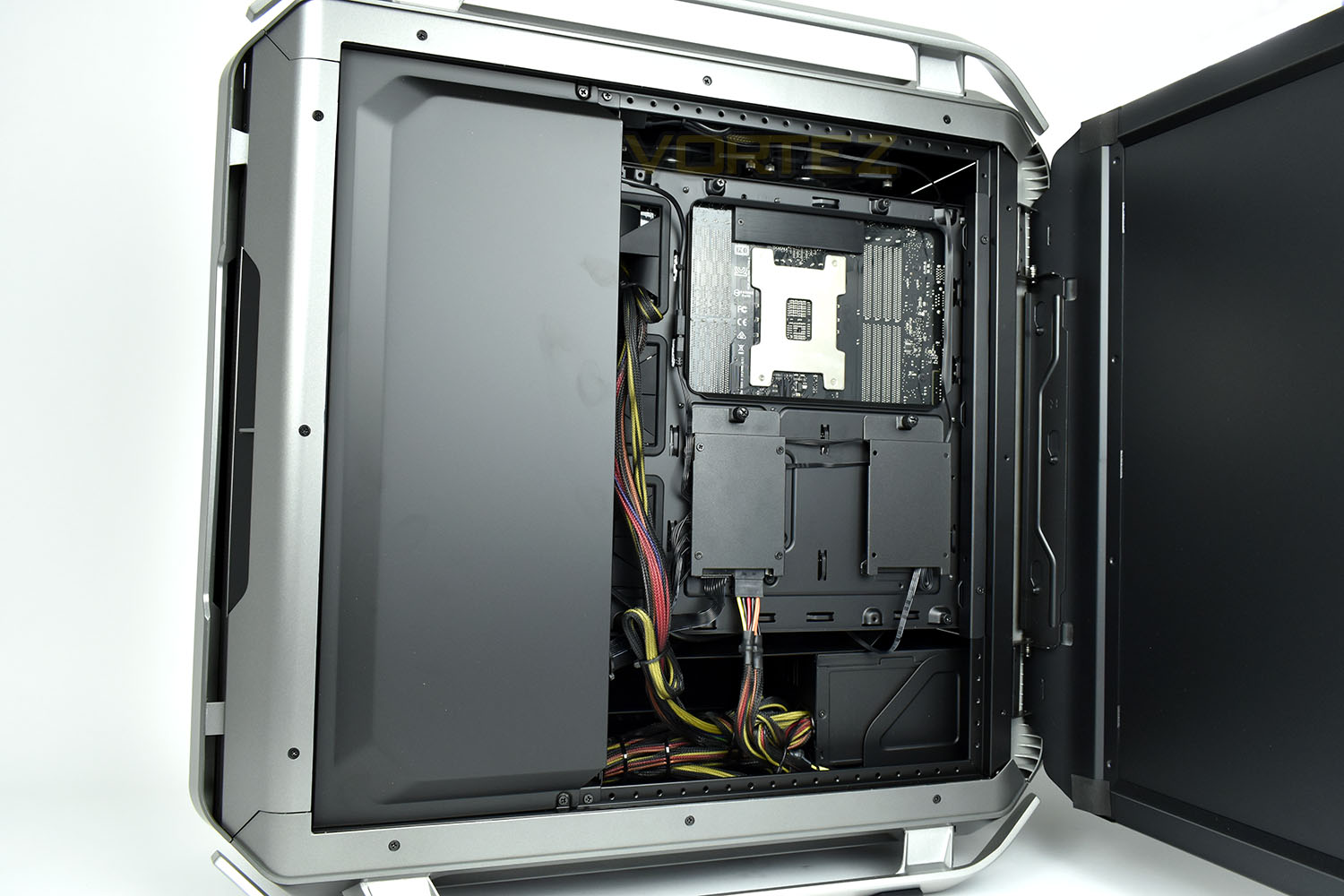
While the front glass panel swings open, the rear also does the same, allowing access to the cable management and to SSD bays. The right SSD tray is used currently to tuck a few cables out the way but the left is used as a fan and lighting controller, requiring a SATA power connection.
Cables aren’t the neatest we’ve seen here, but they’re out the way and look tidy from the front, which is what matters.
Benchmarks: Temperatures & Boot Time
For our first benchmark test we observe the max. CPU/GPU temperatures of the system while allowing Unigine Heaven 4.0 to run on a 30-minute loop. To report back on the temperatures we use RealTemp and GPU-Z which provide the peak figures.

In this test we observe how fast the boot into Windows 10 is by using a digital stopwatch.

Benchmarks: Cinebench R15 & Handbrake
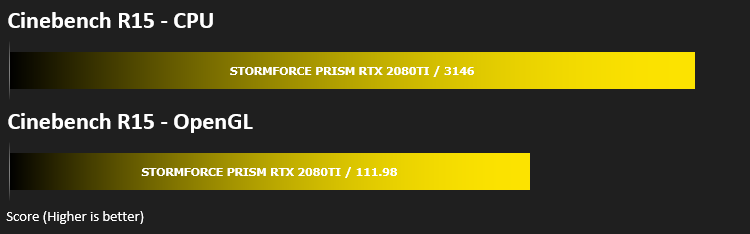
CINEBENCH can measure systems with up to 64 processor threads. This test scene contains approximately 2,000 objects which in turn contain more than 300,000 polygons in total, and uses sharp and blurred reflections, area lights, shadows, procedural shaders, antialiasing, and much more. The result is displayed in points (pts). The higher the number, the faster your processor is.

Benchmarks: PCMark 8 & 10
PCMark 10 combines performance benchmarking with battery life measurement and includes tests based on popular Adobe and Microsoft applications. Whether you are looking for long battery life, or maximum power, PCMark 10 will help you find the devices that offer the perfect combination of efficiency and performance for your needs. It’s the complete PC performance benchmark for home and business.

Benchmarks: 3DMark, Heaven 4.0 & Port Royal
Time Spy is a DirectX 12 benchmark test for gaming PCs running Windows 10. With its pure DirectX 12 engine, built from the ground up to support new API features like asynchronous compute, explicit multi-adapter, and multi-threading, Time Spy is the ideal benchmark for testing the DirectX 12 performance of the latest graphics cards.

At the end of 2018, we got our first taste of real-time ray-tracing with NVIDIAs RTX range of GPUs, with that 3D Mark released the Port Royal ray tracing benchmark which we’ll use to compare compatible hardware. 3DMark Port Royal is the world’s first real-time ray tracing benchmark for gamers. It shows you how well your PC handles ray tracing effects in real-time, a taste of what to expect from games in 2019.

Benchmarks: Gaming (1080p)
The Stormforce Prism uses the RTX 2080Ti for graphics delivery, in this section we test the latest gaming titles to see how effective the 3D capabilities are. We report on the average framerate using FRAPS.

Benchmarks: Gaming (1440p)
The Stormforce Prism uses the RTX 2080Ti for graphics delivery, in this section we test the latest gaming titles to see how effective the 3D capabilities are. We report on the average framerate using FRAPS.

Benchmarks: Gaming (2160p)
The Stormforce Prism uses the RTX 2080Ti for graphics delivery, in this section we test the latest gaming titles to see how effective the 3D capabilities are. We report on the average framerate using FRAPS.

Conclusion
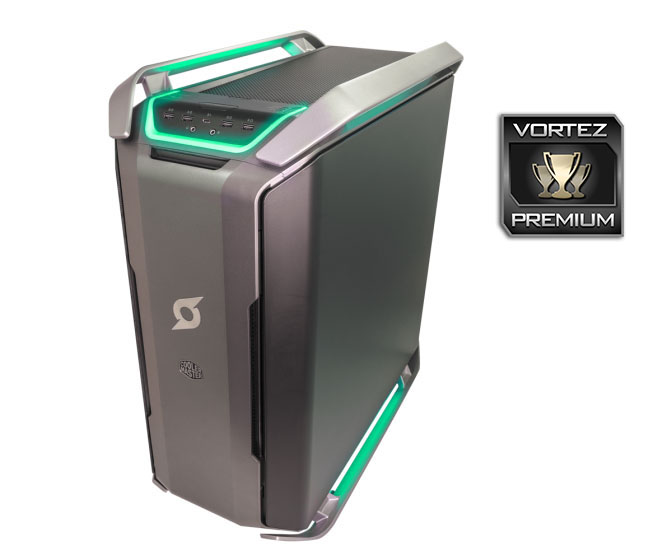
Firstly, the Cooler Master Cosmos C700P chassis is gorgeous, while enormous, with RGB lighting all around which syncs with the ASUS eco-system built into the case. The tempered glass and excellent front IO connectivity make the case a solid choice for such a system. Cooling is great with this chassis, thanks to the large space inside and plenty of fans to move air around, but sadly we found the system too loud for prolonged gaming unless using a loud headset. The RTX 2080Ti, provided by ASUS, features a blower-style cooler which is far too loud, this really needs to be upgraded to an open air cooler.Moving to the internals, we have to make a big song and a dance about the Ryzen Threadripper CPU at the heart of the system. This 16-core, 32-thread behemoth munches its way through processing tasks with ease while remaining relatively cool and quiet thanks to the Cooler Master 240mm AIO cooling loop.
Paired with the Threadripper 2950X is 32GB of DDR4, clocking in at 3000MHz. This forms an excellent basis for some multitasking while providing the Ryzen system plenty of Hertz to work with for good performance.
Perhaps the showpiece of the build is the NVIDIA GeForce RTX 2080Ti. At the time of writing, this GPU can’t really show its full power, with an almost complete lack of any kind of Ray Tracing or DLSS capable titles, instead being compared in the standard metrics to the GTX 1080Ti from the previous generation. However, this thing still pulverises all of our tests and even manages 45FPS in the Deus Ex Mankind Divided test, at 4K. That’s a healthy step up from anything we’ve tested so far and proves the gaming potential of the system.
Storage is a crucial part of a build like this, with the likelihood of people doing video editing or using it at as their entire media system. The 2TB HDD is a good start and with the size of the case, is easy enough to upgrade if you require more but there’s also the 512GB NVMe SSD. While that seems plenty, it could quickly be filled with two or three AAA titles of today, the OS and a few programs. We’d really like to see 1TB or even 2TB of proper, fast, NVMe storage for a system of this calibre.
So what exactly does £3799.99 buy you in today’s market? Well, it would appear you can get a great deal of performance for your money, as it happens, but you’ll have to find a lot of things for that CPU to do to keep it busy.
Pros
+ Monstrous performance from the 32-thread Ryzen CPU
+ RTX 2080Ti powers through games
+ 32GB of memory
+ RGB used tastefully
+ Ample front and rear IO connectivity
Neutral
+- Case is incredibly heavy
+- Only cable-modded on the GPU
Cons
– Loud under load (mainly the GPU)
– Only 512GB SSD
+ Monstrous performance from the 32-thread Ryzen CPU
+ RTX 2080Ti powers through games
+ 32GB of memory
+ RGB used tastefully
+ Ample front and rear IO connectivity
Neutral
+- Case is incredibly heavy
+- Only cable-modded on the GPU
Cons
– Loud under load (mainly the GPU)
– Only 512GB SSD
Click here for an explanation of our awards at Vortez.net.
Stay connected with the Vortez Social Media pages:
Join in with the discussions on Discord