Tasked with being Synology’s 5-bay performance NAS, the DS1520+ is designed for the home and small office environment. Is it up to the job?

Product on Review: DiskStation DS1520+
Manufacturer & Sponsor: Synology
Street Price: £731 GBP | $699 USD | $1299 AUD
Synology are a household name in the field of Network Attached Storage (NAS). They’ve steadily built a solid reputation for offering up innovative, reliable and easy-to-use centralised storage.
Sourcing reputable hardware configurations and bringing to market a trustworthy solution is only part of the work, the software aspect is the real proving ground and Synology are highly revered in this department. Their DSM Operating System is well-known for delivering a huge array of NAS-related versatility and the development team are constantly working to provide new additions and improvements.
Under examination today is Synology’s 5-bay performance NAS, the DS1520+. This model is equipped to take on the home and small office environment, it features a quad-core Intel Celeron J4125, 8GB DDR4 and a selection of other attributes such as USB 3.0, eSATA and 4x GBe with fallover/link aggregation.
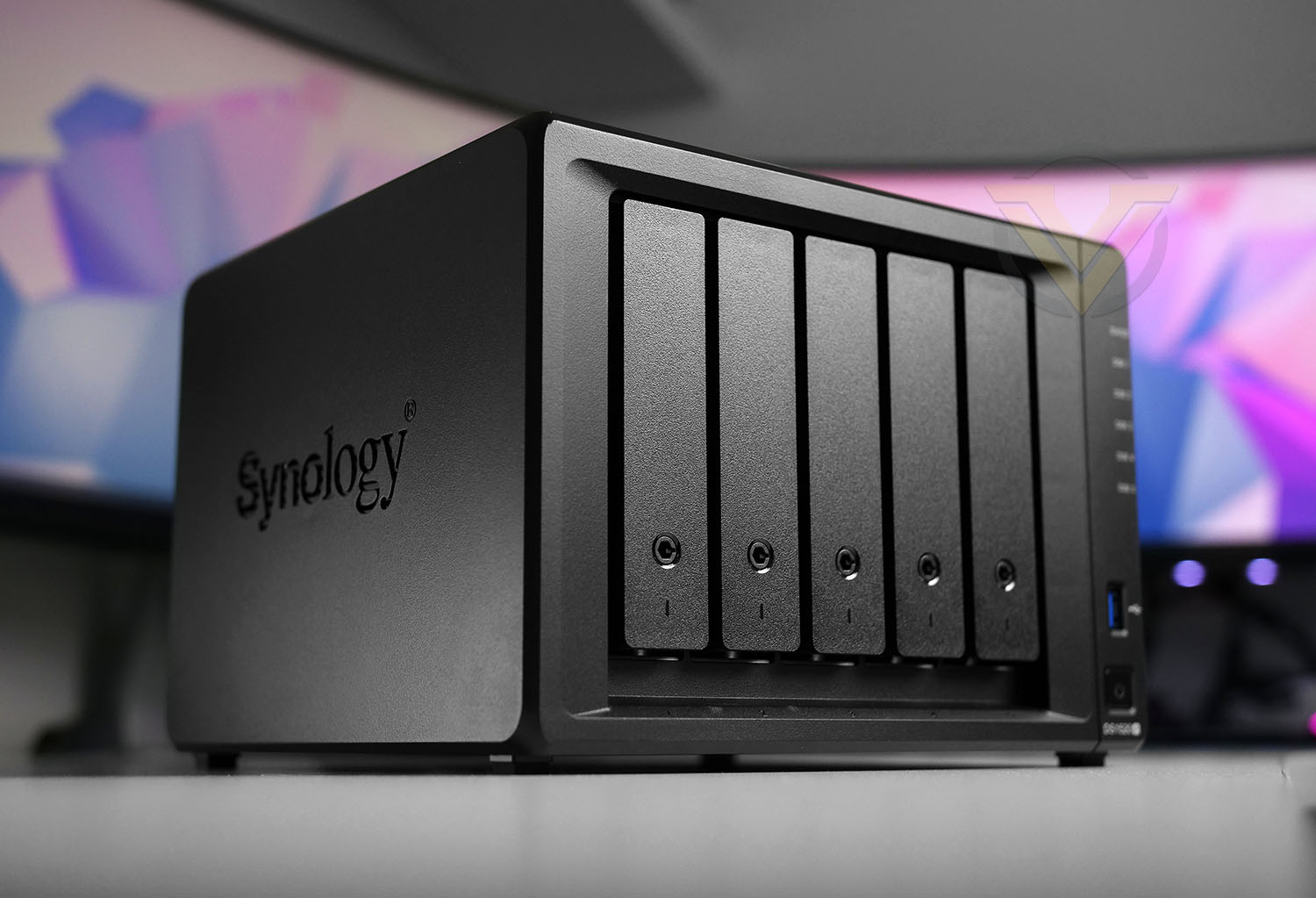
Synology on their DS1520+
Hardware Specifications
Below are the hardware specifications regarding DS1520+ provided by Synology:
CPU Model: Intel Celeron J4125
CPU Frequency: 4-Core 2GHz – 2.7GHz Turbo Boost
Hardware Encryption Engine: Yes
Memory
System Memory: 8GB DDR4
Max Capacity: 8GB (4GB+4GB)
Storage
Drive Bay(s): 5
Maximum Drive Bays with Expansion Unit 15 (DX517 x 2)
M.2 Drive Slots 2 (NVMe)
Compatible Drive Type* (See all supported drives)
3.5″ SATA HDD
2.5″ SATA HDD
2.5″ SATA SSD
M.2 2280 NVMe SSD
Maximum Internal Raw Capacity 80 TB (16 TB drive x 4) (Capacity may vary by RAID types)
Maximum Raw Capacity with Expansion Units 240 TB (80 TB + 16 TB drive x 10) (Capacity may vary by RAID types)
Maximum Single Volume Size* 108 TB
External Ports
eSATA Port: 2
USB 3.0 Port: 2
File System
Internal Drives: EXT4, btrfs
External Drives: Btrfs, EXT4, EXT3, FAT, NTFS, HFS+, exFAT
Appearance
Size (Height X Width X Depth): 166 mm x 230 mm x 223 mm
Weight: 2.26 kg
Others
RJ-45 1GbE LAN Port: 4
Wake on LAN/WAN: Yes
System Fan: 92 mm X 92 mm X 2 pcs
Noise Level: 20.8 dB(A)
Power Recovery: Yes
Scheduled Power On/Off: Yes
Power Supply Unit / Adapter: 120W
AC Input Power Voltage: 100V to 240V AC
Power Frequency: 50/60 HZ, Single Phase
Power Consumption: 36.67W (Access) 15.51W (HDD Hibernation)
Temperature
Operating Temperature: 0°C to 40°C (40°F to 104°F)
Storage Temperature: -20°C to 60°C (-5°F to 140°F)
Relative Humidity: 5% to 95% RH
Certification
EAC
VCCI
CCC
RCM
KC
FCC
CE
BSMI
Warranty
3 Years (Extendable to 5 years)
Packaging & Bundle
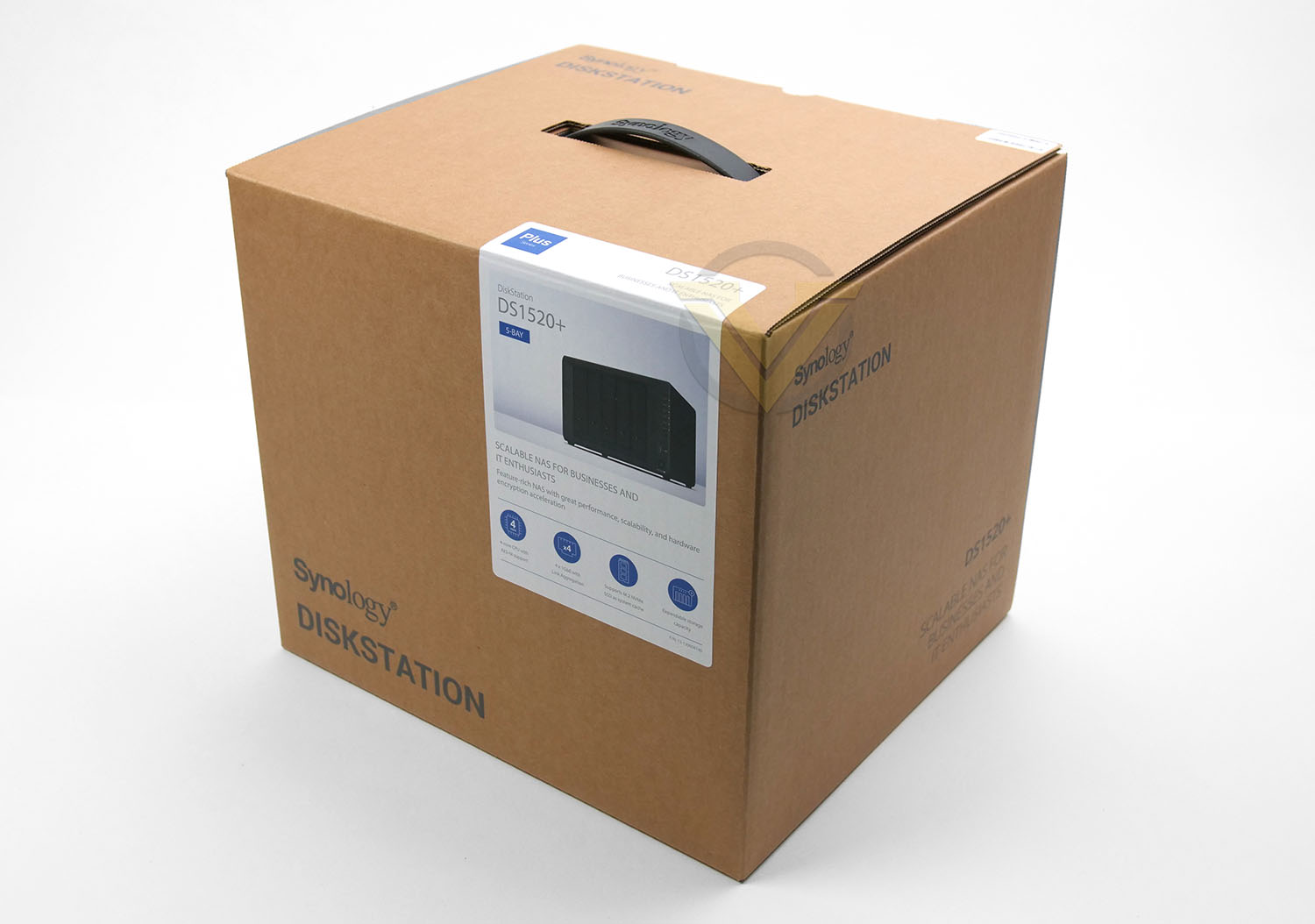
Like other Synology models the DS1520+ is presented in a nicely designed eco-friendly box which features a carry handle. The packaging doesn’t give too much away aside from listed the model, the system specification and serial number.
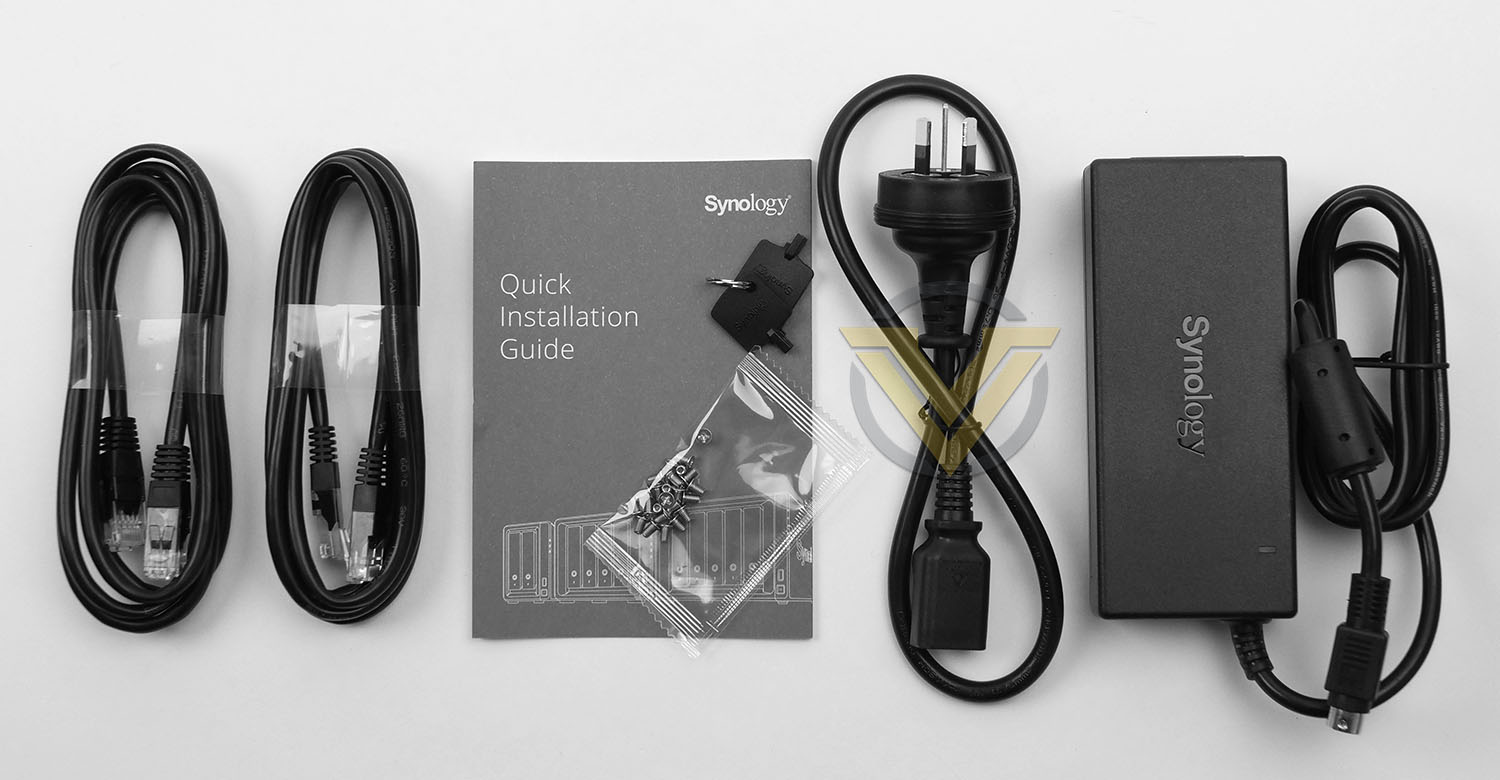
Within this box, the included accessories are all packaged up securely – the unboxing experience is definitely an enjoyable one. The unit itself is well-protected with a foam cover and padded blocks. The bundled accessories consist of:
• Main Unit X 1
• Accessory Pack X 1
• AC Power Adapter X 1
• AC Power Cord X 1
• RJ-45 LAN Cable X 2
• Quick Installation Guide X 1
Closer Look
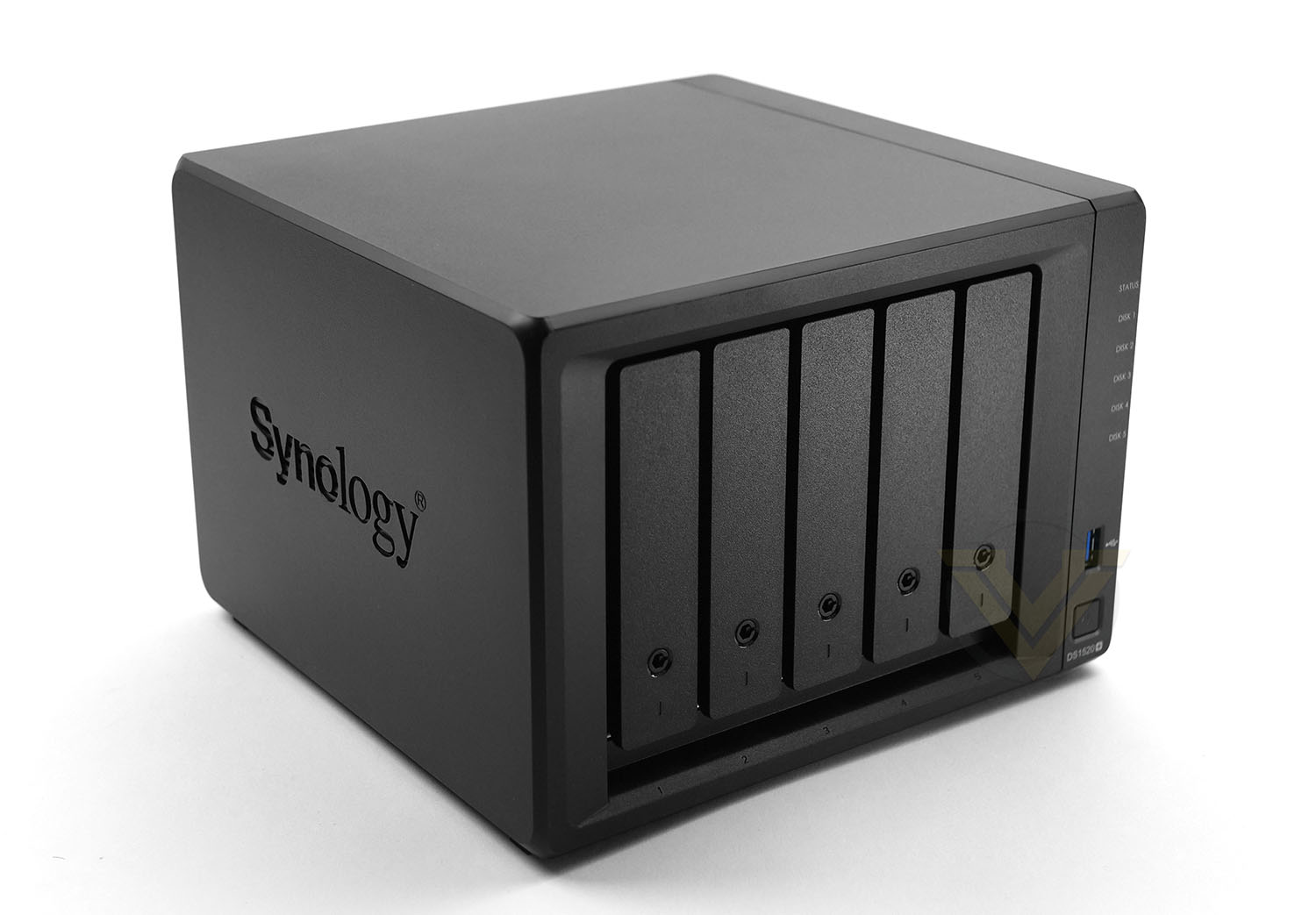
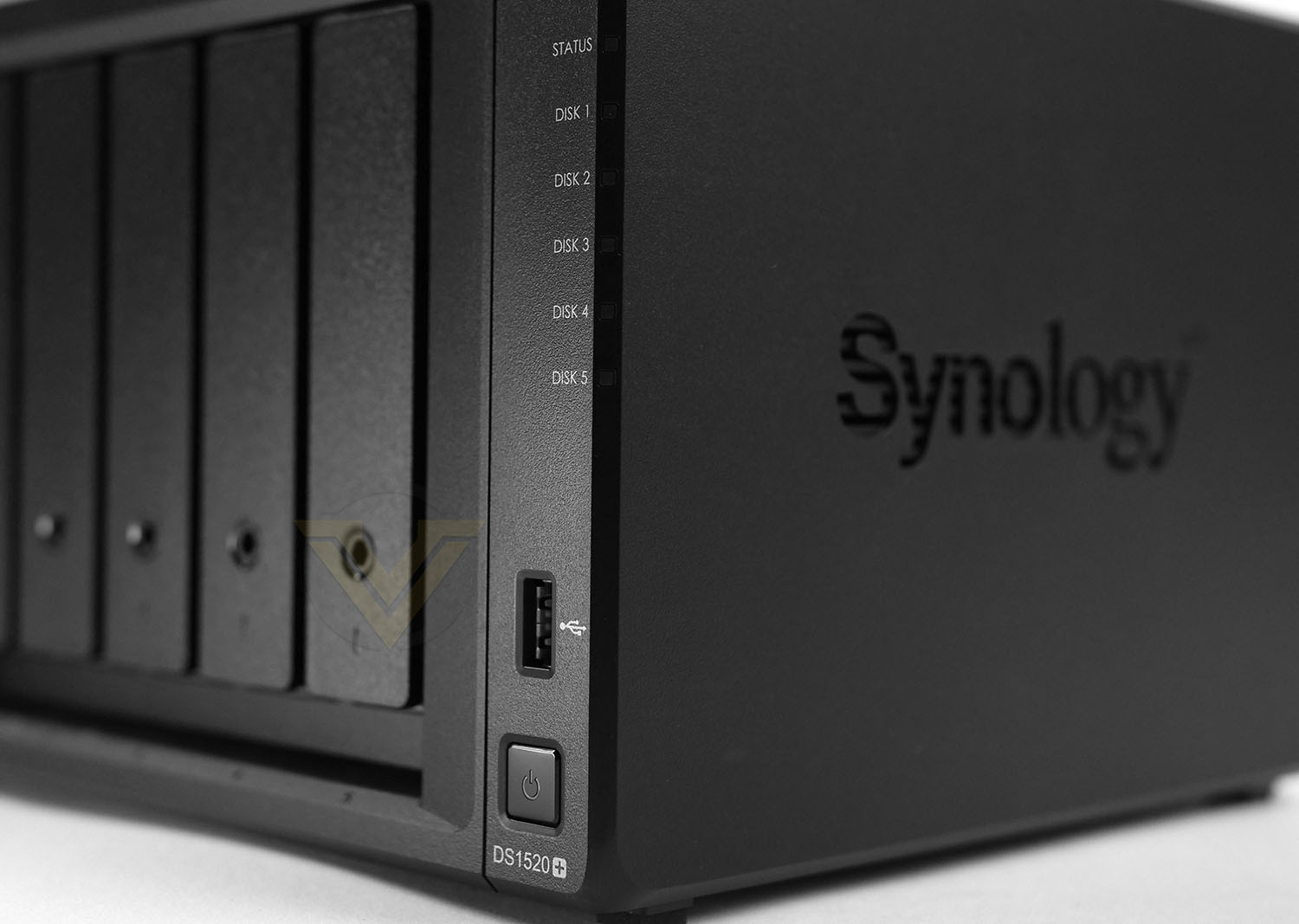
The NAS models under the Plus banner differ very little from one another – carrying a sleek aesthetic which is instantly distinguishable. As is usual, both sides incorporate the Synology logo which also acts as additional ventilation for the internal components and storage.
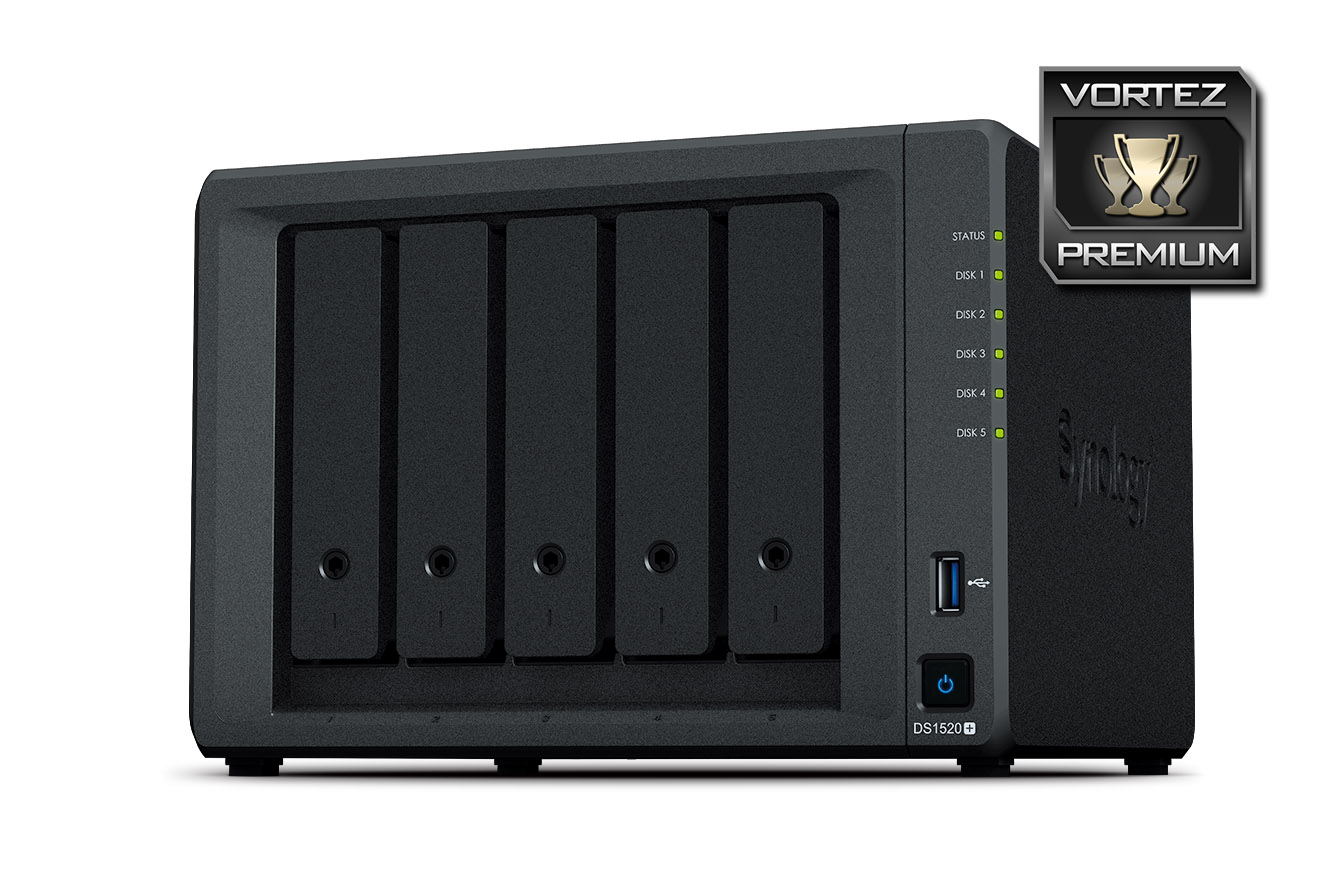
As this model is a 5-bay NAS, the front features 5 vertically mounted hard drive trays, each with a locking mechanism for security – the provided key will unlock to allow access. As is customary for Synology units, the right-edge bears a number of LED indicators for: STATUS, DISK 1, 2, 3, 4, 5. Synology also include a single USB 3.0 port for quick storage access and there is a power button.
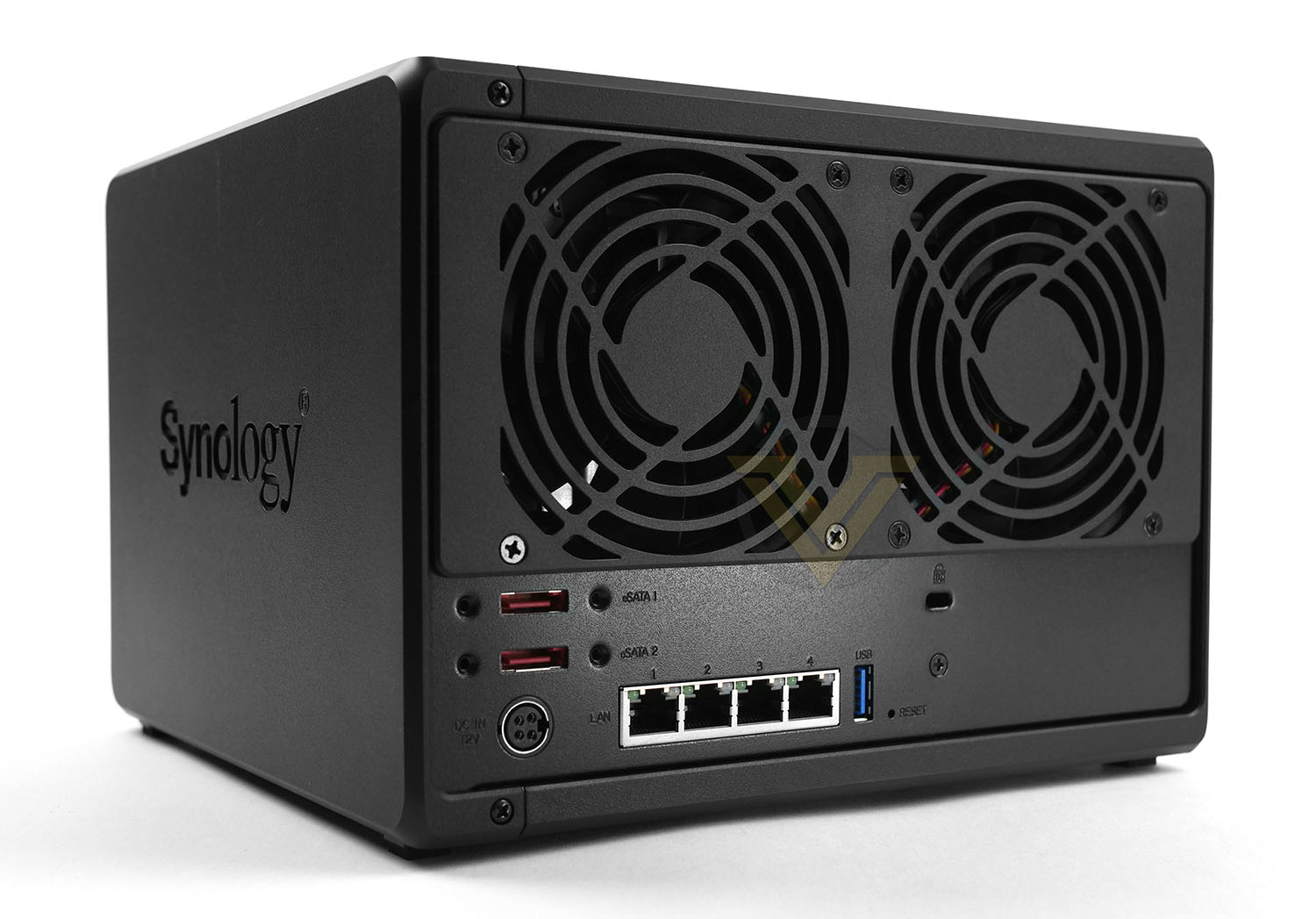
Turning the attention to the back-side of DS1520+, there are two exhaust fans which are used to expel undesirable heat from inside of the chassis. These fans are 90mm in specification.
Below this we have a factory reset button, a single USB 3.0 port, twin eSATA ports, four Gigabit LAN ports, Kensington lock allocation and the 4-pin AC power port to work in conjunction with the supplied power pack.
It’s unfortunate that we have another Plus model which lacks ethernet beyond 1GBe. For a high-end consumer unit which is placed in the small office and IT enthusiast segment we expect faster ports – the competition are offering it. This may not have been as relevant 2-5 years ago but many network related devices available in 2020 offer 2.5GBe, 5GBe or even 10GBe devices and it would have been great to see even just one corresponding port.
However, link aggregation is made available on DS1520+ – so these ports can be combined for increased performance.
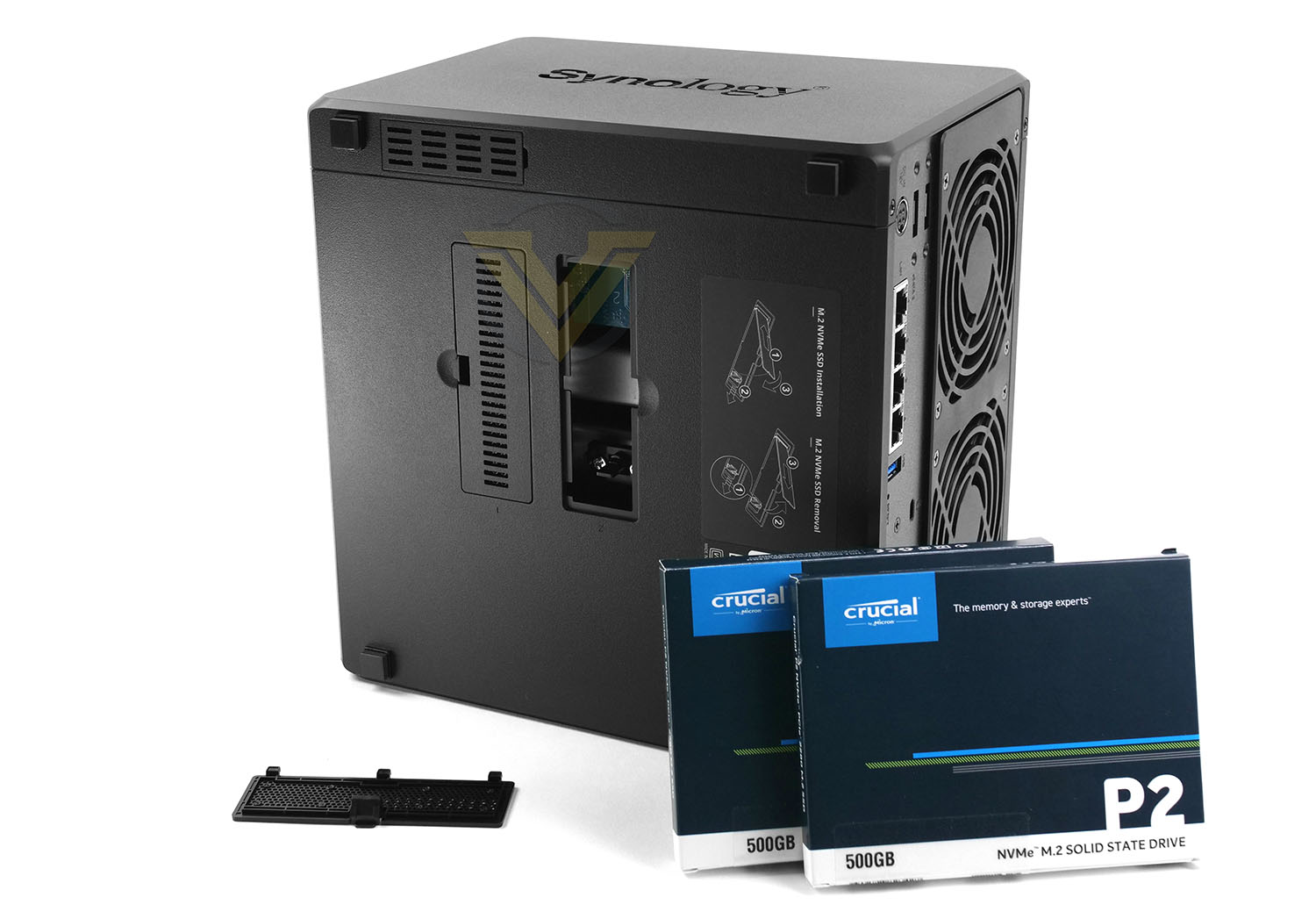
In order to boost system I/O performance Synology has included twin M.2 SSD slots on the underside of DS1520+ which deliver SSD cache for the unit. Choosing the correct capacity will involve a run of the SSD Cache Advisor within DSM, this helpful tool which establish how much cache your NAS will utilise.
For our long-term use with DS1520+ we’ll be using the Crucial P2 SSDs in their 250GB capacity which is ample for our scenario.
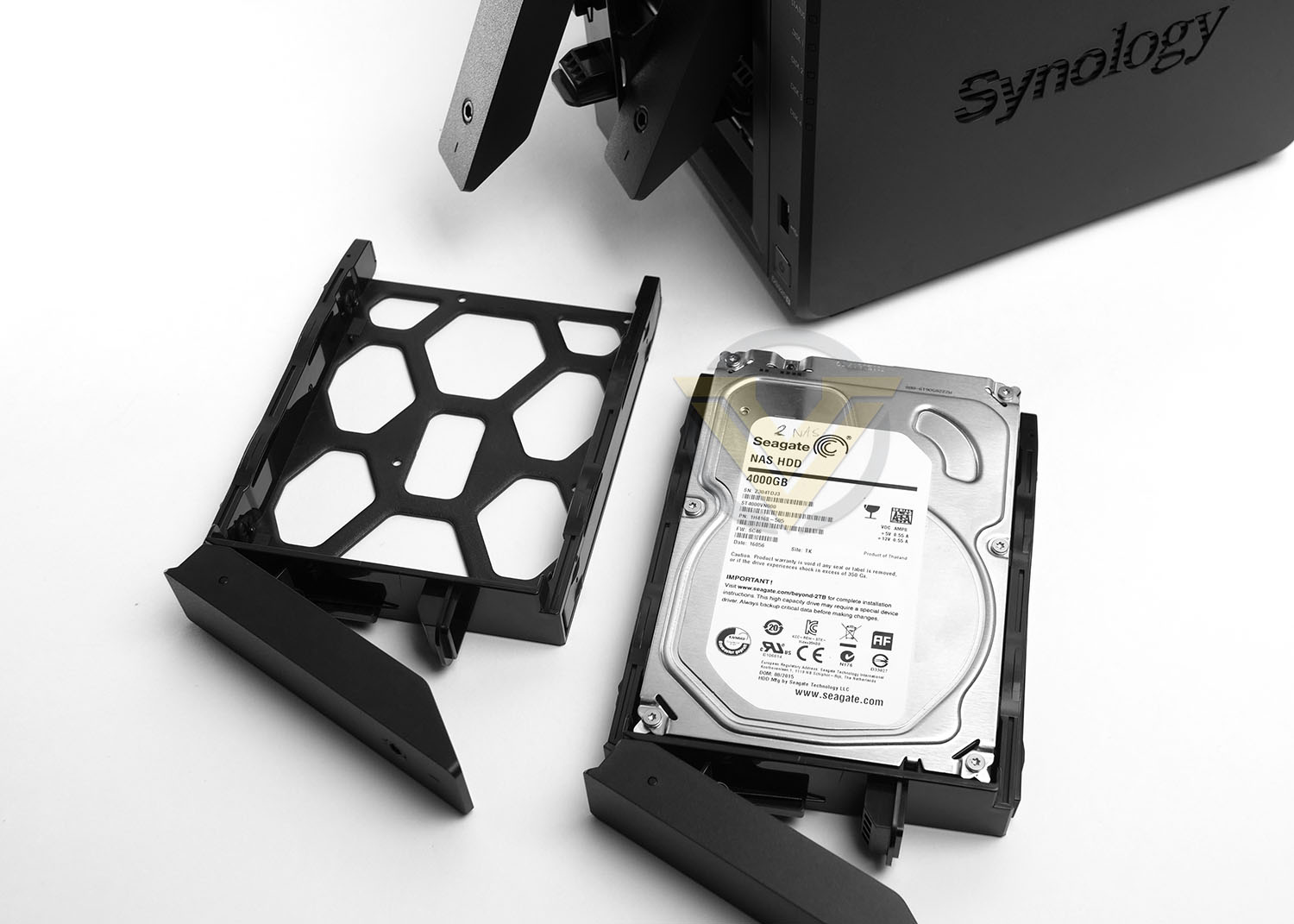
The HDD trays can host 2.5” and 3.5” drives and DS1520+ can accommodate up to 80TB of storage. Installing storage into the NAS is simple, the drive just drops into the provided tray in a tool-free manner with the SATA connection ports facing the rear.
Once the drive is secure, the tray can be slid back into the chassis to have the SATA connectors marry up with the ports inside the NAS.
Some of Synology’s models allow you to actually see the internal components, this isn’t possible with DS1520+ but the hardware specification is as follows:
• CPU Frequency: Quad-Core 2.0 GHz (Turbo 2.7 GHz)
• Hardware Encrypted Engine + Floating Point
• Memory: 8GB DDR4
• Internal HDD/SSD: 3.5″ or 2.5″ SATA-III 4x
• Max Internal Capacity: 80TB (5x 16TB HDD)
Many will draw a comparison between DS920+ and DS1520+ because they are very similar models. The main difference between them being that one is a 4-bay unit and the other a 5-bay. That isn’t the only difference though. Pre-installed memory is double, at 8GB (rather than 4GB on the DS920+) and there is an additional eSATA and more ethernet ports.
Based on requirements, the DS1520+ may be worth consideration. Certainly if you want the ability to increase storage and have a boost to performance, the additional cost will be worth it!
DSM Feature: Synology Office
One of the many benefits to having a NAS positioned as a central device among a group of users is the ability to collaborate on projects. With Synology Office and real-time synchronisation, any number of team members can contribute to a document – whether that is a word processed doc, spreadsheet or presentation slide.
Below is a demonstration of this feature in action – showcasing how it can be used:
DSM Feature: Synology Drive
Over the years Synology’s inhouse OS has undergone numerous updates to include new and exciting features which enhance the user experience. One popular feature which can completely transform and streamline workflow is Synology Drive.
Synology Drive allows administrators to synchronise data from a NAS to any number of users. There are many online services that provide similar tools like this, such as Dropbox, but subscriptions to such services can soon mount up. The great benefit of having a NAS is the ability to take proper control of file management without the need to spend additional money and outsource for data storage and Synology Drive takes this to the take level by offering a Dropbox-like experience.
Below is a demonstration of Synology Drive – briefly taking you through the basic framework in how to configure this feature and how a desktop client can utilise it.
DSM Feature: USB Copy
USB Copy has been a long-standing feature for Synology but it has been refined to make it even more efficient at transferring data.
The concept behind USB Copy is that you can quickly back up or transfer data to/from an external USB drive. If such a process is performed regularly, this type of task can be assigned to a task which will automate the procedure entirely. The NAS will detect the brand/model of USB drive, understand which task it needs to perform and follow through with the instructions.
Below is a demonstration of this feature in action – showcasing how useful it is. We use this one on a regular basis ourselves:
Conclusion
The DS1520+ was announced just a few weeks ago and is specifically designed to tackle the home and small office environments.
Of the newly released “Plus” models for 2020, the DS920+ and DS1520+ are likely to be the most popular and will ultimately be under close comparison. Weighing up both models side-by-side, there aren’t too many differences. The significant advantages in the DS1520+ is that it arrives with an extra 5th bay, 8GB DDR4 (Rather than 4GB), an additional eSATA port and 4x 1GBe ports. DS1520+ is approximately an additional £100-150 | $100-150, which isn’t bad at all if you require those extras.
Those with previous experience of Synology’s DSM OS will understand how intuitive it is and how its feature-set extends out to cover all networking eventualities. In this review we’ve briefly showcased just a few of the applications which can be implemented but the tools and options available are certainly far reaching.
Our only criticism of the DS1520+ is the 1GBe. The competition is already supplying comparable models with 10GBe and a vast selection of products being pushed out in 2020 now offer networking by way of 2.5GBe, 5GBe or 10GBe so it makes perfect sense to provide faster connectitivity, especially on a “Plus” performance model.
Although in some regions the DS1520+ is yet to be seen, it should at least be available for pre-order in the US, UK/EU and Australia. Pricing sees this model have a price-tag of £731 GBP | $699 USD | $1299 AUD. We should note that this is diskless – so storage will need to be factored in, which will shift the overall cost up. This particular model comes with a 3-year warranty which can be extended up to 5 years for peace of mind.
For the home and small office environment – you really can’t go wrong with the DS1520+, it offers an excellent foundation for centralised storage and performs very well.
+ Pleasing to the eye
+ Solid build quality
+ Quad-core support
+ Can house up to 80TB raw data
+ 2.5” and 3.5” drive support
+ Twin eSATA ports
+ USB 3.0 port on the front
+ Dual SSD for read/write cache
+ Excellent performance
+ Low fan noise
+ Easy to set up and configure
+ Feature rich operating system
Cons
– Still no 2.5, 5 or 10GBe ports
Click here for an explanation of our awards at Vortez.net.
Stay connected with the Vortez Social Media pages: