Armed with the latest AMD Ryzen V1500B, the DiskStation DS925+ is Synology’s very latest performance 4-bay NAS. Is this the best NAS you can buy in 2025?

Product on Review: DiskStation DS925+
Manufacturer & Sponsor: Synology
Street Price: £575 GBP | $640 USD | $1050 AUD
The DiskStation DS925+ is a newly released 4-bay NAS powered by a quad-core AMD Ryzen V1500B processor running at 2.2 GHz, offering enhanced multi-threaded performance suitable for demanding workloads .
Equipped with 4GB of DDR4 ECC memory, expandable up to 32GB, and dual 2.5GbE LAN ports, the DS925+ supports Link Aggregation for increased network throughput and redundancy. It also features two M.2 NVMe slots for SSD caching or creating high-speed storage pools, enhancing performance for I/O-intensive tasks.
In our examination today, we’ll highlight what’s on offer with the DS925+ and discover whether it’s worth a look for users wanting to add a 4-bay NAS to their network.
Hardware Specifications
Below are the hardware specifications regarding DS925+ provided by Synology:
CPU
CPU Model: AMD Ryzen V1500B
CPU Frequency: 4-Core 2.2GHz
Hardware Encryption Engine: Yes
Memory
System Memory: 4GB DDR4
Max Capacity: 32GB (16GB+16GB)
Storage
Drive Bay(s): 4
Maximum Drive Bays with Expansion Unit 9 (DX525 x 1)
M.2 Drive Slots 2 (NVMe)
3.5″ SATA HDD
2.5″ SATA SSD
M.2 2280 NVMe SSD
External Ports
RJ-45 2.5GbE LAN Port 2
USB 3.2 Gen 1 – 2
Expansion Port 1
Expansion Port Type – USB-C
File System
Internal Drives: EXT4, btrfs
External Drives: Btrfs, EXT4, EXT3, FAT, NTFS, HFS+, exFAT
Appearance
Size (Height X Width X Depth): 166 mm x 199 mm x 223 mm
Weight: 2.26 kg
Others
RJ-45 1GbE LAN Port: 4
Wake on LAN/WAN: Yes
System Fan: 92 mm X 92 mm X 2 pcs
Noise Level: 20.5 dB(A)
Power Recovery: Yes
Scheduled Power On/Off: Yes
Power Supply Unit / Adapter: 120W
AC Input Power Voltage: 100V to 240V AC
Power Frequency: 50/60 HZ, Single Phase
Power Consumption: 37.91W (Access) 12.33W (HDD Hibernation)
Temperature
Operating Temperature: 0°C to 40°C (40°F to 104°F)
Storage Temperature: -20°C to 60°C (-5°F to 140°F)
Relative Humidity: 5% to 95% RH
Certification
EAC
VCCI
CCC
RCM
KC
FCC
CE
BSMI
Warranty
3 Years (Extendable to 5 years)
CPU Model: AMD Ryzen V1500B
CPU Frequency: 4-Core 2.2GHz
Hardware Encryption Engine: Yes
Memory
System Memory: 4GB DDR4
Max Capacity: 32GB (16GB+16GB)
Storage
Drive Bay(s): 4
Maximum Drive Bays with Expansion Unit 9 (DX525 x 1)
M.2 Drive Slots 2 (NVMe)
3.5″ SATA HDD
2.5″ SATA SSD
M.2 2280 NVMe SSD
External Ports
RJ-45 2.5GbE LAN Port 2
USB 3.2 Gen 1 – 2
Expansion Port 1
Expansion Port Type – USB-C
File System
Internal Drives: EXT4, btrfs
External Drives: Btrfs, EXT4, EXT3, FAT, NTFS, HFS+, exFAT
Appearance
Size (Height X Width X Depth): 166 mm x 199 mm x 223 mm
Weight: 2.26 kg
Others
RJ-45 1GbE LAN Port: 4
Wake on LAN/WAN: Yes
System Fan: 92 mm X 92 mm X 2 pcs
Noise Level: 20.5 dB(A)
Power Recovery: Yes
Scheduled Power On/Off: Yes
Power Supply Unit / Adapter: 120W
AC Input Power Voltage: 100V to 240V AC
Power Frequency: 50/60 HZ, Single Phase
Power Consumption: 37.91W (Access) 12.33W (HDD Hibernation)
Temperature
Operating Temperature: 0°C to 40°C (40°F to 104°F)
Storage Temperature: -20°C to 60°C (-5°F to 140°F)
Relative Humidity: 5% to 95% RH
Certification
EAC
VCCI
CCC
RCM
KC
FCC
CE
BSMI
Warranty
3 Years (Extendable to 5 years)
Packaging & Bundle
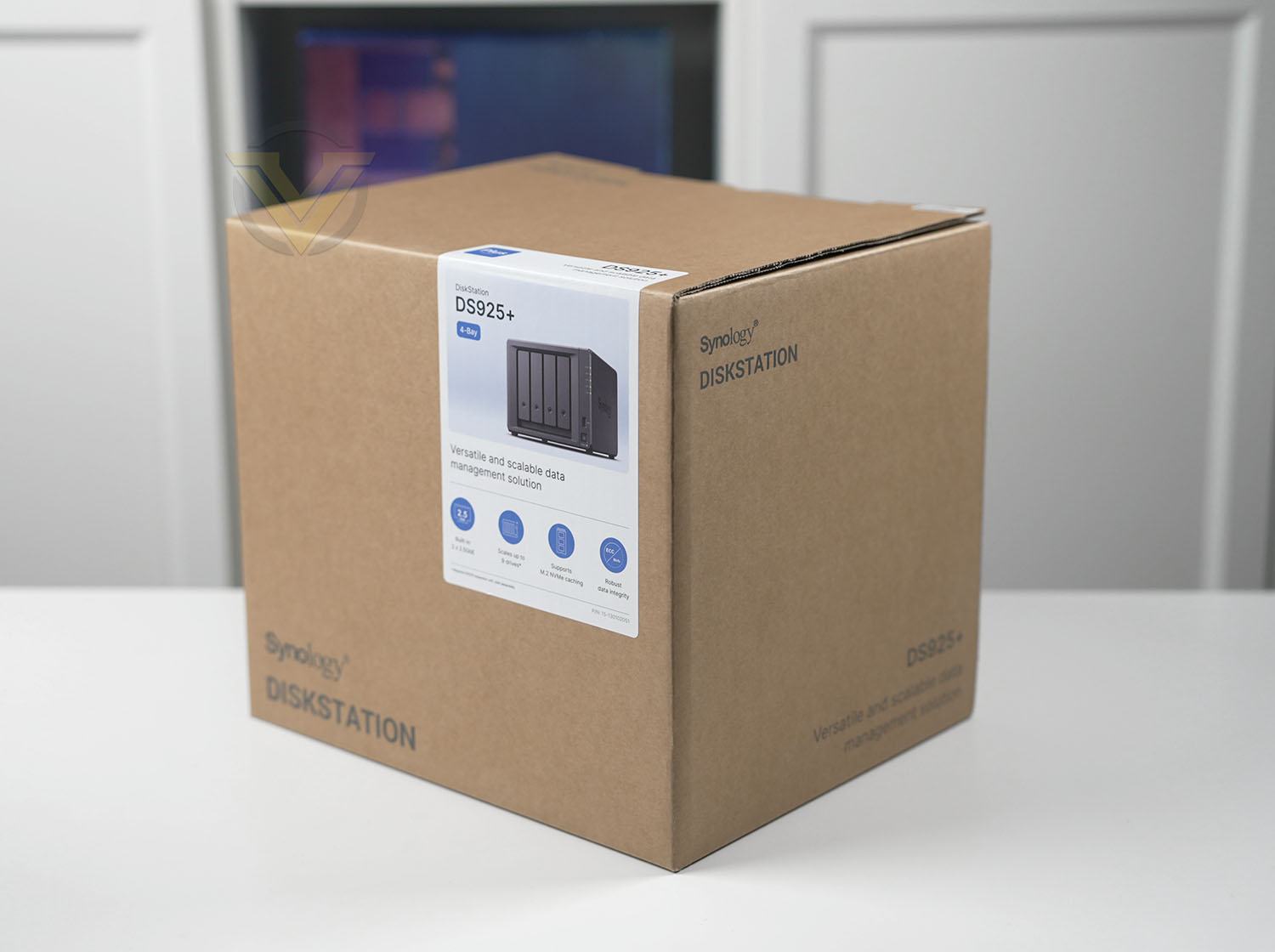
Like every other model that Synology produces, the DS925+ is presented in a simple, eco-friendly box. The packaging doesn’t give too much away aside from listed the model, the system specification and serial number.
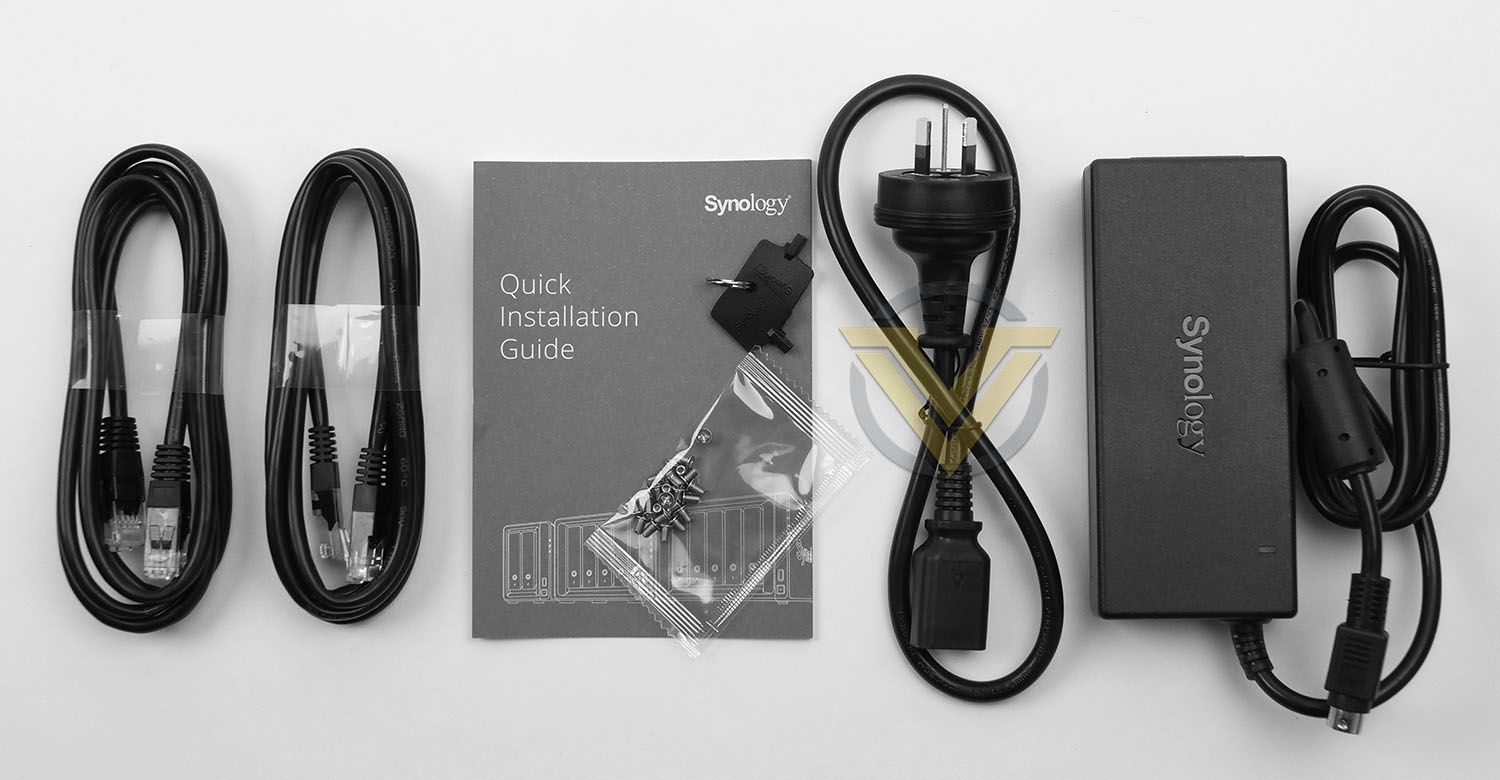
Within this box, the included accessories are all packaged up securely – the unboxing experience is definitely an enjoyable one. The unit itself is well-protected with a fabric cover and cardboard cushioning. The bundled accessories consist of:
• Main Unit X 1
• Accessory Pack X 1
• AC Power Adapter X 1
• AC Power Cord X 1
• RJ-45 LAN Cable X 2
• Quick Installation Guide X 1
Closer Look
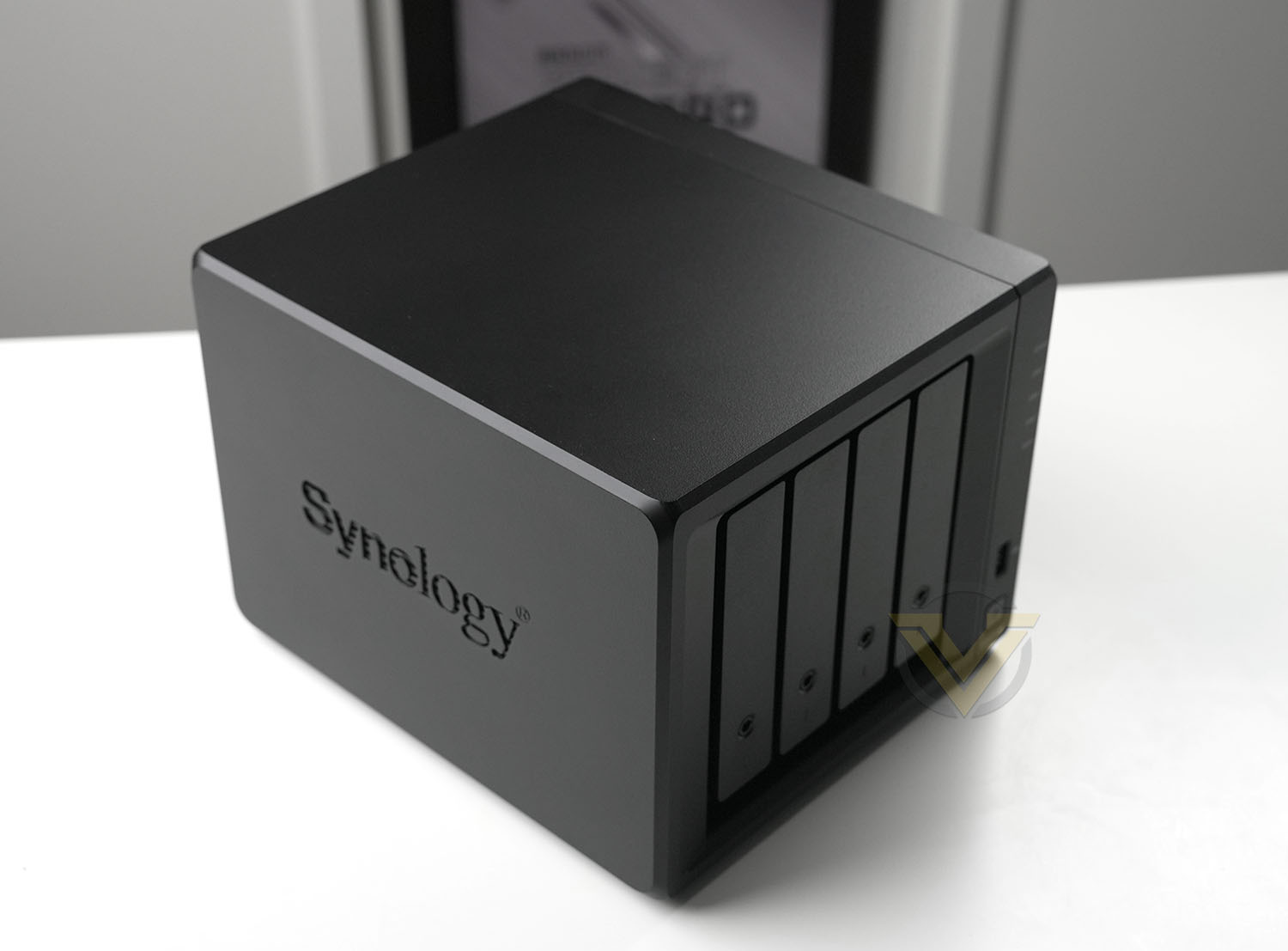
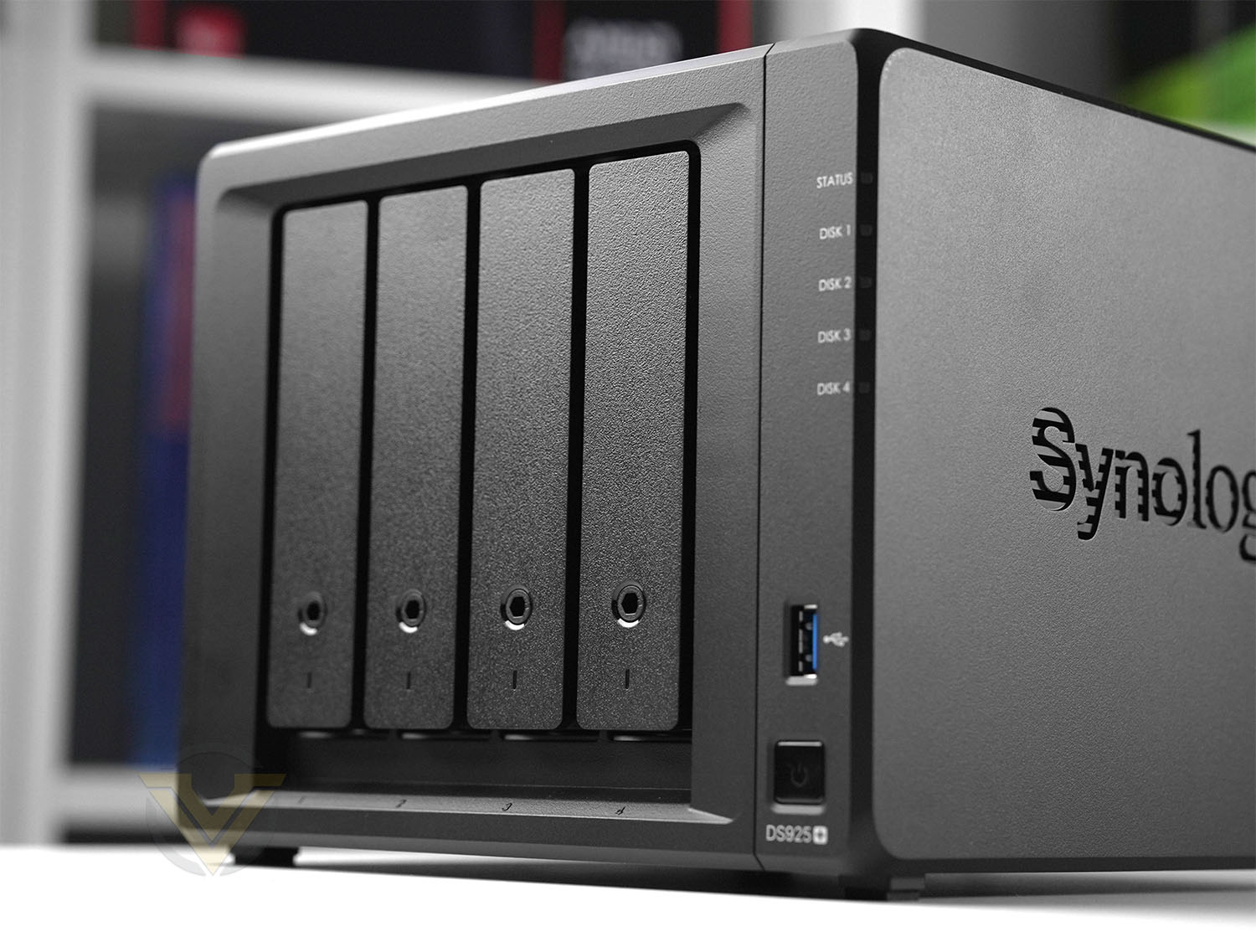
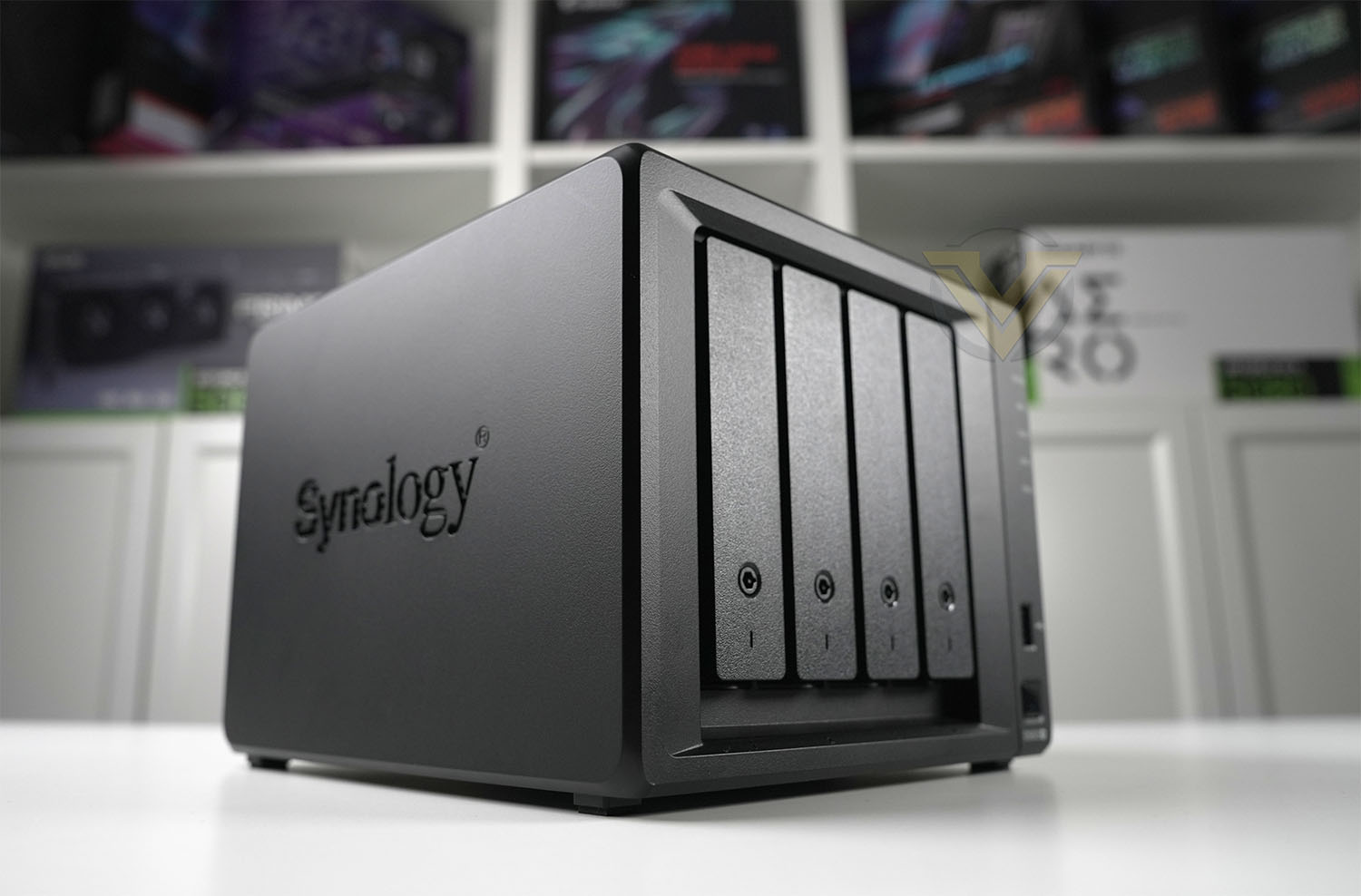
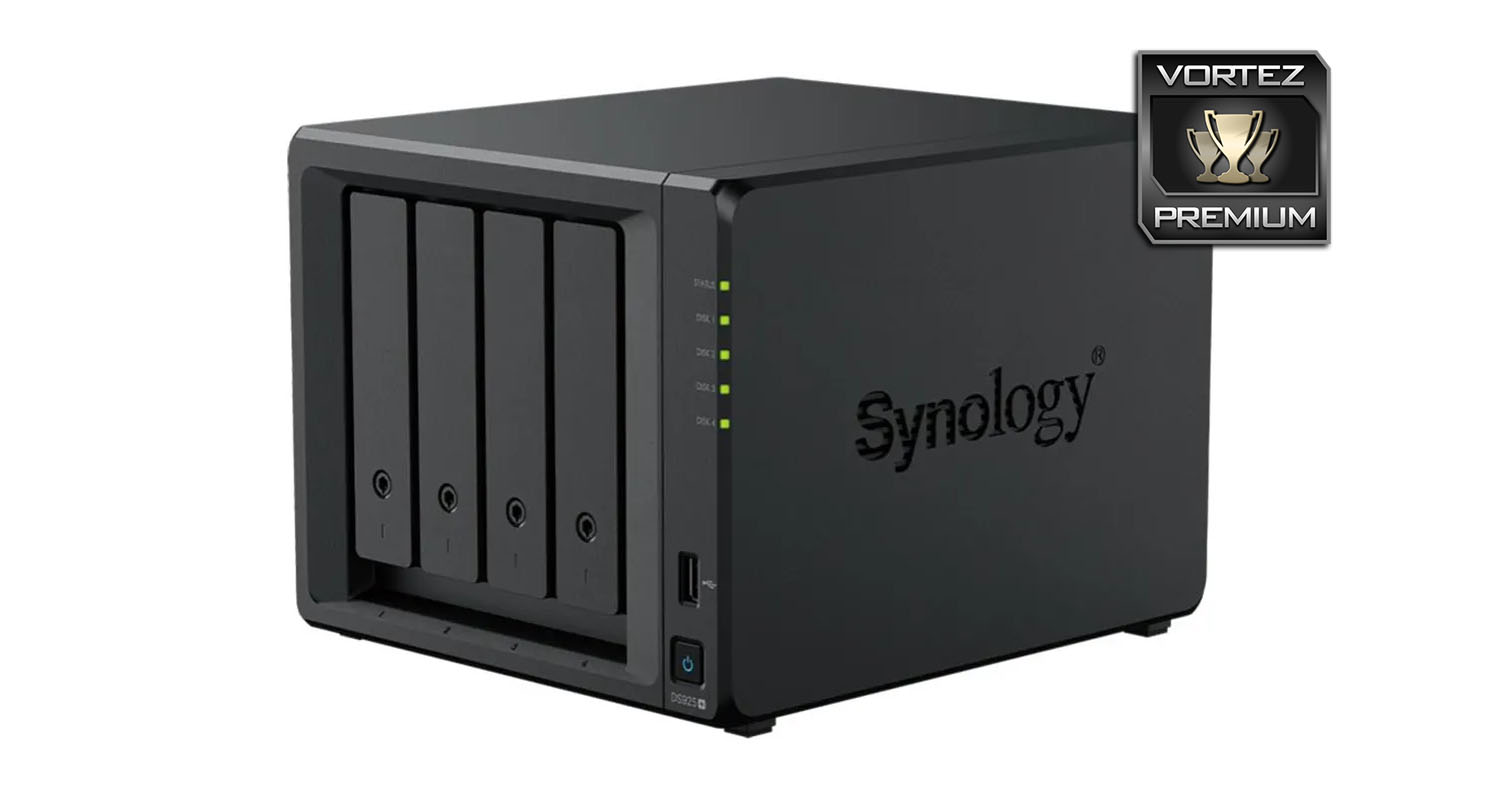
The NAS models under the Plus banner differ very little from one another – carrying a sleek aesthetic which is instantly distinguishable. As is usual, both sides incorporate the Synology logo which also acts as additional ventilation for the internal components and storage.
As this model is a 4-bay NAS, the front features 4 vertically mounted hard drive trays, each with a locking mechanism for security – the provided key will unlock to allow access. As is customary for Synology units, the right-edge bears a number of LED indicators for: STATUS, DISK 1, 2, 3, 4. Synology also include a single USB 3.2 Gen1 port for quick storage access and there is a power button.
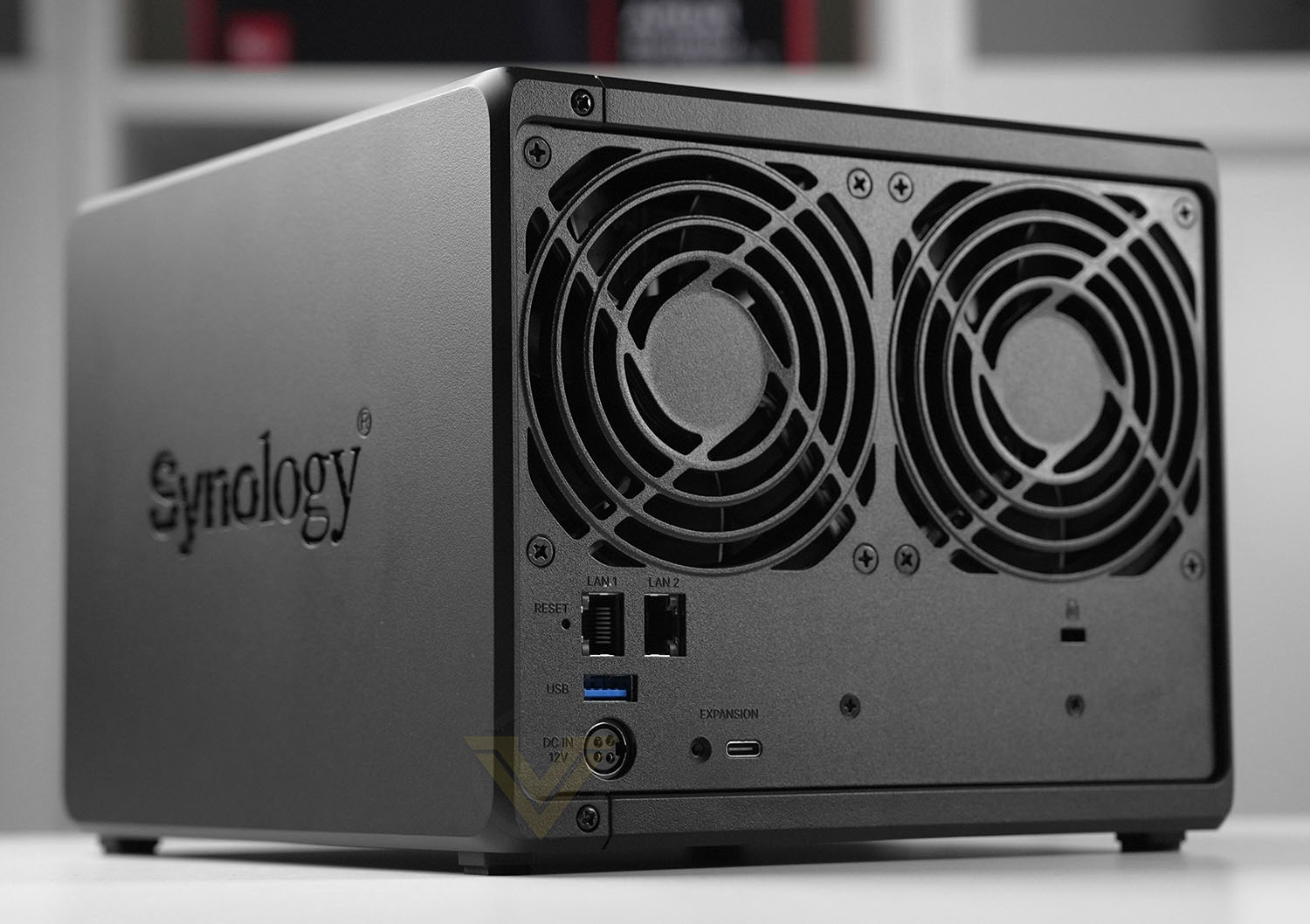
Turning the attention to the back-side of DS925+ there are two exhaust fans which are used to expel undesirable heat from inside of the chassis. These fans are 90mm in specification.
Below this we have a factory reset button, twin 2.5GBe LAN ports, a single USB 3.2 Gen1 port, DC-IN to work in conjunction with the supplied power pack, a USB-C for expansion with DX515 and over on the far-right Kensington lock allocation.
It’s great to see that Synology has decided to include LAN ports which offer transmission beyond gigabit connection speeds. For those who are using such a high-end consumer unit like this, faster ports are very much welcomed and will work in correspondence with other network related devices which are now offering 2.5GBe, 5GBe or even 10Gbe.
Link aggregation is available which will mean that these ports can be combined for increased performance.
In order to boost system I/O performance Synology has included twin M.2 SSD slots on the underside of DS925+ which deliver SSD cache for the unit. Choosing the correct capacity will involve a run of the SSD Cache Advisor within DSM, this helpful tool which establish how much cache your NAS will utilise.
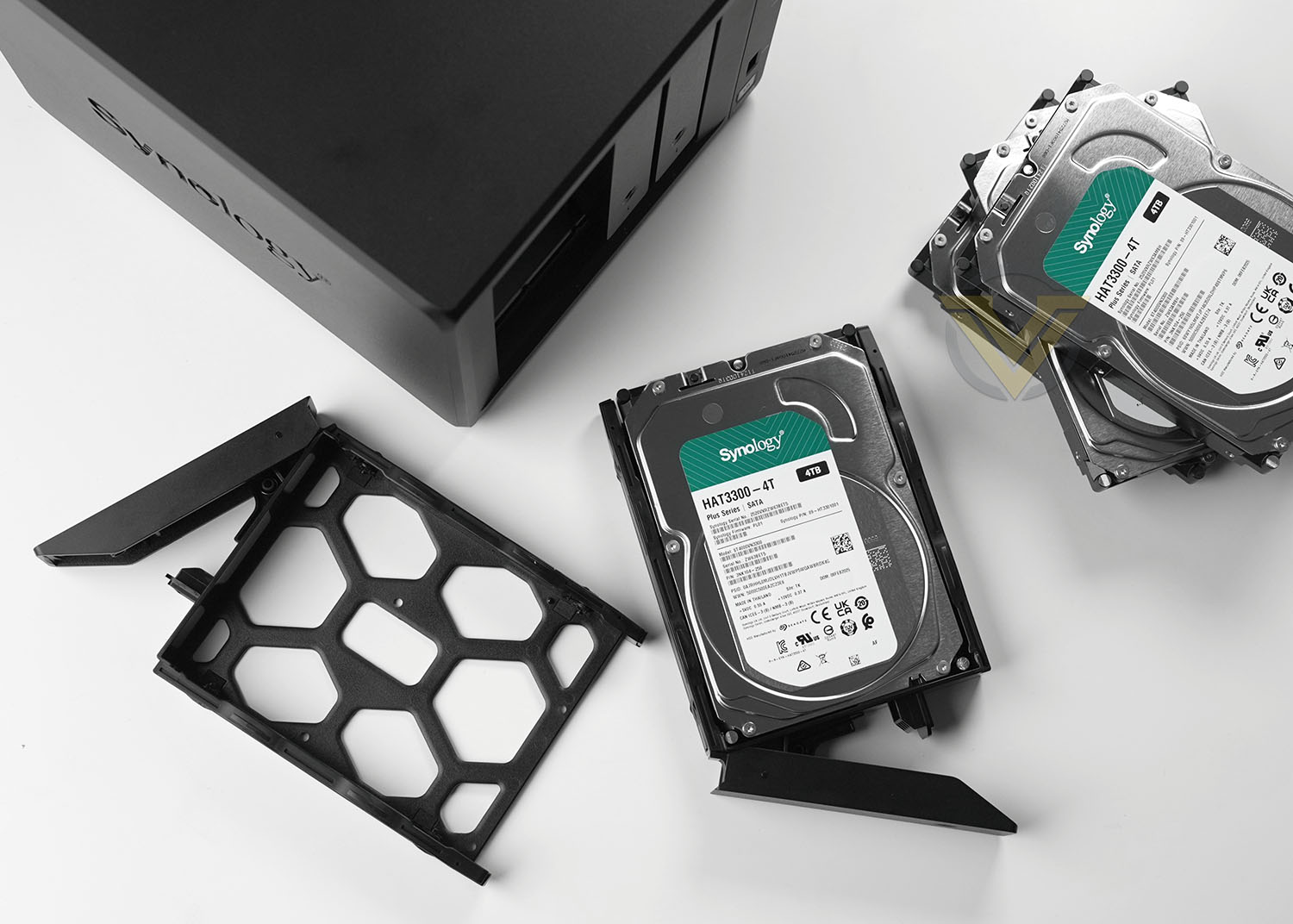
The HDD trays can host 2.5” and 3.5” drives and DS925+ can accommodate up to 64TB of storage. Installing storage into the NAS is simple, the drive just drops into the provided tray in a tool-free manner with the SATA connection ports facing the rear.
Once the drive is secure, the tray can be slid back into the chassis to have the SATA connectors marry up with the ports inside the NAS.
One important consideration with the Synology DS925+—and a growing concern for future Synology NAS models—is the company’s increasingly closed approach to drive compatibility. Officially, the DS925+ is designed to work only with Synology-branded hard drives, and while third-party drives from brands like Seagate or Western Digital may function, key features may be disabled, and Synology explicitly states that technical support will not be provided for unsupported drives. This move effectively forces consumers into purchasing higher-priced Synology HDDs, limiting flexibility and potentially raising the overall cost of ownership. For many users—especially those with existing drives or specific performance needs—this restriction feels unnecessarily limiting and could deter customers from staying within the Synology ecosystem. As competing NAS vendors continue to support open drive compatibility, it remains to be seen whether this strategy will benefit Synology in the long term or instead drive consumers toward more flexible alternatives.
Some of Synology’s models allow you to actually see the internal components, this isn’t possible with DS925+ but the hardware specification is as follows:
• CPU Frequency: Quad-Core 2.2 GHz (AMD Ryzen V1500B
• Hardware Encrypted Engine + Floating Point
• Memory: 4GB DDR4
• Internal HDD/SSD: 3.5″ or 2.5″ SATA-III 4x
• Max Internal Capacity: 64TB (4x 16TB HDD)
Within Synology’s 4-bay portfolio, the DS925+ is the highest performance model, boasting the best specification, so if you’re in the market for a high-performance 4-bay NAS, this could be an excellent choice!
DSM Feature: Synology Drive
Over the years Synology’s inhouse OS has undergone numerous updates to include new and exciting features which enhance the user experience. One popular feature which can completely transform and streamline workflow is Synology Drive.
Synology Drive allows administrators to synchronise data from a NAS to any number of users. There are many online services that provide similar tools like this, such as Dropbox, but subscriptions to such services can soon mount up. The great benefit of having a NAS is the ability to take proper control of file management without the need to spend additional money and outsource for data storage and Synology Drive takes this to the take level by offering a Dropbox-like experience.
Below is a demonstration of Synology Drive – briefly taking you through the basic framework in how to configure this feature and how a desktop client can utilise it.
DSM Feature: Synology Office
One of the many benefits to having a NAS positioned as a central device among a group of users is the ability to collaborate on projects. With Synology Office and real-time synchronisation, any number of team members can contribute to a document – whether that is a word processed doc, spreadsheet or presentation slide.
Below is a demonstration of this feature in action – showcasing how it can be used:
DSM Feature: USB Copy
USB Copy has been a long-standing feature for Synology but it has been refined to make it even more efficient at transferring data.
The concept behind USB Copy is that you can quickly back up or transfer data to/from an external USB drive. If such a process is performed regularly, this type of task can be assigned to a task which will automate the procedure entirely. The NAS will detect the brand/model of USB drive, understand which task it needs to perform and follow through with the instructions.
Below is a demonstration of this feature in action – showcasing how useful it is. We use this one on a regular basis ourselves:
Conclusion
The Synology DiskStation DS925+ leaves a strong impression as a well-rounded, high-performance NAS solution tailored to prosumers and small business users alike. Its clean, modern chassis and solid build quality reflect the kind of attention to detail Synology is known for, and the internal hardware choices — including a powerful quad-core AMD Ryzen V1500B processor — make it well-suited for intensive workloads such as virtualization, high-speed file serving, and multimedia streaming. With support for both 2.5” and 3.5” drives and up to 64TB of raw storage capacity, the DS925+ offers flexibility and headroom for future expansion.
From a connectivity standpoint, the inclusion of dual 2.5GbE LAN ports is a welcome step forward from traditional gigabit-only setups, enabling faster transfers and better support for multi-user environments. The addition of USB 3.2 ports on both the front and rear allows for convenient backups and peripheral expansion, while the dual M.2 NVMe slots offer excellent caching capabilities to further boost I/O performance. Combined with its surprisingly quiet operation and easy initial setup, the DS925+ stands out as an accessible yet powerful NAS platform.
One important caveat that prospective buyers should consider is Synology’s increasingly restrictive hardware compatibility strategy. The DS925+, like other recent and future Synology models, is officially designed to work only with Synology-branded hard drives. While third-party drives from well-known manufacturers like Seagate and Western Digital can technically function in the system, Synology explicitly states that certain features may be unsupported and that technical support will not be provided for configurations using non-validated drives. This limitation, outlined in Synology’s own documentation, effectively discourages the use of more affordable or specialized third-party drives and locks consumers into Synology’s more expensive storage ecosystem.
This shift is likely to have a detrimental impact on consumer flexibility and budget considerations. Traditionally, NAS users have appreciated the freedom to choose drives based on performance needs, pricing, or existing hardware inventory. With this new model, Synology is effectively narrowing that choice, potentially increasing the total cost of ownership and alienating a segment of users who value open compatibility. For businesses and enthusiasts managing large storage arrays or needing specific drive types not offered by Synology, this approach may feel overly restrictive and economically inefficient.
It remains to be seen how this strategy will affect Synology’s standing in the competitive NAS market. While the brand continues to deliver excellent hardware and arguably the best NAS operating system in the industry, the move toward vendor lock-in could push value-conscious consumers and IT professionals to consider alternatives from QNAP, Asustor, or other manufacturers that maintain broader drive compatibility. Much will depend on how Synology handles future firmware and DSM updates, and whether consumer feedback leads to a more flexible stance going forward.
One of the biggest highlights continues to be Synology’s DSM 7.2 operating system, which remains among the most feature-rich and user-friendly NAS OS options on the market. From integrated backup and sync tools to advanced security features and a well-integrated hybrid cloud platform, DSM enhances the DS925+ by making even complex workflows manageable through a polished interface. Whether you’re deploying it for surveillance, collaboration, or storage consolidation, the software experience remains a major selling point.
That said, the absence of 10GbE networking is a notable drawback in a NAS otherwise designed for high throughput and scalability. As competing models begin to offer faster network interfaces in this performance tier, it would be reasonable to expect Synology to follow suit—especially for power users pushing large datasets or supporting multiple 4K video streams. Still, the DS925+ offers exceptional value and capability at £575 GBP | $640 USD | $1050 AUD, and for many users, its balance of features, performance, and ease of use will make it a top choice in the current 4-bay NAS market.
Pros
+ Sleek design
+ Great build quality
+ Quad-core support
+ Can house up to 64TB raw data
+ 2.5” and 3.5” drive support
+ Features dual 2.5GBe LAN ports
+ USB 3.2 on front/back
+ Dual SSD for read/write cache
+ Superb performance
+ Low fan noise
+ Easy to set up and configure
+ Feature rich operating system
Cons
– Synology branded HDDs required to take advantage of full features
– Would still like to see 10GBe as an option, especially on performance model
+ Sleek design
+ Great build quality
+ Quad-core support
+ Can house up to 64TB raw data
+ 2.5” and 3.5” drive support
+ Features dual 2.5GBe LAN ports
+ USB 3.2 on front/back
+ Dual SSD for read/write cache
+ Superb performance
+ Low fan noise
+ Easy to set up and configure
+ Feature rich operating system
Cons
– Synology branded HDDs required to take advantage of full features
– Would still like to see 10GBe as an option, especially on performance model
Click here for an explanation of our awards at Vortez.net.
Stay connected with the Vortez Social Media pages:
Join in with the discussions on Discord