







In the spotlight, a 2-bay NAS solution which comes equipped for Synology DSM 5.1. Are you looking for an affordable network device for sharing and protecting data?

Product on Review: DiskStation DS215j
Manufacturer & Sponsor: Synology
Street Price: £138 GBP / $200 USD
The end of the year is upon us and as is customary, Synology are on hand with their latest, 2015 edition NAS solutions. This week, Synology announced their new DS215j. The DS215j is a two-bay NAS which replaces the older DS213j. Very little has changed from an external standpoint but inside we now have the delights of a dual-core processor which should aid us when multi-tasking in the new DSM 5.1 software suite.
If you aren’t familiar with Synology’s naming system, it’s very intuitive – Diskstation (DS) represents the number of bays (2), the year of production (15). The variable at the end of each of the product range such as + or j symbolise – Performance (+) Entry Level, storage focussed (j) or no symbol for a mixture of the both – performance and storage. So the unit that we are focussing on today is designed for home and personal usage and thus comes with a lower-price tag too.
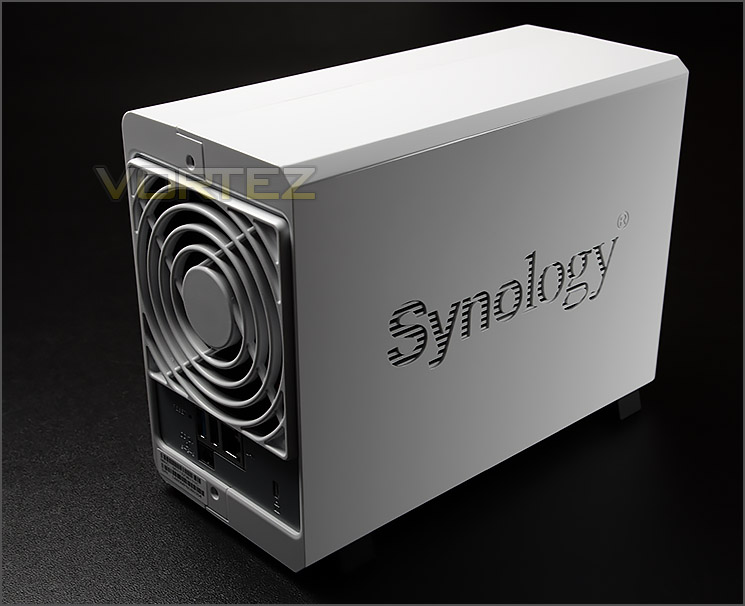
Synology on their DS215j
Designed for home and personal users, DS215j is a 2-bay NAS server featuring a dual-core CPU and rich features. Enjoy effortless data sharing and backup, multimedia streaming, and cloud synchronization without exceeding your budget.
Hardware Specifications
CPU
CPU Model: MARVELL Armada 375 88F6720
CPU Frequency: Dual Core 800 MHz
Floating Point: Yes
Hardware Encryption Engine: Yes
Memory
System Memory: 512 MB DDR3
Storage
Drive Bay(s): 2
Compatible Drive Type
3.5″ SATA(III) / SATA(II) HDD
2.5″ SATA(III) / SATA(II) HDD (with optional 2.5″ Disk Holder)
2.5″ SATA(III) / SATA(II) SSD (with optional 2.5″ Disk Holder)
Maximum Internal Raw Capacity
12 TB (6 TB HDD X 2) (Capacity may vary by RAID types) (See All Supported HDD)
External Ports
USB 2.0 Port: 1
USB 3.0 Port: 1
File System
Internal Drives: EXT4
External Drives: EXT4, EXT3, FAT, NTFS, HFS+ (Read Only, max volume 2TB)
Appearance
Size (Height X Width X Depth): 165 mm X 100 mm X 225.5 mm
Weight: 0.88 kg
Others
RJ-45 1GbE LAN Port: 1
Wake on LAN/WAN: Yes
System Fan: 92 mm X 92 mm X 1 pcs
Wireless Support (dongle): Yes
Noise Level: 18.5 dB(A)
Power Recovery: Yes
Scheduled Power On/Off: Yes
Power Supply Unit / Adapter: 60W
AC Input Power Voltage: 100V to 240V AC
Power Frequency: 50/60 HZ, Single Phase
Power Consumption: 13.42W (Access) 5.28W (HDD Hibernation)
Temperature
Operating Temperature: 5°C to 35°C (40°F to 95°F)
Storage Temperature: -20°C to 60°C (-5°F to 140°F)
Relative Humidity: 5% to 95% RH
Certification
FCC Class B
CE Class B
BSMI Class B
Warranty
2 Years
CPU Model: MARVELL Armada 375 88F6720
CPU Frequency: Dual Core 800 MHz
Floating Point: Yes
Hardware Encryption Engine: Yes
Memory
System Memory: 512 MB DDR3
Storage
Drive Bay(s): 2
Compatible Drive Type
3.5″ SATA(III) / SATA(II) HDD
2.5″ SATA(III) / SATA(II) HDD (with optional 2.5″ Disk Holder)
2.5″ SATA(III) / SATA(II) SSD (with optional 2.5″ Disk Holder)
Maximum Internal Raw Capacity
12 TB (6 TB HDD X 2) (Capacity may vary by RAID types) (See All Supported HDD)
External Ports
USB 2.0 Port: 1
USB 3.0 Port: 1
File System
Internal Drives: EXT4
External Drives: EXT4, EXT3, FAT, NTFS, HFS+ (Read Only, max volume 2TB)
Appearance
Size (Height X Width X Depth): 165 mm X 100 mm X 225.5 mm
Weight: 0.88 kg
Others
RJ-45 1GbE LAN Port: 1
Wake on LAN/WAN: Yes
System Fan: 92 mm X 92 mm X 1 pcs
Wireless Support (dongle): Yes
Noise Level: 18.5 dB(A)
Power Recovery: Yes
Scheduled Power On/Off: Yes
Power Supply Unit / Adapter: 60W
AC Input Power Voltage: 100V to 240V AC
Power Frequency: 50/60 HZ, Single Phase
Power Consumption: 13.42W (Access) 5.28W (HDD Hibernation)
Temperature
Operating Temperature: 5°C to 35°C (40°F to 95°F)
Storage Temperature: -20°C to 60°C (-5°F to 140°F)
Relative Humidity: 5% to 95% RH
Certification
FCC Class B
CE Class B
BSMI Class B
Warranty
2 Years
Packaging & Bundle
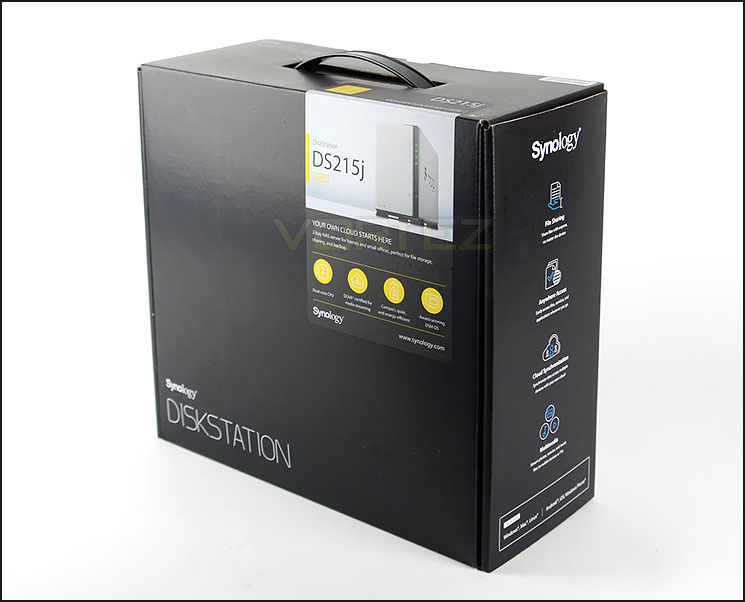
New packaging for 2015 models
In the past we’ve become accustomed to Synology’s eco-friendly packaging for the mid-high end products and white themed boxes for the budget oriented models but Synology has completely refreshed their packaging in favour of a new design and slim line dimensions.
Key features can be seen on the front, sides and reverse and there is a depiction of the NAS on the front of the box.
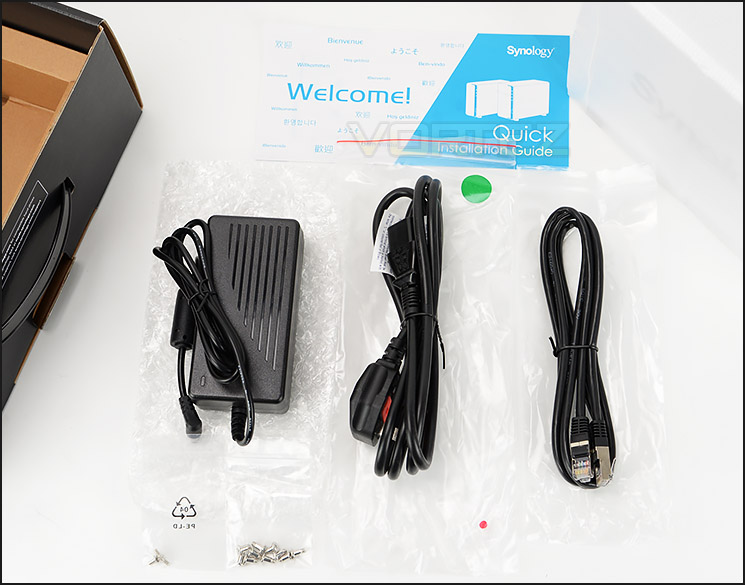
The accessories bundle
Opening this box up we have a number of included items which consist of the following:
• Main Unit X 1
• Welcome Note X 1
• Accessory Pack X 1
• AC Power Adapter X 1
• AC Power Cord X 1
• RJ-45 LAN Cable X 1
Closer Look
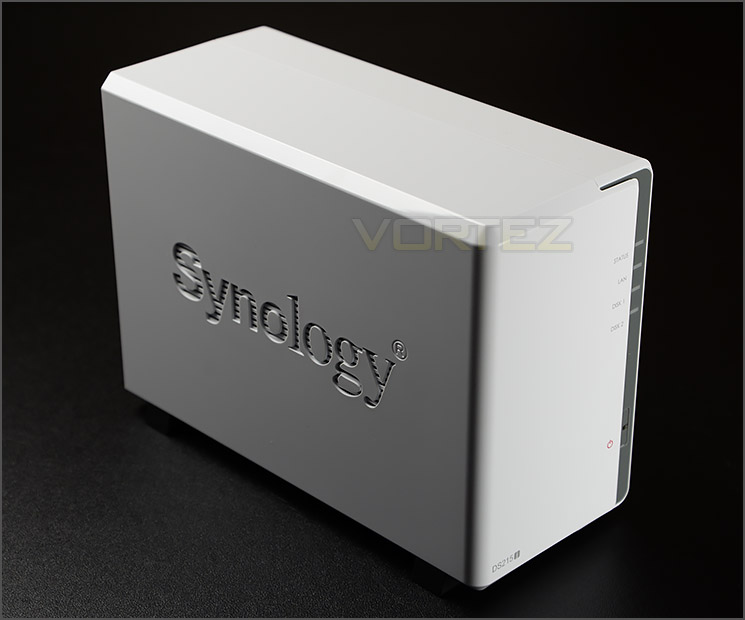
Elegant and clean-white styling
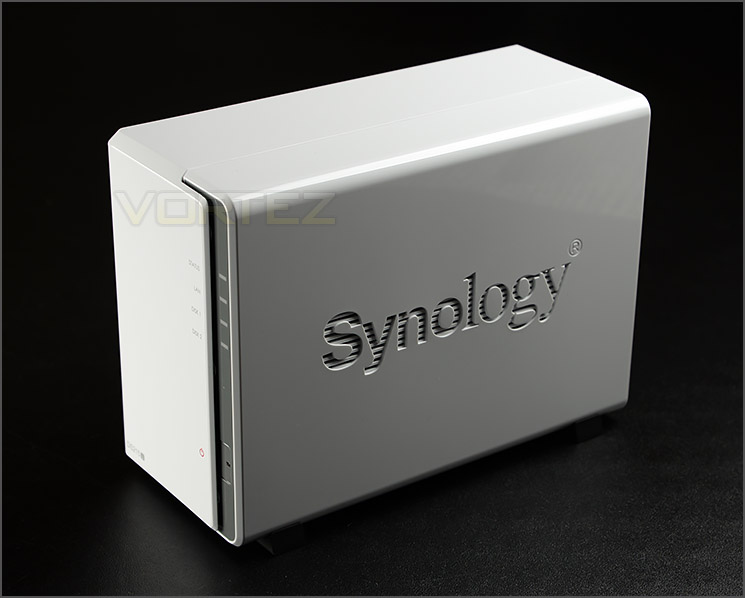
Synology engraving on either side
To distinguish between Synology’s entry level and higher end models they have reserved the white glossy plastic exterior exclusively for the j series and this has remained their design strategy for many generations now. Either side has the Synology insignia carved out – as seen on other models, this unit is entirely plastic yet we’re left in no doubt of the quality and quality and professionalism DS215j arrives with.
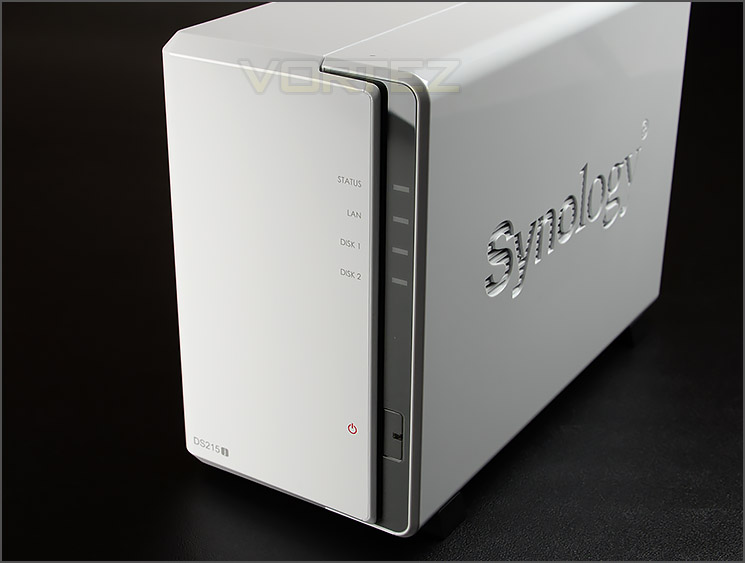
The front of DS215j
Moving to the front of the unit, along the right-edge there are various LED indicators and a power button. The supporting LED indicators are:
• Status LED
• LAN LED
• Disk 1 LED
• Disk 2 LED
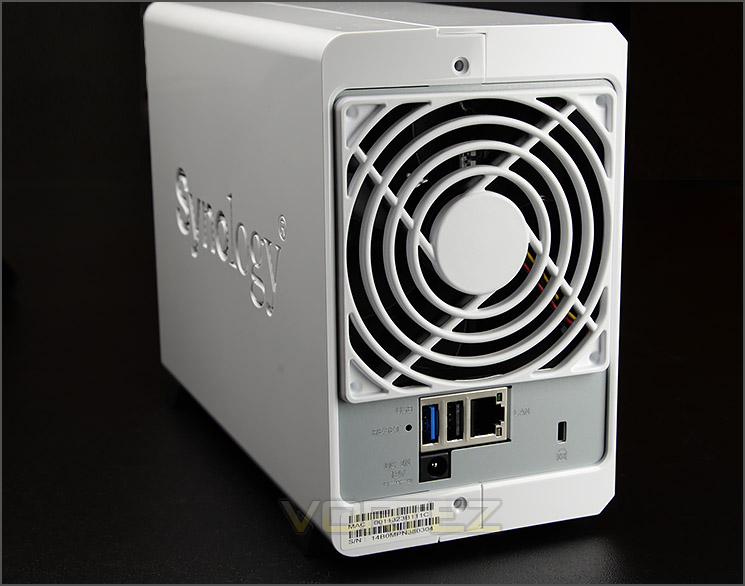
Functionality at the back
Spinning the DS212j round to its rear we see the unit has a 90mm exhaust fan for extracting heat from the PCB and HDDs. Beneath this fan are dual USB ports. One is 3.0 standard and the other is 2.0. Accompanying these ports is an RJ45 Gigabit LAN port. The back of DS215j also has the AC power port to work in conjunction with the power pack, a Kensington lock allocation slot and a sticker which references the MAC and serial codes.
HDD Installation – Inside DS215j
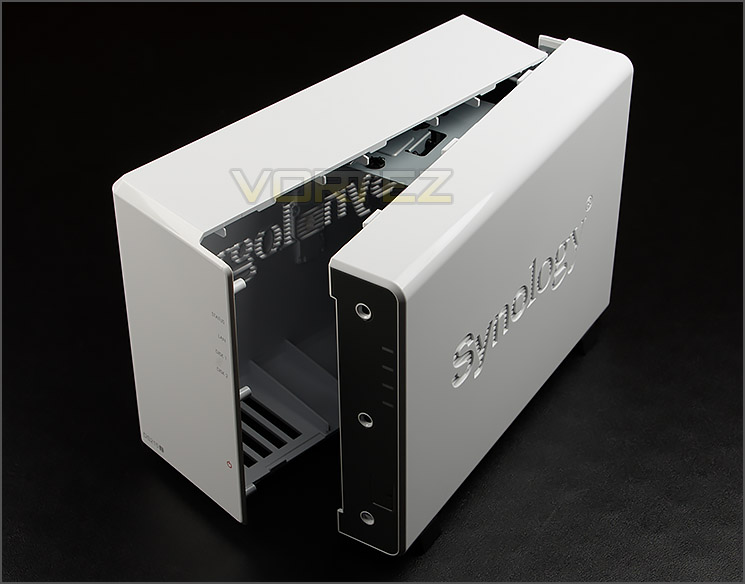
DS215j separates into two parts
To gain access to the inside of DS215j one side must be pushed in a backwards fashion and then the unit will separate into two parts, as shown.
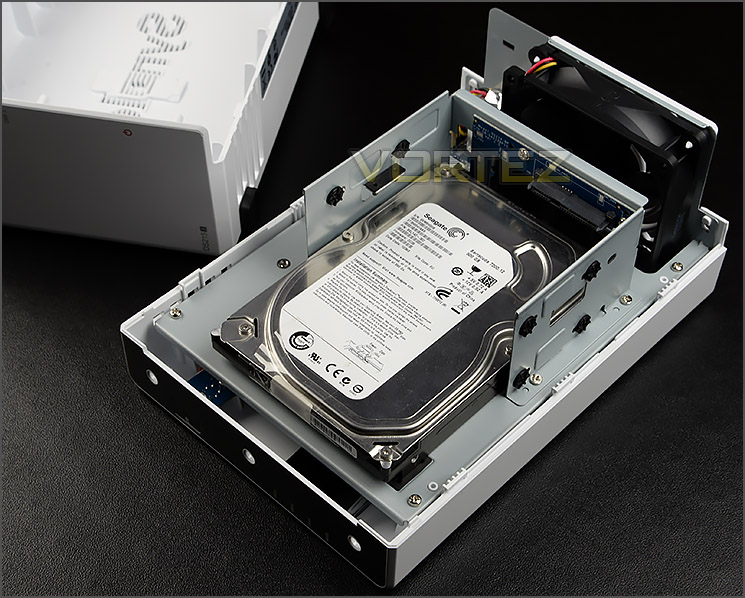
DS215j offers up to 12TB of storage
Once inside, there is a rack for mounting two HDDs. DS215j has support for 2.5” and 3.5” drives and offers a maximum capacity of 12 TB. To install, the drive needs to be slid into one of the slots so that it marries up with the SATA connections – screws should be attached to keep the drive(s) securely positioned. (For 2.5” drives, screws can be attached to the underside of the drive).
We would usually take a look at the internal design and components within the NAS but since there is no clear way of getting inside the unit we must refer to the technical specifications instead. These are as follows:
• CPU Frequency: Dual-core 800MHz 1.06GHz
• Hardware Encrypted Engine + Floating Point
• Memory: DDR3 512MB
• Internal HDD/SSD: 3.5″ or 2.5″ SATA(II or III) X2
• Max Internal Capacity: 12TB (2X 6TB HDD)
Since Synology didn’t bring to market a DS214j for last year’s lineup we can only compare to the DS213j which had a single-core 1.2GHz CPU, the same specification of memory and 6TB of storage available. As they often do, Synology has made subtle alterations to the new DS215j – adding in more capacity and boosting the CPU specification by giving consumers a dual-core model which will ultimately enhance productivity for multi-tasking.
It’s important to also note we now have USB 3.0 support which is a great benefit for appliances which use this faster interface.
Synology DSM 5.1 – With Video Overview
This year Synology announced their next, major edition of the DSM operating system. As we have reported in the past, DSM is extensive in its feature-set. Allowing you to manage data in a plethora of different ways, giving both home and business users flexible administrative options for their content. Synology sum DSM up in the following words:
DiskStation Manager (DSM) is an intuitive web-based operating system found on every Synology NAS. It’s been designed to help you manage your data: documents, photos, music, videos and all other important forms of digital assets. With DiskStation Manager, it’s more than just storing data. DSM offers a various range of applications and services to bring more entertainment to your home life as well as better productivity at work.
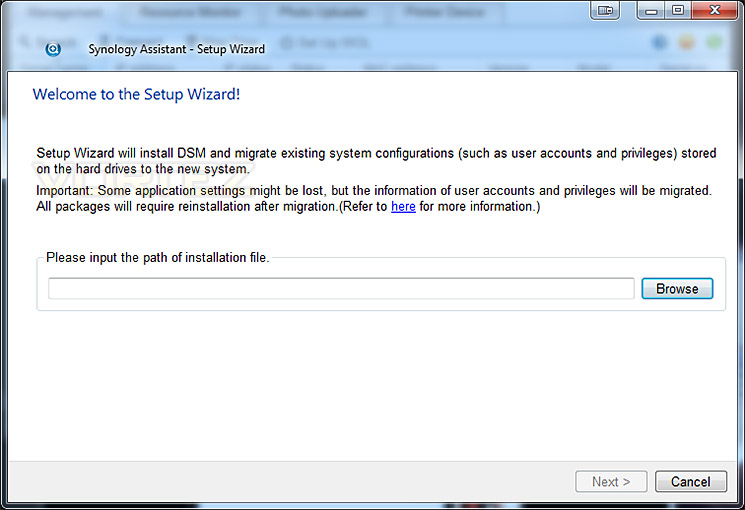
Installing latest DSM via .pat file from Synology website
To gain access to the NAS and begin using it, we need to install Synology Assistant – once this has installed, DSM can be fed to the NAS via a .pat file.
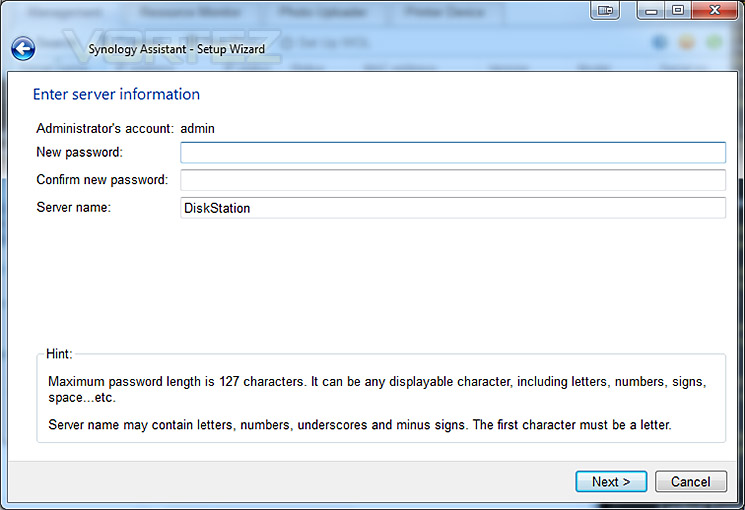
Setting up credentials
The next stage of installation is to set the credentials – setting the password and naming the server. Once you are happy with the details submitted – click the next button.
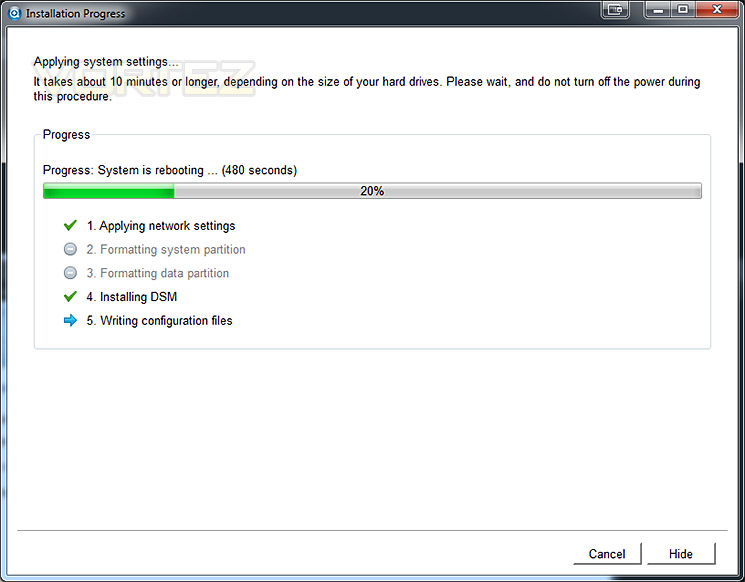
DSM during various installation stages
During the installation of DSM, networking settings are applied and configuration files are transferred. This process involves applying network protocols, formatting the drives and adding partitions ready to be used for storage. This process doesn’t take very long at all – it will of course depend on how large the drives are though. Once complete, the installation wizard reboots the NAS.
Upon completing the installation of DSM we can now log into the system. Login details are “admin” and the password that was specified during setup.
Inside the GUI there are lots of features to look at and use. The interface is fluid, interactive and very extensive. Rather than show its functionality via screenshots, here is a brief overview of what you can find inside.
VIDEO – DSM 5.1 brief overview
Video Streaming – DS Video
Amongst many of the class leading features within DSM 5.1 we have the ability to store files on the NAS and stream them to mobile devices such as Android ready devices. In the past we have demonstrated how DS Audio works but today we’ve decided to show you how DS Video works. The principles are very much the same.
To make use of a feature like DS Video the application must first be installed on the NAS. So, inside the DSM operating system we install Video Station under Packages. Once this is installed we then have to install the app on our smartphone and enter the login details of the NAS – such as the IP address, username/password. Once these are entered, we can then stream video and play content wirelessly within the surroundings of your own home/office or even from outside of the network (after configuring external access). Below is a short video demonstration of how easy and effective this can be.
Conclusion
It’s pretty obvious why Synology appear to control the NAS storage arena. Their persistent software updates to the DSM Operating System demonstrates how serious they are about the NAS experience for the consumer. We’ve seen DSM change over the years and the latest 5.1 edition reveals a comprehensive software suite which is so flexible it will satisfy the needs of business and home users alike.
Last year’s Synology units received a new dual-core processor and we’re pleased to see that even the budget oriented model in this DS215j has also been given the benefit of this too. The DS215j replaces the DS213j and thus adds in more storage (up to 12TB) and the inclusion of USB 3.0 functionality.
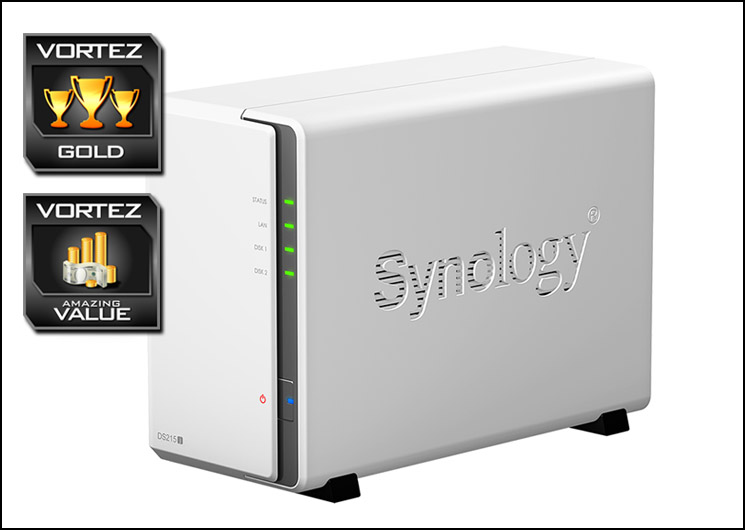
As we demonstrated in this review, making use of DS215j’s features is easy thanks to the helpful and intuitive GUI which comes with DSM. It would be impossible to cover all the features inside this software but our demonstration reveals just how versatile and feature-rich Synology’s NAS and DSM really are. DSM 5.1 places particular emphasis upon productivity for Cloud Storage and control over your data across different platforms.
Replacing the DS213j you’d expect the price of this new DS215j model to be the same, or even more but Synology has cut the price down to a surprising £138 GBP / $200 USD – that’s over £80 / $100 cheaper than the DS213j on release. Furthermore, this is backed by a generous 2 years warranty.
DS215j is an affordable, stylish two-bay NAS which utilises will undoubtedly enhance the productivity on any network. Being equipped for DSM 5.1, DS215j places a multitude of features at the consumer’s finger-tips and it would be unreasonable not to hand out our gold award.
Pros
+ Elegant, minimalist styling
+ Great build quality
+ Dual-core support
+ SATA III compatibility
+ 2.5” and 3.5” drive support
+ USB 3.0 support
+ Excellent performance
+ Low fan noise
+ Feature rich operating system
Cons
– There are none!
+ Elegant, minimalist styling
+ Great build quality
+ Dual-core support
+ SATA III compatibility
+ 2.5” and 3.5” drive support
+ USB 3.0 support
+ Excellent performance
+ Low fan noise
+ Feature rich operating system
Cons
– There are none!

Click here for an explanation of our awards at Vortez.net.


