Aimed at the storage-conscious home user or small business owner, the Synology DS416, featuring DSM6.1, offers up to 40TB of storage with a whole host of RAID-redundancy options.

Product on Review: Synology DS416
Manufacturer: Synology
Street Price: £329.99 / $349.99
The Synology DS416 is aimed at small businesses or home users seeking a fast, high capacity central data storage with cloud functionality. Armed with a 1.4GHz dual-core processor, 1GB of DDR3 memory and dual Gigabit LAN, the DiskStation claims speeds of 220MB/s read and 140MB/s write. 40TB of data can be stored securely within the DS416, with single or dual-disk redundancy possible.
With our ever-increasing dependence upon technology, and by association, data storage, having that data backed up is vital. Precious photos of loved ones or that project you’ve been developing for months could all be irretrievable without the correct procedures in place, which is exactly where something like the DS416 comes into play. The beauty of high-speed internet further adds to the usefulness of such a device, allowing you to access your files over a mobile network anywhere in the world.
The DS416 arrives with their award-winning DiskStation Manager (DSM) Operating System, renowned for its robustness and usability.
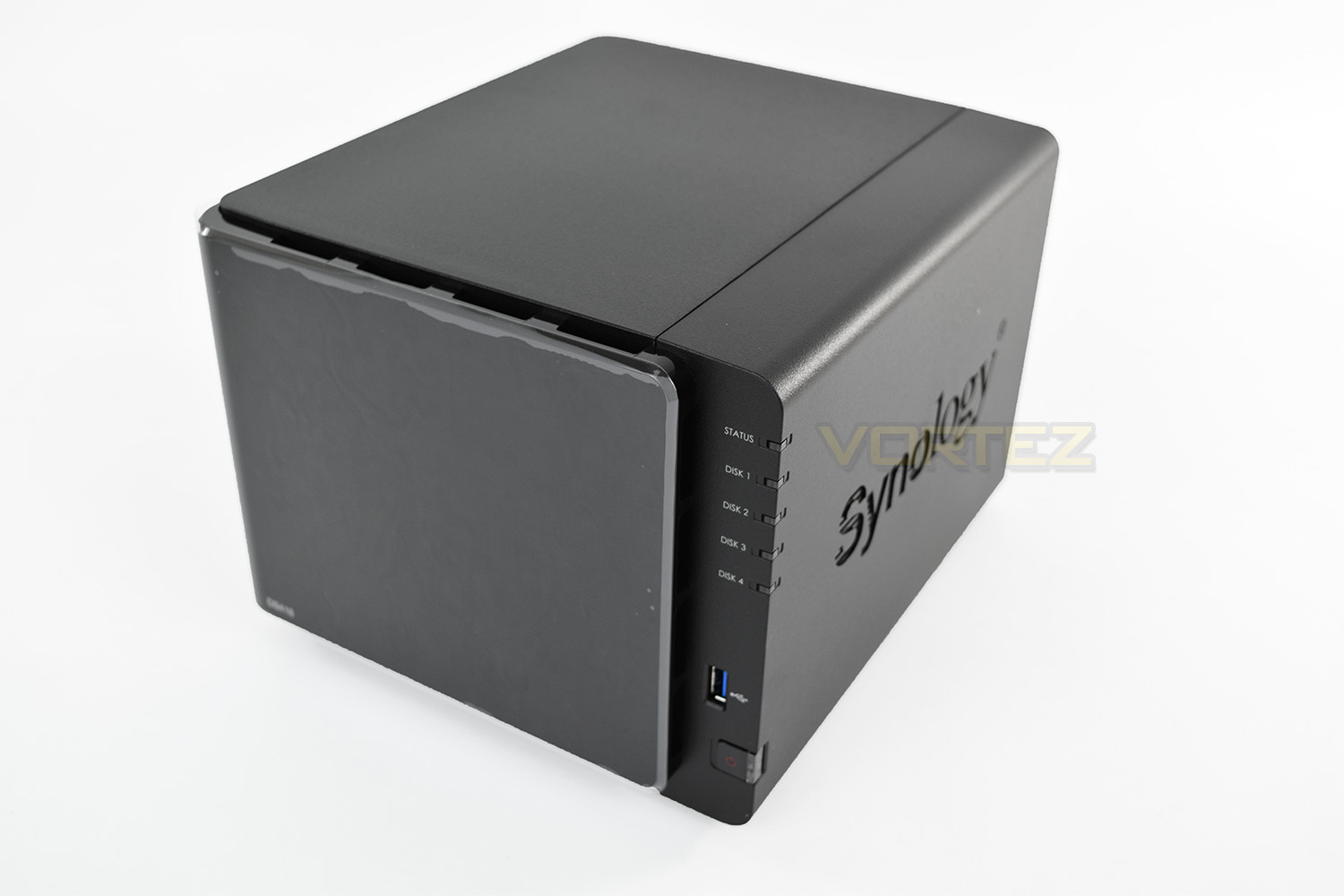
Synology on the DS416:
Technical Specifications
CPU
CPU Model Annapurna Labs Alpine AL-212
CPU Architecture 32-bit
CPU Frequency Dual Core 1.4 GHz
Hardware Encryption Engine
Memory
System Memory: 1 GB DDR3
Storage
Drive Bays 4
Compatible Drive Type* (See all supported drives)
3.5″ SATA HDD
2.5″ SATA HDD
2.5″ SATA SSD
Maximum Internal Raw Capacity 40 TB (10 TB drive x 4) (Capacity may vary by RAID types)
Maximum Single Volume Size 16 TB
Hot Swappable Drive
Notes
“Compatible drive type” indicates the drives that have been tested to be compatible with Synology products. This term does not indicate the maximum connection speed of each drive bay.
The maximum raw capacity is not limited by the maximum single volume size. Synology NAS models may utilize capacities over the maximum single volume size as long as each volume created is below the limit. (Learn more)
External Ports
RJ-45 1GbE LAN Port 2 (with Link Aggregation / Failover support)
USB 3.0 Port 3
File System
Internal Drives EXT4
External Drives
EXT4
EXT3
FAT
NTFS
HFS+*
exFAT*
Notes
HFS+ is read only, max 2TB volume size.
exFAT Access is purchased separately in Package Center.
Appearance
Size (Height x Width x Depth) 165 mm x 203 mm x 233.2 mm
Weight 2.04 kg
Others
System Fan 92 mm x 92 mm x 2 pcs
Fan Speed Mode
Cool Mode
Quiet Mode
Power Recovery
Noise Level* 20.2 dB(A)
Scheduled Power On/Off
Wake on LAN/WAN
Power Supply Unit / Adapter 90W
AC Input Power Voltage 100V to 240V AC
Power Frequency 50/60 Hz, Single Phase
Power Consumption* 31.96 W (Access)
10.14 W (HDD Hibernation)
British Thermal Unit 109.13 BTU/hr (Access)
34.62 BTU/hr (HDD Hibernation)
Environment Temperature
Operating Temperature 5°C to 40°C (40°F to 104°F)
Storage Temperature -20°C to 60°C (-5°F to 140°F)
Relative Humidity 5% to 95% RH
Certification
FCC Class B
CE Class B
BSMI Class B
Warranty 2 Years
Packaging & Bundle
The DS416 arrives in a cube shaped box with a carry handle on top. The box provides excellent protection; as you can see, the box took quite a whack in transit, however, the internals weren’t affected at all.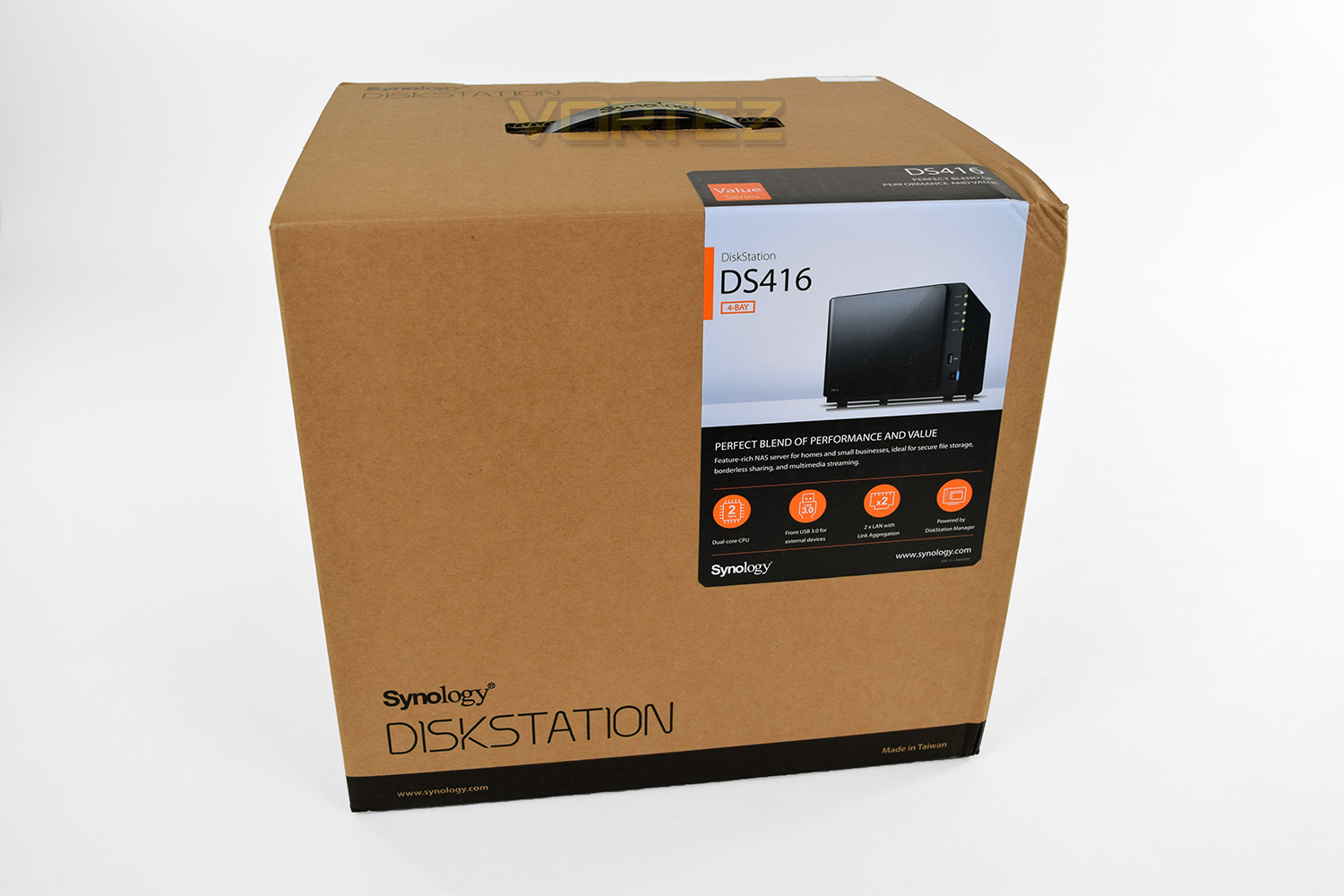
The rear of the box describes the front lighting system as well as the ports on the rear of the device.
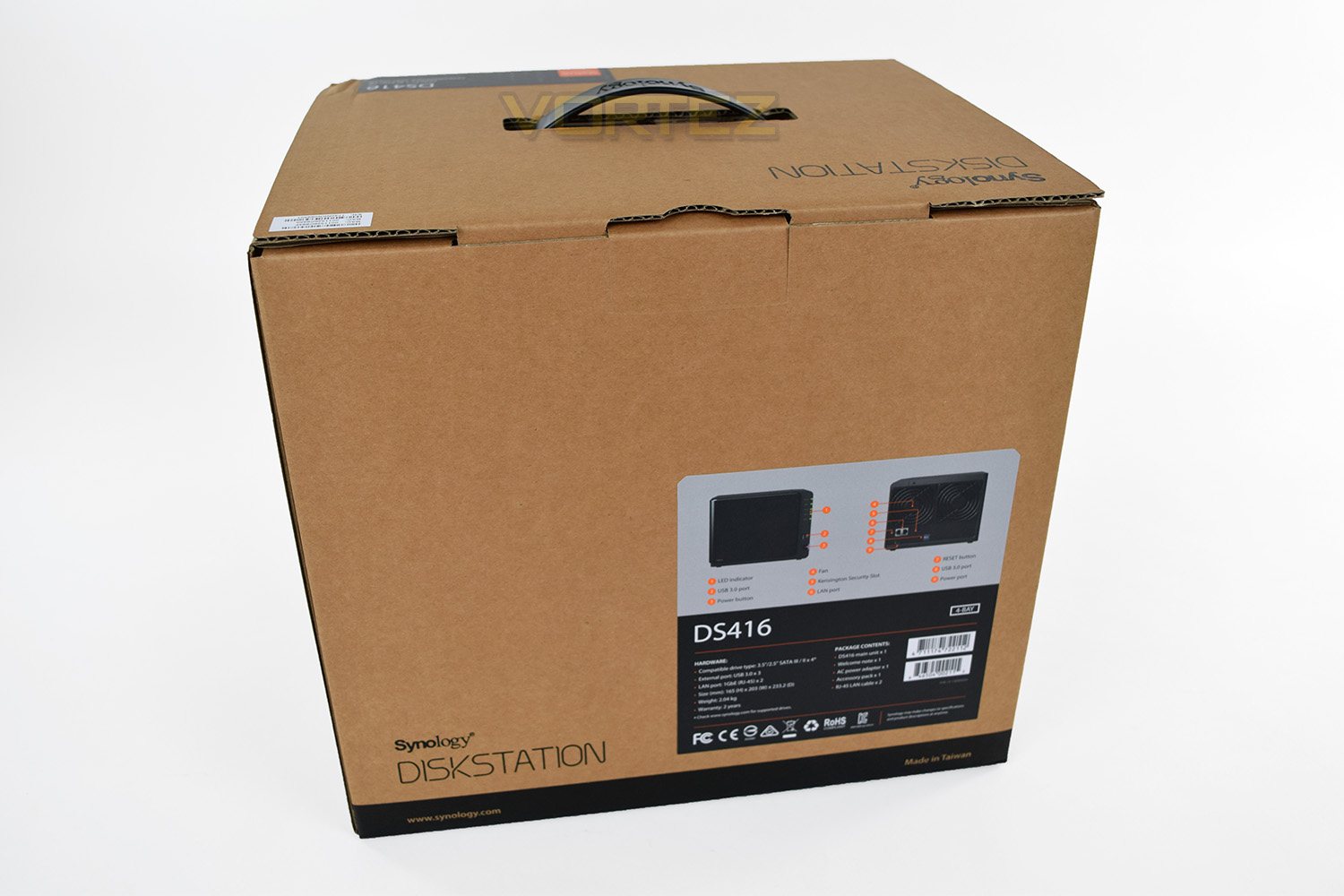
There’s also some bundled cables and other pieces with the DS416, these parts include:
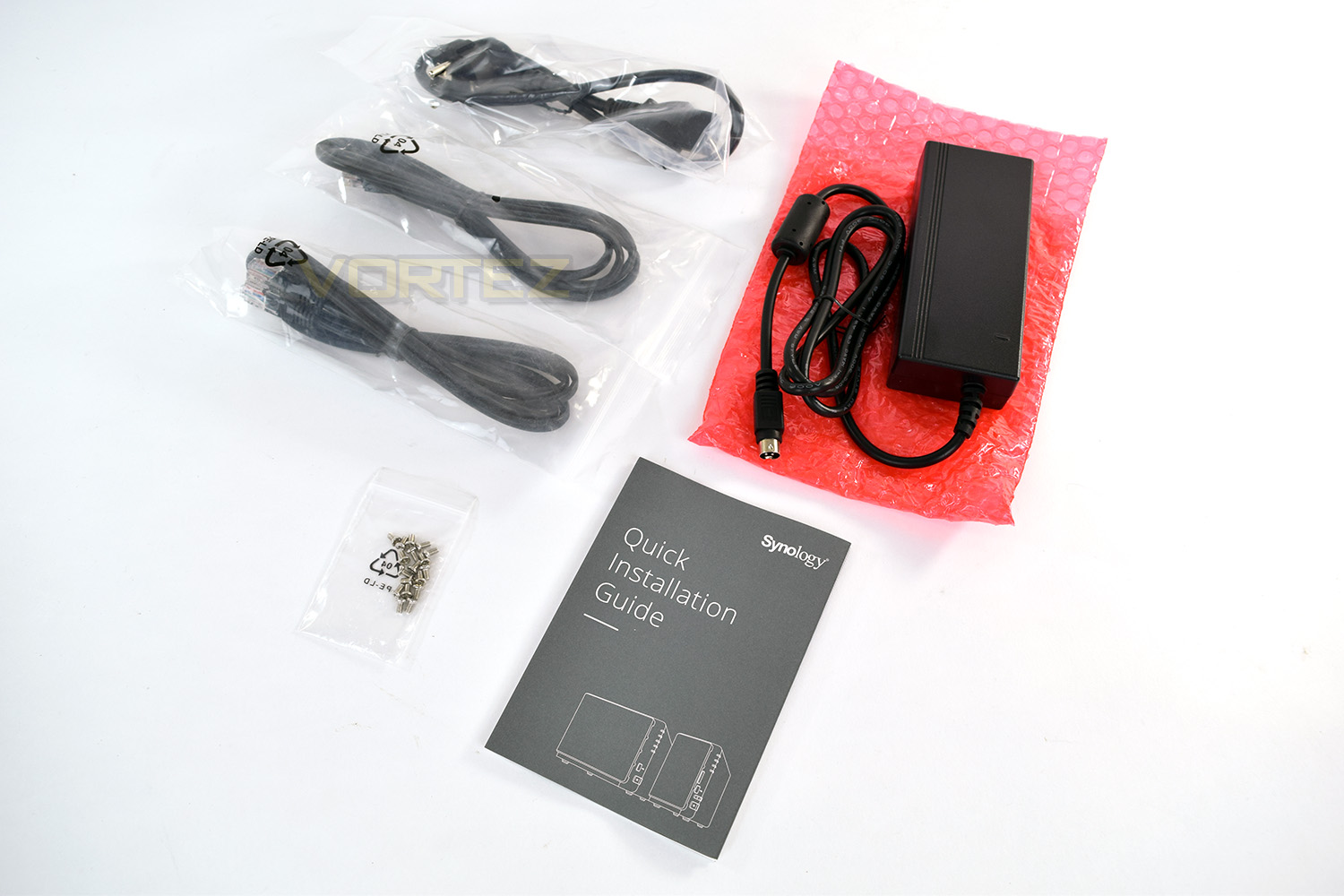
2x RJ-45 LAN cables
1x Quick Install Guide
18x screws (to install 2.5” drives)
1x “kettle lead” power connector
1x 90w power brick
Closer Look
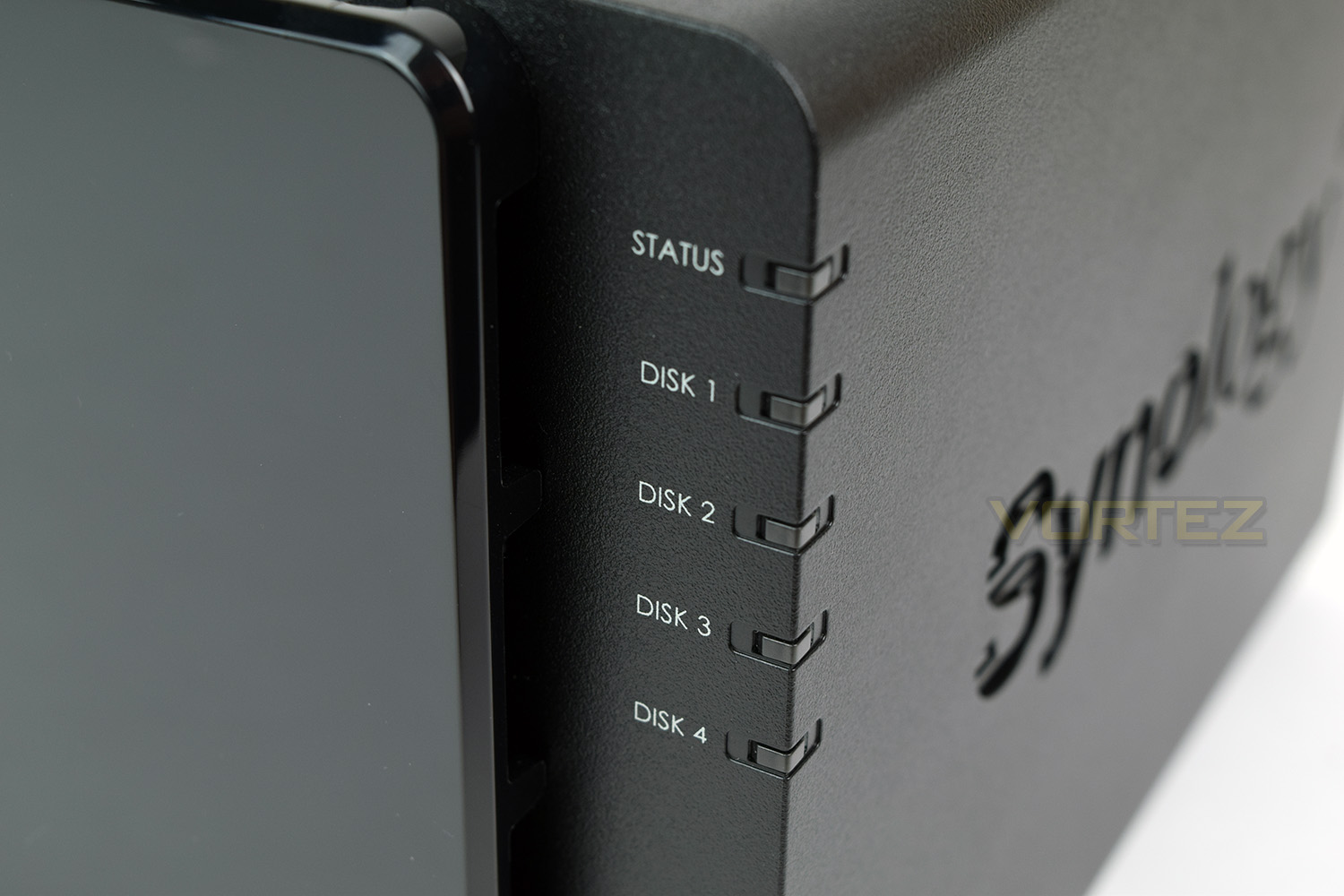
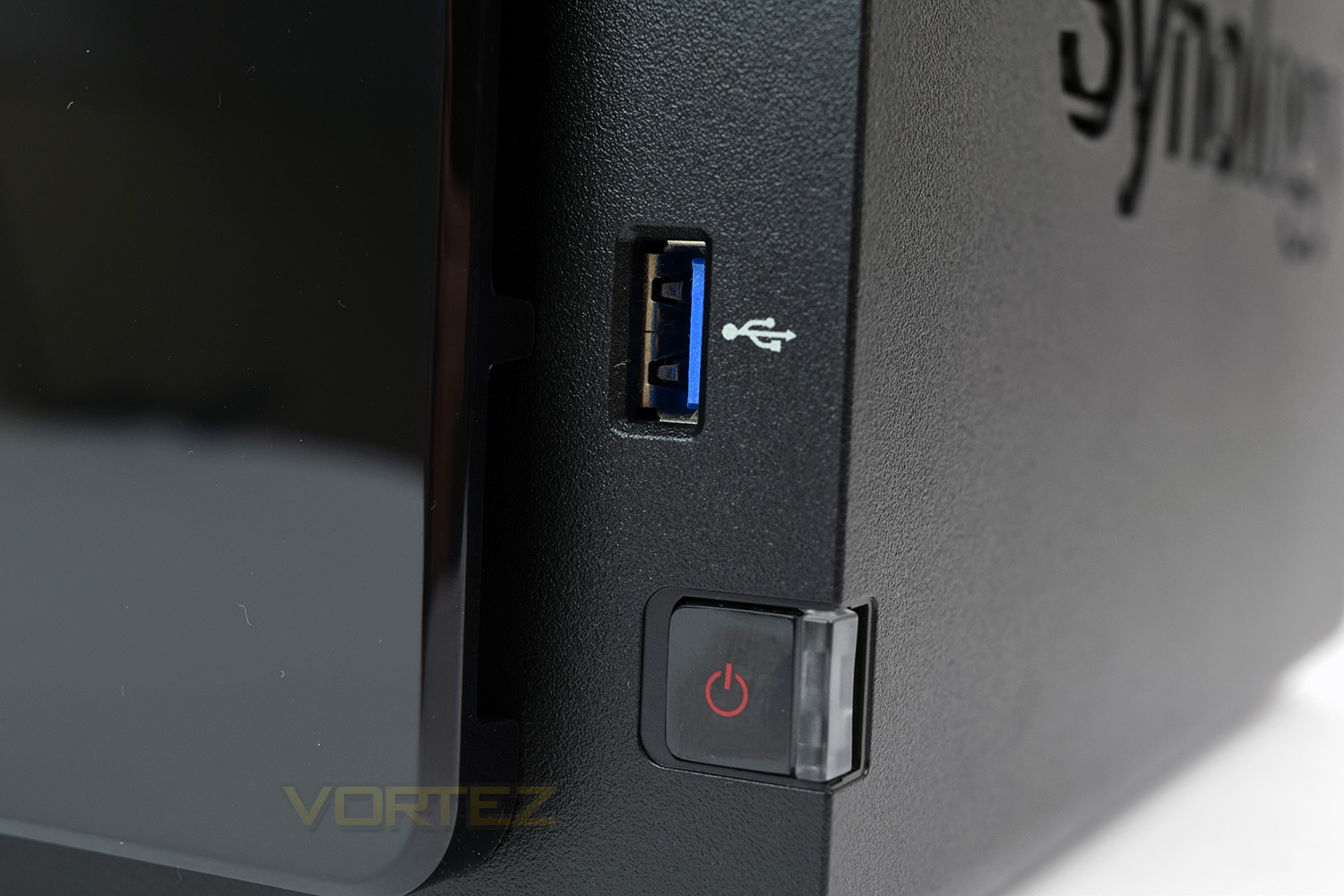
In typical Synology styling, everything is curvy and very appealing. The front of the DS416 is dominated with a large glossy panel which is covering the HDD bays. There’s also a small bank of LEDs to indicate the overall status of the NAS as well as each disk’s current status. Underneath those are a USB 3.0 port and the on/off switch. The on/off switch houses two blue LEDs.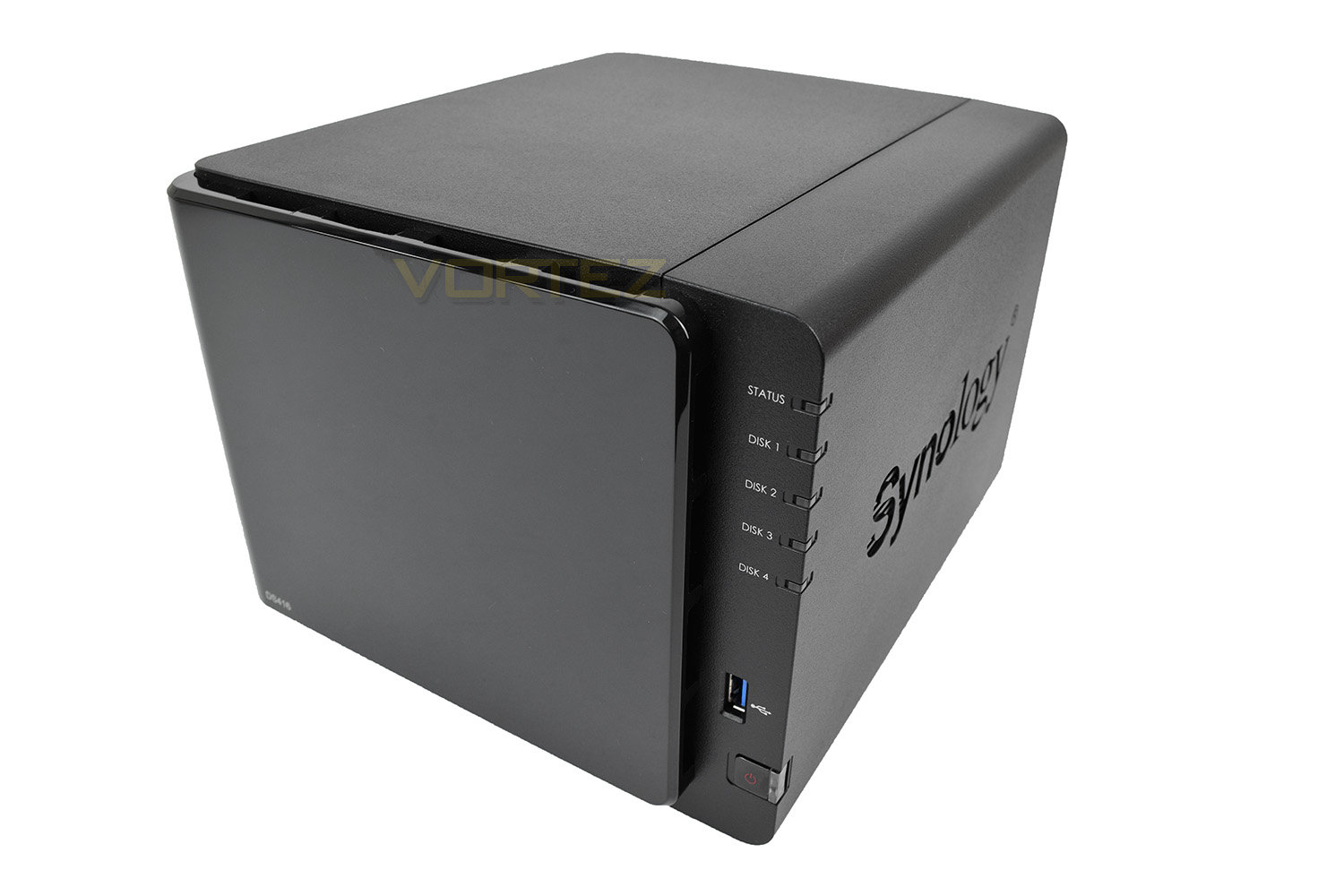
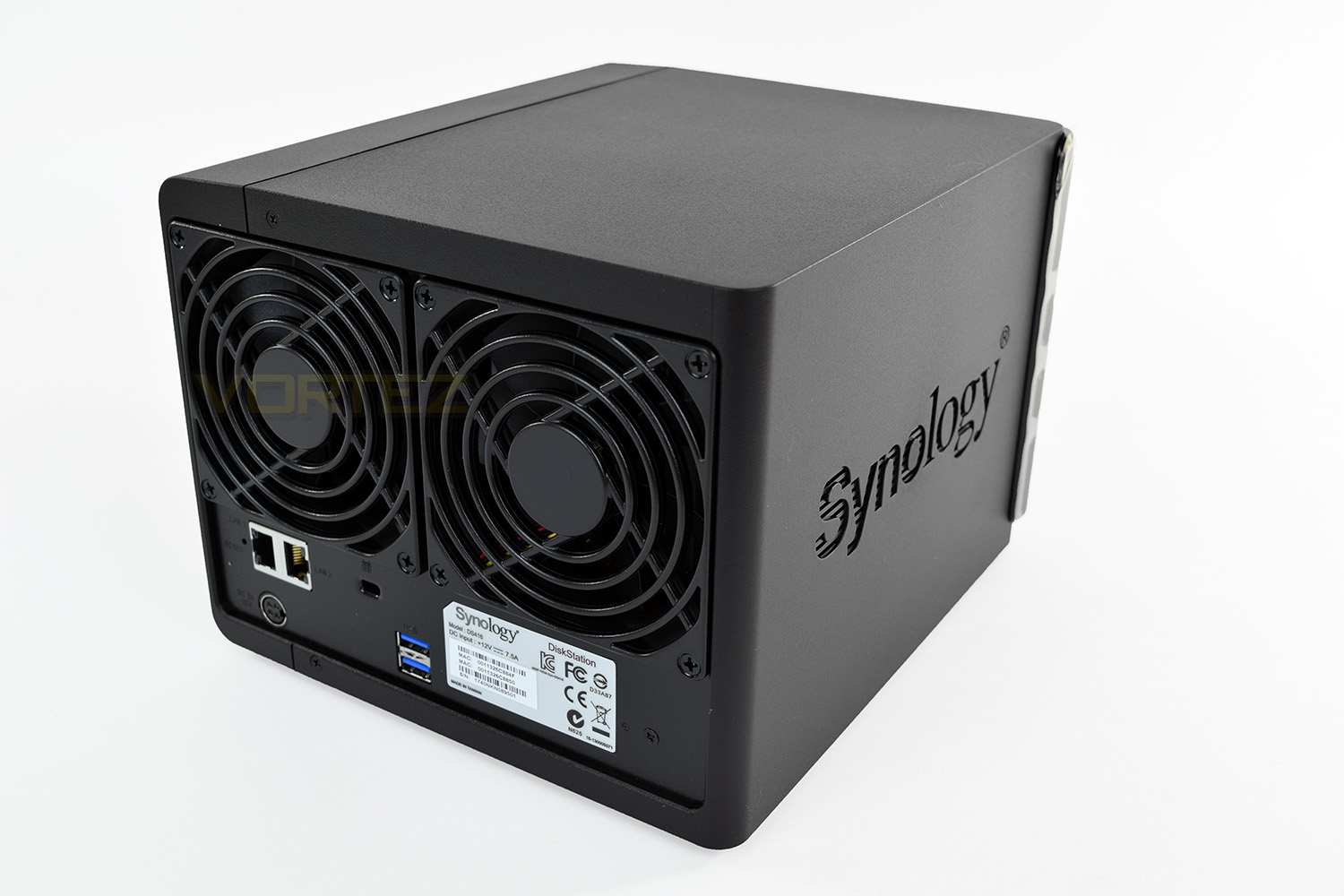
Around the back are two 90mm fans to keep the internal hardware cool, as well as the HDDs. There’s also two Ethernet ports, capable of 1Gbps each, a Kensington Lock, two USB 3.0 ports and the power connector.
HDD Installation
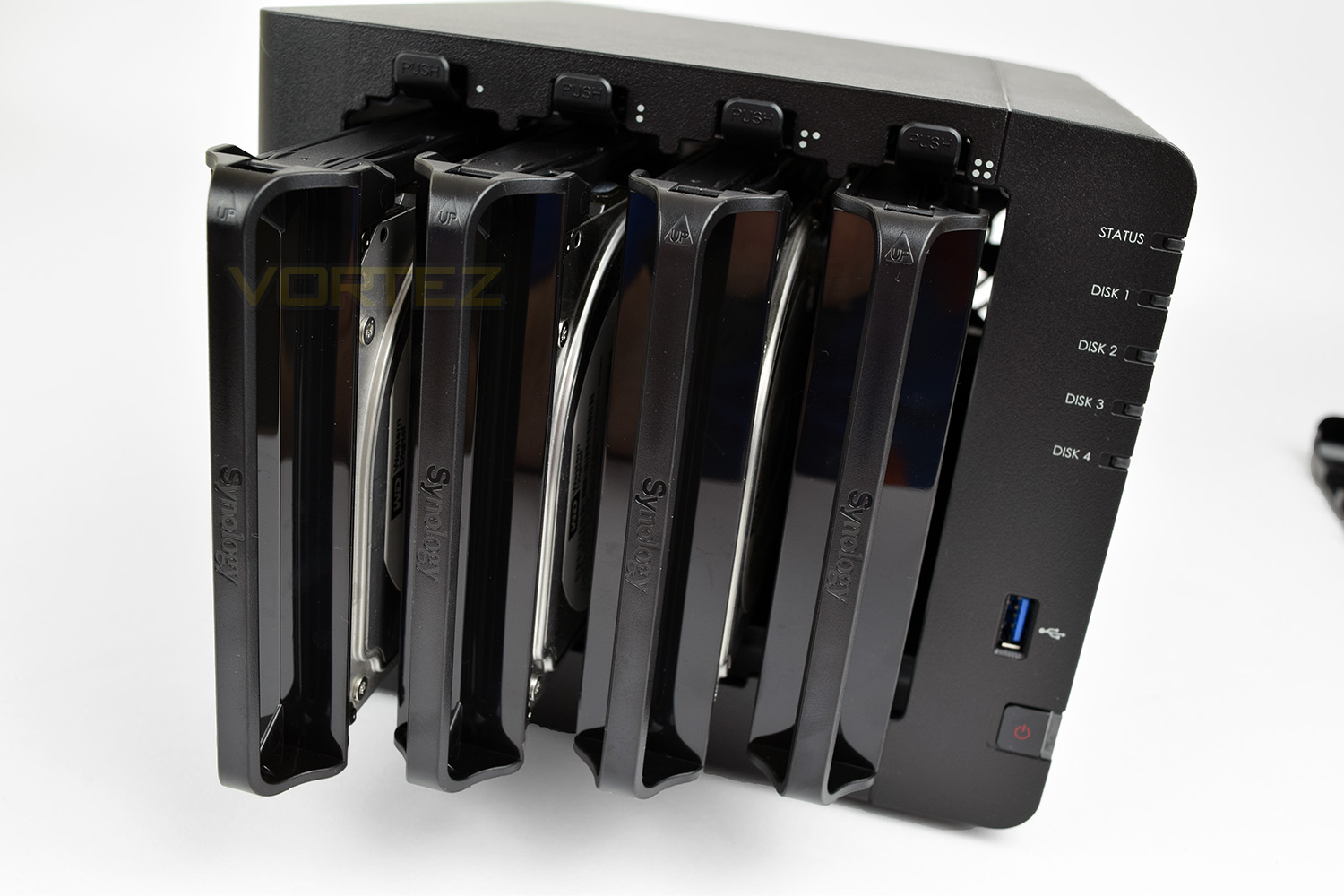
The HDD bays are hidden by a glossy façade, which can be removed with a gentle tug, there are 4 small rubber bungs holding it in place which will prevent any vibration from the HDDs or fans being transferred into this loose panel.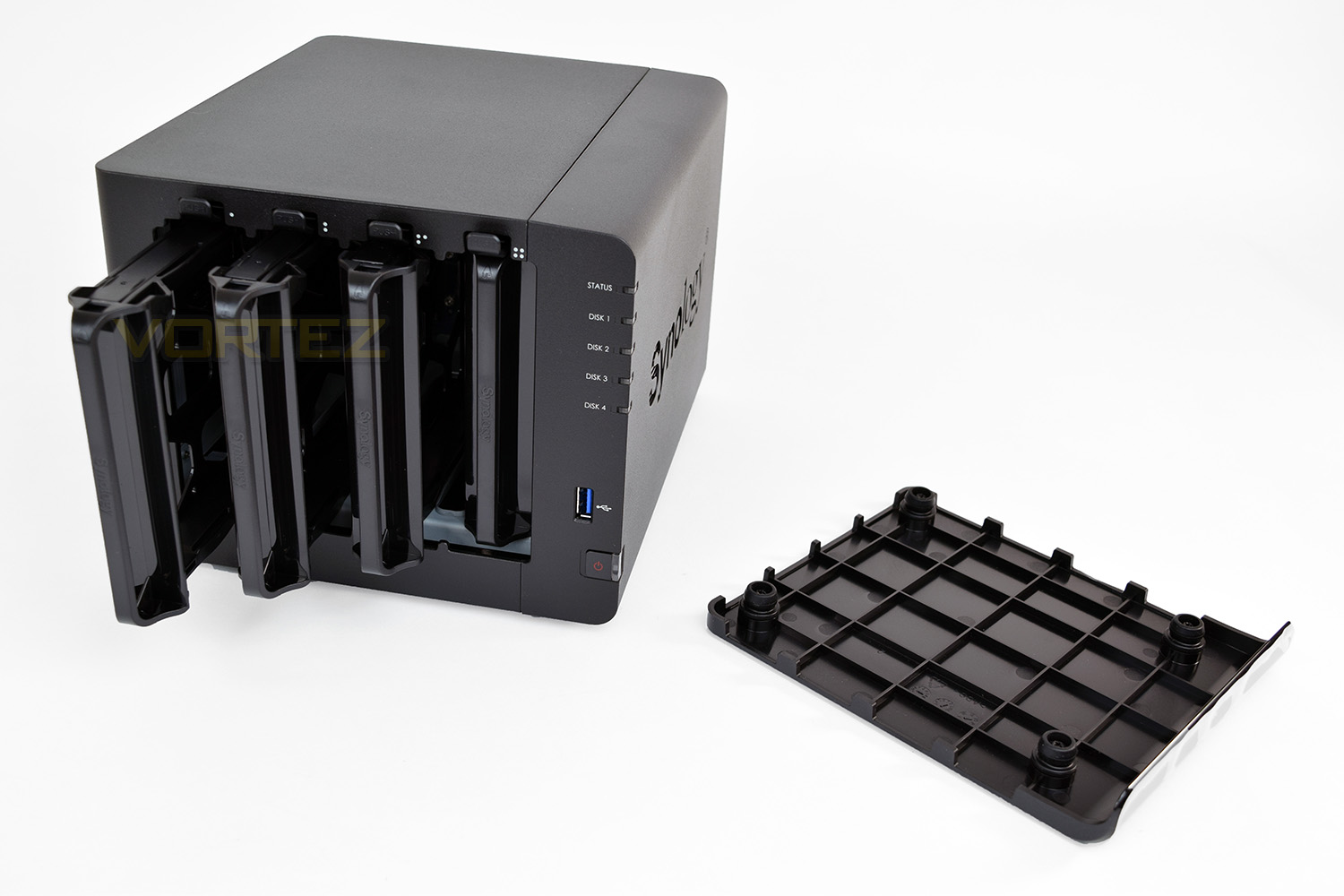
To remove the disk bays, you simply push a small latch at the top of each bay. Everything is clearly labelled and laid out as well as you’d expect.
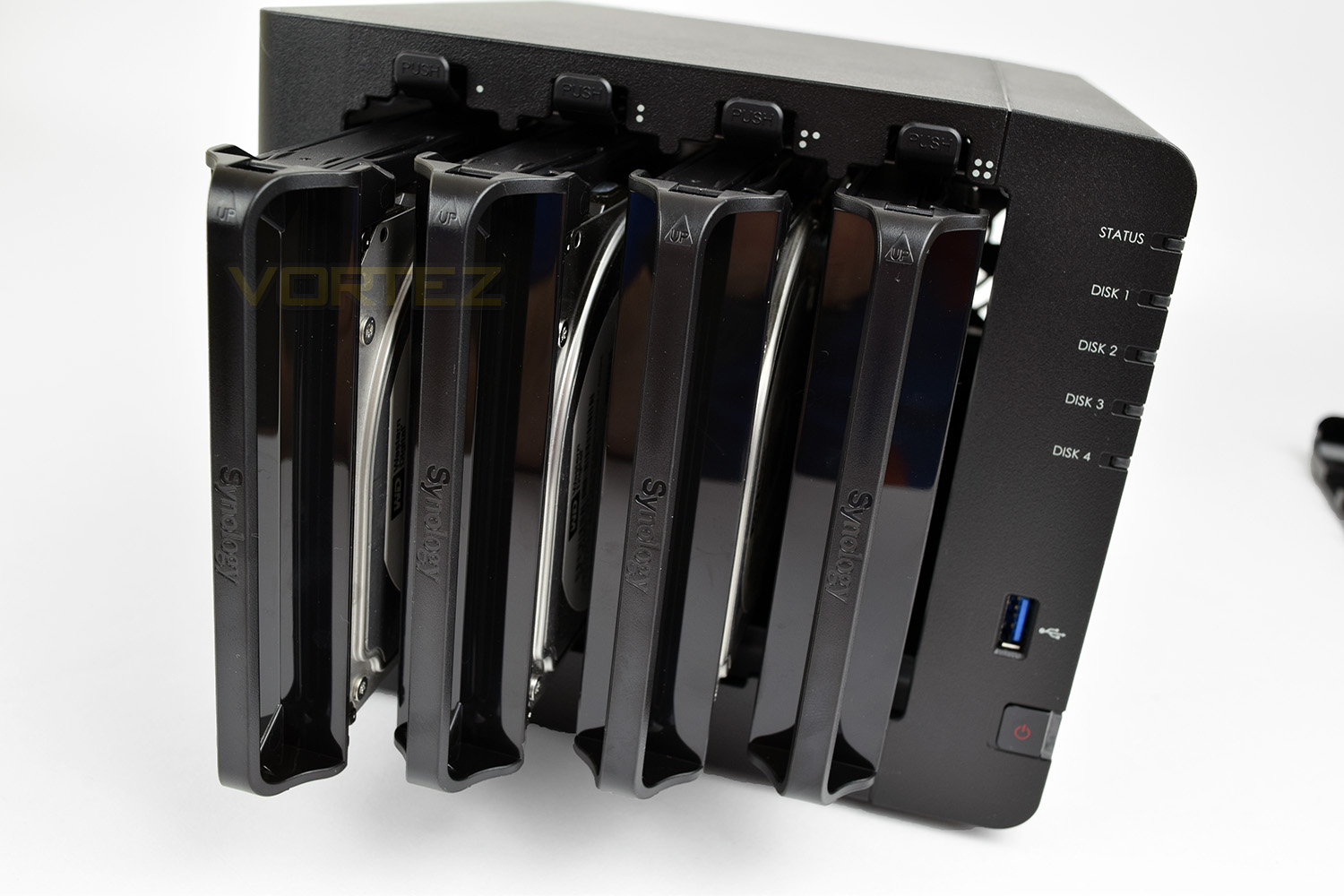
Installation of any standard 3.5” drive is as simple as removing the two clips from each side, lowering the drive into the bay, then reinserting the clips. 2.5” drives must be screwed in from the bottom. Anyone that’s used a Synology before will be familiar with this.
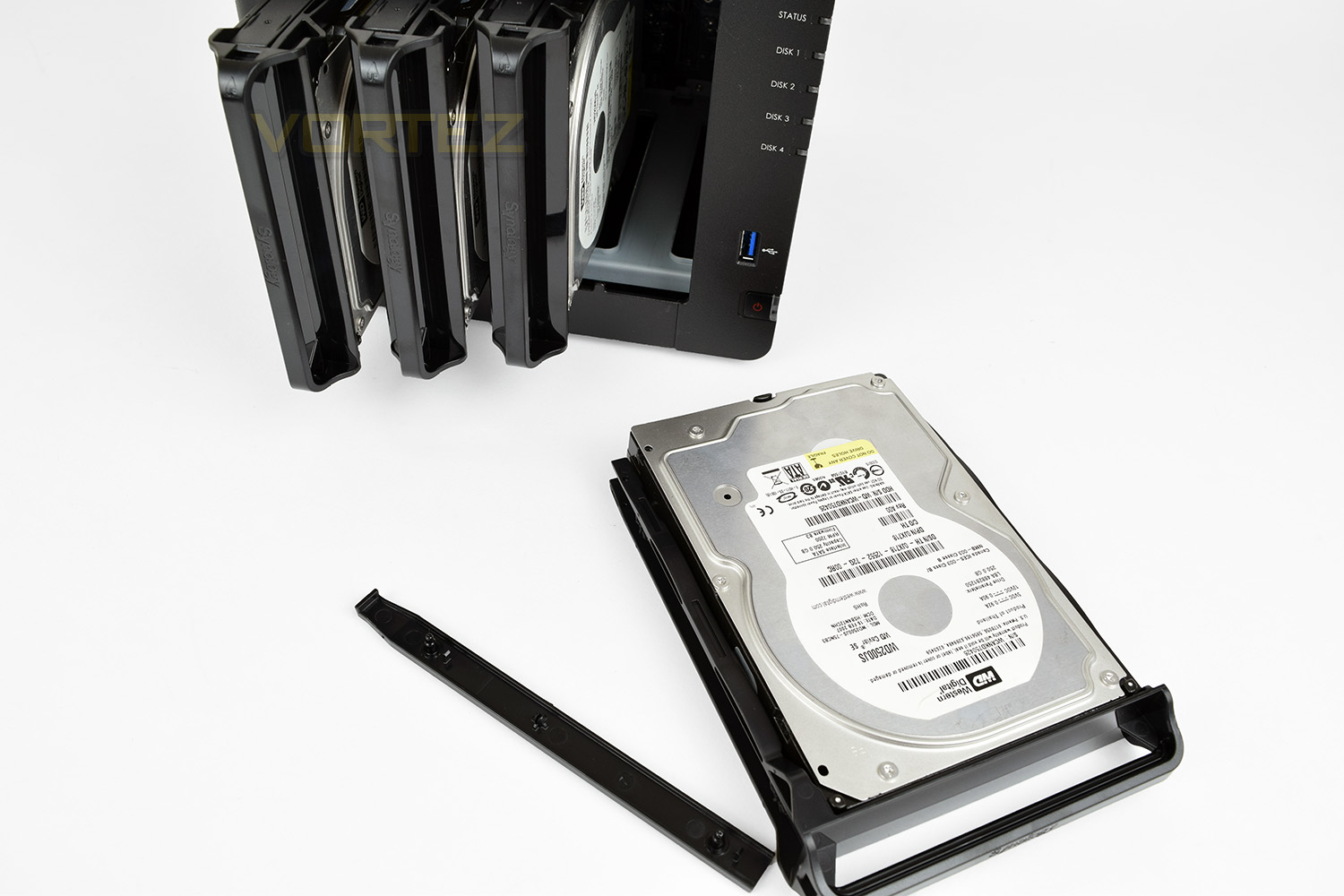
Drives are then inserted vertically into their respective bays, requiring a small push to clip into place. The process is repeated until all of your drives are in place, then the front is simply pushed into place, with the rubber bungs being “self-centring”.
Synology DSM 6.1
In our previous Synology review, we looked at DSM 6.0. This operating system was a big leap forward, with DSM 6.1 further improving upon that.
Some features you can expect to see from DeskStation Manager:
• Virtualization for flexible resource allocation
• Secure and intuitive email solution
• Private cloud collaboration suite
• Business-ready storage and backup
• Cloud and file syncing
• Anywhere access to multimedia files
• Strengthened security
We’re going to guide you through the main features of the Synology DS416 over the following pages.
To gain access to the NAS and begin using it, there are two methods which can be used – via the Synology Assistant or via Web Assistant. The Synology Assistant can be obtained from the Download Center. We used the Web Assistant method to install DSM – as you can see above, DSM can be fed to the NAS via a .pat file.
During the installation of DSM, networking settings are applied and configuration files are transferred. This process involves applying network protocols, formatting the drives and adding partitions ready to be used for storage. This process doesn’t take very long at all – it will, of course, depend on how large the drives are though.
Upon completion, administrator login credentials are requested and moments later you’re taken to the login page where you can enter the OS and configure your NAS.
Inside the GUI there are lots of features to look at and use. The interface is fluid, interactive and very extensive. Over on the subsequent pages, we’ll demonstrate Video Station and Photo Station.
Synology DSM 6.1 – Video Station
A popular feature, especially for home users as opposed to small businesses, is the Video Station functionality. This allow users to upload video content from their PC, laptop, tablet or phone to the Synology NAS and view that content at any time, whether they’re on the local network or utilising a mobile network anywhere in the world.Synology offers a whole suite of applications for the Google Android and Apple iOS operating systems, all of which are free downloads from the respective application marketplaces.
Below is a demonstration of DS Video on the iPhone through a local network over WiFi, the video shows the seamless and intuitive nature of the application. (Video Station must be installed through the DSM OS on the NAS)
To get the most out of this demo, please view at 1080p and using fullscreen mode:
Synology DSM 6.1 – Photo Station
Following on from the previous page, the Photo Station functionality of the Synology DSM 6.1 is another popular application which will be used by many users. The Photo Station allows you to safely store all of your cherished photos within the NAS which can be accessed from anywhere in the world through your username and password.Photo Station is installed through the “Package Center” on your Synology NAS, with the DS Photo app accessible from the application marketplace on your mobile device.
Below, we’ve filmed a demonstration of the Photo Station running on an iPhone, you can see how easy and fluid the program is to use.
To get the most out of this demo, please view at 1080p and using fullscreen mode:
NAS Performance
We’ve looked at some of the features within DSM 6.1 but what about transfer rates over a Gigabit network?Test System:
Motherboard: MSI Z270 Gaming M7
Graphics: EVGA GTX 1070 SC
Memory: 16GB CORSAIR Vengeance LPX 3200MHz DDR4
SAMSUNG SM961 256GB NVMe
PSU: Enermax Modu82+
OS: Microsoft Windows 10 Pro 64-Bit
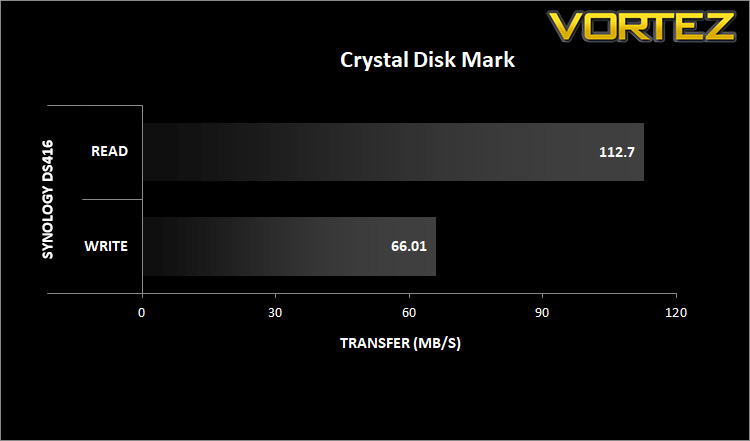
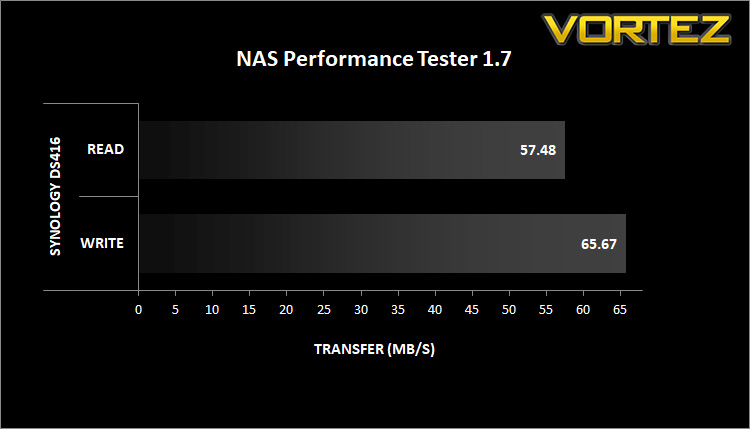
To test the performance of the NAS drive over the Gigabit network we first mount the NAS as a local drive within Windows, to allow applications direct access to the drives.
Crystal Disk Mark:
NAS Performance Tester 1.7:
Conclusion
It’s clear to see why Synology have become a household name within the NAS market, their hardware is solid and looks excellent, but the main focus comes down on their DSM operating system, which as far as we’re concerned, is near-flawless.
A huge array of applications can be sourced from the marketplace within DSM 6.1, all of which are downloaded and installed incredibly easily. The relevant applications on the Google Android and Apple iOS operating systems are both solid, easy to set up and look fantastic. The overall experience from the Operating System leaves very little to wish for.
The DS416 can house up to four 2.5” or 3.5” drives, up to a maximum of 40TB, with single or dual-disk redundancy; this represents a huge data storage capacity for the average home user or small business. Dual-disk redundancy makes it almost impossible to lose any data, even under the most unlikely of circumstances, providing absolute peace of mind to the end user.
Looking back at our previous Synology review, almost 18 months ago, the hardware specification is yet to make any kind of step forwards. This may be a cost saving tool, or going with the “if it isn’t broken, don’t fix it” philosophy, but either way, users like to know their new NAS is as fast as it can be. It would be nice to see Synology improve their hardware in any subsequent iterations.
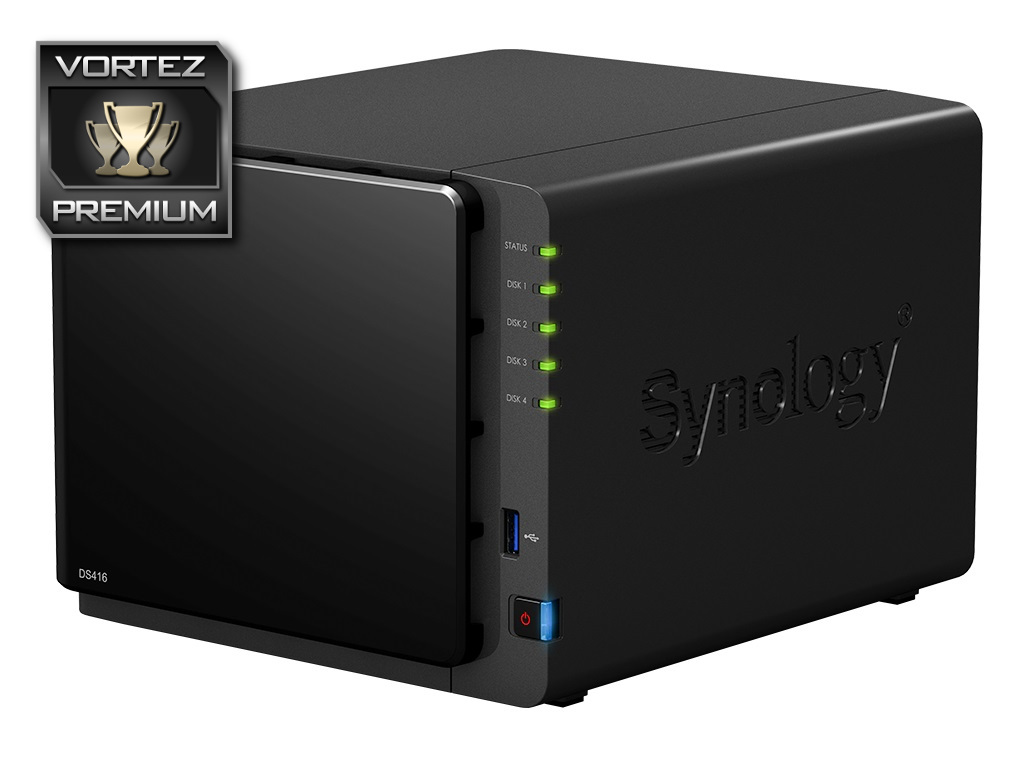
The DS416 is a solid piece of hardware, but the DSM Operating System really comes into its own within this sector, providing a vast range of applications that can be installed and configured easily.
+ Looks great
+ Incredibly easy to install HDDs
+ Excellent build quality
+ Single and Dual disk redundancy
+ Up to 40TB of storage
+ Huge application marketplace within DSM 6.1
+ 2.5” and 3.5” drive support
+ Quiet even under load
Cons
– Similar hardware to previous years
Click here for an explanation of our awards at Vortez.net.
Stay connected with Vortez social media pages: