SSDs are almost considered a necessity in today’s systems for faster boot times and shorter loading screens, but with the current RGB craze, Team Group decided to hit their Delta SSD with the RGB treatment.

Product on Review: Team Group Delta RGB SSD
Manufacturer: Team Group
Street Price: 250GB: £65 / $86 – 500GB: £99 / $132 – 1TB: £195 / $259
Team Group are still a relatively new addition to the Flash and Memory markets, but they’re making massive inroads into the UK and EU markets, often being featured in high-end machines from several manufacturers and PC suppliers.
Today we look at an RGB SSD, boasting a massive 5:3 luminous area which Team Group claim to be the largest on the market right now. The SSD is available in two different models, though the differences are small and purely cosmetic. The Magnificent version features different LED zones while the Simple version is illuminated with a single colour; the version you choose will depend on the RGB connection from your motherboard.
Durability is catered for via wear-levelling technology as well as support for TRIM while reliability is sorted via Error Correction Code (ECC) and NCQ technologies.
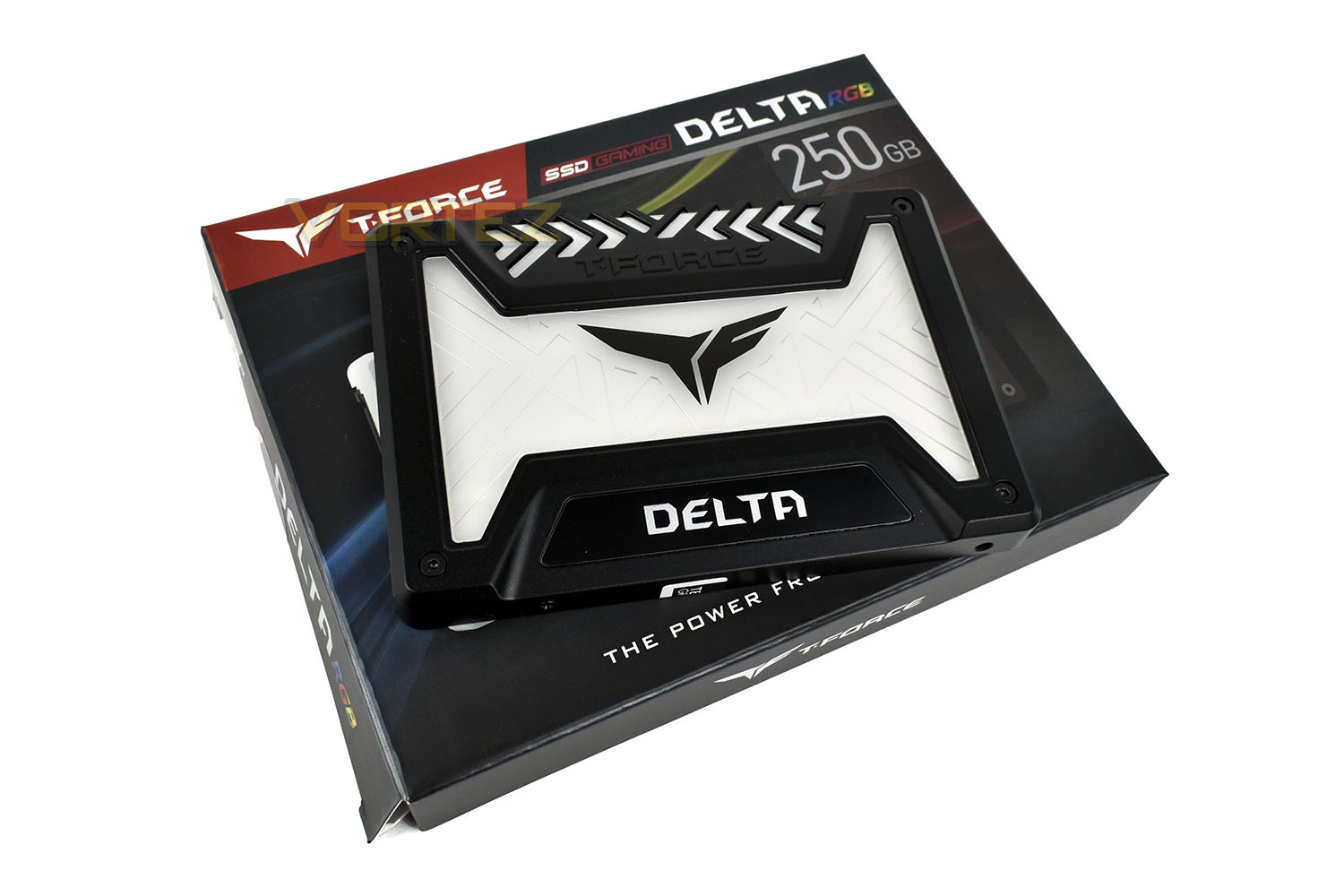
The Delta RGB SSD conforms to the 2.5” x 9.5mm standard which will fit into most laptops and PC systems and is available in 250GB, 500GB and 1TB storage capacities.
Of course, the RGB zone certainly sets this apart from other 2.5” SSDs on the market, but performance is still key, how does it perform against the likes of the big guns? Let’s find out.
Team Group on the Delta RGB SSD:
The sky is the limit for TEAMGROUP’s T-FORCE gaming product series. After releasing the award-winning T-FORCE RGB luminous memory module, today TEAMGROUP launches the new generation of 2.5” RGB solid state drive – DELTA RGB SSD is breathing colourful new life into the solid-state drive. It is the first internal SSD that has the largest RGB luminous area on the market. The ratio of non-luminous area to luminous area is 5:3 which makes your computer and storage device more colourful and brighter than ever. The 16.8 million colour LED is making the boring SSD full of changes, and the light colour effect can also synchronize with the motherboard, making player’s computer more colourful. Two industry exclusive versions are released at once: DELTA S(Simple version) and DELTA(Magnificent version). Moreover, there are black and white two colours available for consumers to choose from, meeting different usage requirements and lighting up consumers’ storage devices.
Technical Specifications
Model: DELTA RGB SSD
Interface
DATA: SATA Rev. 3.0 (6Gb/s) – with backwards compatibility to SATA Rev. 2.0
RGB Signal: USB Micro B type
Capacity: 250GB / 500GB / 1TB
Voltage: DC 5V
Operation Temperature: 0°C ~ 70°C
Performance:
ATTO / Crystal Disk Mark:
250GB Read: 560MB/s ; Write: 500MB/s
500GB Read: 560MB/s ; Write: 500MB/s
1TB Read: 560MB/s ; Write: 510MB/s
IOPS:
250GB 4K Random Read/Write: 90K/80K IOPS max
500GB 4K Random Read/Write: 90K/80K IOPS max
1TB 4K Random Read/Write: 90K/85K IOPS max
Dimensions: 100(L) x 69.9(W) x 9.5(H)mm
Humidity: 0°C ~ 55°C / 5% ~ 95% RH,non-condensing
Vibration: 20G (non-operating)
Shock: 1500G
MTBF: 1,000,000 hours
Warranty: 3-year limited warranty
Interface
DATA: SATA Rev. 3.0 (6Gb/s) – with backwards compatibility to SATA Rev. 2.0
RGB Signal: USB Micro B type
Capacity: 250GB / 500GB / 1TB
Voltage: DC 5V
Operation Temperature: 0°C ~ 70°C
Performance:
ATTO / Crystal Disk Mark:
250GB Read: 560MB/s ; Write: 500MB/s
500GB Read: 560MB/s ; Write: 500MB/s
1TB Read: 560MB/s ; Write: 510MB/s
IOPS:
250GB 4K Random Read/Write: 90K/80K IOPS max
500GB 4K Random Read/Write: 90K/80K IOPS max
1TB 4K Random Read/Write: 90K/85K IOPS max
Dimensions: 100(L) x 69.9(W) x 9.5(H)mm
Humidity: 0°C ~ 55°C / 5% ~ 95% RH,non-condensing
Vibration: 20G (non-operating)
Shock: 1500G
MTBF: 1,000,000 hours
Warranty: 3-year limited warranty
Packaging & Bundle
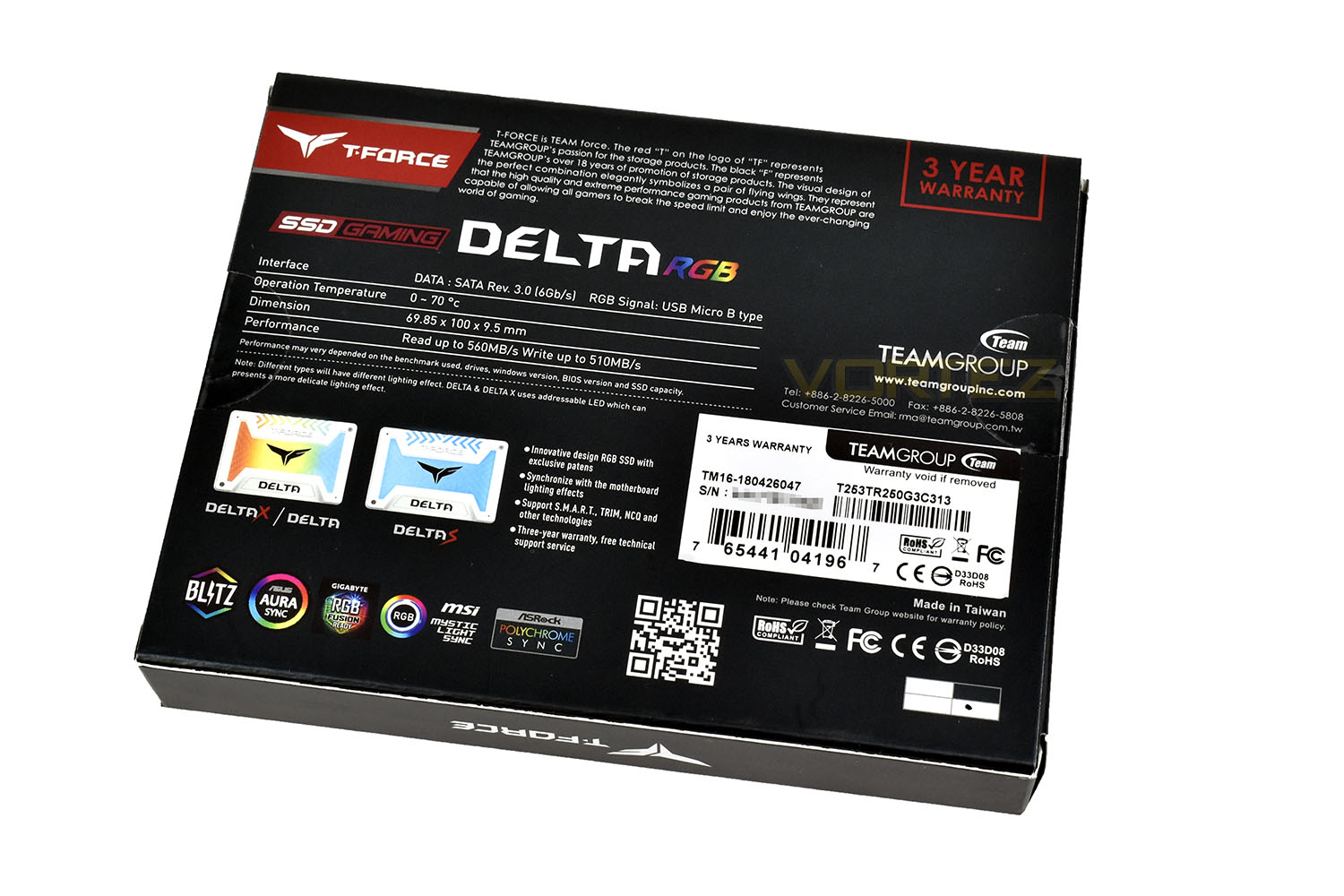
The packaging for the SSD is colourful and descriptive, showing both the black and white versions of the drive on the front and the capacity included.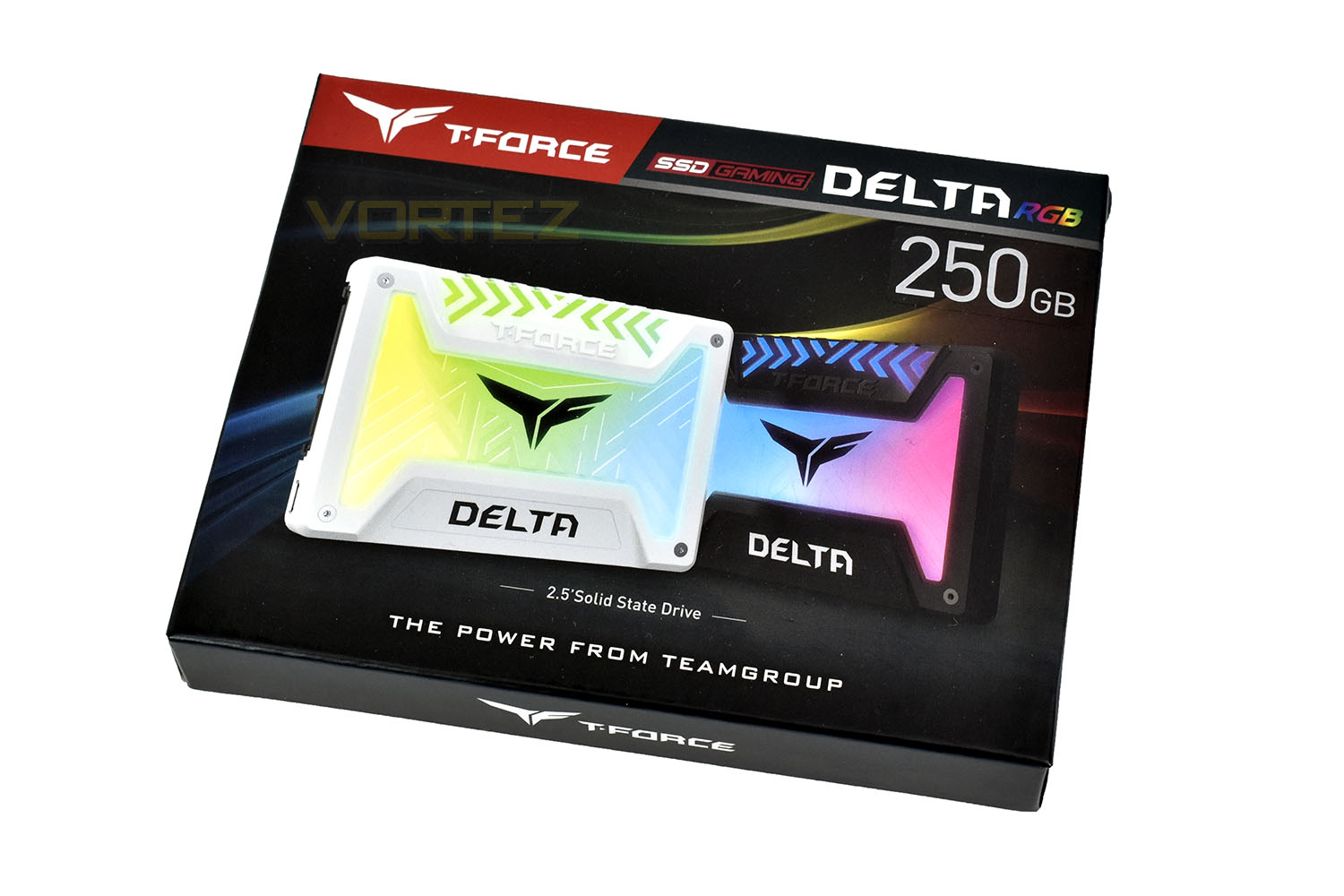
The rear gives much more information, including exact dimensions, read and write expectations and a list of supported RGB Lighting Ecosystems from the likes of Team Group, ASUS, GIGABYTE, MSI and ASRock.
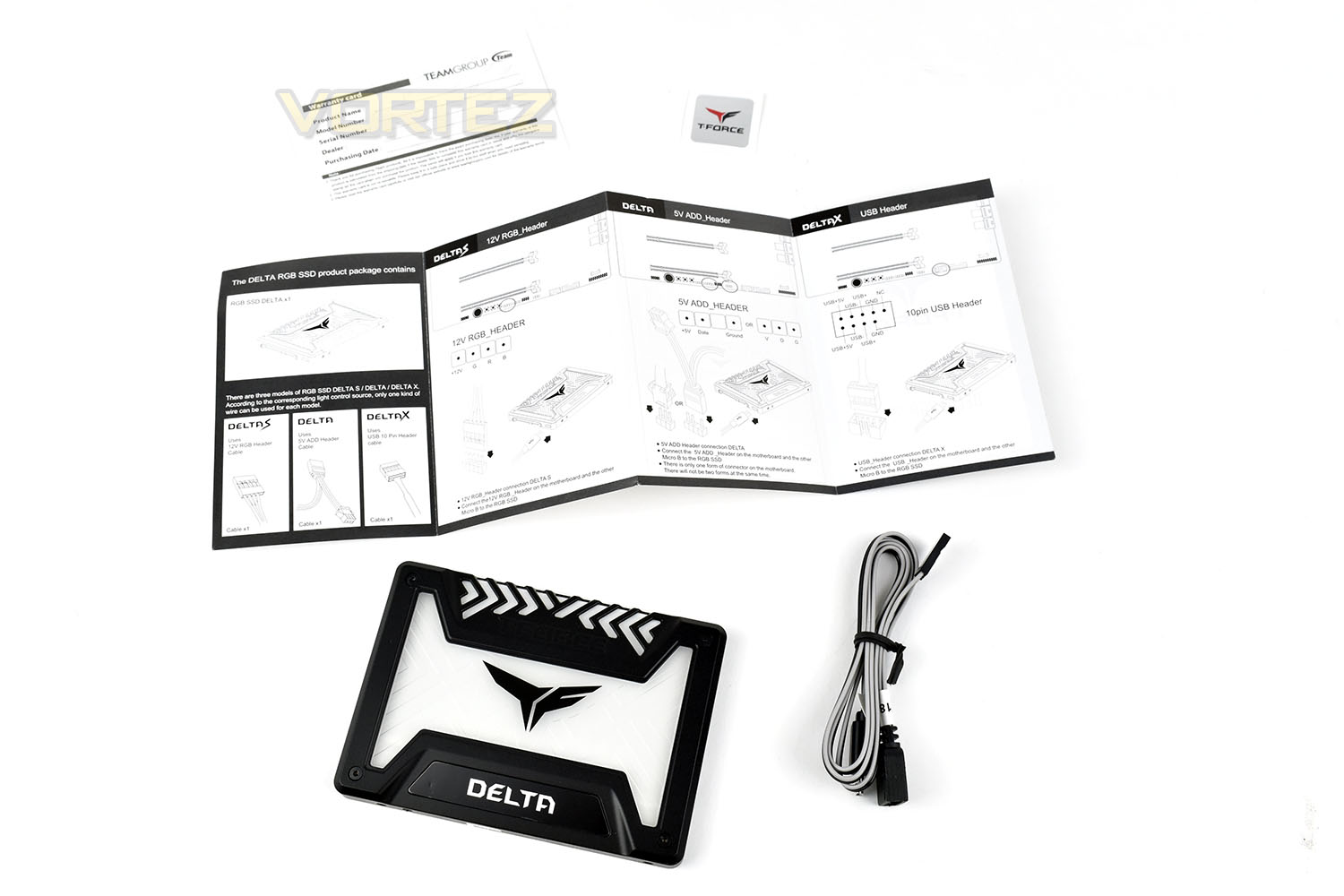
Bundled with the SSD is a small instruction manual on how to set up the RGB lighting, a Warranty card, a 5v RGB cable and a T-Force sticker.
Closer Look
The top side of the SSD is much more interesting than almost any other drive on the market, with a massive illuminated zone taking up five eights of the surface (5:3 ratio).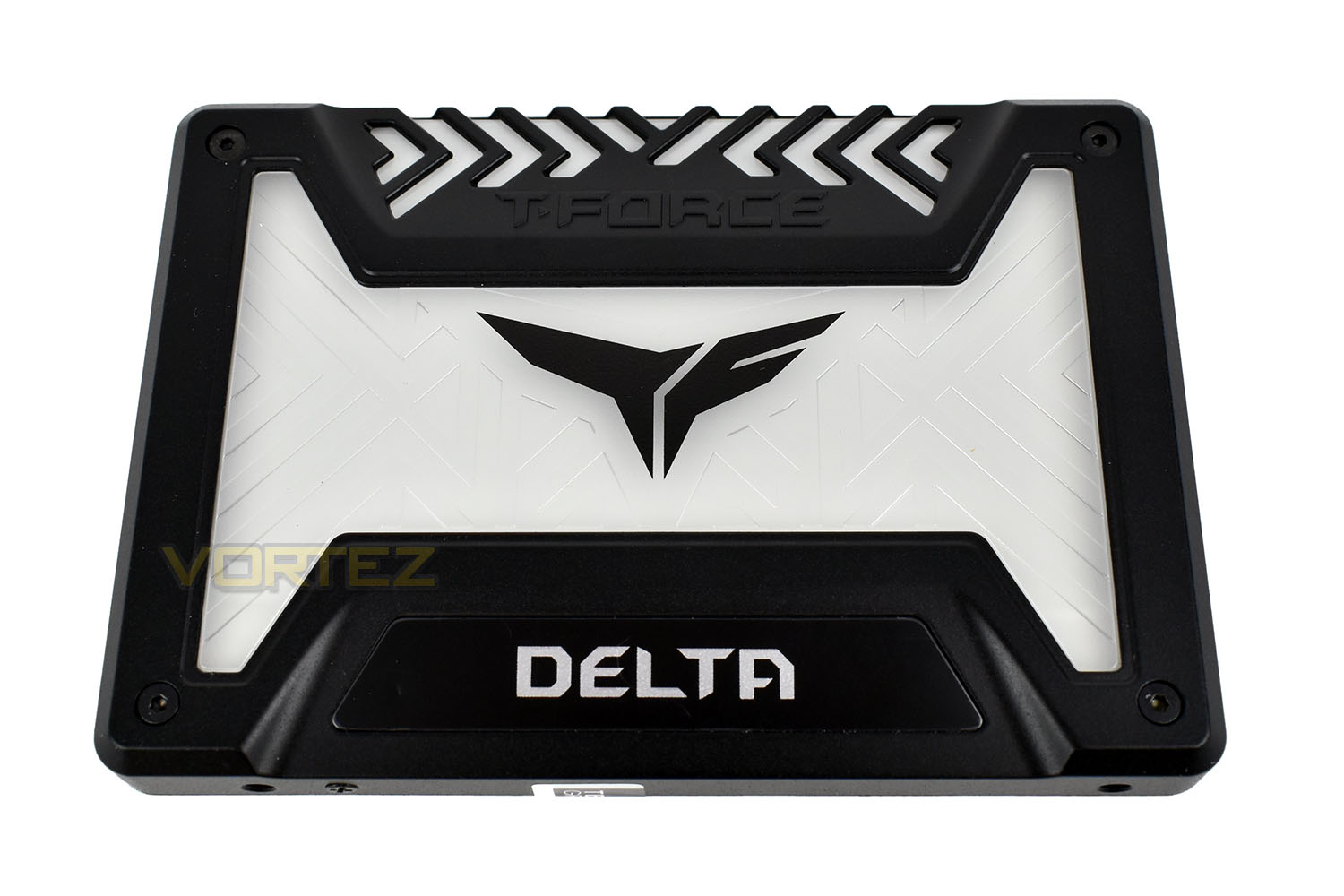
The reverse side is nothing fancy, just a small sticker with serial numbers and the typical four screw mounting points.
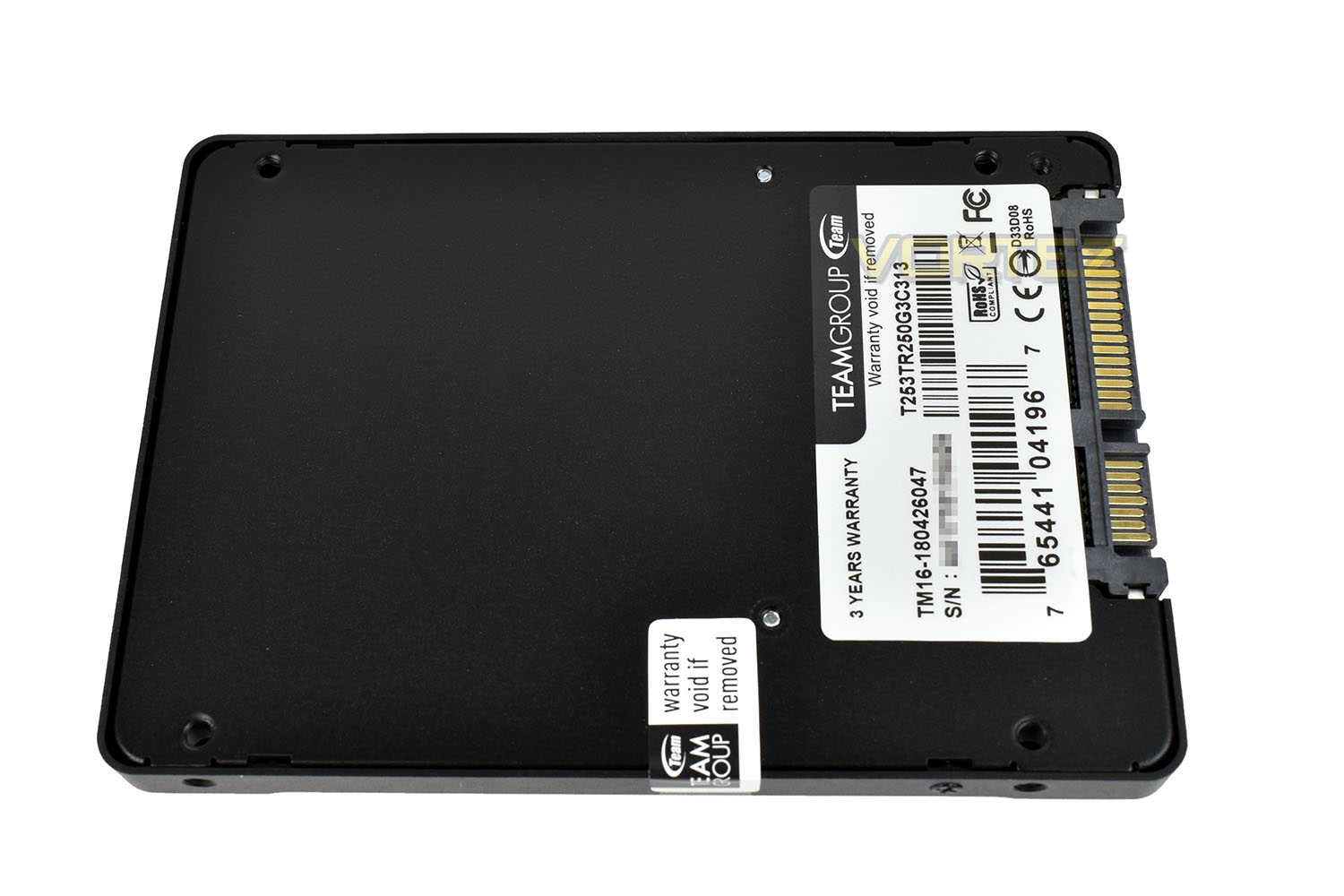
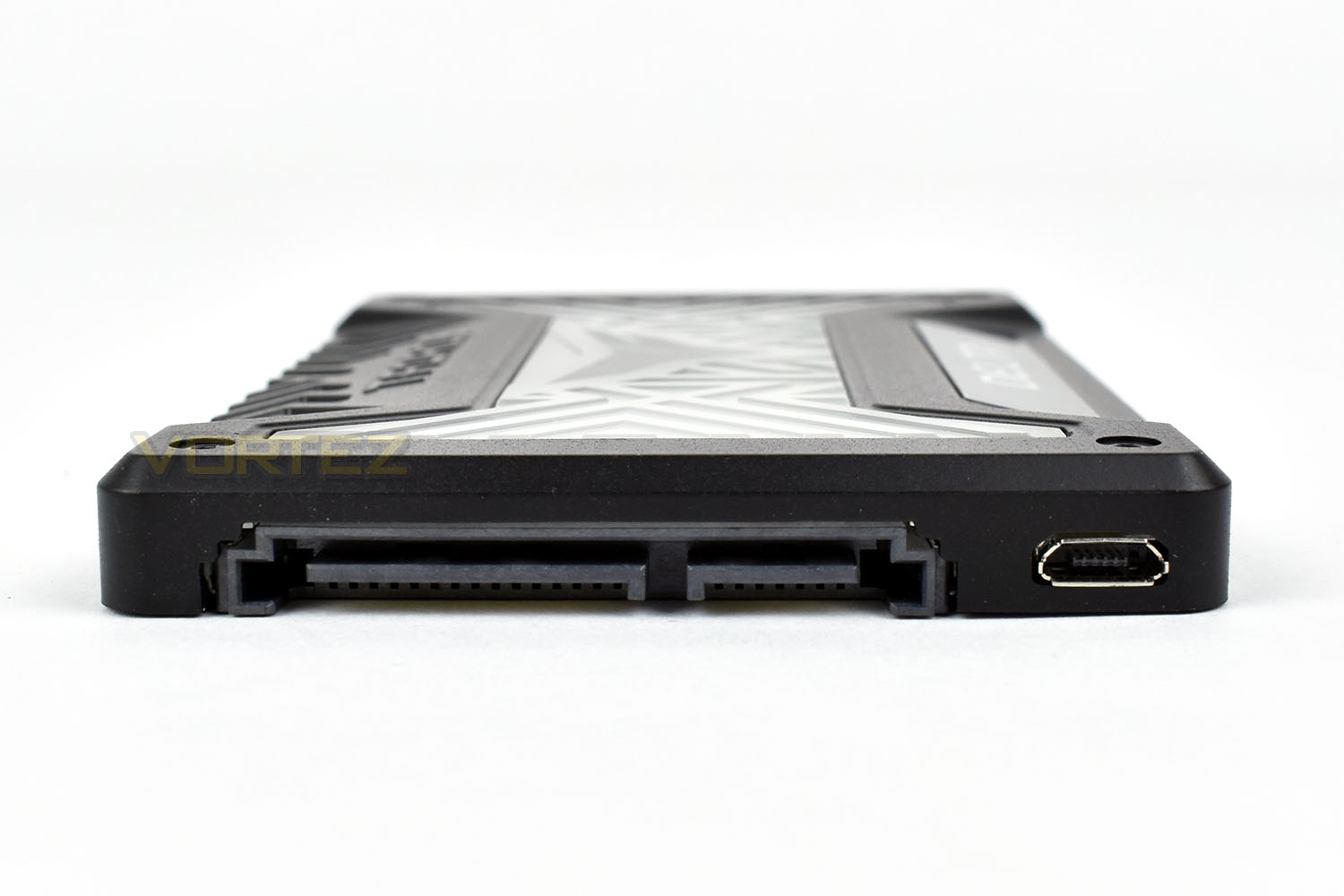
The end of the Delta RGB is perfectly normal in terms of the SATA connectivity but with the addition of a Micro-USB slot to the side.
RGB Lighting
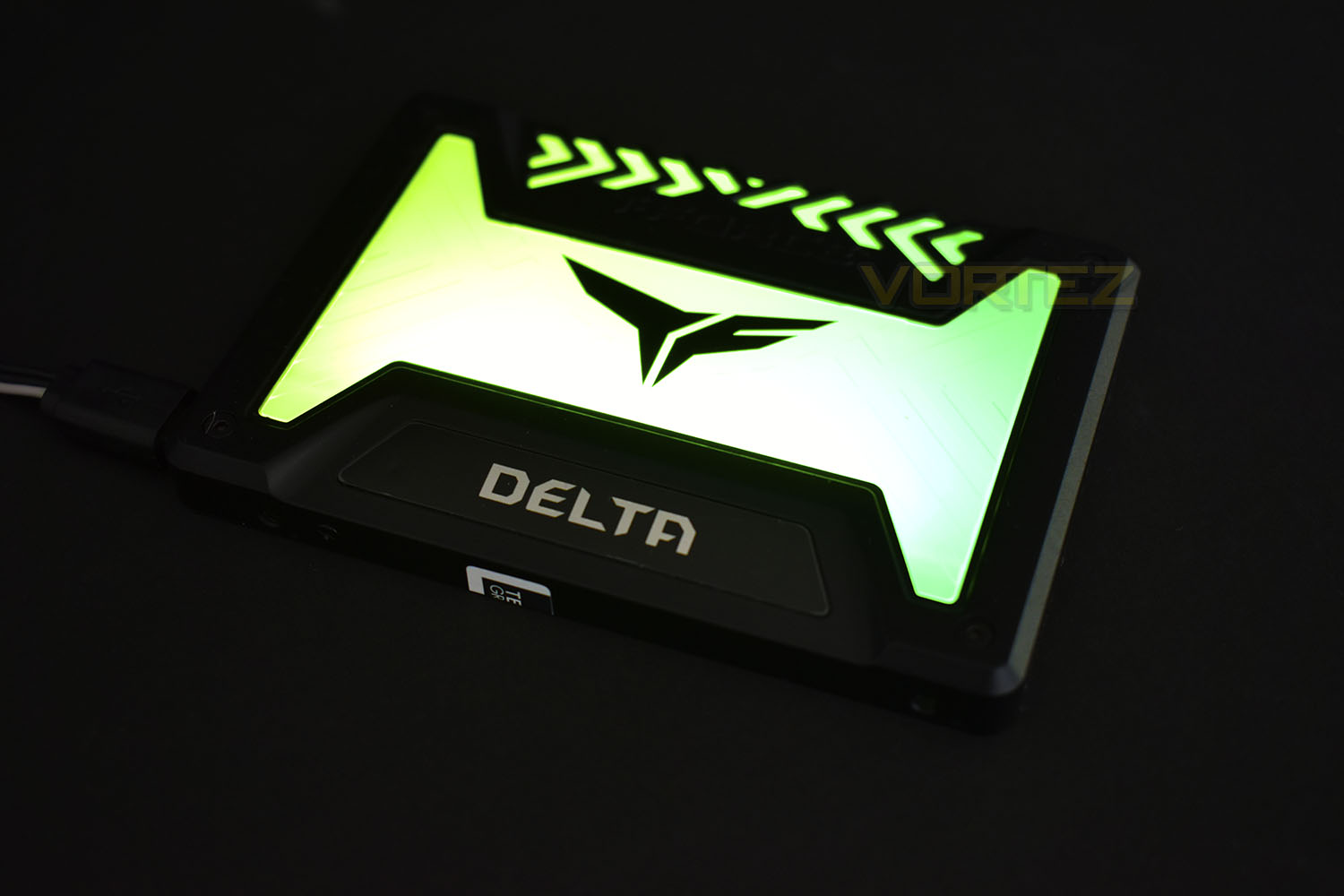
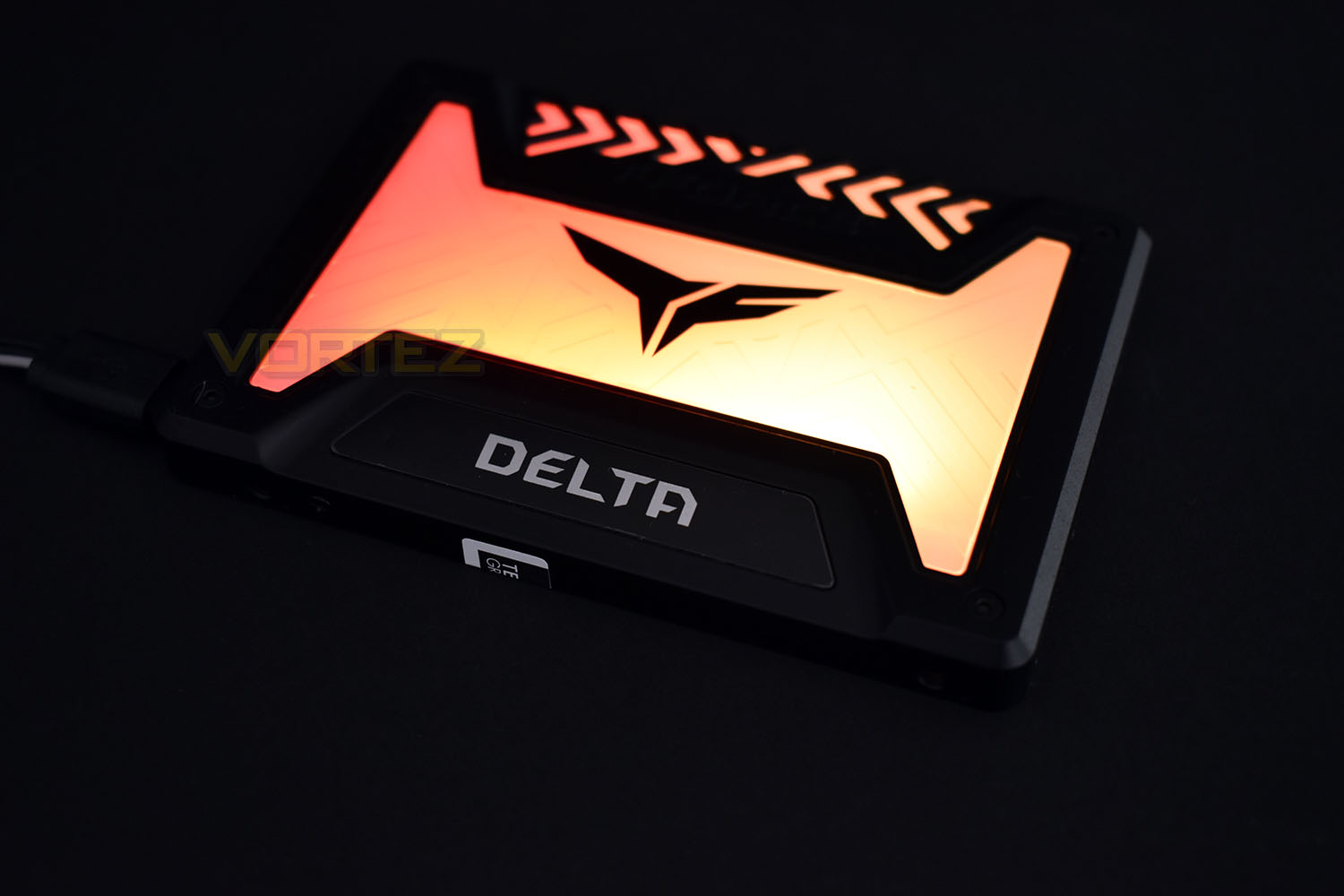
Here’s a short clip as well as some still images of the RGB lighting. We used an MSI X470 Gaming M7 AC motherboard which dictated the RGB lighting in this particular way.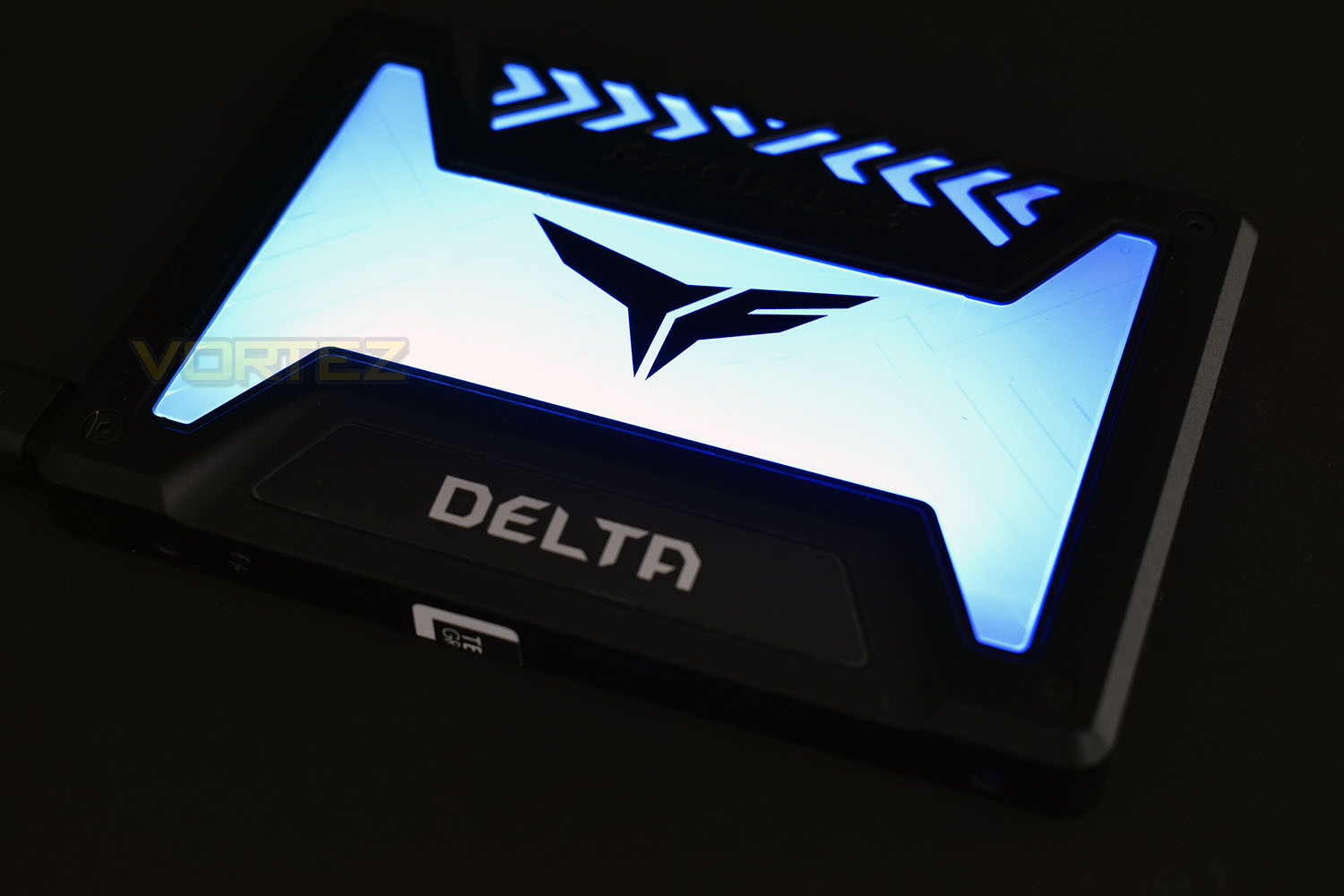
Test Setup & Methodology
Our test system is formatted and a fresh version of Windows is installed with just drives in place – no additional applications. Windows is then updated to the latest release and the drivers are installed.Included in the list of benchmarks are the following applications:
Benchmarks
Anvil Pro
AS SSD
ATTO Disk Benchmark v2.46
Futuremark PCMark 8
AIDA64
AS SSD
ATTO Disk Benchmark v2.46
Futuremark PCMark 8
AIDA64
Test system
CPU: Intel Core i7 7700K
Motherboard: MSI Z270 Gaming M7
Graphics: EVGA GTX 1070 SC
Memory: 16GB CORSAIR Vengeance LPX 3200MHz DDR4
Samsung 970 EVO 1TB
Team Group Delta RGB SSD 250GB
PSU: BeQuiet Straight Power 11 650W
OS: Microsoft Windows 10 Pro 64-Bit
Monitor: ASUS ROG PG279Q
Motherboard: MSI Z270 Gaming M7
Graphics: EVGA GTX 1070 SC
Memory: 16GB CORSAIR Vengeance LPX 3200MHz DDR4
Samsung 970 EVO 1TB
Team Group Delta RGB SSD 250GB
PSU: BeQuiet Straight Power 11 650W
OS: Microsoft Windows 10 Pro 64-Bit
Monitor: ASUS ROG PG279Q
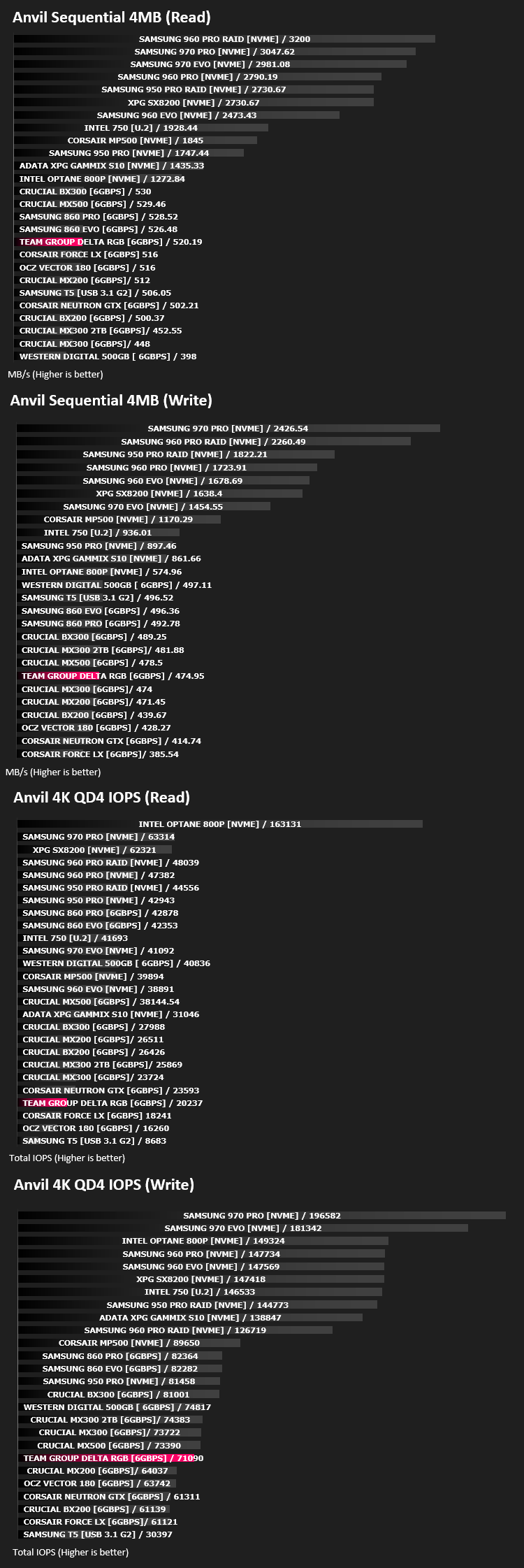
Benchmarks: Anvil Pro
Anvil Pro from Anvil Storage utilities is one of the most popular storage benchmarking utilities today thanks to the large suit of tests available. You can test pretty much anything from Read/write Speed to IOPs with many variables to tweak allowing you to get either a single or host of results to compare with other likeminded enthusiasts. In our test we ran the standard suite 5 times, subtracting both the highest and lowest scores and determined the final result from the average of the remaining three results.
Benchmarks: AS SSD
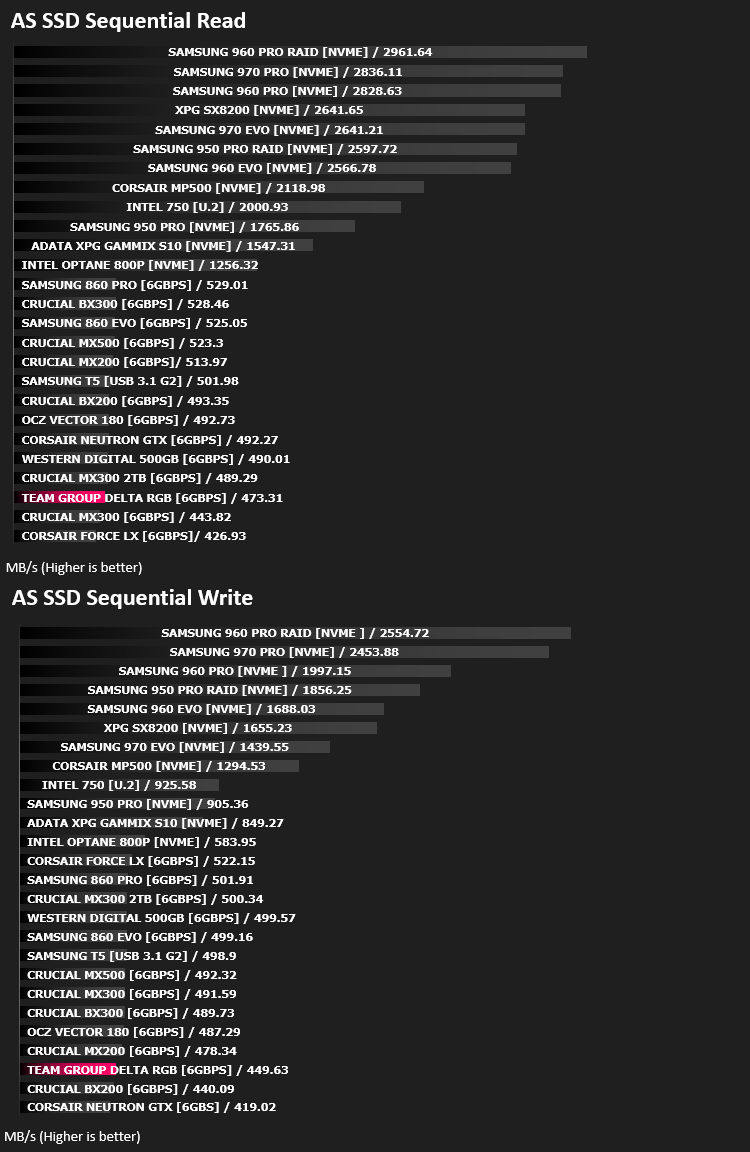
AS SSD Benchmark is a straightforward tool for measuring the speed of your SSD drive.
Simply launch the program, choose your drive, click Start, and it’ll test your SSD’s read and write speed in a variety of ways, delivering a score for each when it’s done. And if that’s not enough, there are also additional file copy and compression-related benchmarks available from the Tools menu. (The author’s support page is German only, but if you need further English explanations then there’s a thread on the program at the OCZ Technology forum.).
Simply launch the program, choose your drive, click Start, and it’ll test your SSD’s read and write speed in a variety of ways, delivering a score for each when it’s done. And if that’s not enough, there are also additional file copy and compression-related benchmarks available from the Tools menu. (The author’s support page is German only, but if you need further English explanations then there’s a thread on the program at the OCZ Technology forum.).
Benchmarks: ATTO
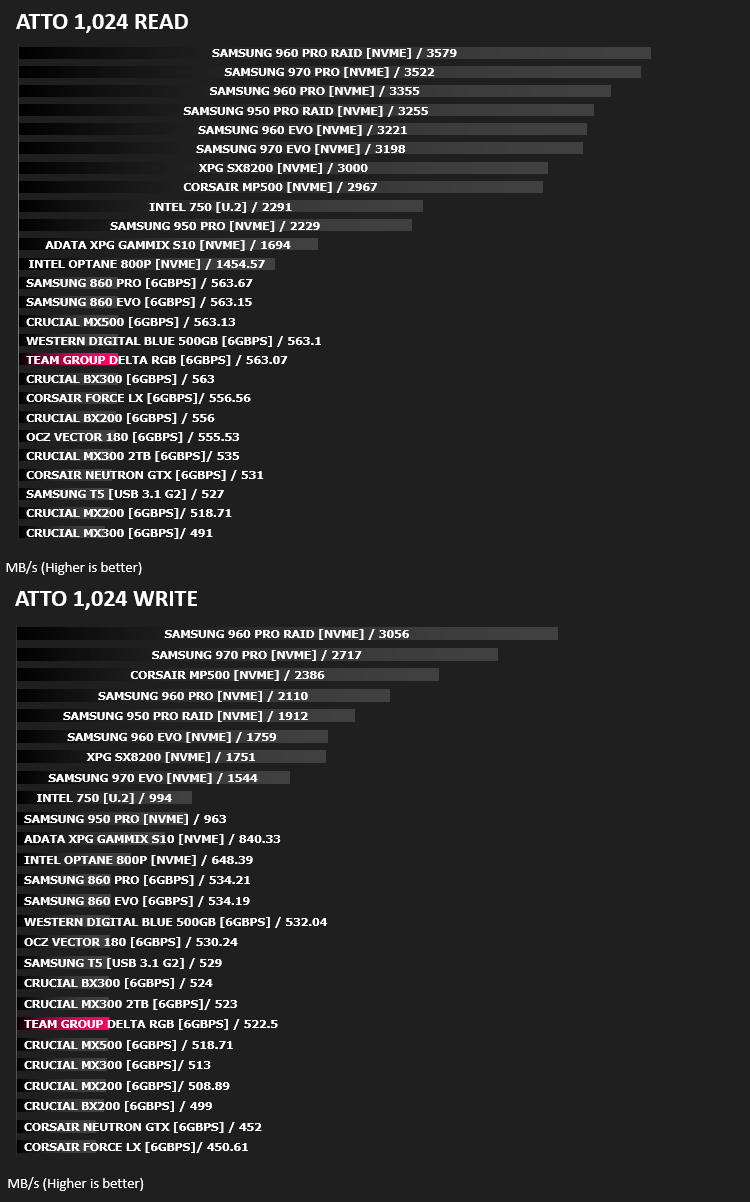
The ATTO Disk Benchmark performance measurement tool is compatible with Microsoft Windows. Measure your storage systems performance with various transfer sizes and test lengths for reads and writes. Several options are available to customize your performance measurement including queue depth, overlapped I/O and even a comparison mode with the option to run continuously. Use ATTO Disk Benchmark to test any manufacturers RAID controllers, storage controllers, host adapters, hard drives and SSD drives and notice that ATTO products will consistently provide the highest level of performance to your storage.
Benchmarks: AIDA64
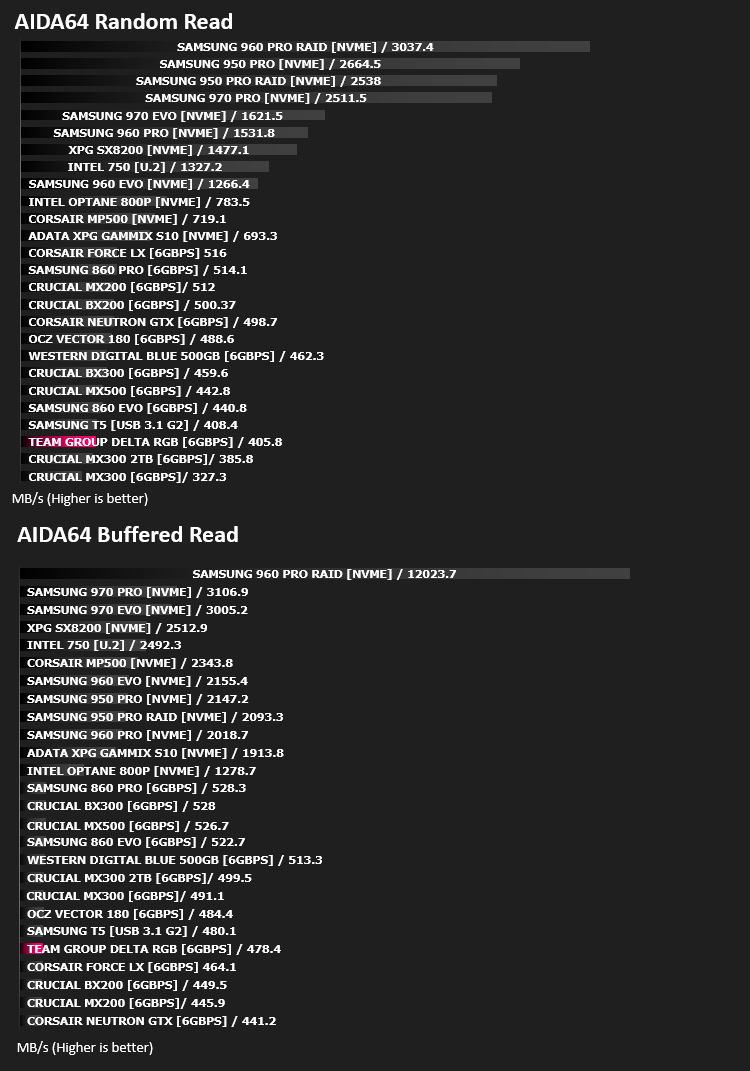
With this module, we can measure the performance of the PC’s storage devices, including (S)ATA or SCSI hard disk drives, RAID arrays, optical drives, solid-state drives (SSD), USB drives and memory cards. It also allows us to perform write tests, which helps us detect fake products and errors on the devices. In order to attain reliable benchmark results we have to make sure to close all background applications.
Benchmarks: PCMark 8
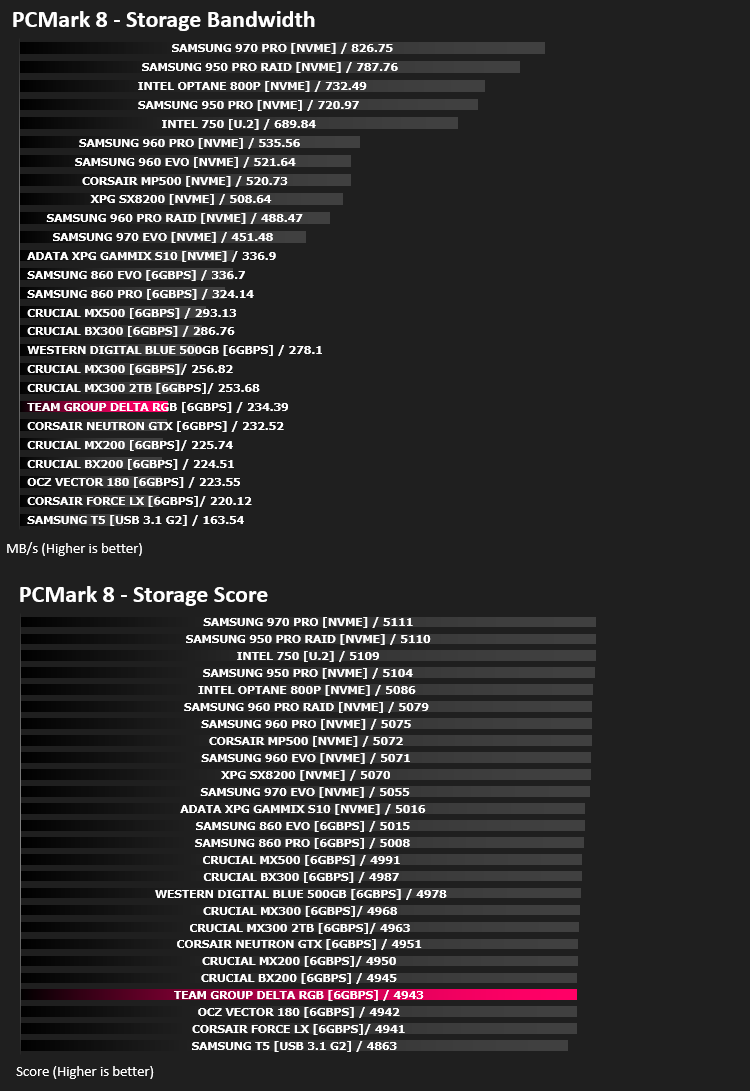
We use the Futuremark PCMark 8 utility to measure storage via Photoshop performance under both light and heavy loading conditions. Accelerated (open CL) is used to perform this test. The test is measured in seconds to complete.
Conclusion
So, if you paid close attention to those results, you’ll see that this drive really doesn’t offer much compared to other modern SATA based drives; the Delta RGB seems to find itself in the bottom 5 or 6 results in almost every single test, mixing with drives that were released 4 years ago at times. That’s not really good enough, in our eyes.However, with the performance being measured, it is still an SSD, therefore access times are infinitely faster than a spinning drive as well as massively better sequential read and writes, plus, those benchmarks will show relatively small differences that are difficult to notice in real world usage.
If RGB is your thing, then the Delta RGB will offer something no other SSD can at the moment, a huge illuminated zone that’s more than bright enough to be noticed. No setup is required, with the drive automatically detecting the colour scheme used from the motherboard and coordinating itself appropriately.
Considering the inclusion of a massive amount of RGB lighting, the pricing isn’t too outrageous, however, if a bog-standard SSD is what you’re after, we’d recommend swerving this drive and buying something more mainstream.
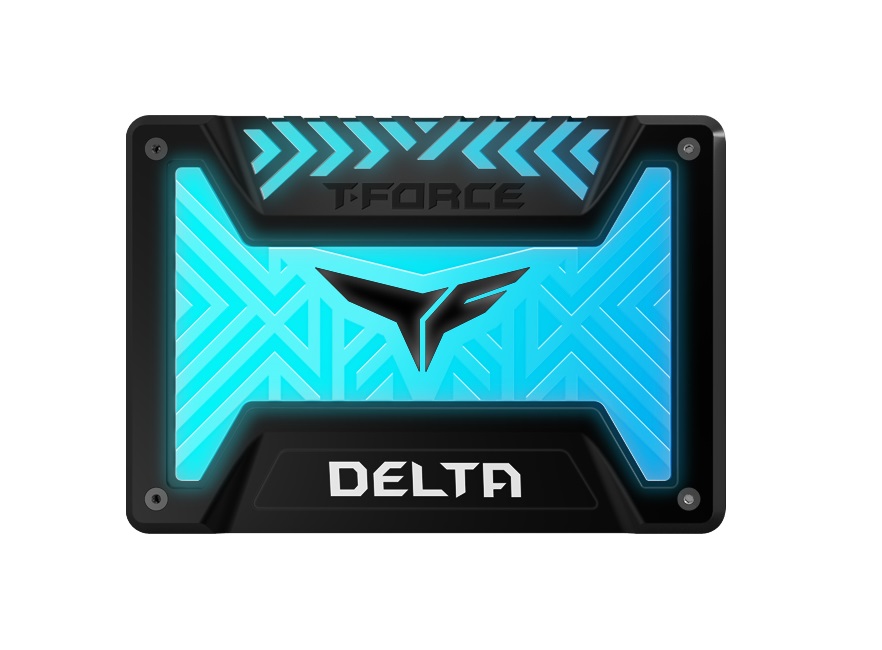
If the brightest system is your intention, the Delta RGB SSD will not disappoint. The colours and effects are stunning.
Pros
+ Bright RGB Lighting
+ Lighting requires no setup
+ Much more interesting than your typical 2.5” SSD
Neutral
+- Price
Cons
– Poor performance
+ Bright RGB Lighting
+ Lighting requires no setup
+ Much more interesting than your typical 2.5” SSD
Neutral
+- Price
Cons
– Poor performance
Click here for an explanation of our awards at Vortez.net.
Stay connected with the Vortez Social Media pages:
Join in with the discussions on Discord