







Today we are looking at the JPT3815W 2013 Edition WiFi ready IP Camera. With Infra-Red and PTZ capabilities can this surveillance camera impress?

Product on Review: JPT3815W
Manufacturer and Sponsor: Tenvis
Street Price: £30-35 (At time of review)
Tenvis are a fairly new company which are headquarted in China. Being responsible for the manufacture of IP cameras they have their own factory to produce such devices. This is our first outing with Tenvis and we are filled with much anticipation after hearing good things about their products.
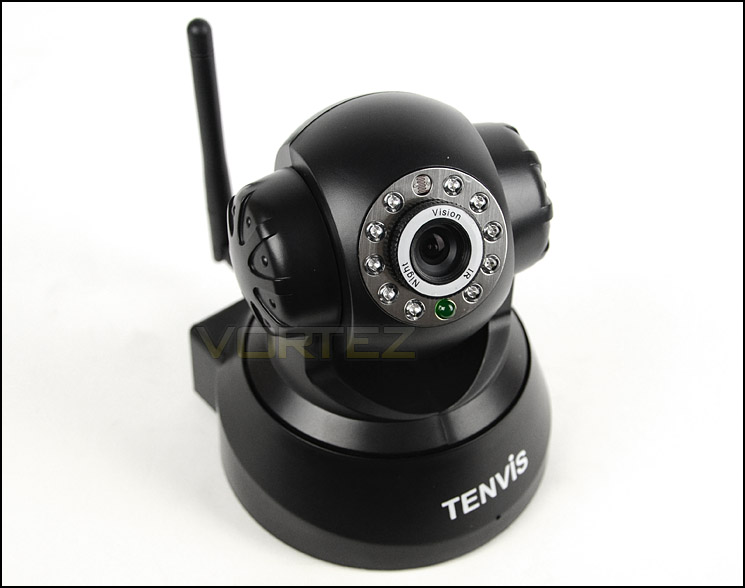
In the spotlight today is the JPT3815W, a wireless IP camera with PTZ and Infra-Red capabilities. JPT3815W is an indoor camera that can be used for numerous scenarios which include home security, baby/elderly monitoring and general surveillance.
About Tenvis
Here at TENVIS we go beyond just simply selling a range of products to our customers. We were founded on a core vision, to provide all residential and small business customers with a simple way to stay in control of what happens at their property and with their loved ones. This vision still affects everything we do today, and we believe that “the world in my eyes” is simple and affordable for everyone around the whole world.
Technical Specifications
Camera
Image sensor
1/4 Color CMOS
Lens
3.6MM
Infrared LED
10 PCS ø5
Pixel
300,000
Night vision Distance
10M
AWS/AGC/AES/ exposure
Auto
Min. Illumine
0.1Lux
Audio
Audio
2- way audio
Input
Built-in Microphone
Output
Built-in Speaker
Video
Image format
PAL/NTSC
Compression
MJPEG
Max. frame rate
25 fps
Resolution
640×480(VGA), 320×240(QVGA)
Pan/Tilt
PT Angle
Horizontal 270°; Vertical 90°
Level Speed
0 – 16 °/s
Vertical Speed
0 – 16 °/s
Network
Wi-fi
IEEE 802.11b/g
Network Interface
RJ-45 (10BASE-T/100BASE-TX)
Supporting Protocols
TCP/UDP/IP/ARP/ICMP/DHCP/DNS
/HTTP/FTP
/SMTP/NTP/PPPOE/UPNP/DDNS
Image sensor
1/4 Color CMOS
Lens
3.6MM
Infrared LED
10 PCS ø5
Pixel
300,000
Night vision Distance
10M
AWS/AGC/AES/ exposure
Auto
Min. Illumine
0.1Lux
Audio
Audio
2- way audio
Input
Built-in Microphone
Output
Built-in Speaker
Video
Image format
PAL/NTSC
Compression
MJPEG
Max. frame rate
25 fps
Resolution
640×480(VGA), 320×240(QVGA)
Pan/Tilt
PT Angle
Horizontal 270°; Vertical 90°
Level Speed
0 – 16 °/s
Vertical Speed
0 – 16 °/s
Network
Wi-fi
IEEE 802.11b/g
Network Interface
RJ-45 (10BASE-T/100BASE-TX)
Supporting Protocols
TCP/UDP/IP/ARP/ICMP/DHCP/DNS
/HTTP/FTP
/SMTP/NTP/PPPOE/UPNP/DDNS
Packaging & Bundle
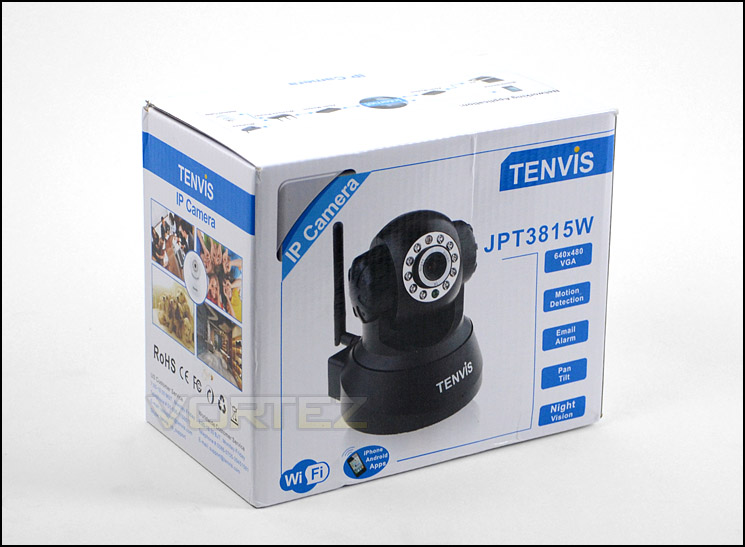
JPT3815W is presented in a small white box showing a picture of the camera on the front and back, listing significant features. Apart from this there are no other features, inside the camera and other parts are protected in Styrofoam padding.
Packaging for JPT3815W
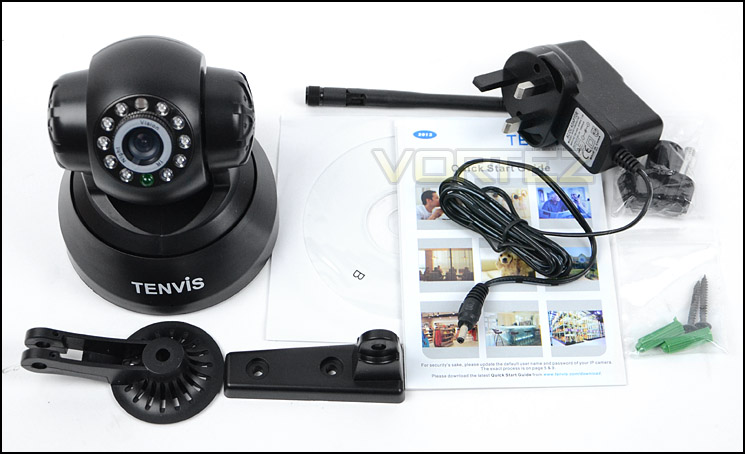
Inside the box are a number of items which include: the camera, mounting brackets, WiFi antenna, mounting screws + plugs, instructions guide, software CD and power adapter. One item which we thought would be included is an Ethernet cable, since this is a network camera, has a LAN port and requires this type of connectivity to configure the unit and to perform such tasks as firmware updates.
Included extras with IP camera
Closer Look
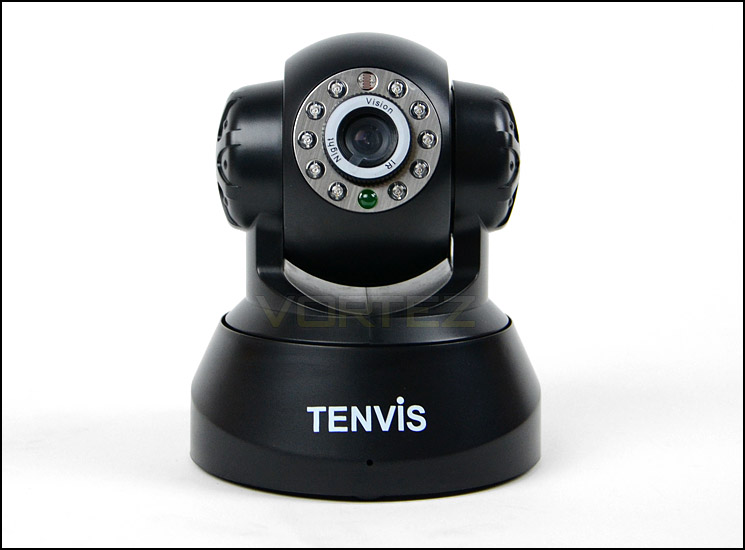
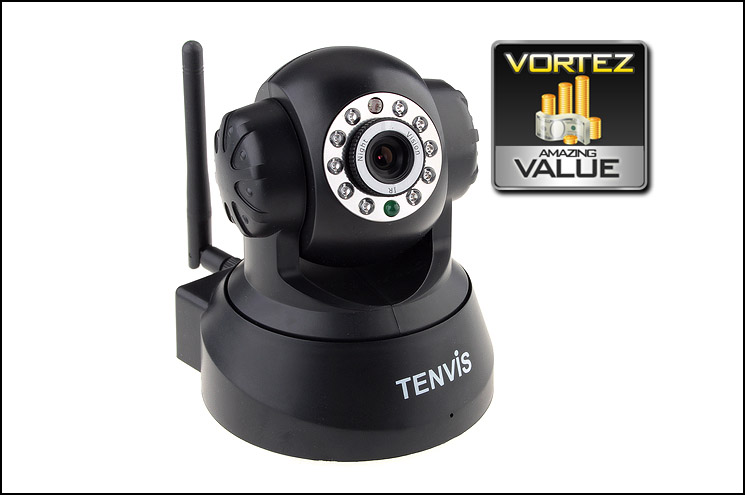
JPT3815W is almost entirely plastic in its construction and is pleasing to the eye. The unit is fairly small in its build, measuring in at 190mm x110mm x170mm (L xW xH). The front has a base which has the Tenvis logo with a small microphone beneath it; this base will remain fixed in place whilst the upper section can rotate. The head of JPT3815W features 10 circular Infra-Red LED outlets which will automatically engage when daylight has vanished and have a maximum distance of 10 metres. There is also a power LED which by default blinks when JPT3815W is powered up – with the latest firmware this can be disabled and is likely to be an option which many will tweak. In the centre is the lens for the camera which is 3.6mm and features a 1/4 colour CMOS image sensor.
The middle section which the lens is fitted to can rotate in a vertical motion through a 90° angle. On either side of JPT3815W there are speakers to allow the user to speak through the camera to communicate or even warn off individuals.
The front of the camera showing its lens and Infra-Red LEDs
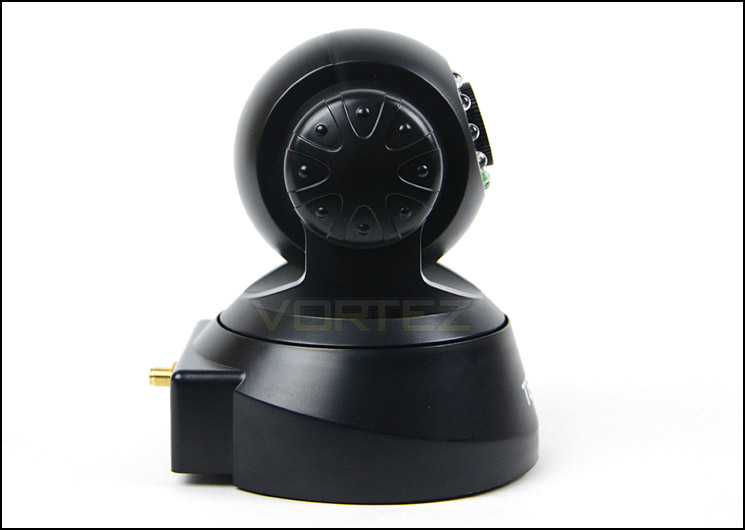
Speakers on the side of the unit for two-way communications
Around the back of JPT3815W there are a number of options available which include an audio port, power port, LAN port (10Mbps), WiFi antenna. Although there is no Ethernet cable provided, in order to initiate connectivity it’s a requirement to use such a cable within the LAN (RJ45) port.
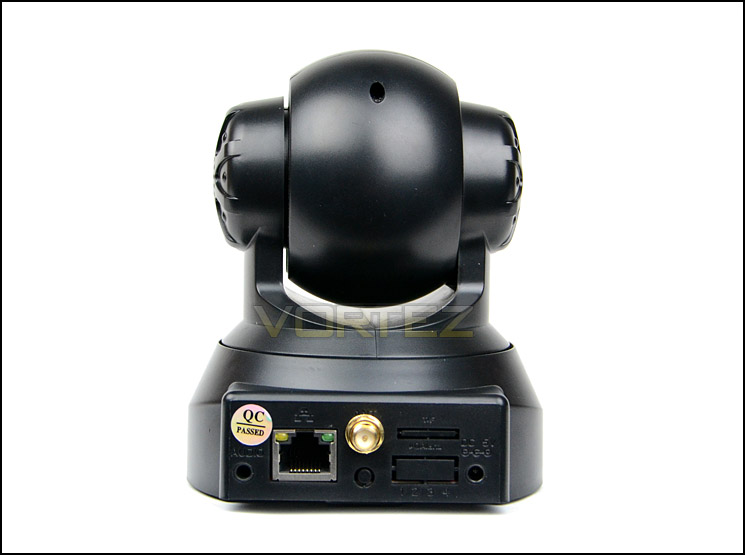
The rear of JPT3815W
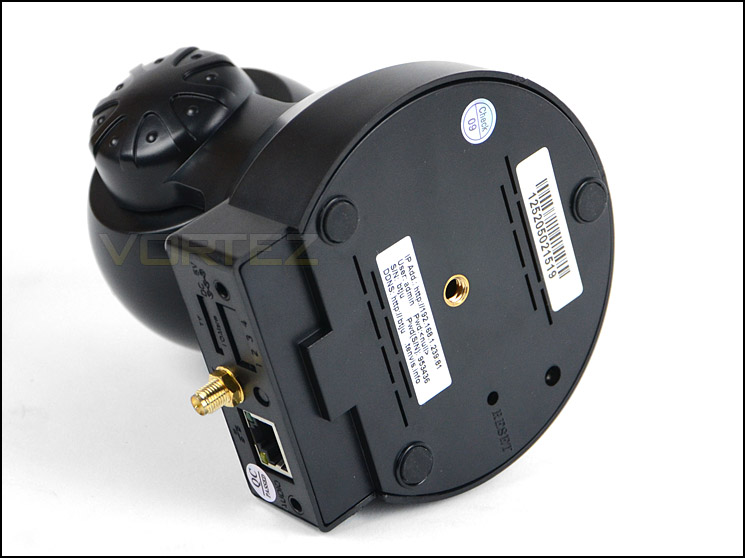
The underside of the unit
Software UI
To gain access to the unit the IP address 192.168.1.239:81 needs to be typed into a web browser. Tenvis provide a software CD which has a program on there for searching locally for Tenvis IP cameras, unfortunately we had problems with getting this software to work and had to follow the instructions left on the Tenvis forums – using a previous version of the program.
Once the login credentials have been input by the prompt, users are met with a welcome page which gives a variety of different options. Depending on the browser you are using, a specific logo will appear for the first option. Clicking on this gives you full access the to the camera viewer and settings: NOTE: If you want access to all of the features then you need to use IE rather than Firefox or Chrome etc. Certain features are not available in these browsers.
Other options on this welcome page allow mobile users to interface with the camera viewer via their Phone – giving a simple set of navigation tools and viewing screen for this type of user.
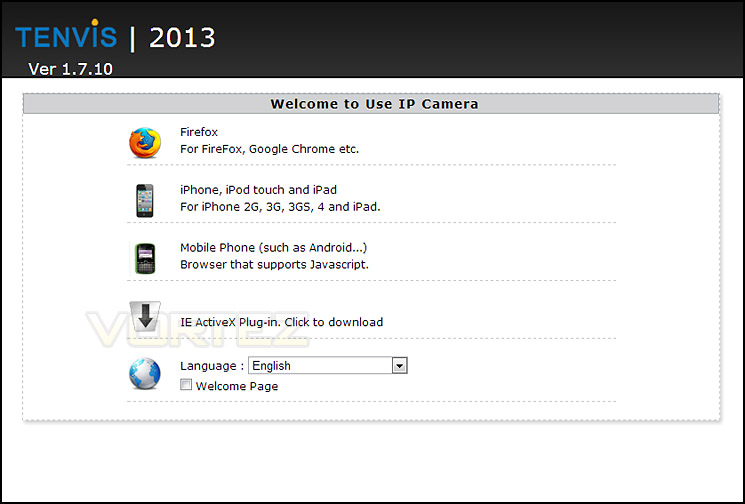
The welcome page which appears when logging in
Tenvis’ software UI allows for the configuration of various settings for the camera including different startup positions for the camera unit, different PT speeds, configuring motion detection, alarm settings, adding users etc. We found the interface quite unintuitive, it’s certainly very basi but not obvious were specific options are. We are pleased that with updated firmware Tenvis have delivered such options as to disable the pulsing power LED on the front of the camera via the software.
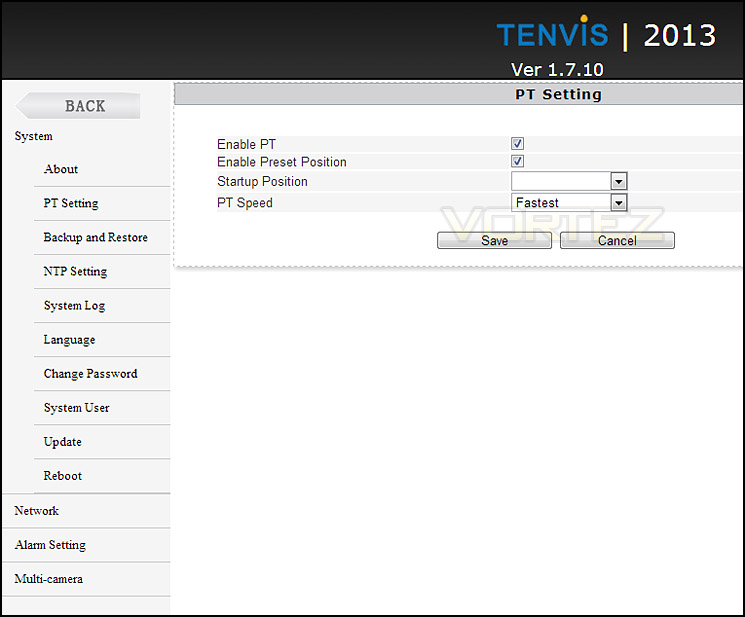
The software interface for JPT3815W
Testing – Smartphone Usage & Image Quality
Unlike other brands such as D-Link and Compro, Tenvis does not have proprietary smartphone software to work in conjunction with the IP Camera. Instead, 3rd party software must be used. There are a number of different apps available for Android/Apple devices, we chose to go with IP Cam Viewer with allows for the inclusion of numerous cameras, giving the user the ability to fully control the unit.
Below demonstrates this application and the expectations from JPT3815W. We are using wireless connectivity, the image quality is good and the range of vision with this camera is also good. Since JPT3815W is PTZ ready, the vertical and horizontal movement can be altered with this app, two way audio is also an option, as well as adjustment of brightness, contrast and the taking of snapshots.
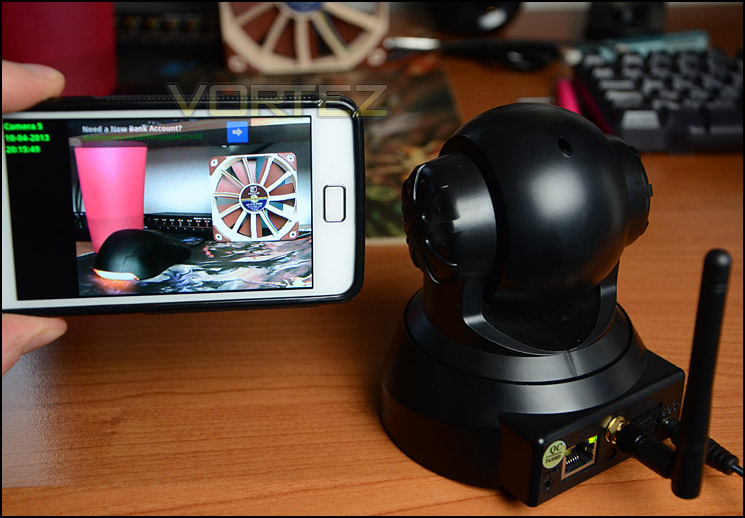
Camera can be operated by a 3rd party app
JPT3815W can be controlled via a web browser if you have the IP address of the camera. A variety of browsers can be used but some will give varying results. Tenvis recommend using IE for best results – with this browser such options as “Record” are available whereas with Firefox it is not. It’s a shame there are limitations between browsers and that you are forced to go with IE to maintain full control over JPT3815W.
Nevertheless, the interface covers a large selection of functionality and is easy to use. Multiple cameras can be added by tweaking the settings – they all need to be Tenvis branded though.
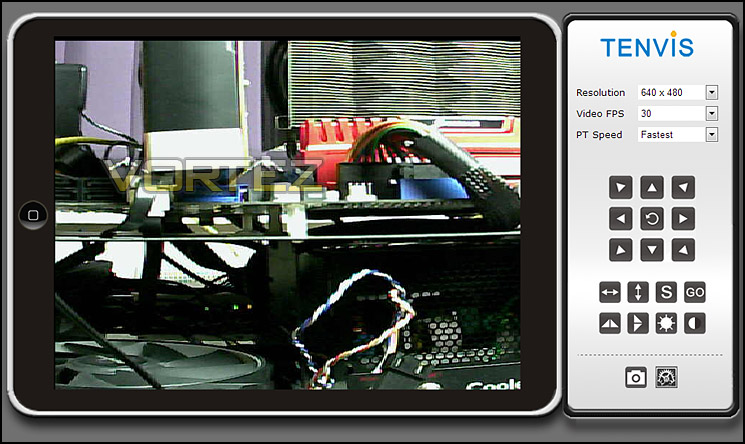
Web interface gives control over JPT3815W from web browser
To record footage from the JPT3815W the web interface needs to be loaded up via IE web browser. The videos below are recorded at 640 x 480 @ 20 FPS. Footage is uploaded directly to YouTube without any additional compression prior to upload.
As you can see from the footage, image quality is good and movement is quite fluid at 20 FPS. JPT3815W is capable of up to 25 FPS but the preset options from the drop-down list only specify : 1,2,3,4,5,10,15,20,30 – if 30 is selected the footage is tripled in sequence speed.
We were quite impressed by the Infra-Red results that JPT3815W presents whilst in pitch dark surroundings. There were no lights on inside the room and visibility was completely darkened – so much so it was impossible to see items in front of you.
Conclusion
As our IP camera section grows we meet new brands and today’s sample has been one such occasion. This is our first outing with Tenvis and we are sure it won’t be the last.
JPT3815W is a great little IP Camera that boasts good image quality and Infra-Red capabilities. Being PTZ, it can move vertically and horizontally and motion detection with email notifications come as standard.
Although we were pleased with JPT3815W, there are a few aspects that need attention. In order to get full functionality it is a necessity that IE is used, it would be nice to have more flexibility in this area and be able to use other browsers such as Firefox/Chrome and still get complete control. The power cable is also quite short at approximately 100cm in length, meaning you will need to have a plug socket in close proximity. This may be a problem for some who desire to have the IP camera installed in a specific location. Although there is plenty of 3rd party smartphone applications available to Android/Apple users, other brands are supplying proprietary software with their IP cameras which not only gives access to the camera but also alleviates the need to configure advanced settings. This is something that we hope will change in regards to Tenvis future developments.
We were happy that the JPT3815W recently received a firmware update which allows the user to disable the pulsing power LED on the front of the camera – since this type of device is typically used as a security device it makes perfect sense to be able to do configure it in such a way.
JPT3815W is designed to be an indoor camera but can still be used to view outside surroundings, though during the evening time when dusk sets in the Infra-Red lights will activate and unfortunately present a striking reflection. So for night time usage you cannot use JPT3815W to view through reflective surfaces such as a window.
The Tenvis JPT3815W is available for approximately £30-35, making it an brilliant value for money IP camera. It may have a few shortcomings but as far as budget cameras of this calibre are concerned, Tenvis have the bases covered.
JPT3815W is a great value for money WiFi ready IP camera which has PTZ and Infra-Red capabilities. If you are on a tight budget but need to attach a camera to your home network, JPT3815W is a good option to go with.
Pros
+ WiFi ready
+ PTZ ready
+ 2 way audio
+ Good image quality
+ Infra-Red – 10 metres
Cons
– Short power cable
– No Ethernet cable included
– No bundled smartphone software
– Full functionality via IE only
+ WiFi ready
+ PTZ ready
+ 2 way audio
+ Good image quality
+ Infra-Red – 10 metres
Cons
– Short power cable
– No Ethernet cable included
– No bundled smartphone software
– Full functionality via IE only

Click here for an explanation of our awards at Vortez.net.


