Tesoro equip their latest mechanical keyboard with optical switches, providing users with blazing fast responsiveness, and ultra durability.

Product on Review: Tesoro Excalibur SE Spectrum
Manufacturer & Sponsor: Tesoro
Street Price: US: $99.99
Tesoro are a brand that are pushing boundaries and driving innovation in regards to developing new products for gamers, something that is essential to a very busy, highly competitive market. Part of this ambition has lead Tesoro to develop their own custom optical key switch and are amongst the first wave of manufacturers with a keyboard touting this technology that is now available on the market.
The move towards optical switches has long been coming since making its big splash last year, and it is likely that we will see an increase in products using this technology. Tesoro’s own optical switches uses a similar approach to the A4tech Light Strike “LK” switches, over the FlareTech ‘analogue’ type. The LK switches uses an infra-red beam that has been blocked by the stem of the switch, once the key is depressed the beam then passes through to the sensor and registers the keystroke. There are various advantage to this technology, firstly it is much faster in its response rate due to removing key debounce noise (a secondary contact with the metal connectors on the return bounce which has to be factored-in when reporting keystrokes. This process of filtering out the debounce noise can add up to 30ms of delay to a key actuation. Due to the benefit of having less ‘actual’ mechanical reliance, optical switches are also more durable as there is no wear or oxidation of the metal contacts to worry about. These features are highlighted by Tesoro’s claim that their switches have a 0.1ms response rate, and have been given a keystroke life cycle of 100million.
The Excalibur SE Spectrum itself has some other tricks up its sleeve too, including RGB lighting and a driverless design, not to mention that the switches are hot-swappable, allowing you to easily remote the switches and replace them with other types depending on preference.
Overview by Tesoro
Excalibur SE Spectrum takes the classic form of the series’ design and integrates innovative optical technology. With dust and spill resistance, hot swappable keys, unprecedented durability, and a 0.1 ms key response time, the new optical key switch possesses a feature set uncommon to the industry’s current offerings.
Technical Specifications
Model number: G7SFL SE
Switch Type: TESORO Infra-red Switch
Color: Black
Report Rate: 1000 Hz
Built-in Memory: 512Kb
Programmable Keys: F1 – F4
Multimedia Keys: 3
Keystroke Lifecycle: 100 million
Backlit: RGB
Backlit Setup: Per Key
Lighting Effects: Yes, Versatile, 10 preset lighting modes
Anti-Ghosting: Full N-Key / 6 Key Rollover
Instant Macro Record: Yes
Instant Lighting Record: Yes
Windows Key Disable: Yes
Keyboard Lock: Yes
FN Lock: Yes
Default Reset: Yes
Double Injection Keys: Available with 104 key layout
Onboard Audio Jacks: No
Onboard USB Hub: No
DC-in Jack: No
Wrist Rest: No
Interface: USB
Cable Length: 1.8 m
Gold-plated plug: No
Graphical UI: No
Dimensions: 450 x 150 x 34 mm
Weight (w/ cable): 1.24 kg
Switch Type: TESORO Infra-red Switch
Color: Black
Report Rate: 1000 Hz
Built-in Memory: 512Kb
Programmable Keys: F1 – F4
Multimedia Keys: 3
Keystroke Lifecycle: 100 million
Backlit: RGB
Backlit Setup: Per Key
Lighting Effects: Yes, Versatile, 10 preset lighting modes
Anti-Ghosting: Full N-Key / 6 Key Rollover
Instant Macro Record: Yes
Instant Lighting Record: Yes
Windows Key Disable: Yes
Keyboard Lock: Yes
FN Lock: Yes
Default Reset: Yes
Double Injection Keys: Available with 104 key layout
Onboard Audio Jacks: No
Onboard USB Hub: No
DC-in Jack: No
Wrist Rest: No
Interface: USB
Cable Length: 1.8 m
Gold-plated plug: No
Graphical UI: No
Dimensions: 450 x 150 x 34 mm
Weight (w/ cable): 1.24 kg
Packaging & First Look
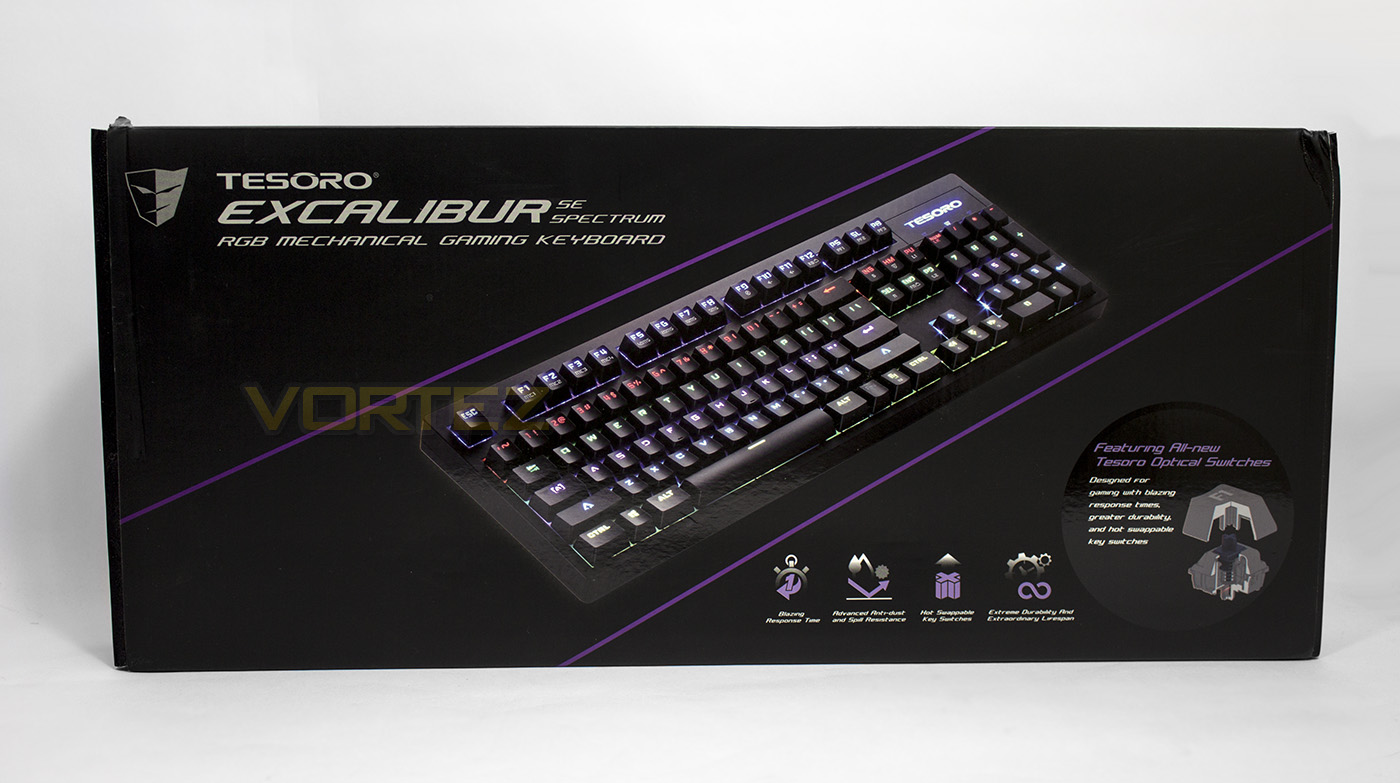
The front of the packaging is adorned in the black and violet commonly seen on Tesoro products. In the centre there is an image of the product, and along the bottom there is information about the benefits of using optical switches (durability, response time, hot swappable, and dust/spill proof).
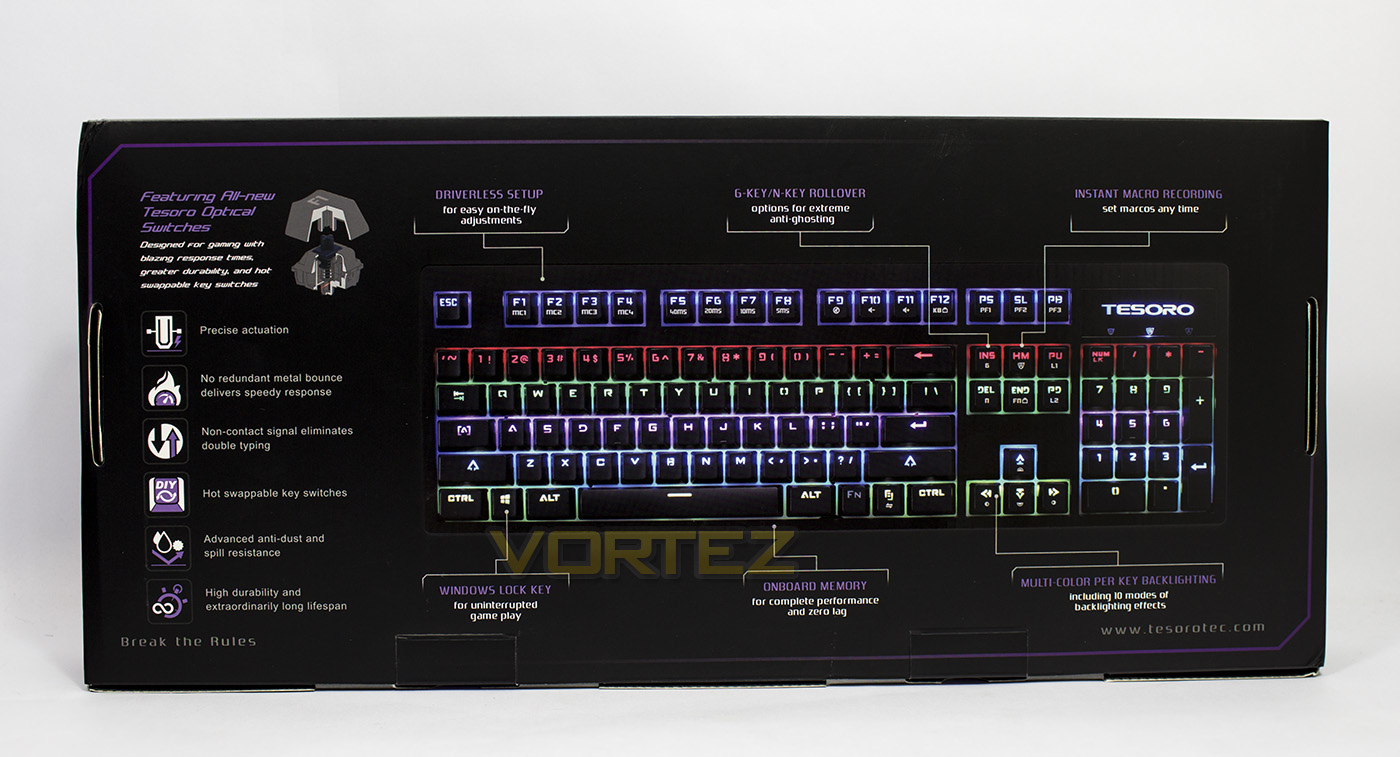
The reverse side gives a breakdown of the layout of the keys and further information about the keyboard itself.
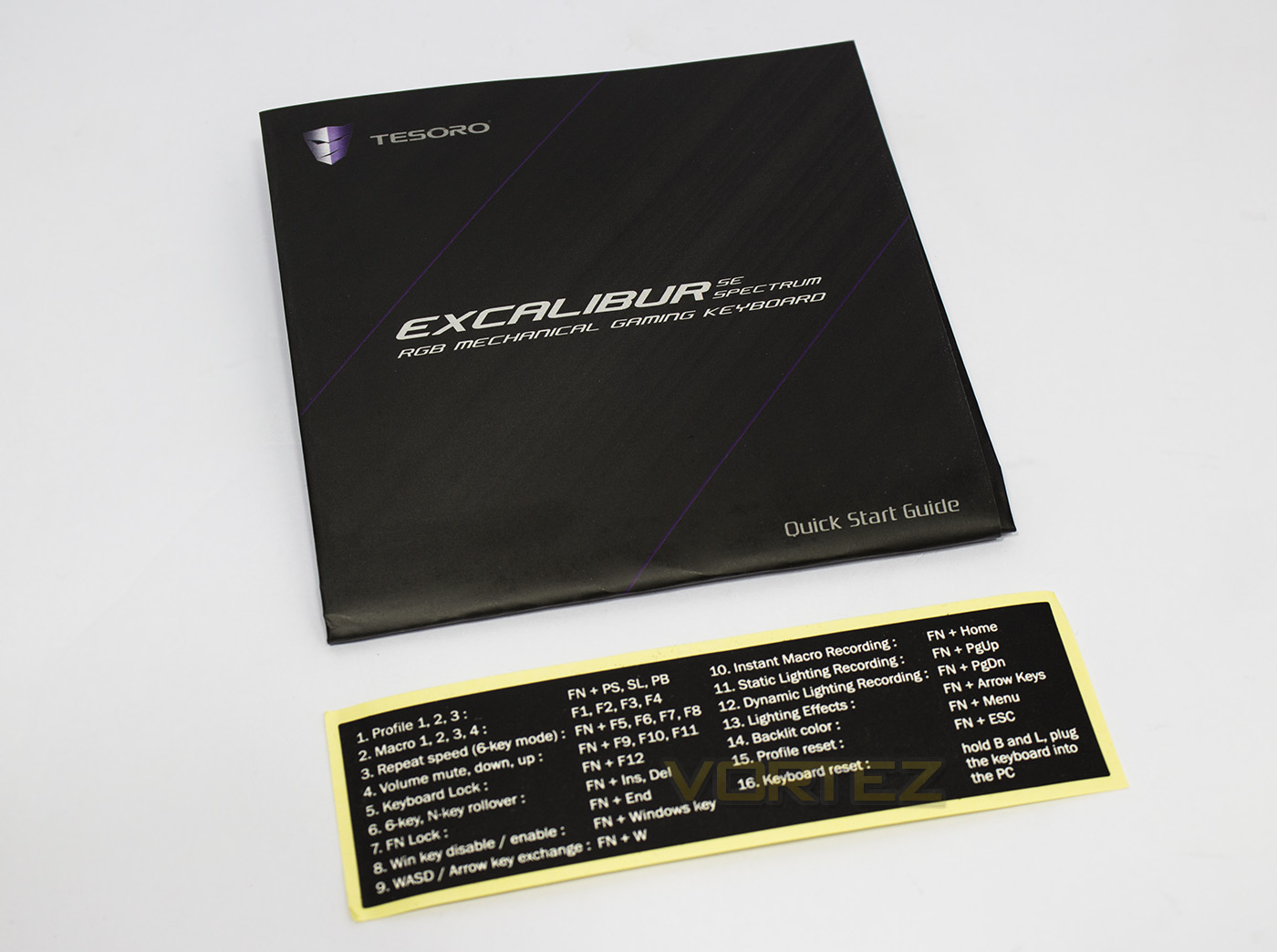
Tesoro didn’t see any need to include any additional extras apart from the user guide and a handy sticker with all the Fn + commands. It is a shame that they didn’t include a switch removal tool.
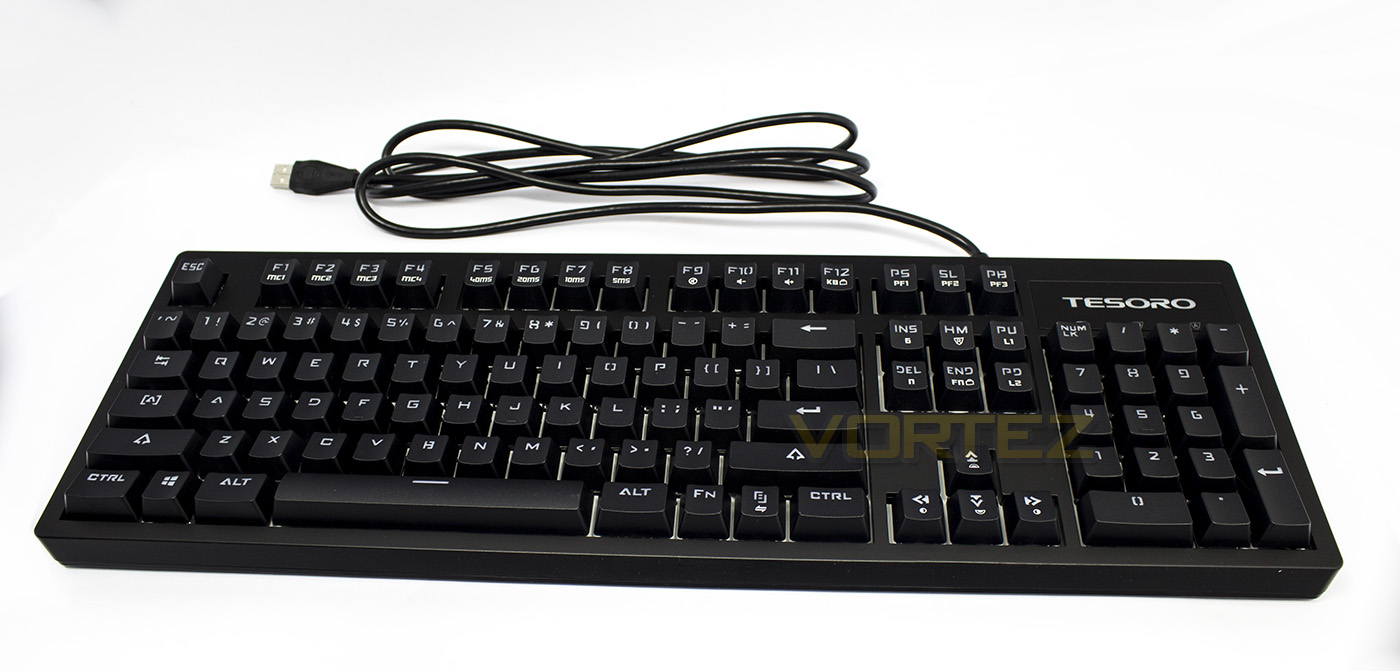
The Excalibur SE Spectrum hasn’t changed much in appearance since its original inception. It has a relatively small frame and has a fairly discrete appearance. Notable changes are the white background to aid the RGB lighting, and a change of font.
Closer Look
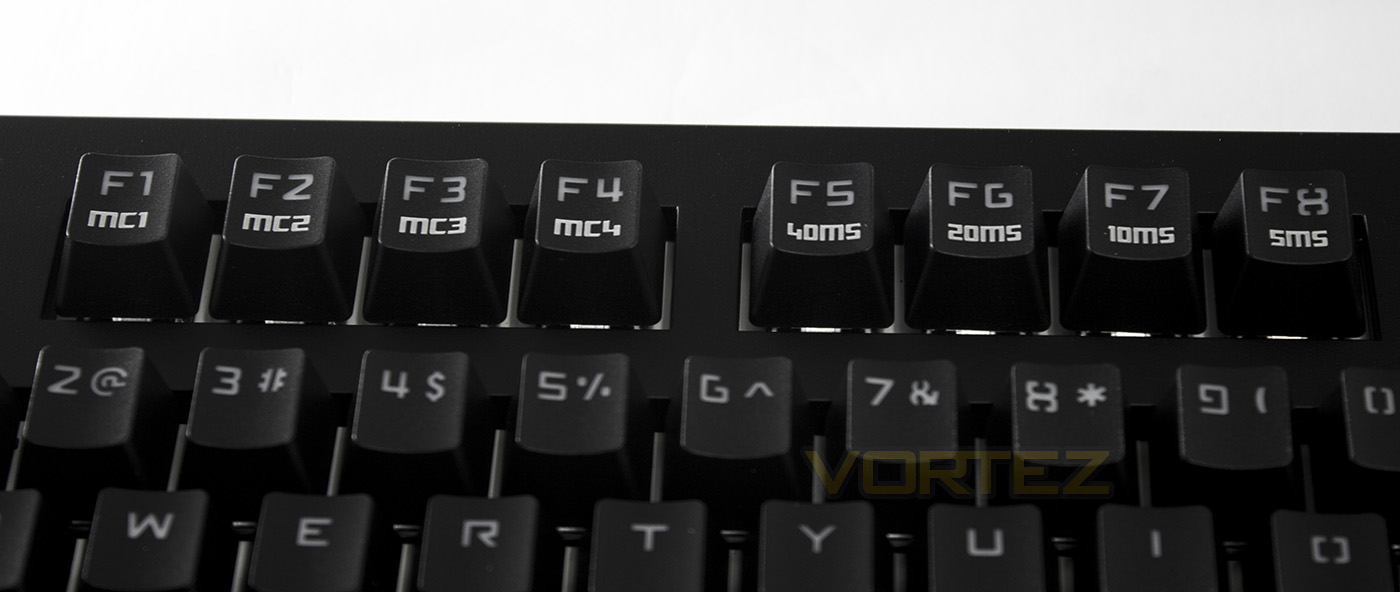
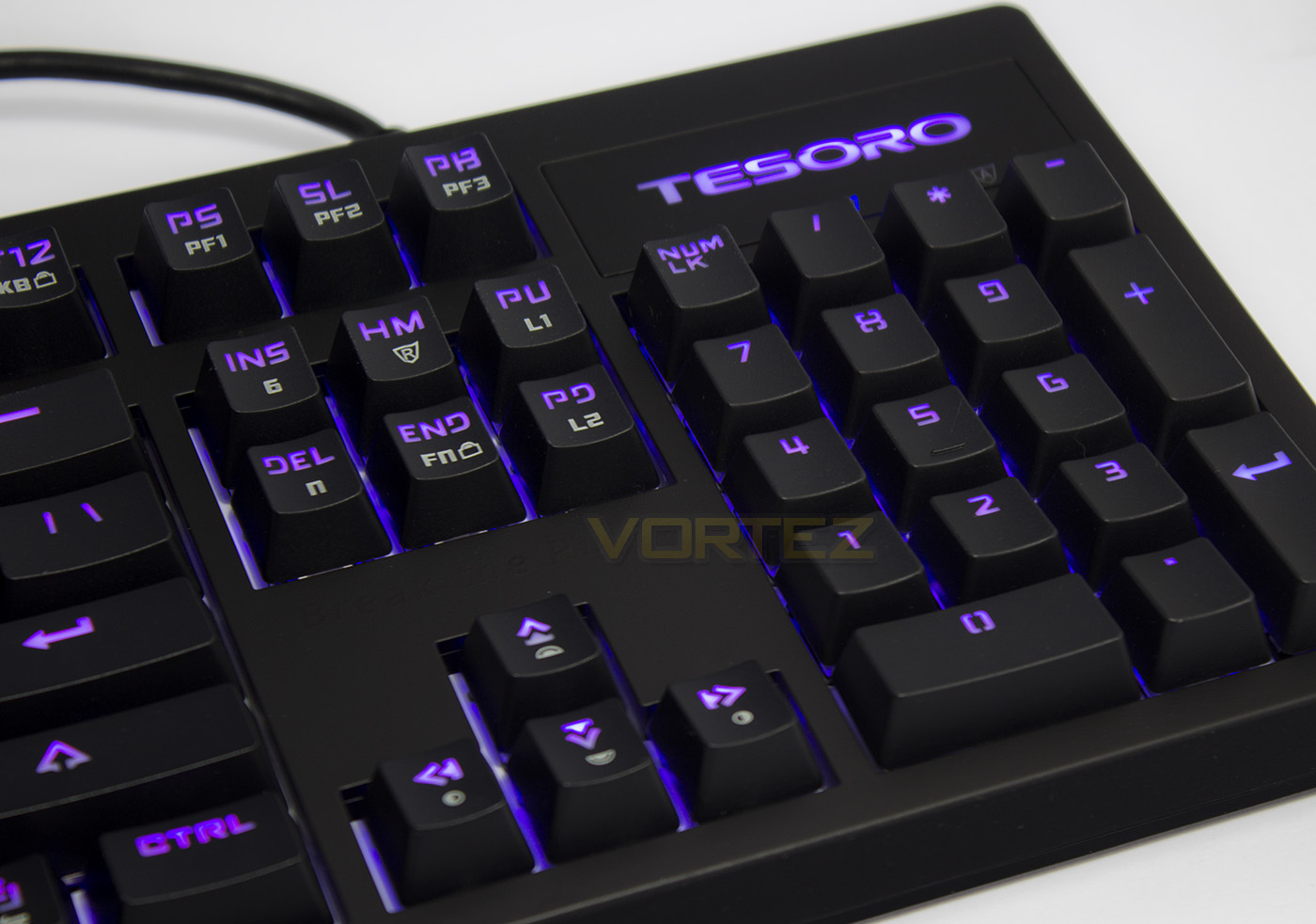
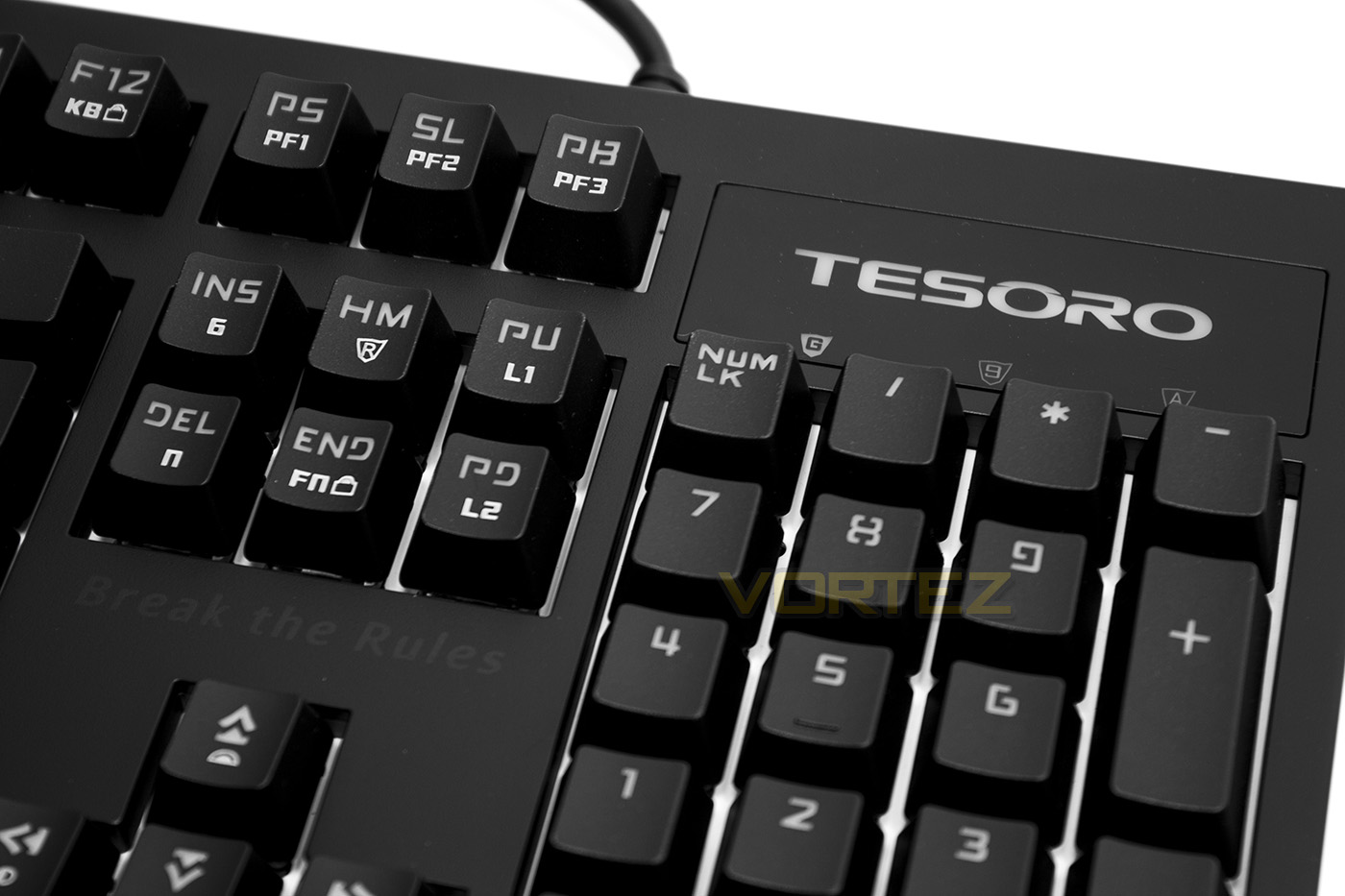
As the keyboard is now driverless, it makes heavier use of Fn keys. F1-F4 are reserved as macro keys, while F5-8 allow the user to adjust the keyboard repeat-rate.
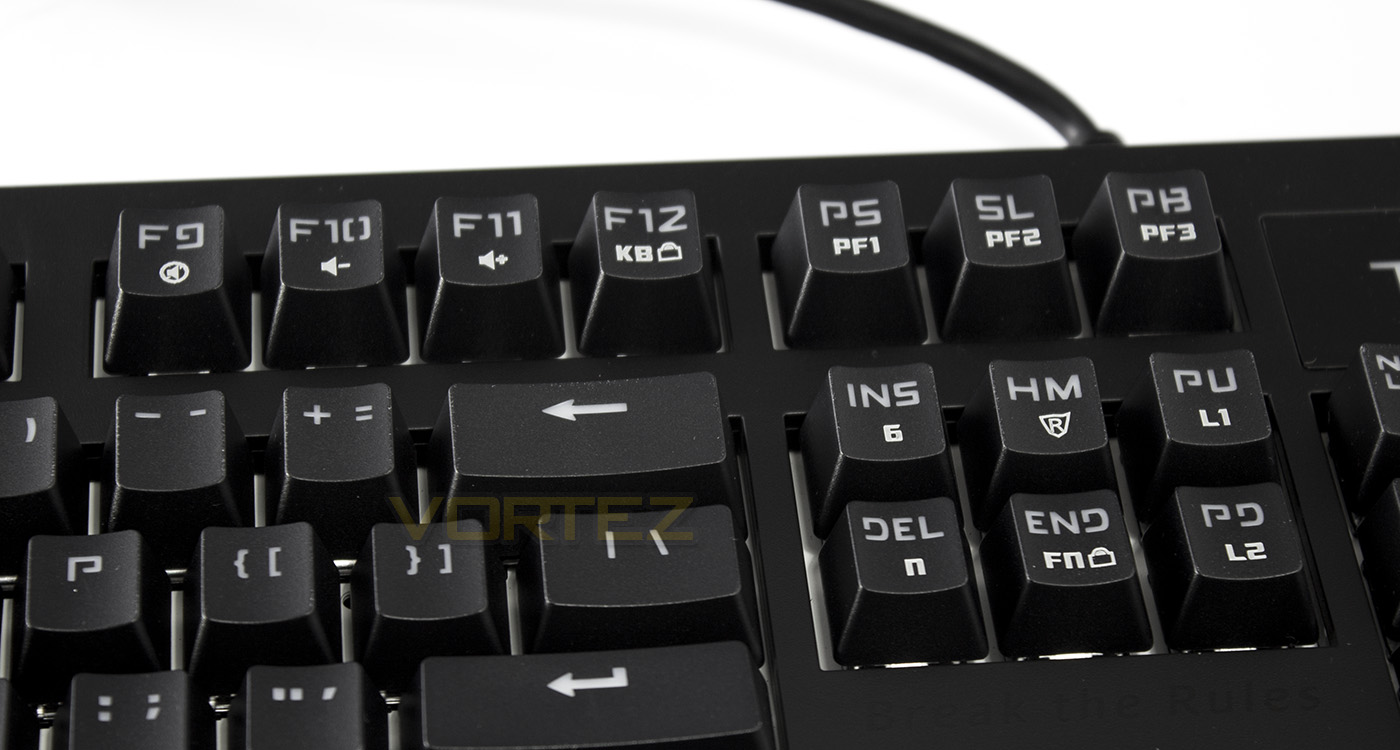
Moving along the keys, F9-F11 double up as volume controls, and F12 is a keyboard lock. Print screen, scroll lock and Pause/break act as profile selection keys. Insert/delete allow you to toggle between 6KRO and NKRO, the home key is the macro record button, and end acts as an Fn lock. Page up allows you to record your own static lighting effect, while page down allows you to record a dynamic lighting effect. You can also swap between static colours by pressing FN + menu. For more information on the commands visit here.
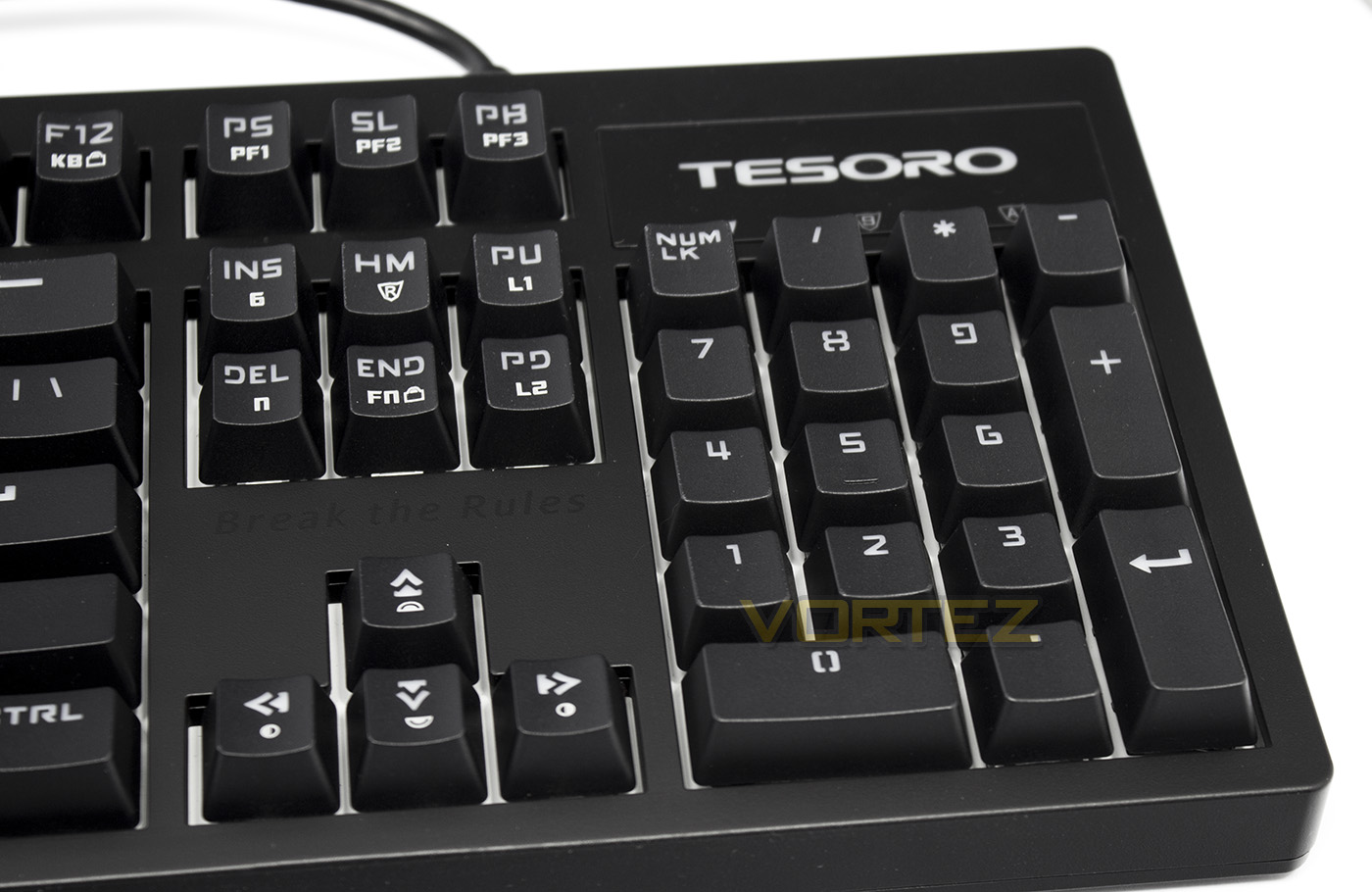
Finally, the cursor keys supply users with a brightness up/down, along with lighting mode selection, of which there are 10 different effects.
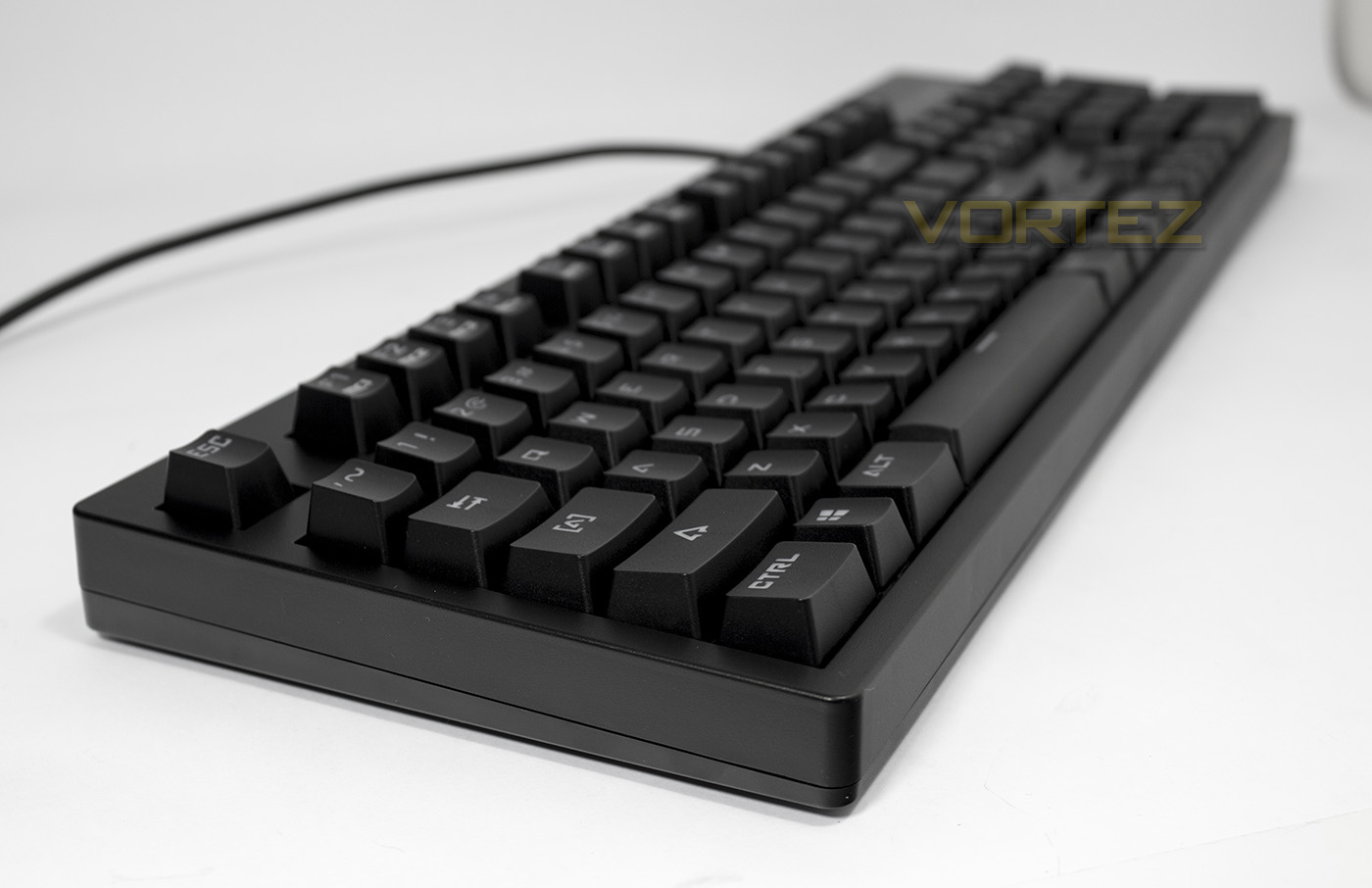
Side on we get an impression of the overall height of the keyboard. The tapering height is relatively shallow, and so some may prefer to use the angle adjustment feet, which unfortunately we found to be relatively unstable.
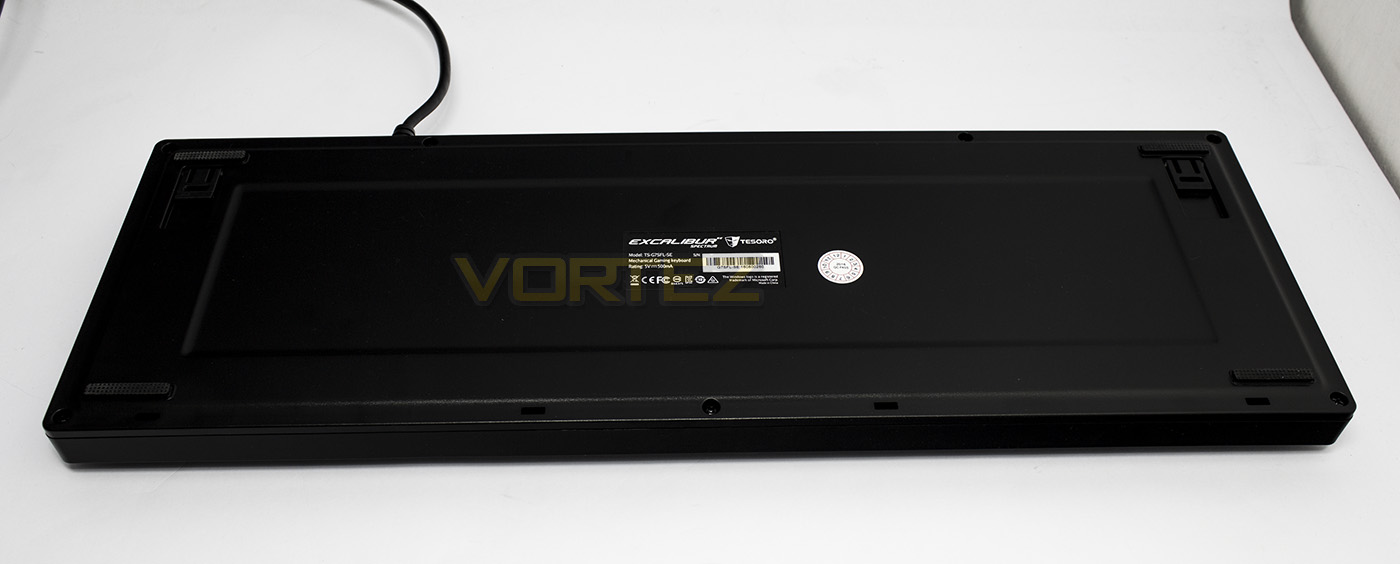
The underside is mostly plain with just the product information, some rubber pads and the and height adjustment feet to note. The height adjustment feet open out, but easily collapse if you push the keyboard back a little, not a huge problem, just note that if you use them, you may need to lift it to move it backwards.
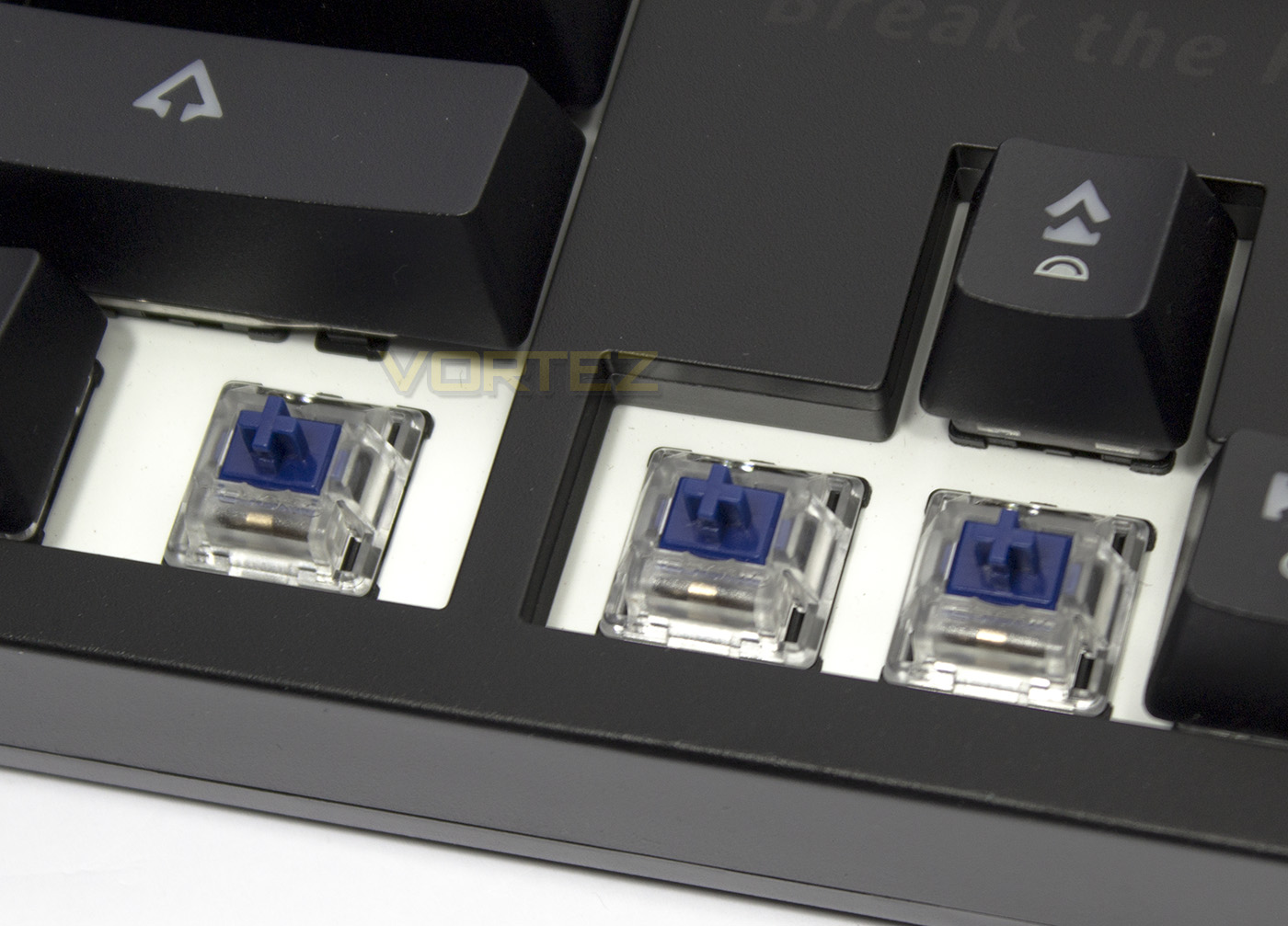
The switches look a little less busy than other mechanical switches internally, and the larger switches use a metal distribution bar. They feature the Tesoro name on them and are coloured in a dark blue to symbolise the market understanding that these have been given an audible, and tactile click on each keystroke. The switches can also be taken out and swapped with other compatible switches, meaning that you could potentially mix and match your favourite switches. For now however, Tesoro only have linear Red and clicky Blue available as optical switches.
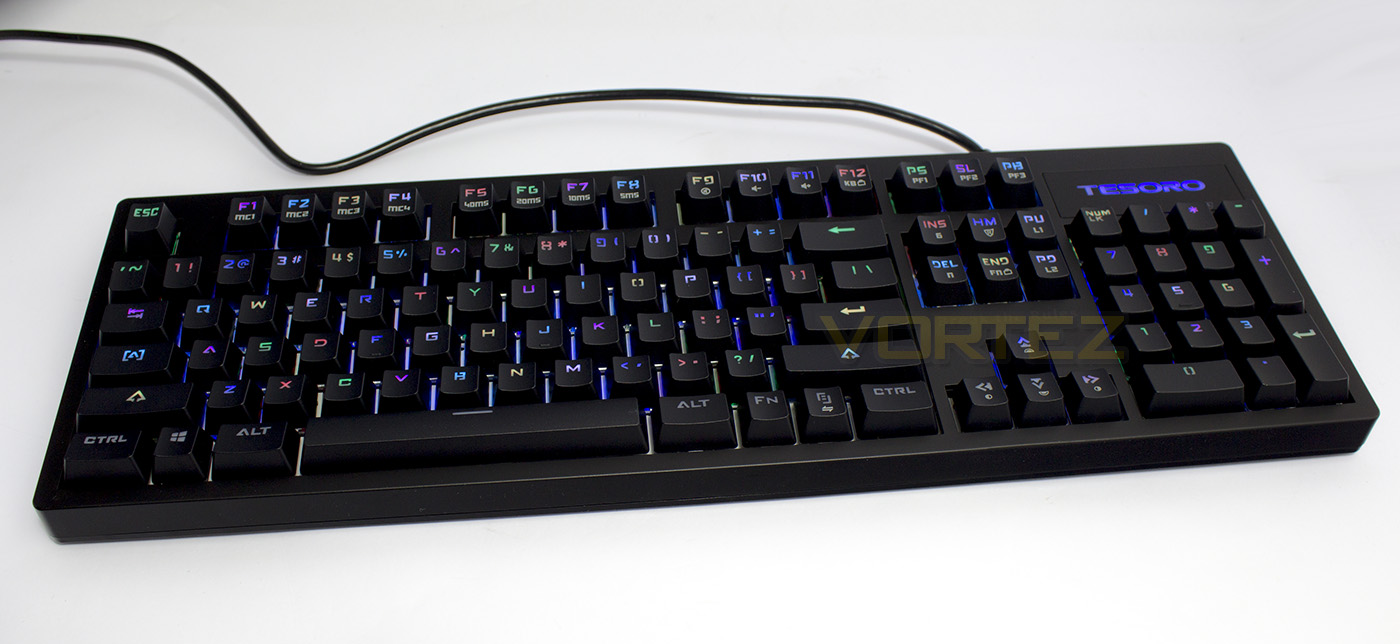
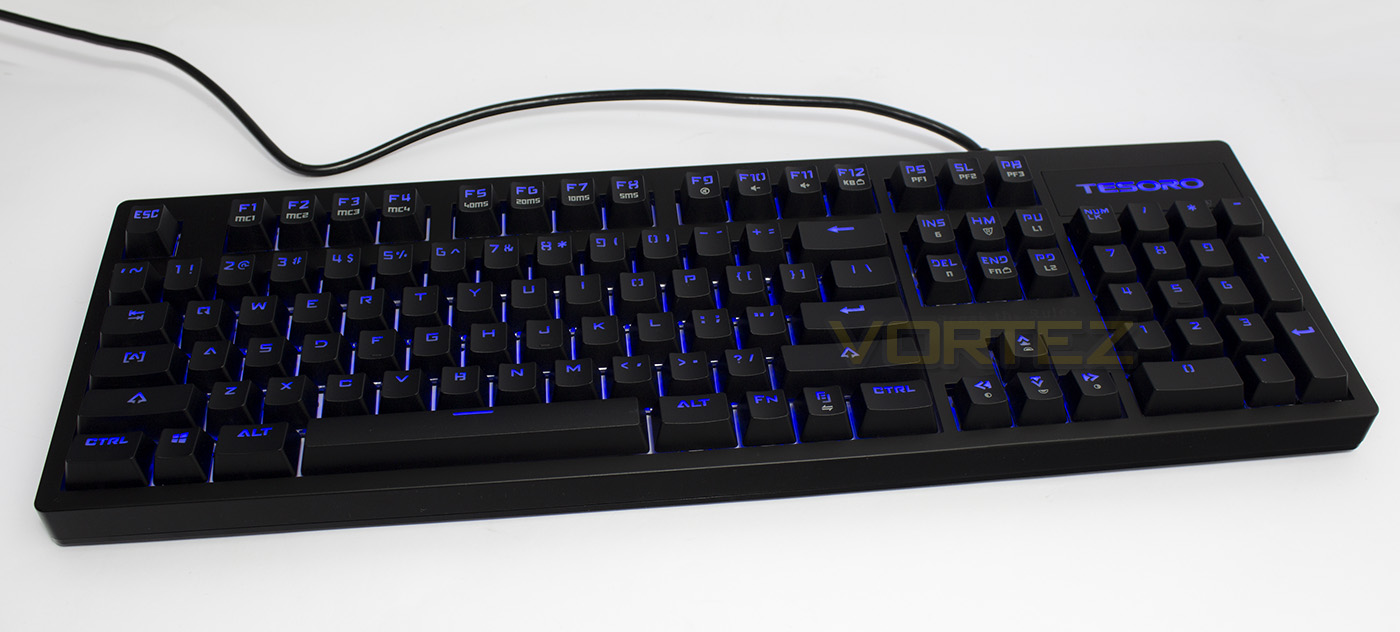
There are 10 various lighting modes including: breathing, static, rain, wave, cycle, ripple. You can record your own custom lighting via Fn + Pg up for static lighting effects. On entering the mode, you can press each key you wish to light up. To change the colour, press the key again to cycle through various colours until you find that which you desire. You can also record a dynamic lighting effect by pressing Fn + Pg down. This mode will record each keypress with actual delays, so it can be fairly complex to work with, though with a little practice, you can create some cool effects, unfortunately the colour of the key presses alternate after each key has been pressed, so you have no control over colour in this mode. The lighting is not as vibrant or bright as other keyboards and the colours have a strange washed out look to them. This doesn’t appear to be due to the keycaps and is more likely down to the LEDs that have been used.
Performance Testing
Setup, Design & Observations
Some found that with the older Tesoro keyboards that the software was rather unintuitive and difficult to use, and so Tesoro has opted to make the Excalibur SE Spectrum driverless. This is likely to be good move as there are many people that prefer driverless setups anyway. So all you need to get going with this keyboard is a spare USB port.
In use we found that its height allowed for comfortable use without needing a wrist-rest, and its relatively compact frame didn’t take up an excessive amount of room on the desk.
After much thought of playing around with the Excalibur SE Spectrum, we felt that the Fn command layout could have been more efficient. For example, having the F1-F4 keys as macro keys seems a little pointless as they could have allowed any key to be set as a macro, which could then be enabled via a ‘game mode’ (maybe paired with the Windows Lock (Fn + Windows Key)) or by swapping to dedicated 2nd or 3rd profiles. We can also question the usefulness of having the adjustable repeat rate saturating F5-F8 when these could be placed on one key as a ‘toggle’. These keys would better serve the majority of people as media keys (skip/previous, play/pause) or as shortcuts (web, system, calculator). It would have been nice to have had all the lighting controls grouped together too (colour, brightness, mode, record).
Moving onto the macro record function, it didn’t seem as straight forward as we had hoped. To record a macro, firstly you must press the macro record button (Fn + Home), on entering this mode the ‘R’ light will flash quickly. You then need to assign one of the macro keys you wish to record to, (select one of F1-F4), the ‘R’ light will now flash at a slower rate. You can then input your keystrokes, once done, press Fn + Home to stop recording. Afterwards, I was unable to replay the recorded macro, either my pressing the F key to which the macro was saved, or by pressing Fn + F1. On several attempts, trying on different profiles, I concluded that somewhere in this process I was making a mistake, and this is inevitably down to vague instructions (it’s okay, I can manually play Invoker anyway, everyone loves my sunstrike + meteor > alacrity combo, its game changing /end DOTA2 reference.)
Performance
Testing the anti-ghosting with Aqua’s Keytest, we found the Excalibur SE Spectrum does what it says on the tin, with 6KRO being 6 keys pressed, and NKRO allowing for as many keys we could press at once using our hands, feet and face, so gamers don’t need to worry about that. We also ran several typing speed tests, with our average WPM (words per minute) at a rather sedate pace being around 65, the Excalibur SE Spectrum neither hindered or made any dramatic change to typing speed. However, we also decided to do a reaction test. This particular reaction test allows you to use the space bar as well as the mouse click. After normalising our reaction speed with the said test by spending several minutes getting accustomed to it, we found that we could heighten our alertedness and reaction times, and so the best way to combat this from skewing the results is to remain relaxed but alert. After averaging 5 mouse clicks we managed to score 212ms, compared a keyboard with Cherry MX Brown which scored an average of 306ms, and the Tesoro optical switches scored an average of 253ms. This is clearly representative of the response rate improvement with optical switches, especially when considering that the debounce latency adds around 30ms to the mechanical switch. The difference of 0.05-0.1s is within the realm of human awareness and could give some the competitive edge they need in game.
Conclusion
This keyboard delivers a strong statement for Tesoro and the future of mechanical gaming keyboards. Though the implementation of the optical switches in the Excalibur keyboard is a big of a mixed bag, especially when compared to the original Excalibur keyboard. The construction hasn’t changed much over the original, nor is it ‘better’ in any sense when compared to similarly priced competitors. Of the changes that they have made, they are accompanied by a negative balance. Such as the improved, high quality keycaps that feature a ‘spaceship’ style font that looks awful and confusing. Another positive change is that it’s now driverless, again balanced by the inefficient layout of the Fn commands. Finally, the LED RGB lighting could be a little brighter and more vibrant.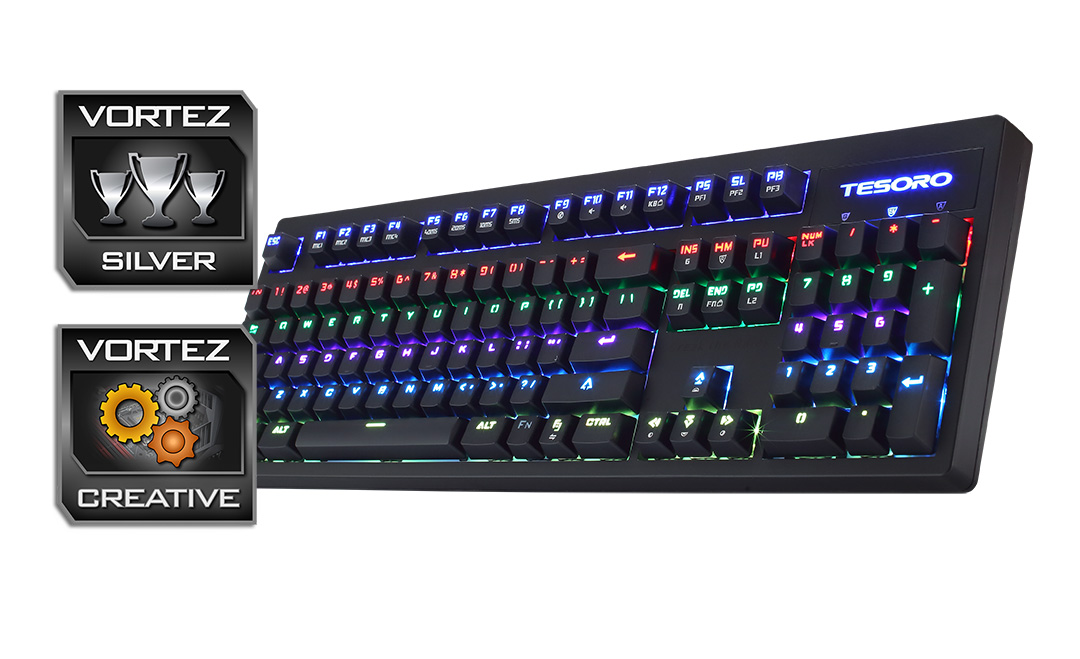
Priced at $99, this has some strong competition from the likes of the Cooler Master MasterKey Pro L RGB, the ROCCAT Suora, and the HyperX Alloy FPS. So in features and even aesthetics, it misses the mark a little. All its redeeming strengths come directly from the implemented optical switches; something you might have assumed would cost more. The optical switches give a significantly huge advantage in terms of responsiveness over traditional mechanical switches. They are highly durable (rated for 100 million keystrokes. Also, the future possibility of swapping out and changing between different switch types, thanks to the switches being hot-swappable. This is another aspect which will increase the appeal to many people.
Given the pros and cons, the Tesoro Excalibur SE Spectrum is a keyboard that has an abundance of slightly annoying nuances, of which all are redeemed by the fact it features blazingly fast optical switches set in a durable, compact frame.
Tesoro convince us that optical switches are the future for gaming keyboards due to their super-fast responsiveness and durability.
Pros.
+ Highly responsive
+ Long lasting optical switches (100m keystrokes)
+ Anti-particle and spill resistant
+ Driverless design
+ On-board memory with 3x profiles
+ Switches are hot swappable
+ Selectable 6/N-KRO
Cons.
– No USB or audio pass-through
– RGB lighting isn’t quite as vibrant as others
– Unclear, over-stylised font
– Macros were a pain to setup
+ Highly responsive
+ Long lasting optical switches (100m keystrokes)
+ Anti-particle and spill resistant
+ Driverless design
+ On-board memory with 3x profiles
+ Switches are hot swappable
+ Selectable 6/N-KRO
Cons.
– No USB or audio pass-through
– RGB lighting isn’t quite as vibrant as others
– Unclear, over-stylised font
– Macros were a pain to setup
Click here for an explanation of our awards at Vortez.net.