Today we take a look at the Tesoro Lobera Spectrum, with 16.8M RGB LED backlighting and per-key customisation and USB/audio pass-through, will this be your weapon of choice?
Product on Review: Tesoro Lobera Spectrum
Manufacturer: Tesoro
Street Price: UK £109.99 US: $129.99
Tesoro are growing in identity and reputation when it comes to good quality gaming peripherals. Having stamped their unique style and branding based on legendary weapons and armour, you can see that their source inspiration serves as a passion for standing out, an important criteria in this market. The Lobera Spectrum, may not be good for slaying real wolves, but it comes as a full 16.8M colour per-key backlit mechanical gaming keyboard with fully customisable key remapping and per-key customisable lighting.
As we have previously sampled the Lobera Supreme there are some similarities to come such as USB and audio pass-through as well as great aesthetics, though will there be some improvements?
Overview by Tesoro
Lobera Spectrum is a top-notch programmable gaming keyboard
with advanced backlighting features. It has a number of stunning illumination modes including audiomode which makes the LEDs flash to the beat. Its highly customizable illumination processor even lets set individual key colors and turn the backlighting on and off for each key.
Mechanical key design creates solid tactile feel and rapid response for extreme gamers. High speed USB 2.0 hub with audio jacks offers easy connection for user’s favourite portable peripherals. 5 profiles, up to 300 macro keys can be defined by the user. Tesoro Lobera Spectrum is the ultimate choice for gamers.
with advanced backlighting features. It has a number of stunning illumination modes including audiomode which makes the LEDs flash to the beat. Its highly customizable illumination processor even lets set individual key colors and turn the backlighting on and off for each key.
Mechanical key design creates solid tactile feel and rapid response for extreme gamers. High speed USB 2.0 hub with audio jacks offers easy connection for user’s favourite portable peripherals. 5 profiles, up to 300 macro keys can be defined by the user. Tesoro Lobera Spectrum is the ultimate choice for gamers.
Technical Specifications
Dimensions: (W) 498mm x (D) 183mm x (H) 25mm
Memory: 512KB
Profiles: 5
Keystrokes per profile: 5
Macro keys: any
LED colors: 16.8 million
Weight: 1.5kg
Key lifespan: 60 million keystrokes
Profile keys: 3
Connection: USB
Cable length: 1.55m
USB ports: 2
Memory: 512KB
Profiles: 5
Keystrokes per profile: 5
Macro keys: any
LED colors: 16.8 million
Weight: 1.5kg
Key lifespan: 60 million keystrokes
Profile keys: 3
Connection: USB
Cable length: 1.55m
USB ports: 2
Packaging & First Look
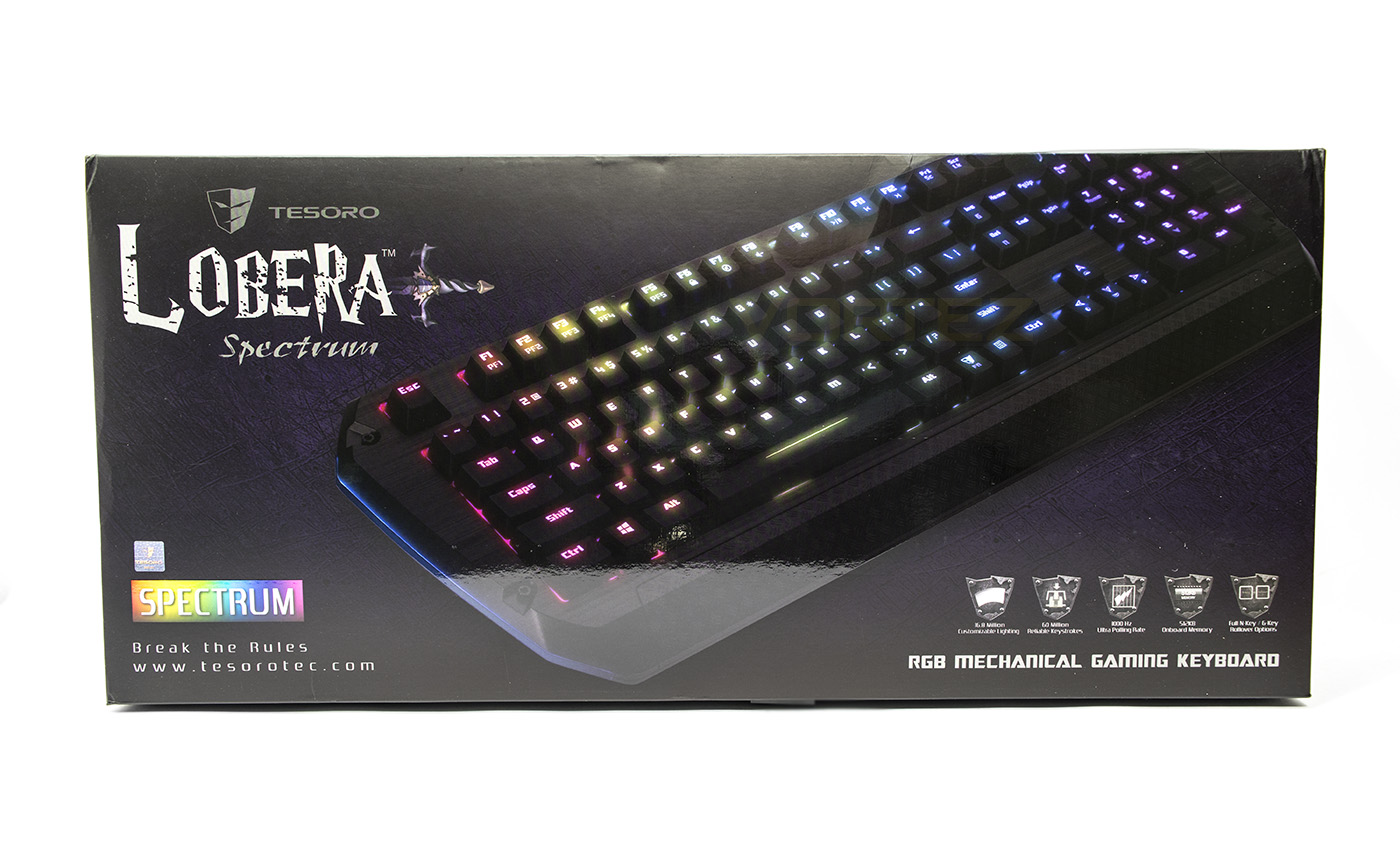
The exterior packaging is good quality printed glossy card coloured with the violet/purple design regularly seen with Tesoro products. Some features of the keyboard are listed as little armour icons which is a nice touch.
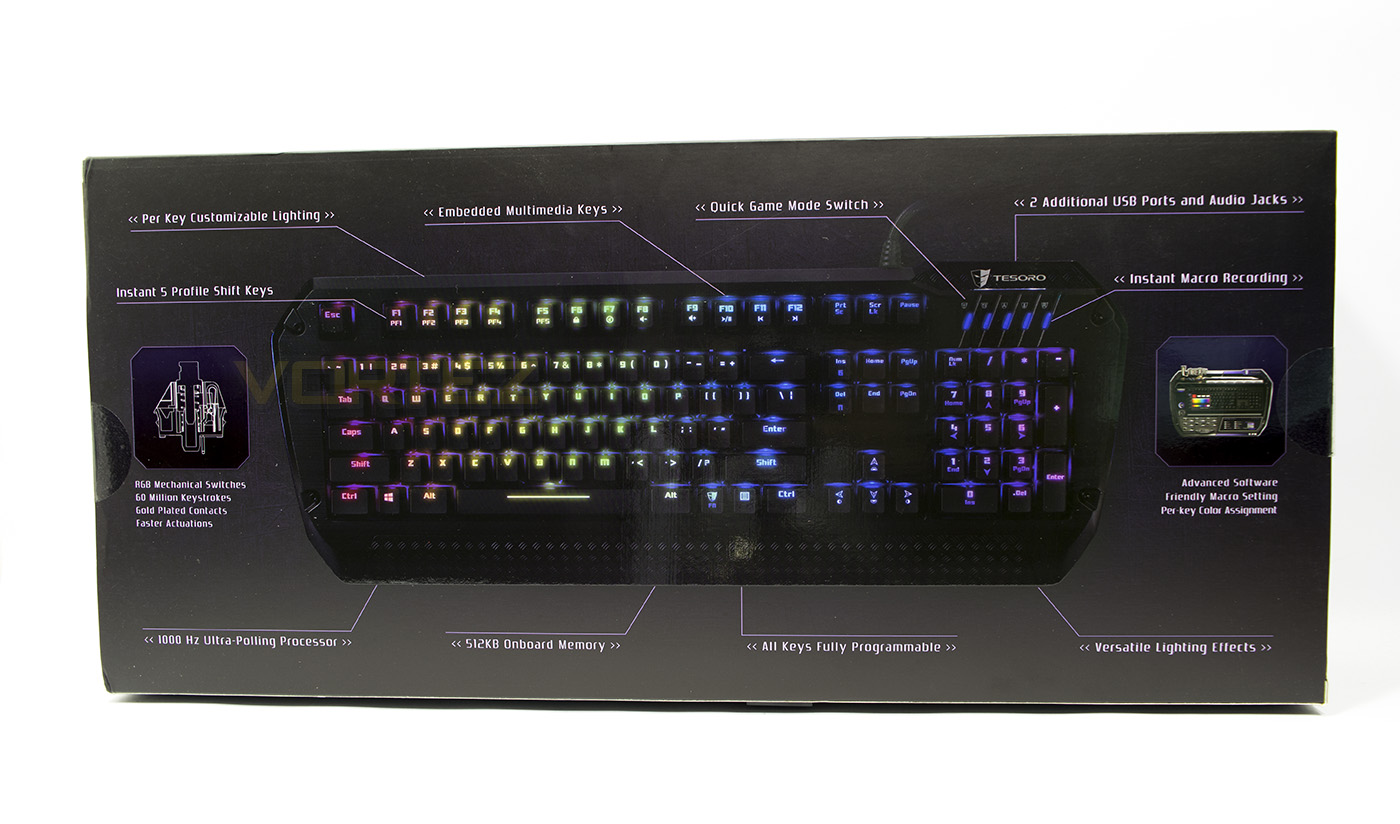
At the back we get a large diagram which points out more features, including an instant gaming profile switch and an on-the-fly macro recording switch.
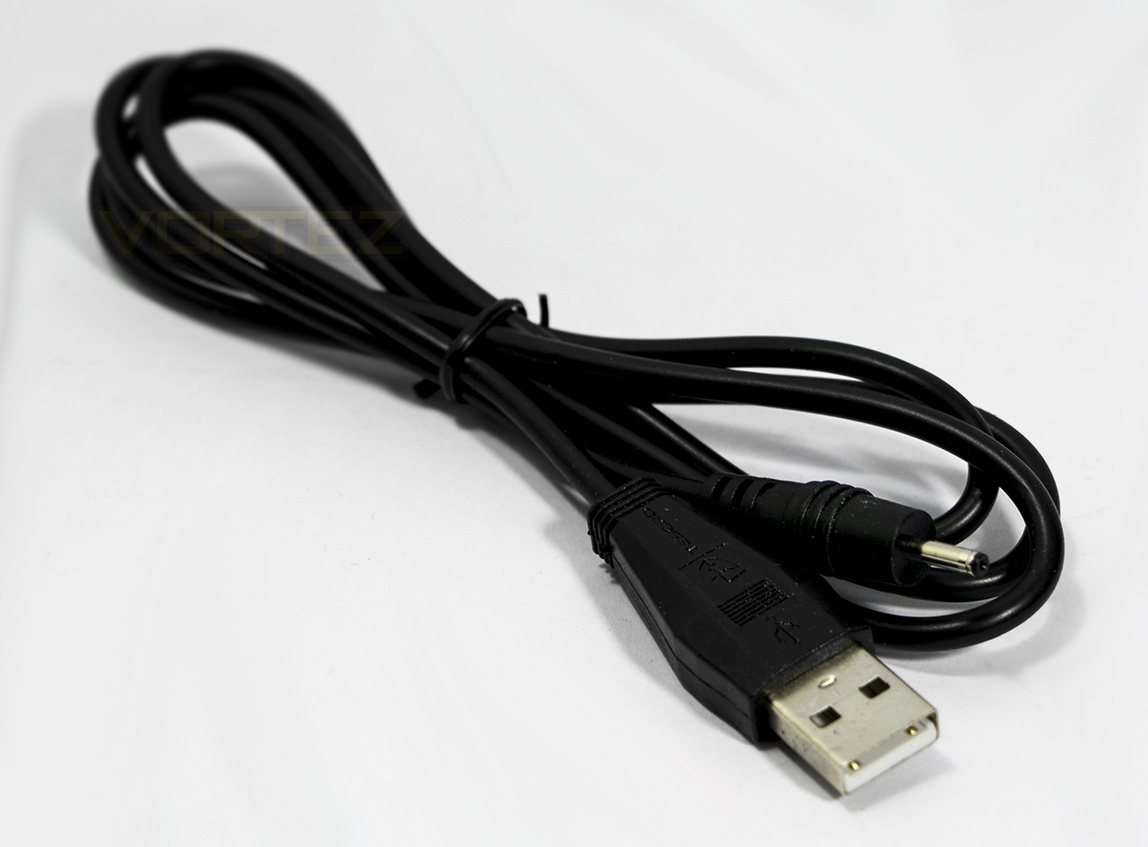
Included with the Lobera Spectrum is a USB to DC power cable to boost the power to the USB passthrough for charging your phone and tablets.
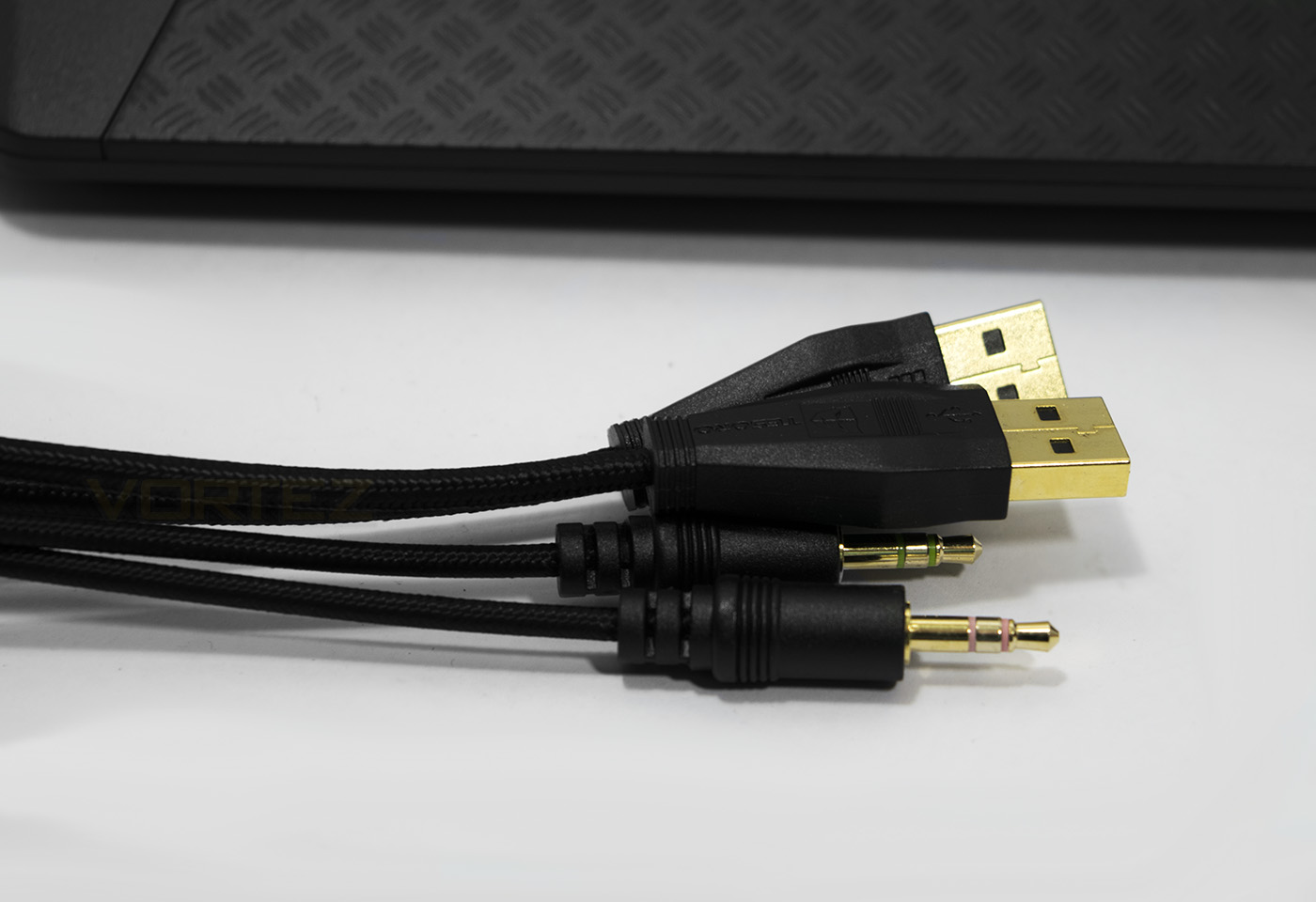
The 1.55m braided cable ends with 2x USB connectors and 2x 3.5mm jacks for microphone and headphone pass through.
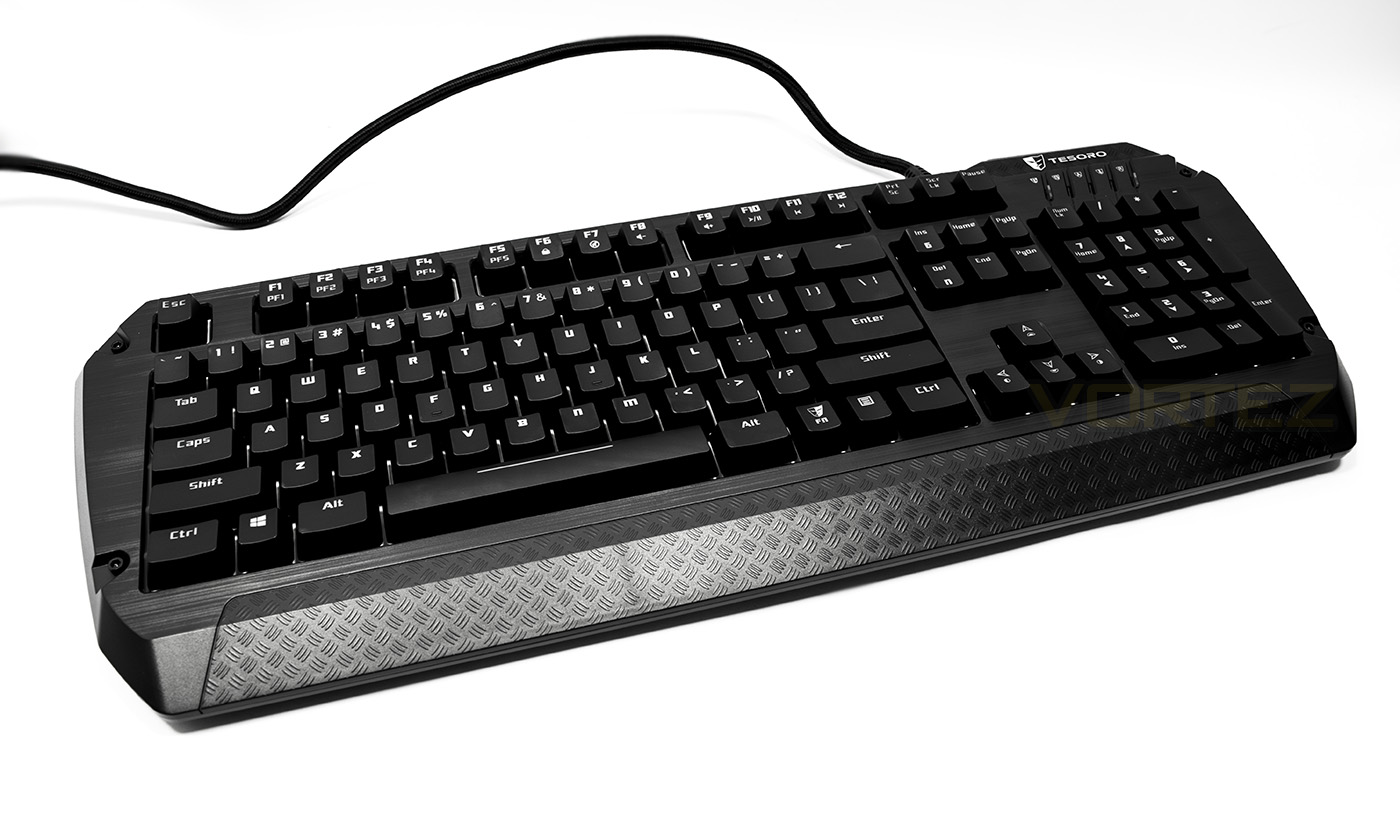
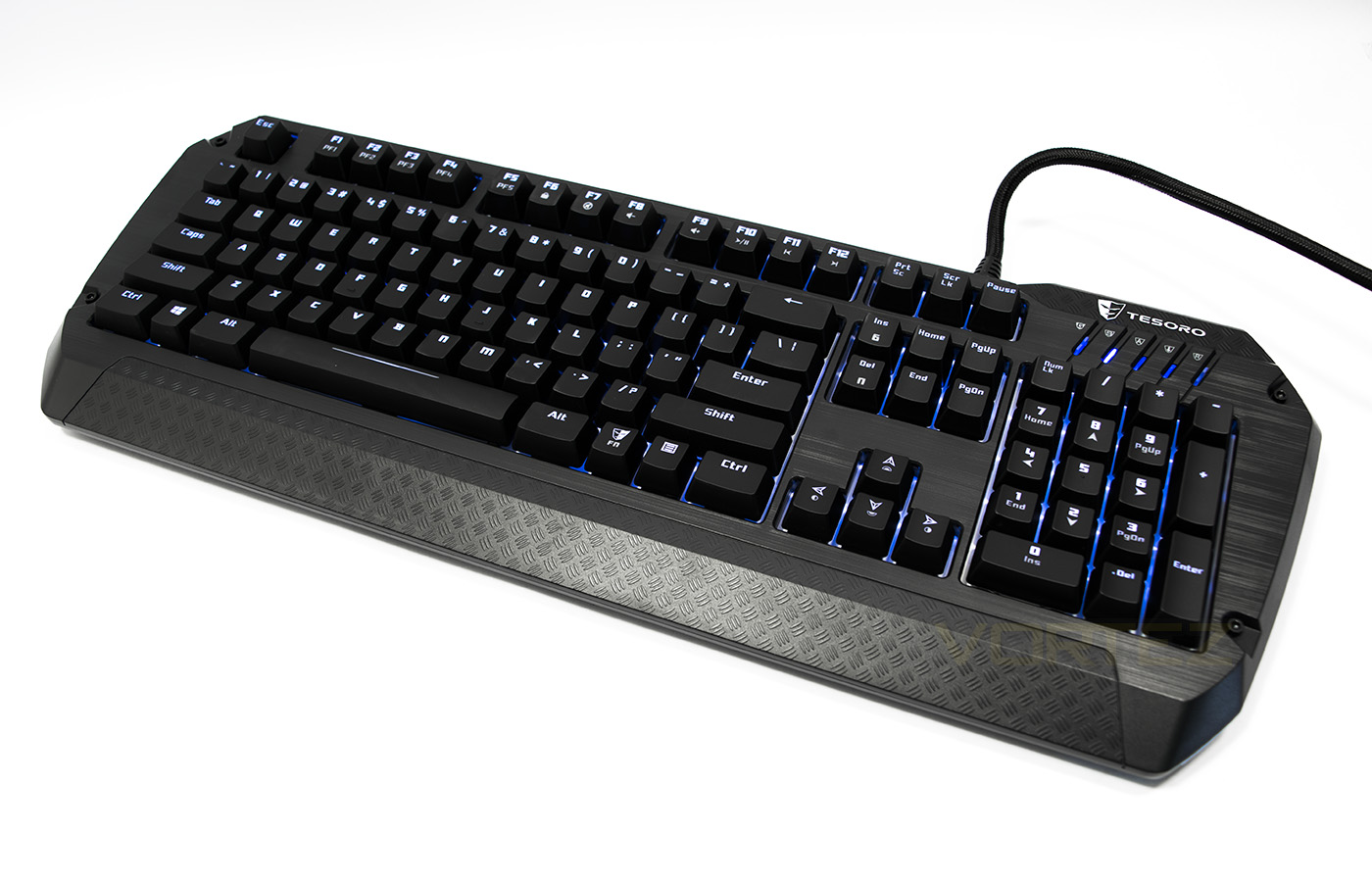
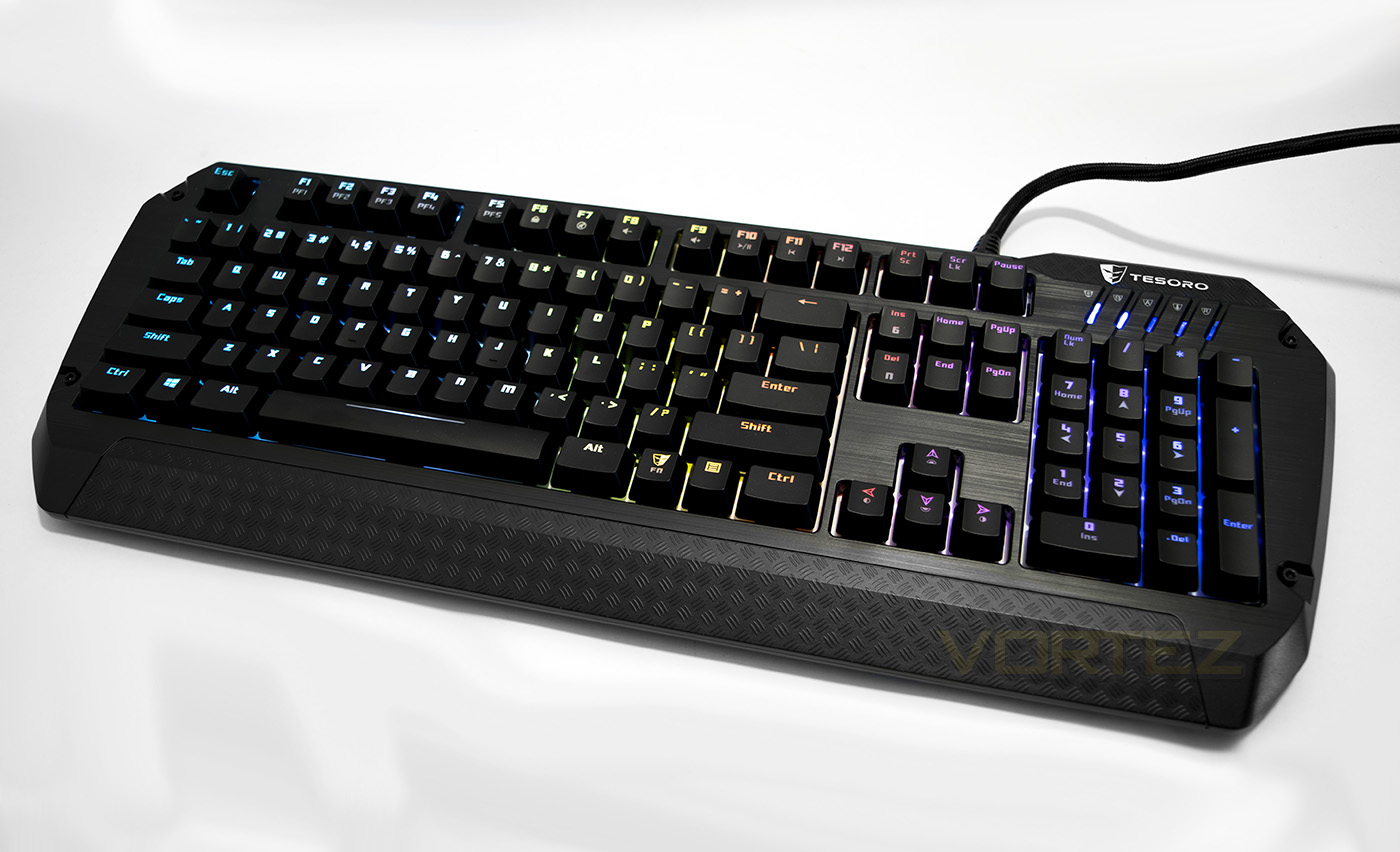
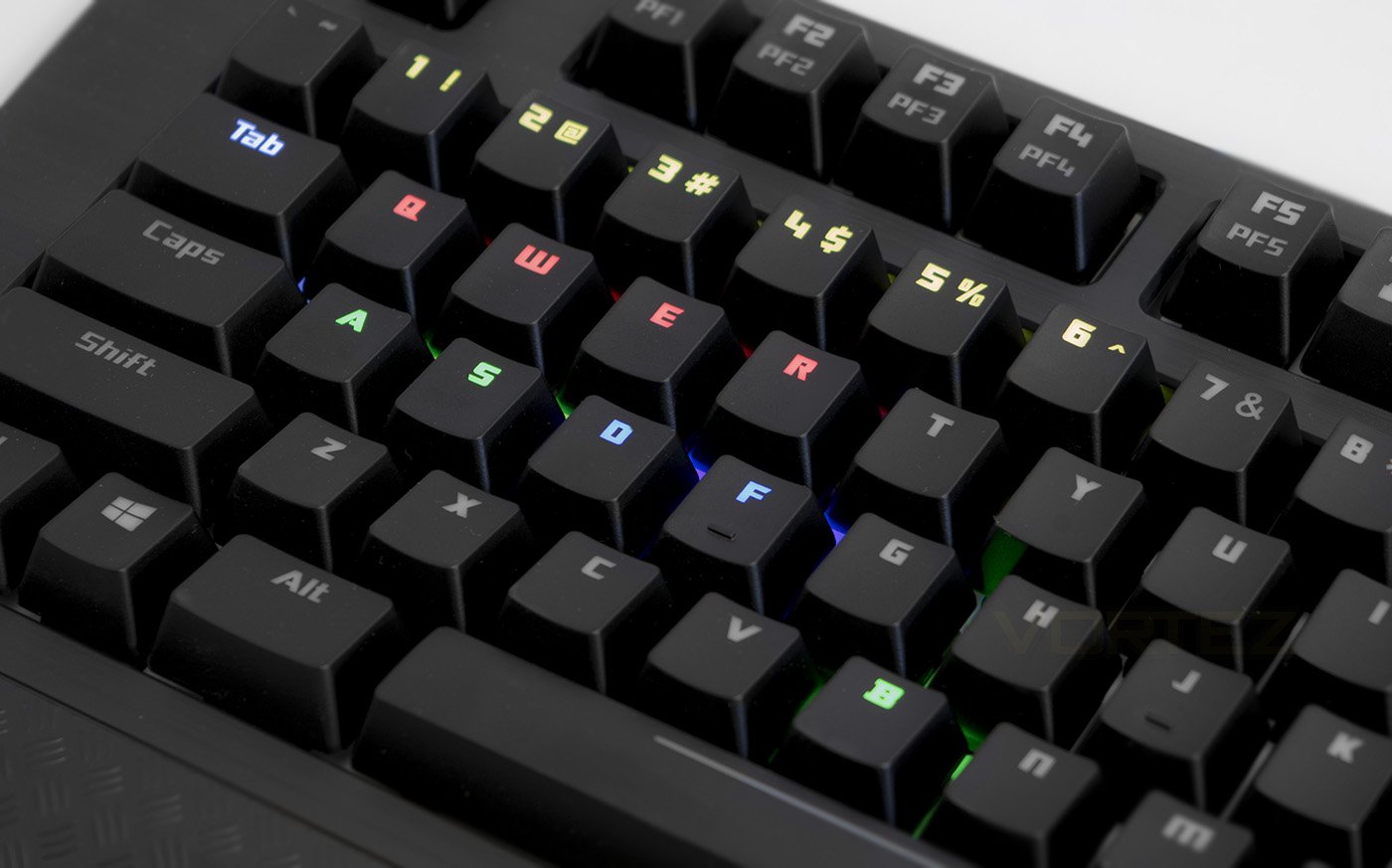
The Lobera Spectrum keyboard. Aesthetically, the Lobera has a faux brushed aluminium effect in plastic which is attractive, albeit misleading, I am sure many would prefer the real thing though the quality feels good. Under the key caps there is a white background like what we saw with the Razer Blackwidow, which helps the LED lighting pop out more.
Closer Look
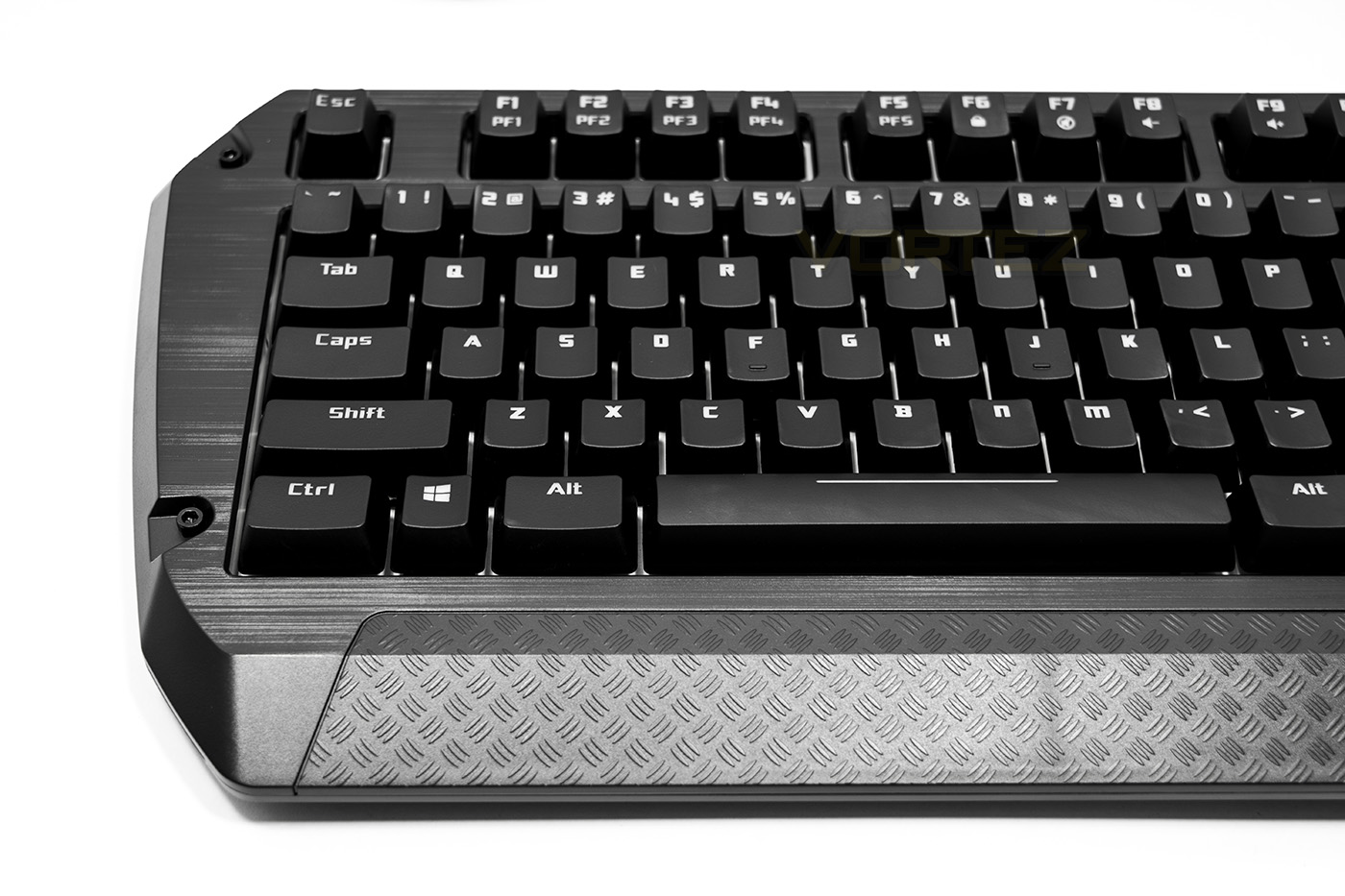
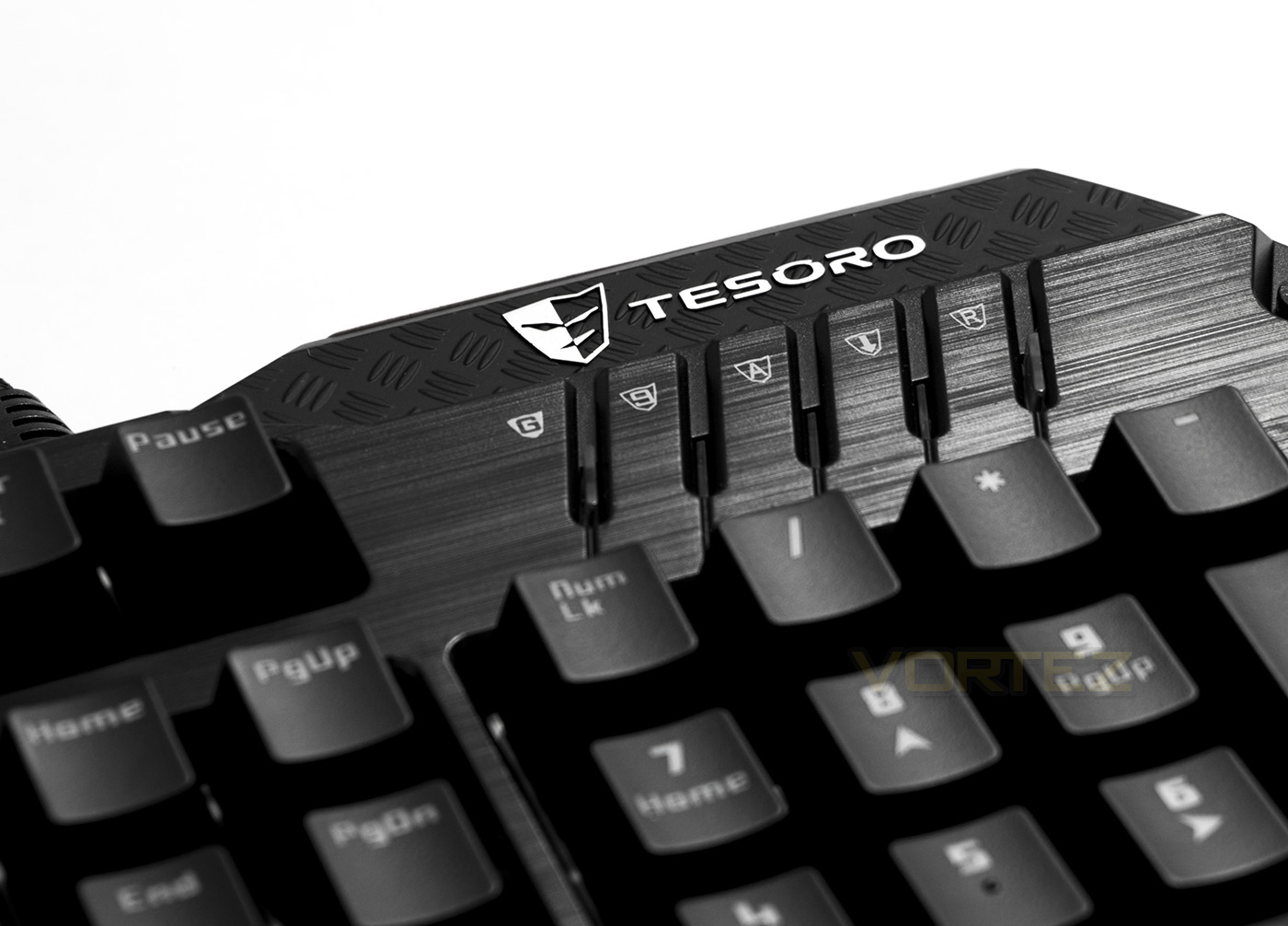
The brushed plastic looks nice, and there is a partial wrist rest which mimics an industrial non slip steel effect.
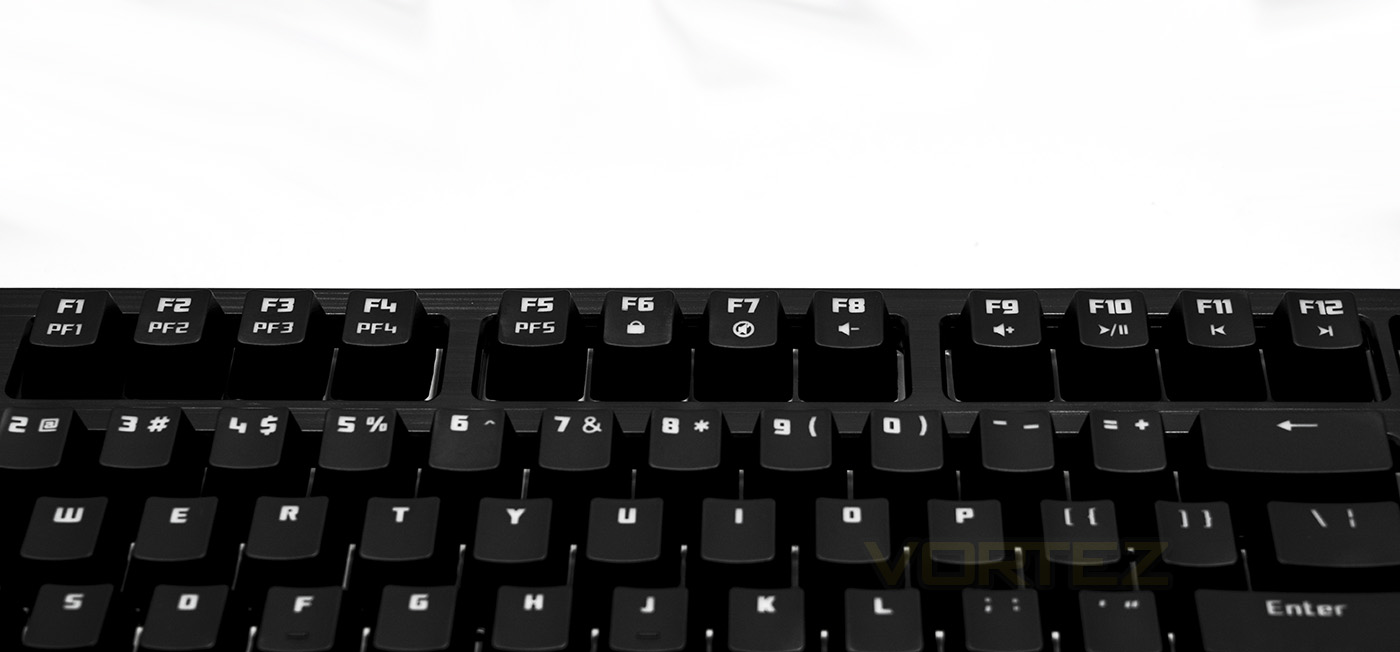
The F keys double as media keys, including quick access to the 5 profiles saved to the onboard memory.
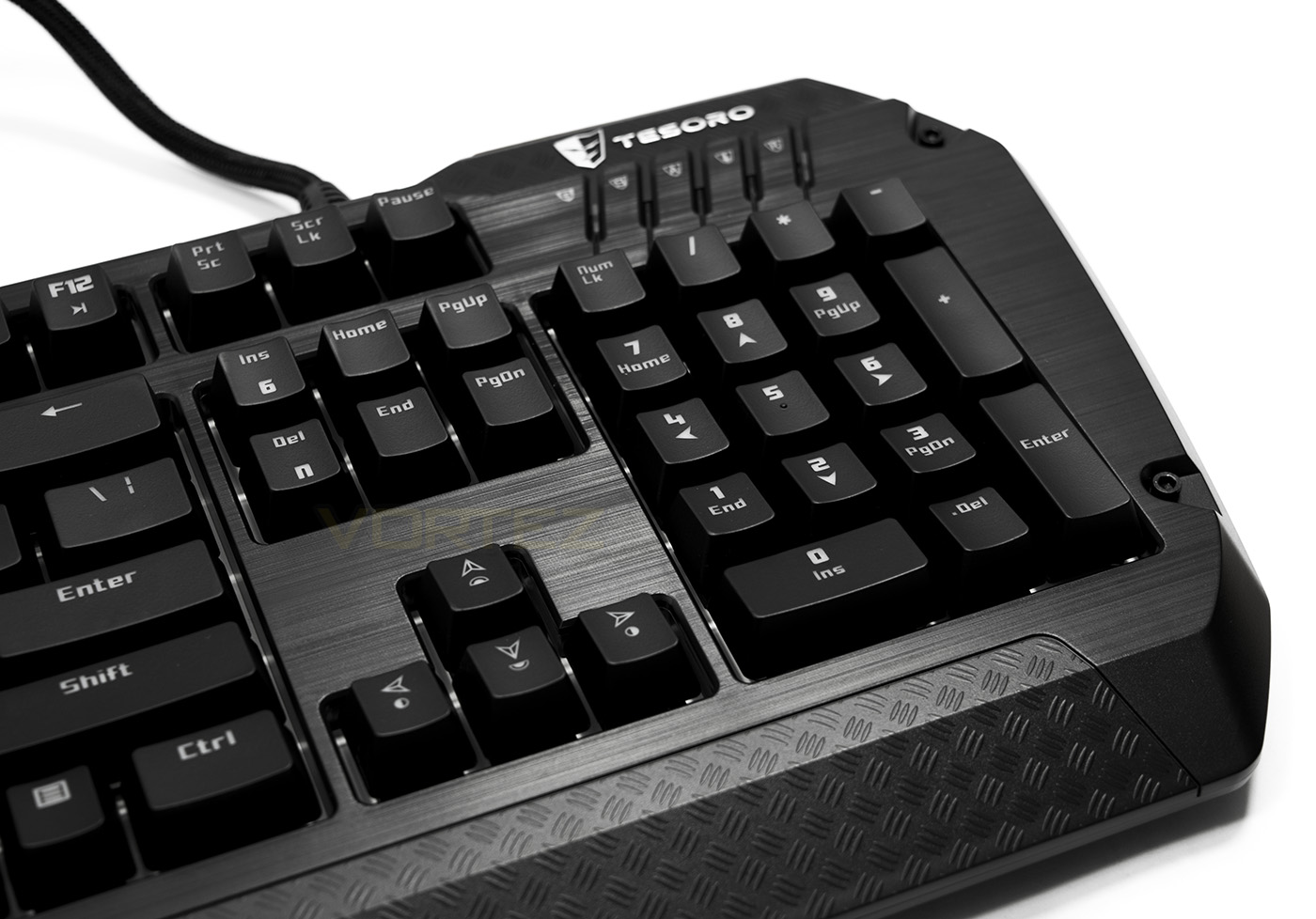
The cursors double up as brightness and lighting mode selection keys. There are 4 levels of brightness, not including off, these are 25%, 50%, 75%, and 100% brightness. The insert and delete key allow you to choose between 6KRO or NKRO to your preference.
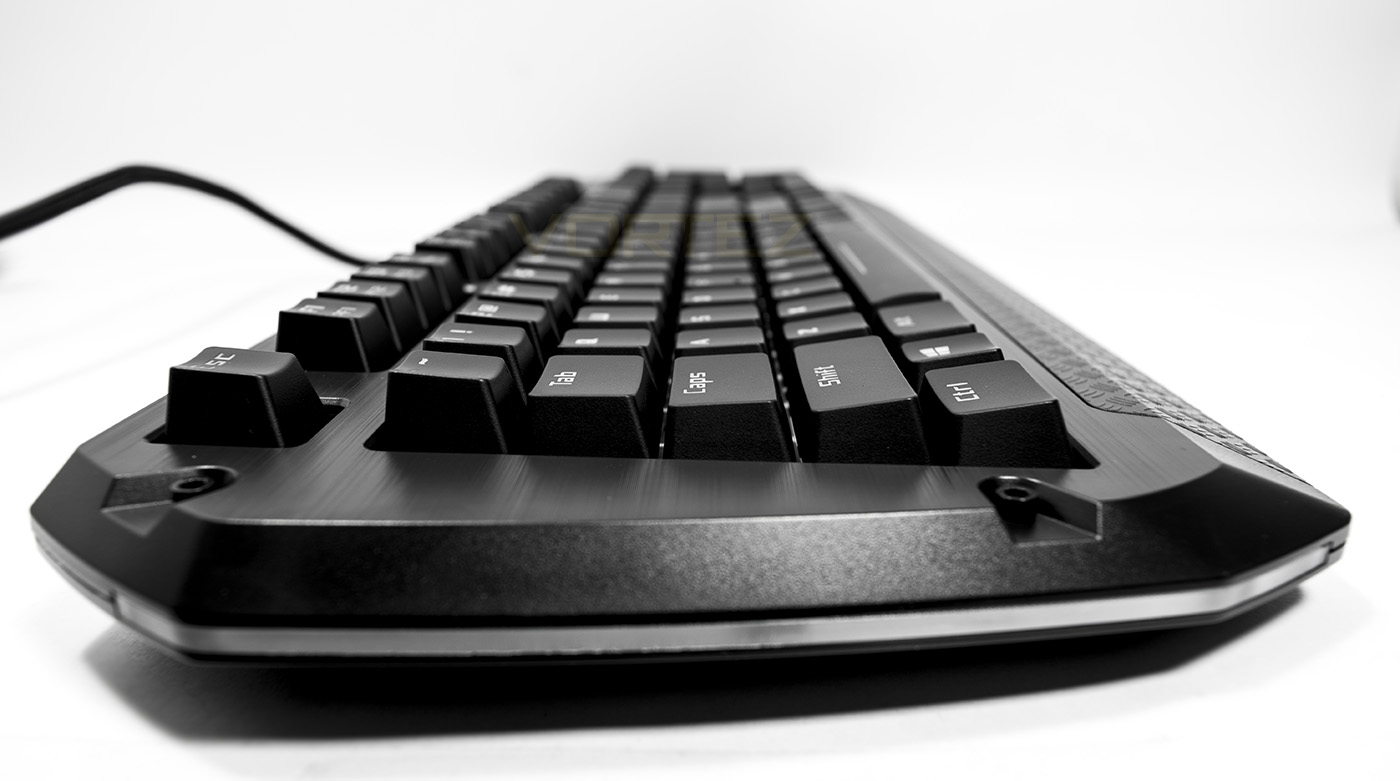
The Lobera is relatively low profile at 25mm high and the extended wrist area will provide a little extra support. Each side has an illuminated LED bar which will spread the lighting out across your desk.
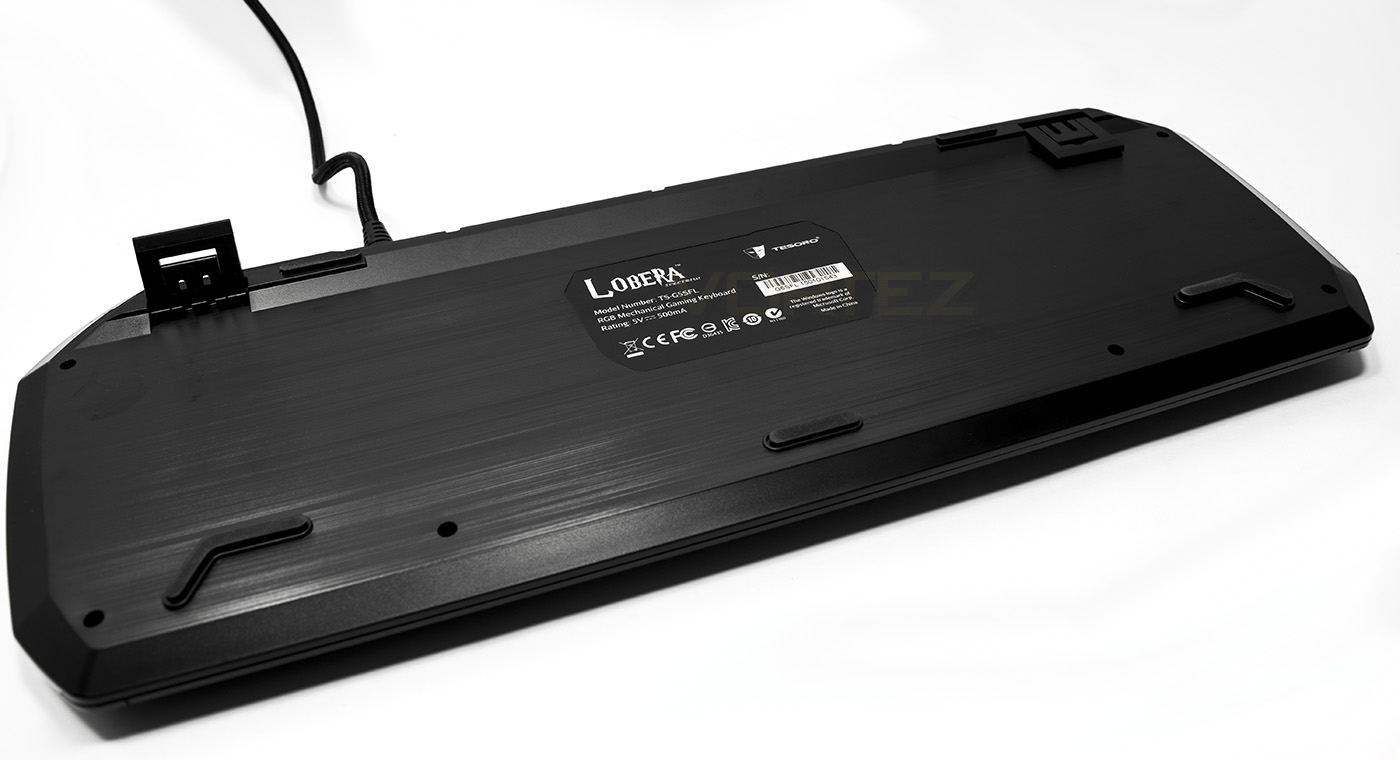
The underside offers no cable routing options and is rather plain, with the brushed effect. There are two feet sizes for height adjustment.
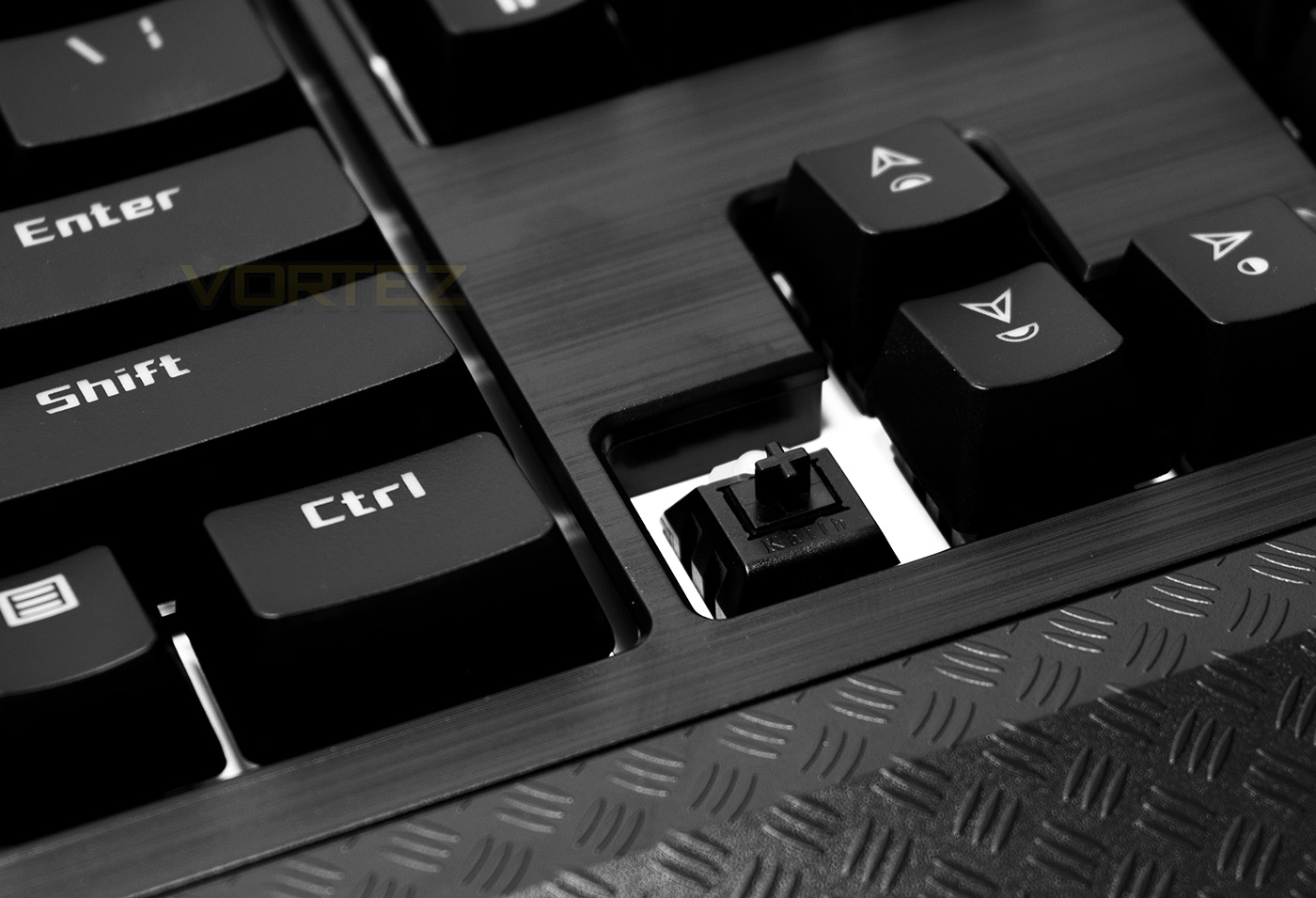
This version we are looking at uses the Kailh Black switches but is available with Red, Blue and Brown also. The Black switches are similar to Red, just requiring a higher actuation force.
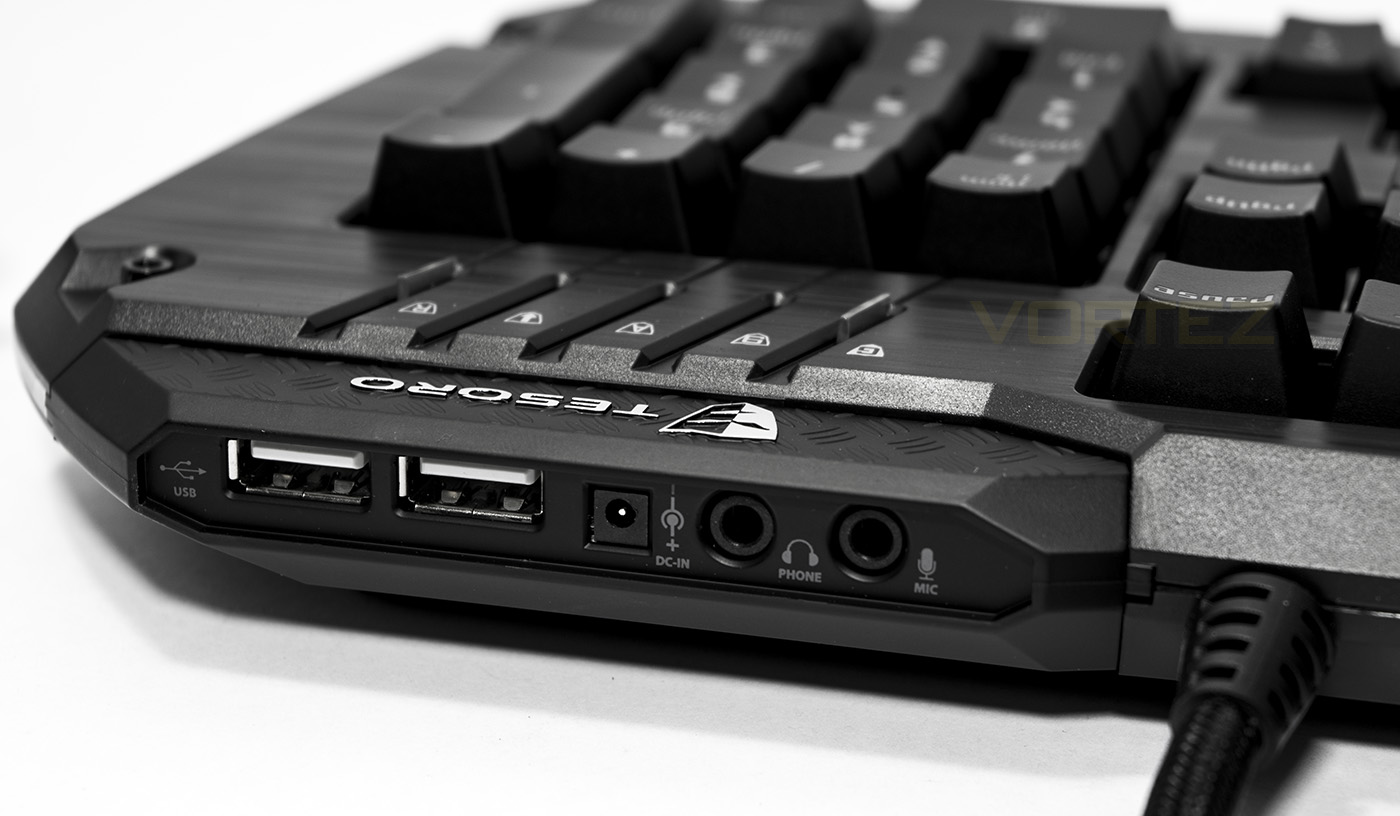
There are two USB ports available with the pass through and there is a DC in port to help supply them with more power for use with charging your mobile devices. There is also 2x 3.5mm audio ports for headphones and microphone.
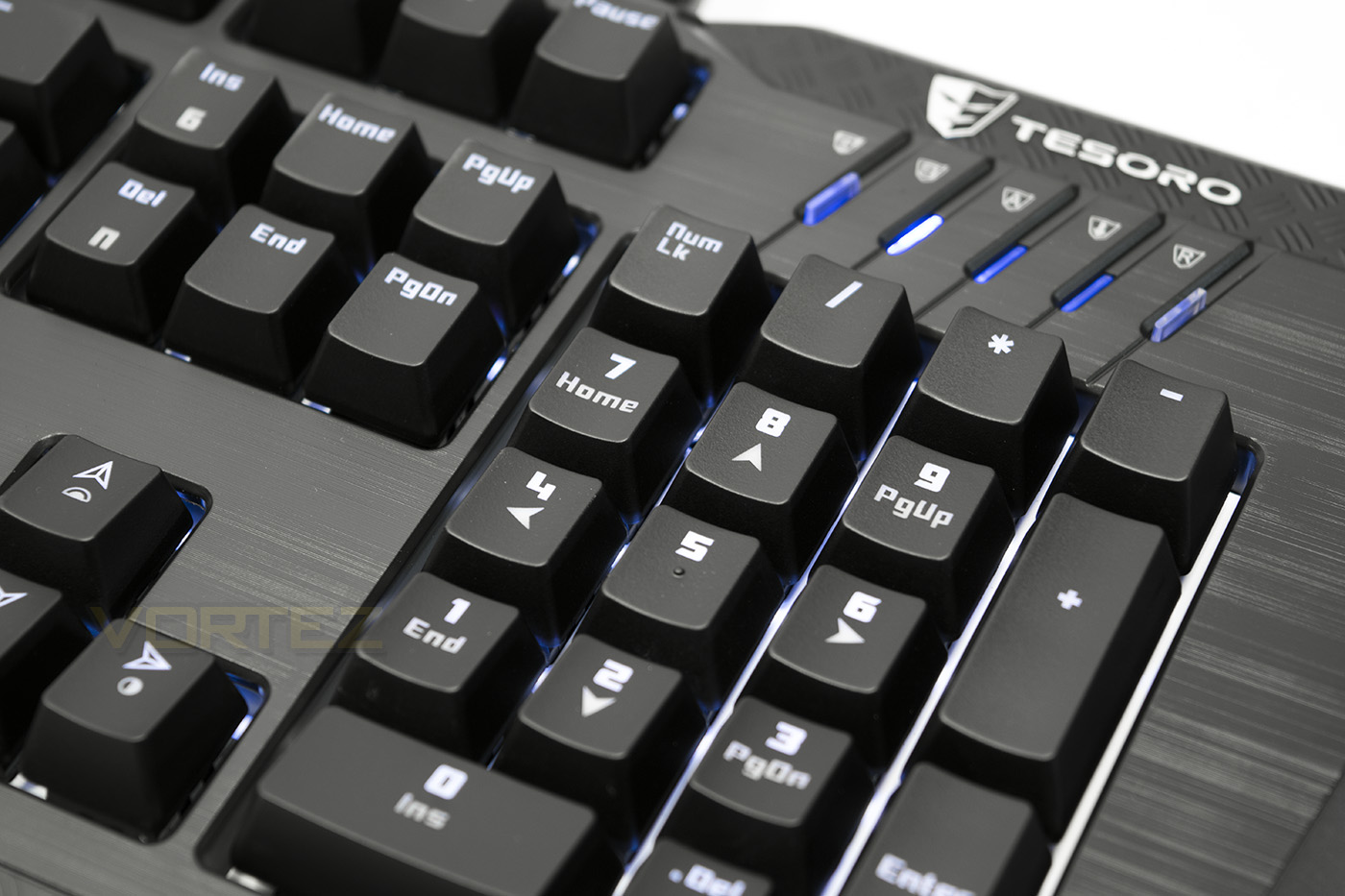
In the top right area of the keyboard there are LED indicator switches for caps, scroll and num lock, though on the far left this LED indicator is also a button for quick swapping gaming and PC profiles, and on the far right, there is a button for quick recording macros.
Software & Lighting
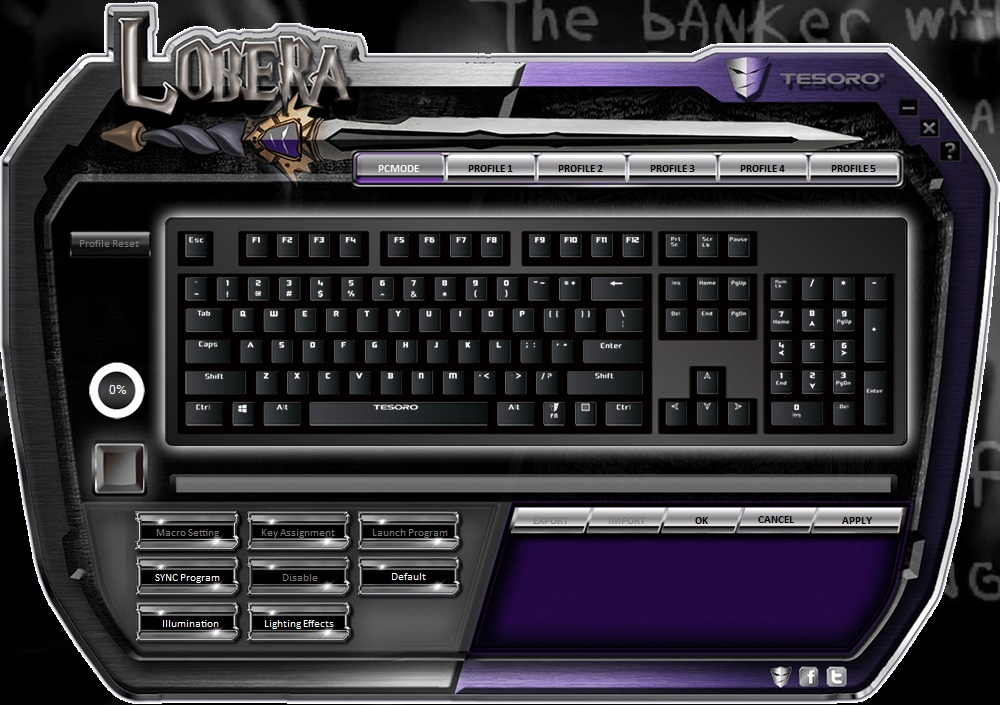
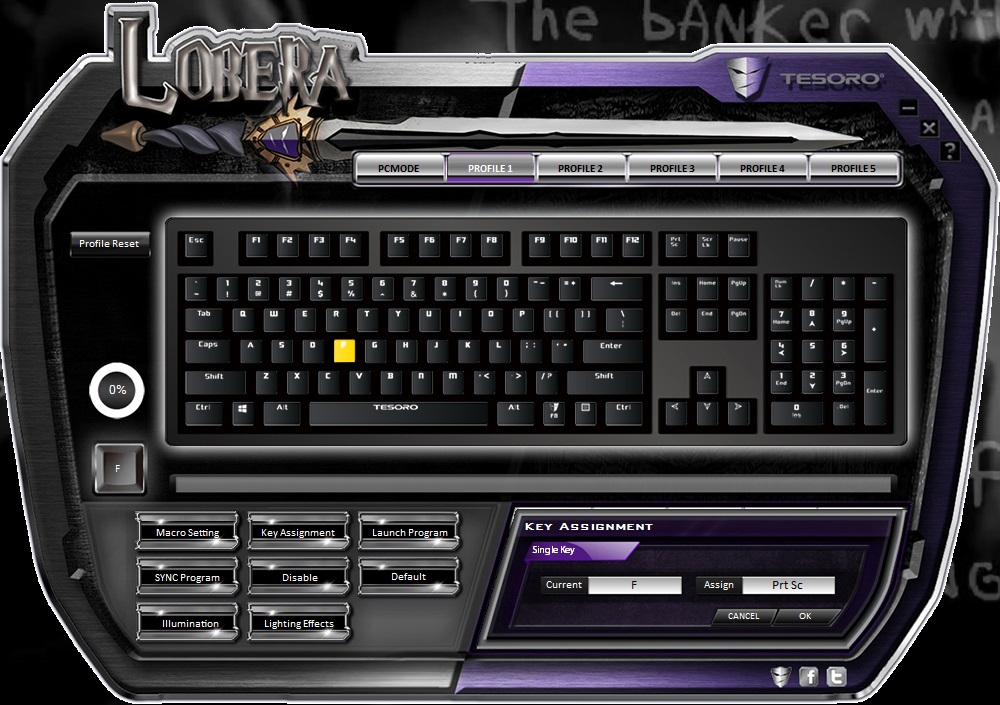
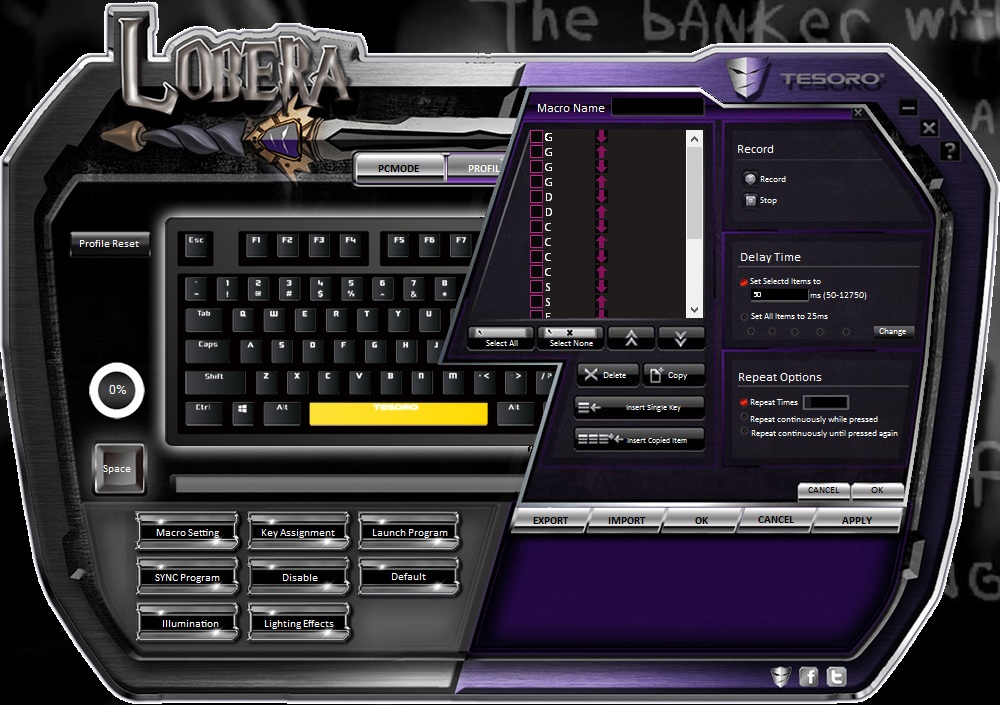
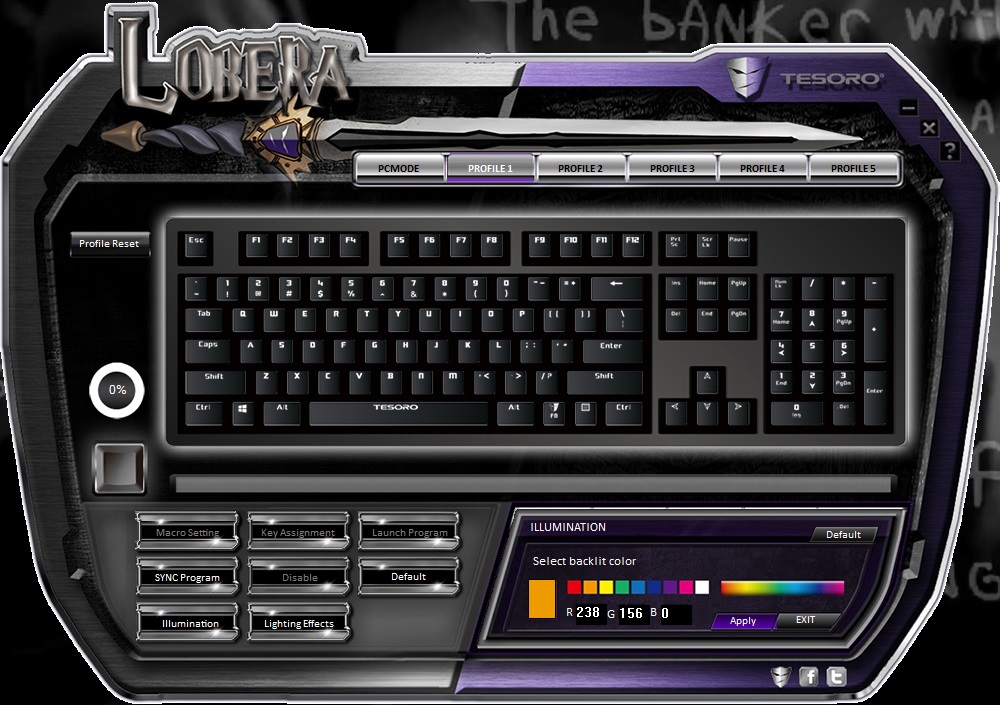
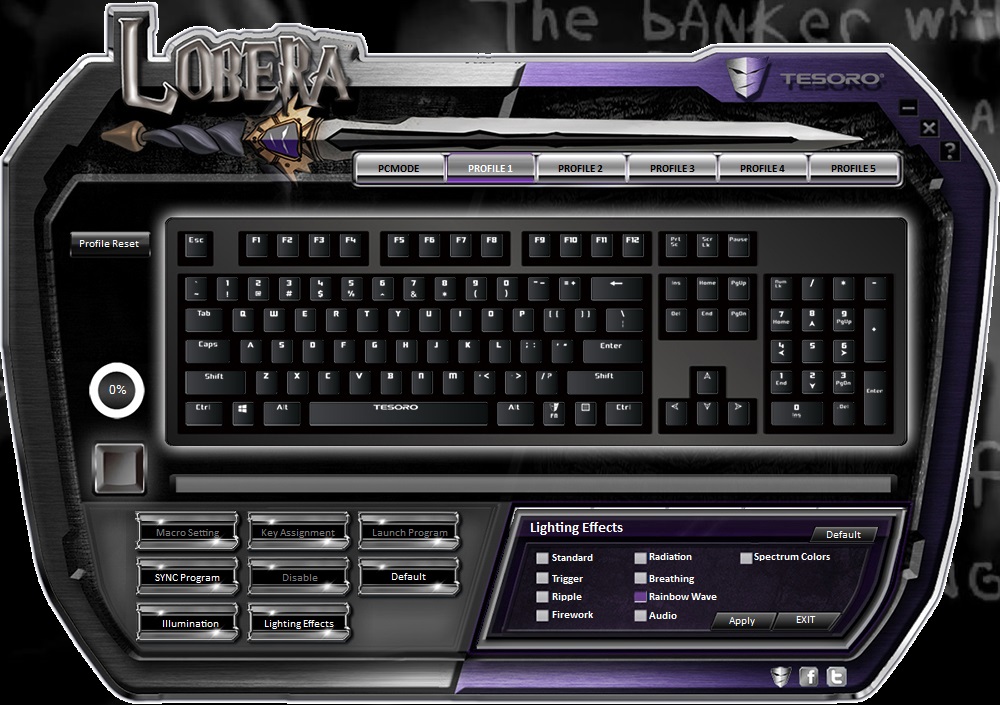
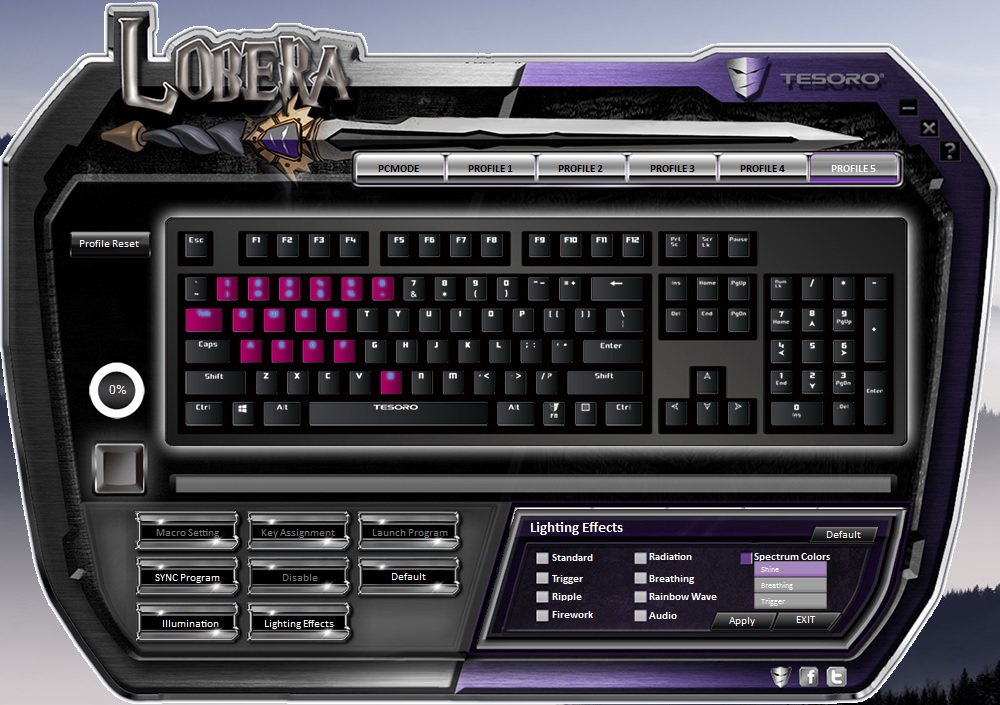
The software is available to download from to Tesoro website and is fairly simple to install. Though you may need to install the Spectrum Firmware update first. Once installed you can individually create and assign a macro (5 keystrokes per profile) to any key, as well as reassign, open applications or even disable any key you wish. You can choose from the preset lighting effects or create your own custom lighting layout to help map your macro keys too. To do this, you will need to select the ‘spectrum colors’ mode, which can then be set to ‘shine’ (static lighting) ‘breathe’ or ‘trigger’ modes, while in the ‘Spectrum Colors’ mode you can individually assign each key to illuminate in any colour of your choice. The colour reproduction accuracy isn’t excellent, but it is on par with most other full RGB keyboards we have had a look at. This process of creating custom lighting is slow and tedious with this software but people will enjoy this feature.
Performance Testing
Setting up by using plug and play is fairly simple to do, each gaming profile by default is set to a different lighting effect while each of the profiles automatically disable the Windows key by default. You can switch back to PC mode by pressing the LED button in the top right. Should you be using the USB pass through to charge your mobile devices, the USB-DC power cable would need to be employed, taking up an extra USB port on your PC, totalling 3 in use which may be a bit much for some people.
The construction quality is high, feeling sturdy and comfortable to use, though sometimes when relying on the small wrist rest area, we found that the top side of the keyboard could lift, causing us to question whether Tesoro should have included a separate wrist rest instead. Arguably, this only happened when being particularly heavy handed while placed on a soft desk/mouse mat type surface. The brushed plastic is attractive but will never replace the real thing, so if you are looking for a brushed aluminium top plate on your keyboard, don’t be fooled.
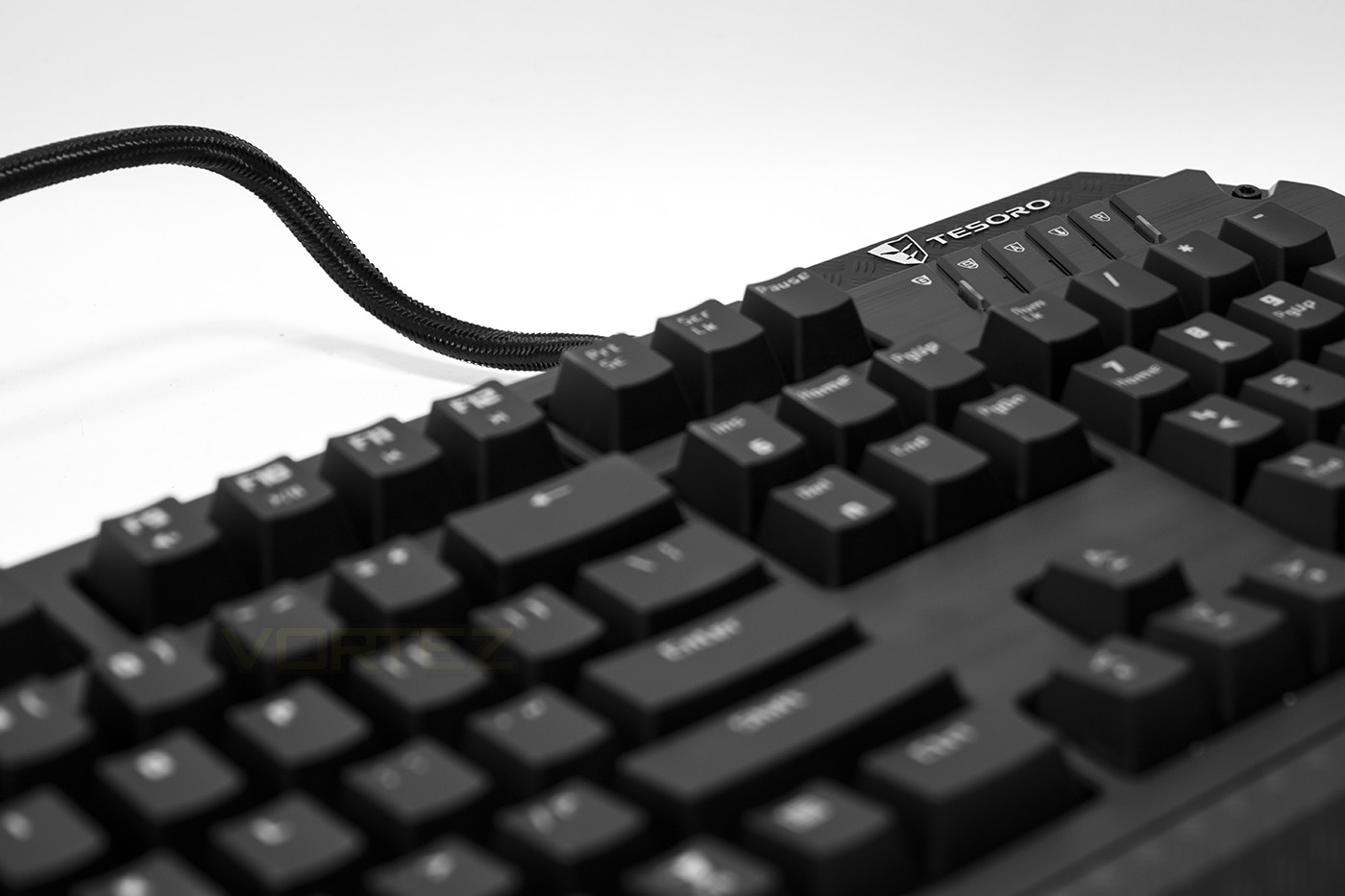
The keycaps feel of average quality, easily strong enough to do their job though lacking the finesse of the laser etched keycaps we have seen elsewhere. In our experiences, typing and gaming will largely depend on which type of mechanical switch you have chosen to go with. At Vortez, we have a preference towards the Brown switches, though users will need to discover which suits them most. The Kailh switches have become a very popular choice as a lower cost alternative to Cherry MX, though we have also seen the Kailh switches being used in premium keyboards like the Razer Blackwidow, proving that the Kailh switches are a viable alternative.
The Lobera Spectrum we have uses Black switches which are a linear switch requiring a slightly higher force to press than the Red switches. In our testing they performed flawlessly, lacking any inconsistency that is sometimes experienced with Kailh switches. If you spend the time required to customise the lighting to highlight your controls for your favourite games, it can often be a satisfying and useful experience. However, outside of this there is no promise of advanced lighting effects to the likes of which can be found on the Razer and Corsair keyboards.
Conclusion
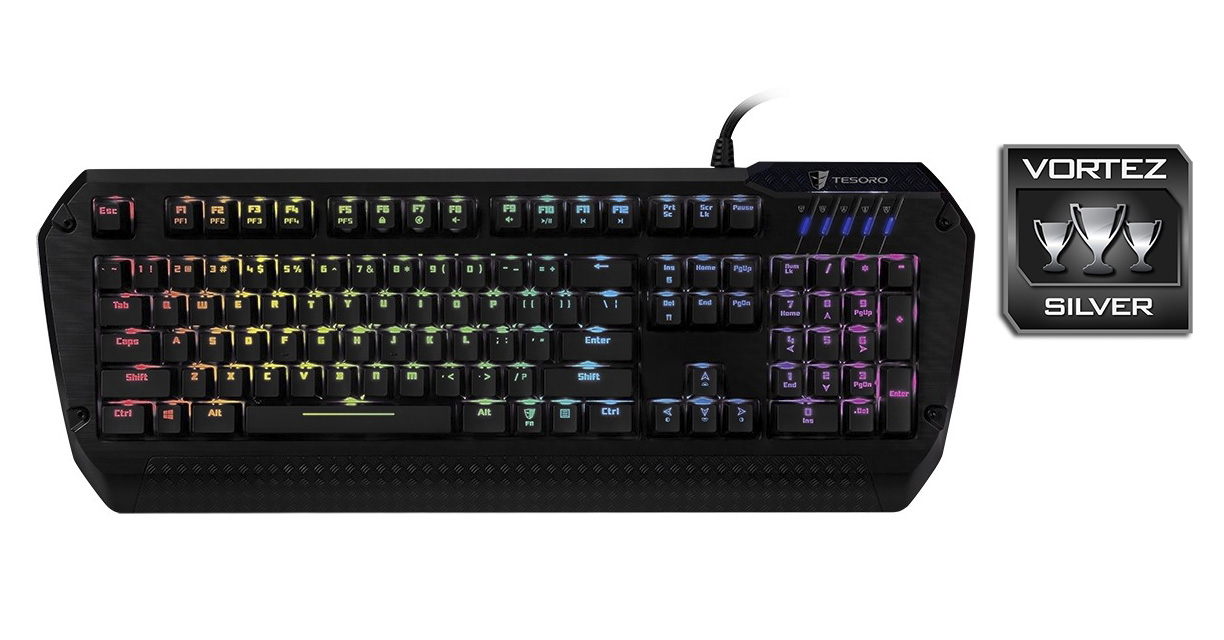
The Tesoro Lobera Spectrum comes at quite a surprise, its high quality finish and sleek aesthetics make it a great contender for any gamer looking for that next level of customisation. As it is available in many different types of Kailh switches, your experience and preferences may vary, though reliability is ensured. The lighting is bold and vivid so any gamer that is set on customising their controls, lighting and macros will appreciate what Tesoro have offered for significantly less than what the competing RGB mechanical keyboards cost.
Despite these things, we really hoped that Tesoro would be able to improve upon previous findings, specifically with the software. Due to being a little laggy and unintuitive, it was quite difficult to work out how to customise the lighting on individual keys (as it only works in the Spectrum colour mode, which wasn’t stated anywhere) and then the process is slow and tedious with having to constantly click apply-exit with each step taken. Though it does deliver all features stated, the lack of improvement in the software department dulls the Lobera Spectrums shine a little, especially when compared to the Chroma configurator from Razer.
To further criticise the Lobera, plastic remains plastic and leaves a desire which isn’t quite satisfied, especially after witnessing the sexy Tt eSport Poseidon Z Forged. The brushed plastic appearance does look attractive, but it merely teases the possibility of some kinda sleek, black aluminium keyboard with customisable 16.8M colour backlighting. This is more a minor oversight at best, but there will be some that share these thoughts.
To round up our impressions on the Lobera Spectrum, nothing can deny that it is a well priced, highly customisable mechanical gaming keyboard. It is well made, looks attractive and offers solid, reliable performance. There are other features such as the USB and audio passthrough which people will find useful, and the on-board memory will allow you to save 5 profiles so you to have your customisations on the go when you find yourself in a plug and play situation. For these reasons the Lobera Spectrum is worthy of praise and is highly recommended.
The highly customisable Tesoro Lobera Spectrum will give gamers the edge they need to take full advantage of their games and system.
Pros.
+ Per-Key Customisable illumination
+ Onboard memory for 5 profiles
+ Attractive design
+ USB and audio passthrough
+ Available with various switches (Red, Brown, Blue, Black)
+ Full NKRO or 6KRO
+ Price
Cons.
– Software is a pain
– Shame it’s not a real brushed aluminium top plate
+ Per-Key Customisable illumination
+ Onboard memory for 5 profiles
+ Attractive design
+ USB and audio passthrough
+ Available with various switches (Red, Brown, Blue, Black)
+ Full NKRO or 6KRO
+ Price
Cons.
– Software is a pain
– Shame it’s not a real brushed aluminium top plate
Click here for an explanation of our awards at Vortez.net.