Thermaltake have quite the reputation within the PC cooling industry, being renowned for their watercooling components. Today we look at their latest RGB fans, offering any colour you could imagine for your system.

Product on Review: Thermaltake Riing Plus 12 TT Premium Edition Triple RGB Fan Pack
Manufacturer: Thermaltake
Street Price: £89.99 / $99.99
Today we look at Thermaltake’s latest creation, the Thermaltake Riing Plus 12 TT Premium Edition Triple Pack; a proper mouthful, but very descriptive. The fans are very much designed around one main objective; RGB lighting. Each fan features 12 individually addressable lighting zones through a centralised digital controller.
The Riing Plus fans feature years of engineering experience in fan manufacture, offering up a nine blade design tuned towards ultra-silent operation without compromising on airflow. There’s also hydraulic bearings to improve life-span and further reduce noise output.
The software has also seen some improvements, with voice control being possible via the smartphone application.
Thermaltake offers three fans, a digital controller and all the connection wires you need for £89.99.
All of these innovations sound great, but do the fans actually deliver? Read on to find out.
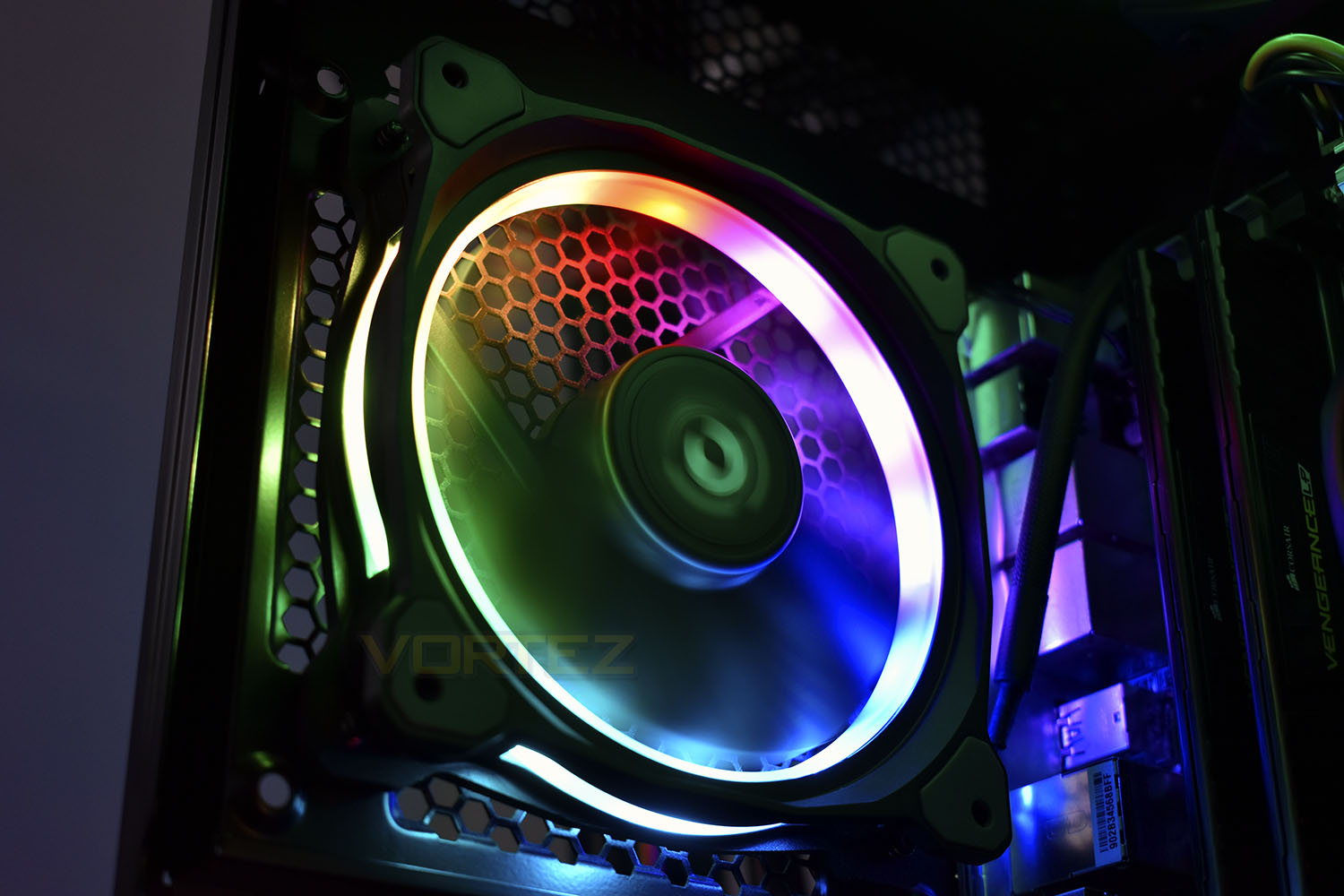
Thermaltake on the Riing Plus 12 TT Premium Edition:
Thermaltake combines the patented gorgeous LED light with cutting-edge technology to deliver a brand new experience of using PC cooling, Thermaltake Riing Plus 12 LED RGB Radiator Fan TT Premium Edition. A 120mm high-static pressure fan with a patented 16.8 million colors LED ring and 12 controllable single LEDs, the Riing Plus 12 RGB features compression blades, hydraulic bearing and a digital fan controller, and can be controlled by the patented TT RGB PLUS Software and AI interactive voice control. Cool your system with high performance Thermaltake Riing Plus 12 RGB!
Technical Specifications
P/N: CL-F053-PL12SW-A (Fan x3, Controller x1)
Fan Dimension: 120 x 120 x 25 mm
Interface: USB 2.0 connectors (9 Pin)
System compatibility: Windows 7 / 8 / 8.1 / 10
Fan Started Voltage: 9.0 V
Fan Rated Voltage: 12 V & 5V
Rated Current: Fan 0.15 A (one fan)
Power Input: 12V – 5.4 W . 5V – 9.5W (Fan*3)
12V – 9 W . 5V – 14.5W (Fan*5)
Fan Speed: 500 ~ 1500 R.P.M
Max. Air Pressure: 1.54mm-H2O
Max. Air Flow: 48.34 CFM
Noise: 24.7 dB-A
Bearing Type: Hydraulic Bearing
Life Expectation: 40,000 hrs,25℃
Weight: 160g
Fan Dimension: 120 x 120 x 25 mm
Interface: USB 2.0 connectors (9 Pin)
System compatibility: Windows 7 / 8 / 8.1 / 10
Fan Started Voltage: 9.0 V
Fan Rated Voltage: 12 V & 5V
Rated Current: Fan 0.15 A (one fan)
Power Input: 12V – 5.4 W . 5V – 9.5W (Fan*3)
12V – 9 W . 5V – 14.5W (Fan*5)
Fan Speed: 500 ~ 1500 R.P.M
Max. Air Pressure: 1.54mm-H2O
Max. Air Flow: 48.34 CFM
Noise: 24.7 dB-A
Bearing Type: Hydraulic Bearing
Life Expectation: 40,000 hrs,25℃
Weight: 160g
Packaging & Bundle
The Riing Plus 12 fans arrive in a condensed package, utilising every millimetre of the space inside. The front hinges open, giving a clear view of the fans you’re about to purchase.On the front is all of the information you could need, making a decision very easy.
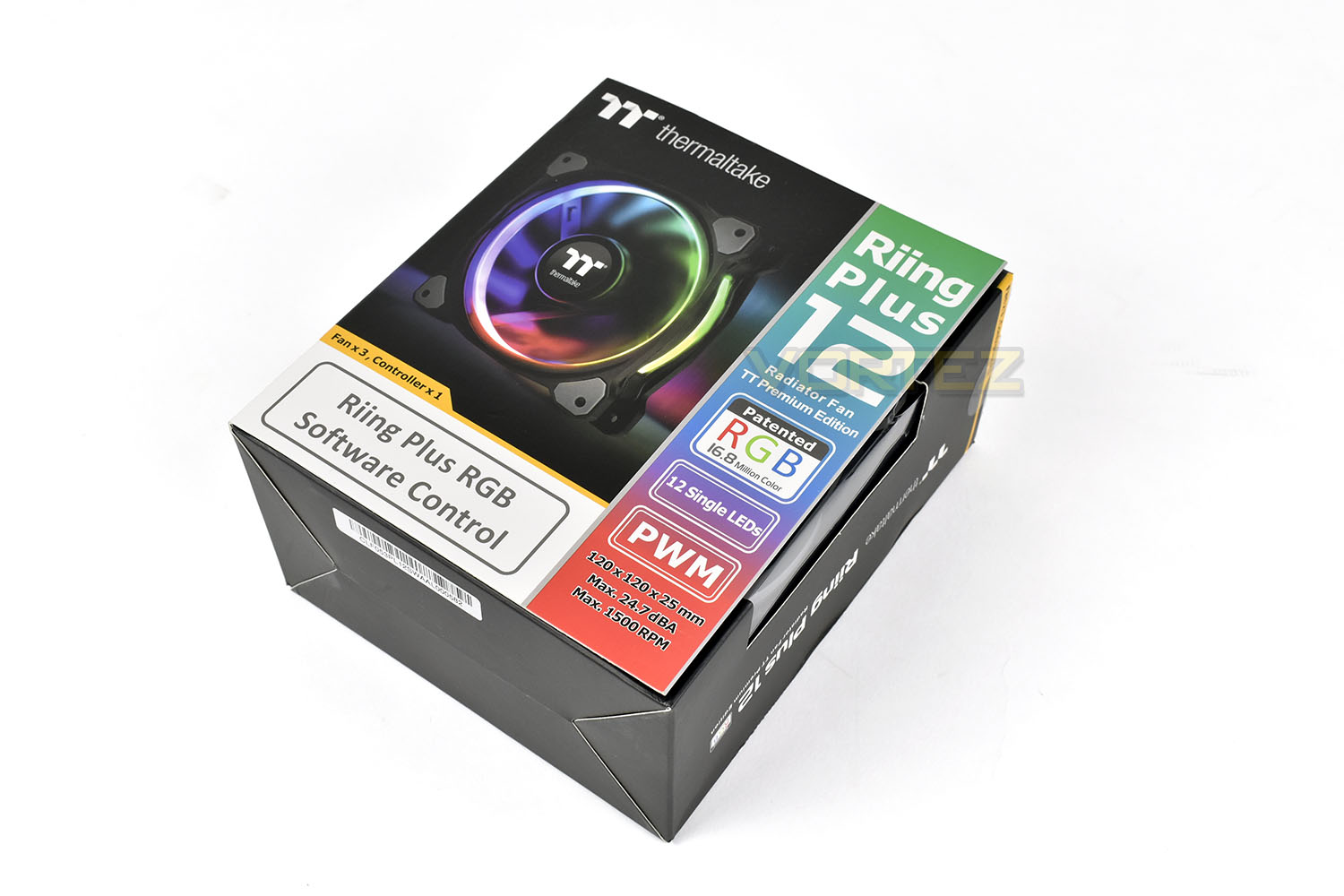
Swinging open the hinged front you’re offered more information and some images of what to expect once the fans are installed as well as a screenshot of the software.
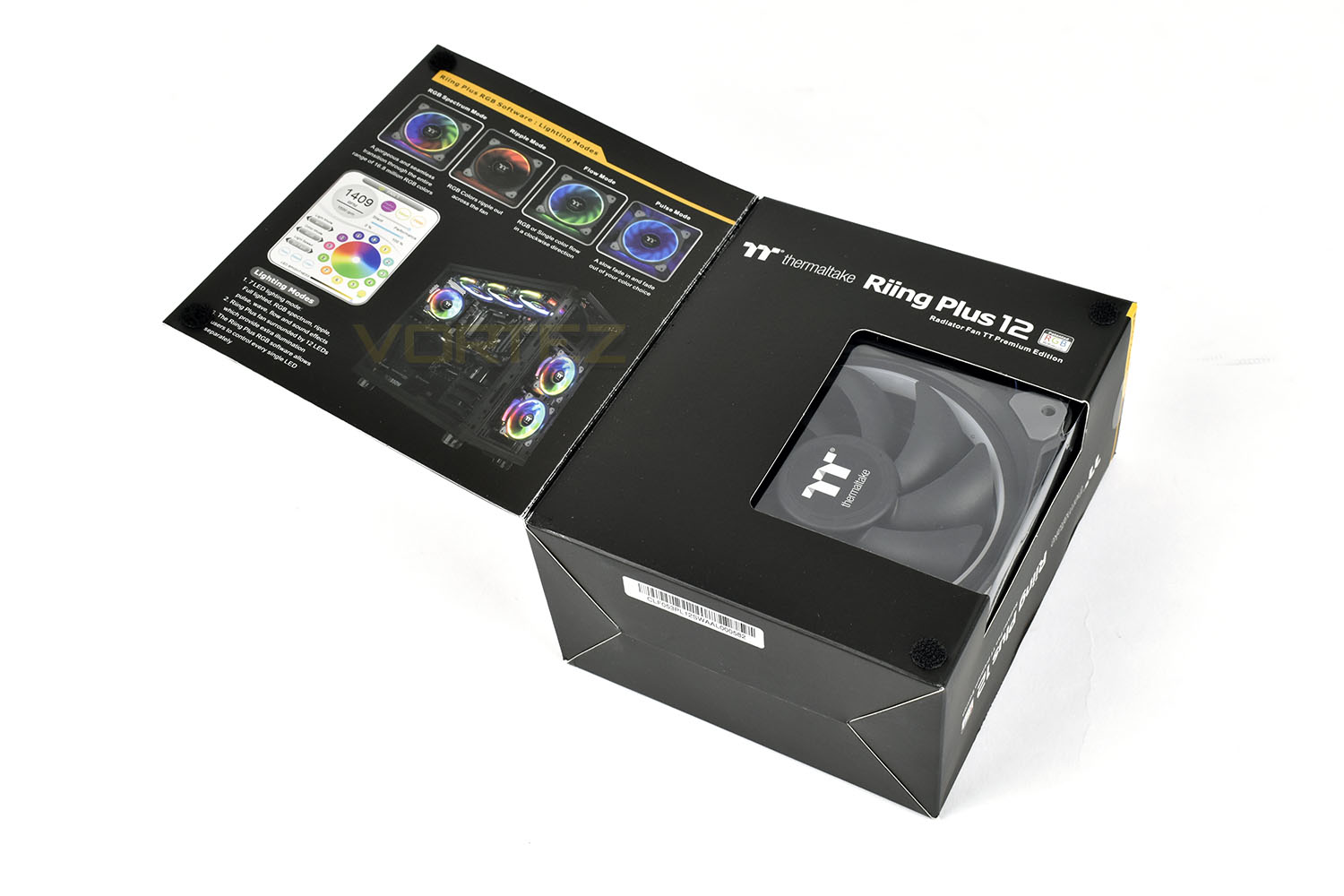
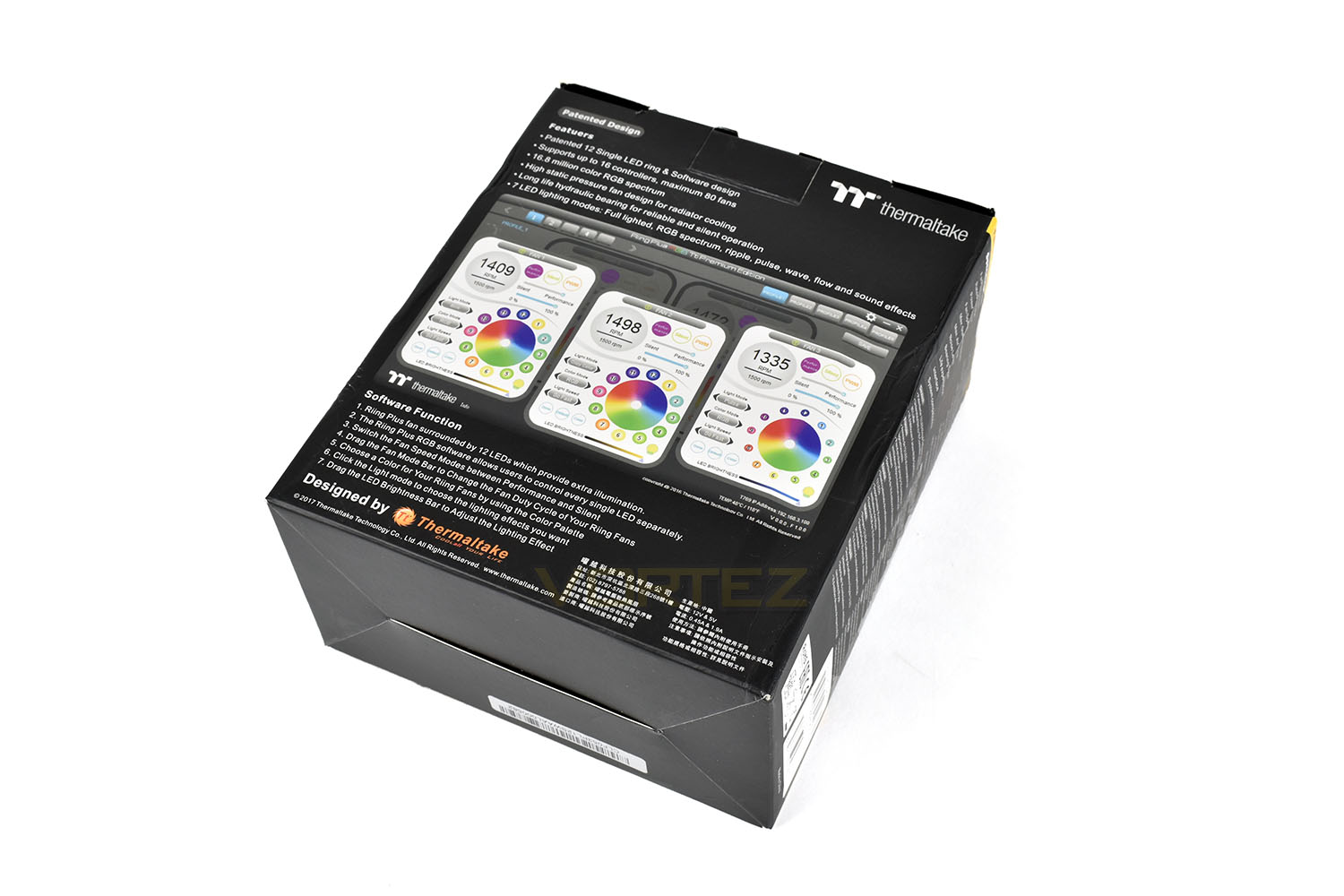
The rear of the packaging furthers all of the information on the front and inside the door, giving plenty more specifics on the fans and controller.
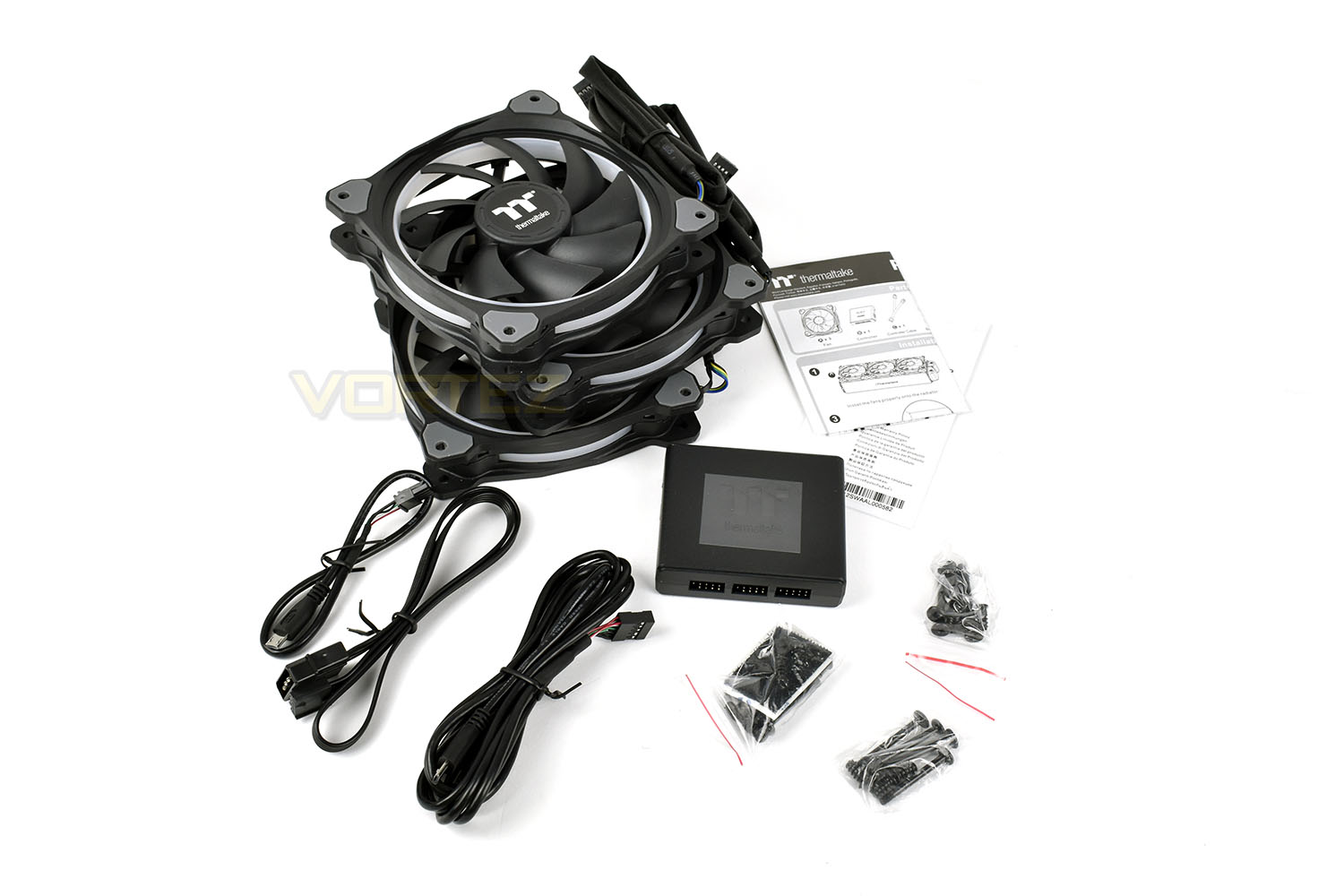
The bundle consists of a trio of the TT Premium Edition fans, a digital fan and lighting controller, good for 5 fans in total, 2 sets of fixing screws per fan, depending on your method of attachment. There’s also the power and USB cables required for the software to monitor fan speeds and adjust LED colour and brightness.
Closer Look
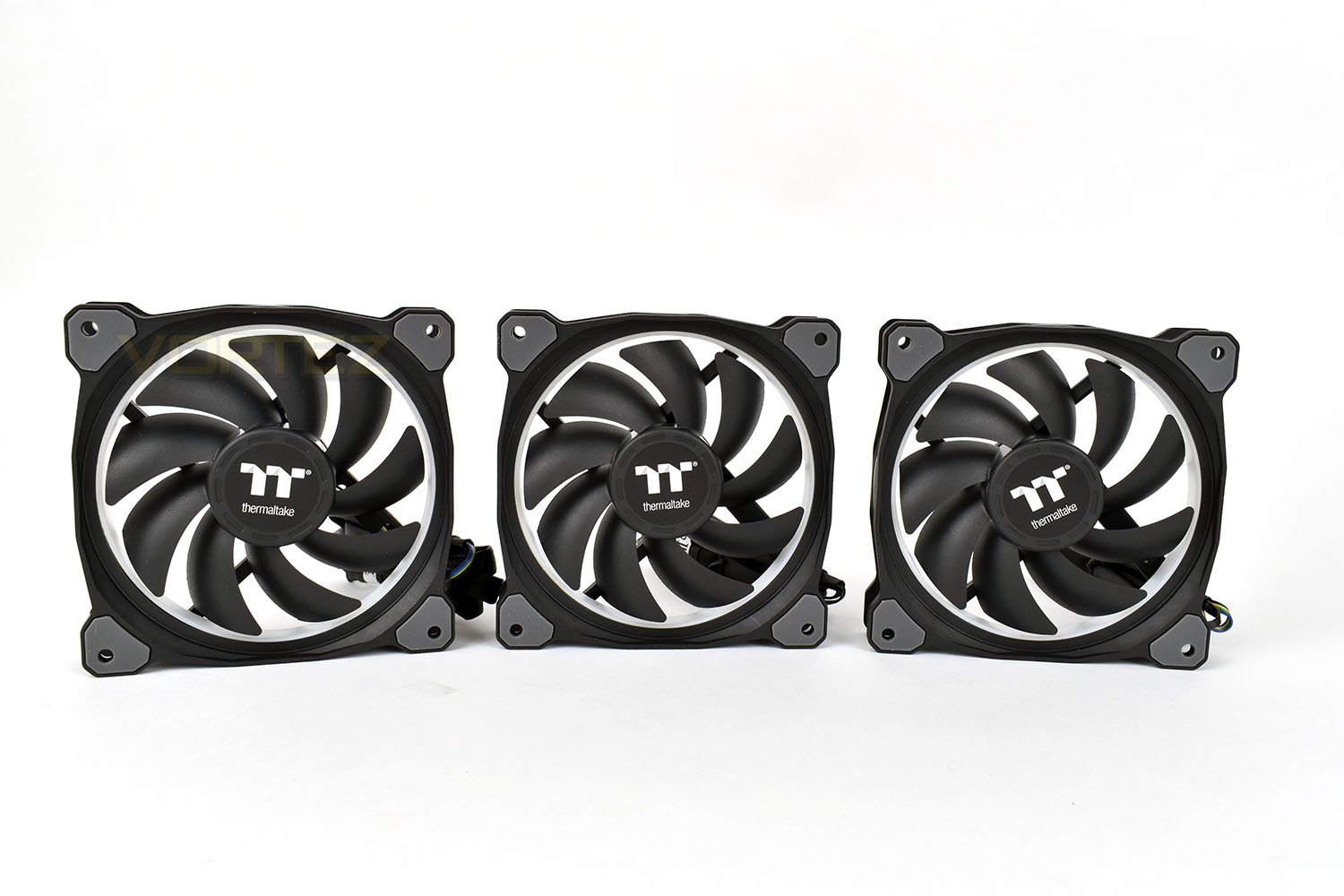
Each fan features nine curved blades to push air, either as an intake/exhaust fan or for use on watercooling radiators due to the high static pressure generated. Around the outer edge is a translucent plastic strip, through which the 12 RGB LEDs are diffused to generate a smoother lighting experience.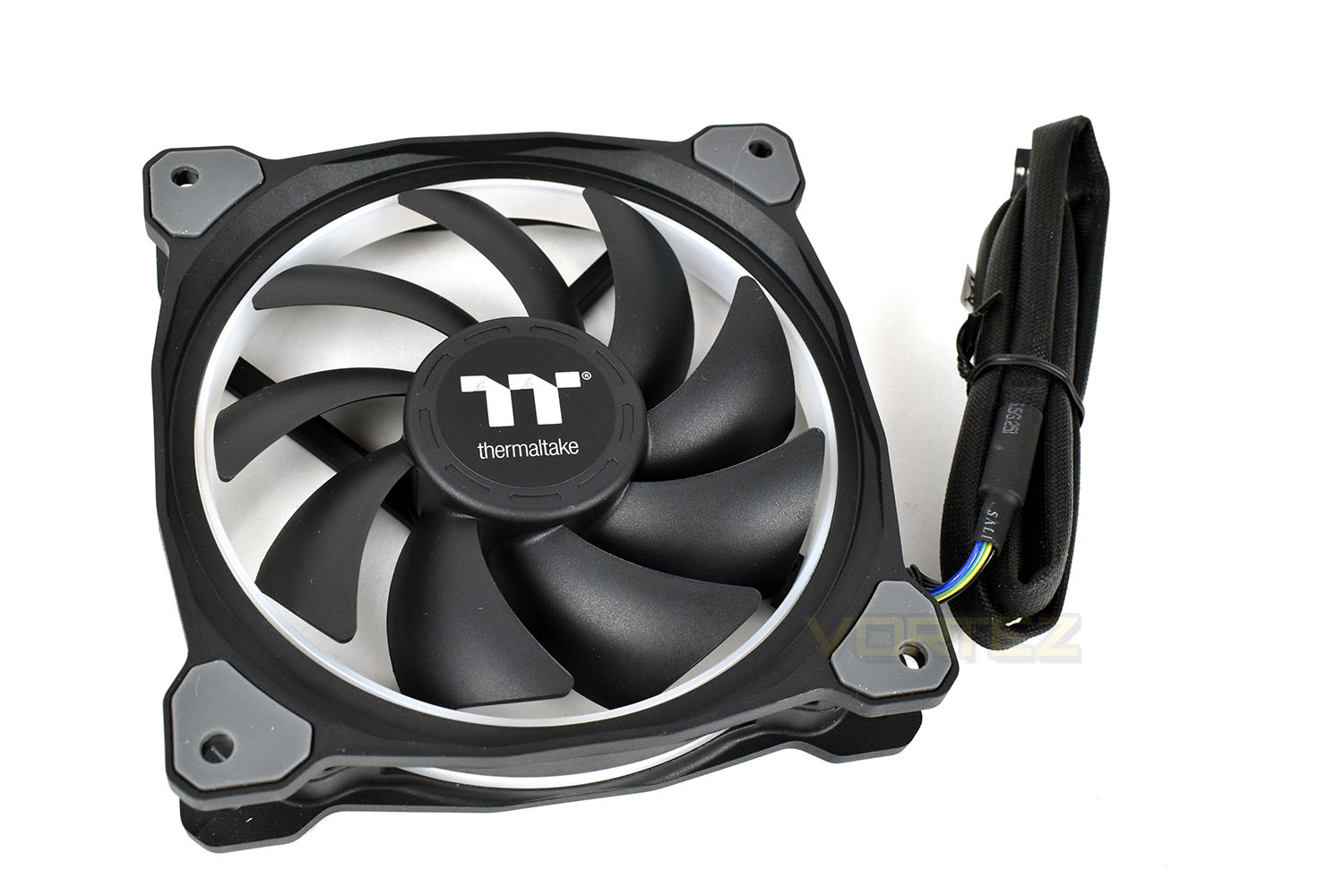
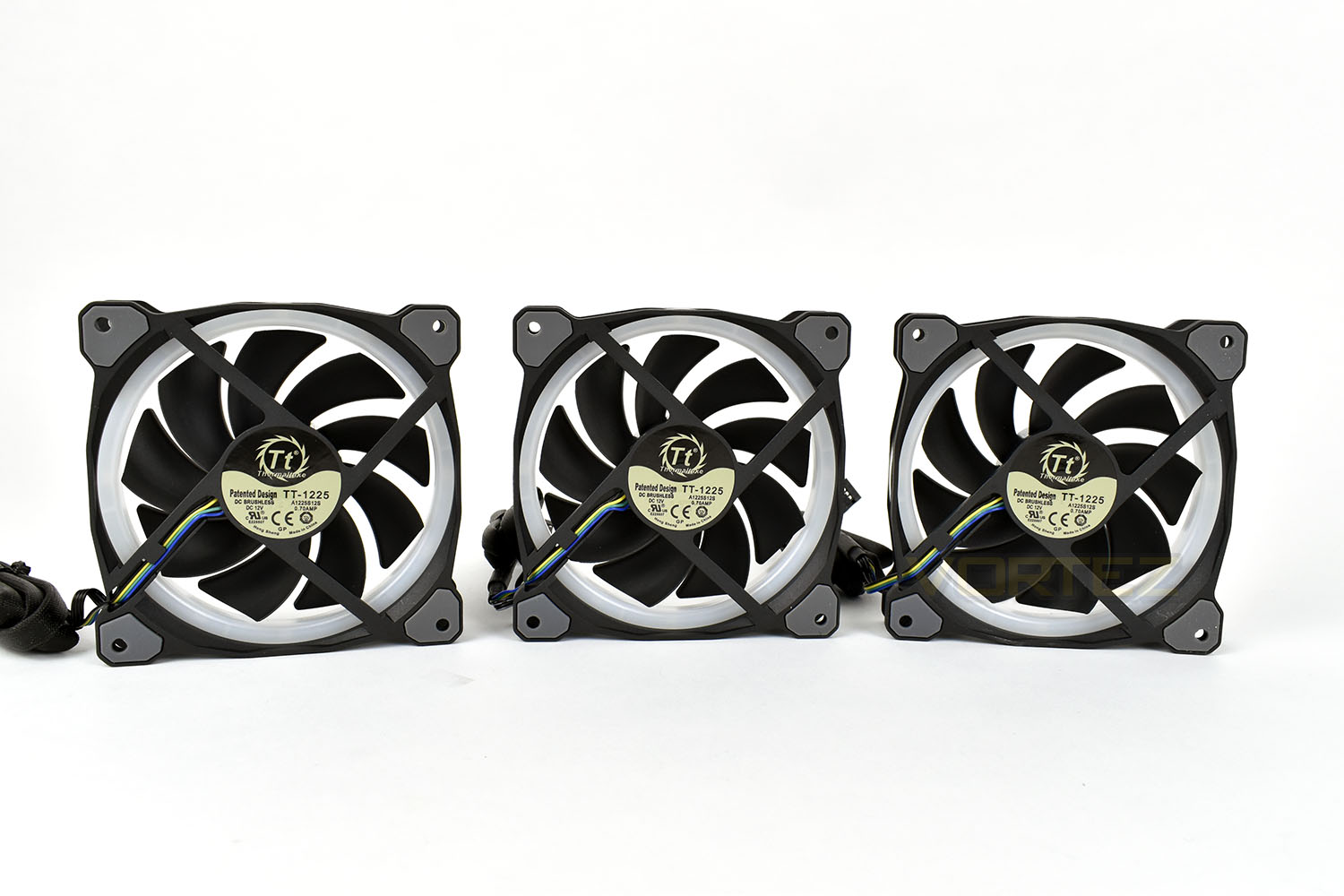
The cable is braided from end to end and measures roughly 900mm in length – that’s handy for larger cases, but anyone with a smaller chassis might struggle to find space for that amount of leftover cabling.
Unlike many other RGB LED fans, Thermaltake have used a single header for both speed control and RGB lighting.
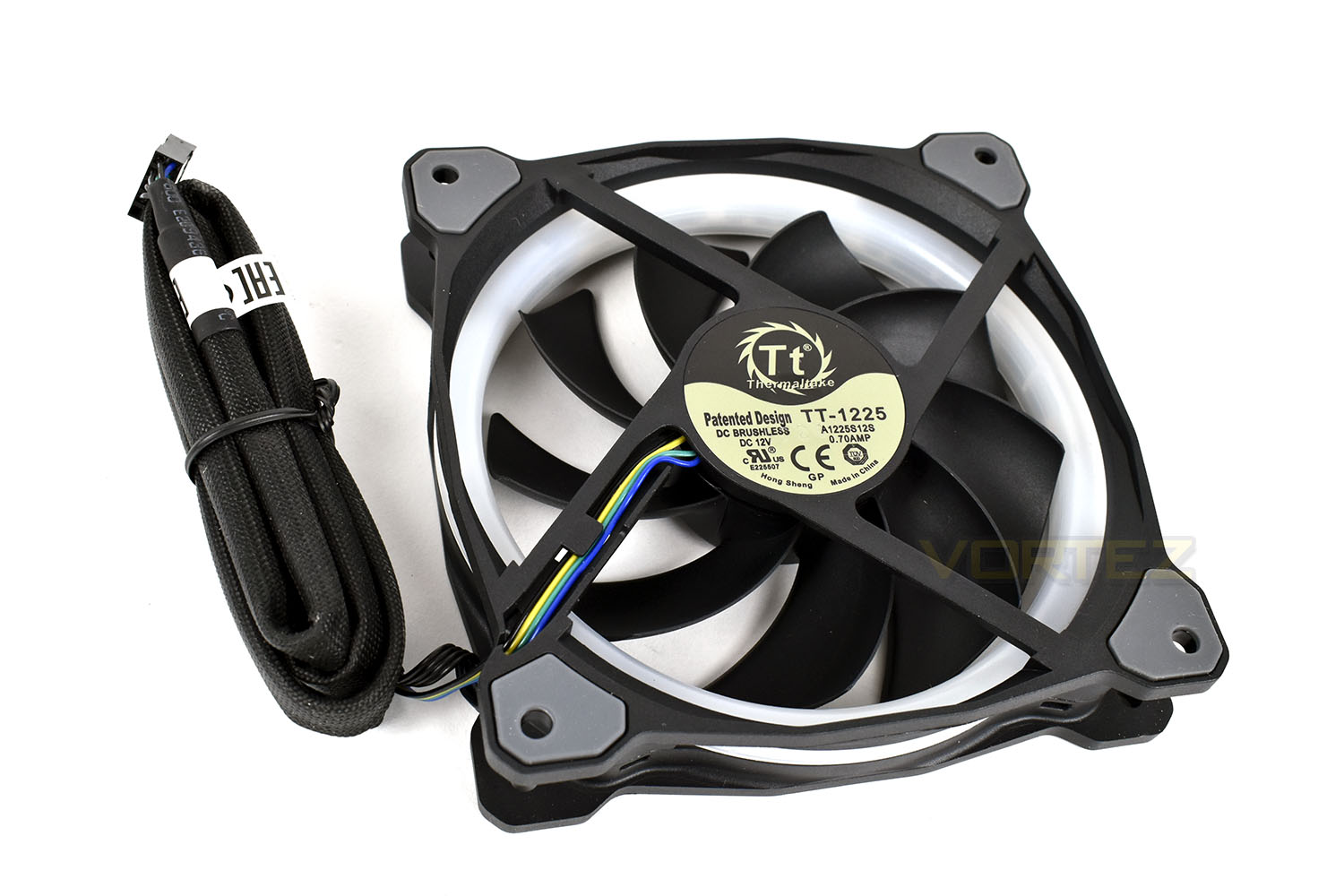
Anti-vibration pads are fitted to each corner, made from in-mold injection rubber.
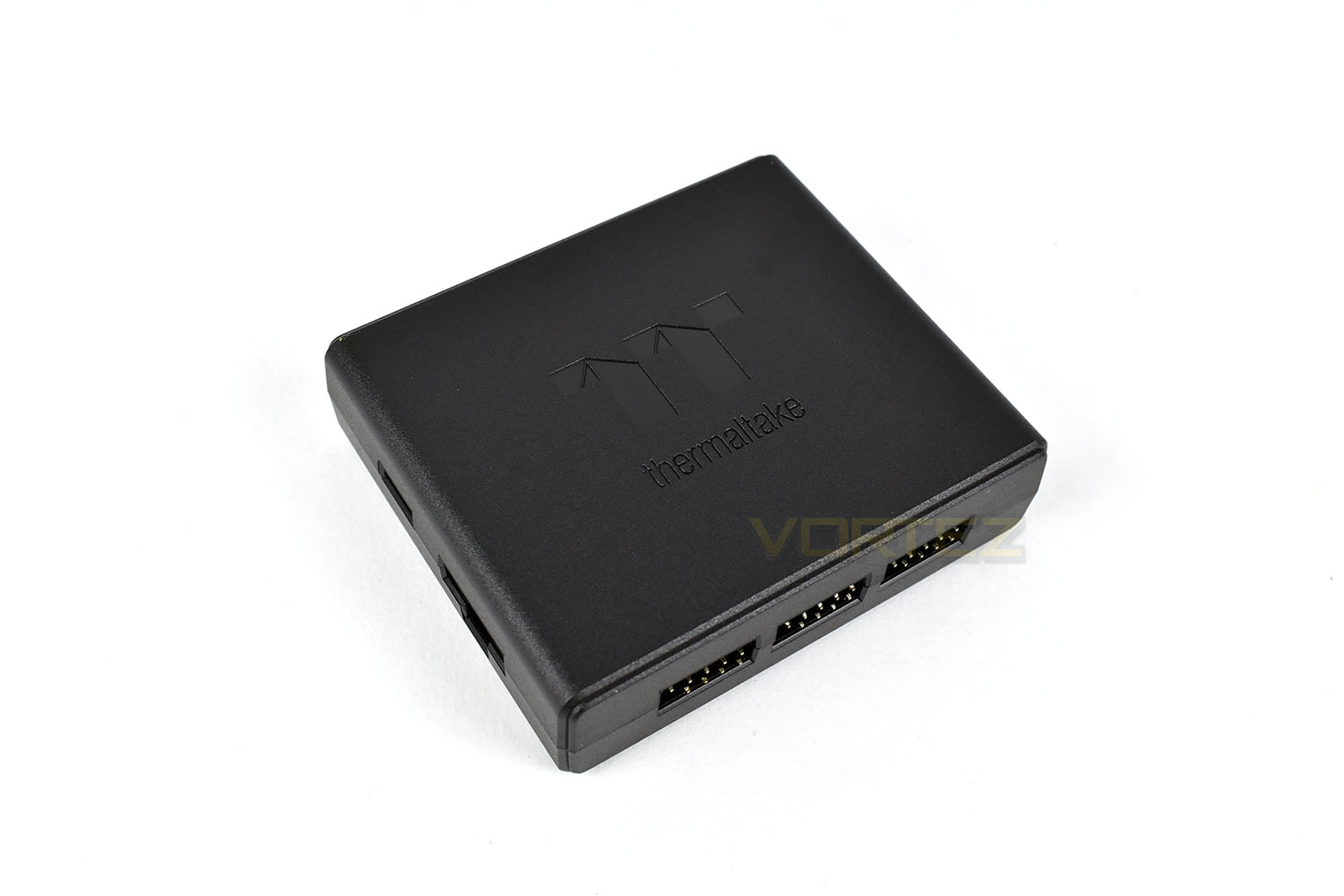
The fan controller is a small device, measuring roughly 75mm x 60mm x 20mm. The controller is good for 5 fans but they can be daisy-chained to control many more. The controller is responsible for fan speed and RGB lighting control.
Software
Thermaltake have recently updated their software to make changing fan speed and colour as easy and simple as possible. The software is packed full of lighting presets to choose from, and if you own an iOS device, you can even use your voice to control the lighting. Clever!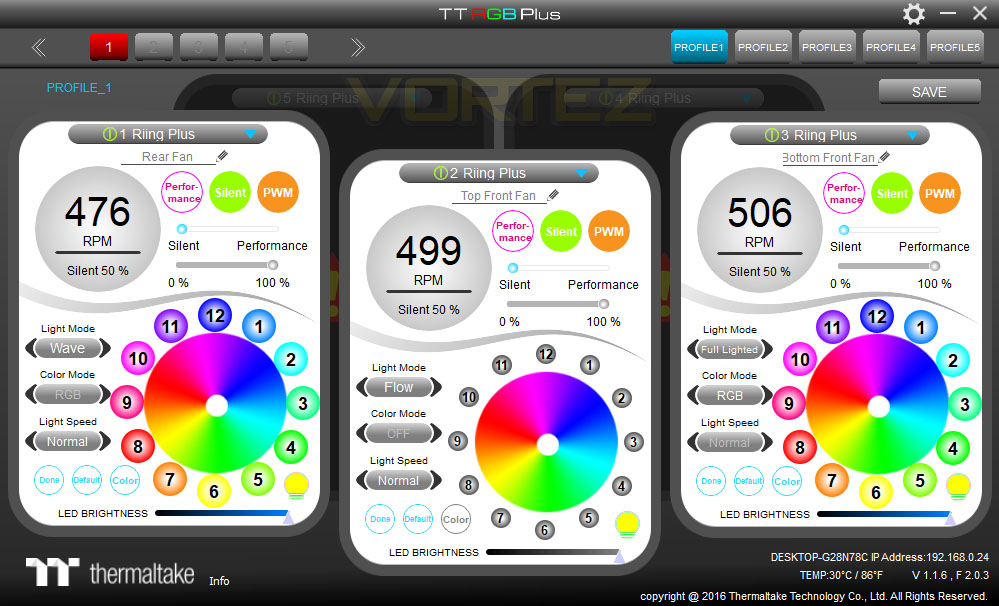
Below is a short video of how the software functions on a Windows 10 PC.
RGB Lighting
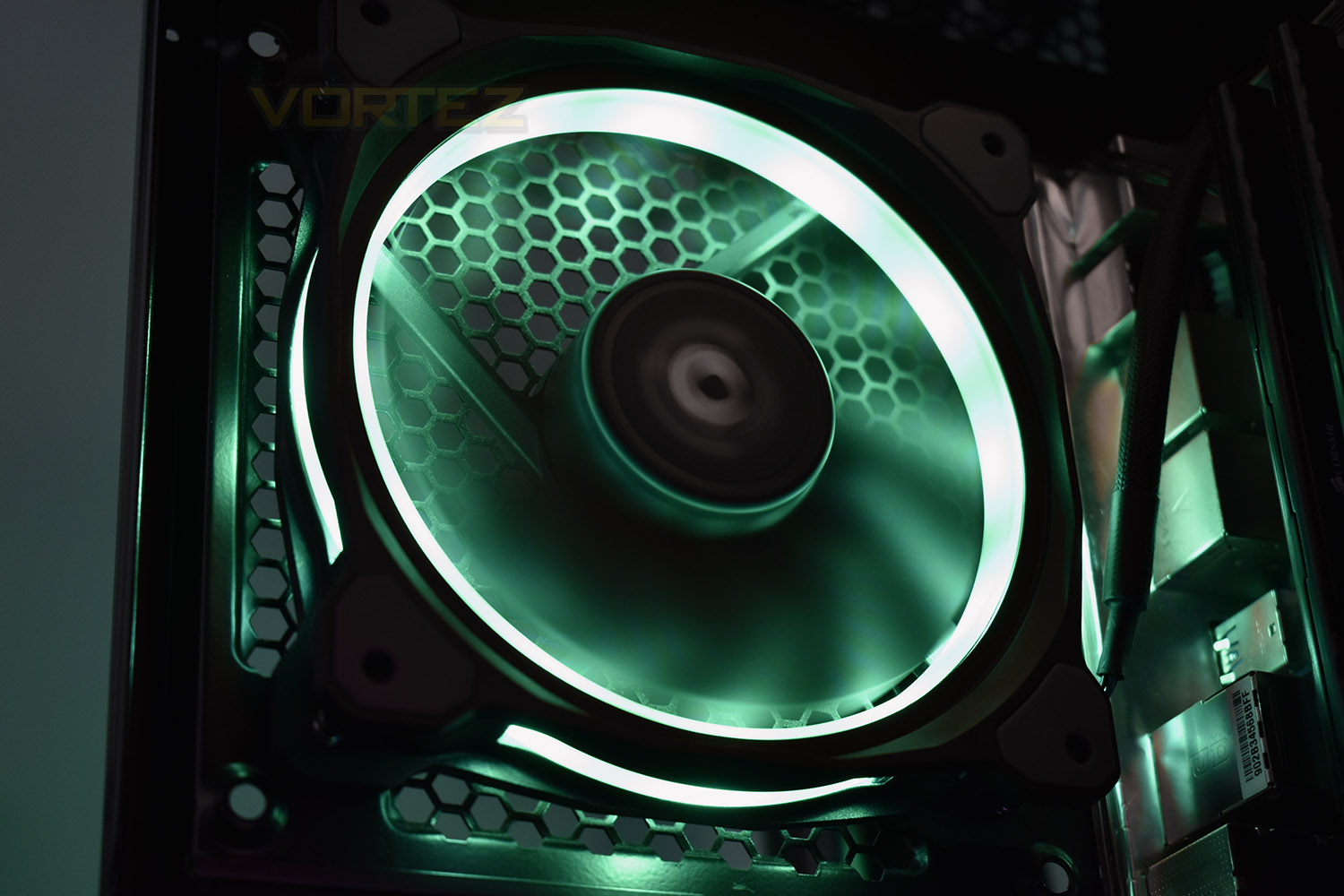
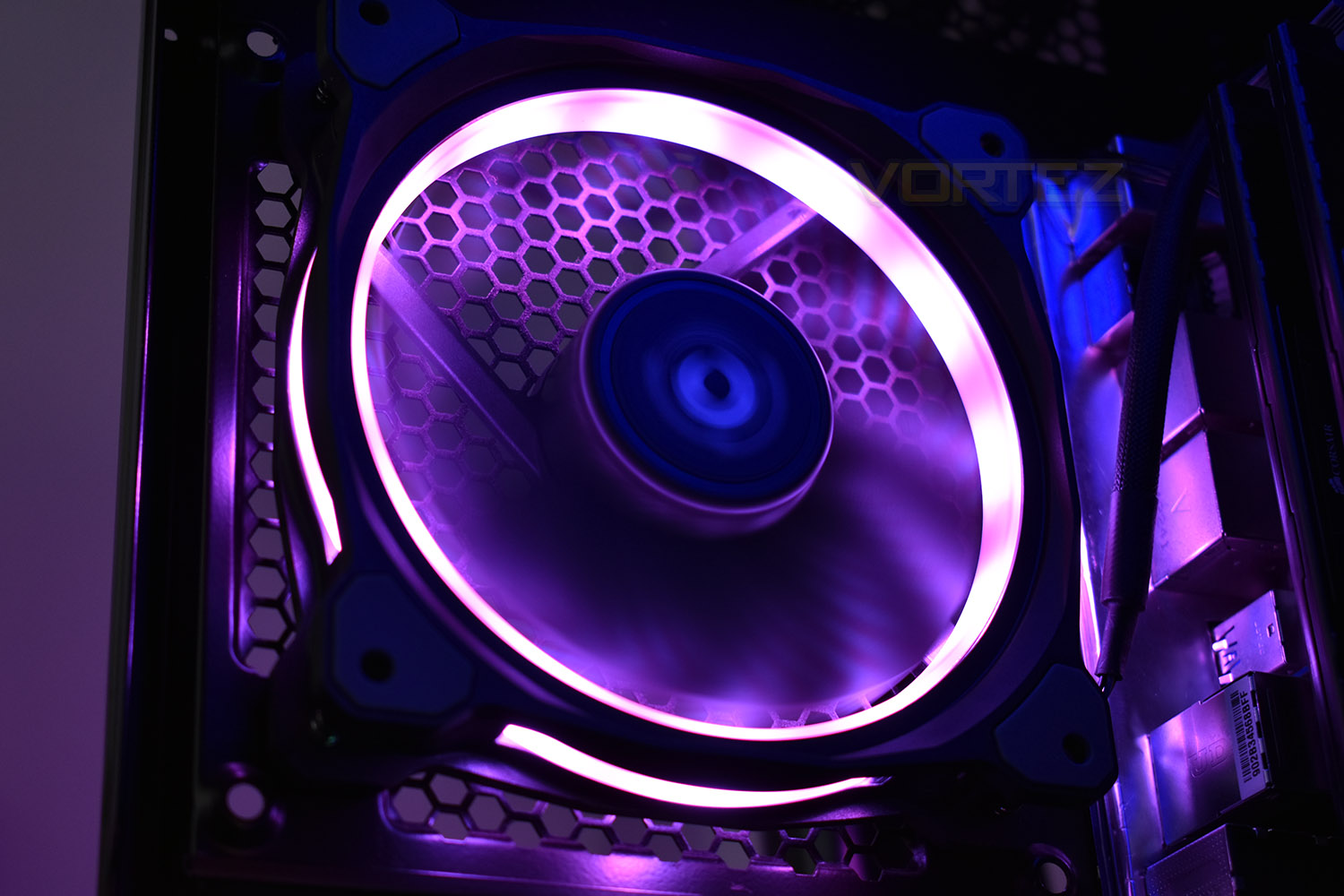
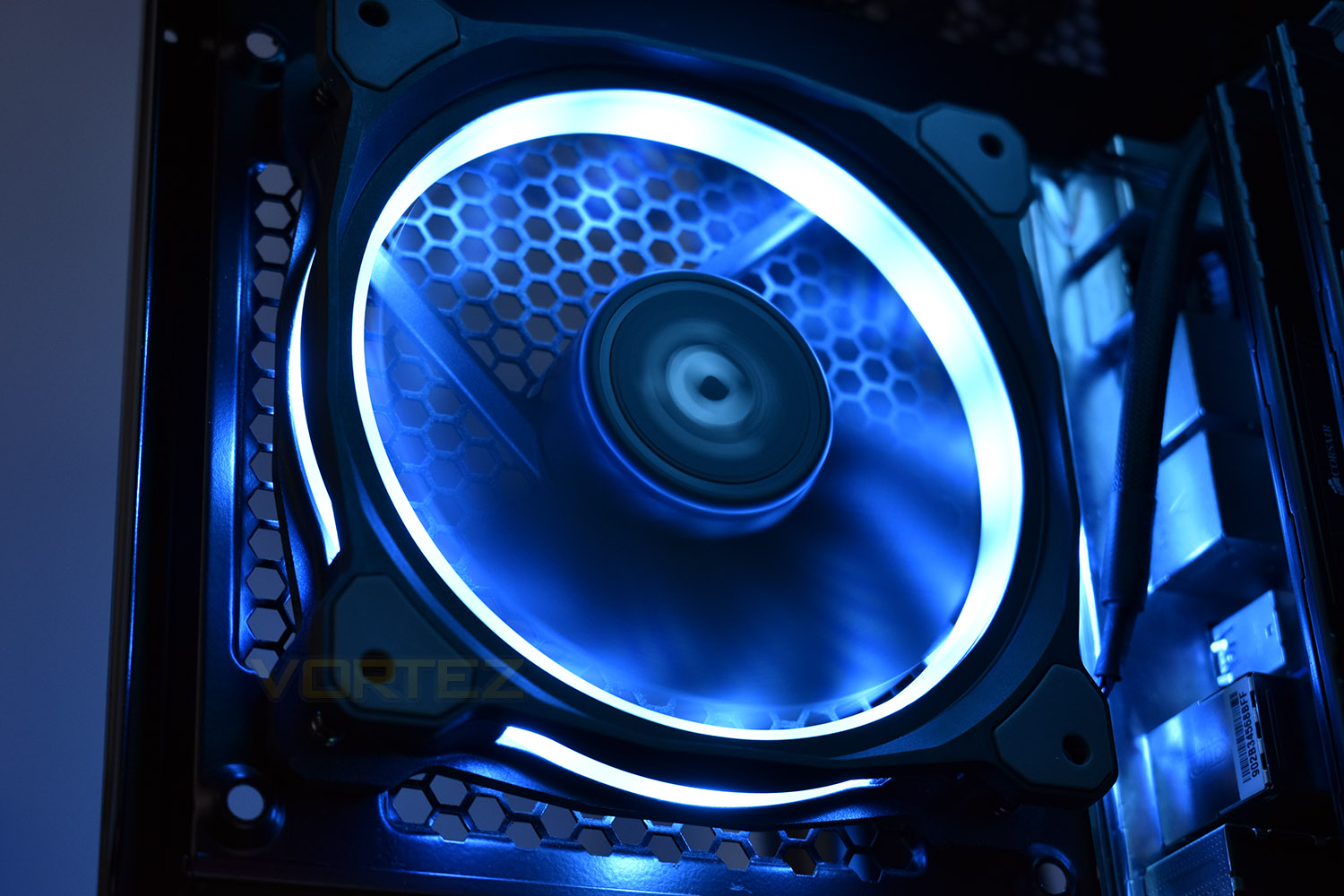
This page requires no introduction; feast your eyes on the images and video footage.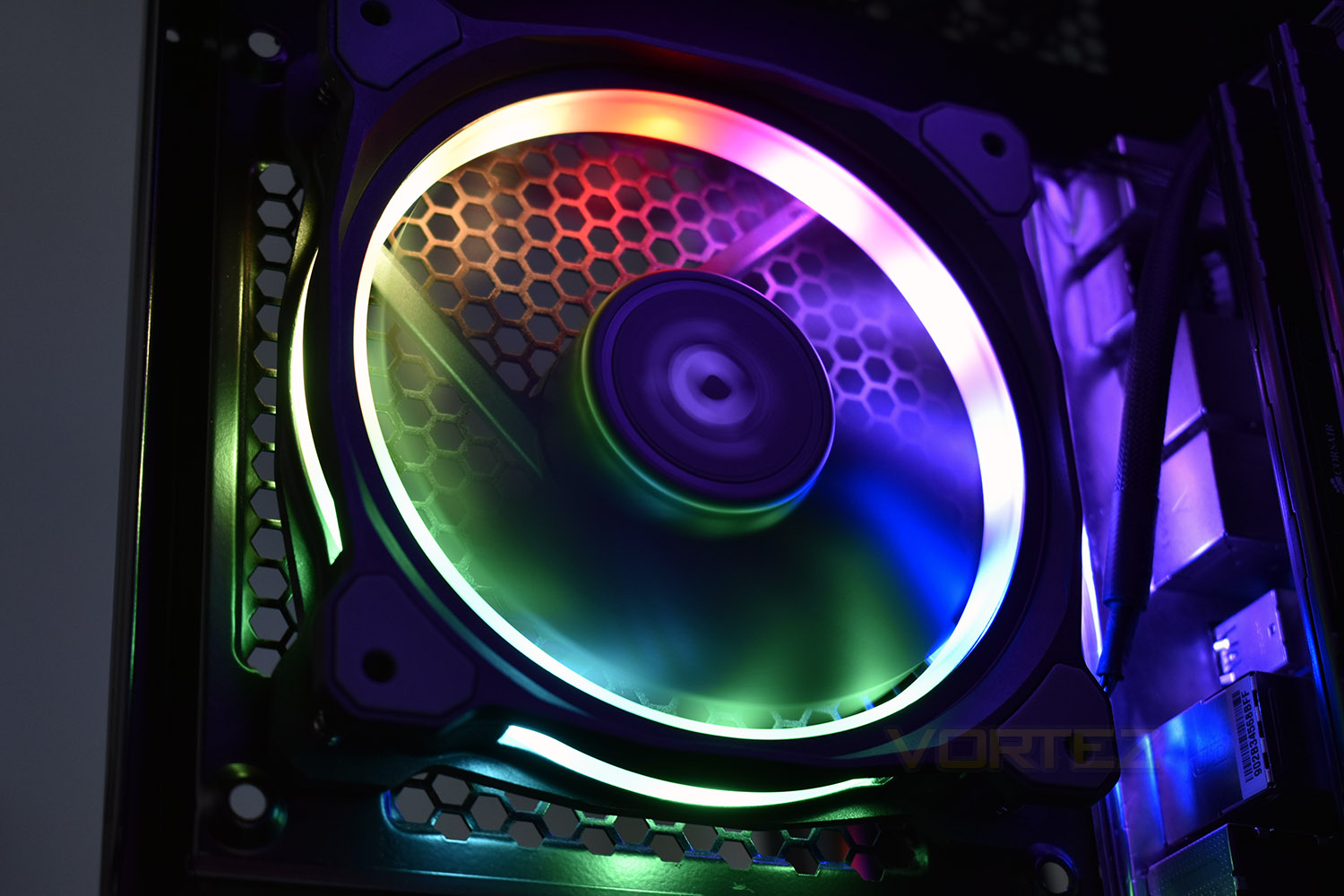
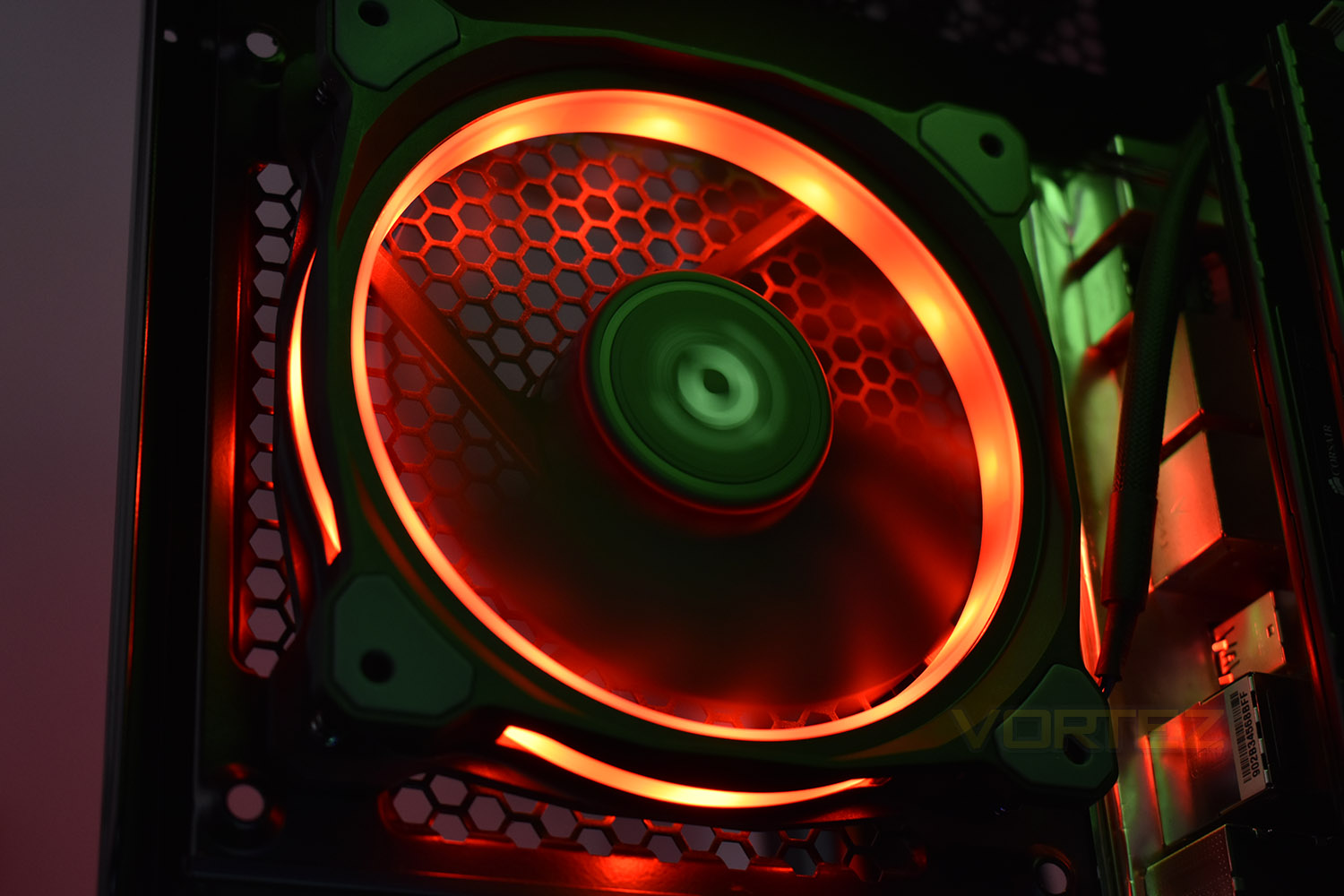
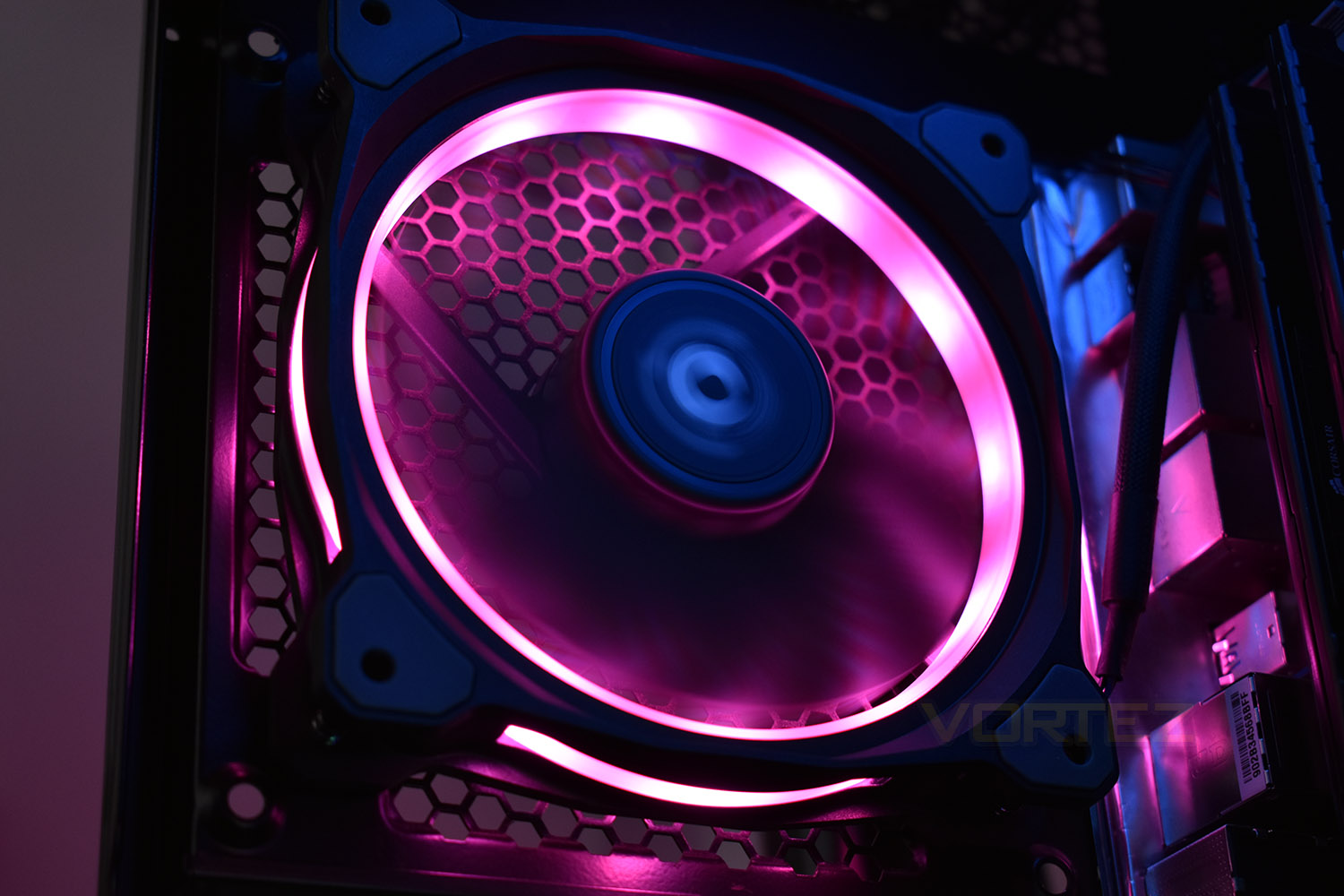
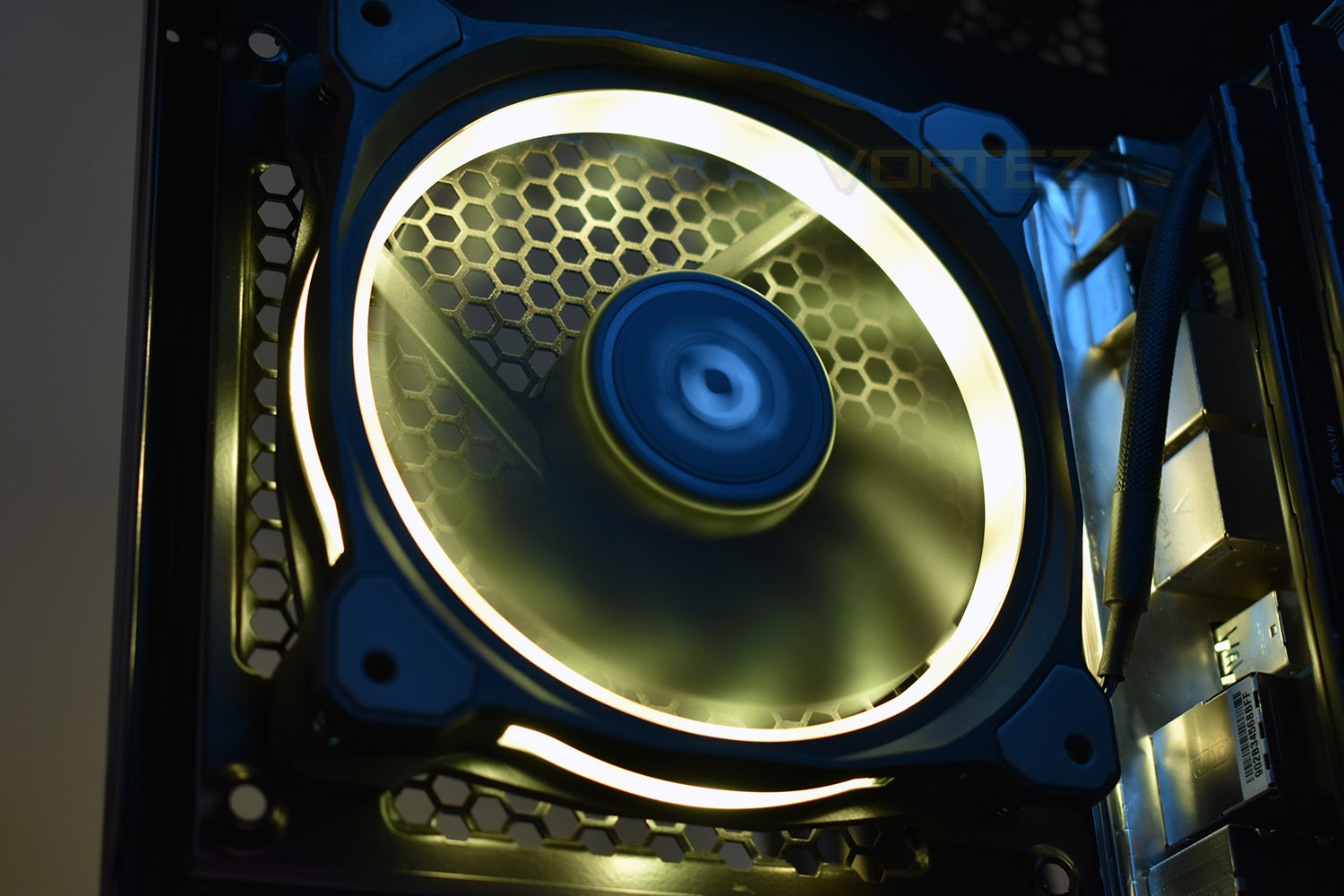
Test Setup & Methodology
We have recently made changes to our cooling department and the associated testing methodology, so please note that the number of results shown will increase over time as we add additional products. We hope that these results will appear clearer to the majority of our readership and look forward to building upon the baselines that we currently have.Processor – Intel Core i7-3930K
CPU Cooler – Corsair H100i Pro RGB
Motherboard – Gigabyte X79-UP4
Memory – 16GB Corsair Vengeance LP 1600MHz CL9
Video Card – Sapphire Radeon HD 6850 1GB
Power Supply – NZXT Hale90 650W
Storage Drive – Kingston HyperX 240GB SATA III SSD
Case – Corsair Carbide 760T
CPU Cooler – Corsair H100i Pro RGB
Motherboard – Gigabyte X79-UP4
Memory – 16GB Corsair Vengeance LP 1600MHz CL9
Video Card – Sapphire Radeon HD 6850 1GB
Power Supply – NZXT Hale90 650W
Storage Drive – Kingston HyperX 240GB SATA III SSD
Case – Corsair Carbide 760T
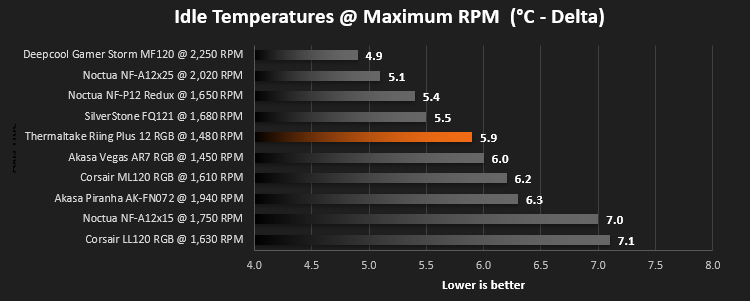
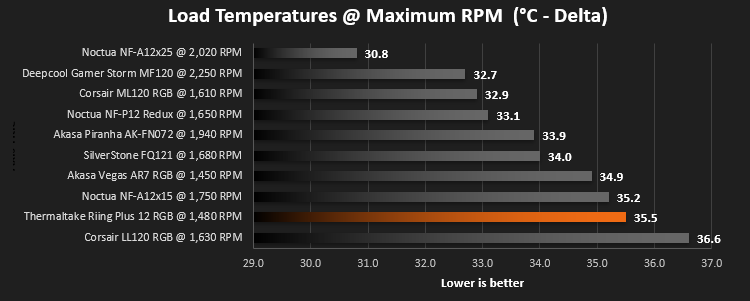
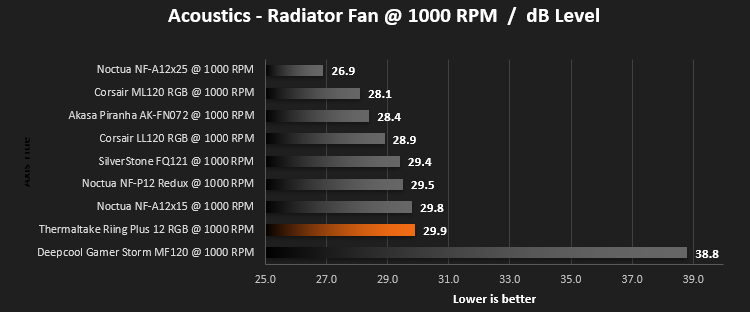
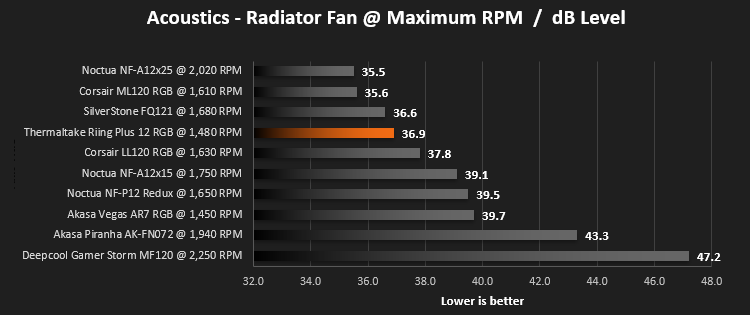
We test our fans at both 1000 RPM and maximum RPM, or if the fan only has one setting, it’s only included in the maximum RPM graphs.
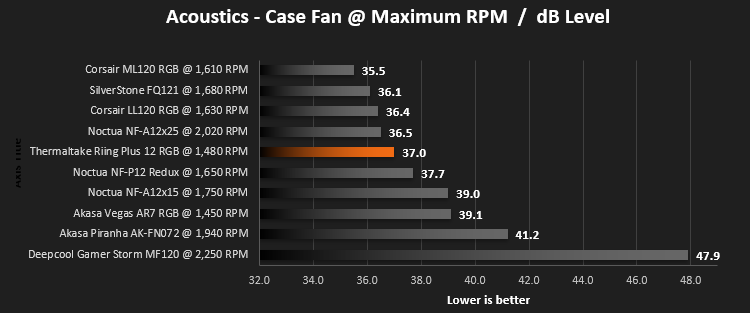
Firstly, we’ll test acoustics, both as a case fan, mounted on the rear of our Corsair Graphite 760T chassis, and as a radiator fan on the Corsair H100i Pro RGB. (with the pump turned down to 1,100 RPM and all other case fans disabled). We measure the average dB(A) noise levels over 60 seconds in a quiet room with an ambient noise level of around 24dB(A). Acoustics are measured from the same point within the case (20cm from the fan), with every effort taken to ensure test parameters are as close as possible during every test.
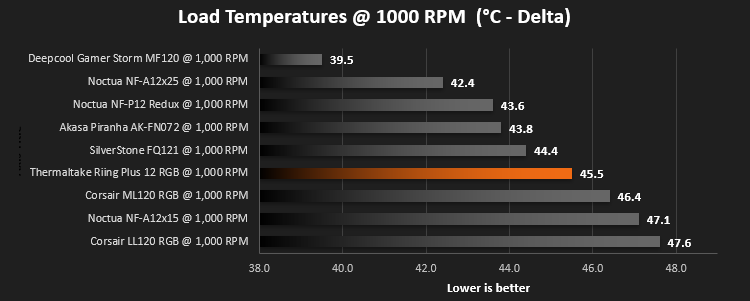
We then test the fan’s performance both at 1000 RPM and maximum RPM by running an AIDA64 20-minute stress test while running only a single 120mm fan on the 240mm radiator of the Corsair H100i Pro RGB. This allows us to test single fans as well as multi packs by only relying on a single 120mm fan. We mount the fan under the radiator, inside the case, blowing through the radiator. We measure the average core temperature over a 60-second period and minus the ambient room temperature from this. That leaves us with a Delta °C measurement which is applied to the graphs. Our average room temperature is kept as close to 21°C as possible, roughly the room temperature of most homes and offices. Obviously, if you live in a warmer climate with warmer room temperatures, you can expect higher temperatures.
To ensure the fans RPM are measured consistently, we use the Noctua NA-FC1 fan control unit, allowing the speed of our fans to be infinitely adjusted and monitored via a nearby header on the motherboard.
Benchmarks – Thermal Results
Firstly, we test the Thermaltake Riing Plus 12 TT RGB at 1000 RPM, both at idle and load.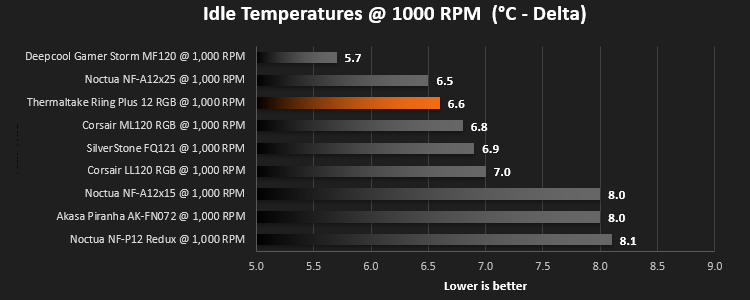
We then turn the fans up to maximum RPM, which is 1,630 RPM according to our Noctua NA-FC1
Benchmarks – Acoustic Results
For testing, we only connected a single LL120 fan to the Noctua NA-FC1 fan control unit to make the results relevant.Due to different characteristics, we feel it’s important to test fans as both case fans and radiator fans, giving you, the reader, a good idea of what to expect in both scenarios. We also test at 1000 RPM and Maximum RPM to see just how loud things can get.
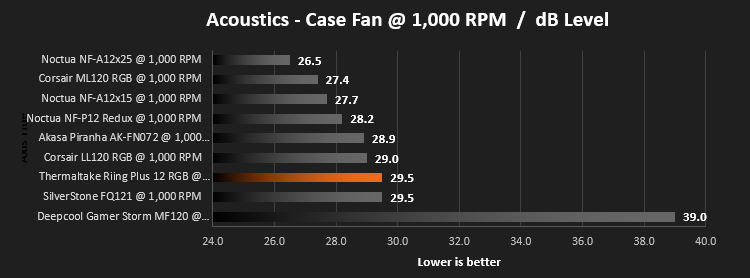
We begin by testing the fans on the rear of our Corsair 760T chassis
We then mount the fan to the Corsair H100i Pro RGB and re-run the tests.
Conclusion
So, in conclusion, the Thermaltake Riing Plus 12 are certainly impressive, both in terms of volume output and their main focus, the RGB lighting.Looking at the acoustic graphs on the previous page, there’s very little actual difference between the Thermaltake RGB and Corsair RGB fans we reviewed late last year, however, in terms of absolute figures, the Corsair fans, priced identically to the Thermaltake, are better.
The RGB lighting, we thought, was insanely bright and reasonably well distributed throughout the outer ring, but the individual LEDs were clearly noticeable – if the plastic was a little thicker or perhaps less transparent, that could resolve the issue. If you’re planning to use these behind some kind of dust filter or on a radiator, they will look fantastic!
The choice to use a single cable for both PWM fan speed and RGB lighting control certainly helps with cable management, but this prevents the use of your own fan controller or the motherboard – certainly something to think about before purchasing.
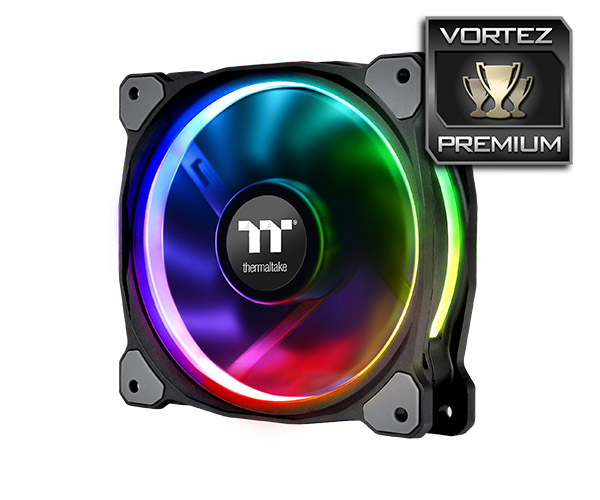
The lighting’s bright, reasonably well diffused and gives the full 16.7M colours; the fans aren’t too loud either, while pushing a decent amount of air. Just watch for that controller and proprietary cabling.
Pros
+ Bright RGB lighting
+ Quiet operation
+ Good cable management
+ 900mm cable length
+ Included fan controller
+ Simple and easy to use software
Cons
– Pricey for three fans
– A lot of excess cable to hide in a small chassis
– Software can be too simple at times
+ Bright RGB lighting
+ Quiet operation
+ Good cable management
+ 900mm cable length
+ Included fan controller
+ Simple and easy to use software
Cons
– Pricey for three fans
– A lot of excess cable to hide in a small chassis
– Software can be too simple at times
Click here for an explanation of our awards at Vortez.net.
Stay connected with the Vortez Social Media pages: