Thermaltake are widely recommended in the watercooling and enthusiast segments. Today we look at their latest RGB fans, promising better and brighter lighting than the previous generation.

Product on Review: Thermaltake Riing Trio 12 LED RGB Radiator Fan TT Premium Edition (3-Fan Pack)
Manufacturer: Thermaltake
Street Price: GBP £103.49 / USD $129.99 / AU $168.99
Almost a year ago, Thermaltake provided us with their Riing Plus 12 RGB fans, we rated them highly and thought they brought a great deal of RGB to any case they were placed in. Well today we look at the latest release, the Riing Trio 12 RGB. Again, these fans arrive in a triple-pack with a controller and all associated fixings required to get you up and running.
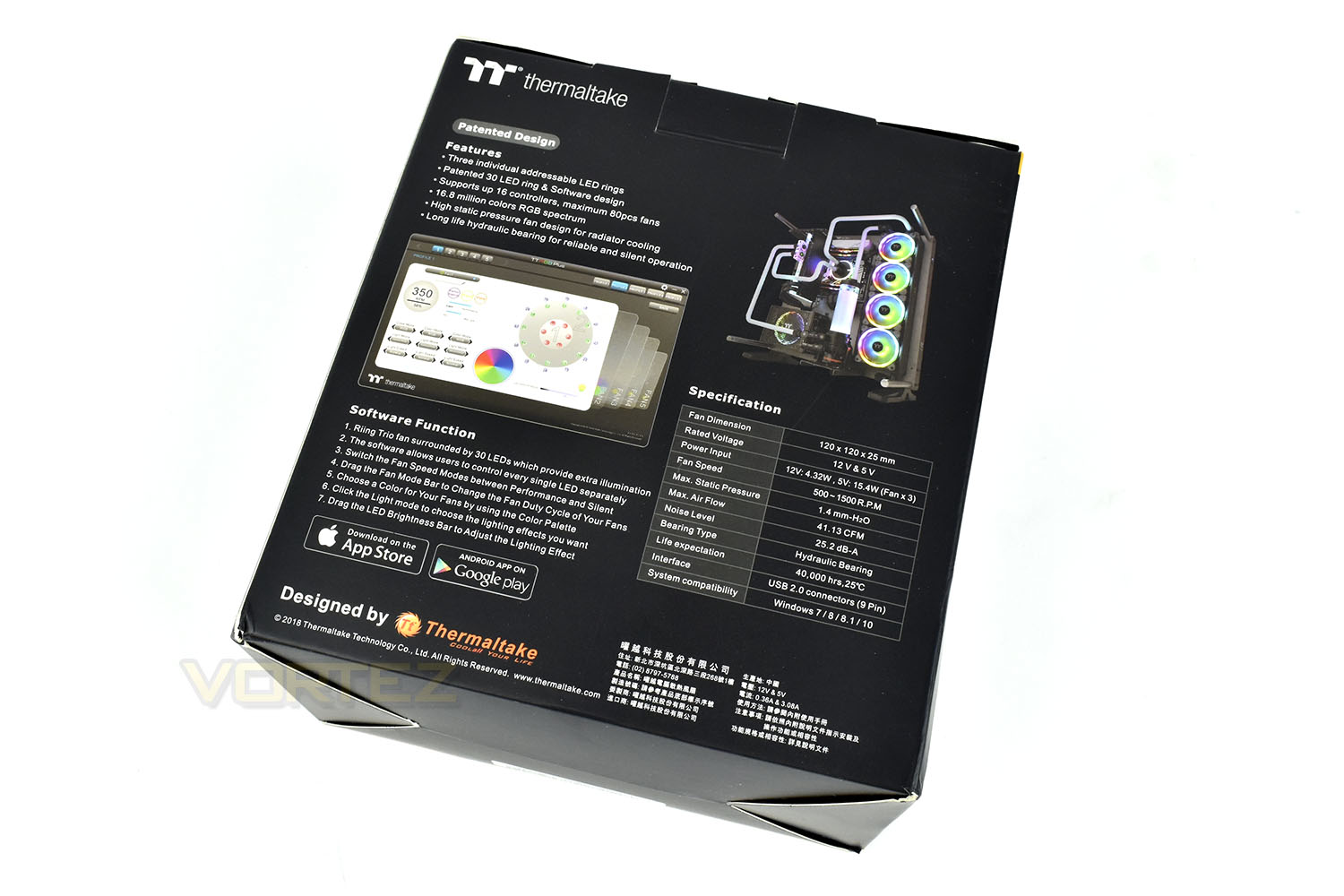
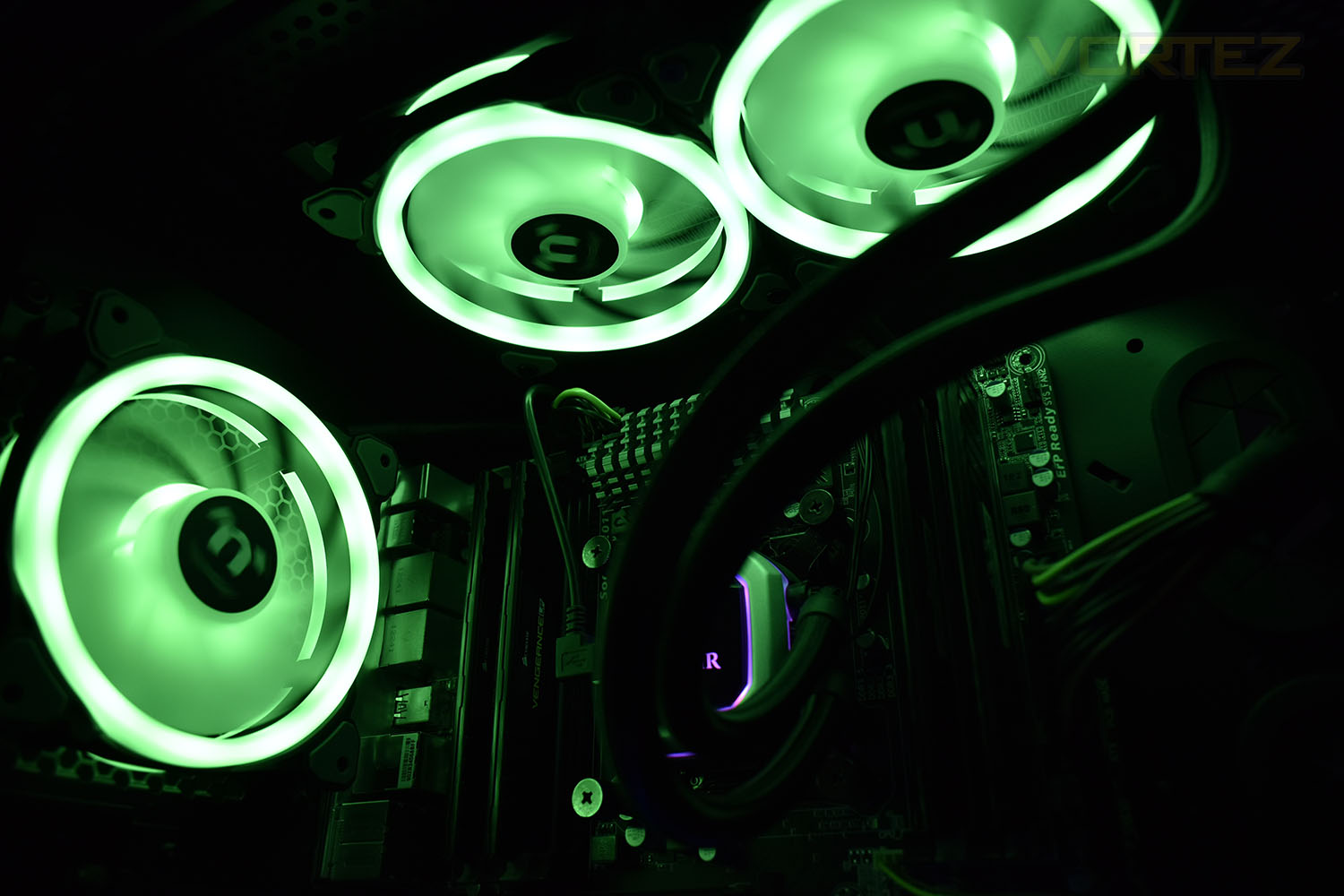
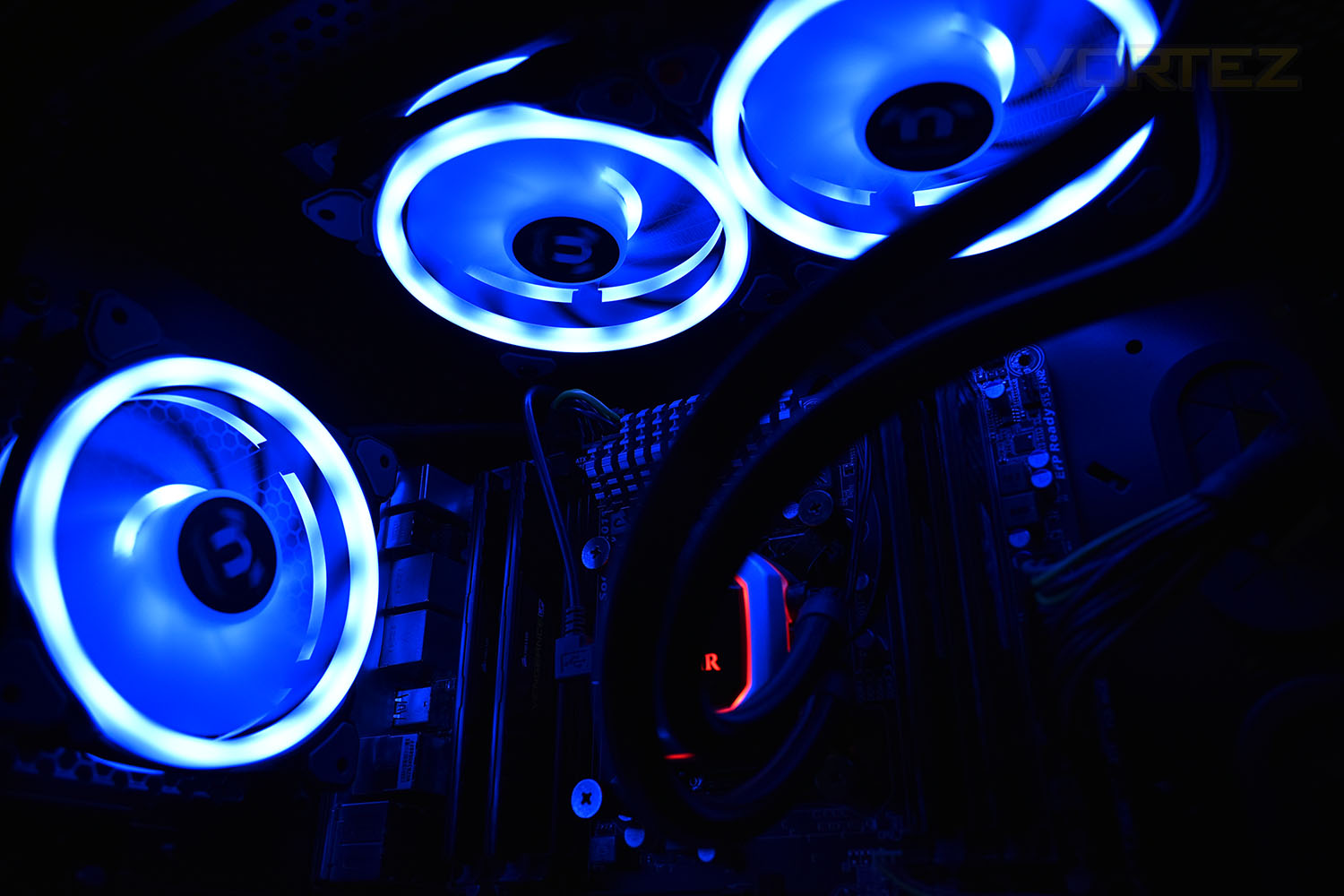
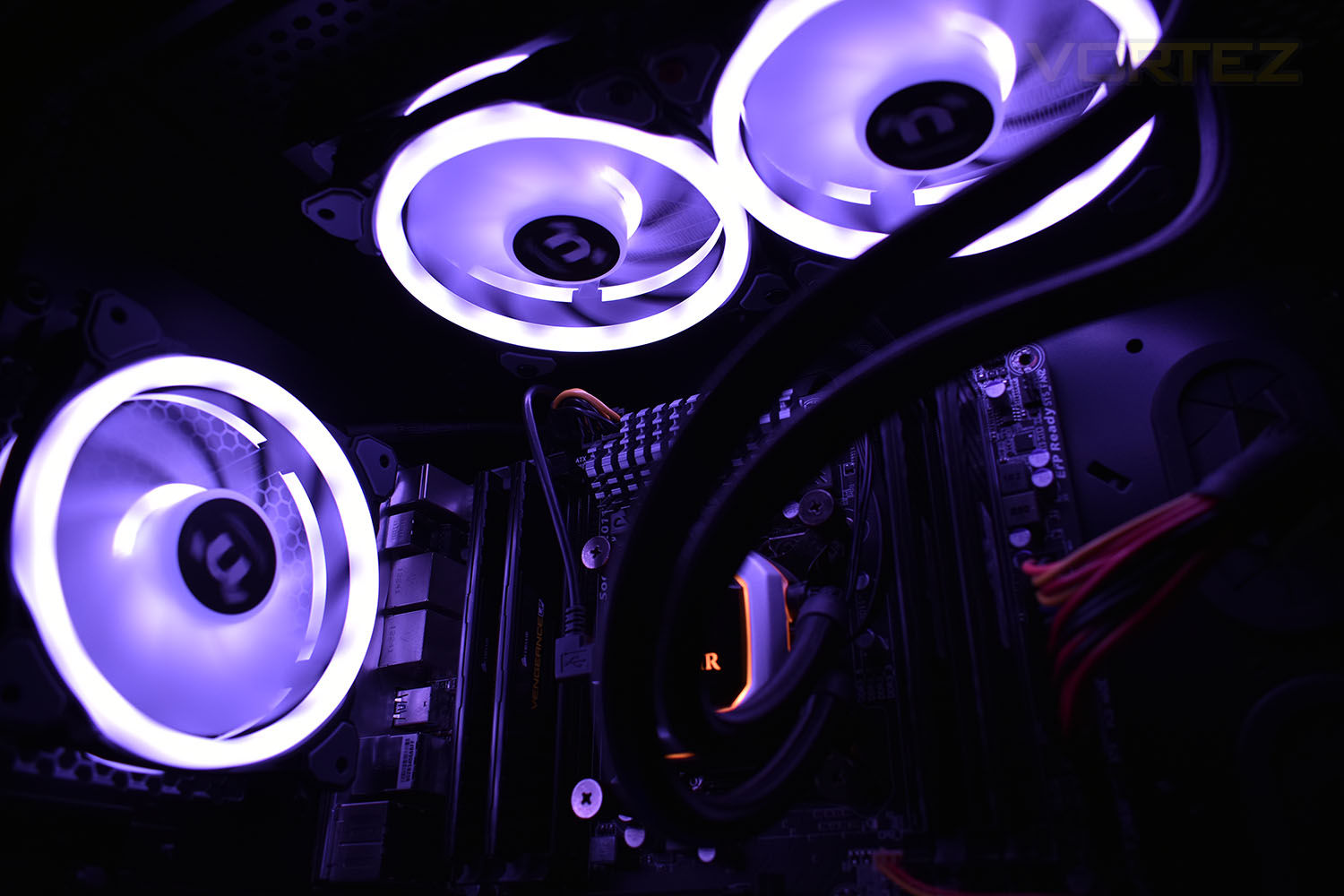
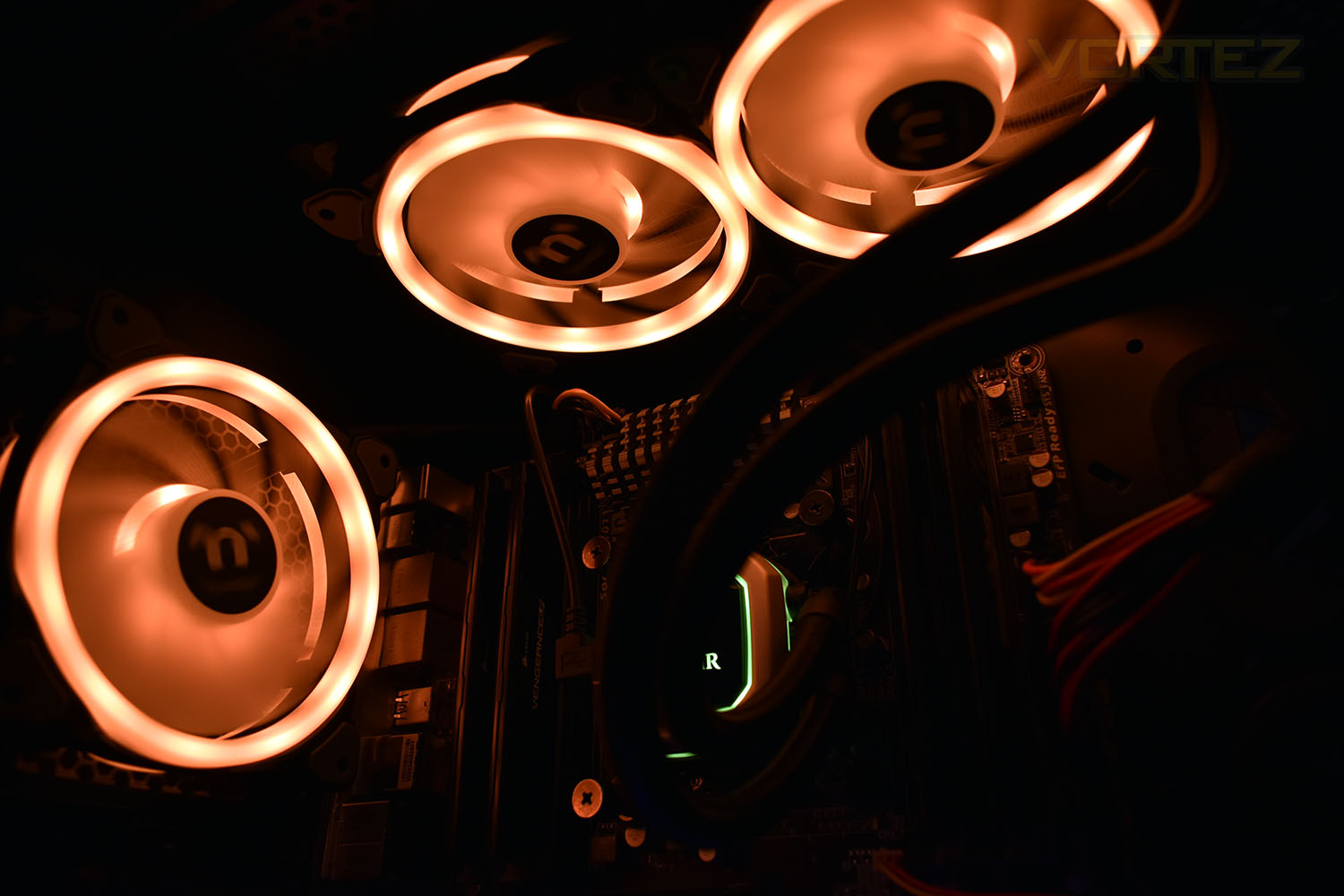
One of the main improvements over the previous iteration is the introduction of an extra 20 RGB LEDs in each fan, making a total of 30. Those LEDs are divided up into three separate zones now, with individual illumination on the front and back and now in the motor-hub as well.
Not only have Thermaltake improved the RGB LED layout, they’ve added several new features to their software suite, including Amazon Alexa and Razer Synapse support along with voice activation via the new mobile app.
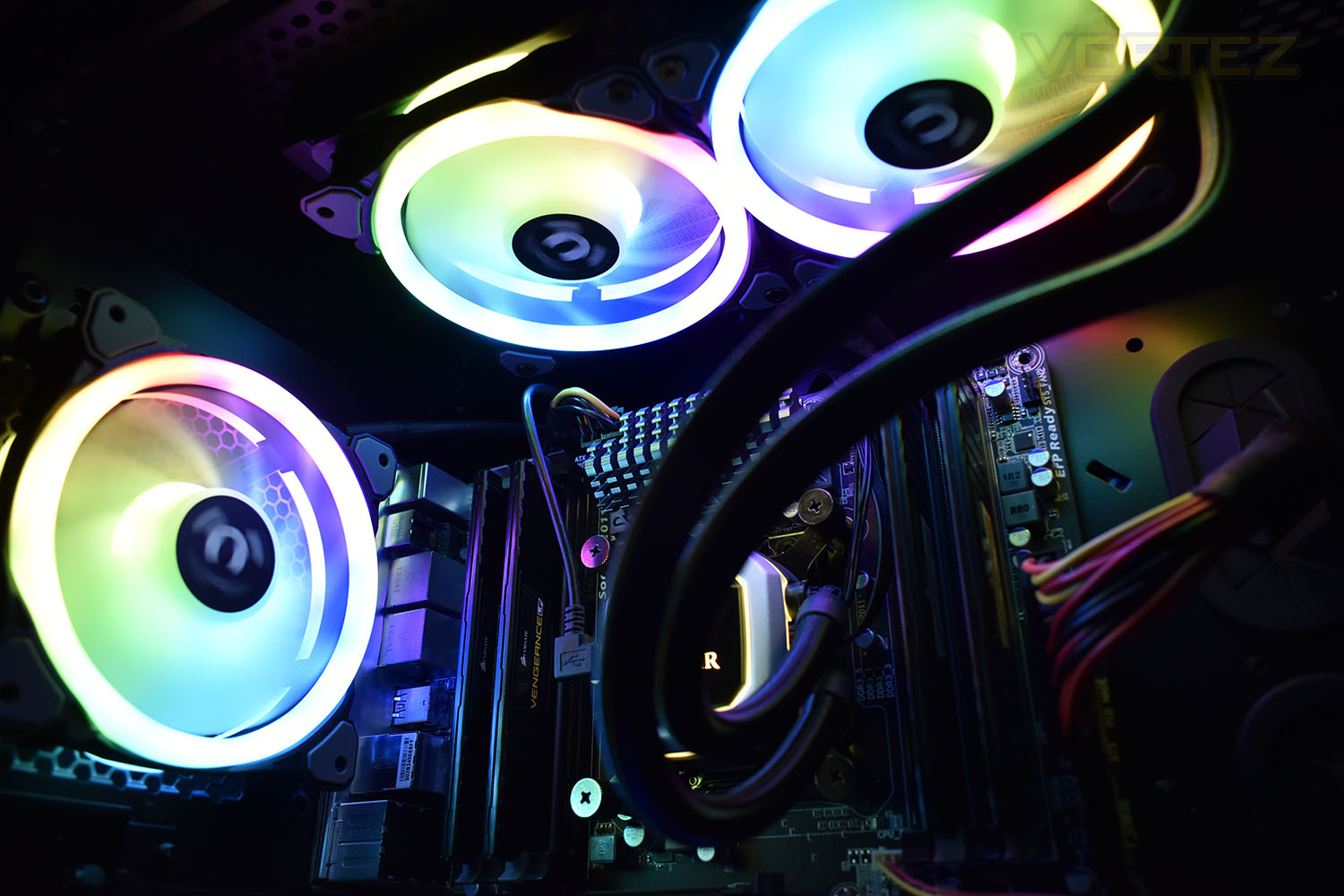
The fans themselves measure 120mm x 120mm x 25mm so they should fit in almost any situation where a typical 120mm fan would be used and thanks to hydraulics bearings and rubber mountings, noise is promised to be low.
With the market obsession of RGB lighting and a need for constantly improved cooling capacity due to power-hungry components, the Riing Trio 12 fans certainly seem to fit the bill, but do they perform or look as good as Thermaltake claim? Let’s find out.
Thermaltake on the Riing Trio 12 RGB:
Thermaltake Riing Trio 12 RGB is the world’s first intelligent radiator fan with 3 independent 16.8 million colors LED rings design, featuring 30 addressable LEDs in total and support for Thermaltake’s patented TT RGB PLUS Software, Amazon Alexa Voice Service and Razer Synapse 3 (Razer Chroma). The fan itself utilizes a PWM controlled 120mm high-static pressure fan, long-life hydraulic bearing and compression fan blade design, delivering remarkable cooling performance without sacrificing quiet operation – “Three-of-a-kind always beats two pair, Riing Trio!”
Technical Specifications
P/N: CL-F072-PL12SW-A (Fan x3, Controller x1)
Fan Dimension: 120 x 120 x 25 mm
Interface: USB 2.0 connectors (9 Pin)
System compatibility: Windows 7 / 8 / 8.1 / 10
Fan Started Voltage: 9.0 V
Fan Rated Voltage: 12 V & 5V
Rated Current: 12V- 0.12 A , 5v – 1.03A (only one fan)
Power Input: 12V – 4.32 W . 5V – 15.4 W (Fan*3)
Fan Speed: 500 ~ 1500 R.P.M
Max. Air Pressure: 1.4mm-H2O
Max Air Flow: 41.13 CFM
Noise: 25.2 dB-A
Bearing Type: Hydraulic Bearing
Life Expectation: 40,000 hrs,25°C
Weight: 168 g
Fan Dimension: 120 x 120 x 25 mm
Interface: USB 2.0 connectors (9 Pin)
System compatibility: Windows 7 / 8 / 8.1 / 10
Fan Started Voltage: 9.0 V
Fan Rated Voltage: 12 V & 5V
Rated Current: 12V- 0.12 A , 5v – 1.03A (only one fan)
Power Input: 12V – 4.32 W . 5V – 15.4 W (Fan*3)
Fan Speed: 500 ~ 1500 R.P.M
Max. Air Pressure: 1.4mm-H2O
Max Air Flow: 41.13 CFM
Noise: 25.2 dB-A
Bearing Type: Hydraulic Bearing
Life Expectation: 40,000 hrs,25°C
Weight: 168 g
Packaging & Bundle
Thermaltake aren’t shy of a bright and informative package, coated with vibrant colours and specifications, the front gives a good idea of what’s to come.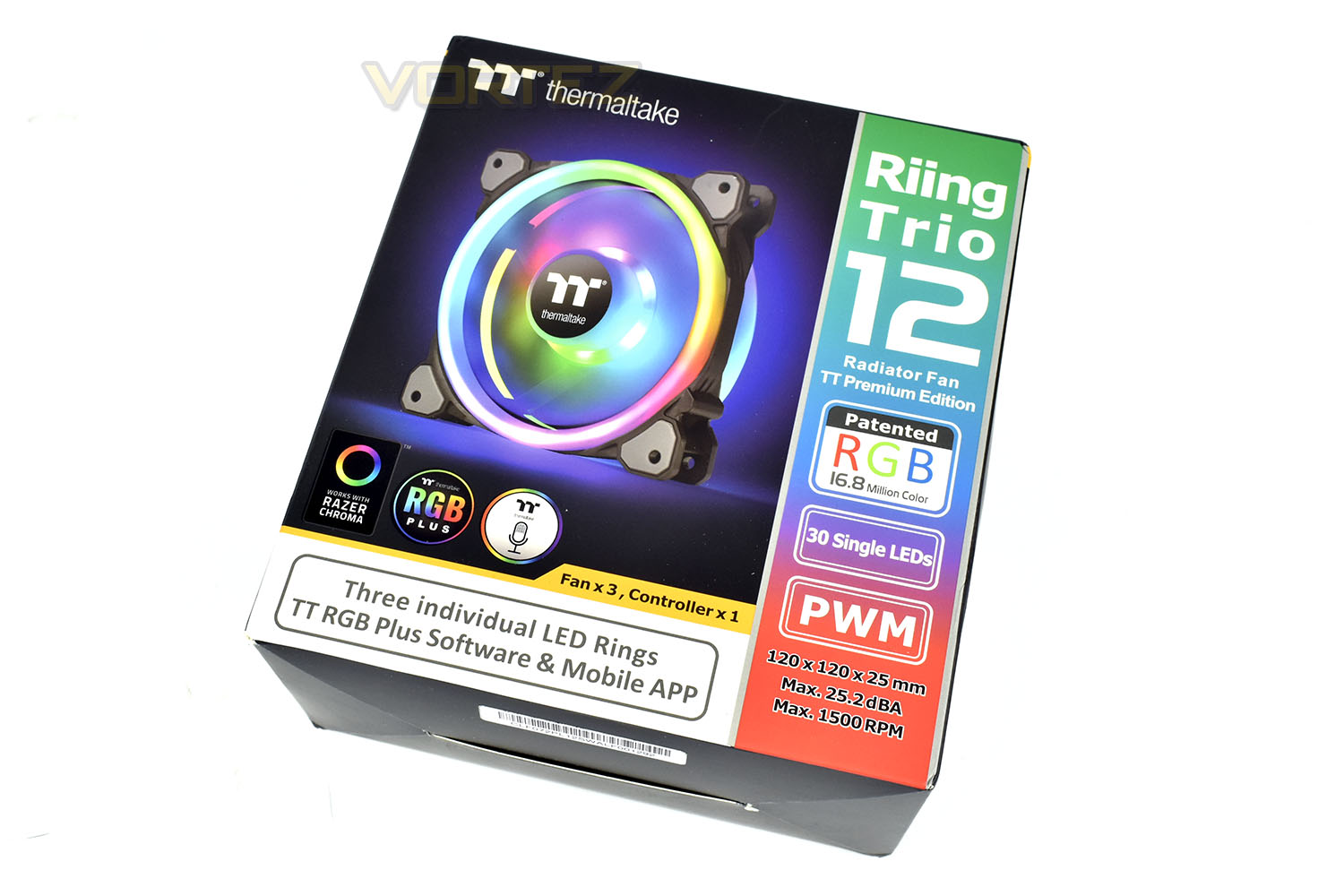
On the reverse of the box is a bucket-load of information about the fan, with illustrations and tables showing the specific details.
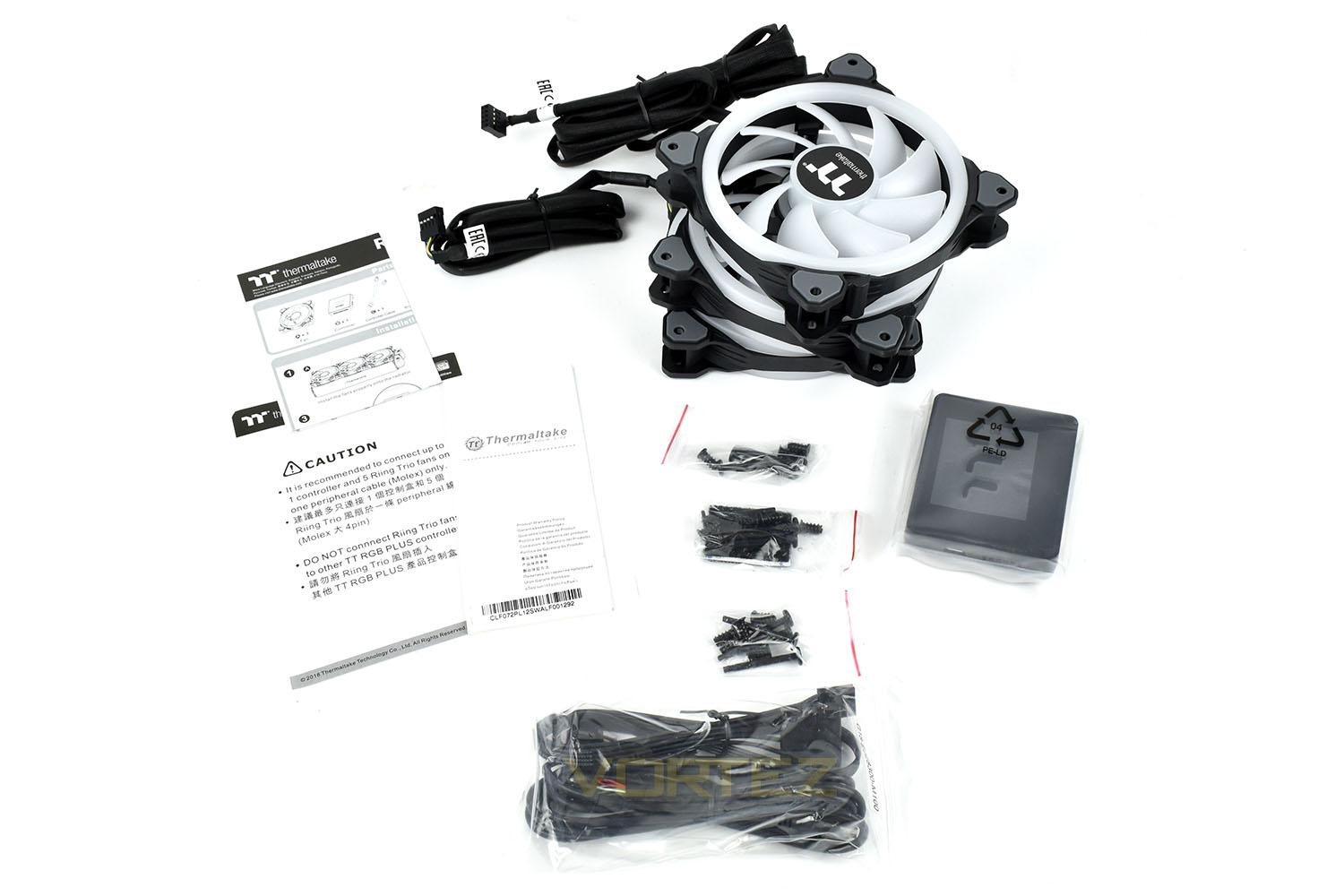
Along with the trio of fans are some instruction and warranty leaflets, mounting hardware for both case and radiator mountings, all the relevant cables and the fan/RGB controller.
Closer Look
If you’ve paid much attention to our previous review of the Riing Plus 12 fans, you will immediately notice how much extra translucent plastic has been used to accommodate the vast increase in LEDs around the enclosure. The blades are now also white instead of black which will help to distribute the light around the fan and your computer case.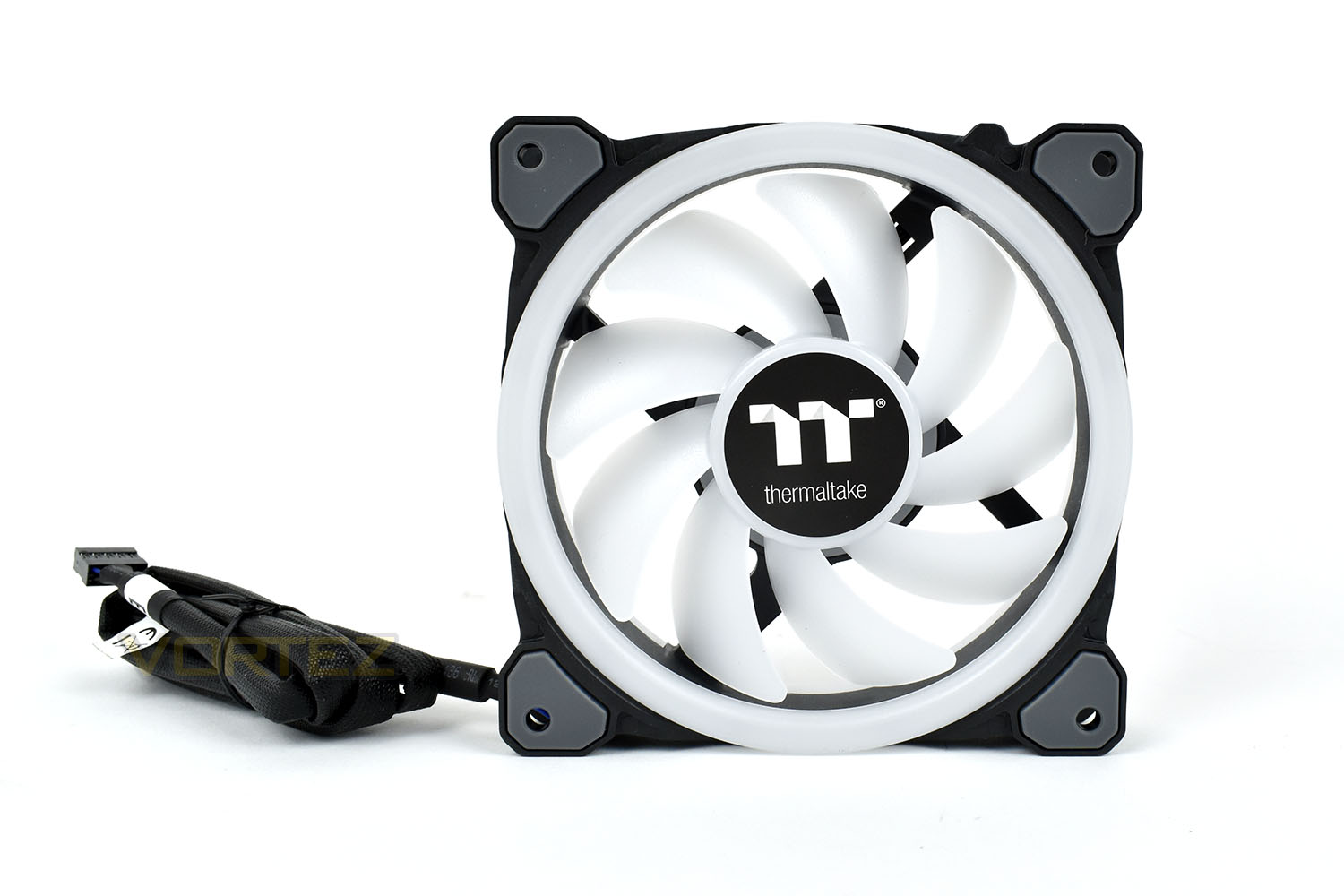
The reverse side uses four black spokes to hold the motor in place. Each corner, on both sides, is capped with a piece of reasonably thick rubber, useful for absorbing any unwanted vibrations that would otherwise be transferred directly into the case which can cause annoying reverberations and rattles.
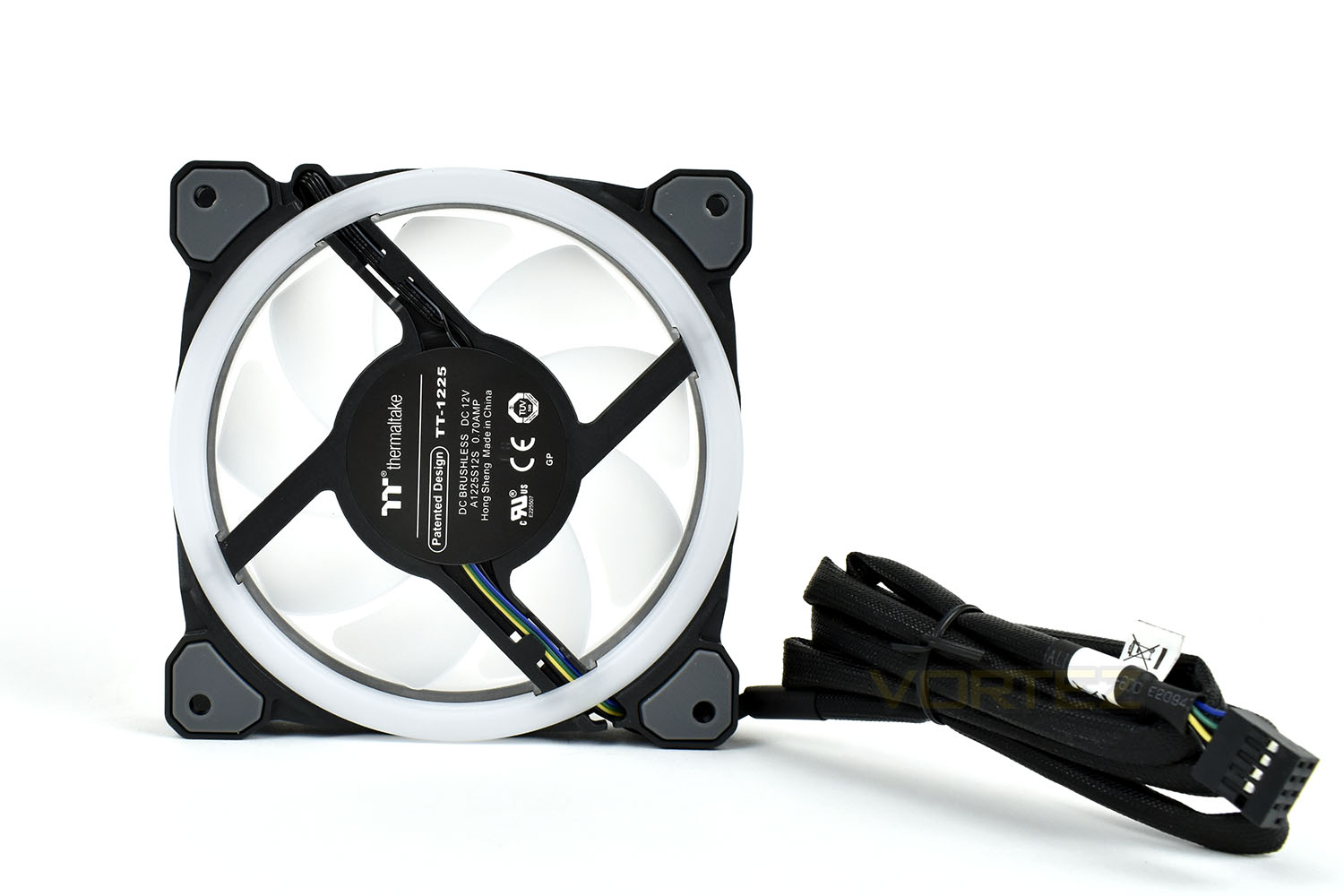
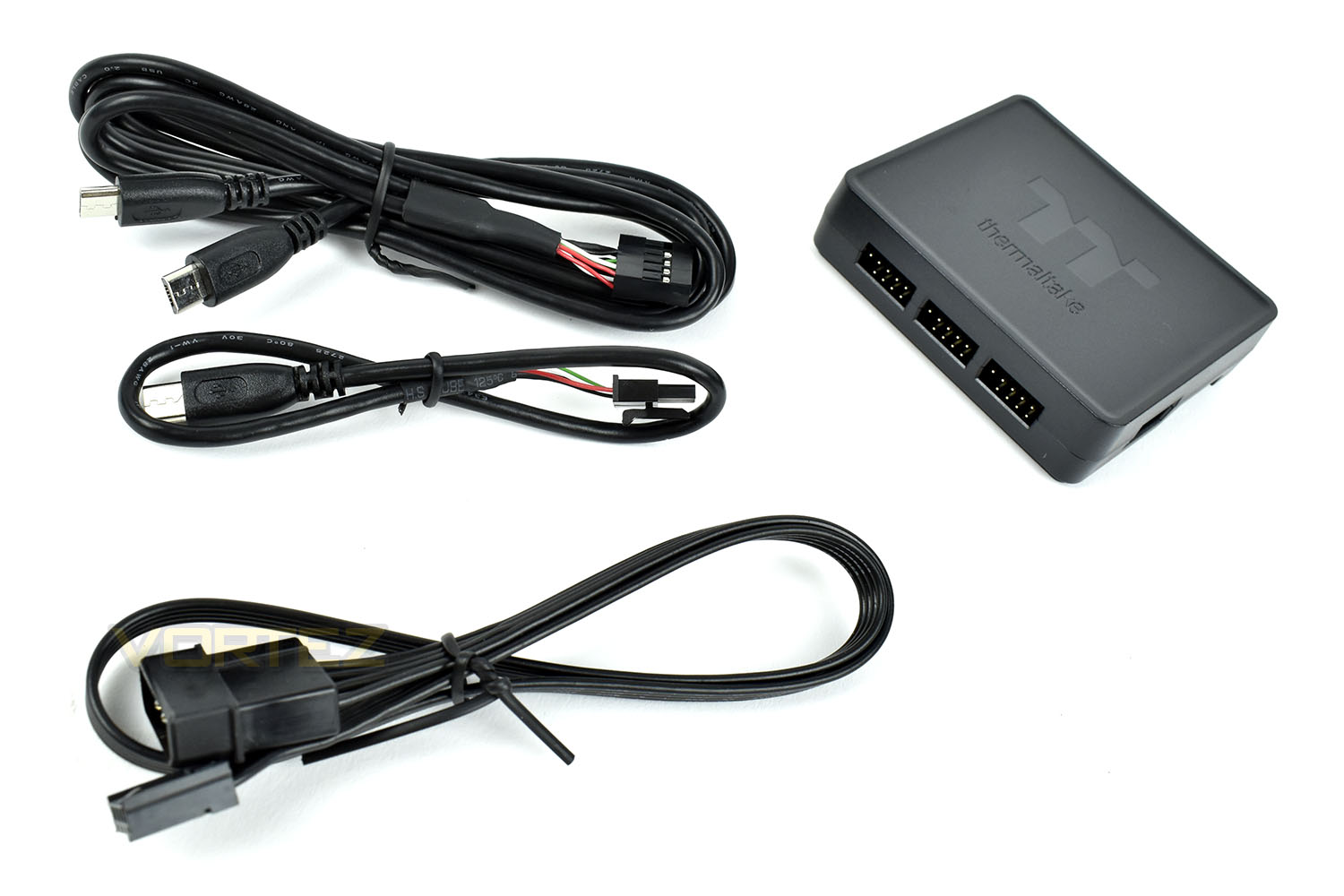
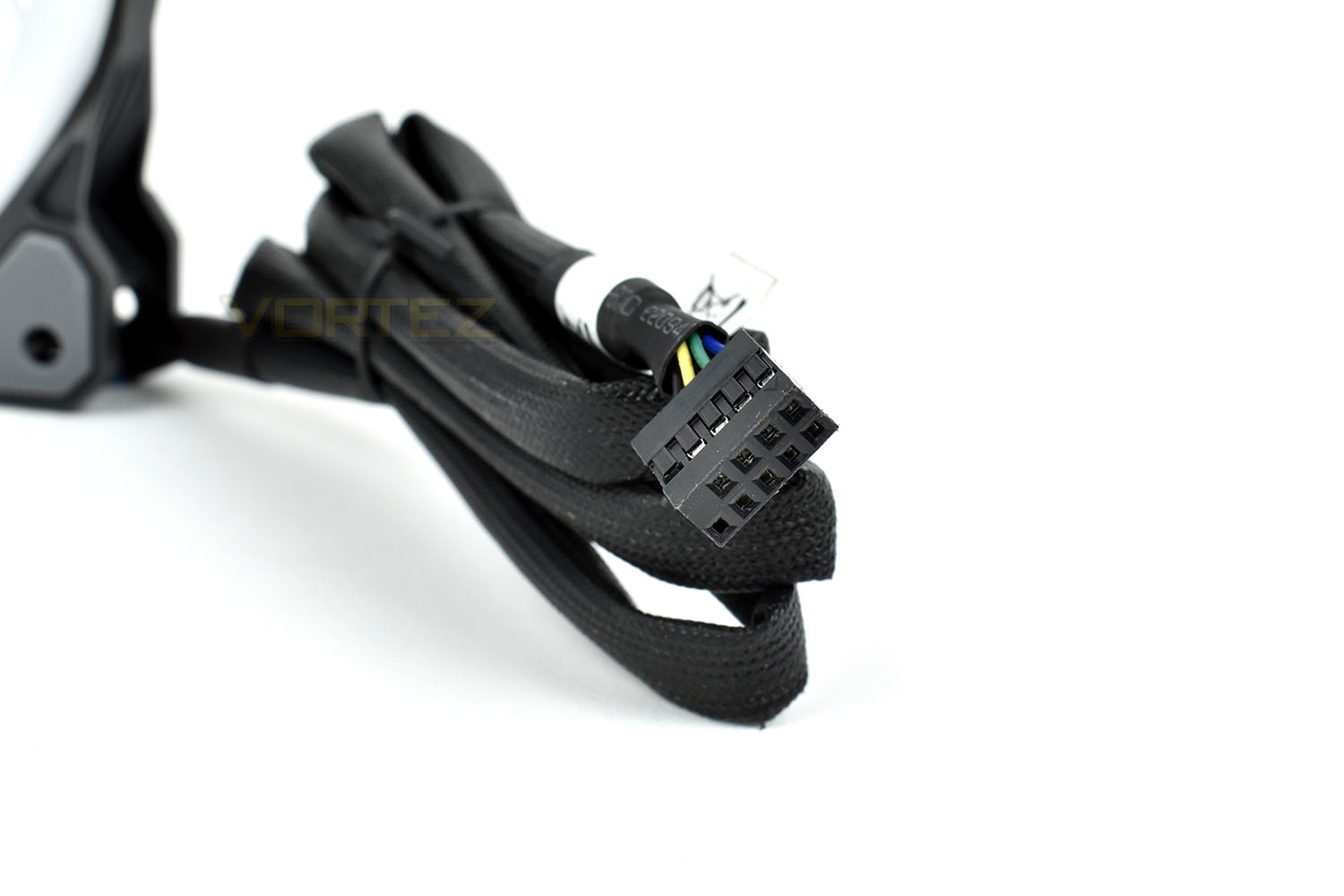
Something that we like Thermaltake’s RGB fans for is the simplicity of the cabling. Both the RGB lighting and the PWM motor is controlled through a single cable which connects to a central hub making cable management much easier. The cables measure 900mm in length so there’s plenty to route around corners and around the back of components to help with the cleanest of builds.
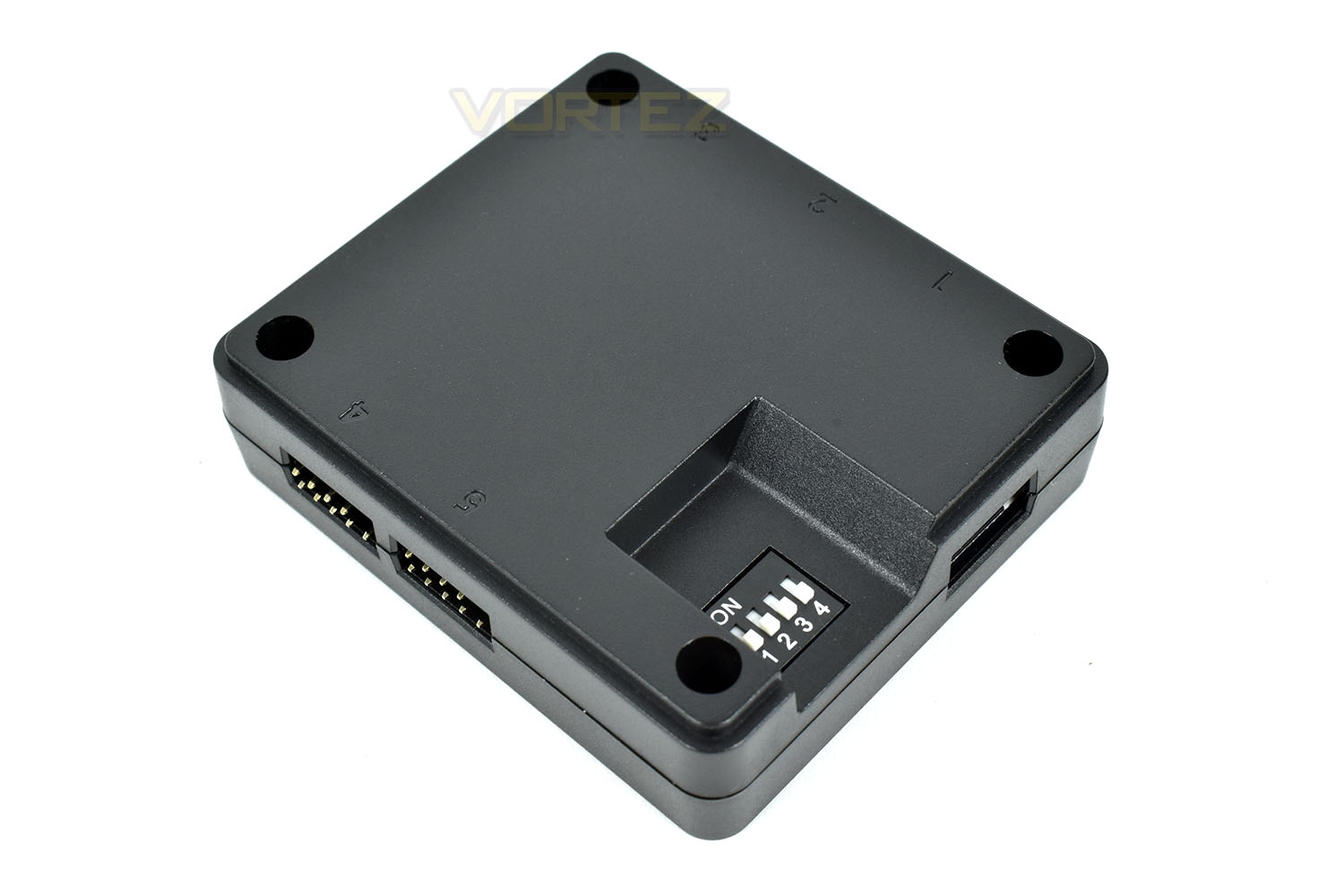
The fan controller is capable of powering up to 5 fans and sorts out both the fan speed and the RGB lighting through one port, cutting down on wires considerably. The controller connects to a USB header on your motherboard and talks directly to the software via that.
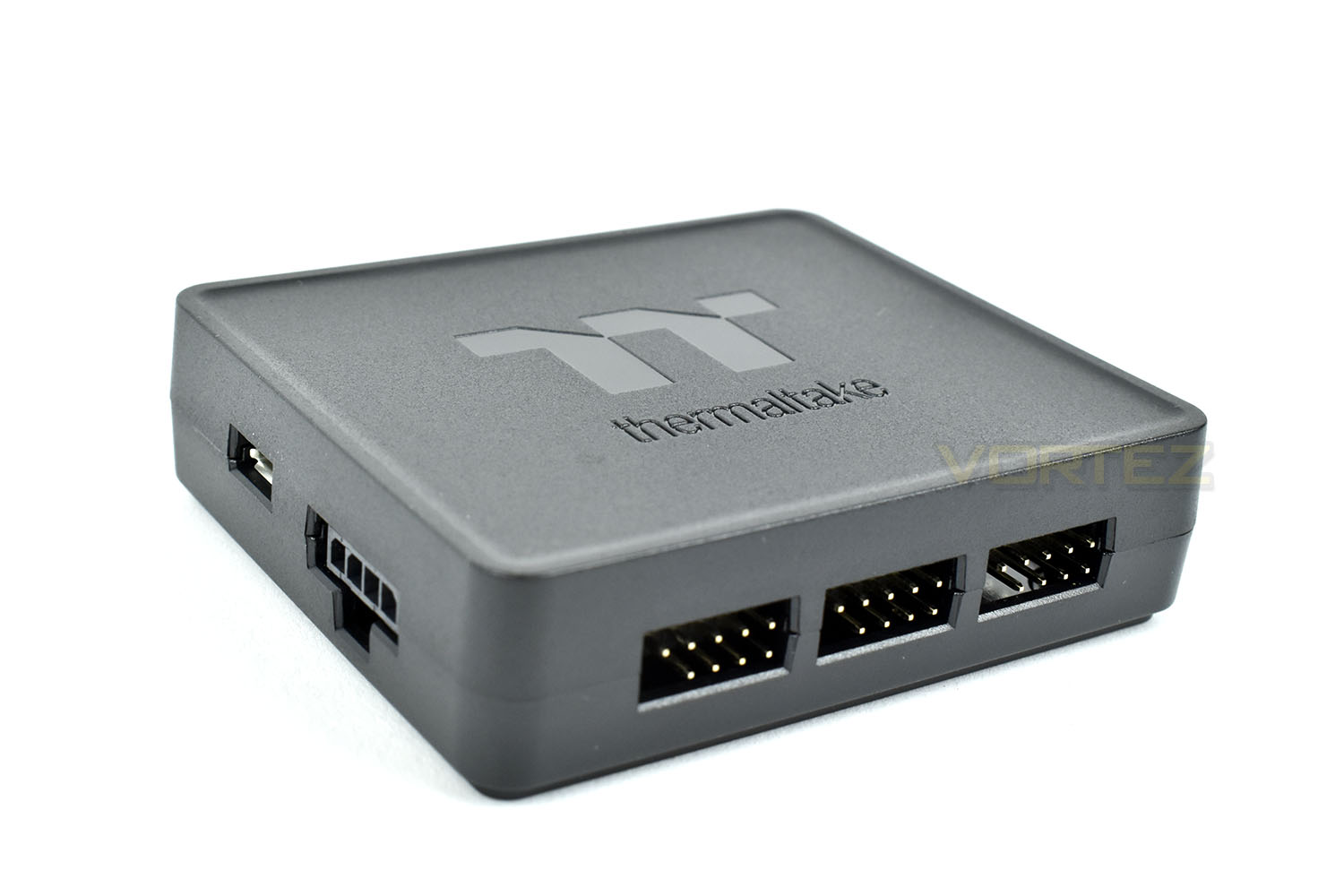
The controller measures 74mm x 63mm x 20mm so should be easy enough to tuck away behind your motherboard tray or in a quiet corner of your chassis.
Software & RGB Lighting
The Thermaltake TT RGB software is a basic suite in appearance but it packs plenty of lighting options for the fans. Below is a short video giving a brief overview of what to expect.Moving onto the RGB lighting, here’s a video showing some of the effects built into the software as well as some solid-colour stills.
Test Setup & Methodology
We have recently made changes to our cooling department and the associated testing methodology, so please note that the number of results shown will increase over time as we add additional products. We hope that these results will appear clearer to the majority of our readership and look forward to building upon the baselines that we currently have.We perform two individual testing routines with each CPU cooler that we receive – temperatures and acoustics. The system used is as follows and all tests are performed at stock 3.8 GHz and overclocked 4.4 GHz frequencies.
Processor – Intel Core i7-3930K
Motherboard – Gigabyte X79-UP4
Memory – 8GB Corsair Vengeance LP 1600MHz CL9
Video Card – Sapphire Radeon HD 6850 1GB
Power Supply – NZXT Hale90 650W
Storage Drive – Kingston HyperX 240GB SATA III SSD
Case – Corsair Carbide 760T
Monitor ASUS ROG SWIFT PG278Q
Motherboard – Gigabyte X79-UP4
Memory – 8GB Corsair Vengeance LP 1600MHz CL9
Video Card – Sapphire Radeon HD 6850 1GB
Power Supply – NZXT Hale90 650W
Storage Drive – Kingston HyperX 240GB SATA III SSD
Case – Corsair Carbide 760T
Monitor ASUS ROG SWIFT PG278Q
We test our fans at both 1000 RPM and maximum RPM, or if the fan only has one setting, it’s only included in the maximum RPM graphs.
Firstly, we’ll test acoustics, both as a case fan, mounted on the rear of our Corsair Graphite 760T chassis, and as a radiator fan on the Corsair H100i Pro RGB. (with the pump turned down to 1,100 RPM and all other case fans disabled). We measure the average dB(A) noise levels over 60 seconds in a quiet room with an ambient noise level of around 24dB(A). Acoustics are measured from the same point within the case (20cm from the fan), with every effort taken to ensure test parameters are as close as possible during every test.
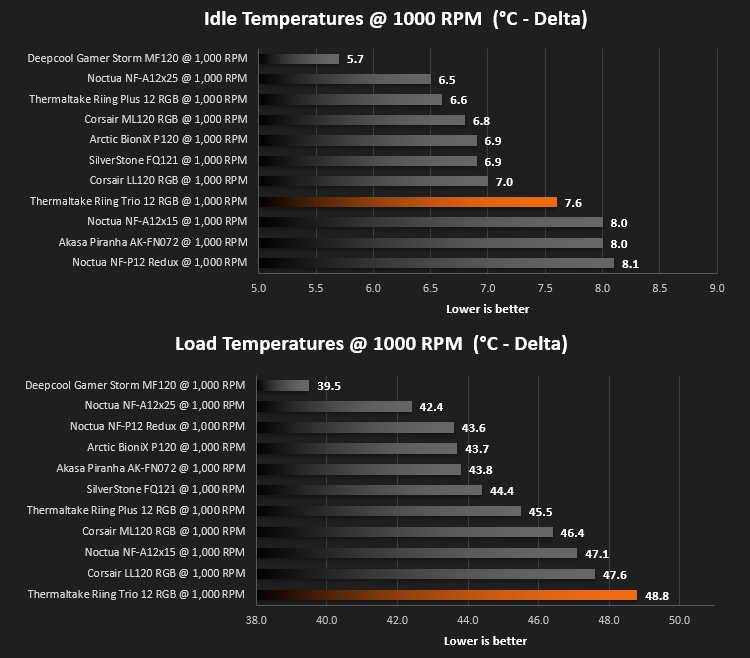
We then test the fan’s performance both at 1000 RPM and maximum RPM by running an AIDA64 20-minute stress test while running only a single 120mm fan on the 240mm radiator of the Corsair H100i Pro RGB. This allows us to test single fans as well as multi packs by only relying on a single 120mm fan. We mount the fan under the radiator, inside the case, blowing through the radiator. We measure the average core temperature over a 60-second period and minus the ambient room temperature from this. That leaves us with a Delta °C measurement which is applied to the graphs. Our average room temperature is kept as close to 21°C as possible, roughly the room temperature of most homes and offices. Obviously, if you live in a warmer climate with warmer room temperatures, you can expect higher temperatures.
To ensure the fans RPM are measured consistently, we use the Noctua NA-FC1 fan control unit, allowing the speed of our fans to be infinitely adjusted and monitored via a nearby header on the motherboard.
Benchmarks – Thermal Results
We test the thermal performance by relying on a single fan to cool the CPU via a Corsair H100i Pro RGB cooler.We test thermals at 1000 RPM at both idle and full load using AIDA 64.
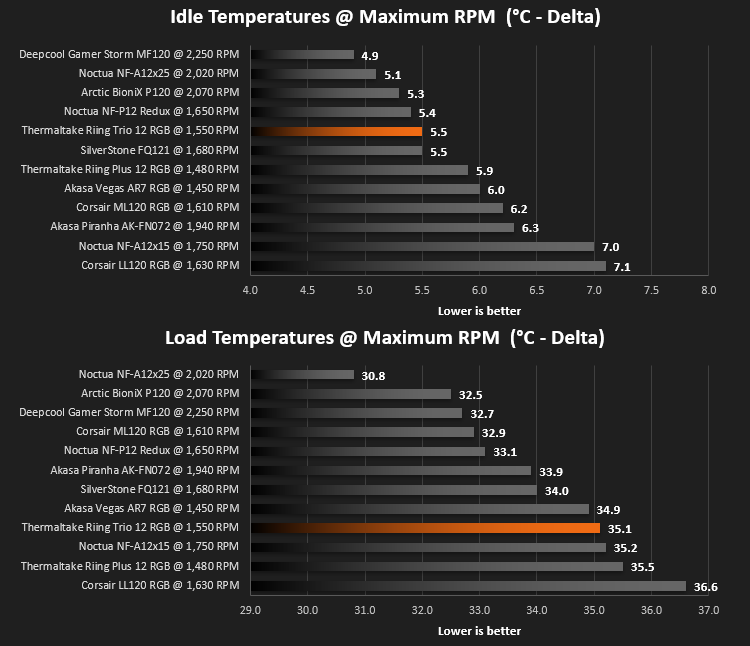
We then run the same tests again but with the fans set at maximum RPM which was around 1550 on the Riing Trio 12 RGB.
Benchmarks – Acoustic Results
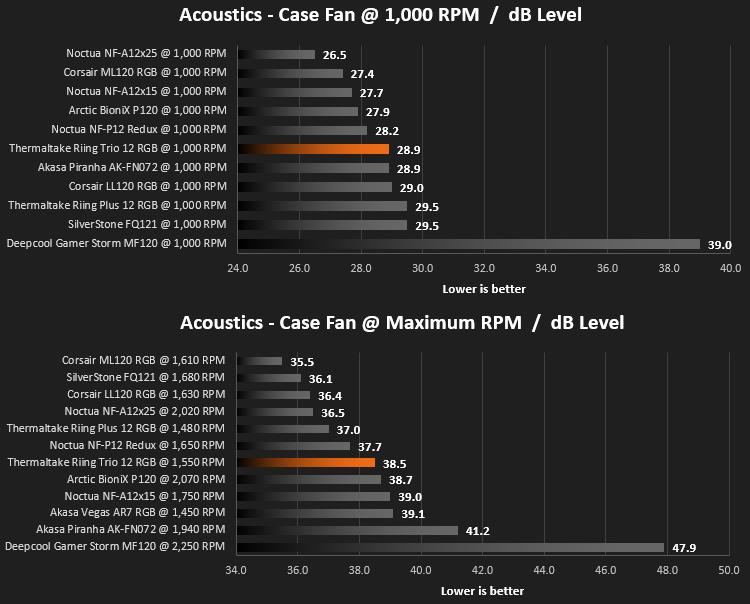
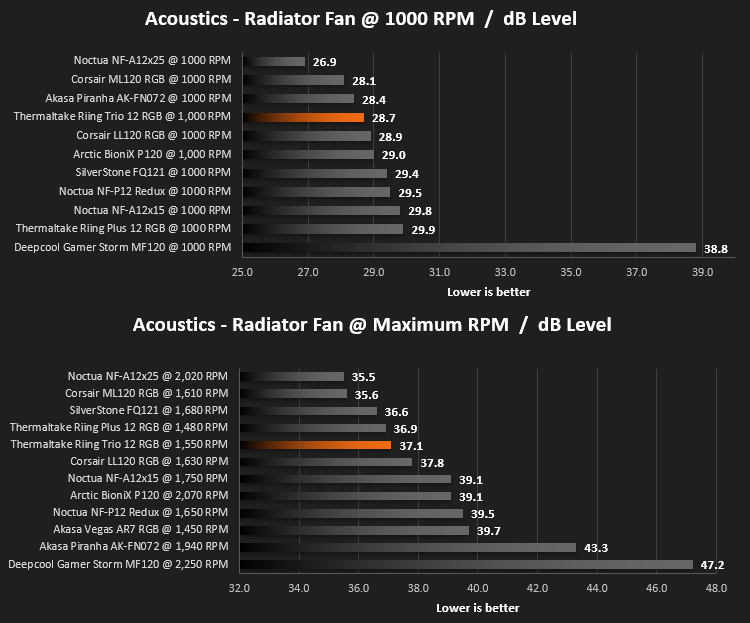
For testing, we only connected a single Riing Trio 12 to the TT controller and set the fan speed accordingly.Due to different characteristics, we feel it’s important to test fans as both case fans and radiator fans, giving you, the reader, a good idea of what to expect in both scenarios. We also test at 1000 RPM and Maximum RPM to see just how loud things can get.
We begin by testing the fans on the rear of our Corsair 760T chassis.
We then mount the fan to the Corsair H100i Pro RGB and re-run the tests. This can be important due to different blade angles and flow shapes.
Conclusion
Thermaltake’s reputation has been hard-earned through the years, being most appreciated within the watercooling community, but that doesn’t mean they’re no good elsewhere. Their cooling gear is brilliant.The Riing Trio 12 fans, as an evolution of the Riing Plus 12 are a bit of a mixed bag, it has to be said. Largely, the two sets of fans performed the same in all of the tests, which goes to show that Thermaltake haven’t really invested much time or effort into improving the, what were already very decent fans, but that’s not really an issue in this instance. The RGB lighting, however, is improved vastly. These fans, which you could hopefully see in our short video, really light up the case from the word “go.”
Thanks to the addition of an extra 18 LEDs in each fan, as well as mounting them into the hub and also changing the blades from an all-black construction to a much more RGB-friendly translucent white, have resulted in one of the most beautiful RGB fans we’ve seen so far, possibly even more pleasant than the Corsair LL120 fans.
One let-down for us while testing the Riing Trio 12 was the software. It doesn’t really seem to have gone anywhere in the last year since last testing the Riing Plus and is really starting to look dated in 2019; though, let it be said, the software does function remarkably well so it gains points for function.
Lastly, that molex connection. We hated this last time around and hated it even more this time. It’s about time we moved on from this terrible connection standard and used the much better SATA connector instead.
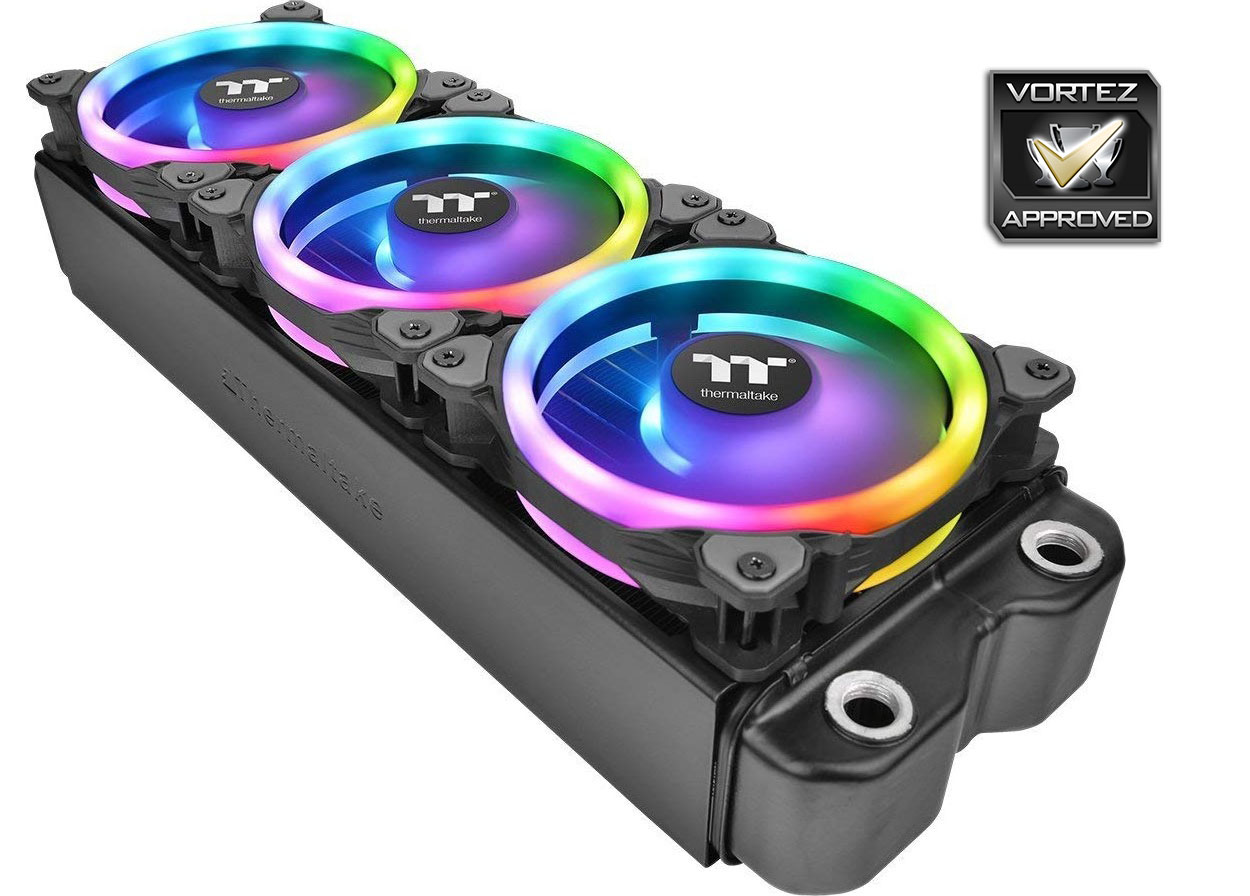
If your aim is to add some RGB bling to your case, we can’t see a better solution than throwing a few of these inside. Their performance is good but their lighting is epic.
Pros
+ Amazingly bright and vibrant lighting
+ Good, solid build quality
+ Plenty of mounting hardware
+ Single cable for both lighting and fan control
Neutral
+- Performance hasn’t improved over the Riing Plus 12.
Cons
– Molex power connector
– Pricey
+ Amazingly bright and vibrant lighting
+ Good, solid build quality
+ Plenty of mounting hardware
+ Single cable for both lighting and fan control
Neutral
+- Performance hasn’t improved over the Riing Plus 12.
Cons
– Molex power connector
– Pricey
Click here for an explanation of our awards at Vortez.net.
Stay connected with the Vortez Social Media pages: